Home Blog Page 1842

Fall guys anatomy revealed

0

Fall Guys and its surge was witnessed by everyone in the gaming community around the world. The game made a name for itself with its uniquely simple and sophisticated character design that fitted the game’s classy retro-feeling play style. The character may look like a happy jellybean from the outside but Fall Guys has revealed a disgusting anatomy of that character.

Fall Guys revealed that their characters are actually six feet tall with a weird bone structure and even weirder skull placement. The neck and leg structure looks similar to any bird but has a human skull with eyes coming out of the socket to fit the jelly-like facial structure.

Fall Guys’ social media channel was very active among the community and several times, they actively took part in small activities. The twitter account even taunted TimTheTatman when he could not get a win in their game. After receiving mixed comments from the community over the absurd innards of their character, Fall Guys release another anatomical representation that is subtle than the earlier one.

Whether it was a planned campaign to revive their active player base as Among Us gets ahead of Fall Guys or it was just a post that was meant to be a joke but became viral, we will not know but one thing is certain, Fall Guys managed to catch the attention of their audience with such an amusing concept of anatomy.
How to boost FPS in CSGO

0

Frames per second, or FPS for short, is one of the most crucial things which can give players an advantage in any competitive video game when optimized correctly. When playing a first-person shooter like CSGO, maximizing your fps count should be your top priority if you’re looking to climb up the ladder of ranks.


Apart from your fps count, there are other aspects like ping, var, or losses that can disrupt or negatively affect your gameplay, but unlike those other factors, you have some control over your fps which you can use to gain a competitive advantage over enemies.

Now there are a bunch of ways through which you can increase fps in CSGO, but many of them are either outdated or do more harm than good. In this guide, we’ll be taking you through s series of tips and tricks which you can start using right now to maximize your in-game fps in CSGO. We assure you, you’ll be shocked by the results.

  1. Video Settings: Starting with the rather obvious one, turn every single one of your video settings without exceptions to ‘very low’ in order to maximize your FPS. Disable anti-aliasing, set texture filtering to bilinear, turn off vsync and motion blur, and if you’re looking to squeeze every single extra frame you can get, keep the resolution as low as you can before it gets uncomfortable to play in. There are varied opinions on this, but enabling multicore rendering generally improves fps if you have more than two cores on your CPU.
  1. Launch Options: Launch options can help you gain a significant boost in your FPS. To edit your launch options, go to your Steam library, click on CSGO, go to properties and click on ‘set launch options’. Here are the launch options which you should enter there:

“-high -threads x (replace x by the number of cores on your CPU) -novid -freq y (replace y by your monitor’s refresh rate)“

Once done, save the launch options and relaunch CSGO.

  1. Updating Video Drivers: Depending on which graphics card you have, your video drivers may get outdated from time to time. For instance, if you have an NVIDIA GPU, make sure to regularly check the NVIDIA website to look for driver updates.
  1. Power Options: Your windows power options may significantly hamper your system’s ability to run CSGO properly. To fix this, go to Hardware and Sound on your Control Panel, click on Power Options, and select High performance.
  1. Graphic Card Settings: Your graphic cards will allow you to set some advanced settings which can improve either performance or visual quality for your games. You need to maximize the effectiveness of your GPU in terms of performance for increasing FPS.

Here are the options for NVIDIA:

Here are the options for AMD:

  1. 3rd Party Softwares: Let me say this straight, third-party softwares almost never work for improving your fps in CSGO. In fact, they do more harm than good for your system’s performance. Everything those ‘Game boosters’ do can be done manually through the task manager.
  1. Close Other Programs and Services: Open your task manager by pressing ctrl + shift + Esc, then go to the ‘processes’ tab. Close any processes which you feel are pointlessly draining your system’s resources. Then head over to the ‘services’ tab and disable services that you don’t need. Be wary though, don’t close a service or process unless you’re certain that they’re not crucial for your system.

Recommended: Legendary map Tuscan to soon make its way to CSGO

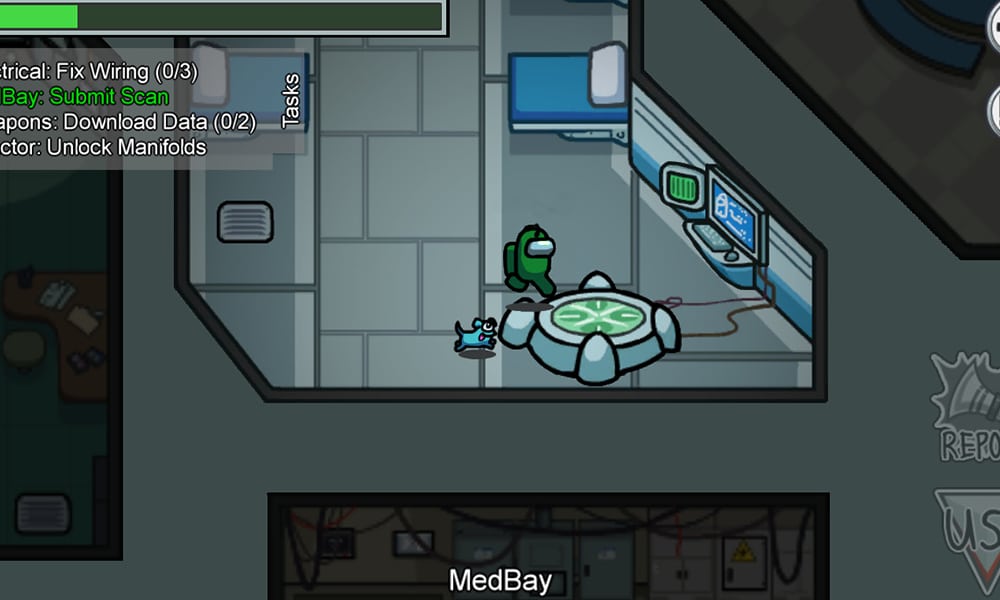
Mobile Gamers take Among Us to 60 million daily active users

0

Forest Willard, one of the three developers of the fun covert gaming Among Us, has revealed interesting data about Among Us, DotEsports first reported. The game’s rise, which began in August this year, had a sharp takeoff which was led by streamers and youtubers, appreciating the simplicity and mechanism of the game.


The developers of the game InnerSloth, had to cancel the sequel, Among Us 2, in order to work more on the current version. The game recently clocked over 390,000 peak viewers on Steam, which is by far considered as decent.

Forest, who goes by the handle @forte_bass shared a graph of active users. In the projected graph the majority of these users appear to be from Android-powered devices, Windows & Apple’s iOS contribute rather equally. Although the bugs in Mobile Versions are evident such as SocketException & Ping issue auto-disconnect, the majority of the active players are from the Mobile fraternity.

The developers in the recent update confirmed their intent to resolve server issues and some new added features before getting into the development of Among Us 2.


Among Us Surge

The game surged in the middle of the month of August this year. The game used to get merely 1000~2000 active players on Steam before the breakout in the third week.

Today, the game has clocked the highest number of active players, numbering: 438,524. InnerSloth launched the game back in 2018, when the active numbers were not even above 500. It is a tale to tell, on how a game with minimal graphics was able to garner millions of players in about a span of four weeks.

Scout’s YouTube channel gets hacked

0

The YouTube channel of Scout, the professional PUBG Mobile player with 3 million subscribers got hacked. Scout makes this revelation on his official social media handles and the news comes as a shocker for his fans.

https://twitter.com/scouttanmay/status/1309830618314727425?s=19

Tanmay “Scout” Singh is one of the biggest gaming YouTubers from India who also competes professionally within PUBG Mobile. Scout is a distinguished personality within the Indian gaming community and has above a million followers on his verified Instagram handle.

Scout reveals that his Youtube channel was hacked this evening. This news comes as a shocker to many of his fans as he just streamed live this morning. The YouTube account is still running with all videos visible, unlike last time when the channels of Carryminati and 8bit Thug were disabled almost instantly when hacked.

Scout is very well-known in the international circuit and has represented Fnatic in the past. Recently rallying with Orange Rock, his squad was close to becoming the world champions of PUBG Mobile during PMWL: East 2020. His streaming career was also boosted to new heights in recent days. Scout also collaborated with Dr. Disrespect, one of the biggest streamers on the planet, and is frequently seen playing games with other eminent personalities from the Indian gaming community.

The YouTube channel hack is a very big shocker that will halt his streaming for the next few days. His channel can be recovered very soon when the YouTube officials take action on this ban. Currently, the mode of hack or origins is unknown.

Free Fire Crack the Safe: Everything you need to know

Free Fire has introduced a new event in the game with its new OB24 or Booyah Day update. The event is named “Crack the Safe” through which players can earn a free outfit bundle.

https://www.instagram.com/p/CFmLJW_h-mN/?igshid=1r1nsgg5c3oet

Free Fire is well-known for its ability to entertain the user base with quality content. Earlier, they collaborated with the Spanish Netflix series La Casa De Papel to introduce an exclusive month of “Money Heist” themed event. The scale of this new event is not comparable to Money Heist one, but the rewards are still something you don’t want to miss.

Crack the Safe event starts on 25th September and ends on after a week on October 4. The event has four stages or four “safe levels” which will give rewards with due course of time. As the players advance through the levels, confirmed rewards will be distributed for completing the tasks.

The very first level will be unlocked as soon as the event starts with Level 2 and 3 scheduled within the next few days. The players who can complete all these levels can unlock Level 4 Safe. You can take the help of your friends by clicking on “Get Help” and sharing your code to accumulate the number of guesses.

Here are the set of rules provided for the event:

  • Every safe will provide a clue regarding the range of the code.
  • After you enter your guess, if it is incorrect, the clue’s range will be narrowed.
  • Subsequent guesses will be limited to the new range only.
  • The 4th Safe is a Secret Safe, which can only be revealed when 3 friends enter your Secret Code in-game.

The event provides you with some number of guesses. After wasting one guess, the clue given above is narrowed down to a large extent. The guesses can also be earnt by playing games. Follow the rules given above and you can easily earn the outfits at the end of this event.

Also Read: How to get free diamonds in Free Fire via apps

How to get free diamonds in Free Fire via apps

Free Fire and its exclusive cosmetic skins have their own fanbase. A large amount of characters and dress outfits requires diamonds in exchange. Diamonds can be bought or claimed through different methods. Today we will discuss another method of gaining diamonds.

Diamonds are an in-game currency for Free Fire. It requires real money for purchasing the diamonds but there are other ways through which one can collect diamonds at a cheaper price or even for free sometimes. Here is a small list of apps that may help you to earn some free diamonds.

Google Opinion Rewards

The most trusted way to actually earn some free diamonds is by filling the surveys on Google Opinion Rewards. What this app basically does is allots various surveys to the users on several occasions and pays you when you fill it. The surveys available depend upon many variables and hence earning money from this method may take some time.

The money that is earned through a survey can be used to recharge in-game in Google Play Store. So when you have enough money to buy some diamonds, go ahead and purchase them with the money you have collected by filling out surveys.

GPT apps

GPT apps are basically the apps that pay you in points. There are several tasks to be completed and once it is done, the app rewards you with some points. Although all the apps have their own payment and reward system, the core remains the same. Once you gather enough points, you can exchange them to get Google Play Vouchers, Steam Codes, and other such things. GPT apps are mostly third-party apps or sometimes even available on App Stores.

One example of such apps is Poll Pay and Easy Rewards that are available on Google Play Store. Users can use such apps to redeem the rewards after completing several tasks present and then use them to redeem gift codes. Once you get gift codes, purchase Diamonds from Free Fire using them.

This is another simple method using which, you can earn a few diamonds for free. The apps mentioned are not tested by TalkEsport and readers are advised to check the policies of the third-party apps before opting for any survey or tasks that may expose their private data.

Also Read: How to get diamonds for FREE in Free Fire

Fortnite – Rocket League Llama-Rama crossover announced

0

Fortnite and Rocket League players are set to get a taste of each other’s culture the crossover event kicks off today. A series of challenges are provided to Fortnite players which earn them rewards for both games. This crossover celebrates Rocket League free to play launch in cooperation with Epic Games.

The Lama Rama event lets Rocket League players earn cosmetic items for both games upon completion of challenges. The challenges in Rocket League include:

Challenge 1: Play an online match in any playlist

  • Rocket League reward: Llama Flyer Antenna
  • Fortnite reward: Rocket League Spray

Challenge 2: Win two online matches in casual with the Llama Antenna

  • Rocket League reward: Top Llama Topper
  • Fortnite reward: Holodata Drop Contrail

Challenge 3: Get five goals, saves, assists with the Llama Topper

  • Rocket League reward: Loot Llama Octane Decal
  • Fortnite Reward: Rocket Groove Music Track

Challenge 4: Win five online matches in any playlist with the Llama Decal

  • Rocket League reward: Llama Wheels
  • Fortnite reward: Rocket League Emoticon

Challenge 5: Get MVP in any online match with the Llama Wheels

  • Rocket League reward: Battle Bus, Battle Balloon Antenna, Battle Bus Wheels, Battle Bus Engine Audio
  • Fortnite reward: Octane RL Backbling.

This crossover includes a concert on the party royale island in Fortnite by DJ Slushii on September 26th at 5 PM ET where he will debut an unreleased single.

Players are required to link their Rocket League account to their Epic Games Account. Upon linking they will receive the rewards in the following login. They have till 12th October to complete the challenges. The rewards get sweeter as they progress thus keeping them engaged in both games benefitting both parties.

Recommended: How to find the Trask Transport Truck

How to buy diamonds in Free Fire

Free Fire is a multiplayer battle-royale game with several customisation options. The amount of skins that can be bought in this game is very large. To buy the cosmetics, one needs to have the in-game currency known as Diamonds in Free Fire. Here we take a look at how you can purchase diamonds through various shops.

Free Fire is well known for its large pool of cosmetic skins. The skins vary from backpacks and grenades to character models and pet costumes. To collect all of these, one needs to complete several missions through which they get rewards as skins or they can directly buy some in the item shop.

The diamonds are required to buy such skins and while you can earn them for free using some methods, here us how you can purchase them:

In-game recharge

The most common and reliable method to buy diamonds is to recharge through the store available in-game. The diamonds price vary according to the amount of purchase and sometimes, there are even offers that provide some extra goodies. You can click on whichever bundle you want and pay through available payment options to buy the diamonds.

Codashop

This website allows the users to buy the diamonds outside of Free Fire. Codashop is one of the trusted sites for Free Fire in India. There are offers available with each recharge for some limited period of time.

Currently, the site is offering free Wasteland M1014 Box and up to Rs300 Cashback when you top up 310 Diamonds or more. The payment methods include widely used PayTM wallet, UPI and Net banking.

Price list for diamonds is as given below:

  • ₹40 – 50 Diamonds
  • ₹80 – 100 Diamonds
  • ₹240 – 310 Diamonds
  • ₹400 – 520 Diamonds
  • ₹800 – 1060 Diamonds
  • ₹1600 – 2180 Diamonds
  • ₹4000 – 5600 Diamonds

SEAGM

SEA Games Market is another top-up site that provides the users with a large variety of options. The site includes recharge options for most of the popular games in Southeast Asia and players can easily buy the diamonds using the guide provided by the website. The site also offers weekly and monthly membership.

The price list for diamonds is as follows:

  • ₹165 – 210 Diamonds
  • ₹488 – 645 Diamonds
  • ₹812 – 1080 Diamonds
  • ₹1623 – 2200 Diamonds
  • ₹3212 – 4450 Diamonds
  • ₹4818 – 6900 Diamonds

Note: The credibility of any of the websites mentioned above is not confirmed by Talkesport. Buy the items at your own risk.

How To Get Stylish Pet Names In Free Fire

Free Fire is a game that provides a big room for customization of every aspect of this game. Along with the big lot of skins provided for all the utilities and weapons, there are small creatures that you can take into matches as your pets. These pets are again unique according to per user and what makes them more unique is the feature with which you can name the pets.


Players can boost their pets alongside them with matching outfits but there is another way with which you can flaunt your in-game character. By naming your character in a stylish way, you can add a touch of fanciness. Let’s discuss how you can get stylish names for your pets for Free Fire. There are several sites that provide unique names for your pets. With such websites, you can choose a default name from the long list or make your own stylish name.

1.NickFinder:

When it comes to finding nicknames online, Nickfinder is the go-to website most of the time. With the big pool of nicknames available on their website, you can easily find one that suits your choice or create a custom nickname for yourself and your pet. The nicknames on this site are regularly updated and hence you don’t have to worry if the nickname is already used or not. If you still want to have the most unique name, we recommend you to create one custom name.

The website provides several customization options like using different symbols, changing the style, or do anything you wish to make the best nickname for your pet and yourself.

2.LingoJam:

The fastest way to select a stylish pet name can be achieved using this website. LingoJam works as the fastest username generator on this list. Here you can’t find readymade nicknames for your pets but with the customization options present, you can quickly create one for yourself. There are two boxes present on the website. Enter the nickname you want in the left-hand side drop box and wait for some time. A long list of customized fonts and texts with the entered name will appear in the dropbox on the right side. Select the name that you like the most and you are good to go.

3.Fancy Text Tool:

This website is very similar to Nickfinder. Fancytooktext.net works similarly to Nickfinder but has limited options than the latter one. This should not be considered as a downside of this website because it can be underutilized and hence one can easily find a unique nickname on this website. There is also a customization option present for this website which is similar to the other two mentioned above, use any of them to attain the results you will like.

List of Cool Pet Names in Free Fire

If you don’t want to visit any website, here is a list of stylish nicknames to choose from:

  • ꧁༺₦Ї₦ℑ₳༻꧂ 
  • ꧁☆☬κɪɴɢ☬☆꧂
  • ꧁༺J꙰O꙰K꙰E꙰R꙰༻꧂ 
  • ꧁ঔৣ☬✞???✞☬ঔৣ
  • ☬ᶜᴿᴬᶻᵞkíllєr☬
  • ︻╦̵̵͇̿̿̿̿╤─kïllér
  • ツﻬஐﻬ •ĂŤĚŇĂ• ﻬஐﻬツ
  • ᵃᴷᶻ·L̶e̶a̶d̶e̶r̶
  • №•Т༟iс
  • ℓєgєи∂WۼℜۼWolŦ
  • ★ᴮᴼˢˢ ᭄࿐★
  • ₦Ї₦ℑ₳
  • 『B』• ͡° ͜ʖ ͡°)•ᴬʳᵐʸ☜
  • ꧁༒☬M̷O̷N̷S̷T̷E̷R̷☬༒꧂

Also Read: How to redeem Free Fire Reward Coupon Codes

Among Us servers down? Here’s how you can check the server status

0

InnerSloth’s 2018 title Among Us has been the center of attraction in the video game world over the past few months. The game received an unprecedented amount of traction and rose towards the top of the Steam charts in a short span of time, surpassing the likes of Fall Guys or PUBG.

Due to the game rising to fame out of nowhere in only a couple of months, there have been constant server issues due to them not being prepared to handle traffic of this size. Occasionally, users have reported Among Us servers crashing in the middle of a game and worse, going down for some time.

When the Among Us servers go down, players are unable to join or create any games but are instead greeted with an error saying that the user has been disconnected from the game.

While it’s impossible to predict when the servers will go out, we know that it can be super annoying when you find yourself in a similar scenario, and that’s why we’re gonna state how you can check the status of Among Us servers and see if the servers are down. We’ll also include ways on how to fix the problem if the problem lies in your computer.

  • Check the Subreddit: The Among Us subreddit is probably your best bet to find out if there’s a problem with the servers. In case there’s an outage, the sub will be flooded with posts complaining about the server issues. In case there isn’t, you’re probably one of the first people to notice the server problems, feel free to make a thread regarding your problem, and with some luck, it’ll get noticed by the mods.
  • Check Twitter: The Among Us Devs regularly share news about the game through their Twitter handle. If your game is disrupted by scheduled maintenance, you might find the announcement by checking on their Twitter. Consider turning on your notifications on the InnerSloth Twitter if you want to know about announcements or maintenance earlier than others.
  • Ask a Friend: Probably one of the simpler ways to figure out if there’s a problem with the servers, just go ask a friend! If your friends can’t log into the game either, chances are high that the servers are down globally.
  • Restart Your Router/Modem: If there’s a problem with your internet connection, restarting your modem or router might just be enough to fix all your connection issues. Turn off your router, wait for a solid 5-10 minutes, then turn it back on and try to join the servers.
  • Restart Your PC: If restarting your router didn’t fix the problem, restarting your PC is your next viable option.
  • Verify Game Cache: If you’re playing through Steam, your game files may be corrupted, causing this problem. Verifying your game files may solve your issue. To do so, go to Steam library, right click on Among Us, go to properties, and verify the game integrity. It won’t take long and will fix any files that are missing or corrupted.
  • Reinstall the Game: This might be your last resort. Fully wipe out the game from your system and download a fresh copy from the Steam store. Unless the problem lies with your ISP, this will surely fix it.

If everything else fails, you’ll have to contact your ISP and ask them to resolve this issue. The developers have already announced that they’re working hard to solve the server problems, so rest assured that it’ll only be a matter of time until the servers return to normal.