Home Blog Page 1841

F1 Esports launches Mobile Championship

0

The series that has broken ground since hitting screens in 2017 will for the first time ever hold a smartphone-based championship, exclusively on F1 Mobile Racing, the official F1 mobile game from Codemasters.


Launching today with the introduction of monthly qualification leagues running in September, October and November, the F1 Mobile Racing tournament is open to anyone and will pit competitors against one another on F1 Mobile Racing, which is free to download from the App Store and Google Play Store.

The top performing drivers from each monthly league will qualify to take part in the finals, a nine day tournament in December to determine the F1 Mobile Racing Esports Champion.


F1 Mobile Racing Esports is a completely separate competition from the F1 Esports Series, which is itself due to commence in earnest this October.

“Mobile esports is a booming industry as Gen Zs and Gen Alpha spend more time gaming and on their phones,” said Julian Tan, Head of Digital Business Initiatives and Esports at Formula 1.

“We see huge potential to develop our product set and expertise in this area in our ongoing effort to reach out and build our younger fanbase, providing ever more touchpoints for them to engage with Formula 1.

“This is part of F1’s strategy to continue making the sport more accessible to our fans through gaming and esports, especially with F1 Mobile Racing developed by Codemasters being completely free to download and with participation being free and open to all. We are excited to kick off our search for our inaugural F1 Mobile Racing Esports Champion 2020!”

Amuka Esports acquires High Performance Motorsports, a leading iRacing eNASCAR team

0

TORONTO, ON, CANADA, September 24, 2020 – Amuka Esports is pleased to announce the acquisition of High Performance Motorsports (“HPM”) an elite iRacing esports team. HPM drivers have over 3,780 iRacing victories and HPM is one of the most accomplished simracing teams on the iRacing service with multiple drivers in the top 100.


HPM competes in the eNASCAR iRacing Professional ladder system, with multiple entries in the eNASCAR iRacing Road-to-Pro Series. Having placed four drivers in the 2019 NASCAR iRacing Pro Series and two drivers in the 2020 eNASCAR iRacing Coca-Cola Series (World Championship – eNiCCS).

“We feel eNASCAR has the potential to be the next top tier esport. While non-endemic sponsors don’t always understand the traditional MOBA or FPS games, almost everyone understands the basics of racing. We see a huge opportunity for HPM to be leading the charge in bringing new sponsors, partners and fans to the racing ecosystem,” said Amuka Esports CEO, Ben Feferman.

HPM was founded in 2014 by members Brandon Hauck, Brodie Kostecki & Daniel Roeper after ascending to the eNASCAR PEAK Antifreeze Series (World Championship). HPM has placed drivers in the eNiCCS since their founding in 2014; fielding cars in all but three years.

We feel eNASCAR has the potential to be the next top tier esport”

Ben Feferman – CEO, Amuka Esports

HPM has also qualified for the eNASCAR iRacing Pro Series in all six years of its existence; fielding cars in each season. HPM drivers have earned two eNiCCS World Championship victories, 10 eNASCAR iRacing Pro Series victories, 12 eNASCAR iRacing Road-to-Pro Series victories and over 3,780 amateur victories in the last six years.

“We’re thrilled to become a part of the Amuka Esports family,” said HPM Managing Director, Nicholas Morse. “Amuka was plugged into iRacing after watching the eNASCAR iRacing Pro Invitational on FOX. We could not have partnered with a better organization that has esports roots across North America and is invested in growing High Performance Motorsports. We look forward to the future of simracing for HPM as a part of the Amuka Esports family.”

“This move was an easy decision for us after learning about Amuka’s aspirations and contributions to the gaming community,” said HPM Co-Founder, Daniel Roeper. “This partnership will help elevate simracing even further and we can’t wait to get the ball rolling.”

HPM now moves into the off-season program in preparation for the 2021 racing season.

All Common Tasks in Among Us To Single Out Imposter

0

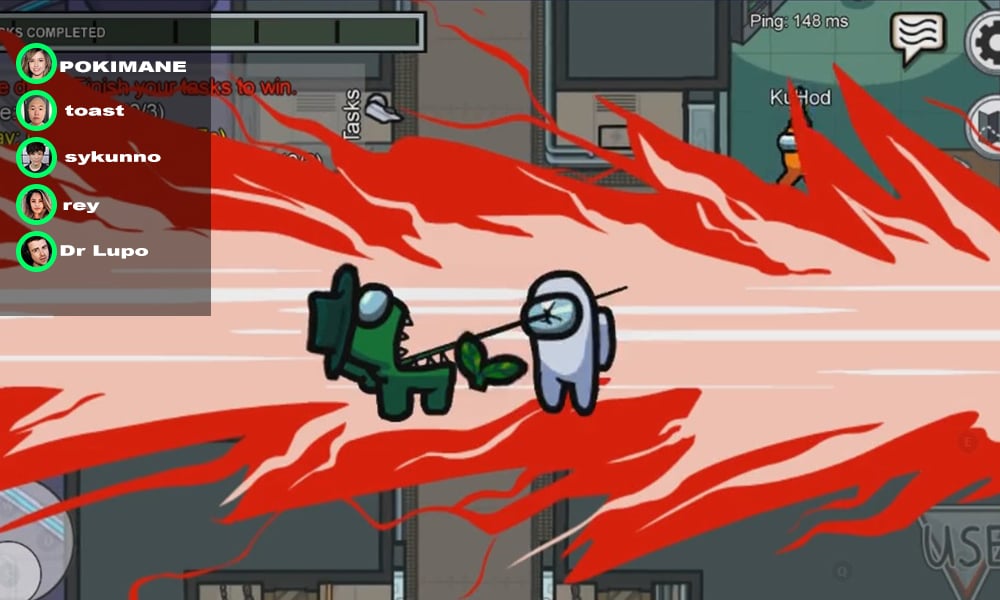
Among Us is like a game of race between the Crewmates and the Imposters. Crewmates have to complete the assigned list of tasks while the Imposters have to sabotage the ship and kill the members before all the tasks are completed.


In this game, the meeting discussions play a vital role in your survival. One bad move and you can be either framed as an imposter or caught as one and get ejected from the ship. To avoid this, you can have the edge over others by knowing the game better.

To improve your knowledge in this game and survive a lot longer, you need vital information such as task assignments and the subcategories in which they are divided. The tasks are mostly divided into Common, Short, and Long tasks.

What are the common tasks in Among Us?

As the name suggests, common tasks are the activities that are common to every single player in the game, including imposters. You can use these tasks as an alibi for your safety or trick your crewmates stating the tasks.

There is always a fixed number of common tasks that are assigned to every map. The game host can change the number of common tasks for every map through the settings. The most common tasks include basic stuff like Fix Wiring or Swipe Card missions.

Here is the list of common tasks across all the maps you need to know:

Common Tasks in The Skeld

Fix Wiring:

Among Us Fix Wiring Task

The task is self explanatory, as one has to match the coloured wires to fix the wiring issue. The mission is always provided into a set of three across various rooms. The rooms in which the task is provided are Admin, Cafeteria, Electrical, Navigation, Security and Storage. Any combination of these three will be provided in-game.

Swipe Card:

Among Us Swipe Card Task

This is one of the most annoying missions in the game. A player has to remove the ID card from the wallet and swipe it in the scanner. The swipe takes its fair share of time as the machine needs just the right amount to speed to validate the task.

Common Tasks in Mira HQ

Fix Wiring

The three-stage task is similar to what is mentioned above. The only change is the location of the rooms. The Fix Wiring task will be assigned in the following rooms: Greenhouse, Hallway, Laboratory, Locker Room, and Storage.

Enter ID Code

Among Us ID code task

The swipe card task is replaced by this Enter Code task. The list of the task is almost similar as one has to read the code on the provided ID card and mention the number above panel. This task is assigned to the Admin room.

Common Tasks in Polus

Fix Wiring

The task is again the same and the locations are varied. The task can be assigned randomly in three different rooms: Decontamination, Electrical, Laboratory, O2, or Office.

Insert Keys

Among Us Insert Keys Task

A new common task is assigned in Polus. The players have to enter the key and rotate it by 90° to complete the mission. The task will be assigned in the Dropship room of Polus.

Scan Boarding Pass

Among Us boarding pass task

In this task, you have to flip your boarding pass and drag it into the tinted orange screen until it turns green. The task is assigned in the Office room.

How to use common tasks to your advantage

Now that you know all the common tasks that come in various maps, it is time to use this information and play strategic mind games with your opponents.

You have to keep an eye to the settings screen provided at the starting lobby of the map and look out for the number of common tasks kept by the room host. The number of tasks is two and can be changed. Once you know the tasks, you can use it to your advantage. Let’s take an example:

If you are an imposter and the crewmates get suspicious of your behavior, you can simply name that you were doing common tasks, viz. Fix Wiring, in any assigned room.

Similarly, if you are not an imposter but still suspected as one, you can make an alibi based on the common tasks. For example, if you are playing The Skeld and someone sabotages the lights and you happen to get caught as a suspect, you can explain the situation by stating a common Fix Wiring task that takes place in the Electrical room. While this is a very common example, you can improvise and adapt new strategies that will help your survival.

How to catch an imposter using common tasks

It is very simple to catch the imposters who have no idea how common tasks work. If they do not know or get trapped in a situation where they might fake a task, you can cross-check them.

For example, if you are playing in The Skeld and a player is just standing in the admin room, near the Swipe Card mission, you can quickly check the number of tasks and if Swipe Card is present or not. If there is no such mission, it is clear that the imposter is faking one, and you can call the emergency meeting with this knowledge as substantial evidence. There are lots of ways in which you can use such small information, brainstorm while playing the game, and be creative to get the win more easily.

Do all the crewmates have the same tasks?

The answer is No, but possible in very limited scenarios. As mentioned at the start, the tasks are divided into Common, Long, and Short. The common tasks are bound to be the same for all the players but Long and Short tasks can vary for each player. There is even a remote possibility that an exact replica of the task list to be assigned to multiple players but that does not happen in most of the cases.

Now with this knowledge of common tasks, be ready to enter the Among Us ship with an upper hand and utilize it to grab the victory. We wish you good luck!

Also read: How to perfectly “Sabotage” in Among Us

How to enable Discord overlay in Among Us

0

If you’ve been following Among Us streamers for a while you’re probably aware that they use Discord to communicate with each other instead of the usual in-game chat. Needless to say, voice communication through Discord is a lot more effective than communicating through in-game texts. However, enabling the Discord overlay in-game can be quite tricky.

Discord is a voice and text chatting platform for people worldwide. While anyone can use it for voice communication, Discord is widely popular among gamers due to its highly convenient and user-friendly interface, along with crystal clear voice quality.

Enabling the Discord overlay in-game allows you to be able to constantly see which one of your friends is currently talking and helps in minimizing distractions, both of which are crucial for playing Among Us.

Here’s are the steps which you can follow to enable your Discord Overlay in Among Us:

  • Launch Discord
  • Click on the Settings icon near the bottom-left corner of your Discord window.
  • Click on ‘Overlay’, which is found under ‘App Settings’.
  • Click on the button beside ‘Enable in-game overlay.’

That’s all there is to it. Next time you’re in an Among Us game, you can press Shift + ‘ (the key right under your ESC button) to lock the in-game overlay. This key combination can be changed from the settings as well.

Once you have your overlay enabled, you can customize it in a number of ways according to your preferences from the same ‘overlay’ tab. Play with the customizations till you find your ideal Discord overlay for use while playing Among Us with your friends.

Click here to join our Discord Server!

Also Read: Tencent to engage with Indian authorities to bring back PUBG Mobile

India’s biggest ISP Reliance is apparently blocking Twitch Streams

0

India’s largest conglomerate Reliance, which also happens to operate Jio, JioFiber & Hathway Networks, are somehow coincidentally blocking all Twitch streams. There has been no official statement, but multiple reports have confirmed that Twitch streams are getting blocked with Error Code #2000.


UPDATE: Twitch is back on the ISPs

Net neutrality in India is regulated by the government agency TRAI, Telecom Regulator Authority in India, which entails, no company can block internet users from visiting. Therefore, Reliance appears to be blocking a stern guideline set by the regulators. There are no confirmations from Reliance-owned ISPs yet, but several reports on the internet confirm that Twitch isn’t working on their network.

Two of our team members, who happen to be on one of the Reliance’s owned networks, confirmed that they were indeed blocking the service. The error code on Twitch flashes a #2000, which says “There was a network error, please try again. Error #2000.”

The site starts misbehaving post 06:30 PM (IST) which is co-incidentally when IPL starts broadcasting from Dubai.

Unconfirmed reports suggest that several channels on Twitch were streaming Cricket blockbuster tournament Indian Premier League, IPL, which is exclusive on Hotstar. Therefore, Reliance took an action but stretched it too far. In a right move, Twitch should’ve been supposedly the one monitoring the streams through their content matching systems, but it appears, Hotstar & the IPL management weren’t too impressed with the job, and asked the ISPs to hammer the streams.

Although there are no confirmations or update from Reliance on the banning of the site, the Twitch streams, regardless of the content, are still not available. ESL Pro League Season 12, for that matter, is also not available. Apparently, Reliance could get their license canceled, according to the rules which are set by the Telecom Regulator Authority of India.

Also Read: Scout’s YouTube channel gets hacked

FarmVille to shut operations, following Adobe’s decisions, Zynga announces

0

It’s surely a sad day in the lives of every nineties’ kid, as, after all these years, the agriculture simulation game Farmville is being discontinued in the next few months.

On 26th September, Zynga – the makers of Farmville – announced that they’d shut all operations for the game from December 31st, 2020. The decision comes due to Adobe discontinuing their distribution and updates for Flash Player across all web browsers, which led to Facebook stopping the support of Flash Games on their platform after December 31st.

“Following an incredible 11 years since its initial launch back in 2009, we are officially announcing the closure of the original FarmVille game on Facebook,” Zynga said in a statement.

The in-game purchases will come to a halt on November 17th, while Farmville itself will continue to be playable till December 31st.

The gameplay of Farmville features a simulation of farmland management, which includes plowing land, planting and growing trees, harvesting different kinds of crops, and raising livestock. The free-to-play game, which received immense popularity throughout Facebook, was originally released way back in 2009.

It wasn’t before long that it became the most popular game on Facebook, with active users reaching as much as 83.76 million per month, according to reports. The daily active user count peaked at around 34.5 million.

Also Read: India’s biggest ISP Reliance is apparently blocking Twitch Streams

How to perfectly “Sabotage” in Among Us

0

If I had a dollar for every Among Us game I played where the impostor had absolutely no clue how the ‘Sabotage’ feature works, I’d probably be rich by now. It’s true, you’d be surprised to know how many impostors just go around aimlessly killing people without utilizing one of the best tools in the game – Sabotage.

Sabotaging is something only the impostors have access to and can disrupt the flow of tasks done by the crewmates. What’s even more interesting is the fact that sabotaging certain things can net you a free win as an impostor if the crewmates fail to react in time. Other things can help you stall the crewmates till your kill cooldown resets, or simply give you a visual advantage over them.

Without further ado, let’s take a look at some of the uses of the ‘Sabotage’ feature in Among Us.

Firstly, there are sabotaging doors. Most rooms in the Among Us maps have doors that can be sabotaged by the impostor. Once done, the doors close and remain closed for a specific time span.

If you’re the impostor and you find yourself in a room with one other person, sabotage the door, kill the crewmate, and make a run for it through the vents. Players entering the door will have no clue who killed the victim.

The second use of Sabotage is the lights. Lights can be sabotaged to reduce the vision of the crewmates to a bare minimum (doesn’t affect the impostor’s vision). Once the lights are fully out, you can easily sneak in a kill without anyone noticing. Once the crewmates stack up to fix the lights, you can throw them off by randomly flipping switches and buying time for your kill cooldown to reset.

The third use of sabotaging is comms. A comms sabotage prevents the use of security cameras and removes the display of tasks from the crewmates’ screens.

The final use of Sabotage can be game-winning in multiple ways. You can sabotage the oxygen supply or the reactor after which the crewmates get 30 seconds to fix them. If they fail, the impostors instantly win the game.

Furthermore, another useful strategy is to fake yourself doing the fix and when anyone comes near you to help you fix, you kill them. This strategy can be especially useful towards the endgame when you’re the only impostor and players split into groups of 2 and go fix either side.

This is not all, you can be creative in a variety of ways with the sabotage button and catch crewmates off guard. The next time you’re the impostor, be sure to give it a try.

Also Read:

Simple CSGO settings, crosshair, and config

0

It is not often that you come across a player like s1mple. The Ukrainian has transformed himself from a one-eyed monster into a wise dragon that breathes fire on the server and freezes the viewers’ eyes with amazement.

Talking about the one-eyed monster, s1mple had sights for kills and kills only early on in his career, with the then-youngster almost always going for flashy plays. To his credit, his eccentric style worked more times than not, perhaps a testament to his prodigal talent.

Below, you can find his in-game settings and the information about his gear and peripherals which he owns.

Monitor Settings

Monitor: BENQ XL2540

Resolution1280×960
Texture Quality4:3
Scaling ModeStretched
HZ240

Mouse Settings

Mouse: Logitech G Pro Wireless

DPI400
Sensitivity3.09
Hz1000
Mouse AccelerationOff
Windows Sensitivity6
Raw InputOn

Video Settings

Color ModeComputer Monitor
Brightness85 percent
Display ModeFullscreen
Global Shadow QualityVery Low
Model/Texture DetailLow
Effect DetailLow
Shadow DetailLow
Boost Player ContrastEnabled
Multicore RenderingEnabled
Multisampling Anti-Aliasing Mode8x MSAA
FXAA Anti-AliasingDisabled
Texture Filtering ModeBillnear

Crosshair Settings

Copy and paste the following text into your console and press enter to activate s1mple’s crosshair settings.

  • cl_crosshairalpha 255; cl_crosshaircolor 1; cl_crosshairdot 1; cl_crosshairgap -2; cl_crosshairsize 1; cl_crosshairstyle 5; cl_crosshairusealpha 1; cl_crosshairthickness 0; cl_crosshair_drawoutline 0; cl_crosshair_sniper_width 1; cl_crosshaircolor_r 255; cl_crosshaircolor_g 255; cl_crosshaircolor_b 165;

ViewModel

  • viewmodel_fov 68; viewmodel_offset_x 2.5; viewmodel_offset_y 0; viewmodel_offset_z -1.5; viewmodel_presetpos 3; cl_viewmodel_shift_left_amt 1.5; cl_viewmodel_shift_right_amt 0.75; viewmodel_recoil 0; cl_righthand 1;

s1mple autoexec

  • rate “786432”
  • cl_interp 0.031000″
  • cl_interp_ratio “2”
  • cl_cmdrate “128”
  • cl_updaterate “128”
  • fps_max “300”

s1mple config

Also Read: Best cases to open in CSGO

CSGO: s1mple breaks self record with a 2.77 rating on Mirage on DreamHack Masters

An insight to s1mple’s downfall after NaVi pick up GuardiaN

What is Among Us “Matchmaker is full” error

0

Among us is becoming one of the most popular games of 2020 and with rising popularity, the server issues are rising as well. The game was launched in 2018 but gained popularity after streamers picked up this game. As the game is getting popular, the player base is rising day by day, the servers are unable to handle this population and show several errors.


Among Us and its massive user base was bound to cause some issues to this game. With millions of players tuning in at the same time, the servers are not able to cope up with it. Network issues are one of the most common errors in this game. From getting disconnected at the start of the game or getting lagged in between, the list of problems is big.

One of the errors that is prevalent right now is called “Matchmaker is Full” error. As the name suggests, the error is shown when the game is flooded with users and players could not connect to the servers. What this error does is that it freezes the entire lobby or sometimes, if the game fails to find an imposter, the error gets popped up.

How to fix Matchmaker is Full error?

Here are a few things you can try to fix this error:

  • Reset your internet connection and check if there are any connectivity issues from your end.
  • Try switching the server to another region. Most of the time, this may fix your error.
  • One can try to use a VPN but it is essentially similar to switching the servers as the connections are just varied to a different region by both the methods.
  • Check if the game is updated or patched, this will mostly fix any prevailing issues.

Among us developers team mostly tries to fix all such issues and you can expect the game to run smoothly with the next upcoming update. Till the update is pushed, try the methods mentioned above to fix the game.

Also Read: Among us servers down? Here is how you can check the server status

How to play COD Mobile on PC and Laptop

Call of Duty: Mobile is one of the smoothest tactical shooter games available on the mobile. The game is a mixture of all the previous renditions of the Call of Duty franchise and gives a touch of nostalgia to its player base. The game is easily available on mobiles but if you want to enjoy this game on PC, you can easily do it.


Tencent has provided a dedicated emulator for Call of Duty: Mobile through which players can play this game on PC. The name of the emulator is Gameloop and using any other emulator can threaten the future of your game ID.

Here are the simple steps to play Call of Duty: Mobile on PC using Gameloop:

  • Install Gameloop on your PC. The software is available on the Gameloop website.
  • Launch the application and navigate to the “Game Center”.
  • Check for Call of Duty: Mobile tab that will be available on the main screen.
  • Click on the game. There will be an “Install” button on the bottom right corner of the screen. Click it to install the game.
  • Now click on the “My Games” button after installation and you will see Call of Duty: Mobile there. Launch the game and enjoy it.
  • If you want to assign custom keys for your layout, click on the right top button.

Call of Duty: Mobile has a separate lobby for all of its emulator players. Once you login through gameloop, you will always enter a lobby that will be filled with emulator players. The step is taken to keep the gameplay fair for all the players enjoying this game.

https://www.instagram.com/p/B3GgS5mDLuc/?igshid=17jgu4d1r7e81

Also Read: How To Create Private Match in Call of Duty: MOBILE