Home Blog Page 1761

Skyesports reveal format, schedule and more for Valorant League 2020

0

The AMD Ryzen 5000 series Skyesports League 2020 powered by WD Black is set for sail. The league will not only boast arguably the biggest prizepool for a standalone Valorant event, with 1,000,000 INR on the line, but also feature some of the most prominent faces of the Valorant scene and the esports scene, in general, in what will be India’s first true city based Esports league format.

The show will start on December 4, with Mumbai and Chennai renewing rivalries, this time on the Valorant servers instead of the cricket field.

Mumbai has chosen to field a content-heavy team. But, make no mistake, the team has Ayan ‘Rebel’ Ali, who is handy when it comes to Valorant while Animesh ‘Thug’ Agarwal has already tasted success in Invitational leagues by winning the AORUS BidWars event. The rest of the team is filled with people who have been grinding Valorant for a hefty period now.

Naman ‘Mortal’ Mathur loves the Viper, Tanmay ‘Scout’ Singh is a master when it comes to Breach and Devdeep ‘Zeref’ Dhar excels at playing Duelists. For Team Chennai, they boast 3/5th of Team Tamilas’ Valorant Roster and will be slight favourites going into the match. The second match on December 4 will also provide fireworks.

Team Hyderabad is represented by Velocity Gaming while Global Esports are the flagbearers for Team Bangalore. The two premier organisations will lock horns and aims on December 4 to earn early bragging rights.

The other contenders also pack a punch. Team Delhi comprises of the recently released Noble Esports’ Valorant roster who have now a found new home at XTZ Esports while Team Kolkata is represented by Chetan ‘Kronten’ Chandgude and his GodLike Esports’ Valorant squad.

Rohan ‘Hydraflick’ Ledwani spearheads team Punjab while Rajasthan has the dependable TSM.Entity star Abhijeet ‘Ghatak’ Andhare and his squad.
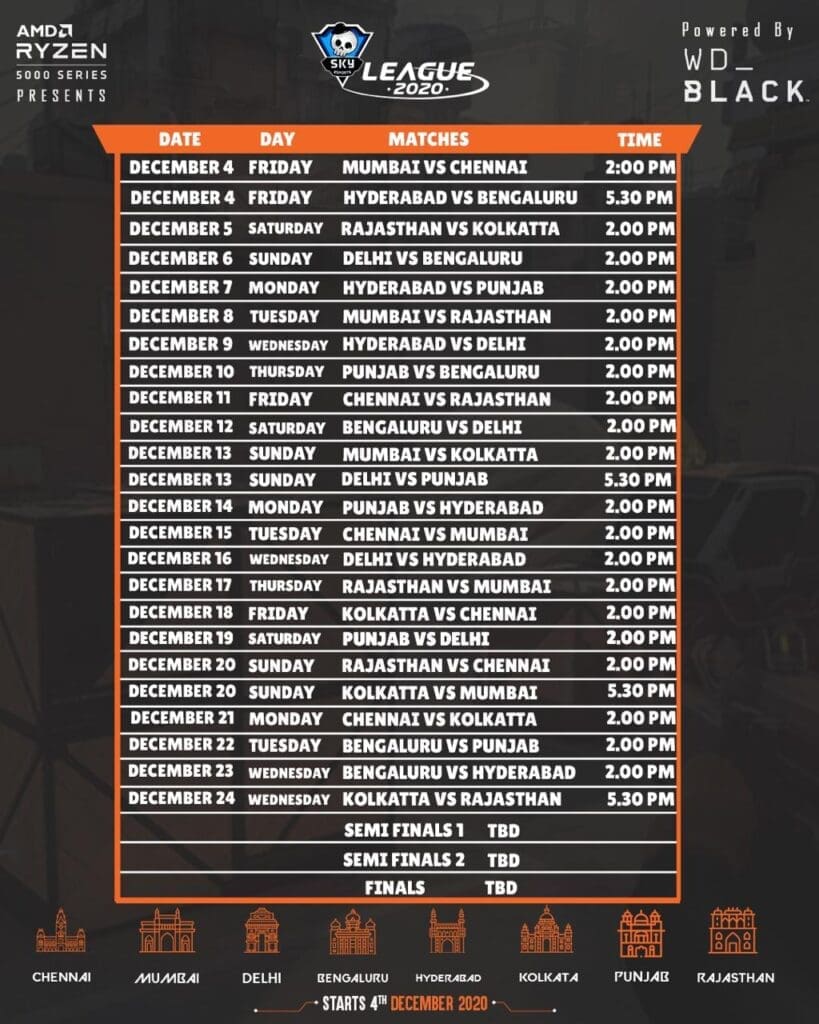
SkyEsports League 2020 Schedule

A total of 8 teams will battle it out in a league format, with top 4 advancing to the Semi-Finals, with the dates for the playoffs and the Grand Final yet to be announced.

The tournament is an all-encompassing one, with the matches set to be casted in six languages – Tamil, Hindi, Telugu, Bengali, Malayalam and English – to ensure fans of every team and from every region can watch their favourites in their own dialect.

Skyesports Valorant League 2020 boasts of the perfect mix of Personalities and Professionals, which will ensure there is something for every type of viewer that is tuning in.

To top it off, the 1 million INR prizepool ensures competition of the highest level between the teams, who will be aiming to come out on top of their adversaries for pure bragging rights, if not just the gargantuan prizepool.
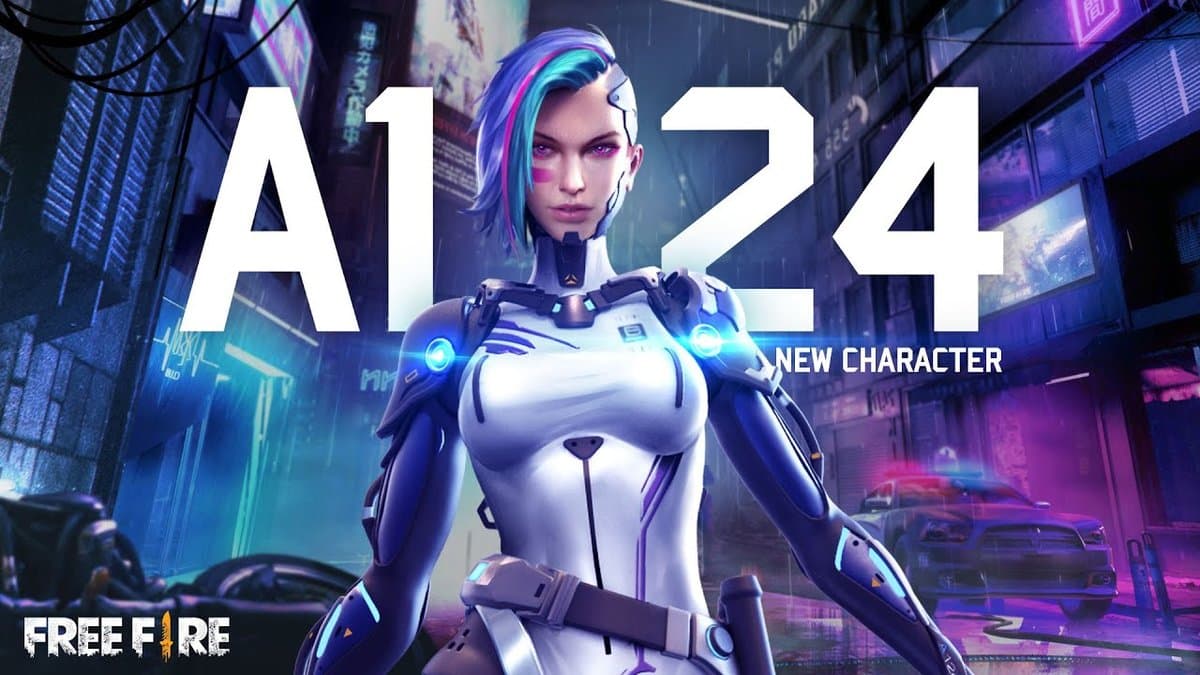

Free Fire: How to unlock character A124

Free Fire a battle-royale game developed by Garena and this game offers some quirky features which makes it quite different than the other mobile games available in the genre. One of the integral parts of Free Fire is its vast pool of characters and today, we will take a look at how you can unlock one of the characters named A124 in Free Fire.

As compared to other battle-royale games, Free Fire has its own uniqueness in the form of skins and cosmetic lineup which makes this game a decorative version of any common BR game. Similar to Fortnite, the skins are varied for this game but at the same time, the size makes a big difference as Free Fire is very compact as compared to the former game.

The characters in Free Fire give a touch of uniqueness to this game. Each character in this game has a special ability which assists the users and the team as a whole. While some of the basic characters do not have any interesting abilities, some characters like DJ Alok, Captain Booyah and Jai stand out. The character A124 is also a highly used character in-game and even though it is not as popular as the ones mentioned before, it has its own unique ability that helps in tanking the damage for longer durations in a fight.

A124 is a robot which has a unique active ability named Thrill of Battle which allows her to convert EP to HP with a cooldown duration of 90 seconds. This helps the user to take a little bit more damage than the opponent as they can heal while fighting and hence, have a slight upper hand in terms of health points.

How to get A124 in Free Fire

Follow these simple steps to unlock A124 in Free Fire. These steps are common for any other character as well and players need 499 diamonds to unlock A124. Those who do not have sufficient diamonds can head into in-game shop and purchase some diamonds before trying to unlock A124.

  • Open Free Fire and go to character section provided in the bottom left corner of your screen.
  • Scroll down to A124 and then click on Obtain.
  • A window will pop-up which will indicate a price of 499 diamonds. Make sure to buy the diamonds before unlocking the character.
  • Click on purchase and then, head to the loadout section.
  • Enter the character loadout and select A124.

This is how you can unlock and equip A124 and take the character into the battlefields. Remember to stack the required amount of diamonds before buying the character. We hope you win with A124 and her healing powers.

Also Read | EXP Esports wins Free Fire Continental Series(FFCS) Asia Finals.

Fortnite Galactus Event Live Countdown

0

As Chapter 2, Season 4 is nearing its climax, Fortnite introduces the conqueror of the world Galactus. Fortnite’s partnership with Marvel continues as the supervillain from the coming world makes his entrance in the final stages of Season 4. Epic games say he will pay the island a visit on 1 December for the ultimate battle where players need to join forces with one another to save the island.

WHEN IS THE START TIME FOR THE GALACTUS EVENT IN FORTNITE?

Galactus reaches the Island on 1st December at 4 p.m. ET, which will mark the start of the event. Players will need to come together in order to protect their beloved island, which Galactus has set his eyes on.

WHAT DAY IS THE FORTNITE GALACTUS EVENT?

Fortnite Galactus Event kicks off on 1st Decemberand is expected to be the most exciting event to date. For the finale of the season 4 chapter 2; Epic Games will likely introduce an Epic conclusion, to which Galactus seems fitting. Players will be working in tandem to stop Galactus from devouring the island.

Make sure your Fortnite client is up to date before December 1st to prevent missing out on the event. Epic suggests everyone log into Fortnite at least beforehand as the event is scheduled to go live 30 minutes prior to the start time. This will be a non-repetative event and there won’t be any won’t be back once it is over. 

Galactus Event Times

Here is when the Galactus event will take place in each region on December 1st:

  • Russia – 12am
  • Turkey – 12am
  • Saudi Arabia – 12am
  • Iran – 12:30am
  • UAE – 1am
  • Maldives – 2am
  • India – 2:30am
  • Singapore – 5am
  • China – 5am
  • Japan – 6am
  • Austrlia – 8am
  • US Pacific Time – 1pm
  • US Mountain Time – 2pm
  • US Central Time – 3pm
  • US Eastern Time – 4pm
  • Brazil – 6pm
  • United Kingdom – 9pm
  • Portugal – 9pm
  • Germany – 10pm
  • France – 10pm
  • Italy – 10pm
  • Sweden – 10pm
  • Greece – 11pm
  • Egypt – 11pm
  • Lebanon – 11pm
  • Romania – 11pm

EXP Esports wins Free Fire Continental Series (FFCS) Asia Finals

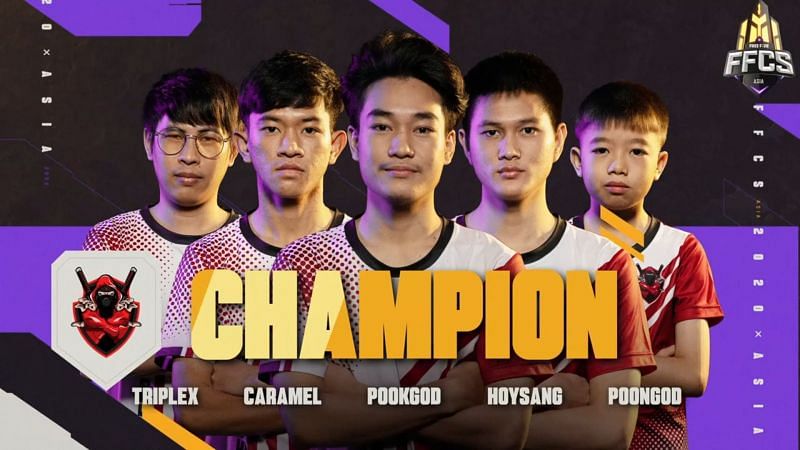
Free Fire Continental Series is one of the biggest events in Free Fire esports ecosystem and the FFCS Asia Finals concluded with a big upset and a shocking result for the entire Free Fire fanbase. This tournament was the pinnacle of Free Fire esports for Asian region in 2020 as the World Series was cancelled due to prevailing pandemic. After a day full of cliffhangers till the end, EXP esports did the unthinkable and snatched the winning title from the grasp of KOG Club and won the tournament with a single point lead.

This event was among the best Free Fire tournaments that took place till date and in a series of six matches, the teams fought teeth to teeth till the very end. EXP Esports and RRQ Hades were competing alongside KOG Club for the victory and at the very end, a single match turned the tables upside down.

Free Fire Continental Series Asia Finals was a gathering for the Asian powerhouses where seven teams gained the seeding slots by winning their regional tournaments and five teams were qualified on the basis of FFCS Asia Play-ins. KOG Club was dominant since the play-in stages as they qualified for the finals by sitting on the top spot. This domination continued but EXP Esports and RRQ Hades were ready for KOG and they retaliated and as a result, the tournament took an interesting turn.

A total of six matches were played on three Free Fire maps named Bermuda, Purgatory and Kalahari. In the first half of this tournament, only RRQ Hades managed to grab a win but EXP esports gained the top spot due to their consistent gameplay. EXP won the fourth match and at the end of fifth game, KOG was at the top.

The last match was of utmost importance for all the teams at the top as each and every point gained or lost could make a vast difference. EXP and KOG had to do their best at this point but unfortunately KOG took an early exit and an exceptional performance by EXP Esports took them to the top spot with a single point lead.

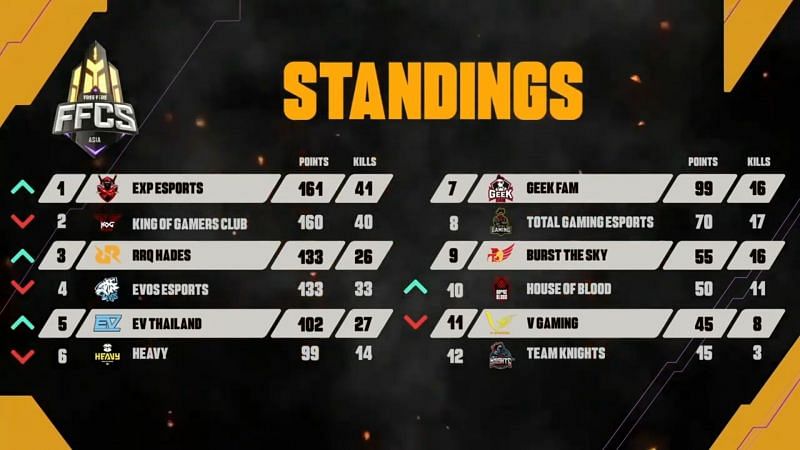
FFCS Asia Grand Finals Overall Standings:

After a long rollercoaster ride of six matches, EXP Esports emerged victorious as the FFCS Asia Champions closely followed by KOG Club at the second spot and RRQ Hades at the third spot. The rest of the points table is as follows:

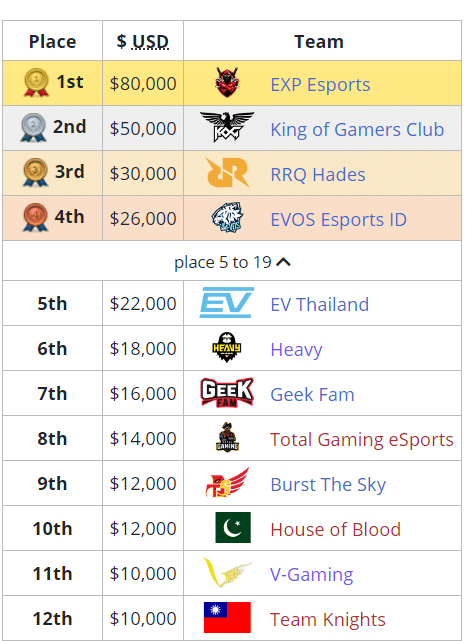
FFCS Asia Prize pool distribution

A total of $300,000 were up for grab where the lion’s share of this prize pool was won by EXP Esports and the rest of the teams got smaller chunks in the descending order. The prize pool will be distributed as follows:

Credits: Liquipedia

EXP Esports took the trophy home alongside a whopping sum of $80,000 and the bragging rights of being the Free Fire Continental Series Asia champions and hence becoming the best Free Fire team in Asia right now.

Which country does EXP Esports belong to?

EXP Esports belongs to Thailand and represents the Southeast Asian region. The team was formerly known of EXP.Xpension and this roster was signed by Boom Esports for a while. The team later rebranded under the name of EXP Esports and has won two major tournaments till date. They won Free Fire Pro League Thailand Season 1 – Regular Season under the name of EXP.Xpension and now emerged victorious in the FFCS Asia Finals 2020.

Free Fire FFCS Redeem Code: How To Claim FFCS Rewards

Quarantine lockdown saw a vigorous rise in the number of players across all mobile games. The recent ban on PUBG worked as a catalyst for FreeFire as their active player count went off the roof in the past few months.

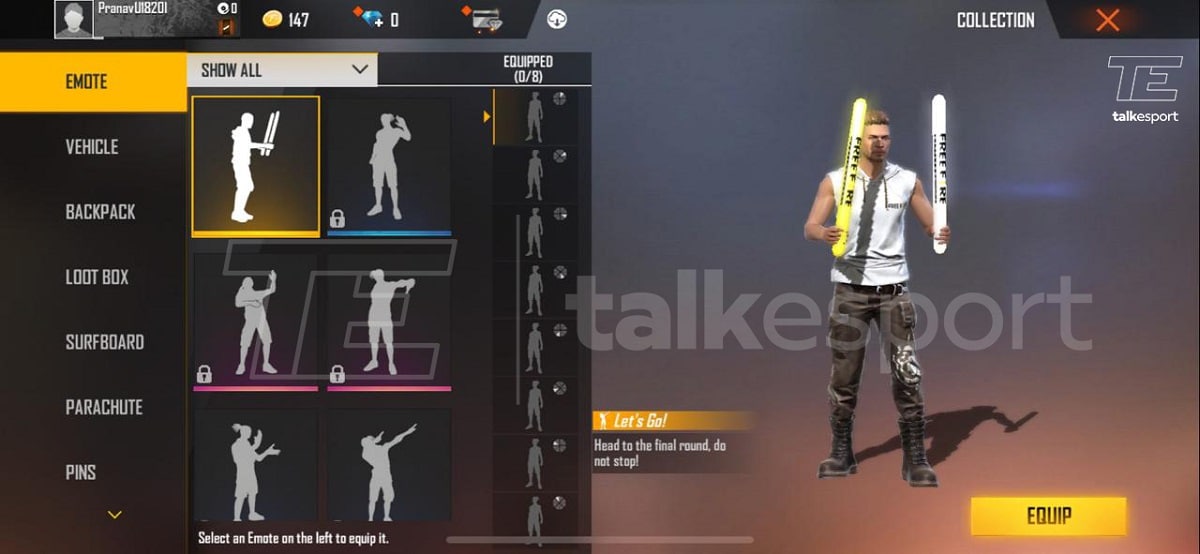
To celebrate a successful conclusion of the Free Fire Continental Series, Garena established viewership milestones to distribute rewards among the viewers. Upon reaching 150k viewers will get a free character from the pool of 23 characters, reaching 300k will get viewers a level 8 character card, and reaching 450k will get viewers a Let’s Go emote.

How To Claim FFCS Rewards

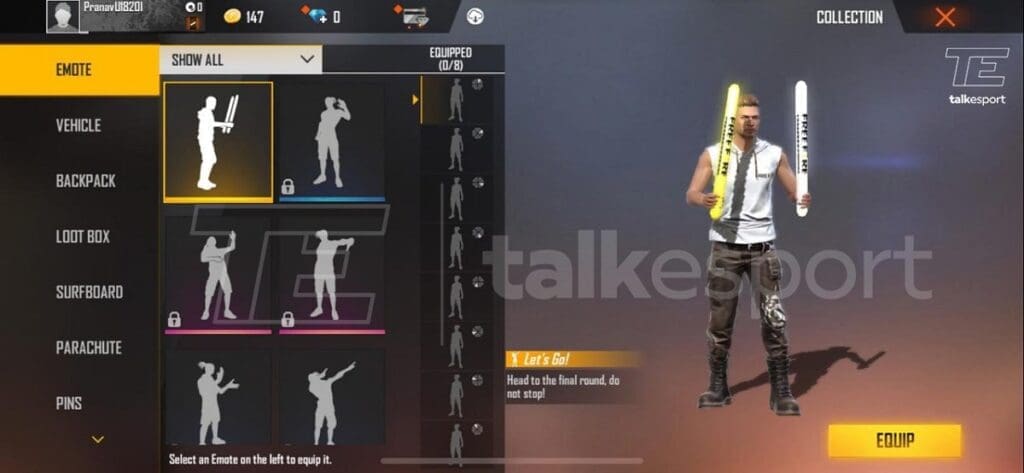
How To Get Lets Go Emote In Free Fire:

Follow these steps to get Free Fire FFCS Rewards

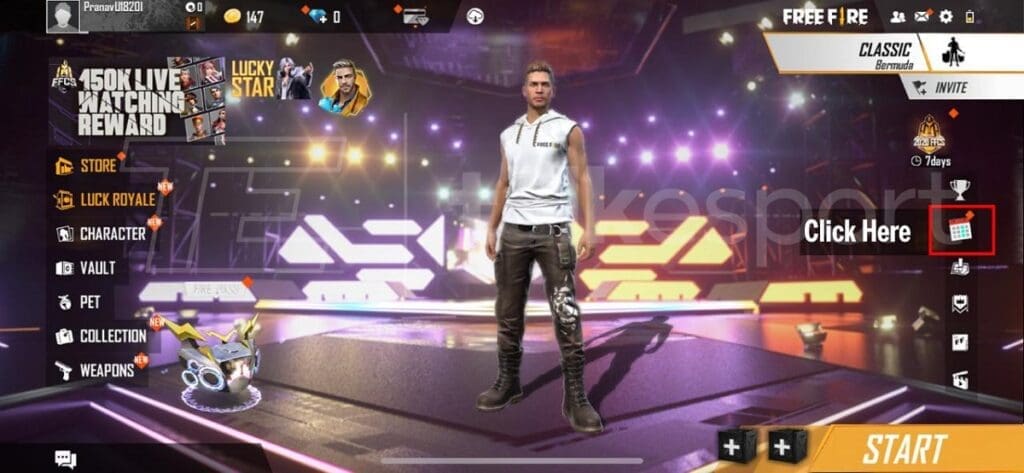
  1. Tap the calendar icon on the Free Fire home screen.
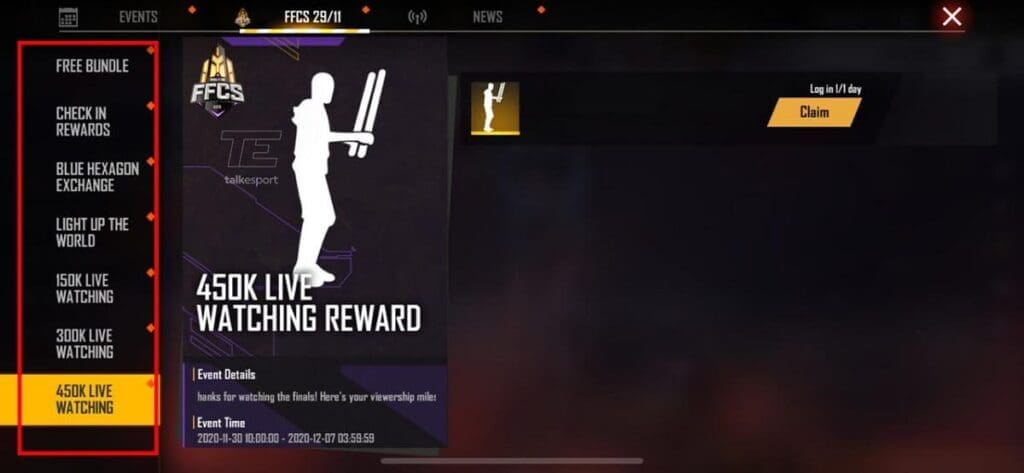
  2. Head over to the FFCS 29/11 tab.
  3. Tap on 150k live watching, 300k live watching, and 450k live watching tabs respectively.
  4. Collect the rewards from every milestone you’ve covered.
f2222 free fire code
Lets Go Emote In Free Fire
Free Fire Lets Go Emote Claim Reward Page

Free Fire Character Pool –

The 23 characters included are:

  1. Kapella
  2. Notora
  3. A124
  4. Kla
  5. Kelly
  6. Maxim
  7. Caroline
  8. Laura
  9. Rafael
  10. Wolfrahh
  11. Alvaro
  12. Antonio
  13. Paloma
  14. Wukong
  15. Olivia
  16. Ford
  17. Shani
  18. Hayato
  19. Moco
  20. Steffie
  21. Misha
  22. Miguel
  23. Nikita

 The rewards can be claimed from 11 AM IST on 30th November to 4:00 AM IST on 7th December.

Scammers Are Exploiting Apple’s iCloud Storage To Steal CSGO Skins

Scamming is not a new thing in the world of esports, and it isn’t only limited to in-game currencies and cosmetics. Over the years, scam artists have come up with a variety of ways to rip off victims for thousands of dollars a day, and it seems like they’re resorting to a new method that not many are aware of.

This scamming method works by exploiting Apple’s iCloud storage system, and if you’re not actively monitoring your data and where it’s stored, you might find yourself falling victim to this method as well.

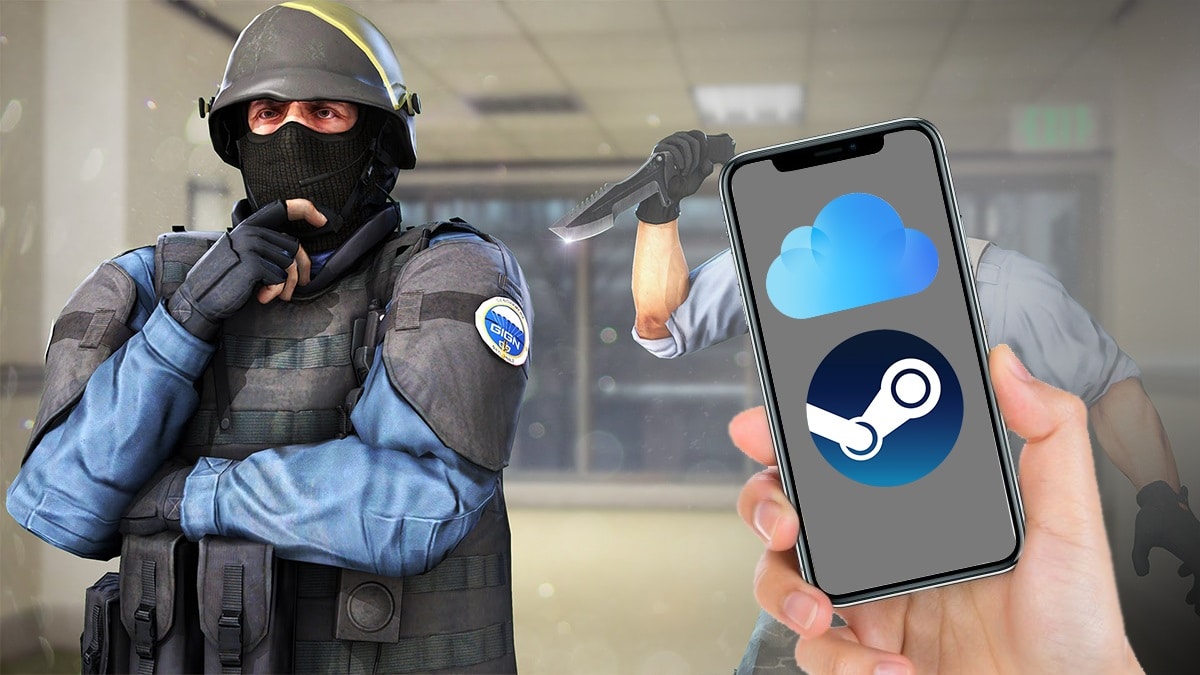
In this method, the scammers can gain complete access to your Steam account using the backup images of iPhones, which, ironically, is aimed at safeguarding your data.

People generally use Apple’s iCloud storage to store photos or contacts, but it can also be used to back up apps and their settings to the cloud. In case you decide to backup your Steam app, you’re saving not only your log-in credentials, but the Steam Guard itself as well.

Scammers can then hack into your iCloud storage to gain access to your Steam account once they enable the option to receive 2FA codes on the desktop instead of mobile.

From there, it only takes a few seconds for scammers to transfer all your skins from your account to theirs. Once the process is complete, there is no way for you to be able to get those skins back.

Also Read | KRIMZ Vac Banned On Steam

Furthermore, you can also find yourself receiving a VAC ban on one or more of your games if the scammer decides to do so. In the worst-case scenario, you may also find yourself being locked out of your account, although that is extremely unlikely.

Esportal issues statement on KRIMZ Vac Ban and more

Swedish csgo MatchMaking platform Esportal have issued a statement regarding the VAC bans received by a host of players including Fnatic star Freddy ‘KRIMZ’ Johansson, who seem to be using their service.

As reported earlier, the problem does seem to lie in Esportal’s anticheat and the Swedish organisation has iterated that the issues seem to stem from compatibility issues between their private anticheat and VAC.

We earlier mentioned in our previous report about there being a similar incident in the Asian region with 5E Arena and Esportal have highlighted the same in their statement, iterating that theirs seem to be a similar issue and that they working relentlessly to ensure the VAC bans caused by their anticheat are reversed and that the users can play freely on their platform without the fear of getting their steam account VAC banned.

As you may have noticed, some Esportal players have been handed VAC bans in the last couple of days. This issue appears to be caused by compatibility issues between our anti-cheat client and VAC. We contacted Valve immediately upon learning of the issue. They in turn asked us to send in documentation, which we did promptly. We believe that what we are experiencing at the moment is similar to what happened with 5E Arena in October, where unaccounted for VAC bans were produced due to a conflict and compatibility problem between 5E Arena’s client and CS:GO trust mode. Our belief is that we will be able to solve the problem in the same way as they did, where we make sure that our software works in tune with VAC and that all bans are reversed. We also want to underline that we are convinced that the bans we have seen the last couple of days have nothing to do with actual cheating.

We apologise for the disruption and are working intensely to resolve the issue together with Valve, with a focus on:

Reversing all VAC bans Getting our anti-cheat to work without causing issues, and We will continue to work with Valve to find a solution for this specific issue, as well as to avoid similar issues in the future so that those of our users who have not been impacted do not have to worry.

As this problem has not yet been solved and we don’t want to jeopardise the status of our players, we have decided to close down all matchplay on the Esportal platform until we have a solution in place. Our conviction is that we will find a solution within the next few days that allows us to open the platform again.

We understand and share the deep frustration that our loyal community is feeling at the moment. We hope to be back soon, and to continue our work in contributing to the positive community around CS:GO.

We will continue to keep you updated as we get more information from Valve and work to implement a solution.

Esportal’s Response

Esportal also stated that until such a resolution is reached with Valve, they will cease their services with immediate effect in order to prevent any more players being affected by the compatibility issue.

Esportal have moved quickly to ensure they can provide the optimum service and justice to the players wronged by their platform in a way and it will be intriguing to see how long it takes before Valve does indeed provide them with justice and assurance as regards their anticheat.

How to get Smeeze Emote in Fortnite

0

Fortnite, one of the most popular battle royale games got a new emote and it’s called Smeeze. It is a rare emote that is introduced in Fortnite Chapter 2 Season 4. The Smeeze Emote is basically a random dance emote.

The Smeeze Emote costs 500 V-Bucks. Once you buy it with the in-game currency, equip it. Almost every month Fortnite brings new emotes. Not only that but also the Grimoire outfit is back. It’s an epic outfit that was introduced in Chapter 2 Season 4.

Moreover, Pickin’ emote is also available at 500 V-Bucks. It’s also a rare emote. Your character will be able to play a musical instrument sitting on a chair with this emote. There are a lot of emotes that are available in this season. You can find more on the Fortnite shop.

Also Read: Fortnite XP Xtravaganza Week 4 Challenges

Shindo Life Codes Roblox For November 2020

0

Shinobi Life 2 is the revamped version of the original Shinobi Life. It is basically a Naruto-type open-world ninja game. In this game, you have to fight against opponents in an arena where you will be able to use your superpower and abilities. However, with a few freebies, you can increase your character’s strength.

You can earn those freebies with Shindo Life codes. In this article, we are going to provide you the latest Shindo Life codes along with an explanation on how to redeem the codes in the game.

Shindo Life Codes:

  • 700k!
  • PtS3!
  • 600kSubs!
  • Ch4seDaDr3am!
  • K33pTry1ng!
  • B3L3veEt!
  • d0ntLoseHope!
  • Ch4s3Dr3ams!
  • Go4ll0ut!
  • KeepM0v1ngOnwards!
  • BelieveInSelf!
  • OneMillionSubs2021!
  • N3v3rSt0p!
  • wh1t3f4ng!
  • W0rkH4rd!
  • K33pg0ing!
  • H0t0cak4!
  • Th1sM0mentC0unts!
  • Tru5t1nG0D!
  • Y0uG0tTh15!
  • St4yStr0ng!

How to redeem the Shindo Life Codes?

These Shindo Life Codes will provide you free spins. You can earn the daily rewards easily just by completing daily missions.

  • Open your game and go to the “Edit” section.
  • On the top-right corner you’ll get “YouTube Codes”.
  • Then enter your code and click on the Redeem button.

Now you are done! Enjoy the free spins and get freebies.

Also Read: How to get the Bombastic Bling for free in Roblox

New Prison Level Added In Phasmophobia Beta

0

Unless you’ve been living under a rock for the past two months, you’ve probably heard of Phasmophobia, the newest talk of the town. In only weeks since its initial release on September 18th, the 4-player co-op psychological horror title by Kinetic Games managed to win the hearts of millions of fans worldwide.

The game requires players to band together to hunt down a ghost before it manages to kill all of them.

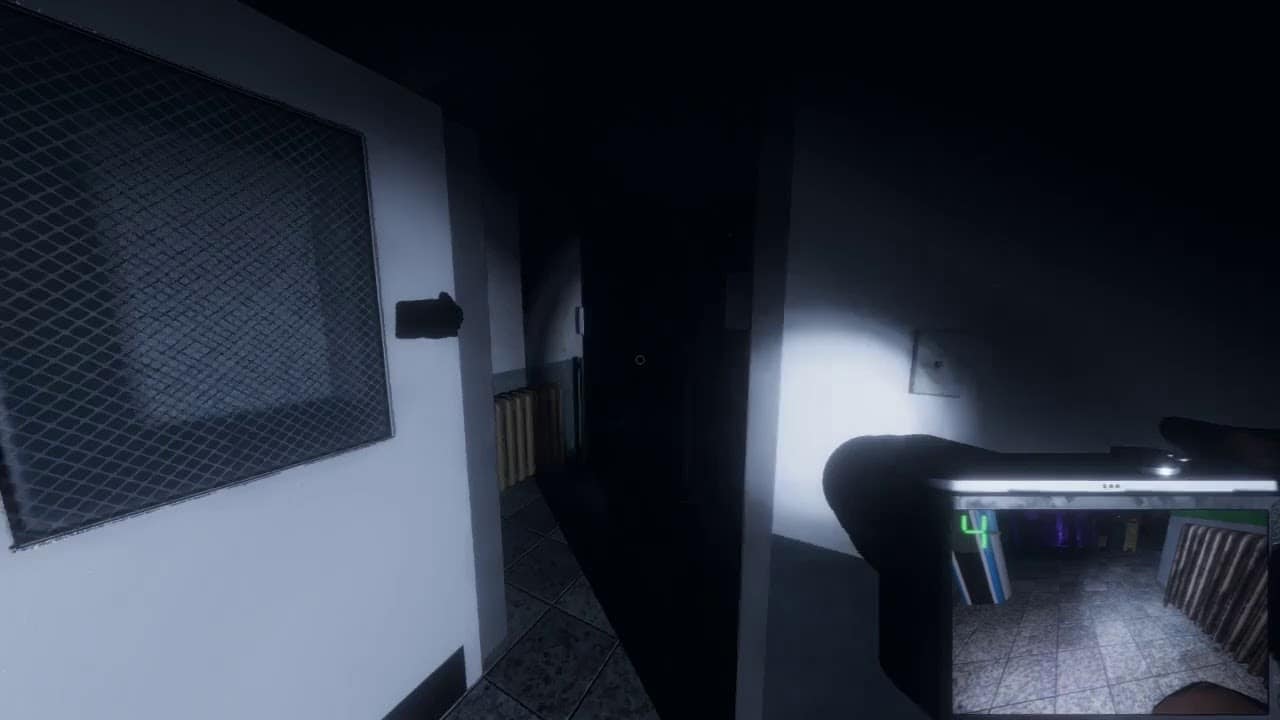
A few days ago, the developers had teased a new prison level for the game (prison for phasmophobia). On November 29th, the level was added to the beta branch of Phasmophobia.

How to play prison map in Phasmophobia

To be able to get the first looks at the latest Phasmophobia level, you need to opt into the phasmophobia beta branch of the game. Don’t worry, it’s simple.

To opt into the beta branch of Phasmophobia, open up your Steam client and head to your library. Once there, right-click on Phasmophobia, and select ‘properties’. Find the ‘betas’ tab and select ‘unstable build’. 

That’s it! Steam will then automatically download the new beta client. Once the download is finished, you can launch the game and enjoy the new level.