Home Blog Page 1787

Madden 21 Platinum Quicksell Values

0

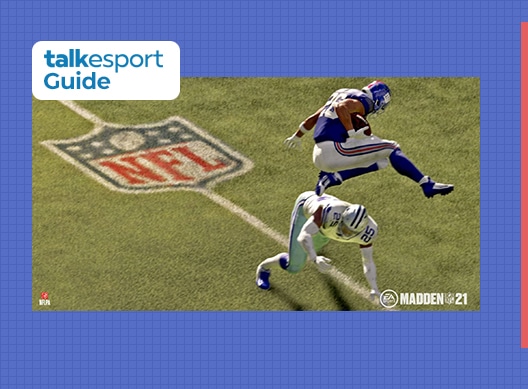
Madden NFL 21 is an American football video game based on the National Football League (NFL) developed by EA. The game was released in August 2020 and some heavy criticism from its player base for possessing several glitches and some faulty commentary.

Here are the platinum quicksell values for Madden 21 that you need to know, as compiled together by ‘thedrunkgamer’.
Madden 21 Platinum Quicksell Values

  • 80 OVR – 18,000 Coins
  • 81 OVR – 26,000 Coins
  • 82 OVR – 38,000 Coins
  • 83 OVR – 55,000 Coins
  • 84 OVR – 80,000 Coins
  • 85 OVR – 110,000 Coins
  • 86 OVR – 160,000 Coins
  • 87 OVR – 230,000 Coins
  • 88 OVR – 330,000 Coins

How To Play Phasmophobia Beta

0

Phasmophobia has gained a lot of popularity over the last month. Players are loving the horror gameplay of this game. However, the game is still in early access and players will get regular updates.

It is in fact good news because the updates include numerous bug fixes and gameplay improvements. The Phasmophobia Beta version has numerous new features and improved gameplay. You can check out the Beta version from your Steam library. Here are the steps to register for the Beta version:

  • Go to your Steam library and righ-click on Phasmophobia
  • Then go to Properties and click on the Betas tab.
  • You will get a dropdown. Check out for beta – Unstable build and select it.

After that, Steam will start downloading the update. Don’t expect the beta version as stable as the current version. Additionally, you will be able to play with only the beta version players.

There are a lot of new features in the Phasmophobia Beta version. Such as a voice slider in audio, a copy button, a screen on the spirit box, server invitation code, and much more. Recently the Beta version also launched an update to fix the voice chat issue. There are a lot of features that are coming to Phasmophobia.

Also Read: How to place items in Phasmophobia

How to place items in Phasmophobia

0

After games like Fall Guys and Among Us, Phasmophobia is the latest talk of the town. The 4-player co-op psychological horror video game by Kinetic Games has taken the internet by storm since its initial release on 18th September this year. The game requires players to band together to hunt down a ghost before it manages to kill all of them.

How To Place Items in Phasmophobia –

If you’re new to Phasmophobia, you might be wondering about how you can place items (like the camera) in the game. Here’s how you do it:

  • Go to your desired location where you want to mount the camera.
  • Press F if you’re playing on a keyboard.
  • Press the left trigger if you’re playing on a controller.

Generally, it’s recommended that players set up the camera at a corner due to the wide view angle it provides.

To rotate the camera, simply press the Left Mouse Button on your mouse or the Left Trigger on your controller.

In case you’re having difficulty finding the camera, it can be obtained from the truck, which you then have to turn on before placing.

Top Gamer Bundle in Free Fire: All you need to know

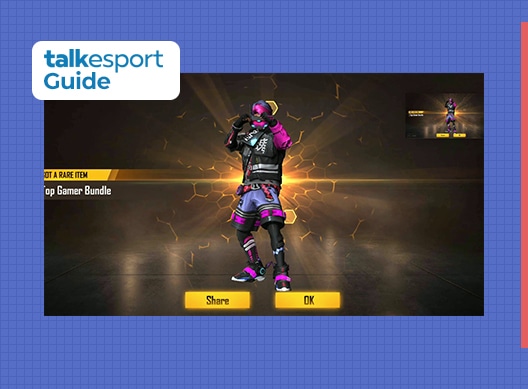
Garena Free Fire players love in-game cosmetic items. The Top Gamer Bundle is one of the most famous bundles in Free Fire since the Magic Cube store got revamped.

All you need to know about the Top Gamer Bundle

The Top Gamer Bundle was first inaugurated in November 2018. Players could get this bundle via the Diamond Royale back in 2018. You will get this bundle by exchanging a Magic Cube in the Magic Cube store. It is made up of the following items:

  • Top Gamer (Top)
  • Top Gamer (Bottom)
  • Top Gamer (Head)
  • Top Gamer (Shoes)

How To Redeem Top Gamer Bundle in Free Fire

The Free Fire developers have also brought in numerous in-game events for the upcoming Diwali festival. “Light-up Bermuda” is one of those events. In this event, you will get a chance to receive a free Magic Cube. If you want to redeem it, just collect Diyas and reach 100%. It’s that simple. You will be able to get the Magic Cube on 14th November. Therefore, you will be able to get the Top Gamer Bundle for free once you collect the Magic Cube on 14th November. There are a lot of other in-game items as well. Don’t forget to check out those items and rewards.

Also Read: How to get Fearless Diwali Warrior Bundle for free

COD Mobile Network Error (4,28)(4,50)(4,51)(4,35) Fix

Call of Duty: Mobile is the portable version that represents the COD franchise for mobile platforms. The game is buttery smooth but is still far away from perfection.

Players actively face some network issues and even if the codes for these problems differ, the core remains the same. These codes represent network error or connectivity issues in COD Mobile and there are some ways by which you can fix them.

How To Fix COD Mobile Network Error 4,28; 4,50; 4,51; 4,35

Network errors represent a poor state of server connectivity and this issue can be either from your side or from the game servers itself. If the servers are facing any issues, large number of player base is affected by that and Activision might take a note of this and quickly fix their servers.

If you are facing these issues and the game has not reported any problem, it is probably an issue from your side and there are some ways through which you can potentially fix them. The basic thing is to check if you have strong connectivity and if you still face this error, here are possible ways to troubleshoot your problems.

How To Fix COD Mobile Network Error 4,28

  1. Restart your router: The method is pretty much self-explanatory. If you are using a Wi-Fi connection, try restarting your router and this can mostly fix your problem.
  2. Repair the game: When you open COD, there is a repair button on the login page. Clicking on it will highlight two options and then click on the delete recent update button and restart your game.
  3. Update COD: If you are running on the older version of this game, it probably won’t connect you to the game servers hence make sure your game client is updated.
  4. Change Servers: Sometimes, the game may automatically change your servers so check if you are connected to the correct servers or not.
  5. Reinstall the game: If none of these solutions are useful, your final option is to delete the game and reinstall it.

These are all the solutions that can potentially fix your network error in COD Mobile. We hope that these fixes worked and you are back into the battlefields to dominate.

Also Read: Chopper Loadout options in COD Mobile.

How To Log Out Of Call Of Duty Mobile

When it comes to mobile gaming, COD Mobile is one of the most famous battle royale games. Especially in countries like India, where PUBG Mobile is banned, players have to go for COD Mobile. Numerous players don’t know how to log out of COD Mobile. If you are one of them, this article is for you.

How to log out of COD Mobile

  • Launch COD Mobile and go to Settings.
  • Click on Others.
  • At the bottom right corner you will see a logout button.
  • Once you click on it, an attention banner will pop out.
  • Just click on OK and you will successfully logout of COD Mobile.

Conclusion

Now you have logged out of your COD Mobile account, sign in with your new account and enjoy it. Follow TalkEsport for latest COD Mobile news and updates.

Recommended: PUBG India Unban Transitory Timeline

Apex Legends Mobile Release Delayed By 7 Months: Leaks Suggest

0

According to some recently surfaced leaks from multiple sources, the planned release of the popular battle royale Apex Legend’s mobile version has been delayed by 7 months.

The Android and iOS release of the game, which was originally scheduled to be released in 2020, was postponed to 2021 earlier this year.

According to an EA conference call that was leaked yesterday, the Mobile version of Apex Legends will launch towards late 2021 to mid-2022.

For the unaware, Apex Legends is a first-person battle royale game by Respawn Entertainment which was released in February 2019. The game is currently available to play on PC, PS4, and Xbox One. Its recent release on the Steam Store saw the game rising through the ranks of the Steam Charts at a rapid pace till it occupied the fifth place in the top of the charts with a concurrent player base of over 100,000.

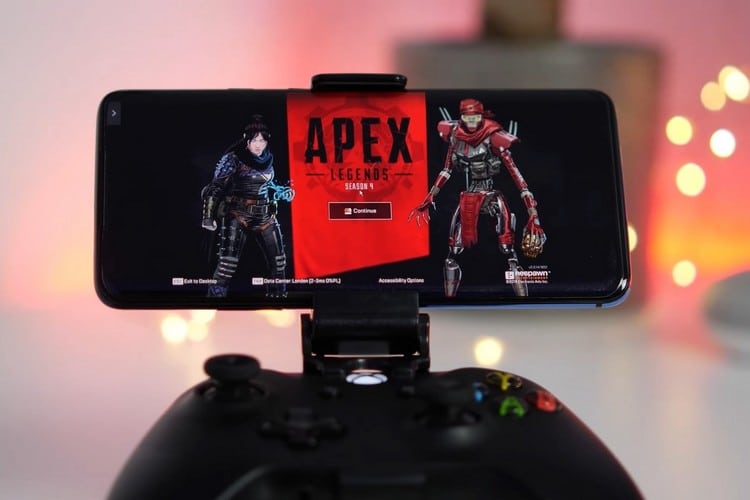
Apex Legends Mobile Release Date // Photo Via Beebom

PUBG India Unban Transitory Timeline

0

The ban of PUBG Mobile back in September 2020 by the Indian Government brought a frown to the faces of millions of Indian gamers who were avid fans of the battle royale. However, according to multiple recent reports, PUBGM might be making its way back to the South Asian country.

The Indian Government invoked the ban on PUBG Mobile along with 116 other apps due to their links with Chinese companies. The apps were banned for the sake of security of the data of Indian users amid growing tensions at the Indo-China border. While the bans are still in effect, it looks like a ray of light might still be existent at the end of the tunnel for PUBGM fans.

Last week, PUBG Corp. announced a merger with KRAFTON Inc, a South Korean video game holding company. This corporate merger will take PUBG Corp. under the umbrella of Krafton and some major changes were announced following this acquisition, including a “revision of terms and conditions (Terms of Service, Privacy Policy, etc.) in accordance with the merger.”

Many speculated that this might have indicated the first step of PUBGM in making a return to India, one of its biggest markets across the world. The move was then followed by a collaboration with Microsoft Azure, a cloud computing service platform. Ties with the Chinese multinational technology conglomerate holding company Tencent Holdings Ltd were also cut off in India.

Previously, TalkEsport had exclusively revealed the details of Microsoft being in the race to acquire the right of PUBG Mobile in India. The collab between the two firms further fueled the speculations of PUBG Mobile making a return to India.

According to some recent reports from various sources, it appears like the return of PUBGM is nearer than you may think.

Popular PUBG Mobile personality and content creator Sagar “Maxtern” Thakur has claimed that the battle royale will be making its return in December-January. The official announcement might come sometime between December 2-15, according to Maxtern.

PUBG Mobile India Unban Date (Rumoured) –

  • Nov 15: New Publisher announcement.
  • Dec 02: Data Transfer.
  • Dec 2-15: Major Announcement.
  • Return Date – Dec-Jan

TalkEsport hasn’t verified any of the dates mentioned by Maxtern as of yet. We’ll be sure to keep you updated on the events to follow.

PUBG Mobile will be hosted on Microsoft Azure to ensure data security and privacy of users

0

Kraftron Inc. announced global partnership with Microsoft Azure to host its portfolio of multiplatform products. This includes the entirety of Krafton and its subsidiaries, including their famous battle-royale title PlayerUnknown’s BattleGrounds(PUBG) and PUBG Mobile will be hosted on Microsoft Azure to data security and privacy of users.

The announcement specifically mentioned the user security details and drawing parallels with the PUBG Mobile ban in India, this deal can become a game-changer.

Microsoft Azure & PUBG Collaboration

According to the release, it was mentioned that the user privacy and security are of the top priority for Krafton and it will work hand in hand with Microsoft to ensure personal data protection via Azure. Data protection and user privacy are the subjects of conflict for the company in India and these concerns were the reason for PUBG Mobile ban in India.

PUBG Mobile was actively working to resolve these issues in India and even made changes to their privacy policy to ensure the transparency in data utilization but still, the could not escape the banhammer.

This Krafton Microsoft partnership can have positive impact on the current state of PUBG Mobile in the country.

As we reported earlier, Microsoft is leading the race to acquire the rights for Indian region and with Krafton confirming its partnership with Microsoft Azure to ensure privacy protection, the data hosting and user privacy issues related to PUBG Mobile in India can get resolved.

Furthermore, this partnership announcement specifically focuses on the concerns of user privacy and if we connect the dots, the major reason for which this ban was imposed gets resolved with Microsoft in picture.

Earlier, Tencent took its leave from India by closing down their PUBG Mobile operations for the region and the publishing rights were handed back to the PUBG Corporation, which in turn, was acquired by Krafton few days earlier.

As mentioned earlier, Microsoft is closing the deal to acquire the rights for Indian market and a local PUBG Mobile version with different publisher might make its way in India very soon. Several Indian PUBGM pros have already hinted at a “good news” and all of these implications suggest that PUBG Mobile is on the verge of getting unbanned in India.
How to get League of Legends K/DA Icons with Twitch Prime Gaming for free

0

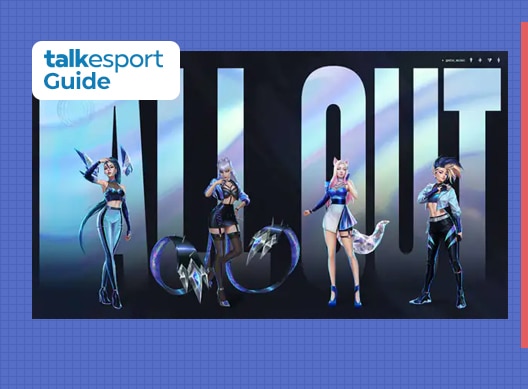
Following a two-year break, the League of Legends pop-group K/DA got back with their “All Out” EP on 6th November, highlighting any semblance of TWICE, Madison Beer, and more on their most recent tracks. Riot has uncovered that they will giveaway selected K/DA themed symbols, with one including the most recent League of Legends champion, Seraphine, after her presentation on the EP.

If you are an active League of Legends player and you have Prime Gaming Subscription, then you have the access to these rewards along with in-game icons. However, before you get the access, you need to follow a few steps. At first, you need to connect your Riot Games account with your Twitch account along with an active Prime Subscription.

How To Link Your League Account To Twitch Prime:

  • First, log in to both of your Riot Games and Twitch account.
  • After logging in, go to the Connections page inside Settings.
  • Find out the Riot Games option and click on the “Connect” button.
  • Then authorize your account to link them.
  • Now you are done.

How to get free LoL K/DA Icon Capsule – League Of Legends Twitch Prime Loot

  • Go to the LoL page on the official Twitch Prime Gaming website.
  • Sign in with your Twitch account that has the Prime Gaming subscription.
  • After signing in click on Claim Now button situated next to the League of Legends: K/DA Icon Capsule Reward.
  • You are done. Now you can check out the items in your inventory.

Although the items are really cool, you should know that this LoL bundle will expire on 23rd November. Moreover, you will get Mystery Skin Shard with Prime Gaming. Grab the items and enjoy! Which one did you like most? Let us know in the comment section below.

Recommended: MrBeast Confirms Beast Gaming League of Legends Team