Home Blog Page 1216

IShowSpeed and Adin Ross both swatted on livestream

0

Popular streamer and content creator Darren “IShowSpeed” Watkins Jr. was recently swatted while live on stream which ended up in him being in handcuffs.

Esports insider Jake Lucky Tweeted a clip showing three police officers putting IShowSpeed in handcuffs with people saying that he was swatted. The police officers forced them to shut the camera down and the interrogation continued off-camera.

Adin Ross swatted on livestream

IShowSpeed’s swatting situation happened right after streamer Adin Ross, was also swatted during a gambling stream. Three police officers blasted in a searched in a hostile manner with weapons out.

Jake Lucky and others informed the two streamers being swatted so close to one another, especially since Adin Ross had been “swatted” in the past during a fan meetup, which ended up being a prank but unlike last time IShowSpeed really had been swatted.

With increasing chances of getting swatted, streamers must put extra attention in keeping their address private to avoid any such things in future.

“Team Soul could easily get in the top 5 place” Neyoo on PMWI 2022

PUBG Mobile Esports biggest global event “PMWI 2022” is around the corner. With the teams arriving at the venue for the high-profile mobile gaming event. Positive praise came out from Neyoo amidst the ongoing rivalry between Team Soul and Godlike Esports. In one of his recent live streams, Neyoo said that Team Soul could easily get in the top 5 places in the upcoming PMWI 2022.

Neyoo, who presently plays for Godlike Esports has immense experience on the battlefield. While talking about how the teams could perform and end in the final standings. He said, “Presently, Team Soul is high on confidence, so getting in the top 5 would not be a difficult task for the team.”

He further said, “Team Soul is already going as a champion from our region so their confidence will be high right now. They need to be in the top 5 places to get into After party event, it would be easy for them.”

They have good gun power and Omega will also do good igling. Although it is his first international event as an IGL but he can deliver easily. Besides they would win the event or not, depends on the level of confidence they enter the tournament but the top 5 place is easy for them. Presently their team is very aggressive.” said Neyoo.

Also Read: PMWI 2022 Format Explained

Neyoo also revelled that he will be doing a live watch party of the tournament on his YouTube channel and supporting Team Soul.

We wish Team Soul all the best for the PUBG Mobile World Invitational 2022 and hope that the squad will bring the trophy home. PMWI 2022 is scheduled to start on 11 August 2022 and end on 13th August 2022. The event features a massive prize pool of $2M USD.

New CSGO Map Tuscan is Now Available to Play

If you’ve been a fan of the Counter-Strike franchise since its early days, get ready for a trip down memory lane as the iconic CS 1.6 map de_tuscan has been completely revamped and is already available to download in CS:GO as a playable bomb defusal map.

Last year, we reported how map devs Brute and Catfood have been working on introducing a new Tuscan to CS:GO. Recently, we also reported how the CS:GO devs were testing out the new version of Tuscan, which led many to believe that this map might be introduced to the game as a part of the next CS:GO update.

It seems that the players’ wishes might have been answered, as the new Tuscan seems to be ready to play and is currently available to download in the Steam Community Workshop.

“The Tuscan full release is now out on the workshop,” Catfood confirmed on Twitter today. “I wish everyone a good game and have fun!!”

Tuscan CSGO Available on Steam CSGO Workshop

While players can choose to download the revamped Tuscan from the workshop, it hasn’t been officially introduced to the game as of yet. However, since the 10th anniversary of CS:GO is just around the corner, don’t be surprised if the new Tuscan is shipped to the title alongside the heavily anticipated CSGO 10th anniversary update.

Interested players can download the new version of Tuscan here and play it with their friends or on community servers.

PMWI 2022: Format Explained & More

PUBG Mobile World Invitational 2022 is right around the corner as this premier PUBGM event will be hosted in Riyadh. Teams from all around the world are travelling to Saudi to attend this event, including two Indian teams namely Team Soul and 7Sea Esports. Here is everything you need to know about this event.

PMWI 2022 FORMAT

The format of PMWI 2022 is quite different than the traditional PUBG Mobile league formats. The tournament itself is divided into two parts with a main event and an afterparty event. The main event will start on 13th August and run for two consecutive days to conclude on 13th August.

The Afterparty event will start on 18th August and will have only twelve teams competing for a prize. This part of the tournament will also run for two days straight.

PMWI 2022 main event will observe a total of 18 teams competing for a massive prize pool of $2 million and the top five teams from this event will make their way into the Afterparty. Six teams are invited from various regions for the afterparty event and the special invite is secured for Indian team, 7Sea Esports.

PMWI 2022 PRIZE POOL

The total prize pool of PMWI 2022 is $3 million and it is divided into two parts. The main tournament has a total prize pool of $2 million and the afterparty event has its own prize pool of $1 million.

All the teams will be flying down to Riyadh to compete at the Riyadh Boulevard in one of the most lavish PUBGM studios ever.

PMWI 2022 QUALIFIED TEAMS

Here is the list of top eighteen teams that have qualified for the PMWI 2022 main event:

  1. Morph GGG
  2. Box Gaming
  3. Vampire Esports
  4. 4Rivals
  5. DenizBank Wildcats
  6. VIVO KEYD
  7. Aton Esports
  8. 52 Esports
  9. Stalwart Esports
  10. Nigma Galaxy
  11. Virtual Gaming Squad
  12. TJB Esports EU
  13. Back2Back
  14. REGAN.S GAMING
  15. DWG KIA
  16. DONUTS USG
  17. Team SouL
  18. Team Falcons

This is everything you need to know about PMWI 2022. You can watch the tournament on Twitch, YouTube and other social media pages of PUBG Mobile Esports.

Also Read | Indian CSGO Pro Sandip Singh passes away at 26

Indian CSGO Pro Sandip Singh passes away at 26

Indian CSGO community received heartbreaking news today as Sandip Singh aka JaguaR, from Kolkata, West Bengal, passed away. JaguaR was a well-known Indian pro player who played for multiple organisations, one of them being JMD Gaming from Kolkata.

Sandip “JaguaR” Singh was 26 years old. The details of the incident remains unknown. JaguaR was one of the earliest esports professional from India and played alongside JMD at several local LAN tournaments.

JaguaR started his journey at a very young age. He was an Indian pro player who started competing professionally at just 16 years old. He was a part of closely knitted esports and CSGO community when the industry just started growing in the country.

Sandip played for teams like JMD Gaming, Goutfits, Foulplay and LevelZero. Alongside his teammate MaachO, Zerocool, tryst and TORREZ, Team JMD had won ILG Kolkata CSGO Qualifiers.

Left To Right: Dibyalok Goswami, Dipayan Das, Jit Duttachoudhury, Soubhik Saha and Sandip Singh.

Sandip played alongside several Indian CS:GO personas that went on to have career breakthroughs in VALORANT, including Enigma Gaming’s Antidote, Team VLT’s HellF and several others.

Antidote, a professional VALORANT player from Enigma, reminisced about his old memories with Sandip. He quoted a very sentimental goodbye to his old teammate.

"Today I lost the guy with whom | started gaming. I cannot forget those 9am cafe to 5pm cafe moments bunking school. Then our first pro team together. So many hurdles were there back in 2010. He's was my brother, my wingman, my chatta. I'm sorry bhai I couldn't do anything for you. I love you and I'll cherish all our memories."

Indian CSGO community has lost one of its backbone who shaped the esports scenario in India and gave many memorable moments to his friends, allies, fans and his family.

How To Fix Valorant Error Val 19? Quick Fix Inside: August 8

0

Valorant has become one of the most popular multiplayer games and with the popularity, comes a massive player base and its management. Although the game is developed by the giant, Riot Games, it is not completely immune to problems that many multiplayer games.

Valorant fans face server outages and disconnection issues quite frequently. If you are facing any, here is how to check and possibly find a fix to your issues.

Valorant has been a title that has experienced immense popularity right from its closed beta testing. With the game picking up the pace, the game developers are also trying to fix as many issues as possible but still, there are some that may slip through them.

How to fix Valorant Error Code ‘Val 19’?

Here are some steps you can try to fix the ‘Val 19’ error code in Valorant:

  • Restart Riot Client: You’ll be surprised to find out how often can a simple restart fix the Val 19 error code in Valorant. Restarting the Riot Client can also potentially trigger any pending updates that you haven’t installed yet.
  • Install All Updates: You’ll need to be updated to the latest version of Valorant if you want to play the game. Being a live-service title, not being updated to the live version will trigger the VAL 19 error code.
  • Restart Your PC and Router: Restarting your PC might also fix this error code in Valorant. Also, restart your router and ensure that you have a stable internet connection.

These are all the things you can do to fix the Val 19 error code in Valorant. If the problem persists, then it’s almost certain that the problem is on the server side. Now all you can do is wait for the Riot devs to fix this problem. Generally, Riot Games is pretty swift to patch issues like these out, and it’s likely that you’ll be able to play the game in only a few minutes.

Here’s how to check Valorant Server Status

To check and troubleshoot your issues, you can gather the information mostly from the official Valorant Twitter handle. The social media account is fairly active and they address the issues most often.

If your issue is already addressed by the Valorant, rest assured that the server will be back up soon. Riot Games has a Service Status page for all of their titles.

The Valorant service status page provides a lot of information regarding the time frame for which the server is down and the cause of this issue. The page also states the recent problems and this is where you can also report your issue.

If you still can’t find the fix, you can jump to the Valorant Support page and find a fix to almost every issue, and still if you are not satisfied, you can contact them with your issues as well.

It is recommended to go through every tab that may be useful for you and most importantly, check the error codes page to fix the most common issues. After doing all of these troubleshoots, we hope that your issue is addressed or possibly solved.

VALORANT servers are down, players getting error code VAL 19

0

Valorant has become one of the most popular multiplayer games and with the popularity, comes a massive player base and its management. Although the game is developed by the giant, Riot Games, it is not completely immune to problems that many multiplayer games.

Valorant fans face server outages and disconnection issues quite frequently. If you are facing any, here is how to check and possibly find a fix to your issues.

Valorant has been a title that has experienced immense popularity right from its closed beta testing. With the game picking up the pace, the game developers are also trying to fix as many issues as possible but still, there are some that may slip through them.

Here’s how to check Valorant Server Status

To check and troubleshoot your issues, you can gather the information mostly from the official Valorant Twitter handle. The social media account is fairly active and they address the issues most often.

If your issue is already addressed by the Valorant, rest assured that the server will be back up soon. Riot Games has a Service Status page for all of their titles.

The Valorant service status page provides a lot of information regarding the time frame for which the server is down and the cause of this issue. The page also states the recent problems and this is where you can also report your issue.

If you still can’t find the fix, you can jump to the Valorant Support page and find a fix to almost every issue, and still if you are not satisfied, you can contact them with your issues as well.

It is recommended to go through every tab that may be useful for you and most importantly, check the error codes page to fix the most common issues. After doing all of these troubleshoots, we hope that your issue is addressed or possibly solved.

How to fix Valorant Error Code ‘Val 19’?

Here are some steps you can try to fix the ‘Val 19’ error code in Valorant:

  • Restart Riot Client: You’ll be surprised to find out how often can a simple restart fix the Val 19 error code in Valorant. Restarting the Riot Client can also potentially trigger any pending updates that you haven’t installed yet.
  • Install All Updates: You’ll need to be updated to the latest version of Valorant if you want to play the game. Being a live-service title, not being updated to the live version will trigger the VAL 19 error code.
  • Restart Your PC and Router: Restarting your PC might also fix this error code in Valorant. Also, restart your router and ensure that you have a stable internet connection.

These are all the things you can do to fix the Val 19 error code in Valorant. If the problem persists, then it’s almost certain that the problem is on the server side. Now all you can do is wait for the Riot devs to fix this problem. Generally, Riot Games is pretty swift to patch issues like these out, and it’s likely that you’ll be able to play the game in only a few minutes.

Recommended | New Valorant Game Mode Replication Announced by Riot

How to fix Apex Legends Dxgi Error Device Hung error code

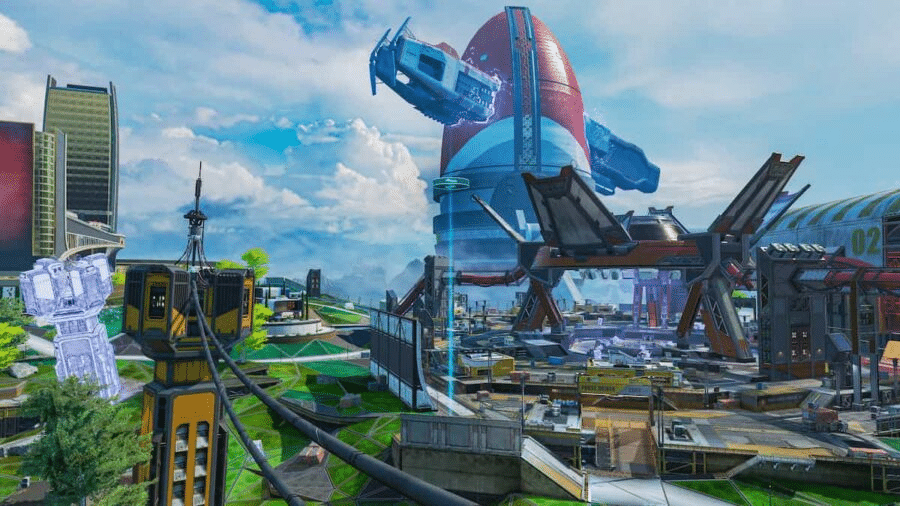
How to Fix DXGI_ERROR_DEVICE_HUNG Error?

Method 1: Update Your Graphics Card Driver

When games and other other graphical applications crash, it can be signs of issues with your graphics drivers. In the case of DXGI_ERROR_DEVICE_HUNG, the video card drivers may have become corrupt.

In some cases, you can get this error when the version of the graphics driver you are using is the issue. In that case, a newer or even an older graphics driver may resolve the program. This is how you can update your graphics drivers:

Step 1: Press the Windows key to open the Start Search box

Step 2: Type ‘device manager’ (without quotes) into the search box

Step 3: Click the + next two Display Adapters to see your graphics card

Step 4: Right click on your graphics card (display adapter) and click Update Driver

Step 5: Choose ‘Search automatically for updated driver software and let Windows install the newest driver version’

Step 6: Reboot your PC 

Method 2: Update DirectX

Another really common fix for DXGI_ERROR_DEVICE_HUNG error is to update DirectX. Sometimes files can become corrupt and reinstalling or updating DirectX can resolve that.

Step 1: Visit Microsoft’s DirectX End-User Runtime Web Installer page.

Step 2: Choose your language

Step 3: Click Download

Step 4: Find the downloaded file and double-click it

Step 5: Follow the on-screen instructions

Step 6: Start the game and see if the issue is resolved

Method 3: Roll-Back Your Graphics Drivers

This should solve the issue, but if it doesn’t, then players might have to consider setting their drivers back. Users are experiencing ‘little to no crashing’ when rolling back to earlier versions of drivers.

If the current version of the driver is corrupt, you can roll-back to previous versions the following way:

Step 1: Type Device Manager into the search box

Step 2: Expand your Display adapters and pick the graphics card you are using

Step 3: Rick-click your Display Adapter and click Properties

Step 4: Go to Driver tab

Step 5: Select Roll back driver

Method 4: Reseat your system memory (RAM)

Sometimes, dust can creep in between the pins that cannot your system memopry to the rest of the system. So, if you are getting random errors and have tried everything else, it might be an issue with your RAM.

RAM does sometimes go bad, but usually, this is not the case. But of the time when there is a problem with system memory, all you have to do is tack it out and put it back again.

This process varies widely from computer to computer, and it will be especially different when comparing laptops and desktops. Most all-in-one computers use laptop memory modules.

Consult your user manual to find out how to upgrade the RAM in your system. Reseating the memory is the same process as upgrading your RAM. The only difference is when you are reseating your memory modules, you are putting the same ones back in.

Method 5: Change Nvidia Control Panel Settings

Sometimes this error can happen because of incorrect settings in your Nvidia control panel. To try to resolve this issue, perform the following steps:

Step 1: Right click the desktop and open the Nvidia control panel

Step 2: Click on 3D settings

Step 3: Click Adjust image settings with Preview

Step 4: Check ‘Use advanced 3D image settings’

Step 5: Click Apply

Step 6: Click Manage 3D settings on the left

Step 7: In the Program Settings tab, click Add 

Step 8: Choose the executable of the game you are having troubles with

Method 6: Disable Graphics Card Overclocking

You may be seeing the DXGI_ERROR_DEVICE_HUNG error if your GPU is working beyond its intended limit. Overclocking is a great tool for extracting more performance out of your hardware, but it can lead to system stability issues at times.

So, if you are overclocking your graphics card and you are getting this error, it’s a good idea to disable your overclocking settings, at least temporarily, to see if that’s what’s causing the issue.

How to unlock and change classes in Xenoblade Chronicles 3?

0

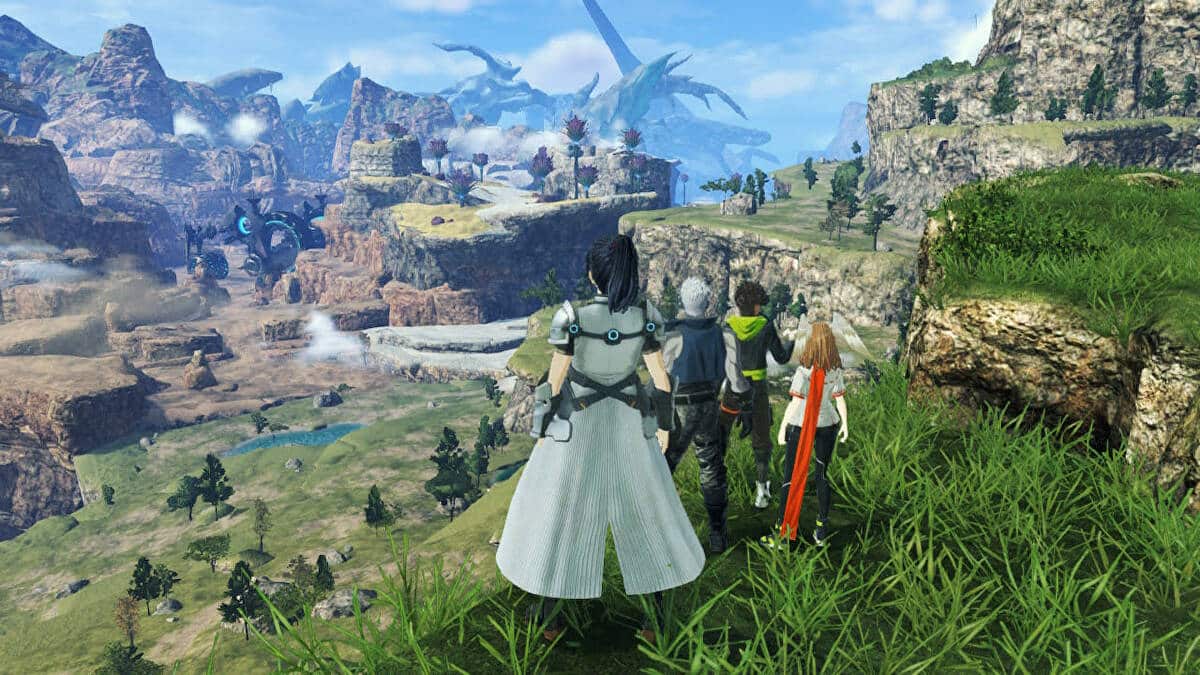
Classes are quite significant in Xenoblade Chronicles 3 as each of them has different offensive output, defensive strength, and support capabilities. By combining different character classes you can create a very powerful composition. Therefore, you need to know how to unlock and change the classes in the game. Keep reading this article till the end to find out.

How to unlock classes in Xenoblade Chronicles 3?

To unlock a character’s class, you need to fight alongside the respective character. Apart from fighting together, you can also unlock a character’s class from their primary class.

How to change classes in Xenoblade Chronicles 3?

In Xenoblade Chronicles 3, only after reaching a certain point in the story, you can change the class of a character. Once you see Noah and Mio teaming up together to trade cloth, follow the steps mentioned below to change your character’s class:

  • Open up Menu and go to the Characters section.
  • Select the specific character.
  • Then click on Class.
  • After that, you have to choose your desired class.
  • You have successfully changed the character’s class.

Follow TalkEsport for more amazing gaming guides.

Fan Puts CSGO Skins on Valorant Guns and They Look Stunning

Valve’s Counter-Strike: Global Offensive and Riot Games’ Valorant are the biggest competitive first-person shooters on the internet with millions of players tuning into the titles each day.

While CS:GO and Valorant might vastly differ in gameplay, they both manage to shine equally as bright when it comes to weapon skins. Players might argue that CS:GO skins are more realistic while Valorant skins are a lot more flamboyant, but it doesn’t take away the charm from either game.

However, some of you may have questioned what would happen if someone decided to implement the unique skin patterns of CS:GO on Valorant?

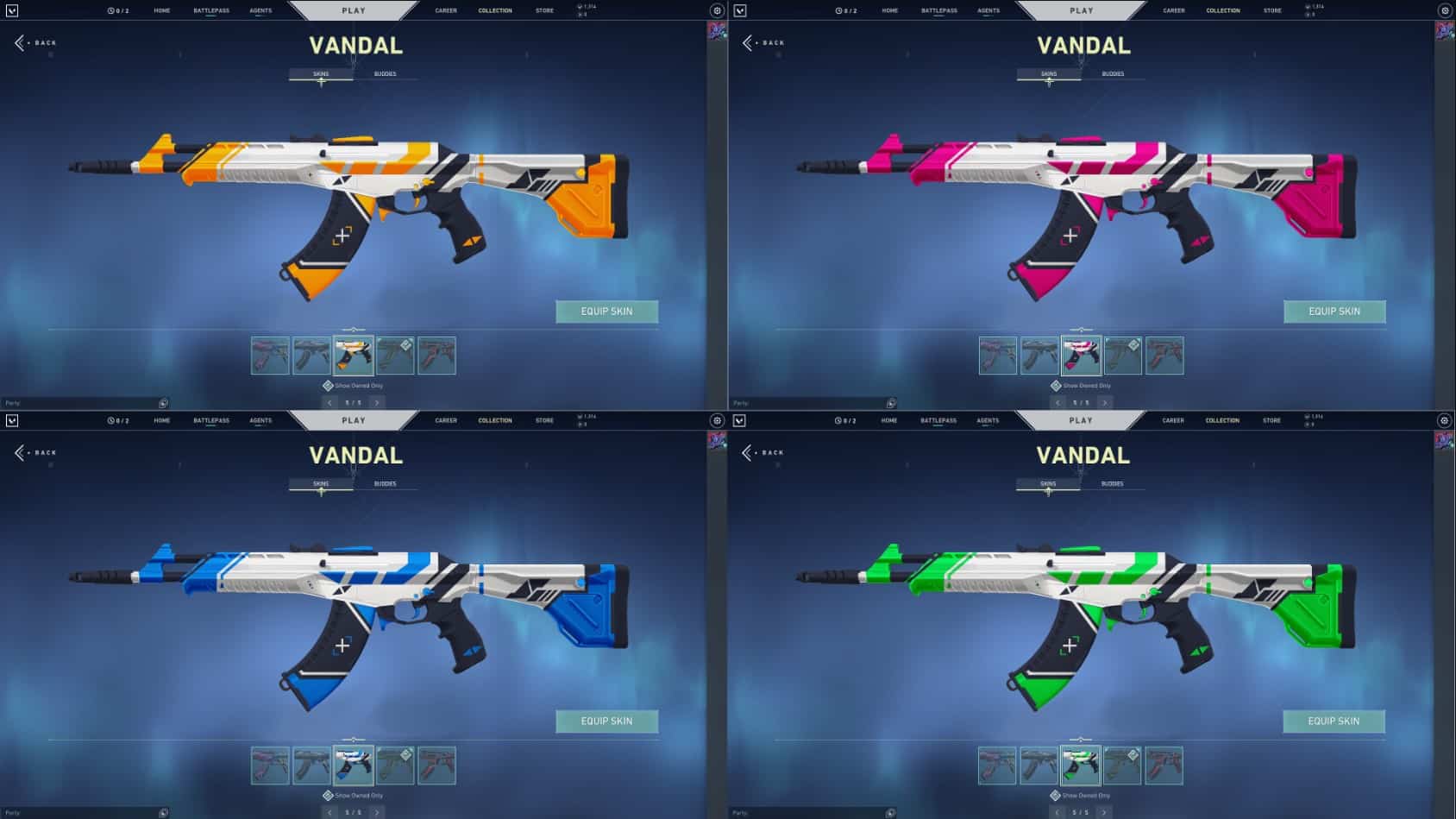
We now have the answer, as an artist has managed to recreate the iconic ‘Asiimov’ skins from CS:GO on Valorant guns, and they look absolutely stunning.

Asiimov Skins in Valorant

Reddit user ‘Tanniko’ has recreated the Asiimov pattern on the Vandal, which is the counterpart of CS:GO’s AK-47 in Valorant.

On top of that, the artist has also created some additional variants for the Asiimov that aren’t present in CS:GO, and they look equally as gorgeous.

Fans can check out the implementation of the Asiimov skin line in Valorant here:

While this Valorant weapon skin has gained quite the traction in the community, don’t expect to see it in the actual game as it’s simply a fan-made project. However, fans have the option to check out the plethora of Vandal skins that are already present in the game. You might also consider grabbing one from the Night Market if you’re looking to save a few bucks.