Monday, June 22, 2026
Home Blog Page 812

CSGO Bhop Commands: List and How To Use

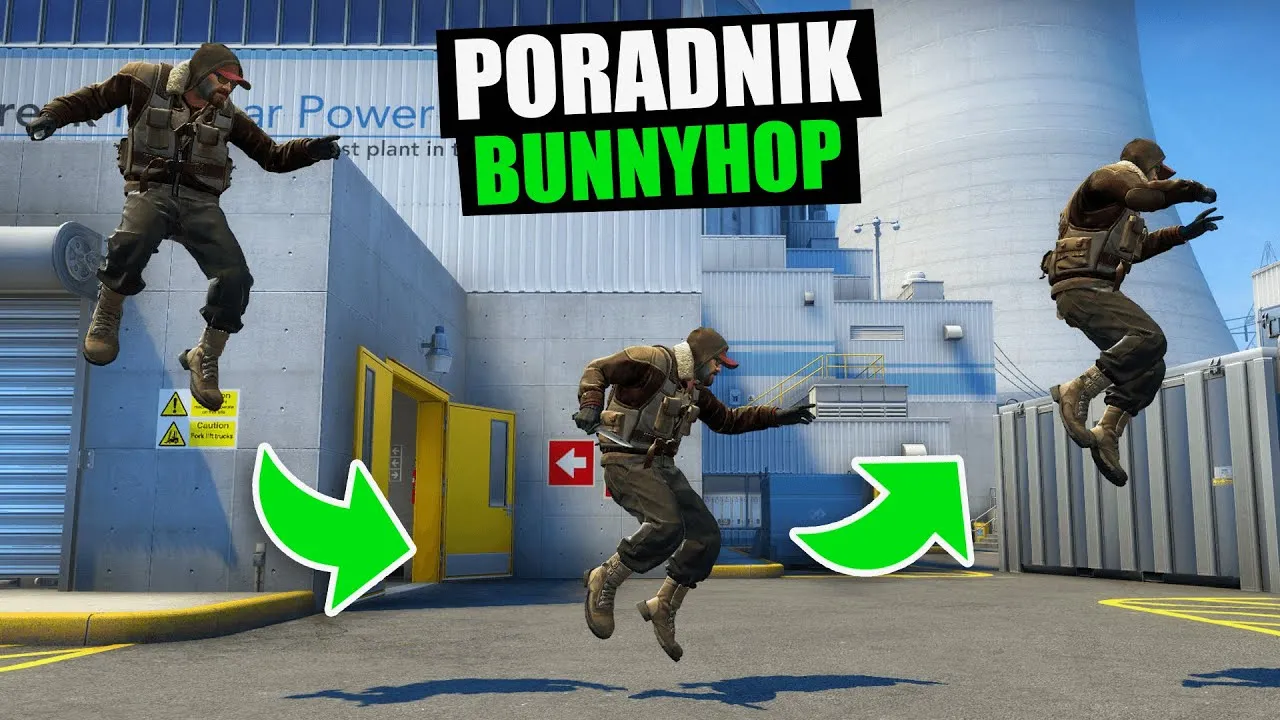
Bunny hopping, also known as BHopping, is a skill that has become synonymous with many first-person shooter (FPS) games. Its origins can be traced back to classics like Quake and Half-Life. While the developers of Counter-Strike (CS) did not originally intend for BHopping to be a regular occurrence in the game, players have persisted in perfecting this virtual athleticism, even after the initial “nerf” in Counter-Strike 1.4. If you aspire to emulate the legendary “zBlock” and become a BHop master in CS:GO, here are the essential commands and steps you need to know.

Before diving into BHopping, you must first enable the Developer Console in your CS:GO client. If you’re unsure how to do this, consult the “How to Open Console in CS:GO” guide for assistance. Once you have the console enabled, launch your desired map and remove any bots by using the command “/bot_kick” in the console at the start.

How to Do Bunny Hopping in CS:GO: Bhopping Command List

To achieve smooth and effective BHopping, you’ll need to input the following commands. Copy and paste them into the console for easy access:

  • sv_cheats 1;
  • sv_accelerate_use_weapon_speed 0;
  • sv_airaccelerate 12;
  • sv_autobunnyhopping 1;
  • sv_enablebunnyhopping 1;
  • sv_maxvelocity 3500;
  • sv_staminajumpcost 0;
  • sv_staminalandcost 0;
  • sv_staminamax 0;
  • sv_staminarecoveryrate 0.

With these essential commands in place, you’re now equipped to become a BHop pro in CS:GO. Bunny hopping allows you to maintain momentum and navigate the map with agility and speed. Practice your timing and movement to achieve fluid jumps and maintain your velocity. As you progress, you’ll discover new techniques and strategies to further enhance your BHopping skills.

Remember, while bunny hopping can be exhilarating and advantageous, it may not always be suitable for every CS:GO game mode or server. Make sure to familiarize yourself with the rules and expectations of the specific server or competition you are participating in.

So, what are you waiting for? Step into the virtual world of CS:GO, harness the power of bunny hopping, and elevate your gameplay to new heights. Become a force to be reckoned with as you defy gravity, outmaneuver your opponents, and leave them in awe of your BHopping prowess.

Stay updated with the latest news in gaming and esports by signing up for early access to TalkEsport’s Mobile App. Follow us on Twitter and Google News to ensure you never miss the exciting updates.

Is Kick Better Than Twitch?

0

In the ever-expanding world of live streaming, two platforms have emerged as major players: Kick and Twitch. While Twitch has long reigned as the dominant force in the market, Kick, a newcomer launched in October 2022, is making significant strides to challenge its supremacy. With the backing of Tyler ‘Trainwreck’ Niknam, Kick positions itself as a creator-friendly alternative to established giants like Twitch, YouTube, and Facebook.

In this article, we will discuss Kick vs Twitch and explore the differences between these two streaming platforms and compare what they have to offer.

Kick vs Twitch

A major selling point of Kick is its promise to provide streamers with a more generous share of their earnings compared to Twitch. While Twitch follows a traditional 50-50 revenue split, Kick takes a bold step with a remarkable 95-5 revenue split, significantly benefiting content creators.

Additionally, Kick offers a unique advantage through its donation service called Kicks, which ensures a 100% split between streamers and their supporters. What’s more, Kick allows streamers to receive same-day payouts, eliminating the frustration of waiting until the end of the month to collect their hard-earned revenue.

When it comes to achieving affiliate status, Kick also provides an edge over Twitch. While Twitch imposes certain requirements, such as 500 total minutes of the broadcast, 7 unique broadcast days, an average of 3 concurrent viewers, and at least 50 followers, Kick adopts a more lenient approach. To become an affiliate on Kick, streamers only need to reach 75 followers and stream for a total of 5 hours, making it more accessible to aspiring content creators.

The topic of gambling on streaming platforms has become a focal point of scrutiny and regulation. Twitch has taken a stringent stance, strictly prohibiting users from sharing links or affiliate codes to gambling sites, including slots, roulette, and dice games. Furthermore, Twitch restricts streamers from broadcasting sites that lack proper licensing in their respective jurisdictions, ensuring compliance with local regulations.

In contrast, Kick adopts a more relaxed approach to streaming gambling. While the platform prohibits gambling with other users, streamers are allowed to stream online poker and blackjack, provided they adhere to the regulations of their own countries. This flexibility allows Kick streamers to explore a wider range of content while still complying with the necessary legal requirements.

Twitch, being a veteran in the industry since its establishment in 2011, has had ample time to refine its platform and integrate a diverse array of features. With a solid foundation, Twitch boasts a comprehensive set of tools that empower streamers to enhance their content and engage with their audience effectively.

However, as Kick is still in its beta stage, it currently lacks many of the features and tools that Twitch provides. Nevertheless, Kick aims to bridge this gap as it continues to evolve, working towards providing streamers with an equally comprehensive and user-friendly experience.

Stay updated with the latest news in gaming and esports by signing up for early access to TalkEsport’s Mobile App. Follow us on Twitter and Google News to ensure you never miss the exciting updates.

Valorant Double Crosshair Code: How To Get It?

0

If you’re seeking a unique and unconventional way to enhance your aim in VALORANT, we have the perfect solution for you—a valorant double crosshair code that will surely leave your opponents bewildered.

VALORANT, being a tactical shooter, places great emphasis on raw mechanics and precise aiming. Mastery of these skills is crucial if you intend to emerge victorious. Fortunately, the game allows players to personalize their crosshairs, enabling them to find a reticule that suits their style and complements their aim. This opens up a world of possibilities for experimentation and improvement.

So, if you’re ready to take your aim to new heights and explore uncharted territory, let’s delve into the realm of the double crosshair in VALORANT.

VALORANT Double Crosshair Code:

To acquire a double crosshair in VALORANT, follow these simple steps:

  1. Open the Settings menu and navigate to the Crosshair tab.
  2. Adjust the crosshair values to create a duplicated reticule.
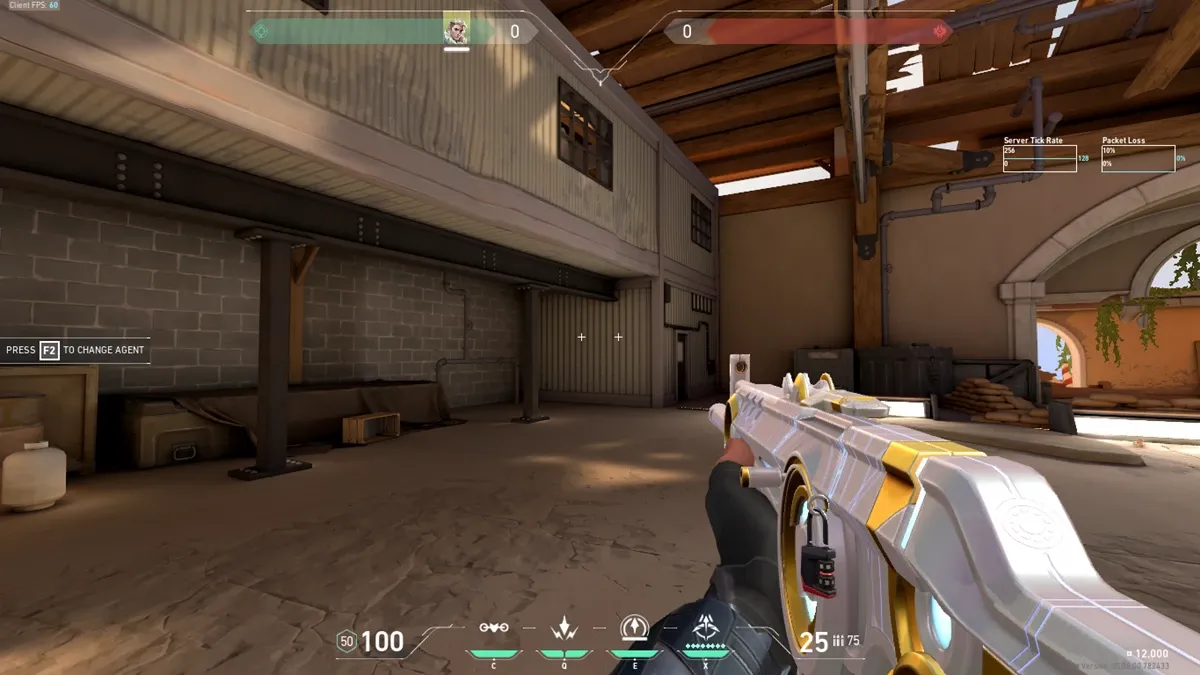
  3. Alternatively, if you prefer a more convenient method, you can use the following crosshair code:0;P;o;0;0t;9;0l;1;0v;0;0g;1;0o;20;0a;1;0f;0;1t;1;1l;9;1v;0;1g;1;1o;16;1a;1;1m;0;1f;0This code will replicate the exact crosshair displayed in the image above.

How To Apply Double Crosshair Code In Valorant:

Once you’re in-game, follow these steps to activate the double crosshair:

  1. Click on the settings icon located in the top-right corner of the main menu.
  2. Select “Settings” and navigate to the “Crosshair” tab.
  3. Locate the “Import Profile Code” button and click on it.
  4. Paste the provided crosshair code into the designated text field.
  5. Click “Import,” and voilà! Your new crosshair is ready for action.

We recommend entering the practice range after setting up your new crosshair. This will allow you to familiarize yourself with its unique layout and make any necessary adjustments.

Keep in mind that the double crosshair is rather unconventional. Utilize the negative space between the two reticules to align your shots effectively. While there may not be any inherent advantages to using a double crosshair, unlike the top VALORANT crosshair codes, it offers a distinct visual experience that some players may find appealing.

Now that you’re equipped with the knowledge of obtaining and utilizing a double crosshair in VALORANT, why not explore our VALORANT weapon tier list? It covers the best guns in the game, providing valuable insights to further enhance your gameplay.

Embrace the double crosshair and unlock new potential in your VALORANT journey. Good luck, and may your shots find their mark!

Stay updated with the latest news in gaming and esports by signing up for early access to TalkEsport’s Mobile App. Follow us on Twitter and Google News to ensure you never miss the exciting updates.

Fruit Battlegrounds codes June 2023

0

Fruit Battlegrounds codes are indispensable for any Roblox player aiming to rise through the ranks in an arena teeming with formidable adversaries and collectible fruits. Developed by Popo, this game draws inspiration from anime, just like numerous others, ensuring a massive player base.

If you crave a wealth of complimentary items, look no further. Scroll down for our exclusive codes.

Here are the new Fruit Battlegrounds codes:

  • 340NEVERENDS! – free gems (new!)
  • 330WEUP! – 600 gems
  • 320THXGUYS! – 850 gems
  • HYPEFIX! – 400 gems
  • 310KEEPGOING – 500 gems
  • KINGJUNGL3 – 500 gems
  • 4TTRACTI0N – 220 gems
  • SKYH1GH! – 240 gems
  • 300KWOW – 800 gems
  • OMG100M – 1500 gems
  • 2HAPPY290 – free rewards 
  • TOOKRAZY280 – free rewards
  • 270TOOINSANE – 400 gems
  • LIGHTNINGHYPE – free rewards
  • KRAZYGASSED – free rewards
  • 260BELIEVE – free rewards 
  • GETKRAZYY! – free rewards 
  • 250QUARTER – free rewards
  • 240GASSED – free gems
  • TOOHAPPYBRO – free gems
  • GRATITUDE – free gems
  • 230GANGG – free gems
  • APPRECIATIVE – free gems
  • BRO220K – free gems
  • LIT210 – free gems
  • YESSIRBIG200! – 1,000 gems
  • NEVERSTOP – 400 gems
  • ITKEEPSCOMING! – 350 gems
  • DUBMINER – 300 gems
  • CANTSTOP – 300 gems
  • SHUTDOWNLUCK – 400 gems
  • FUNNYNUMBER – 400 gems

Expired codes:

  • 190KWOWBRUH
  • GOCRAZY180
  • 170KKRAZY
  • FREECASHBRO
  • KRAZYSUPPORT
  • 160WOW
  • DRACOMASTA
  • KAIDOBEAST
  • GOKRAZY150
  • 140KAGAIN
  • ITJUSTDONTSTOP
  • RAININGGEMS!
  • GEARFOOOOURTH
  • LONGAWAITED
  • LETSGOO130K
  • UPDATETIMEEE
  • GOLDENDAYZ
  • PAWGOKRAZY
  • 120KTHX
  • INDAZONE
  • LASTSHUTDOWNALRIGHT
  • 110KYEE
  • WINTERDAYZ
  • COMEONMARCOOO
  • 100KWEDIDIT
  • DAMN90K
  • 80KAHHHH
  • THXFOR70K
  • FREEBREAD!
  • 60KLETSGOOOO
  • SORRY4SHUTDOWN
  • MAGMALETSGOO
  • 50KINSANE
  • 40KDAMN
  • 35KWOWBRO
  • 30KLOVEYOU
  • FATSTACKZ
  • 25KINSANE!!
  • 20KCRAZY
  • 15KNOWAY
  • THXFOR10K
  • 7KTEAM
  • 5KSQUAD
  • 4KGANGO
  • 3KTHXBRO
  • WUPDATEORNAH
  • 2KLETSGOOO
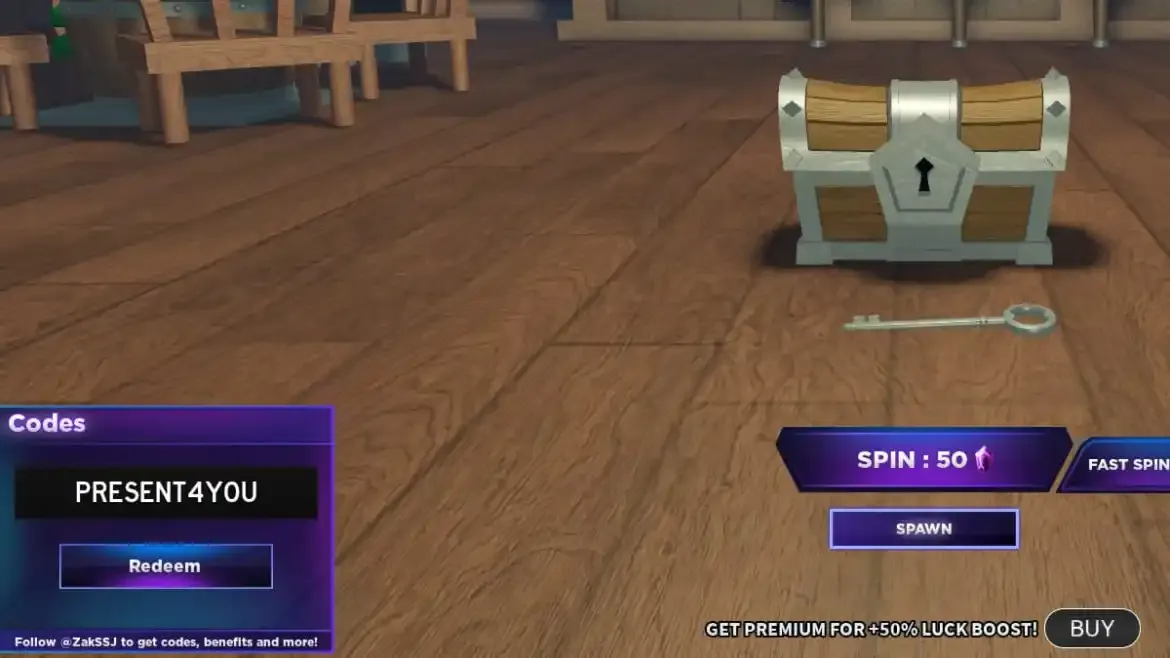
  • PRESENT4YOU
  • 1KLIKESGANG

What do Fruit Battlegrounds codes offer?

Fruit Battlegrounds codes are delightful rewards distributed by the game developer, Popo, to assist you in your quest for triumph. Remember to save this page as a bookmark, as we promptly update it with new codes. Make sure to visit frequently for the latest updates!

How to redeem Fruit Battlegrounds codes?

Redeeming Fruit Battlegrounds codes is super simple, just follow the steps below:

  • Boot up Fruit Battlegrounds in Roblox
  • Press the Twitter icon
  • Enter one of our codes
  • Hit redeem
  • Enjoy the free stuff!

Obtaining alpha Fruit Battlegrounds codes is a breeze with such simplicity.

Stay updated with the latest news in gaming and esports by signing up for early access to TalkEsport’s Mobile App. Follow us on Twitter and Google News to ensure you never miss the exciting updates.

Goddess Of Victory Nikke codes (June 2023)

0

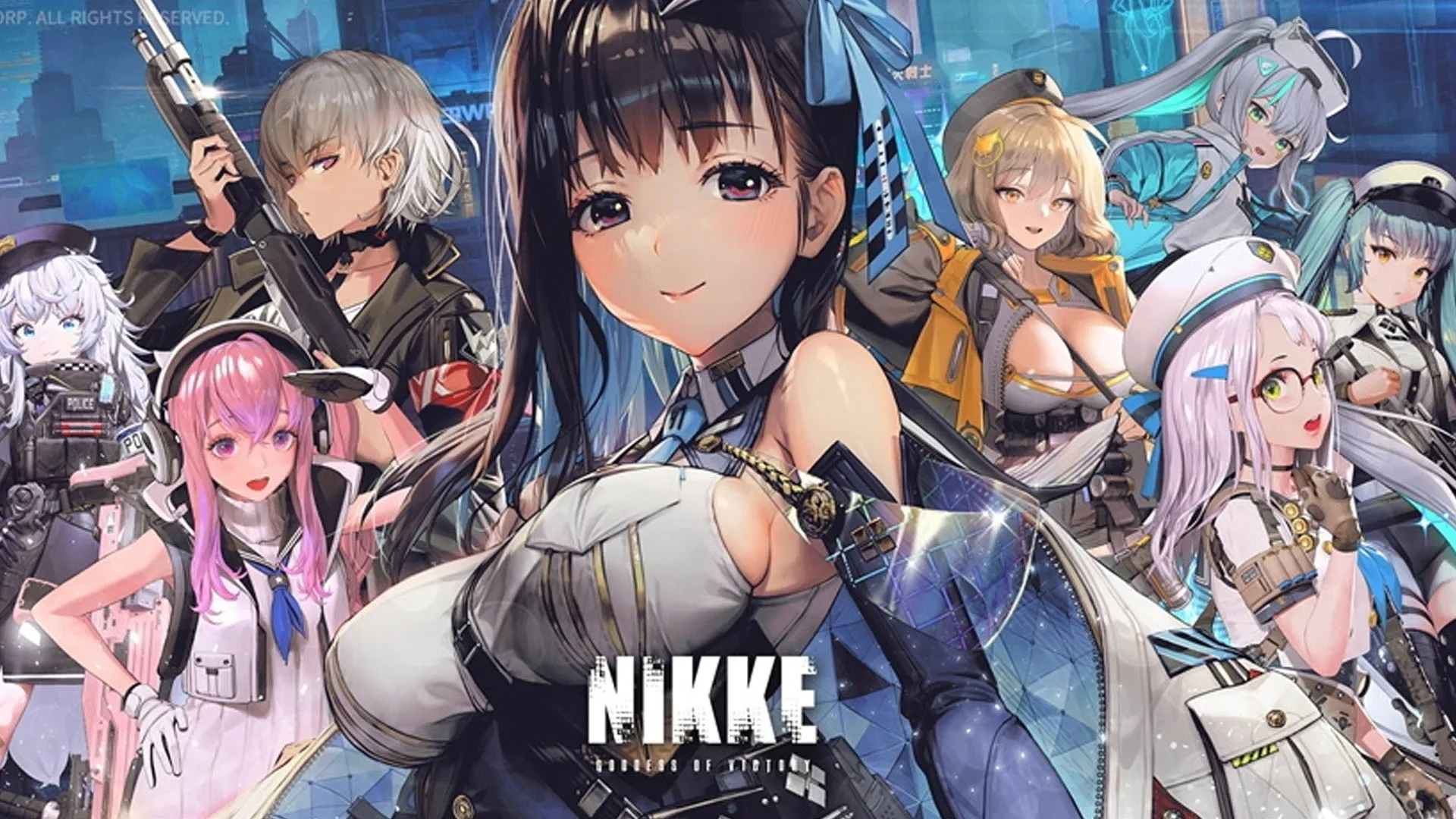
Nikke Codes: Who doesn’t appreciate complimentary in-game items and enhancements? Well, with our Goddess Of Victory Nikke promotional codes, you’ll have the opportunity to acquire remarkable power-ups for your gaming expeditions.

Goddess Of Victory Nikke enjoys immense popularity among gamers, and these codes are frequently refreshed to mark significant achievements.

Below, we will furnish you with the currently valid codes, along with the expired ones, just in case you wish to test them in case they are reactivated for any reason.

We will also provide instructions on how to redeem these codes, so make sure to stay till the end to swiftly claim all the exciting bonuses.

Goddess Of Victory Nikke promotional codes (June 2023) Here is what you’re searching for: a comprehensive list of active promotional codes for Goddess Of Victory Nikke. These codes usually consist of Gems, and who can resist accepting free presents? Check out all the currently active Goddess Of Victory Nikke codes below:

Goddess Of Victory Nikke codes (June 2023)

  • WABBITLAVEET – Redeem this code to get free rewards
  • 1f4a41gld773 – Redeem this code to get free rewards 
  • F4R14A4FV211 – Redeem this code to get free rewards 
  • HAPPY6MONTHS – Redeem this code to get free rewards 
  • Nikke180daysFreeGifts – Redeem this code to get 4th credit box 
  • nikkehalfanniv – Redeem this code to get 100 gems 
  • LoveUCommander2023 – Redeem this code to get 100 gems 
  • NIKKESAKURA – Redeem this code to get 100 gems 
  • PINKPETALS – Redeem this code to get 100 gems 
  • TH03LOVEBiSCUIT – Redeem this code to get free rewards 
  • gawkgawk3000 – Redeem this code to get 100 gems
  • NIKKEFOR2023 – Redeem this code to get 100 gems
  • NIKKEPC 
  • NIKKETIMAEUSS
  • NIKEENEWYEAR 
  • NIKKEKRHAPPYHOLIDAY2022 
  • NIKKEKR 
  • NIKKEXMASEU 
  • NIKKEXMAS 
  • NikkeSurprise 
  • NIKKE2023 
  • NIKKEXMAS 
  • NIKKEFORYOU 
  • NIKKE47CAMPAIGN 
  • BEMYCOMMANDER
  • NIKKE 
  • ​NIKKE1104 
  • NIKKENO1 
  • NIKKEGIFT 
  • NIKKE777

Goddess Of Victory Nikke expired codes (June 2023)

  • NK02V14DG
  • NIKKEGame8Vtuber
  • Ha17X5Du
  • Crnikke
  • Igotnikke
  • 1104Nikketh
  • Nikkecongrat04
  • Nikkecongrat11
  • Nikkelaunch04
  • Nikke04Congrat
  • Congratnikke04
  • Congratnikke11​
  • Nikke11Congrat
  • Mynikke
  • Nikkeluv
  • ​Nikke2022

How to redeem Goddess Of Victory Nikke codes

  • Launch Goddess Of Victory Nikke
  • Complete the tutorial
  • Hit the Squares icon in the top right
  • Press Notice and enter the CD-KEY Redemption Portal
  • Choose one of the above codes and redeem for rewards

Stay updated with the latest news in gaming and esports by signing up for early access to TalkEsport’s Mobile App. Follow us on Twitter and Google News to ensure you never miss the exciting updates.

Can Steam Account Be Recovered From a VAC Ban?

0

Online gaming is an exhilarating realm filled with excitement and competition. However, within this domain, a chilling term has emerged that sends shivers down players’ spines worldwide: the notorious “VAC ban.” This article explores the significance of VAC bans, their impact on various online games, and the measures players can take to avoid falling into the abyss of cheating.

In the vast landscape of online gaming, few terms hold the same weight as the dreaded VAC ban. This term, closely associated with Counter-Strike: Global Offensive (CSGO), serves as a label for players who have been caught cheating during gameplay. While primarily linked to CSGO, VAC bans extend their reach to numerous online games played through Steam—a popular gaming platform.

Is It Possible to Recover a Steam Account From Vac Ban?

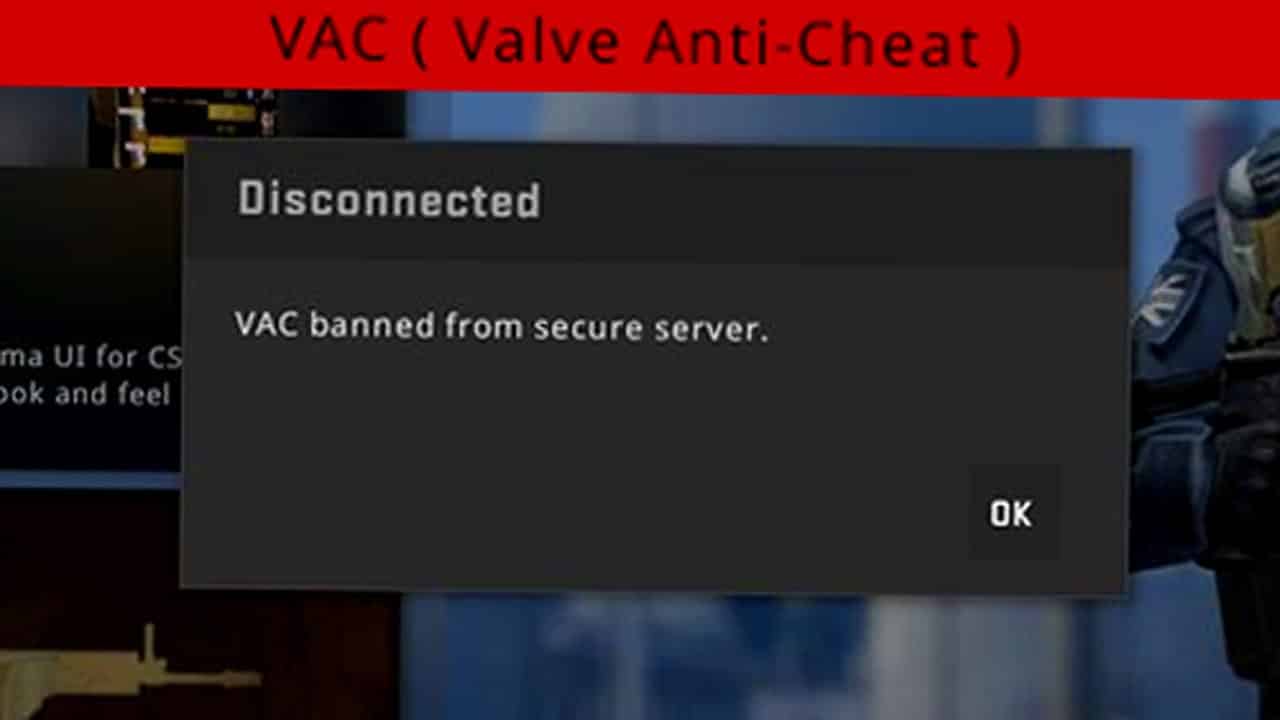
VAC, an acronym for “Valve Anti-Cheat,” stands for a meticulous automated system designed to detect and expose cheating software installed on users’ computers. Once the verdict of a VAC ban is delivered, it becomes an indelible mark, permanently etched onto the player’s profile. Steam Support cannot negotiate or remove this ban, making it a formidable consequence.

The VAC system reliably detects cheats using their cheat signatures. Any third-party modifications to a game designed to give one player an advantage over another is classified as a cheat or hack and will trigger a VAC ban.

Steam

Steam provides a comprehensive list of over 600 VAC-enabled games. This extensive catalog serves as a stark reminder of the consequences players may face if they choose to indulge in prohibited activities. Players must acquaint themselves with the VAC status of games before engaging in them to avoid unforeseen penalties.

The solution to evading the dangerous clutches of a VAC ban is simple: refrain from cheating or participating in gameplay on a PC equipped with cheat software. By adhering to this fundamental principle, the likelihood of encountering a VAC ban diminishes significantly. Most VAC-enforced software requires user involvement, barring any potential intrusive viruses. Players must steer clear of actively seeking ways to cheat, thereby ensuring an unobstructed path to gaming integrity.

FAQ

Can a VAC ban affect games other than CSGO?

Yes, VAC bans can extend beyond CSGO and impact numerous online games available on Steam. Players should be cautious and refrain from cheating across any game supported by VAC.

Is it possible to regain access to a Steam account after it has been VAC banned?

No, once a Steam account has been VAC banned, the ban is permanent and non-negotiable. The account holder loses the ability to participate in competitive games on VAC-Secured servers.

Are there other systems similar to VAC in combating cheating?

Yes, Riot Games’ Vanguard system is one such example. It operates similarly to VAC, employing cheat detection techniques to ensure fair play in tactical shooters.

How can I determine if a game is VAC-enabled?

You can easily identify VAC-enabled games on Steam by searching for them. Steam provides a comprehensive list of games that fall under VAC’s jurisdiction.

Are there any exceptions to VAC bans?

With the exception of possible intrusive viruses, the vast majority of VAC-enforced software requires user involvement. As long as players refrain from actively seeking ways to cheat, they can maintain their gaming integrity and avoid a VAC ban.

    Stay updated with the latest news in gaming and esports by signing up for early access to TalkEsport’s Mobile App. Follow us on Twitter and Google News to ensure you never miss the exciting updates.

    Project Slayers codes for July 2023

    0

    Are you in search of the most up-to-date codes for Project Slayers that can grant you free spins and resets? Currently, one of the breakout genres on Roblox revolves around fighting games inspired by the popular anime Demon Slayer. It’s remarkable how many of these games exist, and they all seem to enjoy immense popularity, just like Project Slayer!

    In order to gain an advantage over your opponents in any anime fighting game on Roblox, redeeming codes for free spins and resets can prove to be the ultimate game-changer. With that in mind, continue reading to discover a comprehensive list of all the active codes currently available for redemption in Project Slayers. Additionally, you’ll find easy-to-follow instructions for code redemption, as well as a list of expired codes for your convenience.

    Project Slayers codes for July 2023

    • ThanksFor400MVisits
    • ThanksFor650KVotes 
    • Update309ArtSpins 
    • Update309RaceReset 
    • Update309BreathingReset

    How to redeem codes in Project Slayers

    Redeeming codes in Project Slayers is a straightforward process that involves following a few simple steps. To begin, launch the Project Slayers game on Roblox and press the “M” key to access the menu. Once the menu is displayed, locate and click on the book icon. This action will prompt a text box to appear. In this text box, enter the code you wish to redeem. Finally, click on the “Submit Code” button to validate and redeem your freebies!

    List of expired Project Slayers codes

    • HappyNewYears!
    • HappyUpdateYears!
    • 2023BreathingReset
    • MerryChristmas2022
    • MerryChristmas2022RaceReset
    • MerryChristmas2022BreathingReset
    • Upd@te1B1gCodE
    • MUGENTRAINFINALLY
    • AkazagoBRR
    • MistBreathing!OMG!
    • Sh0wC4s3beast
    • 400Klikess
    • 400Klikesracereset
    • 400Klikesbreathingreset
    • MiniUpdate3
    • Miniupdate3BreathingReset
    • MiniUpdate3RaceReset
    • 100K+LikesIGLOL
    • 1o0MillVisits-_-
    • 1o0MillVisits-_-BreathingReset
    • 1o0MillVisits-_-RaceReset
    • 200K+UpvotesTSYM
    • 300kLikes!
    • 350KUpvotes!
    • 350KUpvotes!Breathing
    • AnotherDayAnotherShutdown
    • FlAm3!Shawcas31
    • FinallyReleaseTime!
    • GettingThere!
    • LastCode?LOL
    • MiniUpd2
    • MiniUpd2BreathReset
    • MiniUpd2RaceReset
    • MiniUpdate
    • MiniUpdateDaily
    • sCyth3Showcase!
    • Shutdown!
    • ShutdownNumb2
    • SorryForAnotherShutdownLOL
    • SorryForShutdowns!
    • SoryAgainGuys:V
    • TwittaSpins
    • WereBackup

    Stay updated with the latest news in gaming and esports by signing up for early access to TalkEsport’s Mobile App. Follow us on Twitter and Google News to ensure you never miss the exciting updates.

    Valorant Settings You Need To Change in 2023

    0

    Riot Games’ competitive shooter in Valorant has been out for over three years, and a lot of players are still experimenting with the title’s in-game settings in pursuit of optimal performance and a competitive edge over opponents.

    Fortunately, over the years, the community has managed to find a number of crucial Valorant settings that can make the difference between winning and losing rounds in Valorant. Some of these settings can simply rev up your game’s performance, while others can provide you with some form of advantage over your enemies in the battlefield.

    In this article, we’re gonna take a look at some of the most important Valorant settings that you need to change in 2023. Although most professional players are already familiar with these settings, many players in lower or mid-ranked tiers are unaware of their existence. This lack of knowledge may even be the reason they struggle to advance to higher ranks in Valorant.

    Without further ado, let’s take a look at some of the Valorant in-game settings that you need to change in 2023.

    Best Valorant Settings 2023

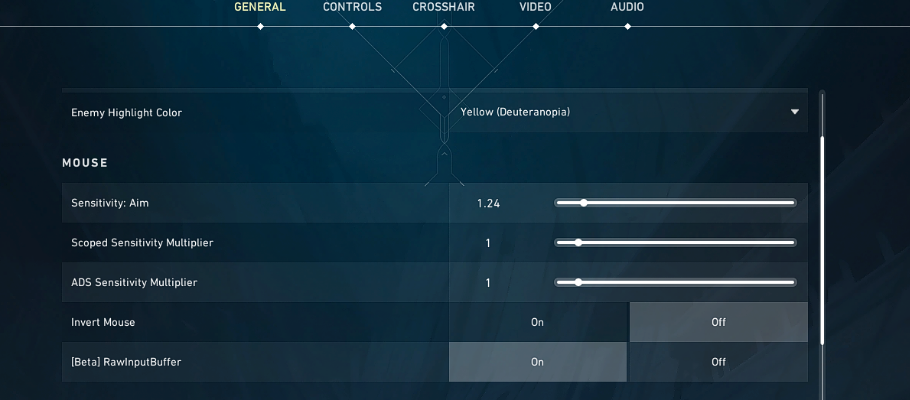
    Raw Input Buffer: You should always set Raw Input Buffer to ‘On’ to minimize any form of input delay from your mouse. This is especially useful if you’re using a mouse with over 1K hz polling rate.

    Show Blood: While many people turn this setting to ‘Off’ to get more FPS, it is important to consider the significant drawbacks associated with this choice. Turning this setting ‘On’ will enable you to wallbang much more accurately as you’ll be able to see blood pop up whenever you hit a wallbang in certain spots like boxes and other small objects.The decrease in FPS, in reality, is negligible.

    NVIDIA Reflex Low Latency: This setting is only applicable for NVIDIA users, but make sure to set this to ‘On + Boost’ to minimize input lag and maximize your FPS count in Valorant.

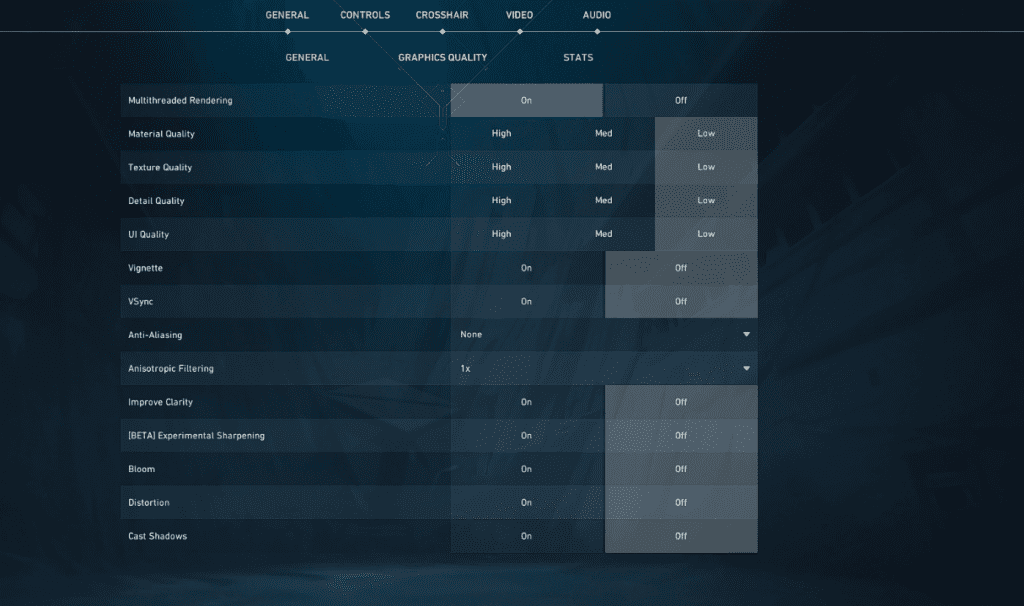
    Graphics Settings: Set Multithreaded Rendering to ‘On’, and disable every other setting or set them to ‘Low’ to maximize FPS. None of these settings can provide you with any sort of competitive advantage so it’s best to lower them to get the extra FPS.

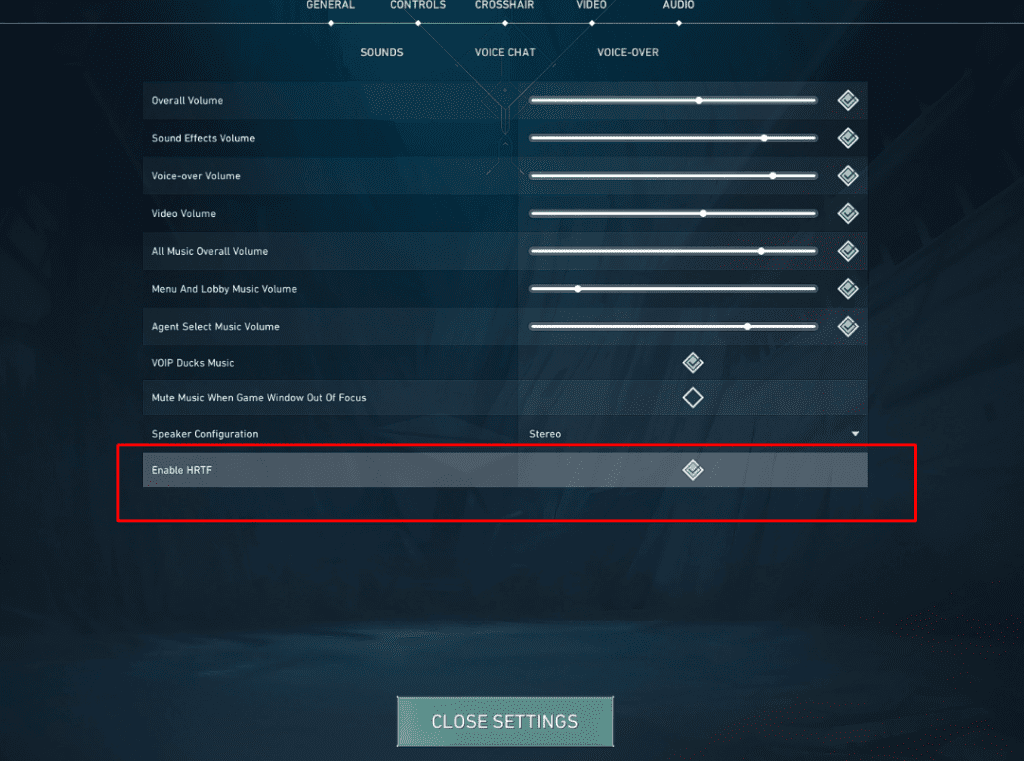
    Enable HRTF: In most cases, you’ll want to enable HRTF to get the ideal positional audio in Valorant. You’ll be able to hear footsteps and other sounds more clearly and precisely once you turn this setting on.

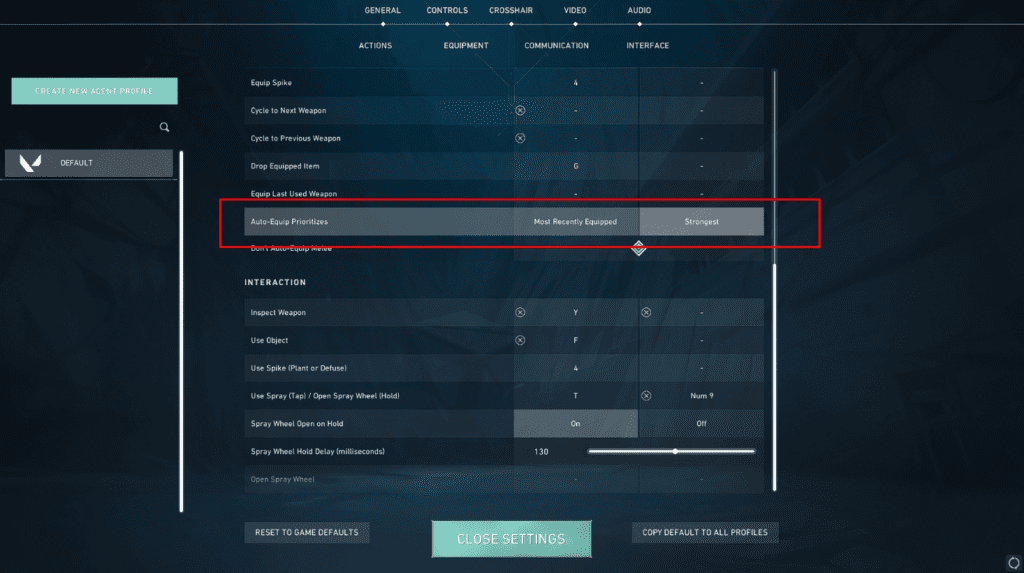
    Auto Equip Priority: Remember all the times when you died ‘cause your character auto-equipped your knife after you flashed an enemy or used an ability? This setting will prevent that once and for all. Set your auto equip priority to strongest and your character will always equip your strongest gun after an ability or flash.

    These are all the Valorant settings that you need to change right now to get the best gameplay experience and outplay your opponents. Stay updated with the latest news in gaming and esports by signing up for early access to TalkEsport’s Mobile App. Follow us on Twitter and Google News to ensure you never miss the exciting updates.

    Valorant Champions 2023 Ticket Sale Details Revealed: Price, Dates, & More

    0

    As the ongoing VCT 2023 Masters Tokyo nears its end, fans of the competitive shooter from throughout the world are keeping their eyes peeled for the upcoming Valorant Champions 2023.

    Valorant Champions is undoubtedly the biggest annual Valorant event that features the best teams from the world who compete for a humongous prize pool alongside the title of World Champions.

    Valorant Champions 2023 is all set to kick off on August 6, and it will boast three weeks of intense Valorant action before coming to an end on August 26. The event will take place in Los Angeles, USA.

    The first phase of Valorant Champions 2023 will be held in Shrine Expo Hall from August 6-20 while the second phase will be hosted by the KIA Forum.

    Riot Games has recently revealed the ticketing details for both the venues of Valorant Champions 2023. Let’s take a look at what you need to know if you’re looking to attend the event in person.

    Valorant Champions 2023 Ticket Sale Details

    The ticket sale for Valorant Champions 2023 will go live on 22nd June at 19:00 CEST for verified fans and on 23rd June at 18:00 CEST for general admission. Fans will be able to purchase tickets for both the aforementioned venues on these dates.

    If you wish to purchase tickets for either venue in Champions 2023, feel free to check out the links below:

    Valorant Champions 2023 Ticket Prices

    Here’s a price list of all the Valorant Champions 2023 tickets:

    Shrine Expo Hall

    Weekdays

    • TIER I – $50
    • TIER II – $40

    Weekends

    • TIER I – $60
    • TIER II – $50

    KIA Forum

    24th August, Thursday

    • TIER I – $200
    • TIER II – $160
    • TIER III – $120
    • TIER IV – $100
    • TIER V – $80
    • TIER VI – $60

    25th August, Friday 

    • TIER I – $220
    • TIER II – $180
    • TIER III – $140
    • TIER IV – $110
    • TIER V – $80
    • TIER VI – $60

    26th August, Saturday

    • TIER I – $240
    • TIER II – $200
    • TIER III – $160
    • TIER IV – $120
    • TIER V – $90
    • TIER VI – $60
    • TIER VII – $40

    Stay updated with the latest news in gaming and esports by signing up for early access to TalkEsport’s Mobile App. Follow us on Twitter and Google News to ensure you never miss the exciting updates.
    Top 5 Playstation Emulators for Android

    0

    If you’re a fan of the iconic PlayStation gaming system and its legendary games, you’ll be thrilled to know that you can still enjoy them on your Android phone. Thanks to emulators, you can experience the nostalgia of retro gaming right at your fingertips. In this article, we’ll explore the top PlayStation emulators for Android that will bring back those cherished gaming memories.

    DuckStation: Enhance Your Gaming Experience

    DuckStation stands out as one of the best PlayStation emulators available for Android. It offers a wide range of features, including save and load states, excellent game compatibility, and support for hardware controllers with up to eight controllers. To enhance the graphics, DuckStation provides OpenGL and Vulkan support, an upscaler, and texture filters. It also offers widescreen rendering, among other exciting features. Although ePSXe and FPse have dominated the market for years, DuckStation deserves serious consideration, especially since it’s free and open-source.

    ePSXe: Simple and Stable Gaming

    ePSXe provides a very steady gaming environment and has a well-known user-friendly UI. Split-screen mode, state saving and loading, control customization, hardware controller support, and enhanced graphics with OpenGL are all features of ePSXe. To add more features, additional plugins are available. The best emulator to use is ePSXe if you want one that operates well right out of the box. The only drawbacks are that there isn’t a free version and the user interface is a little antiquated. It nevertheless performs incredibly well.

    Lemuroid: All-in-One Emulator Solution

    Lemuroid is an all-in-one emulator, comparable to RetroArch. It utilizes Libretro cores to emulate various consoles, including the Sony PlayStation. While it may require a bit of learning, Lemuroid works seamlessly once you have everything set up. This emulator provides standard features such as save states and hardware controller support, along with modern conveniences like cloud save syncing. RetroArch, mentioned below, shares similarities with Lemuroid since they both use the same Libretro cores, resulting in similar performance.

    RetroArch: Multi-Platform Support

    RetroArch is a highly acclaimed PlayStation emulator available for Android. What sets RetroArch apart is its extensive multi-platform support, spanning from the PSP to modern consoles like the Nintendo Switch. To use RetroArch, you download individual system plugins, adding an extra layer of complexity compared to most PlayStation emulators. However, once you master this app, you’ll have a comprehensive gaming solution for a long time. The PlayStation core of RetroArch is relatively stable, ensuring an enjoyable gaming experience. Best of all, RetroArch is completely free and open-source.

    FPse: Customization at Its Best

    FPse, the other major player in the PlayStation emulator realm, provides extensive customization options. It offers standard features like save and load states, customizable controls, high compatibility, and hardware controller support. However, FPse goes a step further by offering a range of advanced options, plugins, and extras. These additions allow you to tailor your gaming experience, optimizing graphics or gameplay based on your device’s capabilities. Similar to ePSXe, FPse doesn’t offer a free trial and has a steeper learning curve due to its numerous options.

    Stay updated with the latest news in gaming and esports by signing up for early access to TalkEsport’s Mobile App. Follow us on Twitter and Google News to ensure you never miss the exciting updates.