Home Blog Page 813

Fortnite Festival XP Glitch: All You Need to Know

0

December in Fortnite is brimming with excitement, thanks to three major additions – the LEGO Fortnite survival game, the adrenaline-pumping Rocket Racing mode, and the much-talked-about Fortnite Festival. However, with new content often come unexpected glitches, and this time, it’s the Fortnite Festival XP glitch that’s stealing the spotlight.

In this article, we will find out how to do the Fortnite Festival XP Glitch. Keep reading till the end.

Fortnite Festival XP Glitch: Level Up Rapidly

This glitch is a game-changer, offering players the chance to skyrocket through hundreds of levels in mere minutes. The process involves exploiting a daily quest with a friend’s assistance.

But be cautious: exploiting glitches can attract attention from Epic Games, possibly leading to account actions, including level reversion.

How to do the Fortnite Festival XP Glitch?

  • Initial Requirement: Possess the ‘Play on the Jam Stage for 20 minutes’ Daily Quest.
  • Joining In: Link up with a friend already at the Jam Festival Stage.
  • The AFK Strategy: Engage in the Jam Stage, then remain AFK (Away From Keyboard) for 20-30 minutes.
  • Exiting the Game: Leave the game using the ‘Return to Lobby’ option.
  • Reaping the Rewards: You gain a complete level every time you re-enter the game.
  • Repeat to Your Heart’s Content: Continue this process as desired, or until the glitch is fixed.
  • Enjoy Your Rapid Ascension: Relish in the speedy rise through levels!

While this method offers an exhilarating way to advance in the game, it’s essential to remember that such glitches can be risky. Epic Games is known for taking action against accounts exploiting glitches, so proceed with this method at your own risk.

Disclaimer: Use the Fortnite Festival XP Glitch at your own risk. TalkEsport is not responsible for any consequences or actions taken by Epic Games.

BMPS 2023 Cheating Crisis: Player from Growing Strong Faces Ban; Defends With Proof

0

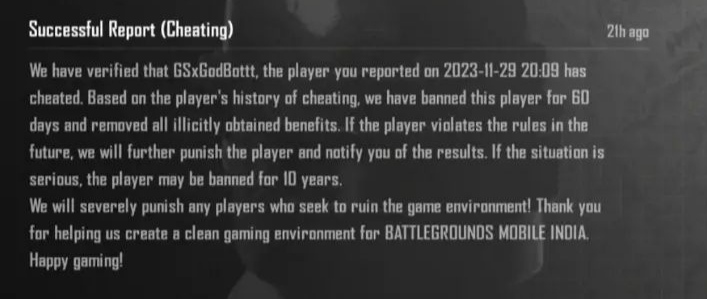
The highly anticipated grand finals of Battlegrounds Mobile India Pro Series (BMPS) 2023 took an unexpected twist. One player from the Grand Finalist team Growing Strong, GSxGodBottt, found himself banned from the game for 60 days due to alleged cheating. The revelation came after a successful report, shared by an Instagram user, skyline_cs_, who revealed the report feedback indicating conclusive evidence of cheating.

Growing Strong’s GSxGodBottt Receives a 60 Day Ban Ahead Of BMPS 2023 Grand Final

The feedback report stated, “We have verified that GSxGodBottt has cheated. Based on the player’s history of cheating, we have banned this player for 60 days and removed all illicitly obtained benefits.” The report further warned of stricter actions, including a potential 10-year ban, for any future violations, emphasizing the commitment to maintaining a clean gaming environment in Battlegrounds Mobile India (BGMI).

GSxGodBottt and Growing Strong’s Response

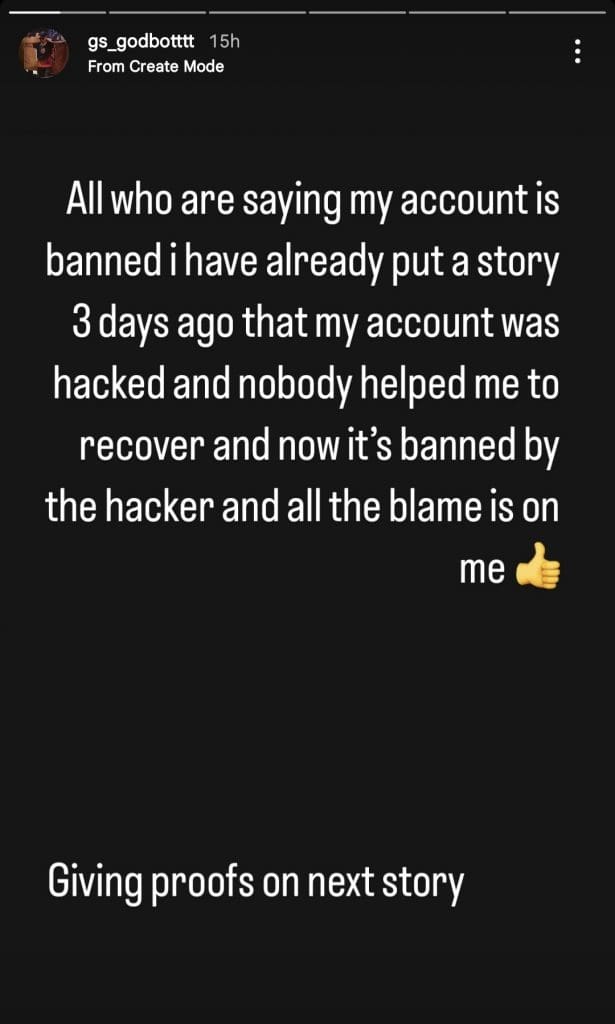
Following this, GSxGodBottt took to his Instagram story to defend himself. He pointed to a previous story posted three days prior, stating that someone hacked his account and complained about the lack of assistance in recovering it. GSxGodBottt put the blame on the hacker for the ban, clarifying his side of the story. 

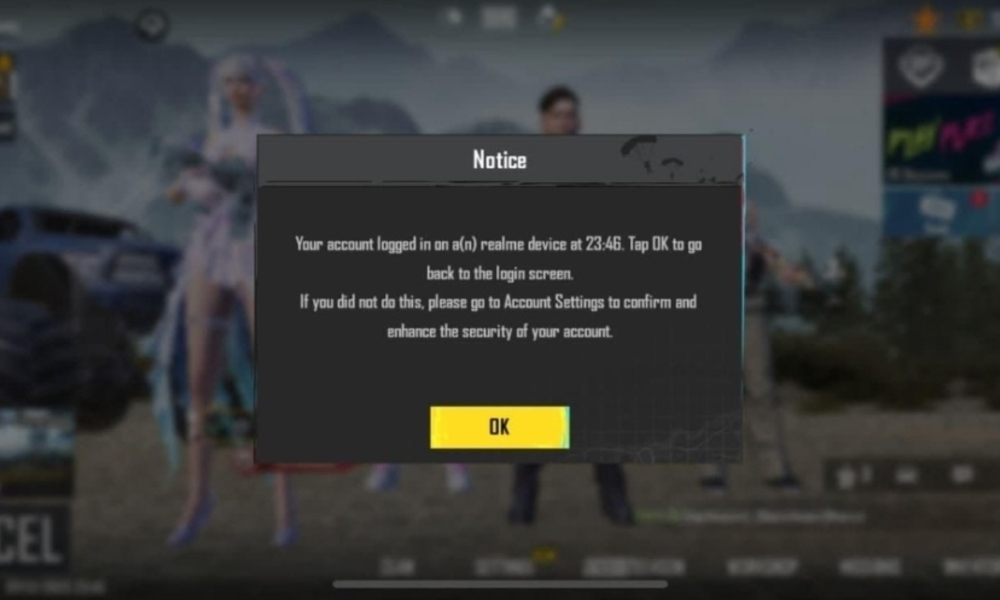
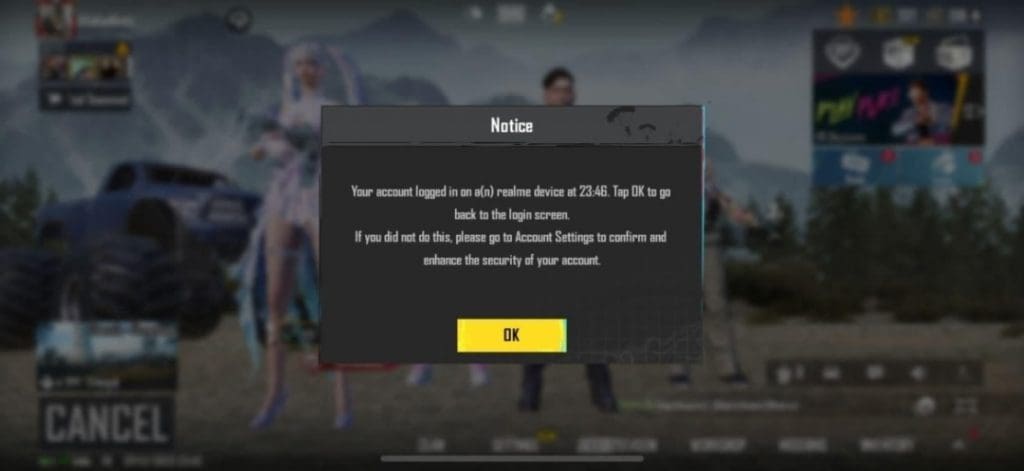
Additionally, GSxGodBottt shared an in-game notification screenshot that seemed to support his claim, indicating a login on “a realme device at 23:46.”

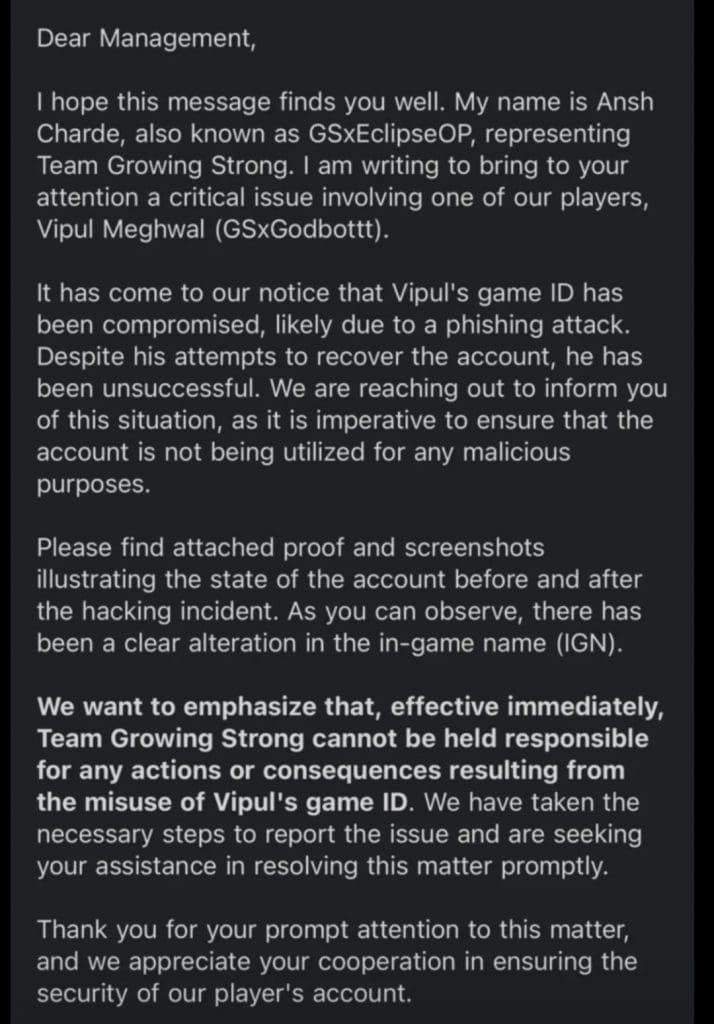
Amidst the controversy, Growing Strong’s official statement, penned by Ansh Charde (GSxEclipseOP), shed light on a potential phishing attack leading to the compromise of Vipul Meghwal’s (GSxGodBottt) game ID. Additionally, the team shared evidence showcasing the altered in-game name (IGN) and pleaded with the management to recognize the situation. The statement emphasized that Growing Strong could not be held responsible for any consequences resulting from the misuse of Vipul’s account, urging for an urgent resolution of the matter.

As the BMPS 2023 grand finals loom, the ban on GSxGodBottt adds a layer of uncertainty to Growing Strong’s participation. Krafton India Esports has not made any official statement regarding Growing Strong’s participation in the Grand Finals of BMPS 2023. However, it will be interesting to see how Krafton India Esports reacts as the game’s anti-cheat system itself has detected the cheat.

Stay updated with the latest news in gaming and esports by signing up for early access to TalkEsport’s Mobile App. Follow us on Twitter and Google News to ensure you never miss the exciting updates.

BMPS 2023: All 16 Qualified Teams

0

After 18 days of intense competition in the league stage of Battlegrounds Mobile India Pro Series (BMPS) 2023, the dust has settled, and the top 16 teams have emerged. These top 16 teams have earned a coveted spot for themselves in the Grand Finals of this prestigious tournament. The journey for these teams has been a test of skill, strategy, and resilience, with each match contributing to the selection of the best teams. Let’s have a look at all the qualified teams.

All 16 Qualified Teams For BMPS 2023

Following are all the qualified teams for BMPS 2023:

  • Team iNSANE
  • Blind Esports
  • Team SouL
  • Hydra Esports
  • Growing Strong
  • GenxFM
  • Team Psyche
  • Glitchx Reborn
  • TeamXSpark
  • Team Together Esports
  • Revenant Esports
  • 8bitxCS
  • Gladiator Esports
  • Entity
  • Numen Gaming
  • Autobotz Esports

These teams have navigated the intense competition of the league stage, which lasted for 18 days. As the countdown to the Grand Finals begins, the stage is all set for a battle among these top teams.

The Grand Finals, scheduled to take place after the online league stage, will bring together these 16 teams in a LAN setting. The undisclosed location, with speculations pointing toward Ahmedabad, Gujarat, India, will witness these teams fighting tooth and nail for the ultimate title and a lion’s share of the staggering INR 1 Crore prize pool.

Reflecting on the legacy of BMPS Season 1 and the triumph of Team SouL, the expectations are sky-high for this edition. Fans eagerly anticipate witnessing whether a new champion will emerge or if Team SouL will once again assert their dominance.

As Krafton continues to uphold its commitment to fostering the Indian gaming industry, BMPS 2023 stands as a testament to the growing influence and excitement surrounding esports in the country. Stay tuned for further updates as we inch closer to the Grand Finals, where these 16 qualified teams will vie for glory and etch their names in the annals of BGMI history.

Stay updated with the latest news in gaming and esports by signing up for early access to TalkEsport’s Mobile App. Follow us on Twitter and Google News to ensure you never miss the exciting updates.

How to Fix the Media Streaming Error in Fortnite?

0

Fortnite constantly evolves with new updates and features, keeping the gameplay fresh and exciting. However, with these updates sometimes come unexpected issues, like the recent “Media Streaming Error” encountered by players during the Fortnite Festival event.

If the Fortnite festival is also not working for you, don’t worry. We’ve got your back. This article will guide you through understanding and resolving the Media Streaming error.

What is the Media Streaming Error in Fortnite?

Firstly, it’s essential to grasp this error and why it occurs. The Media Streaming Error typically appears when players try to access certain content within the Fortnite Festival event. This error can be frustrating as it prevents players from fully engaging with the event’s features.

Several factors can trigger this error, including:

  • Server Overload: High player traffic during popular events can overload Fortnite’s servers, leading to various errors, including the Media Streaming Error.
  • Outdated Game Version: Not running the latest version of Fortnite can cause compatibility issues with new events and features.
  • Internet Connectivity: Poor or unstable internet connections might lead to errors in streaming media content within the game.

How to Fix the Media Streaming Error in Fortnite?

To resolve the Media Streaming Error and get back to enjoying the Fortnite Festival, follow these practical steps:

Check Server Status

Before attempting any fixes, ensure the problem isn’t on Fortnite’s end. Check Fortnite’s official social media channels or server status webpage for any announcements regarding server issues.

Update Fortnite

Running an outdated version of the game can lead to several problems. Ensure your Fortnite is updated to the latest version. Game updates not only fix bugs but also introduce new content.

Improve Internet Connection

A stable internet connection is crucial for online gaming, especially for events like the Fortnite Festival. Consider these tips:

  • Use a wired connection instead of Wi-Fi for a more stable internet.
  • Restart your router to refresh your internet connection.
  • Close any bandwidth-heavy applications running in the background.

Clear Game Cache

Corrupted or overloaded game cache can cause errors. Clearing Fortnite’s cache can resolve these issues. The process varies depending on your device (PC, console, mobile), so refer to specific instructions for your platform.

Reinstall Fortnite

If all else fails, a fresh install of Fortnite can sometimes be the ultimate solution. Uninstall the game and reinstall it from the official source.

While annoying, the Fortnite Festival Media Streaming Error is typically a temporary setback that can be resolved with the above-mentioned troubleshooting steps. If you are still facing issues, let us know in the comment section below.

What are Jam Tracks on Stage in Fortnite?

0

In Fortnite, Jam Tracks are more than just background music. They represent a canvas for personal expression and creativity. These musical assets range from iconic songs to original compositions, providing players with the tools to create personalized playlists and mashups.

How to Get Jam Tracks?

Players can unlock Jam Tracks by progressing through the Festival Season Pass, earning rewards along the way. For those who prefer instant access, Jam Tracks are also available for purchase in the Item Shop, typically priced between 500 to 800 V-Bucks per track.

Jam Tracks on Fortnite Main Stage

At the Fortnite Main Stage, players can showcase their musical flair. By visiting the mixing station, you can compile up to four Jam Tracks from your collection. Whether you’re a solo performer or a band member, the Main Stage is where you shine.

For those who prefer the role of a DJ, there are four types of tracks to mix and match:

  • Lead Loops
  • Drum Loops
  • Vocal Loops
  • Bass Loops

Fortnite Festival understands the need for diversity in music. That’s why it offers a rotating Daily Track playlist, featuring major hits like Billie Eilish’s “Bad Guy” and Kendrick Lamar’s “i.” Although these tracks are not permanent acquisitions, they provide a free and refreshing musical selection for 24 hours.

Have you already tried out Jam Tracks on Fortnite main stage? Let us know in the comment section below.

Top 5 Best Video Converters for Game Plays

0

Video content has gained immense popularity these days, with 83% of people prefer watching videos rather than reading or listening to get information. In the realm of video content, video converters play a crucial role both for content generators and consumers. Any person may need a reliable tool to change a video format for different purposes. And if you are a professional gamer creating captivating content for a large audience or a beginner who wants to jumpstart, these converters can help you stand out.

In this article, we collected the top five tools to make the conversion process smooth and efficient. 

Best Video Conversion Tools for Gamers

Here’s a list of the top five transcoders that will enable game players to change video formats with ease:

Movavi Video Converter

Movavi is considered the best mkv to mp4 converter that gamers should consider for their transcoding needs. It offers a user-friendly interface and supports a wide range of formats. Movavi has a fast conversion speed and supports batch conversion, allowing gamers to change video formats simultaneously and without delays. Moreover, it includes presets for gaming devices like PlayStation, Xbox, etc. Movavi provides basic editing features, so gamers can make simple adjustments to their videos before conversion. You can use this stable and reliable converter for free, and after the trial period expires, choose the suitable paid plan. 

Freemake Video Converter

Freemake is a free video converter that can meet the requirements of various users, including gamers. It offers an easy-to-use interface and support for different input and output formats. Freemake provides device-specific presets, allowing users to optimize their videos for specific gaming consoles. It includes basic editing features, so gamers can make quick adjustments to their videos. This tool has a relatively fast conversion speed and supports batch conversion. The free version of Freemake offers a range of features, but users can enjoy more advanced functionalities in the paid version.

MediaCoder

MediaCoder is a universal audio and video transcoder offering a set of adjustable parameters that enable gamers to control their conversion. This tool offers conversion between popular video and audio formats. Users can rip BDs, DVDs, and CDs. A multi-threaded design and parallel filtering are good options for gamers with powerful hardware. Gamers can make simple edits to their recordings before conversion. You can choose a free or paid version, depending on your needs. 

DVDFab

DVDFab is a DVD converter that offers features for Blu-ray copying, ripping, editing, and conversion. It supports lots of video formats, so gamers can convert their recordings to different formats for sharing or editing. The software uses hardware acceleration technologies, which can significantly speed up conversion. A user-friendly interface makes it accessible for gamers who want a straightforward experience. DVDFab has basic video editing tools, so gamers can improve their recordings. There are also various customization options, like bitrate, resolution, and codec settings. DVDFab preserves the original quality of the video during the conversion process. You can use a trial version, and once you are satisfied with the results, you can buy the full version. 

HandBrake

HandBrake is an open-source video transcoder that can satisfy various gamers’ needs. If you are looking for a cost-effective converter, this tool is right for you. It provides cross-platform compatibility and works smoothly on Windows, macOS, and Linux. With HandBrake, gamers can convert videos for different devices or platforms, as it supports various formats. Moreover, it preserves the original video quality during the transcoding process. While it’s not user-friendly, HandBrake still has a simple interface. It includes presets for various devices and supports subtitles. You can perform basic editing tasks, but it lacks advanced functionalities. 

Conclusion

There are many decent tools, so you should know your needs and their main features. Movavi, Freemake, MediaCoder, DVDFab, and HandBrake are only several examples of high-quality video converters for gamers. Choose the one that matches your requirements and generate compelling gameplay content. 
How to Get Jackie Skin in Fortnite?

0

Rocket Racing is more than just another event in Fortnite; it’s a fast-paced, action-packed adventure that tests your skills and reflexes. In this event, players are thrust into a race against time and opponents, maneuvering their way through a series of challenges and obstacles.

The excitement of Rocket Racing in Fortnite lies not only in the competitive spirit it evokes but also in the rewards it offers – the most coveted being the Jackie skin.

How to Get the Free Jackie Skin in Fortnite?

To get started in Rocket Racing, players need to follow these simple steps:

  • Enter the Game Mode: Rocket Racing is a special event mode within Fortnite. Access it through the game’s main menu, where it’s listed among other event modes.
  • Understand the Rules: Familiarize yourself with the rules and objectives of Rocket Racing. The goal is to navigate through checkpoints and reach the finish line in the shortest time possible, all while avoiding obstacles and adversaries.
  • Strategize and Play: Employ your best strategies and skills to outmaneuver other players. Quick reflexes and smart navigation are key to winning in Rocket Racing.

Upon successful participation and completion of the Rocket Racing event, players are eligible to receive the Jackie skin. This reward is not just a testament to your gaming prowess but also a way to showcase your achievements in the Fortnite world.

The Jackie skin in Fortnite stands out with its unique design and aesthetic appeal. It encapsulates the essence of Fortnite’s dynamic and vibrant culture, making it a must-have for players who love to personalize their gaming experience.

Why the Jackie Skin is a Must-Have?

  • Unique Design: The Jackie skin features a distinct and eye-catching design, setting you apart from other players on the Fortnite battlefield.
  • Symbol of Achievement: Owning the Jackie skin is a symbol of your dedication and skill in participating in the Rocket Racing event.
  • Personalization: It adds a personal touch to your gaming experience, allowing you to express your style and preferences.

Also Read | Fortnite Chapter 5 Mythic Locations

Spero Claims Krafton Will Soon Solve the Cheating Problem in BGMI

0

Since the return of Battlegrounds Mobile India (BGMI), cheating has emerged as a persistent issue. This problem not only ruins the gaming, experience but also casting a shadow over the game’s competitive integrity. Popular BGMI caster Piyush “Spero” Bathla recently addressed this concern. He asserted that Krafton will tackle the cheating problem soon. 

Spero Believes the Cheating Issue in BGMI Will Be Solved Soon

Since Battlegrounds Mobile India (BGMI) returned to India, players and fans alike have voiced growing concerns over the prevalence of cheaters in the game. The severity of the issue was laid bare during the live broadcasts Battlegrounds Mobile India (BGIS) 2023 and the ongoing BGMI Pro Series (BMPS) 2023 with players facing bans. This rampant cheating has not only tarnished the competitive integrity of the game but has also frustrated both casual and professional players.

Amidst these concerns, Spero took a moment during his live stream to address the community. Expressing optimism about the future, he stated, “In 2024, I have heard that the problems that a lot of players are facing will be solved.” Spero went on to reassure the community that the upcoming tournament, which will take place after a brief break of two to three months, would witness significant improvements in addressing the cheating issue.

While Spero stopped short of providing specific details, he emphasized that the problems faced by players would likely be resolved. “Everyone is able to see everything. Don’t worry about it. The future is going to be bright. I can’t say anything more than this,” Spero added, instilling a sense of hope among the BGMI community.

As the Grand Finals of BMPS 2023 , Spero’s statements raise expectations for a cleaner and more fair competitive environment. If Krafton addresses and mitigates the cheating problem, it could mark a turning point for the game’s competitive scene.

Stay updated with the latest news in gaming and esports by signing up for early access to TalkEsport’s Mobile App. Follow us on Twitter and Google News to ensure you never miss the exciting updates.

Fortnite Chapter 5 Mythic Locations

0

The new Fortnite update has turned the game over its head with its new weapons customization option with a complex set of mods. This is arguably the biggest overhaul the game has seen in recent years as we prepare to see massive changes in the ways weapons are used. The best weapons are housed in Fortnite Chapter 5 Mythics.

The Fortnite Chapter 5 Mythics are new guns with improved statics and sometimes way too overpowered. When compared to other guns, they feel like cheat codes which should not be allowed in the game but as things stand they are the players are running wild to get their hands on said guns.

Fortnite Chapter 5 Mythic locations are as follows:

  • Peter Griffin’s Hammer Pump Shotgun
  • Oscar’s Frenzy Auto Shotgun
  • Valeria’s Hyper SMG
  • Nisha’s Striker AR
  • Montague’s Enforcer AR

One drawback of such weapons is that you will not be able to customize them like other weapons. While the devs have managed to make the weapons a bit more manageable this time around, we cannot overstate how powerful the weapons are.

However, the base weapons with better customizations can be more effective in more situations than the Mythic weapons which might be something that even things out.

Stay updated with the latest news in gaming and esports by signing up for early access to TalkEsport’s Mobile App. Follow us on Twitter and Google News to ensure you never miss the exciting updates.

How to Get Brightcore in LEGO Fortnite?

0

Epic has released LEGO Fortnite and thousands of players have already started playing the sandbox game mode. As Fortnite Chapter 5 Season 1 unfolds, players are treated to a Minecraft-like experience, replete with new skins, weapon mods, and an exciting map. In the LEGO Fortnite world, where survival hinges on your ingenuity and crafting skills, one essential item stands out: Brightcore.

In this article, we will find out how to get Brightcore in LEGO Fortnite.

How to Get Brightcore in LEGO Fortnite?

  • Go to the Desert Biome: Look for caves in the desert area of LEGO Fortnite.
  • Search the Caves: Brightcore is often inside these caves. Hot springs can help you find them.
  • Be Ready for Monsters: There are monsters in the caves, so bring a weapon.
  • Collect Snowberries: These help you stay cool in the desert heat.
  • Look for Golden Chunks: Mine these on the cave walls to get Brightcore.
  • Gather Other Resources: While you’re there, pick up other crafting materials too.
  • Run if Needed: If strong enemies appear, it’s okay to run away to avoid losing your progress.
  • Craft a Metal Smelter: Once you have enough Brightcore and other metals, you can make a Metal Smelter.

Also Read | How to Get Cut Amber in LEGO Fortnite?