Friday, June 12, 2026
Home Blog Page 763

Valorant Episode 7 Act 1 End Date & Time

0

As the clock ticks down on Valorant’s Episode 7 Act 1, the gaming community is abuzz with anticipation. Launched on 27th June, this act has been a whirlwind of excitement, introducing a plethora of new features and changes that have kept players on their toes.

One of the highlights of this act was the introduction of a new Sentinel, Deadlock. This character quickly became a sensation, with players eagerly exploring the new mechanics associated with her abilities. The act also brought about significant changes to agent progression and the unlocking of new agents, adding a fresh layer of complexity to the game.

The introduction of a new in-game currency, Kingdom Credits (KC), and the popular game mode Team Death Match (TDM) were other notable additions. However, as the saying goes, all good things must come to an end. With each Valorant episode comprising three acts, the end of Episode 7 Act 1 is imminent, sparking curiosity among players about what lies ahead.

When Does Valorant Episode 7 Act 1 End?

  • Valorant Episode 7 Act 1 Will End on 29th August, after a thrilling 63-day run.

When Does Valorant Episode 7 Act 2 Starts?

Episode 7 Act 2 is set to launch immediately after the end of Act 1 on 29th August 2023, bringing with it a brand-new battle pass. The launch is scheduled for 22:00 BST, 17:00 ET, 14:00 PT, 23:00 CEST, and 2:30 AM IST (30th August For Indian Servers).

It’s worth noting that due to time zone differences, the end date of Episode 7 Act 1 and the launch date of Episode 7 Act 2 may vary by a day in some regions. As we approach the end of Act 1, another exciting event is on the horizon – the next Valorant Night Market, which is expected to coincide with the end of the act.

While Episode 7 Act 2 may not be as feature-packed as its predecessor, it is expected to bring its own share of excitement. Potential features include a polished version of Valorant Premier, a new competitive game mode, and a host of agent balances. Even though it might not have as many features as Episode 7 Act 1, it promises to keep the player base engaged and excited.

As we bid farewell to Episode 7 Act 1 and welcome Act 2, the Valorant community is set for another rollercoaster ride. So, gear up, Valorant players – the next chapter is about to begin!

Stay updated with the latest news in gaming and esports by signing up for early access to TalkEsport’s Mobile App. Follow us on Twitter and Google News to ensure you never miss the exciting updates.

Global Esports’ VCT 2023 Journey Ends in the Pacific LCQ

Rex Regum Qeon put up back-to-back stellar performances to eliminate Global Esports from the Valorant Champions Tour 2023: Pacific Last Chance Qualifier. Here’s how it went down.

Map Veto

1. Global Esports Ban Haven
2. Rex Regum Qeon Ban Lotus
3. Global Esports Pick Split
4. Rex Regum Qeon Pick Ascent
5. Global Esports Ban Fracture
6. Rex Regum Qeon Ban Pearl
7. Bind was left over 

Map 1 : Split (Pick : Global Esports, Winner : Rex Regum Qeon, Final Score : 13:10)

RRQ kicked off the first half of Split on the right foot with a pistol round win on the Attacking side and followed it up with a win on the anti-eco round as well. GE were on the brink of winning their first buy round of the game but an impressive 1v3 clutch from David “xffero” Monangin shut them down while gaining his team a significant economic advantage. It wasn’t until the fifth round of the match that GE could put up their first round on the board. The two teams traded a few rounds back and forth before GE regained some momentum. The first half ended 7-5 in favor of RRQ.

RRQ won the second pistol round of the game as well, but a force-buy from GE enabled them to secure the round that followed. A clutch from Ganesh “SkRossi” Gangadhar brought the scoreline to 7-8, but RRQ swiftly regained composure and extended their lead to 12-7. The game came to a conclusion as the scoreline read 13-10 in favor of RRQ.

Kim “t3xture” Na-ra from Global Esports was on top of the leaderboard with an ACS of 269 and a K/D of 22/13.

Map 2 : Ascent (Pick : Rex Regum Qeon, Winner : Rex Regum Qeon, Final Score : 13:10)

GE found themselves ahead on the first half of Ascent after winning the pistol round on Defense and converting the follow-up round on top. RRQ retaliated quickly and tied the score 3-3 before gaining the lead for themselves in the seventh round. Cahya “Monyet” Nugraha was the one to shut down RRQ’s tempo as he pulled off an amazing 4k with the Guardian on the tenth round. The first half ended with a score of 6-6.

The second half also witnessed Global Esports taking the lead on Attack after winning the Pistol round and the anti-eco round that followed. However, RRQ managed to secure their buy rounds and equalized the score once again. GE took the lead one last time as the scoreline marked 9-8, but some impressive individual performances from the RRQ members stopped them in their tracks. The second game also ended 13-10 in favor of RRQ.

Eroll Jule “EJAY” Delfin reigned the leaderboard of the second game with a K/D of a whopping 27/15.

With this victory, RRQ march forward in the Valorant Pacific LCQ 2023 as they move on to face ZETA DIVISION in the Upper Semifinals of the event. Fans will be able to catch the action live on July 20, 8 am UTC. Unfortunately, this defeat marks the end of the road for Global Esports in this year’s Valorant Champions Tour. 

Thank you for taking the time to read our article. To stay up-to-date with the latest news and articles around Gaming and Esports, we recommend following TalkEsport on Google News.

How to uninstall Valorant?

0

Are you feeling overwhelmed by the fast-paced, high-stakes world of Valorant? Perhaps you’ve hit a plateau in your gaming skills, or other commitments are preventing you from reaching the top of the ranks. Whatever the reason, you’ve decided it’s time to uninstall Valorant from your PC. But, it’s not as straightforward as you might think. This guide will walk you through the process, step-by-step, ensuring a smooth and successful uninstallation.

Valorant, the popular tactical shooter game by Riot Games, is not for everyone. It demands a high level of commitment, with players needing to constantly hone their skills in deathmatch and range, and practice their abilities in custom matches. The game’s meta seems to change daily, and the competition is fierce. It’s no wonder that some players decide to hang up their hats and uninstall the game.

How to uninstall VALORANT?

Uninstalling Valorant is not as simple as clicking ‘uninstall’ in your control panel. There are a few more steps involved, primarily due to Vanguard, the anti-cheat system created by Riot Games. Here’s a step-by-step guide to uninstalling Valorant:

  • Uninstall Vanguard: Start by closing Vanguard. You can do this by opening your system tray, right-clicking on the red Vanguard icon, and selecting ‘exit’. A message will pop up asking if you want to ‘turn off’ Vanguard. Click ‘Yes’.
  • Uninstall Valorant: Once Vanguard is closed, you can uninstall Valorant as normal. Press the Windows Key or click the Windows icon on your taskbar, type ‘Add or remove programs’ in the search bar, and press enter. Scroll down to ‘Riot Vanguard’, right-click, and uninstall. Finally, uninstall Valorant using the same method.

And there you have it! Valorant is no more on your PC. If you ever feel the urge to dive back into the competitive world of Valorant, you can easily download both Vanguard and Valorant from Riot’s website.

Remember, gaming is meant to be fun. If a game is causing more stress than enjoyment, it’s okay to step away. You can always return when you’re ready. Happy gaming!

Stay updated with the latest news in gaming and esports by signing up for early access to TalkEsport’s Mobile App. Follow us on Twitter and Google News to ensure you never miss the exciting updates.

Where to find Big Bush Bomb in Fortnite?

0

Fortnite, the globally acclaimed battle royale game, is known for its dynamic gameplay and innovative in-game items. One such item that has recently caught the attention of players is the Big Bush Bomb. This unique utility item has added a new layer of strategy to the game, allowing players to hide in plain sight and launch surprise attacks on their opponents.

This article will guide you through the ins and outs of the Big Bush Bomb, from where to find it to the best ways to use it.

Where to find Big Bush Bomb in Fortnite?

The Evolution of Bush Camping: Bush camping has long been a popular strategy among Fortnite players. The ability to blend into the environment and remain undetected by opponents has always been a game-changer. With the introduction of the Big Bush Bomb in Chapter Four Season One, this strategy has been elevated to a whole new level. The Big Bush Bomb allows players to deploy a large bush, providing a temporary hiding spot to plan stealthy strikes on enemies.

Finding the Big Bush Bomb: The Big Bush Bomb can be found as ground loot, in chests, or at various loot spots across Fortnite’s expansive island. While there is no guaranteed spawn point for this item, players have reported finding it more frequently in locations such as Rumble Ruins, Shady Stilts, and Creeky Compound. Adventurous players might even stumble upon the Big Bush Bomb while exploring the treetops. Remember, you can carry up to four Big Bush Bombs at a time, so keep your eyes peeled!

Using the Big Bush Bomb: The Big Bush Bomb functions like any other throwable item in Fortnite. Simply equip it to an inventory slot and deploy it on the ground. This utility item is particularly useful when you’re outnumbered and need to obscure your opponents’ vision. While it won’t shield you from incoming bullets, it can provide you with a crucial opportunity to reposition without being immediately spotted. Alternatively, you can deploy the Big Bush Bomb when you want to lie low and ambush unsuspecting opponents passing by.

Stay updated with the latest news in gaming and esports by signing up for early access to TalkEsport’s Mobile App. Follow us on Twitter and Google News to ensure you never miss the exciting updates.
How To Get Keys In CSGO Without Spending A Dime

The world of Counter-Strike: Global Offensive (CSGO) is vast and exciting, with a thriving community centered around the game’s unique feature – skins. One of the most thrilling aspects of this community is the case openings, a virtual treasure hunt that offers the chance to acquire ultra-rare skins that may not even be available in the Steam Community Market. However, to embark on this adventure, gamers need a special tool – CSGO keys. This article will guide you through the process of obtaining these keys, ensuring you’re well-equipped for your CSGO journey.

What Are CSGO Keys?

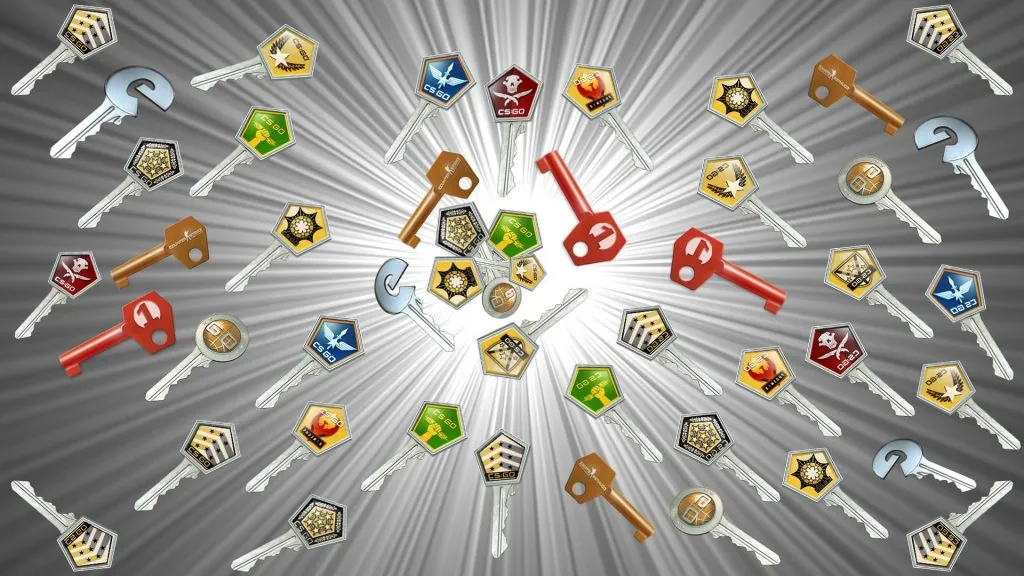
  • CSGO keys are virtual items that unlock the treasure chests of the game, the CSGO cases. These keys have become highly sought after due to their ability to reveal rare and unique skins. However, it’s important to note that there are no free CSGO keys. Any platform claiming to offer them is likely a scam. So, how do you get these keys? Let’s delve into the various methods.

In an effort to combat fraudulent activities, Valve, the developer of CSGO, imposed a trade ban on CSGO keys. This ban only applies to keys purchased directly from Valve after the ban was implemented. Keys bought before the ban are still tradable, making them a scarce and collectible item.

How To Get Keys For CSGO

  • If your primary interest is opening CSGO cases, the best place to get keys is directly from Valve or the in-game CSGO store. These keys are not tradable but serve their purpose in unlocking the cases.

The Steam Community Market is a popular destination for purchasing in-game items for CSGO, including tradable keys. However, it’s more cost-effective to use these keys for trading rather than opening cases, as keys from Valve are cheaper.

Third-party trading platforms offer another avenue to acquire tradable CSGO keys. These platforms allow you to trade unwanted skins for keys, provided they have tradable keys in their inventory. It’s crucial to ensure the platform is trustworthy to avoid falling victim to scams.

The trade ban on CSGO keys has shifted the dynamics of key trading, with most people now buying keys solely for opening cases. Whether you’re looking to trade or open cases, always ensure you’re using a reliable platform. Remember, the world of CSGO is thrilling, but it’s essential to navigate it with caution.

How To Play OG Fortnite In 2023

0

In the ever-evolving world of Fortnite, nostalgia has found its place through Project Nova. This innovative third-party mod has taken the gaming community by storm, offering players the chance to relive the golden era of Fortnite on the original Chapter 1 map. This article will guide you through the process of using Project Nova to play OG Fortnite in 2023.

The Renaissance of Fortnite’s Golden Age

Project Nova is more than just a mod; it’s a time machine that transports players back to the early days of Fortnite. Remember the thrill of landing at Greasy Grove or Retail Row? The excitement of finding OG weapons? The pride of equipping classic skins like the Renegade Raider? Project Nova brings all these experiences back to life.

What Is Fortnite Project Nova?

Project Nova is a third-party modification that allows players to experience Fortnite as it was in its early days. Based on the footage, the default settings are set to Chapter 1’s Season X, but players have the flexibility to choose from various options from Chapter 1. As a private multiplayer server with old assets, Project Nova offers a unique opportunity to relive the Fortnite Chapter 1 nostalgia in 2023.

How to Play Fortnite OG In 2023 with Project Nova

Getting started with Project Nova is a straightforward process. The developer has created an easy-to-follow tutorial video, guiding players through the steps to download and play OG Fortnite with Project Nova.

The process involves joining the Nova Discord server, creating a Nova account, installing the NovaLauncher and OG Fortnite, and following specific steps to launch the game. Once you’ve set up Project Nova, all you need to do is join a match. The Nova Discord server provides a support channel and a ticket system for any assistance you may need.

Project Nova is a testament to the enduring appeal of Fortnite’s early days. It offers a unique opportunity to relive the excitement and nostalgia of the original Chapter 1 map. So why wait? Join the Nova Discord server, set up Project Nova, and embark on a journey back to Fortnite’s golden age.

Stay updated with the latest news in gaming and esports by signing up for early access to TalkEsport’s Mobile App. Follow us on Twitter and Google News to ensure you never miss the exciting updates.
How To Get Free CP In COD Mobile?

0

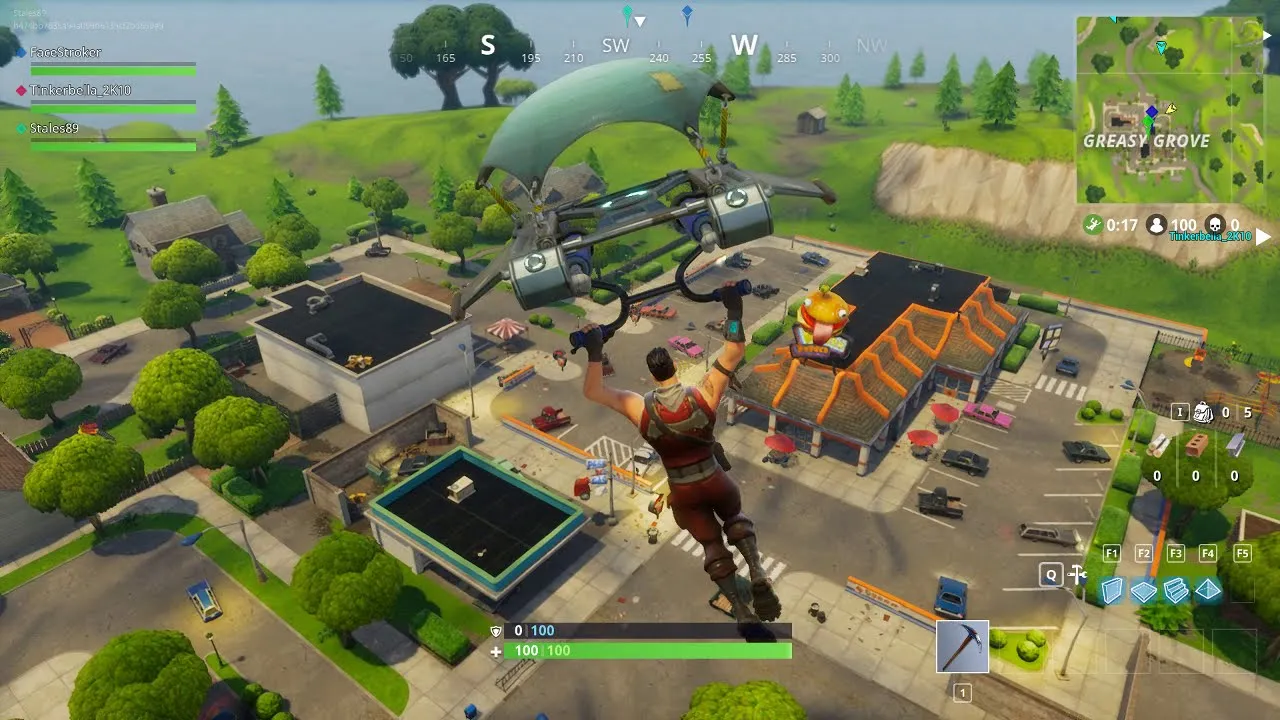
As the popularity of COD Mobile continues to skyrocket, players are constantly on the hunt for ways to enhance their gaming experience. One such way is through the acquisition of COD Points (CP), the in-game currency that unlocks a world of possibilities. From battle passes to weapon skins, CP is the key to a richer, more immersive COD Mobile experience. But what if you could unlock these benefits without spending a dime? In this guide, we’ll explore the top strategies for earning free CP in COD Mobile.

The Best Ways to Get Free CP in COD Mobile (2023)

The Battle Pass Strategy

One of the most straightforward ways to earn free CP is by completing Battle Pass missions. The Battle Pass system in COD Mobile rewards you with points as you complete various missions. With the free Battle Pass, you can earn up to 400 CP, while the full Battle Pass and bonus sector missions can net you a whopping 1,000 points.

The Power of Giveaways

Many gaming communities, influencers, and social media platforms host giveaways that offer CP as prizes. Participating in these events can be a fun and exciting way to earn free CP. Remember, though, that winning is often a matter of luck, so don’t be discouraged if you don’t strike gold immediately.

Google Opinion Rewards: Your Opinion Matters

Google Opinion Rewards is a legitimate app that rewards users with real cash for completing surveys. The cash you earn can be used to purchase CP in COD Mobile. While the process may be slow, it’s a reliable and trusted way to earn free CP.

Get-Paid-To (GPT) Websites and Apps

GPT websites and apps like Swagbucks, PollPay, and Prize Rebel reward users for completing various tasks such as answering surveys, watching videos, and downloading apps. Once you’ve accumulated enough points, you can redeem them for Google Play gift cards, which can then be used to purchase CP in COD Mobile.

The Buff Gaming Approach

Buff Gaming is a platform that rewards you for playing popular PC games, including COD Warzone. While you can’t earn CP directly, you can redeem your points for Xbox or PlayStation gift cards, which can then be used to purchase CP.

The Mountain Dew Method

If you’re a fan of Mountain Dew, you’re in luck. Specially marked packages of Mountain Dew offer COD points and XP boosts. Just enter the product code from the packaging on Mountain Dew’s website and connect your Activision Account to get your points.

The Microsoft Rewards Program

Microsoft Rewards is a free program that rewards you for your daily computer activities and even for playing games on Xbox. You can redeem points for Xbox gift cards, which can then be used to get free CP.

While there are numerous ways to earn free CP in COD Mobile, it’s important to remember that not all methods are created equal. Some require more time and effort than others, and the rewards can vary. However, with a little patience and persistence, you can accumulate a substantial amount of free CP, enhancing your COD Mobile experience without breaking the bank.

Remember, the journey to earning free CP is a marathon, not a sprint. So, gear up, dive in, and start earning today!

Stay updated with the latest news in gaming and esports by signing up for early access to TalkEsport’s Mobile App. Follow us on Twitter and Google News to ensure you never miss the exciting updates.
How To Refund Valorant Skins In 2023?

0

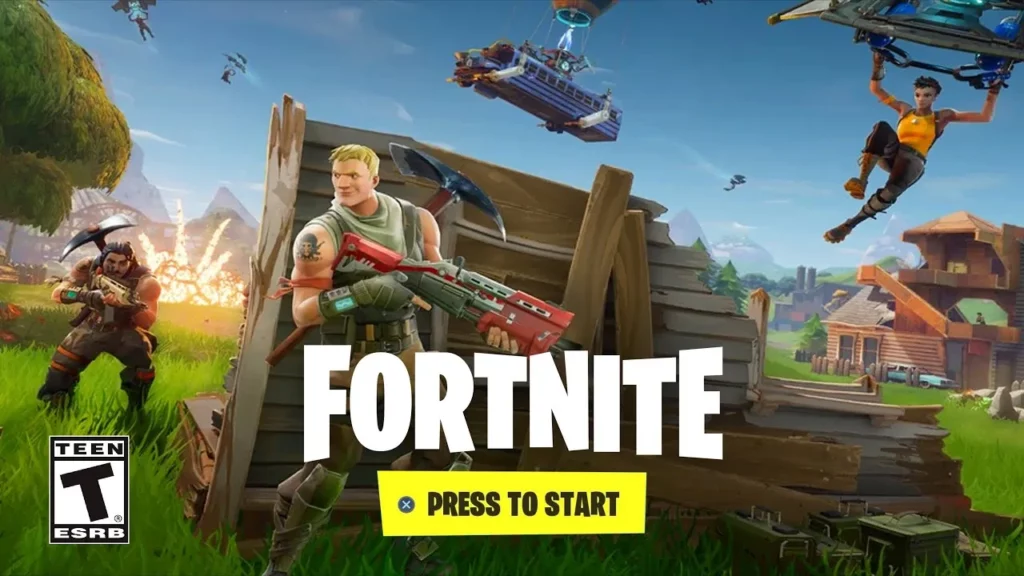
Valorant, the renowned first-person shooter game, has captivated players worldwide with its immersive gameplay and extensive range of cosmetic items. Among these, weapon skins have become a popular choice for players seeking to personalize their gaming experience. However, there may be instances where a player might reconsider their purchase and seek a refund.

This article provides a detailed guide on how to refund Valorant skins and an overview of the game’s refund policy.

How to Refund Skins in Valorant?

Valorant offers a straightforward process for players who wish to refund their purchased skins. Here’s a step-by-step guide:

  • Visit the official Valorant Support Refund website.
  • Click on the ‘LOG IN’ button and sign in using your Valorant Account credentials.
  • Scroll down and select the ‘GET MY ORDER HISTORY’ option.
  • All of the valuable content that qualifies for a refund will be shown here. In order to seek a refund, use the “REFUND” button next to the item you want to return.

Valorant’s refund policy is specific about the items that can be refunded. Only unused in-game content and unused Valorant Points (VP) purchased within the last 14 days are eligible for a refund. The policy defines ‘used’ as any content that has been taken into a game, i.e., you’ve reached the loading screen of a match in any mode with that content equipped.

Here are the items that are not eligible for a refund:

  • Used Weapon Skins
  • Upgraded Weapon Skins
  • Used In-Game Content (Gun Buddies, Player Cards, etc.)
  • Character Contract Levels
  • Weapon Skin Levels
  • Weapon Skin Bundles
  • Premium Battle Passes
  • Premium Battle Pass Levels
  • Radianite Points

Stay updated with the latest news in gaming and esports by signing up for early access to TalkEsport’s Mobile App. Follow us on Twitter and Google News to ensure you never miss the exciting updates.

How to Sell CSGO Skins for Real Money?

0

Steam is not kind enough to let you sell your skins for real money which begs the question, can you sell your skins for real money that reflects on your bank account? Yes, there are ways, but it involves going outside the bounds of Stream and selling your skins on 3rd party websites that let you take the money directly into the bank account.

While there are a plethora of third-party sites to sell your skins, according to Steam it isn’t legal to sell through them which is why we will refrain from suggesting you go down that route. In the event of Steam finding out, they reserve the right to suspend your account which means you will lose your account and all the skins that it houses.

To sell CSGO skins for real money, you can follow these general steps:

  • Choose a Marketplace: There are several online marketplaces where you can sell your CSGO skins. Some popular platforms include Steam Community Market, Bitskins, SkinCashier, and OPSkins. Research and compare these platforms to find the one that suits your needs best.
  • Create an Account: Sign up and create an account on your chosen marketplace. Follow the registration process, which usually requires providing some personal information and verifying your identity.
  • List Your Skins: Once your account is set up, you can list your CSGO skins for sale. Provide accurate information about the skins, including their condition, wear, and any unique qualities. You’ll also need to set a price for each skin.
  • Wait for Buyers: Potential buyers will browse the marketplace and find your listed skins. They can then make offers or purchase the skins directly if you’ve set a fixed price. Be patient and allow time for interested buyers to contact you.
  • Negotiate and Finalize the Sale: If a buyer makes an offer, you can negotiate the price or other terms of the sale. Once both parties agree on the terms, finalize the transaction by confirming the sale on the marketplace platform.
  • Transfer the Skins: Depending on the marketplace, you may need to transfer the skins to the buyer manually. Some platforms provide an escrow service to ensure secure transactions. Follow the instructions provided by the marketplace to complete the transfer.
  • Receive Payment: After the buyer receives the skins, you should receive your payment. The method of payment will vary depending on the marketplace you used. Common payment options include PayPal, Skrill, or cryptocurrency. Follow the instructions provided by the marketplace to receive your funds.
  • Withdraw or Use the Funds: Once you have received the payment, you can choose to withdraw the funds to your bank account, PayPal, or other preferred payment method. Alternatively, you can use the funds within the marketplace to purchase other items or skins.

Stay updated with the latest news in gaming and esports by signing up for early access to TalkEsport’s Mobile App. Follow us on Twitter and Google News to ensure you never miss the exciting updates.
How to Improve Mouse Performance in VALORANT with Raw Input Buffer

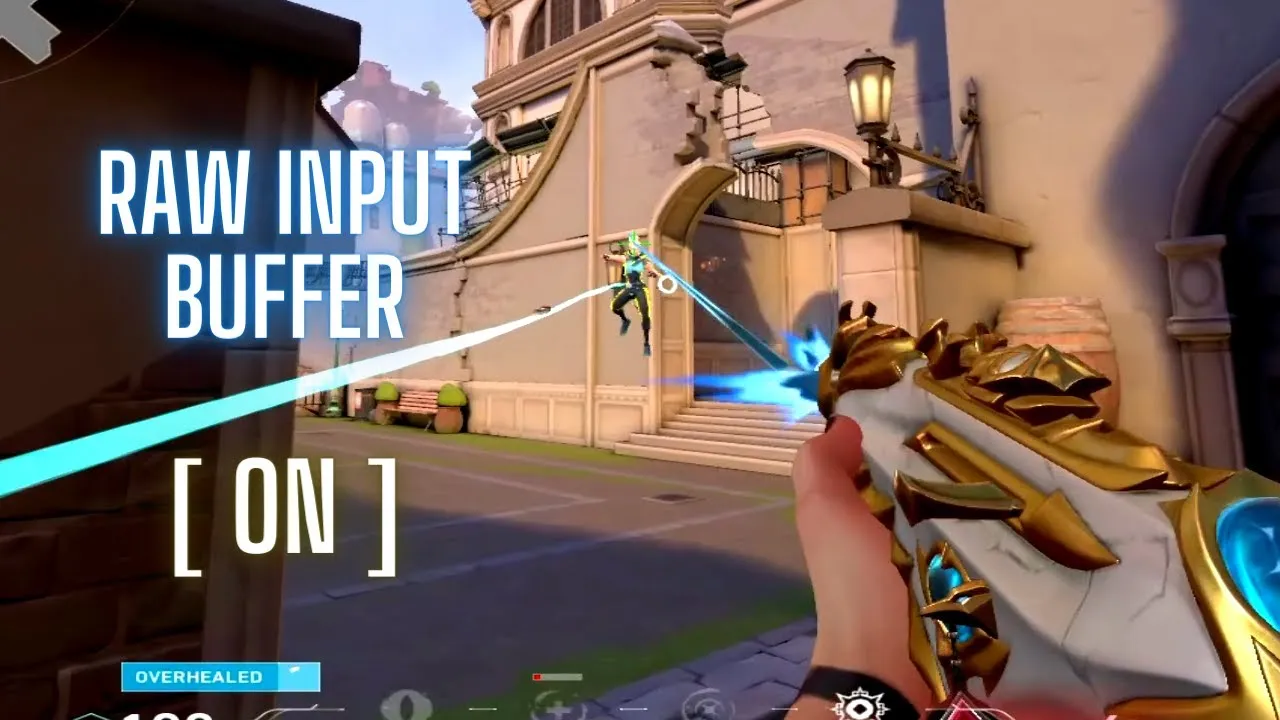
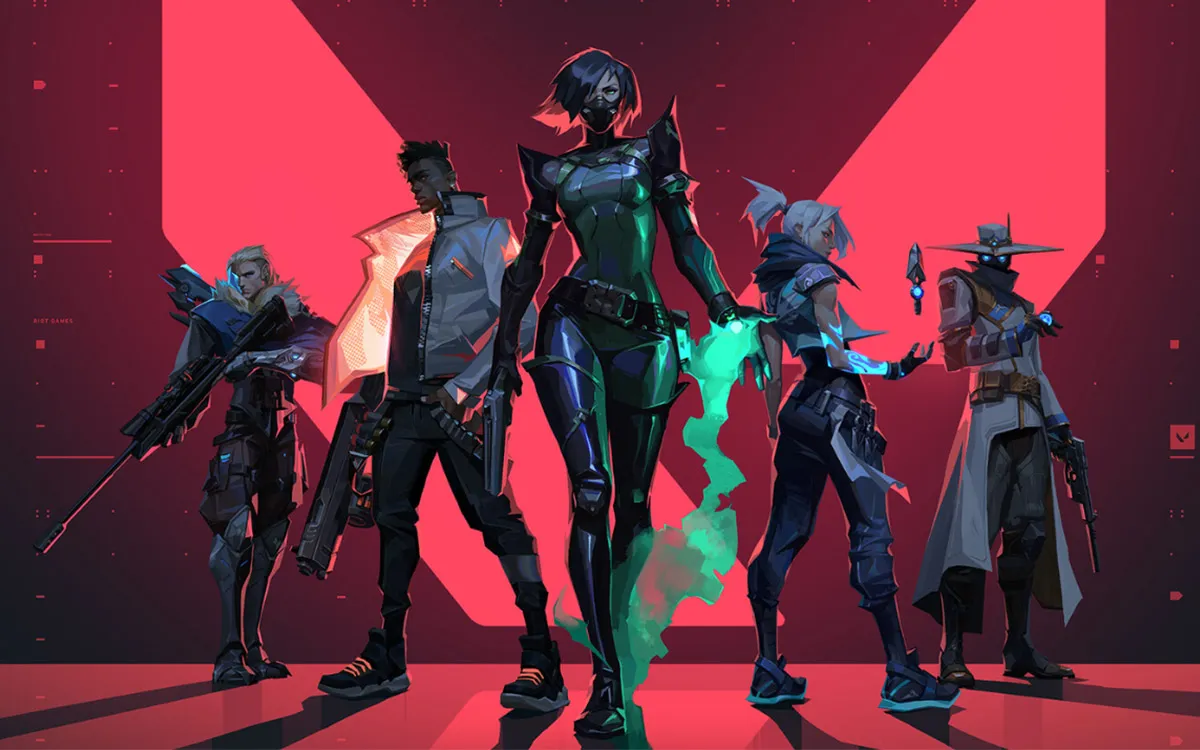
Welcome to the ultimate guide on Valorant’s raw input buffer! This feature is a game-changer, whether you’re a seasoned player or just starting your journey in the world of Valorant. By understanding and utilizing the raw input buffer, you can significantly enhance your gaming performance.

What is Valorant’s Raw Input Buffer?

The raw input buffer in Valorant is a feature that allows for unfiltered input from your mouse and keyboard. It bypasses any potential modifications or enhancements applied by your operating system or other software that might interfere with your gameplay. By enabling the raw input buffer, your commands are transformed into in-game actions with minimal delay, resulting in a more precise and responsive gaming experience.

Activating the Raw Input Buffer in Valorant

Enabling the raw input buffer in Valorant is a simple process. Here’s a step-by-step guide:

  1. Open the Valorant game client on your computer.
  2. Click on the gear icon in the top-right corner of the main menu to access the settings.
  3. Within the settings menu, select the “General” tab.
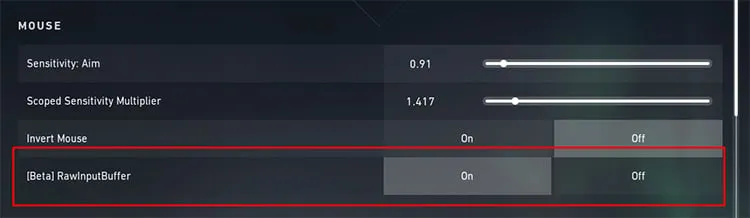
  4. Scroll down to the “Mouse” section and toggle the “Raw Input” option to the “On” position.
  5. Don’t forget to click the “Apply” or “Save” button to apply the changes and ensure the Valorant raw input buffer is enabled.

By following these steps, you’ll pave the way for a more responsive and accurate gaming experience.

The Impact of the Raw Input Buffer in Valorant

Enabling the raw input buffer in Valorant brings forth a multitude of benefits that can greatly enhance your gameplay. Here’s a detailed look at these advantages:

Increased Responsiveness

The Valorant raw input buffer ensures that your commands are directly translated into actions without any additional processing or modifications. This direct input mechanism significantly reduces input delay, resulting in a highly responsive gameplay experience. With every mouse movement and keypress instantly and accurately reflected on the screen, you can aim precisely, react quickly, and control characters with ease.

Enhanced Precision and Accuracy

Precision is crucial in a competitive game like Valorant. By turning on the raw input buffer, you can remove any potential interference or smoothing brought on by external software or operating system settings. This clean input offers unmatched precision and accuracy, allowing your mouse movements and keystrokes to be accurately replicated in-game. Whether you’re setting up a crucial headshot or performing complex moves, the Valorant raw input buffer gives you the ability to perform with the highest precision.

Consistency across Systems

The raw input buffer can help maintain consistency in your gameplay when playing Valorant across different computers or setups. As the raw input bypasses any system-specific alterations, your muscle memory and gameplay mechanics remain unaffected, regardless of the system you’re playing on. This ensures a seamless transition between different gaming environments, allowing you to maintain your skill level and performance consistently.

Minimized Input Lag

Input lag can limit your reaction times and overall gaming performance. By enabling the raw input buffer, you minimize input lag to a great extent. Input lag refers to the delay between your physical input (mouse movement or keystroke) and the corresponding action on the screen. With the raw input buffer, this delay is significantly reduced, providing you with a near-instantaneous response to your commands.

In essence, Valorant’s raw input buffer is a potent feature that can greatly improve your gaming experience. By turning on the raw input buffer, you can improve responsiveness, precision and accuracy, consistency between systems, and minimize input lag.

Mastering Valorant requires a combination of skill, strategy, and making use of every advantage at your disposal. With the information and understanding you have gained from this guide, you are now prepared to enable the raw input buffer and enhance your gameplay in Valorant.

Stay updated with the latest news in gaming and esports by signing up for early access to TalkEsport’s Mobile App. Follow us on Twitter and Google News to ensure you never miss the exciting updates.