

Friday, June 12, 2026
Home Blog Page 761

ESL’s Latest Ruling: No More Crocs Allowed in Counter-Strike Tournaments

ESL, one of the biggest tournament organizers in the world of esports, has recently revealed its updated rulebook for the upcoming ESL Pro Tour. The announcement was made ahead of the IEM Cologne 2023 CSGO tournament that’s set to take place in Germany, and the updated rulebook includes a bunch of new changes to the EPT.

The mid-year update to the EPT CS rulebooks introduces a comprehensive set of over 50 new and amended rules that will take immediate effect. These regulations are set to influence various aspects of their operations and events, ensuring a more competitive and fair environment for all participants.

However, one particular rule that stood out was the banning of Crocs from all future ESL events. The ESL Pro Tour General Rules Book’s events section (Rule 4.3) states that Crocs are considered open shoes and therefore not allowed, which has sparked a wave of humor and amusement among fans and players of the title on various social media platforms.

Players who violate this rule and wear Crocs to ESL events will have to pay a fine of $250 for doing so.

ESL will offer “suitable clothing” to players who fail to comply with the rules, and the expense of these permissible items will be deducted from their prize money.

Stay updated with the latest news in gaming and esports by signing up for early access to TalkEsport’s Mobile App. Follow us on Twitter and Google News to ensure you never miss the exciting updates.
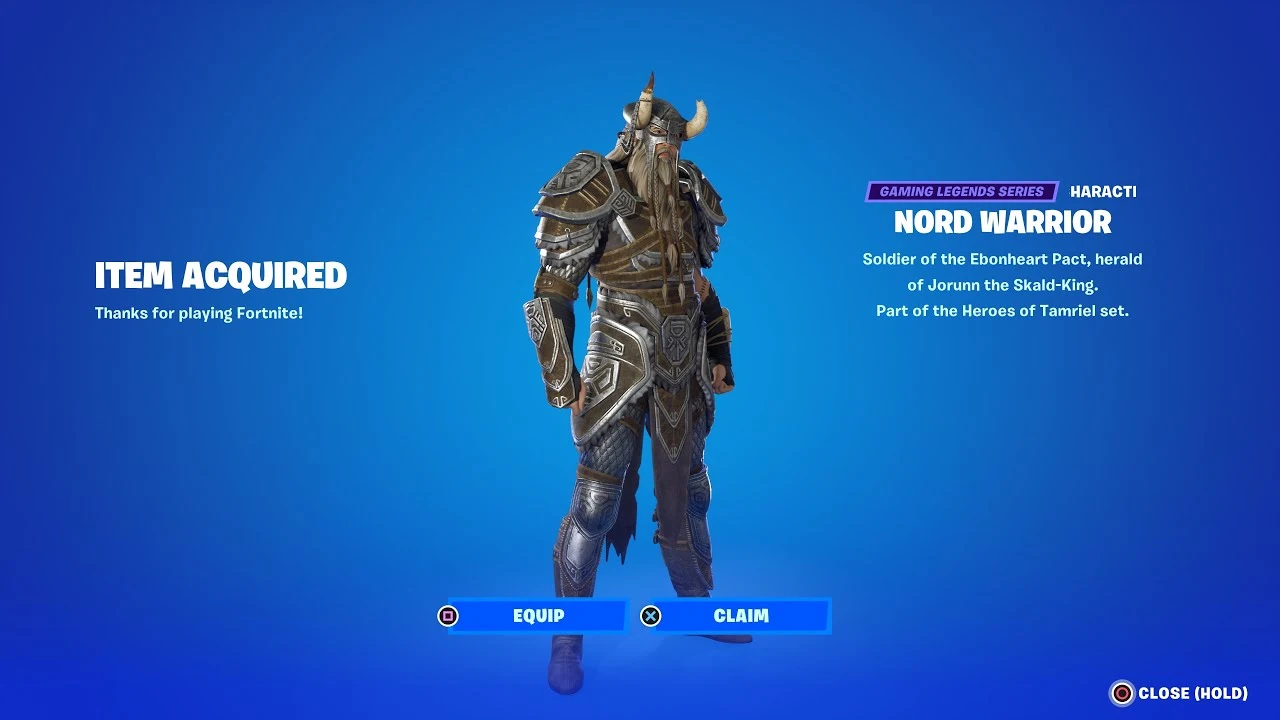
Fortnite Elder Scrolls Nord Warrior Skin: All you need to know

0

In a thrilling turn of events, Fortnite, the globally acclaimed Battle Royale game, has unveiled its latest collaboration – a crossover with the legendary Elder Scrolls franchise. This marks the first time that these two gaming titans have joined forces, bringing the world of Tamriel into the Fortnite universe.

The much-anticipated Elder Scrolls ‘Nord Warrior’ skin made its grand debut in Fortnite on July 20, at 5 PM PT / 8 PM ET. This exciting release is part of a promotional campaign celebrating the arrival of The Elder Scrolls Online on the Epic Games Store.

For the uninitiated, The Elder Scrolls Online is a massively multiplayer online role-playing game (MMORPG) that has now found a new home on the Epic Games platform. To commemorate this significant event, Bethesda and Epic Games have collaborated to introduce an exclusive Elder Scrolls skin into Fortnite’s gameplay.

The Nord Warrior skin, inspired by the Elder Scrolls’ universe, is available for purchase in the Fortnite Item Shop for 1200 V-Bucks. Despite the hopes of many fans and leakers, the skin is not free, even though The Elder Scrolls Online is available at no cost on the Epic Games Store for a limited period, from July 20 to July 27.

Fortnite has a history of bundling skins with Epic Games Store purchases, such as the Borderlands-inspired ‘Diamond Pony’ Glider that came with the purchase of Tiny Tina’s Wonderlands. However, this time around, players claiming The Elder Scrolls Online via the Epic Games Store will receive the Sigil of the Alliance War Back Bling as a free bonus.

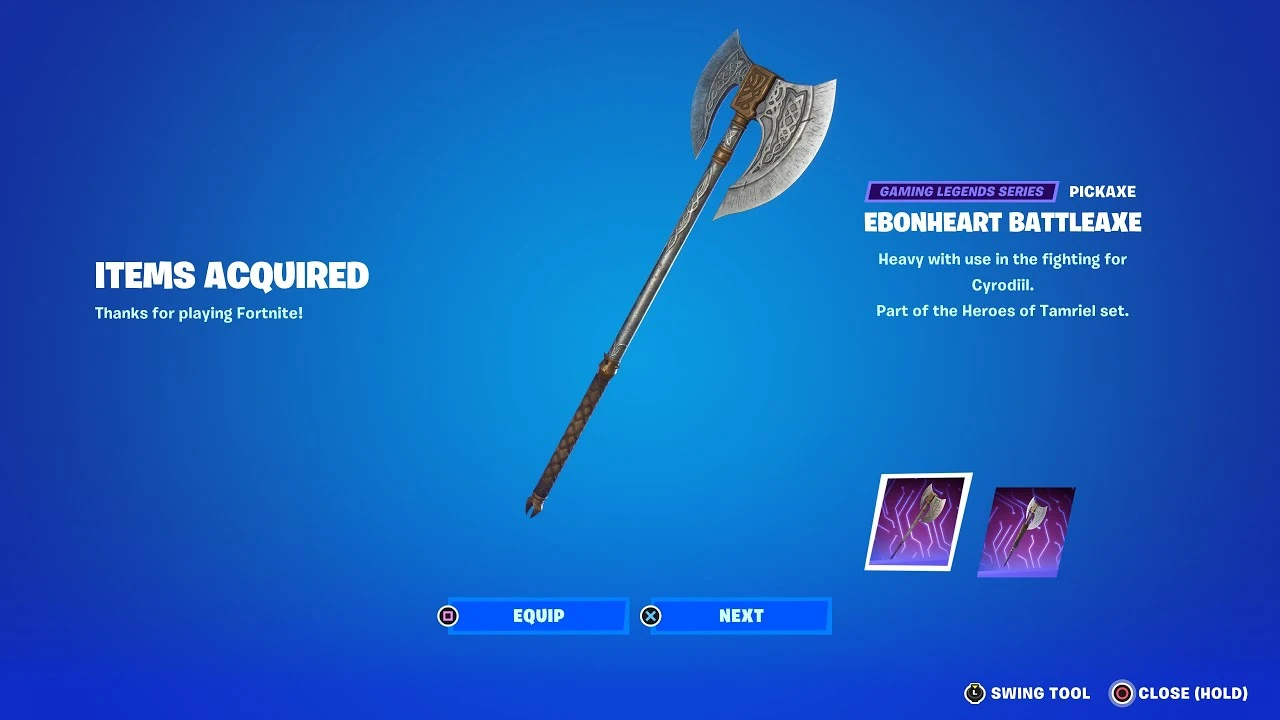
Additionally, players who purchase the Necrom DLC for The Elder Scrolls Online will receive the Ebonheart Battleaxe Pickaxe and Backbling, along with the Sigil of the Alliance.

Elder Scrolls items currently available in Fortnite’s ‘Heroes of Tamriel’:

  • Nord Warrior (Outfit) – 1200 V-Bucks (Fortnite Item Shop)
  • Ebonheart Battleaxe (Harvesting Tool & Back Bling) – 800 V-Bucks (Fortnite Item Shop or with Necron DLC purchase for ESO)
  • Nord Armor (Wrap) – 300 V-Bucks (Fortnite Item Shop)
  • Sigil of the Alliance War (Back Bling) – Free with The Elder Scrolls Online claim via the Epic Games Store

Stay updated with the latest news in gaming and esports by signing up for early access to TalkEsport’s Mobile App. Follow us on Twitter and Google News to ensure you never miss the exciting updates.
How to Get the Ebonheart Battleaxe Pickaxe in Fortnite?

0

As the world of Fortnite continues to evolve, the game’s collaboration with The Elder Scrolls Online has introduced a new and exciting cosmetic item: the Ebonheart Battleaxe. This unique pickaxe has quickly become a coveted item among Fortnite enthusiasts, thanks to its striking design and the prestige associated with the Elder Scrolls series.

The Ebonheart Battleaxe made its debut in Fortnite following the v25.10 update, marking the start of a thrilling collaboration between two of the gaming industry’s most popular franchises. The Elder Scrolls series, with its rich lore and immersive gameplay, has amassed millions of fans over the past three decades. It’s no wonder that Epic Games saw the potential in merging these two worlds, bringing a piece of the Elder Scrolls universe into Fortnite.

So, how can you add the Ebonheart Battleaxe to your Fortnite arsenal? The process is straightforward. The Battleaxe, along with several other new cosmetic items, will be available in the Fortnite Item Shop. However, there’s an alternative way to acquire this sought-after item. By purchasing The Elder Scrolls: Necrom edition on the Epic Games Store, players can obtain the Ebonheart Battleaxe. This edition of the iconic role-playing game starts at $40, which might be a steep price for some. But it’s worth noting that along with the Battleaxe, players will also receive the battleaxe back bling.

If you’re not ready to make that investment, don’t worry. Epic Games will also release the Ebonheart Battleaxe and the battleaxe back bling in the Item Shop for 1,200 V-Bucks. These items will be available from July 20 until August 5, giving players ample time to grab them.

In an exciting twist, The Elder Scrolls Online is currently available for free on the Epic Games Store. This offer extends to both Windows and Mac users, and it includes the Sigil of the Alliance War back bling as a bonus. This promotion will last until July 27, so be sure to add the game to your library while you can. After this period, the game will revert to its regular price of $20.

Stay updated with the latest news in gaming and esports by signing up for early access to TalkEsport’s Mobile App. Follow us on Twitter and Google News to ensure you never miss the exciting updates.
How To Make Fortnite Run Better On PC?

0

Fortnite, the globally acclaimed battle royale game, continues to captivate gamers with its immersive gameplay and dynamic visuals. However, for those using older or entry-level gaming PCs, the experience might not always be smooth. Lag and stuttering can hinder your gaming prowess, but fear not!

This article presents seven effective strategies to optimize your Fortnite gameplay on PC, ensuring a seamless and thrilling gaming experience.

How To Make Fortnite Run Better On PC?

  • Tweak Fortnite’s Graphics Settings

High graphics settings can put a significant strain on your PC’s resources. If you’re experiencing lag or stuttering, consider lowering the graphics quality preset in Fortnite’s settings. This simple adjustment can significantly enhance the game’s performance, providing a smoother and more enjoyable gaming experience.

  • Keep Your Windows Drivers Up-to-Date

Windows drivers play a crucial role in the performance of your PC’s hardware, including the CPU and GPU. Outdated or corrupted drivers can negatively impact your Fortnite gameplay. Regularly updating your Windows drivers through the Device Manager can help ensure optimal performance.

  • Enable Windows Game Mode

Windows Game Mode is a feature designed to optimize your PC for gaming. By prioritizing system resources for your game, it can significantly enhance your Fortnite experience. Simply search for Game Mode Settings in Windows and enable it for a noticeable performance boost.

  • Adjust Power Settings

If you’re gaming on a laptop, adjusting your power settings can make a significant difference. High-performance power plans can provide more resources to your game, improving its performance. Remember to plug in your laptop charger when using high-power profiles.

  • Close Background Tasks

Fortnite is a resource-intensive game. Any programs running in the background can potentially affect its performance. Before launching Fortnite, close all unnecessary background tasks to free up system resources.

  • Prioritize Fortnite in Task Manager

Setting Fortnite to high priority in Task Manager can further improve its performance. This ensures that Fortnite gets the lion’s share of system resources, even if other tasks are running in the background.

  • Upgrade Your Hardware

If all else fails, it might be time to consider a hardware upgrade. Modern games like Fortnite require powerful hardware to run smoothly. If you’re using a desktop, consider upgrading your GPU, CPU, and RAM. For laptops, a RAM upgrade might be possible.

Stay updated with the latest news in gaming and esports by signing up for early access to TalkEsport’s Mobile App. Follow us on Twitter and Google News to ensure you never miss the exciting updates.
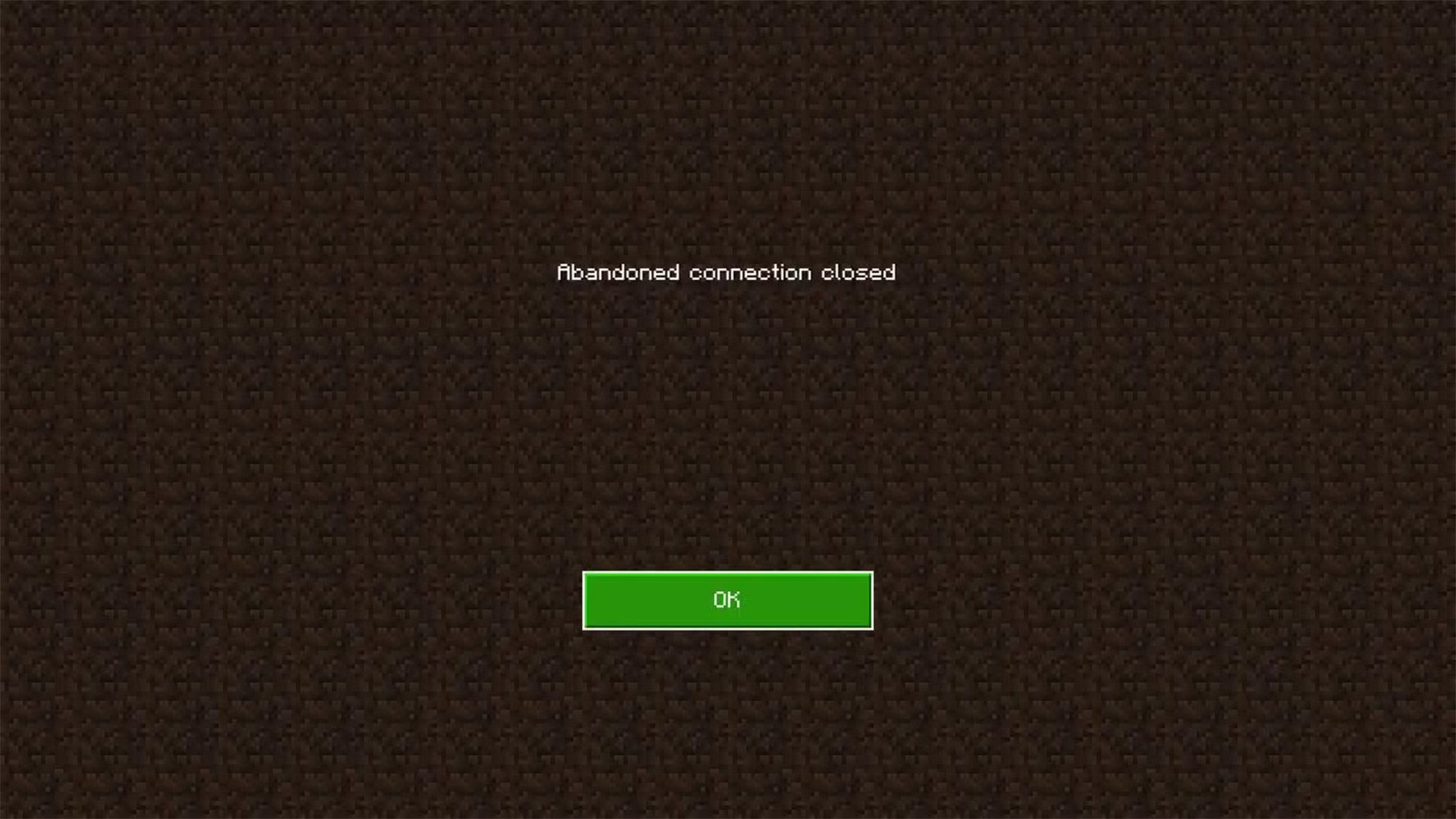
How to fix the “Abandoned Connection Closed” error in Minecraft?

0

Minecraft, the beloved sandbox game, has been captivating gamers worldwide with its endless possibilities. However, with the recent 1.20 update, a new challenge has emerged that has left many players frustrated – the Abandoned Connection Error. This error typically interrupts your gaming session, causing an unexpected disconnection from the Minecraft servers. But fear not, we’ve got you covered with a comprehensive guide to tackle this issue and get you back to crafting and exploring in no time.

The Abandoned Connection Error in Minecraft is a new issue that players have been encountering post the 1.20 update. This error is characterized by an abrupt loss of connection to the Minecraft servers, often leading to a game crash and potential loss of unsaved progress. It’s a disruption in the communication between your Minecraft client and the servers, which can occur at any point during your gaming session.

How to Fix the Abandoned Connection Error?

  • Check Your Ethernet and DNS Connection: The first step towards resolving this error is to ensure that your Ethernet and DNS settings are correctly configured. Here’s a step-by-step guide:
    • Go to the network settings on your PC.
    • After that, go to the network and sharing center and then to Ethernet.
    • Navigate to Properties.
    • Open Internet Protocol version 4 (TCP/IPv4).
    • Ensure that both the “Obtain an IP address automatically” and “Obtain DNS server address automatically” options are selected.
    • Click on “OK” and exit.
  • Perform a Server and Speed Test: Making sure that your internet connection isn’t the cause of the problem is essential. A speed-test website allows you to evaluate the reliability and speed of your connection. Contact your ISP if you discover any differences. To find out if the Minecraft servers have been shut down or are currently offline for maintenance, visit the Downdetector website.
  • Re-Launch or Re-Install the Game: Relaunching the game might sometimes fix the problem since it creates a fresh connection to the server and performs a new authentication of your account. Consider doing a fresh installation of Minecraft or examining the game files if the problem continues. Any problems with corrupted game files that can be the root of the connection error can be fixed with the help of this.
  • Reach Out to Minecraft Help: If all else fails, don’t hesitate to submit a ticket to Minecraft Help. Their team of experts can provide further guidance to resolve your Abandoned Connection Error.

Stay updated with the latest news in gaming and esports by signing up for early access to TalkEsport’s Mobile App. Follow us on Twitter and Google News to ensure you never miss the exciting updates.
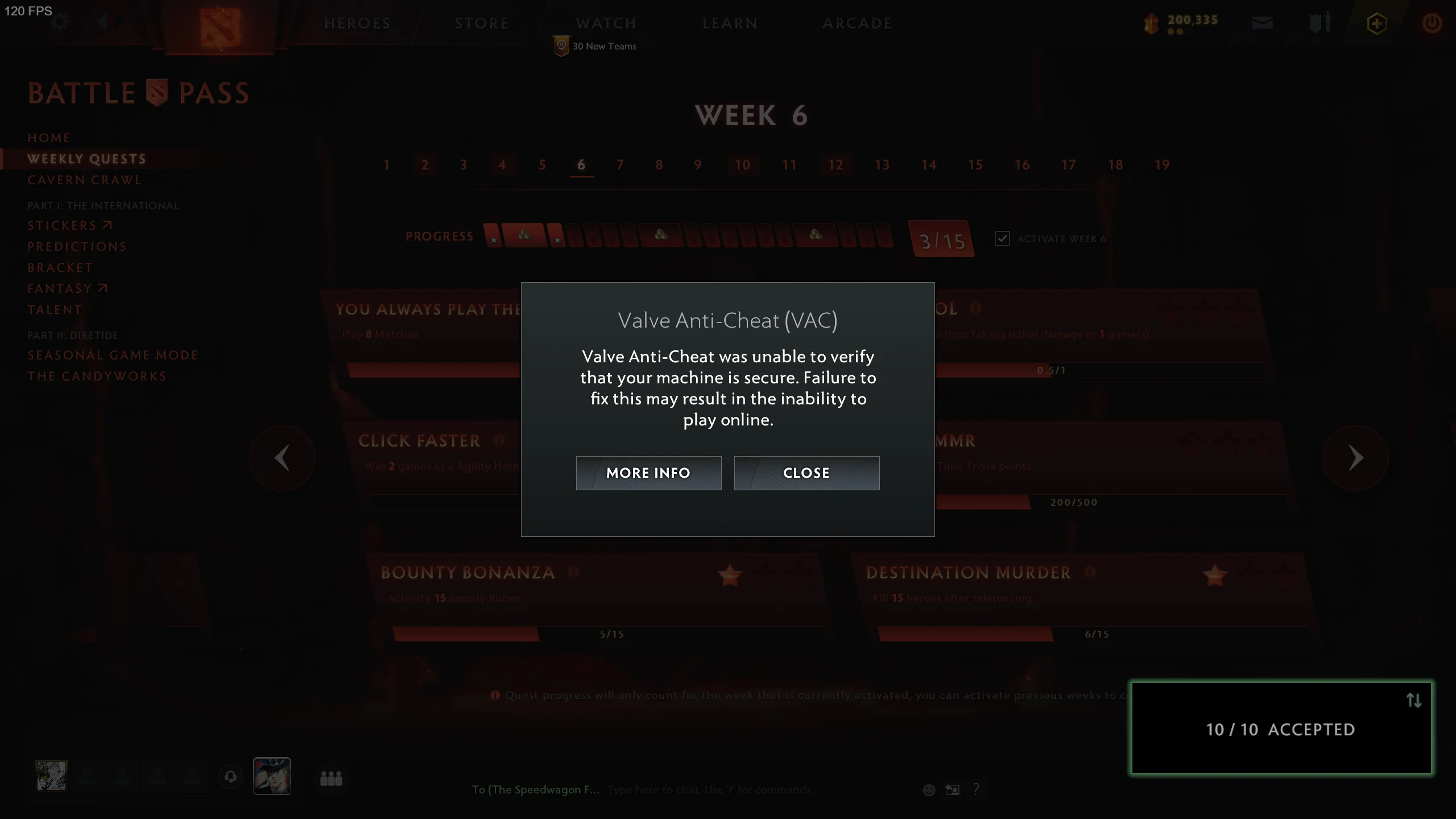
How to fix the Unable to Verify VAC error in Dota 2?

0

For passionate Dota 2 players, encountering the “Unable to Verify VAC” error can be a heart-stopping moment. This error, while intimidating, is not as disastrous as it may initially seem. In this article, we will demystify this error, explain what it means, and provide a step-by-step guide on how to resolve it, ensuring you can get back to your game as quickly as possible.

The Valve Anti-Cheat (VAC) system is a mechanism designed to detect cheats in games like Dota 2. Occasionally, players may encounter an “Unable to Verify VAC” error message. This error does not necessarily mean you are banned or that your stats and cosmetics are at risk. Instead, it could be a temporary issue related to game files or the match coordinator.

How to fix the Unable to Verify VAC error in Dota 2?

The first step in resolving this error is to restart Dota 2. If the error persists, a system reboot may be necessary. Still, experiencing the issue? Navigate to your Steam library, right-click on Dota 2, select properties, and head to the Installed Files section. Here, you can verify your game files, a process that can often resolve the issue.

Sometimes, the VAC error could be linked to the match coordinator. When the coordinator updates, all players temporarily go offline, which can also disconnect them from VAC. The reconnection process may take some time, making players more susceptible to the “Unable to Verify VAC” error message post-update.

Interestingly, this error does not prevent players from participating in matches. Our tests have shown that matchmaking times and gameplay experience remain unaffected, even with the VAC verification error. If the VAC system truly suspected cheating, it would not provide a warning but would instead issue a ban.

Stay updated with the latest news in gaming and esports by signing up for early access to TalkEsport’s Mobile App. Follow us on Twitter and Google News to ensure you never miss the exciting updates.
Is Siphon Back in Fortnite?

0

The Fortnite gaming community is buzzing with excitement as the much-loved Siphon mechanic makes a comeback. This feature, which has been absent for a while, is set to return, albeit temporarily, in certain competitive tournaments. The Siphon mechanic has been a game-changer in Fortnite’s competitive modes, encouraging aggressive play and adding an extra layer of strategy to competitions.

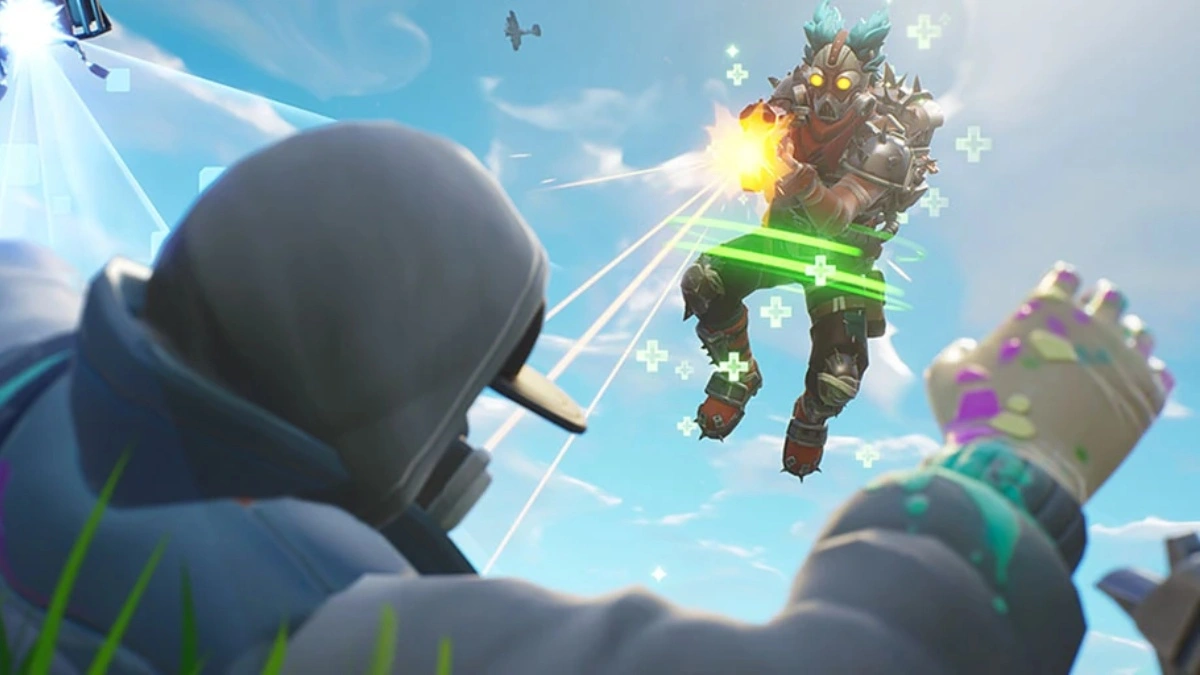
The Siphon mechanic in Fortnite is a unique feature that rewards players with health and a shield upon eliminating another player. This mechanic has been a staple in Fortnite’s competitions since its debut in Season 7 back in December 2018. However, with the introduction of Fortnite Ranked in May 2023, the Siphon mechanic was disabled, much to the disappointment of the competitive scene.

Is Siphon Back in Fortnite?

The return of the Siphon mechanic is currently limited to specific competitive tournaments, including FNCS Major 3, Last Chance Major, Solo Victory Cash Cup, and Duos Cash Cup. This information was confirmed by Fortnite on its Twitter account. The tweet hinted at the possibility of a permanent return of the Siphon mechanic if it does not negatively impact the tournaments. However, the future of Siphon in Fortnite remains uncertain.

The Syphon mechanic is present in the current Fortnite matches, however, it is connected to two distinct Reality Augments: Shotgun Striker and Rarity Check. When a player is eliminated using Common or Uncommon weaponry, the Shotgun Striker offers Syphon bonuses for each shot fired, while the Rarity Check also grants Syphon benefits. But getting these Syphon Reality Augments either requires a lot of luck or a lot of gold for several re-rolls.

Stay updated with the latest news in gaming and esports by signing up for early access to TalkEsport’s Mobile App. Follow us on Twitter and Google News to ensure you never miss the exciting updates.
How Many Divisions Are In Valorant Premier?

0

Valorant Premier, Riot’s innovative tournament format, offers a unique opportunity for players to form their own teams and compete in a structured, competitive environment. This guide will provide you with a comprehensive understanding of Valorant Premier, from the division system to the scoring process, and how to excel in the tournament.

Valorant Premier is a path to professional gaming, allowing players to form their own teams and compete in scheduled matches. The tournament is divided into 20 divisions per zone, with 14 zones spanning across the globe. The divisions are based on the average matchmaking rating (MMR) of your top five players, ensuring fair and balanced competition.

How Many Divisions Are In Valorant Premier?

There are an astounding 20 divisions per zone in Valorant Premier. The team owner can sign up the team in a particular zone after it has been formed. Your server of play and match schedule are determined by this zone. You have a lot of alternatives to pick from because there are 14 zones spread out around the world.

Your club will be seeded into divisions after choosing the zone together with other teams. The average Matchmaking Rating (MMR) of your top five players is used to determine your seeding. As a result, teams with comparable ability levels can fight against one another in a fair and balanced competition.

The tournament begins with an enrollment phase, followed by a competition phase where teams compete in weekly matches. Each match contributes points to your Premier score, with more points awarded for a win and fewer for a loss. The top teams from each division then proceed to the playoff tournament.

The tournament is divided into four weeks of play, with matches scheduled on Thursdays, Saturdays, and Sundays. Teams can play two games a week, spread out over three days, or play all in one day. After four weeks, all scores are tallied, and teams with 375 points qualify for the tournament.

The tournament matches are played in a single elimination format, with an infinite number of winners in each division in each zone. The winner of each group wins the title, receives a gun buddy, and is declared the champion of that division.

Tips for Success in Valorant Premier

  • Availability: Ensure you’re available on match days.
  • Team Coordination: Discuss your play schedule with your team and ensure everyone is available.
  • Minimum Games: You need to play a minimum of six games to win. Even if you win three games and lose three, you’ll still qualify for the tournament.
  • Point Threshold: Once you reach the 375-point threshold, you’re not obligated to play any more games. However, the goal is to accumulate as many points as possible.
  • Rest Periods: There’s at least a five-minute rest in between games. The wait time may be longer depending on the duration of other games in the tournament.

Stay updated with the latest news in gaming and esports by signing up for early access to TalkEsport’s Mobile App. Follow us on Twitter and Google News to ensure you never miss the exciting updates.
New Valorant Agent Codename Leaked by Dataminers

0

It has only been a few weeks since Riot Games added the latest Valorant Agent, Deadlock to the official servers, and dataminers have already managed to dig up the game files to reveal the codename for the upcoming Valorant Agent.

According to a recent Tweet from prominent Valorant dataminer ‘VALORANTLeaksEN’, the codename for the new Valorant Agent is ‘Giraffe’. However, the leaker has also mentioned that this Agent is currently under development, and it may or may not be the next Valorant Agent to be coming to the game.

Attached to the Tweet is a screenshot of the game files that reveal the codename for the new Valorant Agent.

Valorant ‘Giraffe’ Release Date

Riot Games are yet to confirm the release date of the next Valorant Agent at the time of writing. While it’s impossible for us to accurately predict the release date of ‘Giraffe’ in Valorant, the earliest that fans can expect to see the next Valorant Agent in the game is with the release of Episode 7 Act 2. 

The heavily anticipated Valorant Episode 7 Act 2 update is scheduled to hit the live servers around August 29, 2023.

Stay updated with the latest news in gaming and esports by signing up for early access to TalkEsport’s Mobile App. Follow us on Twitter and Google News to ensure you never miss the exciting updates.

What is MFA in Fortnite?

0

In the dynamic world of online gaming, security is paramount. As the popularity of games like Fortnite skyrockets, the need for robust security measures to protect player accounts from unauthorized access and malicious activities has never been more critical. One such security measure that has stood the test of time across various online platforms is Multi-Factor Authentication (MFA), also known as Two-Factor Authentication (2FA).

This article delves into the concept of MFA in Fortnite, its benefits, and how to enable it on your Epic Games account.

What is MFA in Fortnite?

MFA is a security protocol that requires users to verify their identity through multiple steps before gaining access to their accounts. This process enhances account security by adding an extra layer of protection beyond the traditional password or pin, which can be susceptible to hacking or phishing attacks. In Fortnite, MFA is implemented through either an authenticator app or an email address, providing players with a choice of authentication methods.

Activating MFA on your Fortnite account is a straightforward process. First, log into your Epic Account on www.epicgames.com. Navigate to your Account Settings and click on the Password and Security tab to access your security settings. At the bottom of the page, under the Two Factor Authentication heading, you can choose to enable either the Authenticator App or Email Authentication as your two-factor method.

If you opt for the authenticator app method, several apps are available in your mobile device’s app store, including Google Authenticator, LastPass Authenticator, Microsoft Authenticator, and Authy. Once installed, these apps or your email will receive a code during login, which you need to enter on the Epic Games sign-in portal to access your account.

Enabling MFA on your Fortnite account comes with several rewards. Players can receive a free OG Boogie Down emote for their in-game locker. Additionally, those who own Save The World will receive 50 Armory Slots, 10 Backpack Slots, and one Legendary Troll Stash. These offers are currently valid with no expiration date.

Moreover, enabling MFA is a prerequisite for gifting friends cosmetics from the Item Shop or participating in tournaments that offer free items or cash prizes. More importantly, it provides a robust defense against scams and hacks, ensuring your Fortnite experience remains secure and enjoyable.

Stay updated with the latest news in gaming and esports by signing up for early access to TalkEsport’s Mobile App. Follow us on Twitter and Google News to ensure you never miss the exciting updates.