Friday, June 12, 2026
Home Blog Page 760

How To Check Arena Mode’s Ranked Leaderboard In LoL?

0

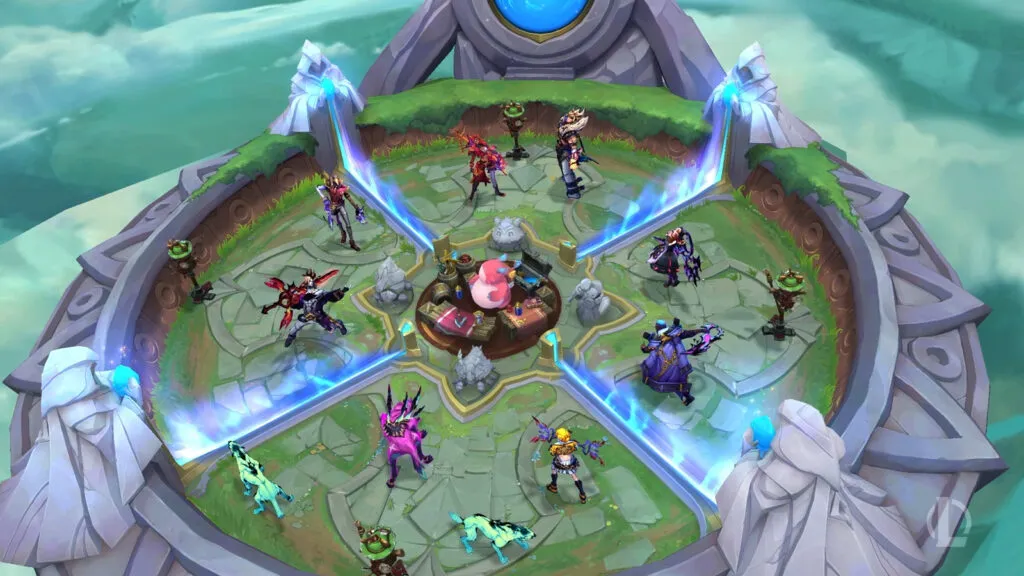
The world of eSports is constantly evolving, and the latest addition to this dynamic landscape is the Arena Mode in League of Legends. This new game mode, a fusion of Teamfight Tactics (TFT) and League of Legends was launched on July 20th, 2023, as part of the grand Summer Event: Soul Fighter. The Arena Mode has been met with great enthusiasm by players, who are keen to showcase their competitive prowess and climb the ranks of the leaderboard.

In the Arena Mode, players form teams with friends or solo queue comrades to engage in a series of 2v2 battles. Upon entering the game, players are equipped with potent Augments that modify their champion’s gameplay and can purchase familiar items. Like TFT, each team possesses collective health that diminishes each time they lose a round. A team is ousted when their collective health falls to zero, while the last team standing with health emerges as the winner.

Interestingly, once a team is eliminated, the duo can exit the game early and promptly queue up for another match. Riot Games has stated, “In order to make this game mode appeal to both types of players, we drew some inspiration from our neighbors on TFT and added a ladder that players can climb like they have in Hyper Roll.”

How To Check Arena Mode’s Ranked Leaderboard In LoL?

The ranking system in Arena Mode is straightforward. The ranks, in ascending order, are as follows:

  • Wood
  • Bronze
  • Silver
  • Gold
  • Gladiator

Teams earn points by finishing in the top two and lose points by ending up in the bottom two. However, Riot Games has incorporated loss mitigation for the first five games, so players need not worry about immediate wins.

Just like in League of Legends, where players in the Apex tiers can be seen on a live-ranked ladder, Arena Mode also features a ranked ladder. Here’s how you can check the top Arena Mode players in your region:

  • Launch the League of Legends client.
  • Navigate to your ‘Profile’ tab, which will default to the ‘Overview’ page.
  • Click on ‘Ranked’ on the top menu bar next to ‘Match History’.
  • A ‘drop-down’ menu will appear with ‘Top Solo/Duo players’ written. Click on it and scroll until you find ‘Arena Mode’.
  • Click on the ‘Top Arena Players’ option, and you will find the players in the Gladiator tier.

Riot Games aims to make Arena a fantastic summer event mode and has expressed the possibility of bringing back an upgraded version of the mode in the long term. Currently, the Arena Mode will be available on the client until the end of the Summer 2023 event, which concludes on August 28th.

Stay updated with the latest news in gaming and esports by signing up for early access to TalkEsport’s Mobile App. Follow us on Twitter and Google News to ensure you never miss the exciting updates.

NBA 2K24: Release Date, Cover Athlete, More

0

The eagerly awaited NBA 2K24 is poised to make its grand debut later this annum, offering a heightened level of engagement and immersion for basketball aficionados across the globe. This newest addition to the esteemed virtual basketball video game anthology comes brimming with innovative features, gameplay modalities, and technological enhancements, rendering it an indispensable acquisition for any sports gaming connoisseur.

NBA 2K24 Launch Timeline & Compatible Devices

The global launch of NBA 2K24 is slated for September 8, 2023. The game will be accessible on a plethora of platforms, encompassing PS5, PS4, Xbox Series X/S, Xbox One, Nintendo Switch, and PC. This extensive accessibility ensures that irrespective of your gaming predilection, you’ll have the opportunity to revel in the most recent and exceptional offerings of the NBA 2K series.

Featured Athlete

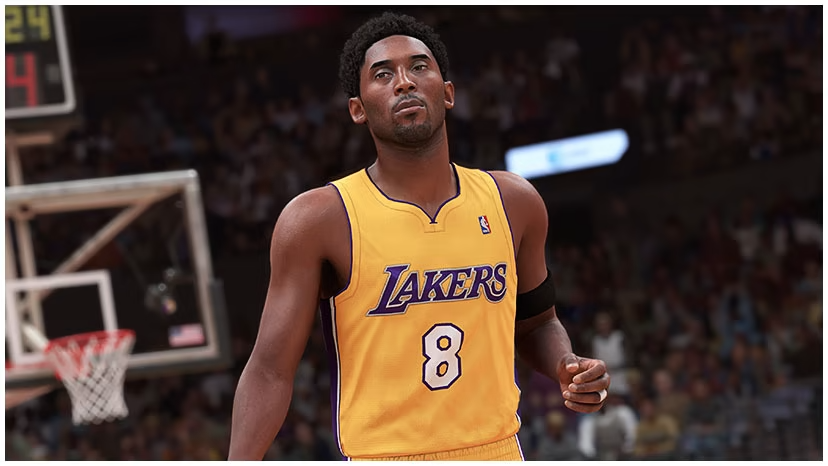
The illustrious Kobe Bryant has been selected as the featured athlete for NBA 2K24. This constitutes the fourth instance of Bryant adorning the cover of an NBA 2K game, and his persona is prominently integrated into the gameplay experience. This integration extends to the novel MAMBA Moments mode, which affords players the chance to revisit some of Bryant’s most emblematic career milestones.

NBA 2K24 Features and Gameplay

NBA 2K24 heralds the introduction of several novel and recurring modes, inclusive of the aforementioned MAMBA Moments Challenges Mode. This mode traverses the career of the legendary Kobe Bryant, offering players an opportunity to undertake unique and progressively challenging scenarios while also imparting a glimpse into Kobe Bryant’s history.

For the inaugural time in the franchise’s chronicle, NBA 2K24 will incorporate crossplay, albeit this feature will be exclusive to PS5 and Xbox Series X/S consoles. This has been a fervently sought-after feature for numerous years, particularly given the sports genre’s profound multiplayer gaming influence.

One of the most exhilarating features of NBA 2K24 is the unveiling of ProPLAY, a pioneering technology that integrates actual NBA footage into the game for authentic animations and movements on the basketball court. This revolutionary technology aspires to augment the overall gameplay experience, rendering it more immersive and lifelike than ever before.

NBA League Pass

In commemoration of the 25th anniversary of the NBA 2K games, a special Anniversary Edition of NBA 2K24 will be obtainable for a limited duration. This edition proffers a multitude of extras within the game, in addition to a 12-month subscription to the NBA League Pass streaming service. This constitutes an exceptional bargain for basketball enthusiasts, as the service typically incurs a cost of between $15-20 USD per month.

Stay updated with the latest news in gaming and esports by signing up for early access to TalkEsport’s Mobile App. Follow us on Twitter and Google News to ensure you never miss the exciting updates.

How Long Is Honkai Star Rail Story?

0

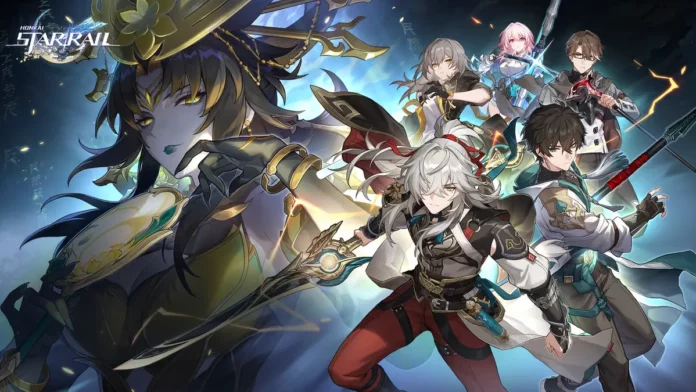
Boldly going where no gamer has gone before, we dive into the mesmerizing universe of Honkai: Star Rail. This turn-based RPG from HoYoverse is not just a game, it’s an experience. And like any good experience, it begs the question – “How long does this joyride last?”

Honkai Star Rail’s Story

The main story of Honkai Star Rail, a narrative as rich and layered as a triple chocolate cake, takes about 40 hours to devour. But wait, there’s more! The game is like a buffet that keeps refilling. The developers have plans to continuously update the game with even more story content over the next few years. So, if you’re a slow eater, you might find yourself spending potentially 100 hours or more to catch up with all of the main story content.

Mini-Games and Side Stories

But what’s a main course without some side dishes? Honkai Star Rail offers a plethora of side quests and mini-games that add a dash of spice to the gameplay. These aren’t included in the 40-hour estimate, so if you’re a completionist, buckle up for a longer ride.

And then there’s the dessert – exploration. New planets to explore will be served on your gaming platter with every update. So, if you’re the type who likes to leave no stone unturned, your journey through Honkai Star Rail might take a bit longer than expected.

Daily Missions

Lastly, for those who like to end their meal with a digestif, there are daily missions to keep you coming back for more. These missions will help you build your characters and keep you engaged long after you’ve completed the main storyline.

So, how long is Honkai Star Rail? Well, it’s like asking how long is a piece of string. It can be as short as 40 hours if you sprint through the main story, or it can be a never-ending journey if you decide to explore every nook and cranny of the game. But one thing’s for sure – it’s a journey worth every second.

Stay updated with the latest news in gaming and esports by signing up for early access to TalkEsport’s Mobile App. Follow us on Twitter and Google News to ensure you never miss the exciting updates.

Remnant 2 Early Access Countdown, Release Date & Time

0

The gaming world is buzzing with anticipation as the release date for the much-awaited sequel to Remnant: From the Ashes, aptly named Remnant 2, draws near. This article provides a comprehensive guide to the release of this highly anticipated game, including the early access details, release times across different time zones, and a brief overview of the game itself.

The Countdown to Remnant 2

Countdown Timer

The successor to the acclaimed game, Remnant: From the Ashes, Remnant 2, is set to take the gaming world by storm. This game promises to offer an intense, challenging, and gratifying experience every time, with its strategic combat, gear customization, and a variety of worlds filled with unique creatures and items.

The standard release date for Remnant 2 is slated for July 25, 2023. However, players who pre-order the Ultimate Edition of the game can earn early access, which begins a few days before the main release date. This edition, priced at $70, grants players access to several cosmetic and gameplay items as well as all three DLC Packs that will arrive within the first year of the game’s life cycle.

Remnant 2 Early Access Release Date & Time

The early access for Remnant 2 is set to begin at different times depending on where you are in the world. For most players, the early access will begin later in the day on July 21 or in the early morning hours of July 22. Here are some of the launch times across different time zones:

  • 4 PM PST on July 21
  • 6 PM CST on July 21
  • 7 PM EST on July 21
  • 12 AM BST on July 22
  • 9 AM AEST on July 22

To gain early access, players will need to pre-order the Ultimate Edition of Remnant 2. This can be done through your system’s primary marketplace, such as the PS Store for PlayStation 5 owners, the Microsoft Store for Xbox Series X|S players, and either Steam or the Epic Games Store for PC users.

Remnant 2 Full Release Date & Time For All Regions:

  • USA, Los Angeles (PDT) – July 25, 2023 at 4:30pm
  • USA, Denver (MDT) – July 25, 2023 at 5:30pm
  • USA, New York (EDT) – July 25, 2023 at 7:30pm
  • UK, London (BST) – July 26, 2023 at 12:30am
  • Germany, Berlin (CEST) – July 26, 2023 at 1:30am
  • India, New Delhi (IST) – July 26, 2023 at 5:00am
  • China, Beijing (CST) – July 26, 2023 at 7:30am
  • Japan, Tokyo (JST) – July 26, 2023 at 8:30am
  • New Zealand, Auckland (NZST) – July 26, 2023 at 11:30am
Countdown Timer

Remnant 2: A Brief Overview

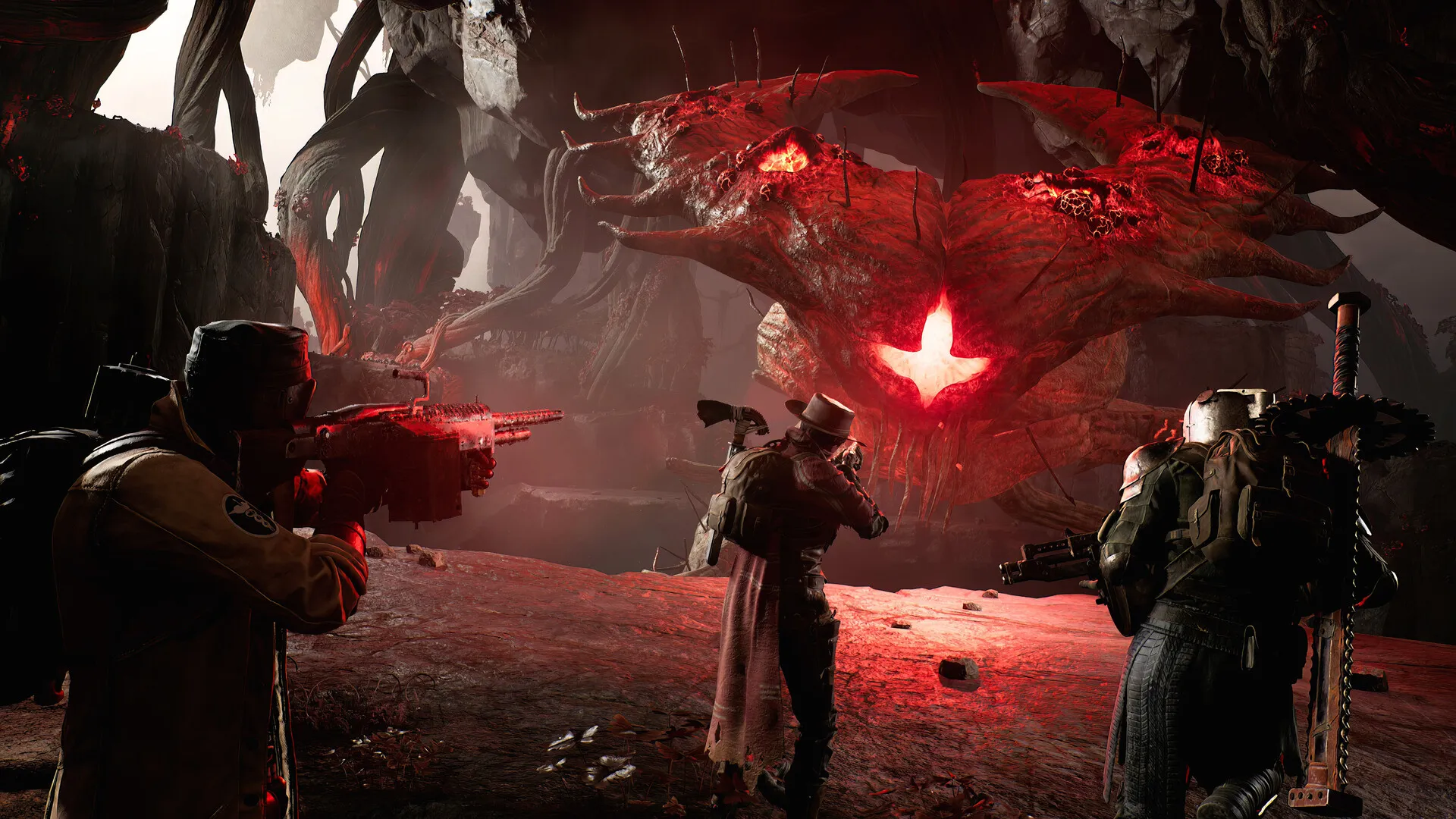
Remnant II, the follow-up to the acclaimed game Remnant: From the Ashes, introduces an intensified experience where remnants of humankind face off against increasingly formidable adversaries and deific antagonists across an array of fear-inducing landscapes.

The game features a variety of worlds filled with unique creatures, weaponry, and items, with the latter two being upgradeable for confronting increasingly difficult challenges. A system of divergent quests, enhancements, crafting, and rewarding loot will stretch the endurance of even the most seasoned players within procedurally generated dungeons and areas.

Every playthrough guarantees a unique, challenging, and gratifying experience as players persevere against relentless adversaries. A plethora of narratives scattered across distinct worlds inspire explorations and repeated visits.

The augmented Archetype system equips players with distinctive passive benefits and spectacular abilities. Numerous Archetypes can be unlocked, leveled up, and combined throughout the gameplay, offering an array of possibilities to suit diverse playing styles.

The release of Remnant 2 is a highly anticipated event in the gaming world. With its early access option, unique gameplay, and exciting features, it’s no wonder that players around the globe are eagerly counting down the days until they can immerse themselves in this thrilling new game.

Stay updated with the latest news in gaming and esports by signing up for early access to TalkEsport’s Mobile App. Follow us on Twitter and Google News to ensure you never miss the exciting updates.

How To Get The Sigil Of The Alliance War Back Bling In Fortnite

0

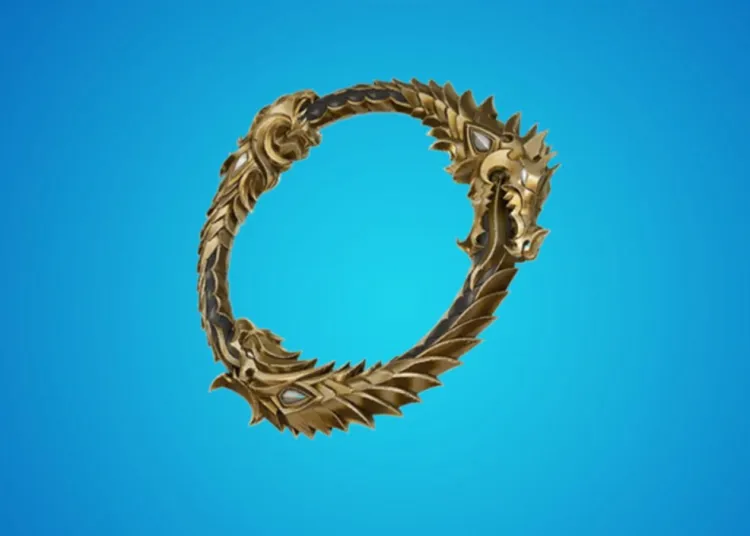
Fortnite and Elder Scrolls Online have teamed up to bring you a unique, limited-time offer that’s as exciting as finding a llama in a haystack. Yes, you heard it right! The Sigil of the Alliance War Back Bling, a cosmetic item that screams “I’m a fan of both Fortnite and Elder Scrolls Online,” is up for grabs. And the best part? It’s absolutely free! So, let’s dive right into how you can add this cool item to your locker and make your Fortnite buddies green with envy.

Steps to get the Sigil of the Alliance War back bling for free in Fortnite?

Step 1: Log in to the Epic Games Store

First things first, you need to log in to the Epic Games Store. Make sure you’re using the same account you use to play Fortnite. If you’re not logged in, the system will treat you like a llama in a storm – you won’t last long!

Step 2: Find the Elder Scrolls Online

Next, you need to find the Elder Scrolls Online in the Epic Games Store. It’s like finding a treasure chest in Fortnite, but without the husks trying to take you down. If you have notifications on, it might even pop up on your screen. Talk about convenience!

Step 3: Get the Elder Scrolls Online for Free

Once you’ve found the Elder Scrolls Online, click on “Free Now” to get the game for free. It’s like finding a legendary weapon in a supply drop – pure joy!

Step 4: Place Your Order

After clicking on “Free Now,” you need to click on “Place Order” to “buy” the game. Don’t worry, it’s still free. It’s like using a launch pad to get to the circle – it gets you where you need to go without costing you anything.

Step 5: Launch Fortnite and Claim Your Back Bling

After a short wait, your “purchase” will be complete. Now, launch Fortnite, and you can claim the Sigil of The Alliance War Back Bling. It’s like finding a medkit just when you need it – perfect timing!

Remember, this offer is valid until July 27, 2023, 11 AM EDT. After that, you’ll need to buy the game to get the Back Bling. So, don’t wait around like a player in the storm, get your free Back Bling now!

And there you have it, folks! A simple, step-by-step guide to getting your hands on the Sigil of the Alliance War Back Bling for free. So, what are you waiting for? Get out there and claim your prize. And remember, in the words of the great Fortnite philosopher, “The storm doesn’t respect the bush strat.”

Stay updated with the latest news in gaming and esports by signing up for early access to TalkEsport’s Mobile App. Follow us on Twitter and Google News to ensure you never miss the exciting updates.

How To Get Free Cases in CSGO?

0

Valve’s competitive shooter Counter-Strike: Global Offensive is widely known as one of the best FPS titles that the genre has ever seen, and for good reason. The game features intense, strategic gunfights, a wide variety of different maps, amazing community content, and one of the biggest esports scenes in the world of video games.

What further escalates the popularity of CSGO among gamers throughout the globe is the mechanic of case opening that the title boasts. For the uninitiated, players can get a bunch of different cases in CSGO and open them to receive weapon skins, knives, gloves, and other cosmetics that are often worth thousands of dollars.

In case you’re curious to find out how you can get free cases in CSGO, look no further. In this article, we take a look at everything you need to know about obtaining free cases in CSGO.

How To Get Free Cases in CSGO?

To get free CSGO cases on your Steam account, all you need is a Prime status on CSGO. The Prime CSGO status costs about $14.99 and is a one-time purchase. Once you make that purchase, you won’t need to renew it further.

If you already have a Prime CSGO account, all you need to do is play the game. Upon every level up, you’ll get a free CSGO case on your account alongside other rewards like free skins and graffiti.

Do note that you can only get one case per week. This means that even if you level up your CSGO profile twice in a week, you’ll only receive one case.

That’s all you need to know about how to get free cases in CSGO. Stay updated with the latest news in gaming and esports by signing up for early access to TalkEsport’s Mobile App. Follow us on Twitter and Google News to ensure you never miss the exciting updates.
How to make Night Vision Potion in Minecraft?

0

Ever found yourself stumbling in the dark caverns of Minecraft, wishing you had a pair of night-vision goggles? Well, wish no more! This guide will show you how to brew a Night Vision Potion that will turn your Minecraft nights into days. And the best part? It’s as easy as pie!

How to make Night Vision Potion in Minecraft?

Before we start, let’s gather our ingredients. You’ll need:

  • A Brewing Stand
  • Blaze Powder
  • Water Bottles
  • Nether Wart
  • Golden Carrot

Pro tip: Keep a healthy stock of carrots and gold. You never know when you’ll need to whip up a batch of Night Vision Potions!

Step 1: Setting Up Your Brewing Stand

First things first, you’ll need a Brewing Stand. If you’ve been brave enough to face the fiery depths of the Nether and have a Blaze Rod to show for it, you’re in luck! Combine your hard-earned Blaze Rod with three pieces of cobblestone on a crafting table, and voila! You’ve got yourself a Brewing Stand.

Fun fact: Did you know that Blaze Rods can also be used as fuel for the Brewing Stand? Talk about a hot commodity!

Step 2: Preparing the Potion Base

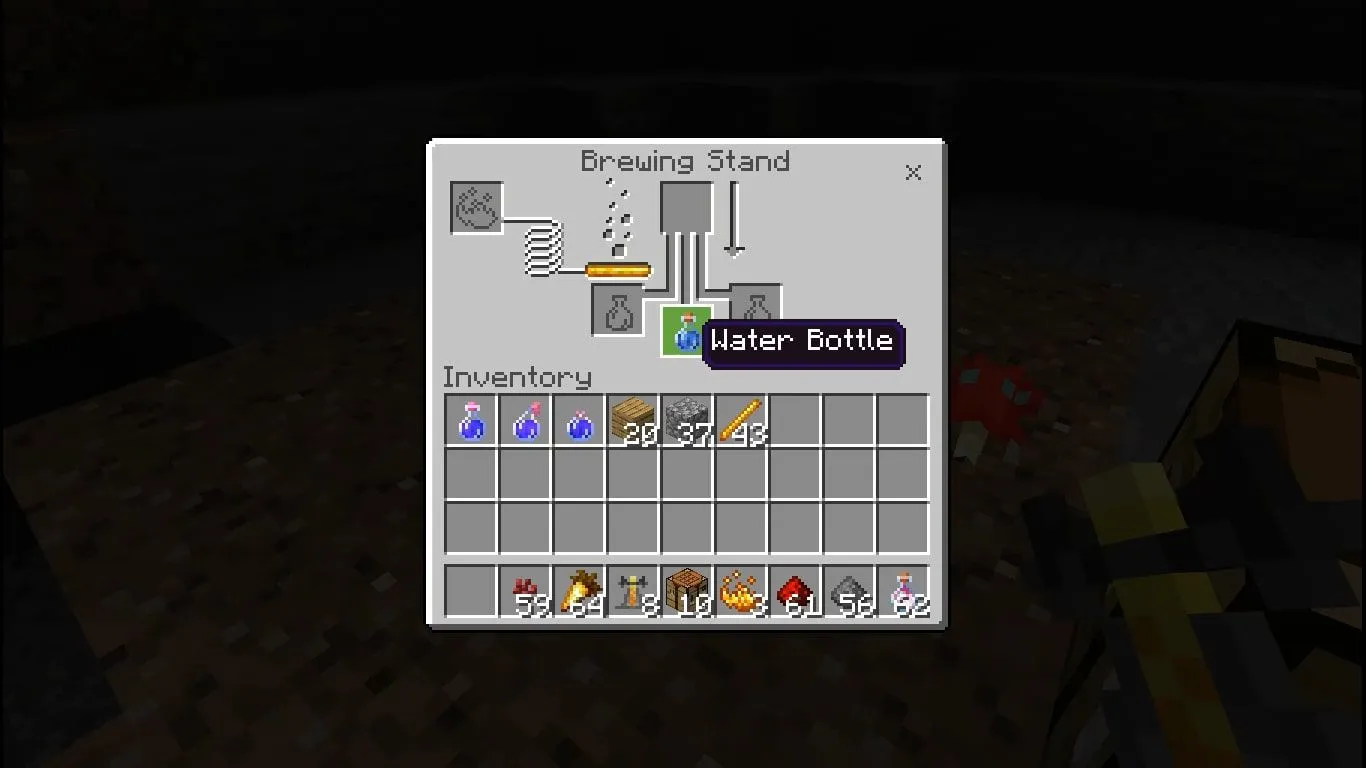
Next, you’ll need to create the base for your Night Vision Potion – the Awkward Potion. Simply place a Water Bottle and a Nether Wart in the Brewing Stand and wait for the magic to happen.

Pro tip: Nether Warts can be grown in the Overworld as long as you have some soul sand. So, why not start a little Nether Wart farm for your future brewing needs?

Step 3: Adding the Golden Touch

Now, it’s time to add the star ingredient – the Golden Carrot. Place it in the Brewing Stand, and in a few seconds, your Awkward Potion will transform into a Potion of Night Vision.

Fun fact: Did you know that Golden Carrots are also one of the best food items in Minecraft? They restore the most saturation of any food item in the game!

Step 4: Enjoy Your Night Vision Potion

Congratulations! You’ve brewed your very first Night Vision Potion. This handy potion will last three minutes and can help you see in caves, underwater, in the Nether, and anywhere else that it’s dark as if it were a bright and sunny day.

Pro tip: If you want to extend the duration of your Night Vision Potion, just add some Redstone to the mix!

Stay updated with the latest news in gaming and esports by signing up for early access to TalkEsport’s Mobile App. Follow us on Twitter and Google News to ensure you never miss the exciting updates.
How to Fix Minecraft Server Connection Timed Out Error?

0

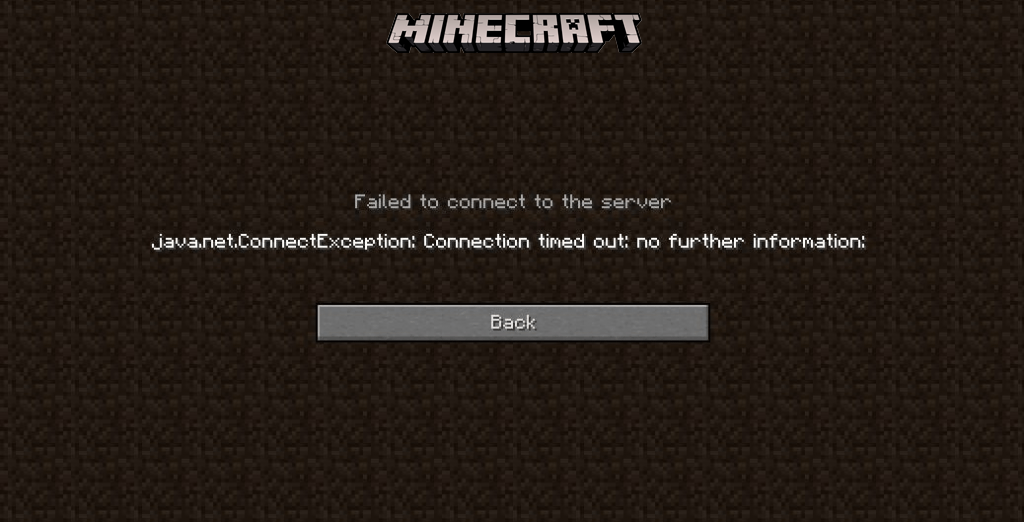
Ah, Minecraft. A world of endless possibilities, where you can build, explore, and… spend hours trying to fix a server connection timed-out error? Well, that’s not quite the adventure you signed up for, is it? But don’t worry, we’ve got your back.

Here’s a simple, professional, and slightly humorous guide to help you get back to your pixelated paradise in no time.

How to Fix Minecraft Server Connection Timed Out Error?

Step 1: Check the Server Status

Before you start panicking and tearing your hair out, let’s start with the basics. It’s possible that the server you’re trying to connect to is having a bad day. So, the first thing you should do is check the server status. You can do this by connecting to a test server like test.prisonfun.com. If you can connect to this server, then your game is fine, and you can breathe a sigh of relief. If not, well, let’s move on to the next step.

Step 2: Reset Network Configurations

Sometimes, your IP address might get blacklisted by some servers. Maybe you broke some rules, or maybe it was an accident. Either way, resetting your network settings to get a fresh IP address might just do the trick. It’s like getting a new identity but for your network. If this doesn’t work, don’t lose hope. We’re just getting started.

Step 3: Allow Minecraft Through Your Firewall

Your computer’s firewall might be the overprotective parent that’s not letting Minecraft go out and play. If this is the case, you’ll need to allow Minecraft through your firewall. It’s like convincing your parents to let you go to that concert they’re so skeptical about. Once you’ve done this, try connecting to the test server again. If you’re still having trouble, it’s time to move on to the next step.

Step 4: Forward the Port in Your Firewall

When playing Minecraft, your computer needs to keep port 25565 open. If other applications are hogging this port, Minecraft might not be able to connect to the server. It’s like trying to get through a crowded hallway. By forwarding the port on your firewall, you can clear the way for Minecraft. If this doesn’t work, don’t worry. We still have a few tricks up our sleeve.

Step 5: Use a VPN

Sometimes, your internet service provider might be the party pooper that’s blocking some IP addresses and websites. If this is the case, you can use a VPN to get around these restrictions. It’s like sneaking out of the house when your parents have grounded you. Once you’ve set up a VPN, try connecting to the test server again. If you’re still having trouble, there’s one more thing you can try.

Step 6: Change Minecraft Version or Reinstall

This might seem like a drastic measure, but sometimes, an update might cause some issues. If this is the case, you can try going back to an earlier version of the game or reinstalling it. It’s like going back in time to fix a mistake or starting over with a clean slate.

Stay updated with the latest news in gaming and esports by signing up for early access to TalkEsport’s Mobile App. Follow us on Twitter and Google News to ensure you never miss the exciting updates.
How Long Does It Take To Defuse Spike in Valorant?

If you’re a Valorant player, you should be no stranger to rounds won or lost by mere milliseconds—whether your team successfully defuses the Spike or fails just before time runs out.

Valorant is an objective-based game, where killing off your enemy team means nothing if you don’t have enough time to defuse the Spike. For the same reason, it’s crucial for every player to know how long it takes to defuse the Spike in Valorant.

Learning the Spike defuse time in Valorant can not only help you better calculate your retakes but also clutch 1vX rounds as an Attacker by stalling just long enough for the Spike to detonate.

So, exactly how long does it take to defuse the Spike in Valorant? Let’s find out.

Valorant Spike Defuse Timer: How Long Does It Really Take?

As mentioned earlier, understanding the Spike defuse timer in Valoraont can often be the difference between a win and a loss. Whether you plan on pulling off a last-second defuse or delaying the Defenders as an Attacker, knowing the timings is crucial.

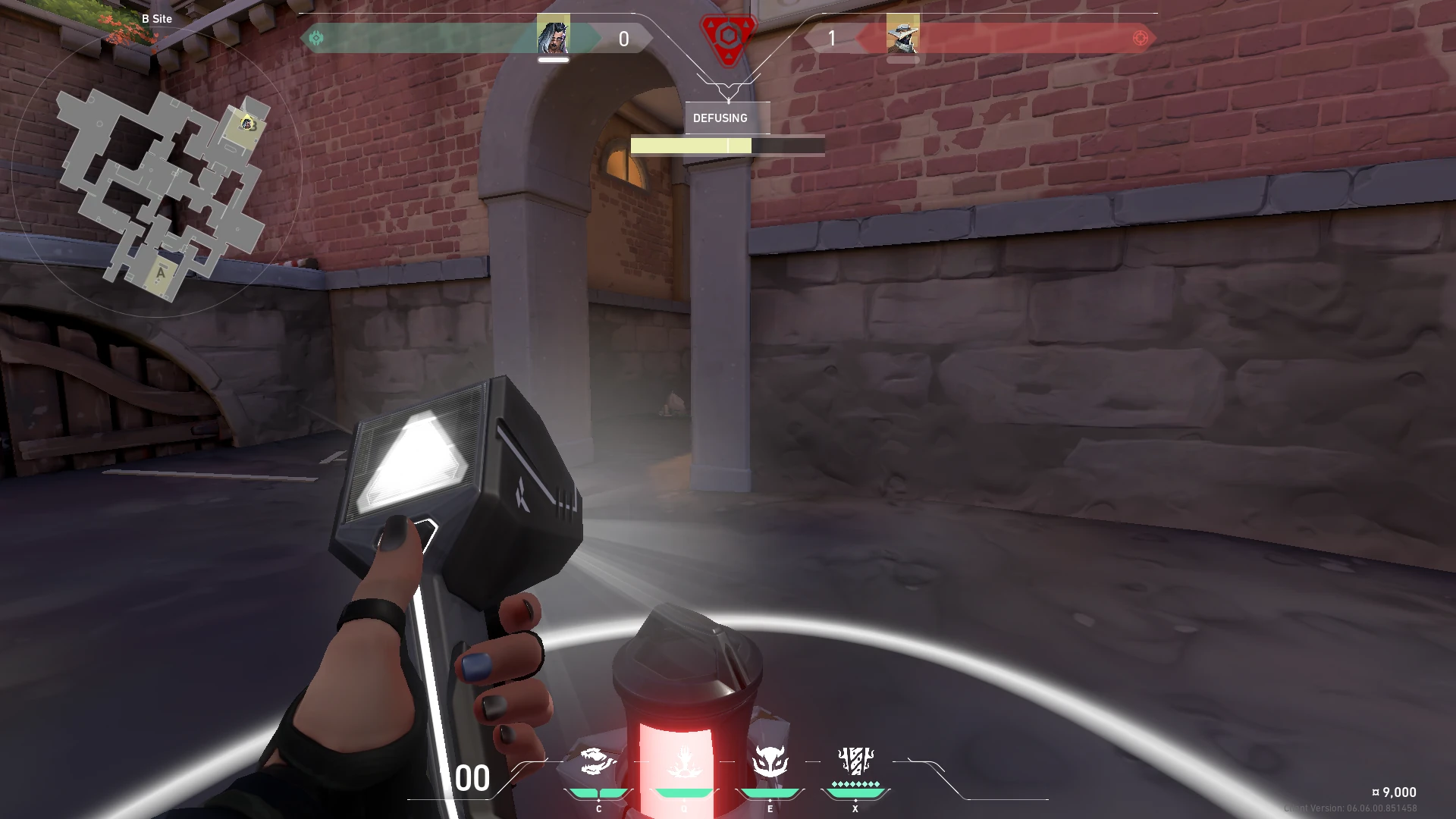
After a Spike has been planted by the Attackers, the time it takes to defuse it from scratch is 7 seconds. However, the process isn’t always that straightforward, thanks to a key mechanic known as half defusing.

Half Defusing in Valorant Explained

When defusing, Defenders can hold it for 3.5 seconds to reach the halfway mark. If they stop at this point, they can resume later from the halfway mark instead of starting over.

If the Spike has been halved, players only need to hold the defuse for another 3.5 seconds to complete it.

Note that Attackers can hear distinct audio cues when a player starts defusing, allowing them to react accordingly. Additionally, there are different sound cues for the initial defuse and defusing after a Spike has already been halved.

Now that you have a deeper understanding of Spike defuse timers in Valorant, you can use this knowledge to improve your retakes, clutch more rounds, and make smarter plays overall whether you’re on the Attacking or Defending side. By outplaying your enemies in post-plants, you should be able to win a lot more rounds, and consequently find yourself climbing the ranked ladder in no time.

ESL’s Latest Ruling: No More Crocs Allowed in Counter-Strike Tournaments

ESL, one of the biggest tournament organizers in the world of esports, has recently revealed its updated rulebook for the upcoming ESL Pro Tour. The announcement was made ahead of the IEM Cologne 2023 CSGO tournament that’s set to take place in Germany, and the updated rulebook includes a bunch of new changes to the EPT.

The mid-year update to the EPT CS rulebooks introduces a comprehensive set of over 50 new and amended rules that will take immediate effect. These regulations are set to influence various aspects of their operations and events, ensuring a more competitive and fair environment for all participants.

However, one particular rule that stood out was the banning of Crocs from all future ESL events. The ESL Pro Tour General Rules Book’s events section (Rule 4.3) states that Crocs are considered open shoes and therefore not allowed, which has sparked a wave of humor and amusement among fans and players of the title on various social media platforms.

Players who violate this rule and wear Crocs to ESL events will have to pay a fine of $250 for doing so.

ESL will offer “suitable clothing” to players who fail to comply with the rules, and the expense of these permissible items will be deducted from their prize money.

Stay updated with the latest news in gaming and esports by signing up for early access to TalkEsport’s Mobile App. Follow us on Twitter and Google News to ensure you never miss the exciting updates.