Tuesday, May 19, 2026
Home Blog Page 697

ESL One Malaysia Announces $1 Million Prize Pool for DOTA 2 Event

After a hiatus of four years, Kuala Lumpur is set to host another major Dota LAN event, marking a significant moment for the eSports community in Malaysia. ESL One KL promises to be a grand spectacle, with 12 top-tier teams vying for a whopping US$1 million prize pool. Let’s delve deeper into what this event holds for Dota 2 enthusiasts.

A Nostalgic Return to Kuala Lumpur

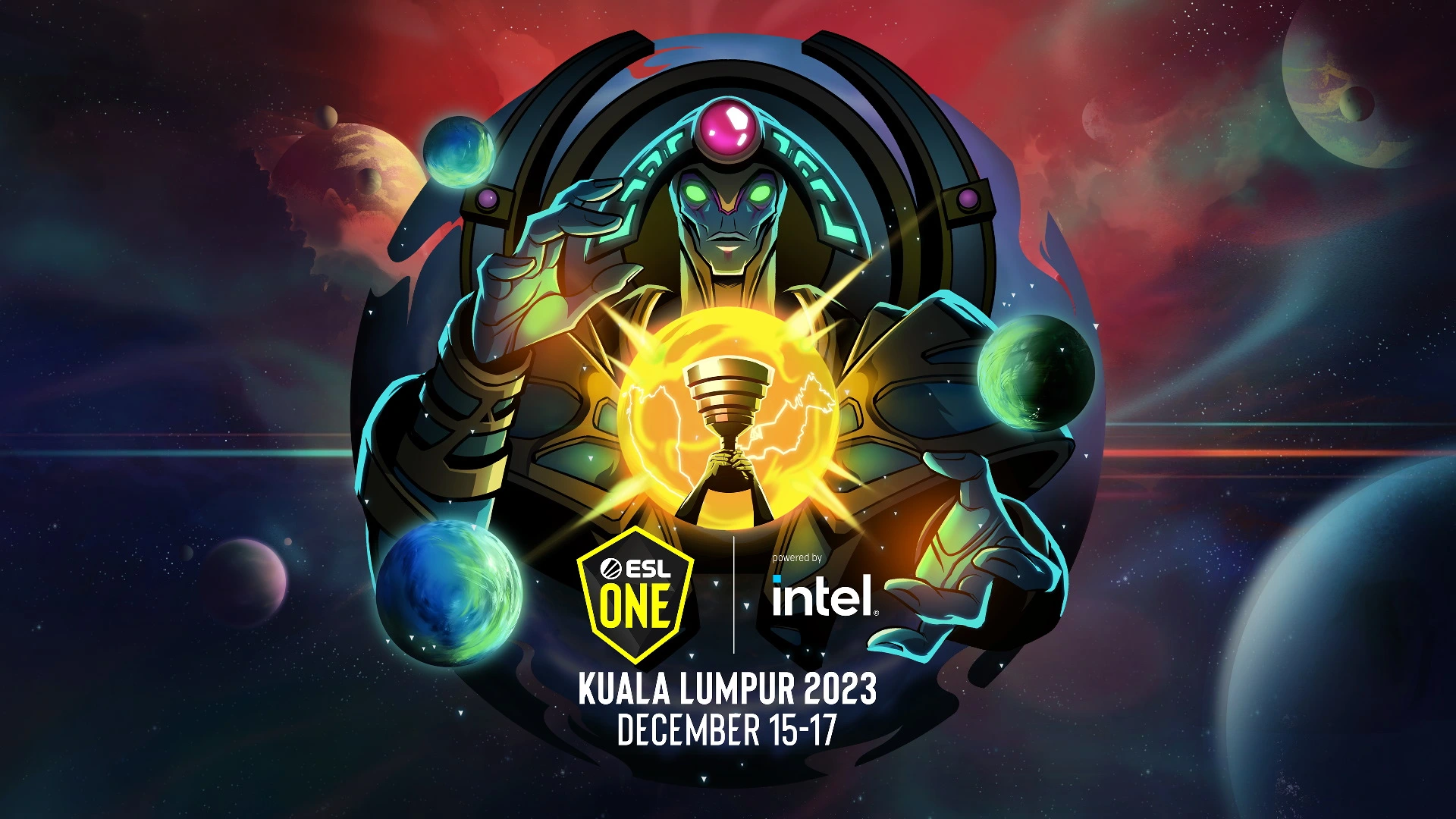
ESL One KL is not just another Dota 2 tournament; it signifies the return of offline eSports events to Malaysia’s capital after the memorable KL Major in 2018. Out of the 12 participating teams, only eight will have the privilege to compete in front of a live audience at the MITEC, scheduled from December 15 to 17.

With the Dota Pro Circuit officially dissolved, third-party tournaments like ESL One KL have gained paramount importance. This event is not just about the lucrative prize pool but also plays a crucial role in determining the teams for The International.

Staying true to the essence of ESL One events, this edition is themed after the Dota 2 hero, Oracle. This theme resonates with the idea of foreseeing the future, potentially hinting at the teams that might shine in the upcoming The International (TI13). The event also promises to take fans down memory lane, offering cartoonish renditions of iconic moments from past Dota 2 tournaments.

Ticketing Details and More

For those eager to witness the action live, ticket prices range from approximately US$32 (149RM) to a premium tier priced at US$106 (499RM). Fans can access ticketing information on ESL’s official website, with sales set to commence at 3 p.m. GMT +8 on September 21.

Stay updated with the latest news in gaming and esports by signing up for early access to TalkEsport’s Mobile App. Follow us on Twitter and Google News to ensure you never miss the exciting updates.

Best Shotgun in COD Mobile: A Detailed Guide

0

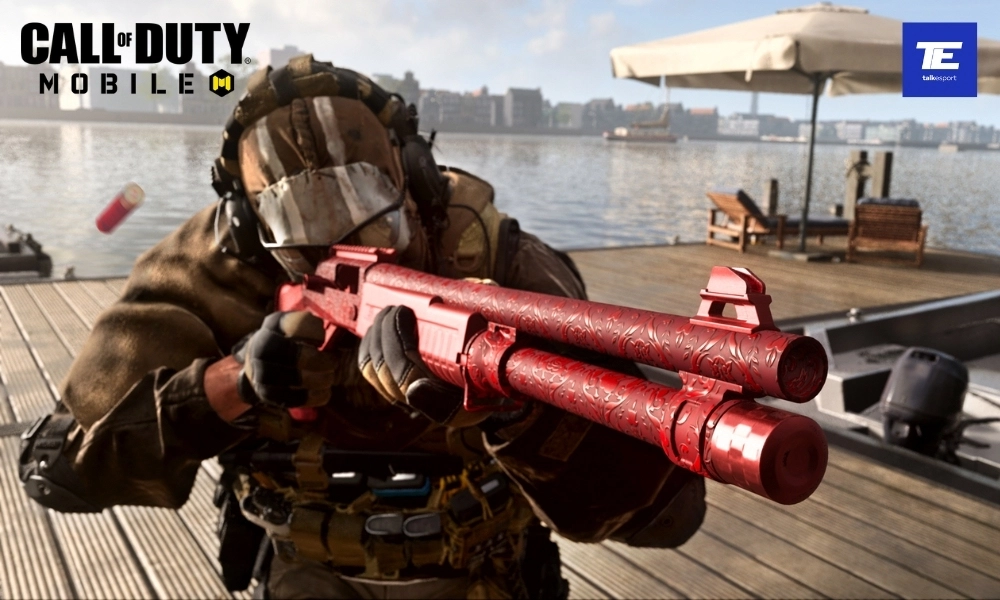
Shotguns are a powerhouse weapon class in Call of Duty Mobile, offering an unparalleled punch in close-quarters combat scenarios. The boom of a well-placed shot, the satisfaction of a point-blank takedown – it’s all part of the shotgun experience. However, with an array of shotguns at your disposal, each boasting its own unique attributes and playstyle, the choice of the best shotgun for your COD Mobile journey can be a daunting one. In this guide, we’ll navigate the shotgun arsenal, helping you find the ideal shotgun for you.

Factors to Consider to Determine the Best Shotgun in COD Mobile

Before we dive into the list of the best shotguns, it’s essential to understand what makes a shotgun great in COD Mobile:

  • Damage: The primary factor to consider is damage output. Shotguns excel in this department, and you’ll want one that can take down opponents with as few shots as possible.
  • Range: While shotguns are designed for close-quarters combat, some models have better range than others. A balance between damage and range is crucial.
  • Attachments: The ability to customize your shotgun with various attachments can significantly impact its performance. Look for shotguns that allow you to fine-tune your weapon to your playstyle.
  • Fire Rate: Some shotguns are semi-automatic, while others are pump-action. Your preference for fire rate should guide your choice.
  • Mobility: Shotguns generally provide good mobility, but some might be more agile than others. Consider your movement needs when selecting a shotgun.

Which is the Best Shotgun in COD Mobile

Here is a list of the best shotguns in COD Mobile, based on the factors listed above:

  1. HS2126: The HS2126 is a semi-automatic shotgun that offers a good balance of range, damage, and rate of fire. It’s also relatively mobile, making it a good choice for players who like to move around a lot.
  2. BY15: The BY15 is a pump-action shotgun that deals the highest damage in the game. However, it has a slow rate of fire and reload speed. It’s also not very mobile, making it a good choice for players who like to camp or hold down positions.
  3. Echo: The Echo is a tactical shotgun that fires a burst of three rounds. It has a good balance of range, damage, and rate of fire, and it’s also relatively mobile. It’s a good choice for players who want a shotgun that can be used at a variety of ranges.
  4. KSG 12: The KSG 12 is a semi-automatic shotgun that fires a high volume of fire. It’s not as accurate as some of the other shotguns, but it makes up for it with its high damage output. It’s a good choice for players who like to rush enemies.
  5. Striker: The Striker is a fully-automatic shotgun that can be upgraded to fire explosive rounds. It’s not as accurate as some of the other shotguns, but it deals a lot of damage in a short amount of time. It’s a good choice for players who want to clear out rooms or take down multiple enemies at once.

Which Shotgun is the Best For You?

The best shotgun for you will depend on your playstyle. If you like to move around a lot and engage in close-quarters combat, then the HS2126 or Echo is a good choice. If you prefer to camp or hold down positions, then the BY15 is a good choice. And if you want a shotgun that can be used at a variety of ranges, then the KSG 12 or Striker is a good choice.


Stay updated with the latest news in gaming and esports by signing up for early access to TalkEsport’s Mobile App. Follow us on Twitter and Google News to ensure you never miss the exciting updates.

BGIS 2023 Losers Bracket: All Qualified Teams

0

Battlegrounds Mobile India Series 2023 (BGIS 2023) has been a rollercoaster of intense competition and remarkable gameplay. After the conclusion of Round 3, 64 teams have qualified for Round 4 and 16 teams will advance to Losers Bracket. In the Losers Bracket stage, teams will have one last chance at redemption before the Grand Finals. In this article, we’ll provide you with a pointwise list of the teams that have qualified for the Losers Bracket from Round 3.

List of Teams Qualified for the BGIS 2023 Losers Bracket

Unfortunately, the official list of 16 teams qualified for the Losers Bracket from Round 3 is not out yet. However, Instagram users eSports Data Stats have taken the initiative to compile a list through direct communication with participating teams. This list offers insights into which teams are most likely to secure a place in the Losers Bracket. Following is the list:

  • TWOB
  • Dsync
  • Claw
  • NFE
  • Gwl
  • VST
  • GT
  • DoD
  • CS
  • INS
  • HG
  • Enigma
  • Oneshot
  • GenxFM
  • Empire
  • Executors

It is important to note that while eSports Data Stats’ efforts are commendable, this list should be approached with caution. The information is obtained from individual research and is not an official confirmation from the tournament organizer Krafton India. This list may undergo updates and revisions as more teams reveal their points to the creator. Fans and teams alike should stay tuned to official announcements and tournament updates for the most accurate and up-to-date information on team standings.

What is the Losers Bracket in BGIS 2023?

The Losers Bracket format in the Battlegrounds Mobile India Series 2023 (BGIS 2023) is a crucial stage where teams get a second chance at redemption after facing initial setbacks in the tournament. In this double-elimination format, a total of 64 teams, comprising 16 teams from Round 3 and an additional 48 teams from Round 4, compete for a shot at the Semi Finals. These 64 teams are evenly distributed into four groups, each containing 16 squads, setting the stage for fierce competition. Only one team will advance to the semifinal from each group.


Stay updated with the latest news in gaming and esports by signing up for early access to TalkEsport’s Mobile App. Follow us on Twitter and Google News to ensure you never miss the exciting updates.

Counter Strike 2 Release Date: When is CS2 Releasing?

0

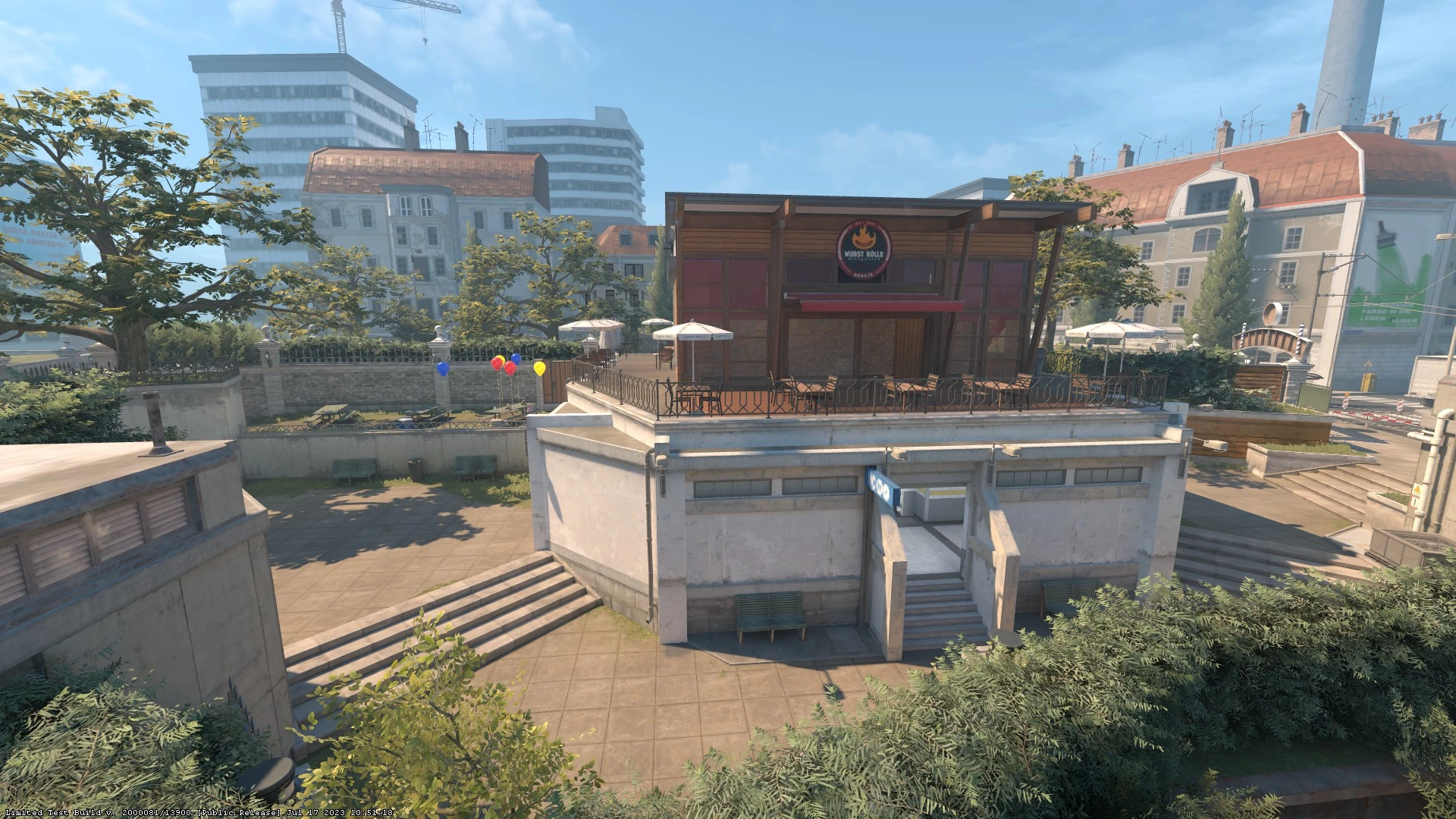
As the highly anticipated release of Counter Strike 2 draws near, the FPS gaming community finds itself growing increasingly impatient. The promised release window of “summer 2023” for CS2 is swiftly coming to a close, and fans are left wondering whether the release of the competitive shooter has been delayed by the developers.

Fortunately, as of the current moment, Valve has not confirmed any delays for the release of Counter Strike 2. Furthermore, we have also gained a decent idea of when the official release of CS2 will take place based on multiple leaks on Twitter across the past few days.

Counter Strike 2 Release Date Leaked

Twitter user ‘ThourCS’ has dived into the source code of CS2 to find information about the upcoming ranked seasons of the title. According to a recent Tweet made by him, the first official season for the game, the Fall 2023 Season, is all set to kick off on 23rd September 2023. The season will continue for three months before coming to a conclusion on December 22, 2023.

If these findings are true, then fans can safely assume the release date of CS2 to be on or before September 23, 2023. However, it’s still unclear whether Valve will choose to delay the title’s release to patch out bugs and other performance issues that the game has been suffering from.

The limited test phase of CS2 is currently ongoing, and select players who’re an active part of the CSGO community are being invited to test out the title ahead of its final release. If you’re looking to tune into the limited test of CS2, feel free to check out our guide.

Stay updated with the latest news in gaming and esports by signing up for early access to TalkEsport’s Mobile App. Follow us on Twitter and Google News to ensure you never miss the exciting updates.

cNed reportedly trying out for FUT Esports

0

One of the biggest names in Valorant Mehmet ‘cNed’ Ipek is reportedly looking to leave NAVI as soon as next year and is headed to the Turkish organisation FUT Esports.

A local media outlet has reported that cNed, one of the biggest names in Valorant is looking to part ways with NAVI as he tries out for FUT Esports. cNed rose to prominence from his time in Ascend where upon impressing on the global stage, he joined NAVI. His best form came in with a Turkish roster but those seem to be behind him. Joining a team without a language barrier might be his motivation behind this.

NAVI who do not see cNed as a part of their squad heading into 2024 as reported by several media outlets, looks like they are ready to part ways with him. Primarily due to performance issues, cNed failed to replicate his form from his earlier teams as NAVI struggled on the big stages often coming across embarrassing defeats. This called for a roster overhaul and cNed’s name appeared on the chopping board.

FUT Esports will likely provide cNed with a familiar environment as opposed to an international side in NAVI which might see him get back to the apex of the Valorant pro scene and reclaim his title as the best player in the world.

Stay updated with the latest news in gaming and esports by signing up for early access to TalkEsport’s Mobile App. Follow us on Twitter and Google News to ensure you never miss the exciting updates.
How to Use Photo Mode in Armored Core 6?

0

Armored Core 6, developed by FromSoftware, has introduced a unique feature that allows players to capture and showcase their in-game experiences: the Photo Mode. This feature not only lets players flaunt their customized mechs but also immortalize intense in-game moments. Let’s delve into how you can make the most of this feature.

Unlike many other titles from FromSoftware, Armored Core 6 offers a dedicated Photo Mode. This addition enables players to take in-action screenshots, highlighting their gameplay achievements or simply showcasing the game’s stunning visuals. The option to hide the user interface ensures that players can capture unobstructed, cinematic shots.

How to Use Photo Mode in Armored Core 6?

To access Photo Mode:

  • Navigate to the Main Menu or Garage.
  • Look for the button labeled “Photo Mode” and select it.
  • If you’re using a PC with a controller, press the Share button on your Xbox or PlayStation controller.
  • Customize your shot by adjusting the available options.
  • Hide the user interface by selecting the “Hide UI” button.
  • Capture your screenshot. On Steam, this is typically done using the F12 key.

For those looking to capture moments during missions, the process is slightly different:

  • Pause your game.
  • Adjust your desired settings.
  • Hide the user interface.
  • Press F12 to take your screenshot.

Console players will find the controls similar, with the screenshot button being the designated one on their controller.

Whether you’re in the Garage, eager to display your meticulously designed mech, or in the midst of a mission, capturing a breathtaking landscape or intense battle, Photo Mode is your tool. It’s a testament to the game’s commitment to providing players with a comprehensive gaming experience.

Stay updated with the latest news in gaming and esports by signing up for early access to TalkEsport’s Mobile App. Follow us on Twitter and Google News to ensure you never miss the exciting updates.

DOTA 2 DreamLeague Season 21: All you need to know

DreamLeague Season 21, organized by ESL, is the latest event that has the community buzzing. With a whopping $1 million USD prize pool and the best teams from around the globe competing, it’s an event that no Dota 2 enthusiast would want to miss.

DreamLeague, a long-standing Dota 2 series, is renowned for its intense competition and high stakes. This season, 12 elite teams will compete in a week-long online tournament, vying for the lion’s share of the grand prize. As we inch closer to The International, DreamLeague offers a final glimpse of the teams set to compete in Seattle.

DOTA 2 DreamLeague Season 21 Format

DreamLeague Season 21 is structured in two main stages:

  • Group Stage (Sept. 18 to 20): The 12 participating teams are divided into two groups of six. They compete in a round-robin best-of-two format. The top two teams from each group advance to the upper bracket of the playoffs, while the middle two proceed to the lower bracket. The bottom two teams from each group will face elimination.
  • Playoffs (Sept. 21 to 24): This stage features a double-elimination bracket. All matches are best-of-three, except for the grand final, which is a best-of-five. Teams in the lower bracket face the threat of elimination with every loss.

Teams to Watch

The teams participating in DreamLeague Season 21 have been selected based on ESL’s Pro Tour rankings. From Western Europe, we have powerhouses like Team Liquid, Tundra Esports, and OG. Eastern Europe is represented by teams like Team Spirit and 9Pandas. Other notable participants include North America’s Shopify Rebellion and South America’s Evil Geniuses.

Prize Distribution

The total prize pool for DreamLeague Season 21 stands at an impressive $1 million USD. The winning team will walk away with $300,000, while the second and third-placed teams will receive $175,000 and $120,000, respectively. Even teams that finish in the 11th place will earn a respectable $25,000.

For fans eager to follow the action, DreamLeague Season 21 matches will be broadcast live on platforms like Twitch and YouTube. Multiple languages, including English, Russian, and Chinese, will be available to cater to the global audience.

Stay updated with the latest news in gaming and esports by signing up for early access to TalkEsport’s Mobile App. Follow us on Twitter and Google News to ensure you never miss the exciting updates.

How to Deploy a Scanner in the Vault in Fortnite?

0

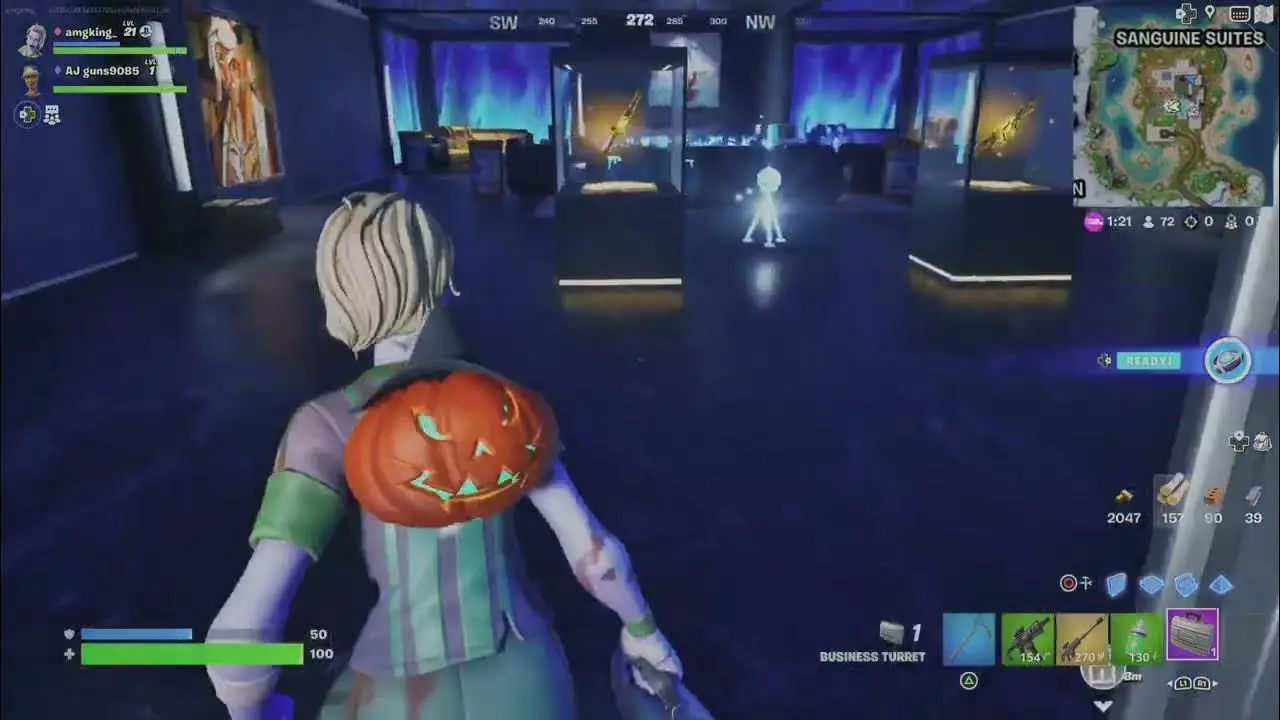
Fortnite’s dynamic gameplay continues to evolve, introducing players to new challenges and features. One of the latest additions to the game is the vaults, which come with their own set of tasks, including the “Deploy a Scanner in the Vault” quest. This guide will walk you through the intricacies of this quest, ensuring you maximize your experience points and enjoy the thrill of the game.

The new season of Fortnite has brought with it the introduction of guarded vaults, complete with lasers and other security measures. Breaking into these vaults is not just an exhilarating experience but also a rewarding one. Completing the “Deploy a Scanner in the Vault” quest grants players a generous 25K experience points, propelling them further in their Fortnite journey.

How to Deploy a Scanner in the Vault in Fortnite?

For those unfamiliar with the Scanner in Fortnite, it’s an item exclusively found within the vaults. Its primary purpose is to scan the vault room, and it doesn’t serve any other function beyond being a quest item. Once players locate the Scanner and interact with it, they successfully complete the quest, earning the aforementioned experience points. Such quests also boost the Battle Pass level, unlocking unique skins for players.

Fortnite features three vaults where players can undertake this mission: Relentless Retreat, Eclipsed Estate, and Sanguine Suites. To gain access to these underground vaults, players can either confront and eliminate the guards or attempt a stealthy approach. However, it’s essential to acquire a Vault Keycard, which means defeating the Hearts Dealer boss.

For a smoother experience, players are advised to carry a Rocket Ram. This equipment allows them to navigate through laser traps without getting ensnared. Once past the lasers, players can use their Vault Keycard to access the vault. Inside, they’ll find a glowing white tripod – the Scanner. Interacting with this item completes the “Deploy a Scanner in the Vault” mission.

Stay updated with the latest news in gaming and esports by signing up for early access to TalkEsport’s Mobile App. Follow us on Twitter and Google News to ensure you never miss the exciting updates.

How to Turn On Visual Audio Effect in Fortnite?

0

One of Fortnite’s standout features is the visual sound effects, designed to enhance gameplay, especially for those who might be hearing impaired or prefer playing without audio. Let’s delve into the intricacies of this feature and how to activate it for an optimized gaming session.

For most players, sound plays a pivotal role in understanding the game’s dynamics, from detecting approaching enemies to identifying valuable resources. However, not everyone can or wants to rely solely on audio cues. This is where Fortnite’s visual sound effects come into play. By providing visual indicators for various in-game sounds, players can gain a competitive edge, ensuring they’re always aware of their surroundings.

How to Turn On Visual Audio Effect in Fortnite?

Turning on this feature is straightforward:

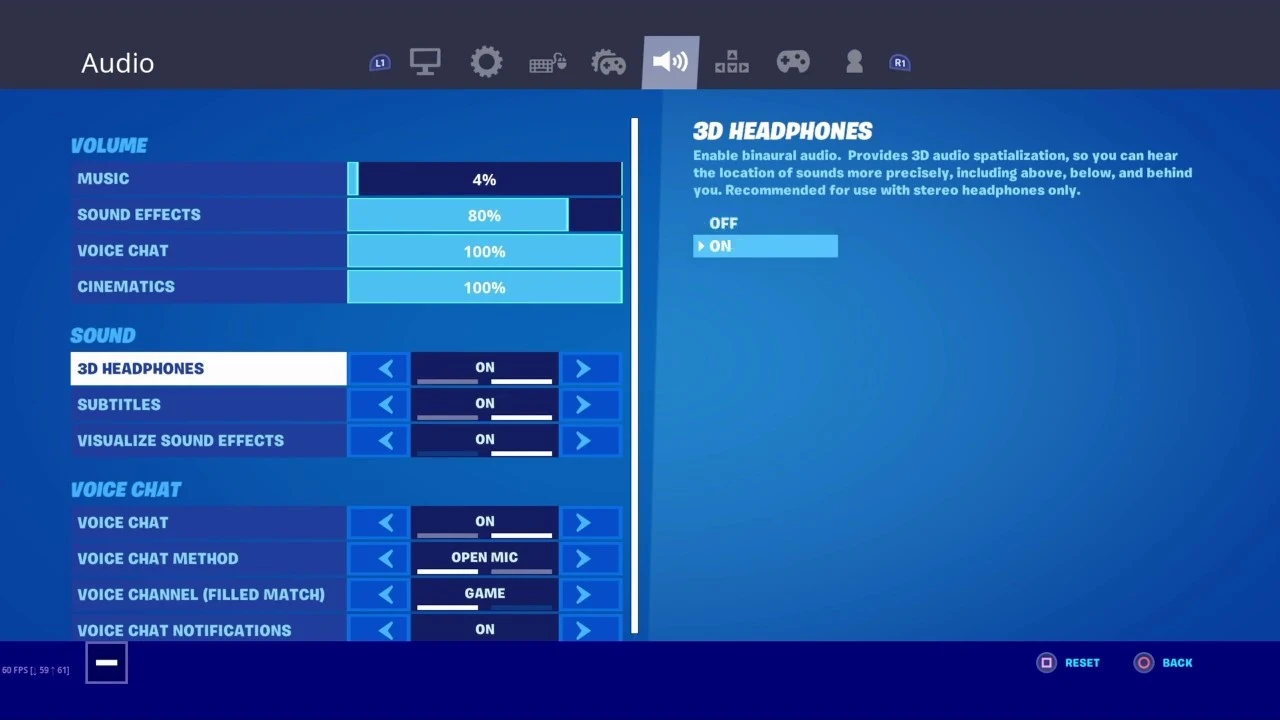
  • Start by accessing the settings menu, which can be found by clicking on the three-line icon located at the top left of the home screen.
  • Once in settings, navigate to the sound icon, the seventh button in the top row.
  • Scroll down to the ‘Sound’ section and toggle the “Visualize Sound Effects” option to ‘on’.
  • After making this change, ensure you save and apply the settings.

Upon activation, players will notice different colored circles appearing on their screen, each corresponding to a specific sound:

  • Orange/Red Rings: Signify gunshots or explosions.
  • White Rings: These represent footsteps, vehicles, and animal sounds.
  • Gold Rings: Indicate the presence of chests.

The introduction of visual sound effects in Fortnite is more than just an accessibility feature; it’s a game-changer. This feature is invaluable if you’re hard of hearing, playing in a noisy environment, or want an additional layer of in-game awareness. By interpreting these visual cues, players can strategize better, anticipate threats, and navigate the Fortnite world with increased confidence.

Stay updated with the latest news in gaming and esports by signing up for early access to TalkEsport’s Mobile App. Follow us on Twitter and Google News to ensure you never miss the exciting updates.
Twitch Streamers Targeted by Streamlabs Exploit That Fakes $100 Million Donations

0

In recent days, the Twitch streaming community has been taken aback by an unexpected phenomenon: streamers receiving donations that reach the staggering amount of $100 million. While these donations are undoubtedly fake, the underlying cause and potential implications have raised eyebrows and concerns among streamers and viewers alike.

Over the weekend of September 16-18, several Twitch streamers, including prominent figures like Forsen and Jankos, reported receiving these astronomical donations. Forsen, a popular Minecraft streamer, was left baffled upon receiving a $100 million donation during his livestream. Similarly, League of Legends streamer Jankos was taken aback by a nearly $19 million donation, followed by another $8 million. The donations came with descriptions hinting at potential hacking or exploitation, such as “hackerone > twitch.”

The community’s speculation points towards a potential exploit within Streamlabs, a popular tool used by streamers for donation management. The primary concern is that while these exorbitant amounts are easily recognized as fake, what stops malicious users from sending more believable amounts, potentially misleading streamers?

While the fake donations have been largely dismissed by streamers due to their implausible amounts, the potential for abuse remains a significant concern. If the suspected Streamlabs exploit allows users to send any donation amount, it’s conceivable that streamers could be flooded with smaller, more believable fake donations. This could lead to confusion, misplaced gratitude, and potential financial miscalculations.

As of now, while the donation prompts appear on video during livestreams, no actual transactions are being processed. This means that these fake donations are purely for show, likely intended to troll or confuse streamers.

Neither Streamlabs nor Twitch has officially commented on the issue. However, this isn’t the first time Twitch extensions have faced security concerns. Earlier in September, streamers encountered chat hijacking and account compromises linked to certain extensions.

Stay updated with the latest news in gaming and esports by signing up for early access to TalkEsport’s Mobile App. Follow us on Twitter and Google News to ensure you never miss the exciting updates.