Home Blog Page 1805

Phasmophobia Beta Patch Notes: Voice Sensitivity Slider, Changes to Spirit Box, Server Issues, and More

0

Phasmophobia is the newest talk of the town. The 4-player co-op psychological horror game has gained a surge in popularity over the past few days and steadily risen through the Steam charts.

However, the game has been riddled with server problems and bugs since its release, and it looks like the devs are already working to fix them.

The newest Phasmophobia update has already hit the beta branch of the game and it reveals a bunch of new changes to the game.

Let’s take a look at the patch notes in the latest update:

Phasmophobia October 25 Beta Update Patch Notes

New

  • Added a voice sensitivity slider in the audio options.
  • The text on the Spirit Box will say what the response said.
  • Added a copy button for the server invite code that can be used when the code is hidden.
  • Added text to show the server version on the server password screen.
  • Added a button to enter passwords from your clipboard.

Changes

  • Upgraded the server code to PUN2. This should fix most timeout disconnects and all voice chat issues.
  • If your voice recognition is working you can no longer get a response on the Spirit Box just by talking, it will now only answer if you asked a question.
  • Updated localisation.
  • Lowered the pitch of the EMF Reader sound.
  • Lowered the brightness of the lights on the main menu.
  • The Australia server has been removed from the region selection.
  • Ghost writing will now count for photo evidence.
  • The lobby room list will no longer show empty or full rooms.
  • Lowered the amount of sanity that you lose during a ghost event.
  • The Ghost Orb and Bone will now spawn more towards the middle of the room.
  • If your voice recognition stops working the Spirit Box will default to giving a random response by talking.
  • The room temperature will no longer raise over time if the ghost leaves the room.
  • Most of the save data has been moved off of the save file to help with optimisation and help prevent save files getting corrupted when you crash.
  • The server invite code will now always be hidden by default.

Fixes

  • Fixed a bug where the microphone would reset in the audio options each game.
  • Several optimisations to help with timeout disconnects.
  • Potential fix for anyone on a University internet not being able to connect to the server.
  • Fixed a bug where dead players couldn’t use voice chat.
  • Fixed a bug where the Non-VR pause menu would become unusable.
  • Fixed a bug where dead players were able to use the walkie talkie.
  • Fixed a bug where you could take a Photo outside of Edgefield and it would count as Dead Body evidence.
  • Fixed some spots where you could glitch through walls on Tanglewood.
  • Fixed some spots on the Farmhouse maps where the Ghost could get stuck.
  • Fixed an issue where you could change the text style of your name.
  • Fixed a bug where VR Toggle mute was set to hold and not toggle.
  • Fixed a Non-VR bug where the pause menu screens would overlap.
  • Fixed a bug where rebinding drop to left mouse button would make the main menu unusable.
  • Potential fix for save files being corrupted if you crash.
  • Fixed a bug where the Ghost wouldn’t always lower the room temperature.
  • Fixed a bug where changing the voice language wouldn’t change the voice recognition language.
  • Fixed an issue where your would get disconnected by client timeout when loading levels.
  • Fixed a bug where your sanity would raise during a Ghost Event.
  • Fixed a bug where the ghost death hands could be seen on cameras.
  • Fixed a bug where you could take photos through walls/ doors.
  • Fixed an issue where players with 1GB vram graphics cards would crash in multiplayer when loading into a level.
  • Fixed a bug where the photo evidence names would be in different languages depending on who took the photo.
  • Fixed a bug where your sanity would raise by 25 during one of the ghost events.
  • Fixed a bug where the windows and door handles in some doors were still visible when you were dead.
  • Fixed a bug where the Ghost Orb would sometimes get disabled.
  • Fixed a bug where the Smudge Sticks smoke would last forever if you swapped it into your inventory.
  • Fixed a bug where you could get the temperature through the wall when you were outside.
  • Fixed an issue where objects could fall behind the truck shelves and be made unreachable.
  • Fixed a bug where several player sound effects were not being affected by the master volume.
  • Fixed a bug where the push to talk button had to be held down for 1 second after your question for it to register as a phrase.
  • Fixed a bug where the default items daily challenge wouldn’t complete.
  • Fixed a bug where the thermometer would set off motion sensors.
  • Ridgeview: Fixed a bug where the ghost orb would spawn outside of the basement.
  • Fixed a bug where VR players would spawn outside the Truck if they were outside of their play space
Genshin Impact Marvelous Merchandise Liben location

Genshin Impact is currently one of the most popular open-world RPGs in the world of video games. The game has attained a huge player base in only a few weeks since its release and it continues to grow with each passing day. With the rising popularity of the game, the devs have to constantly come up with new ways to keep the players engaged, and what better way to do it than organize in-game events with various rewards?

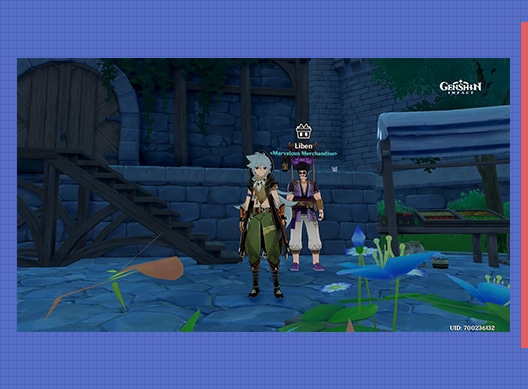
The Marvelous Merchandise event is an upcoming event for miHoYo’s title which is set to continue from October 26th to November 2nd. This event will require players to find a merchant named Liben. Let’s take a look at where you can find Liben in Genshin Impact.

Liben Location

The precise location of Liben in the game is still unknown. However, Liben is expected to appear at various locations throughout Teyvay during the event. He’ll require some quest materials which can be exchanged for a chance to open Boxes of Marvel. A total of seven boxes will be available for exchange, with each box being obtainable only once.

In case you miss your daily chance to open your box, don’t worry. Players will be able to use all their chances before the conclusion of the event. The chances disappear once the event is over.

Marvelous Merchant Event Schedule

The event will run from October 26, 2020, 4:00:00 AM through November 12, 2020, at 3:59:59 AM UTC. The time will vary for different servers.

Valorant First Strike Brackets Explained

0

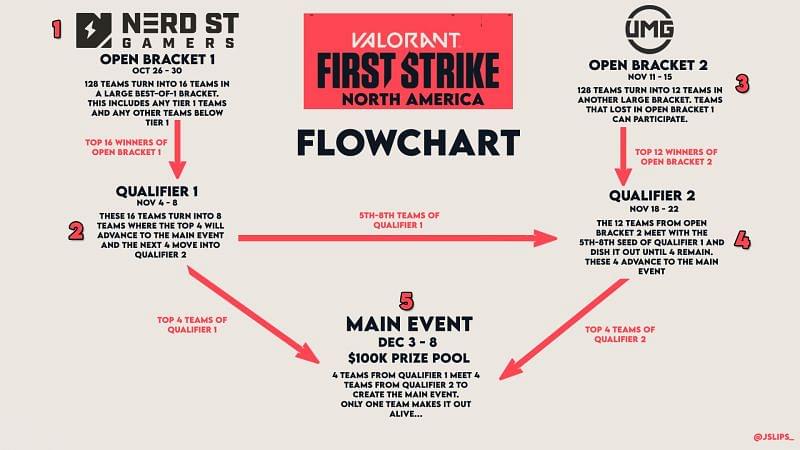
If you’re an avid Valorant fan, then you’ve probably heard of First Strike, the first Valorant major. The First Strike major was announced several weeks ago as the first tournament to be officially organized by Riot themselves. The tournament will feature a prize pool of a whopping $100,000 in the North American region, as revealed by Riot earlier.

Curious about how the event will be organized? Or perhaps planning to join the tournament with your team? Here’s all you need to know about the upcoming First Strike Valorant tournament.

Photo: twitter.com/jslips_

Nerd Street Gamers Open Qualifiers

The NSG open qualifiers are scheduled to start from 26th October. It’ll feature 128 participating teams, out of which only 16 teams qualify to the next stage.

First Qualifier

The 16 qualified teams from the NSG open quals will now battle it out for a place in the top 8. From the top 8, the top 4 teams directly advance to First Strike, while the next 4 teams have to participate in the second qualifiers. The first qualifier will run from November 4-8.

UMG Open Qualifiers

The UMG open quals will feature 128 participating teams similar to the NSG qualifiers and will start from November 11th. The 12 top teams will get a chance to prove themselves in the second qualifiers.

Second Qualifier

This qualifier will include the twelve qualifying teams from the UMG qualifiers, and the four teams from the first qualifier. Once again, the top 4 teams advance to VALORANT First Strike Event

First Strike

The eight qualifying teams will fight it out in the main stage. The First Strike main event will start on December 3rd and conclude on December 6th, with a prize pool of $100,000 up for grabs.


Cloud9 Sign Their First Women’s Esports Team: ‘Cloud9 White’

0

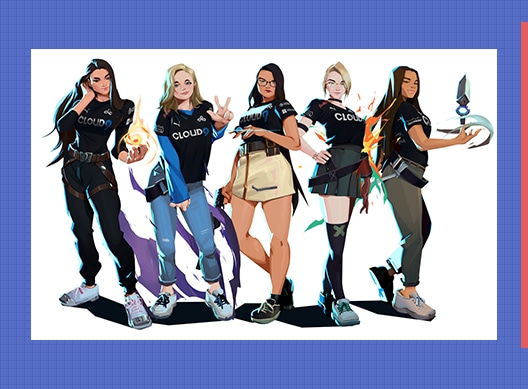
Cloud9 has signed a women’s esports team under the name ‘Cloud9 White’. The team consists of members from the Valorant roster of team ‘MAJKL’, as announced in their website.

The Cloud 9 White roster will include Alexis “alexis” Guarrasi, Annie “Annie” Roberts, Jasmine “Jazzyk1ns” Manankil, Katsumi, and Melanie “meL” Capone.

With these new signings, the existing Cloud9 roster will compete in Valorant tournaments as ‘Cloud9 Blue’.

The former MAJKL roster has proven themselves to be some of the finest Valorant players in the world multiple times in the past by landing a first-place finish in the FTW Summer Showdown and finishing top eight in the CLG Blitz Open Cup.

“We are all ecstatic to be welcoming the first all-women’s roster in the organization’s history, and we look forward to seeing what all members of C9 VALORANT can achieve in competition!” The North American organization said in a statement.

To see this new team in action, fans will have to wait till the qualifiers of Valorant First Strike – the first Valorant major which will be officially hosted by Riot Games. Both Cloud9 Blue and Cloud9 White will be competing in the qualifiers, which are set to start from October 26th.

How to unlock NA-45 Sniper in COD Mobile

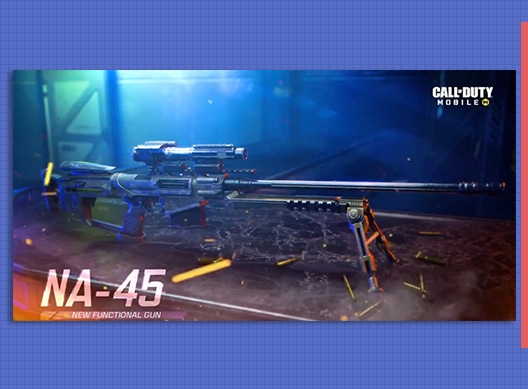
Call of Duty: Mobile has released lots of new features and content with its latest season 11 update. On the occasion of its first anniversary, the players received a ton of new content that contained interesting changes like major upgrades to the rank seasons, new streak of events, free emotes, a new battle-royale and some new guns. NA-45 is the latest sniper in COD Mobile can be obtained by two methods.

Players who can spend money can obtain a legendary skin of this gun and those who want to obtain it through fair means without spending any money can simply complete some tasks in the seasonal event to unlock the base gun without any skins.

COD Mobile NA-45 Sniper Details

The NA-45 is a special sniper which stands apart from its fellow pool of snipers in COD Mobile. This gun has a unique feature that lets players to shoot it twice in a row before it goes back to the cocking action. The second bullet when shot , creates an area damage effect which can be considered as overpowered by some players.

This unique feature allows users to easily bring down the enemies without much precision, which is strikingly opposite to what is usually needed for landing a sniper shot.

This sniper can be termed as game breaking because of its sheer abilities to destroy the enemies without much efforts needed. The snipers players in any game need to carefully think about their position to get the full advantage of their gun but with a NA-45 in their hands, any COD can pull off the daredevil plays to land long range as well as impactful short range shots without much hassle.

How to unlock NA-45 in COD Mobile

The abilities mentioned above makes this gun, the best sniper in entire COD Mobile in the upcoming seasons and hence, players should absolutely get their hands on the NA-45. There are two methods through which players can unlock this gun:

Method involving CP:

CP is the in-game currency of COD Mobile and the players who wish too spend some of their real money to unlock this gun with a legendary skin can do so by these simple steps:

  • Launch COD Mobile and click on the “Thorned Rose” Draw provided above the events section.
  • You will be redirected to a spin section. Now continue to spin until you unlock the legendary NA-45 Lycanthrope skin.

Note: This method needs large amounts of CP hence it is not recommended unless you want the skin alongside the gun

Event Redemption Method:

There is an ongoing event named Elite Marksman which awards NA-45 as the special event when players complete the eight tasks assigned to them. This is the simplest but a bit tedious method but players will get the NA-45 for free after completing some simple tasks. The list of tasks is as follows and some of the hard ones are already covered by us:

  • Kill 10 enemies with Agile perk equipped
  • Kill 5 enemies with sniper rifle
  • Earn long shot medal five times
  • Kill 15 enemies with sniper rifle equipped with 2 attachments.
  • Kill 20 enemies with sniper rifle equipped with 5 attachments
  • Kill 20 enemies with Outlaw sniper rifle equipped with laser attachment
  • Kill 20 enemies with Outlaw sniper rifle equipped with optic attachment
  • Kill 20 enemies with Outlaw sniper rifle equipped with four attachments

After completing these tasks, players receive a NA-45 and tons of battlepass XP as the rewards. This is a long method but a free alternative to get the gun without spending any money. By the two methods mentioned above, players can easily unlock this gun and dominate the opponents with a sniper that deals splash damage.

Also Read: Alcatraz map in COD Mobile: Tips and Tricks.

Why BLAST Premier Fall will be the most iconic event of 2020

To say that 2020 has been an eventful year for Counter-Strike: Global Offensive is an understatement. From coaching bug controversies to the seven-man roster, fans have seen everything that never happened before in the CSGO landscape, including strictly online events due to the Global health crisis. 

Also Read | CSGO COACHING BUG EXPLAINED

Blast Premier Fall Series is going to mark the comeback of LAN events, adding a final twist to 2020. As if the return of LAN solely was not exciting enough, BLAST will bring North-American teams to Europe for the first time since IEM Katowice that took place in March before COVID-19 took the world by storm. 

Here are all the reasons why BLAST will put a heroic end to a rather bleak 2020 in terms of esports stability.

Furia and Evil Geniuses to Europe 

Furia and Evil Geniuses will be filling in two slots left vacant by Team Liquid and 100 Thieves. The two North American teams withdrew from the tournament a few weeks before the event was set to kick off. 

Also Read | 100 THIEVES LEAVES CSGO

Furia rose to fame during the online era of CSGO and currently sits at number 3 of the HLTV world ranking, making them one of the top teams of North America. A showdown between Astralis and Furia is something that fans may want to watch out for as both the teams are in Group 3, alongside G2 and MIBR. 

Group 3 of Blast Premier Fall Series:

  • Astralis
  • Furia
  • G2
  • MIBR

The return of clutch minister 

Lukas “gla1ve” Rossander expressed his wish to compete against Furia but said that he is scared of playing against arT. However, it was back when the Danish powerhouse lacked their clutch meister. Blast Premier will also mark Andreas “Xyp9x” Højsleth’s comeback into the CSGO landscape after the rifler took a medical leave in May, restoring Astralis’ prowess.

Xyp9x to make a comeback

Roster switches in CoL and G2

100 Thieves’ exit from CSGO left five stalwart players in the market as free agents. Complexity was quick to pick Justin “jks” Savage, who was one of the highest-rated players in 100 Thieves. The young gun will be competing alongside Benjamin “blameF” Bremer and the squad for the first time in Blast Premier Fall Series. 

Fans might see another roster re-arrangement in G2, with Nikola “NiKo” Kovač as their entry-fragger. Niko’s addition to G2 hasn’t been confirmed yet; sources tell that the deal has almost completed. This will be the first time that NiKo will get a chance to play under an accomplished IGL like Nemanja “nexa” Isaković in a long time. 

MIBR’s overhauled roster

MIBR has recently been going through a rough patch. The Brazilian organization lost three of its core players, leaving the team with two players and no coach. With the addition of Raphael “cogu” Camargo as their manager and coach, the team has bounced back with a complete roster consisting of players on loan from Sharks Esports and Detona Gaming. With CSGO maestros like Fallen, Fer, and TACO out of their roster, MIBR seems vulnerable in front of top-tier teams like G2, Furia, and Astralis. 

The tournament will kick off on October 26, with top-notch teams competing for a prize of $150,000.

How to play ‘Among Us’ in Dota 2

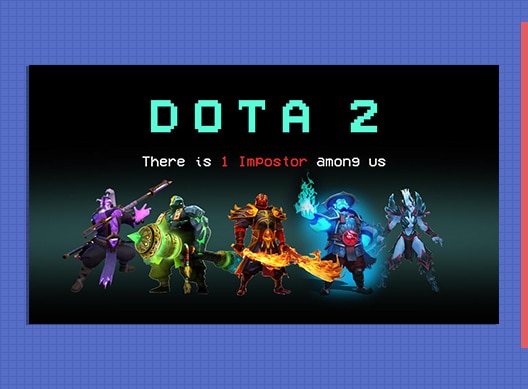
Ever wondered what would happen if you combined two of your favorite games together? Well, you don’t need to wonder anymore as it seems like a fusion of Among Us and Dota 2 is already here in the ‘Arcade’ section of Dota 2 as Russian YouTubers XENO and Meeponegeroi have created an Among Us minigame in Dota 2 which you can play right now.

How to play the Among Us mode in Dota 2?

To play this newly released minigame, all you’ve got to do is:

1) Open Dota 2
2) Go to ‘Arcade’ towards the top of your screen
3) Download ‘Dota 2 Among Us Edition’ from the list of Custom Games.
4) Start a game with your friends or join a random lobby.

That’s it, now you can enjoy Among Us with your favorite Dota 2 heroes. The map is similar to Skeld in Among Us and the rules are similar as well. However, each hero in this game mode possesses a special ability which only he or she can use.

Also Read: How To Play Among Us in CSGO

Currently, the game mode is only available in Russian language (you can still play it, but you may have difficulties in understanding the language). However, the devs have confirmed that an English version is in the works.

Here’s a video of Henrik “AdmiralBulldog” Ahnberg playing the game mode which he uploaded on his YouTube channel.

Team Vitality announces entry into Indian Esports

0

Team Vitality have made an encouraging yet intriguing announcement on their social media platforms, teasing their entry into the Indian Esports scene.

The cryptic 7 second video does not uncover any mystery behind what exactly will Team Vitality will be doing in the Indian Esports scene; be it picking up lineups for different disciplines or venturing into events in the capacity of a Tournament Organiser.

However, Indian Esports enthusiasts will definitely feel joyous with the ‘Bonjour India’ greeting from Team Vitality.

The Indian Esports scene has witnessed its fair share of Organisational imports in recent times, with Optic’s ill-fated venture in CSGO, Fnatic and TSM entering the PUBG-Mobile scene and Valorant seeing North American organisation Noble Esports diving deep.

Vitality have declared their ambitions to enter the Indian Esports scene way back in February 2020, when CEO Nicholas Maurer iterated their plan to expand and venture into India.

It sure is an exciting time to be an Esports enthusiast in India and only time will tell what Team Vitality have in store for them.

Alcatraz Map in COD Mobile – Tips & Tricks

Call of Duty: Mobile released its latest update on the occasion of its first anniversary and launched lots of things that brought in major changes to the game mechanics itself. Players were requesting for a new battle-royale map for a long time and finally after one year, Activision has added Alcatraz map to COD Mobile. After Isolated, this is the only map that the players can enjoy in the survival mode.

Alcatraz was first introduced in COD: Black Ops 4 and has a very limited area and is comparatively smaller for being a battle-royale map. This uniqueness adds a touch of forced aggressive play style to each player in the game. Players who are accustomed to the passive and slow gameplay in Isolated are suddenly put into a hotdrop area with constant fights with added survivability options.

Alcatraz map COD Mobile features

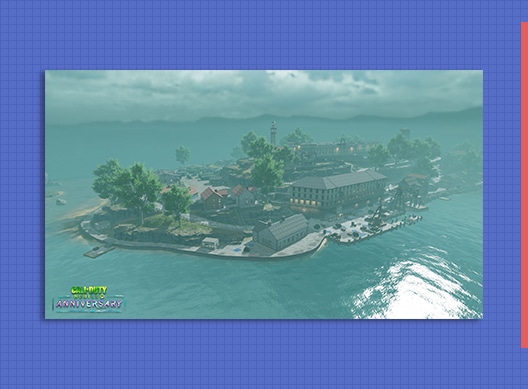
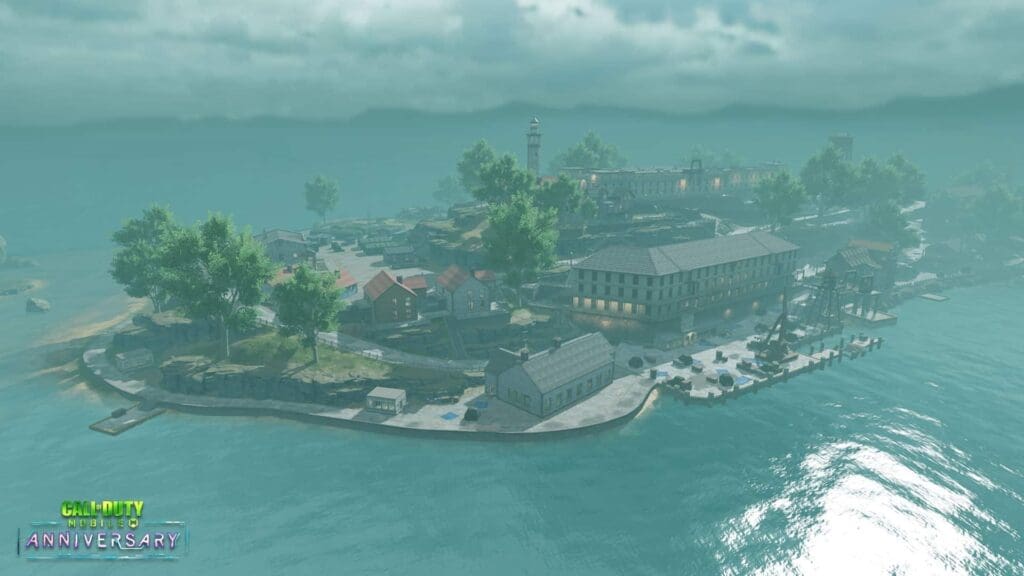
Alcatraz is a closed-prison map which is surrounded by water bodies. The area which is available for actual loot and rotate phase is very less and hence, players have to survive with limited resources instantly after landing and then focus on the loot after initial skirmishes.

Alcatraz map COD Mobile
Credits: Call of Duty: Mobile

There is also an unique feature that sets Alcatraz apart from the Isolated map. The players do not need to set up unique classes in loadouts and can pick up various classes that are scattered all across the map. Classes like Scout, Ninja, Medic, Defender, Smoke Bomber, and Hacker can be picked up alongside usual pool of weapons and equipments. Players can also change between the classes during their entire match and energy earned towards active skills is maintained between classes and only resets if the player dies in a fight.

Tips to play Alcatraz Map in COD Mobile

#1 Be Vigilant

Alcatraz map is provided with a very small area and hence, fights start to break out from the early stages of the match in COD Mobile BR mode The players need to be vigilant while dropping at any location. There is no scarcity of weapons as the loot is scattered in usual ways and the vending machines also act as a stop for refilling the ammunition and weapon loadouts for players.

#2 Be ready for a fight

Always expect players in every corner of the map. Sometimes you may get sniped or get pincered by enemies who like setting traps. Loot in teams and always cover the back of your teammate as you move forward. The zone shrinkage speeds are relatively faster in Alcatraz as compared to Isolated hence be light on your feet and get moving as soon as possible.

#3 Redeployment advantage

In Alcatraz, every time you get killed and redeployed, an uncommon assault rifle or SMG is provided when you respawn. Use this information to your advantage and take down your enemies with the available weapon right away. It may sound tempting to grab other better weapons in the map but catching your opponents off-guard will give you a slightly upper hand.

#4 Drop Location

Choose a more centralised location in this map. As the zones tend to shrink more in the central areas, this will give you more time to prepare for the battles than your enemies dropping on the outskirts of the city. Although it may be tough to survive at the beginning, the last few phases might become a lot easier for you.

This is all the information you need to enter the grounds of Alcatraz and dominate your enemies. Make sure to stick with your squad, communicate on your strategies and get the loot from vending machines. Good luck.

Valorant New Agent Skye Releasing Tomorrow: All Abilities

0

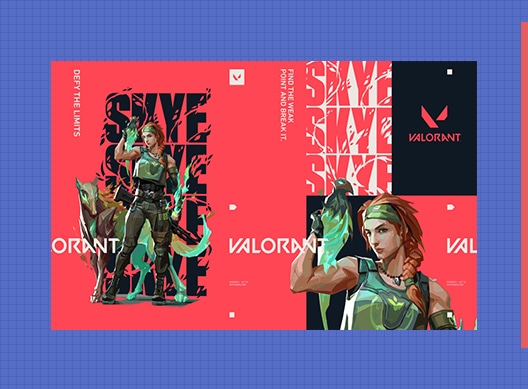
The upcoming Valorant agent Skye is set to arrive in Valorant tomorrow. The Australian agent will pack a skillset ideal for initiating on sites and taking choke points through a combination of flashes, or for healing allies in a wide radius. Before Skye hits the servers, let’s take a look at her detailed skillset.

Valorant Skye Abilities –

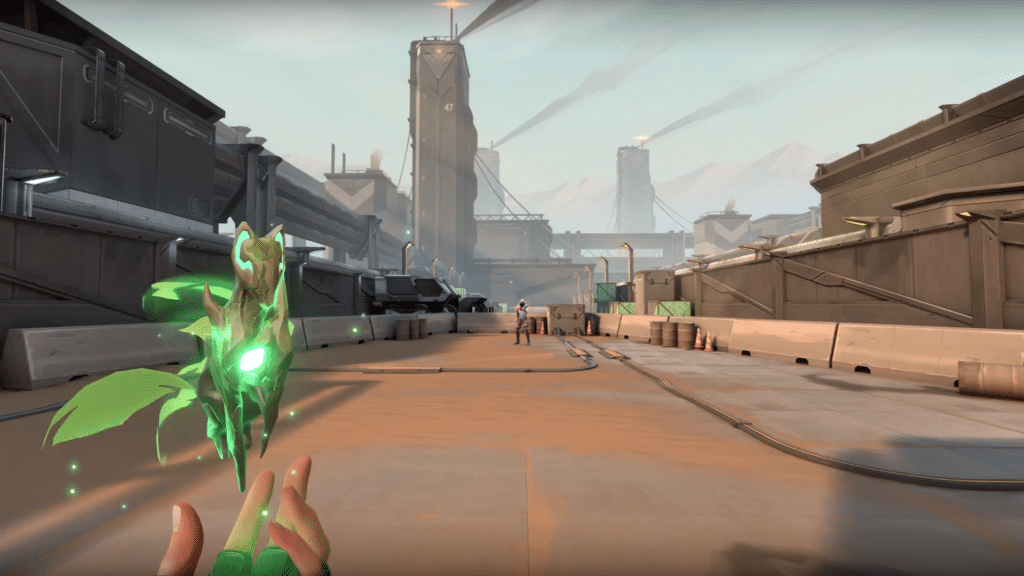
Trailblazer – Q

EQUIP a Tasmanian tiger trinket. FIRE to send out and take control of the predator. While in control, FIRE to leap forward, exploding in a concussive blast and damaging directly hit enemies.

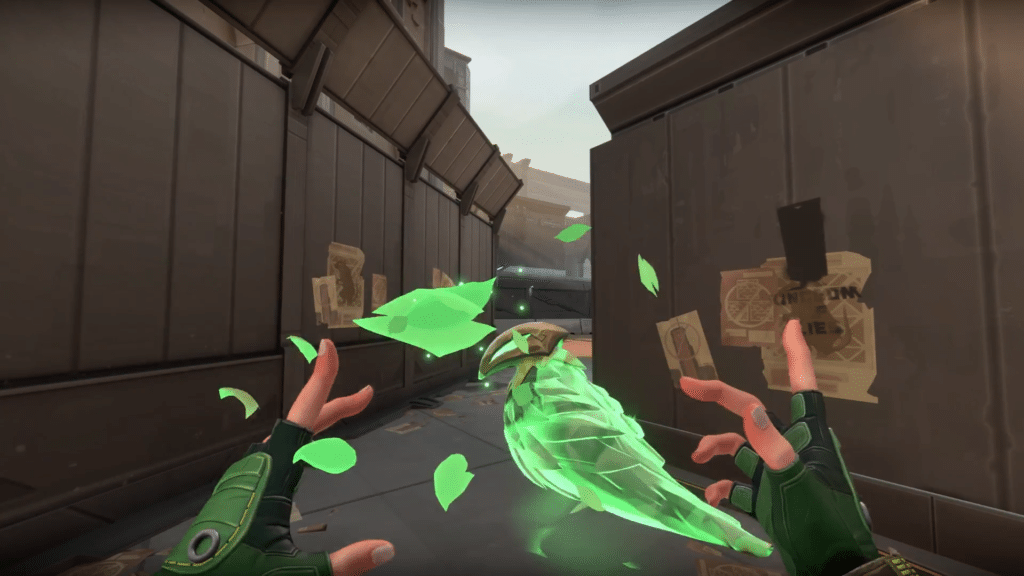
Guiding Light – E

EQUIP a hawk trinket. FIRE to send it forward. HOLD FIRE to guide the hawk in the direction of your crosshair. RE-USE while the hawk is in flight to transform it into a flash.

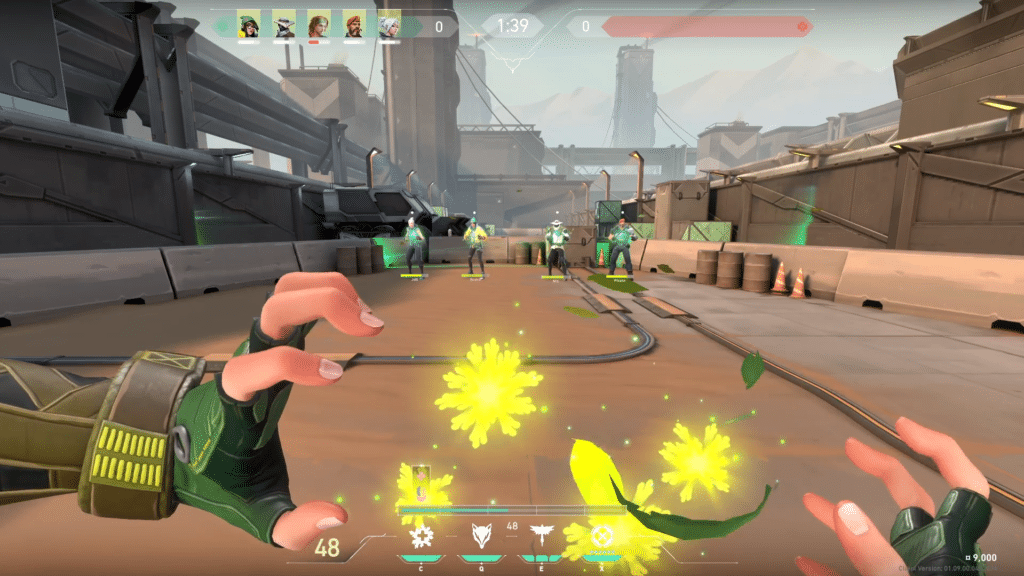
Regrowth

Channel to heal allies in a certain radius.

Ultimate ability: Seekers

EQUIP a Seeker trinket. FIRE to send out three Seekers to track down the three closest enemies. If a Seeker reaches its target, it near sights them.

You can see the abilities in action in this video released by Riot.

This combination of skills is certain to make Skye a favorite among fans of the competitive shooter due to the huge amount of utility she brings to the table, not to mention the ultimate which can scout out enemies from across the map.

Alongside the release of Skye, the new map Icebox will also be available to play in competitive mode starting from tomorrow. Now might be a good time to practice your strats on the snow-themed map before the update goes live in a couple of hours.