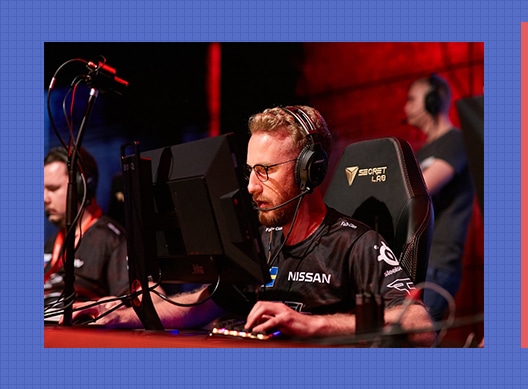
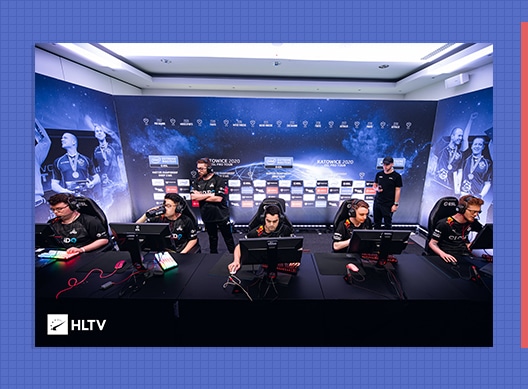
Is Olof ‘olofmeister’ Kajbjer Gustafsson making a return to competitive Counter-Strike? Fans are pondering over this question after a glance at Olof’s FACEIT profile revealed that the 28-year-old played his first match after six whole months since his last FACEIT game on 26th April.
While his teammates respected his decision, they mutually agreed that it was too early for him to quit the game.
Thank you for everything @olofmeister, happy to call you a friend. Will always remember great memories and some of the sad ones we have shared together, but what a journey. Hopefully you will find your motivation back and come back to the scene, way too early to quit ❤️ pic.twitter.com/c3PqkXCm1b
Olof’s recent FACEIT match resulted in a 10-16 loss, but the fact that he’s playing CSGO again is enough to bring a smile to the faces of his countless fans.
It’s still unclear if this implies Olof’s return to the competitive scene in the next few weeks.
Free Fire is a game that has a large variety of cosmetic skins and in-game items. With a game that already has so many utilities, the number of skins just multiplies and hence we have a large number of skins available. Free Fire sometimes gives away some free rewards to their community in form of redeem codes.
Free Fire and its cosmetic lineup start from small things like baggage and move from parachutes, glue walls, weapons, dress outfits, to fully-fledged characters. These skins need diamonds which are pretty costly to buy. Those who cannot afford to pay for the skins have other ways through which they can either collect diamonds but the easiest way to grab some freebies is through code redeems.
Whenever there are some official Free Fire streams on YouTube, you can hope to collect some free in-game goodies through the codes distributed. It is not guaranteed that you can receive a reward but the chances are higher.
Free Fire Redeem Codes
Free Fire Redeem Code – October 2020
SPEHGFBFH3MY
SPEHGAVZ87J3
SPEHG34ACXXL
SPEHG5VTZY4K
FFESP0RTS4AR
FFIGM89MM9CR
FFSL9SP3MMC8
SPEHGR6VFSCD
SPEHGM2HCH94
SPEHGELQ4TUE
SPEHGU5UVH8F
SPEHGEEWMZYR
SPEHGYM8SJS2
SPEHGXWSGGNZ
SPEHGBCHCC95
SPEHGFKHZL8Y
SPEHGEZM3NYA
SPEHGZCFDG57
SPEHGA9FXRA6
SPEHG9JPNAQ8
SPEHGFWRYMY4
SPEHGAUVU4RC
SPEHG3PPSGG6
SPEHGSN285DG
SPEHGGGX5FPV
SPEHG9VXGEDD
SPEHGWBNMTPR
SPEHGHMEAD6Z
SPEHGYKWC9FD
SPEHG5ARXT4K
SPEHGMDVUDJR
SPEHGHGH9S7L
SPEHGKWHGSW9
SPEHGVEABSUR
SPEHGG87W5D2
SPEHGUTT5MLU
SPEHGZZDJGVD
SPEHGB488FLB
SPEHG48AM72U
SPEHG89NJQ7P
SPEHGDE7FXT3
SPEHG944JU6T
SPEHGDUMU6Z4
SPEHGVNJGDF
How To Redeem Free Fire Rewards –
If you don’t know how to redeem codes in Free Fire, follow these simple steps to recieve the rewards:
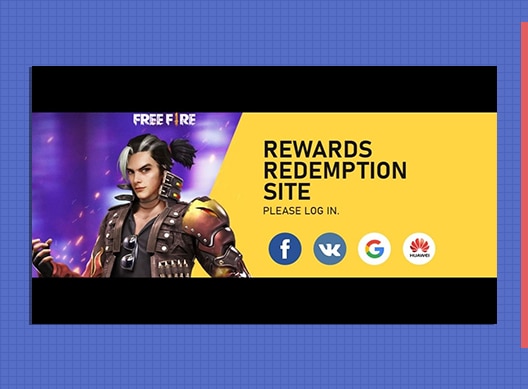
Visit the Reward Redemption center of Garena Free Fire. Click here to visit.
Log in with your Free Fire account. One must have either Facebook or Google ID signed in as a Guest account does not work.
Enter the code and get free rewards in your in-game item vault.
Make sure you hurry up before the offer ends and let us know if you got some freebies or not.
FAU-G has released a teaser video on the auspicious occasion of Indian festival Dussehra. The game has been well received by the Indian community as one of the titles that showcase the valor of Indian army. The bollywood actor and one of the representative of FAU-G has released a minute-long teaser trailer on the social media.
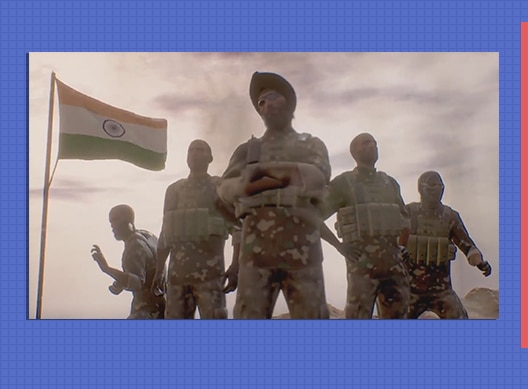
The teaser showcases hints on how FAU-G is going to look like and clearly reveals several references that points towards the Galwan Valley incident. Indian army can be seen clashing with the enemies in this trailer. The teaser also sheds light on how the graphics of this game are going to look like. It may not be as flashy and clean as its supposed competitor PUBG but the storyline can be considered interesting and mostly inclined towards patriotic sensation for its Indian player base.
According to the Indian Express, Vishal Gondal, Co-founder of nCore Games which is the developer of FAUG commented on this comparison. “There’s a belief that Indian game developers can’t produce good quality games, at nCore we want to prove that mentality wrong and bring out games that can compete with international games,” Gondal said. “Our team of developers are highly qualified and capable of developing games as good as PUBG or any other international games.”
The teaser does not reveal any final dates that can confirm the launch of FAU-G but releasing a trailer points towards a potential launch of this game in upcoming month of November. Indian players can enjoy a home-bred game that could be more of a story-based game than a battle-royale like PUBG Mobile.
On September 1st, Riot Games introduced a new feature to their competitive shooter Valorant that allowed players to initiate a ‘Remake’ vote if the teams were uneven.
What’s a Remake vote?
If successfully passed before the start of the first round, the Remake vote will entirely cancel the game and queue the present players for another one. The match won’t be counted, which means that players will be sent back to the main menu without any MMR or XP adjustments. The remade games won’t appear in match history either.
How to initiate a Remake vote in Valorant?
A Remake vote can only be initiated when one or more players leave at the start of the game.
If you find your team in a 4v5 matchup where your teammate has abandoned at round start, launch the vote by typing “/remake” in chat.
Once done, players will have to vote on whether to pass the vote or not (similar to surrender vote).
For a remake vote to be successfully passed, the voting must be unanimous.
The player who abandoned the match will still receive a full MMR loss for the game alongside a leaver penalty equivalent to disconnecting from a full match.
Remember, the Remake vote can only be launched if a player abandons before the second round. For instance, the game will still count as a full game if a player disconnects five rounds into the game.
COD Mobile is offering loads of rewards to players completing the seasonal missions. The missions are segregated in five subsections and players can choose any one or all of them. Players that complete these tasks are rewarded generously at each step with a special item at the very end. For the Survival Kit mission, players are struggling to find legendary weapons in COD Mobile. It is very simple to actually identify and get these weapons and here is how you can do so.
Survival Kit in COD Mobile
Survival Kit is a BR mode focused seasonal event for which players have to complete various tasks in the same mode. The battle-royale mode finally has a new map named Alcatraz. Players have to complete six tasks and at the very end, players can unlock AK117 – Static Electricity with loads of Battle Points XP.
After completing first three tasks, the last couple of tasks are related to legendary weapons in COD Mobile. To complete these tasks, players have to pick the weapon three times and also kill 5 enemies with the same. It is very easy to do so once you understand the weapon terminologies with respect to its rarity.
Weapon Terminologies in COD Mobile:
The weapon and its rarity is depicted by a special colour for multiplayer and battle-royale games. Players have to keep a keen eye while roaming around the BR map and pick the correct weapon to complete the tasks. Here is the list of weapon rarity and its colour code representation.
Colour
Weapon Rarity
White
Common
Green
Uncommon
Blue
Rare
Purple
Epic
Gold
Legendary
How to pick Legendary Weapons in COD Mobile
From the table given above, it is very clear that players have to pick only weapons shining in Golden hue to complete these tasks. After jumping into BR maps, search for weapons that are shining in this colour. You can try hotdropping in locations that provide larger amounts of loot to have a better chance at acquiring legendary weapons in COD Mobile. Search for drop crates that usually come with a legendary weapon like Assault Rifles and repeat the process three times to complete the first task. While collecting these weapons, make sure to grab some kills to complete the second tasks. A minimum of 5 kills is a must.
With this information, we hope that you have a clear idea about the weapon status and how to complete the Survival Kit event. Grab the Legendary weapons as fast as you can and collect the AK117 skin before time runs out.
The report states that one of the members had invited a guest to the team house, which goes against the Covid-19 policy of the North American organization. This isn’t the first time such incidents have happened in the Cloud9 roster either. The team had previously received multiple warnings about inviting guests to their house without prior permission.
“The details that really matter is this was the second offense of unauthorized guests coming into Cloud9 property after being told that this is not all acceptable,” Jack Etienne, CEO of Cloud9, said. “And the reason it is not acceptable is because you are putting our staff at risk.”
The ex-Cloud9 roster which was released following the contract violations included:
On October 24th, Russian esports organization forZe eSports announced signing banned CSGO coachzoneR as the coaching staff for forZe school.
“Alexander has a lot of experience in competitive CS: GO, which can apply in work with the students and help them in the game,” the org tweeted.
Alexander "zoneR" has officially joined the coaching staff forZe School. Alexander has a lot of experience in competitive CS: GO, which can apply in work with the students and help them them in the game together with Alexey "dstr" Baranov pic.twitter.com/vx1V61AHuu
“First of all, ZoneR is known for bringing his team to the Major, so his coaching experience and understanding of the game will help to educate new guys who are ‘on fire’ with CS: GO,” Sergey “MegioN” Ignatko, CEO of forZe eSports, added.
Sergey "MegioN" Ignatko, CEO forZe eSports: "First of all, ZoneR is known for bringing his team to the Major, so his coaching experience and understanding of the game will help to educate new guys who are “on fire” with CS: GO.
ZoneR is one of the 37 coaches banned from competitive CSGO for abusing a spectator bug in tournaments. Out of all the coaches banned, zoneR received the longest ban of 36 months following an investigation by the Esports Integrity Commission (ESIC). In the investigation, zoneR was found to have abused the bug in 16 cases.
After foRze’s addition of zoneR to their school, they faced some heavy backlash from the community for signing the banned coach.
“Not the smartest brand development choice, forze have a lot of lovable characters and their storyline is exciting,” CSGO caster Alex “Machine” Richardson said. “Would be a shame to see an ill thought out decision damage their reputation or fan base.”
ZoneR was kicked from team Hard Legion on September 1st after ESL banned the 33-year-old for abusing the spectator bug in their tournaments.
Later, forZe released a statement to clarify the situation. “We decided to give him a CHANCE to be useful and atone for his guilt and understand why the reaction of the community is very ambiguous,” the org said.
To make things a little bit more clear.
We decided to give him a CHANCE to be useful and atone for his guilt and understand why the reaction of the community is very ambiguous.
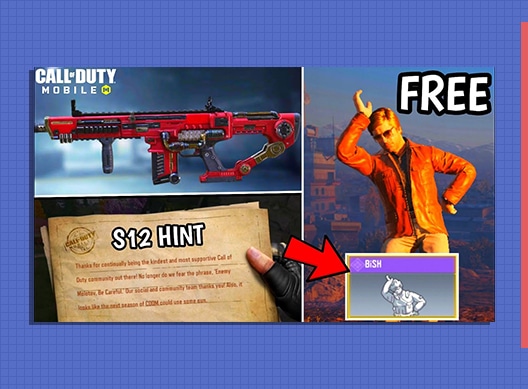
Call of Duty: Mobile is the famous multiplayer shooter game that has originated from the Activision’s famous Call of Duty game franchise. This game enjoyed the love of COD lovers right from the start and recently, the game completed one year of its successful run and since then, the game is showering its players with new content and rewards that are too sweet to neglect. This time, they are offering free emote to its players for the first time. Some dataminers found a redeem code in COD Mobile which is giving away the BiSH emote for free via a redeem code to all.
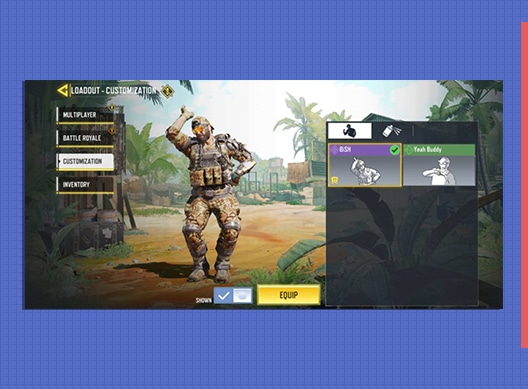
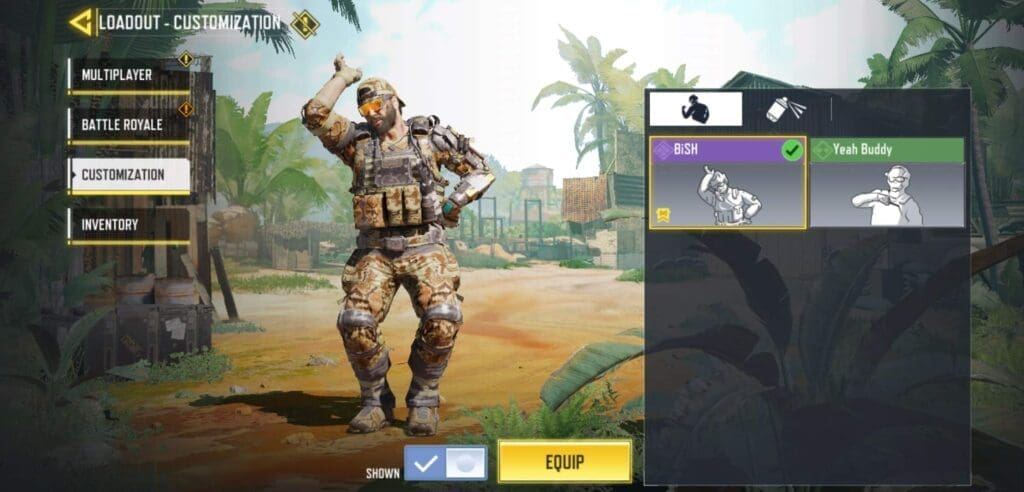
The redeem code that is being offered by COD Mobile is an emoticon titled “BiSH”. BiSH emote is an in-game emote which will move the character in a funny position with one hand on its head and other on its waist. The character will perform this move three times before stopping. Players can use this emote in Multiplayer and Battle- Royale mode to flaunt in front of their teammates and the rest of lobby. The redeem coupon code for redeeming the reward is “BFNGZCZ5EM.” It is very easy to obtain this reward and for those who have no idea on how to redeem it can follow the steps given below:
Launch COD Mobile and enter your profile section. Copy the UID code given on the top left corner of the screen.
Now copy the following code and paste it in the redeem code box. The code is “BFNGZCZ5EM”.
Enter the verification code and click on submit. Confirm your UID and exit.
Check your in-game mail box. The skin will be gifted via mail and click on collect to get it in your inventory.
It is for the first time that COD: Mobile is offering a free emoticon to its players without doing any extra task in-game. Previously in the other events, the players were offered free skins or rewards only if they completed the given set of tasks in the limited amount of time. Redeem the code given above as soon as possible to get the BiSH emote for free. There are no details present on when the game may take down this code hence take full advantage of it before time runs out.
Call of Duty: Mobile is the multiplayer shooter game which brought the authentic game mechanics of COD franchise to mobile games. This game completed its one year anniversary on 1st October and since the start of its 11th Season, players are showered with free rewards. COD Mobile is giving away free BiSH emote to all the players around the world and here is how you can redeem it.
COD Mobile BiSH Emote redemption details
BiSH Emote is an in-game move which makes the player character perform a simple move for three times in a row. This is probably the first time when COD Mobile is offering a free emote to its player base. Players can collect various emotes via battlepass and shops and sometimes, some rare emotes is gifted to buyers who spend their money on skins available in time-limited shops.
Character performing the emote.
When players click on BiSH emote, the character raises it right hand upto its head and places the other hand on its waist. This move is repeated three times and players can flaunt it in BR and MP matches to mock their opponents after pulling out clutch moments.
How to get BiSH Emote?
BiSH emote is gifted to players via code redemption. Unlike Pawn Takes Pawn event where every player required a different code to redeem rewards, this time the game is providing a single common code which can be used to earn BiSH Emote. Here is how you can redeem free BiSH emote in COD Mobile
Launch COD Mobile and enter your profile section. Copy the UID code given on the top left corner of the screen.
Now copy the following code and paste it in the redeem code box. The code is “BFNGZCZ5EM”.
Enter the verification code and click on submit. Confirm your UID and exit.
Check your in-game mail box. The skin will be gifted via mail and click on collect to get it in your inventory.
Following the steps given above, players can easily get a free Emote without doing any efforts. Make sure to redeem the code as early as possible to get the assured reward. Call of Duty: Mobile has not provided any information about the time duration of this code redemption hence hurry up before you miss this opportunity.
A mystery of a man even for Black Ops, not much is known about Russell Adler after finishing his tour with the MACV-SOG in Vietnam as part of the CIA. A man whose confidence is as cold as his blood, Adler can disarm you with his dry wit in one moment, then go in for the kill instantly.
This badass CIA operative is a major player within Black Ops Cold War, but he’s also ready to go across the franchise and mobilize for the fight in Call of Duty: Mobile.
By playing the Call of Duty: Black Ops Cold War Beta, you can unlock Adler for use in Call of Duty: Mobile, allowing you to get a glimpse of this CIA ringleader for Frank Woods and company before the next generation of global combat begins on November 13th.
Step 2: Download and play the Call of Duty: Black Ops Cold War Beta through the same Activision Account. It doesn’t matter what platform you’re on or what day you play; so long as you play on the same Activision Account you linked your Call of Duty: Mobile profile to, you’re eligible to receive this reward. Check out the Black Ops Cold War Beta schedule here.
Step 3: Check your e-mail address tied to your Activision Account for your unique code to unlock Adler. Codes will be sent the week after the Beta ends. The e-mail should be in your inbox but may appear in another folder; check them all before following up with Activision Support.
Step 4: Once you receive a code, visit https://www.callofduty.com/redemption and enter your UID (found in your Call of Duty: Mobile profile, under your username) as well as that unique code.
Step 5: Head to Call of Duty: Mobile’s in-game mailbox to claim your reward, and dive into Call of Duty: Mobile’s Multiplayer and Battle Royale with this master of espionage and deception.
Note: Make sure you are on the latest version of the Call of Duty: Mobile app in order to successfully redeem the code.