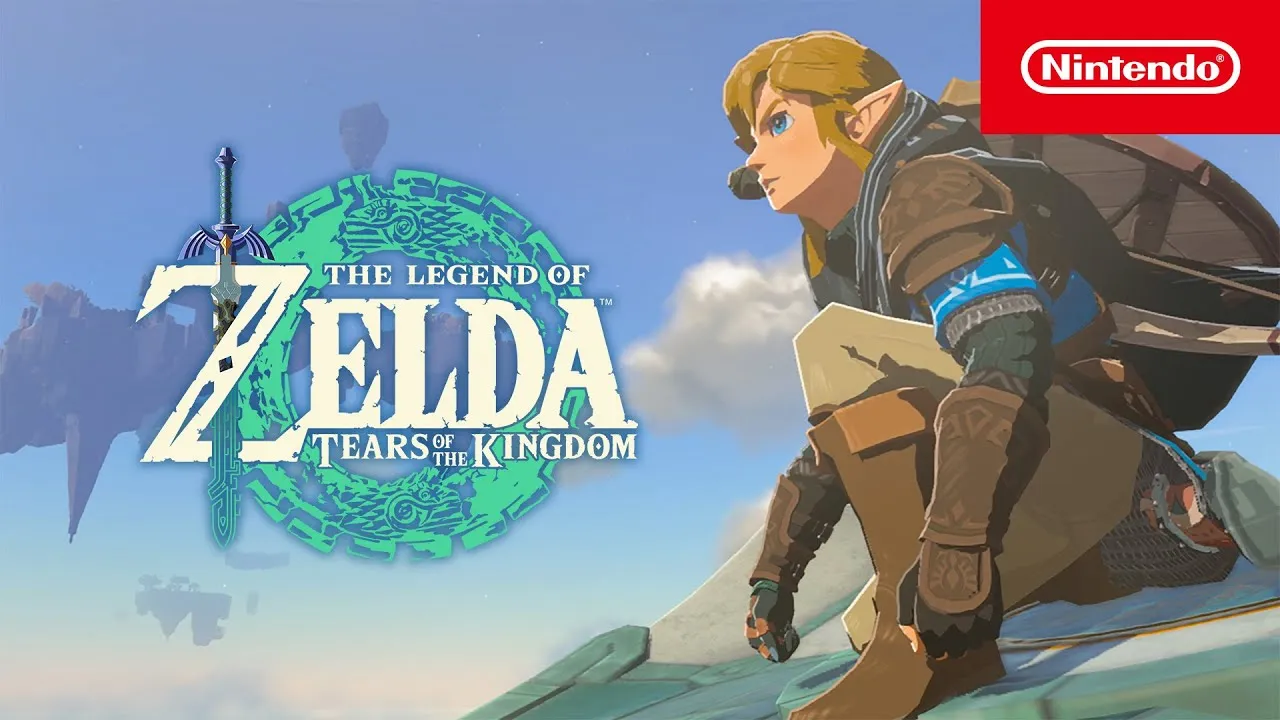
Zelda: Tears of the Kingdom is an exquisite game that occasionally encounters framerate issues. If you’re looking to optimize the FPS (frames per second) in Zelda: Tears of the Kingdom, I’ve got you covered with effective techniques. Each approach has its own considerations, but the reward of smoother gameplay is well worth it.
Tips to Increase FPS in Zelda Tears of the Kingdom
Improving Framerate in Zelda: Tears of the Kingdom Luckily, there are three methods to enhance the framerate in Zelda: Tears of the Kingdom. I recommend trying them all to see the improvements in FPS.
Embrace Docked Mode for Enhanced Performance:
Leave your Nintendo Switch in the docking station and connect it to a monitor or TV.
Docked mode provides better performance and higher FPS compared to handheld mode.
The continuous power supply allows the system to allocate more memory to processing tasks.
Decrease Resolution While in Docked Mode:
Access System Settings, then TV Settings, and select TV Resolution.
Lowering the resolution can lead to higher FPS.
Experiment with running Zelda: Tears of the Kingdom at 720p for improved performance.
You can further reduce the quality to 480p for additional FPS improvement, but be cautious not to sacrifice image quality excessively.
Alternatively, set your TV Resolution to Automatic for the Switch to select the best resolution up to 1080p based on your TV or monitor capabilities. However, locking the quality at 720p will yield the greatest improvement in FPS.
Engage Airplane Mode for Seamless Gameplay:
Access System Settings and enable Airplane Mode.
Playing in Airplane Mode prevents the Switch from utilizing processing power for internet connectivity.
This results in a more stable FPS during gameplay.
Remember to try each method individually to assess the improvements to your FPS in Zelda: Tears of the Kingdom.
By implementing these strategies, you can optimize the FPS on your Nintendo Switch while playing Zelda: Tears of the Kingdom. Remember, even with improved FPS, the challenging Flux Construct 1 Boss may still require assistance.
Thank you for taking the time to read our article. To stay up-to-date with the best esports news website that caters to your individual preferences and comfort, we kindly recommend following TalkEsport on Google News & Twitter.
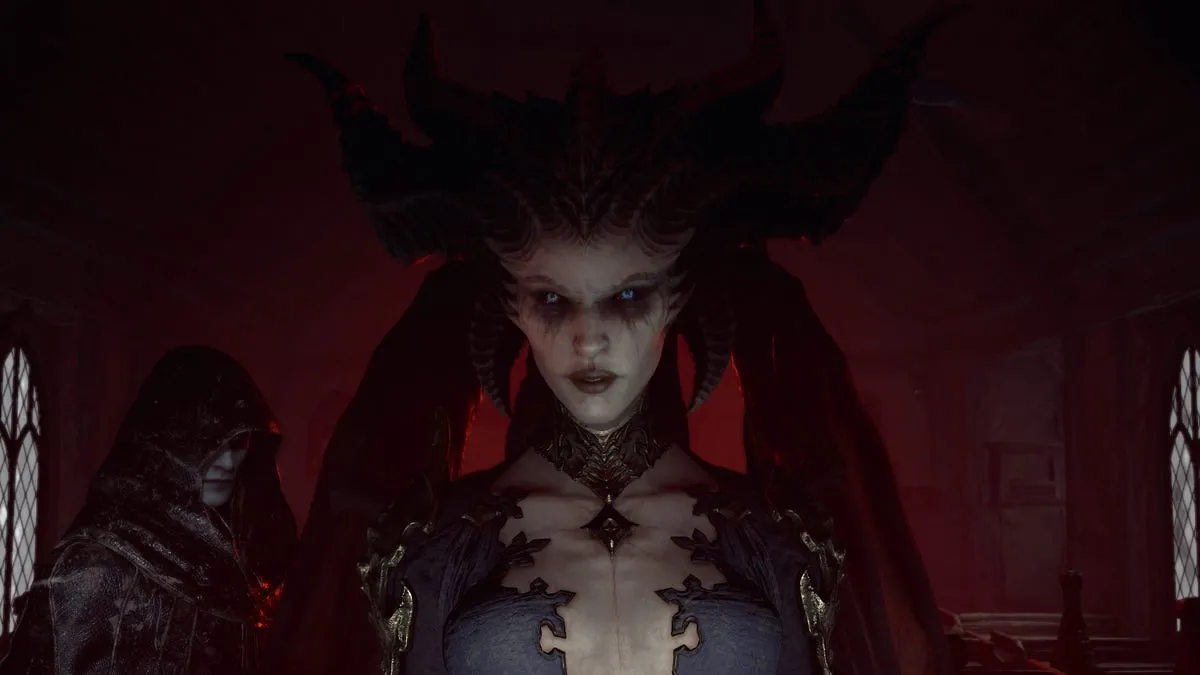
Are you ready for an epic adventure in the highly anticipated Diablo 4? The thrilling dungeon crawler is set to release on June 6, but why wait when you can get a sneak peek today? The final beta test of Diablo 4 is now live, offering players a chance to immerse themselves in the game before its official launch. Read on to learn how you can participate in the beta and discover the incredible features that await you.
When does the Diablo 4 Server Slam start?
The Diablo 4 Server Slam open beta is officially underway! Starting today at 12 p.m. PT (3 p.m. ET) and running until 12 p.m. PT on May 14, you have a limited time to dive into the early stages of the game. Get ready to explore the captivating Fractured Peaks zone and engage in thrilling battles that will leave you craving more.
How to Participate in the Diablo 4 Beta?
Participating in the Diablo 4 beta is a breeze. Simply visit the PSN Store, Microsoft Store, or Battle.net, depending on your preferred platform, and download the beta client. Whether you’re a PC gamer or console enthusiast, Diablo 4 has you covered. The beta is available on PC, PS4, PS5, Xbox One, and Xbox Series X and S, ensuring a wide range of players can join the action.
How do I get a Diablo 4 beta code?
Anyone can participate in the open beta. The beta will be available for download in the PSN Store, Microsoft Store or on Battle.net for PC users.
What are the PC requirements for the Diablo 4 beta?
If you’re planning to experience the beta on PC, make sure your system meets the following requirements to ensure a smooth and enjoyable gameplay experience:
Minimum specifications:
Operating system: 64-bit Windows 10
Processor: Intel Core i5-2500K or AMD FX-8100
Memory: 8GB RAM
Graphics: Nvidia GeForce GTX 660 or AMD Radeon R9 280
Storage: Solid-state drive with 45GB available space
Recommended specifications:
Operating system: 64-bit Windows 10
Processor: Intel Core i5-4670K or AMD R3-1300X
Memory: 16GB RAM
Graphics: Nvidia GeForce GTX 970 or AMD Radeon RX 470
Storage: SSD with 45GB available space
By meeting these specifications, you’ll ensure optimal performance and be fully prepared to embark on your Diablo 4 journey.
Choose Your Class and Unleash Your Power
Diablo 4 offers a diverse selection of classes for you to choose from, each with its unique playstyle and abilities. Whether you prefer the raw strength of the Barbarian, the agility of the Rogue, the arcane powers of the Sorcerer, the nature-based skills of the Druid, or the dark arts of the Necromancer, there’s a class that will suit your preferred style of gameplay. Take this opportunity to experiment with different classes and discover your favorite.
Thank you for taking the time to read our article. To stay up-to-date with the best esports news website that caters to your individual preferences and comfort, we kindly recommend following TalkEsport on Google News & Twitter.
Explore the exhilarating Diablo 4 Server Slam event, offering players a sneak peek into the captivating prologue and Act 1 of the game. While progress may not transfer to the full release, players have the opportunity to earn exclusive rewards for their future adventures.
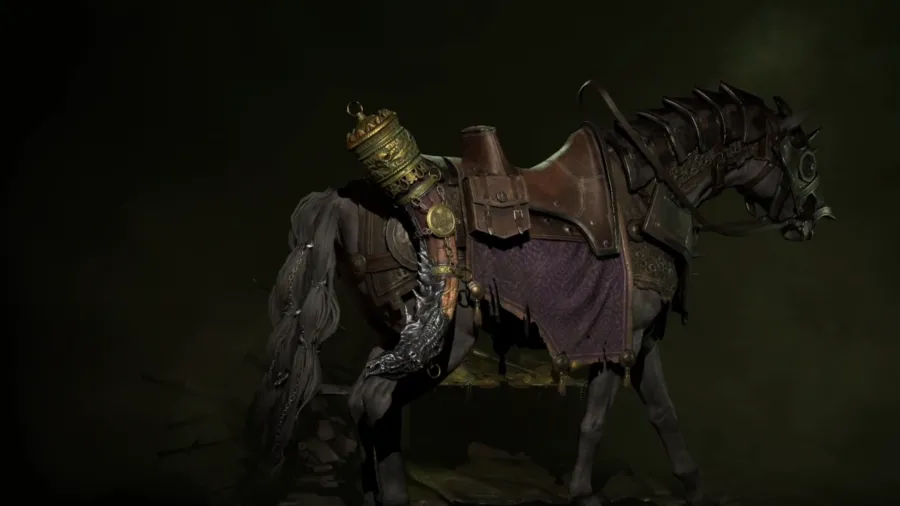
One highly sought-after item is the Cry of Ashava mount trophy, a prestigious addition to your mount collection. Uncover the secrets to obtaining this elusive trophy and prepare for an unforgettable journey in Diablo 4.
Obtaining the Cry of Ashava Mount Trophy in Diablo 4:
Acquiring the Cry of Ashava mount trophy requires dedication and perseverance. Begin by leveling one of your characters to level 20. Once accomplished, seek out and defeat the formidable Ashava world boss. While coordinating with friends can facilitate the process, skilled random players can also assist you in this endeavor.
Conquering the Ashava world boss signifies your triumph in Diablo 4, granting you the esteemed Cry of Ashava mount trophy. However, please note that the mount cannot be utilized during the Server Slam event. Currently, mount customization is inaccessible due to a level requirement that surpasses the maximum attainable beta level. Although this may seem inconvenient in the short term, the Cry of Ashava mount trophy eagerly awaits your future victories once mounts become available in the full release.
Thank you for taking the time to read our article. To stay up-to-date with the best esports news website that caters to your individual preferences and comfort, we kindly recommend following TalkEsport on Google News & Twitter.
The recent introduction of the highly anticipated Duviri Paradox update in the expansive world of Warframe has bestowed new players with a critical decision right from the outset. This decision revolves around selecting one of two distinct starting points that eventually merge, providing players with the opportunity to explore both paths if desired.
However, this initial choice can be perplexing, leading many to ponder which path is the most suitable to embark upon. In this comprehensive guide, we will delve into the factors that should influence your decision of whether to opt for the Warframe path or the Paradox path in Warframe, equipping you with valuable insights to make an informed choice.
Making the Right Choice: Warframe or Paradox?
Determining the ideal path to traverse in Warframe hinges on a multitude of factors. The Warframe and Paradox paths offer unique gameplay experiences while sharing a common foundation. Ultimately, your decision should be based on the style of combat that resonates with you the most.
The Warframe path embraces a dynamic third-person shooter approach, making it the preferable option if you are more accustomed to and comfortable with this style of gameplay.
Conversely, the Paradox path immerses players in a realm of third-person melee combat, featuring distinctive maneuvers and a more deliberate combat flow. If you possess an affinity for this type of game, the Paradox path may align better with your preferences.
It is essential to note that the Paradox path incorporates a significant amount of story content that may not fully unveil its significance until you have invested substantial time exploring both sides of the game.
While the Warframe path also presents its fair share of intricacies, the Paradox path intertwines with the overarching Warframe narrative, revealing crucial elements at later stages. Therefore, if you have a profound appreciation for lore and storytelling, the Paradox path may leave you with unanswered questions and an insatiable curiosity.
Based on my extensive 1100-hour experience in Warframe, I personally recommend commencing your journey with the Warframe path. It provides a smoother learning curve, allowing you to grasp the game’s fundamentals more easily. Once you have become familiar with the initial stages, you can then venture into the captivating content offered by the Paradox path.
The decision between the Warframe and Paradox paths in Warframe ultimately depends on your combat preferences and storytelling inclinations. By thoughtfully considering these factors, you can embark on an engaging adventure tailored to your unique gaming style. So, equip yourself with your chosen path and immerse yourself in the mesmerizing universe of Warframe today!
Thank you for taking the time to read our article. To stay up-to-date with the best esports news website that caters to your individual preferences and comfort, we kindly recommend following TalkEsport on Google News & Twitter.
Counter-Strike, the timeless game that has captivated players for over two decades, owes much of its enduring appeal to its diverse and ever-evolving map pool. Unlike many other games that rely on frequent character updates or gameplay changes, Counter-Strike keeps things fresh by introducing new maps to its rotation.
Some maps have stood the test of time, while others have recently emerged to join the ranks. Together, they form the captivating world of Counter-Strike.
What Is Map Pool In CSGO?
Understanding the Map Pool
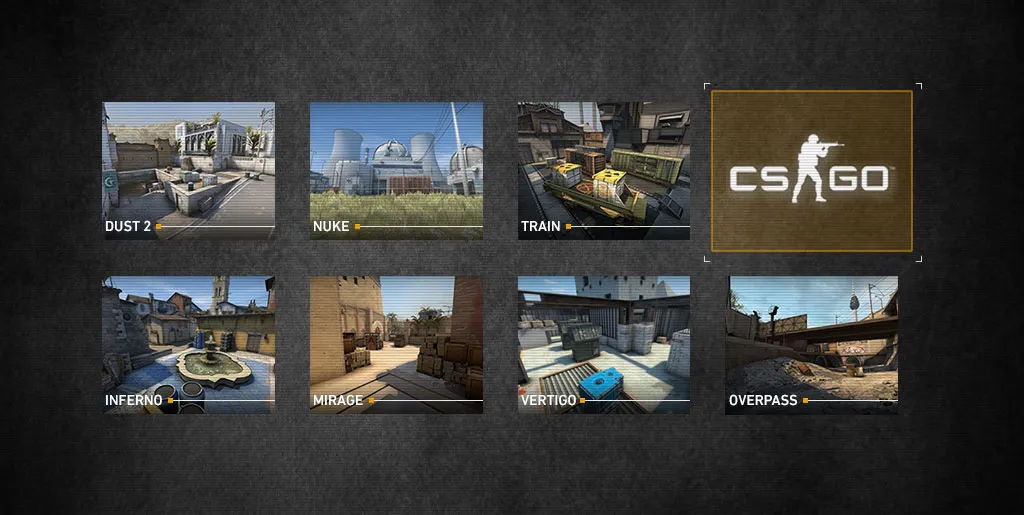
The map pool in Counter-Strike encompasses two categories: Active Duty and Reserve.
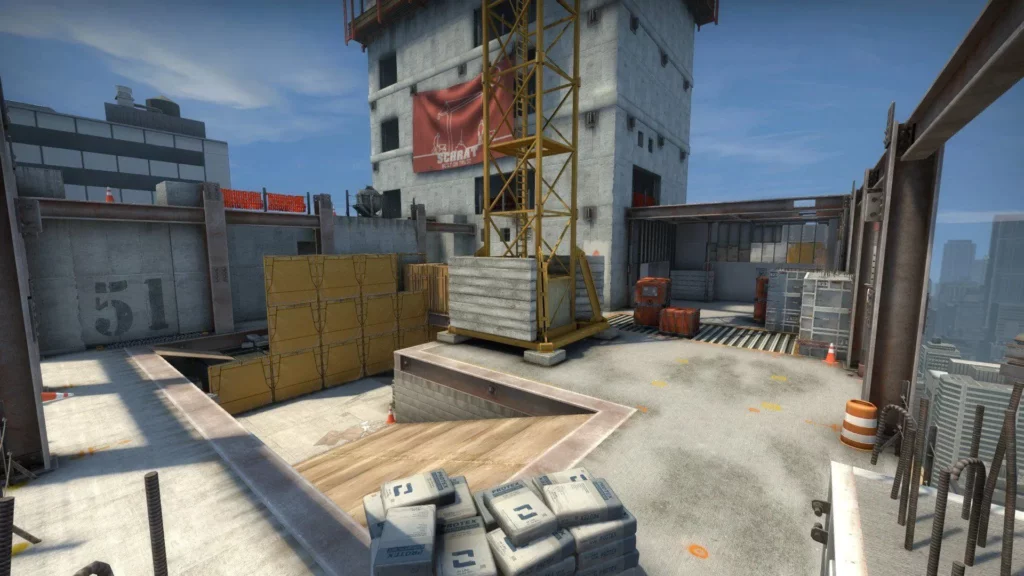
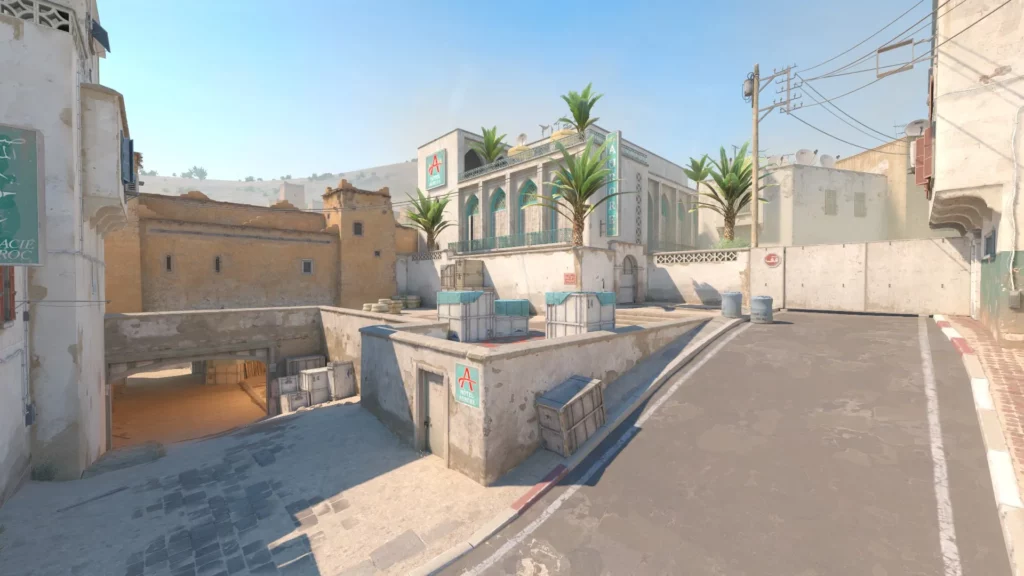
Active Duty maps are specifically chosen by Valve for professional CSGO tournaments. Over the years, the Active Duty pool has comprised a total of eleven maps, with only seven available at any given time. The recent change in late 2022 replaced Dust II with Anubis, resulting in the current Active Duty pool consisting of Ancient, Anubis, Inferno, Mirage, Nuke, Overpass, and Vertigo.
While the Active Duty map pool is primarily intended for professional play, it still influences the casual scene. Many high-level players intersect with professionals, and both groups prefer playing maps that are currently relevant in the esports scene. Consequently, changes in the Active Duty pool can signify significant shifts in the state of CSGO, as iconic maps like Cache and Cobblestone may lose popularity due to their removal from professional play.
Reserve maps are available for casual players in matchmaking but are not included in professional tournaments. These maps are typically former Active Duty maps that have been moved to the Reserve pool. Currently, the Reserve pool consists of Cache, Dust II, Train, and Tuscan.
To summarize, professional CSGO matches are exclusively played on Active Duty maps, while casual players have access to both Active Duty and Reserve maps. Now, let’s delve into the current Active Duty maps before briefly touching upon the reserves.
The Current Map Pool In CSGO:
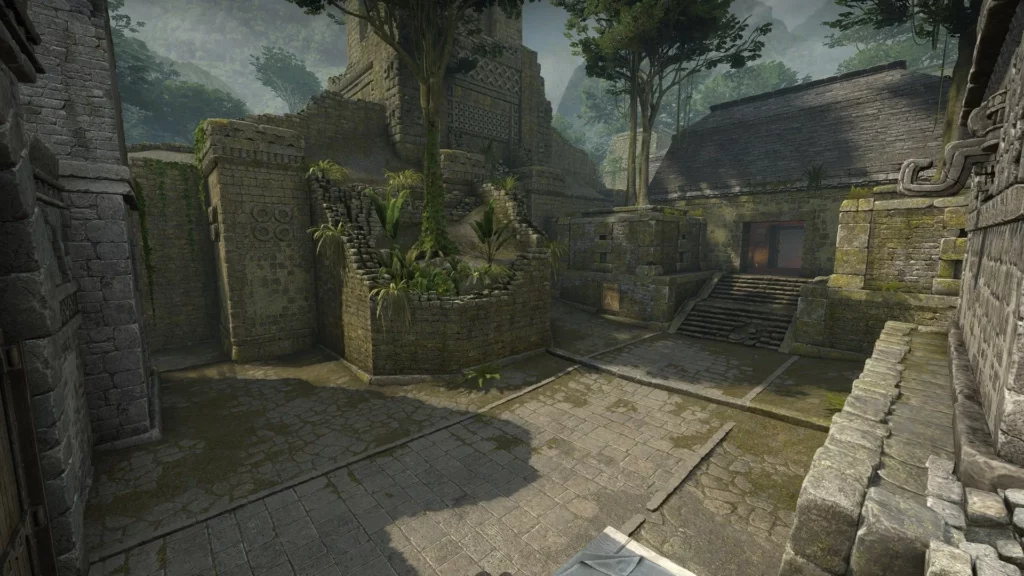
Ancient – The Latest Addition to Active Duty
Ancient, created by Valve and introduced during Operation Broken Fang in December 2020, is the second newest map to join the Active Duty pool. It replaced Train when the operation concluded in May 2021.
Following a recent update, Ancient now offers better balance compared to its previous version, which heavily favored the Counter-Terrorist side. The map’s dynamics now revolve around early control of Mid, as both sides arrive simultaneously due to adjusted timings. With small entry areas on the wings of the map for both bomb sites, Mid control becomes essential for successful splits and fast rotations.
Featuring a visually unique design, Ancient demands strong communication and teamwork from both sides to effectively secure territory and eliminate opponents.
Anubis – A Shifting Presence in Active Duty
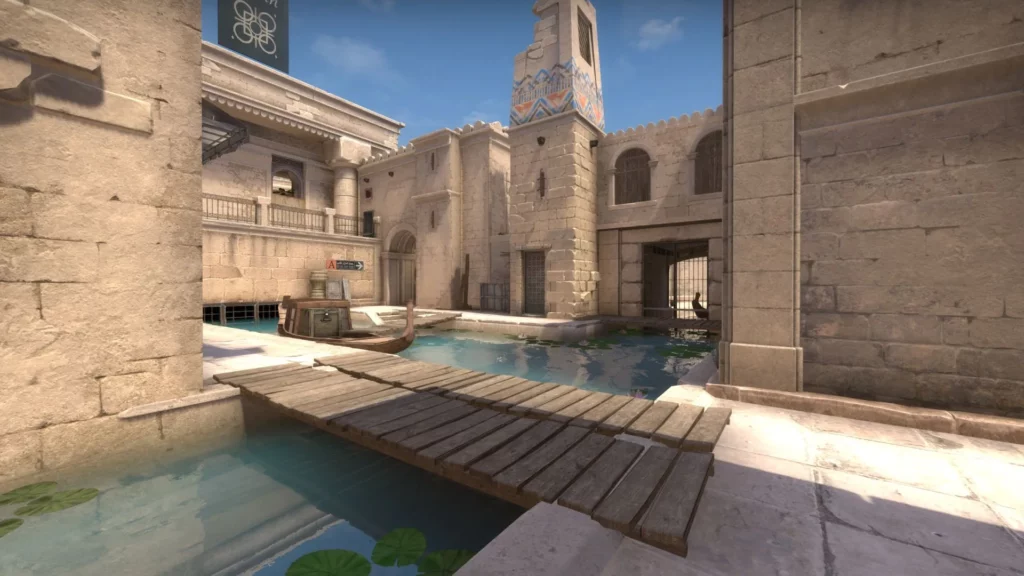
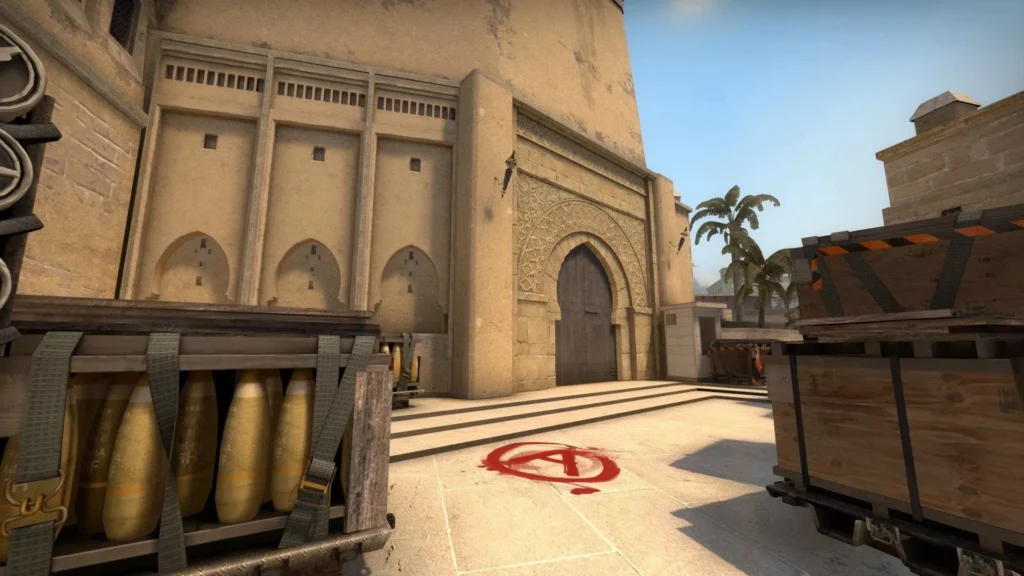
Anubis made its debut in March 2020 as part of Operation Shattered Web. Two years later, in August 2022, it joined the Reserve pool as a celebration of CSGO’s 10th anniversary. Shortly after, Anubis was added to the Active Duty pool, replacing Dust II.
Unlike most maps, Anubis leans heavily towards the Terrorist side, limiting Counter-Terrorists to bomb sites early in the round. Terrorists gain control of most of the map, creating a challenging scenario for the defenders. Successful executes are vital, and while Counter-Terrorists can rotate through Mid, Terrorists can swiftly seize control and divide the map, making defense an arduous task.
Anubis boasts a distinct design with canals flowing throughout the map. Its T-sided nature sets it apart from the predominantly CT-sided maps seen in recent times.
Inferno – A Beloved Classic
Inferno, carried over from CS 1.6 to CSGO, stands as one of the most beloved and iconic maps in Counter-Strike. While it was temporarily removed from the Active Duty pool in the past, it has never disappeared from the game entirely, consistently captivating players.
Inferno offers a well-balanced gameplay experience, with both Counter-Terrorists and Terrorists having ample opportunities for strategic maneuvers. The B entrance known as Banana plays a pivotal role in the early rounds, serving as the main access point to the B site apart from the CT-Spawn. The map encourages a blend of aggression and caution, but once a site is lost, retaking it becomes a formidable challenge, emphasizing the importance of economic awareness.
Renowned for its versatility and familiar design, Inferno remains a staple in both professional and casual scenes, attracting Counter-Strike enthusiasts with its timeless appeal.
Mirage – The Everlasting Favorite
Mirage holds the distinction of being the most popular map in Counter-Strike history. Since its inclusion in the Active Duty pool in June 2013, it has stood as an unwavering symbol of the game for over a decade.
While Mirage leans slightly towards the Counter-Terrorist side, it provides a flexible playing field for Terrorists as well. Every section of the map carries significance, and executing a well-planned default strategy is crucial for the success of the Terrorist team. Controlling different areas enables the team to gain an advantage, while Counter-Terrorists must remain vigilant, anticipating anything from swift assaults to methodical splits.
Mirage continues to be the go-to map for newcomers as well as seasoned veterans, captivating players with its unique gameplay and unchanging allure.
Nuke – A Legacy of Complexity
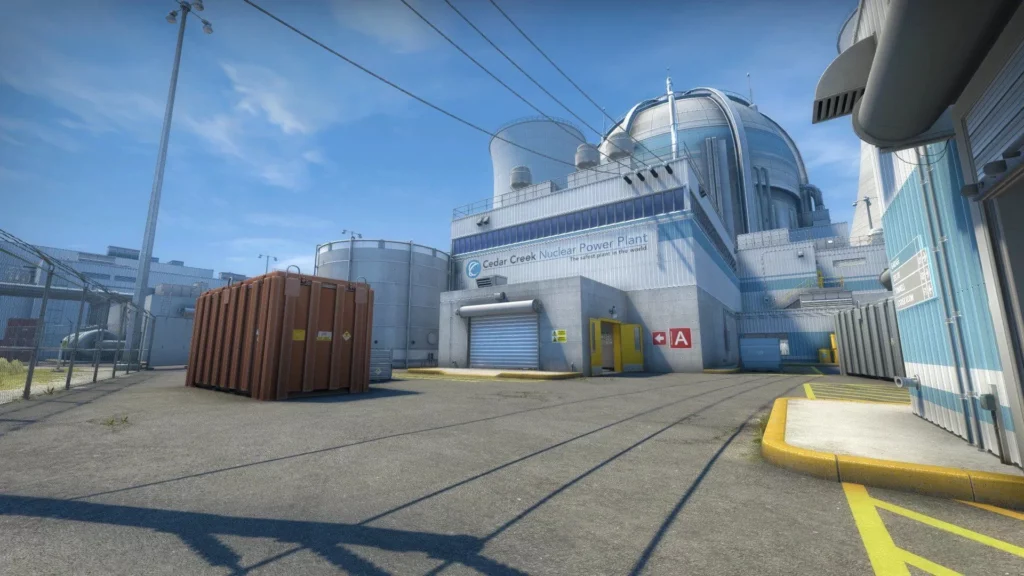
Debuting in Counter-Strike’s fourth beta version in 1999, Nuke claims the title of the franchise’s oldest defusal map. While it has undergone significant balance and visual improvements over the years, its core unconventional design has remained intact for over two decades.
Nuke stands as the most strategically intricate map in Counter-Strike. With its distinct dual-level structure, the bombsites sit above and below each other, offering a range of engagement distances, from long-range encounters outside to close-quarters battles deep within the B site. The map boasts swift rotations, where utility plays a crucial role. While heavily skewed towards the Counter-Terrorist side, Nuke provides more options for outmaneuvering opponents than any other map.
Having stood the test of time, Nuke’s rich history and strategic depth have molded it into the pinnacle of competition and strategy that it represents today. Despite its relatively small size, Nuke bursts with possibilities and challenges players to master its intricacies.
Overpass – A Valve Original
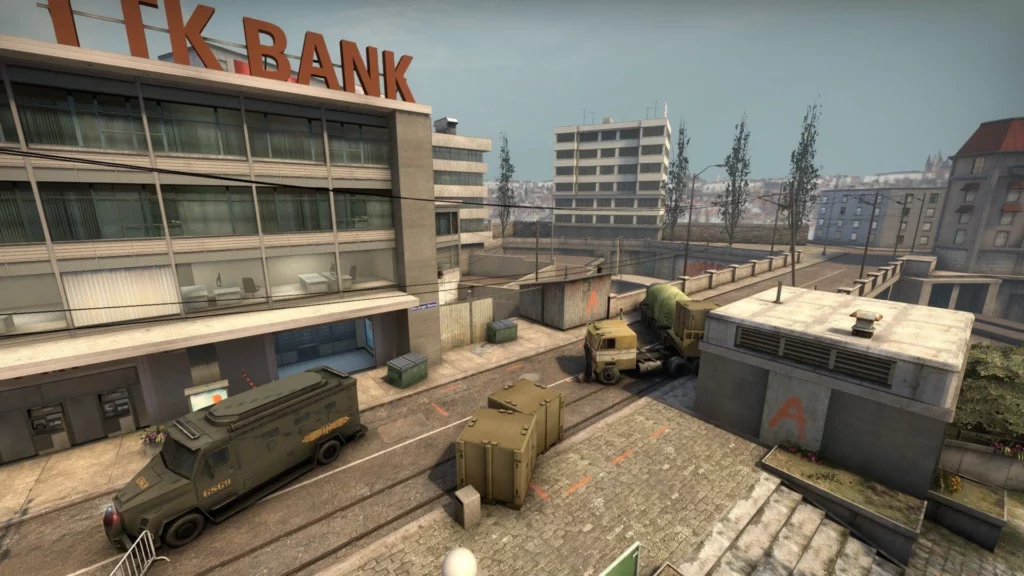
Introduced by Valve in the Winter Offensive update of December 2013, Overpass became the first new defusal map crafted specifically for CSGO. Over the years, it has received multiple layout updates, particularly on the A site, solidifying its status as a popular choice for casual play. Since its introduction almost a decade ago, Overpass has remained a constant presence in the Active Duty pool.
Overpass leans heavily towards the Counter-Terrorist side and stands as the largest map in Counter-Strike. While close-quarters engagements can occur, especially in the connector area, medium and long-range battles are common, requiring players to possess a strong understanding of common angles. Successful utility usage and well-coordinated teamwork are vital for both sides to achieve victory.
Although some players may find its CT-sided nature tiresome, the delicate balance between precise aim and strategic decision-making required to master Overpass has cemented its status as a favorite among casual and professional players alike.
Vertigo – From Forgotten to Divisive
Originally released alongside CS 1.1 in 2001, Vertigo faded into obscurity until it received a
major overhaul and was reintroduced to the Active Duty pool in March 2019, a staggering 18 years after its initial creation. It replaced Cache, sparking mixed reactions from the community. While subsequent changes have improved its reception, Vertigo remains a polarizing map among fans.
Regarded as one of the most balanced maps in the game, Vertigo features two levels that allow for audibly discerning fast rotations from the lower level, where Terrorists can swiftly transition between bomb sites. Gaining control of A Ramp becomes crucial, as it serves as the most hotly contested point on the map. Taking the B site consistently proves challenging, and coordinated use of smokes and molotovs often leads to chaotic confrontations. Information gathering plays a pivotal role in making rapid team decisions.
Although Vertigo may not enjoy the same level of adoration as other Counter-Strike maps, it offers a gratifying experience once players grasp its core principles of information management, strategic utility usage, and seamless rotations.
Cache, Dust II, Train, Tuscan – Hidden Gems in the Reserve Map Pool Of CSGO
The Reserve pool harbors a collection of classic and iconic Counter-Strike maps that, while not featured in professional play, still hold great appeal for casual players.
Cache stands as a prime example of a classic CSGO map. Initially introduced to the Active Duty pool in September 2013, it remained a fan-favorite for six years until its rework and subsequent removal to make way for Vertigo in 2019. Unfortunately, some players feel that the map lost its charm following the overhaul.
Dust II holds a legendary status in gaming history. With its revolutionary four-square design, it made waves upon its release in 2001. Despite minimal changes over the past 22 years, its extensive playtime has rendered it somewhat predictable and lacking novelty. Dust II was added to the Active Duty pool at the launch of CSGO, removed for a rework in 2017, and reintroduced in 2018. However, in November 2022, it was once again removed to make space for Anubis.
Train, another map originating from the original Counter-Strike, has hosted countless memorable matches over the years. Despite its CT-sided nature and emphasis on intricate executes, Train has stood the test of time. Initially included in the Active Duty pool at the launch of CSGO, it was temporarily removed and reworked in 2014 to accommodate the introduction of new maps. Train made a triumphant return to the Active Duty pool in 2015 but was ultimately replaced by Ancient in May 2021.
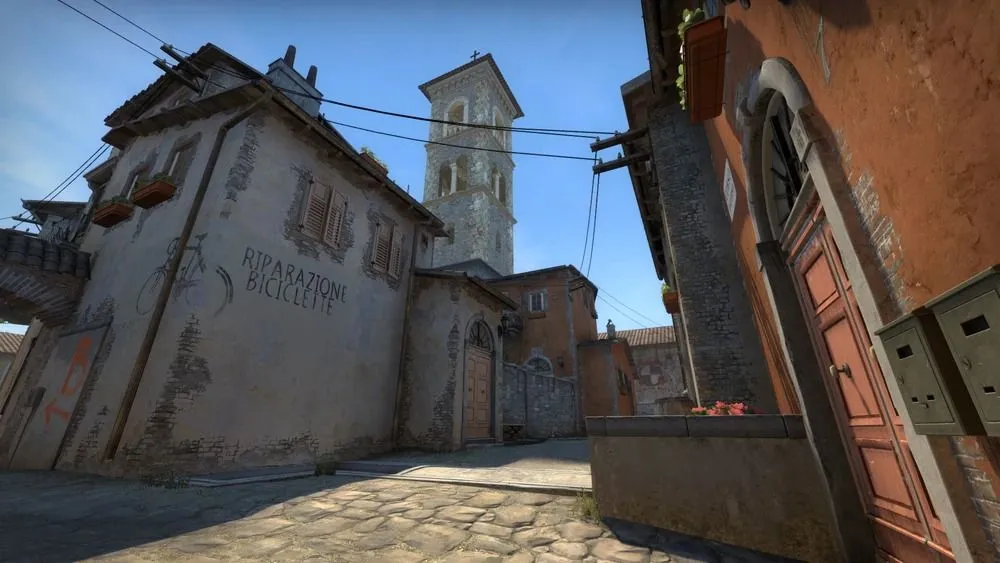
Tuscan has yet to make its proper transition to Global Offensive. However, with its introduction alongside Anubis to commemorate the game’s 10th anniversary, the potential for Tuscan to enter the Active Duty pool remains untapped. Players eagerly await the day when this revered map will receive the recognition it deserves.
Understanding the Significance of Maps in Counter-Strike
In Counter-Strike, the mechanics lay the foundation, but it is the maps that breathe life into the game. The ever-evolving map pool, with its carefully crafted environments and strategic nuances, keeps players engaged and enthralled. Each map undergoes years, sometimes decades, of refinement and development to become the immersive playgrounds they are today.
By familiarizing yourself with each map in the Active Duty and Reserve pools, you gain a deeper understanding of the game and equip yourself with the tools to excel. Counter-Strike is a game where knowledge reigns supreme, and the more you know about the intricacies of each map, the better positioned you are to succeed.
So, venture forth, gain the edge in your next game, and select a map to explore. Rest assured, there is no wrong choice. Immerse yourself in the captivating world of Counter-Strike, where every map tells a unique story and presents thrilling challenges for players of all skill levels.
Thank you for taking the time to read our article. To stay up-to-date with the best esports news website that caters to your individual preferences and comfort, we kindly recommend following TalkEsport on Google News & Twitter.
Immersing yourself in the intense world of Counter-Strike: Global Offensive requires not only skill but also an understanding of how to effectively utilize a wide range of CS:GO guns in various game situations. One aspect that goes beyond mere decoration and holds significance for dedicated players is the acquisition of skins.
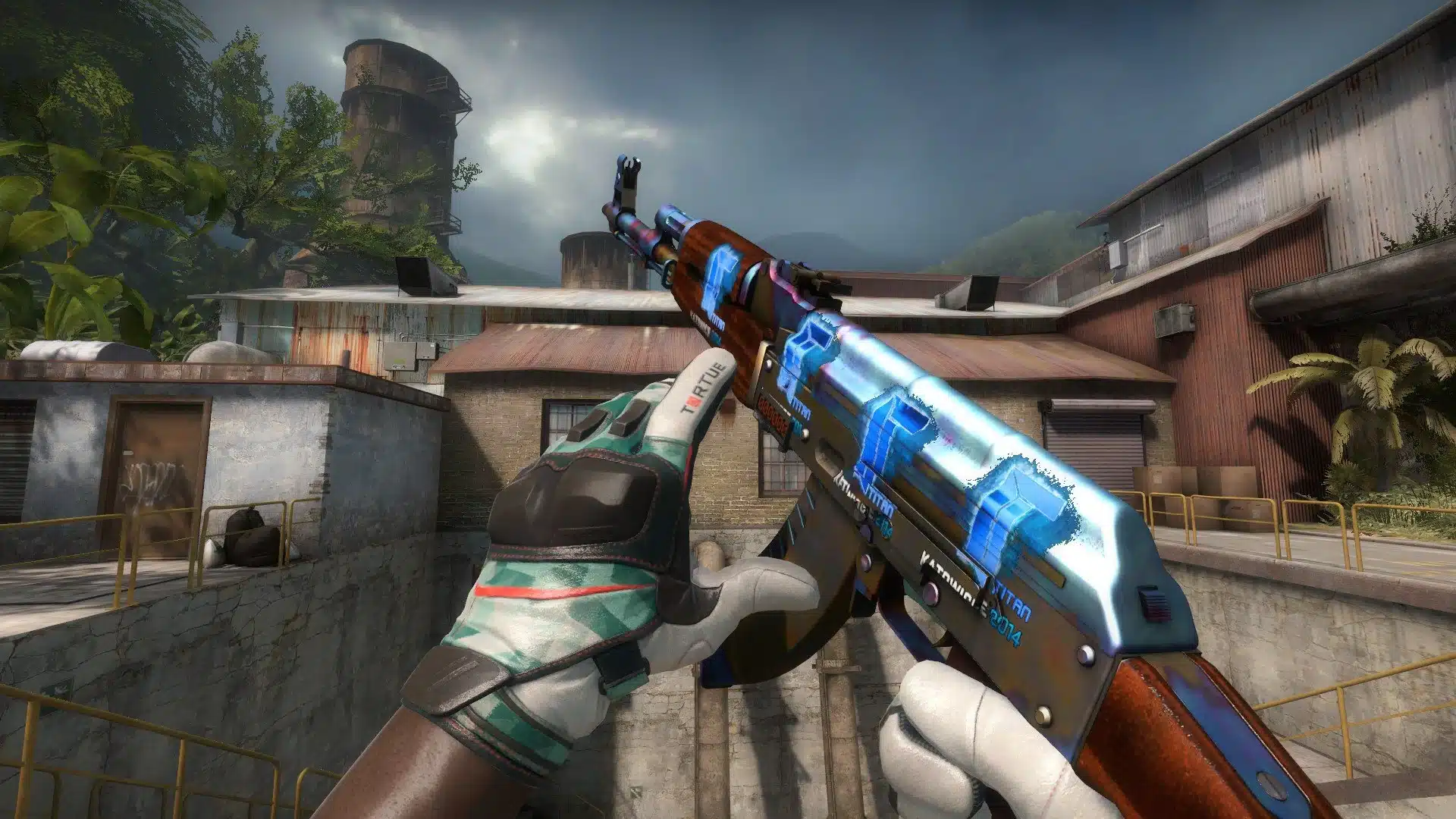
CSGO Skins serve as a means to showcase your level of expertise and express your unique personality within the game. In this article, we will provide you with valuable information about the quality of CS:GO weapon skins.
Distinguishing Skins by Quality
To comprehend the concept of quality in CS:GO skins, let’s first delve into the terminology. CS:GO skins were introduced as cosmetic items in the Arms Deal Update for Counter-Strike: Global Offensive. These skins solely alter the visual appearance of in-game guns.
Since their introduction, both the community and Valve have produced an extensive collection of skins, catering to various tastes. As a result, the quality of skins is not solely determined by their visual appeal. Considering our diverse preferences, it becomes challenging to establish definitive criteria based on personal opinions alone.
Determining the Quality of CS:GO Skins Several factors contribute to the overall quality of CS:GO skins, including:
Rarity: The most coveted skins are incredibly difficult to obtain.
StatTrak Feature: Skins equipped with StatTrak technology track certain in-game statistics, adding a distinctive element.
Condition: Skins can be categorized as either worn out or new.
Souvenir Status: Some skins can only be acquired by watching official esports tournaments, making them highly sought after.
Stickers: Skins adorned with stickers hold unique value, and the type of stickers present influences their desirability.
Contraband: Certain skins fall under the contraband category due to their limited availability, often fetching a high price in the marketplace.
Prestigious skins with superior quality not only come with a higher price tag but also garner attention from both teammates and opponents.
Exploring Skin Quality in Detail
In this article, we will examine each aspect mentioned above in greater detail. However, let’s begin by addressing a fundamental question.
CS:GO Skin Quality Chart
The rarity of skins is the most apparent indicator of their quality. Valve’s release of a limited number of skins directly correlates with their rarity and value.
The rarest skins in CS:GO include knives and items like the AWP Dragon Lore, which are nearly impossible to obtain. However, the odds of acquiring other skins from CS:GO cases are relatively more promising.
To determine the rarity of a specific skin, observe the color marker associated with it. The following chart illustrates the gradation of rarity, ranging from common to the rarest:
Common: Consumer Grade, Base Grade
Uncommon: Industrial Grade
Rare: Mil-Spec, High Grade
Mythical: Restricted, Remarkable
Legendary: Classified, Exotic
Ancient: Covert, Extraordinary
Exceedingly Rare: Rare Special, Gloves, Knives
Immortal: Contraband
CS:GO Souvenirs
Certain skins can exclusively be obtained by watching major official esports tournaments. These items hold significant value as they cannot be acquired through cases or random drops.
Souvenir skins are accompanied by special stickers and are packaged individually, containing only one skin.
CS:GO Stickers:
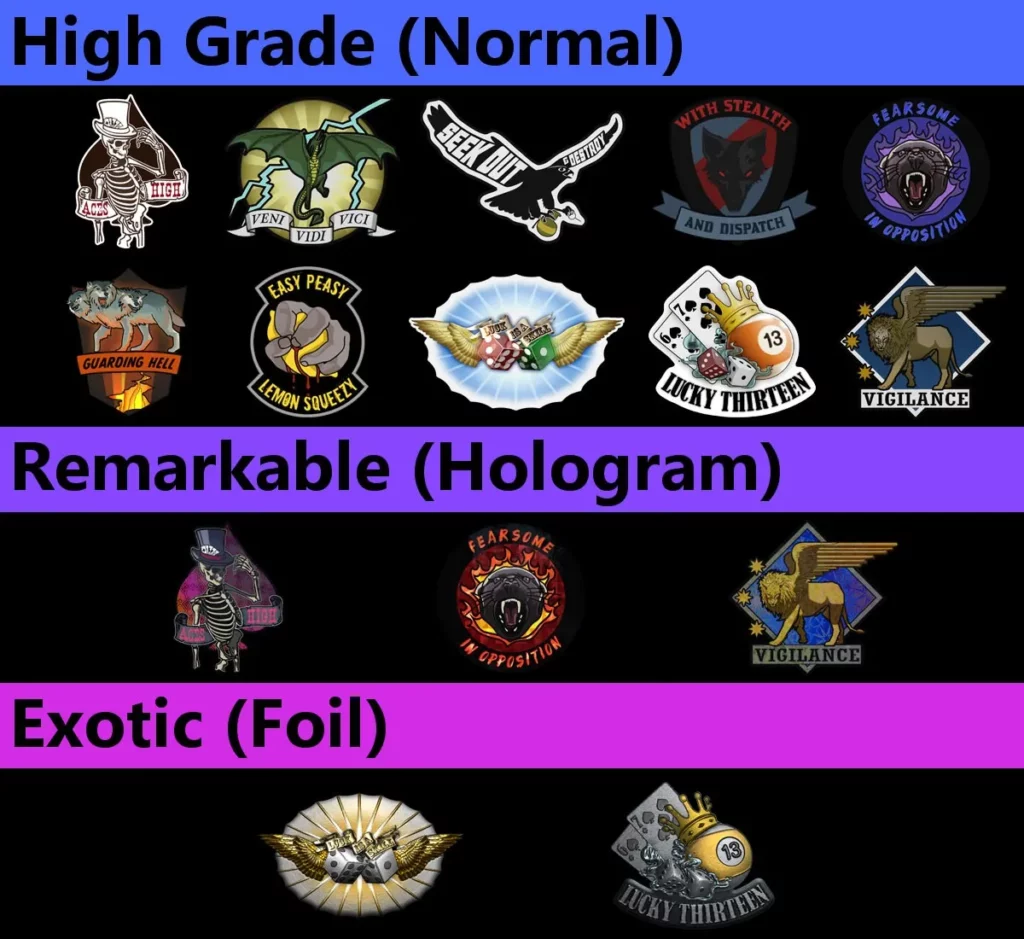
Types and Acquisition CS:GO stickers are available in various types, each with its own characteristics:
High-Grade (Normal): These are standard stickers that provide a basic visual enhancement to the weapon.
Remarkable (Hologram): Remarkable stickers incorporate holographic effects, adding an extra layer of sophistication.
Exotic (Foil): Foil stickers exude a shiny and reflective appearance, making them highly sought after by collectors.
Extraordinary (Foil, souvenirs): Extraordinary stickers, often found on souvenir skins, possess both the foil and souvenir characteristics, elevating their desirability.
Contraband: Contraband stickers are discontinued items that are exceptionally rare and valuable.
You can purchase individual stickers or obtain them from sticker capsules, similar to CS:GO weapon cases. It’s worth noting that stickers have wear levels, meaning they can be scraped off, but this process is irreversible.
Unveiling the Rarity of Contraband Items
Occasionally, CS:GO developers remove certain skins from cases and random drops, rendering them exclusively available on external marketplaces. These coveted items are known as Contraband items.
Contraband skins are exceptionally rare and hold significant value among collectors and enthusiasts.
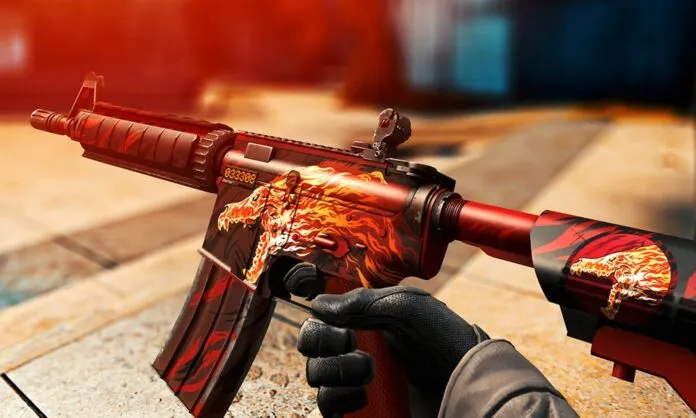
These situations arise when artwork that violates copyright or plagiarism concerns appears on a skin. Notable examples include the M4A4 | Howl skin and the Howling Dawn sticker, which were discontinued following a plagiarism accusation.
Some players strive to create collections of items featuring the same pattern, such as the Asiimov Skins available for AK-47, P90, AWP, M4A4, and P250. For some, obtaining another item in such a series holds greater importance than adhering to predefined quality standards.
Quality in CS:GO skins encompasses various aspects, but ultimately, personal preference plays a crucial role in determining what constitutes a high-quality skin.
Thank you for taking the time to read our article. To stay up-to-date with the best esports news website that caters to your individual preferences and comfort, we kindly recommend following TalkEsport on Google News & Twitter.
Counter-Strike is a multi-layered game that goes beyond its surface-level fun and excitement. As players delve deeper into its intricacies, they realize the importance of meticulous planning, teamwork, and mastering the CS:GO economy. Understanding and strategizing around the in-game economy is essential for achieving success and moving closer to the professional level.
It’s important to note that the CS:GO economy we’re discussing here is distinct from the real-money business of CS:GO skins.
CS:GO Economy Explained: The Basics Let’s start by understanding how the entire system works in general.
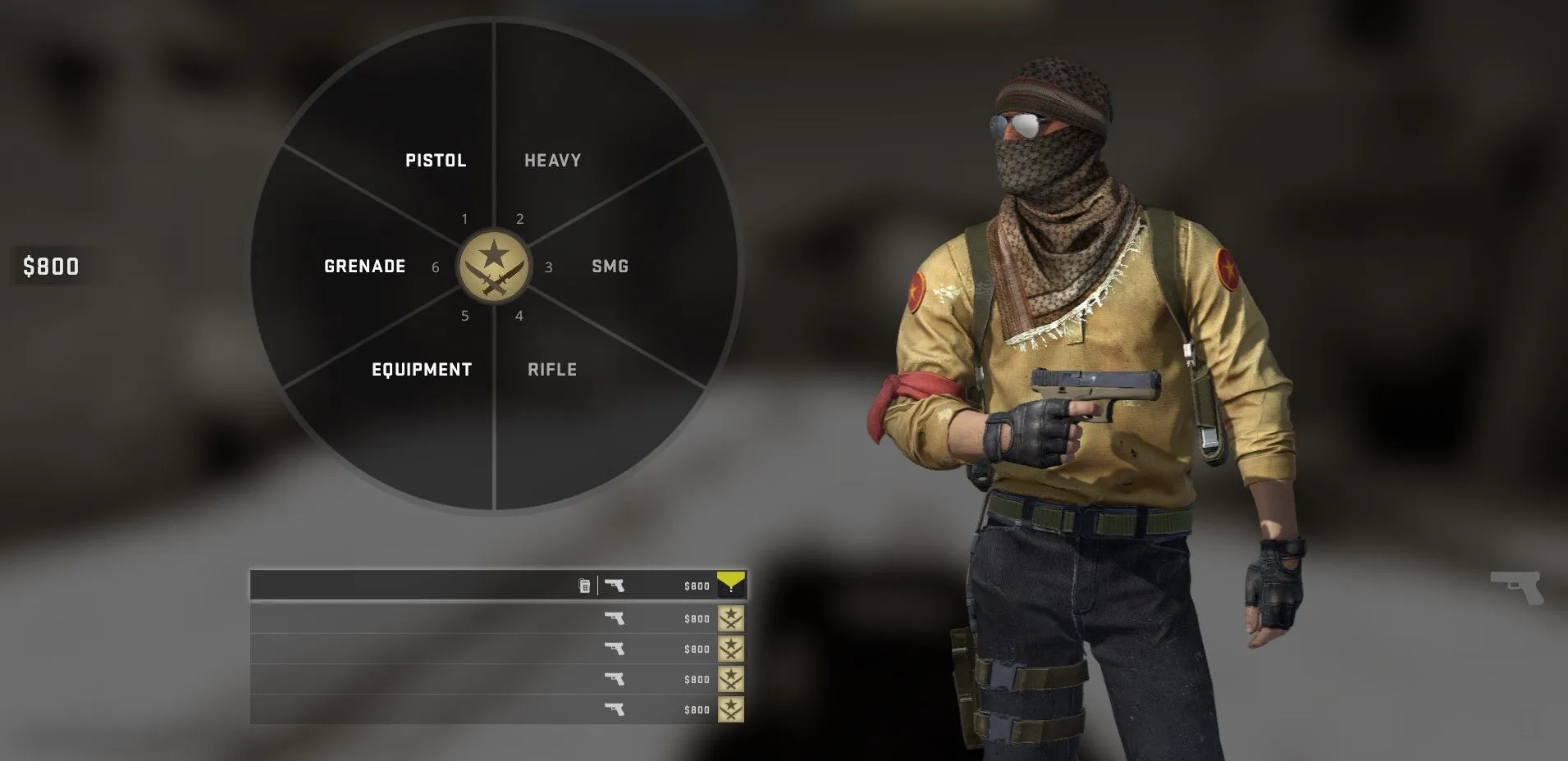
At the beginning of a CS:GO match, each player is allotted $800. Various successful actions such as kills or successfully planting/defusing a bomb generate money. Even in rounds lost, teams receive a small sum, although significantly less than in winning rounds.
The general rule is simple: the more successful your team is from round to round, the more money you accumulate. This allows you and your teammates to make effective purchases when necessary, leading to even more victorious rounds.
There are two types of money earned in CS:GO: team money, which is divided among the players based on wins/losses and bomb-related actions, and individual money, which includes kill bonuses specific to each weapon. Each player can accumulate up to $16,000 in their individual funds.
In the first round, players can only buy pistols and equipment. The outcome of this pistol round determines your economic actions for subsequent rounds. It dictates whether you have the funds to purchase the best guns or if you should save money and aim to earn as much as possible using low-cost/high-reward weapons.
As the match progresses, you’ll make similar decisions after each round. Your strategy may involve spending everything at once with the risk of losing it or saving for a powerful strike in a few rounds. The current match score and the number of remaining rounds directly influence these economic decisions. Additionally, your opponents’ money is a significant factor to consider.
While the concept is straightforward, as is the case with competitive gaming, only practice can transform knowledge into skill. Our CS:GO economy guide provides step-by-step instructions to help you navigate this journey successfully.
Mastering the CS:GO Economy Step by Step To effectively comprehend and apply the CS:GO economy, it’s best to break down the wealth of information into smaller, interconnected segments. Let’s explore the CS:GO economy step by step.
Familiarize Yourself with the Buy Menu and Prices
The brief 30 seconds before each round aren’t meant for browsing the purchase interface in search of items to buy. Instead, utilize this time to determine what you need in the current situation. Familiarize yourself with the buy menu and its options outside the pressure of an actual match.
You can practice with bots and focus on purchasing weapons, adjusting their skill level or using specific CS:GO bot commands to create an engaging yet less intense training environment.
mp_buytime 30: Adjust this value to increase the time available in the buy menu.
mp_buy_anywhere 1: Activate this option with a value of 1 to have access to the shop anywhere on the map. Set it to 0 to return to the default setting.
Combine learning the buy menu with memorizing the prices. Your available funds should dictate your purchasing decisions. For example, if you have a certain amount, you should know which guns you can afford.
Don’t fret about being overwhelmed by the numerous numbers initially. You don’t need to memorize every single price. Instead, focus on the weapons you commonly use. Familiarity with their costs will streamline your decision-making process.
Remember, in-game prices are distinct from skin prices, which are a separate topic altogether. Here are some examples of weapon types, their corresponding terrorist and counter-terrorist options, and their prices:
Type
Terrorist Weapons
Counter-Terrorist Weapons
Price
Pistols
Glock-18
USP-S/P2000
$200
Dual Berettas
$300
P250
$300
Tec-9/CZ75-Auto
Five-SeveN/CZ75-Auto
$500
Desert Eagle/R8 Revolver
$700/600
Heavy
Nova
$1050
XM1014
$2000
Sawed-Off
MAG-7
$1100/1300
M249
$5200
Negev
$1700
SMG
MAC-10
MP9
$1050/$1250
MP7/MP5-SD
$1500
UMP-45
$1200
P90
$2350
PP-Bizon
$1400
Rifles
Galil-AR
FAMAS
$1800/2050
AK-47
M4A4/M4A1-S
$2700/3100/2900
SSG 08
$1700
SG 553
AUG
$3000/3300
AWP
$4750
G3SG1
SCAR-20
$5000
Understand the Most Profitable Actions in a Round
To maximize your team’s earnings, it’s crucial to identify the actions that yield the most money. In CS:GO, there are two avenues for accumulating funds: team actions and personal efforts.
When your team wins a round, your focus should be on securing victory rather than individual kill bonuses. If you’re playing as a counter-terrorist, eliminate terrorists and defuse the bomb. As a terrorist, plant the bomb and eliminate the counter-terrorists. Winning rounds should be your primary economic strategy.
Win and Loss Bonuses for Counter-Terrorists
Round after reset
Win
Bomb detonate
Total
Loss
Bomb plant
Total
First round
$3250
$250
$3500
$1400
N/A
$1400
Second round
$3250
$250
$3500
$1900
N/A
$1900
Third round
$3250
$250
$3500
$2400
N/A
$2400
Fourth round
$3250
$250
$3500
$2900
N/A
$2900
Fifth round
$3250
$250
$3500
$3400
N/A
$3400
Win and Loss Bonuses for Terrorists
Round after reset
Win
Bomb detonate
Total
Loss
Bomb plant
Total
First round
$3250
$250
$3500
$1400
$800
$2200
Second round
$3250
$250
$3500
$1900
$800
$2700
Third round
$3250
$250
$3500
$2400
$800
$3200
Fourth round
$3250
$250
$3500
$2900
$800
$3700
Fifth round
$3250
$250
$3500
$3400
$800
$4200
Disastrous rounds are inevitable, even for top-tier teams. There may be occasions where your opponents have several successful rounds, depleting your team’s budget. During such times, focus on the most profitable actions.
CS:GO weapons offer varying kill bonuses. Often, more difficult kills result in higher rewards. Consider your personal skills and choose weapons accordingly. Practice with different lucrative guns in matches against bots to prepare for multiplayer challenges.
Here are some examples of kill rewards for each weapon type in the game:
Galil AR
$300
MP9
$600
FAMAS
$300
PP-Bizon
$600
AK-47
$300
MP7
$600
M4A4
$300
UMP-45
$600
M4A1-S
$300
P90
$300
SG 553
$300
Sawed-Off
$900
AUG
$300
MAG-7
$900
G3SG 1
$300
Nova
$900
SCAR-20
$300
XM 1014
$900
SSG 08
$300
M249
$300
AWP
$100
Negev
$300
Glock-18
$300
Decoy
$300
USP-S
$300
Flashbang
$300
P2000
$300
Smoke
$300
P250
$300
HE
$300
CZ75-Auto
$100
Molotov Cocktail
$300
Five-Seven
$300
Incendiary
$300
Tec-9
$300
Kelvar Vest
–
Dual Berettas
$300
Kelvar + Helmet
–
Desert Eagle
$300
Zeus x27
–
R8 Revolver
$300
Knife
$1,500
MAC-10
$600
Defuse Kit
–
Master the Art of Saving Money
In CS:GO, there are several economic strategies to consider based on your budget, match plans, and risk tolerance:
Full Buy: This ideal scenario occurs when you have ample funds to purchase all necessary weapons and equipment for your team. Each player can have their preferred weapon and full gear. However, be cautious as losing the round means losing everything, and you may not have the resources for another Full Buy in the subsequent round. It’s safer to opt for a Full Buy when you still have some reserve funds. Assess the risk and use this strategy when you have a higher chance of success.
Quasi Buy: In situations where your team can’t afford a Full Buy or wants to minimize risks, a Quasi Buy is a viable option. Players should divide their roles accordingly. Some can opt for rifles and armor, while others can invest in SMGs for higher kill bonuses. It’s even possible to choose better pistols to conserve money for future rounds.
Force Buy: When your team is struggling with financial balance, such as after a Full Buy loss, taking risks with a Force Buy can be a strategic move. Force Buy involves investing in the most rewarding weapons that still fit within your budget. SMGs are commonly chosen as they offer winning chances without exorbitant costs. Depending on personal preferences, upgrading to better pistols may also be worthwhile. The success of a Force Buy depends entirely on your performance. A win can allow you to transition back to a Full Buy strategy, while a loss may require downgrading to an Eco/Full Save approach for an extended period.
Eco: An Eco round is selected when your budget is severely limited, but you aim to earn more than the losing round bonus. During an Eco round, players typically purchase pistols and possibly some utility items like grenades. While losing the Eco round without any additional bonus is expected, each kill during this round is highly rewarding. CS:GO esports history showcases instances where teams have won Eco rounds and completely turned the tide of the match in their favor.
Full Save: As a last resort strategy, a Full Save involves buying nothing at all. This desperate approach provides minimal chances of earning any bonus, and the team’s recovery relies heavily on the overall match situation. However, a Full Save is not a total disaster, and the team still has an opportunity to bounce back. The success of this strategy depends on the context of the match.
CS:GO offers strategic freedom, allowing you to shuffle economic scenarios to develop a successful match strategy. It’s crucial to discuss these aspects with your team to coordinate your actions effectively. Professional esports teams often have dedicated trainers who specialize in managing the team’s economy. In amateur teams, one player can take on this role.
Thank you for taking the time to read our article. To stay up-to-date with the best esports news website that caters to your individual preferences and comfort, we kindly recommend following TalkEsport on Google News & Twitter.
This might be the closest match Orangutan had to fight so far, but it didn’t stop them from defeating Revenant to continue their flawless run in VCL SA so far.
Orangutan Esports Roster and Lineup
Orangutan Esports is a team of skilled players led by Sabyasachi “Antidote” Bose as IGL, Akram “Rawfiul” Virani, Rishi “RvK” Vijayakumar, Azis “azys” Nandang, Jm “tesseract” Ignacio, and Rajiv “LeVi” Satpute (Sub).
Revenant Esports Roster and Lineup
The roster of Revenant Esports consisted of Tejas ‘rite2ace’ Sawant as the IGL, Joshua “JoshS” Miles Santos, Enrico “Ching” Perez, Kasif “Paradox” Sayyed, Shailesh “blackhawk” Dalvi and Sahil “1TaPGoD” Duble (Sub).
Map Veto and Selection
Revenant Esports banned Pearl and Orangutan banned Lotus. Revenant picked Bind and Orangutan picked Haven. Revenant banned Ascent and Orangutan banned Split. Fracture remained on the last map.
Match Recap
Bind started with OG winning the pistol round, even though Paradox got a triple kill, along with the anti-eco round. RNT got 7 rounds in a row after that to lead 7-2. Round 8 was a 2v5 clutch for RNT as Ching and Rite2ace played amazingly. Rite2ace clutched multiple rounds as well. RNT closed out an easy half at 8-4.
RNT won the second pistol as Ching ninja-defused the spike, although antidote got a quad kill. They won their anti-eco round, lost their bonus, and won the next round to lead 11-5. OG then pulled off the impossible by shutting them down and winning the map at 13-11, getting 8 rounds in a row. Azys went crazy on Raze as his stats were ACS 413 and KDA was 36/18/5. He even took an Ace in round 22.
RNT won the pistol on Haven alongside the anti-eco round. OG won their full buy round and the round after to equalize the score at 2-2. Round 5 was a thrifty win by RNT. After some to-and-fro rounds, the half ended at 6-6.
RNT won the second pistol as well, along with the anti-eco round. OG won 4 rounds in a row to lead 10-8. Round 19 was again a thrifty win by RNT as Ching managed to get a triple kill. OG managed to win 13-10 as RNT failed to close out the map again.
Although RNT lost, Ching was the MVP for this map as his KDA was 24/16 /0 on Killjoy.
All over the Match MVP went to Azys as his KDA on Raze and Skye went to 58/35 /17.
With this OG goes 4-0 in group stages and qualifies for playoffs.
Thank you for taking the time to read our article. To stay up-to-date with the latest news and articles around Gaming and Esports, we kindly recommend following TalkEsport on Google News.
First-person shooter enthusiasts are eagerly exploring the latest installment of Overwatch 2, seeking to harness its innovative mechanics. If you’re a Valorant player keen on incorporating your existing sensitivity settings into Overwatch 2, we’ve got you covered. In this comprehensive guide, we will walk you through the process of making the necessary adjustments and locating the mouse settings within the Overwatch 2 menu.
Convert Valorant to Overwatch 2 Sensitivity Easily
To align your Overwatch 2 mechanics with your current Valorant settings, a simple multiplication is in order. Multiply your Valorant sensitivity by 10.60. It’s important to note that these sensitivity adjustments are applicable solely to PC players, as Overwatch 2 is currently exclusively available on PC.
Console and controller users, unfortunately, do not have the flexibility to customize their sensitivity in a similar manner. If you’re unsure about accessing the mouse sensitivity option within the game, follow these straightforward steps:
Press the ‘Esc’ button to open the menu.
Locate and click on the ‘Options’ tab.
Within the ‘Options’ menu, navigate to the ‘Controls’ section.
Look for the ‘Mouse’ subsection.
Adjust your sensitivity to your preferred level.
Now that you have found the mouse sensitivity option, it’s time to calibrate your controls to mirror your Valorant settings. For instance, if your Valorant sensitivity is set to 0.625, you should aim for an Overwatch 2 sensitivity of approximately 6.625. To simplify this conversion process, consider utilizing sens converters available online. A recommended tool is the sens converter provided by GamingSmart, which allows you to input your DPI (dots per inch) for precise adjustments.
While it’s important to note that these adjustments may not perfectly replicate your Valorant sensitivity, they will serve as a solid foundation for your Overwatch 2 gameplay. Experimentation is key, so feel free to fine-tune your settings based on your personal preferences and unique playstyle. Keep in mind that finding the optimal sensitivity involves trial and error.
In addition to adjusting the sensitivity, Overwatch 2 players can also customize the Invert Look option within the mouse settings. This feature enables you to toggle the inversion of camera movement, catering to your individual preferences and comfort.
Thank you for taking the time to read our article. To stay up-to-date with the best esports news website that caters to your individual preferences and comfort, we kindly recommend following TalkEsport on Google News.
As the final Valve-sponsored CSGO tournament, the BLAST.tv Paris Major is currently underway, captivating fans around the globe. This event presents a unique opportunity for players to secure their last diamond coin, adding a touch of excitement to this legendary tournament. To assist you in navigating the challenging Legends Stage and making accurate predictions, we’ve prepared a comprehensive guide that guarantees an exhilarating Legends Stage Pick’Em Challenge experience in CSGO Paris Major 2023.
To participate in the Pick’Em Challenge for the BLAST.tv Paris CSGO Major, you can conveniently acquire the pass from the game’s main menu. On the store section located at the bottom of the main page, venture into the dedicated Paris section. Here, you can choose between purchasing the pass for $10 or opting for the premium offer of $18, which includes three Souvenir Tokens for an enhanced experience.
How to Play CSGO Pick’Em Challenge?
Both the Challengers and Legends Stages will require you to make nine selections. These include choosing one team to achieve a flawless 3-0 record, another team to face a challenging 0-3 outcome, and seven teams that will successfully advance beyond each respective stage. The key to completing a challenge lies in accurately predicting at least five out of these nine selections.
Additionally, prior to the commencement of the Champions Stage, you’ll be tasked with filling out the entire playoff bracket, including selecting the winner of the grand final. Immerse yourself in the thrill of the tournament by tackling the following list of challenges within the Pick’Em Challenge:
Activate your coin before the tournament reaches its climactic finale.
Place all nine Pick’Em predictions for the Challengers Stage before the commencement.
Achieve five correct Pick’Em predictions for the Challengers Stage.
Place all nine Pick’Em predictions for the Legends Stage before the commencement.
Secure five correct Pick’Em predictions for the Legends Stage.
Place all seven Pick’Em predictions for the Champions Stage before the commencement.
Make two accurate Pick’Em predictions for the quarterfinals.
Nail down one precise Pick’Em prediction for the semifinals.
Achieve a spot-on Pick’Em prediction for the grand final, demonstrating your exceptional foresight.
CSGO Paris Major 2023 Legends Stage Pick’Em Prediction
Let’s take a look at TalkEsport’s prediction for the CSGO Paris Major 2023 Legends Stage:
What’s your opinion on it and what’s your Pick’Em for the Legends Stage? Let us know in the comment section below.
Thank you for taking the time to read our article. To stay up-to-date with the latest news and articles around Gaming and Esports, we kindly recommend following TalkEsport on Google News.