Home Blog Page 1764

50 Questions to Ask Ghosts in Phasmophobia

0

In order to maximize the immersive gameplay experience of the players, Phasmophobia lets them interact with the ghosts with their actual voice through Ouija Boards and EVP Sessions using a Spirit Box. There are a total of 140 accepted questions that players can ask ghosts, many of which are rewordings of some other question.

In case you’re a new Phasmophobia player and having difficulties understanding which questions to ask the ghosts, you’re at the right place. We have compiled together for you a list of 50 accepted questions that you can ask ghosts in your next game of the co-op psychological horror title by Kinetic Games.

50 Questions You Can Ask Ghosts

  1. Anybody here?
  2. Anybody in the room?
  3. Anybody with us?
  4. Are you angry?
  5. Are you a boy?
  6. Are you a child?
  7. Are you a girl?
  8. Are you a woman?
  9. Are you close?
  10. Are you female?
  11. Are you friendly?
  12. Are you here?
  13. Are you male?
  14. Are you male or female?
  15. Are you old?
  16. Are you with us?
  17. Are you young?
  18. Can we help?
  19. Can you give me your name?
  20. Can you show yourself?
  21. Can you talk?
  22. Do you want to hurt us?
  23. Do you want us here?
  24. Do you want us to leave?
  25. Give us a sign!
  26. Hello?
  27. How old are you?
  28. How young are you?
  29. Is anyone here?
  30. Is there a ghost here?
  31. Is there a spirit here?
  32. Let us know you are here.
  33. Shall we leave?
  34. Should we leave?
  35. Show yourself!
  36. Speak to us!
  37. What are you?
  38. What is your age?
  39. What is your gender?
  40. What is your location?
  41. What is your name?
  42. What do you want?
  43. What should we do?
  44. When were you born?
  45. Where are you?
  46. Who am I talking to?
  47. Who are we talking to?
  48. Who are you?
  49. Who is this?
  50. Why are you here?

DAMWON Gaming signs Khan To League of Legends roster

0

Kim “Khan” Dong-ha, the former T1 and FunPlus Phoenix top laner has been signed by world champions DAMWON Gaming. According to announcement from the Korean Organization, Khan is all set to take over the duties of Jang “Nuguri” Ha-gwon as the top laner in the team after the expiry of the contract of the later, earlier this month.

https://twitter.com/DamwonGaming/status/1332187394209050625?s=20

Khan has had an impressive career as a top laner being able to reach play-offs of two World Championship events. He also finished top 3 in multiple events under both the banners of T1 and FunPlus Phoenix.

DAMWON themselves had an insane run at the Worlds this year being able to beat powerhouses like G2 on their way to the trophy. With the addition of Khan to the roster, DAMWON is all set to defend their World’s title in the upcoming 2021 LCK Spring Season.

Scammers are impersonating Esports orgs for false advertisements on YouTube

Scamming is not a new thing in the world of esports, and it isn’t only limited to in-game currencies and cosmetics. Over the years scam artists have come up with a variety of ways to rip off victims who fall for the scams. In the past, we have seen scammers resorting to live streaming platforms like Twitch to fraudulently make an income off unsuspecting viewers by hijacking their accounts.

While we’re familiar with scammers impersonating individuals to do fake live streams, it appears like they’ve started using the names of big esports organizations to run ads on YouTube. These scams generally advertise free in-game skins for viewers and ask them to visit a third-party website.

The viewers are then required to enter their Steam credentials on the third-party website to obtain their reward. Needless to say, that website would be a phishing site designed to rip off the user input data and hijack their Steam account.

These sorts of frauds have been happening on the streaming platform Twitch for years, but Twitch is generally quick to ban impersonating streamers. For this reason, it looks like the scammers have made their way to YouTube, where they’re paying the platform to run their fake advertisements.

The worst part is that these kinds of frauds are working. While we don’t have the numbers on how many people are falling for these scams, the fact that the scammers are continuing to pay the platform to run their advertisements should speak volumes. It’s unclear when YouTube will find a way to permanently tackle this problem. But till they do, these scams might continue to rip people off their money, and their accounts.

How your PS4 may benefit from Premium VPN

0

PlayStation has evolved exponentially in terms of its abilities since its initial release. Each generation of the console has offered significant upgrades over the previous ones to keep the gaming experience on par with beefy PCs. If you aren’t a seasoned PS4 user or haven’t dug deep into the ins and outs of the console, chances are you are unaware of the advantages of setting up a VPN on the PS4.


What Is a VPN?

A virtual private network (VPN) offers privacy and anonymity in all your internet activities by creating a private network from a given internet connection. VPNs mask your internet protocol address keeping online activities virtually untraceable. Other than hiding your internet activities it establish secure and encrypted connections to provide greater privacy with security.

VPNs form a data tunnel between your local network and an exit node in a far location mostly of your choice making it seem as if you’re in a place of your choice. Other than privacy and security, this helps to bypass geo-restrictions.

VPN on PS4 comes with its own set of benefits. Much like its applications on PCs and Mobiles, VPN can be used to remove the geo-restrictions across PlayStation allowing players to access content that otherwise would not have been possible in their own location.

Why Use a VPN on PlayStation 4?

Virtual Private Network permits you to get to the PlayStation Store content from various regions so you can purchase games for less or access content that is not accessible in your region. On the off chance that you belong to a region outside the United States, titles are almost consistently $20 to $30 more costly.

Other reasons why using VPN may enhance your experience on PS4

  1. Switching servers
  2. DDoS Protection
  3. Download Games Faster
  4. Masking your IP when streaming
  5. Restricted access to region-locked content

With a VPN, you can pick up games at a similar cost as PS4 proprietors in the US. Furthermore, however not pertinent to most of the PS4 owners, a VPN fends off DDoS attacks. Moving onto streaming services available on PlayStation like Hulu and Netflix can have uninterrupted access to a large range of content.

VPN disguises your location thus giving you access to location-restricted content. Masking locations give selected betas and early accesses to games that have been dropped for selected locations.

How To Setup a VPN on PS4:

To set up a VPN on your PS4 make sure you are subscribed to a premium and branded VPN service. Premium subscription lets you chose from a wide range of locations and comes with unlimited data without any speed restrictions. Upon subscribing check for DD-WRT compatibility with your router and follow the given steps:

  1. Go into your router’s control panel. (Steps for which can be found in the router’s manual)
  2. Inside Network settings enter the necessary VPN credentials.
  3. Exit the router control panel after saving the VPN settings.
  4. In your PlayStation 4, go to Network Settings inside General Settings.
  5. Choose Set Up Internet Connection.
  6. Connect your WiFi with the PS4.
  7. Check the box that says “Do Not Use a Proxy Server.”
  8. Look for the availability of restricted contents to ensure that everything is properly set up.

Another way around to setting up VPN is to do it via your personal computer.

  1. Put an Ethernet cable into the back of your PlayStation 4 and your PC.
  2. Go to your PC’s Control Panel and choose Network & Sharing Center.
  3. Next, click on Change Adapter Settings.
  4. Right click on the name of your VPN and choose Properties.
  5. From the tab that says Sharing, tick Allow other network users to connect through this computer’s internet connection.
  6. From the drop-down menu of Home networking connection, choose the connection you’d like to connect with your gaming console.
  7. From the PlayStation 4’s menu, launch Settings and find Network Settings.
  8. Choose Set up Internet Connection > Use a LAN cable > Easy connection method > Do Not Use a Proxy Server.

With inputs from our guest author, Biren Sharma.

How To Earn The Ruthless Medal in COD Mobile

Out of the 85 total Call of Duty medals, 42 can be acquired via Multiplayer. Each medal marks a specific achievement that the player must earn via completing specific tasks. The Ruthless medal is one of those 42 medals which can be earned from multiplayer mode. Earning this medal is not as simple as every other one given the challenge involved, continue reading to find out why.

The Ruthless medal is listed as a killstreak medal in Multiplayer. Players can get the medal once they get 15 kills without dying in any multiplayer mode of their choice.

Follow these steps to get the Ruthless medal in COD Mobile:

  • Head over to multiplayer mode.
  • Select a loadout of choice.
  • Get into any game mode on any map.
  • Get 15 kills at a stretch without dying to earn the medal.

Earning the Ruthless medal is harder job than what it is portrayed to be. The grind involve is quite hard, tiring and frustrating, players need to be adept at game to earn this, thus making it hard for less skilled players to earn it.

PUBG Mobile India can be delayed: Details Inside

PUBG Mobile India the story of the game’s return is one of the most fascinating things as PUBG Mobile has returned to its beloved fanbase but could not complete reach in their hands. The Indian PUBG Mobile community is eagerly waiting for the game’s relaunch in the country but the road to return is apparently full of hurdles.

PUBG Mobile was banned in India for a couple of months but the game announced its comeback with some teasers and social media posts. Their official website is back and such developments suggested that PUBG Mobile may not face any roadblocks but seemingly the MeitY is still not permitting PUBG Corp. to restart the operations in the country.

A new report by InsideSport suggests that PUBG Mobile may not return as soon as the community is expecting. Their sources from MeitY stated that “the [PUBG] Corporation or any new entity in India has not been granted any permission to re-start operations in India.”

This is a big hurdle in the path of PUBG Mobile India as the game can not return in the country unless and until they have the permission of Ministry of Electronics and Information Technology India to begin the operations. Their source added that game can not return back in India even with a new company being set-up to overlook the operations for Indian region.

ANY BANNED ENTITY CAN’T OPERATE JUST BY FLOATING NEW COMPANY. THIS EVEN TIK TOK OR ANYONE ELSE CAN DO. THEY WILL HAVE TO GET PERMISSIONS FROM MEITY TO OPERATE ONCE AGAIN IN INDIA

InsideSport Source

The company that is being mentioned is PUBG India Pvt. Ltd. and it is a subsidiary of PUBG Corporation which is officially registered in India on 21st November in Bangalore, Karnataka. PUBG Corporation had promised that they will set-up a local office in India to contribute to the development of the Indian video game, esports, IT, and entertainment industries and has lived up to their promise by the formation of this new agency.

This registration was considered as the biggest development in the comeback of PUBG Mobile in India but apparently, it just means that the office has been set up but the permission is still absolutely necessary to release the game. This report changes everything for PUBG Mobile India and the release date may be further stretched for indefinite period of time if it turns out to be true.

Attack of the Undead in COD Mobile: Guide

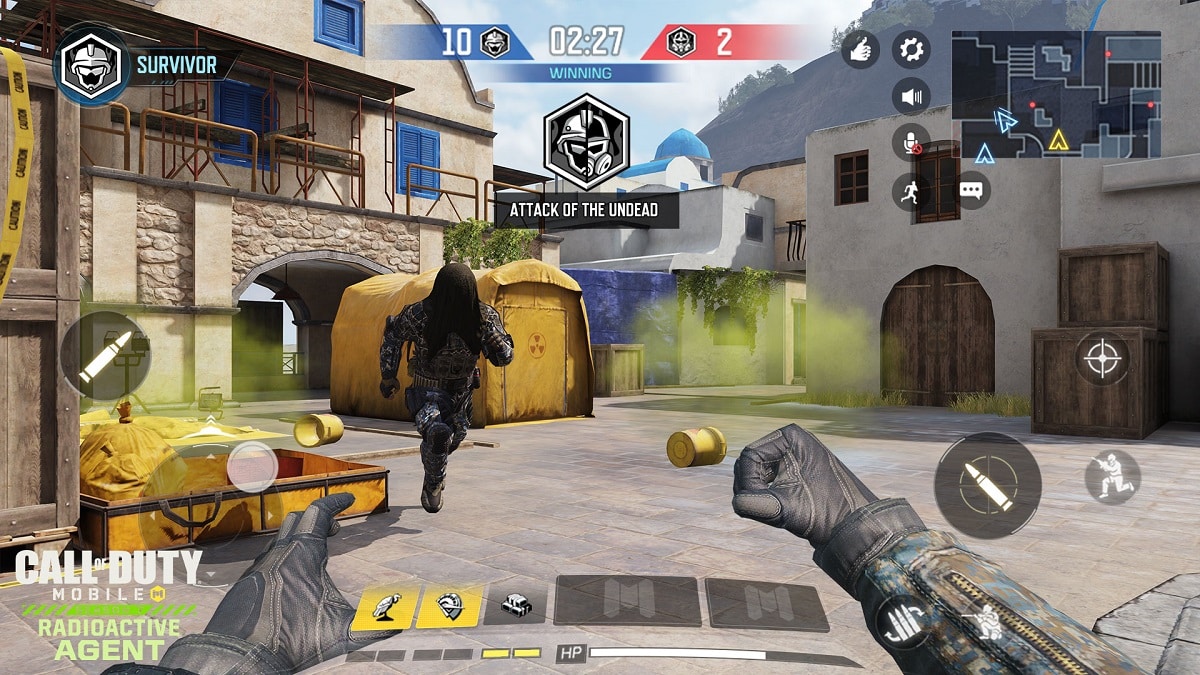
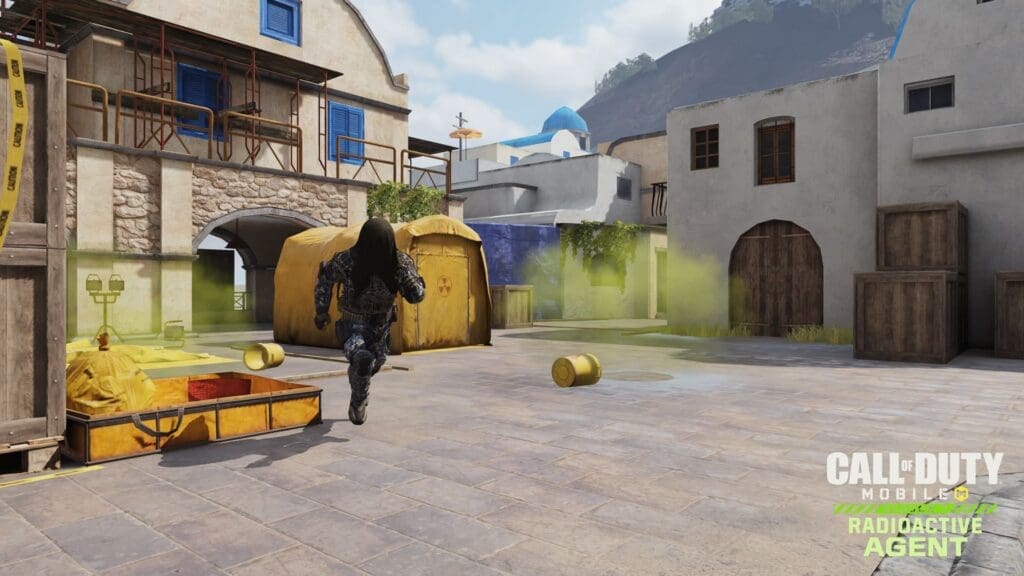
Radioactive Agent, the seventh season for Call of Duty: Mobile, presents the Radiated Sector event, a limited time challenge that starts on Jun 18 PT until July 2 during which players fight to increase their Resistance Level and earn new rewards.

Read on for tips on how to get the most out of Radiated Sector, along with details and strategies for the new game mode at the center of the event: Attack of the Undead.

Survive and Thrive in Radiated Sector

In Radiated Sector, your primary goal is to increase your Resistance Level. As your Resistance Level rises, you will gain access to increasingly rare weapons and other rewards.

Increase your Resistance Level by administering Stim Shots. You earn a Stim Shot for every kill you get in Multiplayer and Battle Royale matches. At the end of the match, you will consume earned Stim Shots based on the amount of match time you have accumulated. The longer you play and the more kills you get, the more Stim Shots you can consume, raising your Resistance Level in the process.

There are ways to earn more than one Stim Shot per kill. You can earn double Stim Shots for getting kills in the new Tunisia Multiplayer map (see our Tunisia map overview), and for kills earned in the latest Multiplayer mode — Attack of the Undead. Plus, activate certain weapon sets in-game to increase the amount of stim shots earned by fifty percent!

Top 5 Tips for Attack of the Undead COD Mobile

1. Make Space. Move away from the other Survivors during the initial countdown. You never know who will be assigned as the first Undead player. You don’t want to be caught next to the one who turns.

2. Choose Your Operator Skill Wisely. The Sentry Gun is certainly a good offensive tool against the Undead, but don’t neglect the Transform Shield’s ability to slow down the horde when you most need it. Even better, pair up with another Survivor and use the two together.  

3. Bait and Kill. As the Undead, you need to use every tool at your disposal. Weave in and out of view and take out Survivors foolish enough to come after you. And if there’s a Survivor focused on another Undead player, activate your ‘Operator Skill’ and rush in for the kill.

4. Strength in Numbers. If the Survivors are huddled up in a defensive position, it’s time to overwhelm them with numbers. Gather a group of Undead companions and go for the kill together. Once they’re forced to reload, it’s all over. 

5. Competitive Cooperation. The better you work with your teammates, whether as a Survivor or the Undead, the better your chances are to win the match. Don’t forget, however, that the real rewards goes to the player who gets the most kills. Work together but do what you can to get in those killing blows.

Rules of Engagement – Attack of the Undead

Maps/Teams/Loadouts:

· Attack of the Undead is available on Tunisia, Standoff, Crash, Raid, and Summit

· A full team of Survivors loads into the map. Following a ten second countdown, one randomly chosen Survivor is turned to the Undead side. The first Undead player is able to use their gun to get the first kill. Afterwards they’ll attack others with a melee weapon. 

· Survivors select their preferred weapons from their Custom Loadouts at the start of the game, in addition to choosing between the Transform Shield and Sentry Gun Operator Skills. Survivors gain access to perks as they accumulate kills against the Undead. 

· Undead players are given a melee weapon and an ‘Operator Skill’ that when activated increases movement speed. 

Your Mission:

· As a Survivor, your mission is to eliminate Undead players and stay alive until the match timer runs out.

· If you are killed by an Undead player (or randomly assigned as the first Undead player), your mission changes — now you must do everything in your power to hunt down the remaining Survivors and turn them to your side before the match timer runs out.

Your Goal:

· To be the player with the most kills wins, including kills earned as a Survivor and as the Undead. More kills = More Stim Shots earned.

· Every kill in Attack of the Undead earns double Stim Shots, whether those kills are earned as a Survivor or as the Undead.

The match can end in one of two ways, when all Survivors have fallen to the Undead (Undead team wins), or when the match timer runs out (Survivors win).

Source: Activision

CSGO Pro says he was offered $2000 to fix matches

Match-fixing is not a new thing in the world of esports, and Valve’s competitive shooter Counter-Strike: Global Offensive is no stranger to the horrors of professional players fixing games for personal gain. We have seen it happen in the past, and big teams and individual players getting banned for these incidents aren’t unheard of.

An Australian player has recently spoken up on one such incident where he was offered a sum of $2,000 to throw a CSGO game. This was mentioned in a report from the ABC’s Background Briefing which took a glance at the increasing occurrences of match-fixing in esports. The report itself is certainly alarming, but another huge reason for concern is the worsening state of the local esports scenes.

Joshua “JHD” Hough-Devine is not a tier-1 professional CSGO player, but the Australian was still offered a good sum of money to rig his games.

“I’ve been offered like two thousand dollars a match to throw, but I just don’t take it because it’s just not what I’m about,” Hough-Devine said.

The Australian esports scene isn’t that huge in the first place, and some individuals attempting to fix even the lower-level games can pose a serious threat to the future of esports in the country. It should be obvious that the corruption isn’t exclusive to Australia either. With most of the esports tournaments moving online as a result of the Coronavirus pandemic, there have been multiple instances of such events surfacing over the last few months.

According to the report, the ESIC receives about 100 match-fixing, cheating, and other corruption allegations every day.

Stephen Hanna, the global strategy director at Esports Integrity Commission, has also confirmed the news of the escalating corruption. “We’ve seen a very significant upturn in all sorts of match-fixing activity, betting, fraud-related activity in esports, across all titles,” Hanna said.

How to get Dream Dragon in Dragon City

0

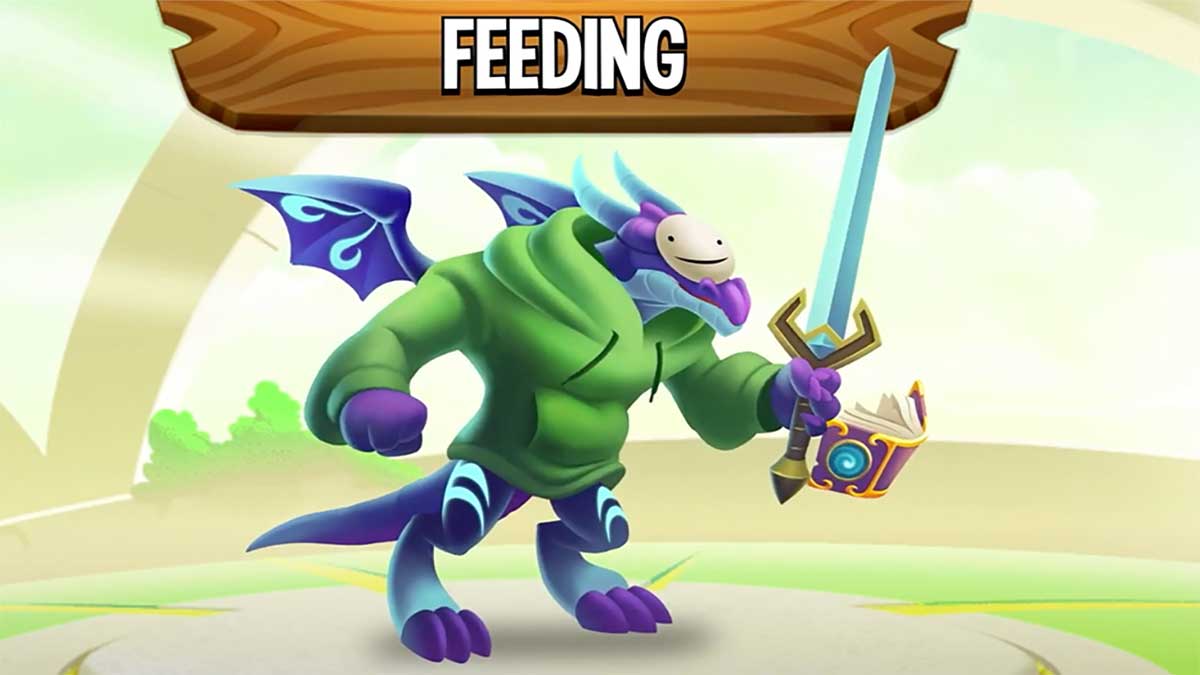
The famous Minecraft YouTuber “Dream” presently has an arrangement with Socialpoint. Moreover, Socialpoint added his own custom monster to their mainstream title Dream Dragon.

It’s quite easy to get Dream’s Dragon in Dragon City. Click on that link. After clicking on it, you need to download the free game. Once you download the game, open it and you will get Dream’s Dragon as a gift. Moreover, if you feed the Dragon upto level 15, you will be able to participate in the Dream merch giveaway.

The Dream’s Dragon is a rare Dragon to play with. This promotion basically is a part of Dream’s Minecraft speedrun video. You can watch the full video here:

Also Read: Amazon apologizes after gamers receive cat food and other stuff instead of PlayStation 5

How To Release Slurp Into The Atmosphere In Fortnite: All Locations

0

Fortnite has launched the new batch of weekly challenges in its Chapter 2 Season 4. In this season, instead of launching weekly challenges, they have launched XP Extravaganza challenges. You can earn a lot of XP rewards to level up Battle Pass with these challenges. You will get a lot of tasks to complete even in the fourth week of challenges. The Week 4 XP Extravaganza challenges are live on all the platforms where Fortnite is available.

Among all those tasks, the releasing Slurp into the Atmosphere challenge is quite popular. Although it’s not that hard, tracking the Slurp sources from numerous locations sometimes becomes a pain in the arse. Well, we have got your back. Keep reading to know how to release Slurp into the atmosphere.

How to release Slurp into the atmosphere?

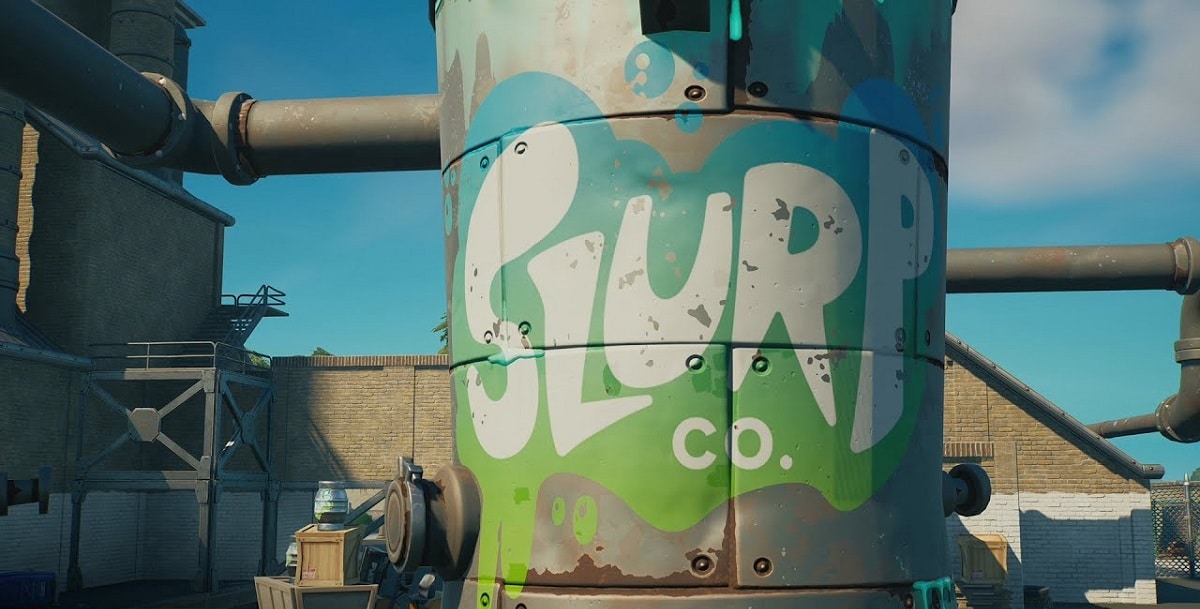
Once you get into the challenge, you need to make your way to the Slurpy Swamp to break the three Slurp barrels. Only three Slurp barrels will count at a given source. Therefore, you need to find more sources to break more barrels. Once you are done, move outside of the Slurpy Swamp to find a bunch of Slurp containers. Now you have to take out your harvesting tool to destroy any one of those containers.

After that, you have to look out for the Slurp truck that is going to be the next source of that challenge. You can find a Slurp truck near the Red Metal Bridge that is located towards the south of Doom’s Domain. Once you find out the Slurp truck, destroy the Slurp tank using your harvesting tools. Woohoo! The challenge is complete!

Also Read: How to deliver a semi truck to Stark Industries in Fortnite