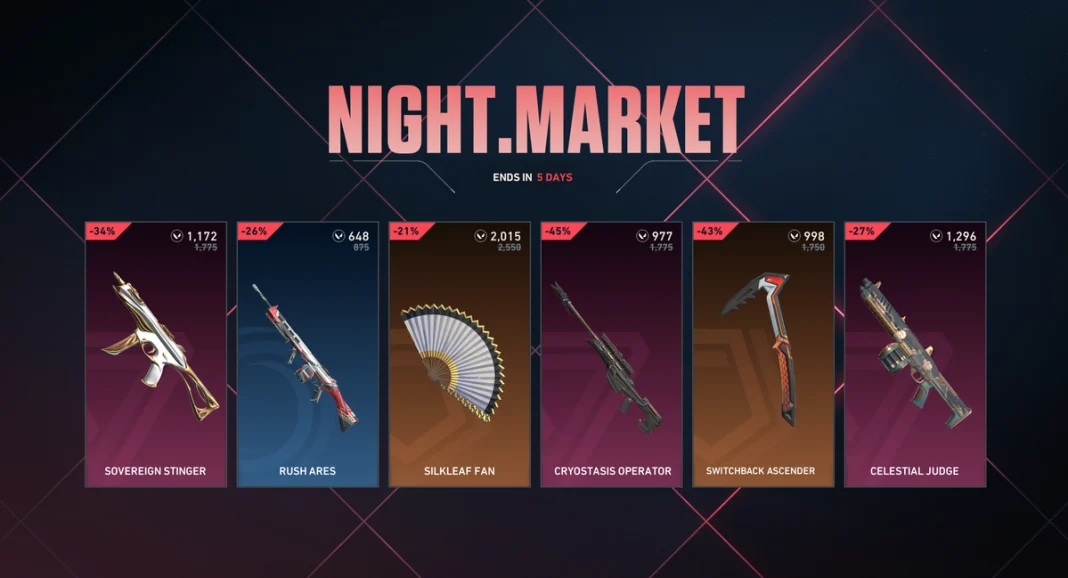
With the July 2026 Valorant Night Market all set to kick off today, players are eager to unveil all the exciting discounts that it will bring to their favorite cosmetics.
However, not all players have been able to enjoy the massive discounts that Valorant Night Market has introduced to the shooter. A number of players have been complaining that the Valorant Night Market is not showing up for them.
If you find yourself in this unfortunate situation where you can’t find the Valorant Night Market, we’ve got you covered. In this article, we’ll go through what you need to do when the Valorant Night Market is not showing up for you, and how to get it back and claim your offers.
How to Fix Valorant Night Market Not Showing Up
There can be a number of different reasons behind the Valorant Night Market not showing up in your in-game client. Let’s take a look at the major reasons that may be causing this issue for you:
- The Night Market Hasn’t Started Yet: This is one of the most common reasons you might be unable to access Valorant’s Night Market. For example, in many regions around the world, the July 16 Night Market won’t actually go live until July 17 local time. So the first thing you should do is simply wait it out.
- Know How to Access the Night Market: The Night Market doesn’t pop up in your face as soon as you launch Valorant, and it’s pretty easy to miss unless you’re aware of how to access it. To see your Night Market offers, you have to click on a tiny glowing card icon located at the top-right corner of your screen, just beside settings.
- Update Valorant: If you’re on an outdated version of Valorant, you may be unable to see the Night Market offers. To fix this, simply update your Valorant and Riot Client to the latest version and relaunch the game.
- The Event Has Ended: If you’re still unable to see the Night Market in Valorant, there’s a good chance that the event has already ended. The July 2026 Night Market is set to come to an end on July 29th, so be sure to claim your offers before then.
- Stretched Resolution: Lastly, if the Night Market isn’t showing up, it can be caused by your stretched resolution. If you’re playing on a forced 4:3 stretched resolution, certain elements of your screen may not be visible to you. All you need to do to fix this is use a 16:9 resolution, and you should be able to visit the Night Market without any hassle.
That’s everything you need to know about the infamous Night Market not showing up issue in Valorant. Now that you’re able to access the Night Market again, be sure to go through our detailed guide on the best skins to grab from the limited-time event.