Tuesday, July 7, 2026
Home Blog Page 973

Mobile Legends Skyesports SEA Championship 2022: Invited Teams, Format, and more

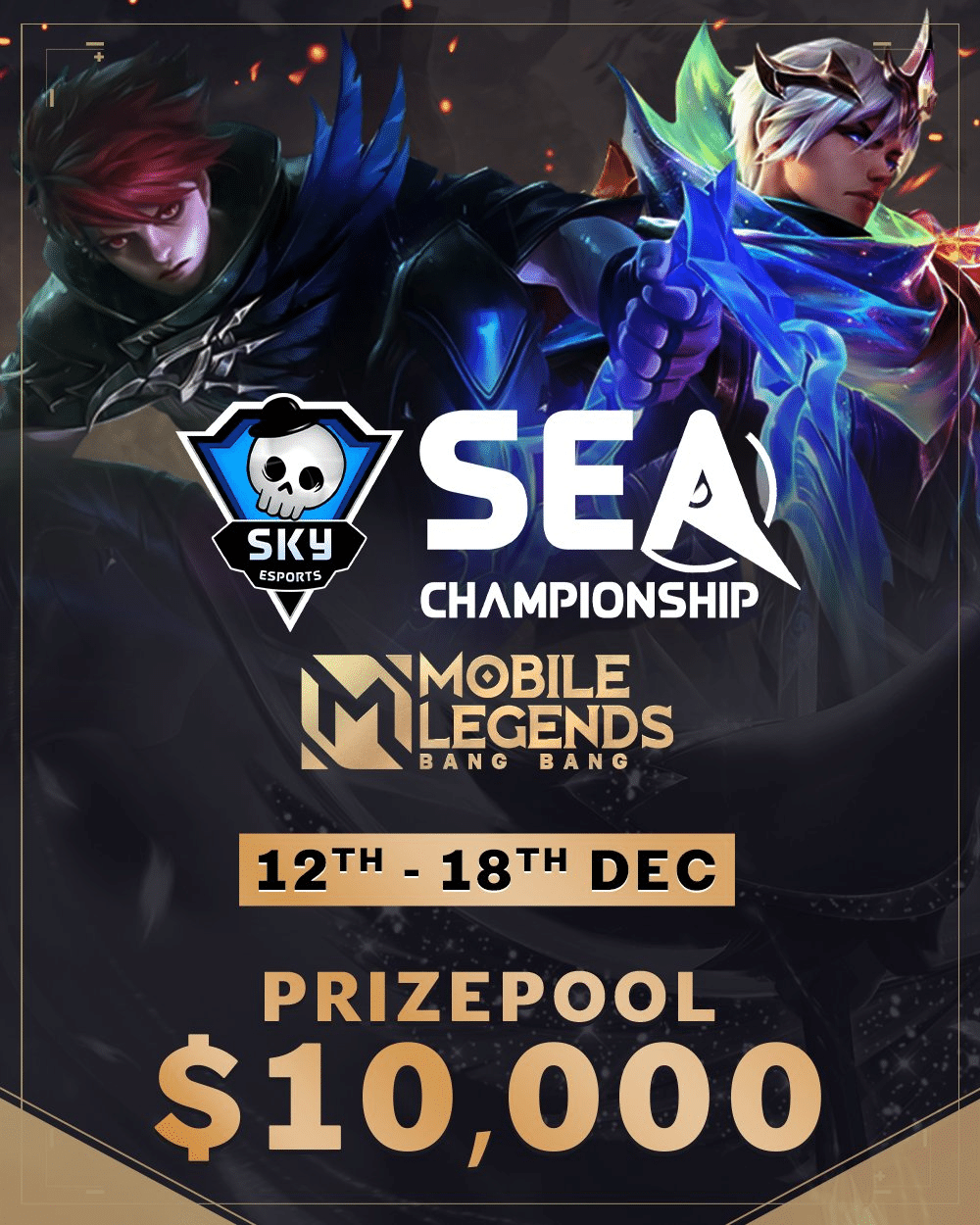
The Skyesports SEA Championship is set to return with Mobile Legends: Bang Bang. From Dec. 12 to 18, the top 10 female MLBB teams from across Southeast Asia will lock horns for a share of the $10,000 prize pool and the title of champions.

Mobile Legends Skyesports SEA Championship 2022: Invited Teams

  • Bigetron Era (Indonesia)
  • GPX Basreng (Indonesia)
  • RRQ Mika (Indonesia)
  • MBR Delphyne (Indonesia)
  • Smart Omega (Philippines)
  • Rocka Azure (Philippines)
  • Impunity Starlets (Cambodia)
  • IDNS WINX (Thailand)
  • Rose Ophelia (Malaysia)
  • Reborn (Singapore)

Mobile Legends Skyesports SEA Championship 2022 Prize Pool

  • First place: $4,400
  • Second place: $2,000
  • Third place: $1,150
  • Fourth place: $750
  • Fifth and sixth place: $450 each
  • Seventh and eighth place: $150 each
  • Ninth and 10th place: $100 each
  • Finals MVP: $300

Mobile Legends Skyesports SEA Championship 2022 Tournament Format:

The 10 teams will compete across the group stage and the playoffs to determine the champions. For the group stage, they will be split into two groups (A and B). Each group will feature a single round-robin BO1 with the top three teams advancing to the Playoffs. 

In the Playoffs, the winner of each group will receive a bye to the second round. The teams will compete in a double-elimination bracket to determine the champions. All matches will be a best-of-three, except for Grand Finals which will be a best-of-seven. 
mlbb moonton bytedance

How to watch Mobile Legends Skyesports SEA Championship 2022

Fans can catch the action live on the Skyesports YouTube, Twitch, and Facebook handles. 

Commenting on the tournament, Shiva Nandy, Founder and CEO, Skyesports said, “Skyesports has always focused on diversification and this tournament adds a new and exciting game to our portfolio. We are excited to support the female teams of the region with this competition and look forward to bringing more MLBB events for SEA soon.”

Skyesports, headquartered in Chennai, India, is a leading esports and gaming venture renowned for hosting major esports tournaments across South Asia and Southeast Asia. Founded in November 2018 by Shiva Nandy, Skyesports has quickly grown to become one of the largest esports companies in the region.

Now, the company is swiftly expanding into SEA as well. Skyesports has an impressive range of original IPs, which include the Skyesports Championship, Skyesports League, Skyesports Grand Slam, Skyesports Skirmish Series, and more, through which Skyesports has touched millions of gamers across South Asia and beyond.

Skyesports is a part of the digital entertainment and technology company, JetSynthesys.
How To Get Pin Point Perk in COD Mobile Season 11

Call of Duty: Mobile has released a new update and with it, a perk is added to the game called Pin Point. Players are now looking for ways to unlock the perk and here is a comprehensive guide on what Pin Point Perk is and how one can unlock it in COD Mobile Season 11.

The season 11 update has brought a lot of changes to the game along with some new additions. The new perk is an exciting one as players can combine it with others to gain a significant advantage in MP battles.

COD MOBILE SEASON 11 PINPOINT PERK DETAILS

PinPoint perk was first seen in COD: Infinite Warfare and it will work in the same way in COD Mobile as well. A player using Pin Point will gain some advantages the targeted enemy outline will be highlighted, the time taken for aim down sight to open will reduce and the enemy receiving damage will be slowed down.

All of these advantages of Pin Point add to the single fact that a player that gets their hands on this perk will turn out to be lethal in the game. There is a small catch for obtaining this perk in COD Mobile right now.

Players that are actively playing the game need to stack up their battle pass XP and subsequently reach to a level where the Pin Point perk can be unlocked. It is important to note that this new perk is the part of free battle pass, meaning that any player working hard for it can gain it after spending some time in the game.

This is everything you need to know about the Pin Point perk. You can start to grind in the COD Mobile and gain a lot of battle pass XP to quickly unlock the Pin Point perk.

Also Read | Best Valorant Crosshairs & Codes For December 2022

Discord Update Failed: How To Fix Easily

0

Discord is a VoIP and instant messaging social platform. Users have the ability to communicate with voice calls, video calls, text messaging, media and files in private chats or as part of communities called “servers”.

A server is a collection of persistent chat rooms and voice channels which can be accessed via invite links. Discord runs on Windows, macOS, Android, iOS, iPadOS, Linux, and in web browsers. As of 2021, the service has over 350 million registered users and over 150 million monthly active users.

Today, we’ll show you how to fix the Discord Update Failed error with simple, easy to follow methods. Let’s get started.

Today, we’ll demonstrate how to resolve the Discord Update Failed error using simple, straightforward steps. Let’s get started.

Method 1. Run Discord as administrator

An easy solution to the Discord Update Failure error can be to run the application using administrative privileges. This permits the updater to modify your device, so you can download and install the latest Discord update.

Note that to do this to work, your local account needs to have administrator access. If not, you’ll have to be able to access admin passwords.

Utilize your Windows 10 Search bar in your taskbar to search for “Discord”.

  1. Just right click on the Discord application to display the results, which are usually in the section called Best Match. Choose from the Run in Administrator mode from the context menu that appears.
  2. If you are prompted by the User Account Control (UAC) Click “Yes” to enable Discord to start and make changes to the device. This is needed to upgrade the application.

Method 2. Rename the Update.exe file

Discord troubleshooters were able to identify an issue with the application’s update.exe file. We recommend you attempt to rename this file in order to successfully update Discord to the newest release.

  1. Navigate to your AppData folder:
    1. Press the Windows + R keys on your keyboard and paste in “C:\Users\Username\AppData” without the quotation marks. Make sure to replace Username with your local account username.
    2. Alternatively, open the File Explorer, then navigate to This PC → C: → Users → Username → AppData.
  2. Open the Local folder. Inside, locate the Discord folder and open it as well.
  3. Right-click on the Update.exe file, and choose Rename.
  4. Type in UpdateX.exe (keep in mind that this is case-sensitive) and hit Enter. You may proceed to try running Discord again, preferably as an administrator following the guide above.

Method 3. Disable Windows Defender

In some cases, Windows 10’s default antivirus measures conflict with the Discord Update, causing it to continuously fail. You may disable Windows Defender to try and update Discord by following the steps below.

  1. Open the Settings application using the Windows + I keyboard shortcut, or the gear icon from your Start menu.
  2. Click on the Update & Security tab.
  3. Navigate to Windows Security → Virus & Threat protection → Manage Settings.
  4. Toggle off Real-time protection. This is going to almost fully disable Windows Defender until the option is toggled back on.
  5. Try running Discord again, preferably as an administrator following the guide above. If the update succeeds, Windows Defender was most likely conflicting with the Discord client.

Method 4. Temporarily disable your antivirus

Antivirus applications are known to cause issues on computers by interfering with your internet connection or blocking apps and services from running properly. You can test if the antivirus you’re using at the moment is causing the Discord Update Failed error by temporarily disabling it.

Note that this method is not recommended as it is unsafe to use your computer without protection. Only proceed if you’re aware of the possible risks and have a backup of your system to revert any damage that may happen.

  1. Right-click on an empty space in your taskbar and choose Task Manager.
  2. If the Task Manager launched in compact mode, make sure to expand details by clicking on the “Mode details” button.
  3. Switch to the Start-up tab using the header menu located at the top of the window.
  4. Find your antivirus application from the list and select it by clicking on it once.
  5. Click on the Disable button now visible in the bottom-right of the window. This will disable the application from launching when you start your device.
  6. Restart your computer and open Discord to see if the error appears again. If Discord is able to update properly, your antivirus was the most likely culprit.

Method 5. Reinstall Discord and clear app data

If none of the solutions above seemed to work, your last resort should be to completely remove Discord, then reinstall it using the official installer. To do this, follow the steps below.

  1. First, you’ll need to uninstall Discord. Open the Settings application using the Windows + I keyboard shortcut, or the gear icon from your Start menu.
  2. Click on the Apps tab.
  3. Find Discord from the programs list. You can click on Name to have the list organized into alphabetical order, or use the built-in search to locate the application.
  4. Click on Discord and choose the Uninstall option.
  5. Click Uninstall again to let Windows 10 remove Discord from your device. Now, you can move on to delete residual files in your app data folder.
  6. Press the Windows + R keys on your keyboard. This is going to bring up the Run utility.
  7. Type in “%appdata%” and click on the OK button. This will immediately redirect you to the AppData folder in File Explorer.
  8. Locate the Discord folder, then right-click on it and choose Delete. This will remove most residual files.
  9. Head over to discord.com and download the latest version of the application by clicking on the Download for Windows icon.

ML Aspirants All Patterns For Ruby And Angela Aspirant Skin MLBB

Mobile Legends: Bang Bang is a popular MOBA game with millions of active players all around the world. The biggest selling point of this game apart from its game play is the wide skin range. Recently, the new Aspirants range was launched and it has returned this month in a new form.

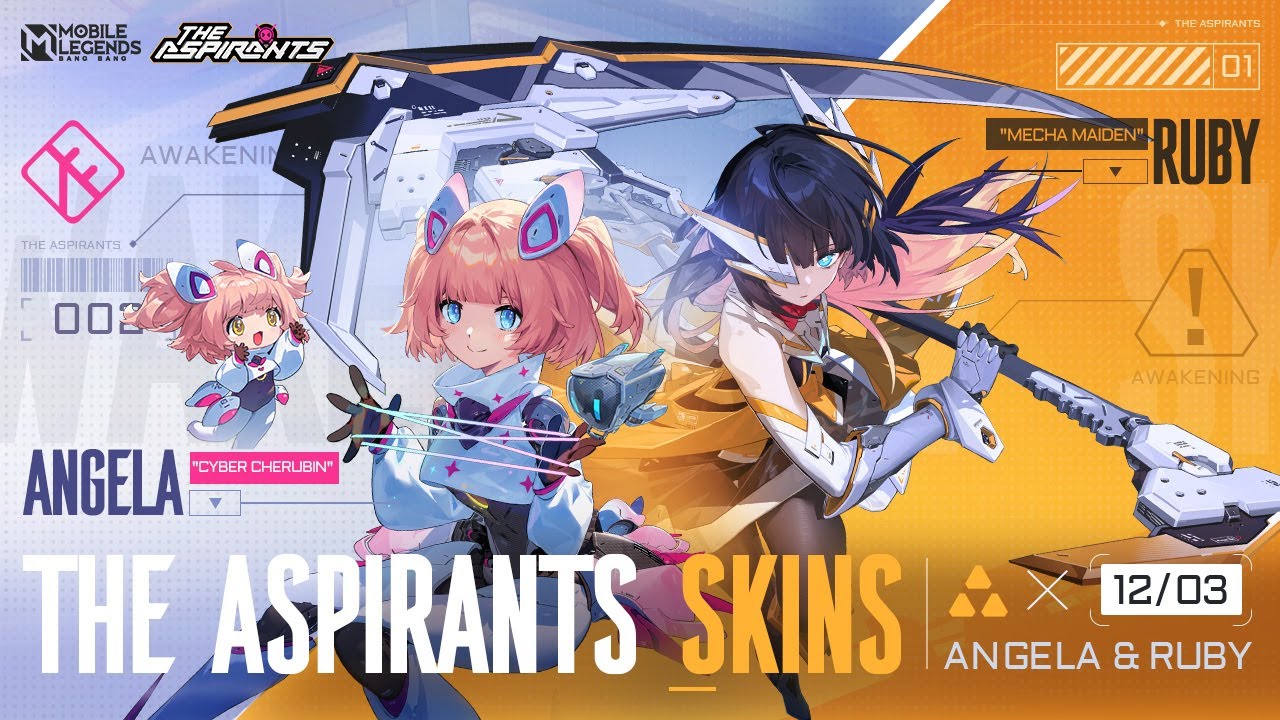
Aspirants is the first anime-themed skin range launched in MLBB. The first edition of this skin range saw the release of Miss Hikari Layla and Blade of Kibou Fanny and now, two new additional skins along with some effects have arrived to the game.

A new recall and elimination effect in the anime style has arrived in the game and this is also the part of Aspirants skin range. Two new skins launched in this release are as follows:

  • Mecha Maiden Ruby
  • Cyber Cherubin Angela

To unlock these skins, players need to unlock a Terrinia Box named item from the events section. The first unlock costs around 210 diamonds and there is a 50% discount on first opening every day.

The recall and elimination effect can be obtained for free by collecting eight fragments of Battle Suit. This can be done by doing any of the following tasks:

  • Log in to the game – 1
  • Recharge any amount of diamonds – 1
  • Recharge 50 diamonds – 1
  • Recharge 150 diamonds – 2
  • Recharge 300 diamonds – 2
  • Recharge 600 diamonds – 3
  • Recharge 1200 diamonds – 5
  • Spend 100 diamonds on the event – 1
  • Spend 250 diamonds on the event – 1
  • Spend 600 diamonds on the event – 2
  • Sped 1200 diamonds on the event – 3

This event will run till 5th January 2023 so players need to hurry up to unlock the rewards in time.

ML ASPIRANTS PATTERN FOR RUBY AND ANGELA ASPIRANT SKIN

  • 1-1-2-1 RUBY
  • 1-2-1-1 ANGELA
  • 1-1-3-1 RUBY
  • 1-3-3-3 RUBY
  • 1-2-2-2 ANGELA
  • 3-2-2-2 ANGELA
  • 2-3-2-2 RUBY
  • 1-3-1-3-1 ANGELA
  • 3-3-2-2-2 ANGELA
  • 2-1-2-1-1 RUBY
  • 2-3-1-2-2 ANGELA
  • 1-2-1-2-2 RUBY
  • 2-3-3-2-3 RUBY
  • 1-3-1-3-3 ANGELA
  • 2-3-2-3-3 ANGELA
  • 2-1-2-1-2 RUBY
  • 2-3-1-2-1 ANGELA
  • 3-1-3-1-3 RUBY

MLBB Aspirants anime skin event: new skins, rewards and more

0

Mobile Legends: Bang Bang is a popular MOBA game with millions of active players all around the world. The biggest selling point of this game apart from its game play is the wide skin range. Recently, the new Aspirants range was launched and it has returned this month in a new form.

Aspirants is the first anime-themed skin range launched in MLBB. The first edition of this skin range saw the release of Miss Hikari Layla and Blade of Kibou Fanny and now, two new additional skins along with some effects have arrived to the game.

A new recall and elimination effect in the anime style has arrived in the game and this is also the part of Aspirants skin range. Two new skins launched in this release are as follows:

  • Mecha Maiden Ruby
  • Cyber Cherubin Angela

To unlock these skins, players need to unlock a Terrinia Box named item from the events section. The first unlock costs around 210 diamonds and there is a 50% discount on first opening every day.

The recall and elimination effect can be obtained for free by collecting eight fragments of Battle Suit. This can be done by doing any of the following tasks:

  • Log in to the game – 1
  • Recharge any amount of diamonds – 1
  • Recharge 50 diamonds – 1
  • Recharge 150 diamonds – 2
  • Recharge 300 diamonds – 2
  • Recharge 600 diamonds – 3
  • Recharge 1200 diamonds – 5
  • Spend 100 diamonds on the event – 1
  • Spend 250 diamonds on the event – 1
  • Spend 600 diamonds on the event – 2
  • Sped 1200 diamonds on the event – 3

This event will run till 5th January 2023 so players need to hurry up to unlock the rewards in time.

ALso Read | Makiplier joins OnlyFans; Internet Reacts

Roblox Wisteria Codes for December 2022

0

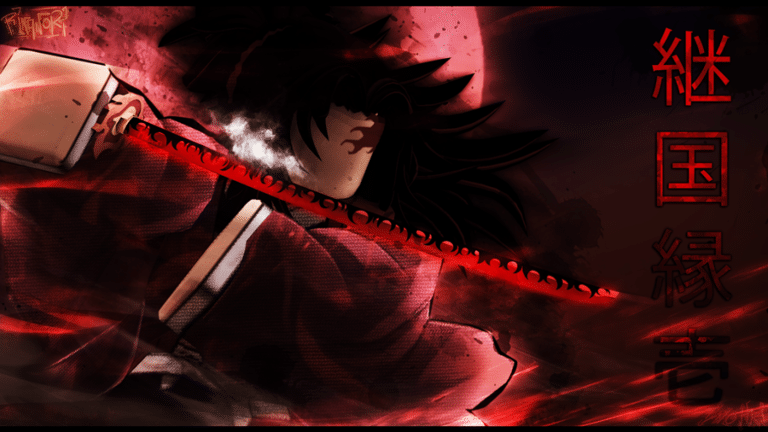
A medieval Japan-themed action-adventure game on Roblox called Wisteria is based on anime. There is a lot of punching and katana slicing in the game since it was inspired by the anime Demon Slayer. Additionally, there are demons around, so you must exercise extreme caution.

You will get bonuses and awards for playing for free by using Roblox Wisteria codes.

Roblox Wisteria Codes for December 2022 (Active)

  • !DemonAppearance—Redeem for a Demon Appearance reset
  • !HaoriReset—Redeem for a Haori reroll
  • !BreathReset—Redeem for a Breath reset
  • !BDAReset—Redeem for a Blood Demon Art reset 
  • !NichirinColor—Redeem for nichirin color reroll 
  • !HairDrip—Redeem for the Hair and Eye Reroll

Roblox Wisteria Codes for December 2022 (Expired)

  • !100KDEMONAPP – Redeem this code for a Demon Appearance reset
  • !TWEETBDA – Redeem this code for a Blood Demon Art reset
  • !TWEETBREATH – Redeem this code for a Breath reset 
  • !100KBDA – Redeem this code for a Blood Demon Art reset 
  • !100KBreath – Redeem this code for a Breath reset 
  • !NICHIRIN80K – Redeem this code for a reward
  • !80000LIKESHAORI – Redeem this code for a Slayer Haori Reset
  • !80000LIKESDEMON – Redeem this code for a demon appearance reroll
  • !BDAReset – Redeem this code for a Blood Demon art reset
  • !DemonAppearance – Redeem this code for an appearance reroll 
  • !BreathReset – Redeem this code for a Breath reset
  • !Demon80K – Redeem this code for a demon appearance reroll
  • !2021DemonArt – Redeem this code for a Blood Demon art reset
  • !2021Breath – Redeem this code for a Breath reset
  • !Christmas – Redeem this code for a Nichirin color/appearance reroll
  • !BDAReroll – Redeem this code for a Blood Demon art reroll
  • !BreathReset – Redeem this code for a Breath reset
  • !10000WISHES – Redeem this code for a Haori reroll
  • !30000LIKES – Redeem this code for a Face reroll
  • !1000FOLLOWS – Redeem this code for a Nichirin color reset
  • !25000LIKES – Redeem this code for a Face, Eye, and Hair reroll
  • !SUBTOSAGEE – Redeem code for a Face reroll
  • !SUBTOVALEKIS – Redeem code for a Face reroll
  • !20000LIKES – Redeem code for a Haori reroll
  • !SUBTOINFERNASU – Redeem code for a Blood Demon art reset
  • !SUBTOIBEMAINE – Redeem this code for a Breath reset

How to redeem Roblox Wisteria codes?

  • Launch the game and go to the Chatbox on the top-left.
  • Inside the box, enter a code and press Enter.
  • Enjoy your rewards.

For more amazing guides, follow our Guides section.

For more exclusive esports and gaming content, please follow us on Google News.

Best Valorant Crosshairs & Codes For December 2022

0

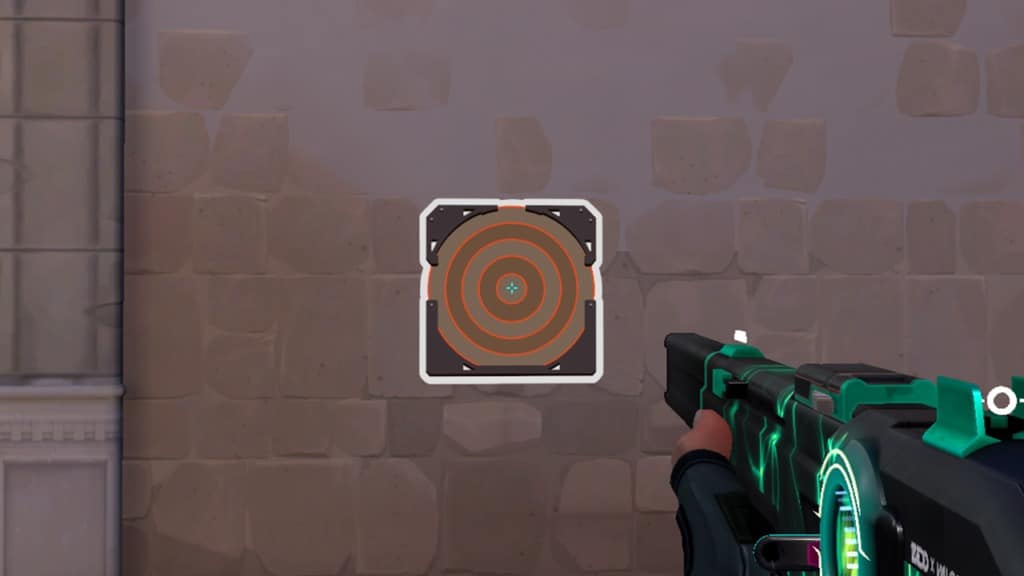
Finding the perfect crosshair for you in Valorant is not an easy task. However, without a proper crosshair, players can often find themselves being unable to win gunfights and messing up their spray patterns.

If you don’t want to spend hours trying out new Valorant crosshairs to search for the one you’re looking for, you can always choose to take a shortcut. Valorant enables players to copy other players’ crosshairs through the in-game client itself, which is why it might be a good idea to copy a professional player’s crosshair and play with it to grasp a feel.

This is why we have compiled a list of crosshair codes from some of the best pro players in Valorant that you can copy right now to take your gunplay to the next level.

Best Valorant Crosshair Settings Used by Pros

valorant crosshair codes list

VALORANT PRO PLAYERS’ CROSSHAIR CODES

Here are the crosshair codes of some renowned Valorant pros:

  • 100T Asuna 0;p;0;s;1;P;o;1;f;0;0t;1;0l;2;0v;20;0a;1;0f;0;1l;0;A;o;1;d;1;z;1;0l;0;0f;0;1l;0;S;c;0;s;0.75;o;1
  • 100T bang 0;P;h;0;0l;4;0o;0;0a;1;0f;0;1t;0;1l;0;1o;0;1a;0
  • 100T stellar 0;P;c;4;u;001331FF;h;0;0l;3;0v;3;0o;2;0a;1;0f;0;1b;0
  • 100T Will 0;s;1;P;h;0;f;0;0l;4;0o;0;0a;1;0f;0;1b;0;S;s;0.5;o;1
  • 100T Derrek 0;s;1;P;c;1;o;1;0t;1;0l;3;0a;1;0f;0;1b;0;S;s;0.652
  • DRX stax 0;P;c;4;h;0;f;0;s;0;0l;4;0o;2;0a;1;0f;0;1b;0
  • DRX Rb 0;s;1;P;c;5;h;0;f;0;0l;4;0o;2;0a;1;0f;0;1b;0;S;o;1
  • DRX Zest 0;s;1;P;c;1;o;1;f;0;0l;4;0a;1;0f;0;1b;0
  • DRX BuZz 0;P;c;5;o;1;f;0;0t;1;0l;2;0o;2;0a;1;0f;0;1b;0
  • DRX MaKo 0;s;1;P;c;1;o;1;f;0;0l;4;0a;1;0f;0;1b;0
  • Fnatic Boaster 0;s;1;P;c;1;o;1;d;1;0l;0;0o;2;0a;1;0f;0;1t;0;1l;0;1o;0;1a;0;S;c;1;o;1
  • Fnatic Mistic
  • 0;s;1;P;o;1;f;0;0t;1;0l;2;0o;2;0a;1;0f;0;1b;0
  • Fnatic Magnum 0;s;1;P;c;1;o;1;d;1;z;3;0t;0;0l;0;0o;0;0a;0;1t;0;1l;0;1a;0;S;c;1;s;0.762;o;1
  • Fnatic Derke 0;s;1;P;o;1;d;1;f;0;s;0;0t;0;0l;1;0o;0;0a;1;0f;0;1t;0;1l;1;1o;0;1a;1;1m;0;1f;0;S;o;1
  • KRÜ NagZ 0;s;1;P;c;1;o;1;d;1;0l;0;0o;2;0a;1;0f;0;1t;0;1l;0;1o;0;1a;0;S;c;1;o;1
  • KRÜ Klaus 0;P;c;1;o;1;0t;1;0l;3;0o;1;0a;1;0f;0;1t;0;1l;0;1a;0
  • KRÜ Mazino 0;P;c;1;h;0;0l;4;0o;2;0a;1;0f;0;1b;0
  • KRÜ delz1k 0;P;c;1;o;0;f;0;0l;3;0o;2;0a;1;0f;0;1b;0
  • KRÜ keznit 0;P;c;4;h;0;0b;0;1l;4;1o;2;1a;1;1m;0;1f;0
  • LOUD aspas 0;P;c;5;o;1;d;1;z;3;f;0;0b;0;1b;0
  • LOUD Saadhak 0;P;c;1;o;1;f;0;0l;4;0o;2;0a;1;0f;0;1b;0
  • LOUD Sacy 0;P;h;0;0t;1;0l;4;0o;1;0a;1;0f;0;1t;3;1o;2;1a;1;1m;0;1f;0
  • LOUD pANcada 0;P;c;1;h;0;s;0;0l;3;0o;2;0a;1;0f;0;1b;0
  • LOUD Less 0;P;o;0;0t;1;0l;2;0o;0;0a;1;0f;0;1b;0
  • NiP bezn1 0;P;h;0;0b;0;1l;4;1o;2;1a;1;1m;0;1f;0
  • NiP Jonn 0;s;1;P;h;0;0t;1;0l;4;0o;1;0a;1;0f;0;1t;3;1o;2;1a;1;1m;0;1f;0
  • NiP xand 0;s;1;P;c;1;o;1;f;0;0t;1;0l;3;0o;1;0a;1;0f;0;1b;0;S;c;5;s;0.8;o;1
  • NiP cauanzin 0;P;h;0;0l;3;0a;1;0f;0;1b;0
  • NiP bnj 0;P;c;1;h;0;d;1;z;1;m;1;0t;1;0l;2;0o;2;0a;1;0e;0.316;1b;0
  • OpTic FNS 0;P;c;1;o;1;0l;3;0o;5;0a;1;0f;0;1b;0
  • OpTic Victor 0;P;h;0;f;0;0l;4;0a;1;0f;0;1b;0
  • OpTic crashies 0;s;1;P;c;1;h;0;f;0;0l;4;0o;2;0a;1;0f;0;1b;0
  • OpTic yay 0;P;h;0;f;0;0l;4;0o;0;0a;1;0f;0;1b;0
  • OpTic Marved 0;P;c;1;h;0;f;0;0l;3;0o;2;0a;1;0f;0;1b;0
  • Sentinels TenZ 0;s;1;P;c;5;h;0;m;1;0l;4;0o;2;0a;1;0f;0;1b;0;S;c;4;o;1
  • Sentinels Sick 0;P;c;1;o;1;f;0;0l;3;0o;5;0a;1;0f;0;1t;0;1a;0.379
  • Sentinels Dapr 0;P;c;1;o;1;f;0;0l;3;0o;5;0a;1;0f;0;1b;0

HOW TO USE VALORANT CROSSHAIR CODES

To use these crosshair codes in your game, simply launch Valorant and head over to the ‘Crosshair’ tab in Settings.

Once there, you can click on the arrow next to the Crosshair Profile and paste the code for the crosshair you want in Valorant.

Once you have your desired crosshair code pasted, you can click on ‘Import’ and your crosshair will be changed to the one you want.

Also Read:

Minecraft 1.20 Update APK Download, Release date

0

Minecraft is a sandbox game developed by Mojang Studios. The game was created by Markus “Notch” Persson in the Java programming language. Following several early private testing versions, it was first made public in May 2009 before being fully released in November 2011, with Notch stepping down and Jens “Jeb” Bergensten taking over development. Minecraft is the best-selling video game of all time, with over 238 million copies sold and nearly 140 million monthly active players as of 2021, and has been ported to several platforms.

In Minecraft, players explore a blocky, procedurally generated 3D world with virtually infinite terrain and may discover and extract raw materials, craft tools and items, and build structures, earthworks, and simple machines.

Depending on their chosen game mode, players can fight hostile mobs, as well as cooperate with or compete against other players in the same world.

Game modes include a survival mode (in which players must acquire resources to build in the world and maintain health) and a creative mode (where players have unlimited resources and access to flight).

There is also a wide variety of user-generated content, such as modifications, servers, skins, texture packs, and custom maps, which add new game mechanics and possibilities.

Minecraft received critical acclaim, winning several awards and later being cited as one of the greatest video games of all time. Social media, parodies, adaptations, merchandise, and the annual Minecon conventions played prominent roles in popularizing the game.

The game has also been used in educational environments to teach chemistry, computer-aided design, and computer science. In 2014, Mojang and the Minecraft intellectual property were purchased by Microsoft for US$2.5 billion.

Several spin-offs have also been made, including Minecraft: Story Mode,[i] Minecraft Dungeons, Minecraft Earth, and the upcoming Minecraft Legends.

Minecraft 1.20 Update APK Downloadand Release Date and the link can be found at the official website for the game. Minecraft 1.20 Update APK is scheduled to be available in the next days. Mojang Studios recently had an event in which they announced the date for release of the next update for Minecraft.

Minecraft 1.20 Update

This is why a lot of gamers are now eager to see the latest version. Today, you will learn in this blog post about the most up-to-date information in the game that was released in 2023. Minecraft is a video-based game. Minecraft is well-known and since its release there were a lot of people who installed it on their computer.

Valorant Cat Crosshair Code Available Here

0

Crosshairs in Valorant have a big impact on your gameplay, which is why most players tend to go for crosshairs that help click heads better. However, if you’re not necessarily looking for a competitive advantage over your opponents, you can also try out some funny crosshairs to get some laughs from your teammates.

The flexible crosshair creation options in Valorant enable players to customize their crosshairs in a variety of ways. This has resulted in the Valorant community coming up with a plethora of unique and creative crosshairs that are certain to get some hilarious reactions from your friends.

In this article, we’re gonna take a look at how you can get the ‘Car Crosshair’ in Valorant in only a few simple steps.

Valorant: Cat Or Kitty Crosshair Code

Over the past few months, Riot Games has made it easier than ever before for players to copy others’ crosshairs in Valorant. To get the Cat crosshair in Valorant, simply copy this code and paste it into your game’s settings:

Valorant Cat Crosshair Code:

0;P;c;8;b;1;t;1;o;0.5;z;3;a;1;0t;10;0l;0;0v;3;0o;1;0a;1;0s;1;0e;1;1t;9;1l;2;1v;0;1o;3;1a;1;1s;1;1e;1;u;FC5A8D;d;1;h;0;0g;1;1g;1;0f;0;1f;0;0m;0;1m;0;0b;1;1b;1;m;1;f;0

Valorant Kitty Crosshair Code:

0;P;c;8;b;1;t;1;o;0.5;z;3;a;1;0t;10;0l;0;0v;3;0o;1;0a;1;0s;1;0e;1;1t;9;1l;2;1v;0;1o;3;1a;1;1s;1;1e;1;u;FC5A8D;d;1;h;0;0g;1;1g;1;0f;0;1f;0;0m;0;1m;0;0b;1;1b;1;m;1;f;0

How to Use Valorant’s Crosshair Codes

To use this love crosshair code in Valorant, simply launch the game and head over to the ‘Crosshair’ tab in the game’s Settings.

Once there, you can click on the arrow next to the Crosshair Profile and paste the code for the crosshair you want in Valorant.

Once you have your desired crosshair code pasted, you can click on ‘Import’ and your crosshair will be changed to the one you want.

For more exclusive esports and gaming content, please follow us on Google News.

Valorant vs Hyper Front: Riot Games To Sue Netease For Copying

0

Riot Games is taking a front foot to secure their place in the mobile gaming market before the launch of VALORANT mobile by taking a stringent action against an application which allegedly replicates their flagship title, VALORANT.

VALORANT is the FPS game launched by Riot Games in 2020. Its popularity skyrocketed ever since the launch and now, the developers are planning to build a mobile version of it for the largely untapped mobile gaming market.

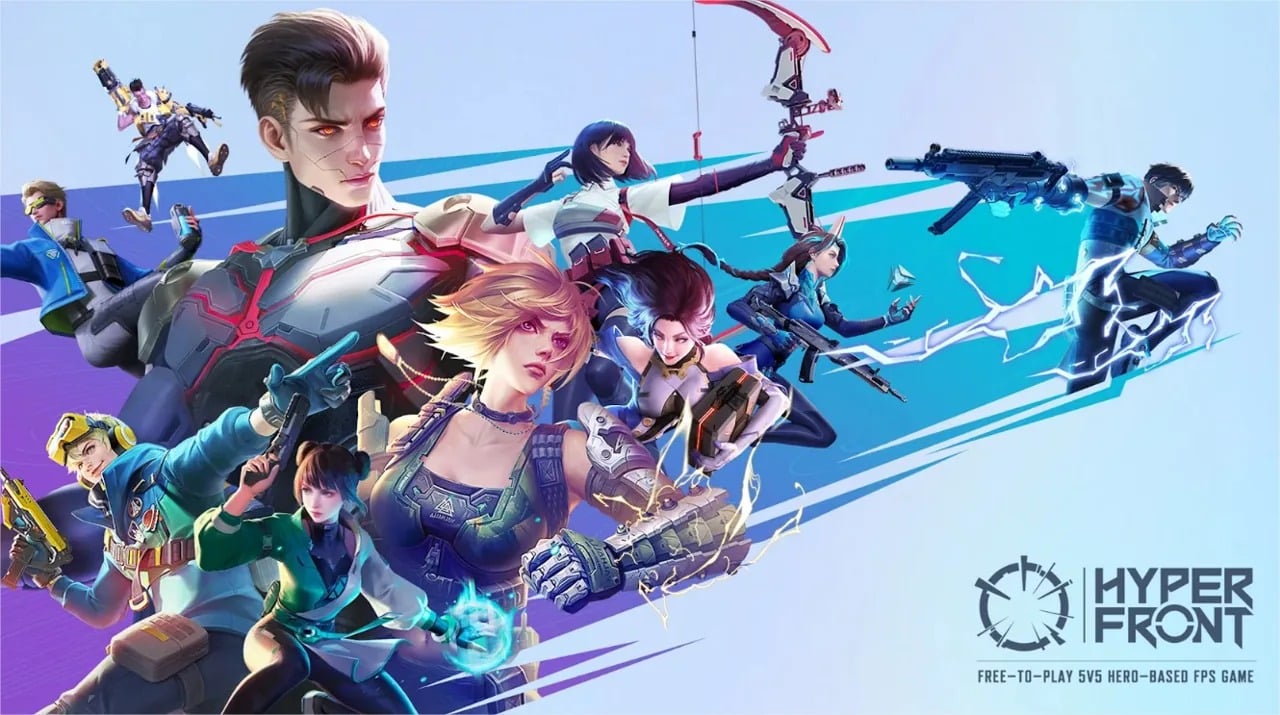
With the success of League of Legends: Wild Rift, the mobile version of LOL, Riot Games plans to pave a similar path of success for their upcoming title as well. Before the launch of VALORANT Mobile, a certain game called Hyper Front was alleged to be a copy of VALORANT and Riot Games have taken an action on the same.

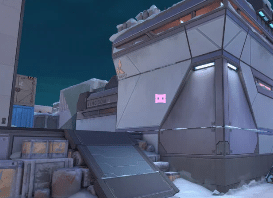
Riot Games has filed a lawsuit in the UK with claims of NetEase copying their characters, maps, weapons, weapon skins, charms, and even weapon stats designs. The developers have a very upfront stance on this matter.

Speaking about the case, Riot Games lawyer Dan Nabel told Polygon that they are filing lawsuits in the United Kingdom, Germany, Brazil, and Singapore.

His statement reads, “All of our creative choices are mirrored in NetEase’s game. We don’t think that changing the color of a character ability or slightly modifying the visual appearance changes the fact that it’s copyright infringement. It’s like that old saying, ‘You can put lipstick on a pig, but it’s still a pig.’”

If NetEase is found guilty in this case, a hefty sum would be paid to Riot Games for this matter and the overall design of their game called Hyper Front is also expected to change.