Tuesday, July 7, 2026
Home Blog Page 972

Valorant Not Starting Today Error Fix

0

Valorant is currently one of the most popular competitive shooters out there with millions of active players tuning in to the title each day. With the growing player base of Valorant, many users are also encountering various issues while attempting to play the game.

The TPM 2.0 error is one of the most recent errors that users across the world are reporting to have encountered and luckily, it can be easily solved by a few methods.

If you’re facing the TPM 2.0 error yourself, then we have you covered. Here’s what you need to do to fix the error and play your favorite competitive shooter once again.

Why Is My Valorant Not Opening?

There are many causes for the error. They range from a small glitch at the launch of the game to an inconsistency in the game’s installation. Check out the table below to find the most likely reasons for the error you’re encountering.

  • Minor bug during game launch
  • Secure boot is off
  • Windows conflicting with Valorant
  • Background apps
  • Outdated graphics card driver and windows
  • Corrupt game files/improper installation of the game

Solutions for Valorant Not Opening on Windows 11

Restart the Game

This is the first step and simplest solution to the problem. If you’ve tried to launch the game and receive an error saying ” Valorant failed to launch,” then you could try closing the dialogue box and attempting again.

Also, you could try restarting your computer and the internet before launching the game as an administrator. It is possible to right-click the game and choose Run as Administrator. If you suspect that the problem is minor and caused by the startup the issue should be resolved when you restart the game, and then run the game as administrator.

Turn on Secure Boot

To fix the TPM 2.0 Valorant error, simply follow these steps:

  • Go to Settings > Update and Security > Recovery
  • Go to Advanced Startup > Restart Now. This will reboot your computer
  • Click on Troubleshoot > Advanced Options > UEFI Firmware Settings > Restart

Once done, you’ll have access to the BIOS which will help you eliminate this issue. Make sure that your BIOS is in advanced mode and TPM is enabled on your computer before advancing to the next step.

  • Go to the ‘boot’ tab
  • Enable Secure Boot
  • Set to standard
  • Save and exit.

Run Valorant in Compatibility Mode

  • Right-click on Valorant.
  • Click on Properties.
  • Now, Browse the Compatibility tab.
  • Hit the Run compatibility troubleshooter button at the top. A new window will pop up.
  • Once the popup window finishes detecting problems, select Try recommended settings.
  • Your PC will test the program in the earlier version of Windows, such as Windows 8.
  • If Valorant runs, go back to the troubleshooter and hit the Next button.
  • Select Yes, save these settings for this program, and your Valorant will always run in the saved settings.

Update Windows and Graphics Card Drivers

It’s possible that the graphics drivers on your computer are either out of the current or have bugs. Some players say Valorant won’t launch because their graphics drivers are old. So update your graphics card driver manually or automatically.

In the event that you are unsure about which graphics card:

To run the command prompt, use the Windows key and R. (this will open up a “Run” window).

After entering dxdiag, press the Enter key.

Choose the Display tab from the menu.

When you have determined the type of graphics card you possess, you may return here to get the relevant drivers for it:

AMD: http://support.amd.com/en-us/download/auto-detect-tool

NVIDIA: http://www.geforce.com/drivers

Valorant is a 5v5 first-person shooter developed and published by Riot Games in June 2020. It is currently available to play exclusively on PC, with a mobile version currently in the works.

Keep following TalkEsport for similar useful guides, latest news and all updates involving Valorant.
How to get free Overwatch Coins Easily

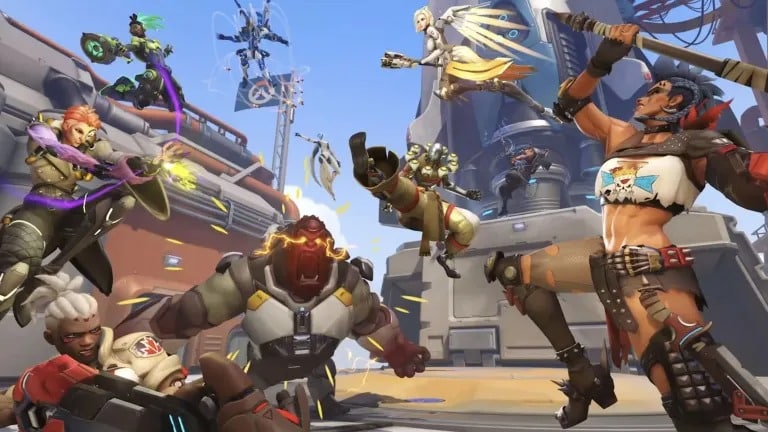
Overwatch was a 2016 team-based multiplayer first-person shooter game by Blizzard Entertainment. The game was first released for PlayStation 4, Xbox One, and Windows in May 2016 and Nintendo Switch in October 2019. Cross-platform play was supported across all platforms.

Described as a “hero shooter”, Overwatch assigned players into two teams of six, with each player selecting from a large roster of characters, known as “heroes”, with unique abilities. Teams worked to complete map-specific objectives within a limited period of time. Blizzard added new characters, maps, and game modes post-release, all free of charge, with the only additional cost to players being optional loot boxes to purchase cosmetic items.

Overwatch is Blizzard’s fourth major franchise and came about following the 2014 cancellation of a massively multiplayer online role-playing game, Titan.

A portion of the Titan team were inspired by the success of team-based first-person shooters like Team Fortress 2 and the popularity of multiplayer online battle arena games, creating a hero-based shooter which emphasized teamwork. Some elements of Overwatch borrow concepts from the canceled Titan project.

Overwatch was unveiled at the 2014 BlizzCon event and was in a closed beta from late 2015 through early 2016. An open beta before release drew in nearly 10 million players. Overwatch received universal acclaim from critics, who praised the game for its accessibility, the diverse appeal of its hero characters, its cartoonish art style, and enjoyable gameplay. Blizzard reported over US$1 billion in revenue during the first year of its release and had more than 50 million players after three years.

Overwatch is considered to be among the greatest video games ever made, receiving numerous game of the year awards and other accolades. The game is a popular esport, with Blizzard funding and producing the global Overwatch League.

A sequel, Overwatch 2, was announced in 2019 and entered beta in 2022. The player versus player portion of the game is free to play, with all cosmetic items from Overwatch carried over while introducing new heroes, maps, and gamemodes.

A player versus environment (PvE) co-operative multiplayer mode will be released at a later time. On October 3, 2022, the Overwatch servers were shut down in preparation for the release of Overwatch 2 the next day.

What Is Overwatch Coin?

Overwatch Coins are the in-game currency used in Overwatch 2. With your Overwatch Coins, you can buy the Premium Battle Pass and in-game cosmetic items to customize your heroes.

Owners of the Premium Battle Pass can also use Overwatch Coins to unlock Tiers and instantly access Legendary and Mythic content.

How To Get Overwatch Coins for free?

  • Visit the Microsoft Rewards Page.
  • Press On “Redeem” tab
  • Press on the “Overwatch Coins Digital Code” reward
  • Set your goal and earn Microsoft Rewards Points
  • Collect enough Microsoft Rewards Points for an Overwatch Coins Digital Code
  • Type the code into the “Redeem a Code” section of your Battle.net “Account Overview” page.

Valorant: Red Bull Home Ground 3: Scores, Results And More

0

The third Red Bull Home Ground is underway. All the details of the event, which will highlight the best of North America and Europe, the Middle East, and Africa, can be found here.

As the offseason begins, one of its most anticipated events has begun. The Victoria Warehouse in Manchester is playing host to the third annual Red Bull Home Ground, a tournament featuring eight teams and a prize pool of $100,000.

There will be American teams at Red Bull Home Ground for the first time ever. Teams like 100 Thieves, KRU Esports, and C9 will use this tournament as a tune-up for February’s VCT 2023 LOCK/IN Brazil.

The first day’s highlights included 100 Thieves’ unbeaten run, Cloud9’s comeback, Europe’s struggles, and KRU’s tragic elimination.

In a preview to the 2023 VCT season between opposing regions, EMEA underperformed while two North American teams excelled.

100T went undefeated on an opening day at the Red Bull Home Ground, surprising everyone. The Thieves only added Matthew “Cryocells” Panganiban from XSET in the off-season. They defeated Team Heretics and Team Liquid 2-1 and FUT Esports 3-0 to advance to the semifinals.

FOKUS, later eliminated by KRU Esports, defeated C9 early in the tournament. Jaccob “yay” Whiteaker and Nathan “leaf” Orf struggled throughout the tough three-map series. Cloud9 bounced back with back-to-back sweeps of KRU Esports and Team Vitality to go 2-1 and secure a playoff spot.

KRU and FOKUS, Group A’s bottom two clubs, played in the day’s final matches to determine who would qualify and who would be eliminated. Both clubs started 1-1, thus many thought the head-to-head winner would advance.

KRU defeated FOKUS 2-0 and tweeted about qualifying. Red Bull Home Ground administrators chose round and map count over matches. KRU was eliminated after winning 2-0 but behind FOKUS by three rounds and a map.

Below are the scores from Day 1 and today :

Round 1 :

Cloud9 (1) : (2) FOKUS
Team Vitality (2) : (0) KRU Esports
100 Thieves (2) : (1) Team Heretics
Team Liquid (2) : (0) FUT Esports

Round 2 :

Team Vitality (2) : (1) FOKUS
Cloud9 (2) : (0) KRU Esports
Team Heretics (2) : (0) FUT Esports
Team Liquid (1) : (2) 100 Thieves

Round 3 :

KRU Esports (2) : (0) Fokus
100 Thieves (2) : (0) FUT Esports
Team Heretics (0) : (2) Team Liquid
Cloud9 (2) : (0) Team Vitality

Upcoming Matches:

Quarterfinals :

Team Vitality Vs Team Heretics // 19:00 PM IST // December 10
Team Liquid Vs KRU Esports // 21:30 PM IST // December 10

Semi-Finals :

100 Thieves VS TBD // 12:30 AM IST // December 11
Cloud9 Vs TBD // 19:00 PM IST // December 11

For more updates on RedBull Home Ground 3, make sure to follow TalkEsport on Google News.

Mobile Legends M4 pass: Skins, Event, Rewards Revealed

0

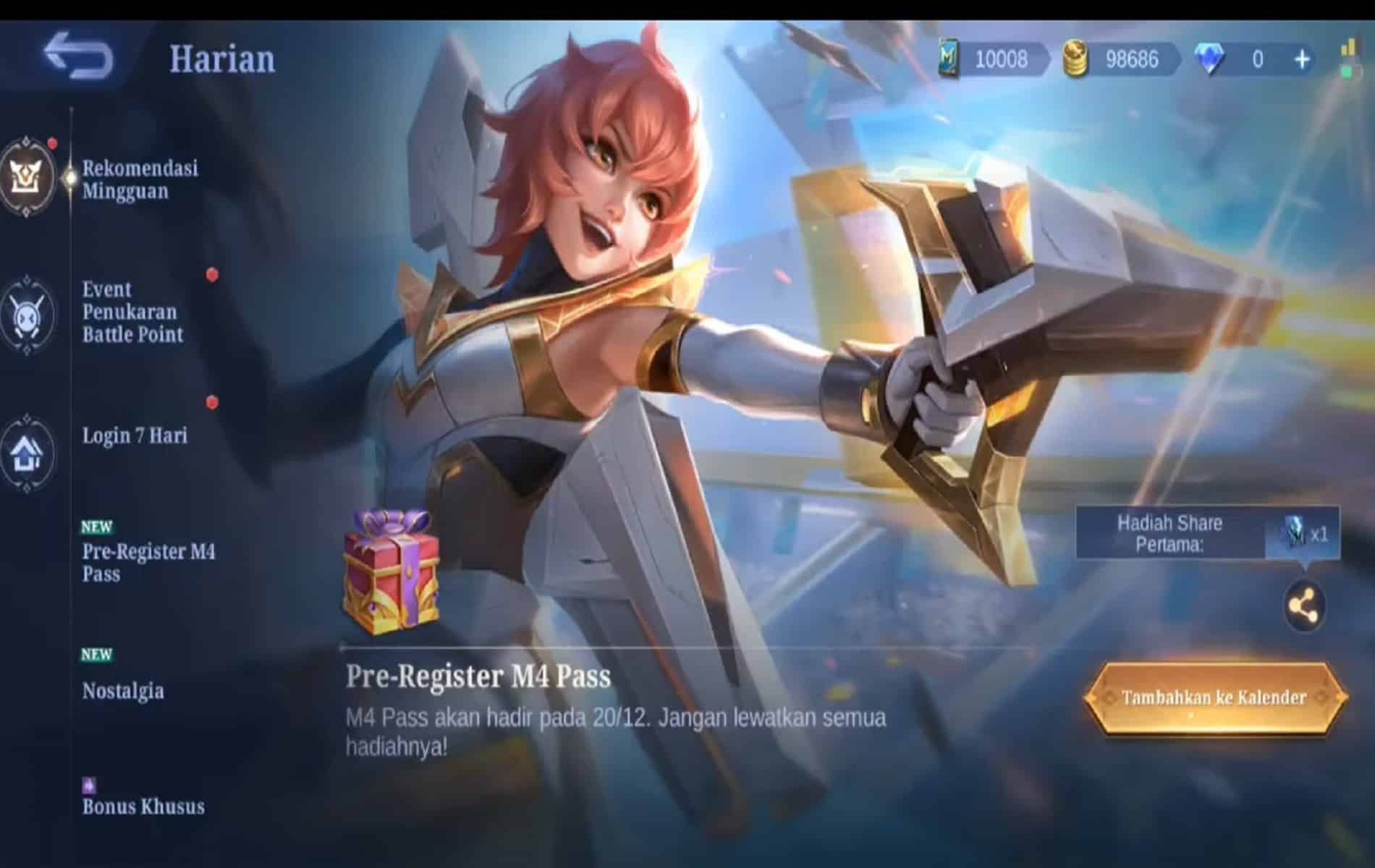
Those who invest in the Mobile Legends: Bang Bang M4 Pass, which will accompany the M4 World Championship, the game’s most significant annual competition, will be eligible for a plethora of bonuses.

Two new Beatrix skins, exclusive cosmetic effects, and other in-game prizes including emblems, magic dusts, and free trial cards will be available to those who purchase the pass beginning on December 20.

This battle pass contains a lot of content, so in order to give you an idea of what to anticipate, below is a brief overview of the contents.

When purchasing the pass, there are two alternatives to pick from, each of which costs either 399 or 699 diamonds. After making any purchase, the Light Chaser Beatrix skin is immediately made available to use. A two-level head start and a unique M4 trail effect may be purchased for 699 gems.

The previous M1 and M2 pass awards, including the King of Supremacy Aldous and Shadow Omen Clint skins, will also be available for purchase via the events shop. Instead, diamonds can be used to buy access to already unlocked levels.

2022’s Prime skin, Stellar Brilliance Beatrix, is unlocked at Level 75. If you’re familiar with the M3 pass, you’ll know that attaining level 150 in this pass unlocks a Beatrix figurine that will be shipped right to your door.

After purchasing the battle pass, players can advance through the ranks by completing missions and taking part in other activities. Among these include achieving victory while using a readymade squad and logging in on a daily basis.

On January 21, all Epic and Legendary skins will be available for free to any player that logs into the game and has a level-five battle night chest.

Players will also gain points for their chests if they participate in the combat night. These points can be put toward leveling up the battle night chest in the event that you want to do so.

In addition, a party week will take place between the 16th and the 22nd of January. After every match during this time period, all players will receive a 100% gain in experience, combat points, star-raising points, and protection points.

Between the 10th of December and the 22nd of January, the M4 pass will be available. The first 1000 Experience Points earned during the pass will be given out to players that pre-register for the pass. The fourth installment of M will take place in Indonesia between January 1 and 15.

For more guides, make sure to follow TalkEsport on Google News

Red Bull Home Ground Valorant Controversy Explained

0

Following an unprecedented situation surrounding the tiebreaker between KRU and FOKUS, the admins at the event have decided to roll on their initial decision and now KRU will find themselves in the playoffs ahead of FOKUS.

In the Group A fixture between KRU Esports and FOKUS saw the former get the upper hand leaving both teams with two way tie for third place. This left the decision up in the air as to which team would make it to the next round of play. It is at this point that the admins intervened and ruled in favour of KRU.

However, soon afterwards, FOKUS called the decision claiming the rule book suggests that the decision should have gone their way urging admins to review this situation.“We looked at the rules and told the admins, ‘Technically, it says wins/ losses, and what it’s intended for maps,’” said FOKUS player Lewis ‘YaBoiLewis’ Hughes.

Both teams on their individual social media handle announced their qualification by the time this happened which made the situation even worse than what many would have expected. FOKUS were ready with their protest as soon as the decision was announced upon which the admins were forced to review the situation.

Soon after the protest from FOKUS players, it was announced that they were the ones going to the next round, however, the decision was reversed which the players were informed about at 1 A.M. According to the admins, the rules were misinterpreted which prompted them to revise their decision.

The rule book read “1. Win/Loss 2. Head to Head 3. Round Differential”. which was looked at differently by the players on either side. which the admins deemed to be “vaguely written” and KRU was sent to the next round. Oddly enough, FOKUS was a non-partnered team many assumed this to be the motivation behind letting KRU through.

Thank you for reading, For more exclusive esports and gaming content, please follow us on Google News.

Apex Legends Directx 12 Error Fix

0

Apex Legends is a free-to-play battle royale-hero shooter game developed by Respawn Entertainment and published by Electronic Arts. It was released for Microsoft Windows, PlayStation 4, and Xbox One in February 2019, for Nintendo Switch in March 2021, and for PlayStation 5 and Xbox Series X/S in March 2022.

A mobile version of the game designed for touchscreens titled Apex Legends Mobile was released in May 2022 on Android and iOS. The game supports cross-platform play, excluding the aforementioned mobile platforms.

Before the match, players form into two- or three-player squads, and select from pre-designed characters with distinctive abilities, known as “Legends”. The game has two gameplay modes. In “Battle Royale”, up to 20 three-person squads or 30 two-person duos land on an island and search for weapons and supplies before attempting to defeat all other players in combat.

The available play area on the island shrinks over time, forcing players to keep moving or else find themselves outside the play area which can be fatal. The final team alive wins the round. In “Arenas”, players form into three-player squads and fight against another squad in a 3v3 team deathmatch over a series of rounds to determine the winner of the match. Teams win when their team has at least 3 points and is 2 points ahead.

Apex Legends is set in the same science fiction universe as Respawn Entertainment’s Titanfall series, with several characters from the Titanfall series appearing either as minor characters or playable Legends. Work on the game began around late 2016, though the project remained a secret right up until its launch.

The game’s release in 2019 came as a surprise, as until that point it had been assumed that Respawn Entertainment was working on a third installment to the Titanfall franchise, the studio’s previous major game. Apex Legends received generally positive reviews from critics, who praised its gameplay, progression system, and fusion of elements from various genres.

Some considered it a worthy competitor to other battle royale games. Apex Legends surpassed 25 million players by the end of its first week, and 50 million within its first month. By April 2021, it had approximately 100 million players making it one of the most played video games of all time by player count.

How to Fix DXGI_ERROR_DEVICE_HUNG Error?

Method 1: Update Your Graphics Card Driver

When games and other other graphical applications crash, it can be signs of issues with your graphics drivers. In the case of DXGI_ERROR_DEVICE_HUNG, the video card drivers may have become corrupt.

In some cases, you can get this error when the version of the graphics driver you are using is the issue. In that case, a newer or even an older graphics driver may resolve the program. This is how you can update your graphics drivers:

Step 1: Press the Windows key to open the Start Search box

Step 2: Type ‘device manager’ (without quotes) into the search box

Step 3: Click the + next two Display Adapters to see your graphics card

Step 4: Right click on your graphics card (display adapter) and click Update Driver

Step 5: Choose ‘Search automatically for updated driver software and let Windows install the newest driver version’

Step 6: Reboot your PC 

Method 2: Update DirectX

Another really common fix for DXGI_ERROR_DEVICE_HUNG error is to update DirectX. Sometimes files can become corrupt and reinstalling or updating DirectX can resolve that.

Step 1: Visit Microsoft’s DirectX End-User Runtime Web Installer page.

Step 2: Choose your language

Step 3: Click Download

Step 4: Find the downloaded file and double-click it

Step 5: Follow the on-screen instructions

Step 6: Start the game and see if the issue is resolved

Method 3: Roll-Back Your Graphics Drivers

This should solve the issue, but if it doesn’t, then players might have to consider setting their drivers back. Users are experiencing ‘little to no crashing’ when rolling back to earlier versions of drivers.

If the current version of the driver is corrupt, you can roll-back to previous versions the following way:

Step 1: Type Device Manager into the search box

Step 2: Expand your Display adapters and pick the graphics card you are using

Step 3: Rick-click your Display Adapter and click Properties

Step 4: Go to Driver tab

Step 5: Select Roll back driver

Method 4: Reseat your system memory (RAM)

Sometimes, dust can creep in between the pins that cannot your system memopry to the rest of the system. So, if you are getting random errors and have tried everything else, it might be an issue with your RAM.

RAM does sometimes go bad, but usually, this is not the case. But of the time when there is a problem with system memory, all you have to do is tack it out and put it back again.

This process varies widely from computer to computer, and it will be especially different when comparing laptops and desktops. Most all-in-one computers use laptop memory modules.

Consult your user manual to find out how to upgrade the RAM in your system. Reseating the memory is the same process as upgrading your RAM. The only difference is when you are reseating your memory modules, you are putting the same ones back in.

Method 5: Change Nvidia Control Panel Settings

Sometimes this error can happen because of incorrect settings in your Nvidia control panel. To try to resolve this issue, perform the following steps:

Step 1: Right click the desktop and open the Nvidia control panel

Step 2: Click on 3D settings

Step 3: Click Adjust image settings with Preview

Step 4: Check ‘Use advanced 3D image settings’

Step 5: Click Apply

Step 6: Click Manage 3D settings on the left

Step 7: In the Program Settings tab, click Add 

Step 8: Choose the executable of the game you are having troubles with

Method 6: Disable Graphics Card Overclocking

You may be seeing the DXGI_ERROR_DEVICE_HUNG error if your GPU is working beyond its intended limit. Overclocking is a great tool for extracting more performance out of your hardware, but it can lead to system stability issues at times.

So, if you are overclocking your graphics card and you are getting this error, it’s a good idea to disable your overclocking settings, at least temporarily, to see if that’s what’s causing the issue.

Rainbow Six Siege Crossplay: All You Need To Know

Find out how to connect and disconnect your R6 accounts, as well as what data is sent across services, below. The decision to link your accounts across platforms will have long-lasting effects on your gaming experience.

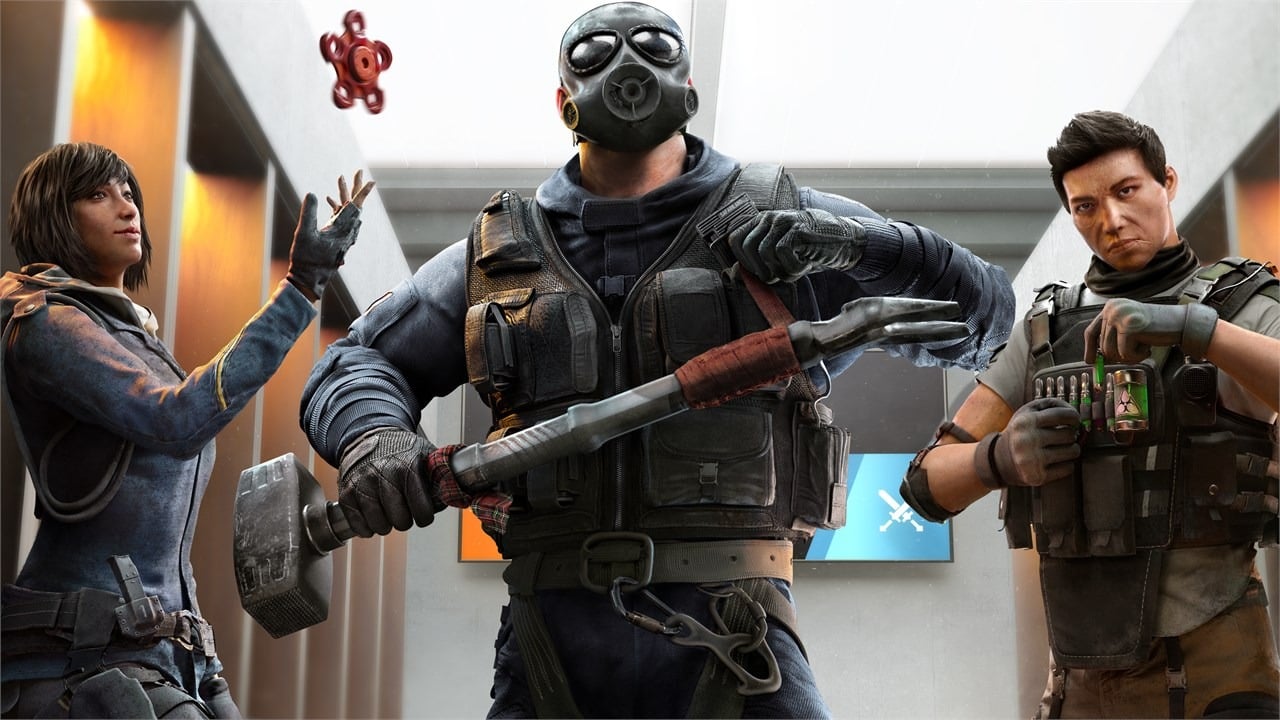
Tom Clancy’s Rainbow Six Siege’s latest update adds a new map, a tech-detecting operator, and cross-progression and cross-play. Defender Solis leads Operation Solar Raid, Year 7’s fourth and final season.

How to turn on crossplay in Rainbow Six Siege?

  • Launch Rainbow Six Siege
  • Go to options
  • You will be able to review your crossplay status

How to turn off crossplay in Rainbow Six siege?

  • Press on the options icon
  • Located in the general tab, hit crossplay Matchmaking
  • Turn it off

How to link Ubisoft accounts ?

  • Head to the Account Information webpage.
  • Select the Linked accounts section.
  • Click on the Link under the logo of the platform you want to connect your account to.
  • Your account will now be linked

What’s shared between platforms?

Certain statistics are shared between linked Rainbow Six Siege accounts.

Please be aware that the following achievements are only shared across PC, Stadia, and Luna, or between Xbox and PlayStation consoles.

  • Your current rank
  • Overall rank history
  • MMR points

Clearance / Battle Pass levels are fully synchronized across all platforms. There will also be a transfer of certain R6 game data.

Some of the cosmetics that will be accessible from multiple connections are as follows:

The Solar Raid season also offers major quality-of-life improvements. Instead of a matchmaking ranking, players now compete in up to five tiers in ranked play. The system now calls MMR “talent,” a secret metric for all play styles that don’t reset at the season’s conclusion. The matchmaking mechanism will pair buddies with similar skills.

How To Check How Much Time You Have Wasted On LoL

0

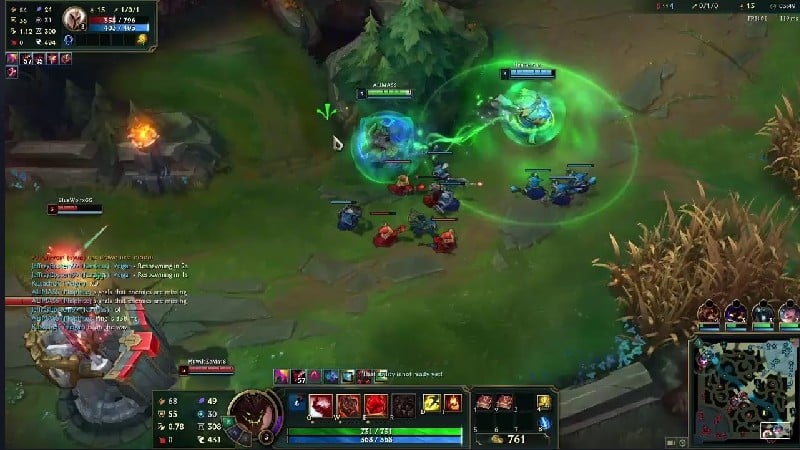
League of Legends (LoL), commonly referred to as League, is a 2009 multiplayer online battle arena video game developed and published by Riot Games. Inspired by Defense of the Ancients, a custom map for Warcraft III, Riot’s founders sought to develop a stand-alone game in the same genre.

Since its release in October 2009, League has been free-to-play and is monetized through purchasable character customization. The game is available for Microsoft Windows and macOS.

In the game, two teams of five players battle in player-versus-player combat, each team occupying and defending their half of the map. Each of the ten players controls a character, known as a “champion”, with unique abilities and differing styles of play.

During a match, champions become more powerful by collecting experience points, earning gold, and purchasing items to defeat the opposing team.

In League’s main mode, Summoner’s Rift, a team wins by pushing through to the enemy base and destroying their “Nexus”, a large structure located within.

League of Legends has received generally positive reviews; critics highlighted its accessibility, character designs, and production value.

The game’s long lifespan has resulted in a critical reappraisal, with reviews trending positively; the negative and abusive in-game behavior of its players, criticized since early in the game’s lifetime, persists despite Riot’s attempts to fix the problem.

In 2019, League regularly peaked at eight million concurrent players, and its popularity has led to tie-ins such as music videos, comic books, short stories, and an animated series, Arcane. Its success has also spawned several spin-off video games, including a mobile version, a digital collectible card game and a turn-based role-playing game, among others. A massively multiplayer online role-playing game based on the property is in development.

Regularly cited as the world’s largest esport, the game has an international competitive scene consisting of 12 leagues. These domestic leagues culminate in the annual League of Legends World Championship.

The 2019 event registered over 100 million unique viewers, peaking at a concurrent viewership of 44 million during the finals. Domestic and international events have been broadcast on livestreaming websites such as Twitch, YouTube, Bilibili, and on cable television sports channel ESPN.

LoL Wasted:

Wasted on LoL is a site that explains everything you must learn about the time you spent in League Of Legends.

How To Use LoL Wasted To Check How Much Time You Have Wasted On LoL:

  • Visit Website and put your username.
  • After That, the website will tell you how many minutes, hours, and days you’ve spent playing the game.

That’s all.

For more guides on Valorant Crosshairs, make sure to follow TalkEsport on Google News

3 Funny Valorant Crosshairs to Download With Codes Right Now

0

The crosshair is a crucial part of every FPS game. Some players like to keep their crosshair setup consistent throughout a variety of games and over an extended period of time. On the other hand, there are players who win consistently despite altering their Valorant crosshair on a daily basis.

With the latest update to Valorant’s crosshairs, players have more control than ever over the look of their weapons, and they’re becoming very inventive with all the new possibilities. A touch too original, perhaps.

Crosshair customization has always been a strong suit of Valorant, with a wide variety of settings available to players. The old crosshair system was terrible, but the new one that Valorant has introduced is much better.

A few simple forms and controls for the crosshair’s color, thickness, and opacity were all that were available before. Creative players can now make and share their own creations.

Others use it to have fun and see how far they can go with just a crosshair, while others use it to replicate the setup of their favorite pro.

Valorant’s silliest crosshair setups along with their codes

Leaderboards are taken seriously, and many Valorant players are there for a great competitive experience. Nonetheless, amusement is available for those who look for it.

Valorant gamers may personalize and share their crosshairs with this new feature! Here are some of the most unique and amusing crosshair configurations we could discover, along with the codes so you can try them out for yourself.

The “CROSShair”

This thread hair is perfect for heavenly vengeance. Twitter user and Valorant caster @cosyjozie made a video where she annihilates her opponent with this unusual configuration.

This ridiculous option puts the mark in the crosshairs and is effective.

This crosshair is 0;p;0;P;u;000000FF;h;0;f;0;0t;5;0v;13;0g;1;0o;0;0a;1;0f;0; 1b;0.

The “nom nom”

This particular crosshair option takes advantage of the Bloom settings in Valorant to give the impression that you are truly tearing through the opposition.

@Pun shared a video of this crosshair.

Nom-Nom is for hungry competitors who desire clear optics at close range. It performs great close-up but poorly at long range.

The crosshair code is 0;P;0t;10;0l;0;0v;2;0g;1;0o;0;0e;0.168;1t;8;1l;10;1v;0;1g;1;1o;17;1a;1;1m;0;1f;0.

the nerd glasses

The nerd crosshair is one of these ideas, and it’s probably the one with the most originality. You start off by giving the other agents a short makeover by giving them glasses.

Twitter user @whoisjioon has been putting in a lot of hard work with this crosshair, and he’s also had some entertaining exchanges with his teammates while using this multipurpose setup.

This is the most useable with a dot in the center of your screen and has produced some hilarious screenshots of the Valorant roster sporting vague glasses.

The crosshair code is : 0;s;1;P;c;8;t;2;o;1;d;1;b;1;a;0.462;f;0;0t;10;0l;14; 0v;0;0g;1;0o;5;0a;0.308;0f;0;1t;1;1l;6;1v;0;1g;1;1o;18;1a;0;1m;0;1f; 0;S;d;0


Also Read: How To Copy Valorant Crosshair Codes


For more guides on Valorant Crosshairs, make sure to follow TalkEsport on Google News

How To Unlock All Valorant Agents For Free Using Xbox Game Pass

In case the plethora of games available on the Xbox Game Pass library wasn’t enough to make you buy it, Riot Games’ new partnership with the Microsoft game subscription service might just be enough to change your mind.

Back in June 2022, Riot Games announced that they were teaming up with Xbox Game Pass to bring some exciting content to all Game Pass subscribers. From December 12, players will finally be able to enjoy the benefits of an Xbox Game Pass subscription in all Riot Games titles.

However, what players are most excited about is perhaps the access to all the Valorant Agents and League of Legends Champions.

Let’s take a look at how you can unlock all Valorant Agents and League Champs with an active Xbox Game Pass subscription.

How To Unlock All Valorant Agents

To unlock every single Valorant Agent and LoL champ with a Game Pass subscription, players have to head over to the Xbox Social sign-in page and log in with their Microsoft account. Once done, they can link their Riot and Xbox accounts and that’s it!

Also Read: Valorant vs Hyper Front: Riot Games To Sue Netease For Copying

That’s everything you need to know about how to unlock all the Valorant Agents and League of Legends Champions with a Game Pass Subscription. In case you don’t have a Game Pass subscription yet, you can buy one here.