Tuesday, July 7, 2026
Home Blog Page 971

Pokemon Mega Power Cheats December 2022

0

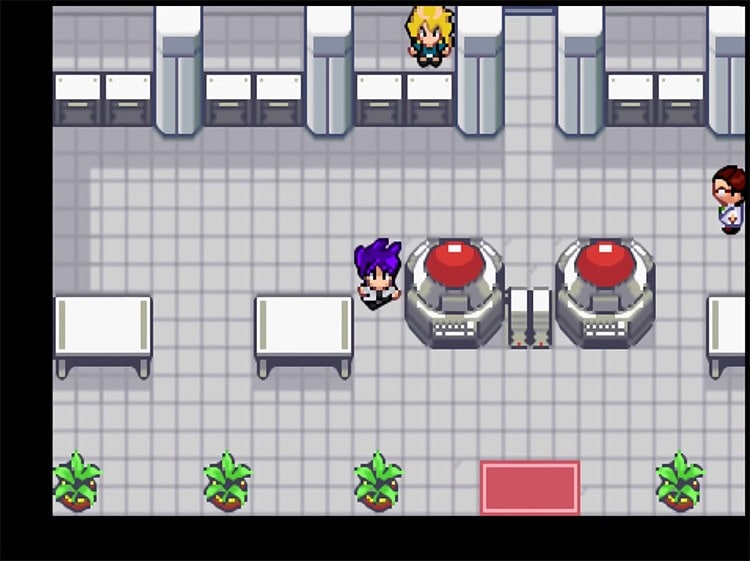
Pokemon Mega Power is a Monster Capture RPG game published by wind1158 released on May 4, 2014 for the GameBoy Advance.

It contains a new adventure for you to play. It is the rom hack of the game Pokemon Emerald.

Pokemon Mega Power Cheats

Mastercode:
00006FA7 000A 1006AF88 0007

Enter code: 83007CF6 XXXX and replace XXXX with your chosen Pokemon ID.
0090 = Articuno
0091 = Zapdos
0092 = Moltres
0096 = Mewtwo
0097 = Mew
00f3 = Raikou
00f4 = Entei
00f5 = Suicune
00f9 = Lugia
00fa = Ho-oh
00fb = Celebi
0197 = Latias
0196 = Rayquaza
0198 = Latios
0199 = Jirachi
001f = Deoxys
0020 = Darkrai
0068 = Phione
0069 = Manaphy
019a = Keldeo
00cb = Zygarde
007d = Diancie
00af = Hoopa
019b = Volcanion
0021 = Type: Null
0022 = Silvally
0140 = Tapu Koko
0141 = Tapu Bulu
00b1 = Tapu Lele
00b2 = Tapu Fini
001d = Necrozma
001e = Zeraora
00d5 = Marshadow

—————

Infinite Cash

Cheat code:
D8BAE4D9 4864DCE5
A86CDBA5 19BA49B3
A57E2EDE A5AFF3E4
1C7B3231 B494738C
C051CCF6 975E8DA1

—————–

Rare Candy

Cheat code:
BFF956FA 2F9EC50D

—————–

Catch/Steal Trainer’s Pokemon

Cheat code:
B6C5368A 08BE8FF4
B8D95CFE 06ED6EA1
E151C402 8A229A83
8E883EFF 92E9660D

IMPORTANT: Make sure you press L+R before throwing the Pokeball to catch a trainer’s Pokemon so you avoid getting a bad egg.

—————–

Shiny Pokemon

Cheat code:
F3A9A86D 4E2629B4
18452A7D DDE55BCC

—————-

Walk Through Walls

Cheat code:
7881A409 E2026E0C 8E883EFF 92E9660D

—————-

Masterball

Cheat code:
958D8046 A7151D70 8BB602F7 8CEB681A

—————-

No Random Battles

Cheat code:
B505DB41 6E39EA4E

—————-

Wild Pokemon Modifier

Mastercode (Important)
00006FA7 000A 1006AF88 0007

Enter code: 83007CF6 XXXX and replace XXXX with your chosen Pokemon ID.

0001 = Bulbasaur.
0002 = Ivysaur.
0003 = Venusaur.
0004 = Charmander.
0005 = Charmeleon.
0006 = Charizard.
0007 = Squirtle.
0008 = Wartortle.
0009 = Blastoise.
000a = Caterpie.
000b = Metapod.
000c = Butterfree.
000d = Weedle.
000e = Kakuna.
000f = Beedrill.
0010 = Pidgey.
0011 = Pidgeotto.
0012 = Pidgeot.
0013 = Minccino.
0014 = Cinccino.
0015 = Cutiefly.
0016 = Ribombee.
0017 = Salandit.
0018 = Salazzle.

0019 = Pikachu.
001a = Raichu.
001b = Drilbur.
001c = Excadrill.
0025 = Vulpix.
0026 = Ninetales.
0027 = Jigglypuff.
0028 = Wigglytuff.
0029 = Zubat.
002a = Golbat.
002b = Flabébé.
002c = Floette.
002d = Florges.
002e = Morelull.
002f = Shiinotic.
0032 = Bunnelby.
0033 = Diggersby.
0034 = Meowth.
0035 = Persian.
0038 = Pancham.
0039 = Pangoro.
003a = Growlithe.
003b = Arcanine.
003f = Abra.

0040 = Kadabra.
0041 = Alakazam.
0042 = Timburr.
0043 = Gurburr.
0044 = Conkeldurr.
0045 = Fletchling.
0046 = Fletchinde.
0047 = Talonflame.
0048 = Tentacool.
0049 = Tentacruel.
004a = Geodude.
004b = Graveler.
004c = Golem.
004d = Litleo.
004e = Pyroar.
004f = Slowpoke.
0050 = Slowbro.
0051 = Magnemite.
0052 = Magneton.
0053 = Magnezone.
0054 = Skiddo.
0055 = Gogoat.
0056 = Seel.
0058 = Skorupi.

0059 = Drapion.
005c = Gastly.
005d = Haunter.
005e = Gengar.
005f = Onix.
0060 = Espurr.
0061 = Meowstic.
0062 = Binacle.
0063 = Barbaracle.
0064 = Helioptile.
0065 = Heliolisk.
0066 = Exeggcute.
0067 = Exeggutor.
006c = Spiritomb.
006d = Mienfoo.
006e = Mienshao.
006f = Rhyhorn.
0070 = Rhydon.
0071 = Audino.
0072 = Tangela.
0073 = Kangaskhan.
0074 = Horsea.
0075 = Seadra.
0076 = Goldeen.

0077 = Seaking.
007a = Gallade.
007b = Scyther.
007f = Pinsir.
0080 = Sylveon.
0081 = Magikarp.
0082 = Gyarados.
0083 = Lapras.
0084 = Ditto.
0085 = Eevee.
0086 = Vaporeon.
0087 = Jolteon.
0088 = Flareon.
0089 = Carbink.
008c = Skrelp.
008d = Dragalge.
008e = Aerodactyl.
008f = Buzzwole.
0093 = Goomy.
0094 = Sliggoo.
0095 = Goodra.
0098 = Rowlet.
0099 = Dartrix.
009a = Decidueye.

009b = Litten.
009c = Torracat.
009d = Incineroar.
009e = Popplio.
009f = Brionne.
00a0 = Primarina.
00a1 = Yungoos.
00a2 = Gumshoos.
00a3 = Starly.
00a4 = Staravia.
00a5 = Staraptor.
00a6 = Furfrou.
00a7 = Cottonee.
00a8 = Whimsicott.
00a9 = Crobat.
00aa = Chinchou.
00ab = Lanturn.
00ac = Pichu.
00ae = Igglybuff.
00b3 = Mareep.
00b4 = Flaaffy.
00b5 = Ampharos.
00b6 = Tangrowth.
00b7 = Marill.

00b8 = Azumarill.
00b9 = Dusknoir.
00bb = Gible.
00bc = Gabite.
00bd = Garchomp.
00be = Chatot.
00bf = Pansage.
00c0 = Simisage.
00c1 = Celesteela.
00c2 = Panpour.
00c3 = Simipour.
00c4 = Espeon.
00c5 = Umbreon.
00c6 = Kartana.
00c7 = Slowking.
00c9 = Unown.
00cc = Ferroseed.
00cd = Ferrothorn.
00ce = Weavile.
00cf = Togedemaru.
00d0 = Steelix.
00d1 = Snubbull.
00d2 = Granbull.
00d4 = Scizor.

00d6 = Heracross.
00d7 = Sneasel.
00d8 = Mudbray.
00d9 = Mudsdale.
00da = Pansear.
00db = Simisear.
00dc = Vanillite.
00dd = Vanillish.
00de = Vanilluxe.
00e2 = Dhelmise.
00e3 = Skarmory.
00e4 = Houndour.
00e5 = Houndoom.
00e6 = Kingdra.
00e7 = Zorua.
00e8 = Zoroark.
00e9 = Klefki.
00eb = Smeargle.
00ee = Hawlucha.
00f1 = Froslass.
00f2 = Audino.
00f6 = Larvitar.
00f7 = Pupitar.
00f8 = Tyranitar.

0116 = Grovyle.
0117 = Sceptile.
0118 = Torchic.
0119 = Combusken.
011a = Blaziken.
011b = Mudkip.
011c = Marshtomp.
011d = Swampert.
011e = Purrloin.
011f = Liepard.
0120 = Buneary.
0121 = Lopunny.
0122 = Scatterbug.
0123 = Spewpa.
0124 = Vivilion.
0125 = Combee.
0126 = Vespiquen.
0127 = Lotad.
0128 = Lombre.
0129 = Ludicolo.
012a = Bounsweet.
012b = Steenee.
012c = Tsareena.
012d = Nincada.

012e = Ninjask.
012f = Shedinja.
0130 = Snover.
0131 = Abomasnow.
0132 = Shroomish.
0133 = Breloom.
0134 = Spinda.
0135 = Spritzee.
0136 = Aromatisse.
0137 = Dewiper.
0138 = Araquanid.
0139 = Wailmer.
013a = Wailord.
013b = Skitty.
013c = Delcatty.
013d = Pheromosa.
013e = Golett.
013f = Golurk.
0142 = Sableye.
0143 = Glaceon.
0144 = Leafeon.
0145 = Luvdisc.
0146 = Corphish.
0147 = Crawdaunt.

0148 = Feebas.
0149 = Milotic.
014a = Carvanha.
014b = Sharpedo.
014c = Trapinch.
014d = Vibrava.
014e = Flygon.
014f = Riolu.
0150 = Lucario.
0151 = Electrike.
0152 = Manectric.
0153 = Numel.
0154 = Camerupt.
0155 = Spheal.
0156 = Sealeo.
0157 = Walrein.
0158 = Cacnea.
0159 = Cacturne.
015a = Snorunt.
015b = Glalie.
015e = Azurill.
015f = Spoink.
0160 = Grumpig.
0163 = Mawile.

0164 = Meditite.
0165 = Medicham.
0166 = Swablu.
0167 = Altaria.
0169 = Duskull.
016a = Dusclops.
016c = Slakoth.
016d = Vigoroth.
016e = Slaking.
016f = Clauncher.
0170 = Clawitzer.
0171 = Tropius.
0172 = Whismur.
0173 = Loudred.
0174 = Exploud.
0178 = Absol.
0179 = Shuppet.
017a = Banette.
017e = Aron.
017f = Lairon.
0180 = Aggron.
0181 = Castform.
0186 = Tyrunt.
0187 = Tyrantrum.

0188 = Ralts.
0189 = Kirlia.
018a = Gardevoir.
018b = Bagon.
018c = Shelgon.
018d = Salamence.
018e = Beldum.
018f = Metang.
0190 = Metagross.
0191 = Nihilego.
0192 = Xurkitree.
0193 = Guzzlord.

—————

Wild Pokemon Level Modifier

Mastercode (Important)
00006FA7 000A 1006AF88 0007

Enter code: 83007CF6 XXXX and replace XXXX with your chosen Pokemon ID.

0001 = Bulbasaur.
0002 = Ivysaur.
0003 = Venusaur.
0004 = Charmander.
0005 = Charmeleon.
0006 = Charizard.
0007 = Squirtle.
0008 = Wartortle.
0009 = Blastoise.
000a = Caterpie.
000b = Metapod.
000c = Butterfree.
000d = Weedle.
000e = Kakuna.
000f = Beedrill.
0010 = Pidgey.
0011 = Pidgeotto.
0012 = Pidgeot.
0013 = Minccino.
0014 = Cinccino.
0015 = Cutiefly.
0016 = Ribombee.
0017 = Salandit.
0018 = Salazzle.

0019 = Pikachu.
001a = Raichu.
001b = Drilbur.
001c = Excadrill.
0025 = Vulpix.
0026 = Ninetales.
0027 = Jigglypuff.
0028 = Wigglytuff.
0029 = Zubat.
002a = Golbat.
002b = Flabébé.
002c = Floette.
002d = Florges.
002e = Morelull.
002f = Shiinotic.
0032 = Bunnelby.
0033 = Diggersby.
0034 = Meowth.
0035 = Persian.
0038 = Pancham.
0039 = Pangoro.
003a = Growlithe.
003b = Arcanine.
003f = Abra.

  • 0040 = Kadabra.
  • 0041 = Alakazam.
  • 0042 = Timburr.
  • 0043 = Gurburr.
  • 0044 = Conkeldurr.
  • 0045 = Fletchling.
  • 0046 = Fletchinde.
  • 0047 = Talonflame.
  • 0048 = Tentacool.
  • 0049 = Tentacruel.
  • 004a = Geodude.
  • 004b = Graveler.
  • 004c = Golem.
  • 004d = Litleo.
  • 004e = Pyroar.
  • 004f = Slowpoke.
  • 0050 = Slowbro.
  • 0051 = Magnemite.
  • 0052 = Magneton.
  • 0053 = Magnezone.
  • 0054 = Skiddo.
  • 0055 = Gogoat.
  • 0056 = Seel.
  • 0058 = Skorupi.
  • 0059 = Drapion.
  • 005c = Gastly.
  • 005d = Haunter.
  • 005e = Gengar.
  • 005f = Onix.
  • 0060 = Espurr.
  • 0061 = Meowstic.
  • 0062 = Binacle.
  • 0063 = Barbaracle.
  • 0064 = Helioptile.
  • 0065 = Heliolisk.
  • 0066 = Exeggcute.
  • 0067 = Exeggutor.
  • 006c = Spiritomb.
  • 006d = Mienfoo.
  • 006e = Mienshao.
  • 006f = Rhyhorn.
  • 0070 = Rhydon.
  • 0071 = Audino.
  • 0072 = Tangela.
  • 0073 = Kangaskhan.
  • 0074 = Horsea.
  • 0075 = Seadra.
  • 0076 = Goldeen.
  • 0077 = Seaking.
  • 007a = Gallade.
  • 007b = Scyther.
  • 007f = Pinsir.
  • 0080 = Sylveon.
  • 0081 = Magikarp.
  • 0082 = Gyarados.
  • 0083 = Lapras.
  • 0084 = Ditto.
  • 0085 = Eevee.
  • 0086 = Vaporeon.
  • 0087 = Jolteon.
  • 0088 = Flareon.
  • 0089 = Carbink.
  • 008c = Skrelp.
  • 008d = Dragalge.
  • 008e = Aerodactyl.
  • 008f = Buzzwole.
  • 0093 = Goomy.
  • 0094 = Sliggoo.
  • 0095 = Goodra.
  • 0098 = Rowlet.
  • 0099 = Dartrix.
  • 009a = Decidueye.
  • 009b = Litten.
  • 009c = Torracat.
  • 009d = Incineroar.
  • 009e = Popplio.
  • 009f = Brionne.
  • 00a0 = Primarina.
  • 00a1 = Yungoos.
  • 00a2 = Gumshoos.
  • 00a3 = Starly.
  • 00a4 = Staravia.
  • 00a5 = Staraptor.
  • 00a6 = Furfrou.
  • 00a7 = Cottonee.
  • 00a8 = Whimsicott.
  • 00a9 = Crobat.
  • 00aa = Chinchou.
  • 00ab = Lanturn.
  • 00ac = Pichu.
  • 00ae = Igglybuff.
  • 00b3 = Mareep.
  • 00b4 = Flaaffy.
  • 00b5 = Ampharos.
  • 00b6 = Tangrowth.
  • 00b7 = Marill.
  • 00b8 = Azumarill.
  • 00b9 = Dusknoir.
  • 00bb = Gible.
  • 00bc = Gabite.
  • 00bd = Garchomp.
  • 00be = Chatot.
  • 00bf = Pansage.
  • 00c0 = Simisage.
  • 00c1 = Celesteela.
  • 00c2 = Panpour.
  • 00c3 = Simipour.
  • 00c4 = Espeon.
  • 00c5 = Umbreon.
  • 00c6 = Kartana.
  • 00c7 = Slowking.
  • 00c9 = Unown.
  • 00cc = Ferroseed.
  • 00cd = Ferrothorn.
  • 00ce = Weavile.
  • 00cf = Togedemaru.
  • 00d0 = Steelix.
  • 00d1 = Snubbull.
  • 00d2 = Granbull.
  • 00d4 = Scizor.
  • 00d6 = Heracross.
  • 00d7 = Sneasel.
  • 00d8 = Mudbray.
  • 00d9 = Mudsdale.
  • 00da = Pansear.
  • 00db = Simisear.
  • 00dc = Vanillite.
  • 00dd = Vanillish.
  • 00de = Vanilluxe.
  • 00e2 = Dhelmise.
  • 00e3 = Skarmory.
  • 00e4 = Houndour.
  • 00e5 = Houndoom.
  • 00e6 = Kingdra.
  • 00e7 = Zorua.
  • 00e8 = Zoroark.
  • 00e9 = Klefki.
  • 00eb = Smeargle.
  • 00ee = Hawlucha.
  • 00f1 = Froslass.
  • 00f2 = Audino.
  • 00f6 = Larvitar.
  • 00f7 = Pupitar.
  • 00f8 = Tyranitar.
  • 0116 = Grovyle.
  • 0117 = Sceptile.
  • 0118 = Torchic.
  • 0119 = Combusken.
  • 011a = Blaziken.
  • 011b = Mudkip.
  • 011c = Marshtomp.
  • 011d = Swampert.
  • 011e = Purrloin.
  • 011f = Liepard.
  • 0120 = Buneary.
  • 0121 = Lopunny.
  • 0122 = Scatterbug.
  • 0123 = Spewpa.
  • 0124 = Vivilion.
  • 0125 = Combee.
  • 0126 = Vespiquen.
  • 0127 = Lotad.
  • 0128 = Lombre.
  • 0129 = Ludicolo.
  • 012a = Bounsweet.
  • 012b = Steenee.
  • 012c = Tsareena.
  • 012d = Nincada.
  • 012e = Ninjask.
  • 012f = Shedinja.
  • 0130 = Snover.
  • 0131 = Abomasnow.
  • 0132 = Shroomish.
  • 0133 = Breloom.
  • 0134 = Spinda.
  • 0135 = Spritzee.
  • 0136 = Aromatisse.
  • 0137 = Dewiper.
  • 0138 = Araquanid.
  • 0139 = Wailmer.
  • 013a = Wailord.
  • 013b = Skitty.
  • 013c = Delcatty.
  • 013d = Pheromosa.
  • 013e = Golett.
  • 013f = Golurk.
  • 0142 = Sableye.
  • 0143 = Glaceon.
  • 0144 = Leafeon.
  • 0145 = Luvdisc.
  • 0146 = Corphish.
  • 0147 = Crawdaunt.
  • 0148 = Feebas.
  • 0149 = Milotic.
  • 014a = Carvanha.
  • 014b = Sharpedo.
  • 014c = Trapinch.
  • 014d = Vibrava.
  • 014e = Flygon.
  • 014f = Riolu.
  • 0150 = Lucario.
  • 0151 = Electrike.
  • 0152 = Manectric.
  • 0153 = Numel.
  • 0154 = Camerupt.
  • 0155 = Spheal.
  • 0156 = Sealeo.
  • 0157 = Walrein.
  • 0158 = Cacnea.
  • 0159 = Cacturne.
  • 015a = Snorunt.
  • 015b = Glalie.
  • 015e = Azurill.
  • 015f = Spoink.
  • 0160 = Grumpig.
  • 0163 = Mawile.
  • 0164 = Meditite.
  • 0165 = Medicham.
  • 0166 = Swablu.
  • 0167 = Altaria.
  • 0169 = Duskull.
  • 016a = Dusclops.
  • 016c = Slakoth.
  • 016d = Vigoroth.
  • 016e = Slaking.
  • 016f = Clauncher.
  • 0170 = Clawitzer.
  • 0171 = Tropius.
  • 0172 = Whismur.
  • 0173 = Loudred.
  • 0174 = Exploud.
  • 0178 = Absol.
  • 0179 = Shuppet.
  • 017a = Banette.
  • 017e = Aron.
  • 017f = Lairon.
  • 0180 = Aggron.
  • 0181 = Castform.
  • 0186 = Tyrunt.
  • 0187 = Tyrantrum.
  • 0188 = Ralts.
  • 0189 = Kirlia.
  • 018a = Gardevoir.
  • 018b = Bagon.
  • 018c = Shelgon.
  • 018d = Salamence.
  • 018e = Beldum.
  • 018f = Metang.
  • 0190 = Metagross.
  • 0191 = Nihilego.
  • 0192 = Xurkitree.
  • 0193 = Guzzlord.

Riot Client Not Launching Valorant: Players Worldwide Facing Crashing Issues

0

Many Valorant players have been experiencing game crashes. This can be deeply annoying due to the fact that it is repetitive, which hinders you from enjoying the game as much as you would otherwise.

As it turns out, third-party applications or outdated graphics drivers can cause this problem. You can experience a crash at any point in the game, from the main screen right through to in-game play. This issue has affected many individuals, thus we will discuss several approaches to resolve it in this article.

As it turns out, the solution to the difficulty that you are having can be different for each system, just as we said earlier. Third-party interference and obsolete display drivers are not the only issues.

What Causes Valorant to Crash Randomly?

Insufficient Game Permissions : Insufficient permissions can cause the game to crash. This happens when a background service crashes the game. To repair it, run the game as an administrator.

Outdated BIOS : Older BIOS may cause this issue. BIOS is rarely utilized, therefore it can be overlooked. However, owning an outdated version might cause various complications, including this one. To fix it, update your BIOS.

Older Windows Version : The BIOS and running the game on an ancient Windows version can cause the issue. To fix compatibility difficulties, update Windows to the newest version.

Outdated Graphics Drivers : Old graphics drivers might also cause the issue. Outdated graphics drivers might cause issues, especially when playing games. To remedy this, update your graphics drivers.

Valorant CPU Priority: Finally, your CPU’s gaming priority may cause a problem. If you have another high-priority application running, the game may crash because it receives less processing power. You can eliminate this by prioritizing your client and game.

van9003 error in Valorant.

Drivers for your graphics card need updating.

Running games on outdated graphics drivers is never a good idea. In order to play games, the graphics drivers on your PC are crucial. It is crucial that you use the most recent version of your graphics driver software.

Stop Overclocking

Overclocking is an excellent choice because it allows you to make better use of your gear without spending any extra money. Therefore, if you overclocked your PC, you must remove the overclock from your CPU or GPU to check if the problem persists.

Removing the overclock fixed the problem for them therefore it might do the same for you as well. Remove any overclocks and play the game to check for problems.

Update your BIOS

As previously indicated, BIOS updates offer hardware performance fixes and optimizations. Most of us forget to update the BIOS menu because we rarely use it. However, this is a crucial aspect of your computer system and must be updated.

Visit your motherboard manufacturer’s website to find BIOS updates for your model. You can also use manufacturer utilities to simplify this process. After updating the BIOS, launch the game to check for issues.

Perform a Clean Boot

Finally, if none of the preceding options have worked out for you, then it is likely due to the interference of a third-party program on your system with the game process. This issue is frequently brought on by the third-party antivirus software that you have downloaded and installed on your PC.

The most efficient method for this is to use the Device Manager to remove the current graphics drivers, followed by the download and installation of the most recent version of the drivers from the manufacturer’s website.

For more coverage on the crash, make sure to follow TalkEsport on Google News.

Pokemon GO: Something Extraordinary Special Research Tasks and Rewards

0

Pokemon GO’s Mythic Blade event’s Something Extraordinary Special Research tale may be accessed by buying the Something Extraordinary Ticket from the in-game shop.   

Before spending that money, fans may want to learn more about this Special Research story and its rewards. With this tutorial at your disposal, you may learn everything there is to know about Pokemon GO’s Something Extraordinary Special Research.

Something Extraordinary Special Research jobs are different, but none are particularly tough. However, completing this Special Research before PoGO’s Mythic Blade event ends will make Fighting-type Pokemon jobs easier.

Before diving into that breakdown, Something Extraordinary Ticket holders must open the Pokemon GO app between Saturday, December 10 at 10 am and Sunday, December 11 at 8 pm local time. For accessing the Special Research narrative, fans must receive the first set of chores before the weekend ends.

Pokemon GO: Something Extraordinary Special Research Tasks and Rewards

Step 1:

  • Complete 3 Curveball throws (500x Stardust)
  • Catch 10 Pokemon (Oshawott encounter)
  • Take a snapshot of wild Pokemon (10x Great Ball)
  • Step 1 Rewards: 2x Rare Candy, Machoke Encounter, 2x Silver Pinap Berry

Step 2:

  • Fight a Team Leader 3 Times (750x Stardust)
  • Capture 5 Different Species of Pokemon (Staryu Encounter)
  • Power up 5 Pokemon (1x Charged TM)
  • Step 2 Rewards: 2x Rare Candy, Breloom Encounter, 2x Silver Pinap Berry

Step 3:

  • Engage in a Raid (1,000x Stardust)
  • Capture 5 Fighting-type Pokemon (Buizel Encounter)
  • Evolve 5 Pokemons (3x Incubator)
  • Step 3 Rewards: 2x Rare Candy, Scraggy Encounter, 2x Silver Pinap Berry

Step 4 :

Fight in the GO Battle League for 5 Times (1,250x Stardust)
Catch 7 Different Pokemon Species (Marill Encounter)
Make use of 5 Berries to Help Catch Pokemon (2x Incense)
Step 4 Rewards: 2x Rare Candy, Poliwrath Encounter, 2x Silver Pinap Berry

Step 5:

  • Triumph in a Raid (1,500x Stardust)
  • Earn 5 Hearts along with Your Buddy (Alomomola Encounter)
  • Feed Your Buddy 3 Times (1x Fast TM)
  • Step 5 Rewards: 2x Rare Candy, Keldo (Ordinary) Encounter, 2x Silver Pinap Berry

Step 6:

  • Win the GO Battle League (1,500x Stardust)
  • Catch 15 Fighting-type Pokemons (Tympole Encounter)
  • Complete 3 Great Throws in a Row (2x Super Incubator)
  • Step 6 Rewards: 2x Rare Candy, Medicham Encounter, 2x Silver Pinap Berry

Step 7:

  • Grab 3 Snapshots of Keldeo (Tirtouga Encounter)
  • Grab a Snapshot of a Grass-type Pokemon (2,000x Stardust)
  • Acquire a Snapshot of a Steel-type Pokemon (2,000x Stardust)
  • Step 7 Rewards: 2x Rare Candy, 20x Keldeo Candy, Keldeo T-Shirt

It’s important to note that the Team GO Rocket leaders aren’t included in the first task of Step 2, which is referring to Team Leaders that can be fought through the Battle menu.

The most thrilling part of the rewards is definitely the encounter with Keldeo at the end of Step 5 in Pokemon GO. Rare Candy, Super Incubators, Silver Pinap Berries, and other Pokemon encounters are also excellent gifts, but they don’t compare to that Mythical Pokemon.

However, some gamers may decide against buying the Something Extraordinary Ticket if they believe the benefits do not outweigh the cost.

For more guides on Pokemon GO, make sure to follow TalkEsport on Google News

How To Fix Valorant Windows Cannot Access the Specified Device, Path or File

0

Many Valorant players have been experiencing game crashes. This can be deeply annoying due to the fact that it is repetitive, which hinders you from enjoying the game as much as you would otherwise.

As it turns out, third-party applications or outdated graphics drivers can cause this problem. You can experience a crash at any point in the game, from the main screen right through to in-game play. This issue has affected many individuals, thus we will discuss several approaches to resolve it in this article.

As it turns out, the solution to the difficulty that you are having can be different for each system, just as we said earlier. Third-party interference and obsolete display drivers are not the only issues.

Do This If Windows Can’t Access Valorant Files

Fix 1 – Gain access permission for Valorant

  • Step 1 – Right-click Valorant and select Properties
  • Step 2 – Go to Group or User names to check your permissions
  • Step 3 – Click on Edit to choose the permissions you need (full control, modify,  read, write, or special permissions).
  • Step 4 – Launch Valorant and check if it works.

Fix 2 – Check Valorant’s location

Make sure the game location is accessible. Here’s how to do that:

  • Step 1 – Right-click on Valorant and click Properties
  • Step 2 – Select the General tab and check the file path — it needs to be the correct path
  • Step 3 – Still under the General tab, check if there is any mention such as This file came from another computer and might be blocked to help protect this computer next to security. If there is, check the Unblock checkbox
  • Step 4 – Reboot your computer and try to run the game again.

Recreate Valorant’s shortcut

This problem may also occur if the location of Valorant’s shortcut path changed. In this case, you need to create a new game shortcut that points to the current game location.

  • Step 1 – Click on an empty space on your desktop
  • Step 2 – Select New → Shortcut
  • Step 3 – Add Valorant by following this path: Riot Games\VALORANT\Live\Binaries\Win64\VALORANT
    and hit Next. The path might be slightly different depending on your configuration
  • Step 4 – Name the new shortcut and hit Finish.

Fix 3 – Disable interfering software

If there are any programs blocking Windows from accessing Valorant’s files, this method will help you solve the problem.

Start with your antivirus. Perhaps the antivirus is blocking the game. Maybe your security software temporarily blocked some of the game files.

Or maybe you installed other programs which are incompatible with Valorant. To fix this, you can clean boot your computer or disable background processes using the Task Manager.

We hope something helps.

How to Fix Riot Client Not Opening

0

Update: Valorant Players Worldwide Facing Crashing Issues: Here’s Fix

Valorant is currently one of the most popular competitive shooters out there with millions of active players tuning in to the title each day. With the growing player base of Valorant, many users are also encountering various issues while attempting to play the game.

In this tutorial we’ll show you how to solve the issue with Riot Client if it’s not running on your system.

  • Restart Your Computer. 
  • Run Riot Client As Admin.
  • On your desktop, locate the Riot Client and right-click on it.
  • Next, choose Properties and access the Compatibility tab.
  • Finally, ensure that the ‘Run this Program as an Administrator’ option is marked checked.
  • Disable Antivirus.
  • Update Your Graphics Card. 
  • Close Unused Applications.
  • Update Windows.

Valorant Players Worldwide Facing Crashing Issues: Here’s Fix

0

Many Valorant players have been experiencing game crashes. This can be deeply annoying due to the fact that it is repetitive, which hinders you from enjoying the game as much as you would otherwise.

As it turns out, third-party applications or outdated graphics drivers can cause this problem. You can experience a crash at any point in the game, from the main screen right through to in-game play. This issue has affected many individuals, thus we will discuss several approaches to resolve it in this article.

As it turns out, the solution to the difficulty that you are having can be different for each system, just as we said earlier. Third-party interference and obsolete display drivers are not the only issues.

What Causes Valorant to Crash Randomly?

Insufficient Game Permissions : Insufficient permissions can cause the game to crash. This happens when a background service crashes the game. To repair it, run the game as an administrator.

Outdated BIOS : Older BIOS may cause this issue. BIOS is rarely utilized, therefore it can be overlooked. However, owning an outdated version might cause various complications, including this one. To fix it, update your BIOS.

Older Windows Version : The BIOS and running the game on an ancient Windows version can cause the issue. To fix compatibility difficulties, update Windows to the newest version.

Outdated Graphics Drivers : Old graphics drivers might also cause the issue. Outdated graphics drivers might cause issues, especially when playing games. To remedy this, update your graphics drivers.

Valorant CPU Priority: Finally, your CPU’s gaming priority may cause a problem. If you have another high-priority application running, the game may crash because it receives less processing power. You can eliminate this by prioritizing your client and game.

van9003 error in Valorant.

Drivers for your graphics card need updating.

Running games on outdated graphics drivers is never a good idea. In order to play games, the graphics drivers on your PC are crucial. It is crucial that you use the most recent version of your graphics driver software.

Stop Overclocking

Overclocking is an excellent choice because it allows you to make better use of your gear without spending any extra money. Therefore, if you overclocked your PC, you must remove the overclock from your CPU or GPU to check if the problem persists.

Removing the overclock fixed the problem for them therefore it might do the same for you as well. Remove any overclocks and play the game to check for problems.

Update your BIOS

As previously indicated, BIOS updates offer hardware performance fixes and optimizations. Most of us forget to update the BIOS menu because we rarely use it. However, this is a crucial aspect of your computer system and must be updated.

Visit your motherboard manufacturer’s website to find BIOS updates for your model. You can also use manufacturer utilities to simplify this process. After updating the BIOS, launch the game to check for issues.

Perform a Clean Boot

Finally, if none of the preceding options have worked out for you, then it is likely due to the interference of a third-party program on your system with the game process. This issue is frequently brought on by the third-party antivirus software that you have downloaded and installed on your PC.

The most efficient method for this is to use the Device Manager to remove the current graphics drivers, followed by the download and installation of the most recent version of the drivers from the manufacturer’s website.

For more coverage on the crash, make sure to follow TalkEsport on Google News.

How To Spray In Valorant

0

Similar to some other competitive shooters like CSGO or Overwatch, Valorant has a feature that lets players spray a graffiti anywhere on the map with the tap of a single button.

If you’re new to the game, you might be having some difficulty in knowing which key to press to spray on your opponents’ corpses. Don’t worry, we’re here to help you out.

How to spray in Valorant

To use your spray, all you need to do is press the ‘T’ key on your keyboard after going near a wall or while aiming at the ground. This key can be changed at will from the settings menu.

Players can use sprays for a maximum of three times per round: Once in the buy phase, once mid-round, and once after the round ends. Riot has also given players the freedom to choose three different sprays for each phase.

Sprays can be unlocked in a number of ways. Some of the best ways to get yourself some nice sprays are leveling up your account, leveling up agent contracts, and finally leveling up the Battle Pass.

In case you’re still having difficulty spraying in-game, go to the controls menu and assign a custom key to ‘Use Spray’. Remember to equip some sprays to your profile as well.

Worlde Answer December 11, 540

0

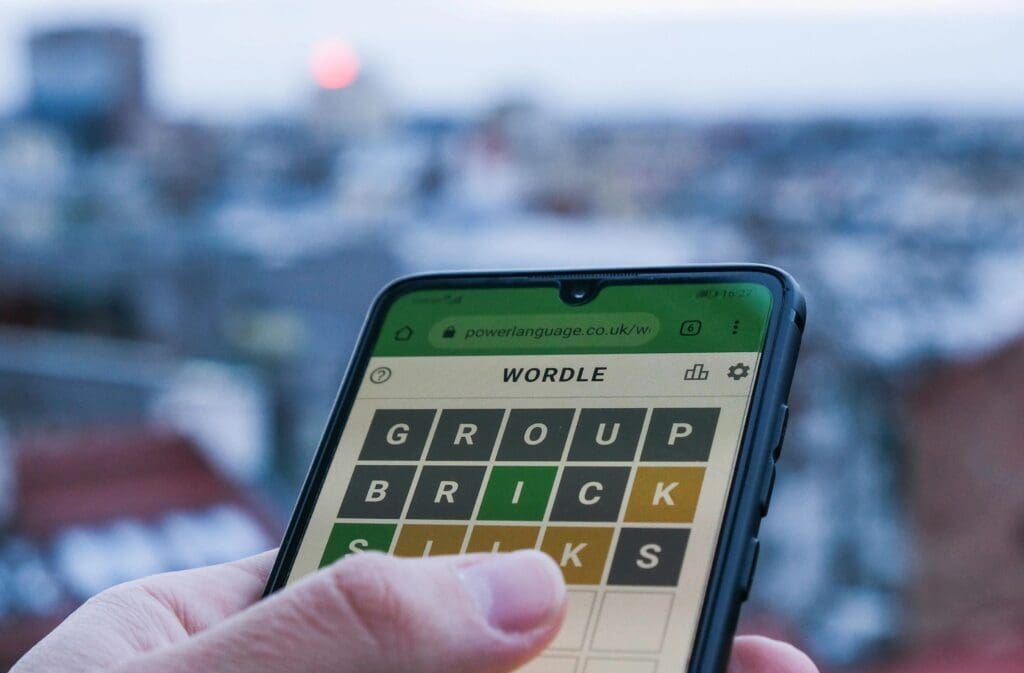
Wordle is a word guessing game published by New York Times. The game was created by Welsh software engineer Josh Wardle and started gaining much attention online. Every day People rush to nytimes.com to solve the wordle and maintain a streak. 

Wordle is a global phenomenon with the primary objective being guessing a five-letter word in six tries. Every time you enter a word, the letters turn either Green or Yellow, which are clues to guess the “Word of the day.”

A green tile signifies the letter is correctly positioned, while a yellow tile represents the letter is present in the word but in the wrong position. One’s supposed to use these clues to guess what is the “Word of the day.”

The “Word of the day” resets every 24-hours, and the website uses Caches to store your progress which includes accuracy, streak, and total no. of times you played the game. People worldwide try to guess the word every day and maintain the streak, which is the main reason the game is popular. 

Hints for the Wordle 540 for December 11, 2022

  • Today’s five-letter Wordle word begins with an N.
  • There are no duplicated letters in this word.
  • Today’s word is an adjective.
  • It contains three total vowels.
  • This word rhymes with LEAVE.
  • One of the vowels is an I.
  • There is also a V in this word.
  • This is something that most young kids are.

Answer for Wordle 540 for December 11, 2022

  • The answer to Wordle puzzle 540 is NAIVE.

How To Battle A Team Leader 3 Times In Pokemon Go

0

Pokémon Go (stylized as Pokémon GO) is a 2016 augmented reality (AR) mobile game, part of the Pokémon franchise, developed and published by Niantic in collaboration with Nintendo and The Pokémon Company for iOS and Android devices. It uses mobile devices with GPS to locate, capture, train, and battle virtual creatures, called Pokémon, which appear as if they are in the player’s real-world location.

The game is free-to-play; it uses a freemium business model combined with local advertising and supports in-app purchases for additional in-game items. The game launched with around 150 species of Pokémon, which had increased to around 700 by 2021.

Pokémon Go was released to mixed reviews; critics praised the concept but criticized technical problems. It was one of the most used and profitable mobile apps in 2016, having been downloaded more than 500 million times worldwide by the end of the year.

It is credited with popularizing location-based and AR technology, promoting physical activity, and helping local businesses grow due to escalated foot traffic. However, it attracted controversy for contributing to accidents and creating public nuisances.

Various governments expressed concerns about security, and some countries regulate its use. The game had over 147 million monthly active users by May 2018, over a billion global downloads by early 2019, and grossed more than $6 billion in revenue by 2020.

How to Battle a Team Leader 3 Times

Pokemon GO: How to Battle a Team Leader 3 Times (2022)

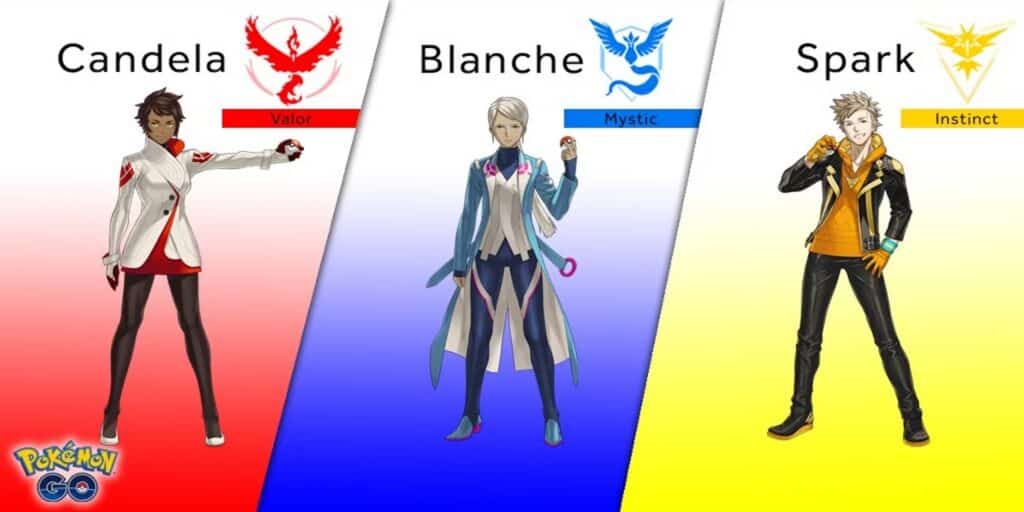
Team Leaders Are: Blanche, Candela, and Spark. There is no need to battle the Team GO Rocker leaders in Pokemon Go in order to complete this task.

Let’s have a look on how you should go and battle the team leaders which are to be targeting:

  • Click on the PokeBall at the bottom of the screen and select Battle.
  • Scroll down to the bottom of the Battle menu to find the Training section.
  • Select any of the three leaders and choose a team to initiate the battle.

Note: You dont need to deafeat the team leaders in order to complete the task from Something Extraordinary Pokemon Go.

Valorant Not Starting Today Error Fix

0

Valorant is currently one of the most popular competitive shooters out there with millions of active players tuning in to the title each day. With the growing player base of Valorant, many users are also encountering various issues while attempting to play the game.

The TPM 2.0 error is one of the most recent errors that users across the world are reporting to have encountered and luckily, it can be easily solved by a few methods.

If you’re facing the TPM 2.0 error yourself, then we have you covered. Here’s what you need to do to fix the error and play your favorite competitive shooter once again.

Why Is My Valorant Not Opening?

There are many causes for the error. They range from a small glitch at the launch of the game to an inconsistency in the game’s installation. Check out the table below to find the most likely reasons for the error you’re encountering.

  • Minor bug during game launch
  • Secure boot is off
  • Windows conflicting with Valorant
  • Background apps
  • Outdated graphics card driver and windows
  • Corrupt game files/improper installation of the game

Solutions for Valorant Not Opening on Windows 11

Restart the Game

This is the first step and simplest solution to the problem. If you’ve tried to launch the game and receive an error saying ” Valorant failed to launch,” then you could try closing the dialogue box and attempting again.

Also, you could try restarting your computer and the internet before launching the game as an administrator. It is possible to right-click the game and choose Run as Administrator. If you suspect that the problem is minor and caused by the startup the issue should be resolved when you restart the game, and then run the game as administrator.

Turn on Secure Boot

To fix the TPM 2.0 Valorant error, simply follow these steps:

  • Go to Settings > Update and Security > Recovery
  • Go to Advanced Startup > Restart Now. This will reboot your computer
  • Click on Troubleshoot > Advanced Options > UEFI Firmware Settings > Restart

Once done, you’ll have access to the BIOS which will help you eliminate this issue. Make sure that your BIOS is in advanced mode and TPM is enabled on your computer before advancing to the next step.

  • Go to the ‘boot’ tab
  • Enable Secure Boot
  • Set to standard
  • Save and exit.

Run Valorant in Compatibility Mode

  • Right-click on Valorant.
  • Click on Properties.
  • Now, Browse the Compatibility tab.
  • Hit the Run compatibility troubleshooter button at the top. A new window will pop up.
  • Once the popup window finishes detecting problems, select Try recommended settings.
  • Your PC will test the program in the earlier version of Windows, such as Windows 8.
  • If Valorant runs, go back to the troubleshooter and hit the Next button.
  • Select Yes, save these settings for this program, and your Valorant will always run in the saved settings.

Update Windows and Graphics Card Drivers

It’s possible that the graphics drivers on your computer are either out of the current or have bugs. Some players say Valorant won’t launch because their graphics drivers are old. So update your graphics card driver manually or automatically.

In the event that you are unsure about which graphics card:

To run the command prompt, use the Windows key and R. (this will open up a “Run” window).

After entering dxdiag, press the Enter key.

Choose the Display tab from the menu.

When you have determined the type of graphics card you possess, you may return here to get the relevant drivers for it:

AMD: http://support.amd.com/en-us/download/auto-detect-tool

NVIDIA: http://www.geforce.com/drivers

Valorant is a 5v5 first-person shooter developed and published by Riot Games in June 2020. It is currently available to play exclusively on PC, with a mobile version currently in the works.

Keep following TalkEsport for similar useful guides, latest news and all updates involving Valorant.