Saturday, June 27, 2026
Home Blog Page 95

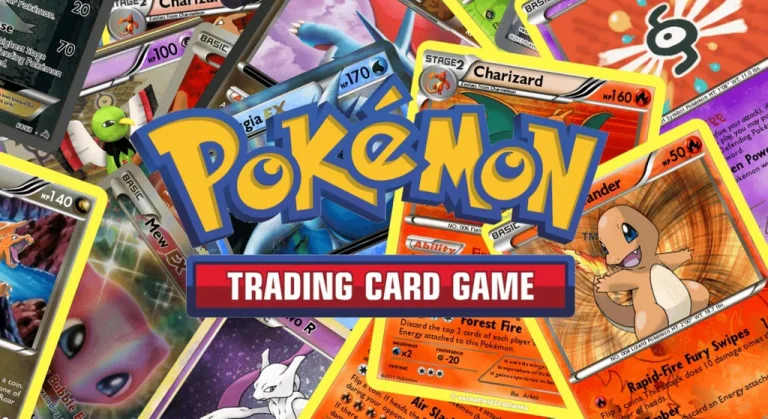
Pokémon TCG Pocket Teases Next Set Focus on Gen 9

With tons of speculations running on the internet, Pokémon TCG Pocket has finally hinted through their teaser that the next set will feature Generation 9 Pokémon. In the short teaser dropped by the developers on X, we can see people donning costumes of the Gen 9 starter trio of Sprigatito, Fuecoco, and Quaxly.

Since its release on February 19, the trailer has sparked high expectations from fans right from the get-go, as collectors are all set to bag all three starter Pokémon of the new generation as soon as the new set is introduced in the game. From being one of the highly anticipated drops to being teased, we will finally get to see the latest generation of Pokémon hit the game.

Gen 9 Focus Could Bring New Collectables

Generation 9 Pokémon were introduced as a part of Scarlet and Violet, hailing from the Paldea region. As we have often seen with new set introductions, players can be subjected to new card mechanics, strategies, and new abilities that they will get to explore with the release.

While all of these speculations are being derived from the teaser alone, unless the official announcement drops, we might never know what the new update will bring. Historical set releases have brought new features, systems, and mechanics to the game, and the speculations are theorizing the same.

The excitement is justified, but unless the update gets officially announced by the developers, overspeculating about it would lead to nothing but disappointment. If the teaser is to be believed for what it is, Generation 9 Pokémon’s introduction to the game might be one of the biggest expansions we will witness since the release of the game. We are yet to get an official release date, let alone details of the update, but with time, we shall know what the developers have in store for us.

How Much Does Poppy Playtime Chapter 5 Cost? Price for Every Chapter (2026)

0

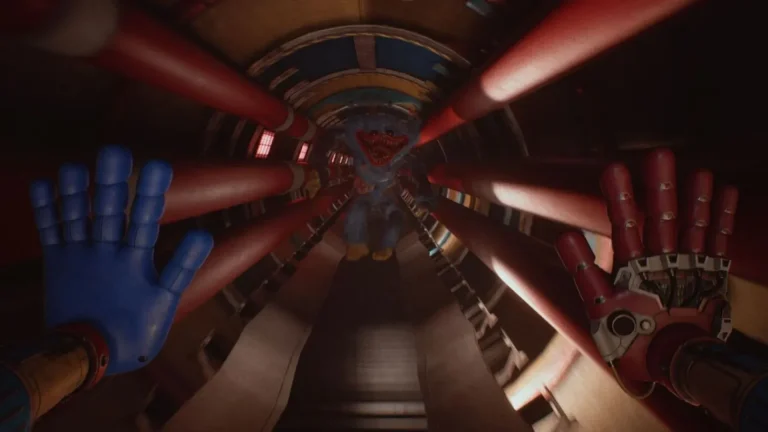
Poppy Playtime Chapter 5 is now available, and one of the first questions players are asking is how much it costs. Mob Entertainment has priced this latest installment at $19.99 (£16.75), which is the same price as Chapter 4. That is a welcome surprise for fans who expected another price hike.

Poppy Playtime Chapter 5 Price

Poppy Playtime Chapter 5 costs $19.99 in the US and £16.75 in the UK. The game is sold as DLC on both Steam and the Epic Games Store. Players need to download the base game first, which is still completely free, before purchasing Chapter 5.

This is notable because the franchise had been increasing its price by roughly $5 with each new chapter since Chapter 2. Chapter 5 breaks that trend by matching Chapter 4’s price instead of going higher.

Price History of Every Poppy Playtime Chapter

Poppy Playtime started as a free-to-play game back in 2021. Since then, each new chapter came with a higher price tag, until Chapter 5 kept things steady. Here is the full pricing breakdown for every chapter in the series:

ChapterPrice (USD)
Chapter 1 (Base Game)Free
Chapter 2$9.99
Chapter 3$14.99
Chapter 4$19.99
Chapter 5$19.99

Chapters 2 through 4 each saw a $5 increase over the previous installment. Chapter 5 is the first entry in the franchise to hold at the same price as the chapter before it.

Why Did the Price Stay the Same?

Historically, each Poppy Playtime chapter raised its price by $5 to $10 compared to the one before it. Many fans expected Chapter 5 to cost somewhere between $25 and $30. However, Mob Entertainment chose to keep the price at $19.99 this time around.

The gameplay trailer for Chapter 5 suggests it is the most complete entry in the franchise so far. Despite that, the developer did not raise the price, which is good news for players on a budget.

What Platforms Is Poppy Playtime Chapter 5 Available On?

Poppy Playtime Chapter 5 launched on PC only, available through Steam and the Epic Games Store. The game is not available on PlayStation 5, Xbox, or Nintendo Switch 2 at launch.

Console ports for earlier chapters did arrive eventually, typically a few months after the initial PC release. Mob Entertainment is expected to follow the same pattern for Chapter 5, though no official dates for console versions have been confirmed.

Is Chapter 5 the Last Poppy Playtime Game?

No. Based on the ending of Chapter 5, a sixth chapter appears to be all but confirmed. Mob Entertainment has not officially announced Chapter 6, but the story clearly sets up a continuation. Since the franchise debuted in 2021, new chapters have released roughly once a year.

Is Poppy Playtime Chapter 5 Worth the Price?

At $19.99, Poppy Playtime Chapter 5 sits at the same price point as Chapter 4. The game has received a “Mostly Positive” rating on Steam with 79% of user reviews being positive. For fans of the franchise who have been following the story since Chapter 1, this installment continues the saga at a price that has not increased from the previous entry.

Players who want to try the franchise for the first time can still download Chapter 1 for free on Steam before deciding whether to invest in the later chapters.

Fortnite Servers Down Today: V39.50 Update Downtime on February 19, 2026

0

Fortnite players are currently unable to access the game as Epic Games rolls out the v39.50 update. The scheduled server maintenance began on February 19, 2026, at 4 AM ET (1 AM PT / 9 AM UTC), and matchmaking was disabled shortly before the downtime window started.

There is no confirmed time for when the servers will return. However, based on past mid-season updates, players can expect the downtime to last roughly three to four hours. That puts the estimated return window somewhere around 7 AM to 8 AM ET.

It is worth noting that the actual length of downtime can vary. If Epic Games encounters any unexpected issues during the deployment or if the patch is larger than usual, the maintenance window could extend beyond the typical estimate. Players should keep an eye on the official Fortnite Status account on social media for real-time updates on when servers come back online.

What Is New in the Fortnite V39.50 Update?

The biggest addition in this update is the launch of the Lantern Fest event. This annual in-game celebration is tied to Ramadan and features themed cosmetics, community challenges, and limited-time activities. Epic Games has teased a brand new Ramadan-themed skin for this year’s event, which may be available for free through the Lantern Fest Cup.

Lantern Fest Reload Map

A major highlight of the v39.50 patch is the introduction of a new Lantern Fest-themed map in Reload mode. This new map will support teams of up to eight players, giving squads a fresh battleground to explore during the event.

Alongside the new map, Reload ranks will also be reset with this update. Players will need to complete a match to re-establish their rank based on their previous performance, giving everyone a clean opportunity to climb toward Unreal rank once again.

Players can also expect Lantern Fest Reload quests, which will reward free cosmetic items upon completion.

Solo Leveling Collaboration

The v39.50 update is also expected to bring a collaboration with the popular anime series Solo Leveling. Epic Games confirmed the crossover through a teaser that references the main character Sung Jin-woo’s status as an E-Rank Hunter. Leaked information suggests that cosmetics inspired by Sung Jin-woo, Cha Hae-in, and Igris the Bloodred could appear as part of this collaboration.

Honkai: Star Rail Collab and More

Further details about a Honkai: Star Rail collaboration are expected to surface with this update. On top of that, the Love and Legends event schedule previously confirmed the return of the DeLorean in this patch. Story quests related to The Seven and the Dark Voyager are also anticipated, pushing the Chapter 7 Season 1 narrative forward as the season nears its end.

How Long Will Fortnite Be Down?

Mid-season updates in Fortnite generally result in downtime lasting between two and four hours. Based on this pattern, the v39.50 servers should come back online somewhere around 6 AM to 8 AM ET on February 19.

For context, Epic Games has maintained a consistent schedule for major updates throughout Chapter 7 Season 1. The previous update, v39.40, launched on February 5 and followed a similar downtime window.

The longest Fortnite downtime in history remains The Blackout from 2019, when the game was completely unavailable for two full days. Players do not need to worry about anything close to that happening with this update.

How to Check Fortnite Server Status

There are a few reliable ways to check whether Fortnite servers are back up:

The Epic Games Public Status page provides real-time information about the condition of all Fortnite services. Players can visit this page to see which components are operational and which ones are still under maintenance.

The official Fortnite Status account on X (formerly Twitter) posts updates when matchmaking is disabled and again when the servers return after maintenance.

Third-party tools like Downdetector can also help players see if others are reporting connection issues, which is useful for spotting unplanned outages outside of scheduled maintenance windows.

What Comes After V39.50?

According to the current Fortnite 2026 roadmap, the next update is expected to be v39.51, a mini update tentatively scheduled for March 5, 2026. The much larger v40.00 update, which will mark the launch of Chapter 7 Season 2, is currently expected on March 19, 2026.

The v39.50 patch is likely one of the final major updates for Chapter 7 Season 1, as the start of Season 2 has been delayed from its originally planned date.

Last Updated: February 19, 2026

Fortnite Aaliyah Skin: How to Get It for Free During Lantern Fest 2026

0

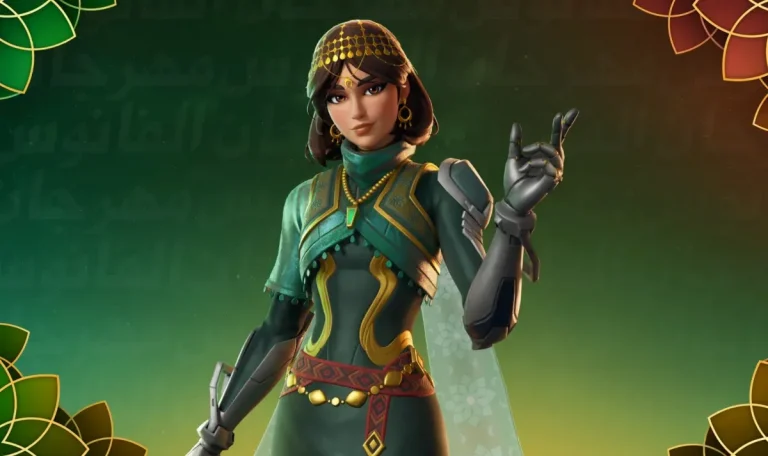
Fortnite players can unlock the new Aaliyah skin completely free during the Lantern Fest 2026 event. The skin is available as a reward through the Reload Lantern Fest Cup scheduled for March 3rd, 2026. Here is everything you need to know about the Aaliyah skin, how to earn it without spending V-Bucks, and what other free rewards are up for grabs during the event.

Who Is Aaliyah in Fortnite Lantern Fest 2026?

Aaliyah is the official mascot of Fortnite’s Lantern Fest 2026 event. She follows in the footsteps of Anwar and Noorah, who served as the mascots for last year’s Lantern Fest.

The Aaliyah skin features a teal and gold outfit with Middle Eastern-inspired design elements. She wears a red geometric belt, gold teardrop headchain and earrings, and a green pendant necklace. Her look is completed by a pair of dark mechanical gloves that give the outfit a combat-ready feel alongside its festive style.

While Aaliyah will eventually appear in the Fortnite Item Shop as a paid skin, players have the opportunity to earn her for free before she goes on sale.

How to Unlock the Aaliyah Skin for Free

The only way to get the Aaliyah skin for free is by competing in the Reload Lantern Fest Cup on March 3rd, 2026. This is a one-time competitive event, so players who want the skin at no cost should not miss this date.

Here are the key details for the cup:

  • It is a Duos tournament, meaning players need a partner to compete.
  • The cup is open to all regions with no rank requirement to enter.
  • Each elimination earns 2 points during matches.
  • A Victory Royale awards 60 points.

Players who score high enough by the end of the tournament will earn the Aaliyah skin for free. Practicing in Reload mode ahead of the event is a good way to prepare.

Free Spray and Emoticon Rewards from Reload Quests

Even if the Reload Lantern Fest Cup feels too competitive, there are still free cosmetic rewards available through Reload Quests. These quests run from February 19th to February 25th, 2026, and players must complete them with their 8-player team.

Quests CompletedReward
3 QuestsBring It Spray
8 QuestsLove the Game Emoticon

These quests take place in the 8-player Reload Teams mode, which is available from February 19 through March 18, 2026. Ranked mode is not available during this period.

Anwar and Noorah Bundle Also Available

Players who missed the Anwar and Noorah skins from last year’s Lantern Fest can now pick up the Radiant Moon Bundle in the Fortnite Item Shop. The bundle is priced at 1,800 V-Bucks and includes both skins.

Key Dates to Remember

  • February 19 to February 25, 2026 – Reload Quests active for free spray and emoticon rewards
  • February 19 to March 18, 2026 – 8-player Reload Teams mode available
  • March 3, 2026 – Reload Lantern Fest Cup (chance to earn the Aaliyah skin for free)

The Aaliyah skin is one of the standout additions to Fortnite’s Lantern Fest 2026. Players looking to add her to their locker without spending any V-Bucks should mark March 3rd on their calendar and start practicing in Reload mode now.

Last Updated: February 19, 2026

The Witcher 3 Is Now Free on Xbox Game Pass, but There Is a Catch

0

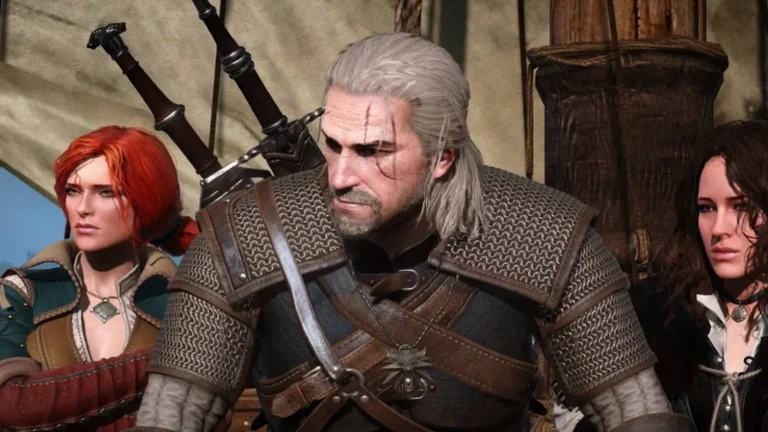
The Witcher 3: Wild Hunt – Complete Edition is officially available on Xbox Game Pass starting today, February 19, 2026. The beloved open-world RPG from CD Projekt Red has made its long-awaited return to the subscription service after being removed back in 2021. However, not every Game Pass subscriber will be able to play it for free.

Which Xbox Game Pass Tiers Include The Witcher 3?

The Witcher 3: Wild Hunt – Complete Edition is only available to Xbox Game Pass Ultimate and Premium subscribers. Players on these two tiers can download and play the game on Cloud and Console, including both Xbox Series X|S and Xbox One.

Members of the PC Game Pass subscription tier are not included. This means PC Game Pass users will need to purchase The Witcher 3 separately if they want to play it. This is notable because PC Game Pass itself is expected to be dissolved in the coming months following a recent restructuring announcement from Microsoft.

The Witcher 3 Was Previously on Game Pass From 2019 to 2021

This is not the first time The Witcher 3 has appeared on Xbox Game Pass. The game was originally added to the service in 2019 and remained available for subscribers until 2021, when it was removed. Its return after roughly five years is a welcome addition for fans who missed out or want to revisit Geralt’s story.

What Is Included in the Complete Edition?

The Complete Edition bundles the base game with both major expansions: Hearts of Stone and Blood and Wine. Together, this package offers over 150 hours of content. Players step into the role of monster slayer Geralt of Rivia as he searches for his adopted daughter Ciri, known as the Child of Prophecy. The journey involves branching storylines, complex monster contracts, and encounters with characters like Yennefer of Vengerberg, Triss Merigold, and the bard Dandelion.

Awards and Sales Numbers

The Witcher 3: Wild Hunt has won more than 250 Game of the Year awards and over 1,000 total industry awards since its original 2015 release. The game has sold 60 million copies worldwide, while the combined sales across the entire Witcher franchise have reached 85 million copies.

10th Anniversary Celebrations Are Still Ongoing

CD Projekt Red has been celebrating the 10th anniversary of The Witcher 3 throughout 2025 and into 2026. These celebrations have included a worldwide Witcher in Concert tour, commemorative merchandise, and various collaborations. The game’s addition to Xbox Game Pass arrives during this anniversary period.

Other Games Joining Xbox Game Pass in February Wave 2

The Witcher 3 is part of a larger February Wave 2 lineup for Xbox Game Pass. Other titles joining the service around the same time include:

  • Aerial_Knight’s DropShot (February 17) – Game Pass Ultimate, PC Game Pass
  • Avatar: Frontiers of Pandora (February 17) – Game Pass Ultimate, PC Game Pass
  • EA Sports College Football 26 (February 19) – Game Pass Ultimate
  • Death Howl (February 19) – Game Pass Ultimate, Premium, PC Game Pass
  • TCG Card Shop Simulator (February 24) – Game Pass Ultimate, Premium, PC Game Pass
  • Kingdom Come: Deliverance II (March 3) – Game Pass Ultimate, Premium, PC Game Pass
  • Final Fantasy III (March 3) – Game Pass Ultimate, Premium, PC Game Pass

Games Leaving Xbox Game Pass

As new titles arrive, several games are leaving the service. Titles departing include Monster Train, Expeditions: A MudRunner Game, Injustice 2, and Middle-earth: Shadow of War. Subscribers who want to finish these games should do so before they are removed.

Is The Witcher 3 on Game Pass Worth Playing in 2026?

For anyone with an Xbox Game Pass Ultimate or Premium subscription who has not played The Witcher 3, this is an easy recommendation on paper. The Complete Edition includes everything CD Projekt Red released for the game, and it remains one of the most critically acclaimed RPGs ever made. The only downside is that lower-tier subscribers and PC Game Pass members are locked out of this particular addition.

EA Servers Down: EA FC 26 and Ultimate Team Hit by “Unable to Connect” Errors

0

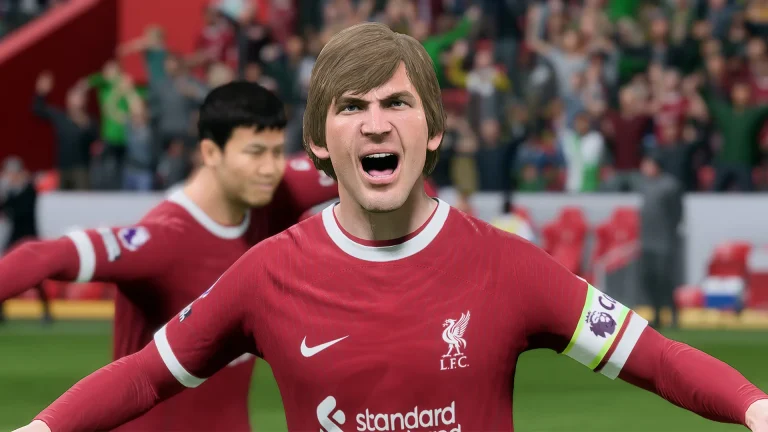
EA FC 26 players are facing widespread server issues today, with thousands unable to access Ultimate Team and other online modes. Reports of “Unable to Connect to EA Servers” and “Connecting to Ultimate Team is not possible at the moment” errors have surged across multiple platforms, leaving the community frustrated and searching for answers.

What Is Happening With EA FC 26 Servers Right Now?

Starting on the evening of February 18, 2026, EA Sports FC 26 players began reporting that they could not log into Ultimate Team. Players on both Reddit and X (formerly Twitter) confirmed that the problem was not limited to a single region. Instead, multiple reports describe the outage as affecting users across the world.

When trying to access Ultimate Team, players see an error message stating that connecting to Ultimate Team is not possible and that they will be returned to the main menu. Others receive a more general “Unable to Connect to EA Servers” notification that prompts them to check their internet connection.

The issue also extends beyond Ultimate Team. Players trying to access Pro Clubs reported the same login failures on the EA Forums, with one user posting on February 18 that they had been unable to play for over an hour.

Players Report Mid-Match Disconnections and Lost Progress

One of the biggest frustrations for the EA FC 26 community is that the server problems are not just blocking login attempts. Several players on the r/EAFC and r/fut subreddits confirmed they were disconnected in the middle of active matches.

Some of these players were leading their games at the time and expressed concern that the disconnection would count as a loss on their record. For those grinding Division Rivals points or working through time-limited objectives, the timing of the outage was particularly painful. Multiple users on Reddit asked EA for extensions on timed objectives or compensation for lost progress.

On the EA Forums, similar complaints appeared. Players described being kicked from online matches and losing coins or rewards they had earned during their sessions.

EA Official Server Status Page Shows No Outage

Despite the volume of player reports, EA’s official server status page at help.ea.com does not currently indicate any ongoing outages or maintenance for EA FC 26. This mismatch between the official status and the actual player experience has added to the frustration.

EA’s official server status page tracks the health of online services across all EA titles and platforms, including PlayStation, Xbox, and PC. When the page shows services as online while players clearly cannot connect, the issue may involve server-side problems that have not yet been formally acknowledged.

The EA SPORTS FC Direct Communication account on X is the primary channel where EA typically posts real-time updates about server outages, scheduled maintenance, and expected resolution times. As of this writing, no official update has been posted regarding the current disruption.

How to Check if EA FC 26 Servers Are Down

If you are experiencing connection errors in EA FC 26, there are several ways to verify whether the problem is on EA’s side or with your local network.

The first step is to visit EA’s official server status page. If the page shows any services as “Limited” or “Down” for your platform, the issue is confirmed on EA’s end.

You can also follow the EA SPORTS FC Direct Communication account on X for real-time announcements. EA typically posts when servers are taken offline for scheduled maintenance and provides estimated time windows for when services will be restored.

Third-party outage tracking sites like DownDetector can also provide useful data. These platforms aggregate user reports and display spikes in real time, which can confirm a widespread outage even before EA issues an official statement.

Finally, checking community forums on Reddit (r/EAFC and r/fut) and the EA Forums can help you gauge whether other players in your region are experiencing the same problem.

What to Do When You Cannot Connect to EA FC 26

When the issue is a server-side outage, there is unfortunately no troubleshooting step on your end that will fix the problem. You simply need to wait until EA restores the service.

However, if the servers appear to be online and you are the only one experiencing issues, there are a few steps worth trying. Restarting your console, PC, or mobile device and relaunching the game can resolve temporary glitches. Using a wired Ethernet connection instead of Wi-Fi can also improve stability.

Checking for game updates on Steam, the EA App, or your console’s store is another important step. Outdated game versions can sometimes block access to online services. You should also ensure your firewall or antivirus software is not blocking EA FC 26 from connecting to the internet.

Clearing your console or PC cache and signing out and back into your EA account are additional steps that can sometimes resolve persistent connection problems. EA also provides a detailed troubleshooting guide for diagnosing connection issues across all platforms.

Recent EA FC 26 Server Outage History

This is not the first time EA FC 26 players have dealt with server disruptions in recent weeks. On February 11, 2026, EA servers experienced a roughly 42-minute outage that primarily affected server connections and game launches. Earlier in the month, on February 4, a more significant disruption lasted approximately three hours and impacted players globally.

In November 2025, EA conducted a large scheduled maintenance window lasting about seven hours. That maintenance affected EA FC 26, EA FC 25, and EA FC 24, taking all online modes offline including Ultimate Team, Clubs, and the transfer market. EA announced that maintenance in advance through its Direct Communication account on X.

EA typically performs scheduled server maintenance during off-peak hours, and these sessions usually last between one and three hours depending on the scope of the update.

What Modes Are Affected When EA Servers Go Down?

When EA servers go offline, all online modes in EA FC 26 are affected. This includes Ultimate Team, Online Seasons, Clubs (Pro Clubs), and the transfer market. Players cannot open packs, complete Squad Building Challenges, or participate in any online match during a server outage.

Offline modes such as Kick-Off, Career Mode, and Tournament Mode remain fully playable even when EA servers are down. If you find yourself unable to connect, switching to one of these modes is the best way to continue playing while waiting for services to be restored.

It is also worth noting that EA FC 26 servers are separated by platform. PlayStation, Xbox, PC, and Nintendo Switch each have independent server infrastructure. This means that servers may be online on one platform while down on another.

Will EA Compensate Players for Lost Progress?

EA has not yet made any statement regarding compensation for the current outage. In the past, EA Support has occasionally issued compensation when widespread outages caused significant disruption, but this is handled on a case-by-case basis.

Players who lost match progress or were disconnected during competitive modes like Division Rivals or FUT Champions should monitor EA’s official channels for any announcements. Submitting a support ticket through EA Help is also an option, though results may vary.

If you have been encountering the EA account servers unavailable error on the FC 26 Web App, the current server instability may be a contributing factor. Players waiting for the outage to resolve can also catch up on the latest EA FC 26 gameplay updates and patch notes to prepare for when services are restored.


UK Regulator Bans Call of Duty Black Ops 7 Airport Security Commercial

0

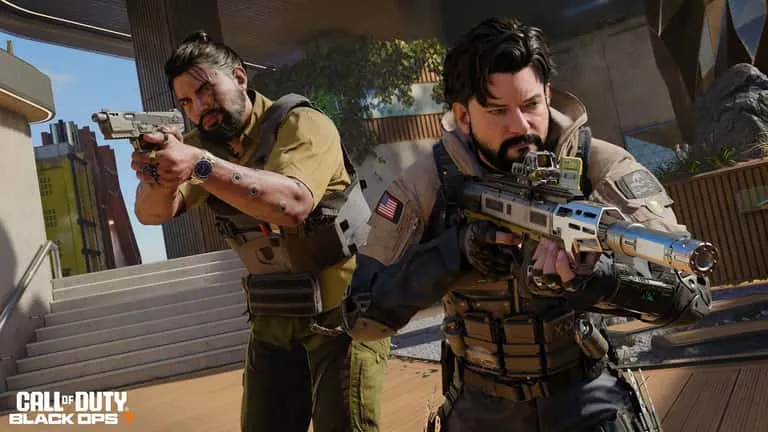
A Call of Duty Black Ops 7 television advertisement has been prohibited from airing in the United Kingdom following a ruling by the country’s advertising watchdog. The Advertising Standards Authority (ASA) determined that the commercial trivialized sexual violence, marking a significant regulatory action against one of gaming’s biggest franchises.

The Replacer Commercial Draws Complaints

The advertisement in question, titled “The Replacer: Airport Security,” first appeared on YouTube in November 2025. Activision subsequently ran the commercial on two major UK television networks, ITV and Channel 5, to promote the latest installment in the Call of Duty series.

According to the official ASA ruling, nine individuals filed complaints about the advertisement. These complainants argued that the commercial made sexual violence appear trivial and questioned whether the content was both irresponsible and offensive to viewers.

The commercial features a comedic premise where regular airport security staff have been replaced by incompetent substitutes because the actual employees are playing Call of Duty Black Ops 7. The advertisement follows a passenger through airport security screening procedures.

What the Advertisement Depicted

In the commercial, a man wearing a blue shirt passes through a metal detector at an airport security checkpoint. After triggering the detector, security staff confiscate his watch. The male security officer then informs the passenger that he has been “randomly selected to be manhandled” and instructs him to “face the wall.”

A female security officer subsequently pulls on a pair of gloves and announces, “Time for the puppet show.” In another scene from the advertisement, the male officer presses a handheld metal detector against the man’s mouth while saying, “Bite down on this, she’s going in dry.”

The commercial presents these interactions as part of its comedic approach, with the incompetent replacement staff creating absurd situations throughout the screening process.

ASA Makes Formal Ruling

The Advertising Standards Authority acknowledged in its decision that viewers would likely interpret the advertisement as exaggerated comedy. The regulator also noted that the commercial did not show any explicit content or actual acts of violence.

However, the ASA concluded that the humor in the advertisement relied fundamentally on depicting the humiliation of the passenger and creating an implied threat of a painful, non-consensual penetration. This reliance on such themes led the regulatory body to determine that the commercial trivialized sexual violence.

The ruling prohibits the advertisement from being broadcast on UK television networks going forward. The decision applies specifically to the Airport Security version of The Replacer advertising campaign.

Activision Blizzard Defends Advertisement

Activision Blizzard contested the complaints and defended the commercial in its response to the ASA. The company argued that the advertisement targeted an adult audience and maintained that it contained no sexual innuendo or depictions of violence.

The publisher specifically addressed the “bite down” dialogue, stating that this line referred to physical discomfort rather than any sexual act. Activision emphasized that the passenger remained fully clothed throughout the commercial and that all scenes took place in a public airport security checkpoint setting.

The company further explained its creative intent, characterizing The Replacer characters as absurd caricatures. According to Activision, the comedy stemmed from the incompetence of these replacement workers rather than from any behavior viewers should emulate or find acceptable in real-world situations.

Despite these defenses, the ASA upheld the ban on the advertisement. The regulatory decision means Activision cannot air this specific commercial on UK television, though the ruling does not appear to affect other Call of Duty marketing materials.

Impact on Call of Duty Marketing

This marks a notable instance of regulatory intervention in video game advertising in the United Kingdom. Call of Duty remains one of the most heavily marketed gaming franchises worldwide, with Activision investing significantly in television, digital, and outdoor advertising campaigns.

The Replacer character has appeared in multiple Call of Duty commercials over the years, typically featuring actor taking the place of people in various scenarios so they can play the latest game. This particular execution faced scrutiny due to the specific context and dialogue used in the airport security setting.

The ban applies only to broadcast television in the UK. The commercial remains available on digital platforms such as YouTube, where content regulations differ from broadcast television standards. Activision has not indicated whether it plans to modify the advertisement or appeal the ASA decision.

Gaming industry observers note that this ruling may influence how publishers approach comedy in future gaming advertisements, particularly when depicting scenarios involving physical interactions or authority figures.

Genshin Impact Codes February 2026: All Active Redemption Codes for Free Primogems

0

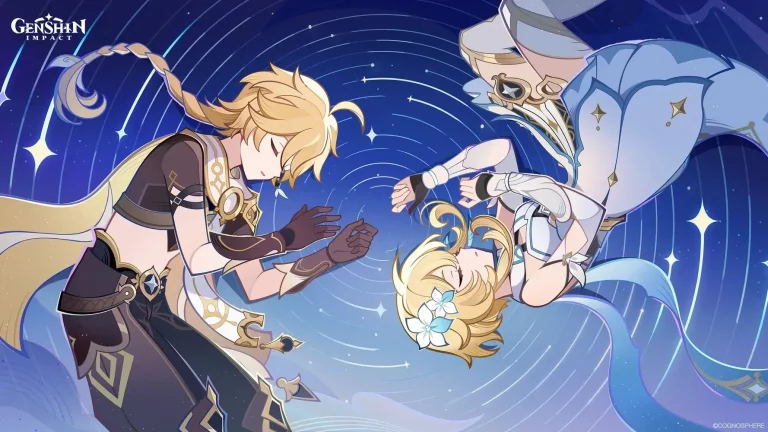
Players looking for free Primogems and in-game items can use Genshin Impact redemption codes to claim various rewards without spending money. This guide provides all currently active codes and explains how to redeem them properly.

Active Genshin Impact Codes for Version 6.4

The game regularly releases new codes through special programs and events. Below are the codes currently available for redemption.

Version Luna V Special Programme Codes

The Version Luna V Special Programme aired on February 13, 2026, at 07:00 AM UTC-5. Three redemption codes were released during the broadcast, offering a combined total of 300 Primogems.

  • Homeward – This code provides 100 Primogems and 10 Mystic Enhancement Ore.
  • VarkaArrives – Redeem this code for 100 Primogems and 5 Hero’s Wit.
  • VisitWonderland – This code grants 100 Primogems and 50,000 Mora.

Version Luna IV Active Codes

Several codes from the previous version remain valid for redemption.

  • 8X73KH58KDHN Rewards: 60 Primogems and 5 Adventurer’s Experience
  • JTSHBHPPKUSV Rewards: 20 Primogems and 160 Geode of Replication
  • HUEK357YFYN3 Rewards: 10,000 Mora, 10 Adventurer’s Experience, 2 Fine Enhancement Ore, 5 Stir-Fried Fish Noodles, and 2 Jueyun Chili Chicken
  • TSUKINOARIKAE Rewards: 5 Moonfall Silver, 20,000 Mora, 2 Hero’s Wit, and 2 Mystic Enhancement Ore
  • GENSHINGIFT This permanent code provides 50 Primogems and 3 Hero’s Wit. Unlike other codes, this one does not expire.

Requirements for Code Redemption

Players must reach Adventure Rank 10 before they can redeem codes in Genshin Impact. Players can increase their Adventure Rank by opening chests and completing quests throughout the game world.

How to Redeem Codes In-Game

The in-game redemption method involves four steps.

  • Step 1: Log into your account and open the Paimon menu located at the top left of the screen.
  • Step 2: Navigate to Settings and select the Account option from the menu on the left side.
  • Step 3: Locate the Redeem Now button and enter your code in the provided field.
  • Step 4: Check your in-game Mailbox to collect the rewards after successful redemption.

How to Redeem Codes via Official Website

Players can also redeem codes through the official Genshin Impact website.

  • Step 1: Visit the official code redemption page at genshin.hoyoverse.com/en/gift.
  • Step 2: Log into your account and verify your server selection.
  • Step 3: Enter the redemption code in the designated field.
  • Step 4: Retrieve your rewards from the in-game Mailbox after completing the process.

Free Methods to Earn Game Resources

Players who want to collect more materials and Primogems have several options available without using redemption codes.

Daily Commissions

Daily Commissions unlock when players reach Adventure Rank 12. Completing these daily tasks provides Primogems as rewards.

Quests and Events

Both story quests and limited-time events offer Primogems upon completion. Archon quests specifically provide additional Intertwined Fates as rewards.

Character Trials

The game allows players to test five-star characters featured on current banners. Completing these trials awards Primogems.

Exploration Rewards

Opening chests scattered throughout the game world grants Primogems. Players also earn Primogems by completing in-game achievements.

In-Game Mail

The developer frequently distributes free Primogems through the mail system. These gifts may serve as promotional items or compensation for maintenance periods and technical issues.

Currency Exchange

Players can use Starglitter and Stardust to purchase Intertwined Fate and Acquaint Fate from the in-game shop. These items allow players to make wishes on character and weapon banners.

Important Notes About Codes

Redemption codes typically expire after a limited time period. Players should redeem codes as soon as possible after they become available. The official redemption page allows direct code entry through clickable links that automatically fill in the code field.

All rewards from redeemed codes arrive in the in-game Mailbox. Players must claim these items from the mail system before they can use them. For players looking for additional ways to earn free Primogems beyond redemption codes, the complete guide on Genshin Impact redeem codes for April 2024 provides comprehensive methods including daily commissions, event participation, and exploration tips. HoYoverse regularly updates their redemption system and releases new codes through official livestreams and social media channels, making it essential for players to stay connected with the game’s official community platforms.

How to Unlock 120 FPS in BGMI: Check Supported Devices

0

Running Battlegrounds Mobile India (BGMI) at 120 FPS transforms competitive gameplay. The difference between 60fps and 120 FPS translates to roughly 8-15 milliseconds of reduced input lag, giving you faster reaction times in close-range fights and noticeably smoother recoil control during spray transfers. However, Krafton restricts this “Ultra Extreme” setting to specific flagship devices capable of sustained high-performance output. This guide covers exactly how to unlock 120 FPS in BGMI, the hardware prerequisites, and more.

Device Requirements for BGMI 120 FPS

Your device must meet three non-negotiable criteria for the Ultra Extreme option to appear: a 120Hz display refresh rate, a flagship-tier chipset, and official whitelist approval from Krafton.

Supported Chipsets

As of February 2026, the supported chipset range has expanded considerably across vendors. The Snapdragon 8 Gen 1 through Snapdragon 8 Elite family is now covered. This includes the Galaxy S22 Ultra through S26, OnePlus 11 through 15, iQOO 11 through 15, Xiaomi 13 Pro through 15 Ultra, ROG Phone 7 Ultimate through 9 Pro, Red Magic 9 Pro through 11 Pro, and the POCO F6/F7 Pro. The Dimensity 9200/9300/9400 series continues to be supported via select Xiaomi and POCO flagships. Google Tensor G3, G4, and G5 chips supports 120 fps as well, including Pixel 8 Pro, Pixel 9 Pro, and Pixel 10 Pro XL. On the Apple side, Apple A15 Bionic through A19 Pro (iPhone 13 Pro/Max through iPhone 17 Pro/Max) supoort the Ultra Extreme option. The Apple M1, M2, and M4 chips remain supported across iPad Pro models from 2020 onward, including the 11-inch (2021+) and 12.9-inch (2020+) lineups.

Display Requirements

Your phone must natively support 120Hz refresh rates. Simply having a powerful processor is insufficient. If your display maxes at 60Hz or 90Hz, the Ultra Extreme option will not appear regardless of other specifications. Gaming phones like the ASUS ROG Phone 8 and RedMagic 9 Pro offer 165Hz displays but are capped at 120 FPS in BGMI to maintain stability.

Supported Device List

Krafton maintains a whitelist of supported devices, expanded significantly across the 3.5 through 4.1 updates. However, this list is not public. Confirmed supported devices as of February 2026 include:

  • Samsung: Galaxy S22 Ultra, Galaxy S23 series, Galaxy S24 series, Galaxy S25 series, Galaxy S26 Ultra; Galaxy Z Fold 5, Z Fold 6, Z Fold 7; Galaxy Tab S9 Ultra, Galaxy Tab S10 series
  • OnePlus: OnePlus 11 / 11R, OnePlus 12 / 12R, OnePlus 13, OnePlus 15, OnePlus Open
  • iQOO: iQOO 11, iQOO 12, iQOO 13, iQOO 15, iQOO Neo 9 Pro, iQOO Neo 10 / 10R
  • Xiaomi / POCO: Xiaomi 13 Pro, Xiaomi 14 Ultra, Xiaomi 15 Ultra, Xiaomi 15T Pro; POCO F6 Pro, POCO F7 Pro, POCO X7 Pro (select regions)
  • Apple: iPhone 13 Pro/Pro Max through iPhone 17 Pro/Pro Max; iPad Pro M1, M2, and M4 models; iPad Pro 11-inch (2021+), iPad Pro 12.9-inch (2020+)
  • Gaming Phones: ASUS ROG Phone 7 Ultimate, ROG Phone 8 / 8 Pro, ROG Phone 9 Pro; Nubia Red Magic 9 Pro, Red Magic 10 Pro, Red Magic 11 Pro
  • Others: Google Pixel 8 Pro, Pixel 9 Pro, Pixel 10 Pro XL; Infinix GT 20 Pro (special BGMI optimization)​.

How to Enable 120 FPS in BGMI

If your device appears on the supported list but you do not see the Ultra Extreme frame rate option, follow these specific steps:

Step 1: Configure System Display Settings

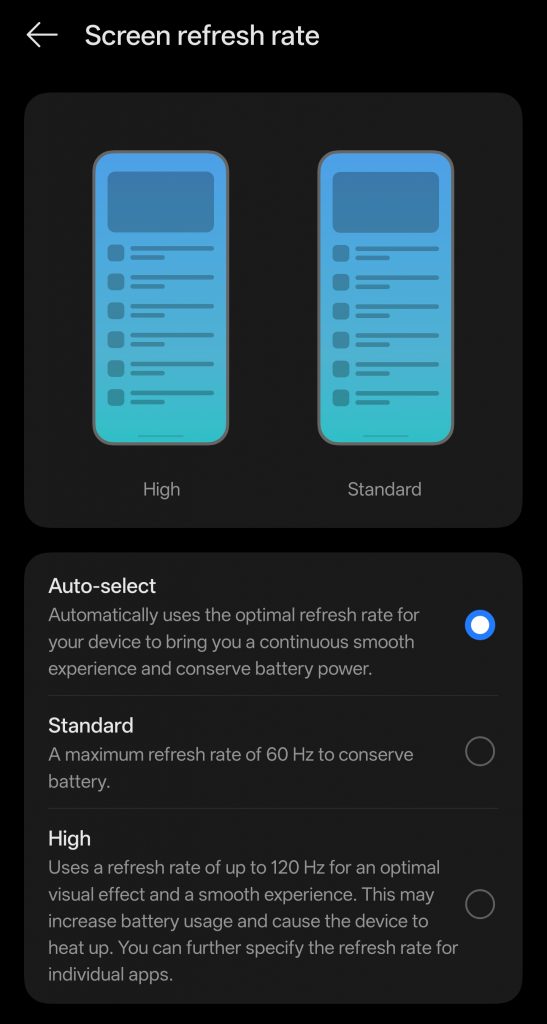
Before opening BGMI, set your device refresh rate to 120Hz in system settings.

Step 2: Adjust In-Game Graphics

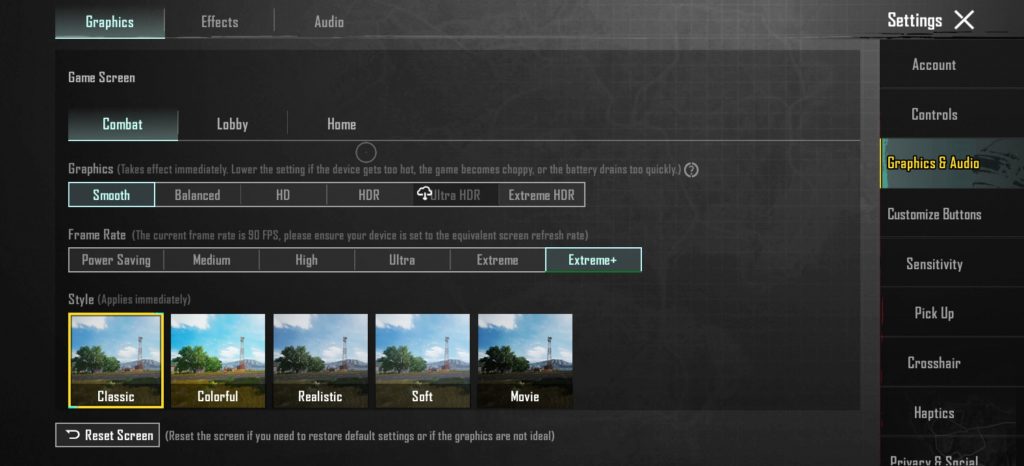
Open BGMI and navigate to Settings > Graphics & Audio. Under the Combat tab, set Graphics to “Smooth.” This is mandatory. 120 FPS is only available on the Smooth graphics preset to ensure the GPU can maintain frame times. Once Smooth is selected, the Frame Rate dropdown should display “Ultra Extreme.” Select it.

Unlock 120 FPS in BGMI

Step 3: Enable Performance Mode (Recommended. Not Mandatory)

Disable Battery Saver or Power Saving modes, which artificially limit CPU/GPU frequencies. Enable your device’s gaming mode for better performance.

Step 4: Restart the Game

Close BGMI completely from recent apps and relaunch. The game must reinitialize with new frame timing parameters. Upon re-entry, the 120 FPS mode should be active.

The Trade-off: Performance vs. Battery Life

Enabling 120 FPS noticeably increases power consumption compared to 60fps gameplay. The display alone draws approximately 20% more power at 120Hz versus 60Hz, and when accounting for the additional CPU/GPU load of rendering twice as many frames, total system power in gaming scenarios rises by an estimated 30–50%, meaning real-world battery life at 120 FPS is roughly 30–40% shorter than at 60fps, though exact figures vary by device, chipset efficiency, and graphics settings.

Thermal throttling on standard flagships typically begins within 15–25 minutes of sustained 120 FPS gameplay. Gaming phones with built-in active cooling, such as the ROG Phone and RedMagic series, handle sustained loads significantly better.

Also read: Mobile Gaming Optimization Guide Android: Zero Lag Settings for BGMI, Free Fire & COD Mobile

For competitive ranked pushes, 120 FPS provides measurable advantages in tracking moving targets and recoil stability. For casual sessions, 90fps offers a better balance of smoothness and battery preservation. If your device supports Ultra Extreme, use it during competitive matches but switch to lower frame rates for extended grinding sessions to prevent hardware degradation and excessive battery wear.

BGMI Wildsoul Warden Gilt Set Launches Soon with Upgradable M416 Skin

0

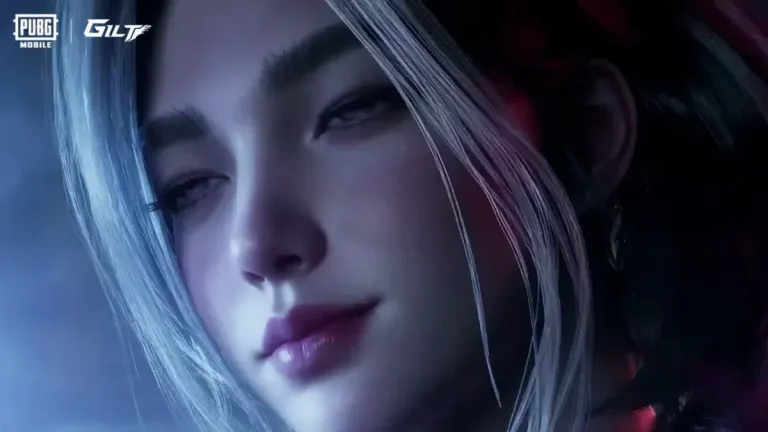
KRAFTON India has announced the release of a new premium cosmetic collection for Battlegrounds Mobile India players. The Wildsoul Warden Gilt Set will become available on February 20, 2026, alongside a special M416 weapon skin that can be upgraded through multiple levels.

What is the Wildsoul Warden Gilt Set in BGMI?

The Wildsoul Warden Gilt Set is an Ultimate tier outfit in BGMI. The design takes inspiration from a forest deity theme and combines natural elements with supernatural visual effects. This outfit falls into the highest tier category for cosmetic items in the game.

Wildsoul Warden Gilt Set Features

The outfit includes several technical and visual components. The cape uses new physics technology that creates a flowing effect. This effect responds to character movement and wind conditions in the game environment.

The set has two distinct visual forms. The first form shows a primal protective appearance. The second form displays a vengeful fiery spirit mode. A soul aura effect appears constantly from the antler-fused helmet and the bottom part of the outfit. This aura shows soul flames as a visual element.

Crimson Skyblade M416 Skin Details

The Crimson Skyblade M416 is an upgradable weapon skin that releases with the collection. The skin has multiple upgrade levels, each adding new features.

M416 Upgrade Levels

At Level 1, the base form features a feral claw barrel design and burning jade embers as visual elements. The Level 4 upgrade adds an elimination broadcast feature. When players get eliminations, unique soul wisps and fiery vines appear in the kill feed.

Level 7 brings the final form of the weapon design. This version shows a fully ignited appearance with aggressive styling and intense flame effects. The Level 10 upgrade adds a Spirit Inspect animation. During this animation, a spectral wolf spirit circles around the weapon.

Additional Collection Items

The Wildsoul collection extends beyond the main outfit and M416 skin. Players can obtain a Lumina Aegis Glider, which is described as a high-fidelity glider option. A Honey Badger Skin is also part of the collection. This skin includes vine reload animations that match the nature theme.

The Loot Crate Contents

The collection includes a loot crate with exclusive items. The Rollo Backpack comes with vine straps that fit the overall theme. A grenade skin in the crate shows ethereal leaves when used. Custom emotes are available, including one called Wolf Howl.

Release Schedule and Availability

The Wildsoul Warden Gilt Set becomes available on February 20, 2026. The collection will remain available until March 26, 2026. Players have approximately five weeks to obtain items from this collection.

Pre-order events will take place in the game. These events allow players to secure 10-draw vouchers at reduced prices before the official launch date. The pre-order option provides a discount compared to regular pricing after the launch.

How to Get the Wildsoul Warden Gilt Set

KRAFTON has not specified the exact acquisition method. Based on typical BGMI cosmetic releases, players will likely need to use the lucky draw system or purchase items through the in-game store. The pre-order vouchers suggest a crate or spin system for obtaining the items.

Technical Requirements

The outfit uses advanced material technology in its design. The cape physics and dual-form visuals require rendering capabilities on mobile devices. Players with older devices may experience different visual quality levels for the effects.

Collection Value

The Wildsoul Warden Gilt Set represents a premium cosmetic option for BGMI players. Ultimate tier outfits typically rank among the highest quality items in the game. The upgradable M416 skin adds long-term value as players progress through its 10 levels.

The collection runs for approximately five weeks from launch to end date. Players interested in nature-themed cosmetics or upgradable weapon skins may find this collection relevant to their preferences. Those looking to maximize their cosmetic collection can also check out the guide on how to get M416 Glacier skin in BGMI for additional tips on acquiring premium weapon skins. For players seeking other exclusive rewards during this period, the BGMI Classic Crate guide provides comprehensive information on maximizing chances for rare drops across all available crate systems.