Home Blog Page 815

Team Liquid Completes CS2 Roster by Adding Twistzz

0

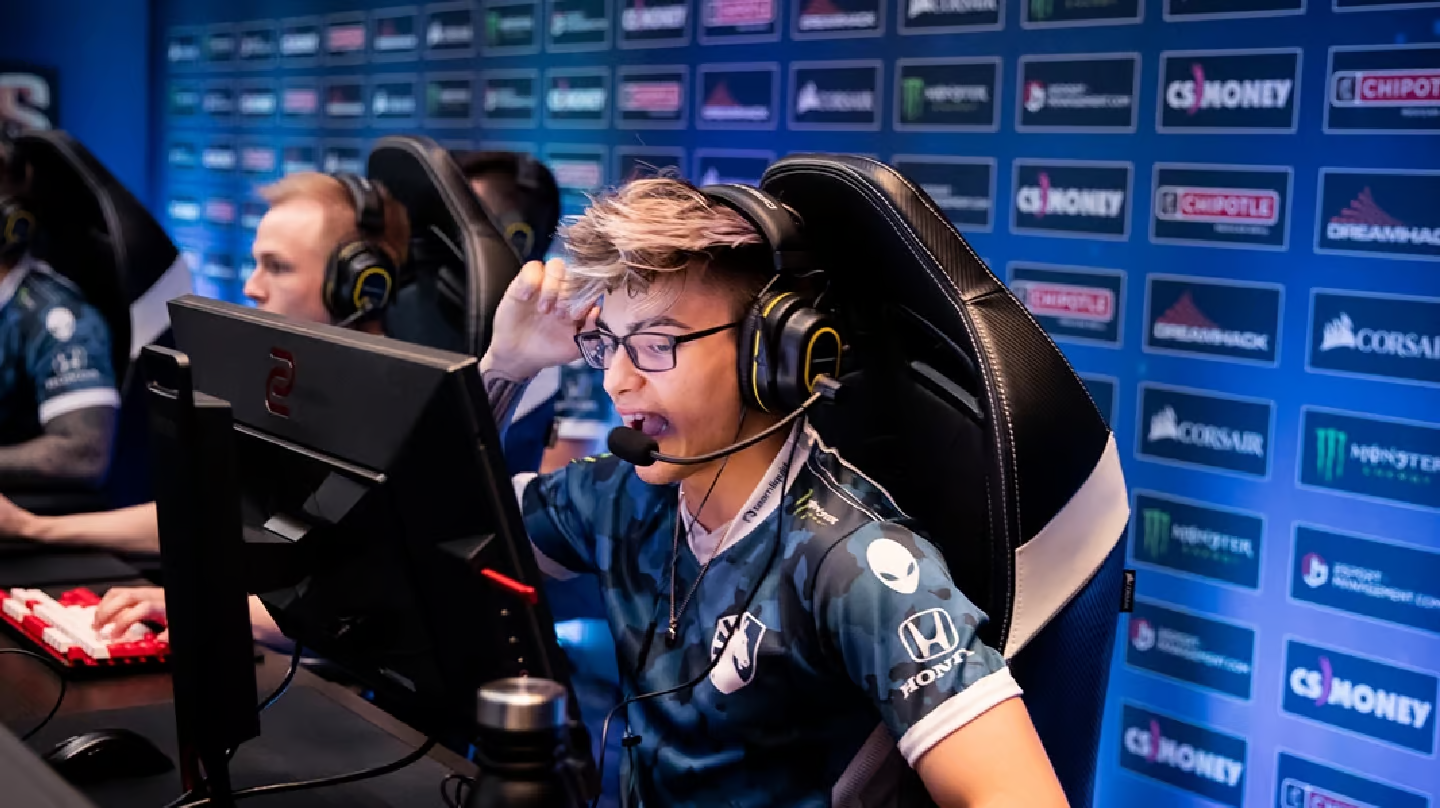
Team Liquid has made a striking move by welcoming back Russel “⁠Twistzz⁠” Van Dulken, heralding a new phase in their journey. This marks a significant reshaping of the team, following the recent addition of Felipe “⁠skullz⁠” Medeiros.

Alongside Twistzz and skullz, Team Liquid’s strategic rejuvenation includes the integration of Casper “⁠cadiaN⁠” Møller and coach Wilton “⁠zews⁠” Prado, both pivotal in crafting this fresh lineup.

With Twistzz on board, Team Liquid shifts its core to a primarily Americas-based CS2 team. This strategic pivot means the team will vie for qualifications through the Americas for the upcoming PGL Major Copenhagen.

Twistzz’s return is met with much excitement, reminiscent of his earlier stint with Liquid, where he was instrumental in their phenomenal run in mid-2019.

Post his initial tenure with Liquid, Twistzz ventured to Europe, joining FaZe. Here, he continued his triumphant streak, winning multiple trophies including another Intel Grand Slam, cementing his status as the most decorated North American player in history.

Team Liquid’s New Lineup:

  • Russel “⁠Twistzz⁠” Van Dulken (Canada)
  • Keith “⁠NAF⁠” Markovic (Canada)
  • Felipe “⁠skullz⁠” Medeiros (Brazil)
  • Casper “⁠cadiaN⁠” Møller (Denmark)
  • Mareks “⁠YEKINDAR⁠” Gaļinskis (Latvia)
  • Wilton “⁠zews⁠” Prado (Brazil, Coach)

How to Fast Forward CS2 Replay?

Counter-Strike 2 (CS2) has captured the attention of competitive gamers worldwide with its new Source 2 engine, which brings about monumental visual and technical enhancements. Despite these advancements, CS2 maintains its core roots in CS:GO, especially in its highly regarded replay system.

This feature is not just a tool for scrutinizing dubious players but also a means for players to refine their gameplay strategies​​.

Valve has revolutionized the demo replay system in CS2, making it one of the most user-friendly interfaces across competitive gaming platforms. This improvement is a significant leap from the original CS:GO replay console, offering an intuitive and efficient user experience​​.

How to Fast Forward CS2 Replay?

To dive into your game replays in Counter-Strike 2, follow these straightforward steps:

  • Launch CS2 through Steam and click on the TV icon at the top-left corner of your screen.
  • Select the desired game from your matches to view in the replay system.
  • Download the match by clicking the green ‘Download’ button at the bottom-right corner, then wait for the initialization.
  • After downloading, press the green ‘Watch’ button to start viewing the match​​.

To efficiently review your gameplay or analyze other players, the fast-forward feature in the CS2 replay system is indispensable. Here’s how to activate and utilize it:

  • Load the clip and press Shift + F2 on your keyboard to bring up the replay console.
  • Within the console, you have access to a range of features, including fast-forward.
  • Locate the Fast-Forward buttons next to the Previous/Next Round buttons, where you can also select the speed for fast-forwarding the clip​​.

By following these steps, players can maximize their learning and analysis from each game, making the CS2 replay system a vital tool in the competitive landscape of Counter-Strike 2.

CS2 Jumpthrow Bind: How to Jump Throw in CS2?

Unlike CS:GO, where a traditional jumpthrow bind was a staple, CS2 offers a fresh take. The absence of the classic bind options means players must adapt to ensure their Molotovs and smokes land exactly where intended. Missing these crucial throws can be the difference between winning and losing a round.

How to create Jumpthrow bind in CS2?

  • Config File Creation: In CS2, you can create a jumpthrow bind using an executable config file. Here’s how:
    • Navigate to the CS:GO config folder in your game files, typically located at \steamapps\common\Counter-Strike Global Offensive\game\csgo\cfg\.
    • Copy any config file, paste it in the same folder, and rename it jumpthrow.
    • Edit the document, removing existing text, and insert the following commands:
    • +jump -attack -attack2 -jump
    • Save the file and launch CS2. Open the developer console and bind the exec to your preferred key, for instance, bind q “exec jumpthrow”.
  • Adapting to CS2’s Mechanics: It’s worth noting that CS2’s server system differs from CS:GO. The introduction of the subtick system ensures consistent jumpthrow lineups across all servers.

Executing the Jumpthrow bind in CS2

Interestingly, CS2’s design allows players to execute jump throws consistently without a bind. The process involves:

  • Jumping and releasing Mouse 1 (fire) at the peak of the jump, marked by a ‘grunt’ noise from the in-game character.
  • This method requires more concentration compared to a simple keybind but remains straightforward.

The jumpthrow technique in CS2 is a critical skill for players aiming to excel in competitive matches. Properly executed, it ensures precision in grenade usage, which can control the flow of the game. This new approach in CS2 adds an extra layer of skill and timing, enhancing the competitive experience.

To master the jumpthrow in CS2, it’s recommended to practice in a server setting. Familiarizing yourself with the timing and execution will elevate your gameplay, making you a formidable opponent in the CS2 arena.

How to Get The Weeknd Fortnite Skin?

0

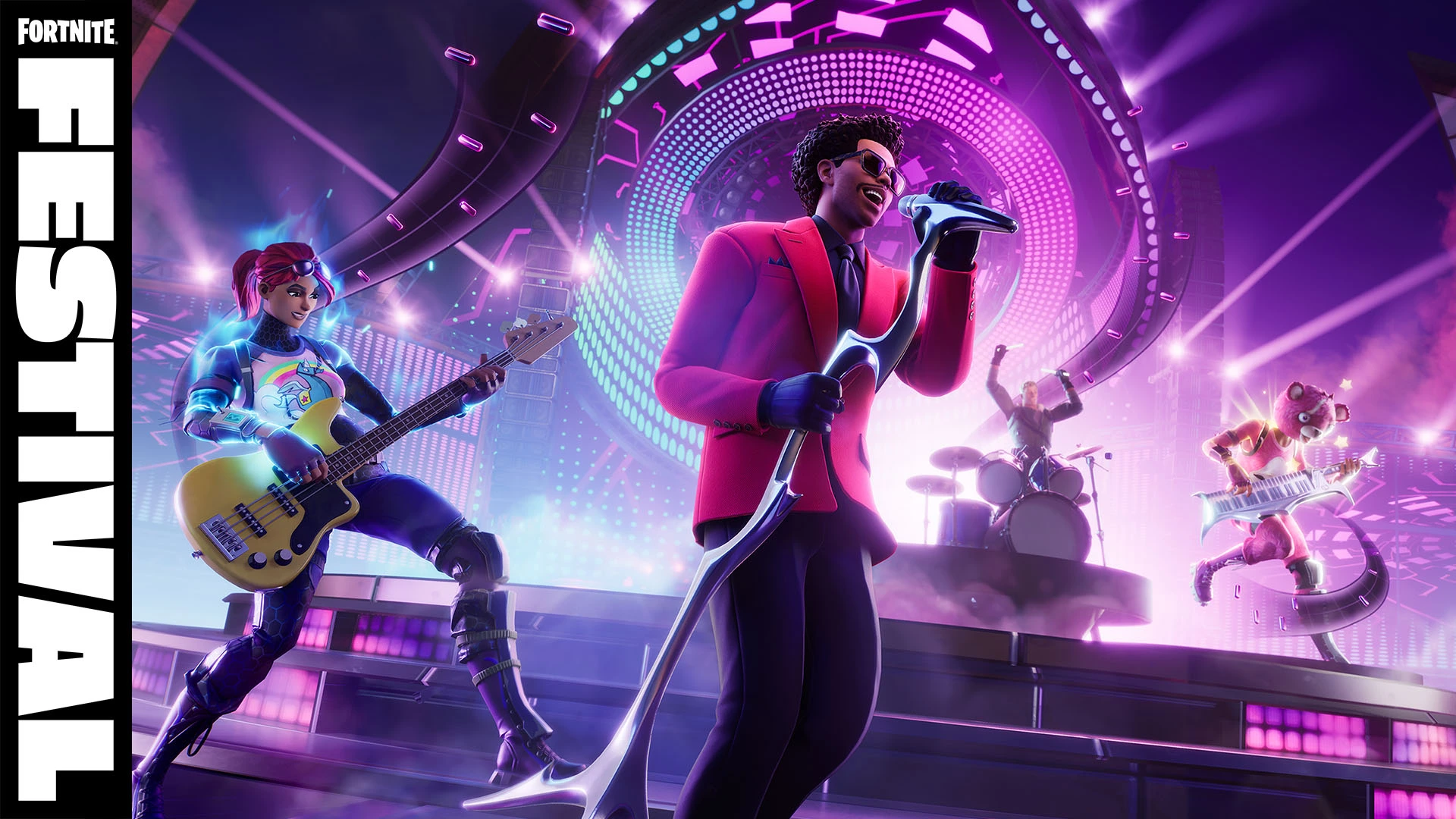
Epic Games has been a front-runner in introducing music artists to the Fortnite universe. Earlier collaborations have included artists like Marshmello, Travis Scott, and The Kid LAROI, creating a unique blend of music and gaming. The upcoming Fortnite Festival, headlined by The Weeknd, is set to be a groundbreaking event, incorporating a Rock Band-style music mode into the game​​.

Abel Makkonen Tesfaye, famously known as The Weeknd, is the latest addition to the Fortnite Icon Series. While the official release date of The Weeknd Skin in Fortnite has not been confirmed, it is anticipated to be available on December 9, coinciding with the launch of the Fortnite Festival event​​​​.

How to Get The Weeknd Fortnite Skin?

Fortnite players can acquire The Weeknd skin and its accompanying cosmetic set from the in-game Item Shop. The process is straightforward:

  • Launch Fortnite on a supported device.
  • Navigate to the Shop tab.
  • Find The Weeknd tab in the Item Shop.
  • Select any of the collaboration cosmetic items.
  • Hold the yellow Purchase button to complete the transaction​​.

Pricing and Styles

The Weeknd skin, along with its styles and cosmetics, is expected to be priced between 1,500 and 1,900 V-Bucks. Two distinct skins, named The Weeknd and The Weeknd Combat, will be available, showcasing the artist in his iconic red suit and a military-inspired style, respectively​​​​​​.

The Weeknd Cosmetic Items in Fortnite

The collaboration includes a variety of cosmetic items:

  • The Weeknd Outfit (with styles)
  • The Weeknd Combat Outfit
  • Axe-O Pickaxe
  • XO Attack Assault Rifle Wrap
  • XO Attack Special Wrap
  • XO Back Bling
  • Popular Vibe Emote
  • Masked Emote
  • Drop The Beat Loading Screen​​

The Fortnite Festival is a unique music game mode, likened to Rock Band. Players can engage in a band with friends or perform solo, playing hit music from their favorite artists. This mode is developed by Harmonix, known for the iconic Rock Band game​​.

Duration of The Weeknd x Fortnite Collaboration

The Fortnite Festival live event will commence on December 9, 2023, at 6PM PT / 9PM ET​​. As for the duration of The Weeknd skin in the Fortnite shop, it is suggested to be available for a limited time, similar to previous Icon Series skins​​​​.

Fortnite’s collaboration with The Weeknd marks another milestone in the blend of gaming and music. Players can immerse themselves in this unique experience, acquiring exclusive skins and participating in an innovative music mode.

How Long Is Fortnite Downtime Today on 7th December 2023?

0

Fortnite is all set for an exhilarating transformation. On December 7th, at 3 AM ET, Fortnite’s servers will undergo downtime to implement the highly anticipated v28.01 update, introducing the Lego Mode. This update affects all game modes, with matchmaking being disabled shortly before the downtime commences.

How Long Is Fortnite Downtime?

While the precise end time remains unconfirmed, historical patterns suggest a 1-3 hour downtime. Predictions indicate servers might resume between 4-6 AM ET / 1-3 AM PT, though extended issues could delay this timeframe.

The Lego x Fortnite Collaboration

Gamers are buzzing with excitement over the Lego x Fortnite collaboration. This includes:

  • A Lego-Themed Open World: Explore a new Lego island with distinct biomes, quests, wildlife, and innovative building mechanics.
  • Themed Cosmetics: Over 1200 existing skins will undergo Lego makeovers. Additionally, unique outfits like The Lego Explorer Emile will be introduced.
  • Challenges & Rewards: Engage in Lego-themed quests and earn exciting rewards like XP and themed accessories.
  • Gameplay Evolutions: Anticipate new activities like fishing, farming, and hunting, enhancing the sandbox experience of the Lego world.

All matchmaking services and core mode playlists, including Solo, Duo, and Squad, will be temporarily inaccessible during this downtime.

To check out the Fortnite server status in real-time, click here.

Tencent Announces PUBG Mobile Global Open, Brazil to Host the First Season

0

Tencent has announced PUBG Mobile Global Open (PMGO), a brand new PUBG Mobile global tournament slated to take place in the first half of 2024. Tencent made this revelation during the highly-anticipated PUBG Mobile Esports 2024 press conference, where it also announced the roadmap for the PUBG Mobile Esports 2024 Season.

The Driving Force Behind PUBG Mobile Global Open

In a strategic move to address the challenges posed by time zone disparities, Tencent’s director of PUBG Mobile global esports, James Yang, shed light on the driving force behind the inception of PMGO. Traditional global PUBG Mobile tournaments faced limitations in accommodating regions like Brazil due to the difference in the time zones, and the PMGO emerges as the bridge to span this gap, with its inaugural season set to unfold in Brazil in 2024.

In addition to the announcement of a new tournament, Tencent has made substantial changes for the PUBG Mobile Esports 2024 Season. PUBG Mobile Super Leagues (PMSL) will now replace the traditional PUBG Mobile Pro Leagues (PMPLs), operating across four global regions across the globe. While these leagues primarily involve partnered teams, a select number of slots are reserved for open and grassroots-level teams.

Team Seedings for PUBG Mobile Global Open

PMGO lives up to its “Global Open” name by offering multiple paths for teams to secure a coveted spot in the inaugural season in Brazil. Following are the paths for teams to secure a slot in PMGO 2024 Brazil.

  • Invited Teams: Teams based on past performances will receive direct invitations.
  • Partnered Teams: The PMSL partnered teams will also get the opportunity to play in PMGO.
  • Local Qualifiers: Various regions will host open-for-all regional qualifiers, which will seed teams in PMGO.

With over five years of esports evolution, Tencent is strategically steering PUBG Mobile Esports towards a future marked by inclusivity and diversity. The PMGO will welcome new teams into the fold and democratize the chance to compete on the global stage.

Stay updated with the latest news in gaming and esports by signing up for early access to TalkEsport’s Mobile App. Follow us on Twitter and Google News to ensure you never miss the exciting updates.

How to get free skins in Fortnite?

0

Who doesn’t like free skins, especially in a game like Fortnite where it has turned into an in-game culture to have cosmetic wraps around weapons and player models?

As good as they look, we cannot overstate the amount of money required to always get the latest skins and it’s only fair we browse through a few ways where we can get a few free skins. Changing skins gives a refreshing feeling to players and it keeps them hooked which is why getting new skins from time to time is never a bad thing.

How to get free skins in Fortnite?

In this article, we explore some of the ways to get free skins, which are as follows:

  • Twitch Prime/Amazon Prime Benefits: Occasionally, Fortnite offers free skins and other cosmetics to players who have Twitch Prime or Amazon Prime subscriptions. These offers come and go, so keep an eye out for any promotions.
  • Fortnite Events and Challenges: Sometimes, Fortnite events or challenges offer free skins as rewards. Participating in these events or completing specific challenges during limited-time events might grant you free cosmetic items.
  • Free Fortnite: Battle Royale Passes: Fortnite occasionally provides free Battle Passes for players. These passes offer opportunities to unlock various skins and other cosmetic items by completing challenges throughout the season.
  • Promotions and Giveaways: Keep an eye on official Fortnite social media accounts, as they occasionally run promotions or giveaways for free skins or cosmetic items.
  • Save the World Mode: Fortnite’s “Save the World” mode sometimes rewards players with skins and other cosmetic items for completing certain missions or challenges.

Fortnite skins may be cosmetic items but over the years they have grown to be one of the most sought-after items in the game. Skins in every game are a cultural phenomenon for the players and when new skins are released, everyone is running to get their hands on the latest skins.

Stay updated with the latest news in gaming and esports by signing up for early access to TalkEsport’s Mobile App. Follow us on Twitter and Google News to ensure you never miss the exciting updates.

Can you refund your Fortnite account?

0

If you are wondering if there is a chance that your recent purchases in Fortnite that were made by accident need to be refunded, then you are in luck. In this article, we dive into how players can seek refunds for their recent purchases in Fortnite.

Fortnite’s refund policy allows players to request a refund for in-game purchases but in limited scenarios. While you cannot go back on purchases made a long time ago, the refund policy allows you to revert your recent purchases under a specific time frame under the assumption that they were made accidentally.

Can you refund your Fortnite account?

To request a refund on Fortnite, follow these general steps:

  • Open the game and go to the settings menu.
  • Look for the “Account and Content” or “Purchase History” section.
  • Find the purchase you want to refund and see if it’s eligible for a refund.
  • If eligible, there should be an option to request a refund or contact customer support.

Not all the purchases are eligible for a return so think twice before making any decisions. Unlike a lot of games, Forntie is generous enough to present you with the option to get refunded in full or a partial amount depending on the item, situation, and the time of purchase.

Stay updated with the latest news in gaming and esports by signing up for early access to TalkEsport’s Mobile App. Follow us on Twitter and Google News to ensure you never miss the exciting updates.

How to cancel Fortnite Crew?

0

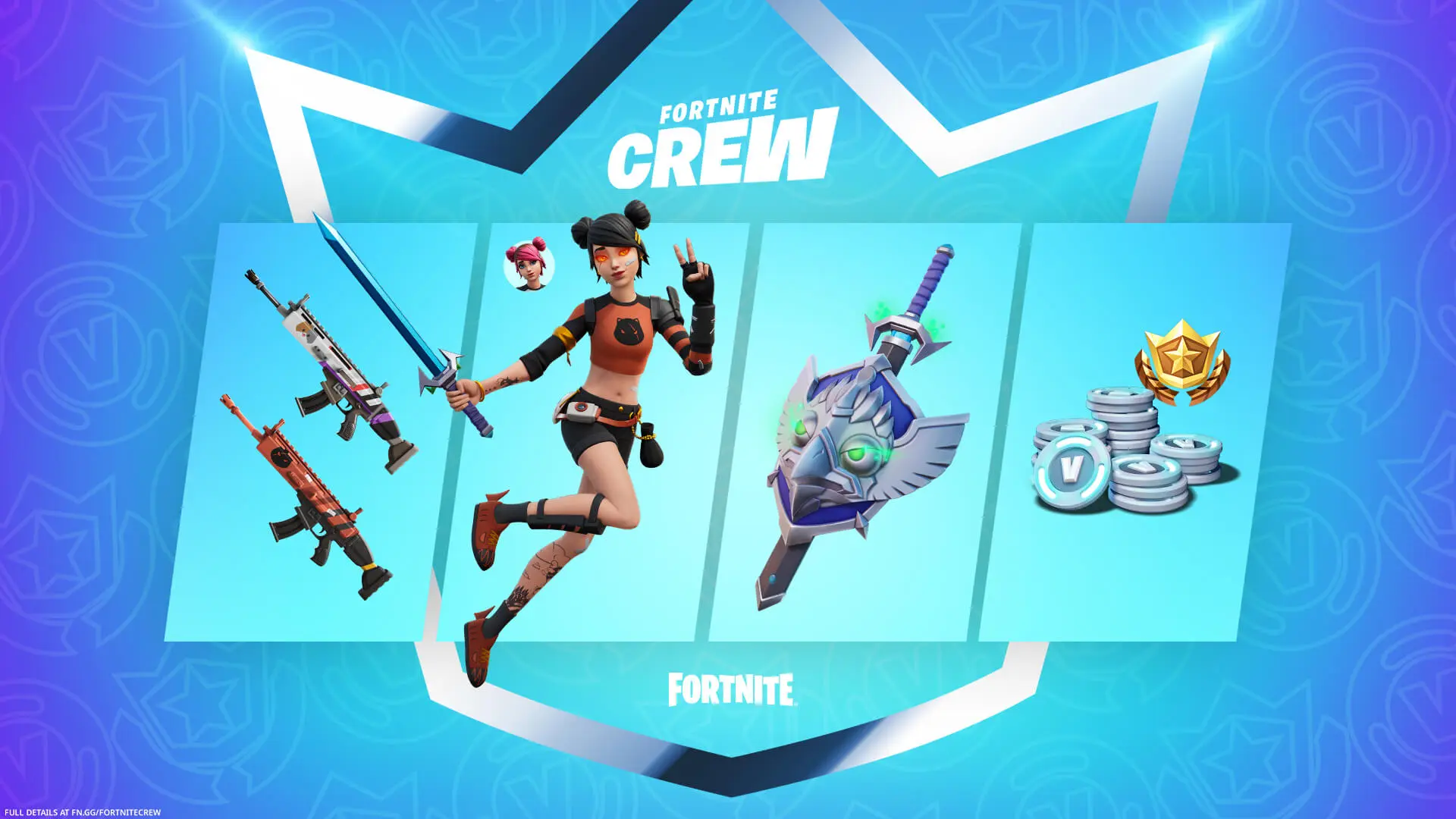
The Fortnite Crew service is offered by Epic Games as a monthly subscription that provides players with various in-game perks, exclusive items, and access to the Battle Pass for each season.

Fortnite Crew is designed to provide ongoing value for players who want to enhance their in-game experience with exclusive content and regular access to the Battle Pass. Subscriptions are typically auto-renewing, but they can be cancelled at any time through the Fortnite game or Epic Games account settings.

How to cancel Fortnite Crew?

To cancel your Fortnite Crew subscription, follow these steps:

  • Open Fortnite on your preferred platform (PC, console, or mobile).
  • Navigate to the Fortnite Crew subscription area and look for the Fortnite Crew option in the game’s main menu. It’s often located in the Battle Pass section or the Item Shop.
  • Access your subscription settings housed within the Fortnite Crew section, there should be an option or button that says something like “Manage Subscription” or “Account Settings.”
  • Cancel your subscription under the subscription settings, there will be an option to cancel your Fortnite Crew subscription.
  • You will receive a confirmation message or email stating that your Fortnite Crew subscription has been cancelled. Make sure to check your email associated with your Fortnite account for any cancellation confirmation or additional steps.

Following said steps, you will be able to cancel your Fortnite Crew subscription while this takes away some added features and skins

Stay updated with the latest news in gaming and esports by signing up for early access to TalkEsport’s Mobile App. Follow us on Twitter and Google News to ensure you never miss the exciting updates.

How to change your name on Fortnite?

0

Changing your name in a game is important and unless you do it at a nascent stage, it is very hard to rub it off the memory of the players you play with every day. In this article, we discuss how you can change your name in Fortnite:

Choosing the name in Fortnite is not impossible but has its struggles which might be quite intimidating at first. In this article, we have put together a step-by-step guide on how to change your name in Fortnite. Rest assured, this has no effect on your inventory or progress but an inappropriate name might get you in trouble.

Follow these steps to change your name in Fortnite:

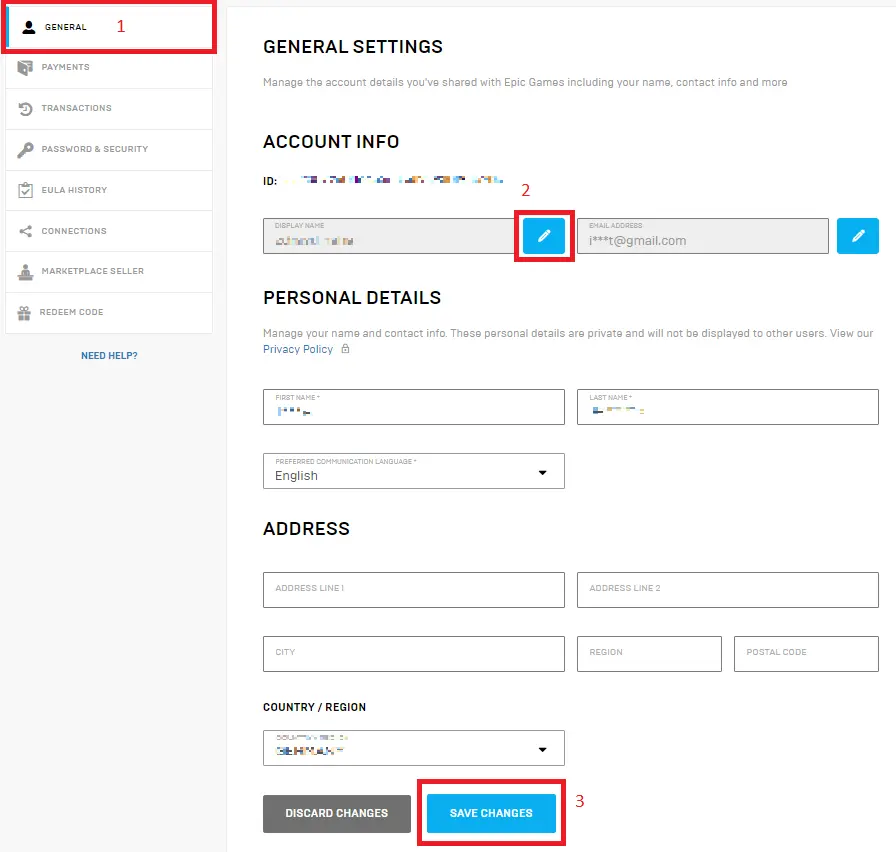
  • Epic Games Account: Your Fortnite display name is associated with your Epic Games account. Therefore, changing your Fortnite name will involve altering your Epic Games account name.
  • To change your Fortnite display name:
  • Go to the official Epic Games website and log into your account using your credentials.
  • Once logged in, navigate to your account settings and look for profile settings.
  • Look for the section that allows you to edit your personal information. Within this section, you should find an option to change your display name.
  • Click on the option to change your display name. Enter the new name you want to use. The system will typically check the availability of that name and confirm if it’s possible to change it at that time.
  • After selecting a new display name, the system may prompt you to confirm the change. Follow the prompts to confirm the new display name.

The number of name changes you get is limited so make this count.

Stay updated with the latest news in gaming and esports by signing up for early access to TalkEsport’s Mobile App. Follow us on Twitter and Google News to ensure you never miss the exciting updates.