Wednesday, May 20, 2026
Home Blog Page 718

BGMI UC Shop: How to Purchase BGMI UC

0

Battlegrounds Mobile India (BGMI) has taken the gaming world by storm since its relaunch on 29th May. With its immersive gameplay, captivating graphics, and intense battles, it has quickly become a favorite among mobile gamers. One of the crucial aspects of the game is UC (Unknown Cash), the in-game currency that allows players to unlock premium content, cosmetic items, and battle passes. In this guide, we’ll walk you through the process of purchasing BGMI UC step by step.

How to Purchase UC From BGMI UC Shop

Unlike its predecessor PUBG Mobile, BGMI does not support purchasing UC from third-party stores such as Codashop. This means that players can only use the in-game store to buy UC in BGMI. While this might initially seem restrictive, the in-game store offers a streamlined and secure process for purchasing UC.

Step-by-Step Guide to Purchasing BGMI UC From Shop

Step 1: Launch BGMI

Open the BGMI app on your mobile device. Make sure you are logged in to the account for which you want to purchase UC.
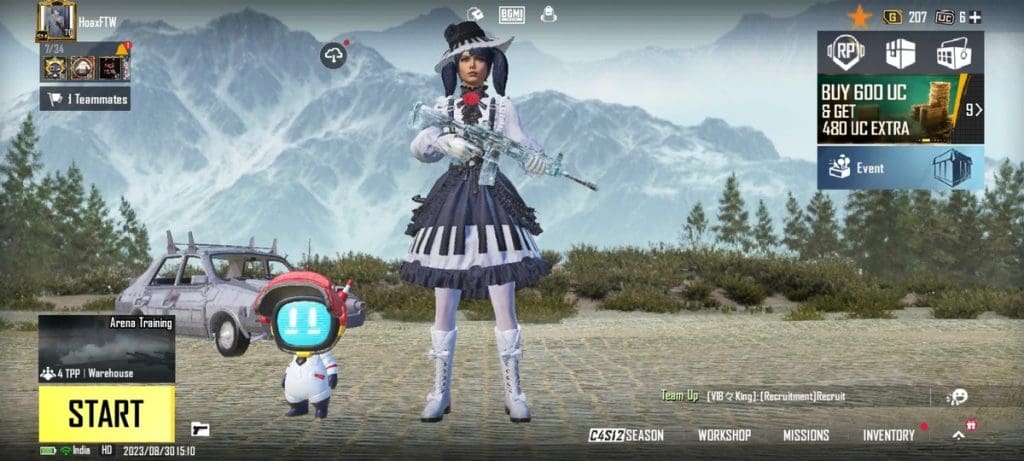
BGMI Home Screen

Step 2: Access the BGMI UC Shop

Once you’re in the main lobby of BGMI, locate and click on the “+” icon on the top right corner of the screen beside the UC icon to open the BGMI UC Shop.
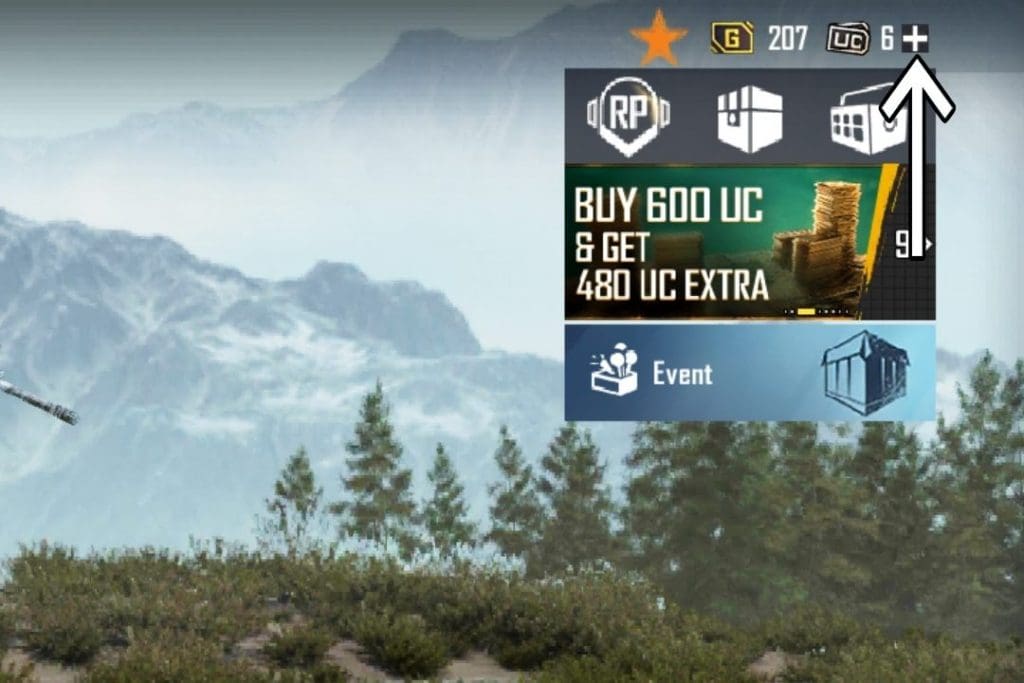
Access the BGMI UC Shop

Step 3: Choose UC Package

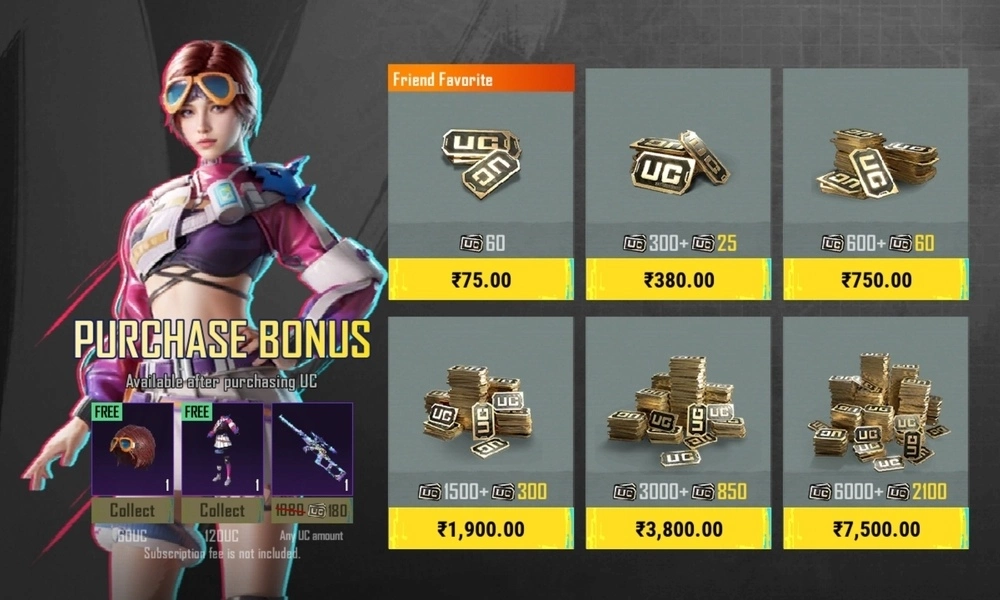
In the BGMI UC Shop, you’ll see a range of UC packages available for purchase. These packages offer varying amounts of UC along with bonus items. Carefully review the packages and select the one that best suits your needs and budget.
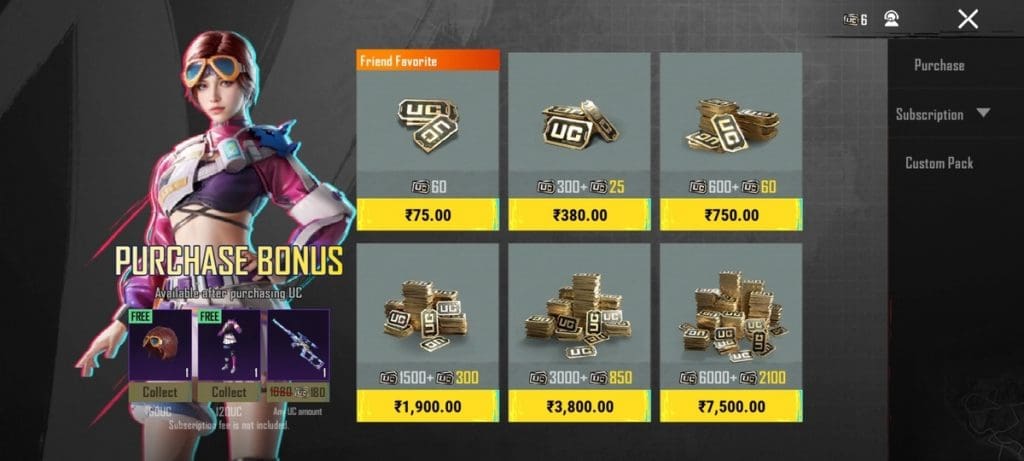
BGMI UC Packages

Step 4: Select Payment Method

After selecting a package, you’ll be redirected to the payment section. BGMI offers multiple payment methods for purchasing UC, including credit/debit cards, and various digital wallets. Choose the payment method you’re most comfortable with.

BGMI Payment Methods

Step 5: Complete the Purchase

Follow the prompts to enter your payment details or log in to your chosen digital wallet. Provide the necessary information and confirm the payment. Once the payment is successful, the UC will be added to your account instantly.


By following the step-by-step guide outlined in this article, players can easily purchase UC packages from the BGMI UC Shop. With the UC now in your account, you can start using it to unlock premium content, purchase battle passes, and customize your in-game experience.

Stay updated with the latest news in gaming and esports by signing up for early access to TalkEsport’s Mobile App. Follow us on Twitter and Google News to ensure you never miss the exciting updates.
How to Download BGMI: A Step-wise Guide

0

Since its return on 29th May, Battlegrounds Mobile India (BGMI) has taken the Indian mobile gaming world by storm with its engaging gameplay. The good news is that now you don’t need to download the game from third-party app stores or download BGMI APKs to install the game. You can now directly download the game from the official Apple App Store and Google Play Store. In this guide, we’ll walk you through the step-by-step download process for both Android and iOS platforms. 

How to Download BGMI in Android

Downloading BGMI on an Android device is a straightforward process. Follow these steps to get started:

Step 1: Open Google Play Store

Launch the Google Play Store on your Android device. This is where you’ll find all your app downloads.

Step 2: Search for BGMI

In the search bar located at the top of the Play Store, type in “BGMI” and hit the search button.

Step 3: Locate the Official App

Among the search results, look for “BGMI.” This should be the official BGMI app developed by Krafton.

Step 4: Click on Install

Once you’ve found the official BGMI app, click on the “Install” button next to its name. The app will begin downloading and installing on your device.

Step 5: Launch the Game

After the installation is complete, you’ll see the “Open” button. Click on it to launch BGMI and start playing the game.

How to Download BGMI in iOS

If you’re an iOS user, follow the below given steps to download BGMI on your Apple device.

Step 1: Open App Store

Locate and tap the App Store icon on your iOS device’s home screen. This is where you’ll find all your app downloads on Apple devices.

Step 2: Search for BGMI

At the top side of the App Store, you’ll find the search icon. Tap on it and type “BGMI” in the search bar.

Step 3: Find the Official App

Among the search results, identify the official BGMI app developed by Krafton. It should be labeled as “BGMI.”

Step 4: Tap Get and Install

Once you’ve located the official BGMI app, tap the “Get” button next to its name. The button will then change to “Install.” Tap “Install” to begin the download and installation process.

Step 5: Launch BGMI

After the installation is complete, the “Open” button will appear. Click on it to launch BGMI and start playing the game.


With these simple steps, you can easily download BGMI and jump into the battleground. Whether you’re an Android user or an iOS user, BGMI offers exciting adventures for players across both platforms. Remember to ensure you have a stable internet connection and enough storage space before initiating the download.

Stay updated with the latest news in gaming and esports by signing up for early access to TalkEsport’s Mobile App. Follow us on Twitter and Google News to ensure you never miss the exciting updates.
BGMI Completes Its Three-Month Trial Period Without Interruption

0

Battlegrounds Mobile India (BGMI) has successfully wrapped up its three-month trial period, marking a significant milestone in the BGMI community. The game was relaunched on May 29, 2023, after being banned by the Indian government in July 2022. During the trial period, numerous BGMI tournaments have taken place, including the prestigious LAN event BGMI Masters Series Season 2.

BGMI Successfully Completes Its Three-Month Trial Period

BGMI was one of the most popular mobile games in India. However, the government of India banned the game in July 2022, citing national security and privacy concerns. After a long wait and much anticipation, the game was finally relaunched in May 2023. The government recommended a few changes, addressing concerns related to “user harm and addiction,” to be made to the game before its relaunch . These changes included playtime limit, gore-free graphics, and some changes to the game’s servers. 

Krafton, the developer of BGMI, incorporated the recommended changes to the game and told the government that it would comply with all rules. Finally, the game was officially relaunched in the country on 29th May. However, Rajeev Chandrasekhar, the Minister of State for Electronics and Information Technology of India (Meity), stated, in a tweet, that the government will closely monitor the game for “user harm, addiction, etc.” for three months, before taking the final decision for  game’s unban.

During these three months, the gaming community witnessed a series of BGMI tournaments, including the highly anticipated LAN event, BGMI Masters Series Season 2. The event attracted a massive audience, thus proving the popularity of the game in the country. Notably, this trial period did not see any bans or suspensions, providing an uninterrupted run for the players. 

BGMI’s journey through the trial period has reaffirmed Krafton’s commitment to India’s gaming ecosystem. Additionally, this outcome represents a momentous victory for the Indian esports industry. It will be interesting to see what lies ahead for the game and the community.

Stay updated with the latest news in gaming and esports by signing up for early access to TalkEsport’s Mobile App. Follow us on Twitter and Google News to ensure you never miss the exciting updates.
Elon Musk Livestreams Drive to Mark Zuckerberg’s House at Risk of Doxxing

0

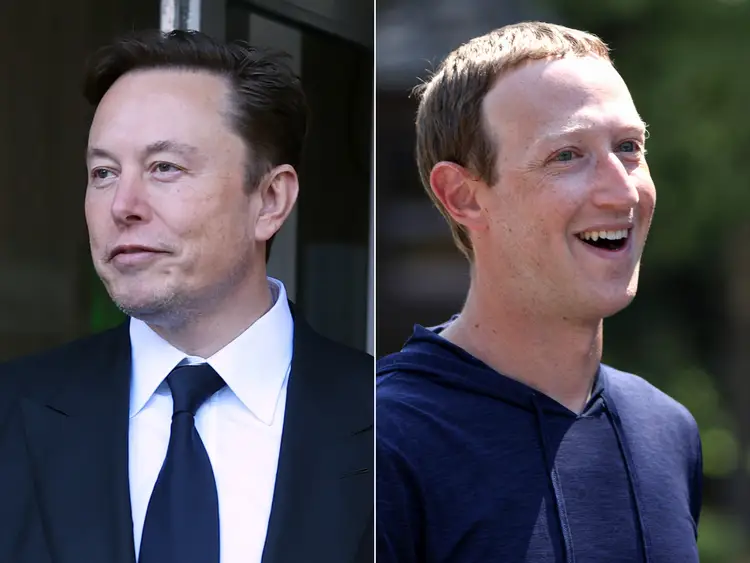
Elon Musk addressed concerns about “doxxing” after live-streaming a portion of his drive to Mark Zuckerberg’s house on the X platform. The program aimed to highlight Tesla’s most recent developments in AI technology for autonomous vehicles.

Elon Musk, the former CEO of Twitter, gave Tesla’s most recent demonstration of their new Full Self-Driving (FSD) beta software over a 45-minute live stream. Musk broke Tesla’s rules on active driver supervision throughout the show by interacting with viewers while driving. At a stoplight, he had to seize control of the AI system while also disclosing Mark Zuckerberg’s whereabouts which puts him at risk of getting doxxed.

“We’re at least going to where Google says Zuckerberg lives. I don’t think this really can be considered doxxing if we just Googled his house,” Musk said.

We can see Elon arriving at the Mark Zuckerberg home in Palo Alto CA. The address was derived from a public source i.e. Google which doesn’t count as doxxing according to him. However, upon arrival, Musk decided against knocking on his door and went back to the Tesla headquarters.

While we were deprived of a confrontation between the two billionaires, we got to see the FSD beta in action driving through different traffic conditions.

Stay updated with the latest news in gaming and esports by signing up for early access to TalkEsport’s Mobile App. Follow us on Twitter and Google News to ensure you never miss the exciting updates.
Lionel Messi Gets 90 Overall Rating in EA FC 24, Ronaldo 86

0

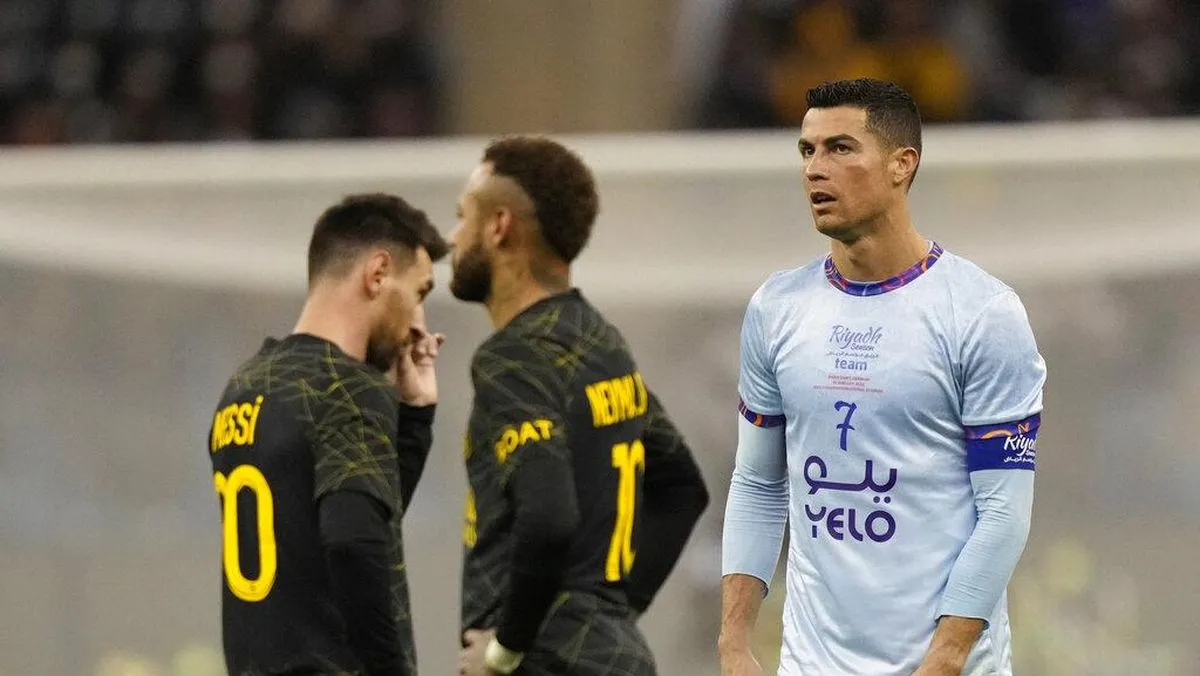
In the ever-evolving world of football, two names have consistently dominated the scene: Lionel Messi and Cristiano Ronaldo. As the latest EA Sports FC 24 ratings leak suggests, these two legends are embarking on fresh chapters in their illustrious careers, and their ratings reflect these transitions.

Both Messi and Ronaldo, often hailed as the greatest footballers of their time, have recently made significant moves in their careers. Messi has been dazzling fans in the MLS with Inter Miami, while Ronaldo has taken his talents to Al Nassr in the Roshn Saudi League. These shifts not only mark new phases in their professional journeys but also indicate potential changes in their Ultimate Team ratings and dynamics.

The recent leak, courtesy of Fut_scoreboard and Criminal__x, suggests that Messi will have a rating of 90, a slight dip from his previous 91 in FIFA 23. Ronaldo, on the other hand, sees a more substantial drop, going from 90 to 86. These changes, while reflective of their new club affiliations and league dynamics, also hint at the challenges players might face in achieving full chemistry with them in their Ultimate Team setups.

With these new ratings, it’s evident that neither Messi nor Ronaldo will be the top-rated players in the game. This opens the door for other emerging talents like Kylian Mbappe or Erling Haaland to potentially claim that spot. Additionally, while Ronaldo’s move might bring more talent to the Roshn Saudi League, his reduced pace and dribbling stats might make him less desirable in the early stages of the game. Messi, despite the downgrade, retains his superior passing and dribbling skills, making him a valuable asset.

Stay updated with the latest news in gaming and esports by signing up for early access to TalkEsport’s Mobile App. Follow us on Twitter and Google News to ensure you never miss the exciting updates.
How to Cancel Fortnite Crew Subscription?

0

Fortnite Crew has emerged as a popular subscription model, offering exclusive in-game cosmetics, V-Bucks, and the season’s battle pass for a monthly fee. While the allure of limited-edition skins and the fear of missing out can be compelling, there are instances when players decide to discontinue their subscription. Whether it’s budget constraints or other reasons, canceling the Fortnite Crew subscription is straightforward across various platforms.

Fortnite Crew’s unique offerings, such as exclusive skins that might never return to the in-game store, make it a tempting deal. However, financial constraints or changing gaming preferences can lead players to rethink their subscriptions. It’s also worth noting that unsubscribing might mean missing out on potential legacy rewards in the future.

How to Cancel Fortnite Crew Subscription?

PlayStation

  • Sign in with the PlayStation ID linked to the Crew subscription.
  • For PS4: Go to Settings > Account Management > Account Information > PlayStation Subscriptions.
  • For PS5: Navigate to Settings > Users and Accounts > Account > Game and App Services > Fortnite.
  • Choose the subscription and disable the auto-renew option. Follow on-screen instructions. Alternatively, manage your subscription via store.playstation.com.

Xbox

  • From the Home menu, access the Settings tab.
  • Proceed to Account > Subscriptions.
  • Locate the Fortnite Crew option and suspend the transaction by selecting Manage. Follow the on-screen prompts. Alternatively, manage your subscription on account.microsoft.com/account.

PC

  • Log in to the Epic Games website.
  • Click on the Subscriptions tab.
  • Locate your subscription, click the cog icon, and choose to cancel. Follow the on-screen instructions.

Mobile

  • Log in to the Epic Games website on your mobile.
  • Access your account and select the Subscriptions option.
  • Click the gear icon above the Fortnite Crew subscription and select Cancel Subscription.

Nintendo Switch

  • Access the Switch home menu and navigate to the Eshop.
  • Select your account and choose subscriptions.
  • Find the Fortnite Crew subscription and opt to cancel.

Reactivating Your Subscription

Remember, if you ever change your mind, Fortnite Crew subscriptions can be reactivated. Whether a new monthly pack catches your eye or you simply miss the exclusive benefits, re-subscribing is always an option.

Stay updated with the latest news in gaming and esports by signing up for early access to TalkEsport’s Mobile App. Follow us on Twitter and Google News to ensure you never miss the exciting updates.
Australia’s First Red Bull Gaming Hub Opens at UTS

0

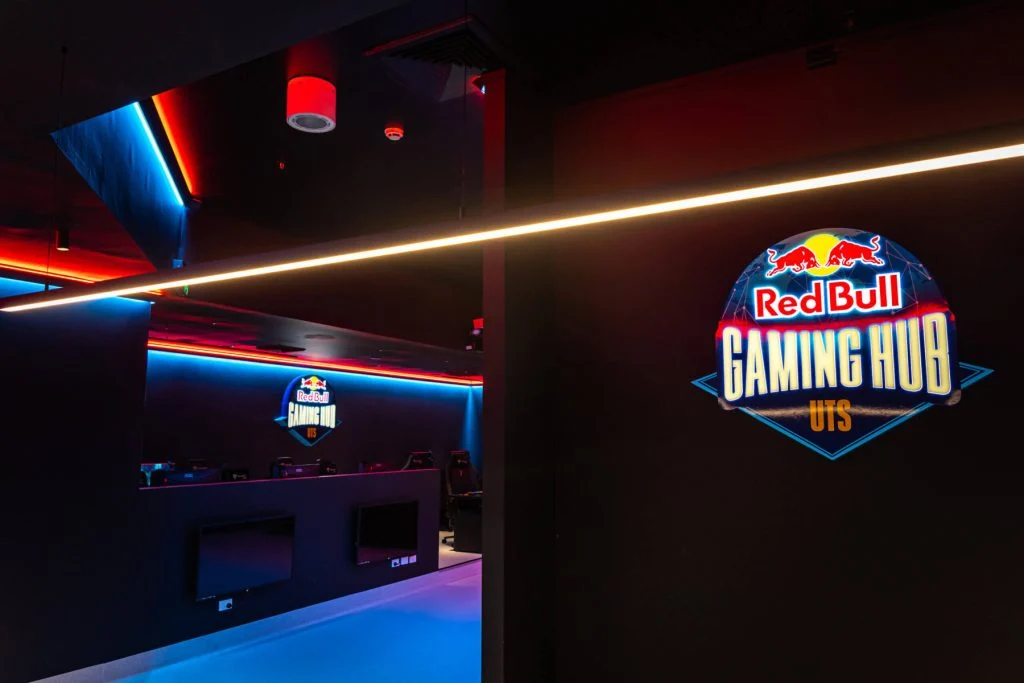
Red Bull, a brand synonymous with energy and action, has taken a monumental step in the esports arena. Collaborating with GameSquare, the University of Technology Sydney, and a slew of hardware brands, they’ve unveiled the Red Bull Gaming Hub in Sydney. This state-of-the-art facility is not just a gaming hub; it’s a testament to the growing influence of esports in the academic and professional world.

Situated in the iconic UTS Tower, the Red Bull Gaming Hub is a gamer’s paradise. It boasts cutting-edge gaming PCs, dedicated esports training rooms, and top-tier streaming equipment. But it’s not just about gaming; it’s about fostering a community. This hub is the first of its kind in Australia, following the footsteps of its predecessor in Toronto, Canada.

The Red Bull Gaming Hub is strategically located on the UTS campus, a hotspot for young, enthusiastic minds. This positioning is no accident. The hub serves as a cornerstone for student collaboration and educational initiatives. UTS students exclusively run it, offering them a unique opportunity to gain hands-on experience in a real-world esports setting while pursuing their academic goals.

Furthermore, the hub plays a pivotal role for students enrolled in UTS’s Bachelor of Computer Science and Games Design program. It doubles as a playtest center, enabling students to test their game creations in a real-world environment. This hands-on approach provides invaluable insights into game design, helping students refine their creations based on real-time feedback.

The creation of the Red Bull Gaming Hub is a result of a collaborative effort. Alongside Red Bull and GameSquare, hardware giants like AOC, MSI Computers, Secretlab, and BENQ have contributed to the hub’s infrastructure. From AOC monitors to Secretlab’s ergonomic chairs and desks, the hub is equipped with the best in the business.

Stephen Hanna, CEO of the ADVA Group and President of UTS Esports, encapsulated the hub’s essence, stating, “The Red Bull Gaming Hub provides a platform for gamers and esports enthusiasts to connect, learn, and compete. It’s set to revolutionize the student experience on campus, providing pathways to professional play.”

Stay updated with the latest news in gaming and esports by signing up for early access to TalkEsport’s Mobile App. Follow us on Twitter and Google News to ensure you never miss the exciting updates.
Microsoft Ends $1 Xbox Game Pass Trial Just in Time for Starfield

0

As the gaming community eagerly awaits the release of Bethesda’s Starfield, Microsoft has made a significant move that has caught the attention of many. Just days before the much-anticipated game’s launch, Microsoft has decided to pull the plug on its $1 Xbox Game Pass trial. Let’s delve deeper into the implications of this decision and what it means for gamers.

Earlier in the year, Microsoft had hinted at discontinuing the monthly $1 Xbox Game Pass Ultimate trial offer. However, after a subsequent price hike for the subscription, the company reintroduced the $1 trial, albeit in a 14-day format. This short-lived comeback has now been halted, with the 14-day trial being removed from Microsoft’s Xbox Game Pass sign-up page. This move leaves no trial options, especially since the full month $1 Game Pass trial was already discontinued earlier in August.

With the removal of the trial, gamers eager to dive into Bethesda’s space role-playing game, Starfield, will now have to shell out $9.99/£7.99 for a month on PC or $10.99/£8.99 for a month on Xbox. Those opting for the Ultimate package will be set back by $16.99/£12.99 for a month. This strategic move by Microsoft, although sudden, isn’t entirely unexpected. Given Starfield’s high-profile status and its potential to significantly boost Game Pass subscribers, Microsoft’s decision aims to enhance Game Pass revenue.

Starfield’s global release on Xbox Series X|S and PC is scheduled for September 1. The game’s launch is not just another addition to Microsoft’s gaming portfolio; it’s a pivotal moment. The company has invested heavily in the game, and its success could be a game-changer for the Xbox Game Pass subscription numbers. By eliminating the $1 trial, Microsoft is ensuring that it capitalizes on the game’s potential to the fullest.

Stay updated with the latest news in gaming and esports by signing up for early access to TalkEsport’s Mobile App. Follow us on Twitter and Google News to ensure you never miss the exciting updates.
Free Fire Might Be Returning to India: Here’s Everything We Know

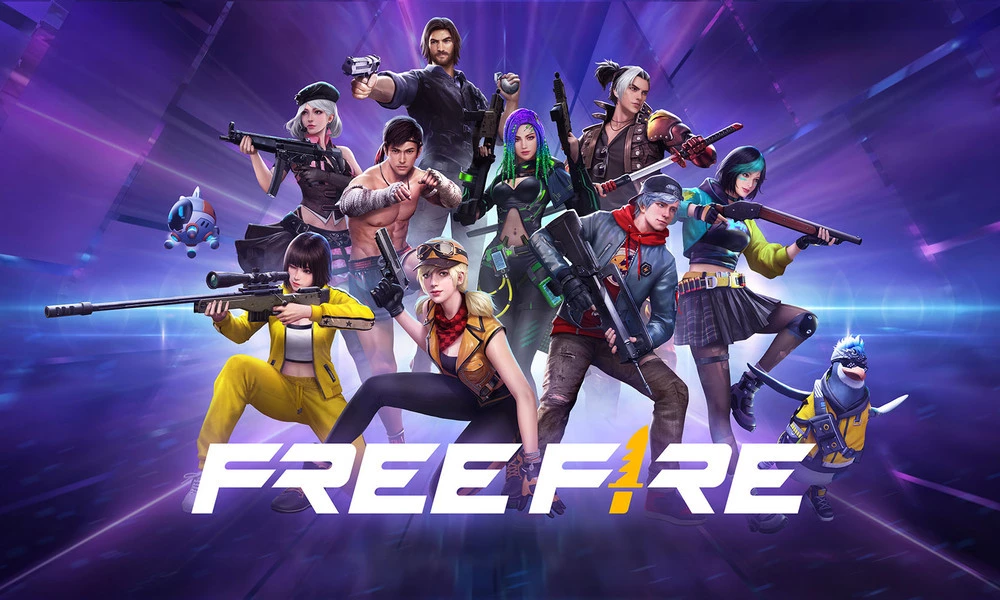
There are strong indications that Garena’s popular battle royale game, Free Fire, might be making a comeback to India. Following its ban in India in February 2022, Free Fire fans have been eagerly awaiting any news about the game’s potential return. Now, after an extended period of anticipation, a glimmer of hope has finally emerged for them. Images from a Free Fire photoshoot and a leaked screenshot of an email have ignited a flurry of speculation about the game’s return. These developments suggest that the wait for Free Fire’s return might be drawing to a close.

Free Fire’s Leaks Hinting at Its Potential Return

After witnessing the return of Battlegrounds Mobile India (BGMI) to the Indian market in July 2023, fans of Free Fire have been speculating about the possibility of Free Fire’s revival. Reports from various sources indicate that Garena is actively preparing for a comeback event centered around Free Fire. One such source is the esports news blog “letsgrowesports,” which has shared images of cosplayers dressed as iconic Free Fire characters, including Hayato, Kelly, and Maxim. These images were taken during a content shoot reportedly set in Mumbai.

The images posted by “letsgrowesports” offer intriguing insights into Garena’s potential plans. The cosplayers can be seen posing at well-known Mumbai landmarks like Marine Drive and the Gateway of India. Additionally, the presence of local delicacies such as Vada pav and Pani puri in the images hints at a strong Indian connection. Such attention to detail in the content shoot strongly suggests that Free Fire could be making a comeback for its Indian audience.

Leaked Screenshot Sparks Speculations

Additionally, a leaked screenshot of an email from a PR agency was leaked a week ago. The email, which has since been deleted, revealed that the PR agency was handling Garena Free Fire’s public relations mandate. The agency expressed enthusiasm about sharing Free Fire’s story, journey, and updates with a wider audience. They also expressed a willingness to collaborate on stories related to the gaming industry.

The email read as follows: “I hope this email finds you well. I’m writing to introduce you to our client Garena Free Fire – a multiplayer battle royale game. We are excited to inform you that we will be handling Garena Free Fire’s PR mandate. We believe that Garena Free Fire’s story, journey and updates will be interesting for your audience to hear. If you are planning any upcoming stories wherein Garena Free Fire’s insights on the gaming industry could add value, we will be happy to help and contribute. Request you to kindly keep us in the loop for such opportunities, and if necessary, we’re more than happy to connect you with Garena Free Fire’s management. I look forward to connecting with you in the future.”

When Will Free Fire Return to India?

According to letsgrowesports, Free Fire fansmight not have to wait much longer. The rumors point toward a potential relaunch in September 2023. However, it is important to note that this return time frame is a mere speculation. Most importantly, fans should exercise patience and wait for an official announcement.

It’s worth noting that even during Free Fire’s absence from app stores, the alternative version known as Free Fire Max has remained accessible to Indian players via the Google Play Store. Although this version was available, it could not capture the same portion of audience like the original version did.


As September approaches, all eyes are on Garena for an official announcement that could mark the long-awaited revival of one of India’s favorite battle royale games. Until then, players can only anticipate and speculate about the exciting possibilities that lie ahead.

Stay updated with the latest news in gaming and esports by signing up for early access to TalkEsport’s Mobile App. Follow us on Twitter and Google News to ensure you never miss the exciting updates.