Home Blog Page 657

Counter-Strike 2 Unveils New Community Maps and Exciting Gameplay Updates

Counter-Strike 2 has just introduced its first set of community maps, bringing a fresh and exciting dimension to the game. Here’s a detailed look at these new additions and what they offer to players.

New Community Maps

Memento and Assembly

Two new maps, Memento and Assembly, have been added to the Wingman mode. Memento is set in a picturesque Italian town, providing a charming yet intense battleground. On the other hand, Assembly takes place in an airplane factory, offering a unique industrial setting for players to explore and strategize.

Pool Day
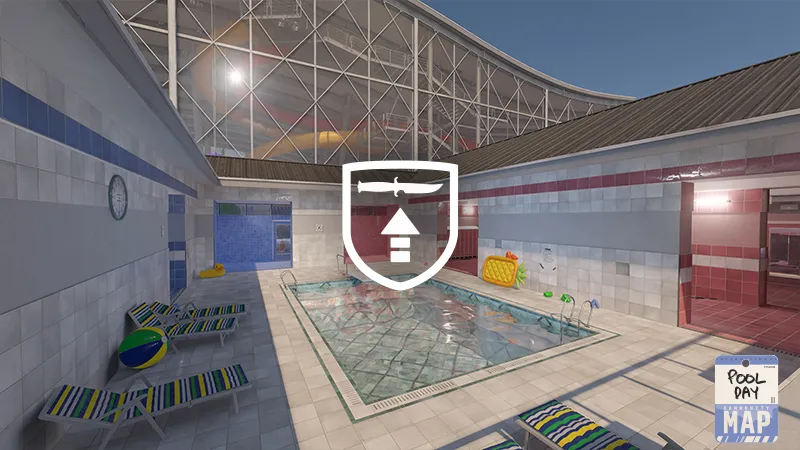
The classic Pool Day map has made a comeback in the Arms Race mode. This map, known for its poolside setting, offers a nostalgic yet thrilling environment for players to engage in combat.

Thera and Mills
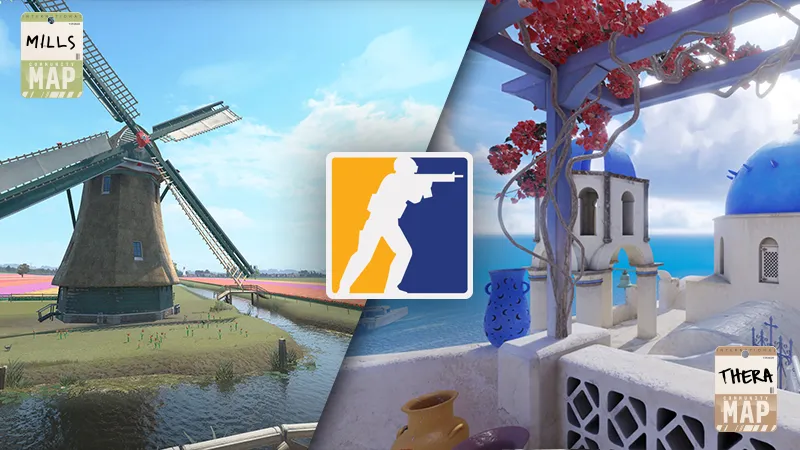
Thera and Mills are designed for Deathmatch and Casual modes. Thera is set on a beautiful volcanic island in Greece, while Mills is based in a quaint village in the Netherlands. These maps provide diverse settings that enhance the gameplay experience with their unique aesthetics and layouts.

Enhanced Visuals and Gameplay

Immersive Audio and Visual Upgrades

Counter-Strike 2 features stunning Source 2 lighting and particle systems, offering a complete overhaul of visual effects. The sounds have also been reworked to create a more authentic and immersive experience, providing better physical environment reflection and more distinct audio cues.

Dynamic Volumetric Smokes

The game introduces dynamic volumetric smoke grenades that interact with the environment, gunfire, explosions, and lighting. This addition offers a more realistic and immersive gameplay experience.

Upgraded Source Tools

The upgraded Source 2 tools and rendering features are now available for community map makers. This makes it easier for players to experiment and iterate with custom maps, fostering creativity within the community.

Overhauled Maps

All maps in Counter-Strike 2 have received a major overhaul, featuring new, more realistic lighting and a physically based rendering system for accurate materials, lighting, and reflections.

Improved Gameplay Mechanics

Moving Beyond Tick Rate

Counter-Strike 2 ensures a smoother, more consistent gameplay experience with its sub-tick update architecture. This allows for more precise evaluation of the game world, enhancing the overall gameplay.

New Ranking System

Valve has overhauled the ranking system, introducing the CS Rating for global and regional leaderboards. This system refreshes each competitive season, providing a more dynamic and competitive environment.

Shorter Matches

A significant change to the number of rounds in a competitive match has been implemented. The maximum round limit is now 24, with a six-round overtime in the event of a tie game in Premier, Competitive, and at the Majors.

Counter-Strike 2 June 25th Patch Notes

Counter-Strike 2 June 25 patch notes

Maps

Community Maps

  • Added community maps Thera and Mills to Competitive, Casual, and Deathmatch map groups
  • Added community maps Memento and Assembly to the Wingman map pool
  • Added community map Pool Day to the Arms Race map pool

Nuke

  • Fixed c4 stuck spots

Ancient

  • Fixed c4 stuck spots, holes in the world, and non-solids causing problems

Vertigo

  • Fixed c4 stuck spots and clipping

Anubis

  • Fixes for grenade collision and clipping

UI

  • Updated the MVP panel in all game modes
  • Added all-new animated MVP panels to Premier matches
  • Added several new MVP conditions and adjusted prior MVP rules

Gameplay

  • In Competitive Matchmaking, per-map skill groups are now revealed after you earn two wins on a map.

Video Settings

Settings Recommendations

  • Added a Settings Recommendation popup if your display’s refresh rate is set below its maximum at startup. Using your display’s highest refresh rate is generally recommended.
  • Added a Settings Recommendation popup if NVIDIA G-Sync support is detected but not enabled at startup. Using G-Sync is generally recommended if your system supports it.
  • Added a Settings Recommendation popup if NVIDIA G-Sync is enabled but not V-Sync and/or NVIDIA Reflex. It is generally recommended to enable all three settings together when they are available. Note that applying these settings will limit your frame rate to your display’s refresh rate or slightly lower, which is usually the smoothest-looking and lowest input latency settings combination.
  • Removed “Main Menu Background Scenery” and “Item Inspect Background Scenery” settings from the Video Settings page. These settings are still available on the Main Menu and in the Item Inspect screens respectively.
  • The “Refresh Rate” setting now shows your display’s current refresh rate in Windowed and Fullscreen Windowed modes.
  • Removed the “Laptop Power Savings” setting which has never actually been configurable in CS2.
  • Added a “Frame Pacing” section to the Advanced Video settings page.
  • Added an “NVIDIA G-Sync” row to the Frame Pacing section which tells you whether or not G-Sync is active with your current display settings. This row may be hidden if you’re using the Vulkan renderer or if you’re not using an NVIDIA graphics card.
  • Added “Maximum FPS In Game” and “Maximum FPS In Menus” sliders to the Frame Pacing section. These control the fps_max and fps_max_ui convars respectively.
  • Increased the default “Maximum FPS In Menus” setting from 120 FPS to 200 FPS.
  • The Advanced Video visual preview now uses the “In Game” maximum FPS instead of the “In Menus” maximum.
Garena Free Fire Redeem Codes for Today 26th June 2024

0

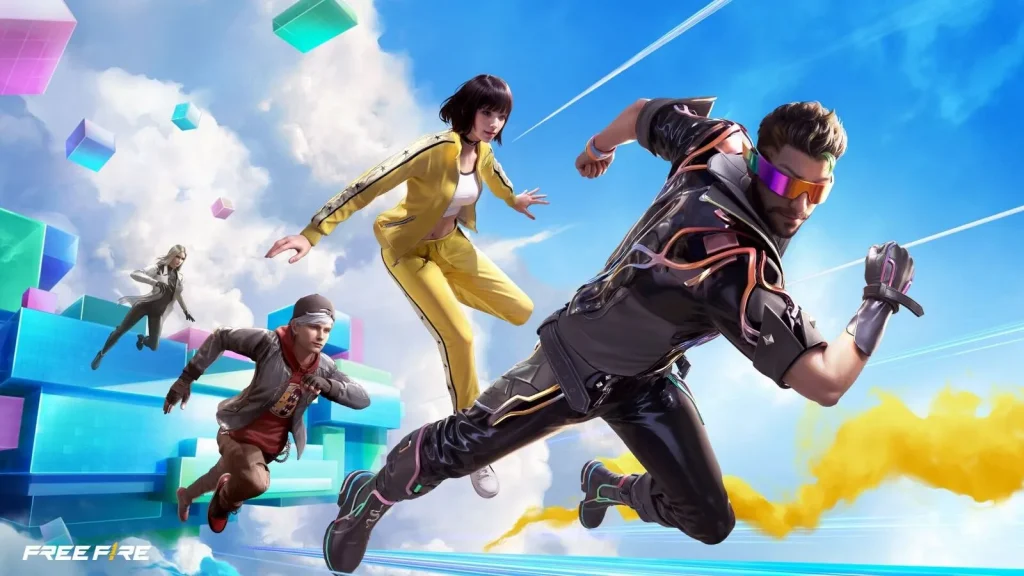
Free Fire, the renowned battle royale game, continues to captivate gamers worldwide with its intense gameplay and vast array of in-game rewards. One of the most sought-after features in the game are the Free Fire redeem codes, which grant players access to exclusive items and goodies without spending any money.

Free Fire redeem codes are special combinations of characters that, when entered correctly, provide players with various rewards such as weapon skins, character outfits, and in-game currency. While these codes are not released frequently, stumbling upon a working code can significantly enhance the gaming experience.

All New Free Fire Redeem Codes for Today 26th June 2024

Here are some Free Fire redeem codes redeem codes you can use to get free items in the game today 2024:

  • IOP6LK7JH8GF9DSA
  • 1ZX2CV3BN4M5ASDF
  • GH6JKL7QW8ERTYUI
  • O9PLK8JH7G6FD5SA
  • ZXC4VBN5M7LK8JH9
  • CVB7NM8QW9ERTUIO
  • 3ASD4FG5HJK67ZX8
  • BNM9QW8ERT7YI6OP
  • 2R8A9F6SD7G5H3J1
  • QW7E4RT8YU1I2OPA
  • Z9X6CV5BN4MK3L2J
  • YUIO8P7OMN6B5VCX
  • LKJH8GFD7SA6X5CV
  • 1QW2ERT3YUI4PL5K
  • QWE5RT6YU7I8P9AS
  • HJK8L9QW7ERTYUIO
  • 5PLK4JH3GFDSA1ZX
  • AS3DF4GH5JK6L7QW
  • ER7TY8UI9OP0LKJH
  • NB2VCX3ZQWE4RTYU

HOW TO FREE FIRE REDEEM CODES TODAY

Redeeming codes in Free Fire is a quick and straightforward process. Follow these steps to claim your rewards:

  1. Navigate to the official Free Fire redemption website. 
  2. Sign in using your Free Fire account credentials. Ensure that you have a valid account linked to either Facebook, Google, VK, or Huawei.
  3. Enter the Redeem Code: Input the redeem code into the provided field and click on the “Confirm” button.
  4. Collect Your Rewards: Once the code is successfully redeemed, the rewards will be sent directly to your in-game mailbox. Launch Free Fire and claim your items from the mailbox.

Tips for Using Free Fire Redeem Codes

  • Timely Redemption: Redeem codes have expiration dates, so it’s essential to use them promptly to avoid missing out on rewards.
  • Regional Restrictions: Some codes may be region-specific and may not work if you are in a different region. If a code doesn’t work, try using another one.
  • Single Use: Most codes can only be redeemed once per account, so ensure you enter the code correctly the first time.

Free Fire redeem codes tend to expire very soon and hence, make sure to use them as soon as you can. Some of them can be region restricted and if you find one like that, simply move on to next one as region restricted codes cannot be used in other areas.

Stay updated with the latest news in gaming and esports by signing up for early access to TalkEsport’s Mobile App. Also, follow us on Twitter and Google News to ensure you never miss the exciting updates.

Garena Free Fire MAX Redeem Codes for Today 26th June 2024

0

Free Fire is a very popular battle royale game with millions of active users per day. A large part of this fan base comes from India and despite the ban, players have shifted to its advanced version called Free Fire Max to enjoy the game.

The game has same core and hence, it has redeem codes as well. Here are some redeem codes that you can use to get free items in Free Fire Max.

Free Fire redeem codes are special codes that can be used to unlock several items for free in-game. They are not released on a regular basis hence coming across a working code is very hard. 

Garena Free Fire MAX Redeem Codes

As Free Fire now banned in India, players have shifted to Free Fire Max and the entire account history is ported to its servers. This means that players can still use their old accounts and make use of features like redeem codes to get rewards in it as well.

Free Fire MAX Redeem Codes for 26th June 2024:

  • IOP6LK7JH8GF9DSA
  • 1ZX2CV3BN4M5ASDF
  • GH6JKL7QW8ERTYUI
  • O9PLK8JH7G6FD5SA
  • ZXC4VBN5M7LK8JH9
  • CVB7NM8QW9ERTUIO
  • 3ASD4FG5HJK67ZX8
  • BNM9QW8ERT7YI6OP
  • 2R8A9F6SD7G5H3J1
  • QW7E4RT8YU1I2OPA
  • Z9X6CV5BN4MK3L2J
  • YUIO8P7OMN6B5VCX
  • LKJH8GFD7SA6X5CV
  • 1QW2ERT3YUI4PL5K
  • QWE5RT6YU7I8P9AS
  • HJK8L9QW7ERTYUIO
  • 5PLK4JH3GFDSA1ZX
  • AS3DF4GH5JK6L7QW
  • ER7TY8UI9OP0LKJH
  • NB2VCX3ZQWE4RTYU

HOW TO REDEEM CODES IN FREE FIRE MAX

It is quite simple to redeem these codes in Free Fire. Players just need to visit the redemption center and enter the code given below. Use the method given below to get these items.

  • Visit the Reward Redemption center of Garena Free Fire. Click here to visit.
  • Log in with your Free Fire account. One must have either Facebook or Google ID signed in as a Guest account does not work.
  • Enter the code and get free rewards in your in-game item vault.

The redeem codes tend to expire very soon and hence, make sure to use them as soon as you can. Some of them can be region restricted and if you find one like that, simply move on to next one as region restricted codes cannot be used in other areas.

Stay updated with the latest news in gaming and esports by signing up for early access to TalkEsport’s Mobile App. Also, follow us on Twitter and Google News to ensure you never miss the exciting updates.

Valorant Episode 9 Act 1 Patch Notes Revealed

0

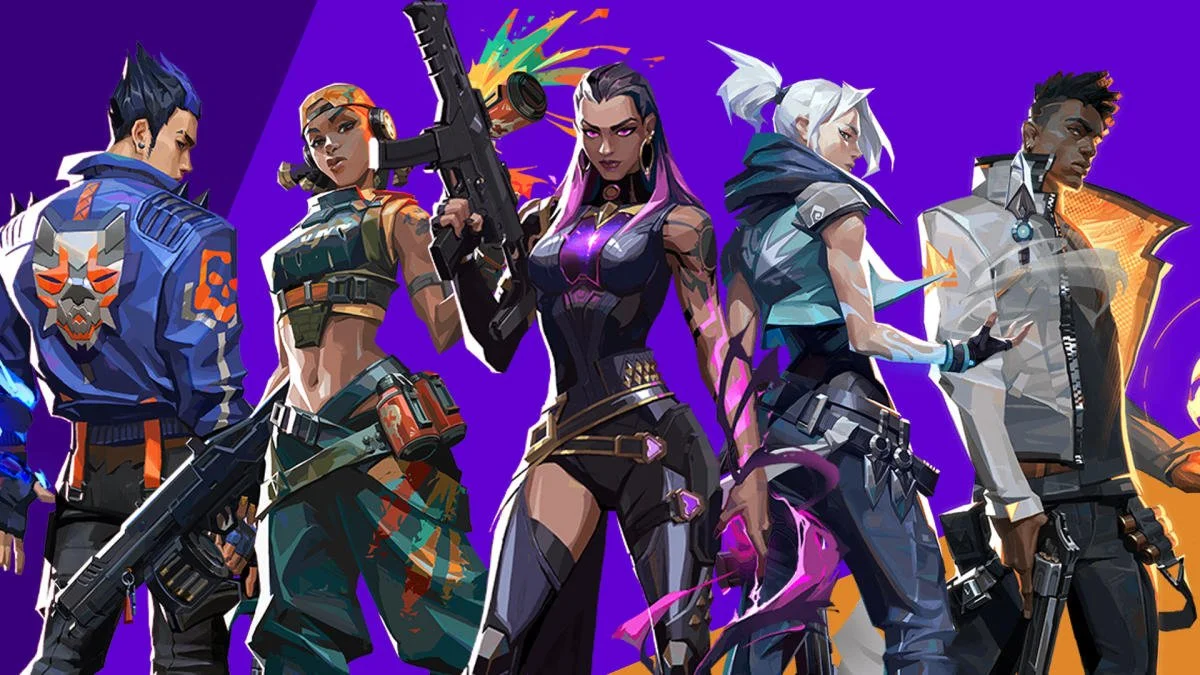
The patch notes for the highly anticipated Valorant Episode 9 Act 1 update has been revealed by Riot Games, and it’s all set to bring a number of important changes to the competitive shooter.

Alongside bringing the newest map Abyss to the game’s competitive map rotation, the upcoming Valorant 9.0 patch will also bring some balance adjustments to the Agents Iso and Sova. The changes aim to curb Iso’s dominance by nerfing his ‘Double Tap’ ability, which recently saw a huge buff, and buff up Sova’s ‘Owl Drone’ by giving it an HP boost.

If you’re a cosmetic enjoyer, you’ll be excited about the new Battle Pass coming with the Episode 9 Act 1 update. Additionally, the Evori Dreamwings collection will be added to the game only two days after the update is shipped.

Without further ado, let us dive into the detailed patch notes of the Valorant Episode 9 Act 1 update.

Valorant Episode 9 Act 1 Update: Full Patch Notes 

Here are the full patch notes for the Valorant Episode 9 Act 1 update, as confirmed by Riot Games:

AGENT UPDATES

ALL PLATFORMS

  • We’ve added new conversation voice lines between Agents that includes: Phoenix, Harbor, Brimstone, Yoru, Raze, Iso, Sage, Neon, Gekko, Skye, Deadlock, Omen, Kayo, and Reyna.

PC

Iso

We’re happy that Iso has been more comfortable entry-ing towards the front of his team but want to increase thoughtfulness and context around when Iso activates his Double Tap. This should make the counterplay around breaking his shield or denying the Double Tap orbs more successful.

So we’re decreasing the duration of his Double Tap buff while also removing the refresh that comes with securing two kills. Iso can now only extend Double Tap by shooting the orbs that spawn while the buff is active.

  • Double Tap (E): Duration: 20s >>> 12s
    • Signature kill reset removed 

CONSOLE 

  • Sova’s Owl Drone’s HP is now 100, up from 60.

COMPETITIVE UPDATES

PC

  • Abyss added to the Ranked map pool.

CONSOLE 

  • Competitive Mode is coming to Console this patch! Queue up and see if you can climb the ranks and make it onto the Immortal Leaderboards. Good luck on your first race to Radiant!
  • Our Competitive Mode map pool will start with Abyss, Ascent, Bind, Haven, and Sunset with new maps slowly being added in the next few patches.

GAMEPLAY SYSTEMS UPDATES

CONSOLE

  • Added a new “Controls Preset” selection screen upon first boot-up prior to loading into the tutorial
    • You can now choose between our VALORANT-specific controls preset or a more familiar, TRADITIONAL console FPS preset as your starting controls scheme. 
    • You can easily change your preset and customize controls at any point once in-game through the Settings menu.
  • Polished sound transitions between Focus and ADS to better reflect the aim state you’re transitioning into.
  • Crosshair presets have been updated to reflect a better variety of usable crosshairs.
  • Updated the Fighter controls preset so that Crouch is a Hold action instead of a Toggle action.
  • Added holistic Aim Sensitivity slider.
  • Added the ability to enter precision mode while in controls settings to adjust sensitivity sliders by .1 increments.

PLAYER BEHAVIOR UPDATES

PC 

  • In addition to removing zero tolerance terms from text chat, people who repeatedly engage in this behavior will see increased penalties on their transgressions.

PREMIER UPDATES

PC 

Welcome to the Path to Pro! 

  • Teams in Contender that earned a promotion in Stage E8A3 are in the new Invite Division, where finishing the Stage at a high enough rank will earn you an opportunity to make it into a Challengers League.
  • Contender and Invite Divisions play a little differently:
    • Strict rematch protection in weekly matches prevents you from ever matching against the same team more than once in a Stage.
    • If we can’t find you an appropriate match during the queue window, you’ll be given a Bye. Byes award a match win and 100 points.
    • Losses award 0 points.
    • Finals in playoffs are Best of 3 matchups.
    • There are some extra roster restrictions for Contender and Invite Division teams.

SOCIAL UPDATES

PC 

  • When you add a friend, you can now paste or type a full Riot ID (including tagline) into the “Riot ID” field and it will automatically split the data into the “Riot ID” and “tagline” fields.

CONSOLE 

  • We’ve updated the communications menu so it’s easier to manage team and party voice on the fly.
  • We’ve added Voice Chat to the Settings page. Now you can tailor your mic behavior and voice settings to suit your setup.

BUG FIXES

Agent

  • PC
    • Fixed an issue where Iso’s shield hitbox could be misaligned.
  • CONSOLE
    • Fixed an issue with Jett’s Tailwind (diagonal dash) that was reducing the dash length.

Competitive Systems

  • CONSOLE
    • Fixed an issue in Team Deathmatch where you would incorrectly see DRAW as a final result in EOG screens
    • Added specific scoreboard screens for Team Deathmatch and Deathmatch

Gameplay Systems

  • ALL PLATFORMS
    • Fixed a particle issue when using ADS on the Level 3 and 4 Mystbloom collection.
    • Fixed an issue when exiting Cypher’s Spycam that caused Cypher’s hands to stutter for Spectators.
  • CONSOLE
    • Fixed issue where both Focus and ADS sounds would play during transitions.
    • Fixed Leave Game menu persisting through AFK idling.
    • Fixed animation bug with Leave Game Menu.

Maps

  • ABYSS
    • Fixed several unintended boost positions.
    • Fixed bugs allowing players to get under the map.
    • A Site cover should now properly appear in Omen and Astra smoke targeting world.
    • Fixed an Omen exploit allowing him to get between the spawn barriers. 

Social

  • CONSOLE
    • Fixed an issue where the friends list would sometimes display inaccurate platform information for friends.

KNOWN ISSUES

General

  • CONSOLE
    • When navigating Surrender menus, there’s a chance your controls can become locked for an entire round. Due to this, we’ve elected to disable the Surrender and Remake menus until we can properly fix the issue. Draw will remain functional.

Premier 

  • PC
    • When changing the Stage in the dropdown on the standings page, the content doesn’t refresh. To see accurate standings for past Stages, change the Stage, then change division or zone and the content will update.
    • The standings page sometimes fails to update, and you may see fewer teams than expected. Click on another tab in the Premier Hub and then return to standings to fix the issue.
    • If you are in Contender or Invite and are awarded a Bye during Weekly matches, you will not see that match recorded in their Premier Match History tab. You will be awarded a win and 100 Premier Score as expected, reflected correctly on the standings.

Valorant Episode 9 Act 1 Battle Pass: Skins, Release Date, & More

0

With the highly anticipated Valorant Episode 9 Act 1 update being just around the corner, Riot Games has revealed the upcoming Battle Pass that the new patch will bring to the shooter.

As usual, the Episode 9 Act 1 update will introduce a fresh Battle Pass to the game with new skins, gun buddies, player cards, and a bunch of other cosmetics. There will be a free route and a paid route available to players, the latter of which will only be available to those who purchase the Pass for 1,000 VP.

In this article, we take a look at everything you need to know about the Valorant Episode 9 Act 1 Battle Pass, including its contents, release date, and more.

Valorant Episode 9 Act 1 Battle Pass: All Skins

As confirmed by Riot Games, the Episode 9 Act 1 Battle Pass will include the following skin lines in it:

  • Bubble Pop 
  • Convergence 
  • Bumble Brigade 

Each skin line will contain a number of weapon skins, with the Bubble Pop classic being available in the free track of the Battle Pass.

Below, we’ve attached a list of the Valorant Episode 9 Act 1 Battle Pass skins for fans to check out:

Ghost_Bumble_Brigade
Ghost Bumble Brigade
Judge_Bumble_Brigade
Judge Bumble Brigade
Ares_Bumble_Brigade
Ares Bumble Brigade
Bulldog_Bumble_Brigade
Bulldog Bumble Brigade
Frenzy_Convergence
Frenzy Convergence
Marshal_Convergence
Marshal Convergence
Phantom_Convergence
Phantom Convergence
Stinger_Convergence
Stinger Convergence

Alongside the aforementioned skins, the next Valorant Battle Pass will also introduce several other cosmetics that players can use to spice up their weapons or player profile.

Here’s a list of notable items from both the free tracks and paid tracks of the Episode 9 Act 1 Battle Pass:

Free Track

■ Bubble Pop Classic

■ That’s Terrifying Spray

■ Tanghulu Gun Buddy

■ Dream Bubble Card

■ Epilogue: Bot Means Business Card

Paid Track

■ Convergence Phantom

■ Bubble Pop Light Stick

■ Bubble Pop Vandal

■ Bumble Brigade Bulldog

■ Home Again // Viper Card

■ Lost and Found Card

■ Power of Five Spray

■ Blinded Again Spray 

■ Brimsicle Gun Buddy

Valorant Episode 9 Act 1 Battle Pass: Release Date

The next Valorant Battle Pass will go live in the game alongside the Episode 9 Act 1 update on June 25, 2024.

Dr Disrespect to Take a Break From Streaming Following Recent Allegations

Following allegations surfaced by a former Twitch employee, Dr Disrespect has announced that he will be taking an indefinite break from streaming.

Recently, a former Twitch employee claimed that “He got banned because got caught sexting a minor in the then existing Twitch whispers product. He was trying to meet up with her at TwitchCon. The powers that be could read in plain text.”. Following the allegations Dr Disrepsect came out to defend himself claiming that he had done “nothing illegal” and now he has announced an indefinite hiatus from streaming.

In his recent stream, he claimed “Maybe it’s time to start something new, something different,”

“But I think, first and foremost though, I did have a bit of a planned vacation coming up, but I might extend that starting today. It is what it is. People get fatigued. To be honest, I don’t know how long my vacation is, but maybe I extend that. We’ll see.”

Fans quickly had a walk down memory lane given his time with Twitch ended with a sudden message upon which the Doc stopped streaming. However, this time around, the doc has announced his time away from streaming with no plans for the future, only time can tell what will become of him.

Stay updated with the latest news in gaming and esports by signing up for early access to TalkEsport’s Mobile App. Follow us on Twitter and Google News to ensure you never miss the exciting updates.

Nitr0 Is Coming Back to Counter-Strike

Nick “⁠nitr0⁠” Cannella is once again eyeing a comeback in CS after his stint with M80’s Valorant roster.

nitr0 career as of late has swayed between Valorant and CS but after his run with Team Liquid back in 2019, Captain America failed to establish any sort of consistency in whatever team he played for, leading him to sway between teams and esports.

This news follows cadiaN’s departure from Team Liquid who shares a lot of roles with nitr0 by being an AWPer and IGL. As North America faces a serious crisis in the IGL department, nitr0 announces his comeback and something tells us, that Team Liquid will be his destination.

“VALORANT was not what I expected it to be, and I didn’t see a future for myself. CS is home, and with the lack of IGLs in NA, this is where I belong. I still have a lot to offer to NA CS and can’t wait to give CS2 everything I have,” said nitr0.

nitr0’s statement did not specify a destination for him but Liquid is likely where he is headed. Team Liquid has been the face of North American CS for a long time despite a Major eluding them but their downfall. Liquid has diversified into getting players from different regions to form an international roster and they are likely looking at nitr0 to lead the project after cadiaN failed to do so.

Stay updated with the latest news in gaming and esports by signing up for early access to TalkEsport’s Mobile App. Follow us on Twitter and Google News to ensure you never miss the exciting updates.

Valorant Evori Dreamwings Bundle: Skins, Price, Release Date & More

0

Riot Games has recently revealed the Evori Dreamwings skin collection, which is the next skin bundle to come to Valorant, and fans of the competitive shooter are excited to know more about all the contents that the upcoming bundle will bring to the game.

The Evori Dreamwings skin bundle in Valorant is as cute as it is deadly, and it seems to have taken inspiration from the ‘Star Guardian’ skin line in League of Legends.

Ready to find out more about the new Valorant skin collection? We have you covered.

Valorant Evori Dreamwings Bundle: All Skins

Here are all the weapon skins that will be included as part of the Evori Dreamwings bundle in Valorant:

  • Vandal
  • Spectre
  • Odin
  • Ghost
  • Melee

Each weapon in the Evori Dreamwings collection features a unique “familiar” that “accompanies you throughout the match and transforms, animates, and emotes.” The familiars that you’ll be able to find in the bundle include a cat, bunny, bear, mouse, and butterfly.

The skins in the Evori Dreamwings bundle feature four levels that can be unlocked using Radianite Points. You will also be able to choose from four color variants: Green, Pink, Orange, and Purple.

Valorant Evori Dreamwings Bundle: Price

The Evori Dreamwings Valorant bundle is expected to be an Ultra-tier bundle, which means that each skin in the bundle will cost you a pocket pinch of 2,475 VP, except for the melee which will cost you around 4,850 VP instead.

Players looking to grab the entire bundle may have to spend around 9,900 VP for the Evori Dreamwings collection.

Valorant Evori Dreamwings Bundle: Release Date

As already confirmed by Riot Games, the Evori Dreamwings bundle will hit your Valorant store two days after the release of the Episode 9 Act 1 update on June 27, 2024.

How to Inspect CS2 Skins & Sticker Crafts?

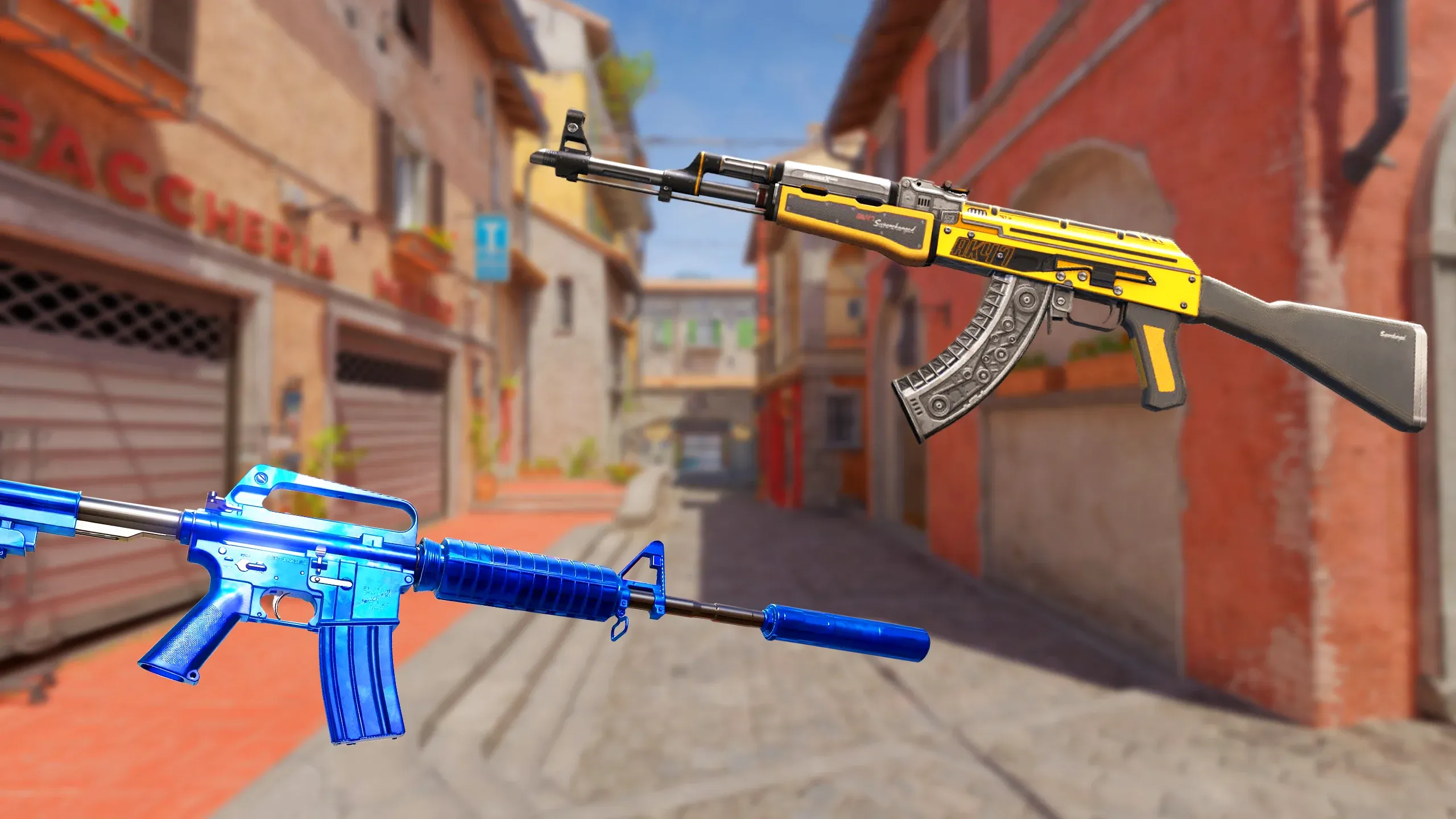
There exists a thriving community around the skin market in CS2 which you might or might not know about, although there is something cool about owning a skin and decorating it with multiple stickers. This eternal joy is induced through an in-game purchase, meaning if the big decision could be simplified by letting you inspect the Skins and stickers before you make the jump, would you decline? Definitely not.

How to inspect CS2 skins?

Firstly, congratulations on having the money to buy the skins. In case we didn’t address you in the earlier line, click here. Regardless, let’s see how to inspect CS2 skins without stickers through the Steam marketplace. 

Begin by searching the skin, by simply typing out its name and pressing on the correct listing with the correct SKU (Wear rating) 

Once you’ve landed on the correct item, click on “Inspect in game” to either launch a menu in-game (if you have CS2 already open) or watch as the game boots up & takes you to a menu where you will see the skin applied on a weapon. Either way, you will be able to spectate the skin seamlessly. 

Once you’ve admired the skin’s beauty, you can decide whether you still want to make the purchase or not!

Get your favorite CS2 Sticker

Well, this is a sticky wicket. To inspect CS2 stickers, there is no in-game feature but that doesn’t mean you have to spend millions to do it. All you need is a free sticker craft site that will let you use a custom CS2 inspect server. Here is a suggestion that is used community-wide called, CS2inspects.com 

Once on the website, go through the menu to land on a similar page:


Select any skin from here and try to play around with the “Customize Sticker” button which was a recently announced feature within CS2 where custom placement of stickers can be done.

Once you place the sticker wherever you want to, copy the gen code for the CS2 sticker craft – a large number that begins with “!g” at the bottom of the screen.

How to spectate the CS2 Sticker?

Okay, now that you have your gen code, it’s time to join an inspect server. One of the server groups that have worked best for us are the Epidemic’s inspect servers, with multiple map options. 

So here you go, copy one of these IPs into your CS2 console to hop on to a server:

  • connect inferno.epidemic.gg
  • connect nuke.epidemic.gg
  • connect dust2.epidemic.gg
  • connect vertigo.epidemic.gg
  • connect mirage.epidemic.gg
  • connect siege.epidemic.gg
  • connect biome.epidemic.gg
  • connect thera.epidemic.gg
  • connect overpass.epidemic.gg
  • connect ancient.epidemic.gg
  • connect italy.epidemic.gg
  • connect office.epidemic.gg
  • connect anubis.epidemic.gg
  • connect memento.epidemic.gg
  • connect lostcoast.epidemic.gg
  • connect infernonight.epidemic.gg
  • connect nukenight.epidemic.gg
  • connect sakura.epidemic.gg
  • connect trade.epidemic.gg

Choosing the appropriate map is a choice, and doesn’t matter as long as you have some nice-looking background to take screenshots and flex on social media, you phony. Jokes aside, once you’ve connected, paste the gen code you generated earlier in the in-game chat with the apropos syntax, which looks something like this:

Once you key in the code, send it and watch your favorite CS2 sticker craft in your hands, ready for a spin. Drop it, shoot around, and iterate on your ideas of the sticker placement, all before committing to the purchase!

One tiny issue

Once you start trying this method out, you will start noticing that applying different stickers on the same skin, during the same sessions more often than not doesn’t update the stickers in the game. Do not worry, this is a common occurrence. To resolve this, just pull up your CS2 console, and type in “regenerate_weapon_skins” and the problem should immediately resolve itself. 

If you want more such tips around CS2, click here. Leave us a follow on Instagram to get the latest updates on everything Esports.

Top Crosshair Codes & Settings for Valorant Console

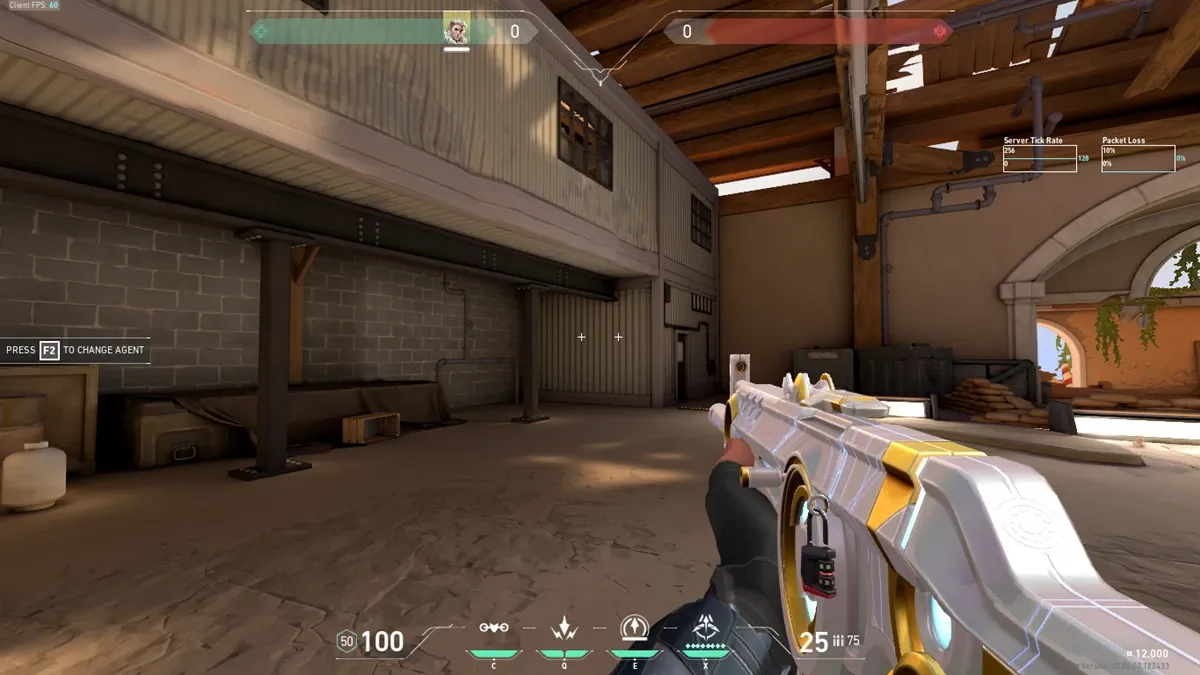
Finding the perfect crosshair isn’t a one-time activity, but a cumulative effort of multiple instances, trying to find the one that just hits the sweet spot. But, getting this configured on the console, is a process no different than the one on the PC. Considering that Valorant just launched on Xbox and PS5, a lot of players are scrambling to find a reliable crosshair that helps them win gunfights.

Don’t worry consol-ers, we’ve got you covered. Here is a list of the best crosshair codes that you can configure within the Valorant console.

Best Valorant console crosshair codes (Xbox & PS5 Edition)

Although the Valorant default crosshair collections have a large, clunky design more suitable for players who want to have fun, for an aspiring player who wants to be better, you should use one of the following crosshairs.

Crosshair Code 1

Code: 0;s;1;P;c;5;h;0;m;1;0l;4;0o;2;0a;1;0f;0;1b;0

Color: Aqua

Outlines: Off

Outline Opacity: 1

Outline Thickness: 1

Center Dot: Off

Center Dot Opacity: 1

Center Dot Thickness: 2

Override Firing Error Offset: On

Show Inner Lines: On

Inner Line Opacity: 1

Inner Line Length: 4

Inner Line Thickness: 2

Inner Line Offset: 2

Movement Error: Off

Firing Error: Off

Show Outer Lines: Off

Outer Line Opacity: 1

Outer Line Length: 2

Outer Line Thickness: 2

Outer Line Offset: 10

Crosshair code 2

Code: 0;P;c;1;o;1;d;1;0b;0;1b;0

Color: Green

Outlines: On

Outline Opacity: 1

Outline Thickness: 1

Center Dot: On

Center Dot Opacity: 1

Center Dot Thickness: 2

Override Firing Error Offset: Off

Show Inner Lines: Off

Inner Line Opacity: 1

Inner Line Length: 6

Inner Line Thickness: 2

Inner Line Offset: 3

Movement Error: Off

Firing Error: Off

Show Outer Lines: Off

Outer Line Opacity: 1

Outer Line Length: 2

Outer Line Thickness: 2

Outer Line Offset: 10

Crosshair code 3

Code: 0;p;0;P;h;0;f;0;0l;3;0o;2;0a;1;0f;0;1b;0

Color: White

Outlines: Off

Outline Opacity: 0

Outline Thickness: 0

Center Dot: Off

Center Dot Opacity: 0

Center Dot Thickness: 0

Fade Crosshair with Firing Error: Off

Show Inner Lines: On

Inner Line Opacity: 1

Inner Line Length: 3

Inner Line Thickness: 2

Inner Line Offset: 2

Outer Line Opacity: 0

Outer Line Length: 0

Outer Line Thickness: 0

Outer Line Offset: 0

Movement Error: Off

Firing Error: Off

How to change Valorant console crosshair?

As we mentioned earlier, the steps are fairly similar to the process on PC, where you have to navigate to the Crosshair section in the Valorant Settings page, where you can create your crosshair and configure names for them for easier recall. 

Also, as an additional great to-have feature – “Copy crosshair” is also available making like easier for players by just adding and importing crosshairs using a unique code. Such presets are widely available and the game allows you to customize them for different states such as general use, Aim down, or when sniping. 

For more such “How to” tips around Valorant Console, click here. If you found the tips above useful, do consider leaving us a follow on Instagram for more such interesting news and updates.