Friday, May 15, 2026
Home Blog Page 644

Best CS2 Crosshair Codes Used By Pros

0

In the world of Counter-Strike 2 (CS2), fine-tuning your crosshair settings can be a game-changer. While CS2 offers a plethora of customization options, sometimes the best approach is to learn from the best. Professional players have honed their settings for optimal performance, and their crosshair codes are a great starting point for anyone looking to improve their game.

Understanding the Importance of the Right Crosshair

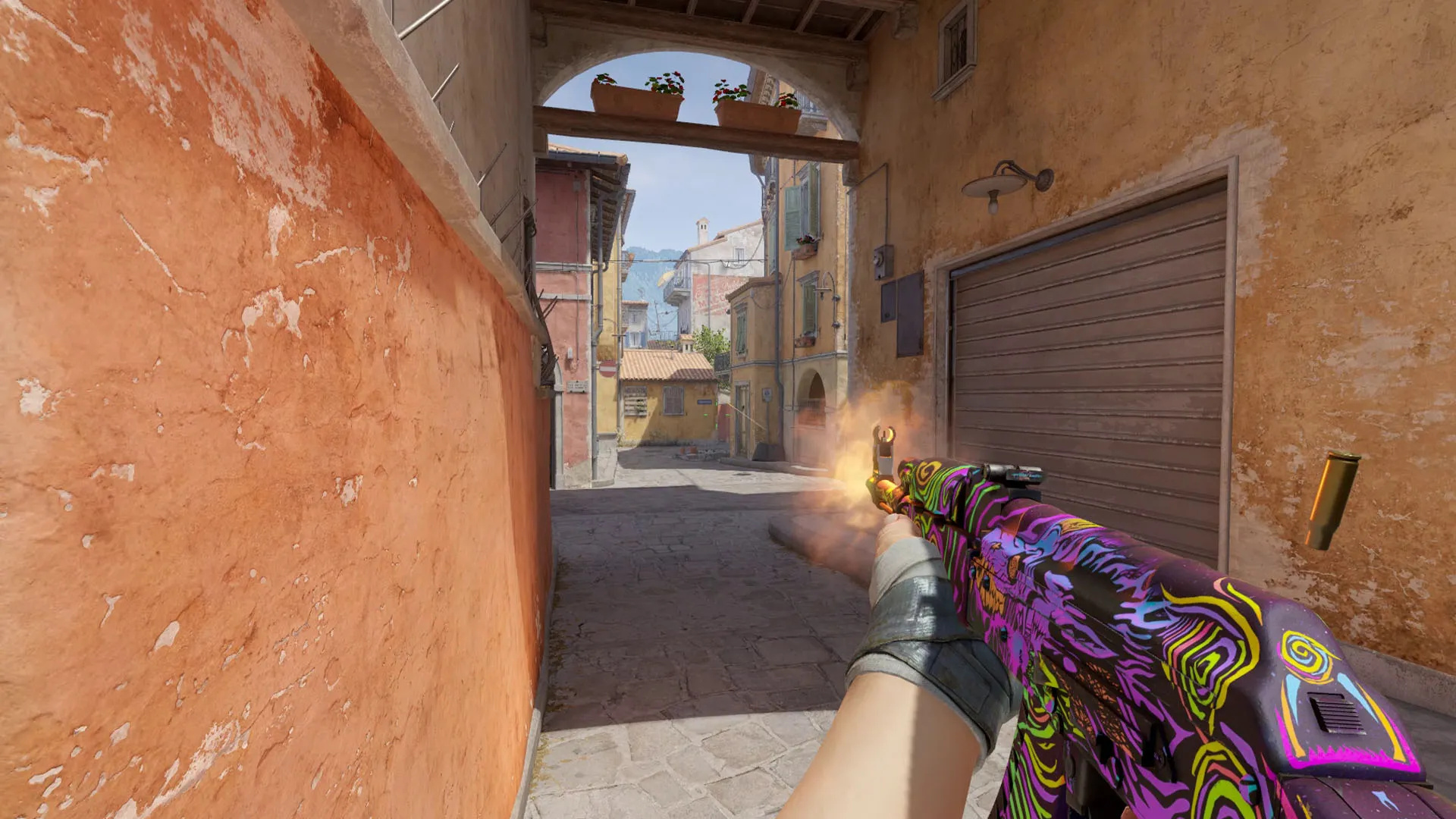
A well-configured crosshair in CS2 enhances your ability to hit headshots, line up precise grenades, and control weapon spray effectively. By default, CS2 starts players with a dynamic green crosshair. However, experienced players often prefer a static crosshair, finding it less distracting, especially during movement and shooting.

Also Read: Unable To Establish a Connection With the Gameserver CS2 Error: How To Fix

Pro Players’ Preferences: Dynamic Vs. Static

The CS2 pro scene showcases a variety of crosshair choices, reflecting personal preferences and play styles. Notably, players often switch between dynamic and static crosshairs based on their roles – AWPers vs. riflers – and the current game meta. This flexibility is key to adapting to different in-game situations.

Elite CS2 Crosshair Codes: From s1mple to NiKo

Let’s dive into some of the crosshair settings used by the world’s top CS2 players:

s1mple’s Choice: A Dot Crosshair

  • Code: CSGO-OCskf-qjunY-FE6T6-rsTR9-7SVvD
  • Style: Dot crosshair
  • Resolution: 4:3
  • Color: Cyan

s1mple, known as one of the greatest players in Counter-Strike history, currently uses a dot crosshair in CS2. Even as an AWPer, he’s been favoring rifles more in CS2, adapting to the evolving AWP meta.

ZywOo: A Small Green Crosshair

  • Code: CSGO-Qzpx5-BRLw8-xFPCS-hTns4-GHDhP
  • Style: Small and green

ZywOo, a major winner and an exceptional rifler, uses a small green crosshair. His setup reflects his versatility as both a rifler and an AWPer.

NiKo: A Rifler’s Precision

  • Code: CSGO-Kt7BO-irudC-fuRod-y5fjA-fuzQN
  • Style: Precision-focused

NiKo, renowned for his rifling skills, uses a crosshair that supports his precision and aggressive playstyle.

m0NESY: Cyan-colored Crosshair

  • Code: CSGO-hzrMn-jXu8b-R7VH4-hQ9aa-OnMHA
  • Style: Cyan-colored

m0NESY, a young prodigy, opts for a cyan-colored crosshair, embodying his dynamic and impactful gameplay.

dev1ce: A Yellowish Crosshair

  • Code: CSGO-yxFut-M6Vka-p4GAf-X5yZT-ey3JE
  • Style: Yellowish

dev1ce, an Astralis legend, uses a yellowish crosshair to enhance his already strong individual performance.

Other Notable Players and Their Crosshairs

  • Twistzz: CSGO-7ANjy-XxRae-25YoE-7Bfnp-QQSFE – Cyan crosshair.
  • ropz: CSGO-HhqGJ-sDkmR-W9oNx-DvQOF-xpuCQ – Green crosshair.
  • sh1ro: CSGO-oit62-q2AsV-L2SHE-3hoEJ-cMwLA – Faded yellow.
  • Ax1Le: CSGO-nZtuj-eHzcb-8fyLe-Cxbwc-NHpEM – Unique style.
  • YEKINDAR: CSGO-7ANjy-XxRae-25YoE-7Bfnp-QQSFE – Neat green.
  • blameF: CSGO-LdXHk-hatWX-JjEa8-tuLDN-5tbJD – Small, dot-like.
  • ELiGE: CSGO-BFTzN-avOyU-djZEM-FmwKd-v5TCP – Static for spray control.
  • stavn: CSGO-mw7Mq-5QZfQ-Bj8m7-LHMTr-cVGOP – Light blue.
  • KSCERATO: CSGO-VraXK-7zmqf-LQjcY-7VSZz-PDNfN – Brazilian rifler’s choice.

Importing Crosshair Codes into CS2

Importing these codes into CS2 is straightforward:

  1. Open the settings menu in CS2.
  2. Navigate to ‘Game’ and then ‘Crosshair’.
  3. Click ‘Share and Import’ on the crosshair preview image.
  4. Paste the code and click ‘Import’.

This process allows you to replicate the exact crosshair settings used by these top-tier players.
Counter Strike 2 (CS2) Mic not working in lobby: How to fix it?

Counter-Strike 2 (CS2), a popular PvP multiplayer game, occasionally faces technical glitches that can impact the gaming experience. Players often encounter issues with the in-game microphone and multiplayer functionality. This guide amalgamates solutions from multiple sources to address these common problems.

Understanding and Fixing the CS2 Mic Issue

Common Reasons Behind Mic Malfunctions

  1. Driver Issues: Outdated or incompatible audio drivers can cause microphone problems in CS2. Ensuring that your device’s audio drivers are current and compatible with the game is crucial​​.
  2. Background Applications: Running multiple applications can interfere with your microphone’s functionality. Closing unnecessary apps can free up system resources​​.
  3. Microphone Privacy Settings: Modern operating systems have privacy settings that control which applications can access your microphone. It’s essential to check these settings and grant CS2 the necessary permissions​​.
  4. Incorrect Settings: Sometimes, the problem lies in incorrect microphone settings. Verifying that your microphone is set as the input device in both system and CS2 settings, and adjusting volume levels, can be key​​.
  5. Hardware Issues: Inspect your microphone for any physical damage or loose connections​​.

Step-by-Step Solutions

  1. Verify Microphone Settings: Ensure that your microphone is the default input device in your computer’s audio settings. Adjust the volume to a comfortable level for your voice​​.
  2. Update Audio Drivers: Download and install the latest audio drivers from your computer or microphone manufacturer’s website​​.
  3. Deactivate Extra Microphones: Disable other microphones or recording devices to prevent conflicts​​.
  4. Inspect Microphone for Issues: Check your microphone for visible damage and ensure it’s properly connected​​.
  5. Review and Adjust In-Game Settings: In CS2, navigate to the audio settings and confirm the correct microphone is selected. Fine-tune the volume settings as needed​​.

Resolving CS2 Multiplayer Connectivity Issues

Common Multiplayer Problems

  • Long wait times for matches.
  • Inability to queue for multiplayer games.
  • Difficulties in playing with friends​​.

Effective Solutions

  1. Restart and Check Internet: Shut down the game and your PC, then reboot. Check your internet connection, reset the router, or switch networks if necessary​​.
  2. Firewall and Antivirus Settings: Add CS2 to your antivirus exception list and allow it through the Windows Firewall​​.
  3. Change DNS Settings or Disable VPN: Manually configure DNS settings and consider disabling any VPN service​​.
  4. Check Server Status: Keep updated on CS2 server status via the official website or community forums​​.
  5. Verify Game Files: Check for corrupted or missing game files in Steam and consider reinstalling the game if necessary​​.

Addressing these common issues in CS2 can significantly improve your gaming experience, ensuring seamless communication and uninterrupted multiplayer sessions. This comprehensive guide, drawing from multiple reliable sources, aims to provide you with the necessary steps to troubleshoot and resolve the prevalent issues in Counter-Strike 2 effectively.

Unable To Establish a Connection With the Gameserver CS2 Error: How To Fix

The ‘unable to establish a connection with the gameserver’ error in CS2 is one of the most annoying things that you can face while trying to play the game. Not only does it prevent you from joining official servers but it also renders you unable to join community servers and play Counter Strike 2 with your friends.

Over the past few weeks, the number of users experiencing the ‘unable to establish a connection with the game server’ issue is constantly rising, which is why many players from throughout the globe can’t tune into the game at all.

Fortunately, this problem can be easily solved by following a few simple steps. If you’re having the same problem in Counter Strike 2, we have you covered. In this article, we’ll explain everything you need to know about the ‘unable to establish a connection with the gameserver’ error code in CS2 and how to fix it.

Unable To Establish a Connection With the Gameserver CS2 Error: What is it?

While the ‘unable to establish connection with the gameserver’ error in CS2 is certainly annoying, it’s still important to know the reasons that may cause this problem. When you encounter this error, it’s likely that your internet is having issues connecting to the game server. This might be the result of servers being down in your region, problems with your internet connection, or corrupt game files. Let’s take a look at how you can fix this problem in CS2.

How To Fix Unable To Establish a Connection With the Gameserver Error in CS2

To fix the ‘unable to establish a connection with the game server’ error in CS2, simply follow these steps:

  • Check Your Internet: Make sure that your internet connection is stable. You can do so by performing a speed test from any reputable website or by trying to play a different game online. If your internet connection is faulty, your best bet is to restart your router and hope that fixes the issue.
  • Check Server Status: If your internet isn’t causing the problem, then there’s a good chance that the CS2 servers are down for maintenance. You can easily check the CS2 server status by checking websites like Downdetector and Steamstat.us.
  • Verify Game Files: As mentioned earlier, this problem might also be the result of faulty game files. If that’s the case, then you need to verify your CS2 game files to fix this issue. To do so, launch Steam and go to your library. From there, right-click on “Counter-Strike 2” and go to Properties > Local Files > Verify Integrity of Game Files. Wait for the process to finish and Steam should automatically repair any missing game files.
  • Restart Steam: You’d be surprised to know how often a simple restart can fix the ‘unable to establish connection with the gameserver’ issue in CS2. Be sure to restart both CS2 and Steam, and your problem might just get fixed that easily.
  • Reset Your Internet Connection & Clear Cache: Some players have claimed that resetting their internet connection and clearing their game cache has helped them fix this issue in CS2. To reset your internet connection, run command prompt on your PC as an administrator and then paste and enter the following commands one by one:
  • ipconfig /flushdns
  • netsh winsock reset
  • netsh int ip reset

Once done, go to your Steam settings, and from the ‘Downloads’ section hit ‘Clear Download Cache’. Your Steam client should automatically restart, after which you should be able to enjoy CS2 once again without encountering this issue.

That’s everything you need to know about how to fix the ‘unable to establish a connection with the gameserver’ issue in CS2. If you follow these steps correctly, you should be able to hop back into CS2 without any issues. Now what are you waiting for? Go and rejoin all the intense competitive action that CS2 has to offer and resume fragging without further hindrance.

How to Get Invincible Skins in Fortnite?

0

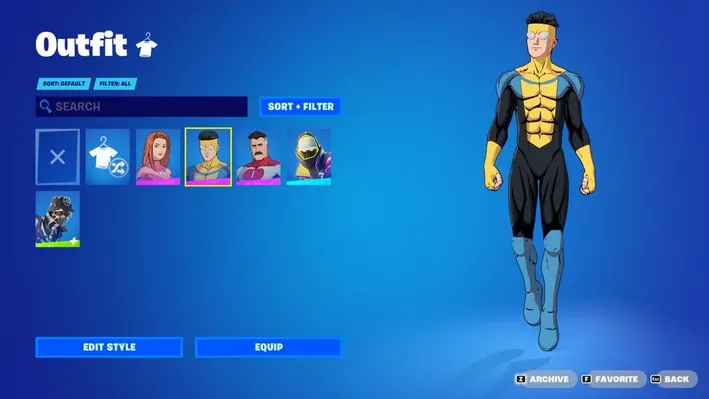
Fortnite’s latest crossover features the much-anticipated Invincible skins, making a striking debut in the Item Shop on November 24. This collaboration introduces skins and accessories inspired by the popular “Invincible” series, much to the excitement of fans​​.

How to Get Invincible Skins in Fortnite?

The Fortnite x Invincible collection became available on November 24 at 7:00 PM ET, offering players the chance to acquire unique skins and cosmetics representing characters Invincible, Omni-Man, and Atom Eve​​.

Character Skins

Mark Grayson – Invincible

  • Skin: The hero Mark Grayson, aka Invincible, features his iconic look from the Prime TV series.
  • Accessories: His collection includes the Burger Mart Bag Back Bling, Fastest Fastball Emote, and the Reaniman Arm pickaxe, contributing to the immersive experience​​.

Omni-Man’s Arsenal

  • Skin: Omni-Man’s skin captures the essence of the Viltrumite.
  • Extras: You will get the Cape Back Bling, Immortal’s Head Back Bling, Omni-Man Emblem Cape Back Bling, and a pickaxe inspired by War Woman’s mace​​.

Atom Eve’s Gear

  • Skin: Atom Eve’s ensemble showcases her iconic cape-clad appearance.
  • Back Blings and Pickaxe: Players can enjoy the Subatomic Swords Pickaxe, Atom Eve Emblem Back Bling, and Eve’s Cape Back Bling​​.

Bonus Content: Invincible-Themed Loading Screen

Adding to the allure, the crossover also introduces a special loading screen featuring artwork from Ryan Ottley, the comic artist behind Invincible​​.

With these exciting additions, Fortnite players can immerse themselves in the Invincible universe, showcasing their love for the series through these meticulously crafted skins and accessories.

Counter Strike 2 Experiences a Year-Low in Player Numbers

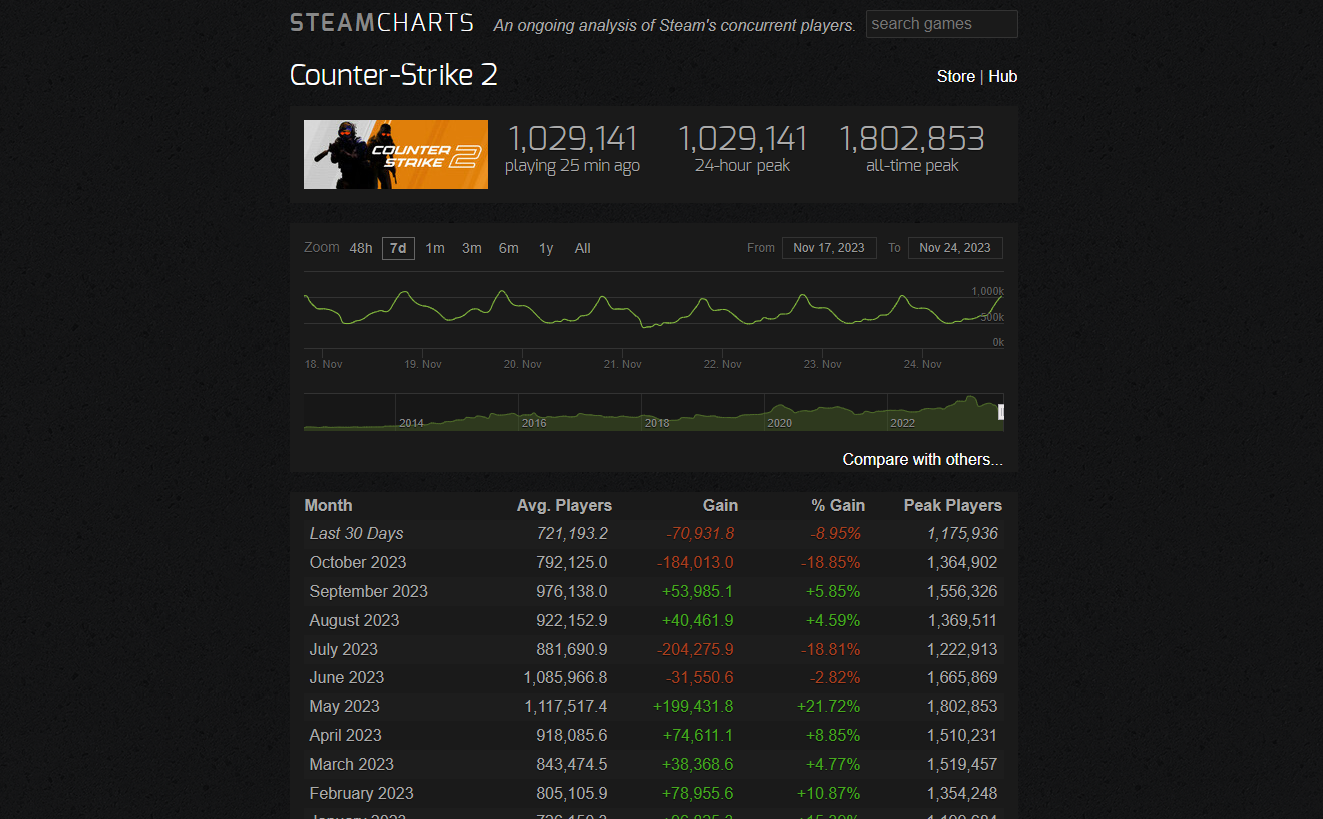
Plagued by game-breaking bugs, a flawed anti-cheat system, and a bunch of other problems, the launch of Counter Strike 2 in September 2023 unfolded in less-than-ideal conditions. While a number of major issues with the competitive shooter have been patched out by Valve over the past few weeks, the game is still suffering from a constant decrease in player numbers.

Counter Strike 2 has hit its annual lowest point in terms of player count as of November 2023, according to data from Steam Charts. With an average of slightly over 721,000 players, the past 30 days mark a new yearly low for CS2, which is well under its average player count of 726,150 in January 2023.

The news comes only a few weeks after the title experienced its steepest player decline in over a decade when it lost roughly 18.92% of the player base within the span of one month. This marked the biggest percentage drop in the game’s player numbers since October 2012.

Apart from the aforementioned issues, the newly implemented sub-tick system that CS2 has brought to the world of FPS gaming has also provoked mixed reactions from the community. Players have complained that the visual and audio feedback from sub-tick input felt “off” in the game – a problem that has been addressed by the developers across multiple updates last week.

Despite its current challenges, players shouldn’t write off CS2 as a ‘dead game’ any time soon, as it’s likely to bounce back once the developers fine-tune the game into what it was meant to be. In fact, CS2 still proudly retains its position in the Steam Charts as the most-played game on the platform, followed by Dota 2.

Latest Counter-Strike Update Accidentally Reveals Left 4 Dead Prototype

0

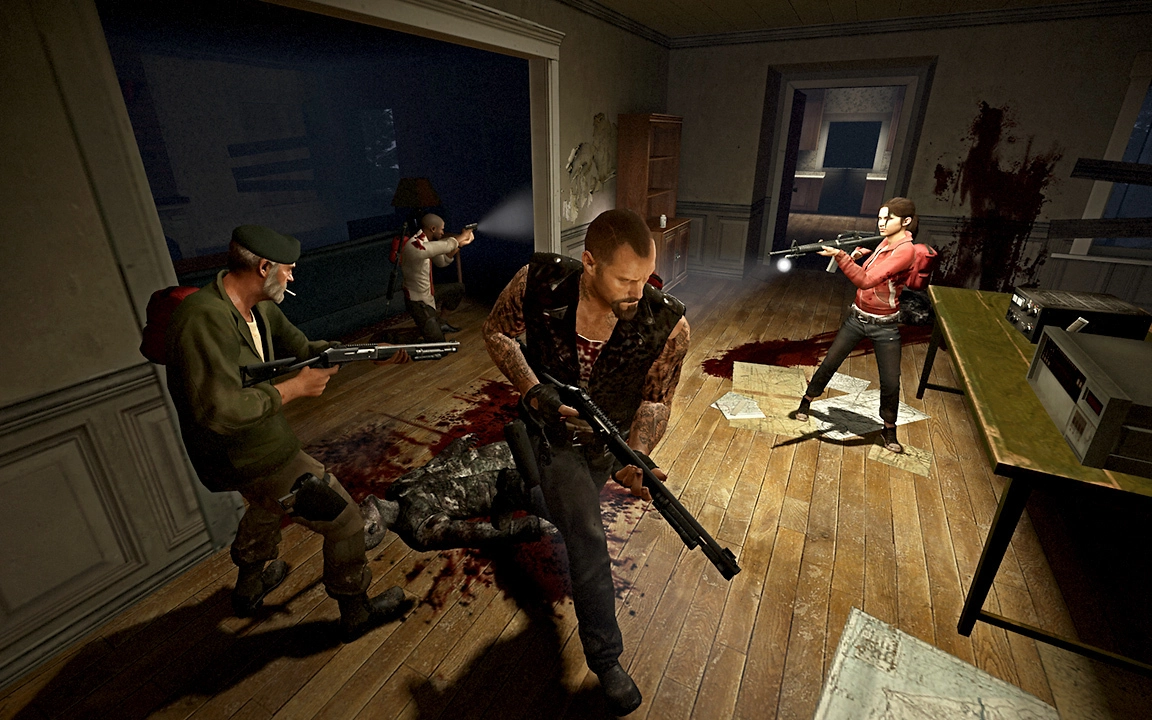
Valve, a titan in the video game industry, marked the 25th anniversary of Half-Life with a significant update to Counter-Strike 1.6. However, this update came with a surprise – an early version of the renowned zombie co-op shooter, Left 4 Dead (L4D).

This prototype, named ‘Terror-Strike,’ was inadvertently included in the Counter-Strike update, offering a rare glimpse into the developmental stages of L4D​​​​.

Left 4 Dead’s Origins

Left 4 Dead, originally developed by Turtle Rock Studios (later acquired by Valve), started as a mod for Counter-Strike Condition Zero. The accidental inclusion of the L4D prototype in the CS 1.6 update sheds light on the game’s early development phases.

Turtle Rock’s initial work on L4D, including the ‘Zombie City’ map and other prototypes, formed the foundation for the game that later became a co-op zombie gaming sensation.

This prototype, although rudimentary, consisting mostly of Counter-Strike assets and simplistic zombie models, represents the earliest playable concept of Left 4 Dead. Fans have creatively combined this prototype with previously leaked content like the ‘Zombie City’ map to piece together a more comprehensive view of L4D’s initial stages​​.

The Future of Left 4 Dead

While Valve’s focus has shifted more towards hardware and platforms like Steam Deck and VR headsets, the company occasionally surprises the gaming community with new releases. The accidental leak of the Left 4 Dead prototype has reignited discussions about the future of the series. While there were once rumors of Left 4 Dead 3, nothing concrete has materialized.

Former developers of the franchise went on to create Back 4 Blood, but it lacked the same impact as the original L4D series. Fans continue to speculate whether Valve will revisit the Left 4 Dead universe, possibly in a VR format, given their interest in the technology​​.

Valve’s accidental release of the Left 4 Dead prototype in the Counter-Strike 1.6 update serves as a fascinating look into the game’s early development. It highlights Valve’s innovative spirit and the evolution of one of its most beloved franchises. This discovery not only excites fans of the series but also sparks curiosity about Valve’s plans for the Left 4 Dead universe.

How to Get Free BGMI A3 Royale Pass Freaky Fiesta?

0

Battlegrounds Mobile India (BGMI), renowned for its immersive gameplay and enticing rewards, has launched the A3 Royale Pass: Freaky Fiesta. This pass, introduced on 21st November, encompasses an array of captivating rewards, including character costumes, vehicle skins, gun skins, and Mythic outfits, all under the Freaky Fiesta theme​​​​.

This Royale Pass is not just about the rewards; it’s an entry into the thrilling world of BGMI with an artistic twist, bringing a festive ambiance to the battlegrounds.

The #WearYourCred Contest

The developers have initiated the #WearYourCred contest, an exciting opportunity for players to win the A3 Royale Pass for free. This contest is a testament to Krafton’s commitment to engaging its community in innovative ways, offering not just gameplay experiences but also a platform for creativity and competition​​​​.

How to Participate?

  • Follow BGMI on Instagram: Start by following @battlegroundsmobilein_official.
  • Solve the Puzzle: Engage with the posts to solve a puzzle, arranging them in the correct order to reveal a unique skin.
  • Capture and Share: Take a screenshot of the solved puzzle and share it on your Instagram feed with the hashtag #WearYourCred.
  • Submit Your Entry: Finally, submit the link to your Instagram post along with your name and BGMI ID in the provided Google form.

What’s in the A3 Royale Pass?

The A3 Royale Pass is a cornucopia of rewards, each designed to enhance your gaming experience with style and flair. Here’s a glimpse of what awaits the winners:

  • Gutsy Lass Cover and Set
  • Spectral Night Plane Finish and Ashamed Emote
  • Uncanny Carnival – FAMAS
  • Ghastly Gloom Helmet
  • Steampunk Raider Parachute
  • Ghastly Gloom – Mini 14 with Nitro Maniac Emote
  • Nitro Maniac Cover and Set
  • Upgradable Circus of Screams Crossbow
  • Deadly Carnival – M1014 with Wing It Emote
  • Clockwork Ursa Backpack
  • Disco Ball Ornament with A3 Avatar
  • Flashy Fox Sidecar Motorcycle with Brawler Master Set
  • Magic Puff Smoke Grenade, Lunahowl Emote, and Cursed Claw – Pan
  • Luxurious Overlay – Scar L
  • Lunahowl Mask
  • Lunahowl Set​​

The #WearYourCred contest is a splendid opportunity for BGMI enthusiasts to immerse themselves deeper into the game’s universe. With the A3 Royale Pass, players get to adorn their characters with the Freaky Fiesta theme, enhancing their gaming experience and reflecting their style and personality on the battlefield.

Xbox to Simplify Rewards Process with New Hub: Reports

0

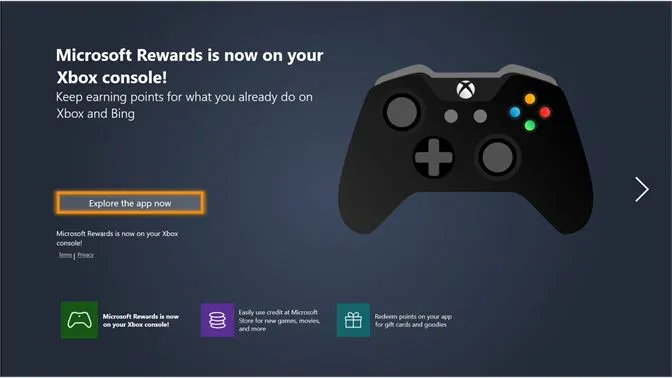
The Xbox gaming community is on the brink of experiencing a significant shift in how they interact with rewards and incentives. Recently, a revelation has surfaced about the potential closure of the Xbox Rewards app, signaling a move towards a more integrated, streamlined rewards system within the Xbox ecosystem.

The Xbox Rewards app, first introduced in 2018, has been a staple for gamers to earn points redeemable for various rewards, such as Game Pass Ultimate memberships and Xbox Store gift cards. Despite its utility, the app has faced criticism for its slow loading times and reliance on external browsers, which hampered the user experience.

The Rewards Hub

An alleged screenshot from a Brazilian user, shared on social media, hints at the app’s impending shutdown. The message in the screenshot suggests that the Rewards app will be replaced by a Rewards Hub. This new hub aims to centralize the rewards experience, eliminating the need for separate apps to earn or redeem points on Xbox.

Key Features of the New Rewards Hub:

  • Integrated Experience: The Rewards Hub will be part of the Xbox interface, allowing for direct access to rewards-related activities.
  • Simplified Process: Gamers can earn and redeem points within the Xbox platform without additional steps or navigation.
  • Continued Rewards Program: The new hub will still be part of the broader Microsoft Rewards program, ensuring that points earned on Xbox will align with other program elements.

Implementation Timeline:

  • December 2023: The transition from the Rewards app to the new Rewards Hub is expected to commence.
  • End of November 2023: Weekly series in the app will be deactivated.

This shift reflects Xbox’s commitment to enhancing the gaming experience by simplifying and integrating various aspects of its ecosystem. The introduction of the Rewards Hub is poised to make the process of earning and redeeming rewards more seamless and enjoyable for players.

Red Bull Showdown 2023: India’s Top Gaming Creators to Face-Off in a Cricket Match

0

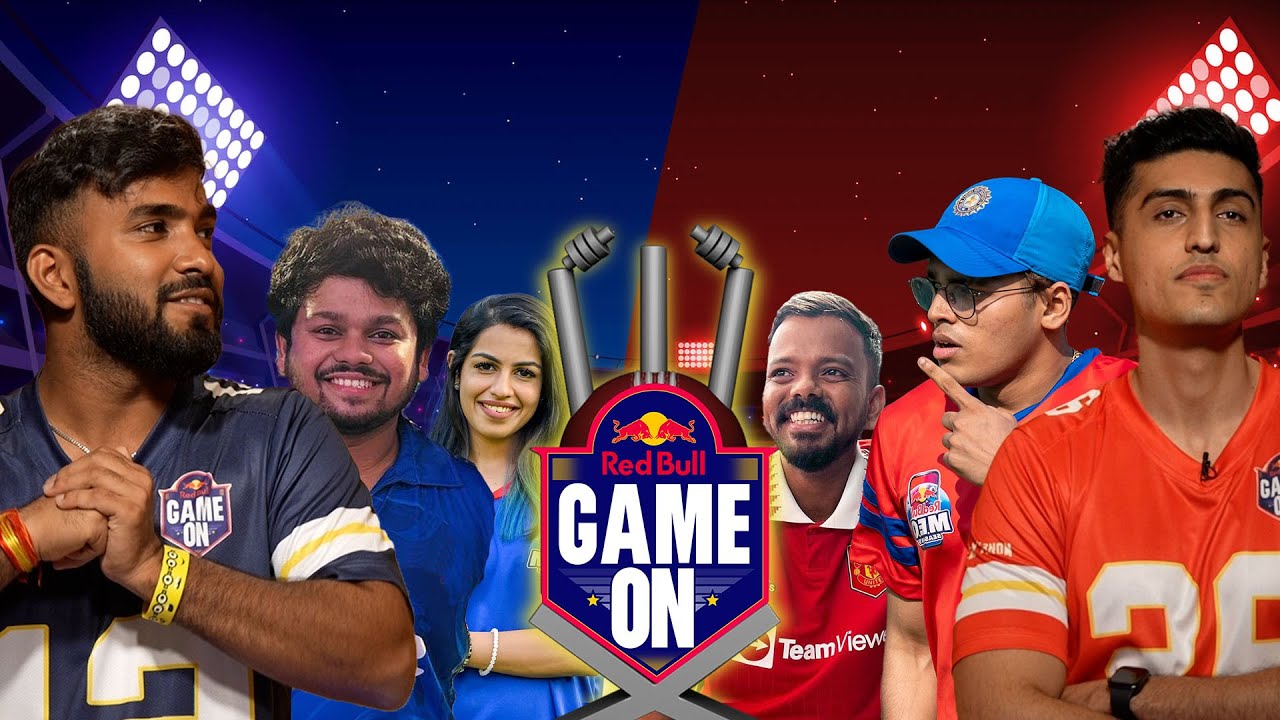
After an exhilarating 2022 edition, India’s top gaming creators are once again descending onto the cricket pitch to compete in the Red Bull Showdown. Scheduled to take place on Nov. 24 from 4:30 PM IST onwards, the Red Bull Showdown will feature two teams headed by Techno Gamerz and V3nom as they face off in a cricket match. 

Usually seen in a virtual battleground, these 14 creators will be honing a different avatar as they stretch their legs to play India’s favorite outdoor sport in the Red Bull Showdown. To determine the teams, Red Bull organized a team selection where the two captains chose their squads for the cricket match. 

Team Venom is composed of the following players. 

  • Ankit ‘V3nom’ Panth
  • Jonathan Gaming
  • Dobby
  • Willy Gaming
  • Focused Indian
  • Mizo
  • Kronten

Team Techno, on the other hand, comprises: 

  • Techno Gamerz
  • RakaZone
  • LoLzZz
  • Sharkshe
  • Saurabh Gaming
  • Xyaa
  • HydraFlick

Angad Singh Ranyal and Rohit Varghese will be the commentators in the event while Jaideep ‘JD’ Sood will be the umpire.

The Red Bull Showdown will take place in Mumbai, India but won’t be open to a live audience. Fans can catch all of the action live, though, on the Red Bull Game On YouTube channel.

Revenant Esports to Represent India in Brawl Stars World Finals 2023

0

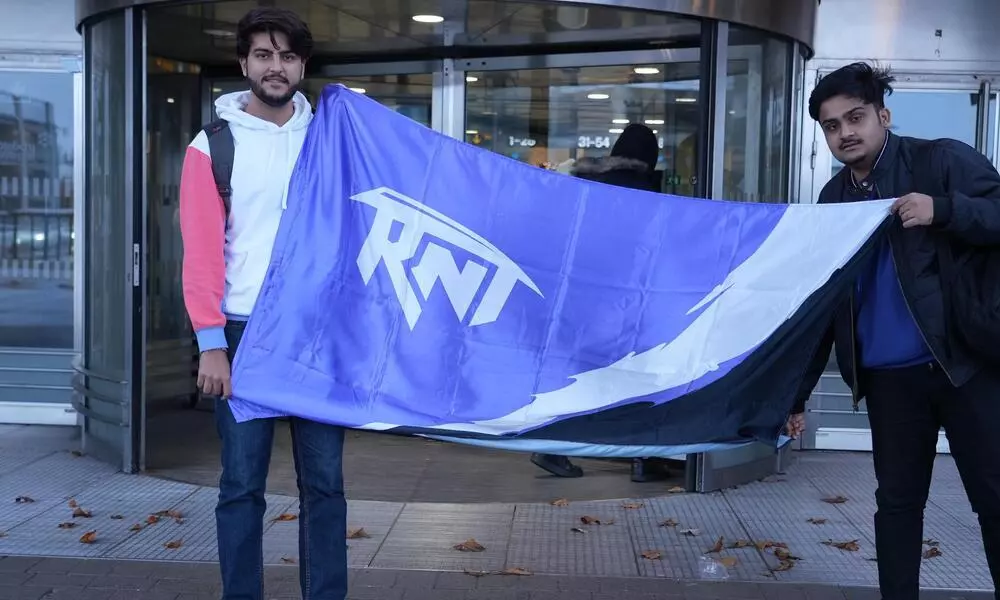
Revenant Esports’ Brawl Stars team is gearing up to make history by becoming the first-ever Indian team to compete in the prestigious Brawl Stars World Finals 2023. The team is ready to go head-to-head with the best in the world. The stage is all set, the stakes are high. The team will vie for the ultimate title and a lion’s share from $750,000 prize pool.

Brawl Stars World Finals 2023: Tournament Overview

Brawl Stars World Finals 2023 serves as the grand finale of the Brawl Stars Championship 2023. This marks the fifth annual edition of this highly anticipated event. The tournament will unfold in the city of Jönköping, Sweden, hosted at the renowned Elmia Exhibition and Convention Centre. Total 12 teams from around the globe will compete in Sweden to vie for the coveted title. 

Revenant Esports has earned their spot in the World Finals through the Last Chance Qualifier. This marks a remarkable journey for the Indian team, and their presence adds an additional layer of excitement.

Tournament Schedule and Format

The action kicks off on 24th November, and will run through 26th November promising three days of intense competition. The tournament structure is designed to be both challenging and captivating. This ensures that only the most skilled teams will emerge victorious.

The Group Stage, scheduled for 24th and 25th November will see the 12 teams divided into four groups, each comprising three teams. The format follows a single round-robin style. The top two teams from each group will secure their passage to the Playoffs, setting the stage for the ultimate showdown. The Playoffs, set for 26th November, will unfold as a single-elimination bracket, intensifying the drama as the teams battle for supremacy. 

As the team prepares to step onto the global stage, the eyes of the Indian gaming community will be firmly fixed on Revenant Esports.  In just a few days, the Elmia Exhibition and Convention Centre in Jönköping, Sweden, will be the battleground where Revenant Esports aims to make history. The hype is at an all time high, the competition is fierce, and the opportunity for glory unparalleled. 

Stay updated with the latest news in gaming and esports by signing up for early access to TalkEsport’s Mobile App. Follow us on Twitter and Google News to ensure you never miss the exciting updates.