Thursday, May 7, 2026
Home Blog Page 458

EA FC 24: We Are FC Season 8 Rewards

0

With Season 7 coming to an end, gamers are already preparing for the arrival of EA FC 24’s Season 8. In this article, we will talk about the rewards for one of the last seasons before we welcome EA FC 25.

There are 40 levels in We Are FC Season 8, and every level up comes after earning 1000 XP in the different EA FC 24 game modes. Every level has a prize, which is typically a person or a player pack.

Once you reach level 24, you can obtain nine players with an OVR between 94 and 97. After levels 38 and 40 ultimately reach the brightest stars of Season 8, 98 OVR Garrincha and 99 OVR Erling Haaland.

All We Are FC Season 8 rewards in EA FC 24

LevelReward
184+ X2 Rare Gold Players Pack
2The Global Game Stadium Theme
381+ X11 Rare Gold Players Pack
4Around the World Badge
5CDM: Fabinho – 94 OVR (Al Ittihad and Brazil)
683+ X5 Rare Gold Players Pack
7CF: Dries Mertens – 94 OVR (Galatasaray and Belgium)
8Around the World Tifo
9LW: Guro Reiten – 95 OVR (Chelsea and Norway)
10International Celebration Badge
1183+ x20 Rare Gold Players Pack
12LB: Destiny Udogie – 95 OVR (Tottenham Hotspur and Italy)
13International Celebration Tifo
14RW: Kadidiatou Diani – 95 OVR (Olympique Lyonnais and France)
15Grand Occasion Badge
16ST: Pierre-Emerick Aubameyang – 96 OVR (Olympique Marseille and Gabon)
17Grand Occasion Tifo
1885+ X2 Rare Gold Players Pack
19The Global Game Tifo
20LW: Ansu Fati – 96 OVR (Barcelona and Spain)
2184+ x10 Rare Gold Players Pack
22LW: Marcus Rashford – 97 OVR (Manchester United and England)
2386+ X2 Rare Gold Players Pack
24CDM: Lena Oberdorf – 97 OVR (Bayern Munchen and Germany)
25Around the World XL Tifo
2687+ X2 Rare Gold Players Pack
27International Celebration XL Tifo
2885+ X4 Rare Gold Players Pack
29Grand Occasion XL Tifo
3087+ x4 Players Pack
31The Global Game Two Stick Banners
32CM: Aitana Bonmati – 98 OVR (Barcelona and Spain)
3385+ x10 Rare Gold Players Pack
34The Global Game XL Tifo
3584+ x20 Rare Gold Players Pack
3687+ x5 Players Pack
37The Global Game Animated Tifo
38RW: Garrincha – 98 OVR (Brazil)
3986+ x11 Players Pack
40ST: Erling Haaland – 99 OVR (Manchester City and Norway)

Stay updated with the latest news in gaming and esports by signing up for early access to TalkEsport’s Mobile App. Follow us on Twitter and Google News to ensure you never miss the exciting updates.
How to Optimize Brightness and Gamma in CS2

CS2 (Counter Strike 2) is a multiplayer first-person shooter game where the slightest advantage over your opponents could affect the playout of your matches. One such advantage when in dark corners and something affects play model visibility is the – brightness and gamma setting

What are brightness and gamma in CS2? How are they different? 

Well, brightness is simply the overall amount of light that the monitor will throw out affecting how bright the overall scenario and elements on your screen will look.

But, gamma is the ratio between the tones of the darkest and brightest areas on your screen affecting contrast and overall element visibility in the game. More often than not, games like Outlast and Resident Evil ask you to tune your gamma such that the game’s eerie settings resonate more with the audience but in a game like CS2 where things move fast, darker and more realistic view models aren’t the goal!

So now that we know what brightness and gamma are, let’s take a look at some methods to adjust these settings in CS2.

Here’s how to adjust brightness and Gamma in CS2

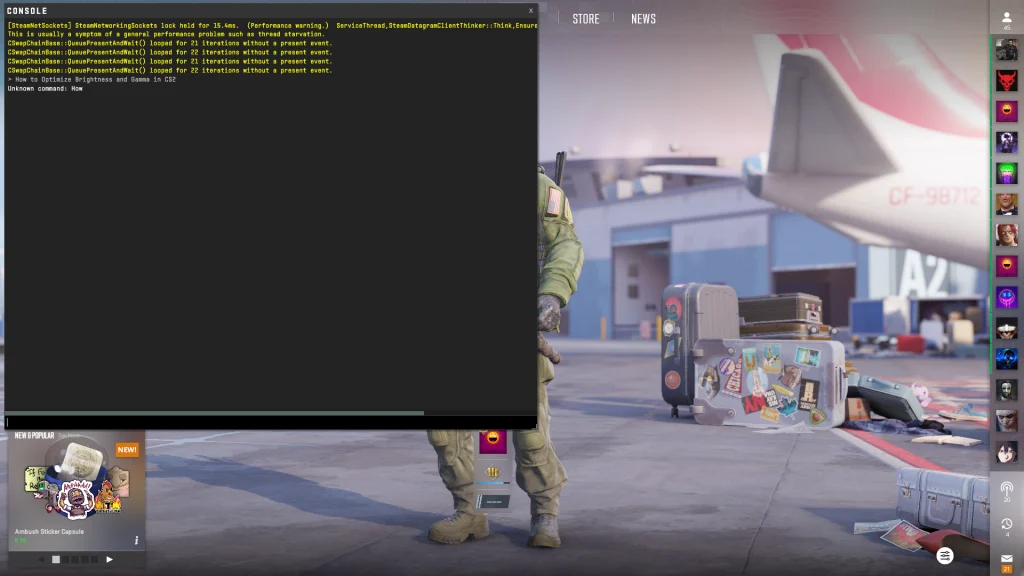
  1. Using CS2 console
CS2 console

Console is an in-game command line interface where brightness can be adjusted precisely without leaving your competitive play. Just press the “~” key on your keyboard and type in this command:  r_fullscreen_gamma

To do this, here are the steps: 

  • Ensure that your ‘Enable Developer Console‘ toggled on in the in-game settings
  • Press the tilde key (~) to open the console.
  • Use the command r_fullscreen_gamma followed by a value between 1 and 4
  • r_fullscreen_gamma 1 =Approximately 133% brightness
  • r_fullscreen_gamma 2 =Approximately 100% brightness (default)
  • r_fullscreen_gamma 3 =Approximately 67% brightness
  • r_fullscreen_gamma 4 = Approximately 33% brightness
  1. By adjusting in-game settings
CS2 in-game settings

The in-game settings are by far the easiest method to okay around with your brightness and gamma settings

The steps to do this are:

  • Open CS2 and find the main menu.
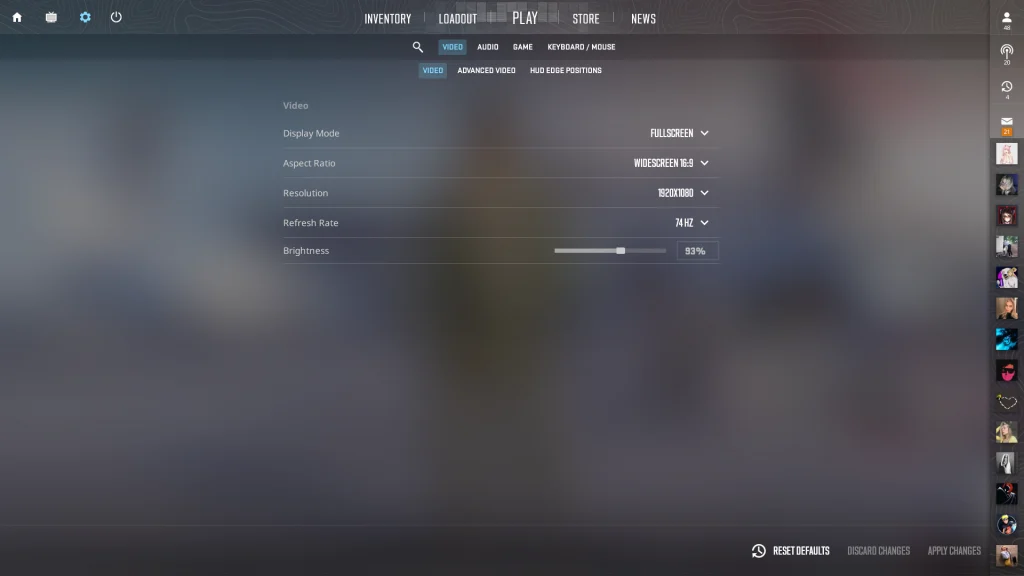
  • Click on “Settings” (the cog icon in the top left).
  • Go to the ‘Video‘ tab, then select the ‘Video‘ sub-tab.
  • Adjust the ‘Brightness‘ slider to your desired level.

Just make sure that your changes are saved in “fullscreen” mode which otherwise will cause trouble.

  1. Tinkering with NVIDIA Settings
NVIDIA Settings

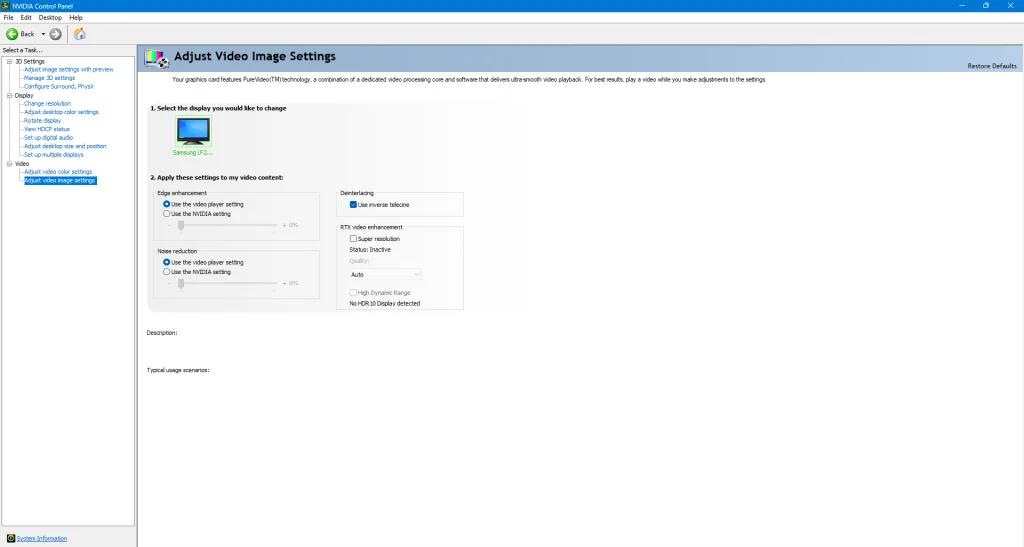
For the sane ones who are in the green gang and use any NVIDIA GPU, download a software called “NVIDIA Control Panel” which offers additional adjustments to adjust your display settings. 

To change your brightness and gamma settings through this menu, 

  • Right-click on your desktop and find the “NVIDIA Control Panel” option.
  • Click on “Adjust desktop color settings” in the left panel.
  • Adjust the ‘Brightness‘ and ‘Gamma‘ sliders according to your preference.
  • Click “Apply” to save the changes.

Why should you have the correct brightness and gamma settings?

The correct display settings are important for achieving ideal visibility in CS2. This in an ideal setting should let you have a competitive edge over your opponent helping you spot more enemies, reducing blind spots, and thereby improving your rank. 

Here are some additional suggestions

Monitor Settings: Modify the contrast, gamma, and color temperature on your monitor.

Practice: Use practice games to test your settings and determine the ideal balance for your preferred style of gameplay.

Regular Adjustments: To adapt to changing lighting conditions and updates, regularly check and modify your brightness and gamma settings.

We’ve observed that when other aspects of your game have been polished up, improving your gamma and brightness settings should help you reduce blind spots and help you find your enemies better on your screen. Whether you take the console route, the in-game settings route, or the NVIDIA control panel – is up to you, but bookmarking us and staying tuned to Talkesport is non-negotiable. Keep watching this space for more!

COD Mobile Server Change: Myths, Risks, and What You Need to Know

In the world of online gaming, Call of Duty: Mobile (COD: Mobile) has carved a niche for itself with its immersive gameplay and global reach. However, one aspect that often leaves players puzzled is the COD Mobile Server Change. This article aims to shed light on this topic and provide a comprehensive understanding of the possibilities and limitations associated with it.

The Desire to Switch Servers in COD: Mobile

Many players express the desire to change their game servers in COD: Mobile. The reasons vary – some wish to connect with players in different regions, while others seek to explore new challenges.

COD Mobile: How To Change Servers?

However, the game’s current system does not provide a straightforward option for server switching. Instead, COD: Mobile automatically places players in the server nearest to their location.

A common workaround that players consider is the use of Virtual Private Networks (VPNs). However, it’s important to note that the use of VPNs to switch servers in COD: Mobile is explicitly prohibited by Activision, the game’s developer. Violating this rule can lead to a permanent ban from the game. Despite this, some players have reported using VPNs without facing bans. However, given the clear stance of Activision on this matter, the use of VPNs for server switching is not recommended.

Partial Server Switching: A Limited Alternative

COD: Mobile does offer a partial solution for players wishing to switch regions. Through the Leaderboards in the game, players can change their region. However, this change does not affect matchmaking or in-game chat. In other words, your matches will still be based on the server closest to your location, and you will not be able to chat with players from other regions.

The Future of Server Switching in COD: Mobile

As of now, server switching is not officially supported in COD: Mobile. However, if Activision decides to introduce this feature in the future, it would certainly be a game-changer. Until then, players are advised to play within the rules and avoid any actions that could lead to account bans.

How to fix Valorant VAN Error 6?

0

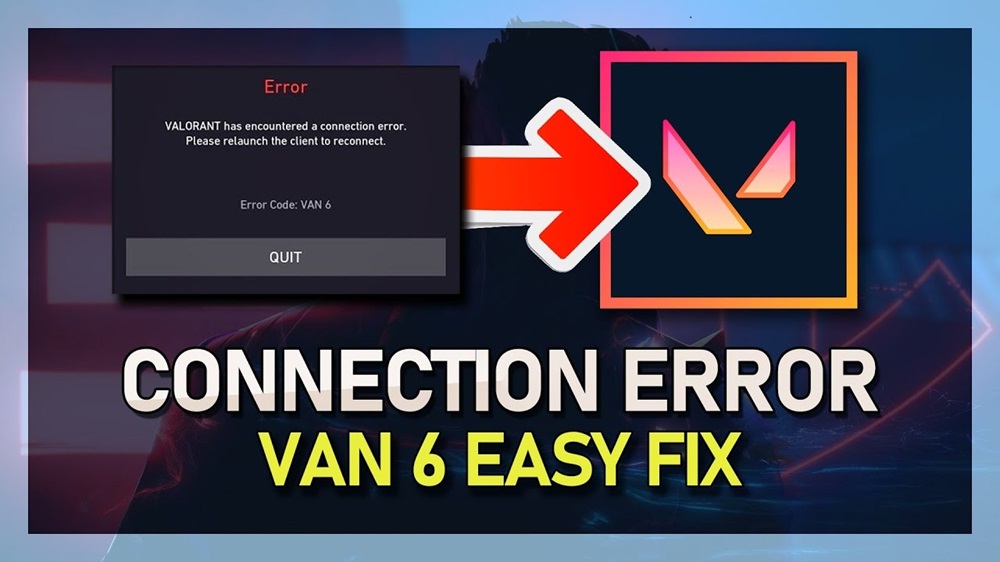
The VAN 6 error code in VALORANT is a connection issue that typically arises when the game’s servers are down or when local outages affect your home connection. This error prevents players from joining a match, causing significant disruption to gameplay.

How to Fix the VALORANT VAN 6 Error Code

Quick Fixes for VAN 6 Error Code

  1. Restart the game and the Riot Client: This is the simplest solution and can often resolve the issue.
  2. Restart your router and PC/console: This can help if the problem is related to your local network.

Alternative Fixes for VAN 6 Error Code

If the quick fixes don’t work, there are several other methods you can try:

  1. Reinstall Vanguard: Corrupted Vanguard files can cause errors like VAN 6. Uninstall Vanguard from your installed applications and let Riot Client reinstall it.
  2. Exclude VALORANT from Windows’ firewall configuration: Windows’ firewall could be blocking an important in-game file. You can fix this by setting them as exclusions in the firewall settings.
  3. Change your DNS: A simple DNS change could fix the issue. If you’re already using a DNS, switch back to the default one to try this method.
  4. Reinstall VALORANT: If the issue persists, reinstalling VALORANT could help. If a reinstall still doesn’t fix the error, contact the support team of VALORANT.

Additional Fixes for VAN 6 Error Code

Based on further research, here are some more ways to address the VAN 6 error:

  1. Change the Priority to Normal: This can be done by following specific steps in your computer’s settings.
  2. Verify Riot Vanguard Service: Changing the startup type of the Riot Vanguard service and ensuring that the VGC service is not disabled in the System Configuration program on your Windows PC can potentially prevent encountering the Valorant error.
  3. Ensure Riot Vanguard is Enabled: The Van 6 error code is often related to Riot Games’ anti-cheat software known as Vanguard. Ensuring that this service is enabled and running is crucial for playing Valorant without encountering this error.

In most cases, the VAN 6 error code disappears on its own when Riot fixes its servers. However, if you constantly receive the VAN 6 error code even when the servers are online, you should apply the fixes listed above.

Remember, if you’ve tried these steps and are still experiencing the error, it may be helpful to reach out to Valorant Support for further assistance. Happy gaming!

Fortnite Mobile: Epic Games’ Victory in Europe and Future Plans

0

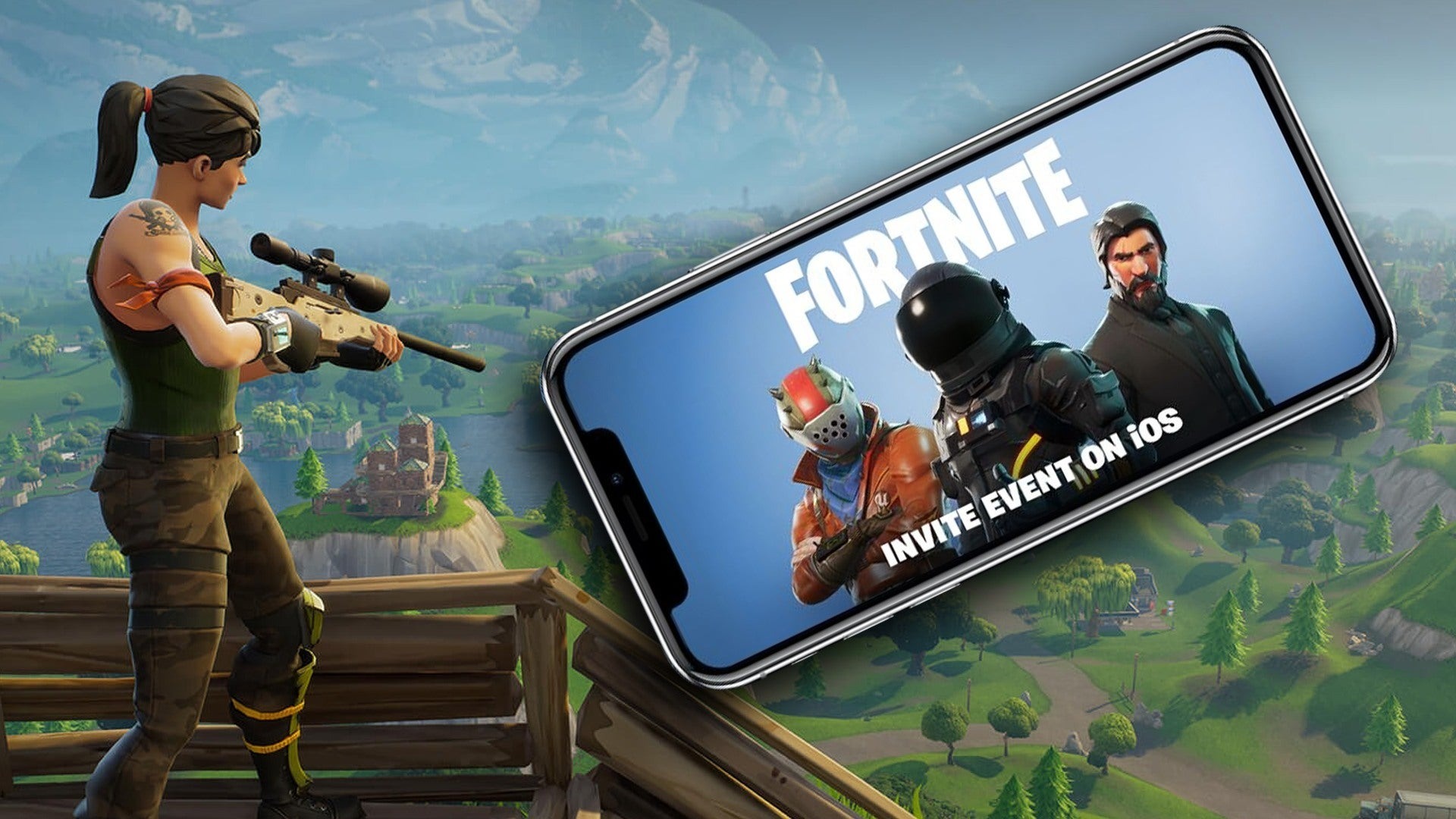
Epic Games, the creator of the popular battle royale game Fortnite, has recently made significant strides in its ongoing dispute with tech giant Apple. The company has received approval from Apple to launch its own games marketplace app on iPhones and iPads in the European Union (EU). This development is a crucial step forward in the broader legal battle regarding app store fees and practices.

Epic Games Store Gets Green Light

Initially, Apple rejected the Epic Games Store due to a clash over the design of buttons within the app. Epic argued that their “Install” and “In-app purchases” labels were industry standard, but Apple deemed them too similar to their App Store counterparts. However, Apple has now approved the Epic Games Store, marking a significant win for Epic in Europe.

EU’s Influence on App Store Policies

The European Commission is currently investigating Apple’s app validation process and its stance on alternative app stores. Apple’s decision to approve the Epic Games Store likely stems from their recent policy changes aimed at complying with the Digital Markets Act (DMA) regulations. The DMA mandates that major app store platforms allow alternative app stores and offer developers more flexibility in payment processing.

While this is a win for Epic in Europe, the broader legal battle regarding app store fees and practices in the US is ongoing. Epic filed an antitrust lawsuit against Apple in 2020, alleging that Apple’s practice of charging up to 30% commissions on in-app payments on its devices violated US antitrust rules. The case continues to unfold.

Fortnite Mobile’s Return to iOS

In the latest news, Epic Games has provided an update on the return of Fortnite’s mobile version to Apple iOS. The company has submitted both Fortnite and its storefront for notarization processes required by Apple. Epic Games is also looking to bring its other titles to more mobile app stores and is interested in discussing terms with stores that offer favorable conditions for all developers.

Fortnite Mobile: Availability and Compatibility

Fortnite can be played on various mobile devices, including Android phones, Android tablets, iOS, and iPadOS. It is downloadable on Android phones and tablets and is also available through cloud gaming on Android phones, tablets, iOS, and iPadOS. Players need a free Microsoft account, a high-speed internet connection, and a compatible device to start playing Fortnite on mobile.

Cross-Platform Play and Updates

Fortnite offers crossplay across platforms, allowing players on Switch, Xbox, PS4, PC, and mobile to play together. The game also provides regular updates, with the expectation of the arrival of update 3.4, which adds C4 explosives to the Battle Royale mode.

Device Compatibility for Android

For Android users, the minimum device specifications to play Fortnite through the cloud include 3GB of RAM and the latest chipsets and graphics like Qualcomm Snapdragon 430, MediaTek MT6737, and Exynos 7870, among others. Additionally, the game was initially exclusive to Samsung Galaxy Note 9 and then rolled out to other Android devices.

GeForce NOW Support

Gamers can now experience Fortnite on supported iOS Safari and Android devices with new touch controls on GeForce NOW. This allows players to build, battle, and dance their way to a Victory Royale with the power of high-performance GeForce GPUs, streaming right to their mobile devices from the cloud.

Free Fire x Naruto Shippuden: Release Date and More

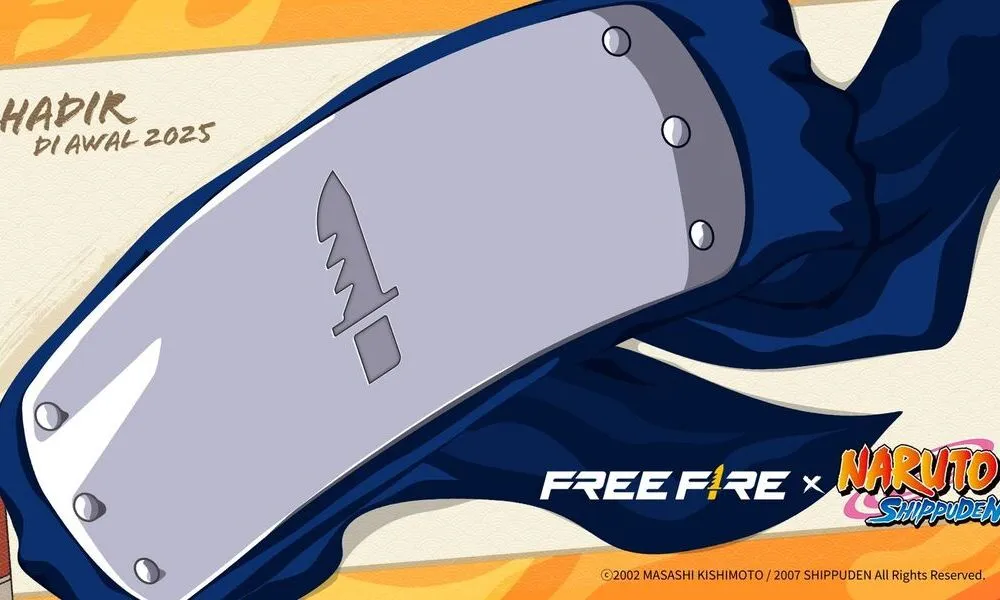
Free Fire x Naruto Shippuden is undoubtedly one of the most anticipated collaborations in the mobile gaming industry. The fusion of the intense battle royale experience of Free Fire and the iconic ninja universe of Naruto Shippuden will bring something new and unique to the users. Fans are eagerly awaiting the opportunity to step into the shoes of their favorite ninja characters and conquer the battleground.

What to Expect from the Free Fire x Naruto Shippuden Collaboration

Garena, the developer of Free Fire, has confirmed that the collaboration will bring Naruto characters to the game. Imagine dropping into the battleground with Naruto Uzumaki’s signature Rasengan or Sasuke Uchiha’s deadly Chidori. This is a dream come true for both Free Fire and Naruto fans.

Beyond character inclusions, players can expect a Naruto-themed overhaul of the Free Fire world. From the game’s map to its in-game items, everything is likely to get a ninja-infused makeover. A special Naruto-themed map is also on the cards, promising a unique battleground experience filled with references to the beloved anime series.

When is the Free Fire x Naruto Shippuden Release Date?

The burning question on every fan’s mind is undoubtedly: when can we expect the Free Fire x Naruto Shippuden collaboration to drop? Well, the official release date of Free Fire x Naruto Shippuden is not yet revealed. However, Garena has confirmed that the collaboration will be released in early 2025. While this might seem like a long wait, it gives the developers ample time to create an unforgettable experience for players.

The Free Fire x Naruto Shippuden collaboration is set to be a game-changer for both Free Fire and Naruto fans. With iconic characters, a themed map, and countless other surprises in store, this collaboration promises to be an unforgettable experience. It will be interesting to see whether the collaboration event lives up to its expectations

Stay updated with the latest news in gaming and esports by signing up for early access to TalkEsport’s Mobile App. Also, follow us on Twitter and Google News to ensure you never miss the exciting updates.
Fortnite Chapter 5 Season 3 End Date: When Does It End?

0

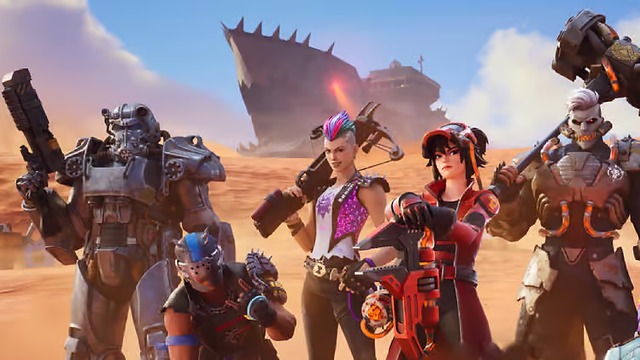
The world of Fortnite is always evolving, with new seasons bringing fresh content, challenges, and excitement for players. One question that often arises is, “When does the Fortnite season end?” For the current Fortnite Chapter 5 Season 3, the end is in sight.

Fortnite Chapter 5 Season 3: The Countdown Begins

The Scheduled End Date and Time

The current season, which kicked off on Friday, May 24, 2024, is set to conclude on Friday, August 16, 2024, at 2:00 AM ET. This end date and time have been officially confirmed by Epic Games, the creators of Fortnite, and are displayed on the main Battle Pass screen in-game. However, it’s always wise to double-check closer to the date, as timings can sometimes be adjusted slightly as the end of the season nears.

Battle Pass Rewards: The Race Against Time

With the end date in sight, players are in a race against time to unlock all the rewards of the new Battle Pass. This season’s Battle Pass features an array of exclusive rewards, including a new outfit for X-Men’s Magneto. To unlock all these rewards, players need to reach level 200 before the season ends.

This gives players a total of 84 days to level up 200 levels, which equates to about 2.38 levels per day. Remember, the Battle Pass rewards are exclusive to each season and cannot be obtained in any other way once the season ends. So, regular play to gain experience and level up is highly encouraged.

The end of Fortnite Chapter 5 Season 3 is set for Friday, August 16, 2024, at 2:00 AM ET. So, gear up, level up, and make the most of the current season before it ends. Happy gaming!

Fortnite x Pirates of the Caribbean: Release Date and What To Expect

0

Fortnite, the popular online video game, is set to sail into new waters with its upcoming collaboration with Pirates of the Caribbean. This exciting partnership, confirmed by Epic Games, is expected to bring a treasure trove of new content to the game, including iconic character skins, thematic map changes, and a new Ship in a Bottle item.

When is Jack Sparrow Coming to Fortnite?

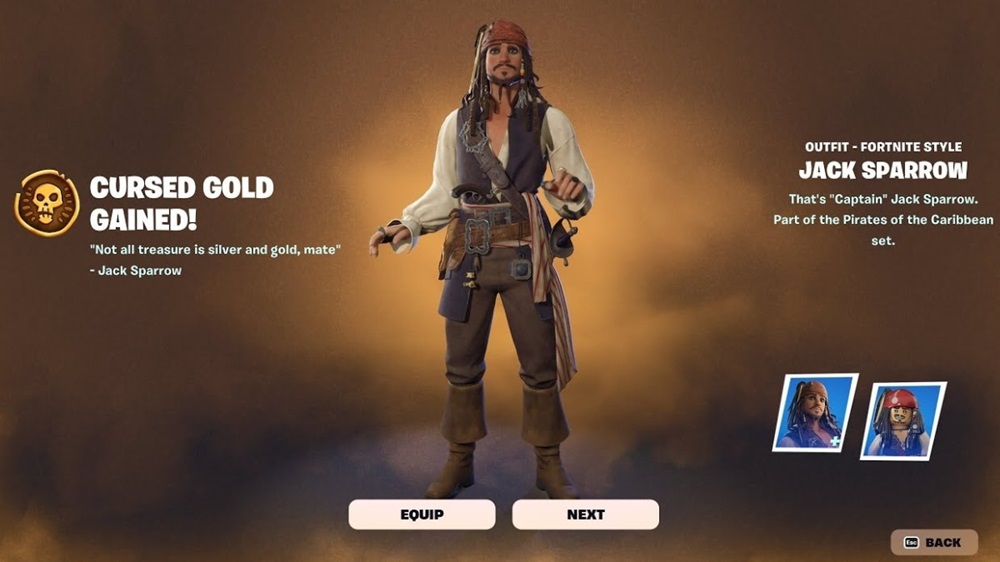
The highlight of this collaboration is the debut of Captain Jack Sparrow in Fortnite. The charismatic pirate captain is set to arrive in the game on July 19, 2024, coinciding with the launch of the Pirates of the Caribbean event pass. Some players have already had a sneak peek at Jack Sparrow through the early release of the Cursed Sails Pass, a limited-time mini Battle Pass that includes various Pirates of the Caribbean-themed items.

What Does the Cursed Sails Pass Include?

The Cursed Sails Pass offers both Free and Premium Tracks, with a multitude of unlockable rewards such as Pickaxes, Loading Screens, and more. To unlock the Jack Sparrow skin, players need to purchase the Premium Cursed Sails Pass. This pass also includes Level Up Tokens, Emotes, and Back Blings. The Premium Track costs 1,000 V-Bucks, granting immediate access to the Jack Sparrow skin and the ability to unlock other rewards.

New Gameplay Additions: The Ship in a Bottle

One of the most anticipated additions to the game is the Ship in a Bottle Mythic item. This item, introduced as part of the collaboration, spawns a large pirate ship that lasts for one minute and does ongoing damage to any item or player that comes in its way. This new gameplay element is expected to add a unique twist to the Fortnite experience, bringing a dash of pirate-themed fun to the game.

Limited-Time Event: Don’t Miss Out!

This collaboration is a limited-time event, offering players just a few weeks to unlock exclusive content and enjoy the pirate-themed fun. The event pass is only available for a limited time, so players are encouraged to participate before the Fortnite Chapter 5 Season 4 release date arrives.

Mastering the Game: How to Unlock All Agents in Valorant

0

Riot Games’ Valorant has taken the gaming world by storm with its unique blend of first-person shooter gameplay and strategic depth. The game’s diverse roster of agents, each with their own unique abilities and backgrounds, adds an extra layer of complexity and excitement to the game. Whether you’re a seasoned player or a newcomer, unlocking agents in Valorant is a crucial part of the gaming experience. Here’s how you can unlock all agents in Valorant.

Your essential guide to unlocking all VALORANT agents

Grinding Games: The most straightforward way to unlock agents in Valorant is by playing the game. Each agent has a contract that you can activate, and by reaching level 5 in that contract, you can unlock the agent for free. This method requires time and dedication, but it allows you to unlock all agents without spending any real money.

Purchasing Levels: If you’re eager to unlock agents quickly, you can opt to purchase contract levels. Each level costs 200 Valorant points, which equates to about $2 USD. To unlock an agent from level 1 to 5, you would need to spend 1000 Valorant points, or about $10 USD. This method is the quickest way to unlock agents, but it does involve spending real money.

Kingdom Credits and Agent Recruitment Events: Valorant also offers other ways to unlock agents. You can earn Kingdom Credits by playing matches and completing Daily Missions. Each agent costs 8,000 Kingdom Credits. Additionally, when a new agent is released, an Agent Recruitment Event is held for a month. During this event, you can earn XP to unlock the new agent for free. While earning XP, you also earn Kingdom Credits that can be used in the Agent Store, Agent Gear, and Accessory Store.

Xbox Game Pass Subscription: For Xbox Game Pass subscribers, there’s an added bonus. By linking your Riot Games and Xbox accounts, you can access all the agents for free. However, keep in mind that the unlocked agents will disappear if the Game Pass subscription is canceled.

VCT China Stage 2 Playoffs: All Qualified Teams

0

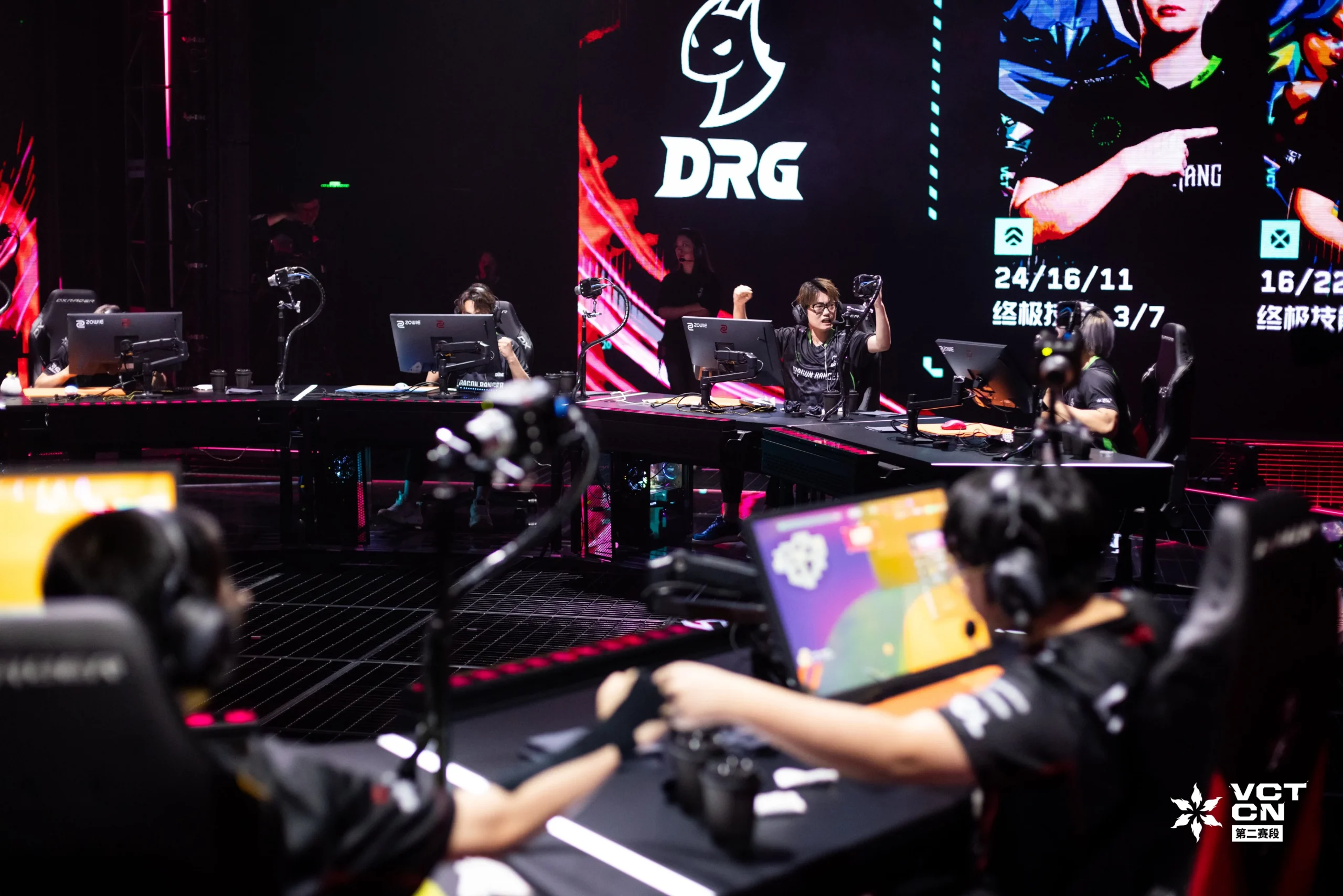
Only a few days remain before the playoffs stage for the highly anticipated VCT China Stage 2 kicks off, and Valorant fans from throughout the globe are eagerly looking forward to the finest Chinese teams battling it out in the big stages for a shot at qualifying to Champions 2024.

The top six teams who will participate in the VCT China Stage 2 playoffs have already been decided, but only the teams who finish in the top 3 will be able to make their way to the prestigious Champions 2024 event.

In this article, we take a look at all the teams who have qualified for the playoffs stage of VCT China Stage 2.

VCT China Stage 2 Playoffs: All Qualified Teams

Here’s a list of all the teams participating in the VCT China Stage 2 Playoffs:

1) Trace Esports

  • Song “FengF” Xuefeng
  • Ho Shun “heybay” Hei
  • Lu “Kai” Zhinan
  • Zhang Zhan “LuoK1ng” Peng
  • Zhong “Biank” Jianfei

2) All Gamers

  • Jiang “bunt” He
  • Wang “monk” Haoyu
  • Delbert “deLb” Tanoto
  • Xin “Spitfires” Mingyan
  • Li “sword9” Wei

3) JDG Esports

  • Chen “YHchen” Yuhan
  • Park “stew” Young-chan
  • Lifan “Viva” Ran
  • Yong “jkuro” Haochong
  • Liu “Z1yan” Zihan

4) Bilibili Gaming

  • Yang “B3ar” Zhanxiong
  • Wang “whzy” Haozhe
  • Wang “Yosemite” Lei
  • Lu “Levius” Yinzhong
  • Liu “Knight” Yuxiang

5) FunPlus Pheonix

  • Zhang “AAAAY” Yang
  • Zhang “BerLIN” Bolin
  • Liang “Lysoar” Youhao
  • Kale “Autumn” Dunne
  • Qu “Life” Donghao

6) EDward Gaming

  • Guo “Haodong” Haodong
  • Zheng “ZmjjKK” Yongkang
  • Wang “nobody” Senxu
  • Wan “CHICHOO” Shunji
  • Zhang “Smoggy” Zhao

The playoffs stage begins on July 16, 2024, as Trace Esports takes on All Gamers, followed by another exciting showdown between JDG Esports and Bilibili Gaming on the same date.