Thursday, May 7, 2026
Home Blog Page 457

Garena Free Fire MAX Redeem Codes for Today 12th July 2024

0

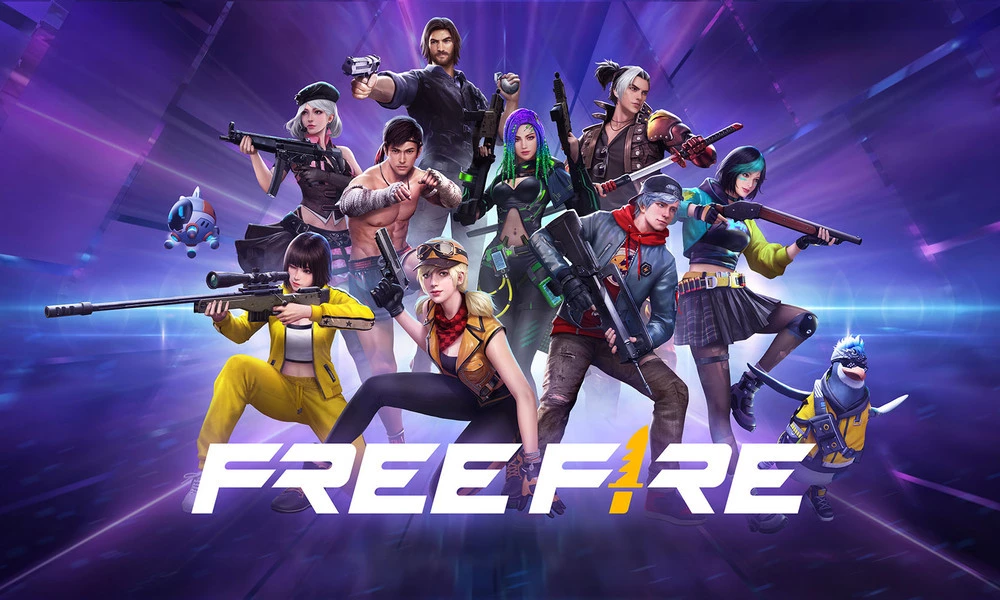
Free Fire is a very popular battle royale game with millions of active users per day. A large part of this fan base comes from India and despite the ban, players have shifted to its advanced version called Free Fire Max to enjoy the game.

The game has same core and hence, it has redeem codes as well. Here are some Free Fire Max redeem codes that you can use to get free items in the game.

Free Fire redeem codes are special codes that can be used to unlock several items for free in-game. They are not released on a regular basis hence coming across a working code is very hard. 

Garena Free Fire MAX Redeem Codes
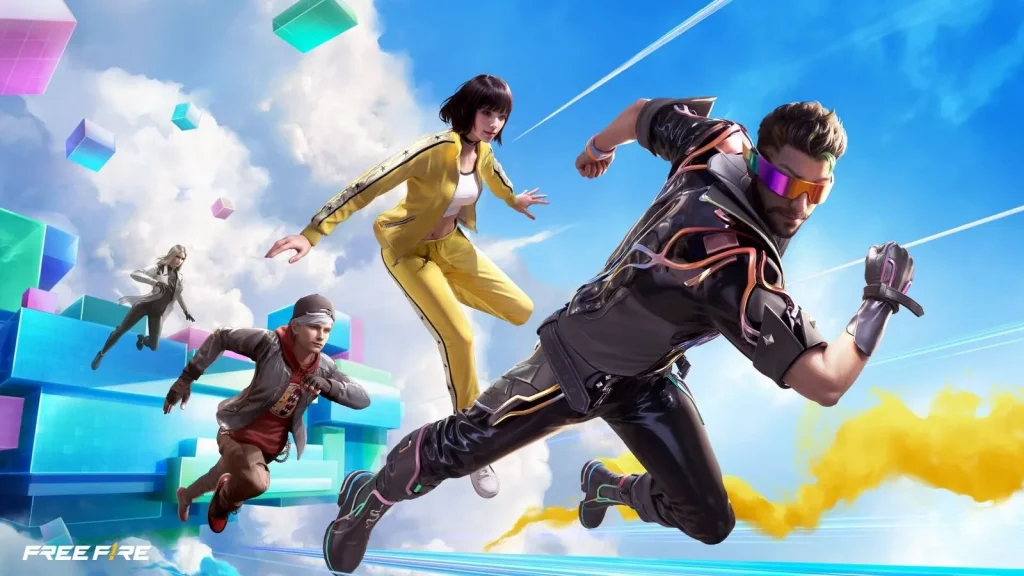
Garena Free Fire MAX Redeem Codes for Today 29th June 2024

As Free Fire now banned in India, players have shifted to Free Fire Max and the entire account history is ported to its servers. This means that players can still use their old accounts and make use of features like redeem codes to get rewards in it as well.

Free Fire MAX Redeem Codes for 12th July 2024:

  • P7B4M9O8V5X2Z6KI
  • A4N9J6L8U2P3MBXW
  • D9B6T1Y4C8E7R5UJ
  • Z3X7Q9P2C4V6N1GA
  • I8W2G6J9H1K3X5ZB
  • R7U9S2K4F6Y1C3VD
  • FG2J6Z4X1Y7R9BSM
  • 3GJ7B6K9L8N2H1PX
  • M5YD9W4C7E2I1RZB
  • V7A6N3Q8P9B1M4IO
  • K8X2B6F1V9Z7N3CR
  • H4W9L2G5J1Y8P6BV
  • U7R8N4G9C1H6X3KQ
  • F5Y9D2T7Z1X4J6WB
  • O3L9I6V8B2K7X4NY
  • S9Q7C4G1F8H3J6AZ
  • E2R6W1Y9B5T7N4CU
  • T9N6H3M1B8A2L7XG
  • Q5P9C2V7N1R6XTJY
  • L6B9Y2D4H7C1R8QF

HOW TO REDEEM CODES IN FREE FIRE MAX

It is quite simple to redeem these codes in Free Fire. Players just need to visit the redemption center and enter the code given below. Use the method given below to get these items.

  • Visit the Reward Redemption center of Garena Free Fire. Click here to visit.
  • Log in with your Free Fire account. One must have either Facebook or Google ID signed in as a Guest account does not work.
  • Enter the code and get free rewards in your in-game item vault.

The redeem codes tend to expire very soon and hence, make sure to use them as soon as you can. Some of them can be region restricted and if you find one like that, simply move on to next one as region restricted codes cannot be used in other areas.

Stay updated with the latest news in gaming and esports by signing up for early access to TalkEsport’s Mobile App. Also, follow us on Twitter and Google News to ensure you never miss the exciting updates.
Genshin Impact 5.0-5.3 Banner Leaks: New Characters & Speculations

0

The world of Genshin Impact is abuzz with the latest leaks and rumors surrounding the banner schedule for versions 5.0 to 5.3. These leaks, while not officially confirmed, offer a tantalizing glimpse into the potential new characters and their release timelines.

However, it’s crucial to remember that these leaks, while often accurate, may not always reflect the final content.

Unveiling the Leaked Characters and Updates

Genshin Impact 5.0: The leaks suggest that the first few updates of the Pyro region will introduce new characters. Reliable sources, such as hxg_diluc, have shared the banner schedule, including the names of these characters. However, these names are yet to receive official confirmation.

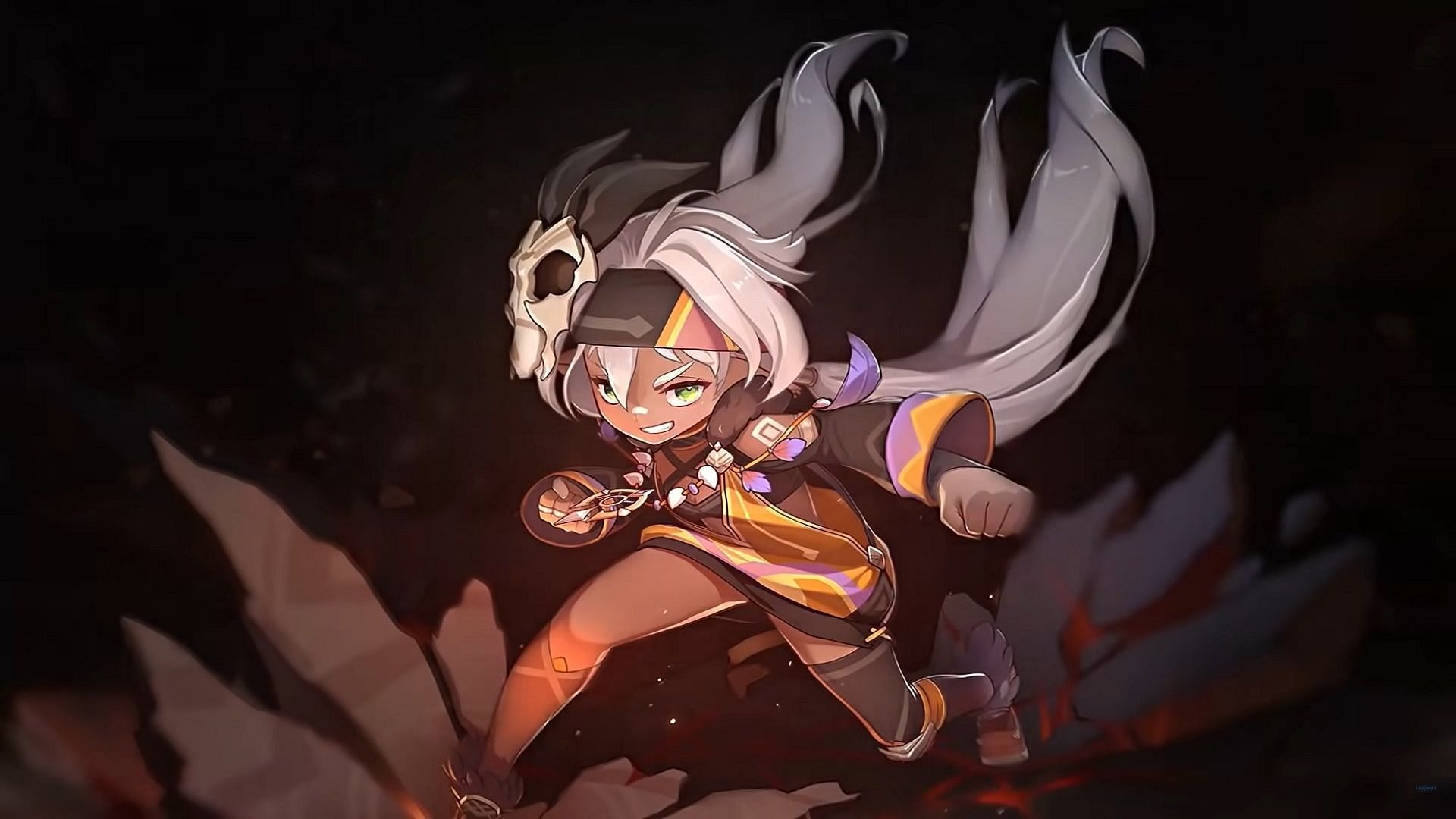
Genshin Impact 5.1: The rumor mill is churning with speculations about the characters for version 5.1. The names Xilonen and Chasca have been mentioned, with discussions about their potential weapon types and roles in the game.

Genshin Impact 5.2: The leaks for version 5.2 indicate the release of a new playable unit named Olorun. However, this information is yet to be officially confirmed.

Genshin Impact 5.3: The narrative is expected to shift towards Natlan with the introduction of the 5.0 update following version 4.8. This shift is likely to bring new characters and storylines to the game.

Exciting Times Ahead for Genshin Impact

The leaked banner schedule for Genshin Impact versions 5.0 to 5.3 provides an exciting preview of what’s to come. From new characters to shifting narratives, the game is set to offer fresh content to keep players engaged.

However, it’s important to approach these leaks with a grain of salt, as they may not always reflect the final content. Stay tuned for official announcements to confirm these speculations as the game’s updates approach.

How To Unlock Concord Beta Rewards: Free Characters, Cosmetics & More!

0

The Concord beta has been the talk of the gaming community, offering a plethora of rewards for players who participate. This article will provide a detailed guide on all the Concord Beta rewards and how to unlock them.

1. Concord Beta Rewards: What’s in Store?

The Concord beta is a treasure trove of rewards for players. The rewards include:

  • Freegunner Characters: All 16 Freegunner characters will be unlocked and available to play in the betas. This gives players a wide range of characters to choose from, enhancing their gaming experience.
  • Game Modes and Maps: Three game modes will be available across three maps: Clash Point, Trophy Hunt, and Cargo Run. Once the open beta begins, the mode Area Control will be added alongside a fourth map. This variety ensures that players never run out of new challenges.
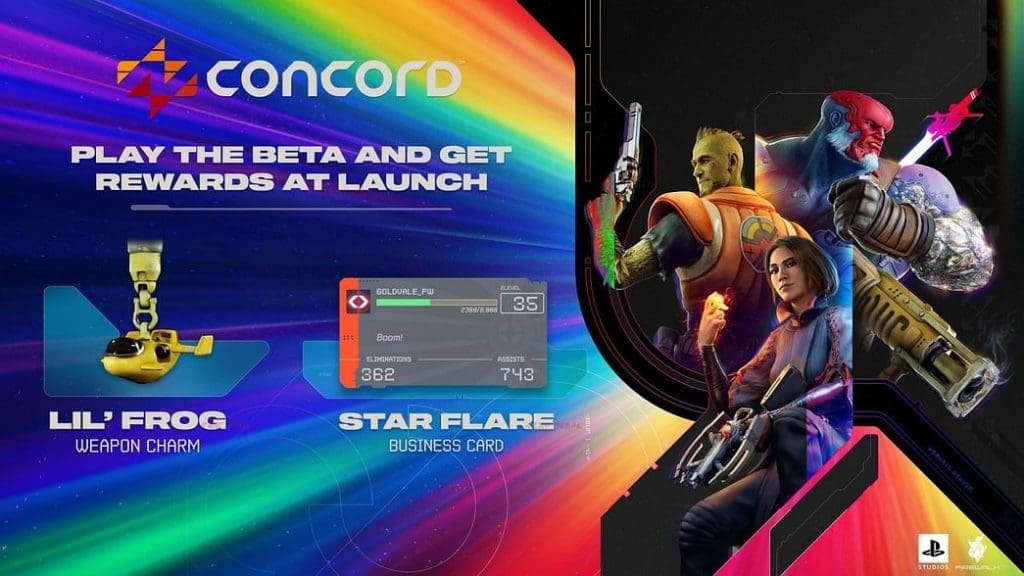
  • Cosmetic Rewards: Players who participate in the beta will receive the Lil’ Frog Weapon Charm and the Star Flare Business Card. These rewards are purely cosmetic, providing players with additional customization options for their in-game experience.

2. How to Unlock the Concord Beta Rewards

Unlocking the Concord beta rewards is a straightforward process. Here’s how you can do it:

  • Pre-order the Game: Access to the Concord beta is determined by pre-ordering the game on PS5 and PC or knowing someone who has pre-ordered the game. By pre-ordering the game, you are automatically given five beta codes. You can use one of them to gain early access by inputting the code into the PS Store.
  • Email Codes: For those who pre-order the game, an email containing codes for early access will be sent, allowing the player and four friends to access the beta early. Additionally, the Concord Open Beta will be available for download for those who did not pre-order the game.

Also Read: How to pre-load Concord early access beta

The Concord beta offers a variety of rewards that enhance the gaming experience. By pre-ordering the game or using a code from a friend who has pre-ordered, you can unlock these rewards and enjoy a more personalized gaming experience.

Concord Beta: How to Pre-Load on PS5 (Early Access & Open Beta)

0

The gaming world is abuzz with the upcoming Concord early access beta, and PlayStation 5 (PS5) users are eager to get their hands on it. This article provides a step-by-step guide on how to pre-load the Concord early access beta on PS5.

For PS Plus Subscribers

If you’re a PS Plus subscriber, you’re in luck. You can automatically participate in the Concord early access beta after downloading it on your PS5. The pre-load for PS Plus subscribers began on Thursday, July 11 at 6pm BST / 1pm EDT / 10am PDT.

The game’s beta is approximately 30GB in size, so ensure you have enough storage space on your console.

For Pre-Orders

For those who have pre-ordered the game on PS5, you can pre-download the Concord beta starting on Thursday, July 11 at 10 am PDT. By pre-ordering the game, you are automatically given five beta codes.

You can use one of these codes to gain early access by inputting the code into the PS Store. The remaining four beta codes can be shared with your friends, allowing you to squad up and play together during the early access weekend of the beta, which runs from July 12th to 14th, 2024.

Additional Information

The early access beta for pre-orders will last from Friday, July 12 through Sunday, July 14 on PS5. The open beta weekend will go live the following week, starting on Thursday, July 18 and ending on Sunday, July 21. Regardless of platform, early access and open beta users will be able to join their friends on PS5 and PC via optional cross-play functionality.

Whether you’re a PS Plus subscriber or have pre-ordered the game on PS5, you can pre-load the beta. However, the specific details and timings may vary, so it’s always a good idea to check the official sources for the most up-to-date information. Happy gaming!

EA FC 25 Cover Leak: Is Jude Bellingham Replacing Erling Haaland?

0

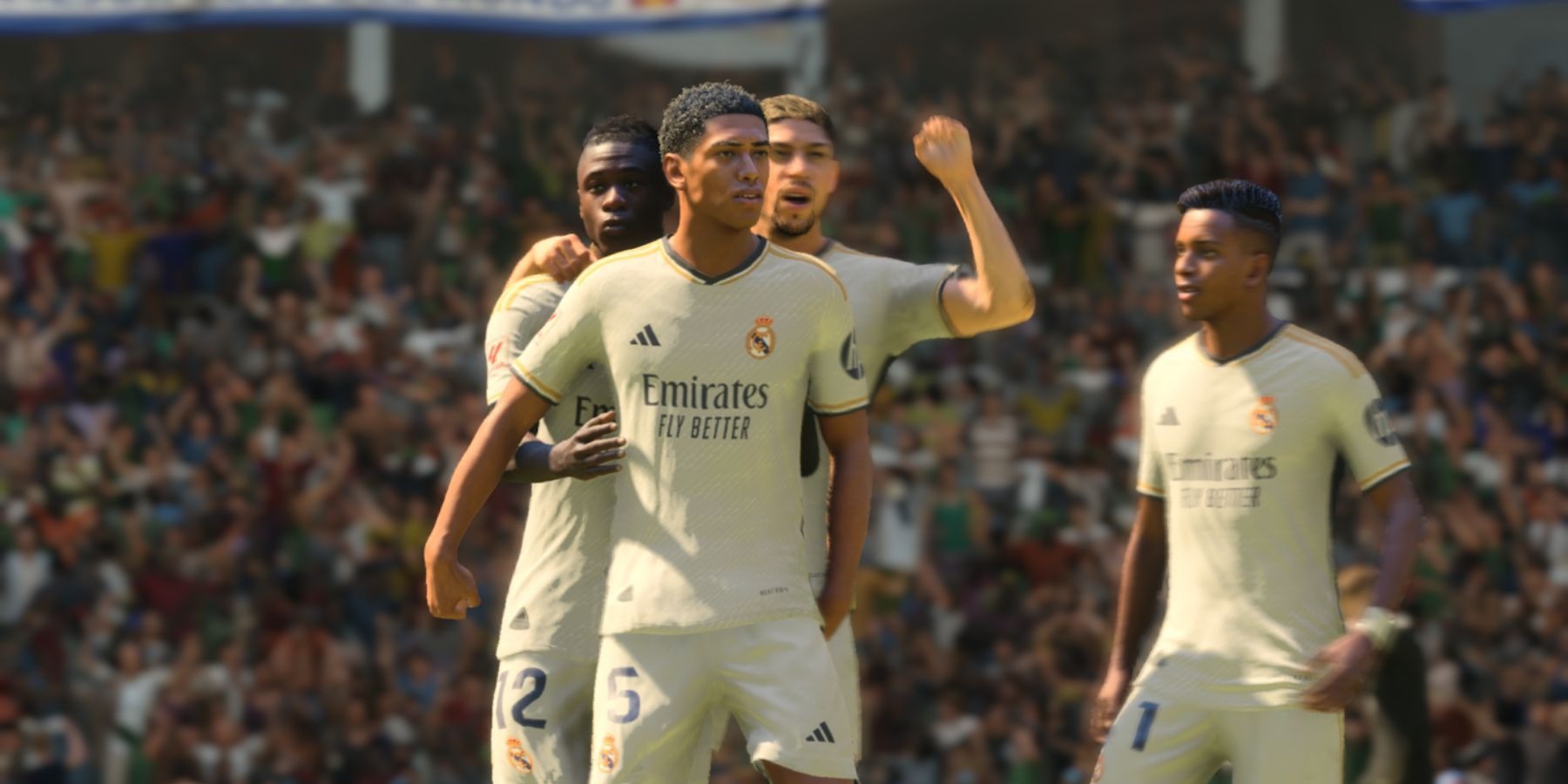
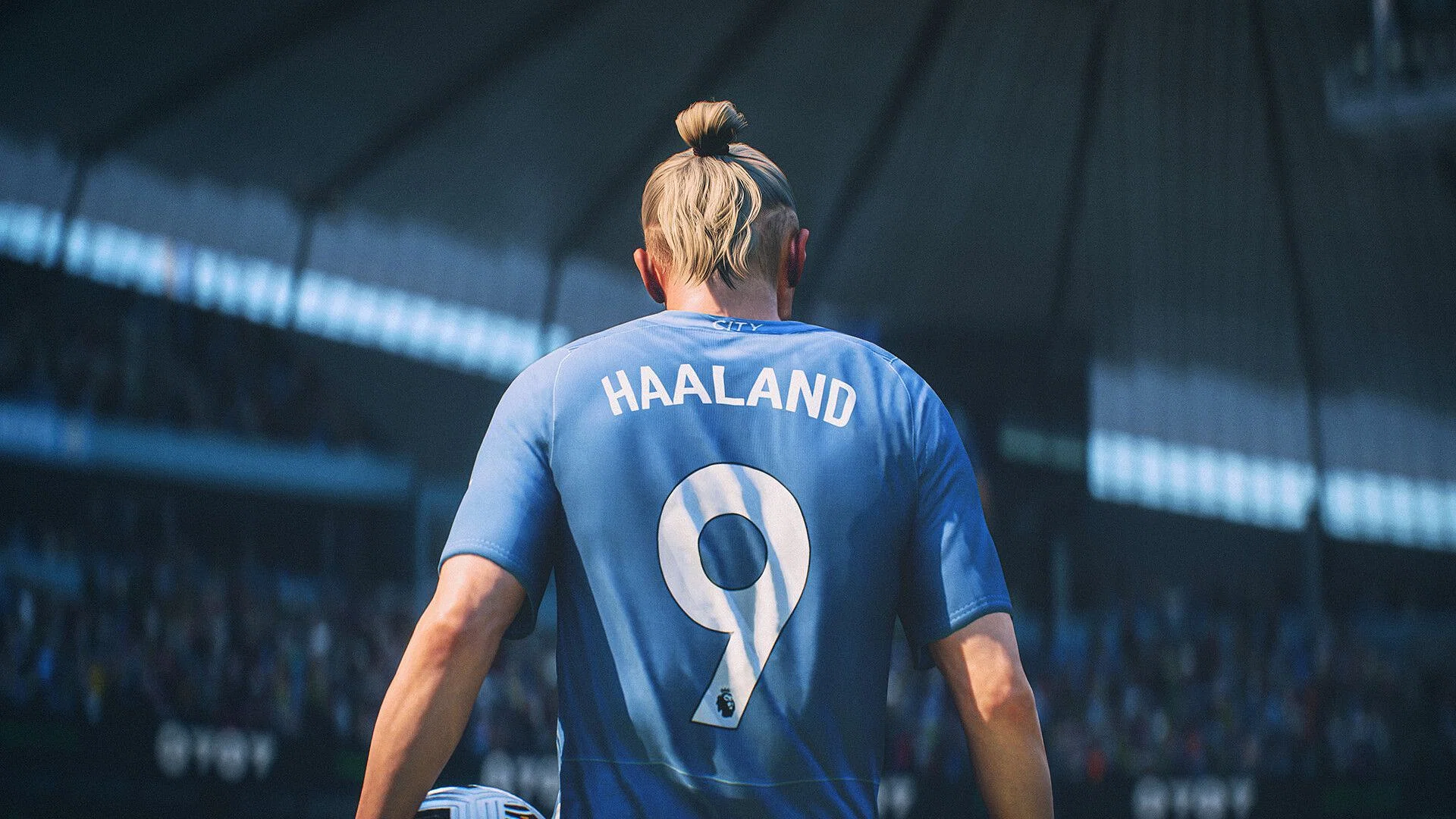
In the world of gaming, leaks and rumors are a common occurrence, often sparking excitement and anticipation among fans. The latest buzz in the gaming community revolves around the EA FC 25 cover star. The rumor mill is abuzz with news that Jude Bellingham, the Real Madrid and England star, is set to grace the cover of the upcoming EA FC 25, replacing Erling Haaland from the previous edition.

The Leak: Jude Bellingham as the New Face of EA FC 25

The leak suggests a significant shift in the cover star for the highly anticipated game. The news of Bellingham being the potential cover star has been circulating on various social media platforms and gaming forums, causing a stir among fans and gamers alike.

The gaming community has shown considerable interest in this leak, with discussions and debates about the potential change in cover star gaining traction. The anticipation for the official confirmation and release of EA FC 25 is palpable among fans.

The Anticipated Release of EA FC 25

According to the leaks, the game is expected to be released on September 27, 2024. As the date approaches, the excitement and anticipation continue to build among the gaming community.

Fortnite Chapter 5 Season 4: Marvel Rumors, Wolverine Claws Return & More!

0

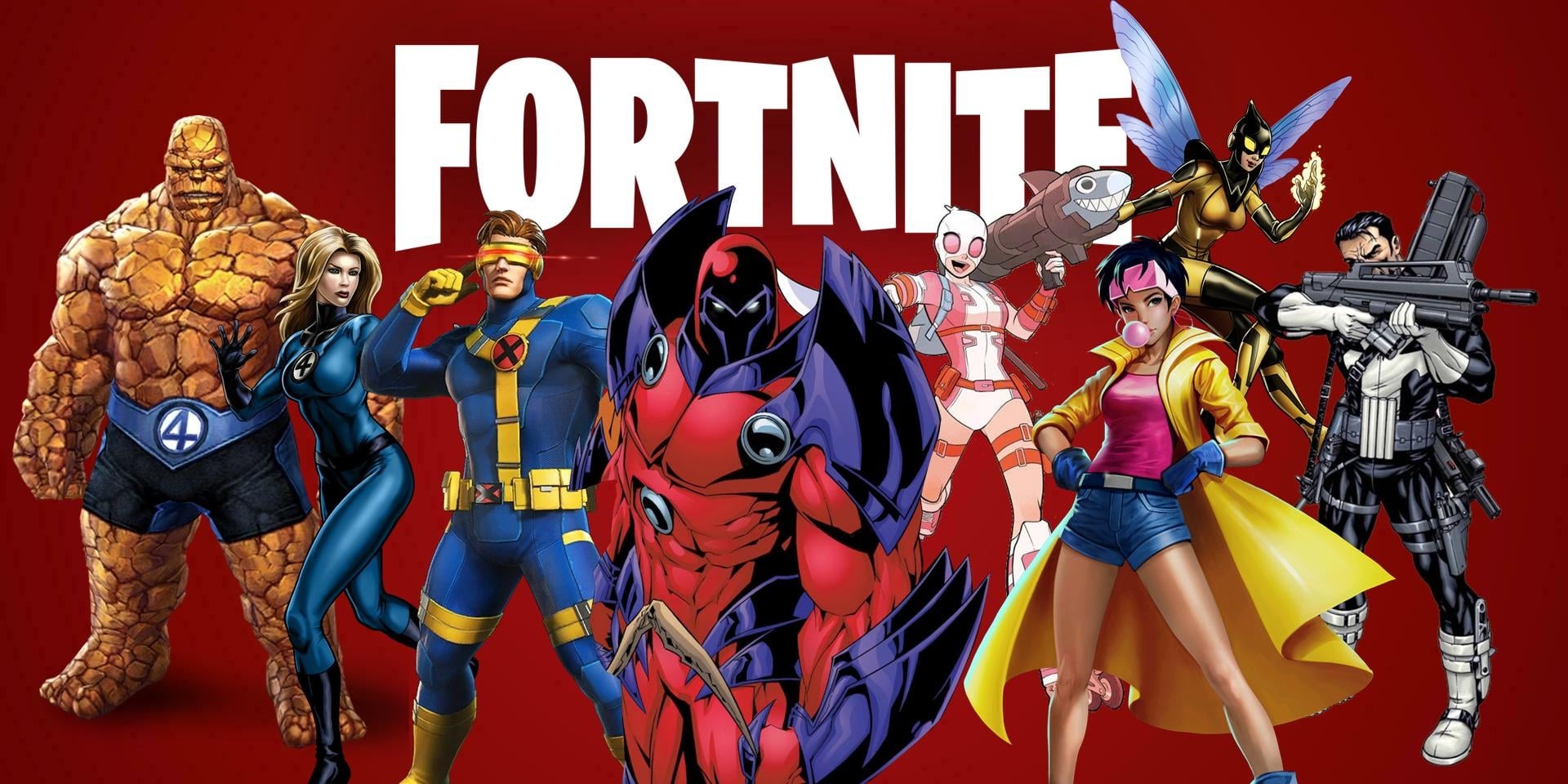
The gaming community is buzzing with excitement as Fortnite Chapter 5 Season 4 is set to launch on Friday, August 16, 2024. The upcoming season is rumored to be Marvel-themed, a speculation fueled by recent leaks and the game’s history of Marvel collaborations.

The Return of Mythic Wolverine Claws

One of the most exciting leaks is the return of the Mythic Wolverine Claws. This powerful weapon, which debuted in Fortnite Chapter 2 Season 4, is set to make a comeback, according to a reliable leak from HYPEX.

Other Returning Items

In addition to the Mythic Wolverine Claws, other items are expected to return, including the Dual SMGAnvil Launcher V2Super Launch Pad, and Striker Burst Rifle V2.

Fortnite and Marvel:

Fortnite’s collaboration with Marvel started in 2018 with the Avengers: Infinity War event. This event introduced a limited-time mode where players could become Thanos and use his Infinity Gauntlet. The Marvel-themed Fortnite Chapter 2 Season 4 added new Mythic Superpowers from various Marvel characters. In Chapter 2 Season 8, players could use the Carnage and Venom Symbiote abilities.

What to Expect in Fortnite Chapter 5 Season 4

While Epic Games has not made any official announcements about the theme, the community is eagerly anticipating the new content and features that will undoubtedly change the entire island. There are hints of a return of Dr. Doom as the super-villain, and the possibility of Deadpool and Wolverine leading a group of Marvel superheroes in the game.

As we approach the launch date, players can expect to hear more about Fortnite Chapter 5 Season 4. The gaming community is eagerly awaiting the return of the Mythic Wolverine Claws and other exciting features in the upcoming season.

How to Check Your VALORANT Playtime: A Step-by-Step Guide

0

VALORANT, the renowned First-Person Shooter (FPS) game by Riot Games, has enthralled countless players globally with its tactical gameplay and distinctive agent abilities. But have you ever pondered, “How much time have I invested in VALORANT?” If so, you’re in good company. Numerous players are intrigued about their playtime statistics, and this guide will show you how to uncover them.

Step-by-Step Guide to Uncovering Your VALORANT Playtime

  1. Navigate to Tracker.gg: The initial step is to navigate to Tracker.gg, a comprehensive platform that enables you to monitor your gaming statistics across multiple platforms, including Riot Games.
  2. Choose VALORANT: On the top bar of the Tracker.gg website, select VALORANT.
  3. Input Your Riot Account Details: You will need to input your Riot account details and grant the necessary permissions. This allows Tracker.gg to access your VALORANT statistics.
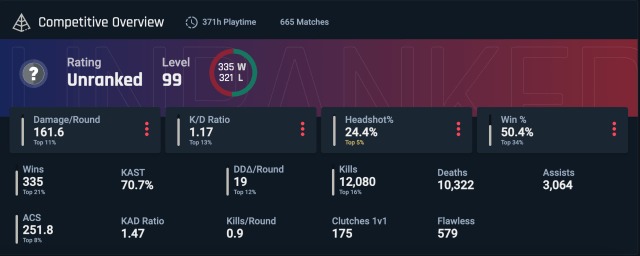
  4. View Your Statistics: After you’ve granted the permissions, you will be directed to a page displaying detailed stats about your VALORANT gameplay.

Your VALORANT playtime is visible near the top of the page, just above the KAD Ratio.

Considerations and Alternatives

It’s crucial to note that the total playtime displayed on Tracker.gg may include idling in the game’s main menu or time spent waiting in the queue. This can affect the accuracy of the displayed playtime.

The Significance of Monitoring Your Playtime

Monitoring your playtime can be a valuable way to keep track of your gaming habits and ensure a healthy balance between gaming and other activities. It can also help you understand your progress and development in the game over time.

Apex Legends Review Tanked on Steam as Players Protest Against Recent Changes

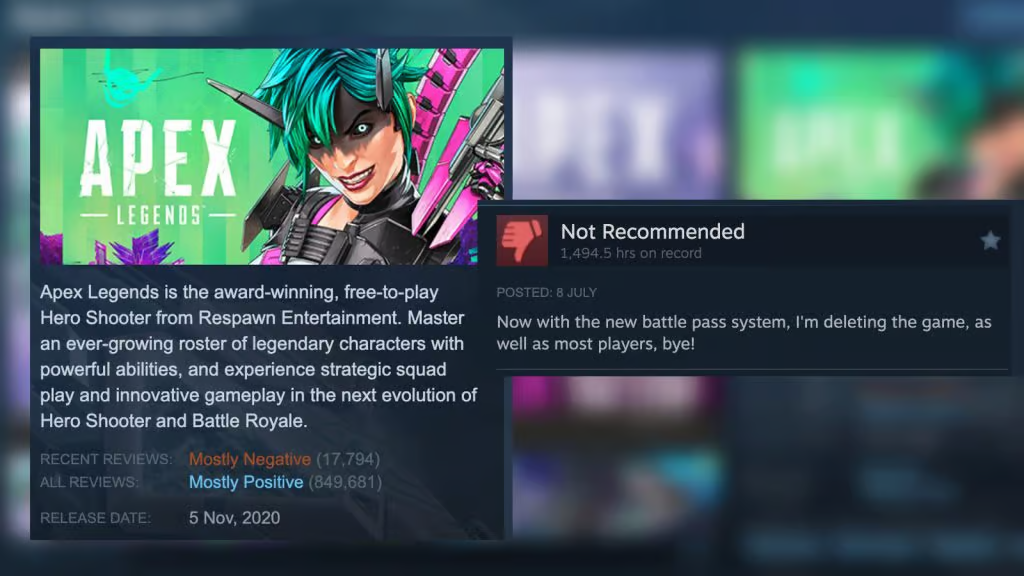
Apex Legends review on Steam has been tanked by players as a part of the protest against the latest changes introduced with the Battle Pass which are deemed highly controversial.

The latest update will introduce two Battle Passes for a single season, meaning players must invest double the amount if they want to enjoy the same perks. This change is complemented by the fact that Battle Passes can only be bought with real-world money moving forward instead of Apex Coins.

Photo via Steam.

As soon as the change was introduced, the Apex Legends community quickly lashed out at the developer. Said update, will now force players to pay twice the amount for the same thing and the only way to protest was to tank the rating on Steam on a global scale which now reads “Non Recommended”.

The second change may seem anti-consumer at first glance but if prices are adjusted accordingly then paying real-world money for Battle Pass does not make a significant difference given Apex Coins also require the same. Technically you can get Apex Coins for free but players generally go out the purchasing route.

“There’s literally no difference. You pay for f**king coins, you pay for the battle pass.” said pro player and streamer ImperialHal.

EA has not responded to the community outrage but given their record, it is unlikely that they will go back on a change that will guaranteed to be a money maker unless a large-scale boycott is opted by the players.

Stay updated with the latest news in gaming and esports by signing up for early access to TalkEsport’s Mobile App. Follow us on Twitter and Google News to ensure you never miss the exciting updates.
EA FC 24: We Are FC Season 8 Rewards

0

With Season 7 coming to an end, gamers are already preparing for the arrival of EA FC 24’s Season 8. In this article, we will talk about the rewards for one of the last seasons before we welcome EA FC 25.

There are 40 levels in We Are FC Season 8, and every level up comes after earning 1000 XP in the different EA FC 24 game modes. Every level has a prize, which is typically a person or a player pack.

Once you reach level 24, you can obtain nine players with an OVR between 94 and 97. After levels 38 and 40 ultimately reach the brightest stars of Season 8, 98 OVR Garrincha and 99 OVR Erling Haaland.

All We Are FC Season 8 rewards in EA FC 24

LevelReward
184+ X2 Rare Gold Players Pack
2The Global Game Stadium Theme
381+ X11 Rare Gold Players Pack
4Around the World Badge
5CDM: Fabinho – 94 OVR (Al Ittihad and Brazil)
683+ X5 Rare Gold Players Pack
7CF: Dries Mertens – 94 OVR (Galatasaray and Belgium)
8Around the World Tifo
9LW: Guro Reiten – 95 OVR (Chelsea and Norway)
10International Celebration Badge
1183+ x20 Rare Gold Players Pack
12LB: Destiny Udogie – 95 OVR (Tottenham Hotspur and Italy)
13International Celebration Tifo
14RW: Kadidiatou Diani – 95 OVR (Olympique Lyonnais and France)
15Grand Occasion Badge
16ST: Pierre-Emerick Aubameyang – 96 OVR (Olympique Marseille and Gabon)
17Grand Occasion Tifo
1885+ X2 Rare Gold Players Pack
19The Global Game Tifo
20LW: Ansu Fati – 96 OVR (Barcelona and Spain)
2184+ x10 Rare Gold Players Pack
22LW: Marcus Rashford – 97 OVR (Manchester United and England)
2386+ X2 Rare Gold Players Pack
24CDM: Lena Oberdorf – 97 OVR (Bayern Munchen and Germany)
25Around the World XL Tifo
2687+ X2 Rare Gold Players Pack
27International Celebration XL Tifo
2885+ X4 Rare Gold Players Pack
29Grand Occasion XL Tifo
3087+ x4 Players Pack
31The Global Game Two Stick Banners
32CM: Aitana Bonmati – 98 OVR (Barcelona and Spain)
3385+ x10 Rare Gold Players Pack
34The Global Game XL Tifo
3584+ x20 Rare Gold Players Pack
3687+ x5 Players Pack
37The Global Game Animated Tifo
38RW: Garrincha – 98 OVR (Brazil)
3986+ x11 Players Pack
40ST: Erling Haaland – 99 OVR (Manchester City and Norway)

Stay updated with the latest news in gaming and esports by signing up for early access to TalkEsport’s Mobile App. Follow us on Twitter and Google News to ensure you never miss the exciting updates.
How to Optimize Brightness and Gamma in CS2

CS2 (Counter Strike 2) is a multiplayer first-person shooter game where the slightest advantage over your opponents could affect the playout of your matches. One such advantage when in dark corners and something affects play model visibility is the – brightness and gamma setting

What are brightness and gamma in CS2? How are they different? 

Well, brightness is simply the overall amount of light that the monitor will throw out affecting how bright the overall scenario and elements on your screen will look.

But, gamma is the ratio between the tones of the darkest and brightest areas on your screen affecting contrast and overall element visibility in the game. More often than not, games like Outlast and Resident Evil ask you to tune your gamma such that the game’s eerie settings resonate more with the audience but in a game like CS2 where things move fast, darker and more realistic view models aren’t the goal!

So now that we know what brightness and gamma are, let’s take a look at some methods to adjust these settings in CS2.

Here’s how to adjust brightness and Gamma in CS2

  1. Using CS2 console
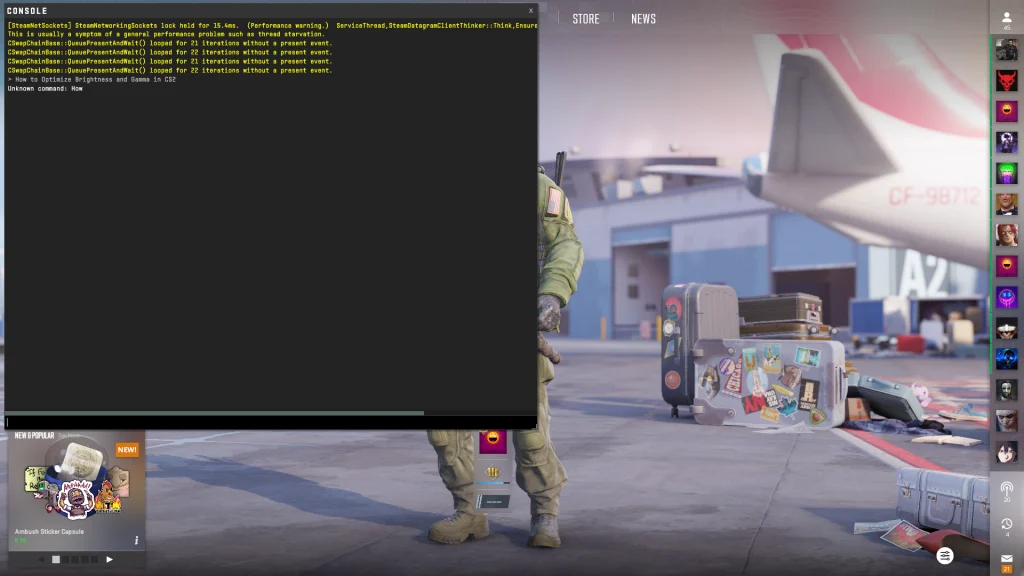
CS2 console

Console is an in-game command line interface where brightness can be adjusted precisely without leaving your competitive play. Just press the “~” key on your keyboard and type in this command:  r_fullscreen_gamma

To do this, here are the steps: 

  • Ensure that your ‘Enable Developer Console‘ toggled on in the in-game settings
  • Press the tilde key (~) to open the console.
  • Use the command r_fullscreen_gamma followed by a value between 1 and 4
  • r_fullscreen_gamma 1 =Approximately 133% brightness
  • r_fullscreen_gamma 2 =Approximately 100% brightness (default)
  • r_fullscreen_gamma 3 =Approximately 67% brightness
  • r_fullscreen_gamma 4 = Approximately 33% brightness
  1. By adjusting in-game settings
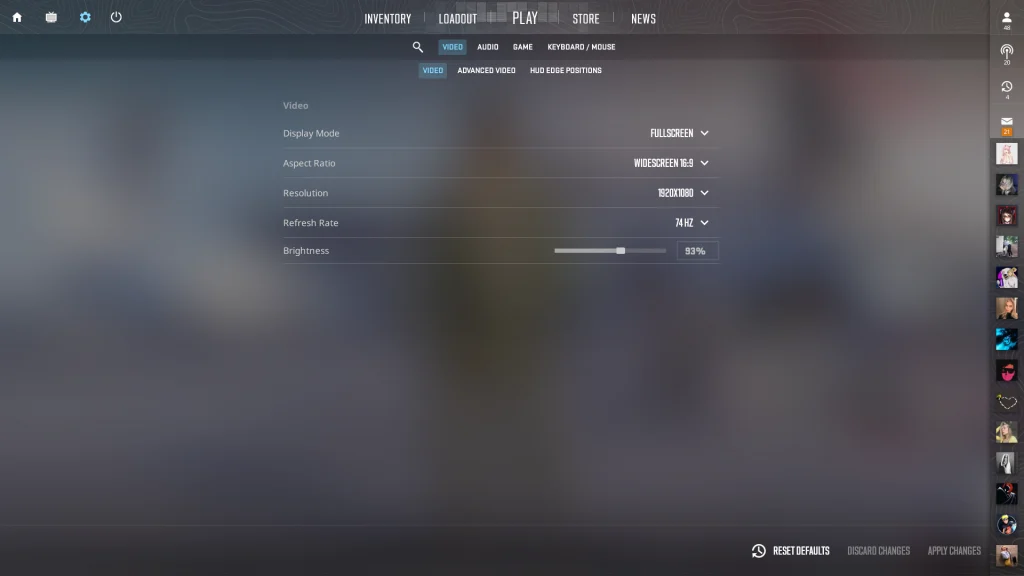
CS2 in-game settings

The in-game settings are by far the easiest method to okay around with your brightness and gamma settings

The steps to do this are:

  • Open CS2 and find the main menu.
  • Click on “Settings” (the cog icon in the top left).
  • Go to the ‘Video‘ tab, then select the ‘Video‘ sub-tab.
  • Adjust the ‘Brightness‘ slider to your desired level.

Just make sure that your changes are saved in “fullscreen” mode which otherwise will cause trouble.

  1. Tinkering with NVIDIA Settings
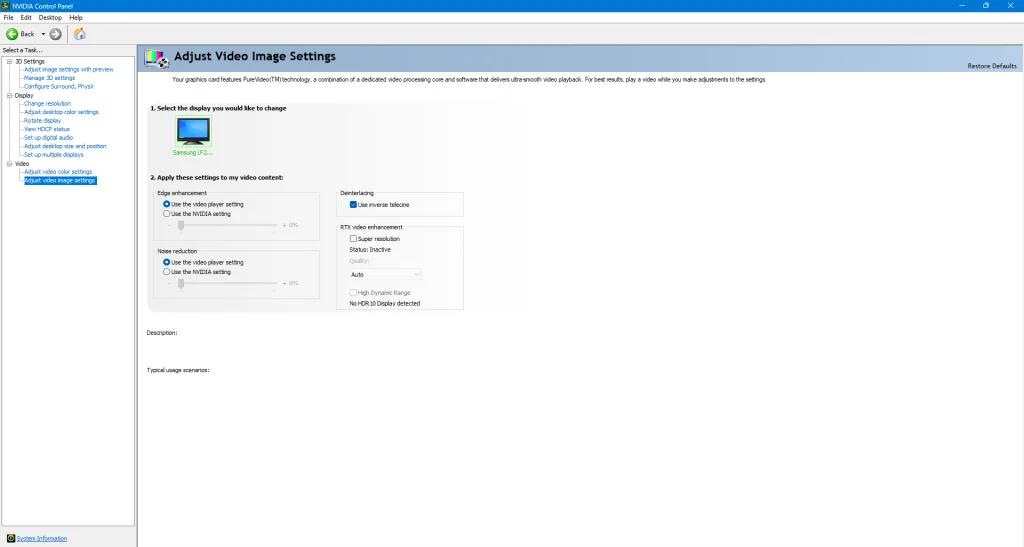
NVIDIA Settings

For the sane ones who are in the green gang and use any NVIDIA GPU, download a software called “NVIDIA Control Panel” which offers additional adjustments to adjust your display settings. 

To change your brightness and gamma settings through this menu, 

  • Right-click on your desktop and find the “NVIDIA Control Panel” option.
  • Click on “Adjust desktop color settings” in the left panel.
  • Adjust the ‘Brightness‘ and ‘Gamma‘ sliders according to your preference.
  • Click “Apply” to save the changes.

Why should you have the correct brightness and gamma settings?

The correct display settings are important for achieving ideal visibility in CS2. This in an ideal setting should let you have a competitive edge over your opponent helping you spot more enemies, reducing blind spots, and thereby improving your rank. 

Here are some additional suggestions

Monitor Settings: Modify the contrast, gamma, and color temperature on your monitor.

Practice: Use practice games to test your settings and determine the ideal balance for your preferred style of gameplay.

Regular Adjustments: To adapt to changing lighting conditions and updates, regularly check and modify your brightness and gamma settings.

We’ve observed that when other aspects of your game have been polished up, improving your gamma and brightness settings should help you reduce blind spots and help you find your enemies better on your screen. Whether you take the console route, the in-game settings route, or the NVIDIA control panel – is up to you, but bookmarking us and staying tuned to Talkesport is non-negotiable. Keep watching this space for more!