Valorant, Riot’s FPS, has been a resounding success since its release in 2020, thanks to its unique blend of tactical shooting mechanics and ability-based gameplay along with a wide selection of incredible-looking cosmetics that entice the player-base to grind the game out.
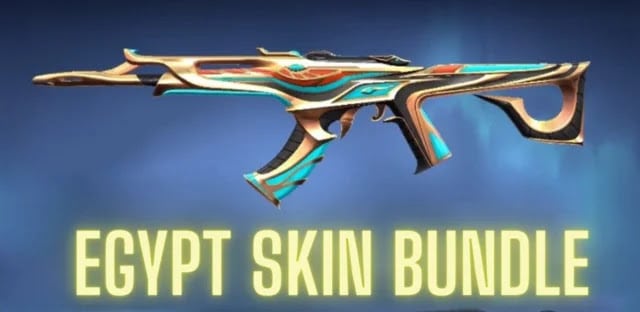
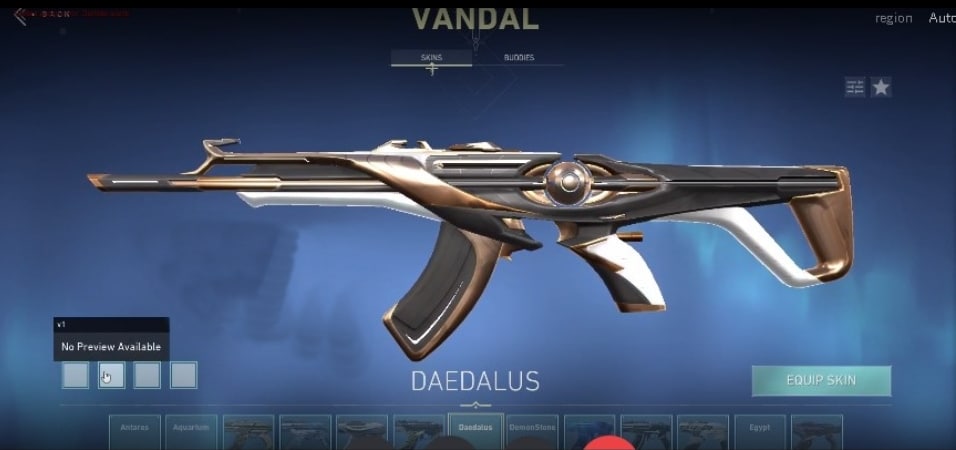
Dataminers on Twitter have managed to dig up the upcoming Valorant skin bundle ahead of its actual release, and fans are excited to know more about what skins the Egypt named Bundle will look like.
So far only, we have caught a glimpse of the Vandal which will be featured in the Egypt Skin bundle and it undoubtedly looks a lot alike the previous Nitro and Aristocrat bundles.
The skins of the Egypt bundles have an enthralling design with old being their primary gradient. With the data present, this bundle will be a Deluxe tier bundle and will have no variants of its own.
Currently the data available for the bundle is quite less which puts us in a position to wait for further leaks or an official word from Riot but all we can say is the price of the same would lie somewhere around between 5100 to 7100 Valorant Points.
The Egypt bundle would be a part of the forthcoming Episode 4 Act 3 which will arrive on April 27 and might follow the release of the most antiicpaitated RGX 11Z Pro 2 Bundle or likewise. 8
Player cards, Gun buddies from the Egypt skin bundle are yet to be revealed as we highly recommend you to tune with us at TalkEsport for further release information.
Roblox Error Code 268 is an issue that has popped up in Roblox the online gaming and game creation platform developed by Roblox Corporation which is known not just for the multifarious games it hosts but also for being a platform that lets amateur as well professional game developers publish their games on the platform.
Apart from this Roblox is also known for regularly updating its platform with new updates, upgrades, and even new games.
This popular gaming platform has been facing the issue of Roblox Error Code 268 which has made gamers wonder how to fix Roblox Error Code 268. The article below will enlighten you of what does Roblox Error Code 268 Mean and How to Fix Roblox Error Code 268
Roblox Error Code 268
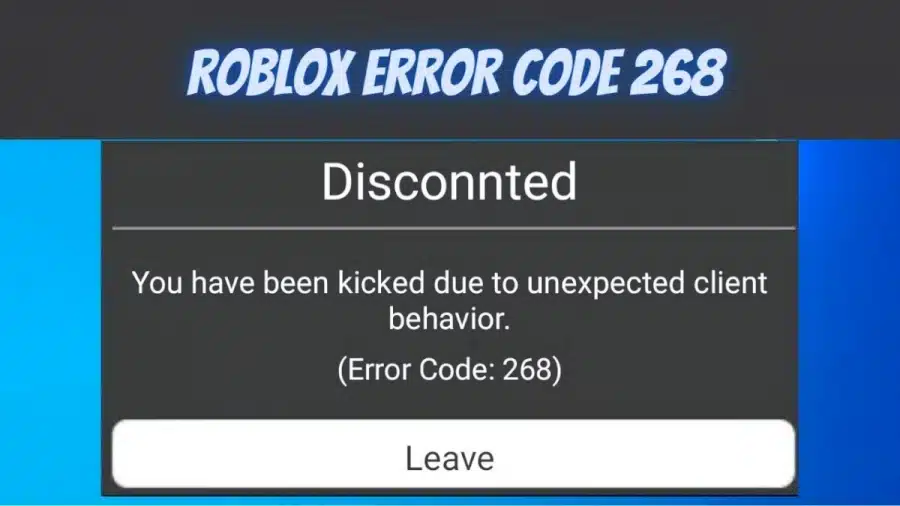
This error code may be caused by a number of different factors. Here’s a quick rundown of what might be causing Error Code 268 in Roblox. The error code 268 is kicking some Roblox users out of games on a regular basis. It displays “You have been kicked due to unexpected client behavior”. This issue has been reported on both Windows and Xbox One. check out the major cause for this error given below,
Server issue – You might see this error code if the developers are in the midst of a maintenance cycle or if you’re dealing with an unplanned server failure. In this situation, you have no choice but to wait for the parties involved to resolve the problem.
Use of cheat engine / Mod software – This error can also appear if you attempted to use a cheat engine for Roblox previously. If you did that, it’s likely that a recent update bricked your game. If this is the case, you should be able to resolve the issue by uninstalling the cheat program and then reinstalling Roblox.
Corrupted game files – If you’re having trouble with this on Xbox One, it’s likely that the problem is caused by a file integrity question. In this case, you’ll need to reinstall the game manually to fix the problem.
Browser issue – If you’re just seeing the error message while playing in your browser, you should be able to avoid it by switching to the UWP Roblox app. This method is generally thought to be more reliable than playing the game in your browser.
Third-party interference – An overprotective suite may also be to blame for the appearance of this error code. If this scenario sounds like it might be true, turn off or uninstall your antivirus software to see if the problem goes away.
Personal settings in Internet Options that conflict – You should expect to see this error code in situations where your Internet Explorer stores poorly cached data that can affect the game’s stability. In this case, you’ll need to clear the personal settings for Internet Options to fix the issue.
What Does Roblox Error Code 268 Mean?
Roblox error 268 is a server-client disconnection error that occurs when ROBLOX clients fail to send required ports to join a server. It signifies that the error code is caused by a bad internet connection. To play games on the Roblox platform, you’ll need to use a specific port forwarding procedure. You’ll see an error message if the port forwarding operation isn’t working properly. Due to unusual client behaviour, you have been expelled. Please try again later (Roblox error code 268).
How to Fix Roblox Error Code 268?
Many users of this popular gaming platform are searching for how to deal with Roblox Error 268? So to fix the error 268 in Roblox do the following fixes,
Check for a Server Issue
Before you try any of the other possible solutions mentioned below, make sure the game isn’t currently experiencing a server issue. You may use services like “IsTheServiceDown” or “DownDetector” to check the status of the Roblox servers. Simply visit the dedicated page to see if other players on the same platform as you are experiencing the same error code.
Uninstall Cheat Engine or any Modded Application
This problem can also occur if you are attempting to use (or have previously used) a Roblox exploit or cheat engine. Roblox’s developers usually fix new vulnerabilities with patches rather than generating error codes for them. If this is the case with your Roblox setup, you should be able to resolve the issue by uninstalling the Roblox cheat or exploit and reinstalling the game.
Check out the steps given below on how to remove cheat engine from your Windows down below,
To open the Run dialogue box by pressing Windows key + R. Then, in the text box, type ‘appwiz.cpl’ and click Enter to bring up the Programs and Features menu.
If you’re in the Programs and Features menu, scroll down through the list of installed programs before you find the Roblox app exploits. When you see it, right-click on it and select Uninstall from the context menu that appears.
Follow the on-screen instructions to finish the uninstallation, then restart your machine.
After the next startup is complete, try launching Roblox again to see if you’re still getting the 268 error code and being kicked out of the game.
Try Reinstalling the Game (For Xbox One)
If you’re having trouble with this on an Xbox Live console, it’s quite possible that you’re dealing with an error caused by a poor installation. In most situations, this occurs after the Xbox One console was forced to shut down in the middle of upgrading the game with newly available software.
Follow the steps below to fix this error,
To access the guide menu, press the Xbox One button on your controller.
Then, using the guide menu, go to the My Games & Apps section.
Scroll down the list of installed software & games in the Games & Apps menu before you find the Roblox installation.
When you see it, pick it with your controller, then press the Start button to bring up the Manage game menu from the context menu that has just appeared.
When you get to the Manage game menu, pick Uninstall everything from the right-hand menu. This process will ensure that the base game, as well as any installed updates or add-ins that may be causing the issue, are uninstalled.
Restart your console after the game has been fully uninstalled.
Using the UWP Roblox app (For Windows only)
By switching to the Roblox UWP app, you might be able to completely avoid the 269 error message. Several affected users who were previously experiencing random disconnects with the 268 error code while playing from their browser reported that this solution worked.
Disable the Antivirus Suite
According to some affected users, this issue could be caused by antivirus intrusion that prevents the end-user computer from interacting with the Roblox servers, causing the server to kick you out of the game and causing the 268 error message. This issue is most commonly documented on Windows 10 with third-party antivirus software. If this scenario applies, you should be able to resolve the issue by turning off real-time security. Most security suites have a tray bar icon that you can use to do this. Simply right-click on your antivirus icon and select Disable Real-Time Security from the menu that appears.
Delete Personal Settings from Internet Options
If you’ve arrived at this approach after trying every possible solution, you’re most likely dealing with network problems caused by a network inconsistency. Some users who were experiencing the same issue reported that they were able to resolve the issue by going to the Internet Options tab and clearing the Personal Settings from the Advanced Menu. The settings in Internet Explorer will be reset to their default values as a result of this process. If you’re not consciously using the tool, however, this shouldn’t be an issue. Do the following steps to try out this fix,
To open the Run dialogue box, press Windows key + R. Then, in the text box, type inetcpl.cpl and press Enter to bring up the Internet Options menu.
Go ahead and pick the Advanced tab from the Internet Properties menu. Then, press the Reset button.
On the following screen, check the box next to Delete personal settings before clicking Reset to begin the operation.
After this operation is completed, relaunch Roblox to see if the issue has been resolved.
Roblox Error Code 268 – FAQs
1. What causes Roblox Error Code 268?
This error code may be caused by a number of different factors. Here’s a quick rundown of what might be causing Error Code 268 in Roblox. The error code 268 is kicking some Roblox users out of games on a regular basis.2. What error message will be displayed in Roblox Error Code 268?
It displays “You have been kicked due to unexpected client behavior”.3. Which consoles are the Roblox Error Code 268?
This issue has been reported on both Windows and Xbox One.4. How to Uninstall Cheat Engine or any Modded Application for Roblox Error 268?
Check out the steps given below on how to remove cheat engine from your Windows down below,
To open the Run dialogue box by pressing Windows key + R. Then, in the text box, type ‘appwiz.cpl’ and click Enter to bring up the Programs and Features menu.
If you’re in the Programs and Features menu, scroll down through the list of installed programs before you find the Roblox app exploits. When you see it, right-click on it and select Uninstall from the context menu that appears.
Follow the on-screen instructions to finish the uninstallation, then restart your machine.
After the next startup is complete, try launching Roblox again to see if you’re still getting the 268 error code and being kicked out of the game.
5. How to Delete Personal Settings from Internet Options?
Do the following steps to try out this fix,
To open the Run dialogue box, press Windows key + R. Then, in the text box, type inetcpl.cpl and press Enter to bring up the Internet Options menu.
Go ahead and pick the Advanced tab from the Internet Properties menu. Then, press the Reset button.
On the following screen, check the box next to Delete personal settings before clicking Reset to begin the operation.
After this operation is completed, relaunch Roblox to see if the issue has been resolved.
6. How to Disable the Antivirus to fix Roblox Error Code 268?
According to some affected users, this issue could be caused by antivirus intrusion that prevents the end-user computer from interacting with the Roblox servers, causing the server to kick you out of the game and causing the 268 error message. This issue is most commonly documented on Windows 10 with third-party antivirus software. If this scenario applies, you should be able to resolve the issue by turning off real-time security. Most security suites have a tray bar icon that you can use to do this. Simply right-click on your antivirus icon and select Disable Real-Time Security from the menu that appears.7. Can Using the UWP Roblox app fix Roblox Error Code 268?
Yes, By switching to the Roblox UWP app, you might be able to completely avoid the 269 error message. Several affected users who were previously experiencing random disconnects with the 268 error code while playing from their browser reported that this solution worked.
Having been qualified for the upcoming PGL Antwerp Major 2022 with the ‘Legend’ status, Ukrainian esports organization Natus Vincere is undoubtedly thriving in the competitive CS:GO scene. However, the captain of the org, Kirill “Boombl4” Mikhailov, seems to be going through a rough period in life as his wife Angelika “LiQueen” Mikhailova has publicly announced a divorce between the two via a Telegram channel.
The announcement made by LiQueen through her Telegram channel on April 22nd says that she won’t be revealing any further details on the situation.
She claimed that the couple doesn’t have any claims against each other while stating that the reason behind the divorce was a lack of compatibility between the pair.
The announcement comes after four months since their marriage in December 2021.
Boombl4’s proposal to LiQueen went down in the history of CS:GO majors as the only proposal to have taken place on the grand stage in front of a live audience and millions of viewers. Boombl4 had asked LiQueen to marry him after the triumph of Na’Vi at the PGL Stockholm Major 2021, to which she responded with a ‘Yes!!!!’ on her Instagram. The clip was swift to take over the internet and it won the hearts of millions of esports fans throughout the world.
Booml4 hasn’t made any statement on the matter as of yet.
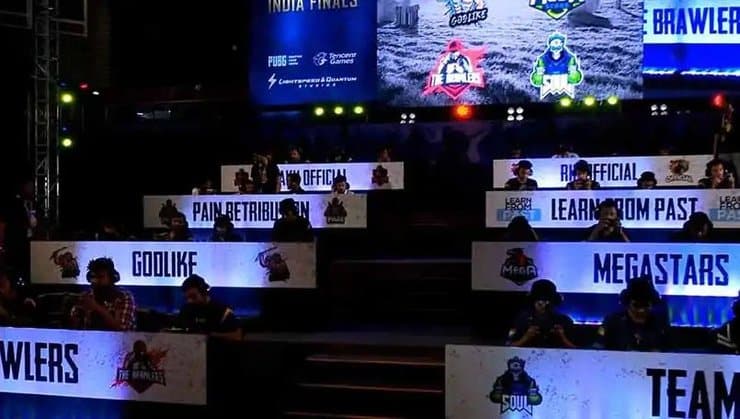
Indian gaming community is going to witness LAN tournaments in the country very soon as a report has surfaced claiming that a BGMI tournament will be hosted in Delhi by the end of April. This tournament will bring all the major BGMI rosters to India’s capital to compete in a LAN format after a long span of over two years.
Esports tournaments were shifted to online mode since the arrival of COVID-19 in the world. Many of the major events across the globe were postponed or the management had to cancel them due to fear of spreading the virus but as the curve has flattened, tournaments have resumed and India is following the suit.
According to a post by ENews Boy, a BGMI tournament will be hosted in Delhi very soon. The names of this tournament is not included in this report and other details are scanty.
The dates of this LAN event are suspected to be from 25th April to 27th April. According to these dates, it is confirmed that this event is not hosted by BGMI officials as BMOC is currently going on and its qualifiers have already started.
Audience will be barred from entering the venue as the competition will be held in a closed space with teams present. This will be done to make sure that COVID-19 does not affect the tournament in any way.
The names of participating teams are not announced but some speculations indicate that popular teams like Orangutan, Soul, Celtz and others might not be invited to this event.
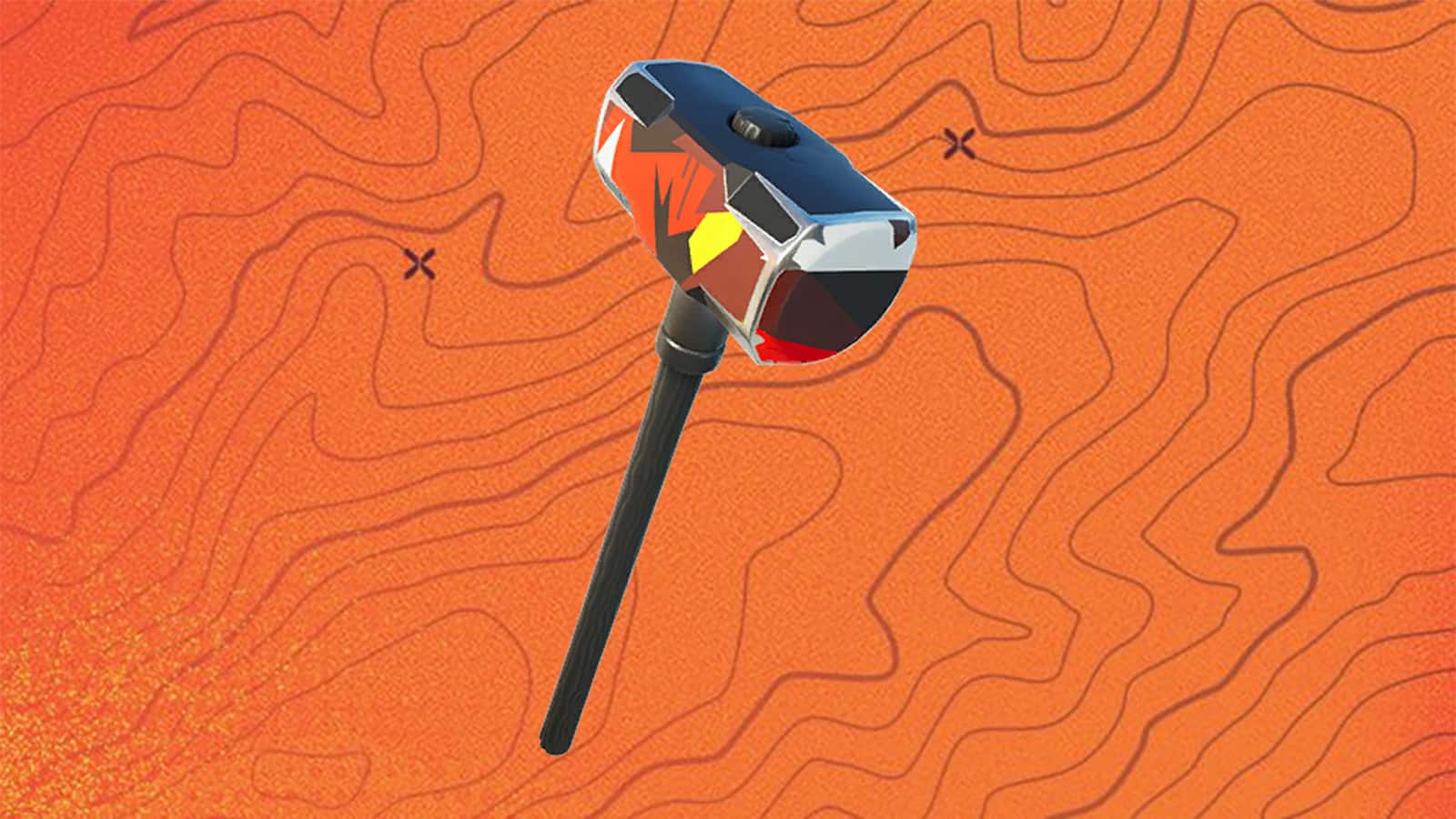
The Fortnite Urgent Covert Ops Quests have officially launched in Zero Build mode, and finishing them all will give you a free Secret Sledge pickaxe.
Along with the weekly Resistance Quests and Lantern Trials, Epic Games has now added a new set of objectives for Fortnite Chapter 3 Season 2 players to complete: the Covert Ops Quests.
There are a total of four Covert Ops Quests, each spanning two or four days. These are long-term goals to strive for, rather than short-term activities like the weekly challenges, so be ready to try a bit harder.
Keep reading till the end to know how you can unlock the Secret Sledge pickaxe in Fortnite Covert Ops quests.
How to complete Fortnite Covert Ops Quests?
During this Fortnite event, there are four Covert Ops Quests to complete. Let’s find them out:
Covert Ops Quests Phase 1
Establish a Device Uplink in Zero Build
Eliminate players in Zero Build
Quest 1 will begin on April 22 at 9 AM ET and end on April 26 at 9 AM ET.
Covert Ops Quests Phase 2
Quest 2 will begin on April 26 at 9 AM ET and end on April 28 at 9 AM ET.
Covert Ops Quests Phase 3
Quest 3 will start on April 28 at 9 AM ET and end on April 30 at 9 AM ET.
Covert Ops Quests Phase 4
Quest 4 will start on April 30 at 9 AM ET and end on May 2 at 9 AM ET.
How to get the Secret Sledge pickaxe in Fortnite?
You must finish all four Covert Ops Quests to receive the free Secret Sledge pickaxe. The next step of the Covert Ops Quests will not open unless you have finished the prior one, so you’ll need to keep up with them all as the days pass or you’ll miss out on the free reward.
After completing Quest 4, the Secret Sledge pickaxe should arrive in your locker shortly, however, there may be a short wait until the event ends on May 2 at 9 AM ET, so keep an eye out.
Note: These tasks must be performed in Zero Build mode instead of the usual Battle Royale format.
A new Valorant weapon skin bundle has been leaked by dataminers on the internet, and while not much is known about the new skin bundle coming to Valorant, it’s evident from the first glance that the ‘Daedalus’ bundle seems like a better version of the ‘Cavalier’ bundle that was a part of the Episode 1 Act 2 battle pass.
The new bundle, codenamed ‘Daedalus’, was initially leaked by reputed Valorant dataminer ‘XTR’ on Twitter. The leaker posted a picture of the Daedalus Vandal alongside two other Vandal skins that are likely to be released at some point during Episode 4 Act 3.
The price of the ‘Daedalus’ weapon skin bundle hasn’t been officially revealed by Riot Games as of yet. But don’t be surprised if they decide to include the Daedalus Vandal in the upcoming Battle Pass instead of putting it in a bundle.
Valorant ‘Daedalus’ Bundle Skins
Only the image of the ‘Daedalus’ Vandal has been leaked as of yet, so we still don’t have a clue about what other skins will be included in the ‘Daedalus’ skin bundle. However, from the screenshot of the Vandal, it seems that there will be 4 variants to the ‘Daedalus’ skin line.
Valorant ‘Daedalus’ Skin Bundle Release Date
The exact release date of the ‘Daedalus’ skin bundle hasn’t been set in stone just yet, but fans can expect to see this bundle being added to the shooter during Episode 4 Act 3.
Free Fire is a popular battle royale game and is well known for giving back to the community via redeem codes. Their player base is very large and distributed across the world and hence, the developers organize multiple regional events and sometimes publish redeem codes through which players can get items. Try out the redeem codes given below to get free items.
Redeem codes are simple strings of letters and numbers that grants certain rewards to the players when used at the Free Fire Redemption center. Garena releases such codes on a regular basis and this time, codes for Indian region are revealed.
Free Fire Max Redeem Codes For April 23, 2022
GARENA FREE FIRE MAX REDEEM CODES FOR APRIL 22, 2022
BSHWJH728R8638
FFI2NZCZOBY3
FFFS21ZXUKFM
JOIUYW72792726U
CGSVFSTY2IW8EI8
SBSUSHYWY2YI2I
FFR7B412CVZK
ENDJKEY35527653
BDJAKZJWO626E
BSU2JHSUSK2IG
FFPDEB2OQPZG
HOW TO REDEEM CODES IN FREE FIRE MAX
It is quite simple to redeem these codes in Free Fire. Players just need to visit the redemption center and enter the codes to get items. The steps are as follows:
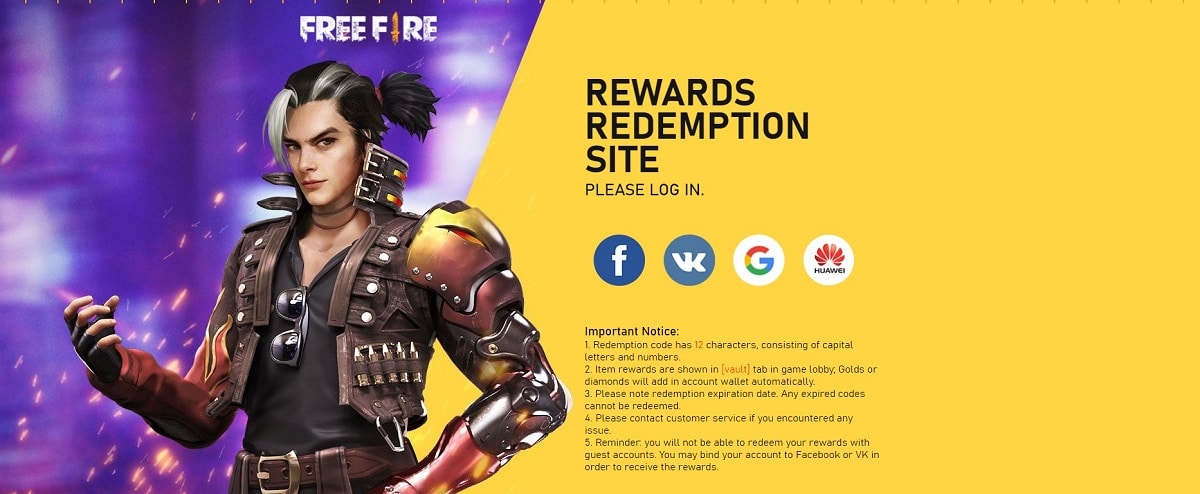
Visit the Reward Redemption center of Garena Free Fire. Click here to visit.
Log in with your Free Fire account. One must have either Facebook or Google ID signed in as a Guest account does not work.
Enter the codes given above and get free rewards in your in-game item vault.
Make sure to use these redeem codes as soon as possible because they tend to expire very soon.
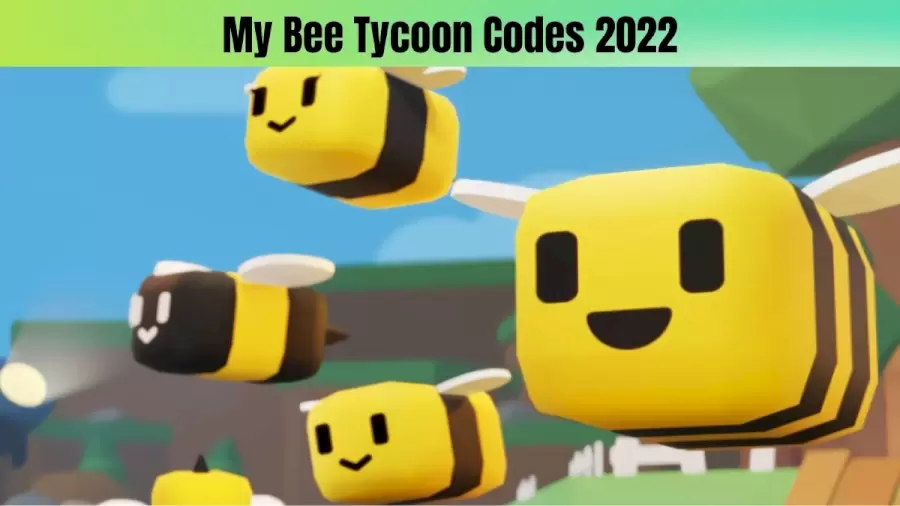
Roblox My Bee Tycoon is a game about bees where you need to work hard towards building and harvesting Honey, fighting with bosses, hatching the bees, and plenty of them. It will help you achieve, and you will be able to make your own Honey and then convert it into Royal Jelly. While using the correct codes, you will be able to access more bees and purchase many more weapons to fight off the bosses.
My Bee Tycoon Codes 2022 April 2022 (Active)
1K_Likes – Redeem for 40 Royal Jelly (New)
Welcome – Redeem for 80 Royal Jelly (New)
XTRA – Redeem for 50 Royal Jelly (New)
My Bee Tycoon Codes 2022 April 2022 (Expired)
None
How To Redeem My Bee Tycoon Codes?
Firstly you need to complete some steps in the tutorial where the game menu will show up once you open it
Then you need to click on the option “Gift Box Icon,” which will be at the top left-right of the screen
Then a new code will appear, and then you need to type the active codes
Finally, press “GET,” You will immediately receive rewards.
How To Get New Codes In Roblox My Bee Tycoon?
To get new codes, the developer of this game will be sharing new codes on the Youtube Channel called “DosmasStudios.”
Then you can check the principles one by one frequently over there.
FF Reward: Garena Free Fire Redeem Codes 2022, the steps on how to redeem free ff codes at reward.ff.garena are updated on this page. Players can check the updated Garena Free Fire Rewards, Garena Free Fire Redeem Codes 2022 on daily basis, make sure you cannot redeem the expired Garena FF Rewards. So players can visit our page and get the FF Reward Free Fire Redeem Codes.
What is Garena Free Fire Redeem Code?
Many of the Free Fire players are wondering What is Garena Free Fire Redeem Code? so here in this article, we have explained in detail about ff rewards and how to redeem free ff codes at the reward.ff.garena. Players who can’t afford to spend diamonds are often looking for alternative ways to get diamonds or get the items in the game for free. Using Redeem Codes is one of the best ways to get those items for free. Free Fire Redeem Codes are 12-digit alpha-numeric codes that provide a great opportunity for players to get exclusive skins and other free items in Free Fire.
Garena FF Rewards
Players can check out the FF Rewards along with the active Free Fire FF Reward codes on our page. The FF Rewards are used by the players to get many items in the game, so stay connected on our page and check the Garena Free Fire Redeem Codes daily. The active Garena Free Fire redeem codes today new and the steps to get Free Redeem Codes for Free Fire is provided below.
Garena Free Fire Redeem Codes Today 23 April 2022
ZFMU-VTLY-SLSC
YXY3-EGTL-HGJX
B6IY-CTNH-4PV3
FB6H-NJ1K-DI8U
22NS-M7UG-SZM7
FJKI-8U7Y-6TRF
FIH8-FS76-F5TR
TSAF-Q7B4-N56M
FUOJ-NB7V-C6SR
F3TE-FCXR-SFEG
DM7Z-79JE-A896
4PVB-SRG9-ETBF
Q4QU-4GQG-E5KD
TFF9-VNU6-UD9J
MQJW-NBVH-YAQM
WCME-RVCM-USZ9
9BYD-PUM5-WK6Z
TUJ9-Z4G8-Y7D4
Garena Free Fire Redeem Codes Today 22 April 2022
FV5B NJ45 IT8U
F7YG T1BE 456Y
FJBH VFS4 TY23
F87G YF3D GE6B
F5J6 YUH7 6GVT
F4N5 K6LY OU9I
FH2G YFDH E34G
EH4J I5T8 7G6Y
FDG3 H45R T8G7
FF5D SR4E QD1F
F3TE FCXR SFEG
Garena Free Fire Redeem Codes Today 21 April 2022
DDFRTY1616POUYT> Free Pet
FFGYBGFDAPQO> Free Fire Diamonds
MJTFAER8UOP16> 80,000 diamond codes
SDAWR88YO16UB> free dj alok character
NHKJU88TREQW> Titian mark gun skins
MHOP8YTRZACD> Paloma Character
BHPOU81616NHDF> Elite Pass and Free Top Up
ADERT8BHKPOU> Outfit
FFGTYUO16POKH> Justice Fighter and Vandals Rebellion Weapons Loot Crate
BBHUQWPO1616UY> Diamond Royale Voucher
F2QA SFGY T5GH > Free 299 Diamonds Bundle
F8IK NBVF R55T > Dreki Pet Free Fire Code
F34R FGBN MKLO > Free Diamonds Voucher
F9IK MNBV CDER > Head Hunting Parachute
F1QS DFGY 657U > Premium Bundles
F7UJ MNBV CDER > Get Justice Fighter and Vandal Revolt Weapon Loot Crate
FHYT 543E WSXC > Get Mr Shark Backpack, Kelly Bobblehead, Spikey Spine
F8IK MNBV CXSW > EGG Hunter Loot Box
F34E RFGB HNML > Phantom Bear Bundle
F0OLKJHB GFDE > Animal Weapon Loot Crate
F9IK JNBV FDER > Get Vandal Revolt Weapon Loot Crate
F3E4 RTGB NMKI > Shirou Free Fire Character
F2QA ZXCV BHNM > Sneaky Clown Weapon Loot Crate
F8IK MNBV CDSE>> 1x Rebel Academy Weapon Loot Crate
Garena Free Fire Redeem Codes Today 20 April 2022
FV5B NJ45 IT8U
F7YG T1BE 456Y
FJBH VFS4 TY23
F87G YF3D GE6B
F5J6 YUH7 6GVT
F4N5 K6LY OU9I
FH2G YFDH E34G
EH4J I5T8 7G6Y
FDG3 H45R T8G7
FF5D SR4E QD1F
F3TE FCXR SFEG
Garena Free Fire Redeem Codes Today 19 April 2022
FFD2 I8KL 2NK4
FF6V 7HN5 QQ4J
FFVF P8QZ VMZ6
FFLZ 3BCV GT3Z
FFIP N8O6 HDPL
FFQX TUKB U9OR
FFM8 5XII KFRH
FFB6 7AOL KTEI
FFNU 1YGX 3D35
FF12 HOX5 9V5S
FFFR L9JY 4MU6
FFCA QA7R ML9V
FFKF EPR7 CJN8
FF4J 5RG9 HRQE
FFOE KIM9 UBPL
FFSD G3XW KI7V
FFPJ Q1S4 CX6Y
Garena Free Fire Redeem Codes Today 18 April 2022
FG9T-Q5R2-ED34
RG8B-7VTF-S3GH
JE45-O67U-Y8UY
STQR-41E2-D34R
FH5J-I384-7Y5H
NYKH-I876-D5SA
4EQD-FV2G-H3JU
4R7G-6TGF-SB69
NEK4-5O67-Y9H8
FY4G-SWB3-45KT
FH87-65SR-EDWF
FGH4-J5TI-G8U7
How to redeem free ff codes at reward.ff.garena?
Step 1: Visit Garena Free Fire’s Official Rewards Redemption Website
Step 2: On the website login to the Fire account
Step 3: New users can log in using their Facebook Google or VK account
Step4: Next, paste the Redeem Codes and click confirm.
Step 5: Players can collect the reward through the vault tab located in the in-game lobby. Any currency will be added to the account straight away
FF Reward: Garena Free Fire Redeem Codes 2022 Related Searches
How to redeem free ff codes at reward.ff.garena?
Garena Free Fire Redeem Codes Today 23 April 2022
Garena FF Rewards
What is Garena Free Fire Redeem Code?
Disclaimer: The above information is for general informational purposes only. All information on the Site is provided in good faith, however we make no representation or warranty of any kind, express or implied, regarding the accuracy, adequacy, validity, reliability, availability or completeness of any information on the Site.
FF Reward: Garena Free Fire Redeem Codes 2022 – FAQs
1. Where can I Redeem Codes in Free Fire?
The official website to redeem Free Fire Rewards is reward.ff.garena.com. Players can visit the Redeem Website and log in using Facebook, VK, Google, and Huawei.2. What is Free Fire Redeem Code?
Redeem Codes is one of the best ways to get those items for free. Redeem Codes are 12-digit alpha-numeric codes that provide a great opportunity for players to get exclusive skins and other free items in Free Fire.
3. How to Redeem Free Fire Reward codes at reward.ff.garena.com?
On the Garena Free Fire website, visit the redemption center
Log in to your account on Free Fire. The Redeem Codes will not be available to players with a guest account. Players are required to use the Redeem Codes to bind their accounts with Facebook or VK
Next, paste the Redeem Codes and click confirm
Players can collect the reward through the vault tab located in the in-game lobby. Any currency will be added to the account straight away.
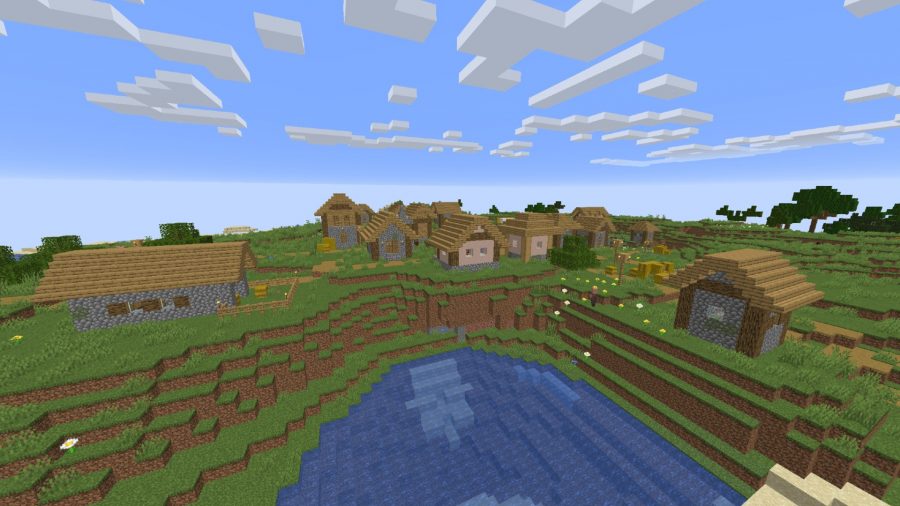
Villagers in Minecraft are some of the best ways to acquire a number of rare items with great enhancements. The higher the tier of villagers the better will be trades offered by them. Certain villagers at the master level will offer amazing trades such as enchanted diamond chestplates, enchanted diamond pickaxes, and even enchanted books.
Getting a master-level villager early on will immensely help in late-game challenging content and farming. Luckily, there is a path that players can take advantage of to quickly level their villagers to the master level.
Leveling up Minecraft villagers to the master level
Each villager has 5 tiers and usually starts at the Novice level. Each tier requires a certain amount of XP to advance to the next tier. Listed below are the amounts of XP required to progress to each villager level:
Novice: 0 XP
Apprentice: 10 XP
Journeyman: 70 XP
Expert: 150 XP
Master: 250 XP
The profession of a villager dictates its trading pool. Upon receiving a new profession, the appearance and trading interface of the villager changes. Novice villagers at 0 XP and no trades can also change their profession by removing their job site block and placing a new one. Remember that once you trade with a Novice villager the profession becomes permanent and subsequently locks in the offered trades
While the XP to level up each tier may seem like alot at first, the villager will get XP for each successful trade. While not all trades are equal, the general rule is that buying items from them with Emerald yields more XP than selling items to them.
Resource-wise, the easiest villagers to acquire the master level are stonemason, librarian, armorer, weaponsmith, and toolsmith. Two villagers and their recommended trades to repeat are listed below:
Stonemason: 10 clay for one emerald (2 XP), repeat trade until apprentice level, then repeat 20 stone for one emerald trade (10 XP) until master level.
Librarian: repeat 24 papers for one emerald trade (2 XP) until apprentice level, then repeat 4 books for one emerald trade (10 XP) until master level.
This technique can be used for every villager type. After a certain number of trades, the villager will disable his offer and will only offer it up to 2 times per day. This technique can be used for every villager type until the trade is blocked for the day. Take note that the item the villager actually wants would give more exp than other items. For example, giving coal to a novice armorer yield 2 XP instead of the usual 1.
Using the above technique, it should not take more than a few in-game days to acquire the master level on at least one villager.