Home Blog Page 1119

Best Valorant Crosshairs & Codes For December 2022

0

Finding the perfect crosshair for you in Valorant is not an easy task. However, without a proper crosshair, players can often find themselves being unable to win gunfights and messing up their spray patterns.

If you don’t want to spend hours trying out new Valorant crosshairs to search for the one you’re looking for, you can always choose to take a shortcut. Valorant enables players to copy other players’ crosshairs through the in-game client itself, which is why it might be a good idea to copy a professional player’s crosshair and play with it to grasp a feel.

This is why we have compiled a list of crosshair codes from some of the best pro players in Valorant that you can copy right now to take your gunplay to the next level.

Best Valorant Crosshair Settings Used by Pros
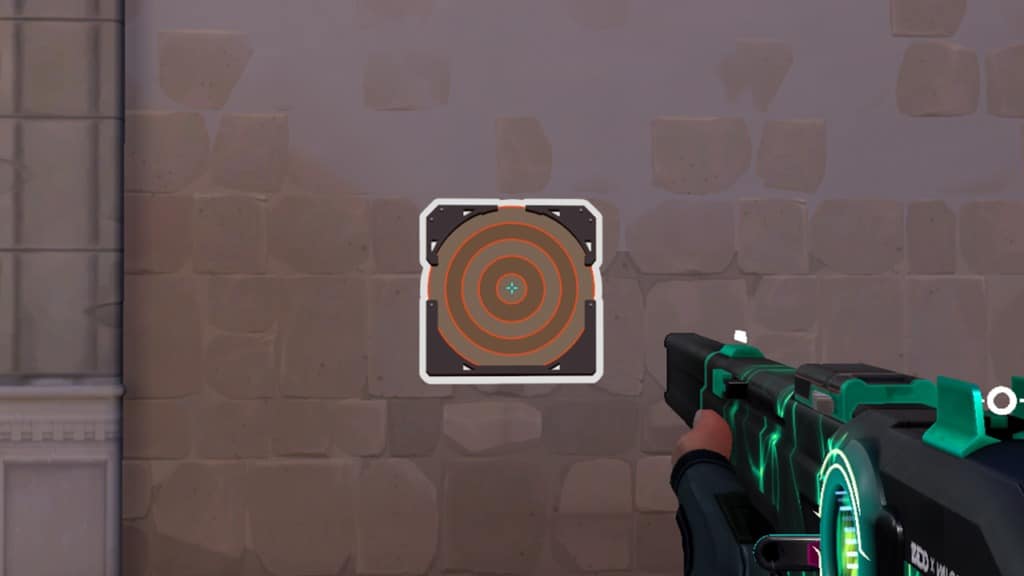
valorant crosshair codes list

VALORANT PRO PLAYERS’ CROSSHAIR CODES

Here are the crosshair codes of some renowned Valorant pros:

  • 100T Asuna 0;p;0;s;1;P;o;1;f;0;0t;1;0l;2;0v;20;0a;1;0f;0;1l;0;A;o;1;d;1;z;1;0l;0;0f;0;1l;0;S;c;0;s;0.75;o;1
  • 100T bang 0;P;h;0;0l;4;0o;0;0a;1;0f;0;1t;0;1l;0;1o;0;1a;0
  • 100T stellar 0;P;c;4;u;001331FF;h;0;0l;3;0v;3;0o;2;0a;1;0f;0;1b;0
  • 100T Will 0;s;1;P;h;0;f;0;0l;4;0o;0;0a;1;0f;0;1b;0;S;s;0.5;o;1
  • 100T Derrek 0;s;1;P;c;1;o;1;0t;1;0l;3;0a;1;0f;0;1b;0;S;s;0.652
  • DRX stax 0;P;c;4;h;0;f;0;s;0;0l;4;0o;2;0a;1;0f;0;1b;0
  • DRX Rb 0;s;1;P;c;5;h;0;f;0;0l;4;0o;2;0a;1;0f;0;1b;0;S;o;1
  • DRX Zest 0;s;1;P;c;1;o;1;f;0;0l;4;0a;1;0f;0;1b;0
  • DRX BuZz 0;P;c;5;o;1;f;0;0t;1;0l;2;0o;2;0a;1;0f;0;1b;0
  • DRX MaKo 0;s;1;P;c;1;o;1;f;0;0l;4;0a;1;0f;0;1b;0
  • Fnatic Boaster 0;s;1;P;c;1;o;1;d;1;0l;0;0o;2;0a;1;0f;0;1t;0;1l;0;1o;0;1a;0;S;c;1;o;1
  • Fnatic Mistic
  • 0;s;1;P;o;1;f;0;0t;1;0l;2;0o;2;0a;1;0f;0;1b;0
  • Fnatic Magnum 0;s;1;P;c;1;o;1;d;1;z;3;0t;0;0l;0;0o;0;0a;0;1t;0;1l;0;1a;0;S;c;1;s;0.762;o;1
  • Fnatic Derke 0;s;1;P;o;1;d;1;f;0;s;0;0t;0;0l;1;0o;0;0a;1;0f;0;1t;0;1l;1;1o;0;1a;1;1m;0;1f;0;S;o;1
  • KRÜ NagZ 0;s;1;P;c;1;o;1;d;1;0l;0;0o;2;0a;1;0f;0;1t;0;1l;0;1o;0;1a;0;S;c;1;o;1
  • KRÜ Klaus 0;P;c;1;o;1;0t;1;0l;3;0o;1;0a;1;0f;0;1t;0;1l;0;1a;0
  • KRÜ Mazino 0;P;c;1;h;0;0l;4;0o;2;0a;1;0f;0;1b;0
  • KRÜ delz1k 0;P;c;1;o;0;f;0;0l;3;0o;2;0a;1;0f;0;1b;0
  • KRÜ keznit 0;P;c;4;h;0;0b;0;1l;4;1o;2;1a;1;1m;0;1f;0
  • LOUD aspas 0;P;c;5;o;1;d;1;z;3;f;0;0b;0;1b;0
  • LOUD Saadhak 0;P;c;1;o;1;f;0;0l;4;0o;2;0a;1;0f;0;1b;0
  • LOUD Sacy 0;P;h;0;0t;1;0l;4;0o;1;0a;1;0f;0;1t;3;1o;2;1a;1;1m;0;1f;0
  • LOUD pANcada 0;P;c;1;h;0;s;0;0l;3;0o;2;0a;1;0f;0;1b;0
  • LOUD Less 0;P;o;0;0t;1;0l;2;0o;0;0a;1;0f;0;1b;0
  • NiP bezn1 0;P;h;0;0b;0;1l;4;1o;2;1a;1;1m;0;1f;0
  • NiP Jonn 0;s;1;P;h;0;0t;1;0l;4;0o;1;0a;1;0f;0;1t;3;1o;2;1a;1;1m;0;1f;0
  • NiP xand 0;s;1;P;c;1;o;1;f;0;0t;1;0l;3;0o;1;0a;1;0f;0;1b;0;S;c;5;s;0.8;o;1
  • NiP cauanzin 0;P;h;0;0l;3;0a;1;0f;0;1b;0
  • NiP bnj 0;P;c;1;h;0;d;1;z;1;m;1;0t;1;0l;2;0o;2;0a;1;0e;0.316;1b;0
  • OpTic FNS 0;P;c;1;o;1;0l;3;0o;5;0a;1;0f;0;1b;0
  • OpTic Victor 0;P;h;0;f;0;0l;4;0a;1;0f;0;1b;0
  • OpTic crashies 0;s;1;P;c;1;h;0;f;0;0l;4;0o;2;0a;1;0f;0;1b;0
  • OpTic yay 0;P;h;0;f;0;0l;4;0o;0;0a;1;0f;0;1b;0
  • OpTic Marved 0;P;c;1;h;0;f;0;0l;3;0o;2;0a;1;0f;0;1b;0
  • Sentinels TenZ 0;s;1;P;c;5;h;0;m;1;0l;4;0o;2;0a;1;0f;0;1b;0;S;c;4;o;1
  • Sentinels Sick 0;P;c;1;o;1;f;0;0l;3;0o;5;0a;1;0f;0;1t;0;1a;0.379
  • Sentinels Dapr 0;P;c;1;o;1;f;0;0l;3;0o;5;0a;1;0f;0;1b;0

HOW TO USE VALORANT CROSSHAIR CODES

To use these crosshair codes in your game, simply launch Valorant and head over to the ‘Crosshair’ tab in Settings.

Once there, you can click on the arrow next to the Crosshair Profile and paste the code for the crosshair you want in Valorant.

Once you have your desired crosshair code pasted, you can click on ‘Import’ and your crosshair will be changed to the one you want.

Also Read:
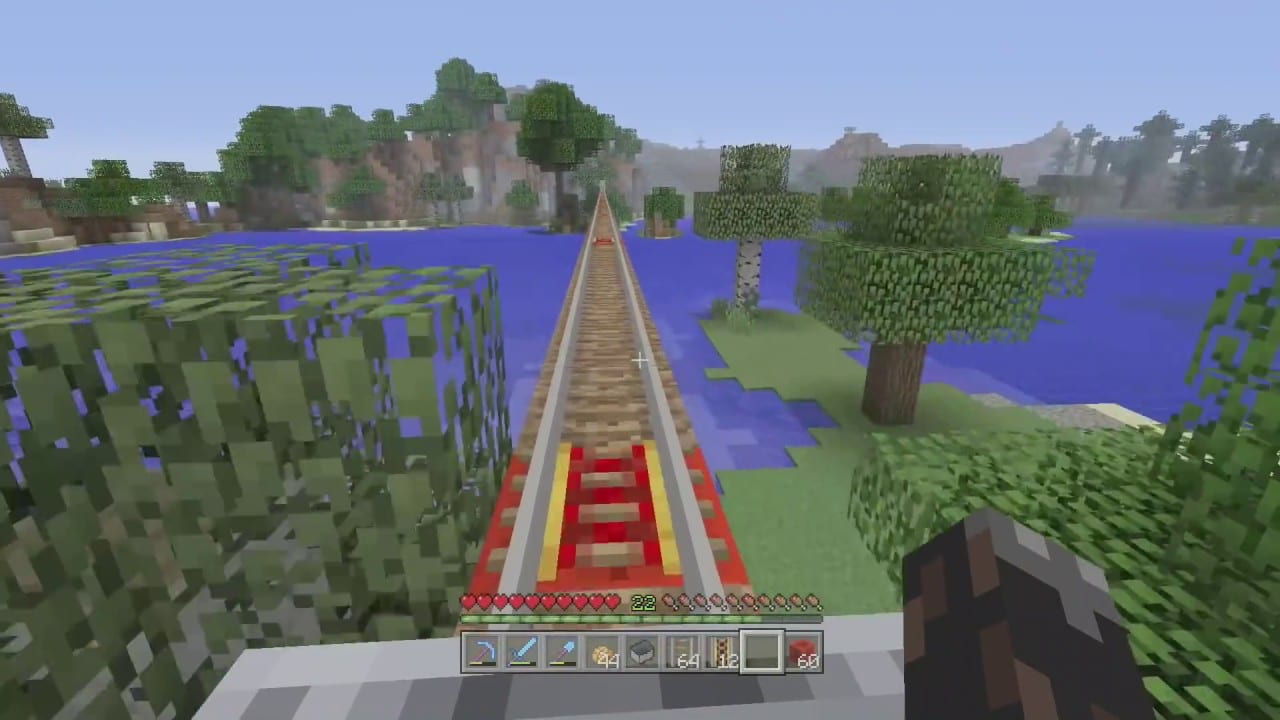
Minecraft 1.20 Update APK Download, Release date

0

Minecraft is a sandbox game developed by Mojang Studios. The game was created by Markus “Notch” Persson in the Java programming language. Following several early private testing versions, it was first made public in May 2009 before being fully released in November 2011, with Notch stepping down and Jens “Jeb” Bergensten taking over development. Minecraft is the best-selling video game of all time, with over 238 million copies sold and nearly 140 million monthly active players as of 2021, and has been ported to several platforms.

In Minecraft, players explore a blocky, procedurally generated 3D world with virtually infinite terrain and may discover and extract raw materials, craft tools and items, and build structures, earthworks, and simple machines.

Depending on their chosen game mode, players can fight hostile mobs, as well as cooperate with or compete against other players in the same world.

Game modes include a survival mode (in which players must acquire resources to build in the world and maintain health) and a creative mode (where players have unlimited resources and access to flight).

There is also a wide variety of user-generated content, such as modifications, servers, skins, texture packs, and custom maps, which add new game mechanics and possibilities.

Minecraft received critical acclaim, winning several awards and later being cited as one of the greatest video games of all time. Social media, parodies, adaptations, merchandise, and the annual Minecon conventions played prominent roles in popularizing the game.

The game has also been used in educational environments to teach chemistry, computer-aided design, and computer science. In 2014, Mojang and the Minecraft intellectual property were purchased by Microsoft for US$2.5 billion.

Several spin-offs have also been made, including Minecraft: Story Mode,[i] Minecraft Dungeons, Minecraft Earth, and the upcoming Minecraft Legends.

Minecraft 1.20 Update APK Downloadand Release Date and the link can be found at the official website for the game. Minecraft 1.20 Update APK is scheduled to be available in the next days. Mojang Studios recently had an event in which they announced the date for release of the next update for Minecraft.

Minecraft 1.20 Update

This is why a lot of gamers are now eager to see the latest version. Today, you will learn in this blog post about the most up-to-date information in the game that was released in 2023. Minecraft is a video-based game. Minecraft is well-known and since its release there were a lot of people who installed it on their computer.

Valorant Cat Crosshair Code Available Here

0

Crosshairs in Valorant have a big impact on your gameplay, which is why most players tend to go for crosshairs that help click heads better. However, if you’re not necessarily looking for a competitive advantage over your opponents, you can also try out some funny crosshairs to get some laughs from your teammates.

The flexible crosshair creation options in Valorant enable players to customize their crosshairs in a variety of ways. This has resulted in the Valorant community coming up with a plethora of unique and creative crosshairs that are certain to get some hilarious reactions from your friends.

In this article, we’re gonna take a look at how you can get the ‘Car Crosshair’ in Valorant in only a few simple steps.

Valorant: Cat Or Kitty Crosshair Code

Over the past few months, Riot Games has made it easier than ever before for players to copy others’ crosshairs in Valorant. To get the Cat crosshair in Valorant, simply copy this code and paste it into your game’s settings:

Valorant Cat Crosshair Code:

0;P;c;8;b;1;t;1;o;0.5;z;3;a;1;0t;10;0l;0;0v;3;0o;1;0a;1;0s;1;0e;1;1t;9;1l;2;1v;0;1o;3;1a;1;1s;1;1e;1;u;FC5A8D;d;1;h;0;0g;1;1g;1;0f;0;1f;0;0m;0;1m;0;0b;1;1b;1;m;1;f;0

Valorant Kitty Crosshair Code:

0;P;c;8;b;1;t;1;o;0.5;z;3;a;1;0t;10;0l;0;0v;3;0o;1;0a;1;0s;1;0e;1;1t;9;1l;2;1v;0;1o;3;1a;1;1s;1;1e;1;u;FC5A8D;d;1;h;0;0g;1;1g;1;0f;0;1f;0;0m;0;1m;0;0b;1;1b;1;m;1;f;0

How to Use Valorant’s Crosshair Codes

To use this love crosshair code in Valorant, simply launch the game and head over to the ‘Crosshair’ tab in the game’s Settings.

Once there, you can click on the arrow next to the Crosshair Profile and paste the code for the crosshair you want in Valorant.

Once you have your desired crosshair code pasted, you can click on ‘Import’ and your crosshair will be changed to the one you want.

For more exclusive esports and gaming content, please follow us on Google News.

Valorant vs Hyper Front: Riot Games To Sue Netease For Copying

0

Riot Games is taking a front foot to secure their place in the mobile gaming market before the launch of VALORANT mobile by taking a stringent action against an application which allegedly replicates their flagship title, VALORANT.

VALORANT is the FPS game launched by Riot Games in 2020. Its popularity skyrocketed ever since the launch and now, the developers are planning to build a mobile version of it for the largely untapped mobile gaming market.

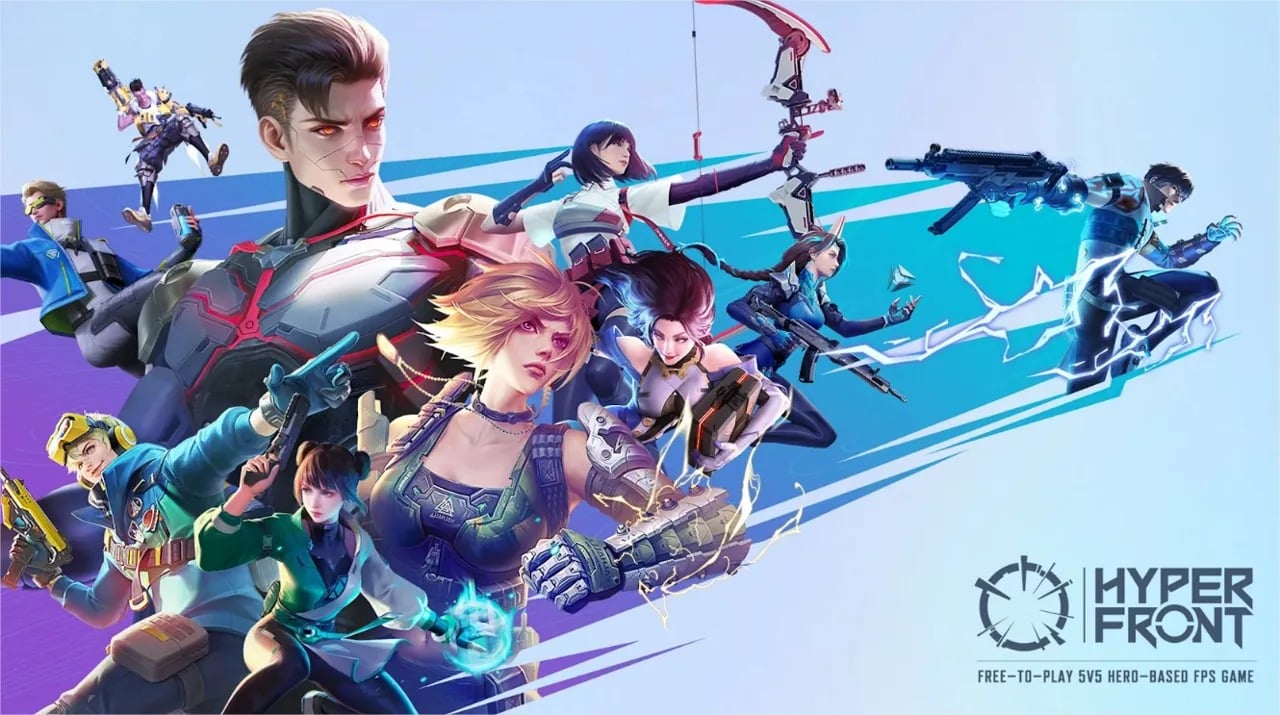
With the success of League of Legends: Wild Rift, the mobile version of LOL, Riot Games plans to pave a similar path of success for their upcoming title as well. Before the launch of VALORANT Mobile, a certain game called Hyper Front was alleged to be a copy of VALORANT and Riot Games have taken an action on the same.

Riot Games has filed a lawsuit in the UK with claims of NetEase copying their characters, maps, weapons, weapon skins, charms, and even weapon stats designs. The developers have a very upfront stance on this matter.

Speaking about the case, Riot Games lawyer Dan Nabel told Polygon that they are filing lawsuits in the United Kingdom, Germany, Brazil, and Singapore.

His statement reads, “All of our creative choices are mirrored in NetEase’s game. We don’t think that changing the color of a character ability or slightly modifying the visual appearance changes the fact that it’s copyright infringement. It’s like that old saying, ‘You can put lipstick on a pig, but it’s still a pig.’”

If NetEase is found guilty in this case, a hefty sum would be paid to Riot Games for this matter and the overall design of their game called Hyper Front is also expected to change.

Discord Update Failed Loop: How To Fix?

0

Discord is a VoIP and instant messaging social platform. Users have the ability to communicate with voice calls, video calls, text messaging, media and files in private chats or as part of communities called “servers”.

A server is a collection of persistent chat rooms and voice channels which can be accessed via invite links. Discord runs on Windows, macOS, Android, iOS, iPadOS, Linux, and in web browsers. As of 2021, the service has over 350 million registered users and over 150 million monthly active users.

Today, we’ll show you how to fix the Discord Update Failed error with simple, easy to follow methods. Let’s get started.

Today, we’ll demonstrate how to resolve the Discord Update Failed error using simple, straightforward steps. Let’s get started.

Method 1. Run Discord as administrator

An easy solution to the Discord Update Failure error can be to run the application using administrative privileges. This permits the updater to modify your device, so you can download and install the latest Discord update.

Note that to do this to work, your local account needs to have administrator access. If not, you’ll have to be able to access admin passwords.

Utilize your Windows 10 Search bar in your taskbar to search for “Discord”.

  1. Just right click on the Discord application to display the results, which are usually in the section called Best Match. Choose from the Run in Administrator mode from the context menu that appears.
  2. If you are prompted by the User Account Control (UAC) Click “Yes” to enable Discord to start and make changes to the device. This is needed to upgrade the application.

Method 2. Rename the Update.exe file

Discord troubleshooters were able to identify an issue with the application’s update.exe file. We recommend you attempt to rename this file in order to successfully update Discord to the newest release.

  1. Navigate to your AppData folder:
    1. Press the Windows + R keys on your keyboard and paste in “C:\Users\Username\AppData” without the quotation marks. Make sure to replace Username with your local account username.
    2. Alternatively, open the File Explorer, then navigate to This PC → C: → Users → Username → AppData.
  2. Open the Local folder. Inside, locate the Discord folder and open it as well.
  3. Right-click on the Update.exe file, and choose Rename.
  4. Type in UpdateX.exe (keep in mind that this is case-sensitive) and hit Enter. You may proceed to try running Discord again, preferably as an administrator following the guide above.

Method 3. Disable Windows Defender

In some cases, Windows 10’s default antivirus measures conflict with the Discord Update, causing it to continuously fail. You may disable Windows Defender to try and update Discord by following the steps below.

  1. Open the Settings application using the Windows + I keyboard shortcut, or the gear icon from your Start menu.
  2. Click on the Update & Security tab.
  3. Navigate to Windows Security → Virus & Threat protection → Manage Settings.
  4. Toggle off Real-time protection. This is going to almost fully disable Windows Defender until the option is toggled back on.
  5. Try running Discord again, preferably as an administrator following the guide above. If the update succeeds, Windows Defender was most likely conflicting with the Discord client.

Method 4. Temporarily disable your antivirus

Antivirus applications are known to cause issues on computers by interfering with your internet connection or blocking apps and services from running properly. You can test if the antivirus you’re using at the moment is causing the Discord Update Failed error by temporarily disabling it.

Note that this method is not recommended as it is unsafe to use your computer without protection. Only proceed if you’re aware of the possible risks and have a backup of your system to revert any damage that may happen.

  1. Right-click on an empty space in your taskbar and choose Task Manager.
  2. If the Task Manager launched in compact mode, make sure to expand details by clicking on the “Mode details” button.
  3. Switch to the Start-up tab using the header menu located at the top of the window.
  4. Find your antivirus application from the list and select it by clicking on it once.
  5. Click on the Disable button now visible in the bottom-right of the window. This will disable the application from launching when you start your device.
  6. Restart your computer and open Discord to see if the error appears again. If Discord is able to update properly, your antivirus was the most likely culprit.

Method 5. Reinstall Discord and clear app data

If none of the solutions above seemed to work, your last resort should be to completely remove Discord, then reinstall it using the official installer. To do this, follow the steps below.

  1. First, you’ll need to uninstall Discord. Open the Settings application using the Windows + I keyboard shortcut, or the gear icon from your Start menu.
  2. Click on the Apps tab.
  3. Find Discord from the programs list. You can click on Name to have the list organized into alphabetical order, or use the built-in search to locate the application.
  4. Click on Discord and choose the Uninstall option.
  5. Click Uninstall again to let Windows 10 remove Discord from your device. Now, you can move on to delete residual files in your app data folder.
  6. Press the Windows + R keys on your keyboard. This is going to bring up the Run utility.
  7. Type in “%appdata%” and click on the OK button. This will immediately redirect you to the AppData folder in File Explorer.
  8. Locate the Discord folder, then right-click on it and choose Delete. This will remove most residual files.
  9. Head over to discord.com and download the latest version of the application by clicking on the Download for Windows icon.

PUBG Mobile 2.4 Patch Notes: All you need to know

0

PUBG Mobile recently released a new beta version of their game. This new version is patch 2.4 and includes a lot of new additions that will come to PUBG Mobile in the upcoming seasonal update. Here is all you need to know about it.

PUBG Mobile pushes regular updates on their beta servers. These updates are accessible for a selected few as the developers test their new features in the beta version. Players with an invitation can download the beta version and play the game.

Here are the changes that you can expect in the next PUBG Mobile update:

New Gameplay and Items: 

  1. Back For Honor: After getting eliminated and recalled by a teammate, players can issue a revenge mission. If the original eliminator accepts, they become a target and their approximate location gets revealed to the revenge seeker. Revenge seekers can get rewards by eliminating their target within the time limit to complete the mission. Otherwise, the targeted player obtains the rewards. 
  2. Dancing Lion: Lion dance themed two-person vehicle. Fast and agile with the ability to jump and dash. It can be stored in the Backpack and used without limit.
  3. Grappling Hook: Fire a grappling hook at a target to pull yourself towards it.
  4. Martial Arts Arena: Many Martial Arts Arenas will appear in the game, half of which will be open to players at all times. However, the rest will remain locked. Only at the end of the countdown will they be made available. Dancing Lion can only be obtained from the Crates found in the middle of the Martial Arts Arena.

Metro Royale Updates: 

  1. Added 1 new map that is divided into Basic Mode and Advanced Mode. This map will provide even more supplies to players.
  2. Added new Ziplines and Stairs to help players move about quickly.
  3. Added new NPC (non-player character) enemies and bosses to provide a new PVE (Player versus environment) experience.
  4. Added 4 new sellable items (Biological Sample, Processor (GPU), Gold Piles, Lens). They will only be spawned on the new map.
  5. Increased advanced armor’s resistance to explosive damage.
  6. Increased Basic Inventory Capacity increased to 30.

Also Read | Garena Free Fire redeem codes (December 2022)

Riot Games to sue NetEase for imitating Valorant

Riot Games is taking a front foot to secure their place in the mobile gaming market before the launch of VALORANT mobile by taking a stringent action against an application which allegedly replicates their flagship title, VALORANT.

VALORANT is the FPS game launched by Riot Games in 2020. Its popularity skyrocketed ever since the launch and now, the developers are planning to build a mobile version of it for the largely untapped mobile gaming market.

With the success of League of Legends: Wild Rift, the mobile version of LOL, Riot Games plans to pave a similar path of success for their upcoming title as well. Before the launch of VALORANT Mobile, a certain game called Hyper Front was alleged to be a copy of VALORANT and Riot Games have taken an action on the same.

Riot Games has filed a lawsuit in the UK with claims of NetEase copying their characters, maps, weapons, weapon skins, charms, and even weapon stats designs. The developers have a very upfront stance on this matter.

Speaking about the case, Riot Games lawyer Dan Nabel told Polygon that they are filing lawsuits in the United Kingdom, Germany, Brazil, and Singapore.

His statement reads, “All of our creative choices are mirrored in NetEase’s game. We don’t think that changing the color of a character ability or slightly modifying the visual appearance changes the fact that it’s copyright infringement. It’s like that old saying, ‘You can put lipstick on a pig, but it’s still a pig.’”

If NetEase is found guilty in this case, a hefty sum would be paid to Riot Games for this matter and the overall design of their game called Hyper Front is also expected to change.

Destiny 2 Calabrese error: How To Fix It?

0

Destiny 2 is a free-to-play online-only multiplayer first-person shooter video game developed by Bungie. It was originally released as a pay-to-play game in 2017 for PlayStation 4, Xbox One, and Microsoft Windows. It became free-to-play, utilizing the games as a service model, under the New Light title on October 1, 2019, followed by the game’s release on Stadia the following month, and then PlayStation 5 and Xbox Series X/S platforms in December 2020.

The game was published by Activision until December 31, 2018, when Bungie acquired the publishing rights to the franchise. It is the sequel to 2014’s Destiny and its subsequent expansions.

Set in a “mythic science fiction” world, the game features a multiplayer “shared-world” environment with elements of role-playing games. Like the original, activities in Destiny 2 are divided among player versus environment (PvE) and player versus player (PvP) game types. In addition to normal story missions, PvE features three-player “strikes” and dungeons and six-player raids.

A free roam patrol mode is also available for each destination which feature public events as well as activities not available in the original.

These activities have an emphasis on exploration of the destinations and interactions with non-player characters (NPCs); the original Destiny only featured NPCs in social spaces. PvP features objective-based modes, as well as traditional deathmatch game modes.

Players assume the role of a Guardian, protectors of Earth’s last safe city as they wield a power called Light to protect humanity from different alien races and combat the looming threat of the Darkness. Like the original Destiny, the game features expansion packs which further the story and adds new content across the game. Year One of Destiny 2 featured two small expansions, Curse of Osiris and Warmind.

A third, large expansion, Forsaken, began Year Two with an overhaul on gameplay. The release of the next expansion, Shadowkeep (October 2019) began Year Three. Shadowkeep and future releases are considered standalone releases, not requiring players to own previous premium content.

Released alongside this fourth expansion was a version of Destiny 2 called New Light, a free-to-play re-release of Destiny 2, which also included access to the first two expansions. Separate seasonal passes also became available for each season’s content. While the main Destiny 2 game has since been free-to-play, all other content requires purchasing.

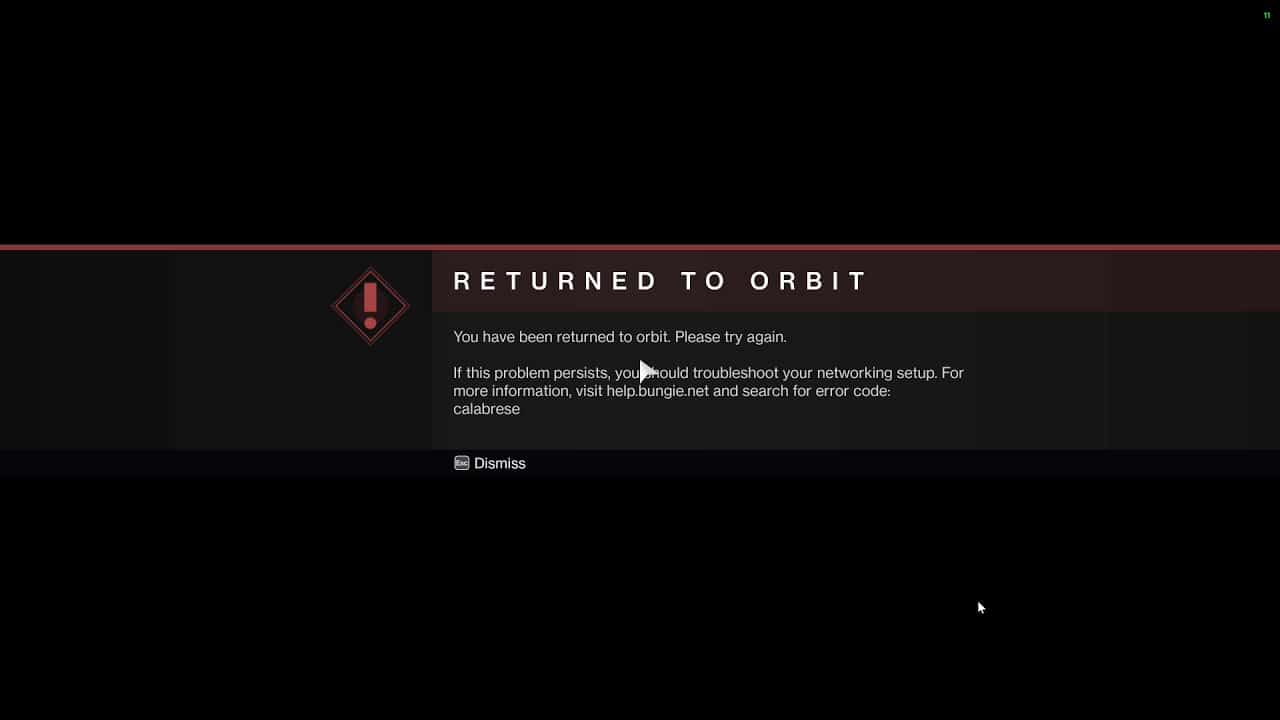
What is the error code Calabrese?

The error code Calabrese points to a problem with the game server or the Internet connection at your end, though in most cases, it’s the former. And, it’s been observed that the error generally goes away on its own. So, wait for a few hours before you proceed with the troubleshooting.

Why do I keep getting error codes in Destiny 2?

If you keep getting error codes in Destiny 2, it’s likely a problem with the Internet connection, the presence of a conflicting application, or issues with the game installation itself.

Let’s now head to the most effective solutions for the Calabrese error code.

How do I fix the error code Calabrese Destiny 2?

1. Check your Internet connection

The first thing that you must do when faced with this error is to check if the connection is running fine. Use an online tool like Speedtest to check the connection speed.

2. Add an exception for Destiny 2 in the Firewall

  1. Press Windows + S to launch the Search menu, enter Control Panel in the text field, and open it.
  1. Click on System and Security from the options here.
  2. Click on Allow an app through Windows Firewall under Windows Defender Firewall.
  3. Now, click on Change settings.
  4. Click on Allow another app at the bottom.
  5. Click on Browse to locate and select Destiny 2.
  6. Navigate to the folder where Destiny 2 is stored, select its launcher, and click on Open.
  7. Now, click on Add.
  8. Finally, click on OK at the bottom to save the changes.

 Reinstall Destiny 2

  1. Launch Steam, and click on the Library option at the top.
  2. Now, right-click on Destiny 2 at the left, hover the cursor over Manage, and select Uninstall.
  3. Click Uninstall in the confirmation prompt.
  4. Restart the computer for the changes to come into effect, and then again head to the Library section in Steam.
  5. Now, right-click on Destiny 2, and select Install.
  6. Check the various installation settings and click on Next to start the process.

Once Destiny 2 is reinstalled, you would not encounter the Calabrese error code anymore on your computer.

Free Fire Redeem Codes Today 10 December 2022

Free Fire is a popular battle royale game on mobile platform which has tons of flashy skins and outfits in its arsenal. These alluring cosmetic items can be purchased from the in-game shop but many do not prefer to spend money. There is a way to obtain some of these items without spending a dime and it can be done by using redeem codes.

Redeem codes in Free Fire are special codes which can be used to get free items in the game. These codes are released frequently by the developers as a reward system to its player base. Most of these codes have certain restrictions and hence, players from specific regions can obtain these rewards.

Garena has released a new redeem codes for multiple regions and one can check the list given below to redeem various items for their user ID. Make sure to follow the entire list to get all the items.

How to redeem Free Fire redeem codes

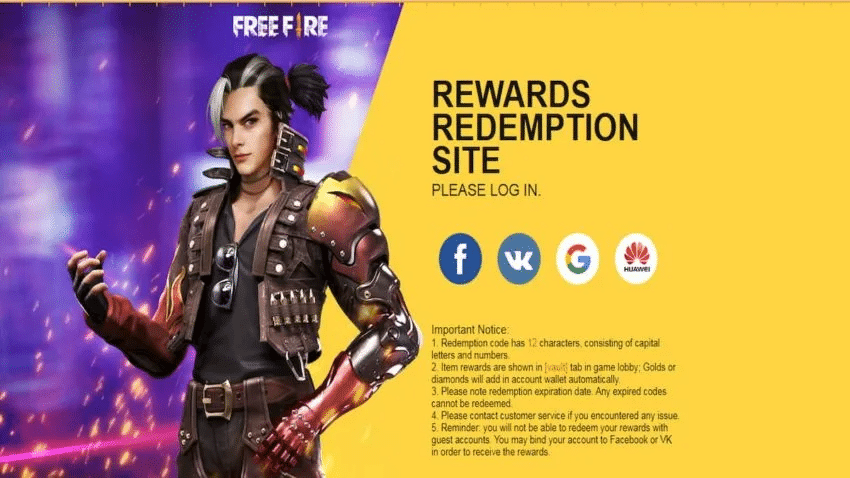
  • Visit the Free Fire Rewards Redemption Site and log in with your Free Fire account.
  • Copy a code from the table below and paste it into the Redeem your Code column.
  • Click on the Submit button and open Garena Free Fire to collect your rewards from the in-game mail section.

Note: Be aware that you cannot redeem rewards on guest accounts. In that situation, you can bind the account Facebook or VK for the reward. Be aware that the majority of the rewards are region-locked.

Free Fire Redeem Codes For December 2022

  • FKJH BNJK OPOL
  • FMKL POIU YTFD
  • JCDK CNJE SRTR
  • FDRD SASE RTYH
  • FU821 OUYT RDVB
  • FHBV CDFQ WERT
  • FMKI 88YT GFD8
  • KLLP DJHD DBJD
  • EDXX DSZS SDFG
  • HDFH DNBH NDJL
  • VFGV JMCK DMHN
  • NDJD FBGJ EJFK
  • ERTY HJNB VCDS
  • F101U JHGV CDSE
  • F7UI JHBG FDFR
  • FXCV BNMK DSXC
  • FOKM JNBV CXSD

Free Fire Redeem Codes For 10th December 2022

Room cards

  • FHBV CDFQ WERT
  • ZYPPXWRWIAHD
  • VDBGHJ9OIJRNHF
  • KLLP DJHD DBJD
  • YTF4 5BH6 7JNU
  • FKJH BNJK OPOL
  • X99TK56XDJ4X
  • LIGHTTMQZ37D

Outfits

  • PCNF5CQBAJLK
  • MCPW3D28VZD6
  • V427K98RUCHZ
  • BR43FMAPYEZZ
  • FFCMCPSGC9XZ
  • ZZZ76NT3PDSH
  • MCPW2D1U3XA3
  • HNC95435FAGJ
  • 6KWMFJVMQQYG
  • EYH2W3XK8UPG
  • FFCMCPSJ99S3
  • FFCMCPSEN5MX
  • MCPW2D2WKWF2
  • NPYFATT3HGSQ
  • UVX9PYZV54AC
  • FFCMCPSUYUY7E
  • XZJZE25WEFJJ

Vouchers

  • UJDE I939 91U3
  • 7763 6HGS BVSF
  • RQTW HEJK EKEK
  • O1I2 8272 7YNZ
  • BSVW FFAD AHYD
  • JKKD LKOR IEU3
  • 76TR GDBH DHDU
  • UEUY T5WR QEE1
  • 3325 3678 5969
  • 7070 87IY JHHG
  • BVBF XFAD SAXB
  • BHJK JTJY YMNM
  • JGFD DSAS QWEW
  • ERRT TYTU YUIU
  • OIOP POPJ KMNB
  • NBVB CVR3 3442
  • 5764 7YUH FADQ
  • 1DE2 T375 6879
  • 80I0 GJYG DGFY
  • TERF 3263 7RH3
  • 48NJ T5C5 MJU7

Emotes

  • FF9MJ31CXKRG
  • FFCO8BS5JW2D
  • FFAC2YXE6RF2
  • FFICJGW9NKYT

Bundles

  • GCNVA2PDRGRZ
  • 8F3QZKNTLWBZ
  • SARG886AV5GR
  • J3ZKQ57Z2P2P
  • FF7MUY4ME6SC
  • X99TK56XDJ4X
  • WEYVGQC3CT8Q
  • 3IBBMSL7AK8G
  • B3G7A22TWDR7X
  • 4ST1ZTBE2RP9

Gun skins

  • MCPW3D28VZD6
  • FFCMCPSGC9XZ
  • UVX9PYZV54AC
  • FFCMCPSUYUY7E
  • FFCMCPSJ99S3
  • 6KWMFJVMQQYG
  • BR43FMAPYEZZ
  • XZJZE25WEFJJ
  • HNC95435FAGJ
  • FFCMCPSEN5MX
  • ZZZ76NT3PDSH
  • EYH2W3XK8UPG
  • NPYFATT3HGSQ
  • MCPW2D2WKWF2
  • V427K98RUCHZ
  • MCPW2D1U3XA3

Pets

  • U8S47JGJH5MG
  • FFIC33NTEUKA
  • VNY3MQWNKEGU
  • ZZATXB24QES8
  • FU816OUYTRDVB
  • FHBVCDFQWERT
  • NDJDFBGJFJFK
  • ERTYHJNBVCDS
  • F10IUJHGVCDSE
  • F7UIJHBGFDFR
  • FMKI88YTGFD8
  • KLLPDJHDDBJD
  • EDXXDSZSSDFG
  • HDFHDNBHNDJL
  • VFGVJMCKDMHN
  • FKJHBNJKOPOL
  • FMKLPOIUYTFD
  • JCDKCNJE5RTR
  • FDRDSASERTYH
  • FXCVBNMKDSXC
  • FOKMJNBVCXSD
  • FFFXVGG8NU4YB
  • FFE4EODIKX2D
  • ERTYHJNBVCDS

Diamonds

  • MHM5D8ZQZP22
  • U8S47JGJH5MG
  • ZZATXB24QES8
  • FFIC33NTEUKA
  • VNY3MQWNKEGU

Other rewards

  • FF11NJN5YS3E
  • MSJX8VM25B95
  • SARG886AV5GR
  • J3ZKQ57Z2P2P
  • W4GPFVK2MR2C
  • MQJWNBVHYAQM
  • RRQ3SSJTN9UK
  • FF1164XNJZ2V
  • X99TK56XDJ4X
  • FF11WFNPP956
  • WCMERVCMUSZ9
  • 8F3QZKNTLWBZ
  • FF7MUY4ME6S

Garena Free Fire Codes for the Indian server

  • XLMMVSBNV6YC
  • FFMC2SJLKXSB
  • LH3DHG87XU5U
  • PACJJTUA29UU
  • 4611DA6XFCPDW
  • WLSGJXS5KFYR
  • ESX24ADSGM4K
  • FF7MUY4ME6SC
  • FFIC34N6LLLL
  • FFICZTBCUR4M
  • FFIC9PG5J5YZ
  • FFICWFKZGQ6Z

Garena Free Fire Codes for the Indonesian server

  • FFESPORTSJLC
  • FF8MBDXPVCB1
  • FFESPORTSSQA

Garena Free Fire Codes for European server

  • FV385V6HXJ97
  • 6XMNG242VMKV
  • RRF6WMKMDPJV
  • G3MKNDD24G9D
  • H28UZG5ATK2R
  • FF8M82QK7C2M
  • 5KHJ8U3RNP42
  • BPDSDHCXPXWT
  • U8S47JGJH5MG
  • VNY3MQWNKEGU
  • HP5DXHQANLB5
  • ED22KT2GRQDY
  • UBJJ2A7G23L6
  • 8QW6TDX2D8A4
  • KNRZ89SXFG9S
  • PCNF5CQBAJLK

Garena Free Fire codes for Middle East server

  • 245QMX2MXSZN
  • HAPPYBDAYMR1

How to find codes for Garena Free Fire

Free Fire randomly releases redeem codes through its official Twitter accounts however, be aware that some redeem codes are specific to an account and won’t be applicable to everyone. 

Try at redeeming them as quickly as you can, because they are only valid for a certain period of time. Certain codes may only be accessible in specific areas. 

If you try to redeem a coupon that isn’t redeemable in your area You’ll be presented with an error message and you’ll need to attempt another.

Garena Free Fire redeem codes (December 2022)

0

Free Fire is a popular battle royale game on mobile platform which has tons of flashy skins and outfits in its arsenal. These alluring cosmetic items can be purchased from the in-game shop but many do not prefer to spend money. There is a way to obtain some of these items without spending a dime and it can be done by using redeem codes.

Redeem codes in Free Fire are special codes which can be used to get free items in the game. These codes are released frequently by the developers as a reward system to its player base. Most of these codes have certain restrictions and hence, players from specific regions can obtain these rewards.

Garena has released a new redeem codes for multiple regions and one can check the list given below to redeem various items for their user ID. Make sure to follow the entire list to get all the items.

How to redeem Free Fire redeem codes

  • Visit the Free Fire Rewards Redemption Site and log in with your Free Fire account.
  • Copy a code from the table below and paste it into the Redeem your Code column.
  • Click on the Submit button and open Garena Free Fire to collect your rewards from the in-game mail section.

Note: Be aware that you cannot redeem rewards on guest accounts. In that situation, you can bind the account Facebook or VK for the reward. Be aware that the majority of the rewards are region-locked.

Free Fire Redeem Codes For December 2022

  • FKJH BNJK OPOL
  • FMKL POIU YTFD
  • JCDK CNJE SRTR
  • FDRD SASE RTYH
  • FU821 OUYT RDVB
  • FHBV CDFQ WERT
  • FMKI 88YT GFD8
  • KLLP DJHD DBJD
  • EDXX DSZS SDFG
  • HDFH DNBH NDJL
  • VFGV JMCK DMHN
  • NDJD FBGJ EJFK
  • ERTY HJNB VCDS
  • F101U JHGV CDSE
  • F7UI JHBG FDFR
  • FXCV BNMK DSXC
  • FOKM JNBV CXSD

Garena Free Fire Codes for the Indian server

  • XLMMVSBNV6YC
  • FFMC2SJLKXSB
  • LH3DHG87XU5U
  • PACJJTUA29UU
  • 4611DA6XFCPDW
  • WLSGJXS5KFYR
  • ESX24ADSGM4K
  • FF7MUY4ME6SC
  • FFIC34N6LLLL
  • FFICZTBCUR4M
  • FFIC9PG5J5YZ
  • FFICWFKZGQ6Z

Garena Free Fire Codes for the Indonesian server

  • FFESPORTSJLC
  • FF8MBDXPVCB1
  • FFESPORTSSQA

Garena Free Fire Codes for European server

  • FV385V6HXJ97
  • 6XMNG242VMKV
  • RRF6WMKMDPJV
  • G3MKNDD24G9D
  • H28UZG5ATK2R
  • FF8M82QK7C2M
  • 5KHJ8U3RNP42
  • BPDSDHCXPXWT
  • U8S47JGJH5MG
  • VNY3MQWNKEGU
  • HP5DXHQANLB5
  • ED22KT2GRQDY
  • UBJJ2A7G23L6
  • 8QW6TDX2D8A4
  • KNRZ89SXFG9S
  • PCNF5CQBAJLK

Garena Free Fire codes for Middle East server

  • 245QMX2MXSZN
  • HAPPYBDAYMR1

How to find codes for Garena Free Fire

Free Fire randomly releases redeem codes through its official Twitter accounts however, be aware that some redeem codes are specific to an account and won’t be applicable to everyone. 

Try at redeeming them as quickly as you can, because they are only valid for a certain period of time. Certain codes may only be accessible in specific areas. 

If you try to redeem a coupon that isn’t redeemable in your area You’ll be presented with an error message and you’ll need to attempt another.