Home Blog Page 1118

Rainbow Six Siege Crossplay: All You Need To Know

Find out how to connect and disconnect your R6 accounts, as well as what data is sent across services, below. The decision to link your accounts across platforms will have long-lasting effects on your gaming experience.

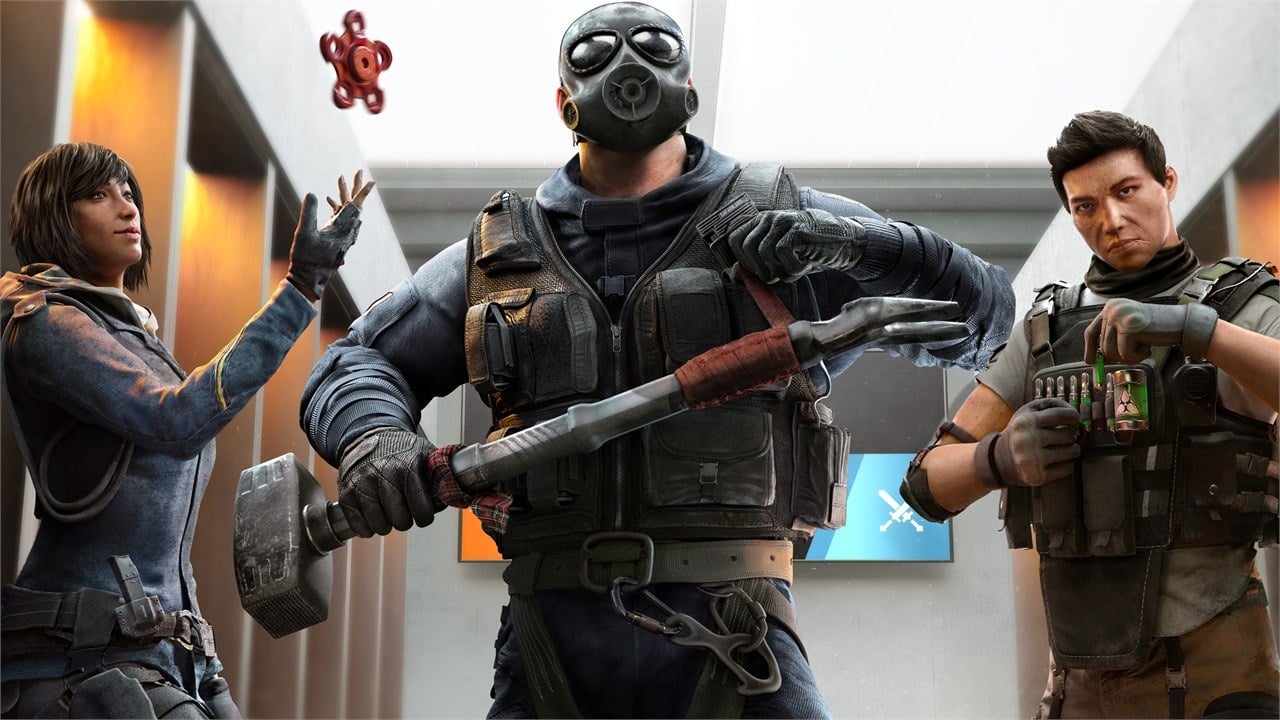
Tom Clancy’s Rainbow Six Siege’s latest update adds a new map, a tech-detecting operator, and cross-progression and cross-play. Defender Solis leads Operation Solar Raid, Year 7’s fourth and final season.

How to turn on crossplay in Rainbow Six Siege?

  • Launch Rainbow Six Siege
  • Go to options
  • You will be able to review your crossplay status

How to turn off crossplay in Rainbow Six siege?

  • Press on the options icon
  • Located in the general tab, hit crossplay Matchmaking
  • Turn it off

How to link Ubisoft accounts ?

  • Head to the Account Information webpage.
  • Select the Linked accounts section.
  • Click on the Link under the logo of the platform you want to connect your account to.
  • Your account will now be linked

What’s shared between platforms?

Certain statistics are shared between linked Rainbow Six Siege accounts.

Please be aware that the following achievements are only shared across PC, Stadia, and Luna, or between Xbox and PlayStation consoles.

  • Your current rank
  • Overall rank history
  • MMR points

Clearance / Battle Pass levels are fully synchronized across all platforms. There will also be a transfer of certain R6 game data.

Some of the cosmetics that will be accessible from multiple connections are as follows:

The Solar Raid season also offers major quality-of-life improvements. Instead of a matchmaking ranking, players now compete in up to five tiers in ranked play. The system now calls MMR “talent,” a secret metric for all play styles that don’t reset at the season’s conclusion. The matchmaking mechanism will pair buddies with similar skills.
How To Check How Much Time You Have Wasted On LoL

0

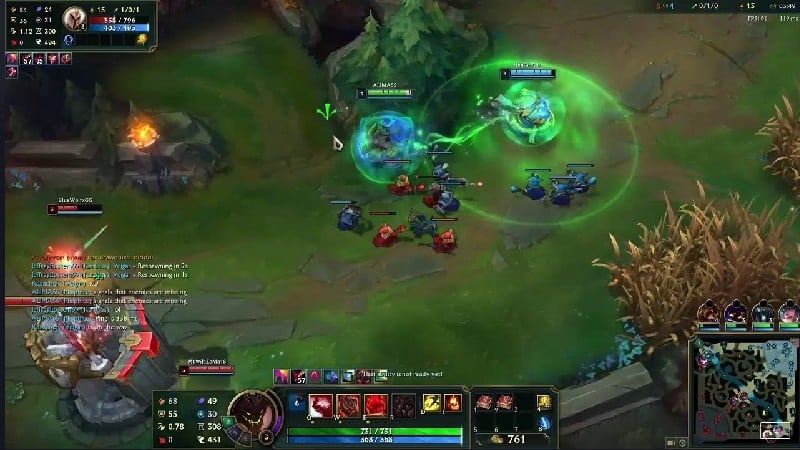
League of Legends (LoL), commonly referred to as League, is a 2009 multiplayer online battle arena video game developed and published by Riot Games. Inspired by Defense of the Ancients, a custom map for Warcraft III, Riot’s founders sought to develop a stand-alone game in the same genre.

Since its release in October 2009, League has been free-to-play and is monetized through purchasable character customization. The game is available for Microsoft Windows and macOS.

In the game, two teams of five players battle in player-versus-player combat, each team occupying and defending their half of the map. Each of the ten players controls a character, known as a “champion”, with unique abilities and differing styles of play.

During a match, champions become more powerful by collecting experience points, earning gold, and purchasing items to defeat the opposing team.

In League’s main mode, Summoner’s Rift, a team wins by pushing through to the enemy base and destroying their “Nexus”, a large structure located within.

League of Legends has received generally positive reviews; critics highlighted its accessibility, character designs, and production value.

The game’s long lifespan has resulted in a critical reappraisal, with reviews trending positively; the negative and abusive in-game behavior of its players, criticized since early in the game’s lifetime, persists despite Riot’s attempts to fix the problem.

In 2019, League regularly peaked at eight million concurrent players, and its popularity has led to tie-ins such as music videos, comic books, short stories, and an animated series, Arcane. Its success has also spawned several spin-off video games, including a mobile version, a digital collectible card game and a turn-based role-playing game, among others. A massively multiplayer online role-playing game based on the property is in development.

Regularly cited as the world’s largest esport, the game has an international competitive scene consisting of 12 leagues. These domestic leagues culminate in the annual League of Legends World Championship.

The 2019 event registered over 100 million unique viewers, peaking at a concurrent viewership of 44 million during the finals. Domestic and international events have been broadcast on livestreaming websites such as Twitch, YouTube, Bilibili, and on cable television sports channel ESPN.

LoL Wasted:

Wasted on LoL is a site that explains everything you must learn about the time you spent in League Of Legends.

How To Use LoL Wasted To Check How Much Time You Have Wasted On LoL:

  • Visit Website and put your username.
  • After That, the website will tell you how many minutes, hours, and days you’ve spent playing the game.

That’s all.

For more guides on Valorant Crosshairs, make sure to follow TalkEsport on Google News. 

3 Funny Valorant Crosshairs to Download With Codes Right Now

0

The crosshair is a crucial part of every FPS game. Some players like to keep their crosshair setup consistent throughout a variety of games and over an extended period of time. On the other hand, there are players who win consistently despite altering their Valorant crosshair on a daily basis.

With the latest update to Valorant’s crosshairs, players have more control than ever over the look of their weapons, and they’re becoming very inventive with all the new possibilities. A touch too original, perhaps.

Crosshair customization has always been a strong suit of Valorant, with a wide variety of settings available to players. The old crosshair system was terrible, but the new one that Valorant has introduced is much better.

A few simple forms and controls for the crosshair’s color, thickness, and opacity were all that were available before. Creative players can now make and share their own creations.

Others use it to have fun and see how far they can go with just a crosshair, while others use it to replicate the setup of their favorite pro.

Valorant’s silliest crosshair setups along with their codes

Leaderboards are taken seriously, and many Valorant players are there for a great competitive experience. Nonetheless, amusement is available for those who look for it.

Valorant gamers may personalize and share their crosshairs with this new feature! Here are some of the most unique and amusing crosshair configurations we could discover, along with the codes so you can try them out for yourself.

The “CROSShair”

This thread hair is perfect for heavenly vengeance. Twitter user and Valorant caster @cosyjozie made a video where she annihilates her opponent with this unusual configuration.

This ridiculous option puts the mark in the crosshairs and is effective.

This crosshair is 0;p;0;P;u;000000FF;h;0;f;0;0t;5;0v;13;0g;1;0o;0;0a;1;0f;0; 1b;0.

The “nom nom”

This particular crosshair option takes advantage of the Bloom settings in Valorant to give the impression that you are truly tearing through the opposition.

@Pun shared a video of this crosshair.

Nom-Nom is for hungry competitors who desire clear optics at close range. It performs great close-up but poorly at long range.

The crosshair code is 0;P;0t;10;0l;0;0v;2;0g;1;0o;0;0e;0.168;1t;8;1l;10;1v;0;1g;1;1o;17;1a;1;1m;0;1f;0.

the nerd glasses

The nerd crosshair is one of these ideas, and it’s probably the one with the most originality. You start off by giving the other agents a short makeover by giving them glasses.

Twitter user @whoisjioon has been putting in a lot of hard work with this crosshair, and he’s also had some entertaining exchanges with his teammates while using this multipurpose setup.

This is the most useable with a dot in the center of your screen and has produced some hilarious screenshots of the Valorant roster sporting vague glasses.

The crosshair code is : 0;s;1;P;c;8;t;2;o;1;d;1;b;1;a;0.462;f;0;0t;10;0l;14; 0v;0;0g;1;0o;5;0a;0.308;0f;0;1t;1;1l;6;1v;0;1g;1;1o;18;1a;0;1m;0;1f; 0;S;d;0


Also Read: How To Copy Valorant Crosshair Codes


For more guides on Valorant Crosshairs, make sure to follow TalkEsport on Google News. 

How To Unlock All Valorant Agents For Free Using Xbox Game Pass

In case the plethora of games available on the Xbox Game Pass library wasn’t enough to make you buy it, Riot Games’ new partnership with the Microsoft game subscription service might just be enough to change your mind.

Back in June 2022, Riot Games announced that they were teaming up with Xbox Game Pass to bring some exciting content to all Game Pass subscribers. From December 12, players will finally be able to enjoy the benefits of an Xbox Game Pass subscription in all Riot Games titles.

However, what players are most excited about is perhaps the access to all the Valorant Agents and League of Legends Champions.

Let’s take a look at how you can unlock all Valorant Agents and League Champs with an active Xbox Game Pass subscription.

How To Unlock All Valorant Agents

To unlock every single Valorant Agent and LoL champ with a Game Pass subscription, players have to head over to the Xbox Social sign-in page and log in with their Microsoft account. Once done, they can link their Riot and Xbox accounts and that’s it!

Also Read: Valorant vs Hyper Front: Riot Games To Sue Netease For Copying

That’s everything you need to know about how to unlock all the Valorant Agents and League of Legends Champions with a Game Pass Subscription. In case you don’t have a Game Pass subscription yet, you can buy one here.

Mobile Legends Skyesports SEA Championship 2022: Invited Teams, Format, and more

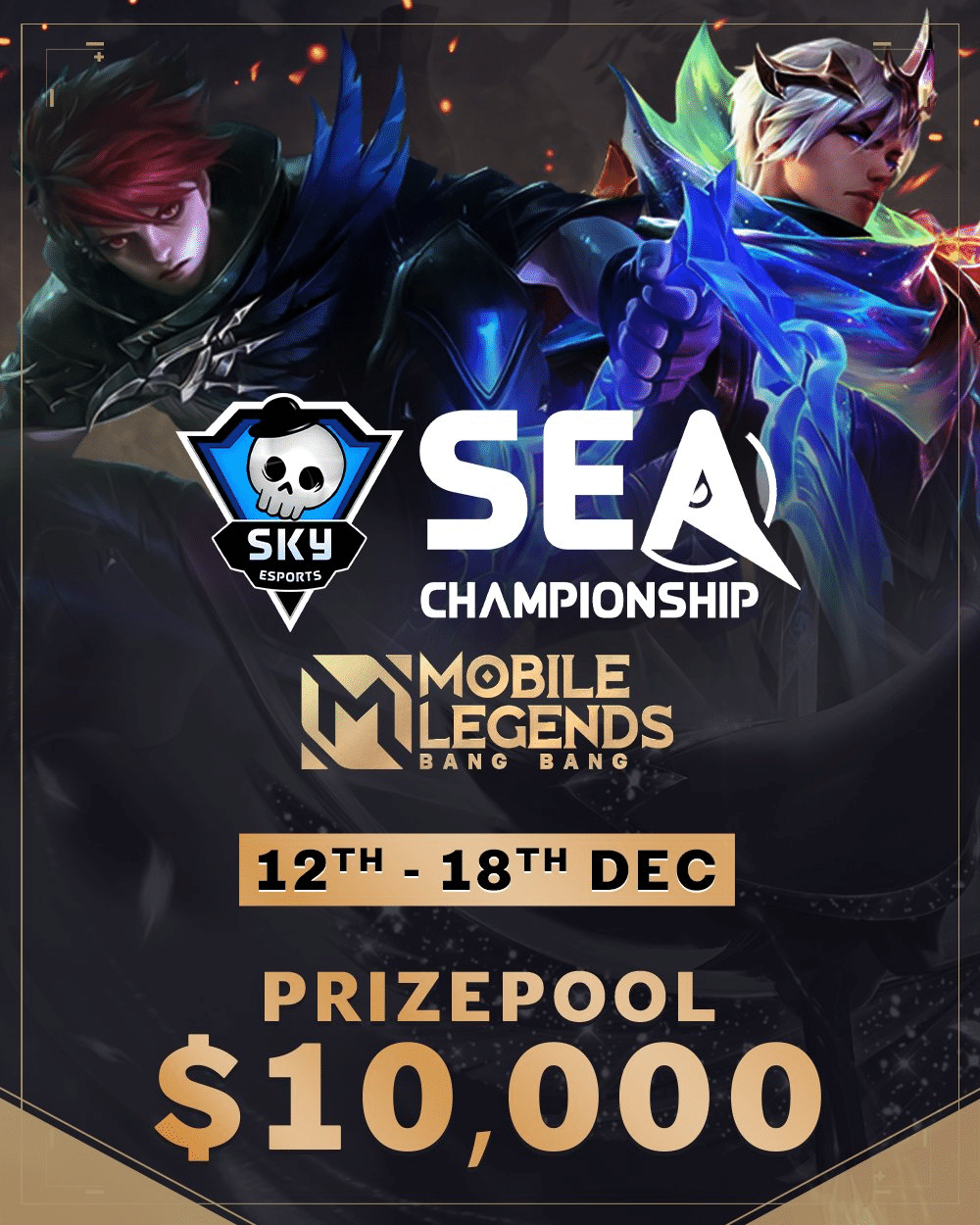
The Skyesports SEA Championship is set to return with Mobile Legends: Bang Bang. From Dec. 12 to 18, the top 10 female MLBB teams from across Southeast Asia will lock horns for a share of the $10,000 prize pool and the title of champions.

Mobile Legends Skyesports SEA Championship 2022: Invited Teams

  • Bigetron Era (Indonesia)
  • GPX Basreng (Indonesia)
  • RRQ Mika (Indonesia)
  • MBR Delphyne (Indonesia)
  • Smart Omega (Philippines)
  • Rocka Azure (Philippines)
  • Impunity Starlets (Cambodia)
  • IDNS WINX (Thailand)
  • Rose Ophelia (Malaysia)
  • Reborn (Singapore)

Mobile Legends Skyesports SEA Championship 2022 Prize Pool

  • First place: $4,400
  • Second place: $2,000
  • Third place: $1,150
  • Fourth place: $750
  • Fifth and sixth place: $450 each
  • Seventh and eighth place: $150 each
  • Ninth and 10th place: $100 each
  • Finals MVP: $300

Mobile Legends Skyesports SEA Championship 2022 Tournament Format:

The 10 teams will compete across the group stage and the playoffs to determine the champions. For the group stage, they will be split into two groups (A and B). Each group will feature a single round-robin BO1 with the top three teams advancing to the Playoffs. 

In the Playoffs, the winner of each group will receive a bye to the second round. The teams will compete in a double-elimination bracket to determine the champions. All matches will be a best-of-three, except for Grand Finals which will be a best-of-seven. 

mlbb moonton bytedance

How to watch Mobile Legends Skyesports SEA Championship 2022

Fans can catch the action live on the Skyesports YouTube, Twitch, and Facebook handles. 

Commenting on the tournament, Shiva Nandy, Founder and CEO, Skyesports said, “Skyesports has always focused on diversification and this tournament adds a new and exciting game to our portfolio. We are excited to support the female teams of the region with this competition and look forward to bringing more MLBB events for SEA soon.”

Skyesports, headquartered in Chennai, India, is a leading esports and gaming venture renowned for hosting major esports tournaments across South Asia and Southeast Asia. Founded in November 2018 by Shiva Nandy, Skyesports has quickly grown to become one of the largest esports companies in the region.

Now, the company is swiftly expanding into SEA as well. Skyesports has an impressive range of original IPs, which include the Skyesports Championship, Skyesports League, Skyesports Grand Slam, Skyesports Skirmish Series, and more, through which Skyesports has touched millions of gamers across South Asia and beyond.

Skyesports is a part of the digital entertainment and technology company, JetSynthesys.

How To Get Pin Point Perk in COD Mobile Season 11

Call of Duty: Mobile has released a new update and with it, a perk is added to the game called Pin Point. Players are now looking for ways to unlock the perk and here is a comprehensive guide on what Pin Point Perk is and how one can unlock it in COD Mobile Season 11.

The season 11 update has brought a lot of changes to the game along with some new additions. The new perk is an exciting one as players can combine it with others to gain a significant advantage in MP battles.

COD MOBILE SEASON 11 PINPOINT PERK DETAILS

PinPoint perk was first seen in COD: Infinite Warfare and it will work in the same way in COD Mobile as well. A player using Pin Point will gain some advantages the targeted enemy outline will be highlighted, the time taken for aim down sight to open will reduce and the enemy receiving damage will be slowed down.

All of these advantages of Pin Point add to the single fact that a player that gets their hands on this perk will turn out to be lethal in the game. There is a small catch for obtaining this perk in COD Mobile right now.

Players that are actively playing the game need to stack up their battle pass XP and subsequently reach to a level where the Pin Point perk can be unlocked. It is important to note that this new perk is the part of free battle pass, meaning that any player working hard for it can gain it after spending some time in the game.

This is everything you need to know about the Pin Point perk. You can start to grind in the COD Mobile and gain a lot of battle pass XP to quickly unlock the Pin Point perk.

Also Read | Best Valorant Crosshairs & Codes For December 2022

Discord Update Failed: How To Fix Easily

0

Discord is a VoIP and instant messaging social platform. Users have the ability to communicate with voice calls, video calls, text messaging, media and files in private chats or as part of communities called “servers”.

A server is a collection of persistent chat rooms and voice channels which can be accessed via invite links. Discord runs on Windows, macOS, Android, iOS, iPadOS, Linux, and in web browsers. As of 2021, the service has over 350 million registered users and over 150 million monthly active users.

Today, we’ll show you how to fix the Discord Update Failed error with simple, easy to follow methods. Let’s get started.

Today, we’ll demonstrate how to resolve the Discord Update Failed error using simple, straightforward steps. Let’s get started.

Method 1. Run Discord as administrator

An easy solution to the Discord Update Failure error can be to run the application using administrative privileges. This permits the updater to modify your device, so you can download and install the latest Discord update.

Note that to do this to work, your local account needs to have administrator access. If not, you’ll have to be able to access admin passwords.

Utilize your Windows 10 Search bar in your taskbar to search for “Discord”.

  1. Just right click on the Discord application to display the results, which are usually in the section called Best Match. Choose from the Run in Administrator mode from the context menu that appears.
  2. If you are prompted by the User Account Control (UAC) Click “Yes” to enable Discord to start and make changes to the device. This is needed to upgrade the application.

Method 2. Rename the Update.exe file

Discord troubleshooters were able to identify an issue with the application’s update.exe file. We recommend you attempt to rename this file in order to successfully update Discord to the newest release.

  1. Navigate to your AppData folder:
    1. Press the Windows + R keys on your keyboard and paste in “C:\Users\Username\AppData” without the quotation marks. Make sure to replace Username with your local account username.
    2. Alternatively, open the File Explorer, then navigate to This PC → C: → Users → Username → AppData.
  2. Open the Local folder. Inside, locate the Discord folder and open it as well.
  3. Right-click on the Update.exe file, and choose Rename.
  4. Type in UpdateX.exe (keep in mind that this is case-sensitive) and hit Enter. You may proceed to try running Discord again, preferably as an administrator following the guide above.

Method 3. Disable Windows Defender

In some cases, Windows 10’s default antivirus measures conflict with the Discord Update, causing it to continuously fail. You may disable Windows Defender to try and update Discord by following the steps below.

  1. Open the Settings application using the Windows + I keyboard shortcut, or the gear icon from your Start menu.
  2. Click on the Update & Security tab.
  3. Navigate to Windows Security → Virus & Threat protection → Manage Settings.
  4. Toggle off Real-time protection. This is going to almost fully disable Windows Defender until the option is toggled back on.
  5. Try running Discord again, preferably as an administrator following the guide above. If the update succeeds, Windows Defender was most likely conflicting with the Discord client.

Method 4. Temporarily disable your antivirus

Antivirus applications are known to cause issues on computers by interfering with your internet connection or blocking apps and services from running properly. You can test if the antivirus you’re using at the moment is causing the Discord Update Failed error by temporarily disabling it.

Note that this method is not recommended as it is unsafe to use your computer without protection. Only proceed if you’re aware of the possible risks and have a backup of your system to revert any damage that may happen.

  1. Right-click on an empty space in your taskbar and choose Task Manager.
  2. If the Task Manager launched in compact mode, make sure to expand details by clicking on the “Mode details” button.
  3. Switch to the Start-up tab using the header menu located at the top of the window.
  4. Find your antivirus application from the list and select it by clicking on it once.
  5. Click on the Disable button now visible in the bottom-right of the window. This will disable the application from launching when you start your device.
  6. Restart your computer and open Discord to see if the error appears again. If Discord is able to update properly, your antivirus was the most likely culprit.

Method 5. Reinstall Discord and clear app data

If none of the solutions above seemed to work, your last resort should be to completely remove Discord, then reinstall it using the official installer. To do this, follow the steps below.

  1. First, you’ll need to uninstall Discord. Open the Settings application using the Windows + I keyboard shortcut, or the gear icon from your Start menu.
  2. Click on the Apps tab.
  3. Find Discord from the programs list. You can click on Name to have the list organized into alphabetical order, or use the built-in search to locate the application.
  4. Click on Discord and choose the Uninstall option.
  5. Click Uninstall again to let Windows 10 remove Discord from your device. Now, you can move on to delete residual files in your app data folder.
  6. Press the Windows + R keys on your keyboard. This is going to bring up the Run utility.
  7. Type in “%appdata%” and click on the OK button. This will immediately redirect you to the AppData folder in File Explorer.
  8. Locate the Discord folder, then right-click on it and choose Delete. This will remove most residual files.
  9. Head over to discord.com and download the latest version of the application by clicking on the Download for Windows icon.

ML Aspirants All Patterns For Ruby And Angela Aspirant Skin MLBB

0

Mobile Legends: Bang Bang is a popular MOBA game with millions of active players all around the world. The biggest selling point of this game apart from its game play is the wide skin range. Recently, the new Aspirants range was launched and it has returned this month in a new form.

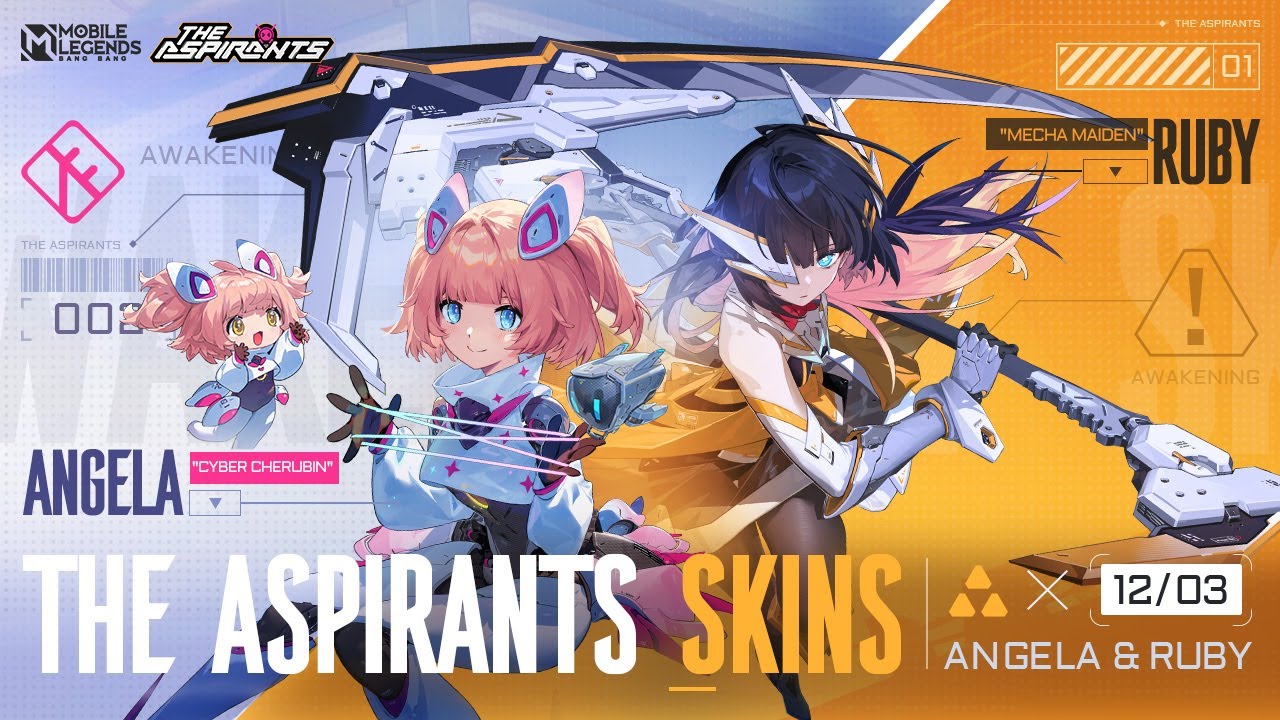
Aspirants is the first anime-themed skin range launched in MLBB. The first edition of this skin range saw the release of Miss Hikari Layla and Blade of Kibou Fanny and now, two new additional skins along with some effects have arrived to the game.

A new recall and elimination effect in the anime style has arrived in the game and this is also the part of Aspirants skin range. Two new skins launched in this release are as follows:

  • Mecha Maiden Ruby
  • Cyber Cherubin Angela

To unlock these skins, players need to unlock a Terrinia Box named item from the events section. The first unlock costs around 210 diamonds and there is a 50% discount on first opening every day.

The recall and elimination effect can be obtained for free by collecting eight fragments of Battle Suit. This can be done by doing any of the following tasks:

  • Log in to the game – 1
  • Recharge any amount of diamonds – 1
  • Recharge 50 diamonds – 1
  • Recharge 150 diamonds – 2
  • Recharge 300 diamonds – 2
  • Recharge 600 diamonds – 3
  • Recharge 1200 diamonds – 5
  • Spend 100 diamonds on the event – 1
  • Spend 250 diamonds on the event – 1
  • Spend 600 diamonds on the event – 2
  • Sped 1200 diamonds on the event – 3

This event will run till 5th January 2023 so players need to hurry up to unlock the rewards in time.

ML ASPIRANTS PATTERN FOR RUBY AND ANGELA ASPIRANT SKIN

  • 1-1-2-1 RUBY
  • 1-2-1-1 ANGELA
  • 1-1-3-1 RUBY
  • 1-3-3-3 RUBY
  • 1-2-2-2 ANGELA
  • 3-2-2-2 ANGELA
  • 2-3-2-2 RUBY
  • 1-3-1-3-1 ANGELA
  • 3-3-2-2-2 ANGELA
  • 2-1-2-1-1 RUBY
  • 2-3-1-2-2 ANGELA
  • 1-2-1-2-2 RUBY
  • 2-3-3-2-3 RUBY
  • 1-3-1-3-3 ANGELA
  • 2-3-2-3-3 ANGELA
  • 2-1-2-1-2 RUBY
  • 2-3-1-2-1 ANGELA
  • 3-1-3-1-3 RUBY

MLBB Aspirants anime skin event: new skins, rewards and more

0

Mobile Legends: Bang Bang is a popular MOBA game with millions of active players all around the world. The biggest selling point of this game apart from its game play is the wide skin range. Recently, the new Aspirants range was launched and it has returned this month in a new form.

Aspirants is the first anime-themed skin range launched in MLBB. The first edition of this skin range saw the release of Miss Hikari Layla and Blade of Kibou Fanny and now, two new additional skins along with some effects have arrived to the game.

A new recall and elimination effect in the anime style has arrived in the game and this is also the part of Aspirants skin range. Two new skins launched in this release are as follows:

  • Mecha Maiden Ruby
  • Cyber Cherubin Angela

To unlock these skins, players need to unlock a Terrinia Box named item from the events section. The first unlock costs around 210 diamonds and there is a 50% discount on first opening every day.

The recall and elimination effect can be obtained for free by collecting eight fragments of Battle Suit. This can be done by doing any of the following tasks:

  • Log in to the game – 1
  • Recharge any amount of diamonds – 1
  • Recharge 50 diamonds – 1
  • Recharge 150 diamonds – 2
  • Recharge 300 diamonds – 2
  • Recharge 600 diamonds – 3
  • Recharge 1200 diamonds – 5
  • Spend 100 diamonds on the event – 1
  • Spend 250 diamonds on the event – 1
  • Spend 600 diamonds on the event – 2
  • Sped 1200 diamonds on the event – 3

This event will run till 5th January 2023 so players need to hurry up to unlock the rewards in time.

ALso Read | Makiplier joins OnlyFans; Internet Reacts

Roblox Wisteria Codes for December 2022

0

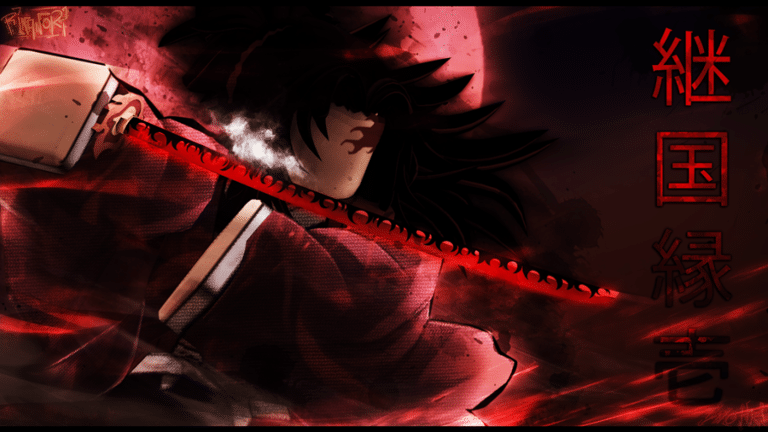
A medieval Japan-themed action-adventure game on Roblox called Wisteria is based on anime. There is a lot of punching and katana slicing in the game since it was inspired by the anime Demon Slayer. Additionally, there are demons around, so you must exercise extreme caution.

You will get bonuses and awards for playing for free by using Roblox Wisteria codes.

Roblox Wisteria Codes for December 2022 (Active)

  • !DemonAppearance—Redeem for a Demon Appearance reset
  • !HaoriReset—Redeem for a Haori reroll
  • !BreathReset—Redeem for a Breath reset
  • !BDAReset—Redeem for a Blood Demon Art reset 
  • !NichirinColor—Redeem for nichirin color reroll 
  • !HairDrip—Redeem for the Hair and Eye Reroll

Roblox Wisteria Codes for December 2022 (Expired)

  • !100KDEMONAPP – Redeem this code for a Demon Appearance reset
  • !TWEETBDA – Redeem this code for a Blood Demon Art reset
  • !TWEETBREATH – Redeem this code for a Breath reset 
  • !100KBDA – Redeem this code for a Blood Demon Art reset 
  • !100KBreath – Redeem this code for a Breath reset 
  • !NICHIRIN80K – Redeem this code for a reward
  • !80000LIKESHAORI – Redeem this code for a Slayer Haori Reset
  • !80000LIKESDEMON – Redeem this code for a demon appearance reroll
  • !BDAReset – Redeem this code for a Blood Demon art reset
  • !DemonAppearance – Redeem this code for an appearance reroll 
  • !BreathReset – Redeem this code for a Breath reset
  • !Demon80K – Redeem this code for a demon appearance reroll
  • !2021DemonArt – Redeem this code for a Blood Demon art reset
  • !2021Breath – Redeem this code for a Breath reset
  • !Christmas – Redeem this code for a Nichirin color/appearance reroll
  • !BDAReroll – Redeem this code for a Blood Demon art reroll
  • !BreathReset – Redeem this code for a Breath reset
  • !10000WISHES – Redeem this code for a Haori reroll
  • !30000LIKES – Redeem this code for a Face reroll
  • !1000FOLLOWS – Redeem this code for a Nichirin color reset
  • !25000LIKES – Redeem this code for a Face, Eye, and Hair reroll
  • !SUBTOSAGEE – Redeem code for a Face reroll
  • !SUBTOVALEKIS – Redeem code for a Face reroll
  • !20000LIKES – Redeem code for a Haori reroll
  • !SUBTOINFERNASU – Redeem code for a Blood Demon art reset
  • !SUBTOIBEMAINE – Redeem this code for a Breath reset

How to redeem Roblox Wisteria codes?

  • Launch the game and go to the Chatbox on the top-left.
  • Inside the box, enter a code and press Enter.
  • Enjoy your rewards.

For more amazing guides, follow our Guides section.

For more exclusive esports and gaming content, please follow us on Google News.