Sunday, July 5, 2026
Home Blog Page 955

Roblox Military Tycoon Codes for December 2022

0

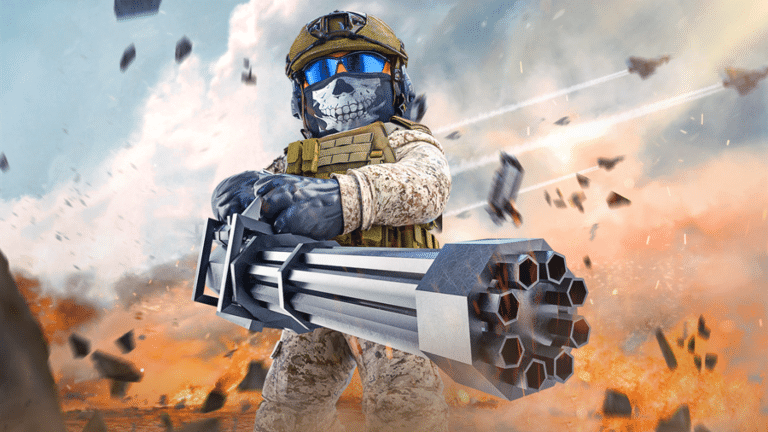
In the military-themed shooting game Roblox Military Tycoon, you play as a nation with the aim of conquering the entire planet. You may accomplish this by utilizing military-grade weapons, helicopters, tanks, and watercraft.

Use the Military Tycoon promo codes provided below to gain a tonne of free in-game money.

Roblox Military Tycoon Codes for December 2022

  • 10k – Redeem for 150k Cash 
  • terbyte – Redeem for 200k Cash
  • 1day – Redeem for 150k Cash
  • 2days – Redeem for 150k Cash
  • 3days – Redeem for 150k Cash
  • 4days – Redeem for 150k Cash
  • LT01 – Redeem for 250k Cash
  • PL01 – Redeem for Cash
  • patch22 – Redeem for 150k Cash
  • freecash – Redeem for 250k Cash
  • skins – Redeem for 500k Cash
  • weekday – Redeem for 500k Cash
  • goldcar – Redeem for 500k Cash
  • 780k – Redeem for 500k Cash
  • happysaturday – Redeem for 35 Gems
  • Hooray50k – Redeem for 300k Cash
  • ghostship – Redeem for 25 Diamonds
  • bugs – Redeem for 500k Credits

How to redeem Roblox Military Tycoon Codes?

  • Launch the game and click on the Thumbs Up button on the left.
  • Enter a code under the Enter Code section.
  • Then press the Redeem button and receive your rewards.

For more amazing guides, follow our Guides section.

For more exclusive esports and gaming content, please follow us on Google News.
All MrBeast money briefcase locations in Fortnite

0

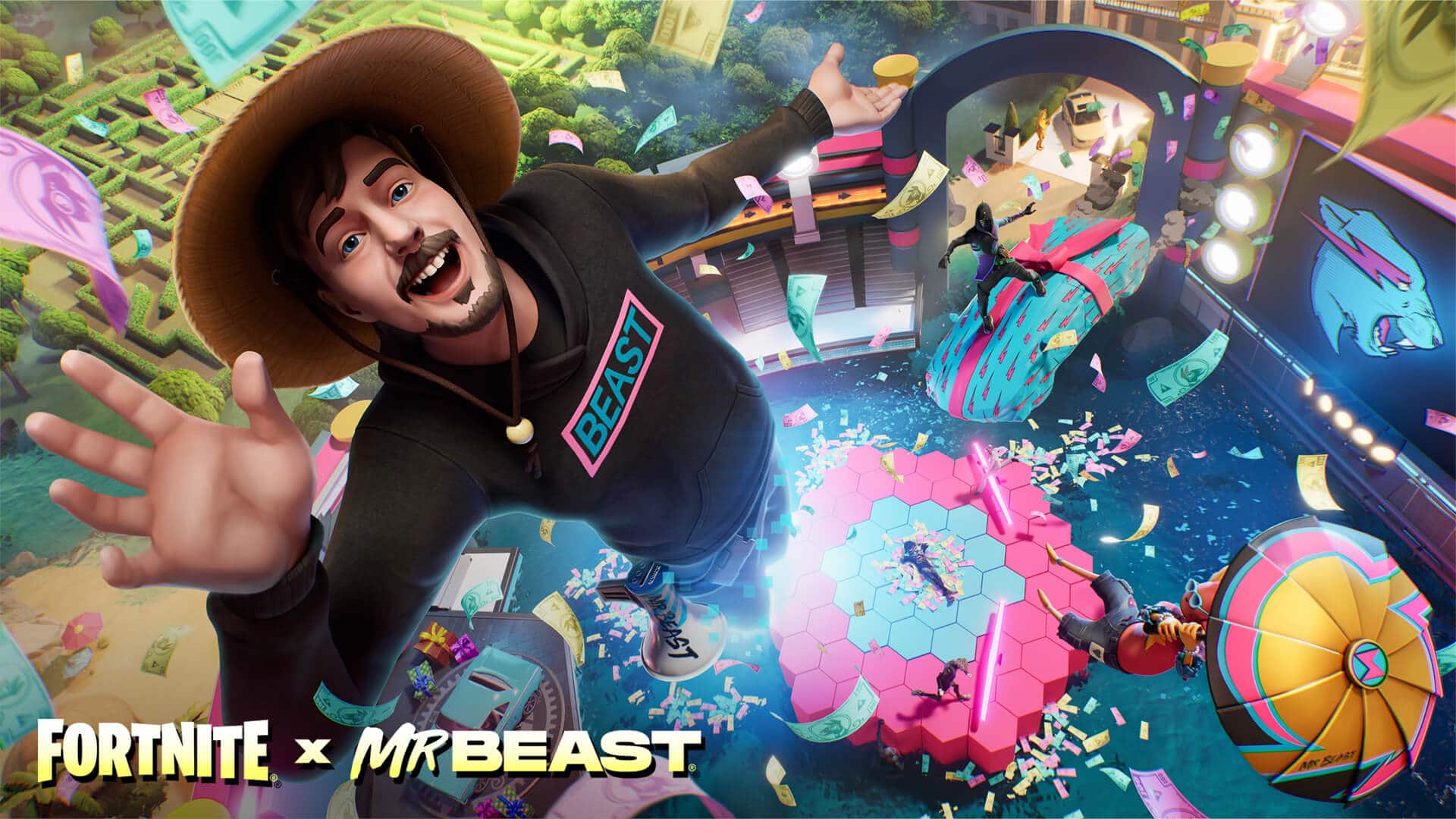
Epic Games have joined forces with arguably the biggest independent content creator on YouTube at the moment, namely MrBeast. Jimmy Donaldson aka MrBeast has built a career out of giving away money for absurd reasons on many occasions and can’t say that we don’t love it.

Now in his latest venture with Epic Games in Fortnite, MrBeasts will do the same and give away $1 Million to players if they are able to overcome the challenge that the developers have introduced to the game. Inside the Mr Beast creative map, players will be tasked to collect the briefcase spread across the map. We have put together the locations of said briefcases if you want to win.

There are a total of 10 briefcases spread across the maps and collecting them means that you have earned the Score. This will eventually help you pick up the $1 Million that MrBeast’s challenge has introduced in the game.

Location of the briefcases spread across the maps. Photo via Twitter.

“Creator, giver, and entrepreneur, MrBeast joins the Fortnite Icon Series! Eligible* players can compete in MrBeast’s Extreme Survival Challenge on December 17, 2022, and earn ‘Score’. The player with the highest Score at the end of the challenge will be declared the winner — which means they will earn the prize of one million dollars!”

“MrBeast’s Extreme Survival Challenge runs from 12 PM ET to 3 PM ET on December 17 and will be available in the ‘Fortnite Competitive’ row in Discover. You can play as many matches as you want during this time. After the challenge concludes, the Score of your best match will determine your placement.” reads their official statement.

The event will be active between 12 PM ET to 3 PM ET on December 17. The more Score you can collect, the better your chances of getting the lion’s share of the million dollars that is up for grabs. Even if you fail to get it, there are several MrBeast collectables that Epic Games have made available in the game.

Thank you for reading, For more exclusive esports and gaming content, please follow us on Google News.

Fortnite: How to get the Guff Gringle skin on PS and Xbox

0

Fortnite Chapter 4 Season 1 has introduced the Winterfest of 2022. An event catering to the holiday season that brings along a plethora of fun activities and quests along with skins, pickaxes and more.

Said skins, pickaxes and items are often limited to a single event which makes them rare and adds value to a player’s collection, so anyone playing the game would like them added to their inventories. Certain skins can be obtained without much effort and are essentially free but a few hurdles get between the players and the game.

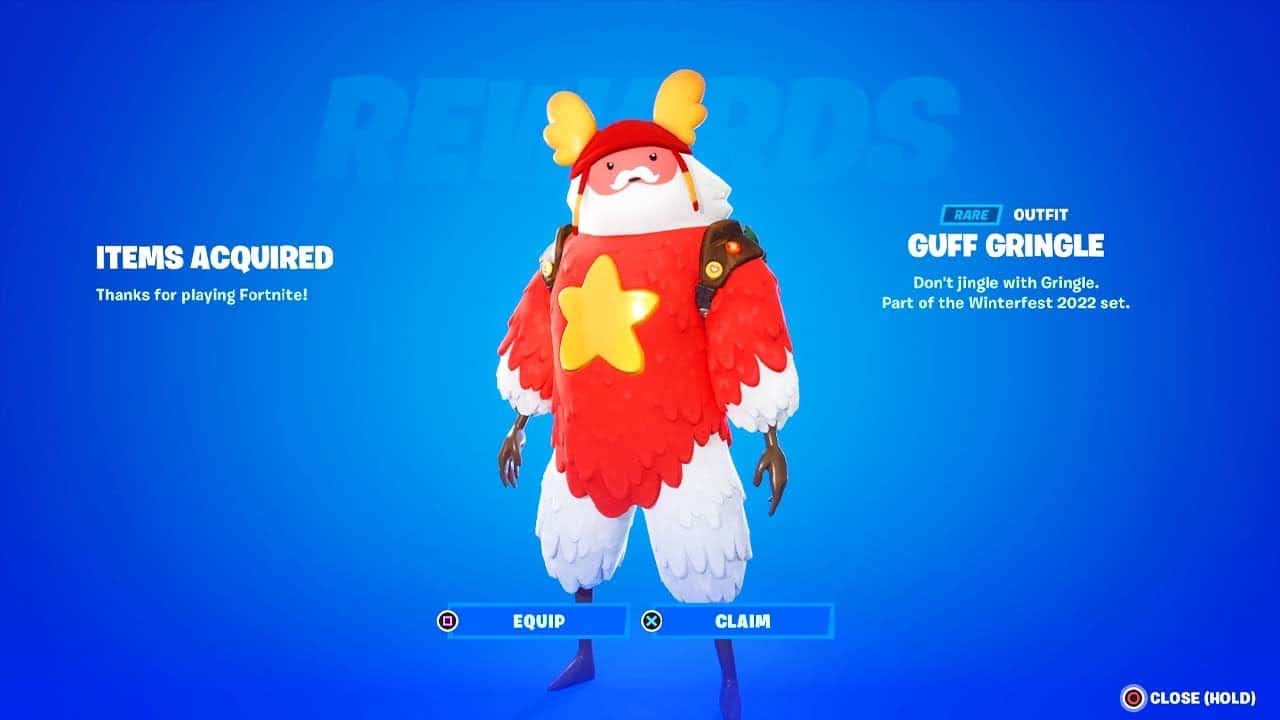
The Guff Gringle skin is one of the most highly coveted skins of the latest Season and event which isn’t difficult to unlock on PC however, the story is slightly different for consoles. If you play Fortnite on Xbox or PS and want to unlock said skin, then this guide is for you.

For gamers using consoles, Epic games have made the skin readily available in the Item Shop under the “Special Offers and Bundles” tab. You will find the skin waiting there to be collected. Need not worry when you find the purchase button, it is essentially free and purchasing it would not cost you anything.

This will not require you to put in any card or bank details or even Vbucks. As soon as the process is complete, you will find the skin available in your inventory. This skin is limited to the Winterfest 2022 event alone which will make this obscure afterwards.

Make sure to take out time and collect it before time runs out so or miss out on owning it and Epic Games are not known to bring back rare skins to the game.

Thank you for reading, For more exclusive esports and gaming content, please follow us on Google News.
Phasmophobia: All Cookie Location Of Holiday Event 2022

0

Where to find Phisophobia Christmas cookies is crucial for completing the holiday event successfully. You should encounter six cookie locations on each map, include them on a plate in your van and then feed them to the troll ghost. It may not be easy to locate these cookies, so that’s where this guide comes in!

Bleasdale

  • Living Room: on a small table with a tablecloth
  • Dining Room: on one of the chair seats
  • Workshop: near a red heater
  • Kitchen: next to the sink
  • Upstairs Hallway: on a table next to the attic stairs
  • Upstairs Hallway: on the chair where voodoo spawns

Camp Woodwind

  • Food Tent: next to the yellow bowl
  • Yellow Tent: table next to the door
  • Lovers Bench: two cookies are on the bench
  • Red Tent: pick up the frying pan to get the cookie
  • Campfire: on the wooden seat with two s’mores sticks on it

Edgefield

  • Entrance: on a table next to the tarot spawn
  • Kitchen: on the kitchen table
  • Dining Room: on the dining room table
  • Basement: on a wooden table in the hallway
  • Upstairs Hallway: on the table next to the stairs
  • Upstairs Hallway: on the table next to the master bedroom

Grafton

  • Workshop: on the stool
  • Dining Room: on the dining room table
  • Master Bedroom: on the vanity beside the bed
  • Nursery: on a desk behind the phone
  • Upstairs Bedroom: on a desk behind the radio
  • Kitchen: on the kitchen counter next to the workshop door

Ridgeview

  • Living Room: on the coffee table
  • Hallway: found on the desk in the room with a computer
  • Garage: on a shelf found in the back with spray paint cans
  • Teenager’s Bedroom: on the dresser shelf
  • Boy’s Bedroom: on the computer desk
  • Basement: on the chair to the left as you enter the basement

Tanglewood

  • Entrance Table: in front of the lamp
  • Kitchen: found on the island
  • Dining Room: dining room table on the vase
  • Garage: in the red tool chest furthest from the door
  • Basement: on the ouija board table
  • Utility Room: on the washing machine

Willow

  • Garage: on the wooden table opposite corner from the door
  • Kitchen: on a cutting board on the kitchen counter
  • Boy’s Room: on the computer desk
  • Basement: on the floor near the left storage room
  • Living Room: on the coffee table
  • Master Bedroom: on the small table with a plant

How to Fix Phasmophobia Game Does Not Exist Error

0

Phasmophobia is the newest talk of the town in the world of video games. The psychological horror title by Kinetic Games has steadily grown in player count over the past few weeks and has been picked up by some big YouTubers and streamers which led to a further increase in its popularity.

Due to a sudden surge in popularity of the game, it isn’t rare for Phasmophobia to experience frequent server issues. If you find yourself unable to connect to the servers, there’s a good chance that the servers are down, unless there’s a problem with your internet connection.

How to Fix the Game Does Not Exist Error in Phasmophobia

  • Update Phasmophobia
  • Join Random Lobbies
  • Set Correct Region
  • Verify Game Cache On Steam.

List of New Cars in GTA Online Drug Wars

0

Players are taking advantage of everything the Los Santos Drug Wars DLC has to offer since it was just published by Rockstar. The GTA Online servers now have a tonne of new content thanks to the Drug Wars DLC, giving gamers plenty to do. What you can obtain with the DLC is one of the most crucial facts of this upgrade.

The Drug Wars update included several additional vehicles, increasing the number of vehicles you may gather. Here, we’ll discuss the vehicles included in the newest DLC release.

New Cars in GTA Online Drug Wars

  • Declasse Tulip M-100 – $1,658,000 from Southern San Andreas Super Autos
  • Overflod Entity MT – $2,355,000 from Legendary Motorsport
  • Zirconium Journey II – $592,000 – $790,000 from Southern San Andreas Super Autos
  • Annis 300R – $2,075,000 from Legendary Motorsport
  • BF Surfer Custom – $442,500 – $590,000 from Southern San Andreas Super Autos
  • Declasse Tahoma Coupe – Free, coming to all players later this month.
  • MTL Brickade 6×6 – Mission Unlock
  • Maibatsu Manchez Scout C – Mission Unlock

We are aware that many upcoming automobiles for GTA Online are the result of the laborious efforts of the game’s data miners. A number of brand-new future automobiles that will gradually be added to the game over the following weeks have been showcased by Twitter user @TezFunz2.

That basically implies that not all of the cars will be made available at once. With each new event week, they will gradually be added to GTA Online.

The following cars from the Los Santos Drug Wars will soon be available in GTA Online:

  • Taxi – $487,500
  • Ocelot Virtue – $2,235,000
  • Declasse Tahome Coupa – $1,500,000
  • Toundra Panthere – $2,170,000
  • Weeny Issi Rally – $1,835,000
  • Classique Broadway – $925,000
  • Karin Hotring Everon – $1,342,000
  • Western Powersurge – $1,605,000
  • Willard Eudora – $1,250,000
  • Karin Boor – $1,280,000

For more exclusive esports and gaming content, please follow TalkEsport on Google News.

How to contact Free Fire Help Centre for Ban Appeal

Free Fire is a popular mobile battle-royale game which has garnered millions of players worldwide. Garena are the developers of this game and they always look for ways to help and support their community. Players can face different kinds of issues concerned with the operations of Free Fire. These issues can vary from in-game bugs, payment failures, hackers and account recover as well.

Garena set up a special website to help players solve the problems they may face while playing Free Fire. There are many troubleshooting methods which are self-explanatory. You can directly visit the website and make a quick search about your problem. Find the relevant solution and it will help you solve various things.

Players can also report hackers they encounter in the matches. There is a report system where players can provide description, user ID and proofs about hacking as well to help developers tackle with the hacking problem.

HOW TO RECOVER BANNED ACCOUNT IN FREE FIRE

One of the prominent issues in Free Fire is losing your account. Players who do not access their accounts for longer period of time may face issues while logging in to their account or some accounts might get banned. There are some methods enlisted on the help desk which can help you protect and recover your account.

Players can recover their Free Fire ID by following the steps given below and submitting a request.

  • Visit Free Fire Help Centre and login with your Free Fire Account.
  • Click on the “Submit a Request” tab and open the form.
  • In the type of request, select “Ban Appeal” and upload the screenshot of your ban message as a reference.

This is how you can recover your Free Fire banned account by uploading a request. Players should note that only accounts that have received a ban by mistake can be recovered by this method.

Also Read | BGMI vs PUBG New State Mobile: Major Differences Revealed

How to fix Valorant Blue Screen Error “page fault in nonpaged area”

0

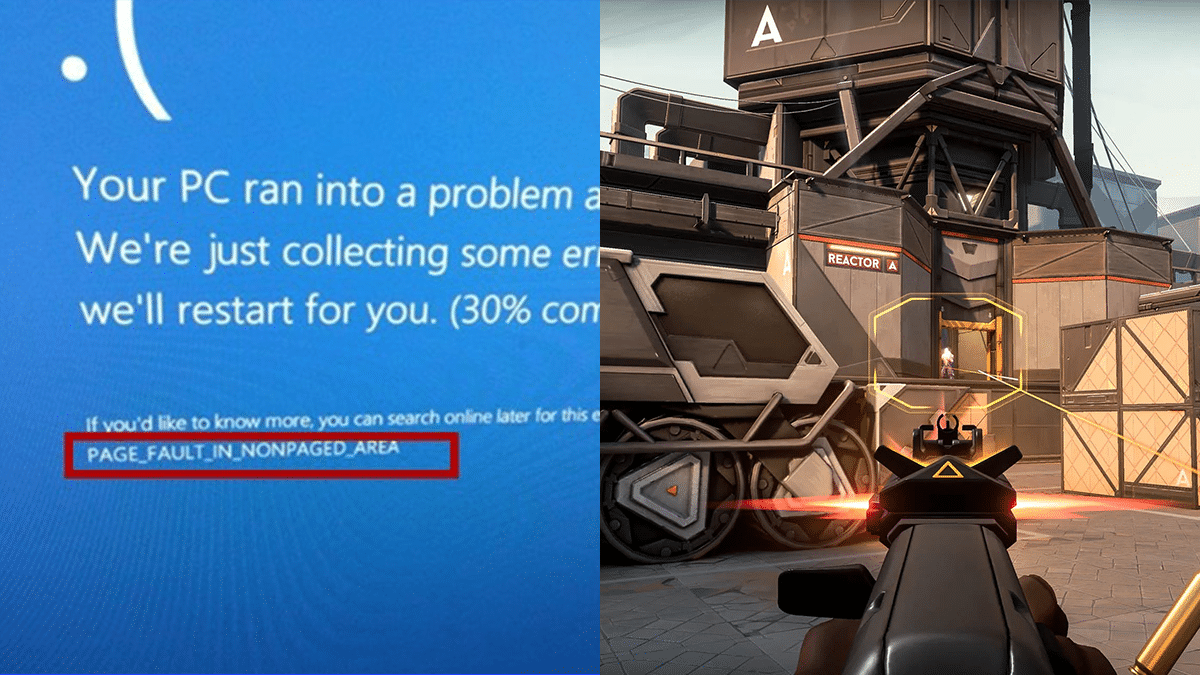
PAGE FAULT IN NONPAGED AREA is the closest that Windows has to a blue screen of death error that reads “invalid memory reference.” Paged memory, which splits accessible memory space into a collection of memory pages of varying sizes, is essential for a full comprehension of the current situation.

The operating system has access to a huge number of pages, but only a subset of those pages will be stored in memory at any given time.

When an application or the operating system makes use of a certain memory page that isn’t existent in RAM, the page management typically issues a “page fault” status.

Fix “page fault in nonpaged area” Error In Valorant

In the end, this means that the page file is accessed to retrieve the requested page. If there is a requirement for additional storage space, an older, less frequently used memory page will be changed out for the newer one.

Check your Computer’s RAM

Since problems with computer memory and drivers are usually at the root of this issue, checking this out should be your first step. If you can’t inspect it, take the computer to an approved engineer.

Removing dust from the RAM or reconnecting it is a common workaround for this problem.

If booting into safe mode does not resolve the BSOD (blue screen of death) after testing the RAM, continue with the other solutions detailed in this article.

Certain pages used often by the operating system are “locked-in” to RAM. Thus, they are not part of the RAM paging process and must be immediately available whenever they are needed.

The OS has requested a locked-in page but has received a page fault instead, which causes the PAGE FAULT IN NONPAGED AREA blue screen of death. Because this issue is not supposed to happen and directly impacts the operating system, Microsoft treats it as a stop code and causes a BSOD.

Update all Outdated Drivers

One of the most common reasons for page fault in nonpaged area problems is a driver that is either out of date or corrupt. In this case, updating any out-of-date drivers may be the answer.

  1. Right-click “Start” and select “Device Manager” to update your computer’s drivers:
  2. Upon viewing the drivers, a caution icon will appear next to any driver who is more than two years old.
  3. Expand the device that has an outdated driver:
  4. If you right-click on a driver that is out of date and choose “Update driver,”
  5. So that Windows can check online for updated drivers, you should choose “Search automatically for drivers.”
  6. When a new driver becomes available, it should be installed and the computer restarted.

Perform an SFC Scan

  1. In Windows, if you suspect that any of your system files are damaged, you can run a system file checker (SFC) scan to repair them. As a result, it can assist in eliminating the page fault in nonpaged area issues.
  2. To run the SFC scan, launch the command prompt while logged in as an administrator and enter sfc/scannow.
  3. Run the Windows Disk Checker Scan
  4. To run CMD with administrative privileges, type “CMD” into the search bar and click “Run as Administrator” in the results
  5. Type chkdsk C: /f /r into the command prompt and hit ENTER to run the process.
  6. If you receive the “Cannot run because the volume is in use by another process” error notice, press Y to have the scan executed after the next system restart.

For more guides, make sure to follow TalkEsport on Google News.

How to fix Valorant Page Fault In Nonpaged Area Error

0

PAGE FAULT IN NONPAGED AREA is the closest that Windows has to a blue screen of death error that reads “invalid memory reference.” Paged memory, which splits accessible memory space into a collection of memory pages of varying sizes, is essential for a full comprehension of the current situation.

The operating system has access to a huge number of pages, but only a subset of those pages will be stored in memory at any given time.

When an application or the operating system makes use of a certain memory page that isn’t existent in RAM, the page management typically issues a “page fault” status.

Fix “page fault in nonpaged area” Error In Valorant

In the end, this means that the page file is accessed to retrieve the requested page. If there is a requirement for additional storage space, an older, less frequently used memory page will be changed out for the newer one.

Check your Computer’s RAM

Since problems with computer memory and drivers are usually at the root of this issue, checking this out should be your first step. If you can’t inspect it, take the computer to an approved engineer.

Removing dust from the RAM or reconnecting it is a common workaround for this problem.

If booting into safe mode does not resolve the BSOD (blue screen of death) after testing the RAM, continue with the other solutions detailed in this article.

Certain pages used often by the operating system are “locked-in” to RAM. Thus, they are not part of the RAM paging process and must be immediately available whenever they are needed.

The OS has requested a locked-in page but has received a page fault instead, which causes the PAGE FAULT IN NONPAGED AREA blue screen of death. Because this issue is not supposed to happen and directly impacts the operating system, Microsoft treats it as a stop code and causes a BSOD.

Update all Outdated Drivers

One of the most common reasons for page fault in nonpaged area problems is a driver that is either out of date or corrupt. In this case, updating any out-of-date drivers may be the answer.

  1. Right-click “Start” and select “Device Manager” to update your computer’s drivers:
  2. Upon viewing the drivers, a caution icon will appear next to any driver who is more than two years old.
  3. Expand the device that has an outdated driver:
  4. If you right-click on a driver that is out of date and choose “Update driver,”
  5. So that Windows can check online for updated drivers, you should choose “Search automatically for drivers.”
  6. When a new driver becomes available, it should be installed and the computer restarted.

Perform an SFC Scan

  1. In Windows, if you suspect that any of your system files are damaged, you can run a system file checker (SFC) scan to repair them. As a result, it can assist in eliminating the page fault in nonpaged area issues.
  2. To run the SFC scan, launch the command prompt while logged in as an administrator and enter sfc/scannow.
  3. Run the Windows Disk Checker Scan
  4. To run CMD with administrative privileges, type “CMD” into the search bar and click “Run as Administrator” in the results
  5. Type chkdsk C: /f /r into the command prompt and hit ENTER to run the process.
  6. If you receive the “Cannot run because the volume is in use by another process” error notice, press Y to have the scan executed after the next system restart.

For more guides, make sure to follow TalkEsport on Google News.

How To Get Saints Row 4 For Free On Epic Games

0

To celebrate its release, Epic Games is giving away Saints Row IV for PC until December 15 at no cost.

Fans of Saints Row may get their hands on Saints Row IV: Re-Elected for free via the Epic Games shop, where they can also find some fantastic bonuses.

After nine years, developers of Deep Silver Volition have given Saint Row fans a new cause to fall in love with and return to the series. Saint Row, famed for its enormous downloadable content (DLC), has published an all-in-one PC game with all of its DLC for free until Dec. 15, 2022.

How to get Saints Row IV: Re-Elected for free

The PC version of the game can be downloaded for free from the Epic Games store until 11 a.m. on December 15, 2022. The Epic Game Launcher is a central portal for managing your library of purchased games and the required software for playing games purchased from the Epic Games store.    

The best part about the free games on the Epic Games Store is that anyone can sign up for an account and immediately start playing. Because of this, it’s easier for people who aren’t already members to join. The signup process is straightforward, and the service offers integration with external platforms. 

Where does Saint Row IV: Re-Elected stand in terms of PC updates?

The latest PC release of Saints Row IV: Re-Elected includes cross-play amongst players who use different launchers, which is one of the nicest elements of the game.

Players may rest easy knowing that their progress from the game’s initial release nearly a decade ago will be imported into the updated edition. It is expected that all PC versions will be upgraded automatically, and that earlier versions would be removed from sale.

Many gamers will find Saints Row IV Re-elected entertaining because of how much pure fun it provides. Before the reboot came out earlier this year, this was the final big movie to come out.

All 25 downloadable content packs that have been released for the game are included in the Re-elected edition as well. Thanks to the Epic Games Store, the whole experience provided by the special edition can now be enjoyed at no cost to the player.

For more coverage on Epic Games and its free services, make sure to follow TalkEsport on Google News