Home Blog Page 925

BGMI Name Generator 2024: Stylish Name Generator For BGMI Players

Choosing the perfect name for your Battlegrounds Mobile India (BGMI) account is an important part of crafting your gaming persona. The BGMI Name Generator is a revolutionary online tool designed to help you craft a unique and engaging username for your BGMI profile. With a plethora of styles, fonts, and special characters at your disposal, this generator is your key to creating a name that not only stands out but also resonates with your gaming persona.

How to Use the BGMI Name Generator:

  • Decide on the name you want to use for your BGMI profile.
  • Enter your chosen name in the designated text box below.
  • Click on ‘Generate’ to see a variety of cool text options.
  • Copy your favorite style manually or by clicking the ‘copy’ button next to the name.
  • Paste your newly styled name onto your BGMI profile.

BGMI Name Generator

BGMI Name Generator By TalkEsport

Your Name:

For those new to BGMI or looking to change their current username, we have a detailed guide on how to change your name using the Rename card, as well as ways to acquire rename cards in BGMI.

Symbol Copy

Click a symbol to copy it

Whether you’re a newbie or a seasoned player, coming up with a catchy nickname can be a daunting task. To spark your creativity, we’ve compiled a list of simple and stylish nickname ideas.

BGMI Name Generator: Stylish Names Generator For Players

  • _{}/cR@z¥Kí!!3Rªß
  • ß•€•∆•S•†
  • ★彡SKÚLL☠️CrúẞHéR
  • ĜΘĐϜѦŦħҿʀ
  • קħǾ६ℵĭẌᴵᴬᴹ
  • ㊜ħɏᵽɇɍ㊜
  • ⚠ᗪєάŤħ ⚠
  • 丂几ĺ尸乇尺▄︻̷̿┻̿═━一
  • ๖ۣۜDͥËSͣTͫĺƝϔ☭
  • Göđžîĺľą
  • ☆♧ĶĮŁŁ☠ËŅËMÝ♧☆
  • BøŤ☆Ķîļłëř
  • ?☆《ĐƏÃĎĶÎŁĽĔŘ》☆¿
  • ✔♠Há👑Ķé👑Ř♠✔
  • ⊰ŠԩąƉŏώ⊱
  • ƉɆ⩔ƗⱠ
  • ࿐♨ᴿᴱᴰ᭄Ɖᴇvɪʟ࿐
  • 💀🔥Ɖ₳₦₲ɆɌØɄ$🔥💀
  • ✰ꝈƐƓƐហᎠȺའįටϚ✰
  • ƎƊƓƎƧǶȮƬツ
  • ༄ཊɓugร ɓuɳɳyᵈᵃʳᵏཏ࿐
  • 〷☠☈ΔρTο☈☠〷
  • cRÆzÿ Tøxïč
  • รƭɾαωɓεɾɾყɠเɾℓ༡
  • ☯ℙ么ℕⅅ么☯

Why a Stylish Name Matters?

In the world of online gaming, your in-game name is your identity. It’s how friends and foes alike recognize you.

Tips for Creating a Unique Name

While the BGMI name generator is a great tool, here are some additional tips to keep in mind when crafting your BGMI name:

  • Keep It Simple: Avoid overly complicated names. Simplicity often leads to more memorable names.
  • Be Unique: Try to steer clear of common words or clichés. The more unique, the better.
  • Reflect Your Personality: Choose words or themes that reflect your gaming style or personality.
  • Check Availability: Make sure the name isn’t already in use by another player.

Stay updated with the latest news in gaming and esports by signing up for early access to TalkEsport’s Mobile App. Follow us on Twitter and Google News to ensure you never miss the exciting updates.
How To Get M416 Glacier Skin in BGMI For Free

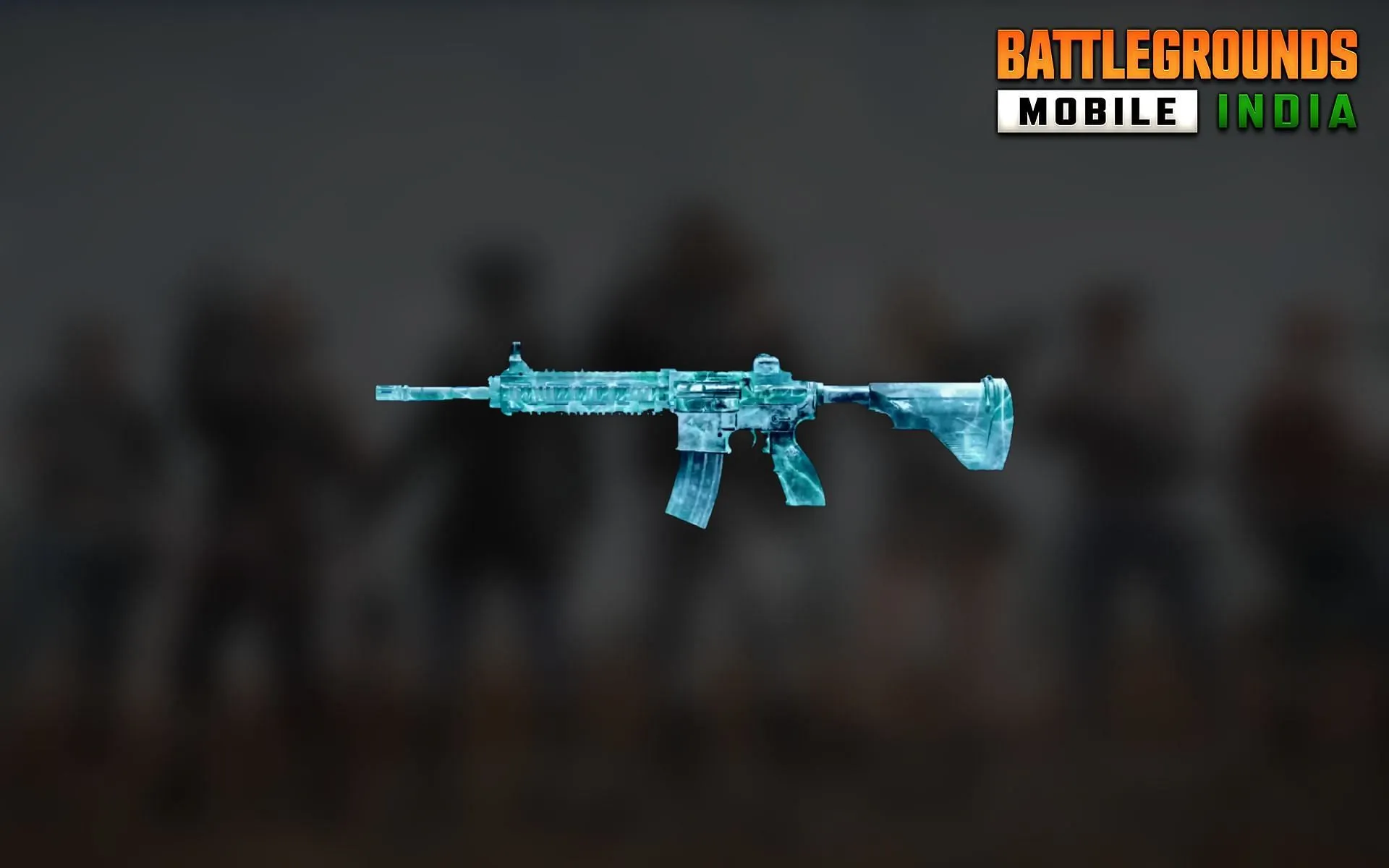
In the thrilling world of Battlegrounds Mobile India (BGMI), the M416 Glacier Skin stands as a symbol of prestige and skill. This sought-after gun skin, known for its unique glacier-like bullet effects, is the dream of every BGMI player. However, acquiring it can be a daunting task, often requiring a significant investment. But what if we told you there’s a way to get this legendary skin for free? Let’s delve into the secrets of obtaining the BGMI M416 Glacier Skin without spending a dime.

M416 Glacier Skin BGMI

The M416 Glacier Skin is not just another gun skin in BGMI. It’s a unique, visually stunning skin that sets your weapon apart from the rest. When you fire at your enemies, each bullet hit mimics the appearance of a glacier, making your victories even more spectacular. This skin can be upgraded to level 7, each level unlocking new features and effects, making it one of the most valuable assets in BGMI.

How to Get the M416 Glacier Skin in BGMI For Free

While luck plays a significant role in obtaining the M416 Glacier Skin, there are strategies you can employ to increase your chances. Here are some insider tips:

  1. Timing is Everything: The best time to open crates is between 12am to 5am when fewer players are online. This increases your chances of landing the Glacier Skin.
  2. Clear Your Inventory: Removing all gun skins from your account can trick the BGMI algorithm into thinking you need new skins, potentially increasing your chances of getting the Glacier Skin.
  3. Tap, Tap, Tap: Tapping multiple times on the M416 Glacier skin before opening a crate might increase your chances of getting it.
  4. Patience Pays Off: Don’t open all your crates at once. Open them one by one and avoid skipping the animation for better odds.
  5. Fresh Start: Creating a new BGMI ID can surprisingly increase your chances of getting the M416 Glacier Skin.

Few Tricks For Increasing Your Chances To Get Glacier Skin in BGMI For Free

  • Don’t wear any clothes or any item on your player while opening the Classic crate. This may seem like a strange tip, but there is some evidence to suggest that it can help you get the M416 Glacier skin.
  • Use the default game male/female character while opening the Classic crate. This is another tip that may seem strange, but it is worth a try.
  • Upon opening the classic crate, don’t skip the flare-and-drop animation. This is the animation that plays when you open a Classic crate. Some people believe that skipping this animation can decrease your chances of getting the M416 Glacier skin.

FAQs: Unraveling the Mysteries of the M416 Glacier Skin

Is the M416 Glacier Skin rare?

Yes, the M416 Glacier Skin is a rare item in BGMI, with only a few accounts boasting this unique skin.

How can I max out my M416 Glacier Skin?

Maxing out your M416 Glacier Skin involves adding UC to your BGMI account, going to the Workshop, opening The Lab, selecting the M416 Glacier Skin, and upgrading your gun to level 7.

Which is the best skin for M416 in BGMI?

The Glacier Skin is considered the best skin for M416 in BGMI due to its unique kill effect and attractive appearance.

BGMI is more than just a game; it’s a battleground where strategy, skill, and a bit of luck can lead to incredible rewards. The M416 Glacier Skin is one such reward, a symbol of prestige and skill. With these tips and tricks, you’re now better equipped to chase after this coveted prize. Remember, patience and persistence are key. Good luck, and may the odds be ever in your favor!

Stay updated with the latest news in gaming and esports by signing up for early access to TalkEsport’s Mobile App. Follow us on Twitter and Google News to ensure you never miss the exciting updates.
How Does Lucky Hit Work in Diablo 4?

0

In the thrilling world of Diablo 4, players are introduced to a myriad of complex mechanics designed to enhance their gaming experience. Among these, the Lucky Hit mechanic stands out as a game-changer, albeit one that’s often misunderstood. This article aims to demystify the Lucky Hit mechanic, providing players with a comprehensive understanding of how it works and how to leverage it for optimal gameplay.

What Is Lucky Hit In Diablo 4? And How Does It Work?

Lucky Hit, a new addition to Diablo 4, is a non-class-specific effect that can significantly impact your character’s performance when incorporated intelligently into your build. At its core, Lucky Hit is the chance an offensive skill has to trigger an additional effect on hit. However, it’s not as straightforward as it seems.

Unlike other effects, Lucky Hit doesn’t operate on a simple percentage chance. Instead, it involves a two-layered RNG system where players essentially roll the dice twice to see if their Lucky Hit triggers an effect. This means that even if you score a Lucky Hit, it doesn’t necessarily guarantee that an effect will be activated.

The Role of Skills and Items

Skills and items play a crucial role in the Lucky Hit mechanic. Some skills and items come with a special affix denoting a bonus effect if there’s a Lucky Hit. However, the bonus effect isn’t a flat percentage chance every time you hit something. Instead, you have to multiply it by the Lucky Hit chance of the skill you’re using.

For instance, if you’re using a skill with a 50% Lucky Hit chance and an item that gives a 30% chance to make enemies Vulnerable, together, you have a 15% chance of making an enemy Vulnerable. This calculation is essential for understanding how Lucky Hit works and how to maximize its potential.

Building Around Lucky Hit

Lucky Hit can be a powerful tool when paired with the right skills and items. It can offer great effects, such as healing you in a critical moment or restoring a significant chunk of your resources. However, Lucky Hits do nothing on their own. They are only useful if paired with a Lucky Hit bonus on your weapons or passives.

The best kind of build to focus around Lucky Hits is one where you have multiple Lucky Hit bonuses that can occur at once. The more Lucky Hit effects, the better. Certain items and effects can also increase your Lucky Hit chance, making it an incredibly versatile effect for various builds.

Stay updated with the latest news in gaming and esports by signing up for early access to TalkEsport’s Mobile App. Follow us on Twitter and Google News to ensure you never miss the exciting updates.
How to Fix Network Problem In Valorant

0

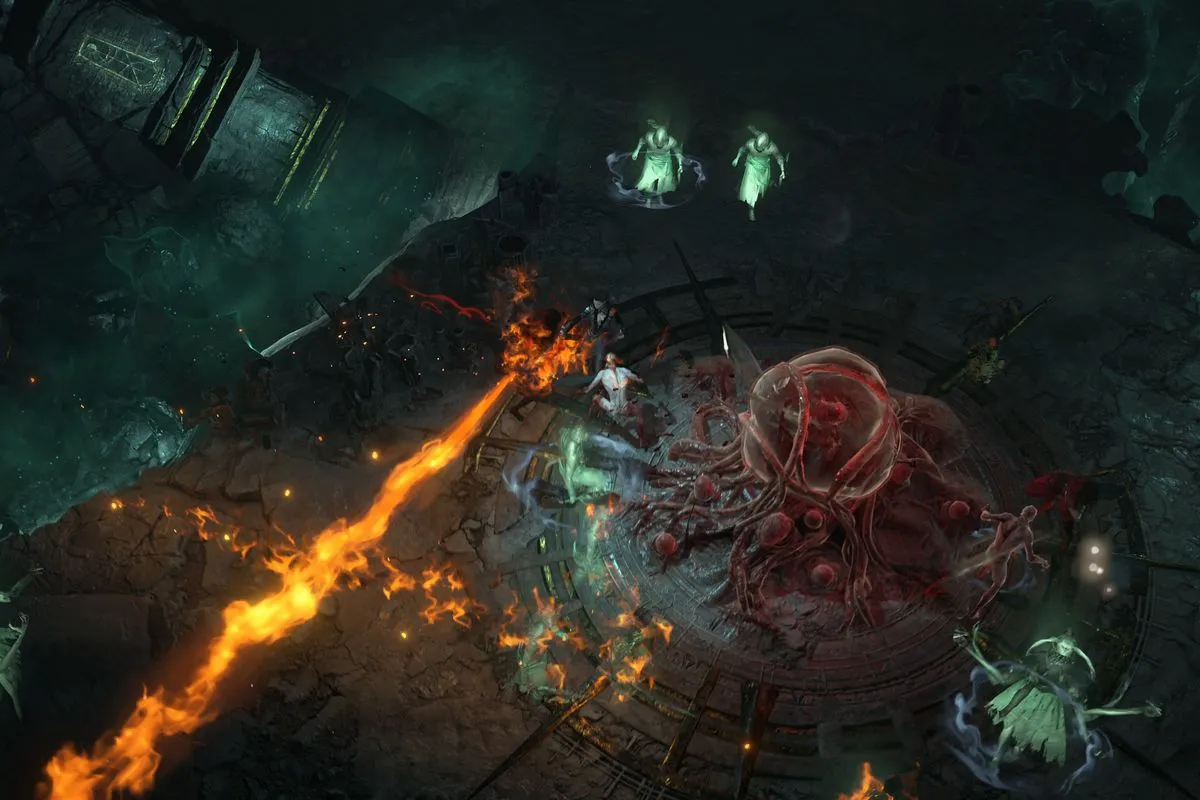
Valorant, a popular online multiplayer game, is not immune to network issues. These problems, ranging from lags and game crashes to match drops, can be a significant hindrance to your gaming experience. However, worry not! This article will guide you through various strategies to troubleshoot and optimize your Valorant network settings for a seamless gaming experience.

What Is Valorant Network Problem?

Network issues in Valorant often arise when your system struggles to establish a stable connection with the game server. This could be due to a high server load or a weak internet connection. The key to resolving these issues lies in optimizing your game settings and ensuring a robust internet connection.

How To Fix Network Problem In Valorant Fix High Ping & Network Lag

1. Router Optimization for Valorant

Switching from Wi-Fi to a wired connection can significantly improve your gaming experience. To test your connection, use the command console to ping Google. If you encounter high response times or request timeouts, it might be time to contact your Internet Service Provider (ISP).

Here are some quick fixes for an unstable internet connection:

  • Replace the R45 port on the WAN cable.
  • Use a new LAN cable to connect your PC or Laptop to the router.
  • Reset your router to disconnect every device.
  • Connect only your system and run the ping test.
  • Replace the router if nothing else works.

2. Achieving a Low Ping Rate

A low ping rate is crucial for a smooth Valorant gaming experience. Two main factors influence your ping rate: your connection with your ISP’s gateway and your router’s performance. If you’re experiencing high latency, consider upgrading your router. Routers like Netgear Nighthawk are designed to manage large data transfers and optimize gaming performance.

Also Read: How To Uncensor Valorant Chat

3. Valorant PC Optimization Settings

If network issues persist despite a stable internet connection, some PC tweaks might help. Optimizing Valorant’s performance settings on your Windows PC can reduce CPU load and improve gameplay. However, remember that these settings won’t directly impact connectivity issues.

4. Limiting Valorant FPS to Fix Network Errors

Limiting FPS (Frames Per Second) in Valorant is a last-resort solution to persistent network lags. Valorant has an FPS lock setting in the Graphics section, which you can enable if network lags are constant. However, it’s best to exhaust all other options before resorting to this.

While some network issues are due to server problems on the developer’s end, many can be resolved with the right troubleshooting steps. Always keep your game and drivers updated, and regularly check your ping rate. With these tips, you’ll be well on your way to a lag-free Valorant gaming experience.

Remember, a smooth gaming experience relies not only on the game developers but also on your network settings and PC optimization. Happy gaming!

Stay updated with the latest news in gaming and esports by signing up for early access to TalkEsport’s Mobile App. Follow us on Twitter and Google News to ensure you never miss the exciting updates.
Steam Servers Are Down Right Now on 20th July 2023?

0

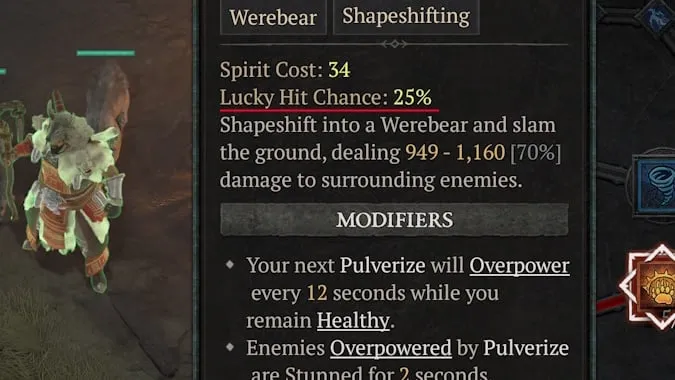
Counter-Strike Global Offensive, or CSGO, is experiencing server problems this morning.

The Independent website DownDetector.com has received a massive surge of reports related to the game in the last few minutes.

Down Detector is an independent website that tracks outages across the globe by monitoring social mentions around specific topics.

On July 20, CSGO players across the United States reported outages of the game servers. It’s still unclear what caused the outage, but it could be due to a number of reasons.

The first and most common cause of server outages is a new update. When a new update is shipped to the game, the servers can go down temporarily. However, in case of an update, the servers can be up quite quickly.

Another reason behind server outages may be a technical fault in Valve’s servers. This is very unlikely to happen but it has happened on more than one occasion in the past.

Stay updated with the latest news in gaming and esports by signing up for early access to TalkEsport’s Mobile App. Follow us on Twitter and Google News to ensure you never miss the exciting updates.
How to Bind Mouse Wheel to Jump CSGO?

0

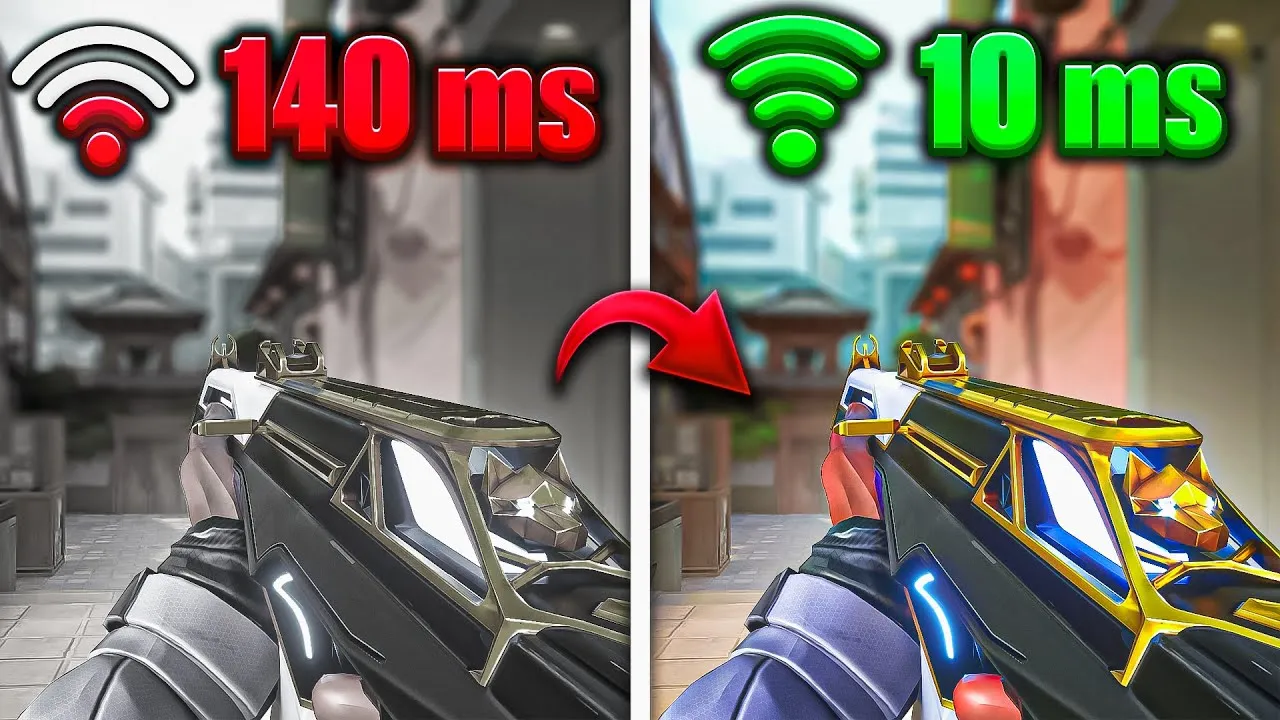
In the world of Counter-Strike: Global Offensive (CSGO), the ability to jump can be a game-changer. While some players stick to the traditional ‘Space key’ for this action, others have discovered the benefits of using the mouse wheel. This article will guide you through the process of binding your mouse wheel to the jump function in CSGO, enhancing your gameplay experience.

How to Bind Mouse Wheel to Jump CSGO?

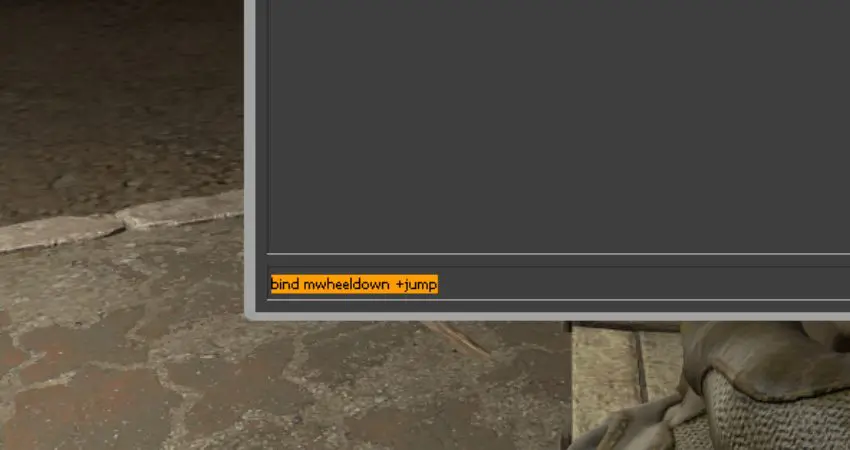
The command console in CSGO is a powerful tool that allows you to customize your controls. To bind your mouse wheel to the jump function, you first need to enable the command console. This can be done through the game settings, and once enabled, you can launch it by pressing the ‘~’ key. If you encounter any issues, you can manually adjust the settings in the ‘config.cfg’ file in your CSGO directory.

Once you have the command console up and running, you can change your keybindings. There are three separate controls you can use to bind your mouse wheel to the jump function. These commands will allow you to jump when you scroll the mouse wheel up or down, and ensure that the default jump setting remains on the space bar. Remember, if you choose to bind both parts of the mouse wheel to the jump function, you won’t be able to switch weapons using the mouse wheel.

If you want to make these changes permanent, you can save the keybindings in the game’s ‘config.cfg’ file. This means you won’t have to change the console settings every time you open CSGO. To do this, you’ll need to locate the ‘config.cfg’ file in your game data folder and add the necessary lines.

The main reason players choose to use the mouse wheel for jumping in CSGO is to perform a technique known as bunny hopping. This technique can be difficult to execute using the space bar, and many players find it easier to use the mouse wheel. Additionally, binding the mouse wheel to the jump function can free up the space bar for other actions, such as voice chat.

Stay updated with the latest news in gaming and esports by signing up for early access to TalkEsport’s Mobile App. Follow us on Twitter and Google News to ensure you never miss the exciting updates.

Valorant Episode 7 Act 1 End Date & Time

0

As the clock ticks down on Valorant’s Episode 7 Act 1, the gaming community is abuzz with anticipation. Launched on 27th June, this act has been a whirlwind of excitement, introducing a plethora of new features and changes that have kept players on their toes.

One of the highlights of this act was the introduction of a new Sentinel, Deadlock. This character quickly became a sensation, with players eagerly exploring the new mechanics associated with her abilities. The act also brought about significant changes to agent progression and the unlocking of new agents, adding a fresh layer of complexity to the game.

The introduction of a new in-game currency, Kingdom Credits (KC), and the popular game mode Team Death Match (TDM) were other notable additions. However, as the saying goes, all good things must come to an end. With each Valorant episode comprising three acts, the end of Episode 7 Act 1 is imminent, sparking curiosity among players about what lies ahead.

When Does Valorant Episode 7 Act 1 End?

  • Valorant Episode 7 Act 1 Will End on 29th August, after a thrilling 63-day run.

When Does Valorant Episode 7 Act 2 Starts?

Episode 7 Act 2 is set to launch immediately after the end of Act 1 on 29th August 2023, bringing with it a brand-new battle pass. The launch is scheduled for 22:00 BST, 17:00 ET, 14:00 PT, 23:00 CEST, and 2:30 AM IST (30th August For Indian Servers).

It’s worth noting that due to time zone differences, the end date of Episode 7 Act 1 and the launch date of Episode 7 Act 2 may vary by a day in some regions. As we approach the end of Act 1, another exciting event is on the horizon – the next Valorant Night Market, which is expected to coincide with the end of the act.

While Episode 7 Act 2 may not be as feature-packed as its predecessor, it is expected to bring its own share of excitement. Potential features include a polished version of Valorant Premier, a new competitive game mode, and a host of agent balances. Even though it might not have as many features as Episode 7 Act 1, it promises to keep the player base engaged and excited.

As we bid farewell to Episode 7 Act 1 and welcome Act 2, the Valorant community is set for another rollercoaster ride. So, gear up, Valorant players – the next chapter is about to begin!

Stay updated with the latest news in gaming and esports by signing up for early access to TalkEsport’s Mobile App. Follow us on Twitter and Google News to ensure you never miss the exciting updates.
Global Esports’ VCT 2023 Journey Ends in the Pacific LCQ

Rex Regum Qeon put up back-to-back stellar performances to eliminate Global Esports from the Valorant Champions Tour 2023: Pacific Last Chance Qualifier. Here’s how it went down.

Map Veto: 

1. Global Esports Ban Haven
2. Rex Regum Qeon Ban Lotus
3. Global Esports Pick Split
4. Rex Regum Qeon Pick Ascent
5. Global Esports Ban Fracture
6. Rex Regum Qeon Ban Pearl
7. Bind was left over 

Map 1 : Split (Pick : Global Esports, Winner : Rex Regum Qeon, Final Score : 13:10)

RRQ kicked off the first half of Split on the right foot with a pistol round win on the Attacking side and followed it up with a win on the anti-eco round as well. GE were on the brink of winning their first buy round of the game but an impressive 1v3 clutch from David “xffero” Monangin shut them down while gaining his team a significant economic advantage. It wasn’t until the fifth round of the match that GE could put up their first round on the board. The two teams traded a few rounds back and forth before GE regained some momentum. The first half ended 7-5 in favor of RRQ.

RRQ won the second pistol round of the game as well, but a force-buy from GE enabled them to secure the round that followed. A clutch from Ganesh “SkRossi” Gangadhar brought the scoreline to 7-8, but RRQ swiftly regained composure and extended their lead to 12-7. The game came to a conclusion as the scoreline read 13-10 in favor of RRQ.

Kim “t3xture” Na-ra from Global Esports was on top of the leaderboard with an ACS of 269 and a K/D of 22/13.

Map 2 : Ascent (Pick : Rex Regum Qeon, Winner : Rex Regum Qeon, Final Score : 13:10)

GE found themselves ahead on the first half of Ascent after winning the pistol round on Defense and converting the follow-up round on top. RRQ retaliated quickly and tied the score 3-3 before gaining the lead for themselves in the seventh round. Cahya “Monyet” Nugraha was the one to shut down RRQ’s tempo as he pulled off an amazing 4k with the Guardian on the tenth round. The first half ended with a score of 6-6.

The second half also witnessed Global Esports taking the lead on Attack after winning the Pistol round and the anti-eco round that followed. However, RRQ managed to secure their buy rounds and equalized the score once again. GE took the lead one last time as the scoreline marked 9-8, but some impressive individual performances from the RRQ members stopped them in their tracks. The second game also ended 13-10 in favor of RRQ.

Eroll Jule “EJAY” Delfin reigned the leaderboard of the second game with a K/D of a whopping 27/15.

With this victory, RRQ march forward in the Valorant Pacific LCQ 2023 as they move on to face ZETA DIVISION in the Upper Semifinals of the event. Fans will be able to catch the action live on July 20, 8 am UTC. Unfortunately, this defeat marks the end of the road for Global Esports in this year’s Valorant Champions Tour. 

Thank you for taking the time to read our article. To stay up-to-date with the latest news and articles around Gaming and Esports, we recommend following TalkEsport on Google News.

How to uninstall Valorant?

0

Are you feeling overwhelmed by the fast-paced, high-stakes world of Valorant? Perhaps you’ve hit a plateau in your gaming skills, or other commitments are preventing you from reaching the top of the ranks. Whatever the reason, you’ve decided it’s time to uninstall Valorant from your PC. But, it’s not as straightforward as you might think. This guide will walk you through the process, step-by-step, ensuring a smooth and successful uninstallation.

Valorant, the popular tactical shooter game by Riot Games, is not for everyone. It demands a high level of commitment, with players needing to constantly hone their skills in deathmatch and range, and practice their abilities in custom matches. The game’s meta seems to change daily, and the competition is fierce. It’s no wonder that some players decide to hang up their hats and uninstall the game.

How to uninstall VALORANT?

Uninstalling Valorant is not as simple as clicking ‘uninstall’ in your control panel. There are a few more steps involved, primarily due to Vanguard, the anti-cheat system created by Riot Games. Here’s a step-by-step guide to uninstalling Valorant:

  • Uninstall Vanguard: Start by closing Vanguard. You can do this by opening your system tray, right-clicking on the red Vanguard icon, and selecting ‘exit’. A message will pop up asking if you want to ‘turn off’ Vanguard. Click ‘Yes’.
  • Uninstall Valorant: Once Vanguard is closed, you can uninstall Valorant as normal. Press the Windows Key or click the Windows icon on your taskbar, type ‘Add or remove programs’ in the search bar, and press enter. Scroll down to ‘Riot Vanguard’, right-click, and uninstall. Finally, uninstall Valorant using the same method.

And there you have it! Valorant is no more on your PC. If you ever feel the urge to dive back into the competitive world of Valorant, you can easily download both Vanguard and Valorant from Riot’s website.

Remember, gaming is meant to be fun. If a game is causing more stress than enjoyment, it’s okay to step away. You can always return when you’re ready. Happy gaming!

Stay updated with the latest news in gaming and esports by signing up for early access to TalkEsport’s Mobile App. Follow us on Twitter and Google News to ensure you never miss the exciting updates.
Where to find Big Bush Bomb in Fortnite?

0

Fortnite, the globally acclaimed battle royale game, is known for its dynamic gameplay and innovative in-game items. One such item that has recently caught the attention of players is the Big Bush Bomb. This unique utility item has added a new layer of strategy to the game, allowing players to hide in plain sight and launch surprise attacks on their opponents.

This article will guide you through the ins and outs of the Big Bush Bomb, from where to find it to the best ways to use it.

Where to find Big Bush Bomb in Fortnite?

The Evolution of Bush Camping: Bush camping has long been a popular strategy among Fortnite players. The ability to blend into the environment and remain undetected by opponents has always been a game-changer. With the introduction of the Big Bush Bomb in Chapter Four Season One, this strategy has been elevated to a whole new level. The Big Bush Bomb allows players to deploy a large bush, providing a temporary hiding spot to plan stealthy strikes on enemies.

Finding the Big Bush Bomb: The Big Bush Bomb can be found as ground loot, in chests, or at various loot spots across Fortnite’s expansive island. While there is no guaranteed spawn point for this item, players have reported finding it more frequently in locations such as Rumble Ruins, Shady Stilts, and Creeky Compound. Adventurous players might even stumble upon the Big Bush Bomb while exploring the treetops. Remember, you can carry up to four Big Bush Bombs at a time, so keep your eyes peeled!

Using the Big Bush Bomb: The Big Bush Bomb functions like any other throwable item in Fortnite. Simply equip it to an inventory slot and deploy it on the ground. This utility item is particularly useful when you’re outnumbered and need to obscure your opponents’ vision. While it won’t shield you from incoming bullets, it can provide you with a crucial opportunity to reposition without being immediately spotted. Alternatively, you can deploy the Big Bush Bomb when you want to lie low and ambush unsuspecting opponents passing by.

Stay updated with the latest news in gaming and esports by signing up for early access to TalkEsport’s Mobile App. Follow us on Twitter and Google News to ensure you never miss the exciting updates.