Sunday, June 21, 2026
Home Blog Page 795

How to Set Up a Fortnite Leaderboard Bot in Discord in Easy Steps

Do you want to showcase your Fortnite skills and stats to your Discord community? The Fortnite Leaderboard Bot, a recent feature introduced by Epic Games, can help you achieve this. This bot enables you to track and compare your daily, weekly, and seasonal stats for the current Battle Royale season with other server players. Although the setup process is somewhat involved, this article will guide you through each step to ensure a seamless experience​​.

Step-by-Step Instructions on How to Set Up the Fortnite Leaderboard Bot on Discord

The Fortnite Leaderboard Bot is capable of tracking your performance in various modes offered by Epic Games, such as “Battle Royale,” “Zero Build – Battle Royale,” “Ranked Battle Royale,” and “Ranked Zero Build.”

Follow these steps to set up the bot:

  1. Obtain the bot by clicking on the this link and allowing it to join your Discord server.
  2. Determine the stats you wish to compete on with your friends in your Discord server. Begin the setup process by typing ‘/help’.
  3. Link your Epic Games account to the bot.
  4. Use the ‘/create’ command to form your leaderboard. You also have the option to create roles and scheduled posts to highlight the leaders in different stat categories.
  5. Now, play Fortnite and monitor your leaderboard position!
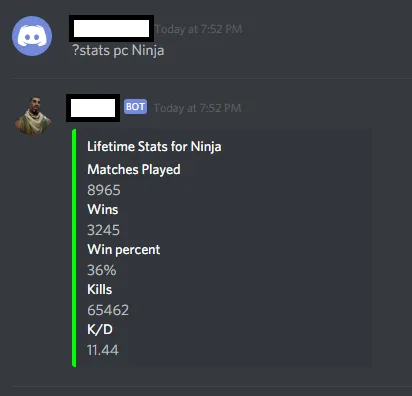
The Fortnite Leaderboard Bot can also be found on all official Fortnite servers. The bot in these servers will display the stats of users who link their Epic account to it and choose to join that bot’s leaderboard.

If you choose to withdraw from the leaderboard at any time, you can do this by using the ‘/settings’ command and then clicking on “Switch Account”​.

Fortnite Stats Tracked by the Discord Bot

With the Fortnite Leaderboard Bot, you can set up leaderboards to track the following metrics:

  • Victory Royales
  • Eliminations
  • Assists
  • Damage Dealt
  • Fish Caught
  • Distance Traveled

Do note that your seasonal stats may initially display as 0 because the bot only starts showing stats once it has been installed​​.

Stay updated with the latest news in gaming and esports by signing up for early access to TalkEsport’s Mobile App. Follow us on Twitter and Google News to ensure you never miss the exciting updates.
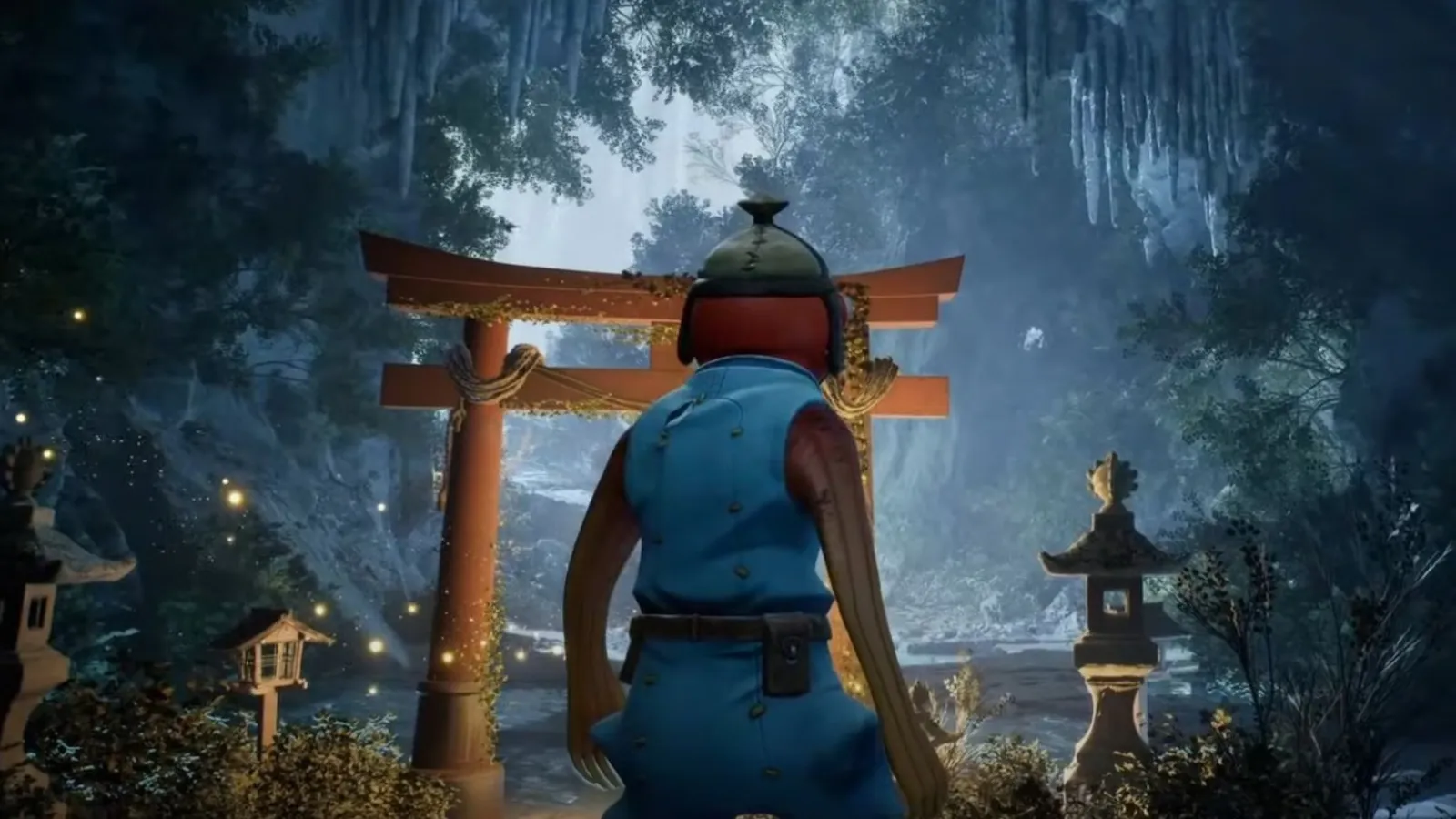
Can You Play Fortnite Creative 2.0 on PS4, Xbox, or Switch?

The universe of Fortnite is ever-evolving, with Epic Games continually introducing innovative features that have revolutionized the gaming experience. One such update that has stirred up excitement is Fortnite’s Creative 2.0 mode. This mode has given players a new dimension to explore, allowing them to design, develop, and publish games within the Fortnite ecosystem using the robust Unreal Editor. The Creative 2.0 mode offers an enhanced creative experience, pushing the boundaries of design possibilities to the extreme.

However, amidst the fanfare surrounding this impressive update, a pertinent question has been raised by the substantial console-based Fortnite community: “Can we access the Creative 2.0 mode on our consoles?” This query resonates among PlayStation, Xbox, and Nintendo users alike​​.

Fortnite Creative 2.0: Is It Available on Console?

Addressing this question, it’s crucial to note that currently, Fortnite Creative 2.0 is not available for console players. This includes PlayStation, Xbox, and Nintendo users. The mode, along with the Unreal Editor, remains exclusive to PC at the moment​​.

But, despair not, console warriors! This doesn’t mean you’re permanently left out of the Creative 2.0 experience. Epic Games has a history of rolling out updates and new content on PC first, before gradually making them available on consoles. Hence, there’s a strong possibility that the Creative 2.0 mode, along with its boundless design capabilities, will eventually find its way to console users. It might require a bit of patience, but the wait promises to be worthwhile. Just imagine crafting Unreal Editor-made Islands on your console— the anticipation itself is thrilling​​.

As the gaming world eagerly awaits the arrival of Creative 2.0 on consoles, we will strive to keep you informed. As soon as this coveted feature drops for Fortnite on PlayStation, Xbox, Nintendo, and even Mac, we’ll be here to guide you through the excitement and new opportunities it brings​​.

Stay tuned for updates, and in the meantime, keep exploring the vast and vibrant world of Fortnite. Happy gaming!

Stay updated with the latest news in gaming and esports by signing up for early access to TalkEsport’s Mobile App. Follow us on Twitter and Google News to ensure you never miss the exciting updates.
The Fastest Way to Level Up Your VALORANT Battle Pass

Valorant, Riot Games’ fiercely competitive shooter, offers an engaging Battle Pass system that rewards players for their investment of time and energy in the game. With each new Act, the Battle Pass introduces a range of enticing cosmetic items for players to unlock and showcase in their gaming sessions. However, with time constraints, the quest to complete the Battle Pass and acquire the coveted melee skin may seem daunting. Fear not, this guide will reveal the fastest routes to level up and reach your goals.

How to Level Up Your VALORANT Battle Pass in No Time

1. Prioritize Daily and Weekly Missions

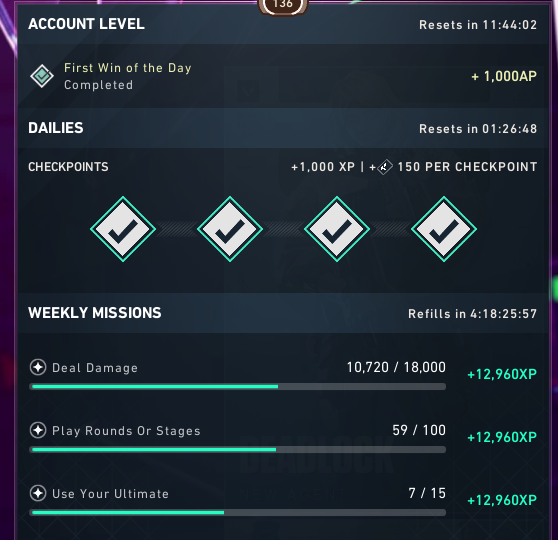
The quickest way to accumulate XP in Valorant is to focus on daily and weekly missions. Since the introduction of Episode Seven, the daily mission structure has been revamped into a checkpoint system. Each day, there’s a potential 4,000 XP to be seized.

To complete daily missions, you need to participate in any game modes, with the sole exception of Deathmatch. Game modes like Competitive, Unrated, Swiftplay, and Premier reward you with one charge per round, whereas modes like Spike Rush, Escalation, and Team Deathmatch offer two charges per match. A total of four charges are required to reach a checkpoint, and with four checkpoints to clear daily, you’ll need to amass sixteen charges.

Also Read: How to Hit All 4 Valorant Checkpoints With Daily Missions

In addition to daily tasks, there are three weekly missions available that grant substantial XP, with the amount increasing as the Act progresses. These missions should be tackled as promptly as possible. If you can’t complete them within a week, they can be carried over to the next. Upon completion, another trio of missions will replace them until you’ve caught up, offering the flexibility to save them for the final week if necessary.

2. Own the Battle Pass and Subscribe to Game Pass

While this route involves some expenditure, it’s worth considering if you’re determined to finish the Battle Pass swiftly. Battle Pass owners receive a three percent bonus on all Battle Pass XP earned throughout their ownership period. However, bear in mind that this bonus doesn’t retroactively apply to the progress made before the pass purchase, so it’s advisable to buy it early to maximize your bonus XP gain.

As an added advantage, being a Game Pass subscriber can significantly boost your XP accumulation. This is a result of Riot Games’ collaboration with Xbox, which not only gives Game Pass subscribers complimentary access to all existing and upcoming agents, but also bestows a whopping 20 percent XP bonus.

3. Keep Playing

Last but not least, simply engaging in the game can help you pile up XP. While Competitive and Unrated modes are typically the most rewarding in terms of XP, participating in any game mode will inch you closer to completing your Battle Pass and reaping your well-earned rewards.

To sum up, the path to conquering your Battle Pass involves a blend of strategic mission completion, taking advantage of ownership benefits, and regular gameplay. Embark on your Valorant journey today and accelerate your Battle Pass progress like never before​.

Stay updated with the latest news in gaming and esports by signing up for early access to TalkEsport’s Mobile App. Follow us on Twitter and Google News to ensure you never miss the exciting updates.
How to Get Kingdom Credits in Valorant: 3 Easy Ways

0

The gaming world is abuzz with the news of a significant transformation in the VALORANT progression system. With the launch of Episode Seven, the game is set to redefine how players engage with daily missions and agent contracts. At the forefront of this change is the introduction of Kingdom Credits, a new in-game currency​​.

Episode Seven is not just about the introduction of Kingdom Credits; it’s also about how you can earn and spend them in various ways. This article aims to provide a comprehensive guide on how to optimally acquire and utilize these credits​.

How To Get & Use Kingdom Credits in Valorant

Kingdom Credits, a key feature of the massive progression system update, can be earned through several activities in the game. Players can amass these credits by:

  1. Participating in matches: Every match you play gives you a chance to earn Kingdom Credits.
  2. Completing daily and weekly missions: Regular engagement with the game rewards you with more credits.
  3. Progressing through the new agent recruitment process: The more progress you make, the more credits you earn​.

Along with the traditional XP, the number of Kingdom Credits earned is directly proportional to the number of rounds won and played. Moreover, the launch of a new game mode, Team Deathmatch in Episode Seven, provides another avenue for players to earn Kingdom Credits​​.

How to Use Kingdom Credits in Valorant

The utility of Kingdom Credits is two-fold:

  1. Purchasing Accessories: The introduction of an accessories store allows players to use their Kingdom Credits to purchase items from previous battle passes. Whether you didn’t reach a certain battle pass level or didn’t purchase a premium battle pass, the store has you covered. It is updated weekly with new items, encouraging players to spend their credits. There’s also a cap on the number of Kingdom Credits a player can hold, providing another incentive to spend them​​.
  2. Agent Recruitment: Kingdom Credits play a crucial role in the new agent recruitment process. Starting from Episode Seven, players can join a limited-time agent recruitment event immediately after a new agent releases. During the event, players can unlock the new agent by achieving a certain amount of XP. However, if players miss out on unlocking the new agent during the event, they can use their Kingdom Credits (or VALORANT Points) to unlock them later​​.

The forthcoming progression system in Episode Seven provides an excellent opportunity for players to leverage the new agent recruitment system right away​. As VALORANT continues to innovate, it’s clear that Kingdom Credits will play an integral role in shaping the gaming experience for players worldwide. Happy gaming!

Stay updated with the latest news in gaming and esports by signing up for early access to TalkEsport’s Mobile App. Follow us on Twitter and Google News to ensure you never miss the exciting updates.

Bali DOTA 2 Major Group Stage: Schedule, Participating Teams, & Where To Watch

Only a day remains before the last Dota 2 major before the International 2023 kicks off, and fans of the MOBA from throughout the world are eagerly looking forward to seeing their favorite pro teams in action one last time before the biggest event of the year.

The Bali Major 2023 will feature twelve of the best Dota 2 teams across the regions of Western Europe, Eastern Europe, China, Southeast Asia, North America, and South America, who will battle it out in front of a live audience for a shot at the prize pool of a whopping US$500,000 alongside a spot at the prestigious TI12.

Teams looking to secure a direct invite to TI12 will undoubtedly have to put up their best performances during the Bali Major as the event will have a total of 3,500 DPC points up for grabs.

Let’s take a look at all the participating teams of the upcoming Bali Major 2023.

Bali DOTA 2 Major 2023: Participating Teams

Here are all the teams participating in the Bali Major 2023:

  • Tundra Esports
  • Gaimin Gladiators
  • Quest Esports
  • Team Liquid
  • Eastern Europe
  • BetBoom Team
  • 9Pandas
  • PSG.LGD
  • Invictus Gaming
  • Team Aster
  • Azure Ray
  • Bleed Esports
  • Blacklist International
  • Execration
  • Shopify Rebellion
  • nouns
  • beastcoast
  • Evil Geniuses

Bali Major 2023: Schedule

Here’s the detailed schedule of Bali Major 2023:

Group A

STANDINGTEAMGAME RECORDMATCH RECORD (W-D-L)
1stbeastcoast0 – 00 — 0 — 0
2ndBlacklist International0 – 00 — 0 — 0
3rdExecration0 – 00 — 0 — 0
4thInvictus Gaming0 – 00 — 0 — 0
5thShopify Rebellion0 – 00 — 0 — 0
6thTeam Aster0 – 00 — 0 — 0
7thTeam Liquid0 – 00 — 0 — 0
8thTeam Spirit0 – 00 — 0 — 0
9thTundra Esports0 – 00 — 0 — 0

Group B

STANDINGTEAMGAME RECORDMATCH RECORD (W-D-L)
1st9Pandas0 – 00 — 0 — 0
2ndAzure Ray0 – 00 — 0 — 0
3rdBetBoom Team0 – 00 — 0 — 0
4thBleed Esports0 – 00 — 0 — 0
5thEvil Geniuses0 – 00 — 0 — 0
6thGaimin Gladiators0 – 00 — 0 — 0
7thnouns0 – 00 — 0 — 0
8thPSG.LGD0 – 00 — 0 — 0
9thQuest Esports0 – 00 — 0 — 0

Bali Major group stage schedule and results

June 29

TIME IN GMT+8TIME IN GMTTIME IN PT
10 a.m.2 a.m.June 28, 7 p.m.
TEAMRESULTSTEAM
Shopify RebellionTeam Liquid
Tundra Esportsbeastcoast
Team SpiritTeam Aster
Invictus GamingExecration
TIME IN GMT+8TIME IN GMTTIME IN PT
12:30 p.m.4:30 a.m.June 28, 9:30 p.m.
TEAMRESULTSTEAM
Bleed EsportsQuest Esports
PSG.LGDnouns
Evil GeniusesAzure Ray
Gaimin Gladiators9Pandas
TIME IN GMT+8TIME IN GMTTIME IN PT
3 p.m.7 a.m.12 a.m.
TEAMRESULTSTEAM
Tundra EsportsTeam Spirit
Shopify Rebellionbeastcoast
Invictus GamingTeam Aster
Blacklist InternationalTeam Liquid
TIME IN GMT+8TIME IN GMTTIME IN PT
5:30 p.m.9:30 a.m.2:30 a.m.
TEAMRESULTSTEAM
PSG.LGDBleed Esports
Evil Geniusesnouns
Gaimin GladiatorsQuest Esports
BetBoom TeamAzure Ray

June 30

TIME IN GMT+8TIME IN GMTTIME IN PT
10 a.m.2 a.m.June 29, 7 p.m.
TEAMRESULTSTEAM
Blacklist Internationalbeastcoast
Tundra EsportsShopify Rebellion
Invictus GamingTeam Spirit
ExecrationTeam Liquid
TIME IN GMT+8TIME IN GMTTIME IN PT
12:30 p.m.4:30 a.m.June 29, 9:30 p.m.
TEAMRESULTSTEAM
BetBoom Teamnouns
PSG.LGDEvil Geniuses
Gaimin GladiatorsBleed Esports
9PandasAzure Ray
TIME IN GMT+8TIME IN GMTTIME IN PT
3 p.m.7 a.m.12 a.m.
TEAMRESULTSTEAM
Team LiquidTeam Aster
Tundra EsportsInvictus Gaming
Blacklist InternationalShopify Rebellion
Execrationbeastcoast
TIME IN GMT+8TIME IN GMTTIME IN PT
5:30 p.m.9:30 a.m.2:30 a.m.
TEAMRESULTSTEAM
PSG.LGDGaimin Gladiators
BetBoom TeamEvil Geniuses
9Pandasnouns
Azure RayQuest Esports

July 1

TIME IN GMT+8TIME IN GMTTIME IN PT
10 a.m.2 a.m.June 30, 7 p.m.
TEAMRESULTSTEAM
Team Asterbeastcoast
Tundra EsportsBlacklist International
ExecrationShopify Rebellion
Team LiquidTeam Spirit
TIME IN GMT+8TIME IN GMTTIME IN PT
12:30 p.m.4:30 a.m.June 30, 9:30 p.m.
TEAMRESULTSTEAM
9PandasEvil Geniuses
PSG.LGDBetBoom Team
Azure RayBleed Esports
Quest Esportsnouns
TIME IN GMT+8TIME IN GMTTIME IN PT
3 p.m.7 a.m.12 a.m.
TEAMRESULTSTEAM
ExecrationBlacklist International
Team LiquidInvictus Gaming
Team AsterShopify Rebellion
beastcoastTeam Spirit
TIME IN GMT+8TIME IN GMTTIME IN PT
5:30 p.m.9:30 a.m.2:30 a.m.
TEAMRESULTSTEAM
9PandasBetBoom Team
Azure RayGaimin Gladiators
Quest EsportsEvil Geniuses
nounsBleed Esports

July 2

TIME IN GMT+8TIME IN GMTTIME IN PT
10 a.m.2 a.m.July 1, 7 p.m.
TEAMRESULTSTEAM
beastcoastInvictus Gaming
Tundra EsportsExecration
Team AsterBlacklist International
Team SpiritShopify Rebellion
TIME IN GMT+8TIME IN GMTTIME IN PT
12:30 p.m.4:30 a.m.July 1, 9:30 p.m.
TEAMRESULTSTEAM
Quest EsportsBetBoom Team
PSG.LGD9Pandas
nounsGaimin Gladiators
Bleed EsportsEvil Geniuses
TIME IN GMT+8TIME IN GMTTIME IN PT
3 p.m.7 a.m.12 a.m.
TEAMRESULTSTEAM
Shopify RebellionInvictus Gaming
Tundra EsportsTeam Liquid
Team AsterExecration
Team SpiritBlacklist International
TIME IN GMT+8TIME IN GMTTIME IN PT
5:30 p.m.9:30 a.m.2:30 a.m.
TEAMRESULTSTEAM
PSG.LGDAzure Ray
Quest Esports9Pandas
Bleed EsportsBetBoom Team
Evil GeniusesGaimin Gladiators

July 3

TIME IN GMT+8TIME IN GMTTIME IN PT
10 a.m.2 a.m.July 2, 7 p.m.
TEAMRESULTSTEAM
beastcoastTeam Liquid
Tundra EsportsTeam Aster
Team SpiritExecration
Invictus GamingBlacklist International
TIME IN GMT+8TIME IN GMTTIME IN PT
12:30 p.m.4:30 a.m.July 2, 9:30 p.m.
TEAMRESULTSTEAM
Bleed Esports9Pandas
PSG.LGDQuest Esports
nounsAzure Ray
Gaimin GladiatorsBetBoom Team

Bali Major 2023: Where To Watch

Dota 2 fans will be able to watch the event via the official Twitch and YouTube channels of Epulze.

Stay updated with the latest news in gaming and esports by signing up for early access to TalkEsport’s Mobile App. Follow us on Twitter and Google News to ensure you never miss the exciting updates.
Valorant’s China Release Will Include a Built-In Recording Feature

0

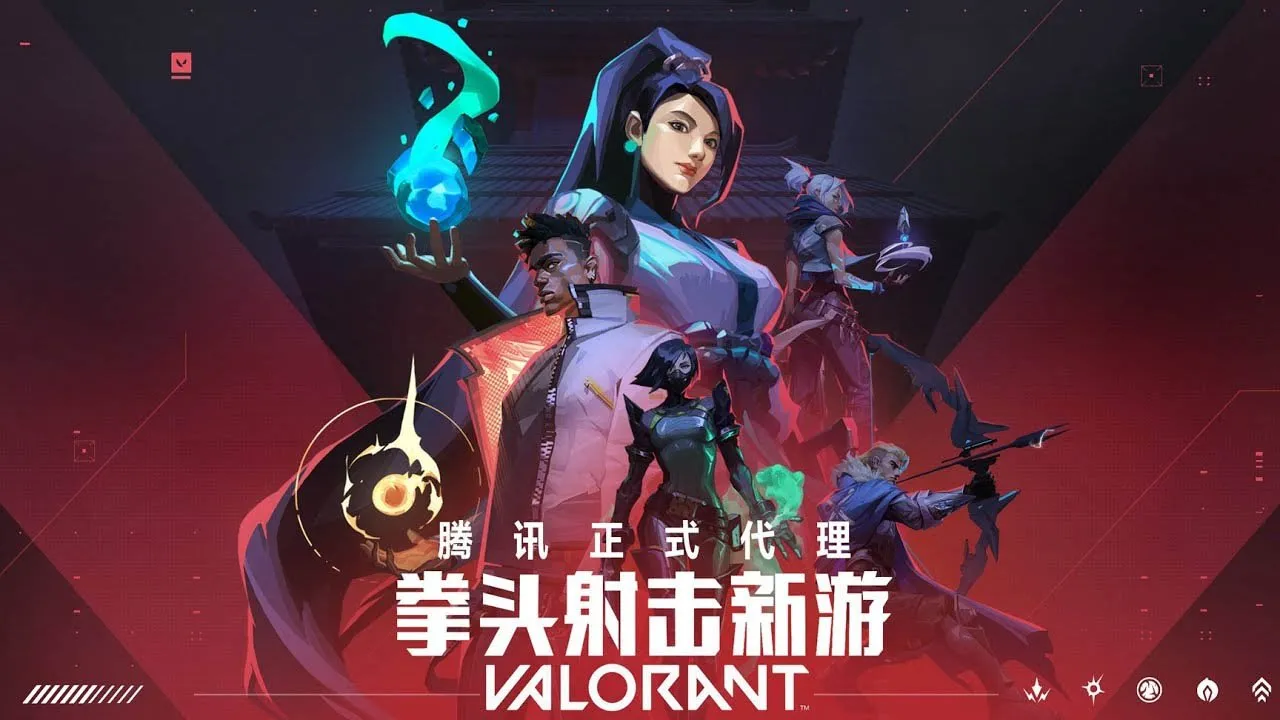
Riot Games has officially confirmed the release date of Valorant in the Chinese region, and it’s set to include a feature that has been heavily requested by the Valorant community for years.

The news comes after the competitive shooter was initially greenlit by the Chinese National Press and Publication Administration back in December 2022, alongside five other titles developed by Riot Games’ parent company Tencent.

Approximately six months after the announcement, Valorant has finally received its launch date in the region.

Valorant China Release Date

As already confirmed by Riot Games at a recent event in Shanghai, Valorant will be released in China on July 12, 2023.

At the time of its release, the title will include only 16 Agents and 4 maps. There’s also an exclusive Tai Chi Fan melee weapon that players from China will be able to get.

On top of that, the Chinese version of the game will also include a built-in recording tool that players will be able to use to record their gameplay. There appear to be multiple recording options available for players to choose from, allowing them to capture their gameplay in various qualities such as 720p at 60 frames per second, 1080p at 30 frames per second, and 1080p at 60 frames per second.

Valorant fans from throughout the globe will undoubtedly be looking forward to the Chinese release of the title to see how this new feature plays out in-game.

Stay updated with the latest news in gaming and esports by signing up for early access to TalkEsport’s Mobile App. Follow us on Twitter and Google News to ensure you never miss the exciting updates.
How to Hit All 4 Valorant Checkpoints With Daily Missions

0

Valorant, the popular FPS game by Riot Games, recently introduced a significant overhaul to its progression system with the launch of Episode Seven, Act I. This revamp has transformed the dynamics of player progression, primarily through the modification of the daily mission system and the introduction of a new currency – Kingdom Credits​.

The New Daily Valorant Checkpoints System

In this new era of Valorant, players have the opportunity to earn progress toward daily milestones known as checkpoints. These checkpoints can be earned in all game modes, with the sole exception of the standard Deathmatch​.

Every day, a player has four checkpoints available, each composed of four charges, leading to a maximum of 16 charges that one can earn in a day. The number of charges you earn depends on the game mode in which you participate. Each checkpoint achieved awards experience points (XP) that contribute towards the battle pass, an event pass, or the active agent recruitment event. Moreover, crossing these checkpoints also earns you Kingdom Credits, a new in-game currency​.

Catch-up Bonus: Never Miss Out

Valorant ensures that players who can’t log in every day don’t miss out on the action. If you fail to play for a day, your four unused checkpoints transform into a catch-up bonus. This bonus applies a multiplier to one of your checkpoints on the subsequent day, ensuring you still have a chance to progress even if you miss a day of gameplay​.

Valorant Checkpoint Progress: Game Mode Matters

Earning checkpoint progress is a matter of completing matches and securing round victories. However, the amount of progress you make toward your daily missions varies according to the game mode you choose:

  • Unrated, Competitive, Swift Play, Premier: One progress per round won.
  • Spike Rush, Escalation, Team Deathmatch: Two progress per match played​.

Note that the standard Deathmatch mode is the only mode that does not contribute to daily progression. The aim of the Deathmatch mode remains as a platform for warming up before diving into the competitive arena​.

With this newly redefined progression system, Valorant has added another layer of strategy to the game. Players now need to not only focus on improving their skills but also strategically plan their game mode choices and daily mission completions to maximize progression. Happy gaming!

Stay updated with the latest news in gaming and esports by signing up for early access to TalkEsport’s Mobile App. Follow us on Twitter and Google News to ensure you never miss the exciting updates.
How to Fix Valorant Agent Voice Lines Not Working in 2023

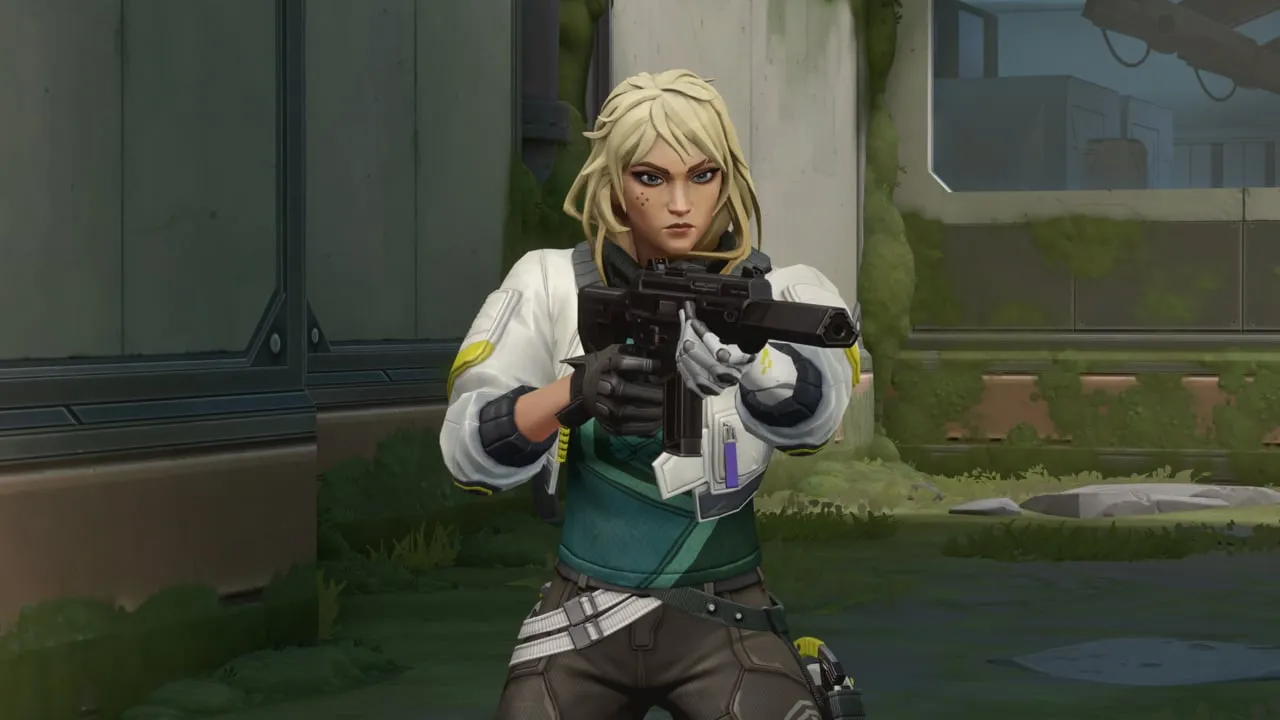
Valorant, the competitive first-person shooter game from Riot Games, has been a revelation in the world of eSports. Each character, known as an agent, has distinct voice lines that add a layer of personality and realism to the game. These voice lines vary with different in-game situations such as using an ability, defeating an enemy, or even when an agent is defeated. Not just for the aesthetic appeal, they also serve a functional purpose by conveying vital in-game information to teammates.

However, recently, a number of players have reported an issue: the ‘Valorant Agent Voice Lines Not Working’ problem. This issue has left players unable to hear their agents’ unique voice lines, impacting both the immersive experience and team communication. But don’t worry, we’ve compiled a list of possible causes and solutions to help you solve this problem and get back to your game.

Possible Causes for Valorant Agent Voice Lines Not Working

Understanding the potential causes behind the problem is the first step towards resolving it. Here are some common reasons why you might be experiencing this issue:

  1. Disabled Agent Voice Lines: Valorant has a setting that allows you to enable or disable agent voice lines. If you’re not hearing the agent voice lines, make sure this option is enabled in the Settings > Audio > Voice Over section.
  2. Voice Lines not Downloaded: When you first install Valorant, agent voice lines are downloaded in the background. If this process is interrupted, voice lines might not be available.
  3. Audio Device Problem: Issues with your audio device or outdated audio drivers can also lead to this problem. Ensure that your audio device and drivers are functioning properly.
  4. Valorant Server Issues: If there’s a problem with Valorant servers, you might not be able to hear any audio, including agent voice lines. Keep an eye on the Valorant server status page for updates on any known issues.

How to Fix the ‘Valorant Agent Voice Lines Not Working’ Problem

Now that you’ve identified the potential causes, let’s delve into the solutions to rectify this issue:

  1. Check Your Audio Settings: Go to the game’s settings menu and confirm that the master volume, voice chat volume, and agent voice volume are not set to zero or muted.
  2. Update Audio Drivers: Outdated or faulty audio drivers can cause sound issues in games. Ensure your audio drivers are up-to-date.
  3. Verify Game Files: Corrupted or missing game files can lead to audio issues. To verify the integrity of your Valorant game files, open the Riot Games launcher, go to the Valorant game tab, click on the gear icon, and select “Check for Updates” or “Repair”.
  4. Restart the Game and Your Computer: Sometimes, temporary glitches can affect the game’s audio. Try closing Valorant and restarting both the game and your computer.
  5. Reinstall the Game: If the above steps don’t work, consider uninstalling and reinstalling Valorant. This can resolve deeper issues related to game files or configurations.
  6. Contact Riot Games Support: If none of these solutions work, reach out to Riot Games’ support team. They can provide specific assistance and troubleshooting steps tailored to your situation.

Remember, encountering issuesin gaming is common, but there are almost always solutions at hand. This guide provides a roadmap to troubleshoot and solve the ‘Valorant Agent Voice Lines Not Working’ issue. Keep it handy, and you’ll never miss another word from your favorite Valorant agent. Happy gaming!

Toy Defense codes for June 2023

0

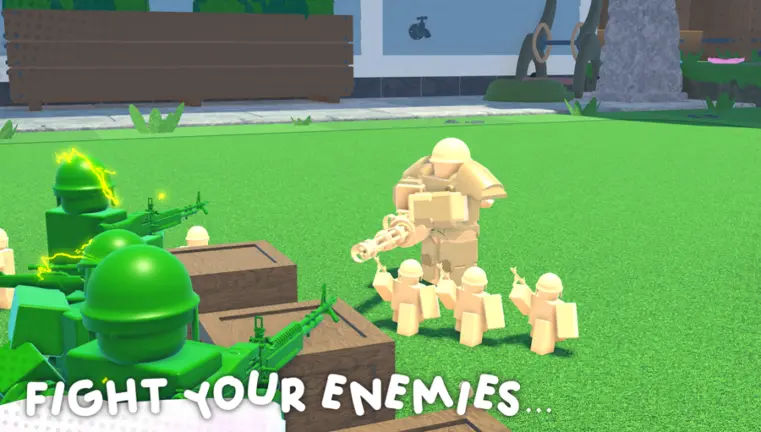
Are you a fan of thrilling tower defense games like All Star Tower Defense and Tower Defense Simulator? If so, then you’re in for a treat with Toy Defense, an exciting new Roblox game that promises to captivate your attention. In Toy Defense, your ultimate objective is to construct a robust fortress capable of safeguarding your character from relentless waves of enemies.

As you progress through each wave, the adversaries you face become increasingly challenging to defend against. Fear not, Toy Defense codes are here to lend you a helping hand. These codes provide a wealth of valuable resources to fortify your stronghold. Additionally, they grant you access to an array of new toy soldiers that you can strategically position around your base. Not to mention, the coveted Crackers currency, which plays a vital role in your progress. By utilizing this currency, you can acquire Lunchboxes, which unlock a multitude of additional resources and grant you extra toy soldiers.

Toy Defense codes for June 2023

  • OMG50K – 3 Crackers
  • WOW40K – 2.75 Crackers
  • THXTWENTYFIVE – Crackers x2, Cardboard Box x20, Tinfoil Block x10, Wooden Block x15, Plastic Block x5
  • TDRELEASE – Cracker x1, Release Gift x1
  • WEIGHTSHAHA – Cracker x1, Musketeer x2, Rubber Block x15
  • TOYDEFENSEGIFT – Toothpick Frame x10, Recruit x1

How to redeem Toy Defense codes?

If you’re wondering how to redeem these advantageous Toy Defense codes, fret no more. Just follow these simple steps:

  • Launch Toy Defense in Roblox.
  • Locate and click on the “Codes” button situated on the left-hand side of your screen.
  • A menu will promptly appear, featuring a textbox. Simply type in the desired code and press enter.
  • That’s all there is to it! If the code you entered is valid, a captivating animation will ensue, showcasing a lunchbox materializing on your screen. Clicking on the lunchbox will reveal the fabulous rewards you’ve obtained completely free of charge.

Stay updated with the latest news in gaming and esports by signing up for early access to TalkEsport’s Mobile App. Follow us on Twitter and Google News to ensure you never miss the exciting updates.
Valorant Mumbai Servers Down in India? Players Report Login and High Ping Issues

0

Valorant, the popular multiplayer game from Riot Games, has been facing a series of server hiccups recently. Specifically, the Mumbai, Singapore, and other Asia-Pacific (APAC) regions have been hit with these issues, disrupting the gaming experience of many players. The problems are not just limited to login issues; players have been unable to access their friends’ lists, putting a damper on the typically collaborative gaming experience​​.

A similar situation unfolded a few days prior when players across various regions were unable to log in and play Valorant. The problems ranged from unknown error messages and crash mid-game to difficulties in launching the game. Riot Games quickly rectified the situation. However, the APAC servers are now grappling with a new issue​​.

Valorant Mumbai Servers Facing Issues Today, June 28

Riot Games recently updated the server status to ‘critical’ for APAC servers, in response to the emerging login issues. Affected players have taken to social media platforms to voice their frustrations, with Reddit being a hotspot for such discussions. One player reported being able to launch the game and join queues but was unable to see or invite friends, illustrating the extent of these issues​​.

Notably, many players have chimed in, reporting similar experiences. Some players have even reported a loss in rank ratings due to these server problems. Others have observed multiple instances of queue-dodging, raising questions about the cause-effect relationship of these occurrences​​.

Riot Games, however, is not standing still in the face of these challenges. The company’s status notification bar communicates their commitment to resolving these issues as soon as they can, giving players some reassurance​1​. The developers are actively working on the problem. Although there is no defined time frame for resolution, it is expected that players will regain access soon​​.

Given the nature of Valorant as an online, multiplayer game, reliance on servers is inevitable. While Riot Games usually maintains a robust framework, occasional glitches can occur. In cases of critical bugs, the resolution might take longer than usual. Players are currently advised against playing ranked games, as these server issues can lead to mid-game crashes, which can harm their ELO ratings​​.

As we continue to navigate the digital age, issues like these remind us of the complexities behind our online gaming experiences. We eagerly look forward to a swift resolution from Riot Games, so players can return to the Valorant battlegrounds.

Stay updated with the latest news in gaming and esports by signing up for early access to TalkEsport’s Mobile App. Follow us on Twitter and Google News to ensure you never miss the exciting updates.