Sunday, June 21, 2026
Home Blog Page 794

How to Get Counter Strike 2 (CS2) Beta

In the realm of online gaming, the anticipation for the release of Counter-Strike 2 (CS2) has reached fever pitch. After many rumors and speculations, the game developer, Valve, affirmed the upcoming launch of CS2 in 2023, marking the next evolution of the iconic game series that has kept gamers engrossed for over a decade​​.

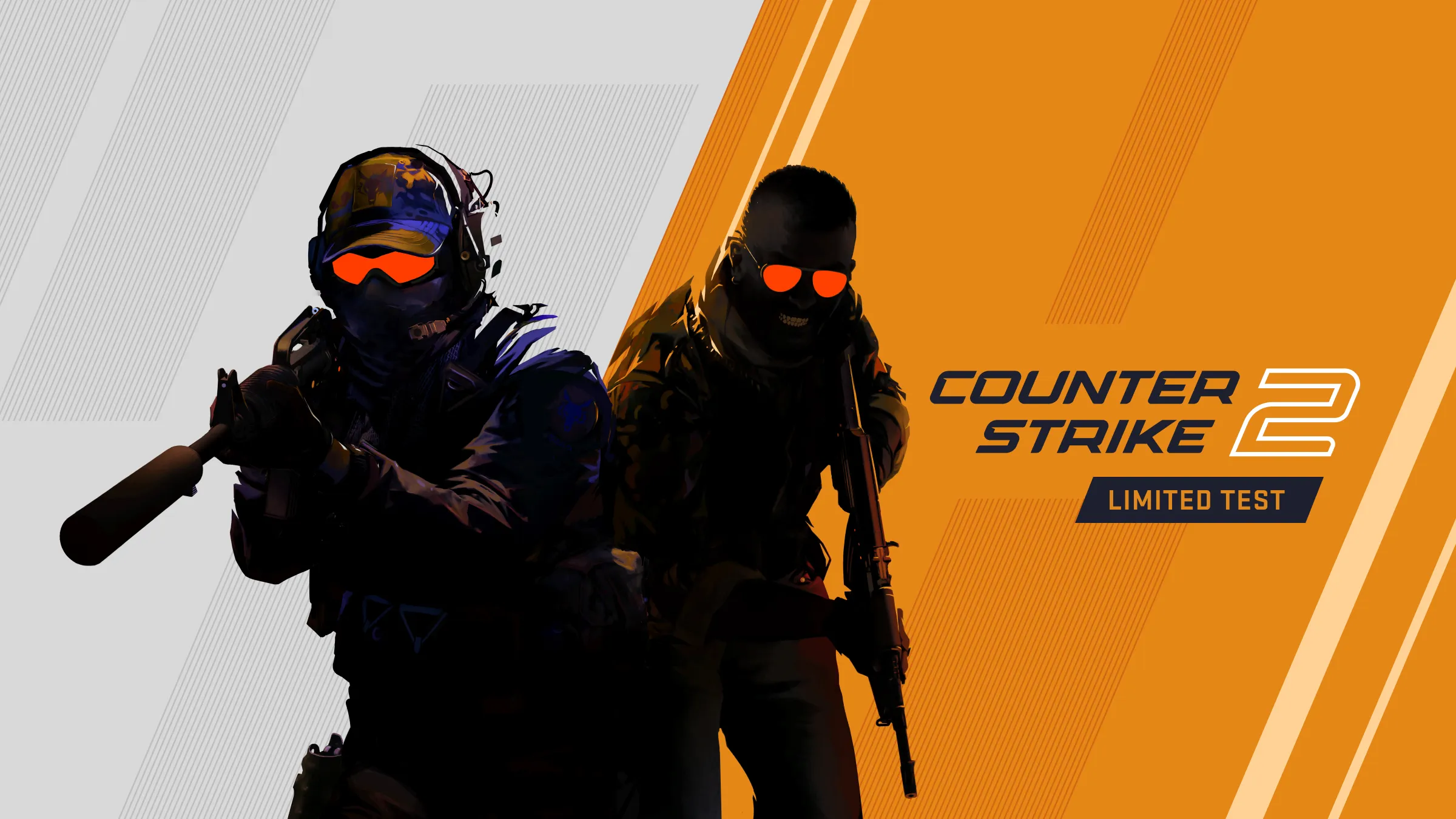
Valve has always had a knack for whetting the appetite of gamers worldwide. This time, the company unveiled three enticing gameplay teasers on YouTube, proclaiming that CS2 would indeed make its debut in the summer. As the game’s release looms, there is an opportunity for some players to get an early taste of the action through the CS2 Limited Test or the CS2 beta​​.

What is the Counter-Strike 2 Limited Test?

The CS2 Limited Test, also referred to as the CS2 beta, essentially serves as an early access version of the game. This Limited Test enables Valve to gather player feedback and rectify any potential issues before the game’s worldwide release. It’s a practice Valve has routinely used, often leading to better game outcomes​​.

Though the CS2 Limited Test seems to present an enticing opportunity, there is a catch. While technically anyone can play the CS2 Limited Test, not everyone will have the opportunity to do so​.

How to Participate in the Counter-Strike 2 Limited Test

The journey to the CS2 Limited Test is not one that can be embarked upon independently. The only path to participate in this early access version is to be handpicked by Valve. The selection criteria, while not limited to, will factor in recent playtime on Valve official servers, the trust factor, and the standing of the player’s Steam account​​.

Once a player’s account is selected for the CS2 Limited Test, they will receive a notification in the CS:GO main menu. Upon receiving the notification, players can enroll for the Limited Test, triggering the download of CS2. Once the download is complete, players need to launch CS:GO and select the “Limited Test” option to start their early experience with the game​​.

What Lies Ahead

Valve intends to include more players in the Limited Test over time. So, even if you don’t get an invitation immediately, don’t lose hope. The gaming community’s excitement was recently rekindled when Valve released a significant update for the game on June 6, swapping Dust2 for Mirage and unveiling new gameplay options that players will become familiar with over the forthcoming weeks​​.

As we all eagerly await the full release of Counter-Strike 2, the CS2 Limited Test provides a unique opportunity for a lucky few to get a head start. So, keep playing, stay active on Valve servers, and you might just receive that coveted invitation. Game on!

Stay updated with the latest news in gaming and esports by signing up for early access to TalkEsport’s Mobile App. Follow us on Twitter and Google News to ensure you never miss the exciting updates.
Diablo 4 Paragon Board: Explained

0

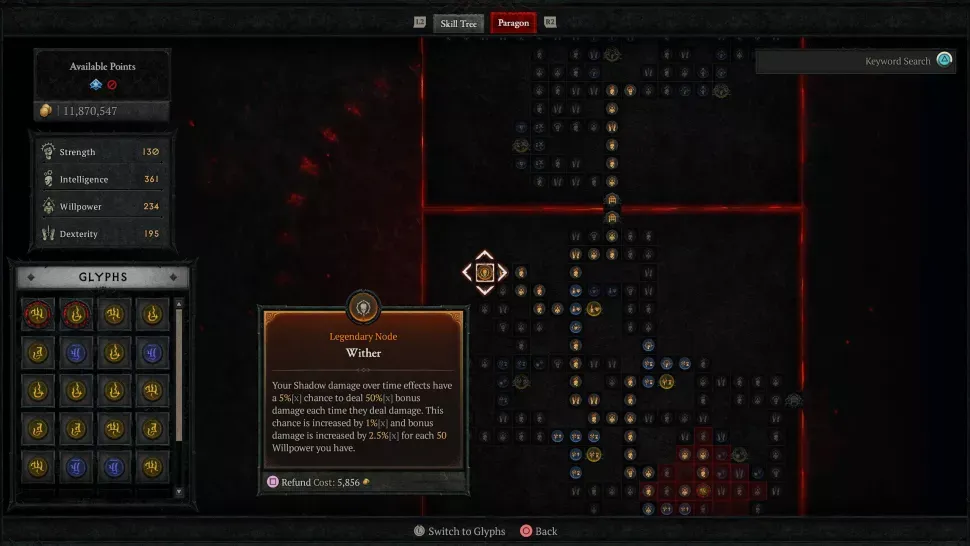
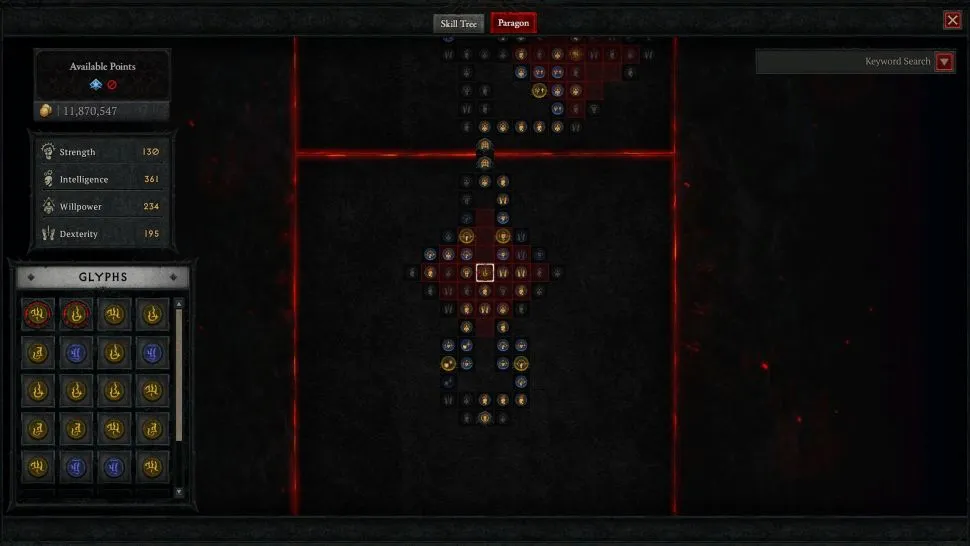
As players explore the dark realms of Diablo 4 and hit the apex of level 50, the game’s endgame leveling mechanic known as the Paragon Board takes center stage. Holding paramount importance in high-level gameplay, the Paragon Board offers significant buffs through stat boosts and legendary nodes, which unlock class-specific abilities​.

To unlock your first Paragon Board, you need to reach level 50. Post this milestone, you won’t gain additional ability points through leveling, but can still accumulate the ten ability points linked to Renown, taking your total to 58. Your level gauge now has fixed breakpoints, hitting each of which gives you a Paragon Point. Each Paragon Point is utilized to unlock a node, most of which offer a stat boost​​.

The mechanics of the Paragon Board resemble a puzzle. You use your limited Paragon Points to carve a path to magic, rare, and legendary nodes. These nodes grant stat bonuses, affixes, and even new passive abilities. Glyph sockets add another dimension to the gameplay. Unlocking these sockets allows you to slot in a Glyph of your choice, which provides bonuses based on the stats you’ve unlocked in its radius. The further you advance in Nightmare Dungeons, the more you can level your chosen Glyphs, thus amplifying the buffs​​.

Once you reach the pinnacle of your first board and unlock the gate node, you have the option to attach another board to it. With seven unique boards for each class to select from, each aligns with a specific class playstyle. For example, the Flesh-Eater Necromancer board offers a colossal damage buff when you consume five corpses. However, keep in mind that you can only attach each board type once, so it’s important to choose wisely. The key to attaching a board is ensuring its rotation minimizes the distance to reach the nodes you aim to unlock. The more optimal your node placement, the quicker you get stronger, as you affix new boards and reach your desired nodes faster​.

Remember, understanding the Paragon Board’s intricacies and formulating a strategy to navigate through it can significantly bolster your gameplay in Diablo 4’s endgame. Forge your path, unlock powerful abilities, and conquer the realms of Sanctuary!

Stay updated with the latest news in gaming and esports by signing up for early access to TalkEsport’s Mobile App. Follow us on Twitter and Google News to ensure you never miss the exciting updates.
Colleen Ballinger Grooming Allegations: What Happened to Miranda Sings?

0

YouTube has been a platform for creators to express their creativity and attract fans globally. Colleen Ballinger, better known for her alter ego Miranda Sings, has been a notable figure in the YouTube community, gaining over 22 million subscribers across her channels since 2008. Ballinger’s journey extends beyond YouTube, with a Netflix original series, an appearance on Jerry Seinfeld’s show, a run on Broadway, and two best-selling books to her credit​.

However, recent controversies have put a dent in Ballinger’s image, with accusations of grooming and bullying underage fans. Adam McIntyre, a former fan, was the first to publicly accuse Ballinger of such behavior in 2020. Despite initial backlash from Ballinger’s followers, McIntyre’s claims gained traction when he released another video detailing his relationship with Colleen in June 2023​​.

Miranda Sings Creator Colleen Ballinger Accused of Grooming Fans

McIntyre alleged that Ballinger, while in her 30s, interacted inappropriately with fans aged between 14-16. He claimed that she made comments on their appearance, encouraged bullying, and asked inappropriate personal questions. He also accused Ballinger of manipulating him into managing her social media accounts without any pay or credit​​.

McIntyre’s revelations prompted other former fans to share their experiences. In particular, a TikTok user named Becky shared her uncomfortable experience at one of Ballinger’s shows when she was 16. She recalled being called on stage for a ‘yoga challenge’, in which Ballinger controlled her body movements for the audience’s amusement. This situation left her feeling humiliated and exploited​​.

Becky’s Twitter post, where she labelled Ballinger as a ‘predator’ and a ‘groomer’, sparked further debates. She accused Ballinger of encouraging fans to wear revealing clothing to get called on stage and exploiting them for her personal gain​​.

The allegations have had tangible consequences. At least two companies pulled their sponsorships from Ballinger’s podcast in light of the accusations​.

Ballinger addressed the allegations in a video on June 28, terming them as “toxic gossip.” Despite acknowledging past mistakes, she denied the grooming allegations​​. This unfolding controversy has left the YouTube community in shock, prompting critical discussions about the responsibilities and boundaries of internet celebrities.

In a world where online personalities often have significant influence over young fans, this incident serves as a potent reminder of the potential misuses of such power. It is a call for more vigilance and dialogue about the ethical conduct of internet celebrities towards their young followers.

Why Pokimane Left OfflineTV: The Real Reason

0

Online streaming landscapes were taken by surprise when Pokimane, the acclaimed Twitch personality and co-founder of OfflineTV, revealed her decision to part ways with the organization. Despite the shock, Pokimane was forthright about the reasoning behind her departure, providing her audience with an insight into her thought process​​.

Pokimane’s decision to leave OfflineTV was grounded in a mutual interest for both herself and the organization. She believed that it was time for both parties to take separate paths. The realities of being a full-time member of OfflineTV, which encompassed a plethora of commitments and responsibilities, started to weigh heavily on her, making it increasingly challenging to fulfill them​​.

Why Pokimane Left OfflineTV and What It Means for Her Career

Balancing her commitments became a significant issue. The Twitch star didn’t want to impose on the organization’s planning, nor did she wish to let down her fans by missing out on collaborations and events. An instance of such a clash occurred when a planned Japan trip by OTV coincided with her commitment to attend TwitchCon in Europe, forcing her to choose between the two​​.

However, Pokimane’s departure from OfflineTV was not solely a matter of juggling commitments. She also desired the liberty to delve into diverse arenas and continue to evolve in her personal and professional life. This move, she felt, was necessary to provide her with the freedom she sought​​.

Despite the separation, the bond between Pokimane and OfflineTV remains intact. She emphasized that her departure does not preclude future collaborations. With her residence in LA and her amicable relationship with the OTV members, she remains confident about potential joint ventures in the future​​.

As for her co-ownership status within OfflineTV, Pokimane has chosen to remain discreet for now. She stated that she would be open to discussing it further if the group decides to share more details in the future​​.

The path ahead is filled with promise for Pokimane. As her journey continues to unfold, fans eagerly await to see where her new-found independence takes her. From the foundations of OfflineTV to the peaks of Twitch stardom, Pokimane’s story continues to inspire and evolve, reflecting the dynamic world of online streaming.

Stay updated with the latest news in gaming and esports by signing up for early access to TalkEsport’s Mobile App. Follow us on Twitter and Google News to ensure you never miss the exciting updates.

Kick CEO Eddie Craven Promises to Keep 95/5 Revenue Split

Kick CEO has promised to keep the 95/5 subscriber revenue split in the long run despite other platforms taking major cuts from the revenue of the streamers bringing into question the longevity of the platform.

Kick is spending millions to rope in big names from other platforms, however, this expenditure might be unsustainable if they are not taking a big chunk of the revenue that comes in from said content creators.

A lesser cut would attract more streamers and by the looks of it, Kick might be making a play for quantity i.e. small cuts from a large demography which at one point might lead to a sustainable and profitable business model.

Why does Kick have no plans to change 95/5 sub splits?

In an interview with Jake Lucky, Craven explained that Kick stays away from fiddling with the Sub revenue.

“One thing that should definitely never be touched is the sub split. The sub split is something that is considered to almost be donations, right. You receive a donation from your community, you receive subs from your community for making great content and the whole idea of dipping into that sub split, our idea behind it is that its unfair,” Craven said. 

“We don’t think that a platform, a platform that simply curates other people’s content deserves a right to take a split of people’s revenue from donations. Donations are not something you should be taking money from.”

Kick has successfully put forward a stable and sustainable platform capable of rivalling Twitch and if they are able to avoid the mistakes made by the likes of Mixer, we might see Twitch get dethroned soon.

Stay updated with the latest news in gaming and esports by signing up for early access to TalkEsport’s Mobile App. Follow us on Twitter and Google News to ensure you never miss the exciting updates.

CSGO Ban Wave Wipes Out $2 Million Worth of Skins

The Counter-Strike: Global Offensive (CS:GO) community faced a major blow as the second ban wave initiated by Valve led to the loss of over $2 million worth of skins. This dramatic event, which took place on June 28, has significantly impacted around 40 major traders within the community​.

Valve Bans Over 40 CS:GO Traders, Destroying $2 Million Worth of Skins

The recent crackdown follows Valve’s initial raid on skin-gambling in May, which targeted accounts with skin collections valued as high as $367,300, based on estimates from trading platforms​. This move underscores Valve’s commitment to mitigating illegal gambling activities associated with its popular shooter game.

Among those affected by the ban wave were several traders linked to CSGORoll, a website sponsoring G2 and allegedly implicated in “illegal” activities and “money laundering”, as claimed by its competitor, CSGOEmpire. The list of banned individuals, which was compiled by CSGOEmpire, includes the Steam Accounts, Twitter handles, and CSGORoll identities of the targeted traders​​.

Valve’s community ban policy restricts Steam users from trading their skins, effectively leaving the skins of the banned traders in a state of permanent inventory limbo, unless Valve decides to lift the ban​​. This has led to significant losses for the banned traders and major repercussions for the CS:GO trading community.

This isn’t the first time Valve has taken decisive action against skin-gambling. The company began its campaign against this practice earlier this year, banning three traders with collections worth more than six figures​. The crackdown is not without external pressure, with various entities voicing concerns about illegal gambling activities.

International regulatory bodies have also been taking action. In May 2023, the Australian government, which has been closely monitoring CS:GO gambling websites, imposed a ban on access to CSGORoll, marking the first such action by the Australian authorities​​.

Valve’s history with skin-gambling issues dates back to 2016. The Washington Gambling Commission had forced the company to change its policy regarding skin-gambling websites after sending letters to Valve president Gabe Newell​​.

In related news, CSGORoll recently faced criticism for a gambling advertisement featuring G2’s Ilya “m0NESY” Osipov. The video was released on m0nesy’s 18th birthday, sparking questions about its production and ethical implications from the community​​.

The latest ban wave in the CS:GO community underscores the increasing scrutiny and regulatory pressure on skin-gambling practices. As Valve continues its crackdown, the future of skin trading within the game could undergo significant changes.

Stay updated with the latest news in gaming and esports by signing up for early access to TalkEsport’s Mobile App. Follow us on Twitter and Google News to ensure you never miss the exciting updates.

4 Easy Ways to Get Wool in Minecraft

0

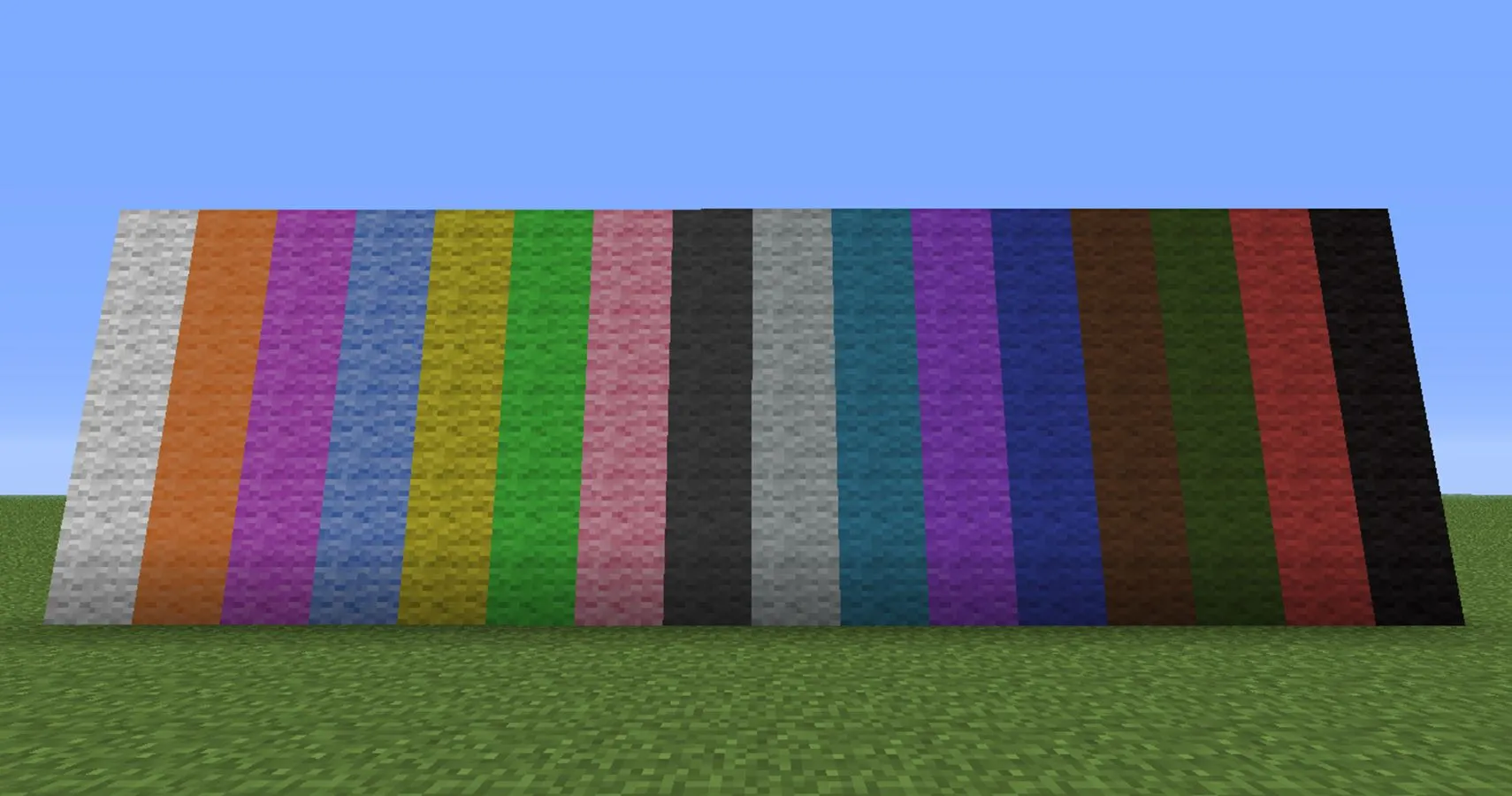
Minecraft, a universe filled with a variety of blocks and items categorized into groups such as functional blocks, colored blocks, building blocks, and more, holds a particular element that fits into multiple categories: Wool. This versatile item, used in building, crafting, and even for preventing sculk sensors from detecting certain vibrations, can also be dyed into 16 distinctive colors​​.

The Best Way to Get Wool in Minecraft

  1. Harvest Wool from Sheep

Sheep are your most immediate source of wool in Minecraft. In the early stages of the game, when resources are scarce, you can procure wool by hunting down sheep. The wool you collect will match the color of the sheep you eliminate, which could be white, light gray, gray, black, brown, or pink. However, a more sustainable method involves shearing the sheep, which not only yields 1-3 wool but also allows the sheep to regrow its wool, making it a continuous source of the material. Keep in mind, though, baby sheep can neither be sheared nor do they drop wool upon elimination​​.

  1. Craft Wool

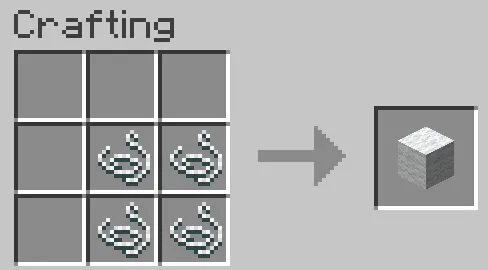
For those who have established a general mob farm and require large quantities of wool, crafting is a viable option. Gather four strings and use your crafting table or 2×2 crafting grid to produce one white wool block​.

  1. Trade with Shepherd Villagers

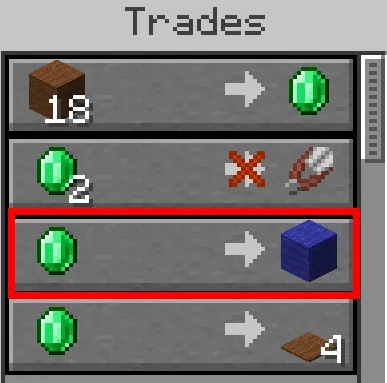
Trading with Shepherd Villagers opens up another avenue to acquire wool. Novice Shepherds will buy wool from you, but as they ascend to the apprentice level, there’s a chance they will sell you wool of every color in exchange for emeralds​​.

  1. Find Wool in Minecraft Worlds

You might be surprised to learn that wool can be found in numerous structures throughout your Minecraft world. Here are a few noteworthy spots where wool is plentiful:

  • Woodland Mansion: Explore these mansions to discover statues of a cat, chicken, and an illager crafted from wool. Furthermore, there are rooms filled with blue wool, beds made of white wool, and carpets of multiple colors​​.
  • Villages: In villages located in the plains, you can find white and yellow wool in the Shepherd’s and Fletcher’s houses, and even as overhangs covering meeting points. In snowy villages, light gray wool blocks can be found in certain houses​​.
  • Pillager Outpost: Pillager outposts are surrounded by tents constructed from white wool, ripe for the taking​​.
  • Ancient City: Due to its unique properties with sculk sensors, wool can be found in ancient cities. Look for gray wool on walls and floors, as well as cyan, light blue, and blue wool in certain parts of the structure​​.

Do note that wool cannot be converted back into string. While string can be crafted into wool, the reverse is not possible​​.

Gathering wool in Minecraft is a multifaceted process, providing a variety of methods tailored to your game progress and preferences. From farming sheep to exploring the vast Minecraft world, acquiring wool can be as straightforward or adventurous as you wish. Happy crafting!

Stay updated with the latest news in gaming and esports by signing up for early access to TalkEsport’s Mobile App. Follow us on Twitter and Google News to ensure you never miss the exciting updates.

How to Fix Valorant Stuck on Loading Screen

If you’re a Valorant player who’s been halted by a persistent loading screen, don’t despair. There are several effective methods to get you back into the action.

Valorant, like any other online game, can sometimes encounter technical issues. One common problem is getting stuck on the loading screen, which can occur for a number of reasons. Sometimes, this happens because the game’s anti-cheat engine, Riot Vanguard, is not functioning properly. This issue is particularly prevalent after major Valorant updates​​.

At times, the issue can also manifest on a map loading screen. As a temporary fix, you might want to try locking your Frames Per Second (FPS) to 30 or lower before entering a matchmaking queue. Once you’ve entered the game, feel free to restore the FPS settings to your preferred level​​.

These solutions can help you solve the frustrating 'Valorant Stuck on Loading Screen' issue and get back to enjoying your game. Happy gaming!

How to Fix Valorant Stuck on Loading Screen in 2023

Here are some effective solutions to overcome this challenge:

1. Reinstall Riot Vanguard

Riot Vanguard is Valorant’s anti-cheat system. If it’s not operating correctly due to corrupted files, Valorant won’t load. Reinstalling Riot Vanguard can often solve this issue​.

2. Delete Misconfigured Manifest Files

Manifest files contain vital information required to run Valorant properly. If these files become misconfigured, Valorant might get stuck on the loading screen. Deleting these files, which will be automatically recreated upon launching Valorant, can rectify the problem​​.

3. Run Valorant as an Administrator

Granting Valorant administrative privileges allows it to access the necessary components it needs to run properly. If Valorant doesn’t have the appropriate permissions, it might get stuck on the loading screen. Running the game as an administrator can resolve this​​.

4. Transfer Valorant to an SSD

If you’ve installed Valorant on a hard drive, consider transferring it to a Solid State Drive (SSD). SSDs are significantly faster than hard drives, which can help Valorant run more smoothly and potentially fix the loading screen issue​​.

5. Allow Valorant through Windows Firewall

Sometimes, the Windows Firewall can interfere with Riot Vanguard, preventing Valorant from loading the map. Allowing Valorant, Riot Client, and Riot Vanguard through the firewall settings can prevent this interference and resolve the issue​​.

6. Reset Network Settings

Unsupported DNS or proxy settings can slow down your internet speed, preventing Valorant from operating correctly. Resetting your network settings, particularly if your internet speed is less than the required 3 to 6 Mbps, can help. If you’re playing Valorant over a Wi-Fi connection, consider switching to an Ethernet connection for more stable internet speed​​.

7. Run Valorant at High Priority

Running Valorant at high priority can improve its performance. Windows allocates more resources to high-priority tasks, lowering the impact of other tasks that consume high computing power. This can help Valorant get past the loading screen more efficiently​​.

These solutions can help you solve the frustrating ‘Valorant Stuck on Loading Screen’ issue and get back to enjoying your game. Happy gaming!

Stay updated with the latest news in gaming and esports by signing up for early access to TalkEsport’s Mobile App. Follow us on Twitter and Google News to ensure you never miss the exciting updates.
How to Enable Secure Boot for Valorant in 2023

0

To take your Valorant gaming experience to the next level, it’s essential to ensure that your PC satisfies the game’s minimum system requirements. A common hurdle faced by many players is the necessity to enable two pivotal security technologies – Trusted Platform Module (TPM) 2.0 and Secure Boot on Windows 11. These technologies bolster the trustworthiness and safety of programs booted by Windows 11, which is particularly important for Riot Games’ anti-cheat software, Vanguard. Vanguard needs these features to certify your PC’s trusted status. So, let’s dive into how you can turn on Secure Boot and TPM 2.0 for an optimal Valorant experience​​.

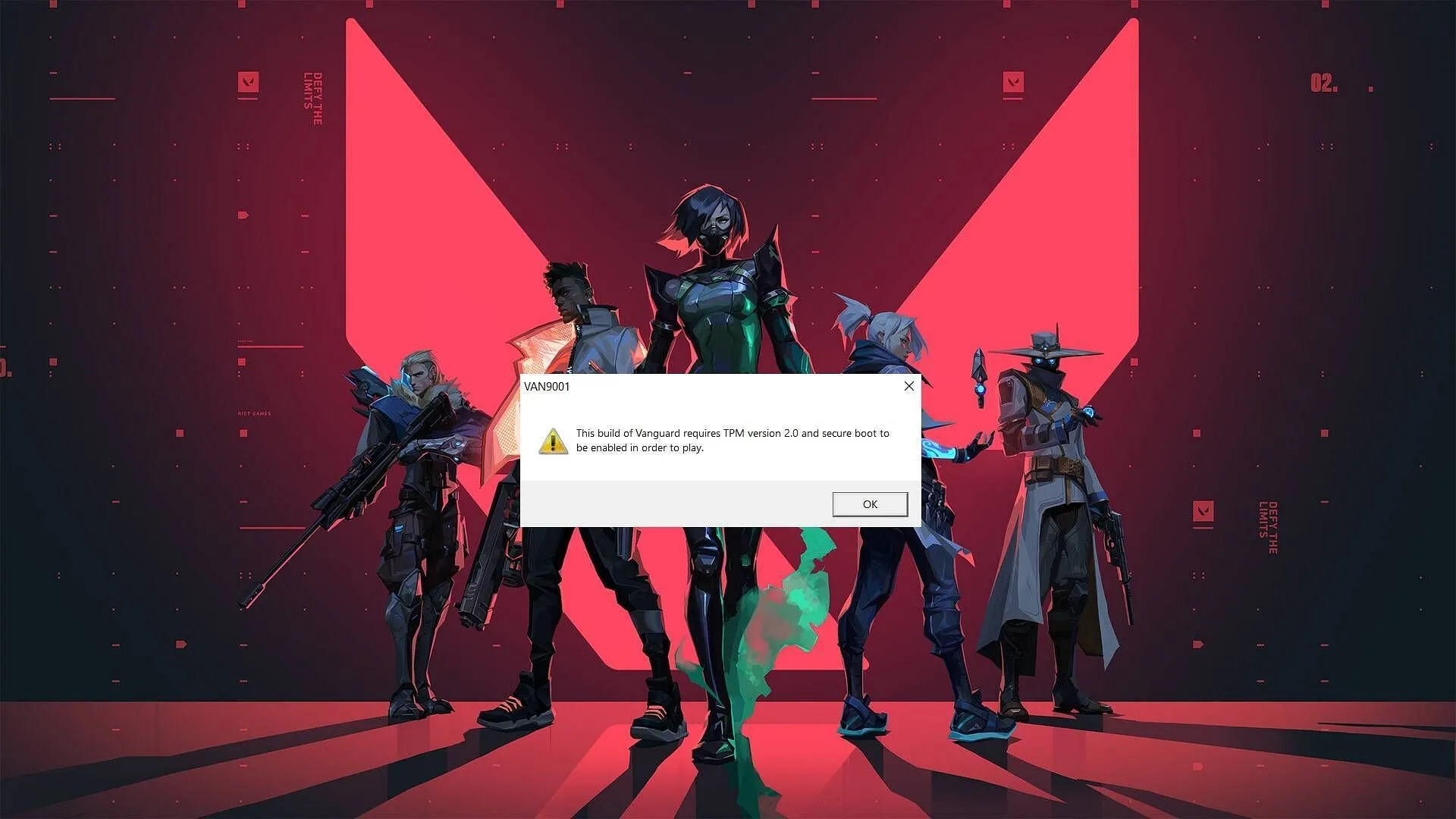
If you’ve tried to launch Valorant on a Windows 11 machine where either Secure Boot or TPM 2.0 is disabled, you might have encountered error codes like VAN9001, indicating that these features need to be enabled to play the game​​.

How to Enable Secure Boot for Valorant in 2023

The first step towards overcoming these issues is to enable Secure Boot. Start by accessing your system’s BIOS settings. It’s worth noting that altering your BIOS settings can be intimidating if you haven’t done it before. Incorrect changes can lead to issues, including your computer not starting up at all. Keep in mind that the BIOS varies depending on your computer or motherboard type.

Here’s the process to ensure Secure Boot is enabled:

  1. Identify your BIOS key setup, which could be F10, F2, F12, F1, or DEL keys.
  2. Switch off your system, then switch it back on.
  3. Repeatedly press the BIOS key that works for your system until the BIOS menu appears on the screen.
  4. In the BIOS menu, navigate to the BOOT option, select Secure Boot, and enable it.
  5. Make sure that the BIOS Mode value is set to UEFI and that the Secure Boot State value is On​.

Activating TPM 2.0 In Valorant:

After enabling Secure Boot, you can proceed to enable TPM. Here’s how:

  1. Press the Windows key.
  2. Type “tpm.msc” and hit Enter.
  3. If your system doesn’t support TPM or it’s not enabled, you’ll get a message saying “Compatible TPM cannot be found: Compatible Trusted Platform Module (TPM) cannot be found on this computer. Verify that this computer has a 1.2 TPM or later and it is turned on in the BIOS.”
  4. If your system supports TPM, a new window will pop up with the status “The TPM is ready for use.” Verify that the specification version is 2.0 in the TPM Manufacturing Information window​​.

Implementing these adjustments will allow you to enjoy Valorant without any hiccups. It’s time to level up your gameplay!

Stay updated with the latest news in gaming and esports by signing up for early access to TalkEsport’s Mobile App. Follow us on Twitter and Google News to ensure you never miss the exciting updates.
BGMI: Top 5 Landing Spots on Sanhok for Enhanced Survival

0

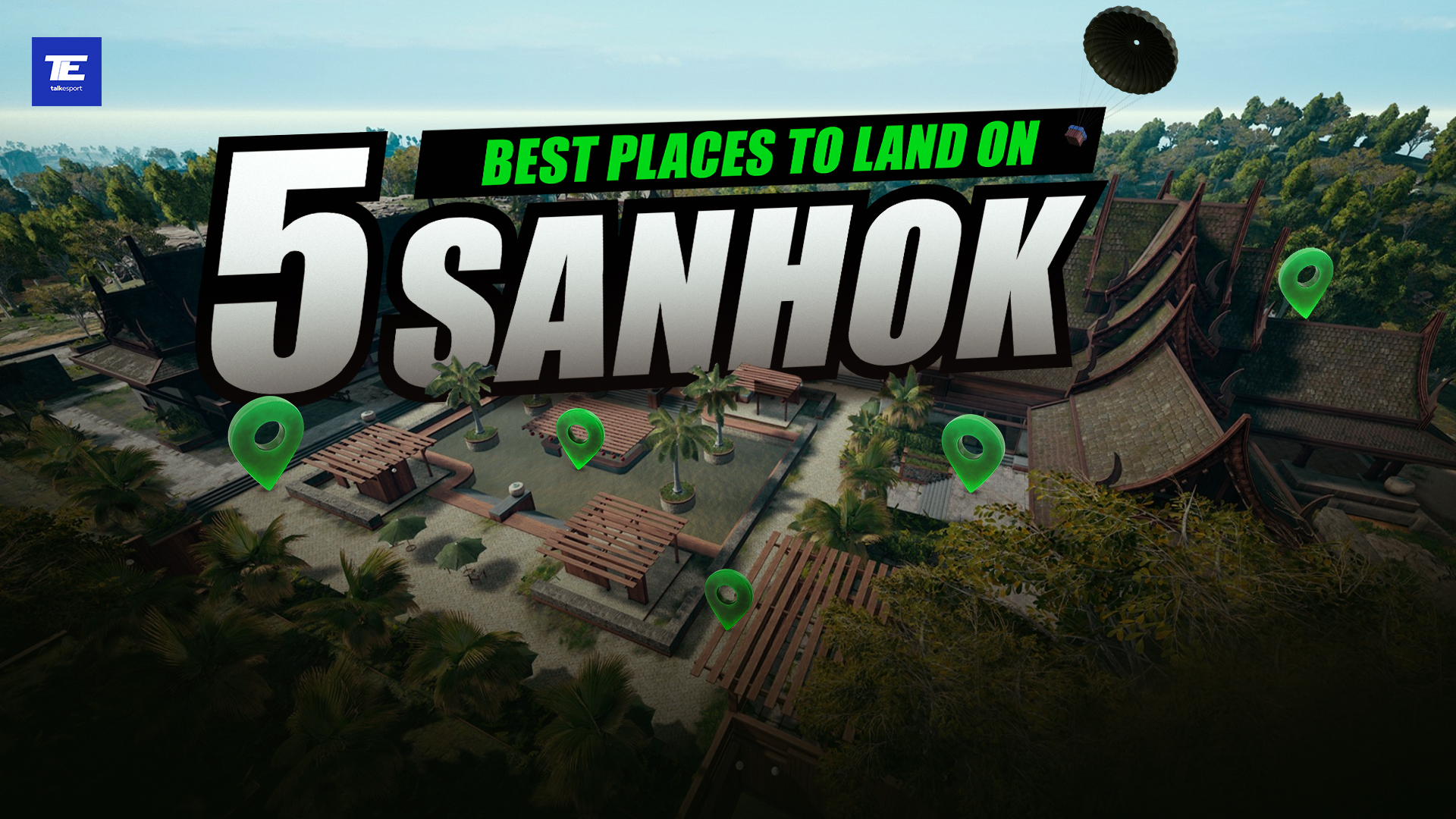
Sanhok, a thrilling and tropical-themed map in Battlegrounds Mobile India (BGMI), presents an exciting arena for gamers seeking intense, close-range battles. The landscape, marked by lush forests, stunning vistas, and varied terrains, makes the selection of a drop location crucial, forming the cornerstone of success and survival. This guide will delve into five choice landing zones on Sanhok that can elevate your chances of outlasting the competition.

1. Bootcamp: The Heart of the Action

Nestled in the heart of Sanhok, the Bootcamp is a location for the audacious. It’s a place where risk meets reward, brimming with structures, containers, and stacks of crates teeming with loot such as weapons, armor, and health supplies. Ready yourself for frenzied, close-quarters skirmishes, as this spot is a magnet for players. The nearby coast and vehicle spawns add strategic depth, facilitating quick rotations and escapes.

2. Paradise Resort: A Strategic Haven

Situated in Sanhok’s northeastern segment, the Paradise Resort blends man-made structures, huts, and natural cover into a harmonious mix. It’s a treasure trove of loot and strategic advantage points, catering to a range of gameplay styles, from aggressive to tactical. The encompassing cliffs and hills serve as lookout points for engaging enemies, while the resort is abundant with supplies for your team. Paradise Resort’s strategic location makes it an optimal choice, regardless of your gameplay approach.

3. Camp Alpha: Central Hub of Opportunity

Found on the northwestern flank of the map, Camp Alpha is a favored landing spot, thanks to its varied loot and central location. The military-themed buildings and watchtowers increase your odds of securing quality weapons, armor, and attachments. Camp Alpha’s central position is ideal for subsequent rotations to different zones, providing flexibility to adapt to the fluctuating play area.

4. Pai Nan: The Quiet Survivalist’s Choice

Tucked away in the southwestern corner of Sanhok, Pai Nan is a tranquil village nestled between a river and surrounded by mountains. Its relative isolation often leaves it overlooked, making it a perfect landing spot for those seeking a quieter, loot-focused start. The village is studded with buildings and generous loot, allowing players to gear up before venturing into more crowded areas. Pai Nan is optimal for players looking to avoid initial conflict, build their inventory, and then strategically engage.

5. Ruins: The Stealthy Warrior’s Paradise

Perched in Sanhok’s southeastern corner, the Ruins are a treasure trove for those favoring a stealthy and calculated gameplay. This ancient temple complex, dotted with buildings, tunnels, and subterranean chambers, offers a distinctive setting. While the loot might be sparse, the Ruins afford an opportunity to ambush unsuspecting enemies and engage in fierce close-quarter battles. The elevated terrain surrounding the Ruins provides a vantage point for surveying the nearby regions.

Stay updated with the latest news in gaming and esports by signing up for early access to TalkEsport’s Mobile App. Follow us on Twitter and Google News to ensure you never miss the exciting updates.