Home Blog Page 659

Devices Supporting BGMI 90 FPS: Elevate Your Gaming Experience

0

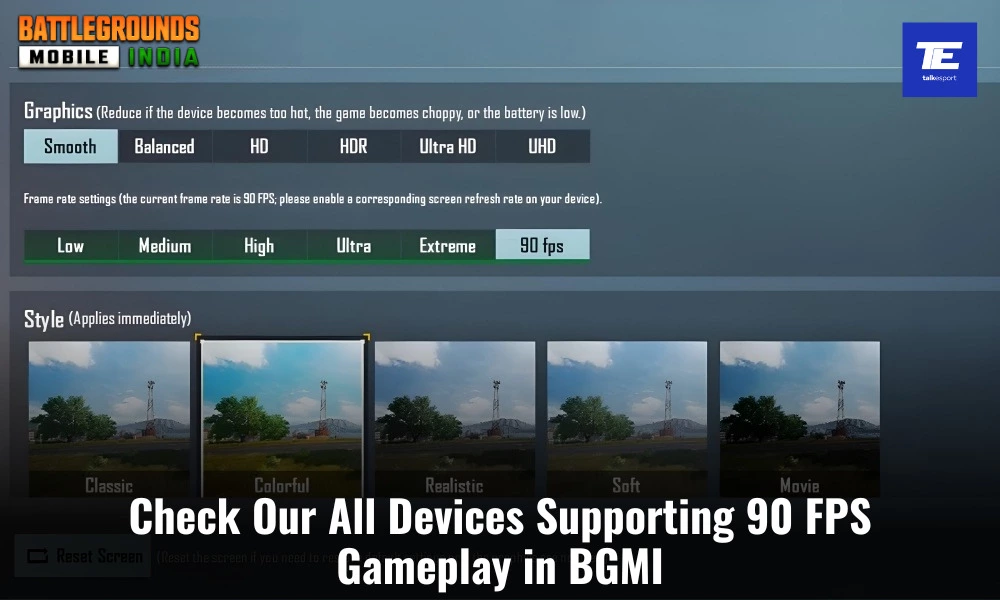
The mobile gaming industry continues to evolve, and Battlegrounds Mobile India (BGMI) stands out as the top choice for gamers across India. To keep up with the competitive edge and enhance the overall gaming experience, the ability to play BGMI 90 FPS has become a significant benchmark. Higher frames per second (FPS) ensure smoother gameplay, making every in-game action more fluid and responsive. Here, we explore the devices that support BGMI at 90 FPS, offering gamers an optimal experience.

What is BGMI 90 FPS?

Frames Per Second (FPS) indicates the number of frames displayed on the screen each second. Higher FPS results in smoother animations and more fluid visuals. Playing BGMI at 90 FPS means the game can render 90 frames per second, creating a visually stunning, lag-free, and highly engaging gaming environment. This is crucial for fast-paced games like BGMI, where quick reactions can be the difference between victory and defeat.

Devices Supporting BGMI 90 FPS

Flagship Android Phones

Samsung Galaxy S23 Series:

  • Galaxy S23 Ultra
  • Galaxy S23+
  • Galaxy S23

Samsung Galaxy S22 Series:

  • Galaxy S22 Ultra
  • Galaxy S22+

OnePlus:

  • OnePlus 11
  • OnePlus 10 Pro
  • OnePlus 9 Pro

Xiaomi:

  • Xiaomi Mi 12
  • Xiaomi Mi 11 Ultra

Realme:

  • Realme GT 2 Pro
  • Realme GT Master Edition

Google Pixel:

  • Pixel 7 Pro

Gaming-Centric Android Phones

Asus ROG Phone Series:

  • Asus ROG Phone 6
  • Asus ROG Phone 5

Lenovo Legion:

  • Lenovo Legion Phone Duel 2

Black Shark:

  • Black Shark 5 Pro

Nubia Red Magic:

  • Red Magic 7
  • Red Magic 6 Pro

High-End Android Tablets

Samsung Galaxy Tab S8 Ultra

iOS Devices

iPhones:

iPhone 13 Series:

  • iPhone 13 Pro Max
  • iPhone 13 Pro

iPhone 12 Series:

  • iPhone 12 Pro Max
  • iPhone 12 Pro

iPhone 11 Series:

  • iPhone 11 Pro Max
  • iPhone 11 Pro

iPads:

iPad Pro:

  • iPad Pro 11-inch (M1 or M2 chip models)
  • iPad Pro 12.9-inch (M1 or M2 chip models)

With these devices, you can elevate your BGMI experience to new heights. The enhanced responsiveness and buttery-smooth gameplay of BGMI 90 FPS will make every match more enjoyable and competitive.

Stay updated with the latest news in gaming and esports by signing up for early access to TalkEsport’s Mobile App. Follow us on Twitter and Google News to ensure you never miss the exciting updates.
Garena Free Fire Redeem Codes for Today 24th June 2024

0

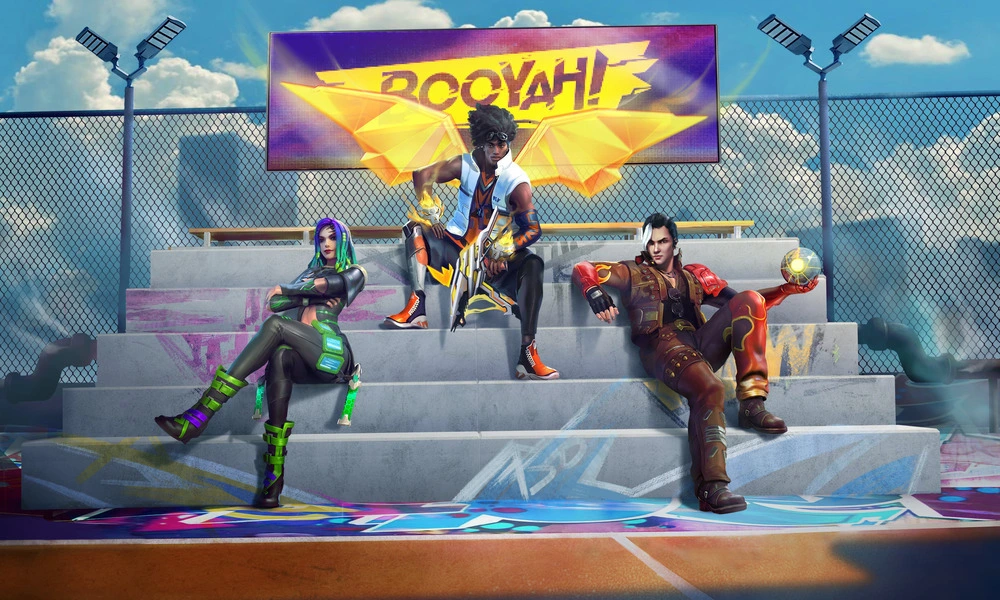
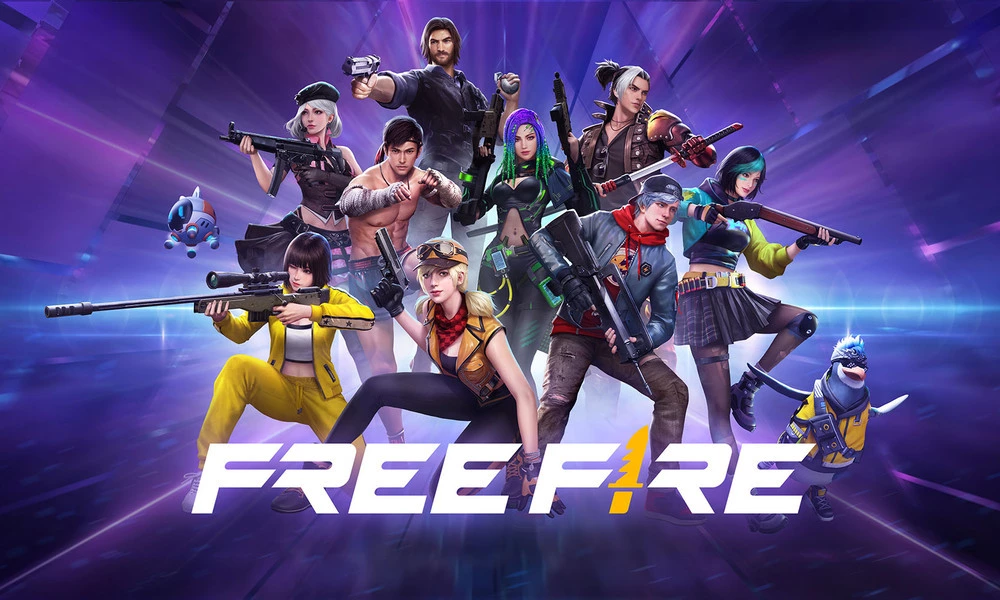
Free Fire, the renowned battle royale game, continues to captivate gamers worldwide with its intense gameplay and vast array of in-game rewards. One of the most sought-after features in the game are the Free Fire redeem codes, which grant players access to exclusive items and goodies without spending any money.

Free Fire redeem codes are special combinations of characters that, when entered correctly, provide players with various rewards such as weapon skins, character outfits, and in-game currency. While these codes are not released frequently, stumbling upon a working code can significantly enhance the gaming experience.

All New Free Fire Redeem Codes for Today 24th June 2024

Here are some Free Fire redeem codes redeem codes you can use to get free items in the game today 2024:

  • N4B5V6C47X8Z9M1L
  • H2G3F4D5S6A74Q8W
  • E9R1T2Y3U4I45O6P
  • L7K8J97H1G2F3D4S
  • M5N6B7V8C9X1Z27Q
  • Q7W5ED3R9T2Y6I8O
  • Z1X2C3V4B5N6DM7L
  • A8S7D6DF4G9H5J3K
  • Y6U7I8O9P1L2KD3J
  • S6A7D8F9G1H2J73K
  • X4Z5C67V7B8N9M1L
  • O2I3U4Y5T6R7E8W9
  • Q1W2E3R4T5Y6U7I8
  • K2J9UH8N5Y6T4M7P
  • X3B6V5C7DP9O1I8L
  • D4F6DG8H2J5K1L9M
  • I3O47P5L6K7J8H9G
  • W1Q2E3R4T5Y76U7I
  • V8C9B71N2M3L4K5J
  • P9O1I2U3Y4T5R6E7

HOW TO FREE FIRE REDEEM CODES TODAY

Redeeming codes in Free Fire is a quick and straightforward process. Follow these steps to claim your rewards:

  1. Navigate to the official Free Fire redemption website. 
  2. Sign in using your Free Fire account credentials. Ensure that you have a valid account linked to either Facebook, Google, VK, or Huawei.
  3. Enter the Redeem Code: Input the redeem code into the provided field and click on the “Confirm” button.
  4. Collect Your Rewards: Once the code is successfully redeemed, the rewards will be sent directly to your in-game mailbox. Launch Free Fire and claim your items from the mailbox.

Tips for Using Free Fire Redeem Codes

  • Timely Redemption: Redeem codes have expiration dates, so it’s essential to use them promptly to avoid missing out on rewards.
  • Regional Restrictions: Some codes may be region-specific and may not work if you are in a different region. If a code doesn’t work, try using another one.
  • Single Use: Most codes can only be redeemed once per account, so ensure you enter the code correctly the first time.

Free Fire redeem codes tend to expire very soon and hence, make sure to use them as soon as you can. Some of them can be region restricted and if you find one like that, simply move on to next one as region restricted codes cannot be used in other areas.

Stay updated with the latest news in gaming and esports by signing up for early access to TalkEsport’s Mobile App. Also, follow us on Twitter and Google News to ensure you never miss the exciting updates.

Garena Free Fire MAX Redeem Codes for Today 24th June 2024

0

Free Fire is a very popular battle royale game with millions of active users per day. A large part of this fan base comes from India and despite the ban, players have shifted to its advanced version called Free Fire Max to enjoy the game.

The game has same core and hence, it has redeem codes as well. Here are some redeem codes that you can use to get free items in Free Fire Max.

Free Fire redeem codes are special codes that can be used to unlock several items for free in-game. They are not released on a regular basis hence coming across a working code is very hard. 

Garena Free Fire MAX Redeem Codes

As Free Fire now banned in India, players have shifted to Free Fire Max and the entire account history is ported to its servers. This means that players can still use their old accounts and make use of features like redeem codes to get rewards in it as well.

Free Fire MAX Redeem Codes for 24th June 2024:

  • N4B5V6C47X8Z9M1L
  • H2G3F4D5S6A74Q8W
  • E9R1T2Y3U4I45O6P
  • L7K8J97H1G2F3D4S
  • M5N6B7V8C9X1Z27Q
  • Q7W5ED3R9T2Y6I8O
  • Z1X2C3V4B5N6DM7L
  • A8S7D6DF4G9H5J3K
  • Y6U7I8O9P1L2KD3J
  • S6A7D8F9G1H2J73K
  • X4Z5C67V7B8N9M1L
  • O2I3U4Y5T6R7E8W9
  • Q1W2E3R4T5Y6U7I8
  • K2J9UH8N5Y6T4M7P
  • X3B6V5C7DP9O1I8L
  • D4F6DG8H2J5K1L9M
  • I3O47P5L6K7J8H9G
  • W1Q2E3R4T5Y76U7I
  • V8C9B71N2M3L4K5J
  • P9O1I2U3Y4T5R6E7

HOW TO REDEEM CODES IN FREE FIRE MAX

It is quite simple to redeem these codes in Free Fire. Players just need to visit the redemption center and enter the code given below. Use the method given below to get these items.

  • Visit the Reward Redemption center of Garena Free Fire. Click here to visit.
  • Log in with your Free Fire account. One must have either Facebook or Google ID signed in as a Guest account does not work.
  • Enter the code and get free rewards in your in-game item vault.

The redeem codes tend to expire very soon and hence, make sure to use them as soon as you can. Some of them can be region restricted and if you find one like that, simply move on to next one as region restricted codes cannot be used in other areas.

Stay updated with the latest news in gaming and esports by signing up for early access to TalkEsport’s Mobile App. Also, follow us on Twitter and Google News to ensure you never miss the exciting updates.

Michael Jackson Peek Is Back in CS2: Here Is How to Do It

Michael Jackson Peek was a visual bug that caused a few memes back when CS2 was released but it has been a long time since anyone tried it and now it has resurfaced once again in the game.

While this bug doesn’t provide you with any competitive edge it is hilarious to look at from your opponent’s perspective. Having slide in from a side like the famous Michael Jackon pose might catch your opponent off-guard but given the slow nature of the peek, you are better off with a normal strafe.

How to do it?

  • Walk up any wall on any map that has a slope attached to it.
  • Press the forward button and Shift together.
  • Now see your character model do the antigravity tilt

Now that you have learned to do it, use it well because Valve might decide to fix it in no time. Now that the bug has resurfaced, you might find players abusing it more and more on the server.

Stay updated with the latest news in gaming and esports by signing up for early access to TalkEsport’s Mobile App. Follow us on Twitter and Google News to ensure you never miss the exciting updates.
How to Get Jack Sparrow Skin in Fortnite?

0

The Jack Sparrow skin was introduced in Fortnite Chapter 5, Season 3, bringing the beloved character from the “Pirates of the Caribbean” franchise into the game. This skin has quickly become a fan favorite due to its detailed design and the popularity of the character.

This guide will walk you through everything you need to know about acquiring this iconic pirate skin in Fortnite.

How to Obtain Jack Sparrow Skin in Fortnite?

To get the Jack Sparrow skin, players need to purchase the Cursed Sails Pass, which is available for 1,000 V-Bucks. This pass not only includes the Jack Sparrow skin but also a variety of other pirate-themed cosmetics.

As of now, the Cursed Sails Pass has been temporarily removed from the Item Shop. This means that players who haven’t yet purchased the pass will need to wait for it to rotate back into the shop. Patience is key, as Fortnite frequently updates its Item Shop with new and returning items.

jack sparrow skin fortnite

The Cursed Sails Pass includes more than just the Jack Sparrow skin. Here is a list of all the cosmetics that come with it:

  • Jack Sparrow Outfit + LEGO style
  • Jack Sparrow’s Sword Pickaxe
  • Jack’s Compass Back Bling
  • Cursed Jack Sparrow Outfit
  • Sparrow Run Emote
  • Banner Icon
  • Pirate’s Grin Emoticon
  • Jar of Dirt Emote

These items allow players to fully embrace the pirate theme and customize their character to match the legendary Captain Jack Sparrow.

JD Gaming Secures Nova Esports’ Paraboy for $758,000

0

In a massive esports deal, JD Gaming has successfully secured Nova Esports’ star PUBG Mobile (or Game for Peace in China) player Zhu “Paraboy” Bocheng in an auction with a winning bid of a whopping $758,000 USD (₹6.34 Crore INR). This transfer is all set to redefine the competitive esports landscape of PUBG Mobile and Game for Peace in China.

Paraboy Joins JD Gaming as an Esports Athlete

Paraboy is celebrated as one of the most successful players in the PUBG Mobile Esports scene. Throughout his career, he has accumulated a total of $1,303,237 in tournament earnings. He has consistently demonstrated unmatched skill and dedication throughout his career and was a key player in Nova Esports. His transfer to JD Gaming marks a significant milestone in the PUBG Mobile Esports.

Paraboy’s reputation as a top-tier player is backed by an impressive list of accolades and accomplishments. He has earned several prestigious awards, including:

  • Man At His Best Award in Young Power of the Year by Esquire
  • Annual Popular Esports Newcomer Award by Sina Sports
  • Esports Mobile Player of the Year by Esports Awards 2021

Moreover, his contributions have played a key role in leading his teams to victory in numerous S-Tier PUBG Mobile and Game for Peace championships:

  • Peacekeeper Elite Championship 2019
  • Peacekeeper Elite Championship 2020
  • PUBG Mobile Global Championship 2020
  • PUBG Mobile Global Championship 2021: Grand Finals

Paraboy’s outstanding performance has also been recognized through multiple MVP awards. Following are a few of the MVP awards he has won throughout his career so far:

  • MVP of Peacekeeper Elite League 2020 Season 1
  • MVP of Peacekeeper Elite League 2020 Season 2
  • MVP of Peacekeeper Elite Championship 2020
  • MVP of the Year in Peacekeeper Elite Championship 2020

Paraboy’s addition to JD Gaming is expected to bring a new level of competitiveness in the Chinese game for Peace esports circuit as well as the global PUBG Mobile Esports scene. His exceptional skills and his global championship-winning experience, will undoubtedly boost JD Gaming’s performance and prospects in upcoming tournaments.

How to Get Kingdom Credits in Valorant?

Valorant’s Episode 7 rehaul introduced a brand new in-game currency called Kingdom Credits, which allows for purchases of new agents and accessories in the brand-new, revamped in-game shop. 

Additionally, Kingdom Credits have also switched up the way Agent contracts work. So here’s how you can use the new Valorant currency and where to use it.

How to buy Kingdom credits in Valorant

In short news, you can’t buy Kingdom Credits with real money, meaning the only way to get them is to earn them through grinding in the game and not taking the easy way out to unlock agents unless you end up buying the Xbox Game Pass.

To earn these Kingdom Credits players have to complete in-game challenges called Dailies, which are more like checkpoints on a day-to-day basis that progress as you keep winning rounds and matches within Valorant. For each checkpoint, a sum of 150 Kingdom Credits is awarded to players, easily hitting the 600 Kingdom Credits mark for just completing all the challenges.

How are Kingdom Credits used to purchase Agents?

Discover the various methods to unlock agents in VALORANT, from grinding Kingdom Credits to leveraging the Free Welcome Contract. Plus, learn the fastest ways to access every agent in the game.

Kingdom Credits can be used to purchase new agents in Valorant, although FFA Deathmatches don’t count. But, the interesting fact is how the Kingdom Credits are linked to your in-game performance, meaning if you have a better aim in Valorant, you will earn more points than the others on your team. 

To buy a new agent, you will need to collect 8,000 Kingdom Credits, and the maximum pool of these credits you can hold at a time is 10,000. This stops you from purchasing more than one agent at a single go. 

To help you purchase your new agent using Kingdom Credits, here are the steps: 

  • In the client, click the purple number at the top right; this is how many Kingdom Credits you have.
  • Click the Agents button.
  • Select the Agent you wish to purchase.
  • Click the button (that acknowledges this purchase is not refundable).

Updated agent contracts 

The all-new revamped shop comes with Kingdom Credits as the primary currency meaning the shop will allow you to purchase items and accessories from the previous battle passes that you might have missed using Kingdom Credits. Not only this, but Riot has stopped allowing players from grinding up the Agent’s contract ladder to unlock their accessories but is making them purchasable using Kingdom Credits.

Let us know your thoughts on our Instagram posts and leave a follow. Follow this space for the latest updates, news, and pieces on Valorant.

Dr Disrespect Refutes Claims That Twitch Ban Was for Inappropriate DMs to Minor

Following the latest allegations surfacing that Dr Disrepsect was banned from Twitch for inappropriate DMs to minors, the YouTuber has come out to defend himself claiming that he has done “nothing illegal”.

Dr Disrepect was one of the biggest streamers in the world when he was banned from Twitch and to this day no one knows why. His ban has been one of the internet’s best-kept secrets to the point a lot of Twitch’s employees do not fully know what happened.

Recently, a former Twitch employee claimed that “He got banned because got caught sexting a minor in the then existing Twitch whispers product. He was trying to meet up with her at TwitchCon. The powers that be could read in plain text.”.

“Listen, I’m obviously tied to legal obligations from the settlement with Twitch but I just need to say what I can say since this is the f*cking internet. I didn’t do anything wrong,” said Dr Disrepsect defending himself.

“All this has been probed and settled, nothing illegal, no wrongdoing was found, and I was paid.”

Now the question remains, why would the employee come forward after all these years? Suffice it to say that it has been exactly 4 years since the incident happened which gives enough time for most NDAs to be null and void. This gives reason for the employee to come forward at this unique time but whether he is right or not that’s another story.

Stay updated with the latest news in gaming and esports by signing up for early access to TalkEsport’s Mobile App. Follow us on Twitter and Google News to ensure you never miss the exciting updates.

How to Play TDM in XDefiant?

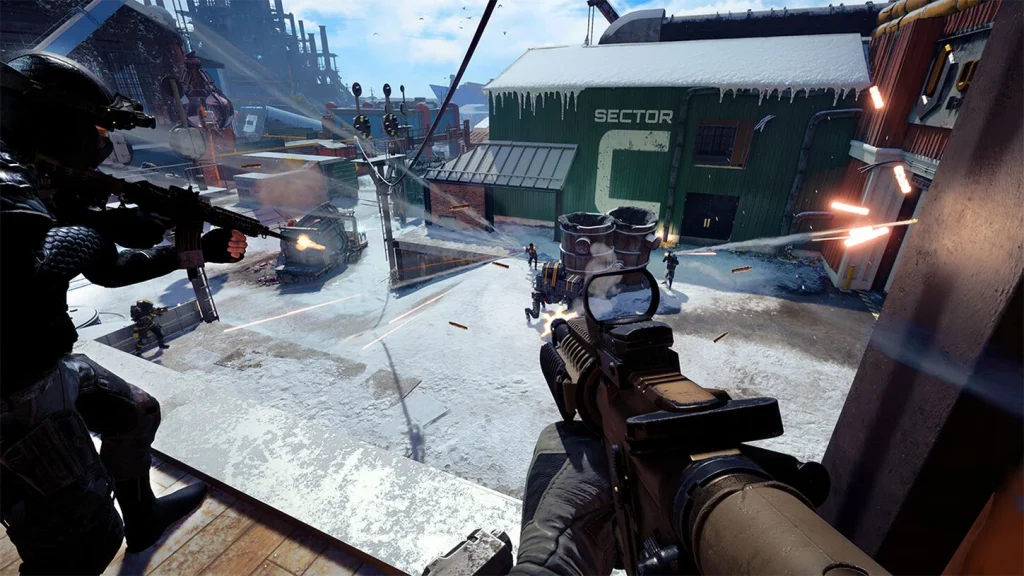
XDefiant recently received an update that lets players hop onto the TDM mode as the newest addition to their Unranked playlist on June 21, 2024. Ubisoft has followed the standard 6v6 matchmaking rules, and the “First to 100 kills” wins the match criteria. 

Since the update dropped, players have been trying out the new mode in the arena-based shooter game and in case you are wondering how you can play the Team Deathmatch mode, we’ve got you covered. 

How to play the TDM mode in XDefiant

Here is how you can join the team deathmatch mode in XDefiant:

  • Head to the Ubisoft Connect launcher.
  • Log in with proper credentials.
  • Navigate to the Library and look for XDefiant.
  • Hit the Play button.
  • Upon opening the main menu, go to the Play option and select Unranked.
  • Select TDM (Team Deathmatch) and queue for it.
  • You could also select the Unranked playlist, hoping to get a Team Deathmatch.
XDefiant

Some other available game modes in XDefiant 

The hit arena shooter title from Ubisoft has some other exciting game modes that non-beginners can try their hands at, some of which are: 

Unranked

  • Escort
  • Zone Control
  • Domination
  • Occupy
  • Hot Shot

Meanwhile, Ranked gameplay matches are still in their early trial mode and most likely will be going live in the coming month based on some information from the developers.

If you’re interested in the latest updates, features, and pieces on Ubisoft’s latest arena shooter – XDefiant, stay tuned to this space for more.

What Does Thrifty Mean in Valorant?

One of the most common questions many new Valorant players have when starting out with the game is, “What does ‘Thrifty’ mean in Valorant?”

If you’ve been playing Valorant for a while, chances are you’ve already come across the occasional ‘Thrifty’ round in your ranked games. However, do you know what a ‘Thrifty’ round means?

What is Thrifty in Valorant?

Thrifty in Valorant

When you hear the announcer say ‘Thrifty’ at the end of a round, it implies that the winning team has spent significantly fewer credits on their economy for the round compared to the enemy team.

For instance, if one team full-buys with rifles and full armor while the other team manages to win the round with only Sheriffs and Classics, that round will be a ‘Thrifty’ win for the latter team.

If you’re looking for the exact numbers, the team that wins a ‘Thrifty’ round must have spent less than 2500 credits in that round.

‘Thrifty’ is a common occurrence during the second rounds of each half, where the team that loses the pistol round is usually extremely low on economy. 

In a competitive shooter like Valorant, managing your economy effectively is crucial for success. Mastering the art of smart money management can not only significantly improve your gameplay, but it can also help you win more games and boost your ranks.

Pulling off a ‘Thrifty’ round win is no easy feat, but if you succeed, it can provide a significant boost to your economy while leaving your opponents’ economy in shambles