Home Blog Page 1782

NBA’s Boston team co-owner, an investor in Epic Games ventures into Indian gaming startup WinZO

0

Indian gaming startup WinZO has raised an undisclosed amount of investment in a round with Steve Pagliuca. The company had raised $18 million from Newyork based Courtside Ventures and Singapore’s Makers Fund, just a few months ago, BusinessInsider reported.


Fantasy Gaming has been crawling up the mainstream industry lately, with India being a huge market of over a billion smartphone users projected in the year 2023.

Just as the global pandemic in the form of COVID-19 hit, many companies across the globe are banking on the opportunity. India, being one of the fastest-growing fantasy and mobile gaming markets, has seen a surge of new and innovative startups facilitating casual gamers after the Government of India banned 118 mobile apps which included PUBG Mobile.

WinZO came into existence in 2016, founded by Paavan Nanda and Saumya Singh Rathore. The startup earlier had raised $5 million in Series A fund led by Kalaari Capital.

The gaming startup has over 25 million registered users and have breached 1 billion microtransactions on their platform.

Prior to joining Bain Capital, Mr. Pagliuca was at Bain & Company where he advised many Fortune 500 companies on business strategy and growth initiatives. WinZO is Steve Pagliuca’s first bet in India, which the Founder says is “thrilled to be backed by Steve, an investor of high repute in our journey.”

Hector Rodriguez Reacquires OpTic Gaming

0

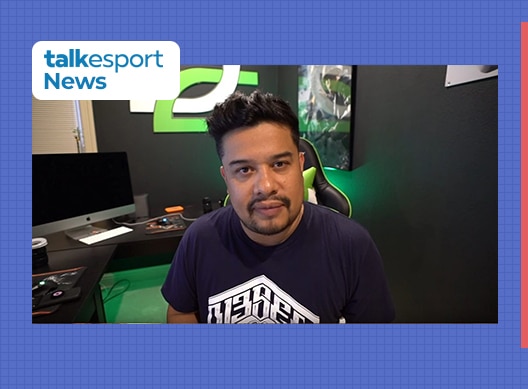
Hector “H3CZ” Rodriguez has reacquired the ownership rights of OpTic Gaming from Immortals Gaming Club after over a year. The North American organization shared the news through a tweet dated November 11th.

After OpTic Gaming was acquired by IGC in 2019, Rodriguez left OG and joined NRG Esports as the co-owner and co-CEO.

The news of him reacquiring his former org should come as a delight to fans, as it seems like a bright future lies ahead of it in the upcoming days.

“OpTic Gaming has always been a part of me, and I am glad that it has finally returned home to our fans,” Rodriguez said in a statement.

The org also tweeted out a video remembering the departure of Rodriguez from OG, where he mentions that the team “meant everything” to him. At the end of the 2-minute long video, the 40-year-old sits down on a chair and announces himself as the “Big OpTic H3CZ” once again.

OpTic Gaming is a professional esports and entertainment organization based in Dallas, Texas. The organization currently holds a team in the Call of Duty League branded as “OpTic Chicago” and has previously been involved with other titles like CS: GO or League of Legends.

Griffin Gaming Partners raises $235 million to invest in global gaming ventures

0

California-based gaming venture fund Griffin Gaming Partners have raised $235 million from various funds to invest in gaming ventures of all scales worldwide.


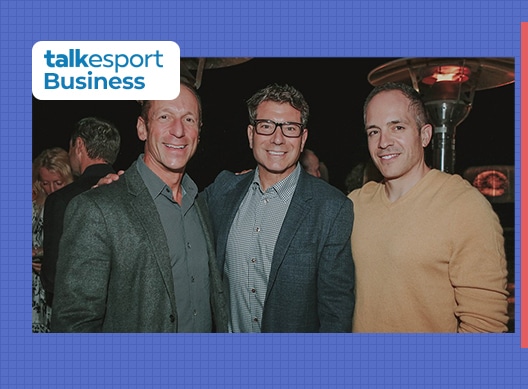
The firm came into existence two years ago, led by Dr. Philip Sanderson, Peter Levin & Nick Tuosto. The fund already owns a stake in renowned communications app Discord and has invested in dozens of esports, gaming, media, and technology-driven company in the past nine months, which are spread across continents.

Peter Levin brings a treasure trove of experience to the firm, other than being the chairman of Immortals Gaming Club which houses some of the juggernauts of the esports industry in MIBR and OpTic Gaming, Levin served as president of the digital strategy at his previous firm LionsGate.

“We feel that gaming is so very global and what better way to assist our portfolio companies than to have a global investor base,” Levin said in an interview with GamesBeat.

Griffin Gaming Partners new fund to incubate worldwide firms

Griffin Gaming Partners

GGP announced the raise and their intent to diversify their portfolio across the globe of different scales. The fund will be distinctive from seed to later series stage rounds.

Approximately half of the raised capital will support companies based in North America and the other half in international firms. Investments originating from the fund will range from USD$1m (£760,000) contributions to seed rounds to approximately USD$20m (£15m) in later-stage rounds.

In testimony about the company’s intent and expertise, Microsoft’s Corporate VP of Gaming Ecosystem, Sarah Bond said “the Griffin team has a unique vision for where our industry is headed. I trust their judgment and ability to add real value.“

In a statement, Levin commented, “Consumer behavior and technological advances have created unprecedented engagement and monetization opportunities. GGP recognizes these opportunities and remains laser-focused on investing in companies that are serving the three billion gamers worldwide.”

How To Update PUBG Mobile KR: Download PUBG 1.1 Update

0

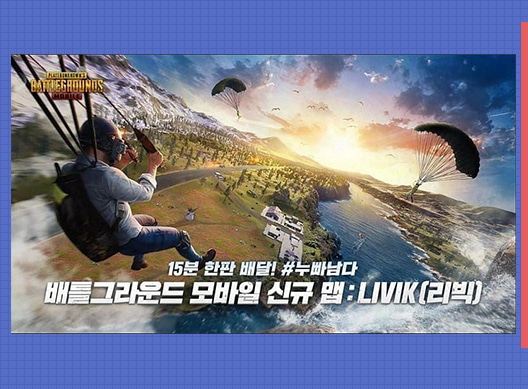
PUBG Mobile recently pushed a major update themed ‘Metro Exodus’ for the upcoming season and tweaked around a lot of parameters surrounding the game mechanisms. Follow the steps given below to download PUBG Mobile 1.1 KR version.

PUBG Mobile recently pushed a major update themed ‘Metro Exodus’ for the upcoming season and tweaked around a lot of parameters surrounding the game mechanisms. Follow the steps given below to download PUBG Mobile 1.1 KR version.

With some new additions, the pre-existing game modes are getting a small turnover. The update is easily available on respective app stores but if you are facing any problem while downloading it, use the following method to update your game.

Although the update has been released globally, the update for Korea and Japan region is different since the game is an entirely different entity than the global version and is operated by Krafton itself. The game also gained some popularity in India since PUBG Mobile was banned for the region.

The next PUBG Mobile update is a collaborative effort between PUBG and another hit video game Metro Exodus. The update is very similar to the global update but minor regional changes can be observed in the PUBG Mobile KR version.

STEPS TO DOWNLOAD PUBG MOBILE 1.1 KR VERSION

PUBG Mobile Metro Royale Kr version download –

The game is available on official stores but if you are facing any issues while downloading the game, follow this method to download it via an external source.

  • Go to Tap Tap website and download the application client.
  • Install the client and search for “PUBG Mobile KR”
  • Download the game after giving relevant permission to the application.
  • Click here to directly download the game without using any app.

This is the simplest way to install PUBG Mobile 1.1 KR version. If you face any difficulty while installing the game, simply repeat and process and make sure to enable “Install from external sources” from your phone settings to install the game. Let us know if this method worked for you.

Also Read: Microsoft Krafton Partnership- What does it mean for PUBG Mobile India.

MICROSOFT, JIO, AIRTEL IN THE RACE TO ACQUIRE PUBG MOBILE RIGHTS IN INDIA: SOURCES.

Best ways to level up in COD Mobile Season 12

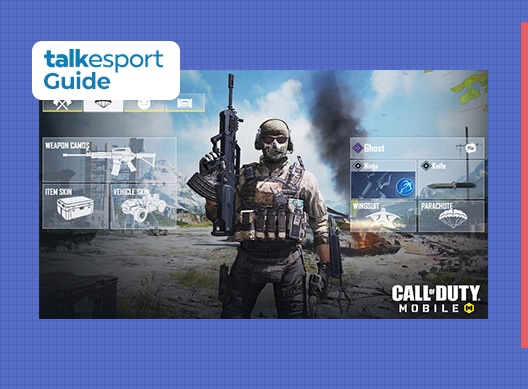
Call of Duty: Mobile is a competitive multiplayer game for mobile devices and has a huge pool of equipment that gives varied user experience. Similar to any famous title, COD Mobile requires good amount of time investment by its players to fully unlock each and every item that the game has to offer.

The game offers items via rank-up and today we will discuss easy ways to rapidly boost your speed to reach the highest level in COD Mobile.

Each and every item has a specified level at which it is unlocked and the items are only restricted to mutliplayer mode as BR mode has most of the equipment unlocked at a very low level.

How to level up in COD Mobile

The maximum rank in COD Mobile is 150 and it is actually very hard to quickly reach that mark but you can potentially speed up the process by using some of the methods mentioned below.

Play Multiplayer Mode

Playing the multiplayer mode matches significantly boost your speed of boosting up the levelling process. This is due to the fact that the experience points offered at the end of each match is almost similar to that of a battle-royale match but the time required to complete a BR match is substantially larger.

Also, a bonus tip is to spam the Deathmatch mode because the time duration of each match is almost five minutes and the EXP points offered is the same as that of other four modes. Always play ranked mode and try to be as serious as possible as it actually helps while boosting your level.

Get higher kills

Risking it all to get those frags is always a better way to learn the game and level up at the same time. Kill scores help a lot while levelling up because each kill adds up to the kill EXP points and hence more the kills, higher the EXP. Maintaining the killstreaks is also an amazing way that can assist in this process.

It is absolutely necessary to get the kills as it helps players to learn the game in a better way and while rising up the levels, you live up to the fierce competition that comes after reaching higher ranks and levels.

Play with your friends

Any game gets better when you have your friends around and the same can be applied in this case. When you play with your teammates, clanmates or anybody from your Friend list, additional experience points are offered at the end of every match. This is the best way to level up as you can rise quickly with friends by your side.

It is also very essential to apply all of these tips at the same time to get instant results. Get into deathmatch with your friends and dominate while covering each other and at the end, grab those sweet extra EXP points and reach the 150 mark at a rapid pace than others.

Also Read: COD Mobile Season 12 Battle Pass Reward Details.

PUBG 9.2 Update: Patch Notes, New Vehicle, Battle Bride Pass & Lobby Chat

0

The PUBG 9.2 update has just been shipped to the test server and it introduces a bunch of new stuff to the battle royale.

The changes introduced through this update include a new vehicle, quality-of-life changes, and several new cosmetics. From now on, players will also be able to shoot while driving.

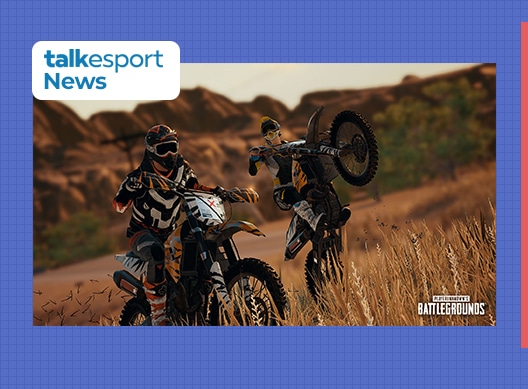
The newly introduced vehicle, the dirt bike, is a single-seater vehicle available in every map except Karakin.

Here are the patch notes of the 9.2 update:

PUBG 9.2 update Patch Note

Gameplay

New Vehicle: Dirt Bike

Image via PUBG Corporation

The new single-seater Dirt Bike is more than just a lite version of the Motorbike. It has its own independent clutch system to rev the engine, improved suspension for offroading, and some other fun features we know it won’t take you long to find, not to mention another fun addition coming in the future. The Dirt Bike spawns on all maps except for Karakin and will replace 50% of the existing bikes out there. We’re looking forward to a whole slew of new stunt videos with this one!

  • The Dirt Bike is a new single seater motorcycle.
  • Spawns on all maps, excluding Karakin.
  • Available in Normal, Custom Matches and Training Mode.

Characteristics

  • Great acceleration with a top speed of 130 km/h.
  • Off-road suspension provide superb performance on uneven terrain compared to other vehicles.
  • Outstanding maneuverability with the ability to disengage the clutch when handbraking to block auto-gearbox and allow hard turns while preserving engine RPM and momentum
  • Added ability to alter pitch using Shift and Ctrl keys during acceleration/braking.

New Feature: Driver Shooting

Image via PUBG Corporation

It’s been requested for a long time and we’re finally happy to add shooting functionality to vehicle drivers! The new system allows you to fire sidearm weapons while driving and maintaining control over the vehicle (albeit with slightly reduced response while reloading). This functionality works for most vehicles and there are a couple of limitations which you can read about below. We’re excited to see the new kinds of gameplay that emerge from these additions, and please let us know how it feels!

  • Vehicle drivers can now draw, reload and fire sidearms while having full control over vehicle inputs.
    • The power of vehicle steering input decreases slightly when the driver is reloading.
  • Driver shooting feature is enabled in all vehicles except boats and BRDM.

Vehicle Aiming Overhaul

  • Driver and passenger views are now heavily stabilized while aiming. The camera rotation will not follow the rotation of the vehicle.
  • Driver and passenger TPP cameras have been adjusted and moved closer to the character for easier and more accurate aiming.
  • Aiming angles are restricted according to player visibility and relation to other passengers
    • For example, you’re unable to aim fully upwards in a closed-top vehicle or aim behind if there’s a passenger on behind you in a 2 seater motorbike
  • The camera will no longer flip sideways when vehicles roll or pitch upside-down.

Please see below for driver shooting enabled sidearms.

  • Deagle
  • P18C
  • P1911
  • P92
  • R1895
  • R45
  • Skorpion
  • Flare gun
  • Sawed-off
    • Sawed-off can only be equipped by drivers on Bike-type vehicles.

Weapon Balance Adjustment: Sidearms

With the addition of driver firing, we’ve decided now’s a great time for a balance pass on those weapons. All sidearms across the board have received improvements to damage multipliers, aiming, ADS movement speed, and more. The goal is to make all secondary weapons more viable throughout the game, not just in vehicles. It’s a pretty extensive list, so check down below for full details!

For detailed changes, please see below.

All sidearms

  • Increased headshot damage multiplier: 2.0 → 2.1
  • Increased limb damage multiplier: 1.0 → 1.05
  • Decreased aim deviation multiplier (aiming is now more accurate)
    • Increased laser pointer deviation multiplier 0.3 → 0.5. This is to counter above mentioned change, making pistols more accurate in general but not totally dependent on laser pointer.
    • Increased prone stance deviation 0.6 → 0.8 (less accurate in prone)
  • Now you are able to move faster while aiming or in ADS mode.
    • Increased aimed movement speed multiplier 1.8 → 2.0
    • Increased ADS movement speed multiplier 1.6 → 2.0
  • More accuracy while moving.
    • Increased min reference velocity for movement deviation (speed at or below which movement deviation is not applied): 160 → 200
    • Increased movement ADS stabilization (decreased weapon sway caused by movement):
      • Revolvers (R1895, R45): 0.2 → 0.9
      • Pistols: 0.2 → 0.8
      • Full-auto pistols (P18C, Skorpion): 0.2 → 0.7

Revolvers (R1895,R45)
Now, you can shoot more accurately while moving

  • Decreased movement deviation multiplier: 1.7 → 1.4
  • Increased min reference velocity for movement deviation (speed at or below which movement deviation is not applied): 160 → 250

R1895

  • Increased damage: 62 → 64
  • Increased ROF: 150 RPM → 300 RPM
  • Heavily decreased aim deviation (because it cannot attach laser pointer, so it is more accurate by default): 1.5 → 0.6
  • Increased recoil anim speed

R45

  • Increased damage: 55 → 65

P92

  • Decreased damage: 35 → 34
  • Increased ROF: 444 RPM → 600 RPM

P1911

  • Increased damage: 41 → 42

Deagle

  • Increased ROF: 240 RPM → 300 RPM
  • Increased recoil animation speed to better match new ROF.

Sawed-off

  • Decreased base pattern scale: 1.45 → 1.2
  • Decreased choke spread scale (lower spread): 0.85 → 0.8
  • Increased damage multiplier at 15m: 0.5 → 0.55

Skorpion

  • Can now attach Extended Quickdraw mag.

Other

Lava Damage Calculation Update

  • The method for processing damage inflicted near the edges of lava has been improved
    • Now lava damage is inflicted more precisely when players come in contact with the lava surface.
  • Now Gas Cans will explode when they come in contact with lava.
    • Also, spilled gas will catch fire when coming into contact with lava.

Regional Matchmaking Changes

With Update 9.1 we introduced Solo Ranked Mode and also removed some queue options which had historically had excessive matchmaking times, to improve the overall health of matchmaking.

We have received a lot of feedback from players and heard your feedback loud and clear. This patch, we have adjusted matchmaking options to open back up some of those modes for certain regions, while still providing the best gameplay experience for players.

Reopened queues are shown below:

  • AS
    • FPP: Solo
  • KR/JP
    • FPP: Duo
  • SEA
    • FPP: Solo, Duo
  • EU
    • TPP: Duo
  • RU
    • TPP: Duo
  • OC
    • TPP: Duo
    • FPP: Duo

Battle Bride Pass

The Battle Bride Pass is an entirely new kind of pass focusing on a single character vs a seasonal theme. This pass follows Sadiya, the hero from Karakin’s lore, and lets you unlock some of her iconic skins you saw in our motion comics. The Battle Bride pass progresses independently from the Survivor Pass and has 15 levels for you to complete by earning XP from playing matches. If you’re looking to pick up some of Sadiya’s unique looks, pick up the Battle Bride Pass!

  • Exclusive page
    • Battle Bride Pass only has a premium track which available after purchase.
  • Progression
    • There are no missions for the Battle bride pass.
    • However, you will be able to climb through the pass via XP gained from gameplay.
      • Max lv to collect all rewards is lv 15.
    • Level-up coupons cannot be used in the pass.
      • However, you will still be able to purchase levels with G-Coin.
  • The Battle Bride Pass will be available from Nov 18th (KST) to Dec 16th (KST) both with the end of live server maintenance.
    • The Battle Bride Pass period runs for 28 days from your date of purchase.

UI & UX

New feature: Team Finder

The new Team Finder feature lets you connect with other players before the match begins instead of being randomly matched up in the pre-game zone. You can let friends and other players know that you’re looking for a team and accept invites to their lobbies. The Team Finder takes your selected game mode and language settings into account, so you know you’ll matched up where you want to be. If you’re looking to get some squad games in without the completely random element, try Team Finder today!

You can now look for a team to play with using the Team Finder function.

If you’re not in a team, you can toggle team finder to let friends or other players know you are looking for a team and you’ll then be listed on the team finder player list, waiting to be invited by a searching player. If you are already in a team or want to create your own team, you can invite players from the team finder list.

Settings

  • Team Finder will automatically be set based on your selected game mode, perspective and language settings.
  • The mic setting is automatically determined after checking whether you have a functioning mic connected.
    • Ensure voice input is enabled and not muted.
    • PUBG must also be granted access to your mic through your operating system.
  • Team Finder search and discovery are based on your local region
    • Players with same game mode/perspective settings will be shown on the Team Finder list
    • When using Team Finder for Ranked Matches, only players in similar tiers will be shown.

New Feature: Lobby Chat System

Another new method of communication with your teams is the new lobby chatbox. Now you’ll have access to text chat with your team before you enter the game and drop onto the Battlegrounds. Lobby chat features spam, ad, and abusive language filters, and also let you report anyone using it inappropriately. For now, Lobby Chat is only available on PC versions of the game.

  • You can now text chat with party members in the lobby.
  • Spam and toxic words are automatically filtered.
  • You can report players for using abusive language and spamming or advertising.
  • Please note, chat will be only available on the PC version of PUBG at the moment.

PUBG ID Visibility

  • When killing other players, your PUBG ID will be displayed to the victim.
  • PUBG ID will be also displayed in Death Cams and while spectating other players.
  • The PUBG ID will be also displayed when looking at stats of other players.

Other

  • Outgame UI components, such as dropdown menus and system messages have been visually improved to provide a more consistent experience.
  • Voice Chat ‘ALL’ is now disabled in Team Deathmatch
  • Team Deathmatch in arcade and Custom Matches will now have voice chat channel to ‘ALL’ disabled due to abuse which was disrupting gameplay.

Performance

  • CPU performance has been improved by cost optimization of characters outside the player POV.
  • Performance improvement by rendering optimization of atmospheric fog.
  • Optimized hitching that occurs when the plane is airborne in low specs/console environment
  • Optimized the excessive loading time when loading certain type of map in custom match sessions.

Vikendi Quality of Life Update

Vikendi is also getting a few small convenience adjustments this update. We’ve adjusted the circle settings to be a little more inland, removed some small clutter that was hindering vehicle movement, adjusted the number of house sets to make final phases more open, and more.

  • Fixed tendency for the first circle to lean too much towards the outskirts of the map. The Safe Zone will now commonly appear more inland.
  • We have removed small objects around farms and fields which were inhibiting vehicle movement.
  • The number of house sets has been reduced, as the space between house sets has been modified to ensure late game Blue Zones aren’t overly abundant with buildings. We hope this will have more fights in the fields.
  • Large rocky areas around the center of the map and rocky hills at the East of the cement Factory have been changed to enable access while on foot and in vehicles.
  • Removed small objects around the river which were not able to be used as a cover and hindered player movement.

Skins & Items

Dirt Bike themed items – 4 set items, 15 individual items (Release on Nov 18th)

Last year’s PGC Grand Champions now have a new bundle of great skins for fans to enjoy! Pick up the Gen.G Championship Bundle and rock the colors of PUBG’s reigning PGC Champs!

PGC 2019 Gen.G Championship items – 1 set item, 5 individual items.

  • Only available from 2020 Dec 2nd to 2021 Jan 6th

Bug Fixes

Gameplay

  • Fixed the issue where players were only able to enter Ranked Mode in FPP/Squad after restarting the client or refreshing the lobby.
  • Missing trees around Ruins on Sanhok are now back.
  • Fixed the issue where partner a exclusive item could be equipped and unequipped freely.
  • Fixed the camera stutter occurring to a driver in TPP every time when a passenger switches seats.
  • Fixed the issue where default value of weather type was not available in certain Custom Match War Mode presets.
  • Fixed the issue where players are forced back to the lobby with an exclamation mark UI displayed when entering dual matchmaking.
  • Fixed the issue where ADS’ing with a weapon obstructed by collision object would result in severe camera jitter.
  • Fixed incorrect collision distance of certain weapons.
  • Fixed the issue where incorrect vehicle information displayed on the players HUD when entering a vehicle with destroyed wheels.
  • Fixed the issue where a character’s movement would look incorrect when crouching or proning on fire.
  • Fixed the issue where the effect displayed only at the initial point of explosion when multiple sticky bombs explode nearby.
  • Fixed the awkward rendering of a character when holding certain weapons with a grip attachments added.
  • Fixed the case of teammates sometimes not displaying on the Team list UI during squad mode.

UI/UX

  • Fixed misaligned UI in the settings menu.
  • Fixed the excessive speed of character rotation in the customize menu affected by ‘General Sensitivity’ value.
  • Fixed the edges of the reward icon box not being highlighted when selected in the pass screen.
  • Fixed the issue where ‘Render scale’ value is set to default when selecting ‘Full screen / Windowed’.
  • Fixed a typo in one of the pass reward items.
  • Fixed the graphics error shown at the bottom of the G-Coin page in certain resolution settings.
  • Fixed the issue where players could not replace multiple missions in a row.
  • Fixed the issue where waypoints could be displayed incorrectly on the minimap when spectating players when they marked a waypoint.
  • Fixed an issue with the Survival Mastery level up animation and UI.
  • Fixed the incorrect system message shown when inviting a kicked player to that custom match session.

Skin & Items

  • Fixed the issue where players could equip ‘Eyes’ category items with Merc Team Uniform .
  • Fixed the issue where players could not preview emotes after selecting weapon skin items from the pass reward page.
  • Fixed the misaligned weapon skin when previewing Malevolent Mime – DBS skin.
  • Fixed the social widget unintentionally displaying on the LABS page.

Genshin Impact Bounty Locations Guide

Bounties have been added to Genshin Impact as a part of its latest v1.02 update a few hours ago. The latest update also introduced new characters, new weapons, and a bunch of other stuff to the open-world RPG title by miHoYo.

Each week, players will be able to defeat targets for Bounties, which in turn will increase their reputations in specific cities. To start a Bounty hunt, players can go to the City Reputation NPC in Mondstadt or Liyue, where they’ll be given a list of Bounties to complete. There are one, two, and three star Bounties with varying rewards that the player can check before accepting them.

The enemies in the Bounty hunt can be located at various parts of the map, which can be tracked by talking to the NPC and checking out the in-game map. The Bounty areas are marked by yellow circles.

Once you’re in the area inside the yellow circle, players have to use their Elemental Sight to track the Bounty down. The Bounty will be indicated by a blue light that the players have to follow. You’ll occasionally find yourself having to repeatedly use the Elemental Sights in your Bounty hunt to track your target down.

The light won’t lead you to the Bounty at first. Players may have to harvest nearby resources, gather items, or kill enemies till they complete three of such marks. Once done, the blue light will guide you to your Bounty which you have to defeat in order to claim the rewards.

Genshin Impact Update 1.02 Patch Notes: New Characters & Much More

0

A huge content update has just been shipped to the popular open-world RPG Genshin Impact on November 10th, and it introduces new characters, new weapons, and much more!

For the unaware, Genshin Impact is one of the biggest hits in the world of video games this year. Released by miHoYo on September 28th this year, the game managed to accumulate a player base of hundreds of millions of people in under a few weeks.

Take a look at the patch notes –

Genshin Impact 1.02 November 10 Patch Notes:

〓Update Time〓

Begins at 2020/11/11 06:00:00(UTC+8) and will take about 5 hours

(Precise times are subject to change. Players may also experience disruption outside of this period.)

〓How to Update Game〓

PC: Close the game, re-open the launcher, and click Update.

iOS: Go to the App Store and tap Update.

Android: Open the game and follow the prompts to complete the update. (Or go to the Google Play Store and tap Update.)

PS4: Highlight Genshin Impact on the PS4 Home Screen > press the OPTIONS button > select Check for Update.

If you encounter any issues while installing the update, please contact Customer Service and we will help you solve your issue as soon as possible.

〓Compensation〓

1. Primogems ×300

(We will give a compensation of 60 Primogems for each hour the servers are down. If servers go back online sooner than scheduled, we will still give out the full compensation above.)

2. With regard to inaccurate descriptions of characters and artifacts, compensation will be given out for these issues separately after they are fixed.

〓Eligibility〓

All Travelers who have reached Adventure Rank 5 or above by 2020/11/11 06:00:00(UTC+8)

We will issue compensation to all Travelers via in-game mail within 5 hours from the end of maintenance. Please log in to receive the mail by 2020/11/14 11:00:00(UTC+8). The mail will be valid for 30 days, so don’t forget to claim the compensation before it expires.

〓What to Look Forward To〓

▌New Content

I. New Characters

5-Star Character “Childe” Tartaglia (Hydro)

◇ No. 11 of The Harbingers, also known as “Childe.” His name is highly feared on the battlefield.

4-Star Character “Kätzlein Cocktail” Diona (Cryo)

◇ A young lady who has inherited trace amounts of non-human blood. She is the incredibly popular bartender of the Cat’s Tail tavern.

◆ During the event wish “Farewell of Snezhnaya”, from after the Version 1.1 update to 2020/12/01 15:59:59 (Server Time), the event-exclusive 5-star character “Childe” Tartaglia (Hydro) and the 4-star characters “Kätzlein Cocktail” Diona (Cryo), “Uncrowned Lord of Ocean” Beidou (Electro), and “Eclipsing Star” Ningguang (Geo) will have their Wish drop-rates greatly increased!

◆ The “Test Run” character trial event will be available after the Version 1.1 update to 2020/12/01 15:59:59 (Server Time). Travelers can use fixed team compositions that contain the trial characters to complete designated challenges. Once the challenge is complete, you can obtain the corresponding rewards!

5-Star Character “Vago Mundo” Zhongli (Geo)

◇ A mysterious guest invited by the Wangsheng Funeral Parlor. Extremely knowledgeable in all things.

4-Star Character “Blazing Riff” Xinyan

◇ Liyue’s sole rock ‘n’ roll musician. She rebels against ossified prejudices using her music and passionate singing.

*The characters “Vago Mundo” Zhongli (Geo) and “Blazing Riff” Xinyan will appear in a subsequent event wish.

II. New Weapons

Memory of Dust (5-Star Catalyst)

  • A stone dumbbell containing distant memories. Its endless transformations reveal the power within.

◆ The event wish “Epitome Invocation” will be available from after the Version 1.1 update to 2020/12/01 15:59:59 (Server Time). During this time, the event-exclusive 5-star weapon Memory of Dust (Catalyst) and the 5-star weapon Skyward Harp (Bow) will have their Wish drop-rates greatly increased!

Vortex Vanquisher (5-Star Polearm)

◇ This sharp polearm can seemingly pierce through anything. When swung, one can almost see the rift it tears in the air.

The Unforged (5-Star Claymore)

◇ Capable of driving away evil spirits and wicked people alike, this edgeless claymore seems to possess divine might.

*The weapons Vortex Vanquisher (Polearm) and The Unforged (Claymore) will appear in a subsequent event wish.

Royal Spear (4-Star Polearm)

◇ This polearm was once cherished by a member of the old nobility that governed Mondstadt long ago. Although it has never seen the light of day, it is still incomparably sharp.

*The weapon Royal Spear (4-Star Polearm) will be available in Starglitter Exchange in the Shop.

III. New Quests

1. New Archon Quest

◇ The mysterious emissary Ganyu appears before you at Third-Round Knockout. Claiming to have come at Ningguang’s behest, she invites you to the skyfaring palace known as the Jade Chamber.

To that end, you and Paimon have come to Mt. Tianheng, from where you can see the Jade Chamber in the distance…

◆ After the Version 1.1 Update, the Archon Quest Chapter 1: Act III – A New Star Approaches will become available. Complete this quest chain and obtain Primogems, Weapon Enhancement Materials, Character EXP Materials, and other rewards!

2. New Story Quests

◇ The Millelith have received numerous eyewitness reports recently that have confirmed an active Ruin Guard presence in an area far beyond their normal range of activity. After some investigation, you find that these Ruin Guards are, in fact, just toys for a certain child…

◆ After the Version 1.1 Update, the Story Quest Monoceros Caeli Chapter: Act I – Mighty Cyclops’ Adventure! will become available.

Complete this quest chain and obtain Primogems, Weapon Enhancement Materials, Character EXP Materials, and other rewards!

◆ The Story Quest Historia Antiqua Chapter: Act I – Sal Flore will also become available at a later date.

3. New World Quests

◆ New World Quests Added: The Adventurers’ Guild’s Affairs, Necessary Procedures, Words Worth Their Weight in Mora, Changchang’s Little Friend, The Secret of Nantianmen, An Ode to Yonder City, and Endless Research

Complete these quests and obtain Mora, Character EXP Materials, and other rewards!

IV. New Events

Version Main Event — Unreconciled Stars

◇ Peculiar meteorites are descending upon Teyvat, bringing a rare sleeping sickness with them. People trapped in deep slumber, mysterious dreams, an unknown star… The crisis draws closer!

◆ Event Duration: 2020/11/16 10:00:00 (Server Time) – 2020-11-30 03:59:59 (Server Time)

◆ Event Rules: During the event, complete designated quests and “Star of Destiny” challenges to obtain Fading Star’s Might and Fading Star’s Essence!

◆ Event Rewards: Exchange Fading Star’s Might and Fading Star’s Essence in the Event Shop for Character Ascension Materials, Hero’s Wit, Mystic Enhancement Ore, Talent Enhancement Materials, Crown of Insight, and other rewards!

Complete “Prinzessin’s Pact” to get “Prinzessin der Verurteilung!” Fischl (Electro)!

*The Gliding Challenge and While It’s Warm events will become available at a later date. Stay tuned for more information.

V. New Systems

1. City Reputation System

◇ Reach Adventure Rank 25 and complete the corresponding quests to unlock this system.

◆ Reputation is currently divided into Mondstadt Reputation and Liyue Reputation.

Mondstadt Reputation Unlock Criteria: Complete the Archon Quest Prologue: Act I “The Outlander Who Caught the Wind”

Liyue Reputation Unlock Criteria: Complete the Archon Quest Chapter I: Act II “Farewell, Archaic Lord”

◆ Travelers can speak to Knights of Favonius Coordinator, Hertha and Ministry of Civil Affairs Secretary, Ms. Yu to take on new Bounties and Requests. You can also collect Reputation EXP rewards from them for World Exploration, Mondstadt Quests, and Liyue Quests.

◆ As you increase your Reputation Level, you will unlock special city features, recipes, gadget blueprints, namecards, wind gliders, and other rewards.

2. Exploration Progress System

Zoom out on the map to view the Exploration Progress for each area. Open chests, find Elemental Oculi, unlock Waypoints, and complete other exploration activities to increase your Exploration Progress in each area.

3. Archive System

A collection of Equipment, Materials, Geography, Books and Tutorials.

4. Character Archive System

Character Archive added.

VI. Other New Content

1. Gameplay

  • The following recipes are now available for purchase:

Wanmin Restaurant: Triple-Layered Consommé

Wangshu Inn: Bamboo Shoot Soup

  • Added new achievements under “Challenger – Series II”

New Harvestable Resources: Bamboo Shoot and Golden Loach

New Monster: Unusual Hilichurl

2. Settings 

• Added customization options for keyboard and controller: Go to Paimon Menu > Settings > Controls, select a function to change the key or button assigned to it, and press any key or button to assign it to this function.

• New customization options added to Settings > Graphics: Volumetric Fog, Reflections, Bloom, Crowd Density, and Co-Op Teammate Effects.

• New options added to Settings > Other: Combat Camera Settings and Default Camera Distance.

3. System

• Added an Equipment Locking function. Locked equipment cannot be used for enhancement or refinement.

• A Report function has been added to Co-Op Mode.

Note: Different servers do not have the same server times. Travelers, please take note of the difference between server times and the time in your own time zone as follows:
America: UTC-5
Europe: UTC+1
Asia: UTC+8
TW, HK, MO: UTC+8

If you haven’t downloaded the game yet, go read our review to see why you nust do it now!

Now that’s one big update! Once we get wind of more Genshin Impact news, we’ll make sure to let our readers know.

Recommended: All Upcoming Genshin Impact Banner Events: Schedule

Proximity Chat In Among Us: Everything You Need To Know

0

Recently, a new mod for Among Us has been gaining a huge amount of traction among streamers and content creators worldwide – the Among Us Proximity Chat Mod.

What Is Among Us Proximity Chat Mod?

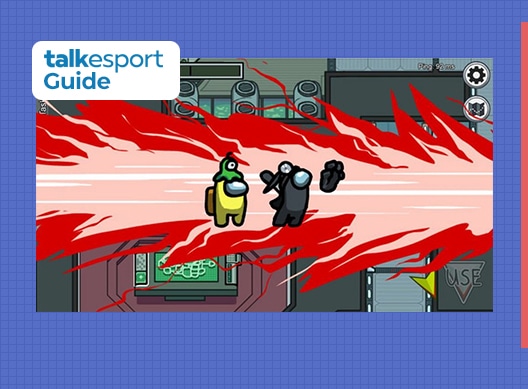
The proximity mod for Among Us lets players (both Crewmates and Impostors) to talk with other nearby players outside of meetings. The proximity voice chat feature works throughout the map, which means you can have a chat with anyone who’s passing by you or tagging alongside you.

This mod is undoubtedly of great help to Crewmates in their hunt to catch the Impostors in the group. The feature can quite easily help the crew filter out who the other crewmates are and single out the Impostors.

However, smart Impostors can also strategize among themselves using this feature and set up for some double kills., which can mean serious trouble for the Crewmates.

How to get the Among Us Proximity Chat?

Unfortunately, the Proximity Chat mod is currently only available to content creators due to it still being in its developmental phase. The mod is filled with bugs and glitches that make it seem unfit for its final release. However, due to the huge amount of traction this mod has been getting, fans can expect it to be made available for everyone in the near future.

Proximity chat is a part of NodePolus currently under development by Sub, Tr4cer, and Sombrio. The mod is not available for everyone as of yet, and the devs haven’t given us a date on when will the mod be ready for a public release.

In case you’re still wondering how the mod works, take a look at this tweet by streamer and content creator Jack “CouRage” Dunlop here:

Also Read: Among Us Hello Kitty Theme – How To Get It?

Fnatic raises $10mn; launches crowdfunding to allow fans to own a share in the esports org.

0

Swedish esports organization Fnatic has raised £7.5m in a fresh round of funding led by venture capitalist firm Beringea, Esports Insider has reported.

The fund will be used to expand Fnatic’s global footprint, which has seen immense growth throughout these recent years. The European esports organization has been the most favorite of gaming fans for over a decade. Grabbing the eyes of fans and creating a global community of gamers through their successful rosters of CS:GO & DotA 2.

Fnatic has been the center of an example set for standardized esports organization & structural management. The way they have shaped the company and diversified into different games and sources of revenue attract modest appreciation. Fnatic’s fans are considered to be the most loyal irrespective of the game they play and compete in.

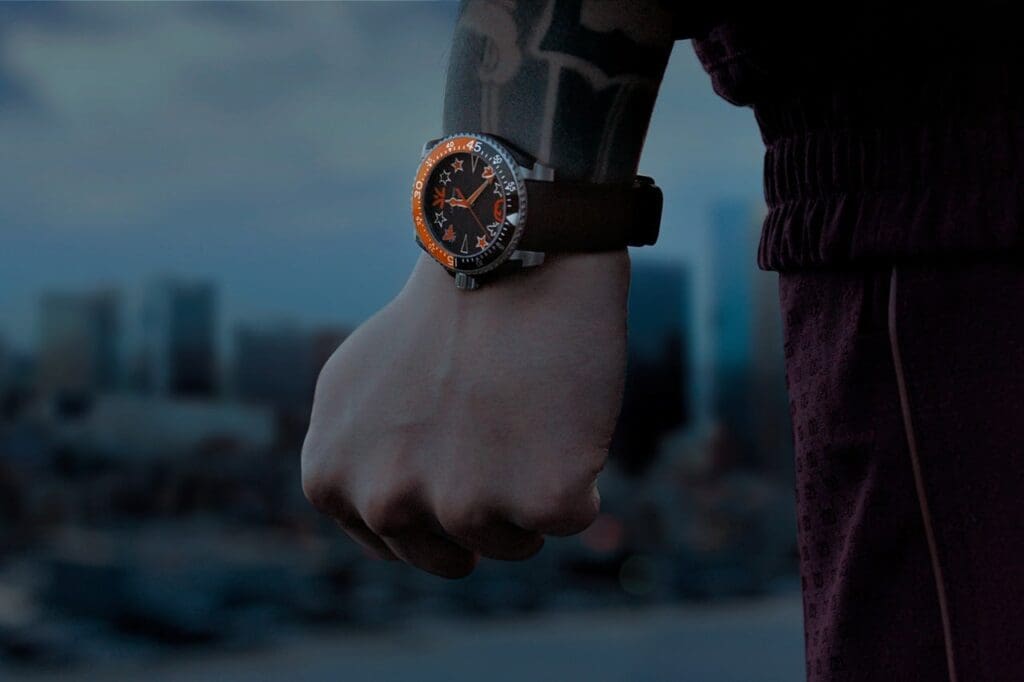
Fnatic & Gucci’s campaign to promote branded range of watches and accessories.

Therefore, to reciprocate the love of the fans, Fnatic is taking an unconventional step in opening up its financial doors to the general public. The company will allow minority investors to be a part of the ‘owners’ of Fnatic. According to the announcement by the company, the significance of this crowdfunding investment reflects Fnatic’s ‘ambition to innovate.’

“This investment provides the perfect opportunity for our community, friends, and enthusiasts to join our established investors and own a piece of Fnatic. Crowdfunding is a dynamic and increasingly popular way to fundraise as it provides an opportunity to transform our active and engaged community into investors by giving them the chance to get closer to our journey than ever before. We’re very excited to be working directly with our audience, partnering with them to shape the future of Fnatic, and of entertainment, sports, and gaming performance,” said Fnatic’s Founder-CEO Sam Mathews.

With this recent round of investment, Fnatic has now raised over $35 million dollars. It also houses brands like BMW, Gucci, OnePlus, Monster & AMD.