Home Blog Page 1394

NiP sign es3tag, LNZ returns to Young Ninjas

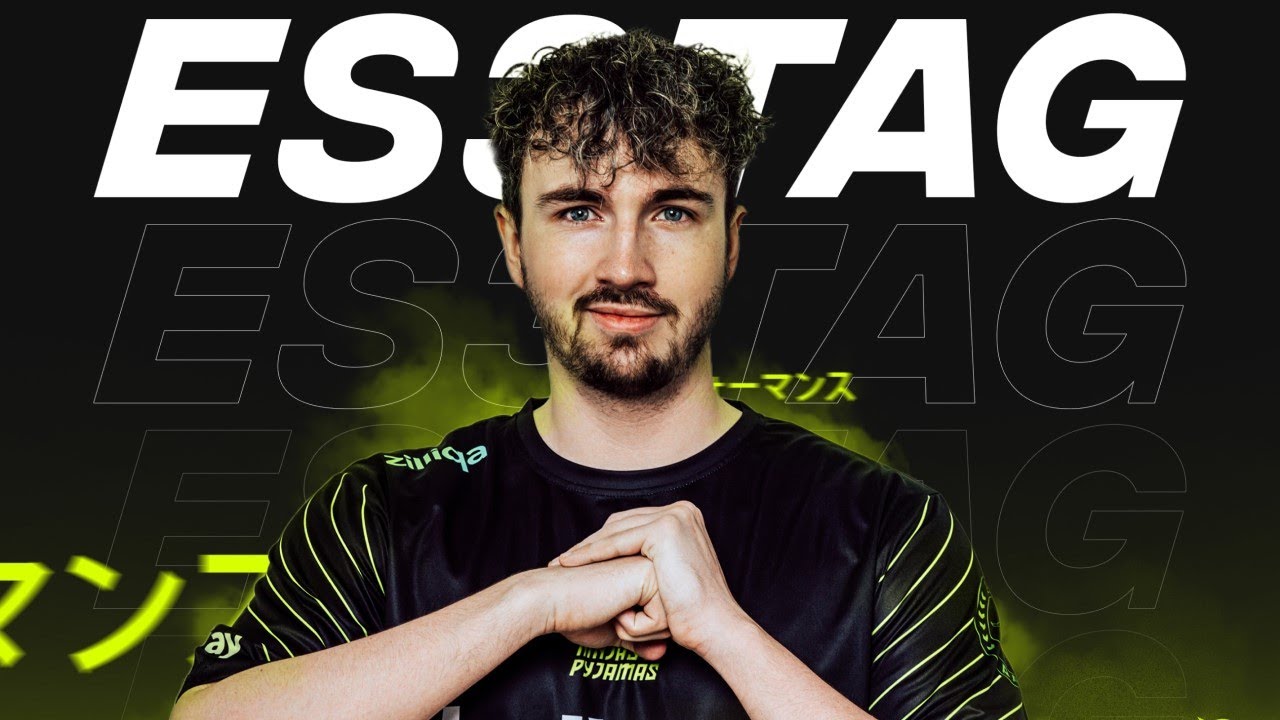
Ninjas in Pyjamas on their have announced the signing of Patrick “es3tag” Hansen to their active CS:GO division while the swedish side add Linus “⁠LNZ⁠” Holtäng back to the academy roster despite the former having led NiP to the Quarter-Final of the recently concluded PGL Major Stockholm.

After getting transfer listed by the Dallas based organization at the beginning of November, es3tag has signed up for the Ninjas In Pyjamas campaign, his second switch under six months. His previous projects indeed have been a nightmare due to constant structural failures resulting in both Cloud9 and Complexity dropping their CS:GO rosters with the latter to revamp their roster ahead of the 2022 competitive circuit.

At Ninjas In Pyjamas, es3tag will reunite with Nicolai “⁠device⁠” Reedtz from Astralis after the former was traded off to Cloud9 for their European iteration which was later terminated due to several reasons, most notably citing the inability to locate the roster for a bootcamp due to the ongoing Coronavirus Pandemic. es3tag’s tenure at Complexity ended in a similar fashion with the team failing to qualify for the PGL Stockholm Major followed by the original joining a revamped Astralis.

es3tag will debut with NiP at the upcoming BLAST Premier Fall Final starting November 24 and will face Astralis in their opener. The Danish player in a press release stated,

“I’m absolutely thrilled to be back at the absolute forefront of competitive CS:GO — to play with world-class proven individuals, with whom I can create a legacy. With backing from an organization like NIP I’m confident that everything surrounding the squad is primed so we can reach the pinnacle of CS:GO.And yes I speak Swedish.”

NiP further commented on LNZ and how motivated the Young Ninja feels after his first Quarter-Final appearance at a Major.

“This of course means that our boy Linus “LNZ” Holtäng stands down from the active roster and returns to his mates in the Young Ninjas. Like ztr before him, he rejoins the crew as a sixth member with a ton of experience to spread around and a magnificent beard to show for it. What’s more, the players on the main squad can rest easy knowing that an injury isn’t the end of the world because there’s someone behind them who can step up and help out.
– Press at Ninjas In Pyjamas. 

EXCEL ESPORTS launches Fortnite tournament to support physically disabled UK gamers

0

British competitive gaming culture brand EXCEL ESPORTS in partnership with HyperX and Beyond NRG is excited to announce it has launched a new Fortnite tournament, the XL Community Cup.

The one-day tournament will be held on Sunday 28th November and feature some of the best in professional, amateur, and influencer Fortnite talent, who are set to compete for the glory of being its first-ever champion.  

The XL Community Cup invites players to team up in Duo mode to compete in open qualifiers which will take place on the 24th of November with sign-ups open now.

Those who qualify for the event will battle it out online against an electric line-up of talent and influencers on the 28th of November to be crowned the winners. In collaboration with GINX TV, EXCEL will be streaming the event with a live broadcast as well as multi-language streams hosted by personalities participating in the event.

EXCEL’s pro-players Wolfiez and Verox will be partnered up with some famous faces from the world of sports and entertainment. Among the high profiled guests taking part are UK TikToker Ollie Ball, Streamer and Influencer TurntDaisy, Professional Rugby Union player Luke Cowan-Dickie, as well as Fortnite pro-Archie King, Fortnite Streamer and French Co Streamer, JoLavanille plus fellow French Pro Andilex, plus HyperX Ambassador and German Co Streamer Rewinside and fellow German Pro Fray. 

The tournament will be hosted by esports personality Adam Savage live from the Ginx TV London studios and will include a mixture of live analysis and casting from Leven2k and Reiss.

With an overarching goal to help further support UK gamers and the ever-growing Fortnite community, the XL Community Cup will also be raising money for charity SpecialEffect. SpecialEffect specializes in helping physically-challenged people to enjoy the magic of video games. The charity also collaborates with game studios to make their games more accessible.

EXCEL ESPORTS Pro-Fortnite player Wolfiez comments: “I’m happy to be playing in the XL Community Cup. SpecialEffect are doing good work, so I’m pleased to support them through this tournament”

CEO of EXCEL ESPORTS, Wouter Sleijffers comments: “At EXCEL ESPORTS we aspire to build better communities and include every gaming enthusiast in our journey. We are proud to announce the launch of the XL Community Cup. Working closely with HyperX and Beyond NRG, we all share similar beliefs and values in supporting UK gamers and the Fortnite community and I look forward to seeing similar tournaments being created to help support this ongoing effort.” 

HyperX’s Head of Global Gaming Partnerships, Jessany Van’t Hoff comments:

“HyperX continues to elevate UK gamers in achieving their ambitions with the support of our top-quality gaming gear. The XL Community Cup not only enables the Fortnite community to highlight growing talent but encourages the next generation of esports pros. It is also a core value at HyperX to champion the good in gaming and by supporting a great charity such as Special Effect, who support our ethos that We’re All Gamers, regardless of abilities.”

Beyond NRG’s CEO Billy Webb comments: “Community is the heart and soul of what we do at Beyond. The XL Community Cup is a fantastic opportunity for the wider audience to get involved with the incredible family at XL, and the competitive gaming world whilst supporting the outstanding efforts from SpecialEffect.”

Fans can catch all the action over on EXCEL Twitch TV starting at 2PM GMT on Sunday 28th November. JoLavanille will be streaming in French and Rewinside will be bringing all the action in German. Links to their channels can be found over at JoLavanille Twitch TV and Rewinside Twitch TV. 

How to get more FPS in Halo: Infinite

0

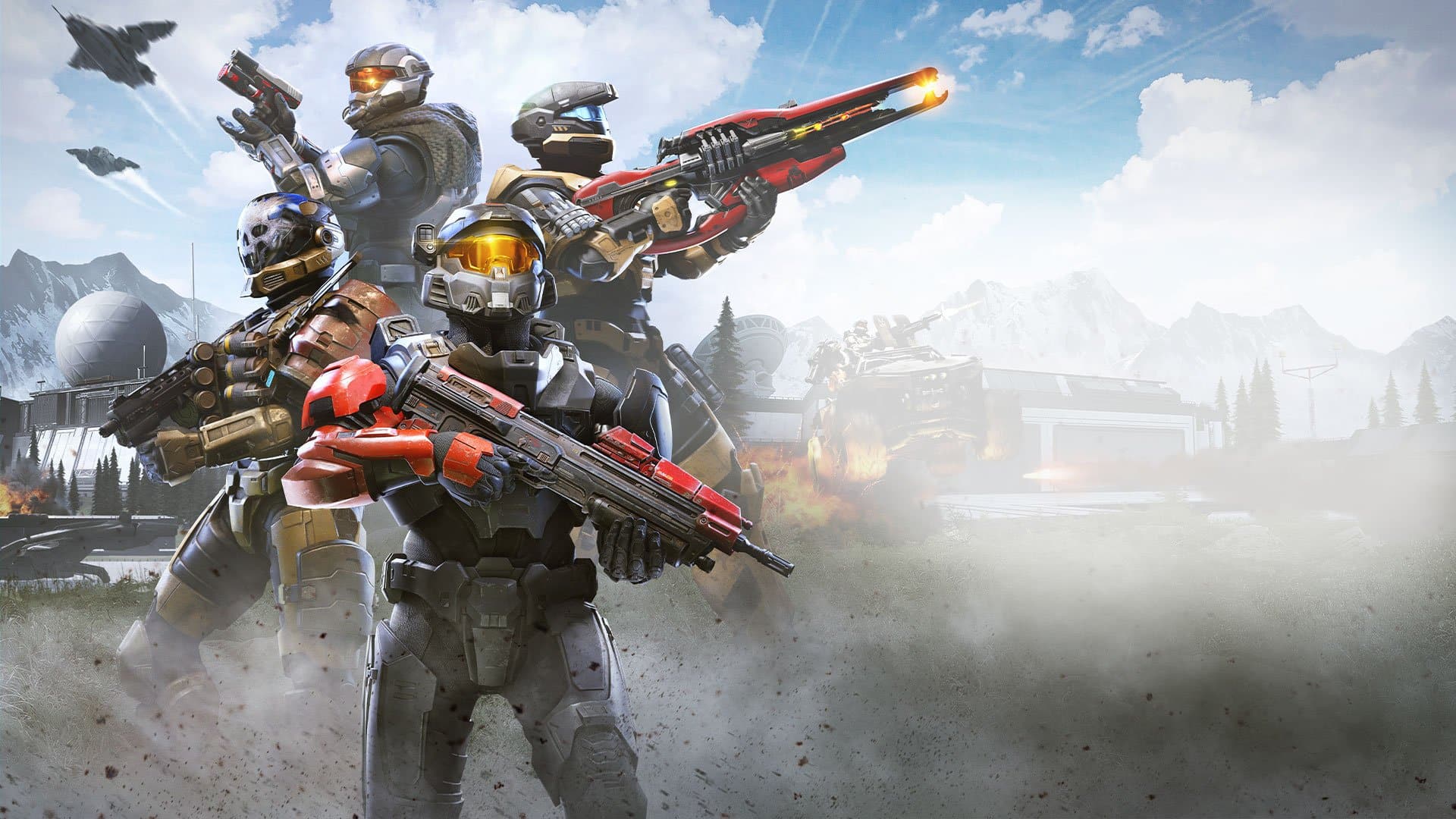
Halo Infinite’s multiplayer launch was the worst kept secret in recent times. The game reached an all-time peak player count of 272,000+ players and is the most played Xbox Games Studios title on Steam thanks to the fact that it is free-to-play. Although the game is still technically in Beta, 343 claims your current progress will carry over to the final version when the game officially ‘launches’ in December.

Players are reporting that the game seems to be suffering from performance issues due to the game’s inconsistent frame pacing which makes it feel jittery even if you’re getting high FPS which is definitely going to impact your experience negatively, especially if you’re a competitive player. 

Luckily, there are many ways to boost your FPS:

  • Make sure your GPU drivers are up to date / Check your GPU Control Panel:

Keeping your drivers up to date is the best way to prevent any performance issues during gaming. Most of the time, game-ready drivers which include optimizations for newer games are released by AMD and NVIDIA which may result in better framerates and stability.

Be sure to check your GeForce Experience app (NVIDIA) or Radeon Software Adrenaline app (AMD) periodically to ensure you have the latest drivers installed.
Additionally, try switching your GPU Power to maximum performance in your Graphics driver’s control panel. 

For NVIDIA: Manage 3D Settings > Program Settings > Add > Halo Infinite  > Power Management Mode > Prefer Maximum Performance.

  • Disable Multiplayer Hight-Res Textures

Halo Infinite automatically downloads high-resolution textures which are enabled by default and disabling them may net you some decent increase in framerate, especially if you’re using a low to mid-range GPU with limited VRAM.

Steam:

  • Right-click on Halo Infinite and select “properties.”
  • Click on DLC.
  • Uncheck the box next to “Multiplayer High-Res Textures.”

Xbox PC:

  • In the Xbox Game App, select Halo Infinite and open the context menu.
  • Click on Manage Game.
  • Uncheck the box next to “High-Res Textures.”
  • Adjust your video settings


Given how we’re talking about the multiplayer component of the game, there is no need to crank everything up to the absolute max possible setting. Take some time out to play around with your video settings to get the best visuals and performance at the same time.

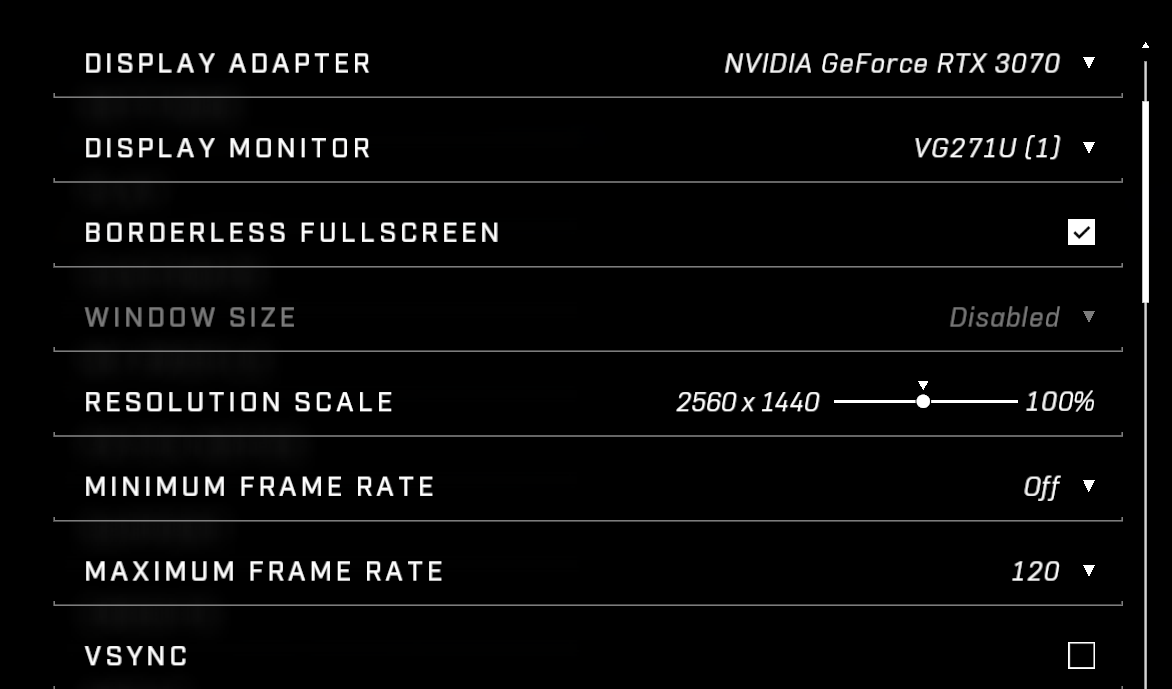
Try setting your minimum framerate to 60 and your maximum framerate the same as your monitor’s refresh rate and disabling VSync can help in most cases.

Graphics settings to look out for:


Texture Quality: Low (4GB VRAM) High (6GB VRAM)

Geometry Quality: Low

Dynamic Wind: Off

Reflections: Low

Shadow Quality: Low/Medium
Ground Cover Quality: Medium
Effects Quality: Low
Animation Quality: Auto
Simulation Quality: Low
ASync Compute: Off

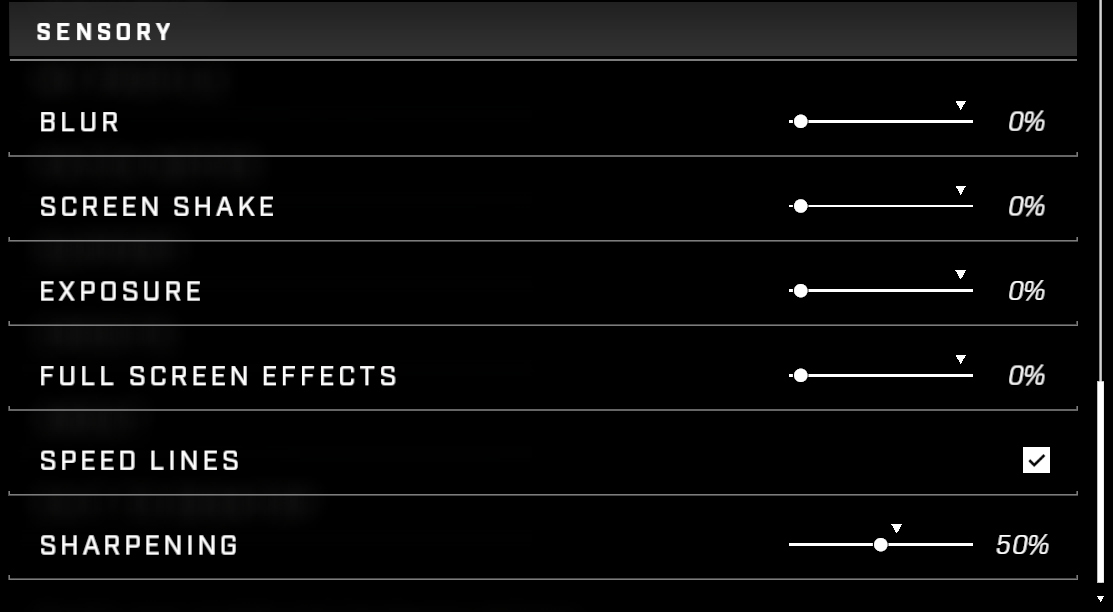
Disable all sensory settings to reduce distracting effects.

Disable Xbox Game Bar & Windows Game Mode

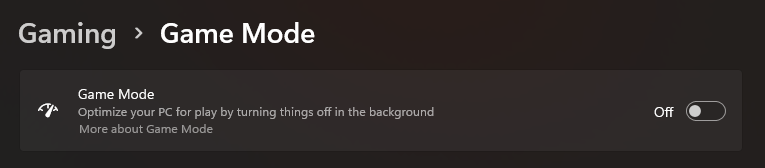
Windows Game Mode sounds good on paper, but it tends to cause stuttering, frame drops, and more issues depending on the game by interfering with the processor’s scheduling. Although Microsoft claims that “Windows prioritizes your gaming experience by turning things off in the background. When you’re running a game, Game Mode: 

Prevents Windows Update from performing driver installations and sending restart 

notifications. 

Helps achieve a more stable frame rate depending on the specific game and system.”

Head to Start Menu > Settings > Gaming > Game Mode > Off to disable it. 

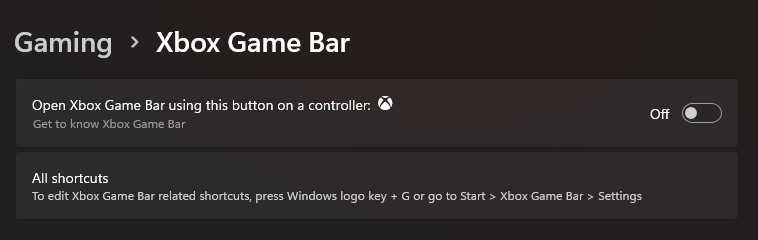
The Gaming sub-menu also contains the setting which enables the Xbox Game Bar, which is an additional overlay like NVIDIA’s Shadowplay and is used to record gameplay, view performance metrics, and more. But is quite resource-heavy and may interfere with your overall gaming performance, which is why it is best to disable it altogether.

If nothing else works, you’ll just have to wait for any potential updates in the future as the game is still in its Beta stages.

Halo Infinite releases on December 8, 2021 on Xbox One, Series S|X and PC.

CSGO Operation Riptide Week 9 Missions

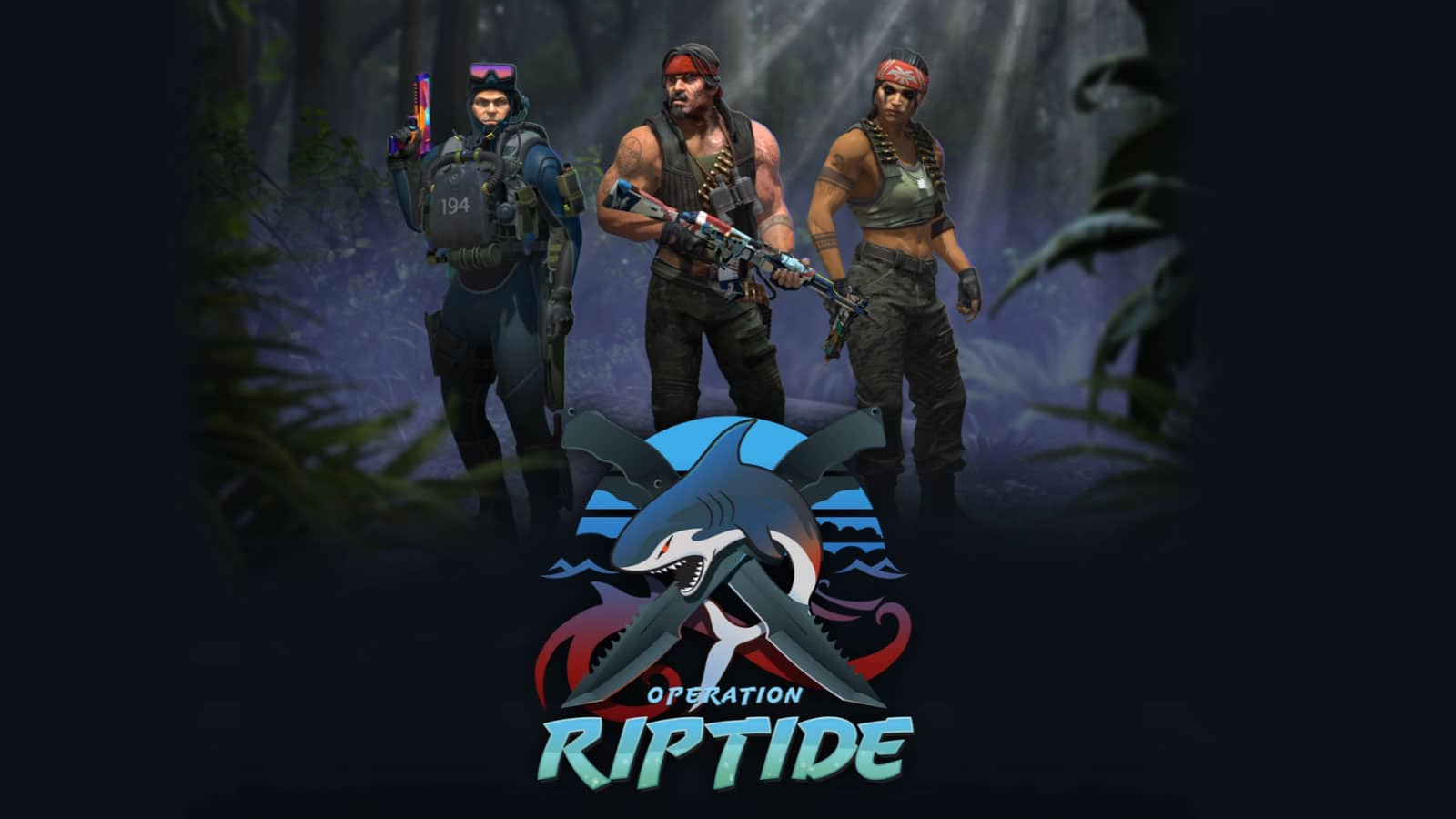
CSGO released Operation Riptide on 21st September and this is the 11th Operation. Apart from a few gameplay and map changes, Valve has added a lot of interesting missions to the Operation. The Operation Riptide Week 9 missions are out and keep reading the article to know how to complete the missions.

Operation Riptide Week 9 Missions

MissionModesObjectiveRewards
Hit The Poop DeckDanger Zone, BlacksiteApply graffiti to various locations3 location: 1 star
6 locations: 2 stars
9 locations: 3 stars
ShortdustWingmanGet 20 headshot kills, or get nine headshots in a single game3 stars
Stern WarningGuardian, BasaltGet pistol kills2 stars
Take A BowDemolitionUpgrade your weapon 18 times, or get two Deagle kills in a single game2 stars

Recommended | CS:GO Trader Gets Scammed, Loses 150K USD Inventory

How to fix Slow Updating in Valorant?

0

Riot Games is well-known for providing frequent updates of Valorant. However, while downloading, a lot of players face slow speed even though their internet connection is working properly. After digging a bit, we have got a few fixes. Let’s check those out.

Close all unwanted background application

Before downloading the latest update, open Task Manager and check if any application is taking heavy bandwidth or not.

Don’t minimize and use other application

Unless you have a very high-end PC with a very high-speed internet connection, don’t minimize the Valorant client while downloading updates.

Reset your router

Sometimes the problem occurs due to the router cache. To clear the cache, turn off your router and unplug it. Plug it on after 2 minutes.

Change your DNS

Go to your network setting and change the DNS server you are using. You can try different DNS servers such as 8.8.8.8 or 1.1.1.1

Recommended | HOW TO FIX VALORANT VANGUARD NOT INITIALIZED ERROR CODE 128?

Ampverse acquires 7Sea Esports with planned multi-million dollar investment

0

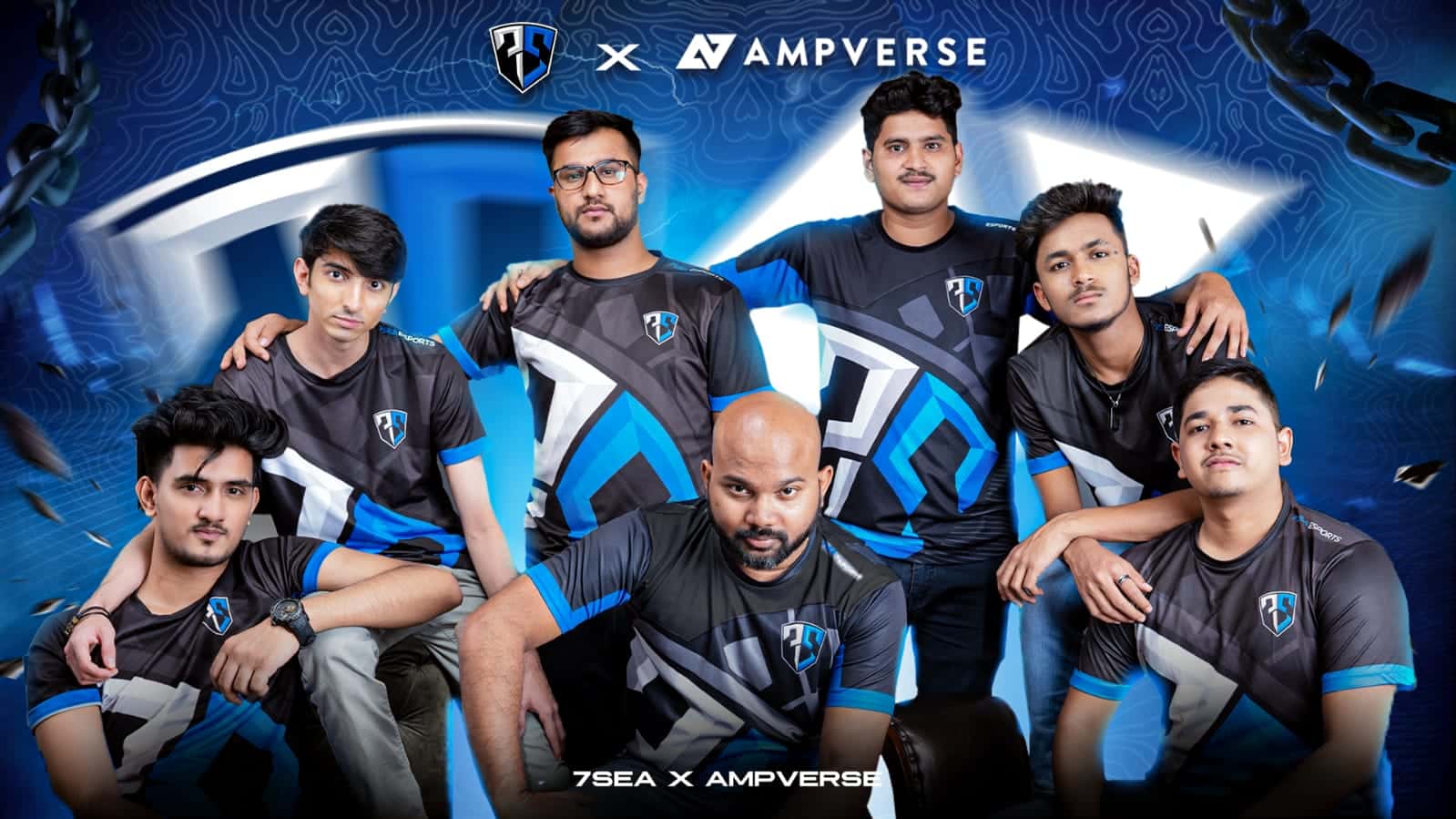
Ampverse, Asia’s fastest growing esports organization, has entered India by acquiring 7Sea Esports and has planned to make a multi-million dollar investment in India to accelerate the esports and gaming ecosystem. 7Sea Esports will be the fourth team acquired by Ampverse in the Asian region.

7Sea Esports is a well known name in the Indian esports space with their BGMI roster quickly making a name for themselves. This organization has quickly climbed tiers to become of the best BGMI teams in India by winning several third-party tournaments in the country.

Ampverse is an organization which own and operates a portfolio of leading esports teams. They currently have three teams in multiple countries like Singapore, Thailand and Vietnam. 7Sea esports will join the likes of Bacon Time, MiTH and SBTC Esports to grow as a brand in India.

Ampverse has a community of over 80 million fans across their portfolio of teams and gaming talent resulting in triple digit YOY revenue growth. Such a large growth has allowed them to make big investments in potential organizations such as 7Sea Esports.

As mentioned earlier, the organization will be making multi million dollar investment in Indian market. More details regarding this investment could be revealed on a later date.

Talking about this acquisition, 7Sea Esports founder Santosh Pecheti said the following:

“7Sea was created because we wanted to give young Indian gaming talent a chance to become the next generation of sporting heroes. Though the esports scene in India is relatively nascent compared to other markets across the wider region, the next few years will see a surge in the growing popularity of competitive gaming with more competitions, more teams, and more businesses involved. With Ampverse, we’re ready to take it to the next level. Their blueprint in grooming players and developing talent to compete at the highest level is what we need. We’re also ready to bring the best in-class entertainment to the fans by partnering with India’s leading gaming creators.”

– Santosh Pencheti, Founder of 7Sea Esports

Ferdinand Gutierrez, Chief Executive Officer at Ampverse, also commented on the same. He stated the following:

“India has always been part of our growth plan and is a very exciting opportunity for us given the rapid acceleration of esports. We look for teams that have a track record of success and most importantly, we look for founders that are truly passionate about creating iconic esports organizations that drive unprecedented engagement with their fans and the market. 7Sea checks all those boxes and now it’s all about executing the blueprint and growing all aspects of the franchise.“

– Ferdinand Gutierrez, Chief Executive Officer at Ampverse

This acquisition is certainly a huge step for 7Sea Esports to emerge as a brand and grow their name in Indian as well as global esports market.

GTA Trilogy: All Working GTA 3 Cheats

0

Rockstar’s GTA Trilogy, the remaster of legendary open-world titles such as GTA 3, GTA Vice City, and GTA San Andreas was recently launched on all platforms. The remaster gives these older titles the much-needed graphical uplift bringing them to the current standards, while also preserving the gameplay that made these older titles stand out from their competitors. 

The graphical uplift was only possible due to the implementation of a brand new game engine — Unity. While these new remasters feature the same gameplay elements with a twist of modern UI/UX, the underlining game engine change meant that some stuff like cheats won’t work properly. Before the release, developers had confirmed that not all cheats from the older titles will work in the remastered version due to some technical difficulty and other workarounds. 

Cheat codes in GTA have played a large part in shaping up the identity of the series and giving more freedom of choice to its players. The cheats codes allowed players to summon vehicles, alter the world, or give themselves unlimited health and ammo. These cheats allowed players to experiment with the gameplay and offered more freedom to players.

It is important to mention that using cheats will prevent players from unlocking certain trophies or achievements. Before using cheats make sure to backup/create a separate save file with a clean no cheats playthrough. 

Different platforms will mean different ways to input cheats. Below is a complete list of Cheats present in the GTA 3 remastered edition. 

PC

  • All Weapons: GUNSGUNSGUNS
  • Change Costumes: ILIKEDRESSINGUP
  • Clear Weather: SKINCANCERFORME
  • Cloudy Weather: ILIKESCOTLAND
  • Destroy All Cars: BANGBANGBANG
  • Fast Motion: TIMEFLIESWHENYOU
  • Flying Vehicle: CHITTYCHITTYBB
  • Foggy Weather: PEASOUP
  • Full Armor: TORTOISE
  • Full Health: GESUNDHEIT
  • Improve Driving Skill: CORNERSLIKEMAD
  • Increased Gore: NASTYLIMBSCHEAT
  • Lower Wanted Level: NOPOLICEPLEASE
  • Money Cheat: IFIWEREARICHMAN
  • Pedestrians Fight Each Other: ITSALLGOINGMAAAD
  • Pedestrians Fight Each Other with Weapons: WEAPONSFORALL
  • Pedestrians Hate You: NOBODYLIKESME
  • Rainy Weather: ILOVESCOTLAND
  • Raise Wanted Level: MOREPOLICEPLEASE
  • Slow Motion: BOOOOORING
  • Spawn Rhino Tank: GIVEUSATANK
  • Speed Up Time: MADWEATHER
  • Turn Vehicle Invisible: ANICESETOFWHEELS

PlayStation

  • All Weapons: R2, R2, L1, R2, Left, Down, Right, Up, Left, Down, Right, Up.
  • Change Costumes: Right, Down, Left, Up, L1, L2, Up, Left, Down, Right.
  • Clear Weather: L1, L2, R1, R2, R2, R1, L2, TRIANGLE.
  • Cloudy Weather: L1, L2, R1, R2, R2, R1, L2, SQUARE.
  • Destroy All Cars: L2, R2, L1, R1, L2, R2, TRIANGLE, SQUARE, CIRCLE, TRIANGLE, L2, Left.
  • Fast Motion: TRIANGLE, Up, Right, Down, SQUARE, L1, L2.
  • Flying Vehicle: →, R2, Circle, R1, L2, Down, L1, R1.
  • Foggy Weather: L1, L2, R1, R2, R2, R1, L2, TRIANGLE.
  • Full Armor: R2, R2, L1, L2, Left, Down, Right, Up, Left, Down, Right, Up.
  • Full Health: R2, R2, L1, R1, Left, Down, Right, Up, Left, Down, Right, Up.
  • Improve Driving Skill: R1, L1, R2, L1, Left, R1, R1, TRIANGLE.
  • Increased Gore: SQUARE, L1, CIRCLE, Down, L1, R1, TRIANGLE, Right, L1, X.
  • Lower Wanted Level: R2, R2, L1, R2, Up, Down, Up, Down, Up, Down.
  • Money Cheat: R2, R2, L1, L1, Left, Down, Right, Up, Left, Down, Right, Up.
  • Pedestrians Fight Each Other with Weapons: R2, R1, TRIANGLE, X, L2, L1, Up, Down.
  • Pedestrians Fight Each Other: Down, Up, Left, Up, X, L2, L1, Up, Down
  • Pedestrians Hate You: Down, Up, Left, Up, X, R1, R2, L1, L2.
  • Rainy Weather: L1, L2, R1, R2, R2, R1, L2, CIRCLE.
  • Raise Wanted Level: R2, R2, L1, R2, Left, Right, Left, Right, Left.
  • Riot Mode: Down, Up, Left, Up, X, R1, R2, L2, L1.
  • Slow Motion: TRIANGLE, Up, Right, Down, SQUARE, R1, R2.
  • Spawn Rhino Tank: CIRCLE (x6), R1, L2, L1, TRIANGLE, CIRCLE, TRIANGLE.
  • Speed Up Time: CIRCLE (x3), SQUARE (x3), L1, TRIANGLE, CIRCLE, TRIANGLE.
  • Turn Vehicle Invisible: L1, L1, SQUARE, R2, TRIANGLE, L1, TRIANGLE

Xbox

  • All Weapons: BLACK, BLACK, L, BLACK, Left, Down, Right, Up, Left, Down, Right, Up
  • Change Costumes: Right, Down, Left, Up, L, WHITE, Up, Left, Down, Right
  • Clear Weather: L, WHITE, R, BLACK, BLACK, R, WHITE, Y
  • Cloudy Weather: L, WHITE, R, BLACK, BLACK, R, WHITE, X
  • Destroy All Cars: WHITE, BLACK, L, R, WHITE, BLACK, Y, X, B, Y, WHITE, L
  • Fast Motion: Y, Up, Right, Down, X, L, WHITE
  • Flying Vehicle: Right, BLACK, B, R, WHITE, Down, L, R
  • Foggy Weather: L, WHITE, R, BLACK, BLACK, R, WHITE, A
  • Full Armour: BLACK, BLACK, L, WHITE, Left, Down, Right, Up, Left, Down, Right, Up
  • Full Health: BLACK, BLACK, L, R, Left, Down, Right, Up, Left, Down, Right, Up
  • Improve Driving Skill: R, L, BLACK, L, Left, R, R, Y
  • Increased Gore: X, L, B, Down, L, R, Y, Right, L, A
  • Lower Wanted Level: BLACK, BLACK, L, BLACK, Up, Down, Up, Down, Up, Down
  • Money Cheat: BLACK, BLACK, L, L, Left, Down, Right, Up, Left, Down, Right, Up
  • Pedestrians Fight Each Other with Weapons: BLACK, R, Y, A, WHITE, L, Up, Down
  • Pedestrians Fight Each Other: Down, Up, Left, Up, A, R, BLACK, WHITE, L
  • Pedestrians Hate You: Down, Up, Left, Up, A, R, BLACK, L, WHITE
  • Rainy Weather: L, WHITE, R, BLACK, BLACK, R, WHITE, B
  • Raise Wanted Level: BLACK, BLACK, L, BLACK, Left, Right, Left, Right, Left, Right
  • Slow Motion: Y, Up, Right, Down, X, R, BLACK
  • Spawn Rhino Tank: B, B, B, B, B, B, R, WHITE, L, Y, B, Y
  • Speed Up Time: B, B, B, X, X, X, X, X, L, Y, B, Y
  • Turn Vehicle Invisible: L, L, X, BLACK, Y, L, Y

Recommended | All the GTA Vice City Cheat Codes in GTA Trilogy

Valorant Patch 3.10 Competitive Changes and Rank Rating Revamp

0

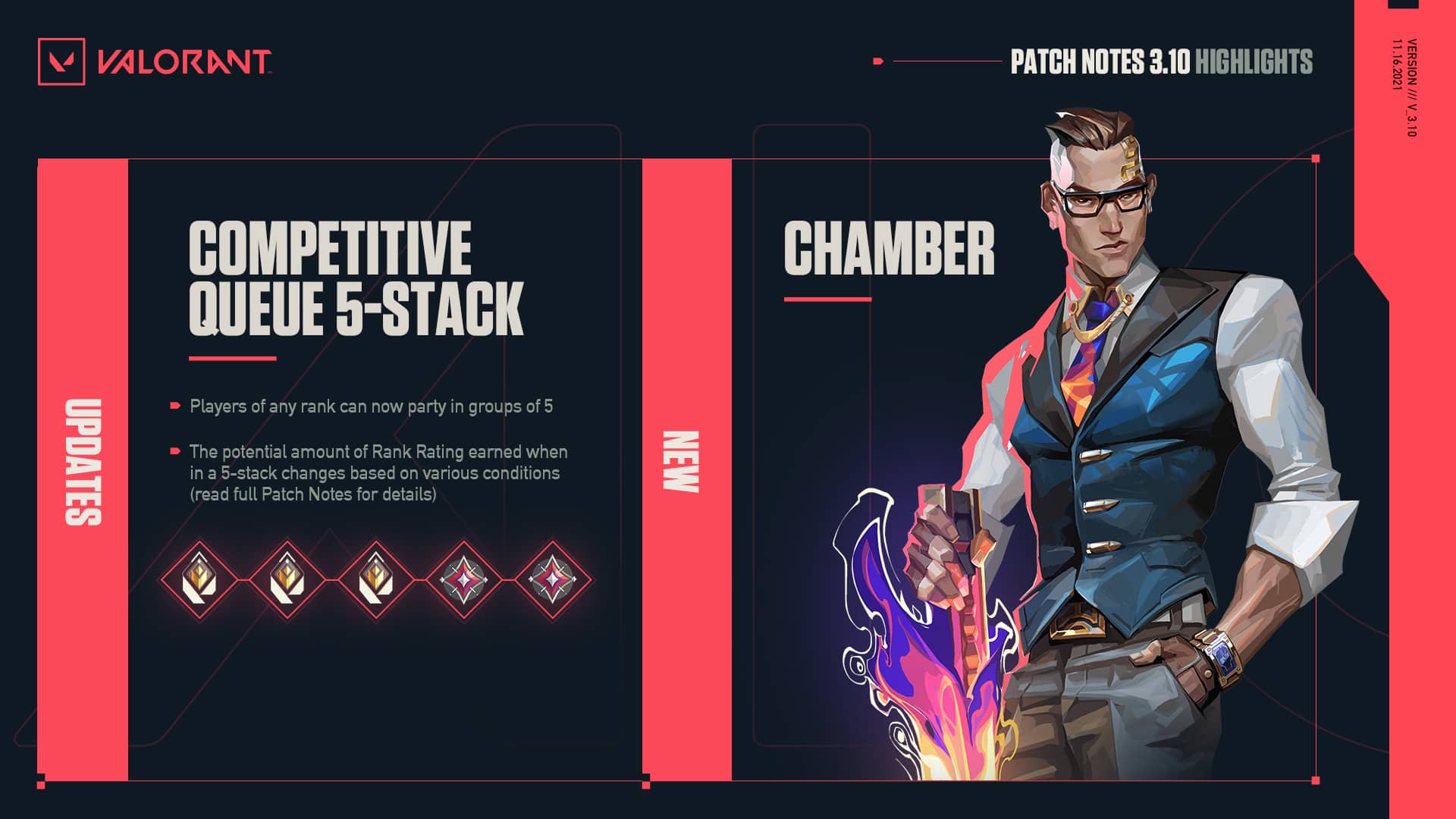
Valorant patch 3.10 is all set to be deployed today in the live servers, and it will bring with it the new sentinel agent Chamber alongside a bunch of other content to the competitive shooter. Furthermore, the upcoming patch will also change the current competitive party queue restrictions and will reduce the rank rating points awarded or reduce in 5-stacks.

If you wish to know more about Valorant patch 3.10, check out the detailed patch notes here.

Since the full patch notes were disclosed by Riot Games, a lot of players were left confused about how the competitive changes will affect their ranked games. In case you’re wondering what the new update means for your ranked games, look no further.

For starters, all the restrictions on 5-stacks in Valorant have been removed. For instance, Immortal players will now be able to play with Iron and Bronze players if they’re queuing in a 5-stack.

“Our data has shown that the most common reason that players smurf, is because they want to play with their friends outside the bounds of our current ranked restrictions,” the devs stated in a  blog post. “Removing these boundaries for 5-stacks specifically, means that you can play with your friends regardless of the restrictions that exist for smaller party sizes in Competitive Queue.“

However, the rank rating gains/losses from 5-stack games will be reduced depending on the skill disparity between the players.

For instance, if everyone in a party is Diamond 2 and below, they’ll be given a 50% RR reduction if the highest and lowest members are 1 rank outside the standard group restrictions while a 75% RR reduction will be given if they’re 4 ranks outside of the restrictions.

If one or more members in any party are Diamond 3 or above, at minimum, a 50% RR reduction will be applied to the party. This amount can increase to 90% as the disparity in skill increases.

If one or more members of a group are Radiant, a minimum of  75% RR reduction will be applied, which can increase to a max of 90% depending on skill disparity.

5-stack teams will also only be matched against other 5-stacks, so queue times may vary significantly along the ranking spectrum.

TenZ Valorant Settings, Crosshair and Config

0

Since the launch of Valorant, players have been putting in their time and grinding the ranked mode in order to achieve a higher rank. A lot of them made their transition from other FPS games including – Counter Strike and Overwatch that helped them in quickly adapting to Valorant’s game mechanics. 

Tyson “TenZ” Ngo is currently a part of Sentinels and is known as one of the best players in Valorant history. Earlier this year, the 20-year-old was acquired in a million-dollar deal from Cloud9 and his performance throughout his time in Sentinels has proved his worth.

Below is Tenz’s full list of Valorant settings: 

Mouse Settings

DPI – 800

Sensitivity – 0.487

eDPI – 389.6

Scoped Sensitivity – 1

Windows Sensitivity – 6

Crosshair Settings

Color – Cyan

Outlines – Off

Center dot – Off

Inner Lines – 1/5/2/2

Outer Lines – 0/0/0/0

Fade/Movement/Firing Error – Off

Video Settings

Texture Quality – Low

UI Quality – Low

Detail Quality – Low

Material Quality – Low

Vignette- Off

VSync – Off

Anisotropic Filtering – 1x

Anti-Aliasing – None

Improve Clarity – Off

Bloom – Off

Distortion – Off

First Person Shadows – Off

Keybinds

Walk – L-Shift

Crouch – L-Ctrl

Jump – Wheel Down

Use Object – E

Equip Primary Weapon – 1

Equip Secondary Weapon – 2

Equip Melee Weapon – 3

Equip Spike – 4

Use/Equip Ability: 1 – Mouse 4

Use/Equip Ability: 2 – Mouse 5

Use/Equip Ability: 3 – C

Use/Equip Ability: Ultimate – F

Radar Settings 

Rotate – Rotate / Based on Side

Keep Player Centered – On

Minimap Size – 1.2

Minimap Zoom – 1

Minimap Vision Cones – On

Show Map Region Names – Always

For more intel on Valorant settings, check out Pokimane’s Valorant Settings and Bugha’s Valorant Settings. 

Penta Esports announces “Penta Invitational” Free Fire Tournament

0

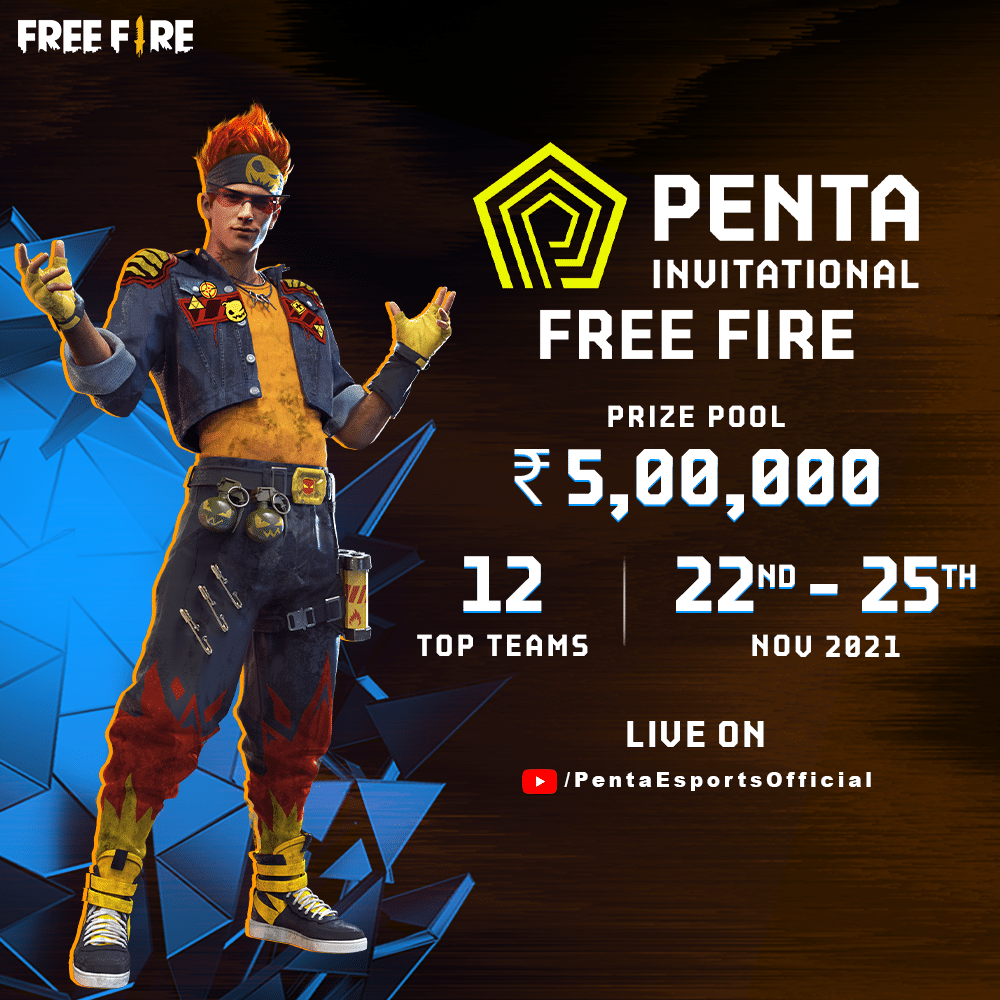
Esports organizer Penta Esports has announced Penta Invitational, a Garena Free Fire tournament featuring India’s 12 top teams to compete for a massive prize pool of 5,00,000 INR.

12 of India’s most renowned teams in Team Elite, PVS Esports, Total Gaming, Nigma Galaxy, TSM FTX, Godlike, and others will be taking part in the tournament which kicks off on 22nd November and will run for 4 days till 25th November. Following their success with the last iteration of the Penta Invitational series that featured Valorant, the organizers are looking to test the waters in mobile esports.

Penta Esports co-founder and head of esports Kiran Noojibail “The aim with this tournament is to bring in the leading Indian Free Fire teams for an exhilarating showdown. The fans will be treated with some exciting action throughout the tournament as the top names of the game from the country fight it out for the title. We look forward to it!”

“Founded by industry veterans Anurag Khurana, Kiran Noojibail, and Akshay Paul, Penta Esports aims to disrupt the ecosystem in India with a holistic approach towards the sector, including leagues, tournaments, content and much more.” read their press release.

Further details can be found on their official website pentaesports.com, which will house every nooks and crannies, including scores and VODs for every event organized by Penta Esports.

The matches for the tournament will be live-streamed on the official YouTube channel and Facebook page.

Penta Invitational is on its way to becoming one of the ambitious Free Fire tournaments hosted in the country. With India’s top teams involved, the tournament is bound to get exciting and nailbiting given there is a lot on the line.