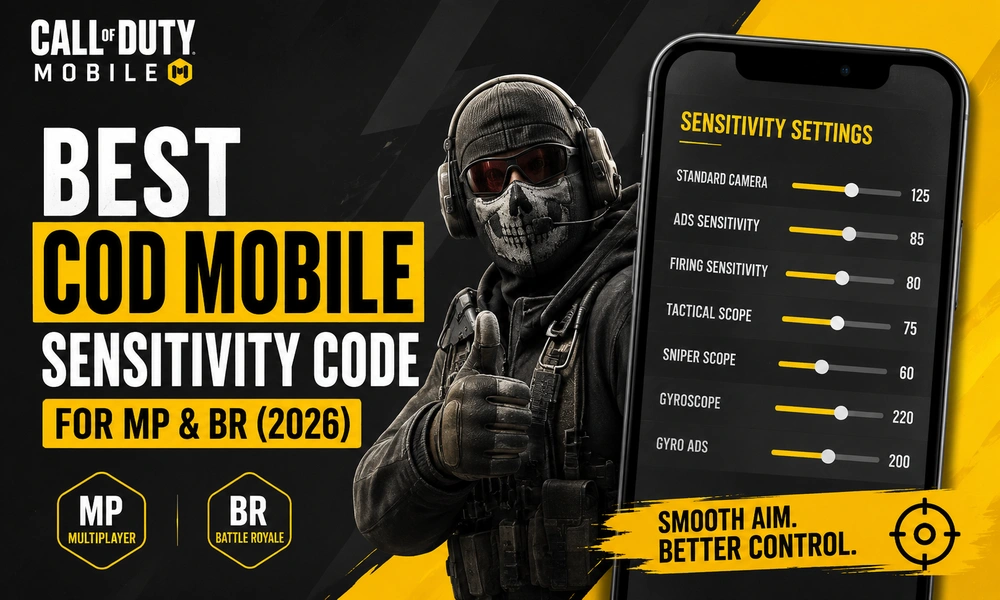
Best COD Mobile Sensitivity Code for MP & BR (2026) is one of the easiest ways to improve aim, control recoil, and move faster in both Multiplayer and Battle Royale. Call of Duty: Mobile still supports both modes in 2026, so a single “one-size-fits-all” setup is not the smartest choice. The game’s own Call of Duty guides also say sensitivity should fit the situation and that there are no hard rules for a perfect setup. In this guide, you will get a balanced sensitivity code for MP and BR, plus simple tips to fine-tune it for your phone and play style.
Best COD Mobile Sensitivity Code for MP & BR (2026)
There is no universal best sensitivity code in COD Mobile, but there is a strong starting point that works well for most players. Since Multiplayer is faster and Battle Royale needs more control at medium to long range, the best setup is to keep MP a little higher and BR slightly lower. That gives you quicker turns in MP and steadier tracking in BR. Call of Duty’s own guidance says to adjust sensitivity so it fits most situations and to start from a default before making changes.
Recommended Sensitivity Code
| Setting | MP | BR |
|---|---|---|
| Standard Camera Sensitivity | 140 | 125 |
| ADS Sensitivity | 95 | 85 |
| Firing Sensitivity | 90 | 80 |
| Tactical Scope Sensitivity | 80 | 75 |
| Sniper Scope Sensitivity | 65 | 60 |
| Gyroscope Sensitivity | 250 | 220 |
| Gyro ADS Sensitivity | 230 | 200 |
Best use: aggressive MP players, balanced BR players, and anyone who wants a smooth all-round setup.
Why this code works
This preset keeps your aim fast enough for close-range fights without becoming too shaky. In Multiplayer, higher sensitivity helps you turn quickly, track sliding enemies, and win gunfights inside tight maps. In Battle Royale, slightly lower values make recoil control and long-range tracking easier, which is important when enemies are farther away and fights last longer. Official Call of Duty guidance also notes that sensitivity should be comfortable for the player, not forced into a “perfect” number.
How to use the sensitivity code properly
Copy the table above as your starting point, then test it in Training Mode or real matches. If your aim feels too slow, raise Camera and ADS by 5 points. If your crosshair keeps flying past targets, lower them by 5 points. For BR, make smaller changes because long-range aiming is more sensitive to tiny adjustments. If you use gyro, keep it on for recoil control; if you do not use gyro, focus more on ADS and Firing Sensitivity.
MP vs BR sensitivity: what should change?
Multiplayer rewards speed. That means your camera and ADS can stay higher so you can snap to targets faster in close fights. Battle Royale rewards control. That means your sensitivity should be a little lower so you can stay steady while tracking enemies at range or while spraying from cover.
A simple rule works best:
- MP: higher camera + higher ADS
- BR: slightly lower camera + slightly lower ADS
- Gyro users: keep gyro strong, but not so high that your aim shakes
Best extra settings to pair with this code
Sensitivity works better when the rest of your settings are consistent. Keep your HUD comfortable, make sure your firing buttons are easy to reach, and do not change too many settings at once. COD’s guidance also mentions that ADS sensitivity can be adjusted separately, which is useful if you like fast movement but need slower precision while aiming down sights.
Quick adjustment tips
If you want faster close-range aim, raise MP ADS first. If BR feels unstable, lower BR Camera before changing anything else. And if recoil is the main issue, increase Gyroscope a little and test again. Make one change at a time so you can feel the difference clearly.
Also read: Best Free Fire Gloo Wall Tips & Tricks (2026)
FAQs
Is there one perfect COD Mobile sensitivity code for everyone?
No. Sensitivity depends on device size, finger placement, recoil control, and whether you use gyro. The best setup is the one that feels stable and lets you aim comfortably. Call of Duty’s own guides say there are no hard and fast rules for sensitivity.
Should I use the same sensitivity for MP and BR?
No. MP is faster, while BR needs more control. A separate MP and BR setup usually performs better than one shared number.
Should beginners start high or low?
Beginners should start with a balanced or slightly lower setup, then raise it little by little as they get comfortable. Call of Duty’s guide recommends starting from the default and adjusting upward over time.