Friday, June 19, 2026
Home Blog Page 779

How To Pet A Wolf In Fortnite

0

Fortnite, the renowned battle royale game, has introduced an exhilarating feature that allows players to tame and interact with wild animals. This feature, which was introduced in Chapter 2: Season 6, has added a new dimension of excitement and challenge to the game. While the island has bid farewell to raptors, it continues to host wolves, boars, and chickens, offering players the opportunity to tame these creatures and have them as companions.

The addition of these animals has enriched the gameplay, with some animals peacefully minding their own business and others, such as wolves and boars, posing a potential threat. However, with the right strategy and understanding, you can turn these wild beasts into your allies. This article will guide you through the process of taming animals in Fortnite, with a special focus on wolves, and will also shed light on their possible habitats.

Locating Wolves in Fortnite

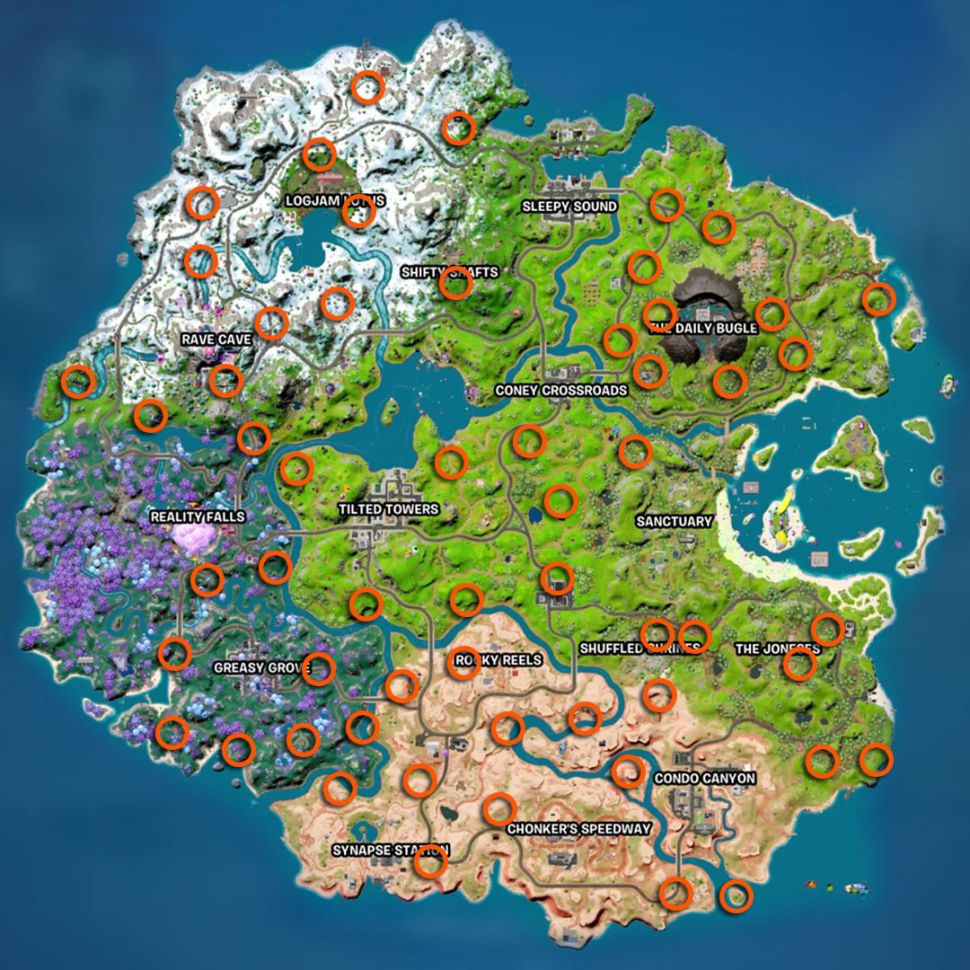
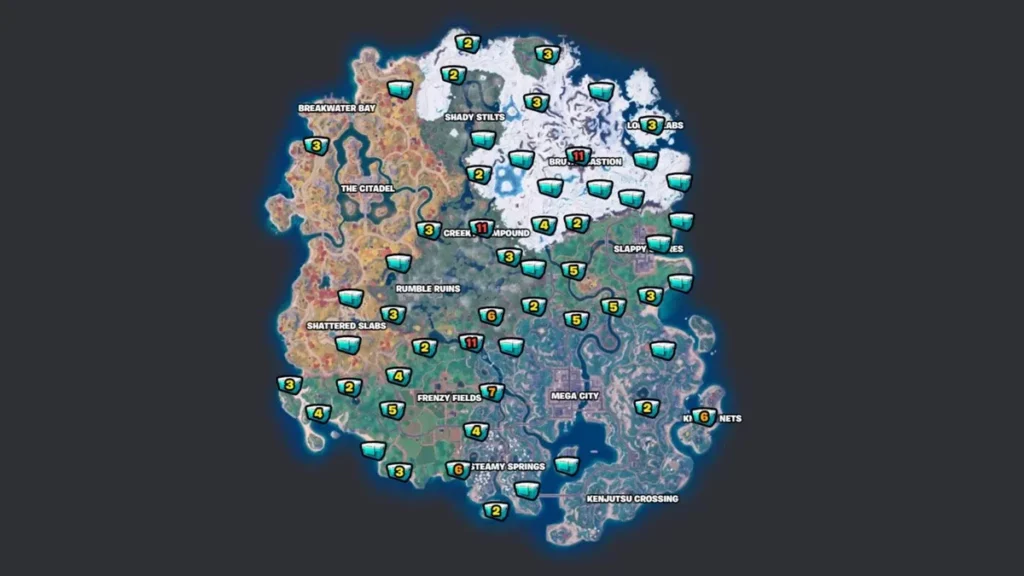
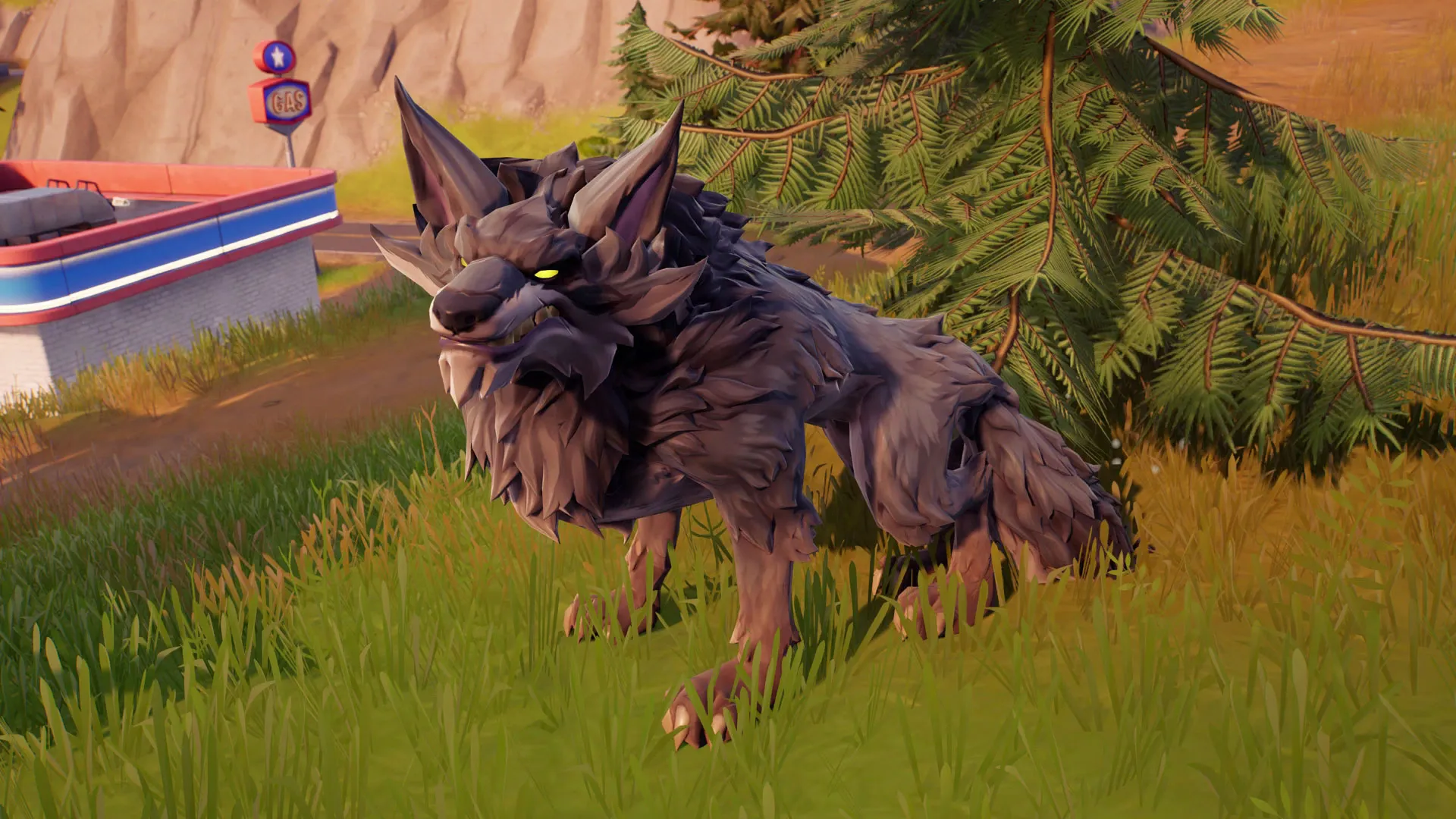
Finding wolves in Fortnite can be somewhat tricky as they don’t adhere to specific locations on the Chapter 4 map. However, with a bit of exploration, you can spot these elusive creatures in various wilderness areas across the island. They are more likely to be found in grassy regions than in the frozen biome located at the northeastern corner of the map.
Taming a Wolf in Fortnite: A Step-by-Step Guide

Step 1: Kick-off a Match

Start by selecting the game mode you prefer in the Fortnite lobby. Wolves are available for taming in most game modes that allow challenges. Whether you choose Team Rumble, Solo, Duos, Trios, or Squads, you’re good to go. If your primary goal is to complete the challenge and exit the game, Team Rumble is the suggested mode.

Step 2: Land in a Wolf-Rich Area

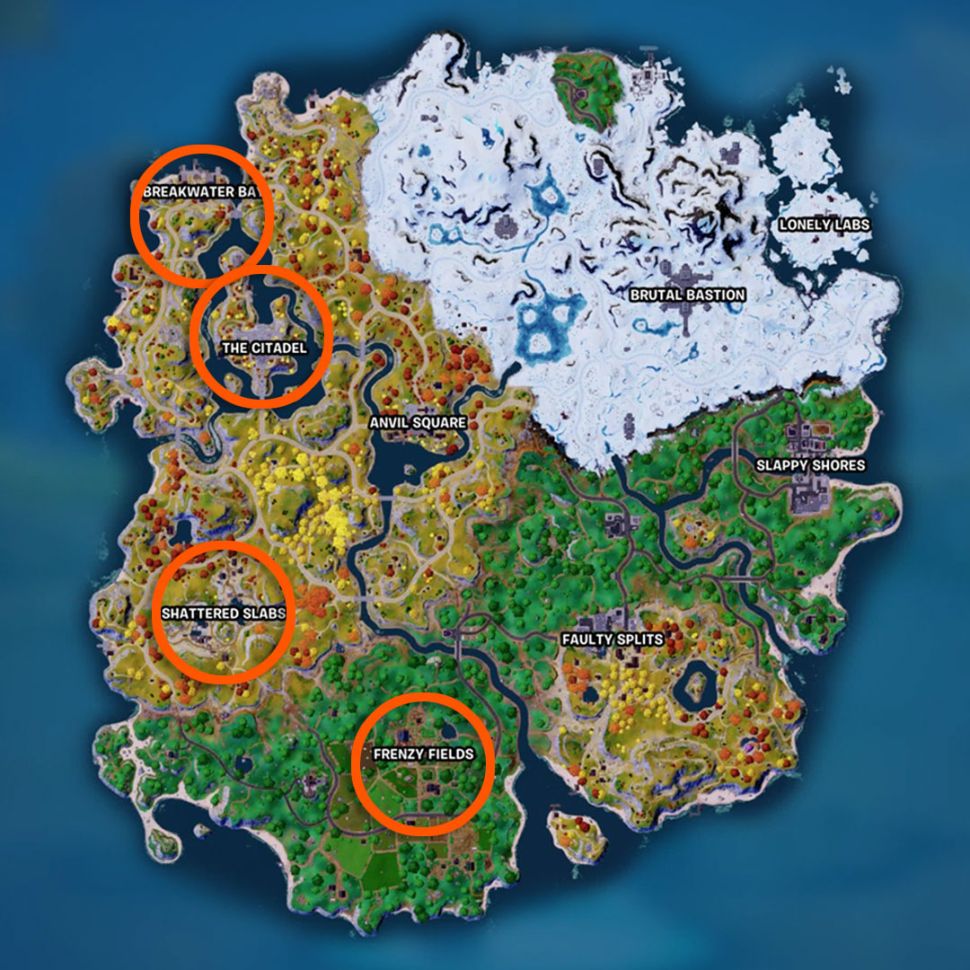
Wolves are more likely to spawn in areas with grass (excluding snowy regions). Keep an eye out for wolves near the following points of interest:

  • Breakwater Bay
  • The Citadel
  • Shattered Slabs
  • Frenzy Fields

Once you spot a wolf, resist the urge to eliminate it.

Step 3: Befriend the Wolf

Taming a wolf is a straightforward process. Simply approach a wolf and leap onto its back. Be quick, though, as the wolf might start chasing you if it senses danger. Although you can use meat from another animal to tame the wolf, jumping on its back is the most efficient way to win its trust.

Step 4: Try to Emote

After successfully mounting the wolf, bring up the emote wheel by pressing the designated button on your console or platform. While you can’t perform an emote while riding an animal, attempting to do so will make your character lean over and pet the wolf, making it visibly happier.

Taming a wolf in Fortnite can be a fun and rewarding experience. Although finding wolves may require some exploration and luck, following the steps outlined in this guide should streamline the process. Remember to land in areas where wolves are more likely to spawn, approach them cautiously, and mount their backs to establish a bond. While petting the wolf may not have a significant impact on the game, it adds a delightful touch to your gaming experience. So, embark on your adventure, make friends with the wolves of Fortnite, and enjoy the companionship of these virtual creatures in your battle royale escapades.

Free Fire MAX Casual Mode Calendar for July and August Released

Garena, the mastermind behind Free Fire MAX, is constantly innovating to elevate the gaming experience for its players. In a bid to break the routine of the regular Battle Royale and Clash Squad modes, they have recently released a casual mode calendar for July and August. This sneak peek into the future of gaming offers players a glimpse of the thrilling modes that are on the horizon.

Free Fire MAX Casual Mode Calendar: Preview of Upcoming Modes in July and August

Garena has unveiled the casual mode calendar for July and August in the news section of Free Fire MAX. This detailed calendar provides a roadmap of the specific modes that will be accessible until August. Here’s a snapshot of the upcoming modes and their schedules:

  • Stronghold (June 30 – July 20)
  • Big Head 2.0 (July 21 – August 10)
  • Fist Fight (July 7 – July 20)
  • Color Hide and Seek (July 7 – July 13)
  • Color Spray (July 14 – July 20)
  • Duo Active Skill (July 15 – July 23)
  • Fort Feud (July 21 – July 27)
  • Mystery Town (July 28 – August 3)

How to Play the New Game Modes

To plunge into the newly released game modes on the Free Fire MAX Indian server, follow these simple steps:

  1. Sign in to your Free Fire MAX account and navigate to the mode selection menu. This can be done by selecting the option above the Start button.
  2. A list of available game modes will be displayed. Choose your desired mode by clicking on the corresponding tile.
  3. Click the start button to begin playing the selected game mode.

Reap the Rewards: What’s in Store for Players

Playing the latest Stronghold mode offers players the opportunity to grab exciting rewards. By dedicating just 30 minutes to this mode, players can secure a Gold Royale Voucher, Weapon Royale Voucher, gun crate, and a Random Loadout Loot Crate.

With the introduction of these new modes, Free Fire MAX continues to redefine the gaming landscape, offering players an immersive and dynamic experience like no other. So, gear up and dive into the thrilling world of Free Fire MAX today!

Stay updated with the latest news in gaming and esports by signing up for early access to TalkEsport’s Mobile App. Follow us on Twitter and Google News to ensure you never miss the exciting updates.

Where to find Fortnite Boars and how to ride them

0

Welcome to the world of Fortnite, where the thrill of the battle royale is amplified by the presence of wildlife, particularly the boars. These creatures, though not as aggressive as the Fortnite wolves, are a force to reckon with. This guide will help you understand how to find, tame, and ride these boars, turning them into your trusty sidekicks.

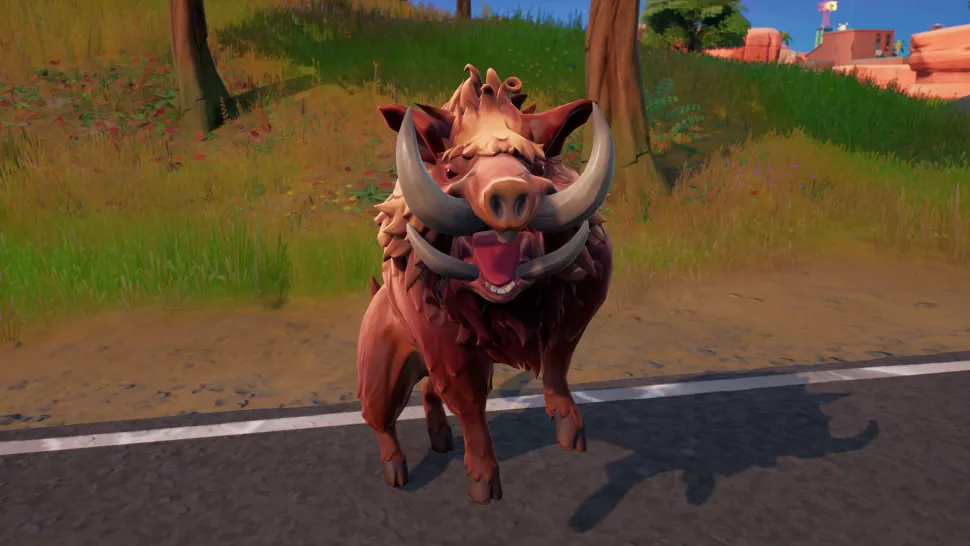
Boars are scattered across the Fortnite island, making them the most common wildlife in the game. Riding a boar not only gives you a unique mode of transportation but also allows you to deal damage to opponents by firing your weapons or charging into them for a powerful headbutt.

Fortnite Boars locations

Boars are found in various locations across the Fortnite map. While their exact locations can change as they roam around during each match, their abundance ensures that you’re never too far from a boar. Listen for their distinctive grunting and snuffling sounds to locate them.

Taming and Riding Fortnite Boars

In the past, taming a boar required feeding it or wearing a special hunting cloak to approach undetected. Now, the process is much simpler. Jump on the back of a boar, and you’ll start riding it, taming it in the process. This means it won’t attack you after you dismount.

How to headbutt an opponent while riding a Fortnite Boar

To headbutt an opponent while riding a boar, approach them while on your mount, then sprint into them. The boar will automatically headbutt the opponent, dealing significant damage.

How to perform an aerial 360 spin while dismounting a Boar in Fortnite

Executing an aerial 360 spin while dismounting a boar is not as complicated as it sounds. Hold the right stick to one side so the camera is rotating around, then do a double jump to hop off in mid-air. If done correctly, you’ll launch into an aerial 360 spin. Complete a full turn before you land for a successful dismount.

With this guide, you’re now equipped to find, tame, and ride boars in Fortnite. So, get out there and gain a hog sidekick for your Fortnite adventures!

Stay updated with the latest news in gaming and esports by signing up for early access to TalkEsport’s Mobile App. Follow us on Twitter and Google News to ensure you never miss the exciting updates.

Union’s Valorant Controversy Explained

0

The recent Ascension Tournament in America’s Valorant scene has been a hotbed of drama and controversy. The group stage clash between M80 and The Union, two prominent teams, has sparked a flurry of discussions within the gaming community. Despite being the underdogs due to their controversial history, The Union emerged victorious over M80, leading to a wave of speculation and debate.

The Ascension Tournament, currently in progress, has been the stage for one of the most anticipated matchups – M80 versus The Union. The Union, a team notorious for its controversial past involving its players, was not the preferred choice among fans. However, in a surprising turn of events, they triumphed over M80, triggering a wave of speculation and controversy within the Valorant community.

Union Valorant Controvery

The Union’s controversial history has been a significant source of contention. The team has been marred by scandals involving its players, including Pank’s sexual harassment incident with a minor and NTK’s arrest for assaulting his ex-girlfriend. These incidents have led to widespread questioning of The Union’s standing as a top team in Brazil and South America.

M80’s unexpected loss to The Union has raised eyebrows and questions about their performance and ability to thrive under pressure. Some fans have drawn parallels to M80’s past performances in high-stakes situations, suggesting potential weaknesses in crucial tournaments.

The Union’s victory over M80 has ignited a firestorm of speculation and controversy within the Valorant community. Fans are now questioning whether The Union, despite their controversial past, will emerge victorious in the Ascension Tournament and secure a spot in the franchise league. The tournament is still in its early stages, but this matchup’s outcome has already stirred up significant discussion.

The drama surrounding M80’s loss to The Union in the Ascension Tournament has gripped the Valorant community. The controversy surrounding The Union’s players and their victory over M80 has sparked intense debate and speculation. As the tournament unfolds, all eyes are on The Union and their performance. Will they continue to defy expectations, or will M80 rebound and silence their critics? The gaming world watches with bated breath.

Stay updated with the latest news in gaming and esports by signing up for early access to TalkEsport’s Mobile App. Follow us on Twitter and Google News to ensure you never miss the exciting updates.

How to Bounce on Different Hop Flowers in Fortnite

0

Are you finding the Fortnite Hop Flowers challenge a bit too challenging? Don’t worry, you’re not alone. This task might seem straightforward, but it can be quite tricky if you’re unsure where to find clusters of Hop Flowers. This guide will help you navigate this challenge with ease, ensuring you can bounce on different Hop Flowers without landing and earn a massive 80,000 XP!

What are Fortnite Hop Flowers?

Introduced in Fortnite Chapter 4 Season 3, Hop Flowers are a unique type of flora that resembles Pod Plants. When you run into a Hop Flower, it catapults you into the air, providing a fun way to traverse the map and, importantly, granting you immunity from fall damage.

Where to find Hop Flowers in Fortnite

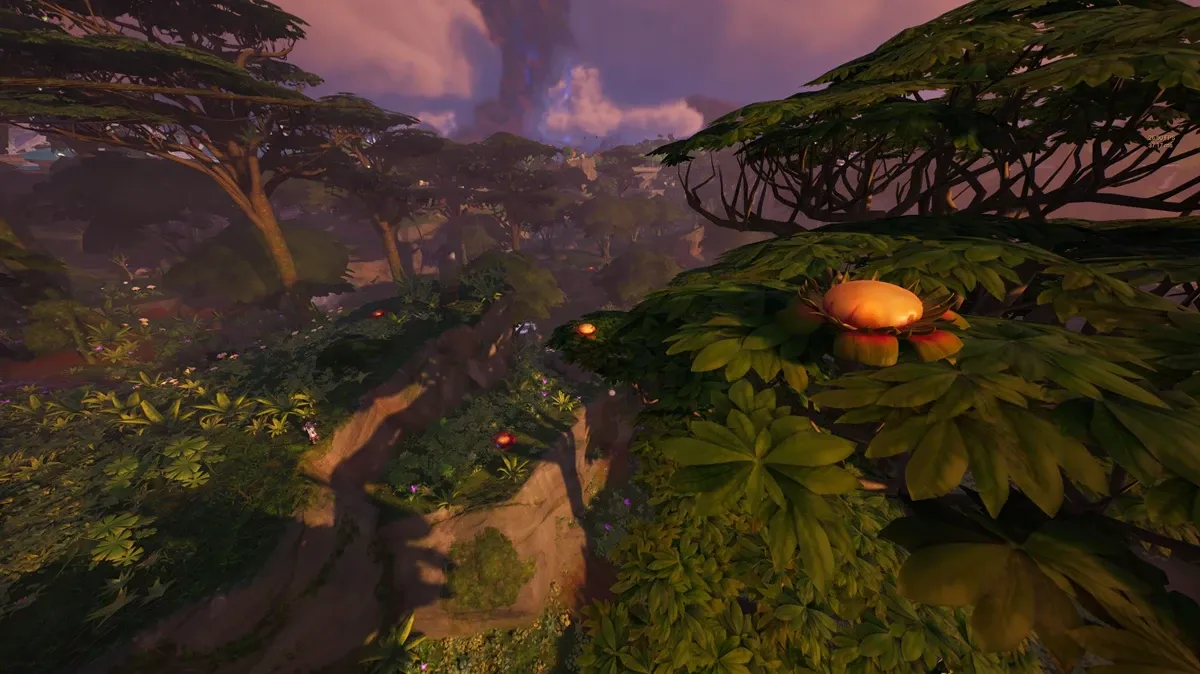
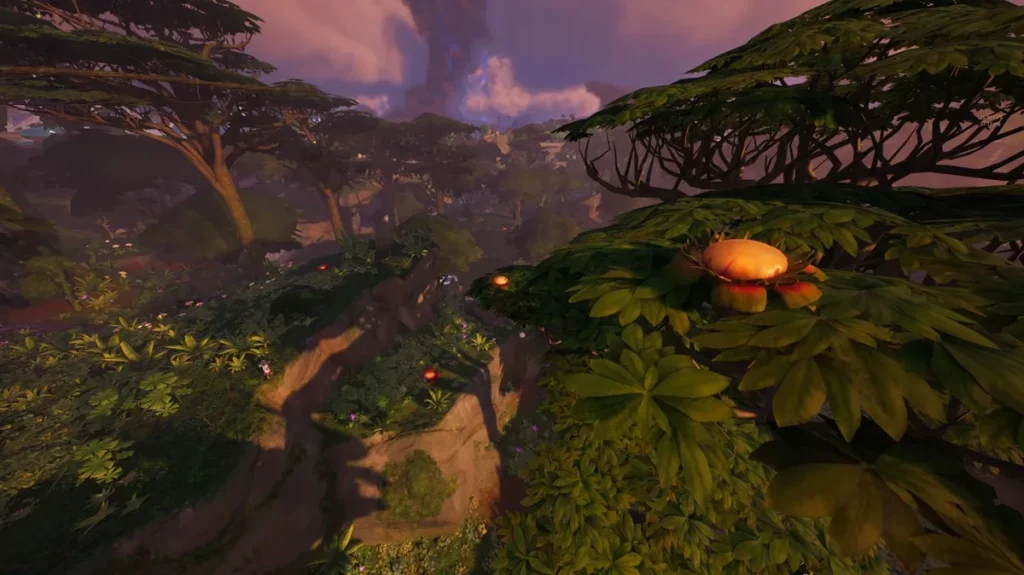
Hop Flowers are native to the Jungle Biome. They can be found both on the forest floor and high up in the jungle’s canopies. This exclusive feature of the Jungle Biome adds an extra layer of excitement and strategy to the game.

How to bounce on different Hop Flowers without landing in Fortnite

The Hop Flowers challenge, part of the season’s Week 5 quests, requires players to bounce on three different Hop Flowers without touching the ground. And no, you can’t cheat by deploying your glider or anything similar.

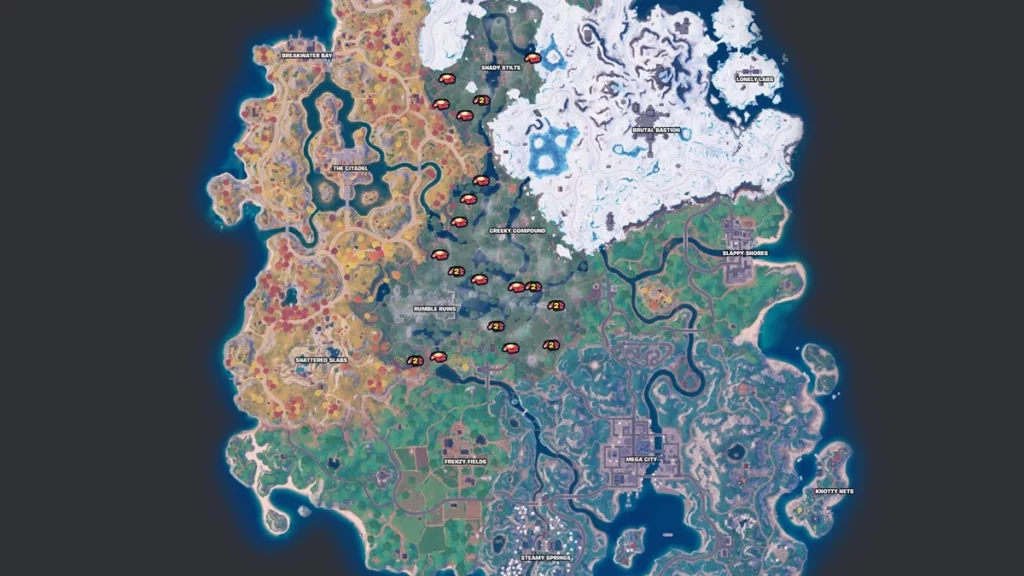
While the Jungle Biome is teeming with Hop Flowers, finding them close enough to bounce from one to another can be a challenge. The best location to complete this task is at Rumble Ruins. Just north of Rumble Ruins, you’ll find a cluster of Hop Flowers close enough together to make leaping from one to another a breeze.

From the northeast corner of the POI, head north of Rumble Ruins, and you’ll encounter a Fortnite Ascender. Use the Ascender to reach the canopy above, where you’ll find three Hop Flowers. Two more Hop Flowers are located right below the tree on the forest floor.

It might take a few attempts to perfect your timing and distance, but this spot is the ideal location on the Island to tackle this unique Fortnite quest. Successfully complete it, and you’ll be rewarded with a whopping 80,000 XP!

Stay tuned for more Fortnite guides and tips to help you master the game and outperform your competitors. Whether you’re a seasoned player or a newbie, our guides are designed to help you navigate the ever-evolving world of Fortnite with ease. Happy gaming!

Stay updated with the latest news in gaming and esports by signing up for early access to TalkEsport’s Mobile App. Follow us on Twitter and Google News to ensure you never miss the exciting updates.

How to Turn on the Wallhack Command on CS:GO

0

In the world of Counter-Strike: Global Offensive (CS:GO), the Wallhack command is a game-changer. This cheat code, when activated, allows players to see through walls and other in-game objects, providing a strategic advantage by revealing enemy locations and helping to prevent surprise attacks.

How to Turn on Wallhack on CS:GO Console

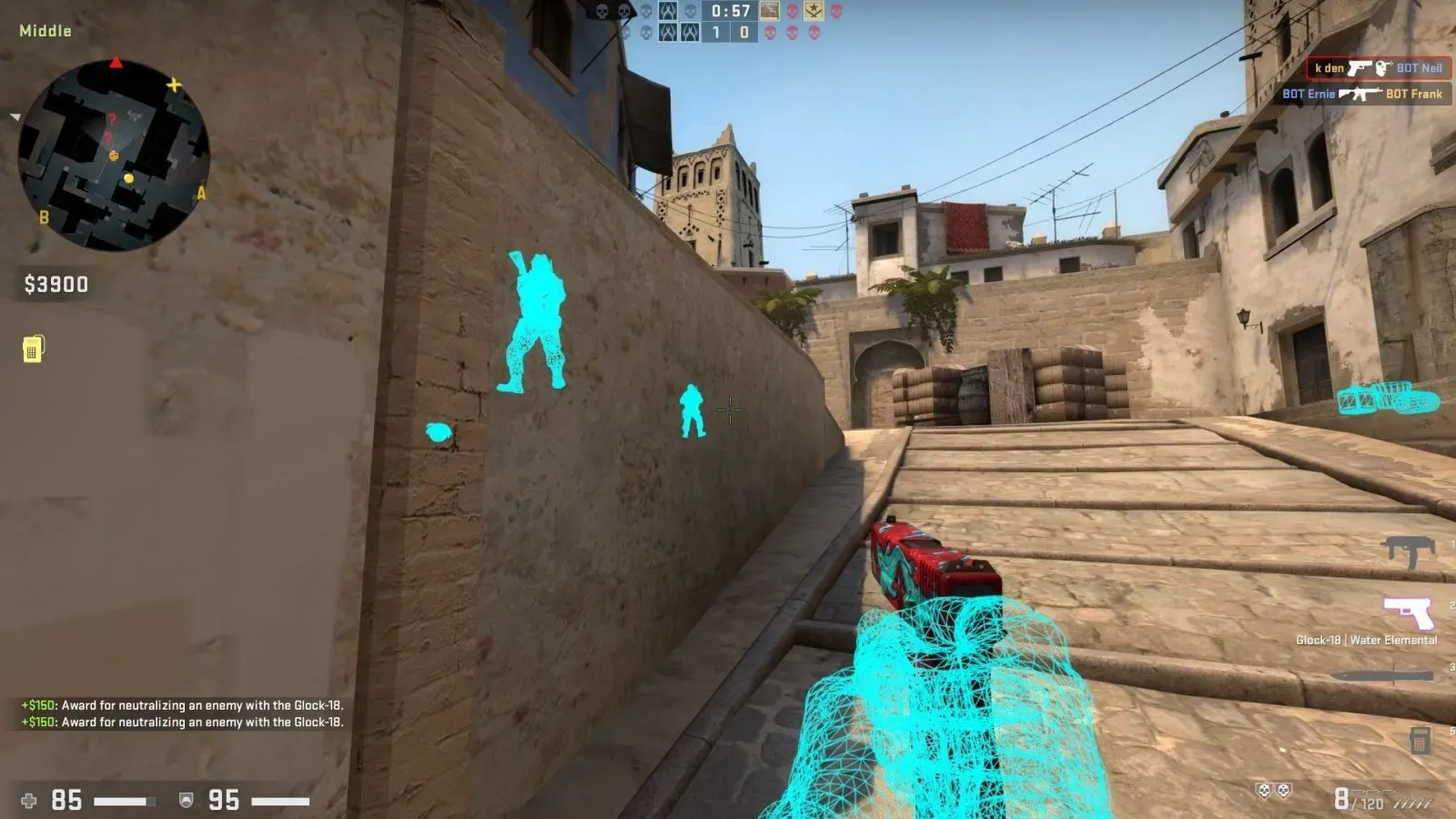
To activate the Wallhack command, you must first be the server owner. This is done by typing “sv_cheats 1” into the console, which is accessed by pressing the Tilde key (“~”). Once cheats are enabled, all players on your server can adjust their Wallhack settings using the client-side command.

To turn on Wallhacks, type “r _drawOtherModels 2” into the console and press Enter. This command allows you to see entities (players, weapons, bombs, or even kickable balls in Dust II) through walls, provided you are close enough.

Deactivating the Wallhack Command

To deactivate the Wallhack command, simply type “r_drawOtherModels 1” into the console. You might wonder why not 0? Typing 0 will stop the model from being drawn altogether, which can be useful for taking screenshots, especially if you also turn off the crosshair.

Alternative Wallhack Command

An alternative to the “r_drawOtherModels” command is “enable_skeleton_draw 1”. This command functions similarly but can be used simultaneously with the former for different effects.

While Wallhacks can significantly enhance your custom games when activated in your console, it’s important to use them responsibly. Misusing these commands to troll your friends or gain an unfair advantage in competitive play is discouraged.

Remember, the Wallhack command is a tool, and like any tool, its value depends on how it’s used. So, use it wisely, have fun, and enjoy the strategic edge it can bring to your CS:GO experience.

Stay updated with the latest news in gaming and esports by signing up for early access to TalkEsport’s Mobile App. Follow us on Twitter and Google News to ensure you never miss the exciting updates.

NAVI’s s1mple expresses concern over communication in new roster

Oleskandr Kostyliev aka s1mple has raised concerns and hopes for the new lineup and shared his initial impressions of his new teammates. One major topic of discussion was the language barrier, with s1mple admitting that it will take some time to adjust to communicating in English.

This concern is raised after the addition of Aleksi “Aleksib” Virolainen, Mihai “iM” Ivan, and Justinas “jL” Lekavicius to the team. Teams are getting ready to compete at the highest level again after a series of changes over the past few weeks and NAVI opting for an international squad would mean players who spent years communicating in their native language would switch to English.

“I will feel more comfortable in a few months. Even when I joined Liquid, it was a bit hard for me, and there were people helping me with my English,” said s1mple. “Maybe we will have some communication issues. I worry only about this.”

“I feel we will have a really nice honeymoon period, maybe we will even start really well at the beginning, that’s my opinion. But after we will have some problems, like usually when you start to learn new maps, it’s gonna be pretty hard. I feel we need at least three months.” he added.

The season hasn’t been the best for NAVI and s1mple personally, years after dominating the scene, he finds himself away from the best player spot which prompted NAVI to take tough steps that will lead to a lot of adjusting. It can be a few more months before we see a dominant NAVI once again.

Stay updated with the latest news in gaming and esports by signing up for early access to TalkEsport’s Mobile App. Follow us on Twitter and Google News to ensure you never miss the exciting updates.

TSM Cuts Valorant Roster After Failing to Qualify for Ascension

In a surprising turn of events, Team SoloMid (TSM), a prominent North American esports organization, has announced its decision to disband its Valorant team. This move comes in the wake of the team’s failure to secure a spot in the prestigious Americas Ascension tournament, highlighting the increasing uncertainty surrounding the tier-two Valorant scene.

TSM made the announcement via a heartfelt Twitter post, expressing gratitude for the players’ efforts while representing the organization. Despite not achieving their collective goal of Ascension, the organization expressed pride in the dedication and hard work each player demonstrated.

The team’s journey came to a halt in early June, following losses to Moist Moguls and FaZe in the NA Challengers Split 2 Playoffs. Shortly after, head coach Jacob ‘Daeda’ Hale and assistant coach Andrey ‘Engh’ Sholokhov exited the team, leaving the future of the roster in limbo for several weeks.

TSM, however, has expressed intentions to re-enter the Valorant scene in 2024, once the new Ascension season commences. This decision to disband the roster midway through the year is a stark reflection of the current challenges faced by tier-two Valorant teams.

The lack of information regarding third-party tournaments for the final quarter of the year has raised concerns among players and organizations alike. Corey ‘corey’ Nigra, a former TSM roster member, voiced his concerns, stating that a six-month break is too long for organizations to maintain their commitment.

This news follows closely on the heels of G2’s decision to drop their Challengers League roster, retaining only Shahzeb ‘ShahZaM’ Khan as a content creator. Other organizations like MAD Lions and Disguised have also parted ways with their rosters, further emphasizing the precarious state of the tier-two Valorant scene.

The former TSM Valorant roster included Johann ‘seven’ Hernandez, Corey ‘corey’ Nigra, Anthony ‘gMd’ Guimond, Nicholas ‘NaturE’ Garrison, and Eric ‘Kanpeki’ Xu.

As the esports industry navigates these uncertain times, the future of tier-two Valorant remains a topic of intense discussion and speculation. Stay tuned for more updates on this evolving situation.

Stay updated with the latest news in gaming and esports by signing up for early access to TalkEsport’s Mobile App. Follow us on Twitter and Google News to ensure you never miss the exciting updates.

How to Get Ice Cream in Fortnite 

The Fortnite Summer Escape event has brought a refreshing twist to the game with the introduction of Ice Cream as a new consumable item. This guide will provide you with all the necessary information to find and use these sweet treats to your advantage, helping you complete event quests and earn exciting rewards.

Ice Cream Location In Fortnite

Ice Cream cones can be found as floor loot or in coolers and ice machines scattered across the island. While stumbling upon an Ice Cream cone on the ground can be a bit challenging, coolers and ice machines offer a more reliable source. These blue and white containers can be found in various locations, but certain places are more likely to house them.

Completing the Ice Cream Challenge

Once you’ve found an Ice Cream cone, simply equip it from your inventory and press the interaction button to consume it. Remember, you need to eat five ice creams to complete the challenge. Upon completion, you’ll be rewarded with 30,000 Fortnite XP and other exciting rewards like wild fronds back Bling, Bugzy glider, toasted coconut emote, summer escape loading screen, and Nanners wrap.

What are the different types of Ice Cream cones in Fortnite?

Fortnite offers five types of Ice Cream cones, each with a unique color and effect:

  1. Normal Ice Cream Cone (white): Heals 5 HP
  2. Frozen Ice Cream Cone (blue): Heals 5 HP and adds temporary frozen feet buff, enhancing your speed and slide duration.
  3. Guzzling Ice Cream Cone (green): Gradually restores your HP to full (2 HP per second)
  4. Spicy Ice Cream Cone (red): Heals 5 HP and provides a temporary speed boost
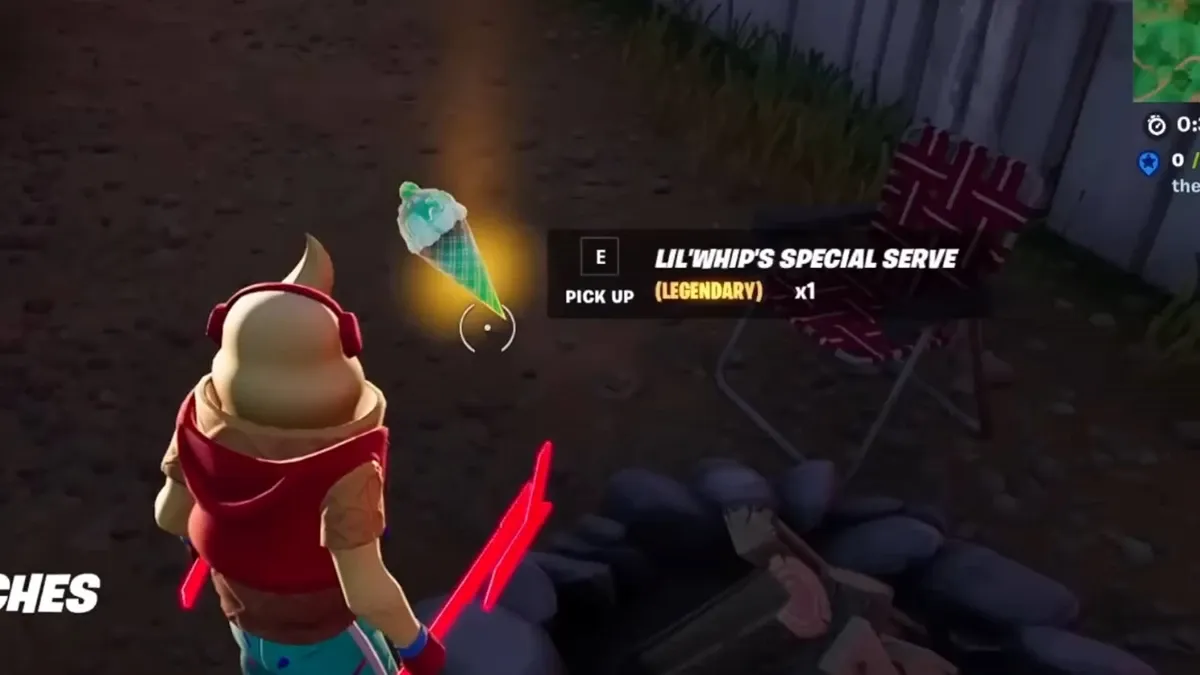
  5. Lil’ Whip’s Special Serve (purple): Instantly fully heals HP and shields

Stay updated with the latest news in gaming and esports by signing up for early access to TalkEsport’s Mobile App. Follow us on Twitter and Google News to ensure you never miss the exciting updates.

Fortnite FFA Map Codes (July 2023): Best Maps to Practice

0

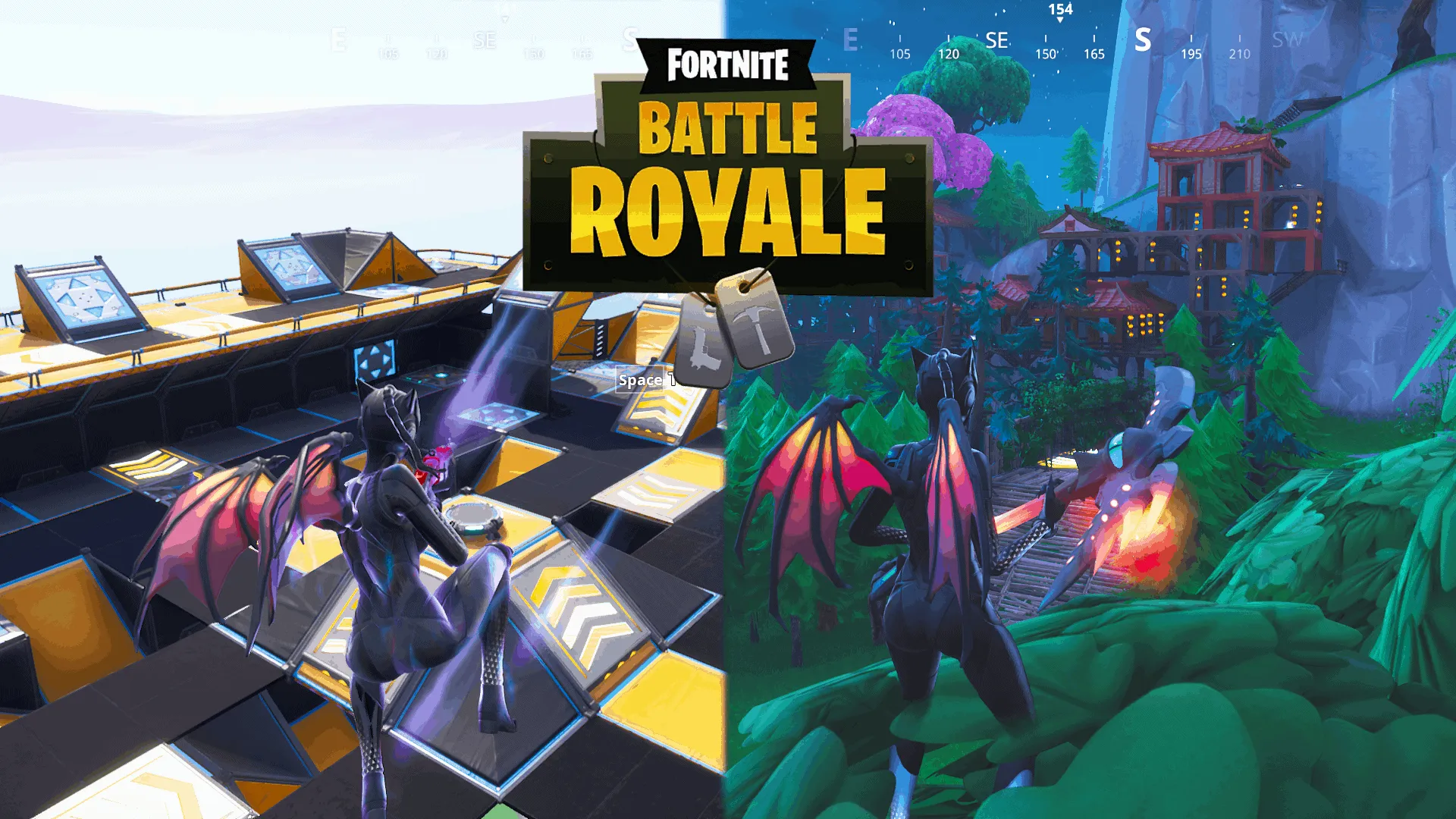
Fortnite, the globally acclaimed online game, offers a plethora of experiences to its players. One such experience is the Free For All (FFA) matches, where players can engage in thrilling battles on various maps. This article provides a comprehensive guide to the most exciting Fortnite FFA map codes, ensuring you never run out of new arenas to explore.

Fortnite FFA map codes are your passport to a diverse range of battle arenas. These codes, updated regularly, unlock new maps, each offering a unique gaming experience. From the Desert Zone Wars to the Minecraft Battle Royale, the variety is truly astounding.

Fortnite FFA Map Codes (July 2023)

Here are some of the most exciting Fortnite FFA map codes currently available:

  • 9700-3224-6429 -Desert Zone Wars
  • 5540-8635-3293 – City Zone War
  • 6103-8566-5742 – Sniper One-Shot
  • 7444-9888-0396 – Infinite Box Fights
  • 2335-5566-5787 – 1v1 Free For All
  • 3146-6416-1273 – Minecraft Battle Royale
  • 2375-1818-4559 – One Shot Arena
  • 9487-6460-1119 – Zone Wars – Downhill Rivers 1.0
  • 0985-8469-0392 – Quick Royale
  • 7234-0363-8434 – Fortnite D-Day (WWII)
  • 2375-5853-7715 – TikTok Boxfights
  • 7122-7510-1638 – Star Wars: Rogue One – Exploration FFA
  • 2345-5663-8681 – Ali-A Box Fights – 1v1
  • 2896-7804-7171 – Dessert Zone Wars 3.0
  • 3661-3395-1082 – Fortilla Zone Wars
  • 1811-9621-1739 – Desert Zone Wars Chapter 2
  • 7132-3125-3856 – Christmas Zone Wars 5.0
  • 0940-4354-7470 – Hell – A First Person Shooter
  • 6168-5002-4156 – Inferno Box Fights
  • 7248-1285-9548 – Ultimate Hurricane Zone Wars
  • 9745-8769-2935 – Fishsticks Zone Wars
  • 2950-7423-8428 – Fall Guys – Box PvP
  • 0249-1489-8822 – The Most Advanced 1v1 Arena
  • 8568-0819-4476 – Duo Endgame Simulator
  • 7204-0727-2604 – Minecraft 1v1 Map
  • 1721-0080-5759 – Floating Islands
  • 1356-9797-8051 – Zone Wars: Permafrost

Remember, these are just a few examples. The world of Fortnite is constantly evolving, with new codes likely to be introduced in the future.

How To Redeem Fortnite FFA Map Codes

To redeem these codes and dive into the action, follow these simple steps:

  1. Change your game mode to Creative.
  2. Click ‘Change’ above the ‘Play’ button.
  3. Enter any of the active codes listed above.

Fortnite FFA map codes offer an exciting way to diversify your gaming experience. With these codes, you can explore new maps, engage in thrilling battles, and enhance your Fortnite journey. So, gear up and get ready to conquer new arenas in Fortnite!

Stay updated with the latest news in gaming and esports by signing up for early access to TalkEsport’s Mobile App. Follow us on Twitter and Google News to ensure you never miss the exciting updates.