Saturday, June 13, 2026
Home Blog Page 770

Global Esports’ WRONSKI Retires from Competitive Scene

0

In a surprising turn of events, Michael “WRONSKI” Wronski, a prominent figure in the Valorant esports scene, has announced his retirement from competitive gaming. This news comes shortly after his departure from the renowned Global Esports organization, leaving fans and fellow gamers in a state of shock and curiosity about the future of the team and the player himself.

Global Esports, a key player in the Valorant esports landscape, is gearing up for the VCT 2023: Pacific Last Change Qualifier, scheduled to kick off on July 19th. However, the team’s preparation has been marked by a significant change in its roster. Michael “WRONSKI” Wronski, an Australian-Laotian player, has been released from the team’s extended Valorant roster, a decision announced by the organization on July 14th.

WRONSKI, who has previously played for top regional organizations such as Chiefs Esports Club, Mindfreak, and ORDER, had a relatively short stint with Global Esports, lasting almost nine months. Despite the brevity of his tenure, he had the opportunity to represent the organization in four official matches, all of which took place during the regular season of the VCT 2023 Pacific League.

His performance against formidable opponents like T1, DRX, ZETA DIVISION, and Paper Rex was commendable, with his skills as KAY/O, Sage, and Jett being particularly noteworthy. However, his departure from Global Esports isn’t just a team change; WRONSKI has decided to step back from competitive Valorant altogether.

In a heartfelt public statement, WRONSKI expressed his gratitude towards Global Esports, his former teammates, and coaches, while also revealing that the esports industry was not the right fit for him. He said, “This industry isn’t for me but I feel blessed to have been a part of it even just for a little while. Thank you again to everybody that has been with me.”

The current active lineup for Global Esports includes Ganesh “SkRossi” Gangadhar, Jayanth “skillZ” Ramesh, Abhirup “Lightningfast” Choudhury, Jordan “AYRIN” He – IGL, Park “Bazzi” Jun-ki, Kim “t3xture” Na-ra, and Cahya “Monyet” Nugraha. However, the organization may be considering further roster changes in the near future.

As we bid farewell to WRONSKI, we can’t help but wonder about the future of Valorant esports and the impact of his departure on Global Esports. Will the team be able to maintain its momentum in the upcoming VCT 2023: Pacific Last Change Qualifier? Only time will tell. For now, we wish WRONSKI the best in his future endeavors and thank him for his contributions to the esports industry.

Stay updated with the latest news in gaming and esports by signing up for early access to TalkEsport’s Mobile App. Follow us on Twitter and Google News to ensure you never miss the exciting updates.
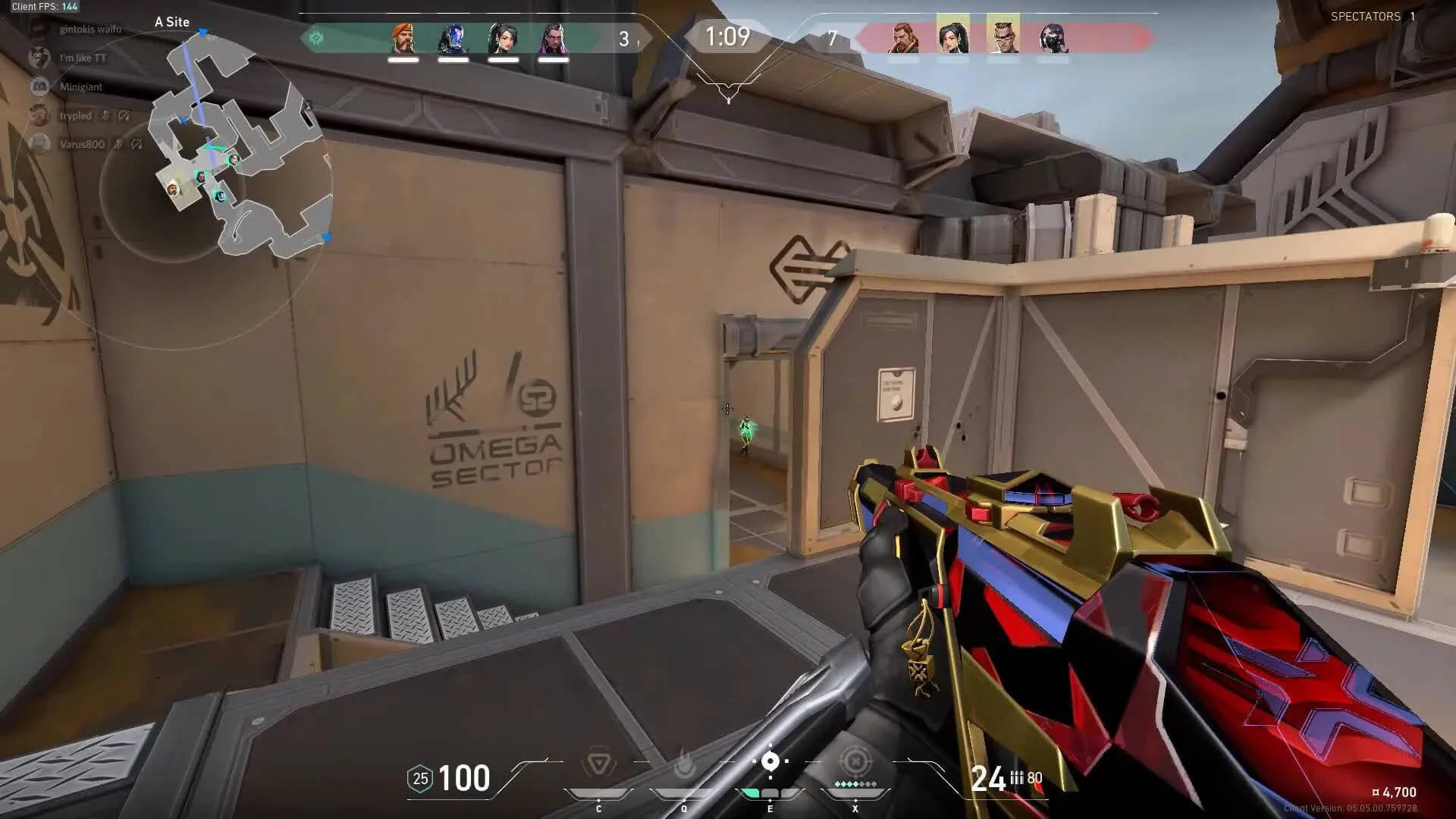
How To Fix VAN 9005 Error Code Valorant

0

Valorant, the popular first-person shooter game developed by Riot Games, is known for its immersive gameplay and competitive scene. However, like any other game, it’s not immune to technical issues. One such issue that has been causing headaches for Windows 10 users is the VAN 9005 error code. This article provides a detailed guide on how to resolve this error, ensuring a smooth and uninterrupted gaming experience.

VAN 9005 Error Code Explained

The VAN 9005 error code in Valorant is primarily triggered by the Virtualization-based Security (VBS) setting in Windows 10. This issue started surfacing from July 10th, 2023, when Valorant implemented certain solutions that required specific settings to run on Windows 10. If you’ve encountered this error, don’t worry. There are several steps you can take to rectify it.

Steps to Fix the VAN 9005 Error Code:

  1. Enable TPM 2.0 in UEFI through BIOS Settings: The first step to resolving the VAN 9005 error code is to access your BIOS settings and enable TPM 2.0 in the UEFI. If this option isn’t available, you may need to follow additional steps.
  2. Verify UEFI Mode and TPM 2.0 Support: To check if your system supports UEFI mode and TPM 2.0, you can follow a series of steps involving the System Information window and the TPM management console on your Windows 10 system.
  3. Enable UEFI Mode and TPM 2.0: If your system supports both UEFI mode and TPM 2.0, you should enable them, as Valorant requires these settings. The process to enable these settings can vary across different PC versions.
  4. Disable Virtualization-Based Security (VBS): If none of the previous solutions work for you, you can try disabling VBS. This involves checking if VBS is enabled and then using the Command Prompt to disable it.

While these steps should help most users resolve the VAN 9005 error code in Valorant, it’s important to remember that sometimes, adjusting your settings might not be enough. In such cases, reaching out to Riot Support can be a viable option. Remember, a smooth gaming experience is just a few steps away!

Stay updated with the latest news in gaming and esports by signing up for early access to TalkEsport’s Mobile App. Follow us on Twitter and Google News to ensure you never miss the exciting updates.
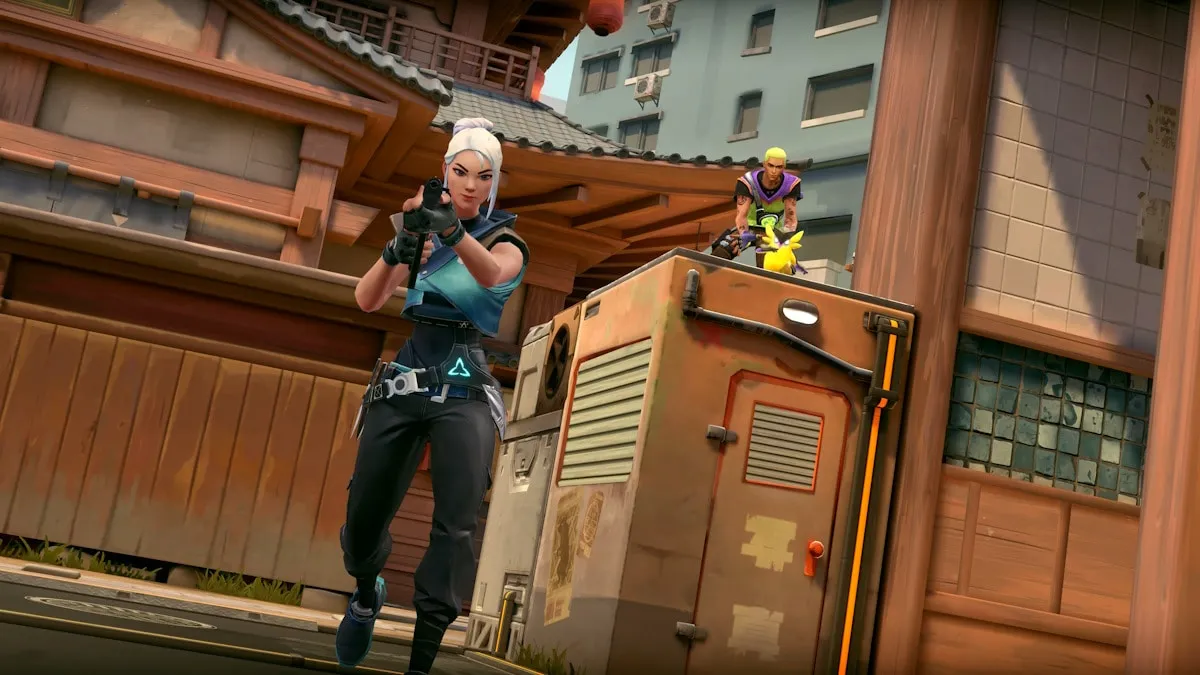
How to fix “This build of Vanguard is out of compliance” error?

Valorant, the popular first-person shooter game developed by Riot Games, has captivated the hearts of many gamers worldwide. However, like any other game, it’s not immune to technical glitches. One such issue that has been causing frustration among players is the “This build of Vanguard is out of compliance” error. This error message indicates that the version of Vanguard, Riot Games’ anti-cheat software, is not up-to-date or compatible with the current version of Valorant. This article will guide you through the steps to resolve this issue, ensuring you can get back to enjoying your game as quickly as possible.

This Build Of Vanguard Is Out Of Compliance Error Valorant

Vanguard is an essential component of Valorant. It’s an anti-cheat software designed to detect and prevent cheating by monitoring the player’s system and ensuring no third-party software or hacks are being used during gameplay. When the “This build of Vanguard is out of compliance” error pops up, it prevents players from launching the game, leading to understandable frustration.

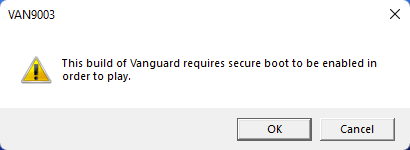
Fix Valorant This Build of Vanguard is Out of Compliance Error – Van9003 TPM Version 2.0 Solved

There are several potential solutions to this issue, and we’ll walk you through each one. Remember, these steps are designed to be followed in order, so if one doesn’t work, simply move on to the next.

Solution 1: Update Windows

Keeping your operating system up-to-date is crucial for the smooth running of any software, including Valorant. To check for updates:

  1. Click Start and select Settings.
  2. Go to the Windows Update section.
  3. Click Check for updates and wait.
  4. Go to the Advanced options and install optional updates.
  5. Reboot your system.

Solution 2: Enable Secure Boot

Secure Boot is a security standard developed by members of the PC industry to help make sure that your PC boots using only software that is trusted by the PC manufacturer. Sometimes, due to a BIOS glitch, Secure Boot may be enabled on your system but is not functioning properly. To resolve this issue, you can try a workaround by accessing the BIOS settings on your system.

Solution 3: Reinstall Vanguard

If the above solutions don’t work, you might need to reinstall Vanguard. Here’s how:

  1. Click on the Search menu.
  2. Type appwiz.cpl and press Enter.
  3. In the Program and Features window, locate Riot Vanguard and select it.
  4. Click on Uninstall and follow the on-screen instructions.
  5. Reboot the system.
  6. Go to the game’s official website and download the latest version of the game.

The “This build of Vanguard is out of compliance” error can be a significant hindrance for Valorant players, but with these troubleshooting steps, you should be able to resolve the issue and get back to your game. Always remember to keep your system and game software up-to-date to prevent such issues from arising. Happy gaming!

Stay updated with the latest news in gaming and esports by signing up for early access to TalkEsport’s Mobile App. Follow us on Twitter and Google News to ensure you never miss the exciting updates.
How to Travel Northeast in Fortnite?

0

In the thrilling world of Fortnite, mobility is a key factor that can make or break your survival chances. The ability to navigate the diverse landscapes of the game not only increases your chances of survival but also enhances your odds of securing a victory. The terrain in Fortnite can be challenging, with uneven surfaces and obstacles that require strategic movement. The “Travel Northeast” challenge is an excellent opportunity for players to hone their rotational skills and understand the nuances of long-form rotations.

The Rewarding Challenge of Traveling Northeast

The “Travel Northeast” challenge, part of the Week 6 tasks in Fortnite Chapter 4 Season 3, is a test of endurance and strategic planning. Despite its straightforward nature, the challenge can be time-consuming due to the considerable distance that needs to be covered. However, the effort is well rewarded with a whopping 40,000 experience points upon completion, making it a worthwhile endeavor for every Fortnite enthusiast.

How to Travel Northeast in Fortnite?

Choosing Your Landing Spot: Steamy Springs or Lotus Lookout

The first step in this challenge is to land at the northernmost part of the island, either at the Point of Interest (POI) known as Steamy Springs or the Landmark known as Lotus Lookout. Both locations are in close proximity, making them easy to locate. Marking your chosen location on the minimap before the match begins can help you spot it easily after jumping off the Battle Bus.

Steamy Springs is a great choice for players who are confident in their combat skills and are ready to engage in early-game fights. With plenty of loot available, securing high-quality gear won’t take long. For those who prefer a quieter start, Lotus Lookout, located just south of Steamy Springs, is an excellent alternative.

Securing Your Ride: Find a Vehicle and Fuel

After landing, your next task is to find a vehicle. Given the long distance to be covered, a car is preferable over a bike, as it offers better protection. If possible, also secure a Gas Can to ensure you have enough fuel for your journey.

Navigating the Terrain: Use the Compass to Travel Northeast

Once you’ve secured your vehicle, use the in-game compass at the top of the screen to find the Northeast direction, marked as “NE”. Drive in this direction to start progressing in the challenge. Remember, there’s no rush to complete this task in a single match. Take your time and progress at your own pace.

By following these steps, you’ll not only complete the “Travel Northeast” challenge but also improve your overall Fortnite gameplay.

Stay updated with the latest news in gaming and esports by signing up for early access to TalkEsport’s Mobile App. Follow us on Twitter and Google News to ensure you never miss the exciting updates.

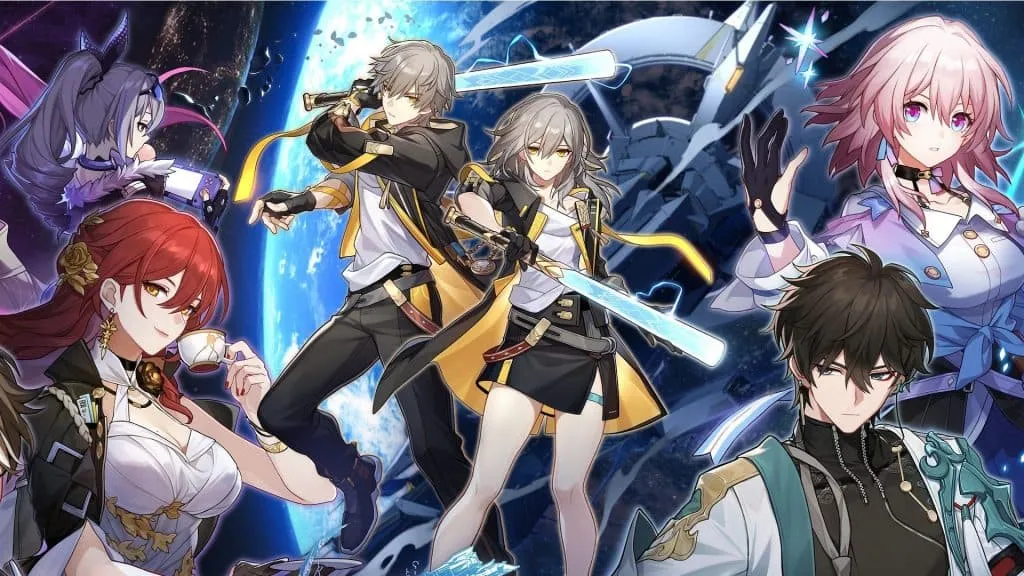
Honkai Star Rail: A Definitive Guide to Character Ages

0

Honkai Star Rail, a game that has captivated millions with its intriguing characters and immersive storylines, remains a mystery in many ways. One such enigma is the age of its characters. While the game does not officially disclose this information, the dedicated player community has pieced together clues from character appearances, professions, and in-game narratives to estimate their ages. This article aims to shed light on these estimates, providing a comprehensive guide to the ages of Honkai Star Rail characters.

The Youngest and the Oldest: In the vast universe of Honkai Star Rail, the youngest character is surprisingly the protagonist, Trailblazer, who is less than a year old. This character was created by Kafka, positioning her as a mother figure for Stelle/Caelus. The Stellaron’s power was instrumental in forming the protagonist as a fully grown human, leaving us to ponder the existence of a past.

On the other end of the spectrum, the oldest character is not who most players would expect. While many might guess that Welt, the recurring character from Honkai Impact 3rd, holds this title, it is actually Jing Yuan who is the oldest. Jing Yuan, an immortal character, has been around for over 700 years, a fact that was revealed not in the game, but in an official cinematic by Hoyoverse.

The Ageless Enigma: Among the characters, Herta stands out as an ageless enigma. Her age remains undetermined, adding to the intrigue and mystery that surrounds the characters of Honkai Star Rail.

Honkai Star Rail Character Ages

NameAgeHeight
Arlan19-215’3″
Asta20-235’5″
Bailu18-214’6″
Blade39-416’2″
Bronya19-215’6″
Clara10-125’1″
Cocolia42-455’7″
Dan Heng23-256’1″
Fu Xuan19-225’3″
Gepard33-366’3″
HertaN/A5’2″
Himeko32-355’6″
Hook10-124’4″
Jing Yuan700+6’1″
Kafka27-305’6″
Luocha25-276’1″
March 7th20-225’3″
Natasha36-395’5″
Pela21-235’3″
Qingque21-235’1″
Sampo25-276’2″
Seele19-215’4″
Serval41-435’6″
Silver Wolf17-195’3″
Sushang15-185’3″
Tingyun24-265’4″
Trailblazer22-255’9″
Welt80+6’3″
Yanqing8-145’4″

Stay updated with the latest news in gaming and esports by signing up for early access to TalkEsport’s Mobile App. Follow us on Twitter and Google News to ensure you never miss the exciting updates.
FaZe Rain Calls on Streaming Platform Kick to Acquire FaZe Clan

FaZe Rain has hinted that the organization that he built alongside his partners for a decade which has become one of the most well-recognized brands in esports, is in the market and Kick would be an ideal suitor to acquire them.

Rain previously exposed the company’s financials in a viral video, claiming that the organization is incurring significant losses. From being one of the most popular gaming personalities on YouTube to moving away from it due to substance abuse, Rain’s career has been sidetracked for quite some time.

In the latest episode of the Raw Talk podcast, Rain opened up about his journey out of FaZe Clan and what implications it had on his career while hinting at what the famed organization has in store for themselves in the future.

“Everyone should be working together,”. “It’s not a clear side from like a third party investor, like all these other dudes that I’ve talked to, or even people like — the goal has been Kick.” he said. Hinting that Kick, who are still in a nascent stage can find themselves in a prime position to acquire FaZe Clan.

“I would love it if Kick just bought FaZe, because we kind of stand for the same thing, against big corporations, yadda yadda yadda. …I’ve been trying to talk to Kick for so long.”

Kick has emerged to be the biggest competitor Twitch has seen in recent times and if they acquire a decade-old organization like FaZe Clan, they will have bought a gateway to enter the world of esports given FaZe is housing some of the top teams in different esports. Only time can tell if Kick acquires FaZe and it certainly won’t be cheap.

Stay updated with the latest news in gaming and esports by signing up for early access to TalkEsport’s Mobile App. Follow us on Twitter and Google News to ensure you never miss the exciting updates.

All Upcoming Genshin Impact Fontaine Characters

0

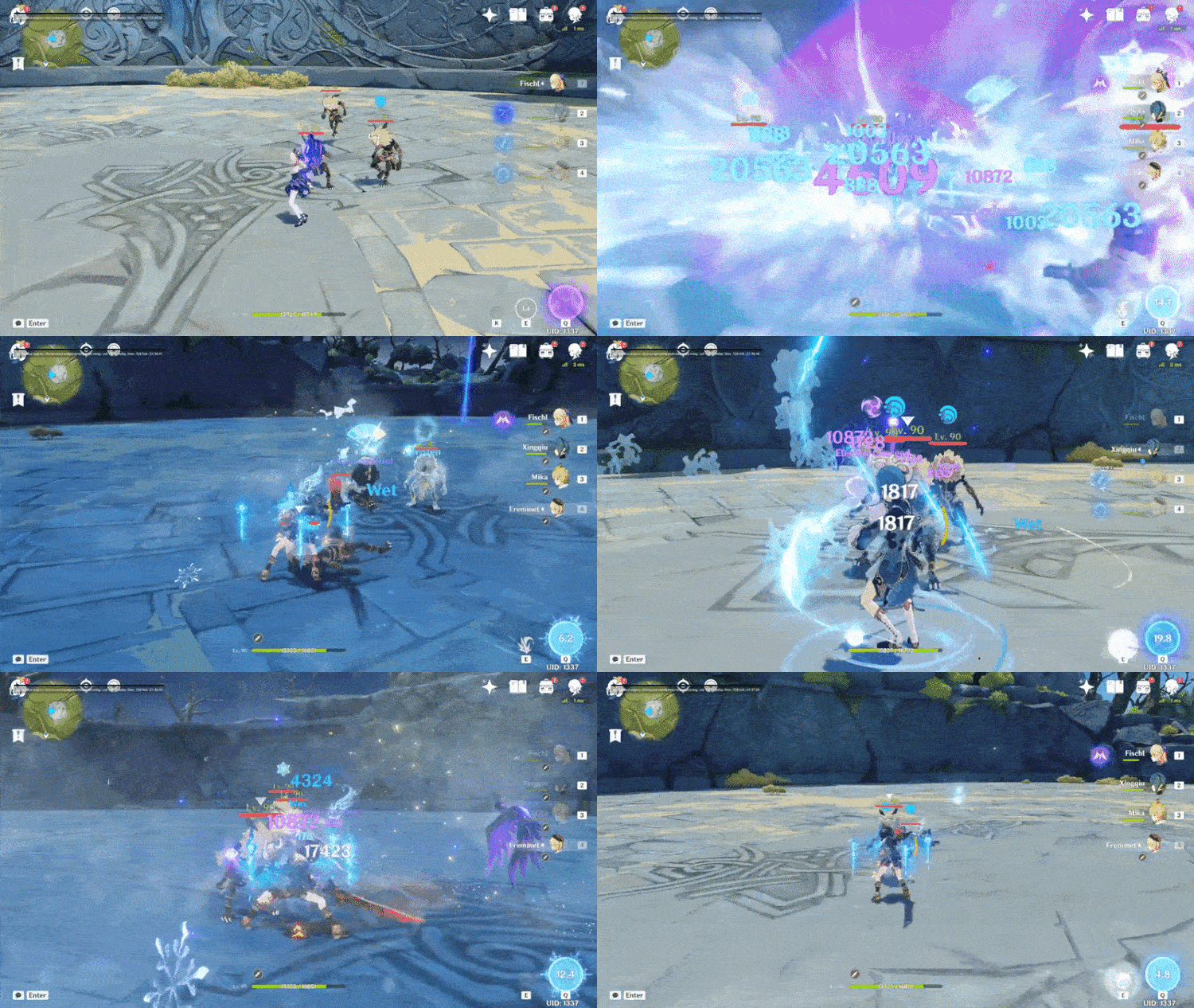
As an avid Genshin Impact player, you’re probably eagerly awaiting the release of version 4.0, which promises to introduce a new region, Fontaine, along with a host of new characters. This article will provide a detailed overview of these upcoming characters, offering insights into their abilities, lore, and potential roles in the game.

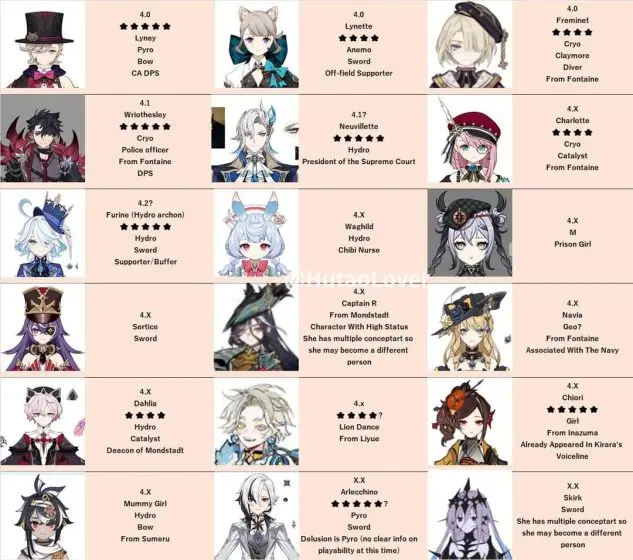
1. Arlecchino: The Harbinger of Joy

Arlecchino, a highly anticipated character, is set to make her debut in the Fontaine region. Rumored to be a five-star sword unit with a Pyro delusion, she’s the 10th Fatui harbinger and is believed to be stronger than Childe, the weakest Harbinger. Her abilities are speculated to revolve around controlling other characters, but we’ll have to wait for the official release to confirm this.

2. Lyney: The Pyro Archer

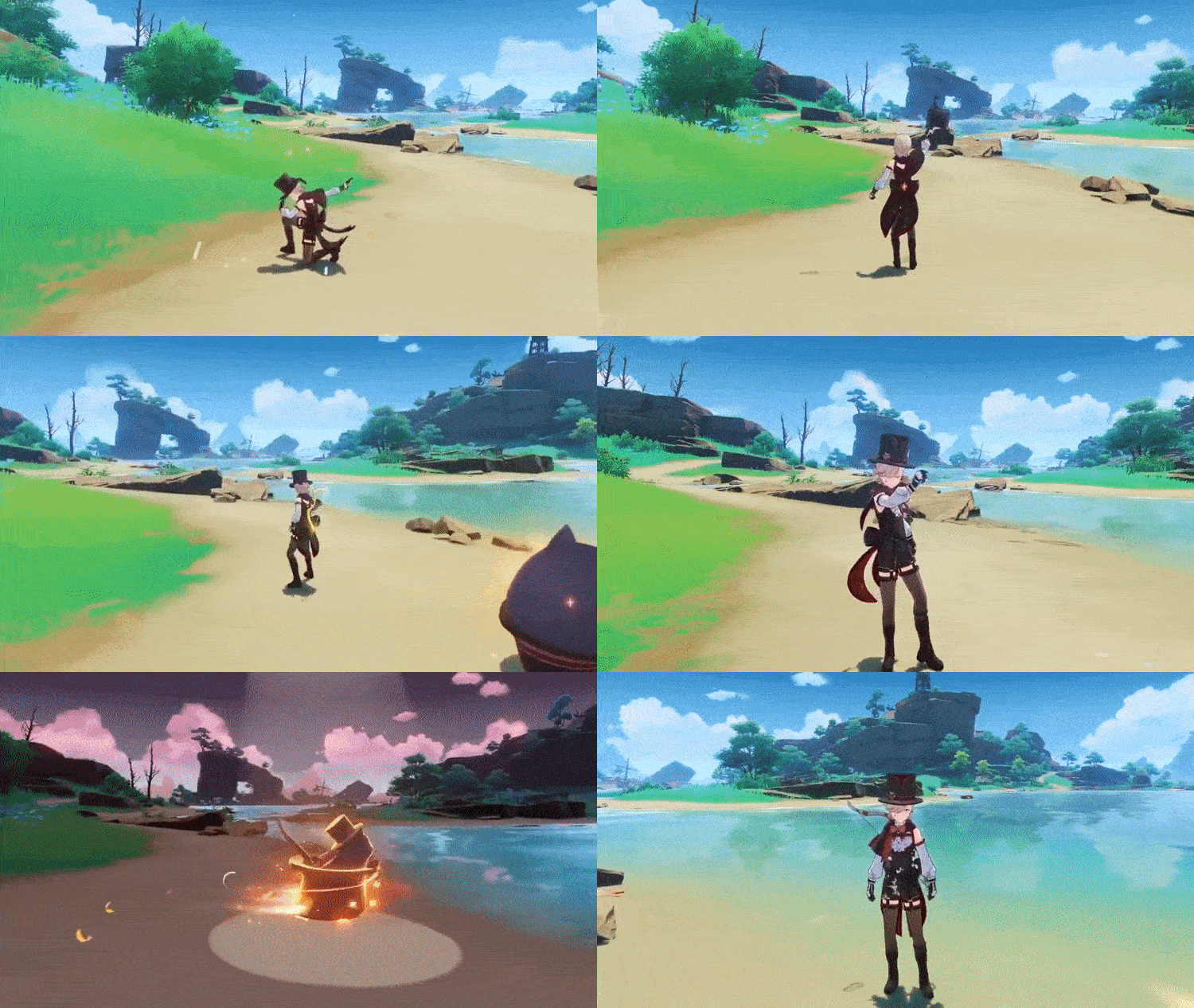
Lyney, another exciting character, first appeared in the Teyvat Chapter storyline preview video. He’s a five-star character with a Pyro vision and uses a bow. According to the lore, he and his sister Lynette run a magic show in Fontaine, and they may have some connection with Arlecchino.

3. Lynette: The Anemo Swordswoman

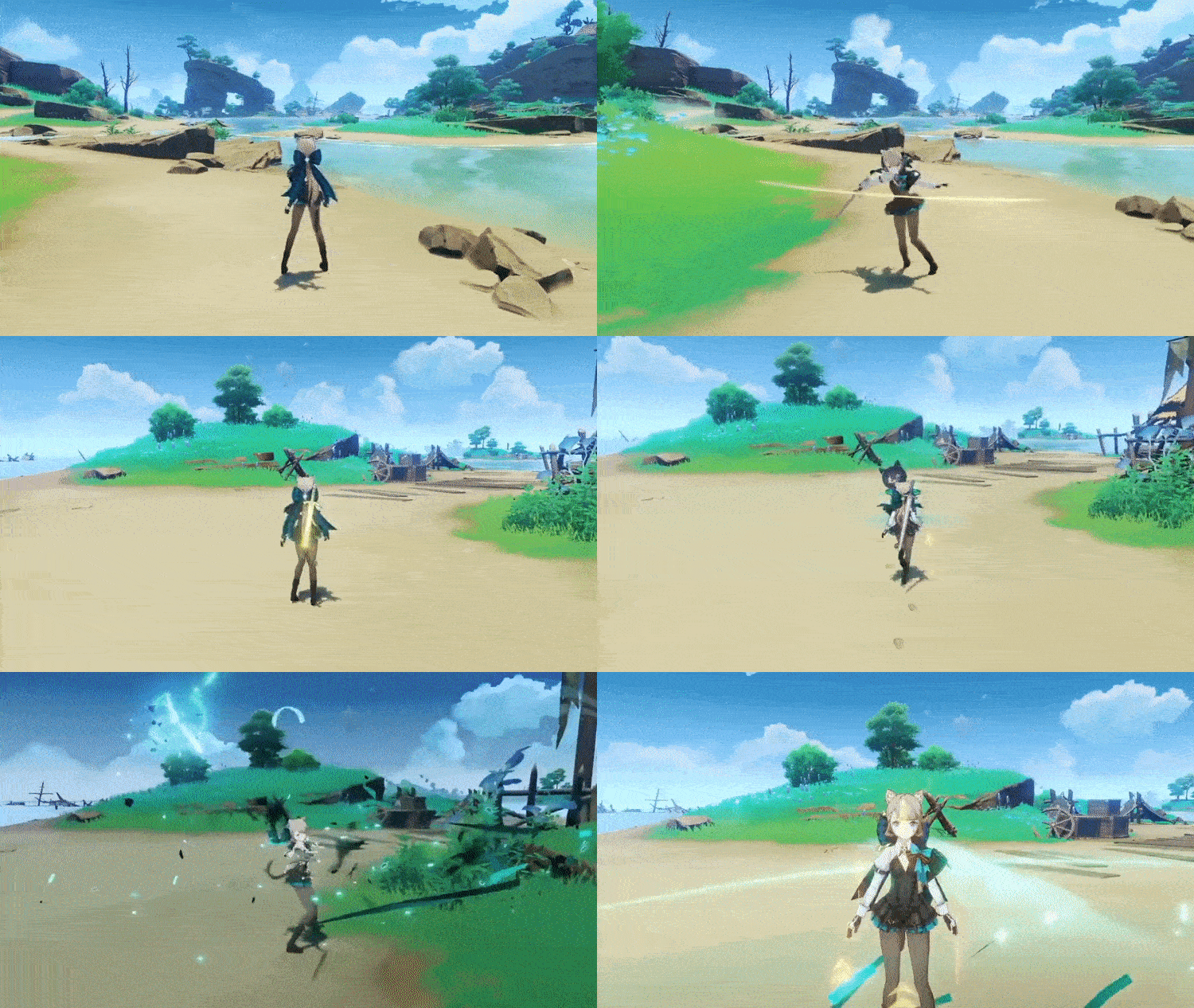
Lynette, Lyney’s sister, is an upcoming four-star sword-wielding character with an Anemo vision. Her abilities seem to be similar to Yelan’s, and she might be a good alternative to Kazuha for dealing swirl damage.

4. Freminet: The Cryo Claymore User

Freminet, a Cryo male character who wields a Claymore, is expected to be a physical DPS character. His design aligns well with the Fontaine aesthetic, and he might be a great addition for players who missed out on Eula.

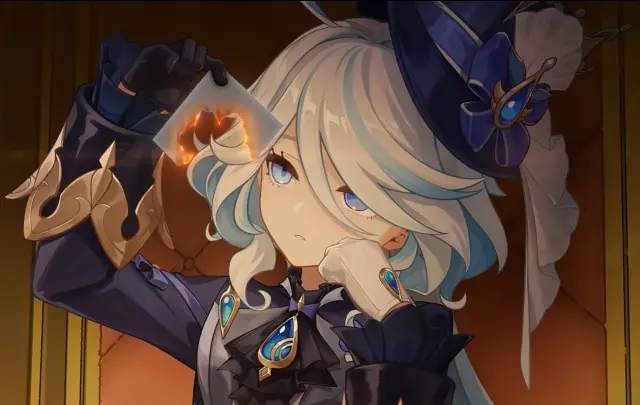
5. Focalors/Furina: The Hydro Archon

Focalors, the Hydro Archon, is expected to be one of the most lethal units in the game. She might be an off-field DPS or a supporting character, buffing your party. She was first introduced in the trailer “The final feast.”

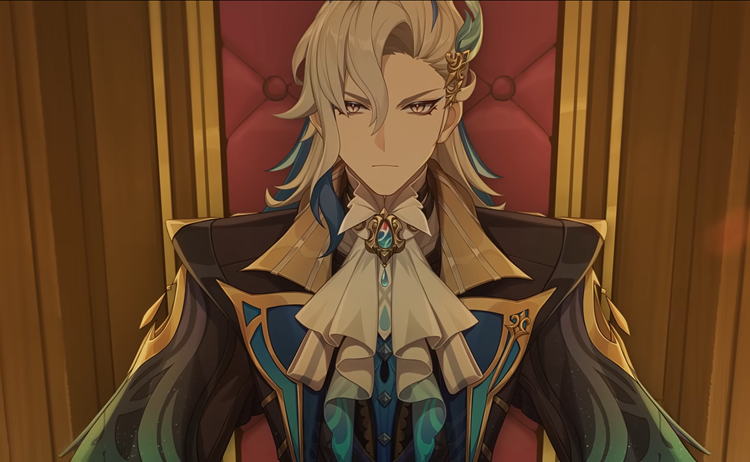
6. Neuvilette: The Chief Justice

Neuvilette, the chief justice of Fontaine and the President of the Supreme Court, is rumored to be a five-star Hydro character. His weapon of choice is still unknown, but it’s speculated to be a sword or claymore.

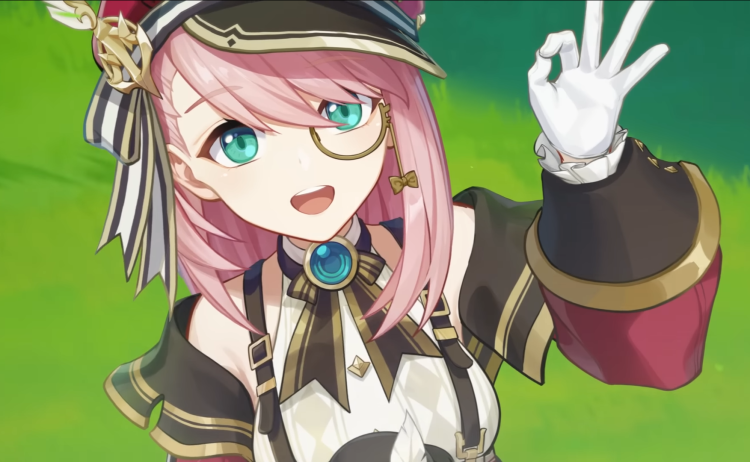
7. Charolette: The Cryo Catalyst User

Charolette, a journalist from Fontaine, is a four-star character who wields a Catalyst and a Cryo vision. She may play a significant role in the story quest in Fontaine.

8. Waghild: The Chibi Nurse

Waghild, described as a Chibi nurse in leaks, is speculated to be a healer. Her rarity and vision are still unknown, but her design suggests she might be a four-star character.

9. Chlorinde (Captain R): The Electro Gunner

Chlorinde, from Monsdstadt, is expected to be a five-star character. She wields a gun that shoots electro pellets, as seen in the Fontaine trailer teaser.

10. Navia: The Geo Navy

Navia, associated with the navy, is expected to be a Geo character. Her playability and weapon are still unknown.

11. Other Characters

Several other characters have been leaked, but information about them is still scarce. These include Prison Girl (M), Wriothesley, Sertice, Chiori, Skirk, Mummy Girl, Dahlia, and Lion Dance.

Stay tuned for more updates as we continue to explore the world of Genshin Impact and its ever-evolving roster of characters.

Stay updated with the latest news in gaming and esports by signing up for early access to TalkEsport’s Mobile App. Follow us on Twitter and Google News to ensure you never miss the exciting updates.
Google Play Games for PC is Now Available in India

In a groundbreaking move, Google has launched Google Play Games for PC in India, a development that is set to redefine the gaming landscape in the country. This first-party cross-platform gameplay subsystem is a game-changer for gamers who have long desired to play Android games on their PCs without the need for emulators.

Google’s Cross-Platform Gaming Platform Launches in 120+ Regions

Google Play Games for PC has finally arrived in India, signaling a new era for gamers in the country. This development eliminates the need for Android emulators, which gamers have relied on to play mobile games on their PCs. Now, they can directly access a plethora of Android games on their Windows PC, courtesy of Google.

The introduction of Google Play Games for PC is a significant milestone in the evolution of cross-platform gaming. This service was unveiled last year to compete with the likes of the Windows Subsystem for Android on Windows 11 and BlueStacks. It offers a seamless and uninterrupted gaming experience across different platforms, providing a first-party solution to what was previously a third-party domain.

The Benefits of Google Play Games for PC

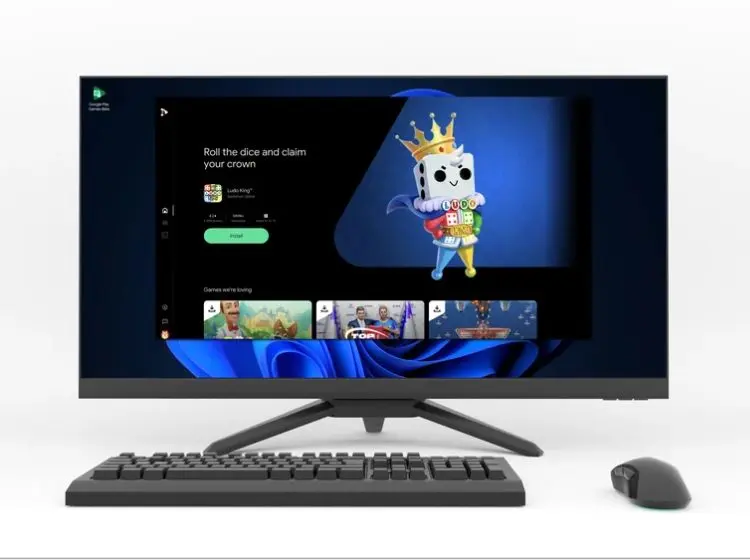
The major advantage of Google Play Games for PC is the ability to use a dedicated keyboard and mouse to play your favorite games on a larger screen. Just like the Google Play Store on your Android phone, you can browse, download, install, and play mobile games through the Google Play Games for PC interface.

Another significant benefit is the continuity it offers. Your progress and data are synced onto your Google Play Games profile, allowing you to pick up where you left off, even when you switch devices.

Google Play Games PC System Requirements and Availability

The system requirements for Google Play Games for PC are not overly demanding. You need at least Windows 10, a minimum of Intel UHD Graphics 630, an octa-core processor (preferably Intel), 8GB of RAM, and a minimum storage space of 10GB in the form of an SSD. However, it’s important to note that hardware virtualization must be enabled for Google Play Games for PC to function.

The beta version of the subsystem is now available for download, with a stable rollout expected soon. This opens up a vast collection of Android games, including India-specific titles like Ludo King and Hitwicket Games.

Google Play Games for PC is set to revolutionize the gaming experience in India, offering a seamless, immersive, and convenient way to enjoy Android games on PCs. It’s time to embrace this new era of gaming in India.

Stay updated with the latest news in gaming and esports by signing up for early access to TalkEsport’s Mobile App. Follow us on Twitter and Google News to ensure you never miss the exciting updates.
How to Get Cactus in Minecraft, Even if You’re Not in a Desert

0

Minecraft, a sandbox game renowned for its diverse array of blocks, offers players a multitude of farming, building, and crafting opportunities. Among the game’s vast selection of plant blocks, the cactus stands out due to its unique mechanics and uses. This article will guide you through the intriguing world of Minecraft cacti, from their discovery to their various applications.

What is Cactus in Minecraft?

Cacti in Minecraft are plant blocks with intriguing mechanics. Like their real-world counterparts, Minecraft cacti are spiky plants that inflict gradual damage on players or mobs that come into contact with them. Even the most robust armor can’t fully protect you from this damage, and it also suffers wear and tear in the process. Interestingly, cacti have a peculiar feature: they can delete items, much like lava. Any item tossed onto a cactus is instantly evaporated, and not even the strongest netherite items can withstand this prickly plant.

Cacti have specific planting rules. They can only be placed on sand, red sand, suspicious sand, or other cacti. Moreover, no other block can be placed directly adjacent to a cactus. If a new cactus block grows, it will immediately break if there’s a block attached to its side. This mechanic is crucial for the operation of cactus farms.

Where to Find Cactus in Minecraft

Cacti are exclusive to the dry biomes of the Minecraft world. Your best bet for finding cacti is in the nearest desert biome, the primary habitat for this resilient plant. Another location to explore is the Badlands biome, although cacti are more common in deserts. You can mine a cactus block with any tool or even your hand, and you won’t take damage while doing so. If you’re fortunate enough to find an igloo with a basement, you might discover a potted cactus inside. Cacti can also generate in pots and chests in some desert village houses. If you’re unable to locate any of these biomes, a wandering trader can sell you a cactus for three emeralds.

Best Uses of Cactus in Minecraft

Cacti have several unique uses in Minecraft. Here are some of the things you can do with cacti blocks:

Crafting Green Dye

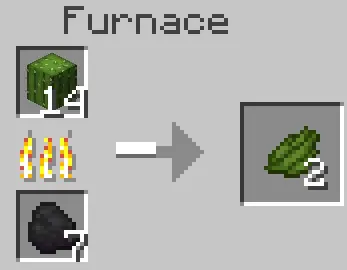
Green dye is essential for coloring blocks like terracotta, glass, concrete blocks, and Minecraft beds. The only way to obtain it is by smelting a cactus in a Minecraft furnace. This process not only yields green dye but also grants some experience points.

Breeding Camels

The introduction of camels, new passive and rideable mobs, in Minecraft 1.20 has given cacti another use. Camels can be bred using cacti, their favorite food. You can also use cacti to accelerate the growth of baby camels.

Composting

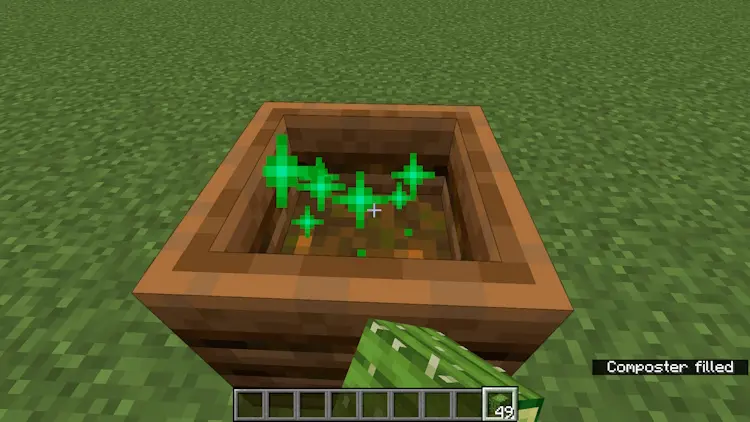
Cacti can be placed in a composter in Minecraft, where they have a 50% chance of raising the compost level. If you have a cactus farm, you can stock up on bone meal this way, which is essential for farms like a tree farm.

Decoration

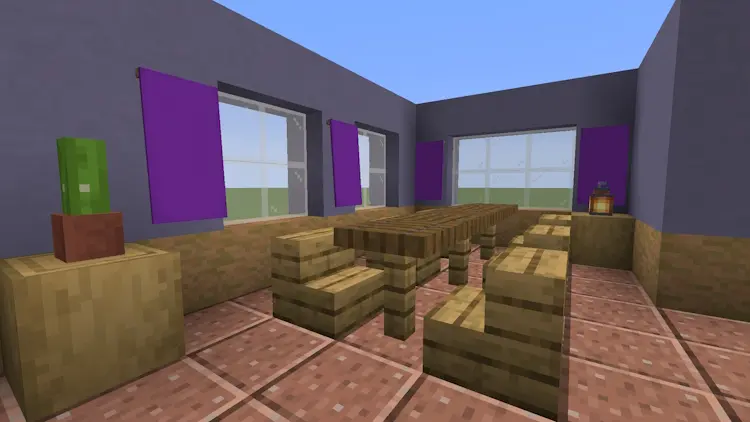
Cacti can be used as cool-looking house plants to decorate your Minecraft house.

Trash Can

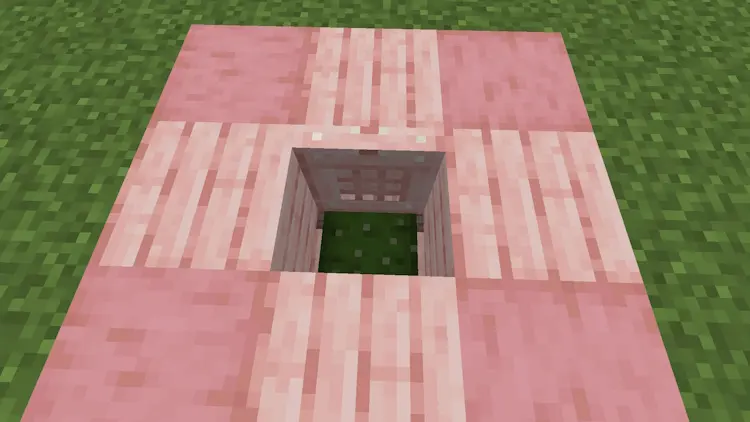
Cacti can serve as trash cans in your Minecraft world, especially if you have too many items of a certain type. Since cacti destroy items, they can help reduce lag caused by items scattered on the ground.

In conclusion, cacti in Minecraft are more than just prickly plants. They offer a range of uses, from crafting dyes and breeding camels to composting and decoration. So, the next time you venture into the desert biome, don’t forget to collect some cacti!

Stay updated with the latest news in gaming and esports by signing up for early access to TalkEsport’s Mobile App. Follow us on Twitter and Google News to ensure you never miss the exciting updates.
How to Craft a Dry Sponge in Minecraft (Easiest Way)

In the vast, blocky universe of Minecraft, the ability to manipulate your environment is key to survival and creativity. One such tool at your disposal is the humble sponge, a block with the unique ability to absorb water, making it an essential item for any Minecraft enthusiast. This article will guide you through the process of crafting a dry sponge, as well as exploring its various uses in the game.

Crafting a Dry Sponge In Minecraft: A Step-by-Step Guide

Contrary to popular belief, crafting a dry sponge in Minecraft isn’t as straightforward as crafting other items. In fact, you can’t directly craft a dry sponge. Instead, you transform a wet sponge into a dry one. Here’s how:

  1. Locate a Wet Sponge: Wet sponges can be found in ocean monuments, which occasionally generate sponge rooms containing approximately 30 wet sponges each. Alternatively, you can acquire wet sponges from elder guardians.
  2. Fire Up the Furnace: Once you have a wet sponge, open the furnace menu and add coal to the upper box. Place the wet sponge in the furnace and ignite the fire.
  3. Patience is a Virtue: Wait for the sponge to dry. Once the process is complete, remove the now dry sponge from the furnace.

The Multifaceted Uses of Sponges in Minecraft

Sponges are not just for drying up water; they have a variety of uses that can enhance your Minecraft experience:

  • Water Absorption: A sponge can absorb water within a certain range, clearing out water blocks in the surrounding area. This is particularly useful for underwater construction, allowing you to build structures without being hindered by water.
  • Redstone Contraptions: When a sponge absorbs water, it triggers a block update, which can activate redstone circuits and mechanisms, adding a new layer of complexity to your creations.
  • Decorative Purposes: Sponges can be dyed using a crafting table or a cauldron, providing a unique aesthetic touch to your constructions. They can be used to create unique patterns or designs on floors, walls, or ceilings.
  • Removing Potion Effects: Holding a sponge in your hand and right-clicking will remove any active potion effects, making it a handy tool in combat situations.

Stay updated with the latest news in gaming and esports by signing up for early access to TalkEsport’s Mobile App. Follow us on Twitter and Google News to ensure you never miss the exciting updates.