Wednesday, May 13, 2026
Home Blog Page 593

LoL Patch 14.6: Galio Rework, AD Carry Changes, & More

LoL Patch 14.6 brings massive changes aimed at reining in early game snowballing, shaking up the bottom lane, and delivering a mini-rework for Galio. Plus, the iconic High Noon skin line makes a fiery return.

When Does LoL Patch 14.6 Release?

Patch 14.6 drops on March 20th, 2024.

  • 3pm CT (NA)
  • 5am GMT (EU West)
  • 3am CET (EU North East)
  • 8am KR (Korea)

Patch Highlights: What You Need to Know

  • Galio’s New Playstyle: Galio’s getting a gameplay shift, emphasizing survivability and less burst damage. Is a bruiser build the new hotness?
  • Say Goodbye to Snowballing? (Maybe) Riot’s taking another crack at making early-game leads less overwhelming. Changes to Epic Items are aimed at curbing those frustrating one-sided stomps.
  • Bottom Lane Shakeup: Support gold nerfs and AD carry tweaks are designed to change up the power dynamics in the duo lane.
  • The Return of High Noon: Gragas, Rell, Evelynn, and Yone join the legendary skin line. Plus, Evelynn and Yone get stylish variant skins!

Can Riot Finally Tame Early Snowballing?

This patch’s changes to Epic Items like Serrated Dirk are a major signal of Riot’s ongoing struggle with early game balance. Will this be the patch that gets it right? Only time will tell.

Galio: Bruiser or Bust?

The big question for Galio mains: will the shift away from AP burst builds stick? The lowered damage but increased survivability could make for a tankier, more disruptive playstyle.

High Noon Expands: Which Skin Is the Best?

While the patch notes give us the visuals, community reaction will determine which of these new High Noon skins truly reigns supreme. My early bet’s on Yone’s eye-catching Peacemaker variant.
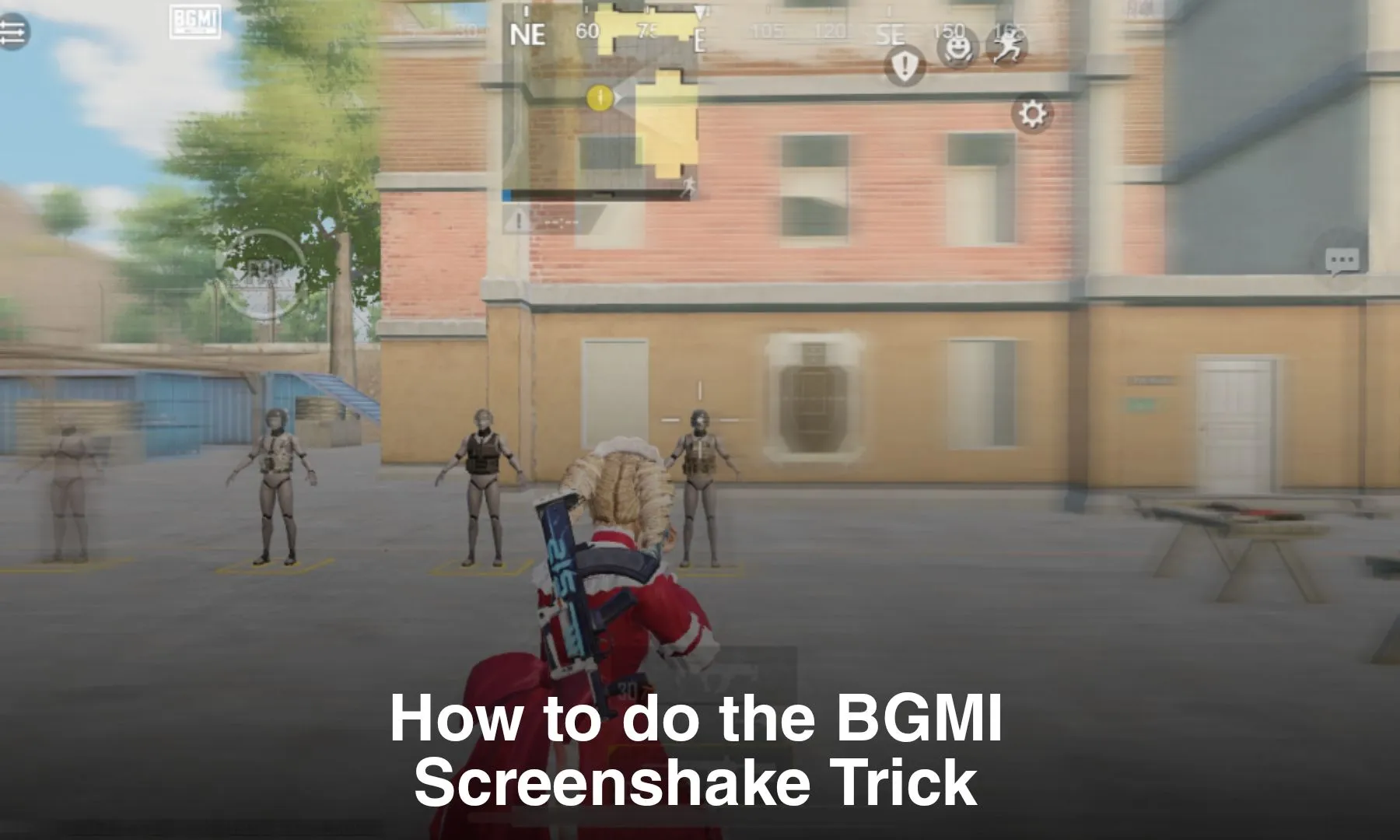
How to do the BGMI Screenshake Trick

0

In Battlegrounds Mobile India (BGMI), new strategies and techniques continually emerge, captivating the attention of players seeking to improve their gameplay. One such phenomenon that has recently gained traction in the BGMI community is the “screenshake” trick. This intriguing motion, often associated with seasoned players, has piqued curiosity and become a sought-after skill. Let’s dive into the mechanics of the screenshake trick and explore how to master it effectively.

Understanding BGMI Screenshake:

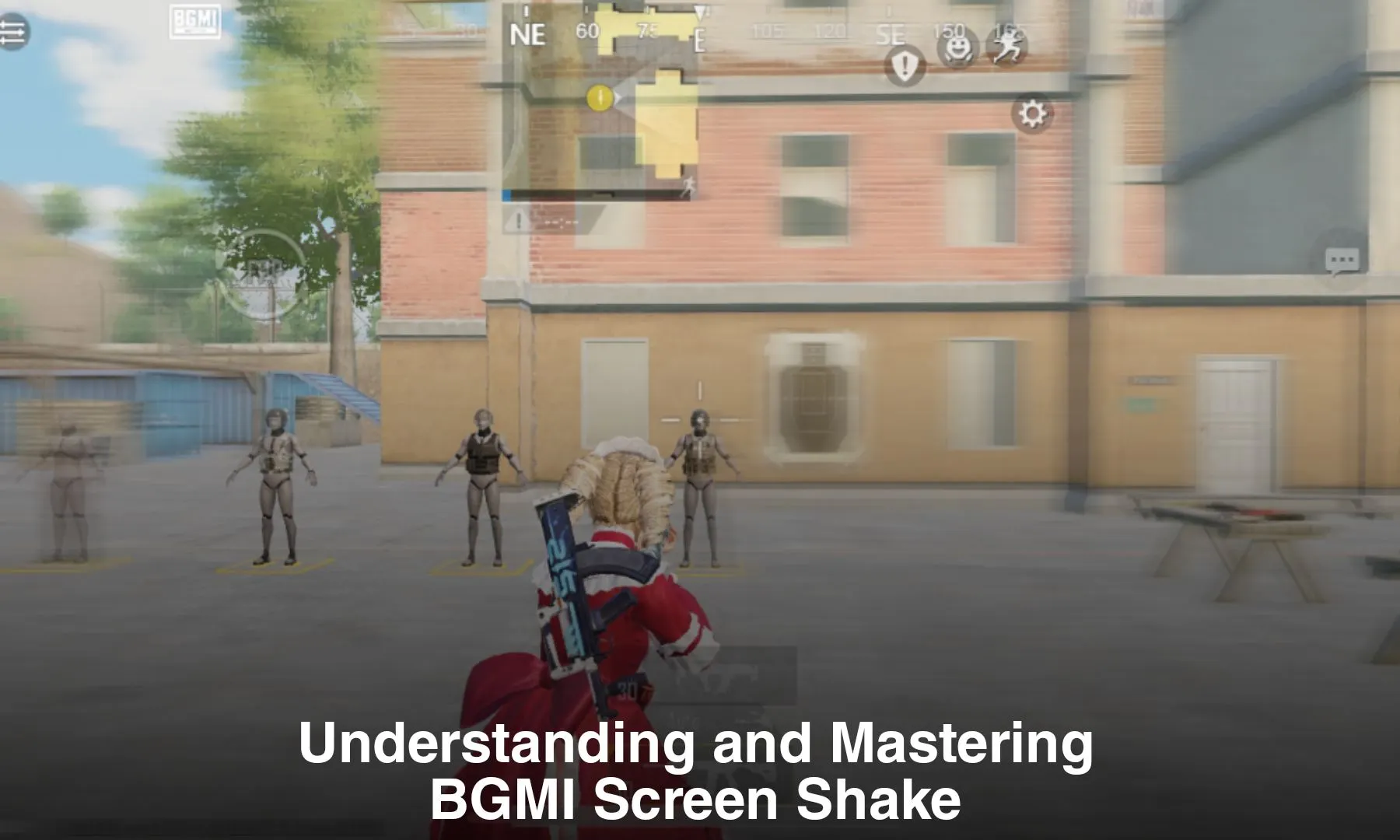
BGMI screenshake refers to a subtle motion that occurs when players aim and shoot in the game, particularly at higher gyroscope sensitivity settings. This motion appears as a slight vibration of the screen, adding an immersive visual element to gameplay and content such as videos and montages.

Does BGMI Screenshake Improve Aim?

While screenshake has become synonymous with expertise in BGMI, it’s essential to debunk the misconception that it inherently enhances aiming precision. Screenshake primarily serves as a visual indicator of a player’s proficiency rather than directly influencing aim or accuracy. However, mastering this technique requires genuine skill and practice, as artificially forcing the motion can disrupt gameplay and impede performance.

Mastering the Screenshake Technique

Achieving authentic screenshake in BGMI entails focusing on honing skills and improving aim rather than forcefully inducing the motion. Here are some key strategies to consider:

  1. Use High Gyroscope Sensitivity:

Screenshake naturally occurs at higher gyroscope sensitivity settings. Setting sensitivity above 300 allows for greater responsiveness and fluidity of movement, contributing to the natural occurrence of screenshake during gameplay. However, it’s crucial to find a sensitivity that suits individual comfort levels, as excessively high sensitivity may hinder aiming precision.

  1. Improve Speed, Reaction, and Movement:

Developing high-speed movements and quick reflexes is paramount to generating natural screenshake. Regular practice and training to enhance movement and responsiveness in fast-paced combat scenarios are essential. Additionally, mastering movement mechanics is crucial for optimizing the screenshake effect.

  1. Practice and Experience:

Genuine screenshake mastery requires dedicated practice and experience. Players must immerse themselves in the game, continually refining their skills and movement techniques. Participating in Team Deathmatch (TDM) modes can accelerate progress, allowing players to consciously focus on screenshake while honing their abilities.

While the screenshake trick may appear enticing, it’s vital to approach it with dedication and authenticity. True screenshake is a byproduct of genuine skill and proficiency rather than a forced imitation. By prioritizing skill development and practicing diligently, players can improve their gameplay and master the art of screenshake in BGMI.

Stay updated with the latest news in gaming and esports by signing up for early access to TalkEsport’s Mobile App. Also, follow us on Twitter and Google News to ensure you never miss the exciting updates.

Free Fire Redeem Codes for 12th March: Claim Now!

Garena Free Fire fans are in for a treat as today brings an opportunity you simply can’t miss. A set of today’s (12th March) Redeem Codes are out, which will allow you to claim rewards, ranging from diamonds to weapons and captivating skins. So, grab these exciting rewards before they expire.

Free Fire Redeem Codes for 12th March

Following are all of today’s redeem codes:

  • FJI4U5HYTNFJKC8U
  • FYTGDSB4E4576JYH
  • F80JEU5YFH6GBDNE
  • F7YTGE45NTJKIGUJ
  • F3BERNFJUCYTSRAF
  • FY6STWRFG4585AR4
  • FUHRN31YRHYNM9KI
  • FF2BN8VJNCDRK5OT
  • FI8GUYHGBNKI8U73
  • F5DCV3B4N5JIG8U7
  • FTAG4F5BTGKI8UKT
  • FY4TGBRNF39KIUYD
  • FHNSJUA11RQ2FDCV
  • FYOH98U75YTR7FGG

Steps to Claim Garena Free Fire Redeem Codes

Excited to claim your rewards, but don’t know how to? Don’t worry, we got you. Follow the below-given simple steps to redeem your Free Fire codes.

  1. Ensure you have a registered Free Fire account. Remember, guest accounts won’t be able to claim these rewards.
  2. Head over to the official redemption website at https://reward.ff.garena.com/ .
  3. Choose your preferred login method from Facebook, VK, Google, Apple ID, or Huawei ID.
  4. Copy your redeem codes accurately and paste it one by one into the designated text box on the website.
  5. Confirm your redemption by clicking the “Confirm” button.
  6. Sit back and wait for your rewards, typically delivered within 24 hours. Keep an eye on your in-game mailbox under the “Vault” tab for your treasures.

Stay updated with the latest news in gaming and esports by signing up for early access to TalkEsport’s Mobile App. Also, follow us on Twitter and Google News to ensure you never miss the exciting updates.

BGMI Screen Shake: Understanding and Mastering the Technique

0

New trends and metas emerge and evolve regularly in the Battlegrounds Mobile India (BGMI) community, captivating the attention of players. One such trend that has recently taken the BGMI community by storm is the “screen shake” phenomenon. This intriguing motion, often associated with skilled players, has sparked curiosity, with players trying to imitate it. Let’s delve into the “screen shake” mechanics and its implications in the game.

What is BGMI Screen Shake?

Basically, BGMI screen shake refers to the subtle yet distinctive motion that occurs when players aim and shoot in the game at high gyroscope sensitivity settings. This motion resembles a slight  vibration of the screen, adding a visual element to gameplay and content such as videos and montages.

The screen shake motion has recently gained popularity due to its perceived connection to player skill and proficiency. This is primarily because, as players become more proficient at the game through practice, this motion tends to develop naturally.

Additionally, many players believe that mastering this motion can improve one’s aiming precision. 

Does BGMI Screen Shake Improves Aim? 

BGMI Screen Shake has become synonymous with expertise in the game. Contrary to popular belief, screen shake does not inherently improve aim or precision. However, it does serve as a visual indicator of a player’s proficiency. However, it is also important to note that some players force this motion while playing the game just to follow the trend. 

How to Achieve Screen Shake in BGMI?

To achieve authentic screen shake in BGMI, players must focus on honing their skills and aim rather than forcing it. Here are some key factors to consider:

  • Gyroscope Sensitivity: Screen shake naturally tends to happen at a higher gyroscope sensitivity. High gyroscope sensitivity allows for greater responsiveness and fluidity of movement, which contributes to the natural occurrence of screen shake during gameplay. The recommended sensitivity for natural screen shake is above 300. However, it is important to note that everyone is comfortable at a different sensitivity, some might prefer low sensitivity and some might prefer high sensitivity. If you force playing on higher sensitivity, you might disrupt your aim. 
  • Speed, Reaction, and Movement: Developing high-speed movements and quick reflexes is crucial to generate natural BGMI screen shake. Players must train regularly to improve their movement and responsiveness in fast-paced combat scenarios. Additionally, movement also plays a crucial role in developing the screen shake effect. As a result, players must work on all three aspects: Speed, Reaction, and Movement. 
  • Practice and Experience: Although it might seem easy, screen shake requires dedicated practice and experience. Players must play the game to refine their skills and especially movement. Additionally, players can also play Team Deathmatch (TDM) and consciously focus on screen shake to fast track the progress.

While some players may attempt to imitate BGMI Screen Shake artificially by forcing it, such excessive movements often disrupt the aim and ruin performance. True screen shake is a byproduct of genuine skill and proficiency. As a result, instead of forcing it, players should work on their skills and develop to naturally. 

Stay updated with the latest news in gaming and esports by signing up for early access to TalkEsport’s Mobile App. Also, follow us on Twitter and Google News to ensure you never miss the exciting updates.

COD Mobile Redeem Codes March 2024 | Get Free Loot Now!

Ready to upgrade your Call of Duty: Mobile experience without spending cash? Redeem codes are the answer! These codes unlock awesome in-game rewards, from character skins to weapon blueprints and beyond.

Why Redeem Codes Rock

  1. Freebies Galore: Score sweet loot without opening your wallet.
  2. Frequent Updates: New codes often drop around events and promotions, keeping things fresh.
  3. Easy to Use: The redemption process is a breeze – I’ll walk you through it!

Important Note: These codes tend to be time-limited, so act fast!

How to Redeem Your COD Mobile Codes

Before we dive into the codes, here’s the quick-and-easy redemption process:

  1. Find Your UID: Launch COD Mobile, go to your profile (top-left corner), and tap the “BASIC” tab. Your UID is that string of numbers.
  2. Visit the Redemption Center: Head over to the official Call of Duty: Mobile Redemption Center online.
  3. Enter Your Details: Input your UID, the redeem code, and the verification code.
  4. Hit Submit: Boom! Your goodies should appear in your in-game mailbox.

Active COD Mobile Codes for March 2024

Let’s get to the good stuff! Here are all the currently working codes. I’ll keep this list updated, so bookmark this page for the latest.

  • BTEAZDLAPPZ87X
  • BTEAZCRTHHZK93
  • BTEAZBUGPOZBNK
  • BTEAZBRDMKZG7G
  • BTEAZBCAJNZA5J
  • BTEAZULLNZHUJC
  • BTEAZBPIBRZXAE
  • BTEAZCGRLLZTEK
  • BTEAZDNUJIZFQQ
  • BTEAZIRQZF9STR
  • BTEAZDLURUZ7FF
  • BTEAZBACREZ5HR
  • BTEAZBMIAOZ7TN
  • BTEAZFQFMZ3FWV
  • BTEAZCKHOZ8T8B
  • BTEAZBRJJVZ73A
  • BTEAZCCPBOZRMC
  • BTEAZDINTLZ8K4
  • BTEAZBHLCOZG45
  • BTEAZLLAVZGBCW
  • BTEAZDGIABZ8GM
  • BTEAZBRURQZDK5
  • BTEAZBOFTDZJWP
  • BTEAZGVCEZNPPS
  • BTEAZBJCLVZNTS
  • BTEAZVPVZDQW68
  • BTEAZCBTOTZ468
  • BTEAZNJUIZM5F4
  • BTEAZBUDVCZGSM
  • BTEAZBUTQPZVU5
  • BTEAZCTOEHZ3ED
  • BTEAZDCCEOZVGW
  • BTEAZDLTMIZRFR
  • BTEAZCJUOKZNCK
  • BTEAZDEGKMZJCQ
  • BTEAZBLBNGZNDS
  • BTEAZBPHPOZEMH
  • BTEAZBKRMJZ7FN
  • BTEAZBLQPGZ787
  • BTEAZDALACZSSW
  • BTEAZBMAJJZWAX
  • BTEAZDNMJJZKA5
  • BTEAZCQDJUZ395
  • BTEAZBEBVDZPBQ
  • BTEAZCJPHBZQ4E
  • BTEAZCGPVCZPW4
  • BTEAZDDTEBZM68
  • BTEAZCBPDHZX4F
  • BTEAZNHOCZ9NWC
  • BTEAZBGFMHZBTV
  • BTEAZDDBMTZ3WQ
  • BTEAZCNECMZES4
  • BTEAZBPFHZV4X8
  • BTEAZCDPFOZ7A6
  • BTEAZDOLKPZ95A
  • BTEAZDINLRZNU6
  • BTEAZDPRBNZDSK
  • BTEAZCOITTZ6TK
  • BTEAZDQQPLZQF3
  • BTEAZDNPLUZ6SJ
  • BTEAZCLMBRZ4PP
  • BTEAZBKAFUZQXR
  • BTEAZHDFBZPEMR
  • BTEAZIDCQZQHQH
  • BTEAZBAFBUZKBF
  • BTEAZCUUKRZHEW
  • BTEAZDGIFHZA9T
  • BTEAZKCFZDE5R6
  • BTEAZBAERMZRMC
  • BTEAZCQPPNZPSF
  • BTEAZDKKNOZJHF
  • BTEAZCJBGRZ8TP
  • BTEAZBOUPPZ3TK
  • BTEAZDQCDJZWXU
  • BTEAZCCFIDZRPW
  • BTEAZCOGOFZA89
  • BTEAZCILRNZCB3
  • BTEAZCHLLZT8CM
  • BTEAZRKCBZ44JJ
  • BTEAZDLJAVZCFV
  • BTEAZBULEUZMEN
  • BTEAZBGHNEZFHM
  • BTEAZDMKMLZST6
  • BTEAZDPACIZKEK
  • BTEAZBOJETZ6GK
  • BTEAZFDDEZSK9C
  • BTEAZPFONZU66P
  • BTEAZQQTGZ7NMN
  • BTEAZFHTMZAPSS
  • BTEAZCPRGVZANQ
  • BTEAZCDIKPZQRM
  • BTEAZLDQMZ3DDB
  • BTEAZCLAQNZGBT
  • BTEAZCMBCDZUEN
  • BTEAZJPCDZ3HH6
  • BTEAZBMAPKZSMH
  • BTEAZCHUPTZ96N
  • BTEAZBQFLDZ6D5
  • BTEAZDHUQUZ4VQ
  • BTEAZCNDHJZRD3
  • BTEAZBLKPCZ6VT
  • BTEAZBDOPHZB34
  • BTEAZHOIOZH6T7
  • BTEAZBFLFIZAMK
  • BTEAZCEFQAZVM9
  • BTEAZBDEGOZS7D
  • BTEAZBTFOHZQAB
  • BTEAZDMUULZK7F
  • BTEAZCFFPLZ44H
  • BTEAZBNIRTZ8DW
  • BTEAZCMKKZGECQ
  • BTEAZCIEKNZUGC
  • BTEAZBVMVRZ8MR
  • BTEAZDADNDZU79
  • BTEAZBRTUUZPDG
  • BTEAZDQIHBZGFQ
  • BTEAZUPDHZXM9N
  • BTEAZCQHOLZPT5
  • BTEAZBBHVBZRCU
  • BTEAZKRFJZKQCJ
  • BTEAZVJRMZF5KB
  • BTEAZCDNAMZTVK
  • BTEAZCOMELZ93T
  • BTEAZDFNQFZH9J
  • BTEAZFUHTZSBHT
  • BTEAZBFFAQZT7D
  • BTEAZJIOBZGUA7
  • BTEAZDAHMJZMAM
  • BTEAZCBKIZNCDG
  • BTEAZDGJLBZ7J6
  • BTEAZBQAPPZDRG
  • BTEAZDOVIKZ3DP
  • BTEAZCPHDPZCM5
  • BTEAZOTNKZ4V73
  • BTEAZDMTFHZGQH
  • BTEAZBUJAZ9T56
  • BTEAZNMMDZ3MNV
  • BTEAZFBUNZF3SS
  • BTEAZOVOVZNAVS
  • BTEAZBHKGKZFR5
  • BTEAZBRLVCZN4W
  • BTEAZBNNROZRH3
  • BTEAZMNQQZTFME
  • BTEAZCRGQLZW8E
  • BTEAZBBRFPZV3Q
  • BTEAZDOURMZKAS
  • BTEAZCRTOGZJU8
  • BTEAZDJQOKZ4V9
  • BTEAZGGKGZW5FM
  • BTEAZCNMEEZK8D
  • BTEAZCTLBPZAK7
  • BTEAZBOEVMZPFN
  • BTEAZCGKNGZWEC
  • BTEAZBKDTEZ5XS
  • BTEAZKAQRZDDRF
  • BTEAZBMKEFZT8K
  • BTEAZDBGILZTVJ
  • BTEAZDPGCPZREB
  • BTEAZVNRVZUK4A
  • BTEAZDCEPTZAN5
  • BTEAZDPJLAZPQJ
  • BTEAZVODRZ5DUF
  • BTEAZCBKENZVVN
  • BTEAZBGDCOZ4KV
  • BTEAZDQQENZBSM
  • BTEAZCLQDQZD3E
  • BTEAZBVQAOZT69
  • BTEAZNKMFZXNDV
  • BTEAZDITHVZF7X
  • BTEAZBVFFDZ73G
  • BTEAZDJBPBZGJN
  • BTEAZCVDNVZ4SE
  • BTEAZCHOKPZ663
  • BTEAZCBQBTZTNM
  • BTEAZBPNBBZTXP
  • BTEAZBOQQUZJRE
  • BTEAZCLCGVZAHT
  • BTEAZBJJKBZCUW
  • BTEAZDHLMKZC9E
  • BTEAZCAPKUZA6D
  • BTEAZDCCPUZSNP
  • BTEAZTMBIZPMWA
  • BTEAZUHPFZ3V8P
  • BTEAZBNVVBZFHJ
  • BTEAZCMBUIZBJX
  • BTEAZFDGOZEK8A
  • BTEAZBVITPZ5QH
  • BTEAZCLDPEZHGS
  • BTEAZCOGMCZCDJ
  • BTEAZDGTGKZMXV
  • BTEAZCOIUZEBSG
  • BTEAZCNACQZARU
  • BTEAZDDBPBZMU4
  • BTEAZDMCLGZGDM
  • BTEAZOMBJZFHEW
  • BTEAZDFETHZXW4
  • BTEAZCODNNZ985
  • BTEAZDJFRBZ6F6
  • BTEAZBIFNAZCMJ
  • BTEAZBMNRBZNXW
  • BTEAZCFNMIZG5B
  • BTEAZCAVQZT3VE
  • BTEAZBUIPJZMQX
  • BTEAZCMFMUZ5MV
  • BTEAZCELOZHWED
  • BTEAZDIMFQZHD3
  • BTEAZIRRPZKHAQ
  • BTEAZCLFABZQEG
  • BTEAZDENTRZF8W
  • BTEAZDPLQGZWP9
  • BTEAZBMHKNZKUP
  • BTEAZBGEONZBBH
  • BTEAZBMHAQZQTM
  • BTEAZCLFPGZGM6
  • BTEAZDDLJTZ6SW
  • BTEAZDGIHVZKXU
  • BTEAZVMPVZQGFH
  • BTEAZBGRINZ996
  • BTEAZCMLVMZ3P8
  • BTEAZJIADZ7GXG
  • BTEAZBFEMZ4CCJ
  • BTEAZCCJTNZGG6
  • BTEAZDNPGFZSTV
  • BTEAZRURGZPR84
  • BTEAZEBGOZTKE7
  • BTEAZCIQKCZGHV
  • BTEAZDBMJRZDBQ
  • BTEAZDLBQPZP9X
  • BTEAZDULNZUURS
  • BTEAZGUNMZJUPG
  • BTEAZDQCBKZUAW
  • BTEAZDKMHPZP4T
  • BTEAZBIRHPZAH4
  • BTEAZTPVLZJ8HP
  • BTEAZCQEQMZGB6
  • BTEAZBNIGRZ996
  • BTEAZBTLMQZBVX
  • BTEAZBCKGMZGR3
  • BTDRZQABOZKCGE (new)
  • BTDRZBHGOIZHPQ (new)
  • BTDRZPPJDZJWCC (new)
  • BTDRZCQERCZ9EX (new)
  • BTDRZIQLBZBQMX (new)
  • BTDRZDIRQFZJBR (new)
  • BTDRZJJOOZXM56 (new)
  • BTDRZVDIEZ6R4P (new)
  • BTDRZCANNIZKJM (new)
  • BTDRZDRMRJZWWB (new)
  • BTDRZNPVNZEEHE (new)
  • BTDRZCQMIFZP6C (new)
  • BTDRZCARDDZWX7 (new)
  • BTDRZCQJLCZRHW (new)
  • BTDRZDEKBKZM5N (new)
  • BTDRZCALDHZJ6E (new)
  • BTDRZCGBRAZ6WX (new)
  • BTDRZDCEMAZ5WR (new)
  • BTDRZCNFNCZK9X (new)
  • BTDRZBEUQKZE47 (new)
  • BTDRZCTQGCZ7H7 (new)
  • BTDRZDRVUEZG5R (new)
  • BTDRZDCGRZ7R6H (new)
  • BTDRZDAURUZ83X (new)
  • BTDRZCUFRCZMJ4 (new)
  • BTDRZBANKOZ4EP (new)
  • BTDRZBTKKZ9J8S (new)
  • BTDRZCFNADZAHQ (new)
  • BTDRZKQKZN8KW9 (new)
  • BTDRZBDOBEZ6NJ (new)
  • BTDRZDKAMNZAG9 (new)
  • BTDRZCETKCZB6M (new)
  • BTDRZDIJNBZT45 (new)
  • BTDRZDRMLCZT9N (new)
  • BTDRZDENMUZQUS (new)
  • BTDRZBINQKZET8 (new)
  • BTDRZCQCKVZKXN (new)
  • BTDRZBTTAEZQK6 (new)
  • BTDRZBGQODZUM9 (new)
  • BTDRZBTQOKZG3H (new)
  • BTDRZBINUEZ5RG (new)
  • BTDRZDAHGBZ55E (new)
  • BTDRZBRUBBZM44 (new)
  • BTDRZVCGZXWJAM (new)
  • BTDRZBHJAUZMPW (new)
  • BTDRZLPRIZQHQU (new)
  • BTDRZCJGNOZBUX (new)
  • BTDRZDQOHFZ8MD (new)
  • BTDRZBULMVZSWE (new)
  • BTDRZBVGVCZRD8 (new)
  • BTDRZBAFQEZ3B6 (new)
  • BTDRZCEUEIZK6X (new)
  • BTDRZCOINDZTH3 (new)
  • BTDRZUUOOZW4MT (new)
  • BTDRZIOJGZXC4E (new)
  • BTDRZULOAZXXKA (new)
  • BTDRZDVMMZ9R6B (new)
  • BTDRZCMAEKZT7X (new)
  • BTDRZPABPZEE7P (new)
  • BTDRZCKNVTZGNN (new)
  • BTDRZQAJBZFD5F (new)
  • BTDRZLEJCZSPDU (new)
  • BTDRZCGLOEZSTB (new)
  • BTDRZDPTNZ3476 (new)
  • BTDRZVUMDZDHF8 (new)
  • BTDRZCKANAZSQR (new)
  • BTDRZGFPIZF6N6 (new)
  • BTDRZCHCEEZRUN (new)
  • BTDRZCPJMBZ6Q9 (new)
  • BTDRZNQBZVVCFG (new)
  • BTDRZTKOLZUR4F (new)
  • BTDRZBQMIKZVA5 (new)
  • BTDRZCGOGNZJBG (new)
  • BTDRZNPQCZ7STA (new)
  • BTDRZCECDTZXGR (new)
  • BTDRZUUJMZE7P7 (new)
  • BTDRZVUQMZTBBU (new)
  • BTDRZCRJPKZKF5 (new)
  • BTDRZDFBTOZ9E3 (new)
  • BTDRZMEHTZ64RV (new)
  • BTDRZCQVKCZ6TR (new)
  • BTDRZVIFDZANBG (new)
  • BTDRZVVMKZJJTA (Global version) (new)
  • BTDRZDBTQCZXJA
  • BTDRZMEOBZG4MW
  • BTDRZBNRPIZR3P
  • BTDRZDKFRGZTUH
  • BTDRZDRFRDZMN7
  • BTDRZCMGEEZRSV
  • BTDRZPLRKZC6KK
  • BTDRZJFVAZ6JNB
  • BTDRZBKCOJZGMK
  • BTDRZOCJOZCKMV
  • BTDRZCCAQEZBS8
  • BTDRZBMDCUZV9G
  • BTDRZDADFLZWX4
  • BTDRZVOEBZHAJN
  • BTDRZCIIDPZSQ7
  • BTDRZBJOECZDK8
  • BTDRZBOMHOZ64H
  • BTDRZLHJHZRWRU
  • BTDRZCTMOCZSGA
  • BTDRZBCIVOZHQ6
  • BTDRZDCRLMZAMP
  • BTDRZCHJKFZ3FH
  • BTDRZCFOTHZF55
  • BTDRZCMGHJZE6P
  • BTDRZICHHZJ5X9
  • BTDRZDAIONZPMX
  • BTDRZDARPNZ9TR
  • BTDRZETQFZUXUG
  • BTDRZFNBZSBCB6
  • BTDRZCUQHQZW58
  • BTDRZBKGPCZHKG
  • BTDRZRMBJZTPV3
  • BTDRZCDVHLZR9J
  • BTDRZPAJGZNKUA
  • BTDRZEEGVZ84TS
  • BTDRZBKJCTZ8UH
  • BTDRZBQTTPZQRC
  • BTDRZBJFQDZC6J
  • BTDRZBUIRHZCHU
  • BTDRZCIOKPZ94N
  • BTDRZCKMDFZUXC
  • BTDRZCOFDHZABS
  • BTDRZBAKVAZ7MU
  • BTDRZCKPFHZUBS
  • BTDRZBPUNTZNUA
  • BTDRZCCEPUZWUP
  • BTDRZCUCCLZAQJ
  • BTDRZCCQQHZW3G
  • BTDRZBHJCAZ4QF
  • BTDRZTGNRZ7VPJ
  • BTDRZBEOUKZFQ7
  • BTDRZBDVCHZD5J
  • BTDRZCBIIZQE6N
  • BTDRZBKJPLZN6D
  • BTDRZBAEFMZ4VQ
  • BTDRZBAOGGZ56S
  • BTDRZDEGQRZ4PD
  • BTDRZDLDHFZBRC
  • BTDRZDBBRLZVXE
  • BTDRZCPOEVZS6V
  • BTDRZCATMGZAD7
  • BTDRZCOEFKZ9M4
  • BTDRZCGTIQZEQ8
  • BTDRZBVVRZNSBW
  • BTDRZCMTRUZFGJ
  • BTDRZDQCJKZM88
  • BTDRZDMLGIZARP
  • BTDRZDQHPHZXEC
  • BTDRZECHBZ6TQ3
  • BTDRZFRLZR5D9T
  • BTDRZBTUCCZWHA
  • BTDRZDPFEBZQCB
  • BTDRZCDMIQZVXP
  • BTDRZQLETZ595B
  • BTDRZBDNJRZUE4
  • BTDRZJBFFZ9KAF
  • BTDRZCACNRZDG8
  • BTDRZDPJCDZNHH
  • BTDRZUFNBZ8F6H
  • BTDRZDRGTRZTGR
  • BTDRZCUKJRZB6D
  • BTDRZCTKNAZ6BU
  • BTDRZDOAGHZGUN
  • BTDRZDOTDHZSD4
  • BTDRZDNDBVZ5BQ
  • BTDRZDJHFVZNQB
  • BTDRZBJJACZ5KC
  • CNUEZBZJP9 – 2x Cloaked Huntsmen Crate (Garena Version) (new)
  • CNNAZBZPGQ – Free skins (Garena Version)
  • CNCIZBZ4GM – Amphibious Assault Crate (Garena Version)
  • CMFOZBZRBS – Character Charly “Local Legend” (Garena Version)
  • CMTEZBZ5CW – Bloody Vow Crate & Rank Shield Card (Garena Version)
  • CMQVZDZ8CM – Kurohana Special Airdrop (Garena Version)
  • CLARZBZ7UE (new)
  • CLAVZBZEFH (new)
  • CLTCZBZ6FX – MG4 Charm (Garena Version)
  • CKKLZBZGCF
  • CJLLZBZ6QC
  • CJQTZBZRW3
  • CJRDZBZXMC
  • CJRBZBZWTG
  • CJQRZBZMH9
  • CJRCZBZV8G
  • CJLKZBZ6UF
  • CJHFZBZFF7
  • CGFJZBZ3QT
  • CGFKZBZ5GK
  • CGFLZBZDG7
  • CGCDZBZCDM
  • CGPGZBZJAC
  • CDNKZBZJBC
  • CIVQZBZMD8
  • CIVRZBZKD7
  • CIVOZBZX96
  • CIVPZBZHBV
  • CIRCZBZQ68
  • CINUZBZNE6
  • CIKQZBZJJV
  • CIKPZBZ3VG
  • CIQUZBZQJH
  • ARPM3LUJ0JF97
  • CHVNZBZHCT
  • CHVMZBZHQB
  • CHNEZBZFTR
  • CHNDZBZDG8
  • CHNBZBZSS5
  • CHNCZBZHUS
  • CDNIZBZXSD
  • 170TSIINDQ9UZ
  • FFPLOJEUFHSI
  • CIDHZBZAUE
  • CIDGZBZWHP
  • CIDFZBZHMB

Expired COD Mobile Redeem Codes

  • BTBUZC4VR
  • BLMLZCZH88
  • BJRLZBZDV8
  • JNQ34TEANEG9R
  • BVRPZITKAZADS9
  • BFQGZEBKCAZ97FP
  • BEI25I3Y2BDI7829
  • BFOBZDUCLOZ6DBT
  • EHEUUE73I63UT6
  • RIEJ1572HE51GE
  • BFOBZDUCLOZ6DBT
  • NSHIW629RU2N85
  • QVABZA5RI7ZHQ
  • 67VHL8XS2SZ1
  • STPW4PR86ZRF
  • USU261863H287E8
  • BJMMZCZAQS
  • BQIHZBZC4Q
  • SSUXH8S0ELKU
  • BQIBZBZJSU
  • 67VHL8XS2SZ1
  • STPW4PR86ZRF
  • BJMMZCZAQS
  • BQIHZBZC4Q
  • SSUXH8S0ELKU
  • BQIBZBZJSU
  • BPIBZBZ4QX
  • BQIDZBZWCT
  • BQICZBZ7BM
  • SX4G-73D55-RNJ7
  • 3EREQN8HR4KXN
  • BJMMZCZAQS
  • BQIHZBZC4Q
  • BQIBZBZJSU
  • BPIBZBZ4QX
  • BQIDZBZWCT
  • BQICZBZ7BM
  • BFNUZILDFZ4JU43
  • CODMA473366440
  • BJMMZCZAQS
  • CODMB846206751
  • BJMIZCZ9QD
  • CODMC753629219
  • BNDGZBZFF7
  • BMRNZBZNKC
  • BMTUZBZXUD
  • BNGHZBZBTN
  • BMTPZBZAAN
  • BMRMZBZESA
  • BGRBZBZG3K
  • BJUCZBZ448
  • BFOBZBAVHJGZCSK
  • 3EREQN8HR4KXN
  • BFNUZILDFZ4JU43
  • 170TSIINDQ9UZ
  • BLIKZCZNCM
  • BLMLZCZH66
  • BJUOZBZCCP
  • BKGUZCZ7G8
  • BKGUZCZ8G8
  • BKHDZBZ7U5
  • BMRCZCZ8CS
  • BGMTZBZ4BV
  • BGMVZBZCU8
  • BGMRZBZ6SH
  • BGONZBZQPB
  • BGRCZBZBNE
  • BJUMZBZEWE
  • BJMJZCZ98H
  • BJRLZBZDV8
  • BJUNZBZBUA
  • BJMGZCZRGT
  • BIVJZBZSUQ
  • BIFBZBZSC9
  • BLMLZCZH88
  • BLFUZBZTXS
  • BLILZCZ5UE

Free Fire Parafal Royale: Your Guide to Event Rewards & Skins

Free Fire fans, a fiery new Luck Royale event has arrived! The Parafal Royale lets you score dazzling skins for the Parafal weapon, along with other cool prizes. But is it worth your diamonds? Let’s break down the event and how to make the most of it.

Free Fire Parafal Royale: Your Guide to Event Rewards & Skins

What’s Up for Grabs

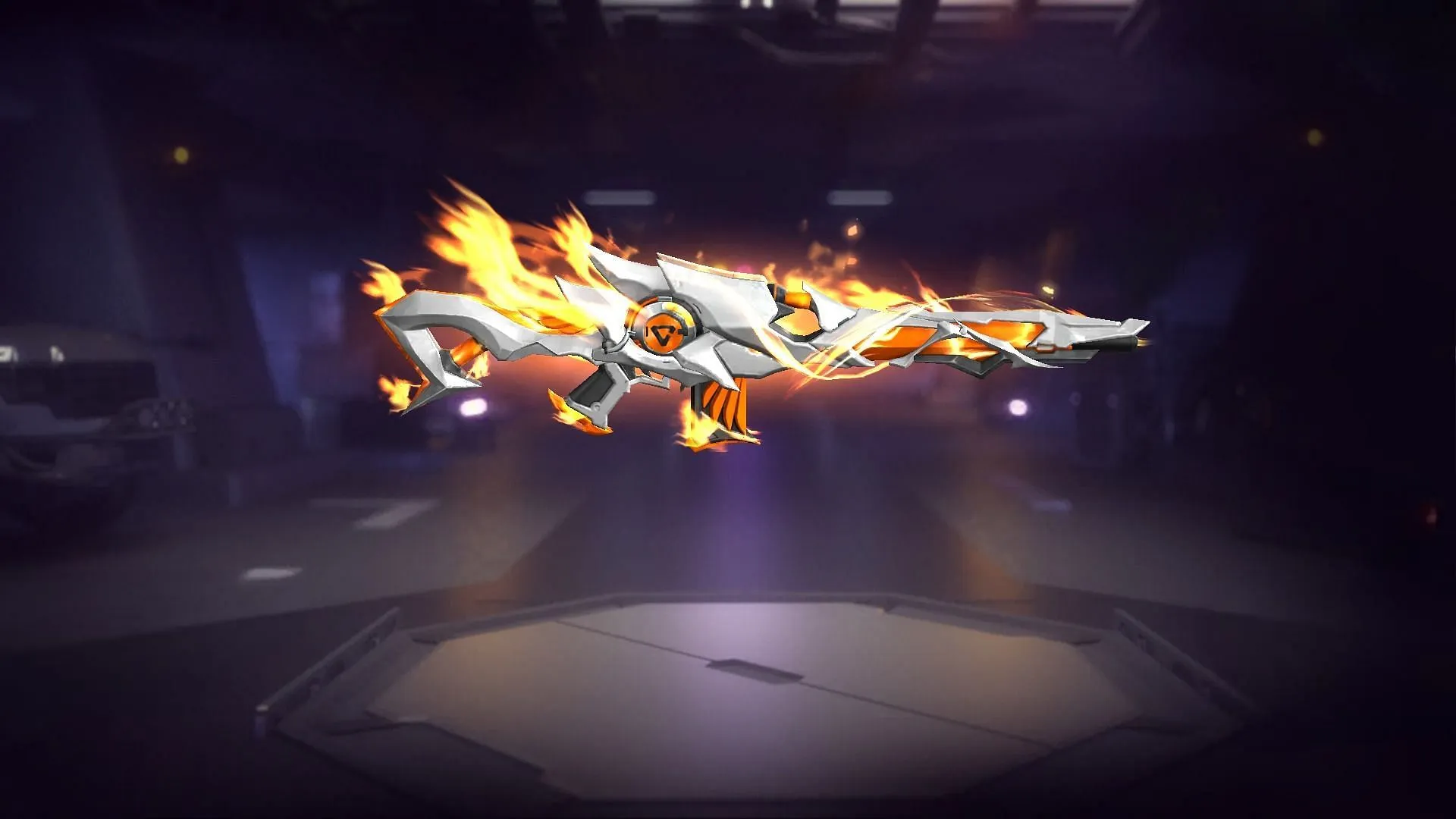
The star of the show here is the four Parafal gun skins:

Full List of Rewards

  • Parafal – Flames Undying
  • Parafal – Windrift Undying
  • Parafal – Firespark Undying
  • Parafal – Electron Undying
  • Champion’s Soul
  • Wild Nightlife
  • Double Prosperity
  • Modern Jazz Jacket
  • White Prosperity
  • Modern Jazz Glasses
  • Woodland Fairy
  • Dazzling Diva
  • Enhanced Armor Weapon Loot Crate
  • Riverdust Splasher Weapon Loot Crate
  • Great Plunder Weapon Loot Crate
  • Moonlight Ballad Weapon Loot Crate
  • Titanium Weapon Loot Crate
  • Imperial Rome Weapon Loot Crate
  • Loose Cannon Weapon Loot Crate
  • BOOYAH Weapon Loot Crate
  • Supply Crate
  • Armor Crate
  • Leg Pockets
  • Pocket Market
  • Bonfire
  • Airdrop Aid
  • Secret Clue
  • Bounty Token

You also have a chance to snag outfit pieces, weapon loot crates, and more. Remember, luck is on your side: Garena guarantees you’ll win a grand prize (one of those awesome skins) within 50 spins.

Cost and Strategy

Each spin costs 20 diamonds, or you can do 10+1 spins for 200 diamonds. Want to guarantee getting all the Parafal skins? That’ll take a maximum of 200 spins.

Not everyone wants to go all-in, and that’s perfectly okay! If you’re on a budget, save your diamonds for an event with rewards you’re really excited about.

How to Get the Rewards from Free Fire Parafal Royale Event

Ready to try your luck? Let’s do it:

  1. Fire up Free Fire and tap the Luck Royale icon (it’s on the left side of the screen).
  2. Find the Parafal Royale event and select it.
  3. Choose your spin option (single or 10+1) and cross your fingers!

Once you snag a prize, head to your “Weapon” section to equip your shiny new skin.

HoYoverse Reveals New Playable Character For Genshin Impact

HoYoverse has just confirmed a new playable character for their open-world action RPG Genshin Impact, and players of the title are eagerly looking forward to seeing what they will bring to the table. The official announcement by the developers puts an end to months of leaks and speculations anticipating the next Genshin Impact character.

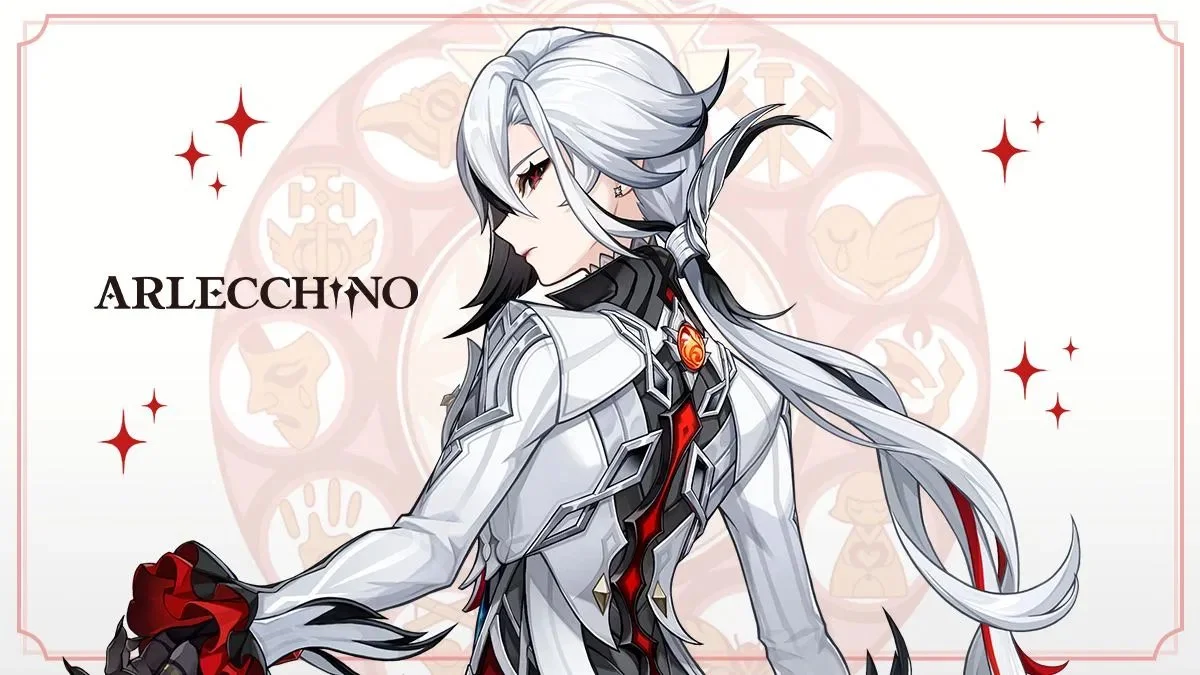
The new Genshin Impact character, Arlecchino, is set to be the next playable character and will be added to the game alongside the Genshin Impact Version 4.6 update, as confirmed by HoYoverse.

From the announcement, we can see that Arlecchino uses a Pyro Vision in combat and goes by the title of Dire Balemoon. She is also the Head of the House of the Hearth and falls under the constellation Ignis Purgatorius.

Previously, we’ve seen a plethora of leaks surfacing within the Genshin Impact community about this new character, dating way back to even before the release of Fontaine in Version 4.0. She has also appeared in the main story of the game as part of the Archon Quests in the Nation of Hydro but wasn’t confirmed to be a playable character until the recent announcement by HoYoverse.

Genshin Impact Arlecchino: Release Date & Other Details

As mentioned earlier, Arlecchino is expected to make her way to the Genshin Impact live servers with the Version 4.6 update. This means that fans can expect to roll for her starting April 24, 2024.

While it hasn’t been confirmed by the devs, leaks claim that she is set to be a 5-star character in Genshin Impact.

We also know that Arlecchino possesses Pyro Vision, and her Constellation is Ignis Purgatorius. Her weapon of choice for combat is the Polearm.

That’s everything you need to know about Arlecchino in Genshin Impact. We’ll keep this article updated as new information about the character comes to the surface.

Why Does Fortnite Keep Crashing on Xbox?

0

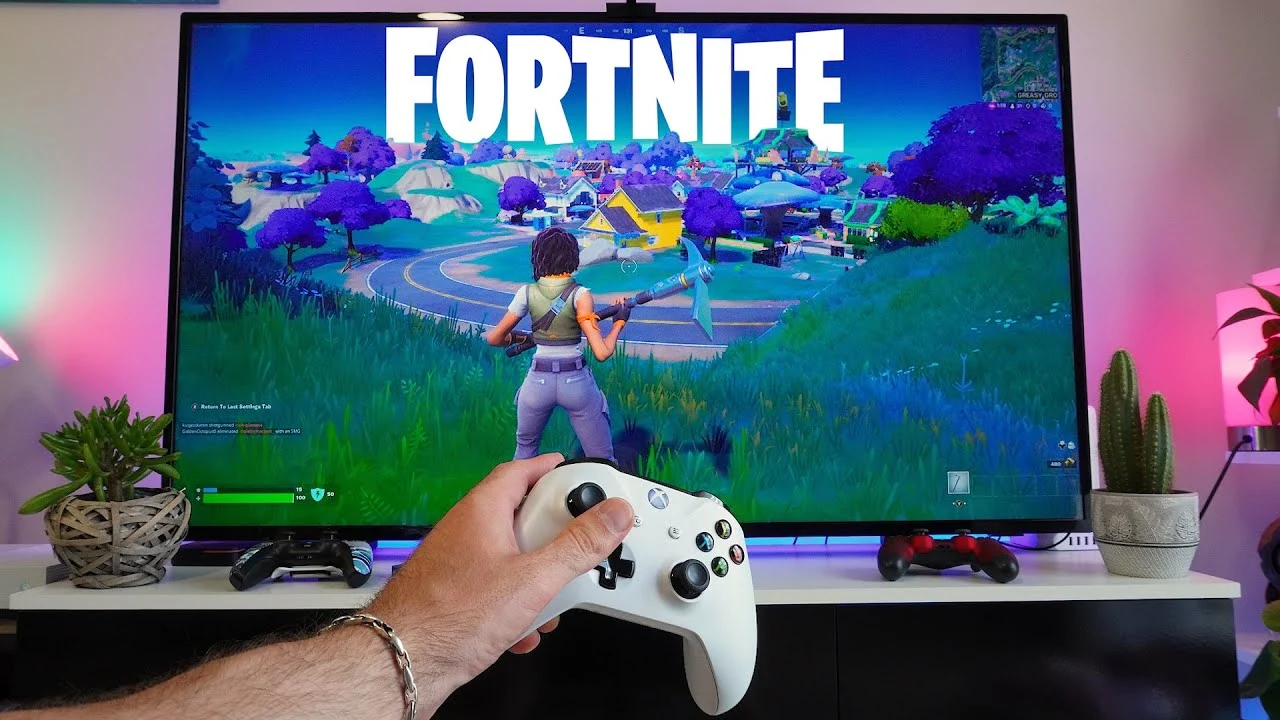
Some Xbox players are frustrated with the new Fortnite update as the game keeps crashing. If you’re one of those affected, don’t worry. This comprehensive guide will walk you through various steps to fix the Fortnite crashing on Xbox problem, ensuring a smooth and enjoyable gaming experience.

Before diving into the solutions, it’s crucial to identify potential reasons behind Fortnite‘s instability on Xbox. These could range from outdated system software and game files to cache buildup, overheating, or compatibility issues with recent game updates. Recognizing these factors is the first step towards troubleshooting the problem effectively.

How to Fix Fortnite Crashes on Xbox

Keep Your System and Game Updated

Regularly check for and install any available updates for your Xbox console and Fortnite. Game developers often release patches to enhance performance and fix bugs.

Clear Your Xbox Cache

Clearing the cache removes temporary files that could cause game crashes. This simple step can significantly boost your console’s performance.

Reinstall Fortnite

If updates and cache clearing don’t solve the issue, reinstalling Fortnite can eliminate corrupted files that might be the crash culprit.

Monitor Your Xbox for Overheating

Ensure your Xbox has proper ventilation to prevent overheating, a common cause of game crashes. Check the console’s internal temperature and adjust its placement if necessary.

Stay Informed About Known Issues

Game developers actively communicate known issues and fixes. Stay updated through Fortnite’s official forums and social media channels.

Seek Official Support

If you’ve tried everything and the problem persists, contacting the official support channels for Xbox and Fortnite can provide personalized assistance.

Warzone Mobile Pre-Registration Rewards and How to Get Them

0

Call of Duty: Warzone Mobile is gearing up for its highly anticipated release. Mobile gamers across the globe are eager to dive into the action-packed world of Warzone, and here’s your chance to score some rewards before the game even drops through pre-registration. Along with securing a spot in line to play the game, pre-registration will also reward you with exclusive items. 

All Perks of Warzone Mobile Pre-Registration

Activision has been rolling out rewards as pre-registration milestones are reached. Following are all the pre-registration rewards:

  • Rebirth Island – 45,000,000 pre-registrations
  • Shoot House – 35,000,000 pre-registrations
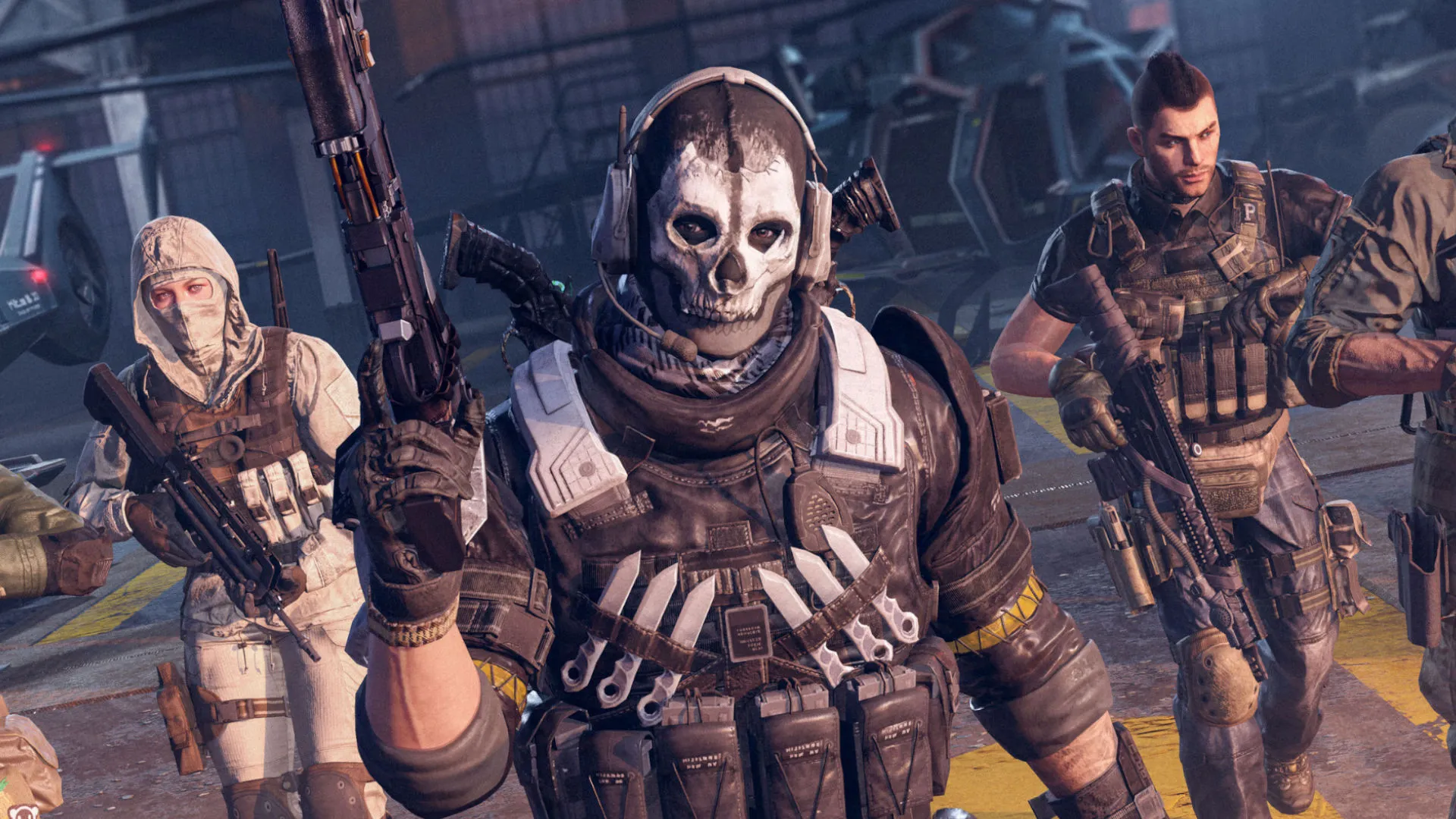
  • “Ghost-Condemned” Operator Skin – 25,000,000 pre-registrations
  • “Archfiend” M4 Weapon Blueprint – 15,000,000 pre-registrations
  • “Prince of Hell” X12 Weapon Blueprint – 10,000,000 pre-registrations
  • “Dark Familiar” Emblem – 5,000,000 pre-registrations
  • “Foe’s Flame” Vinyl – 5,000,000 pre-registrations

How to Pre-Register for Warzone Mobile

Here’s a step-by-step guide on how to pre-register for Warzone Mobile:

For Android Users:

  1. Open the Google Play Store app on your device.
  2. Sign in to your Google account if you haven’t already.
  3. In the search bar, type “Warzone Mobile” and hit enter.
  4. Once you’ve found the game’s page, tap on it to open.
  5. Look for the pre-register button and click on it.
  6. Confirm your Warzone Mobile pre-registration, and you’re all set!

For iOS Users:

  1. Launch the App Store on your iOS device.
  2. Sign in to your Apple ID if prompted.
  3. Use the search function to find “Warzone Mobile.”
  4. Tap on the game’s listing to open its page.
  5. Locate the pre-register button and tap on it.
  6. Follow any additional prompts to confirm your pre-registration.

And that’s it! You’ve successfully completed Warzone Mobile Pre-Registration. Now, sit tight and get ready to claim your exclusive rewards when the game launches.

How to Secure Your Warzone Mobile Pre-Registration Rewards

Ready to claim your share of the rewards? It’s simple. Once you’ve completed Warzone Mobile pre-registration, all that’s left to do is sit back and wait for the magic to happen. As launch day draws near, keep an eye on your inbox for updates from Call of Duty. When the big day arrives, simply download the game, and voila! Your rewards will be waiting for you, no extra steps required.

Clash Royale ‘Stuck on Updating’ Error: How to Fix It

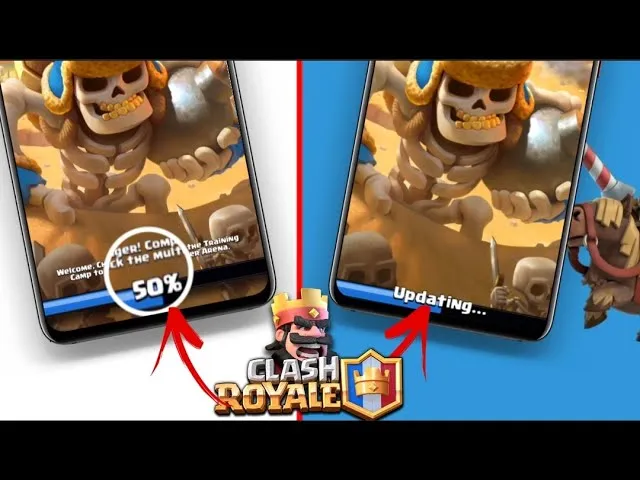
Clash Royale’s recent updates have brought some excitement, but also an unexpected headache for many players: the dreaded “Stuck on Updating” error. This frustrating glitch leaves you staring at a loading screen, unable to get into the game. While we await an official fix from Supercell, there are some steps you can take to try and jumpstart your update:

Why Is My Clash Royale Update Stuck?

Screenshot of the Clash Royale app frozen on the update loading screen.

The root cause of this error seems to be a bug introduced in one of the recent Clash Royale updates. This bug is making it difficult for the game to download and install the update correctly, leading to endless loading screens.

Clash Royale Update Issues: How to Fix the “Stuck on Updating” Error

Let’s not waste another moment battling the loading screen. Try these potential fixes:

  1. The Classic Restart: Start simple! Close Clash Royale completely, then restart your phone or tablet. This often clears out minor glitches.
  2. Check Your Connection: A shaky internet connection can definitely mess with updates. Turn your Wi-Fi or mobile data off and on again. Make sure you have a strong signal before retrying the update.
  3. The Account Switch: Sometimes, the issue may be tied to your specific App Store or Google Play account. Try logging out, then logging back in with a different account (or create a temporary one) and see if the update works there.
  4. Patience Might Be Key: If none of the above work, there’s a good chance Supercell is already aware of the problem. Keep an eye on their social media or official announcements for potential maintenance breaks or hotfixes.

Extra Tips to Keep Things Smooth

  • Clear Cache: Go into your device’s settings and clear the Clash Royale app cache. This can free up space and potentially resolve conflicts.
  • Free Up Storage: Updates need room! Make sure your device has enough storage space to download and install the new content.