A “game server timeout mm_7” error is not allowing several Free Fire players to enjoy their favorite game. The users are not able to enter the matchmaking mode as they face this peculiar problem.
Free Fire is a survival shooter game in which 50 players drop into an island with the ultimate goal to annihilate the options and grab the win. The players compete in a 10-minute match and use their survival skills till the end to get the Booyah!
Free Fire is only rising in its popularity day by day with thousands downloading the game everyday. The game has above 500 million downloads worldwide on the Google Play Store and handling such a big game comes with its fair share of problems.
The game servers are reportedly down as the players are not able to enter any game mode. This error is reported saying its game server timeout mm_7 error. The error is probably caused due to some server issues which is causing connectivity problems across the game.
While the error is not very common, if you are facing one, then report it to the Free Fire developers team. This connectivity issue may also be a small bug introduced into the game when it entered the new “BOOYAH Day” Patch update.
Several Free-Fire based content creators have reported that they are facing this “mm_7 error” issue. Free Fire has not acknowledged this prevailing bug/error issue yet and may take action soon. While it’s not a global issue that will cause any breakdown in Free Fire, it is safe to assume that the game will be fixed within a few hours or some days so wait patiently.
Voice artists are an irreplaceable part in video games, and in titles like VALORANT they’re the ones who give every hero their individual characters. The voice actors behind VALORANT have done a wonderful task at making the heroes come to life, and we try to take a look at the people behind this job.
Chances are you’ve already come across some of these artists at some point in the past. Riot has compiled artists from big hits in the video gaming industry like Overwatch, Life is Strange, Borderlands and Dragon Age along with kpop stars and voices from TV shows and movies for their competitive shooter, and the results were flawless.
Not only does every single hero in the game have a plethora of voice lines for different scenarios, there are also some hidden voice lines in the game which can only be found under special circumstances. For instance, Sage has a special voice line reserved for when she revives herself, which is in no way possible in a normal match.
Now let’s take a peek at all the current characters in VALORANT and their brilliant voice artists –
Viper | Ashly Burch
Remember Chloe from Life is Strange? This is her now:
Feel old yet?
Yes, Ashly Burch – the same character who voiced Chloe in Life is Strange – played the voice of Viper in VALORANT. Her “Welcome to my world!” is the most iconic voice line for Viper and is enough to give every one of us chills every single time we hear it. Ashly has also voiced several other characters in giant titles like Tina in Borderlands, and Aloy in Horizon: Zero Dawn.
Cypher | Nabil Elouahabi
Cypher wouldn’t be the same as who he is without the brilliance of Nabil Elouahabi as his voice artist.
Nabil is a British-Moroccan actor renowned for his roles in EastEnders, Journey to Mecca, The sum of all fears and many other movies and TV shows. However, this is only his second appearance as a video game voice artist after Dragon Age: Inquisition.
Jett | Shannon Williams
Shannon is a British-South Korean singer and a loop artist. She has no prior experience as a voice artist but you wouldn’t be able to catch that by the efforts she has put into voicing Jett.
Jett is one of the most popular picks in VALORANT due to her agile skillset and her ability to finish opponents in one hit with her ultimate.
Shannon had made her debut as a solo artist back in December 2014 with her digital single ‘Daybreak Rain’.
Omen | Jason Marnocha
Jason is a popular name in the voiceover industry, and has made previous appearances in movies and video games alike.
Jason is known for his voice acting in Singularity, Transformers: Titans Return, and games like Shenmue III and One Punch Man: A Hero Nobody Knows.
Calling Jason the ideal voice artist for Omen would be an understatement. The character of Omen feels like it was built to be voiced by him.
Sage | Naomi Yang
Previously, Naomi has made appearances in shows like New Blood, DCI Banks, Hollyoaks and movies like Lilting.
Like Shannon, VALORANT is the first appearance of Naomi Yang as a voice artist, and if you’ve played the character you can probably tell that she did a very good job at it.
Afolabi is also a new name in the video game industry. He has only made one previous appearance in the TV show ‘The Split’ and this is his second work.
Phoenix | Afolabi Alli
However, it feels as if the character of Phoenix wouldn’t be complete without this man voicing it.
Sova | Aaron Vodovoz
Aaron is another name who doesn’t have previous experience in this industry. However, he has been a part of a few TV shows and movies like The King’s Man.
The Russian accent he played for Sova adds to the unique character of the only archer in VALORANT.
Raze | Carolina Ravassa
Carolina has worked as a voice actor in AAA titles like GTA V and Max Payne 3. But her most notable work is that of Some in Overwatch.
Carolina had also made an appearance in the popular TV show Mr. Robot.
Breach | David Mankind
David Mankind is a veteran artist famous in both the movies and the video game world.
He has previously voiced characters in huge titles like Crysis 2, Quantum Break, Alien: Isolation and Battlefield.
These voice artists have together helped shape VALORANT to what it is today. With more new heroes set to be released in VALORANT in the near future, the world is surely eager to see what new voice artists can Riot bring to their game.
Killjoy | Faye Mata
Killjoy, the genius from Germany, is voiced by a familiar face to Riot. Faye Mata voiced the League of Legends champion LuLu, as well as Sierokate in Granblue Fantasy: The Animation, among many other credits.
Reyna | Karina Altamirano
The soul-sucking terror from Mexico, Reyna, is voiced by Karina Altamirano. Karina is mostly known for her work in the Spanish dub of Digimon Data Squad, creating over seven voices for the series.
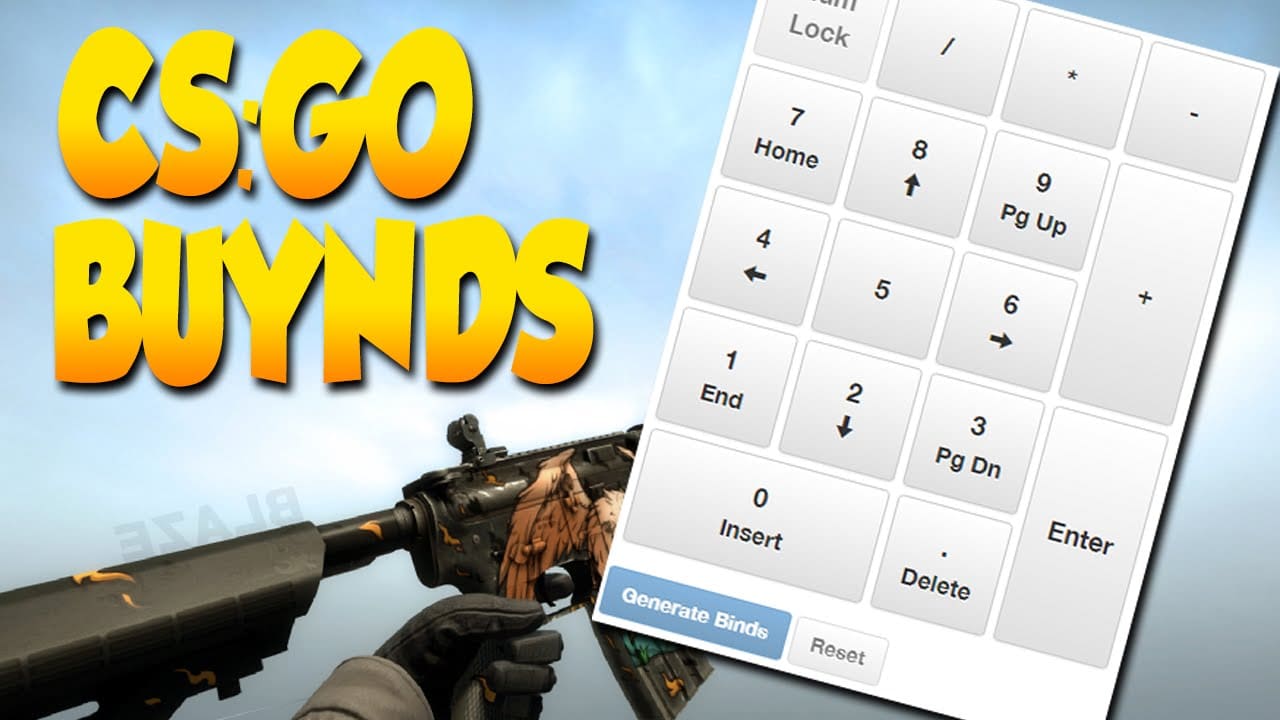
Managing your economy is crucial for playing a competitive game like CSGO. If you’re buying everything when your team called for an eco round, you’re doing it wrong. That’s why, it’s often more convenient to just set up buy binds for eco, semi-buy and full buy rounds. You can also choose to manually buy every single round, but that’s too much of a hassle when your weapons are just one button away from you.
There are two kinds of primary buy binds in the game. First are the basic binds which assign a key to buying a certain weapon, and then comes the more advanced binds and aliases, which enable you to buy everything you need in a certain round.
Here’s everything you need to know about setting up your own buy binds in CSGO.
Basic Binds
These are the binds you’re probably already familiar with – you press a button (say, F1) and you get a specific weapon. They aren’t the best uses for your keys, but can still be convenient at times when you’re looking to save an extra click.
If you’re looking to set up such a bind yourself, you need to get acquainted with weapon codes first. Each weapon has a code which can be entered into the console to buy that weapon. This steam community guide showcases every weapon code you’ll need in a competitive game of CSGO.
Select the code you need from the list below, then assign a buy command to it from the console. For instance if you want to assign X to buy the Desert Eagle, type the following in the console or paste it in the config:
Bind X “buy deagle”
You can replace X with other keys and deagle with other weapons. Below are the codes of different weapons in the game.
Pistols:
glock – Glock 20
hkp2000 – P2000
p250 – P250
elite – Dual Elites
deagle – Desert Eagle/Deagle
tec9 – Tec 9
Sub-Machine Guns:
mp9 – MP9
mac10 – Mac 10
mp7 – MP7
p90 – P90
bizon – PP-19 Bizon
ump45 – UMP .45
Shotguns:
nova – Nova
xm1014 – XM 1014
mag7 – MAG 7
sawedoff – Sawed Off
Machine Guns:
negev – Negev
m249 – M249
Rifles:
sg008 – SG 008 Sniper/Scout
awp – AWP Sniper
ak47 – AK 47
galilar – Galil
sg556 – SG 556
g3sg1 – G3 SG1
famas – Famas
m4a4 – M4A4
m4a1-s – M4A1 Silenced
aug – AUG
scar20 – Scar 20
Grenades:
hegrenade – Basic Grenade
flashbang – Flashbang
smokegrenade – Smoke Grenade
decoy – Decoy Grenade
molotov – Molotov
incgrenade – Incendiary Grenade
Gears:
defuser – Defuse Kit
vest – Kevlar
vesthelm – Kevlar+Helmet
Advanced Binds
These are the binds that’ll actually make life easier for you. You’ll be able to buy an entire round’s worth equipment with the press of a single button.
In order to make one of these binds, all you need to do is separate your buy commands with a semicolon (;) and paste them into your config.
Let’s categorise your buys into three parts and take a look at the corresponding keybinds.
Eco Bind: bind F1 “buy p250” (assuming that’s all you’re gonna buy for an eco)
Taking a look at the above-mentioned binds, you’ll easily get the idea on how to alter your binds accordingly to fit your needs. Remember to paste the binds in your config or autoexec files, or they’ll disappear and you’ll have to do them again.
Worlds 2020 kicks off today with the first games of the play-in stage. Here are all the details you need to know to watch along with the action!
Worlds 2020 will feature a full slate of games from the play-in stage, in which teams from the two play-in groups will battle in a best-of-one round robin for seeding in the eventual knockout stage, which will determine who advances to the group stage.
Let’s dive into the full schedule for the play-in stage of Worlds 2020 so that fans around the world can watch along!
Fortnite’s Season 4 Week 5 Wolverine challenge makes players locate a Truck, and here’s how to find it.
The fifth Wolverine challenge has dropped in Fortnite, tasking players to locate a Trask Transport Truck, rewarding them with a slick Wolverine skin upon completion of all 6 Wolverine challenges. Trask Trasport Trucks are essentially a mutant containment vehicle which contains supervillains from the Marvel universe.
Photo by GameRant
A guide to its location:
The Fortnite truck is quite a big judging by its looks and purple in color which is quite a stark contrast to its surroundings thus making it easier to find it. Upon reaching the delta of Doom’s Domain, players are required to head towards the northwest corner. Lockie’s Lighthouse being a nearby attraction player is expected to see the truck raised from the meadow surrounded by trees.
Upon landing on the truck, players will be greeted with the challenge completion notification. The truck contains a coin as well which grants the players with a bonus 15000XP if you already haven’t. Once completing the 6th Wolverine challenge, players will receive the skin that they have longed for.
Photo by PC Gamer
The week 5 challenges include:
Search Chests at Doom’s Domain
Eliminations at Dirty Docks
Drive a car from Slurpy Swamp to Catty Corner in less than four minutes without getting out
Collect Floating Rings at Coral Castle
In a vehicle, jump through the Flaming Ring at Salty Springs
Make a Stark Robot dance
Destroy Gorgers
Deal damage to opponents at the Authority
Deal damage to opponents at Stark Industries
Locate a Trask Transport Truck
These challenges are limited to Battle Pass owners. There has been a significant rise in the number of pass owners since this challenge dropped. Players who consistently grind these challenges are primed to get their hands on the Wolverine skin.
Riot Games has announced a new skin bundle for their competitive shooter Valorant, and fans are loving the designs!
The Gravitational Uranium Neuroblaster (GUN) bundle, which is inspired by works of authors like Frank Herbert, Isaac Asimov, Arthur Charles Clarke, and the Strugatsky brothers, will feature skins for the Classic, Bucky, Operator, Spectre, and a melee weapon.
🚨 New Gravitational Uranium Neuroblaster (G.U.N) skin bundle coming to #VALORANT!
Considering the previous skin collections presented by Riot, the GUN bundle is a unique take on Valorant skin designs that make them appear straight out of a sci-fi movie. The skins will consist of three separate color variants.
The price of the full bundle including five skins and a gun buddy hasn’t been specified by Riot as of yet. Each skin in the bundle will cost 1,775 Valorant points, which is just under $20.
The bundle is scheduled to hit the in-game store on September 30th, the same day as the release of patch 1.09.
Free Fire is well known for its cosmetic items. The items can be procured from the Item Shop but most of them need to be bought. The in-game currency like Diamonds is necessary to buy such skins. There is another way to exciting rewards free. Free Fire tends to giveaway free items and skins during special events and streams. Most of the time, the gifts are given in the form of Free Fire coupon codes. The coupons are not sighted regularly but can be obtained fairly easily on official streams.
Players who want free skins can keep an eye on obtaining the codes and earn the rewards. You can do so by regularly checking the official social media handles alongside the YouTube channel for any possible giveaways. Once you earn any code coupon, you can follow this simple guide to redeem the rewards.
Step 1: Visit the Reward Redemption center of Garena Free Fire. Click here to visit.
Step 2: Log in with your Free Fire account. One must have either Facebook or Google ID signed in as a Guest account does not work.
Step 3: Enter the code and get free rewards in your in-game item vault.
Note: Make sure to check that the available Free Fire coupon is 12 characters long, with a string of numbers and capital letters mixed. Also, remember to use the coupon before it gets expired to avail the rewards.
Voice artists are an irreplaceable part in video games, and in titles like VALORANT they’re the ones who give every hero their individual characters. The voice actors behind VALORANT have done a wonderful task at making the heroes come to life, and we try to take a look at the people behind this job.
Chances are you’ve already come across some of these artists at some point in the past. Riot has compiled artists from big hits in the video gaming industry like Overwatch, Life is Strange, Borderlands and Dragon Age along with kpop stars and voices from TV shows and movies for their competitive shooter, and the results were flawless.
Not only does every single hero in the game have a plethora of voice lines for different scenarios, there are also some hidden voice lines in the game which can only be found under special circumstances. For instance, Sage has a special voice line reserved for when she revives herself, which is in no way possible in a normal match.
Now let’s take a peek at all the current characters in VALORANT and their brilliant voice artists –
Viper | Ashly Burch
Remember Chloe from Life is Strange? This is her now:
Feel old yet?
Yes, Ashly Burch – the same character who voiced Chloe in Life is Strange – played the voice of Viper in VALORANT. Her “Welcome to my world!” is the most iconic voice line for Viper and is enough to give every one of us chills every single time we hear it. Ashly has also voiced several other characters in giant titles like Tina in Borderlands, and Aloy in Horizon: Zero Dawn.
Cypher | Nabil Elouahabi
Cypher wouldn’t be the same as who he is without the brilliance of Nabil Elouahabi as his voice artist.
Nabil is a British-Moroccan actor renowned for his roles in EastEnders, Journey to Mecca, The sum of all fears and many other movies and TV shows. However, this is only his second appearance as a video game voice artist after Dragon Age: Inquisition.
Jett | Shannon Williams
Shannon is a British-South Korean singer and a loop artist. She has no prior experience as a voice artist but you wouldn’t be able to catch that by the efforts she has put into voicing Jett.
Jett is one of the most popular picks in VALORANT due to her agile skillset and her ability to finish opponents in one hit with her ultimate.
Shannon had made her debut as a solo artist back in December 2014 with her digital single ‘Daybreak Rain’.
Omen | Jason Marnocha
Jason is a popular name in the voiceover industry, and has made previous appearances in movies and video games alike.
Jason is known for his voice acting in Singularity, Transformers: Titans Return, and games like Shenmue III and One Punch Man: A Hero Nobody Knows.
Calling Jason the ideal voice artist for Omen would be an understatement. The character of Omen feels like it was built to be voiced by him.
Sage | Naomi Yang
Previously, Naomi has made appearances in shows like New Blood, DCI Banks, Hollyoaks and movies like Lilting.
Like Shannon, VALORANT is the first appearance of Naomi Yang as a voice artist, and if you’ve played the character you can probably tell that she did a very good job at it.
Afolabi is also a new name in the video game industry. He has only made one previous appearance in the TV show ‘The Split’ and this is his second work.
Phoenix | Afolabi Alli
However, it feels as if the character of Phoenix wouldn’t be complete without this man voicing it.
Sova | Aaron Vodovoz
Aaron is another name who doesn’t have previous experience in this industry. However, he has been a part of a few TV shows and movies like The King’s Man.
The Russian accent he played for Sova adds to the unique character of the only archer in VALORANT.
Raze | Carolina Ravassa
Carolina has worked as a voice actor in AAA titles like GTA V and Max Payne 3. But her most notable work is that of Some in Overwatch.
Carolina had also made an appearance in the popular TV show Mr. Robot.
Breach | David Mankind
David Mankind is a veteran artist famous in both the movies and the video game world.
He has previously voiced characters in huge titles like Crysis 2, Quantum Break, Alien: Isolation and Battlefield.
These voice artists have together helped shape VALORANT to what it is today. With more new heroes set to be released in VALORANT in the near future, the world is surely eager to see what new voice artists can Riot bring to their game.
Killjoy | Faye Mata
Killjoy, the genius from Germany, is voiced by a familiar face to Riot. Faye Mata voiced the League of Legends champion LuLu, as well as Sierokate in Granblue Fantasy: The Animation, among many other credits.
Reyna | Karina Altamirano
The soul-sucking terror from Mexico, Reyna, is voiced by Karina Altamirano. Karina is mostly known for her work in the Spanish dub of Digimon Data Squad, creating over seven voices for the series.
InnerSloth’s 2018 title Among Us has been the center of attraction in the video game world over the past few months. The game received an unprecedented amount of traction and rose towards the top of the Steam charts in a short span of time, surpassing the likes of Fall Guys or PUBG.
Due to the game rising to fame out of nowhere in only a couple of months, there have been constant server issues due to them not being prepared to handle traffic of this size. Occasionally, users have reported Among Us servers crashing in the middle of a game and worse, going down for some time.
When the Among Us servers go down, players are unable to join or create any games but are instead greeted with an error saying that the user has been disconnected from the game.
While it’s impossible to predict when the servers will go out, we know that it can be super annoying when you find yourself in a similar scenario, and that’s why we’re gonna state how you can check the status of Among Us servers and see if the servers are down. We’ll also include ways on how to fix the problem if the problem lies in your computer.
Check the Subreddit: The Among Us subreddit is probably your best bet to find out if there’s a problem with the servers. In case there’s an outage, the sub will be flooded with posts complaining about the server issues. In case there isn’t, you’re probably one of the first people to notice the server problems, feel free to make a thread regarding your problem, and with some luck, it’ll get noticed by the mods.
Check Twitter: The Among Us Devs regularly share news about the game through their Twitter handle. If your game is disrupted by scheduled maintenance, you might find the announcement by checking on their Twitter. Consider turning on your notifications on the InnerSloth Twitter if you want to know about announcements or maintenance earlier than others.
Ask a Friend: Probably one of the simpler ways to figure out if there’s a problem with the servers, just go ask a friend! If your friends can’t log into the game either, chances are high that the servers are down globally.
Restart Your Router/Modem: If there’s a problem with your internet connection, restarting your modem or router might just be enough to fix all your connection issues. Turn off your router, wait for a solid 5-10 minutes, then turn it back on and try to join the servers.
Restart Your PC: If restarting your router didn’t fix the problem, restarting your PC is your next viable option.
Verify Game Cache: If you’re playing through Steam, your game files may be corrupted, causing this problem. Verifying your game files may solve your issue. To do so, go to Steam library, right click on Among Us, go to properties, and verify the game integrity. It won’t take long and will fix any files that are missing or corrupted.
Reinstall the Game: This might be your last resort. Fully wipe out the game from your system and download a fresh copy from the Steam store. Unless the problem lies with your ISP, this will surely fix it.
If everything else fails, you’ll have to contact your ISP and ask them to resolve this issue. The developers have already announced that they’re working hard to solve the server problems, so rest assured that it’ll only be a matter of time until the servers return to normal.
Call of Duty: Mobile provides you the classic COD experience on a mobile phone. The game can be played whenever and wherever one wants to. Apart from the casual side, the game has risen to become a popular competitive title.
If you want to enjoy this game with your friends or compete and practice in a private lobby, you can easily do so. Here is a simple guide to help you create a private match:
How to make a private match in COD Mobile
Step 1: Open Call of Duty:Mobile and click on the “Multiplayer” tab.
Step 2: Click on the “≡” menu on the top right hand side corner of your screen.
Step 3: From the drop-down menu box, Click on the “Private” button.
Step 4: A private room will be started. Now invite your friends or opponents who you want to play with and click “Start”.
To select any specific Multiplayer Mode, follow these steps:
Step 1: Click on the Multiplayer Mode option present on the bottom-right corner.
Step 2: The various game modes will appear. Select the one you want to play.
Step 3: Click on the ‘Confirm’ button.
With this simple guide, now you can enjoy the game in private matches, either practicing or discovering new modes or just playing with your friends for fun.