Fortnite most recent Chapter 4 event is already going on, and it comes with a brand new Unreal Engine 5.1 visual setting for players, appropriately called Lumen.
The lighting update is available with a variety of new content in Chapter 4 Season 1 and every console player who play on PS5 or Xbox Series X|S can switch Lumen on.
But, players need take into consideration a decrease in some aspects of performance for the ability to enjoy the visual increase.
How to turn on Lumen graphics in Fortnite
At present, there’s only one option to activate the Lumen settings as per the Official Fortnite Chapter 4 FAQ page. This requires to turn off the 120 FPS mode that a lot of players who play competitively find useful to play at the highest level.
To turn Lumen on for PS5 and Xbox Series X|S:
Open Settings
Under Video settings, and ‘Graphics’, turn off 120 FPS mode.
The Fortnite Chapter 4 Season 1 is live now and the update has brought in a lot of new locations and content in the game. Among all the additions, the new Augment system has become quite popular in the Fortnite community.
Similar to other games’ perks, the Augment system appears to have effects that might alter a match’s direction as it progresses. Without wasting time, let’s check out how to activate an Augment in Fortnite.
How to activate an Augment in Fortnite?
You can easily activate an Augment just by pressing 7 on a keyboard or the D-Pad on a controller. The more you play the more Augments you receive in the game.
Once an Augment becomes available, you will receive a pop-up in the bottom right of your display. Each time you get the ability to utilize an augment, you’ll have a choice of two, or you can re-roll them to earn a fresh pair. Each subsequent set of re-rolls during a match costs 100 Gold, with the initial re-roll of each match being free.
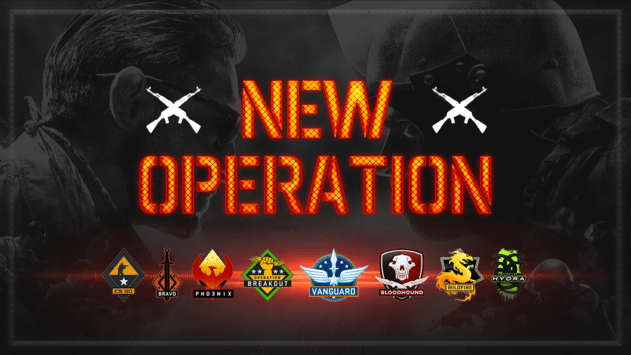
It has been over a year since we had an Operation in CSGO, with the last Operation being ‘Riptide’ which was released in September 2021.
So far, Valve hasn’t made any confirmation about the release date of the next CSGO Operation, which is why fans of the competitive shooter have been speculating about its release throughout social media platforms.
Here’s what we know so far about the next CSGO Operation release date:
Next CSGO Operation Release Date
Over the past few years, we’ve had one Operation in CSGO each year (with the exception of 2018). Here’s a list of Operations that the Game had since 2015:
Operation Bloodhound (May 26, 2015)
Operation Wildfire (February 17, 2016)
Operation Hydra (May 23, 2017)
Operation Shattered Web (November 18, 2019)
Operation Broken Fang (December 3, 2020)
Operation Riptide (September 21, 2021)
Taking a glance at the above-mentioned list, it seems that the next CSGO operation will come to CSGO at some point in late 2022 or early 2023.
Fans can expect the next CSGO Operation to arrive in December 2022 or January 2023. However, don’t be surprised if Valve decided to switch things up and release the next Operation at a later date. The Operation will likely last for about five months before coming to a conclusion.
New weapons, locations, vehicles, characters, and more are all waiting for gamers in Fortnite: Chapter 4 Season 1. As a new form of loot box, Oathbound chests will be available to players. These provide a substantial amount of high-quality treasure in large quantities.
If they want to win a game, players need to learn the whereabouts of these special chests. Listed below are the locations of the Oathbound chests in Fortnite: Chapter 4 Season 1.
Oathbound Chest hotspots in Fortnite
Oathbound chests are incredibly rare and tend to spawn on the western part of the battlefield. The Citadel, Anvil Square, Breakwater Bay, and Shattered Slabs are all good examples of places you might find an Oathbound chest. Oathbound chests are the best place to find powerful items like Shockwave Hammers.
Currently, the greatest place to find a large number of Oathbound chests is in the Citadel or Anvil Square. However, these zones are hotly contested, so players should expect to engage in combat very immediately after touching down.
As an alternative, you can land on the ancient castle-like structures that dot the landscape near these POIs. Some Oathbound chests, for instance, can be found on the castles to the west of The Citadel.
These areas are less popular, so players that want to load up on treasure beforehand can rest assured that they will get a passive drop. Gold bars, which can be used to buy various items from NPCs, can also be found in Oathbound boxes.
There are more ways to acquire valuable loot besides opening Oathbound boxes. Capture Points can be found at various points of interest, and players can take control of them to gain loot.
At the beginning of each match, “hot drop places” will be indicated, and this is where you can take out the flying drones. Use these strategies to get the finest loot in every round and stay one step ahead of the competition in Fortnite Chapter 4 Season 1.
New places, weapons, and gameplay features have been added to the isle in Fortnite: Chapter 4 Season 1, but players may also notice another change that is based on a feature that is common in other battle royale games.
These are Hot Zones, the best places to quickly and easily amass a large number of riches. However, there are relatively few of these scattered over the world to prevent any one player from becoming too powerful. The following is a guide on how to find Hot Spots in Fortnite.
Where in Fortnite can you find the Hot Spots?
It’s important for players looking for Hot Spots to keep an eye on the minimap as the battle bus flies in at the beginning of a game. This is due to the fact that their locations are denoted by POIs that have gold text, and it is not assured that they will remain in the same area during each encounter.
It is not necessary for players to visit listed sites in advance to decide if they are Hot Spots because question marks will also be highlighted, as demonstrated in the following paragraphs. However, there will only be two Hot Spots available in each match, so you can anticipate that they will be crowded with competitors.
The fact that flying drones are only permitted to take off and land in Hot Spots is the primary characteristic that sets them apart from other locations on the map. Each Hot Spot is guarded by a swarm of drones, and by destroying them, players can get access to rare weaponry, medical supplies, and protective gear.
It is important to double-check whether or not the Hot Spot’s Capture Point has been taken control of if all of the location’s drones have been killed. Banner-bearers at Capture Points gain at least two weapons and see-through walls to all chests in the area, making them a potentially lucrative loot source in their own right.
The first season of Fortnite Chapter 4 is officially out, and a tonne of fresh places and stuff have been added. The new Dirt Bike has been one of the most well-liked additions among Fortnite players out of all the others.
A new vehicle, the Trail Thrasher Dirt Bike. It is, however, quite difficult to locate. We will go through where to get dirt bikes in Fortnite Chapter 4 Season 1 in this article.
Where to Find Dirt Bikes in Fortnite Chapter 4 Season 1?
The Trail Thrasher dirt bike cannot be found in any specific spawn spots. However, there are only so many Trail Thrasher Dirt Bikes available in each Fortnite battle. Due to their little size, they are difficult to find.
The proposed places are Frenzy Field, Faulty Splits, and Lonely Labs. Additionally, locate all the gas stations and garages that have petrol pumps nearby. Additionally, Trail Thrasher Dirt Bikes may be found within certain structures. As a result, you may examine sheds inside and residences outside.
Additionally, you must ride a dirt bike a set distance to complete the first weekly objective. Every time you finish one of the five components of the quest, you’ll get 16K XP. You may now complete the visit new named sites in a single game while riding a dirt bike for an additional 16K XP.
The Fortnite Chapter 4 Season 1 is live now and the update has brought in a lot of new locations and content in the game. Among all the additions, the new Augment system has become quite popular in the Fortnite community.
Similar to other games’ perks, the Augment system appears to have effects that might alter a match’s direction as it progresses. Without wasting time, let’s check out how to activate an Augment in Fortnite.
How to activate an Augment in Fortnite?
You can easily activate an Augment just by pressing 7 on a keyboard or the D-Pad on a controller. The more you play the more Augments you receive in the game.
Once an Augment becomes available, you will receive a pop-up in the bottom right of your display. Each time you get the ability to utilize an augment, you’ll have a choice of two, or you can re-roll them to earn a fresh pair. Each subsequent set of re-rolls during a match costs 100 Gold, with the initial re-roll of each match being free.
Tarik “tarik” Celik, content creator and broadcaster, and YouTube Streamer Ludwig Ahgrencollaborated to host a tournament on Valorant called the “Lil Bro Cup,” which featured 20 of the platform’s most popular players.
On November 30th, Sentinels made the announcement regarding the competition. Sentinels posted a message on Twitter that read, “20 Valorant stars. 2 questionable hosts. 1 Tournament to decide everything. Announcing the Lil Bro Cup.”
Four elite teams—Team Subroza, Team Rossy, Team Zander, and Team BcJ—competed at the top level on December 5. (IST). Nevertheless, Team Subroza prevailed and was awarded the monetary prize in the amount of $7,000 USD.
The Lil Bro Cup was won by Team Subroza.
The Lil Bro Cup consisted of three best-of-three (BO3) series, two of which were the semi-finals and one of which was the final. During the course of the competition, there was also a consolation final that featured a best-of-one match.
In the semifinals, Team Rossy defeated Team Zander with a series score of 2-0, and Team Subroza prevailed over Team BcJ with a series score of 2-1. Both teams advanced to the finals.
Nevertheless, in the championship match, in which they won 2-0 against Rossy’s team, Subroza’s team played a flawless series and prevailed. In the meantime, the consolation final between Team Zander and Team BcJ was played, and Zander’s team emerged victorious with a score of 13-11.
List of teams who had participated in The Lil Bro Cup:
Heroic fell short in the final hurdle at the major, however, they showed their level in the following event, beating FaZe Clan in the finals of Blast Premier Fall Season with a 2-1 record and winning the entire thing.
The Danish side will be competing at the Blast World Finals taking place in Abu Dhabi later this month with one hurdle that needed skipping ahead of it. Stalwart rifler Martin Lund aka stavn has decided to take some time off leading the team to look for someone to fill his shoes. stavn has been one of the pillars that made Team Heroic what it is today and his loss is certainly a big blow.
However, the team has opted to secure the services of former Astralis man Kristian “k0nfig” Wienecke. k0nifg has had a rather controversial year and hasn’t shown his best form in his recent stints but he has the experience and the ability. The question is if cadiaN and xizt will be able to squeeze the best out of him.
“2022 has been an amazing year in many ways, but also the hardest year of my life personally. I’m going to be spending some time with family and friends in this hard period. Huge thanks to all my teammates and @heroicgg for all the love, support, and understanding.”-wrote stavn on Twitter.
k0nfig had to part ways with Astralis in the most bizarre ways and has been looking to get back to the upper echelons of CSGO and this is his way in. With the plethora of ups and downs in his career k0nfig has a lot going for him in this stint in a top team.
Heroic is a top team that holds the ability to win any tournament but the loss of a star player will certainly set them back, however, k0nifg is one of the greatest Danes ever and a proven player on LAN events. With the eyes of the world on him, a good performance here would land him on a permanent spot on some or the other tier-1 rosters.
Whether you’re playing a competitive or casual game, it’s important to get your settings right. These settings will make your game much more enjoyable and help you be more accurate. Below are some tips to get you started.
Crosshair placement
Getting the right crosshair in Valorant is vital. Valorant is a competitive game whose aim largely depends on tracking, spray control and crosshair placement. It is also a game where it pays to be able to adjust your utility usage to suit your playstyle.
You need to be aware of your surroundings and the various positions of your opponents. You can practice your crosshair placement in different game modes and practice peeking around corners. You can also lower the sensitivity of your mouse to improve your aiming.
To get the most from your crosshair placement, you need to consider the size of your crosshair, its colour, opacity and the in-game sensitivity of your mouse. Some players like to play with low in-game sensitivity, while others prefer a higher one.
Mouse sensitivity
Getting the best Valorant mouse sensitivity depends on your play style, equipment and personal preferences. You will need to experiment with different ranges to find a good balance.
Generally, the best Valorant players use a range of DPIs between 0.25 and 0.70. Some prefer higher settings, and others prefer lower. For beginners, it is recommended to start with higher sensitivity. This is because a higher sensitivity means you can clear sharp corners comfortably. For advanced players, it is better to transition to lower sensitivity.
Valorant is a tracking-based game. This means that your mouse sensitivity has a significant impact on the way you move and aim. It would be best to balance sensitivity and DPI to maximize your performance.
When setting up your mouse, remember that every mouse has its sensitivity and DPI. You can learn more about your equipment by visiting your manufacturer’s website. You can also try out different sensitivity settings in Deathmatch to see how they affect your performance.
Scoped sensitivity
Choosing the best Valorant aim settings is crucial to achieve accurate aiming. There are several factors you should consider. These include mouse sensitivity, DPI, mouse pad size, and grip style.
Choosing a low-sensitivity setting allows for greater precision when aiming. This can help you land headshots. It can also help you track your opponents better. However, high-sensitivity settings can cause inaccuracy. You may miss an enemy or need help micro-adjusting.
Choosing the right sensitivity setting for Valorant can improve your aiming and improve your gaming experience. It can also make you better at controlling your mouse. You can adjust the sensitivity until you find the perfect setting.
In addition to choosing the best Valorant aim settings, you should also practice. Use your entire arm to aim instead of using your wrist. Try tracing different angles and practice flicks.
Optimal DPI
Optimal DPI for Valorant aim settings is a tricky topic. There are many factors to consider. It would help if you chose DPI that you find comfortable but also one that you feel you can improve. This is especially true when playing a game with a precise aim. You should consider adjusting your mouse sensitivity if you are struggling with your performance.
The aim is very important in Valorant. It is the most important control in the game. Practising your aim and using in-game tools can help you improve.
Most Valorant players fall into the range of 200 to 400 eDPI. This means that their sensitivity is relatively high. If you have trouble hitting targets with your mouse, reduce your eDPI. However, if you are performing well, stick with your usual settings.
Preset colours for your crosshair
Choosing the right crosshair is important to get the most out of Valorant. There are many different settings you can use to customize your crosshair. Some colours work better than others, but it’s worth testing different colour codes to find the best combination.
Finding a colour that contrasts well with your map backdrops would be best. A green crosshair will stand out in a dark map, while a pink one will stand out in a light one. But be careful when choosing colours, as some colours will blend in with the background.
A crosshair outline helps you to see where your enemies are. It also gives you a reference point for when you are aiming. You can change the thickness and opacity of the outline.