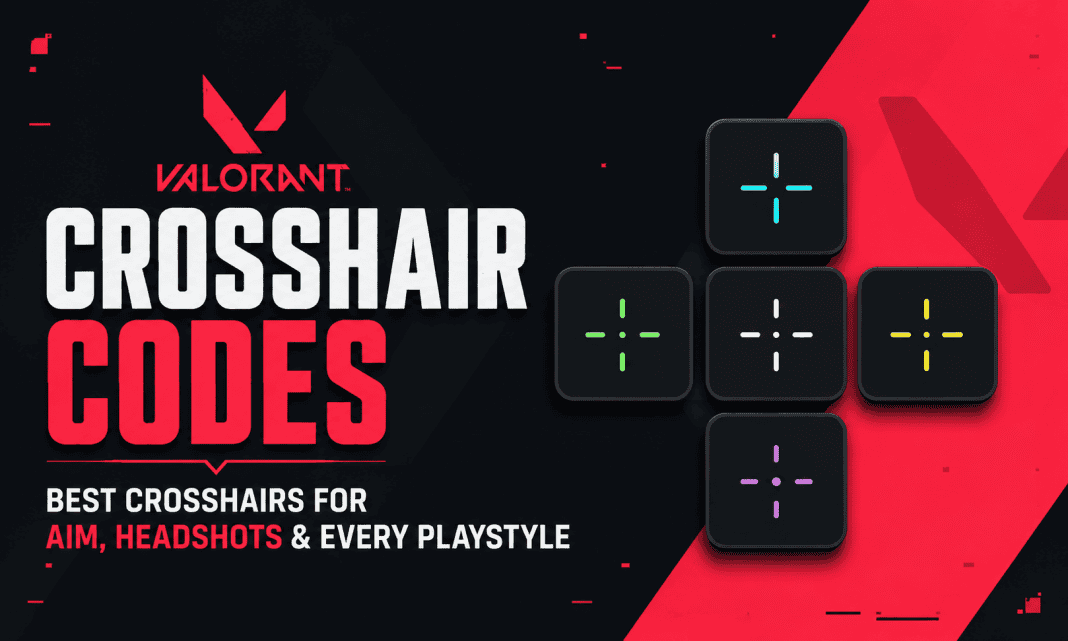
VALORANT crosshair codes make it easy to copy proven crosshair setups instead of manually changing every setting. Whether you want a small crosshair for precise headshots, a dot for clean tapping, or a more visible setup for aggressive fights, the right reticle can make aiming feel more comfortable. Riot Games added crosshair import and export codes directly to VALORANT, allowing players to share complete profiles instantly. In this guide, we have listed some of the best VALORANT crosshair codes for different playstyles, along with the best settings and steps to import them.
VALORANT Crosshair Codes for Aim and Headshots
There is no single best VALORANT crosshair for every player. However, small and clean crosshairs are popular because they provide a clear aiming point without covering the enemy’s head.
For players who want an all-round setup, the classic small cyan crosshair is an excellent starting point. TenZ’s well-known setup uses a cyan color, short inner lines, a small gap and no center dot.
Here are some of the best VALORANT crosshair codes to try:
| Playstyle | Crosshair | Code |
|---|---|---|
| All-round aim | TenZ-style Cyan | 0;s;1;P;c;5;h;0;0l;4;0o;2;0a;1;0f;0;1b;0 |
| Precise tapping | Aspas-style Dot | 0;s;1;P;o;1;d;1;0b;0;1b;0;S;c;0 |
| Clean precision | Demon1-style | 0;P;c;5;h;0;m;1;0l;4;0o;2;0a;1;0f;0;1b;0 |
| Minimal crosshair | yay-style | 0;P;h;0;f;0;0l;4;0o;0;0a;1;0f;0;1b;0 |
| Aggressive/flexible | f0rsakeN | 0;p;0;c;1;s;1;P;h;0;f;0;s;0;0l;3;0v;3;0g;1;0o;0;0a;1;0f;0;1b;0;A;o;1;d;1;0b;0;1b;0;S;d;0 |
These codes are based on popular pro-player configurations and widely used competitive crosshair styles. Crosshair settings can change as players experiment, so treat pro codes as starting points rather than permanent settings.
1. TenZ Crosshair Code
Code: 0;s;1;P;c;5;h;0;0l;4;0o;2;0a;1;0f;0;1b;0
The TenZ-style cyan crosshair is one of the best choices for players who want an all-round reticle. It is small enough for headshots but remains easy to see during hectic fights.
The short inner lines and small gap make it useful for both tapping and controlled bursts. It is also a good choice for players who are still improving their crosshair placement.
2. Aspas Crosshair Code
Code: 0;s;1;P;o;1;d;1;0b;0;1b;0;S;c;0
The Aspas-style dot is designed for players who prefer an extremely clean aiming point. With very little visual information around the target, it can work especially well for players who rely on precise first shots.
This is a strong option for Duelist mains who are comfortable with their aim and want the crosshair to stay out of the way.
3. Demon1 Crosshair Code
Code: 0;P;c;5;h;0;m;1;0l;4;0o;2;0a;1;0f;0;1b;0
The Demon1-style setup gives you a clean crosshair while keeping the aiming point easy to identify. Its simple structure makes it suitable for players who want consistency rather than a complicated design.
It is particularly useful if you sometimes lose track of ultra-small crosshairs during fast fights.
4. yay Crosshair Code
Code: 0;P;h;0;f;0;0l;4;0o;0;0a;1;0f;0;1b;0
The yay-style crosshair follows a minimalist approach. It uses short lines and little visual clutter, making it a good option for players who prefer holding angles and taking controlled fights.
If you like a static crosshair that does not distract you while aiming, this is one worth testing.
5. f0rsakeN Crosshair Code
Code: 0;p;0;c;1;s;1;P;h;0;f;0;s;0;0l;3;0v;3;0g;1;0o;0;0a;1;0f;0;1b;0;A;o;1;d;1;0b;0;1b;0;S;d;0
The f0rsakeN setup is a good choice for aggressive players who want a compact reticle. Its small design can work well for fast target switches while keeping the center of the screen relatively clean.
It is also useful for players who frequently switch between different weapons and engagement ranges.
Best VALORANT Crosshair for Headshots
For headshots, a small static crosshair is usually the easiest place to start. A compact design helps you keep the enemy’s head visible instead of covering it with large lines or a thick center dot.
Try these settings:
- Color: Cyan, white or green
- Outlines: Off or low
- Center Dot: Off
- Inner Lines: On
- Inner Line Length: 3-4
- Inner Line Thickness: 1
- Inner Line Offset: 1-2
- Movement Error: Off
- Firing Error: Off
The goal is consistency. A crosshair cannot replace good crosshair placement, counter-strafing or recoil control.
Best VALORANT Crosshair for Every Playstyle
Different players can benefit from different designs.
For beginners: Use a small cyan crosshair with short inner lines. It is easy to see and provides a clear center point.
For headshot-focused players: Try a small dot or compact crosshair. These designs leave more of the enemy visible.
For Duelists: A small static crosshair works well for players who take frequent first-shot fights and quick flicks.
For Controllers and Sentinels: A clean crosshair with slightly more visibility can help when holding angles and playing around utility.
For aggressive players: Try a compact crosshair with clear lines so you can quickly identify the center during movement-heavy fights.
For operators: A simple crosshair with minimal clutter is preferable because the scope already provides a precise aiming reference.
How to Import VALORANT Crosshair Codes
Riot Games added crosshair import and export codes in Patch 4.05. You can import a complete crosshair profile without manually changing every individual setting.
Follow these steps:
- Open VALORANT.
- Go to Settings.
- Select the Crosshair tab.
- Find the Crosshair Profile section.
- Click the Import Profile Code icon.
- Paste your VALORANT crosshair code.
- Click Import.
- Save the imported profile with a name you can recognize.
The imported crosshair should appear immediately in the preview. Riot also allows players to export their own crosshair settings as a code and share them with others.
Does the Best VALORANT Crosshair Improve Aim?
A crosshair can make aiming more comfortable, but it will not automatically improve your aim.
The most important factors are crosshair placement, movement, sensitivity and practice. A good crosshair should simply give you a clear and consistent reference point.
More importantly, avoid changing your crosshair after every bad game. Pick one that you can see clearly and use it consistently for several matches. This lets you build familiarity instead of constantly adjusting to a new reticle.
Best VALORANT Crosshair Settings to Start With
If you do not want to copy a pro player’s code, start with this simple setup:
- Color: Cyan
- Outlines: Off
- Center Dot: Off
- Inner Lines: On
- Length: 4
- Thickness: 1
- Offset: 2
- Outer Lines: Off
- Movement Error: Off
- Firing Error: Off
This setup keeps the screen clean while giving you a clear point for head-level crosshair placement.
Ultimately, the best VALORANT crosshair is the one that you can see easily without thinking about it. Try the codes above in Deathmatch and the Practice Range, then stick with the one that feels most natural.
FAQs
What is the best VALORANT crosshair code?
A small cyan crosshair is a strong all-round choice. The TenZ-style code is a popular starting point because it is compact, visible and suitable for multiple playstyles.
What is the best VALORANT crosshair for headshots?
A small static crosshair or dot is ideal for players focused on headshots. The Aspas-style dot is a good option if you prefer minimal visual clutter.
Can I import a VALORANT crosshair code?
Yes. Go to Settings > Crosshair > Crosshair Profile, select the import option and paste your code. Riot officially added crosshair import and export codes to VALORANT.
Should I use movement and firing error?
Most players looking for a clean competitive crosshair should start with both settings turned off. You can enable them later if you want visual feedback about movement and weapon accuracy.
How often should I change my crosshair?
Avoid changing it too frequently. Test a setup for several matches and focus on whether you can consistently see the center and maintain good crosshair placement.