Thursday, June 11, 2026
Home Blog Page 737

Riot Games to Debut New Valorant Map at Champions 2023

0

Riot Games, the renowned developer behind the popular FPS game Valorant, is gearing up to unveil a brand-new map during the climax of the Valorant Champions broadcast. This anticipated reveal has been the talk of the town, with fans and enthusiasts piecing together clues from various teasers and social media buzz.

Speculations are rife that this new arena for intense FPS battles will be set against the backdrop of Los Angeles. This theory gains traction considering the grandeur of the Valorant tournament taking place in the heart of California. The promotional materials surrounding this event and the forthcoming Act have been generously sprinkled with symbols and motifs reminiscent of LA.

Riot Games has a legacy of making significant announcements during the concluding moments of its world championship tournaments. Staying true to this tradition, Valorant Champions 2023 promises to be no exception. The crescendo of this event, the Grand Final’s pre-show, is slated to be the stage for the grand reveal of the next Valorant map.

But that’s not all! The Champions Gold Carpet pre-show isn’t just about the map. It promises a melange of entertainment, including a musical extravaganza during the Grand Final’s inaugural ceremony. Attendees and viewers can expect appearances from some of the most prominent figures in the realms of Valorant, music, and the broader gaming community.

For those hungry for more, Riot hints at divulging details about Episode 7 Act 2 a day before the Grand Final. Fans have another reason to stay glued to their screens – the chance to earn exclusive drops during the final broadcasts of the Valorant Champions series. Riot isn’t stopping at online engagements; they’re also rolling out in-person events in LA and offering giveaways through watch parties.

As the curtain is about to fall on the Valorant Champions event, the excitement is palpable. Four formidable teams – Evil Geniuses, Paper Rex, Fnatic, and LOUD – are in the fray, each vying for the coveted title of world champion.

Stay updated with the latest news in gaming and esports by signing up for early access to TalkEsport’s Mobile App. Follow us on Twitter and Google News to ensure you never miss the exciting updates.

NVIDIA DLSS 3.5 Takes Ray Tracing to the Next Level with Ray Reconstruction

0

In the realm of dynamic graphics technology, NVIDIA emerges as the stalwart pioneer, propelling innovation while others linger. Amidst the backdrop of unexplored potentials, the Deep Learning Super Sampling (DLSS) algorithm, NVIDIA’s treasured creation, stands poised to redefine visual grandeur. Across its transformative journey through DLSS1 to DLSS 3.1, NVIDIA has consistently pushed boundaries. Now, the spotlight turns to DLSS 3.5 – a revelation set to magnify the world of ray tracing.

NVIDIA’s journey through DLSS iterations reads like a saga of innovation. Beginning with DLSS1 in March 2020 and advancing through DLSS 2.3 in November 2021, DLSS 3 in October 2022, and DLSS 3.1 in January 2023, each version has carved new milestones. The cumulative effect of these releases is the culmination of DLSS 3.5 – an exemplar of cutting-edge technology.

DLSS 3.5 propels the experience of realism to unprecedented heights with its focus on Ray Reconstruction (RR). This innovation surpasses conventional denoising methods, underscoring NVIDIA’s commitment to quality. Built upon extensive training encompassing a colossal dataset, Ray Reconstruction harmonizes with diverse game and software data. It identifies intricate ray-traced effects and discerns between temporal and spatial pixels, ensuring the preservation of intricate high-frequency data for later upscaling.

The traditional approach of denoising inadvertently erodes essential data needed for upscaling, resulting in compromised color fidelity. This trajectory also fosters inaccuracies in lighting effects and engenders the specter of ghosting from past frames.

In contrast, Ray Reconstruction emerges as the beacon of progress. This innovation eliminates the shortcomings of its predecessors, enriching global illumination and reflections by seamlessly interpolating data, unburdened by scarcity.

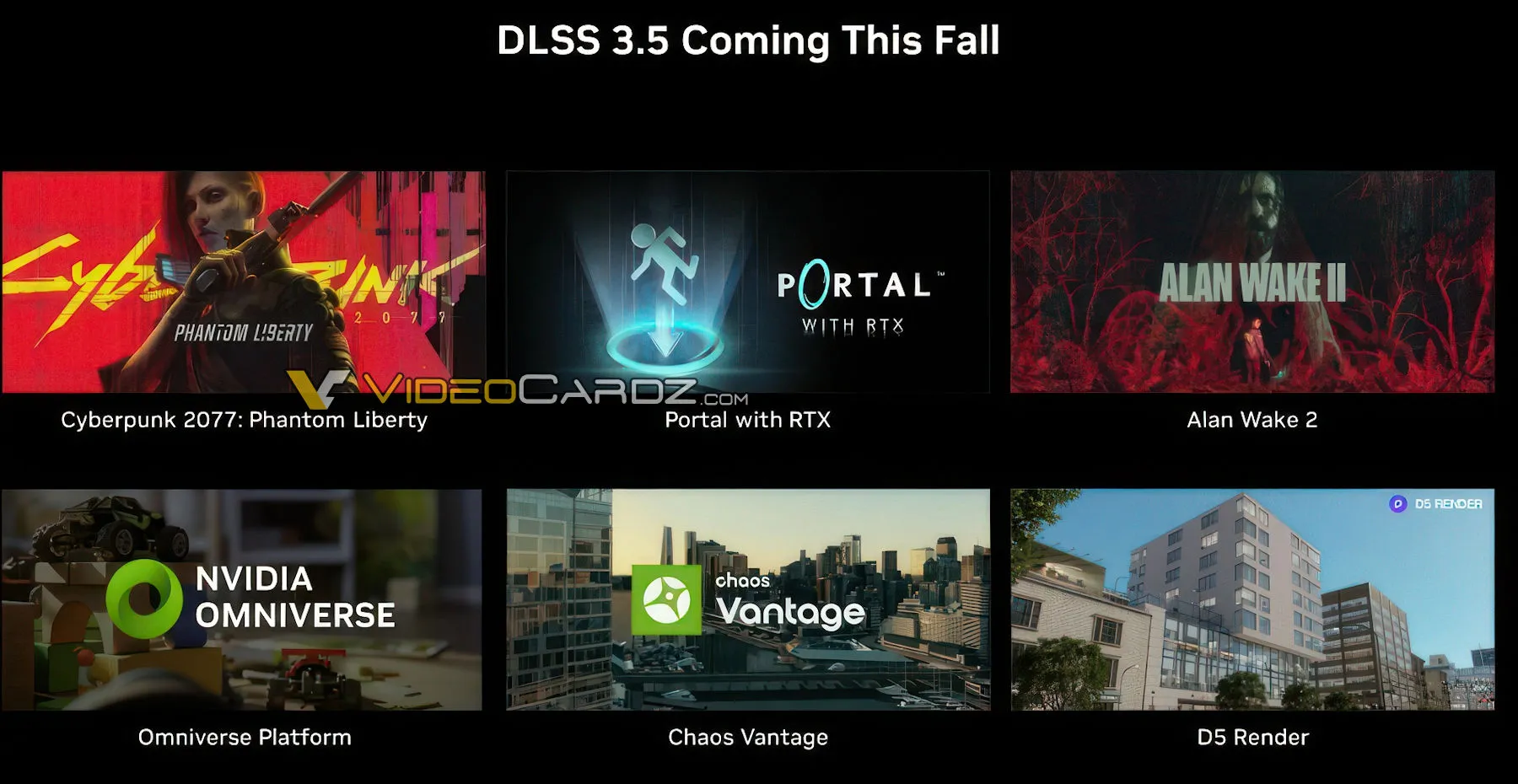
The horizon of innovation beckons as DLSS 3.5 is set to debut in the approaching fall season. It will grace titles like Cyberpunk 2077: Phantom Liberty, Portal with RTX, and Alan Wake 2. Beyond gaming, its prowess extends to the NVIDIA Omniverse Platform, Chaos Vantage, and D5 Renderer, ensuring inclusivity across all RTX GPUs.

Stay updated with the latest news in gaming and esports by signing up for early access to TalkEsport’s Mobile App. Follow us on Twitter and Google News to ensure you never miss the exciting updates.

FAQ

What is DLSS 3.5’s main focus?

DLSS 3.5’s spotlight is on Ray Reconstruction (RR), a revolutionary advancement enhancing visual experiences.

How has DLSS evolved over the years?

DLSS has evolved from its inception in 2020 to DLSS 3.1 in 2023, with each version bringing remarkable technological strides.

What challenges do traditional denoising techniques pose?

Traditional denoising methods compromise color data fidelity and can lead to inaccuracies in lighting effects and ghosting.

How does Ray Reconstruction improve global illumination and reflections?

Ray Reconstruction bridges gaps in interpolation, enriching global illumination and reflections, ensuring a more authentic visual experience.

Where can we expect to see DLSS 3.5’s impact?

DLSS 3.5 will debut in games like Cyberpunk 2077: Phantom Liberty and extend its reach to platforms like the NVIDIA Omniverse and Chaos Vantage.

Xbox Series X gets Starfield and camo console wraps

0

In a realm where personalization reigns supreme, Microsoft’s latest stride in gaming innovation is set to captivate the gaming community. The introduction of a trio of brand-new wraps for the Xbox Series X heralds a new era of customizable gaming aesthetics. These wraps not only augment the visual allure of the gaming console but also serve as an artistic medium for expressing individual style. Among the impressive assortment, a standout wrap draws inspiration from the coveted limited edition Starfield-themed Xbox controller and headset, infusing a dash of galactic intrigue into the realm of gaming.

For gamers who seek to transcend the boundaries of convention, Microsoft’s ingenious move offers a breath of fresh air. The introduction of two captivating camo color options, namely the Arctic Camo and the Mineral Camo, reflects the brand’s commitment to detail. These wraps are meticulously crafted to seamlessly envelop the Series X console, rendering a custom and precision-crafted appearance. Significantly, these wraps exert no influence on the console’s performance, as they are masterfully designed to avoid obstructing essential vents. Moreover, discreet small feet have been seamlessly incorporated, ensuring a seamless flow of airflow.

Diverging from the classic white façade, Microsoft’s new offerings present gamers with a chance to infuse their gaming setup with personal flair. The wraps’ attachment method is a revelation – departing from the realm of mere stickers, these wraps are equipped with velcro hooks and loop enclosures. The outcome is a secure and aesthetically pleasing connection to the console, a far cry from traditional methods. This thoughtful innovation not only guarantees a polished appearance but also attests to the wraps’ resilience and steadfastness, even amid the throes of intense gaming sessions.

Imaginative gamers with a penchant for the cosmos are in for a treat. Microsoft’s unveiling of a Starfield-inspired console wrap is akin to embarking on an interstellar adventure. Transforming the console into an onboard avionics module, the wrap imbues each gaming session with cosmic energy. While the exterior flaunts a soft-touch finish adorned with tactile surface graphics, the interior boasts a plush fabric lining. Notably, the wrap ingeniously showcases pivotal internal components, including the top fan, heatsink, and bottom vapor chamber.

Microsoft’s dedication to inclusivity is evident in its offerings. Should the Starfield-themed wrap not align with your preferences, fret not! The brand extends a spectrum of choices to cater to diverse tastes. The Arctic and Mineral Camo wraps seamlessly harmonize with the existing Arctic and Mineral-themed controllers, enabling gamers to curate a harmonious and bespoke gaming ambiance.

Pricing and Availability

Accessing these cutting-edge wraps is an endeavor of accessibility and allure. The Starfield-inspired console wrap, a gateway to galactic luxury, bears a price tag of $49.99 (approximately Rs 4,147). Meanwhile, the enticing camo-inspired wraps are set to debut on November 10 at a tempting price of $44.99 (approximately Rs 3,732). Microsoft’s strategic maneuver suggests a spirited competition with Sony’s custom side panel covers for the PlayStation 5, ushering in an epoch of personalized gaming aesthetics.

In a world characterized by individuality, Microsoft’s latest array of wraps for the Xbox Series X is a testimony to innovation, quality, and sophistication. Whether the allure of the Starfield-themed wrap beckons or the intricacies of camo wraps captivate, one certainty remains – these wraps transcend the realm of mere accessories. They stand as portals to a gaming journey that is authentically one’s own, a fusion of personal style and gaming excitement. Embrace the narrative of personalization and elegance, for Microsoft’s Xbox Series X wraps illuminate the path to the future of gaming aesthetics.

Stay updated with the latest news in gaming and esports by signing up for early access to TalkEsport’s Mobile App. Follow us on Twitter and Google News to ensure you never miss the exciting updates.

How to Unlock Narzissenkreuz Ordo in Genshin Impact?

0

If you’ve been lost in the immersive world of the latest Genshin Impact update, traversing new realms, encountering captivating characters, and embarking on thrilling quests, then the enigmatic Narzissenkreuz Ordo might have already caught your attention. This distinctive location isn’t just another spot on the map; it plays a pivotal role as a must-visit site for a variety of quests. Let’s embark on a journey to uncover the mysteries of Narzissenkreuz Ordo through this comprehensive guide.

For those who have delved into the latest edition of Genshin Impact, immersing themselves in quests and adventures, Narzissenkreuz Ordo stands out as a fascinating puzzle piece. This locale takes center stage in advancing through specific questlines. However, Genshin Impact leaves the route to Narzissenkreuz Ordo shrouded in mystery, challenging players to uncover it themselves.

How to Unlock Narzissenkreuz Ordo in Genshin Impact?

Worry not, as we’ve meticulously crafted an all-encompassing guide that unveils the path to unlocking Narzissenkreuz Ordo’s secrets. If you’ve already emerged victorious in the Aqueous Tidemarks quest, feel free to move on to step two of this thrilling journey.

Step 1: Gateway to the Institute of Natural Philosophy

Before setting out on your expedition to Narzissenkreuz Ordo, ensure you’ve secured entry to the Institute of Natural Philosophy. This establishment serves as the launchpad for your upcoming exploits.

Step 2: The Key to the Puzzle

At the heart of your quest lies the Ancient Key, a prized token acquired by successfully conquering the Aqueous Tidemarks quest. This key acts as the gateway to further enigmas waiting to be unveiled.

Step 3: Embarking on the Odyssey

Venture forth and tackle the complete quest, granting you unrestricted access to the Institute of Natural Philosophy. This journey through the quest line is pivotal, unlocking the full potential of your expedition.

Step 4: Navigating the Northern Waypoint

Upon triumphant completion of the Aqueous Tidemarks quest, make your way to the northern Waypoint nestled within the Institute of Natural Philosophy. This waypoint serves as the portal propelling you into the next phase of your adventure.

Step 5: The Bookish Discovery

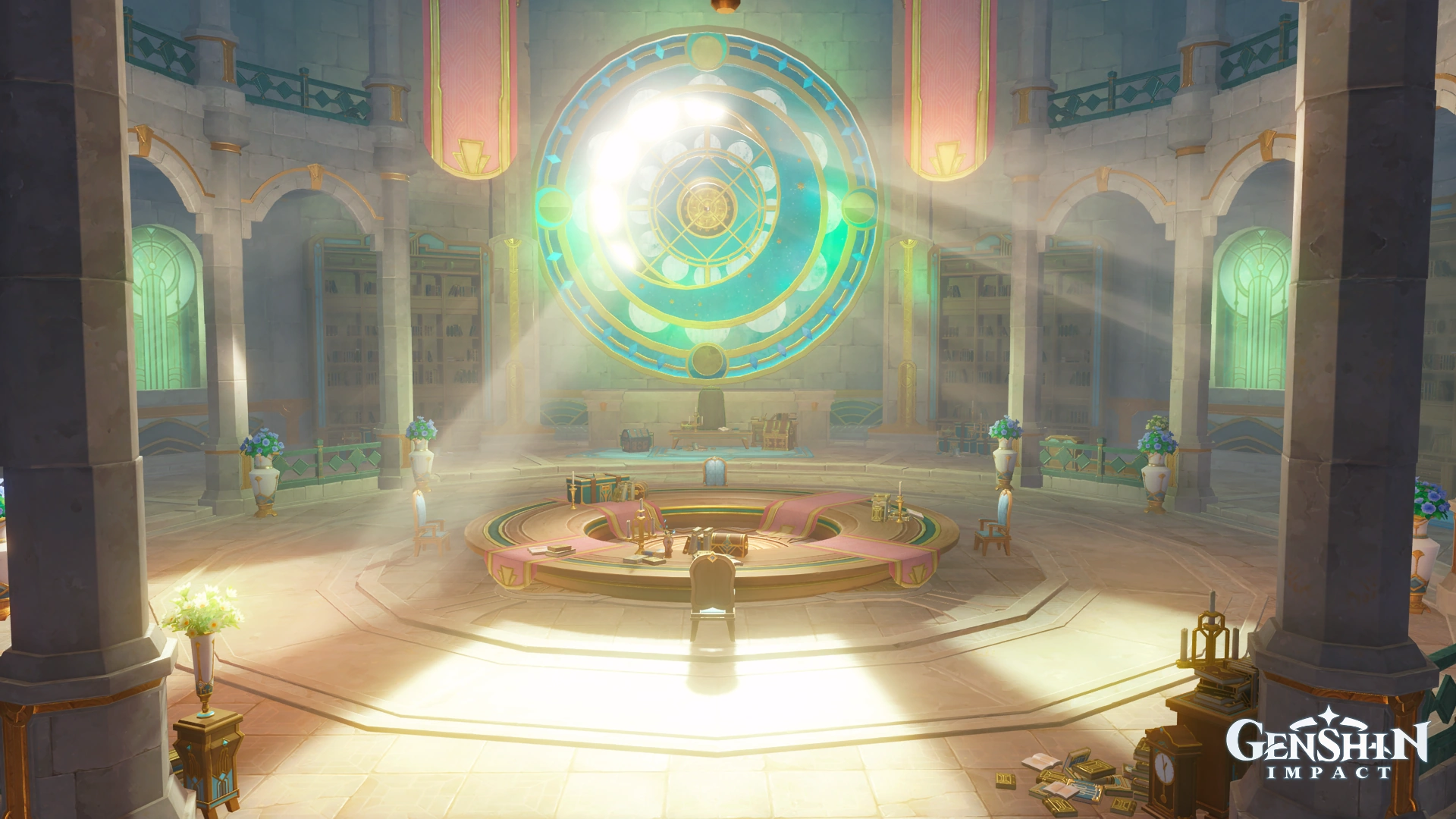
As you step into the Institute’s halls, keep an eye out for a chamber harboring a specific book. Engaging with this book will transport you to your next destination, Narzissenkreuz Ordo.

Step 6: Teleportation through the Written Word

Positioned at the far end of the hall from the Waypoint, the book beckons from atop a table. Delve into its pages for the first time, and a Book Marker will emerge on your map. This marker becomes your ticket to swift teleportation back to the book’s location.

Step 7: Seamlessly Revisiting Narzissenkreuz Ordo

With the Book Marker at your disposal, revisiting Narzissenkreuz Ordo transforms into a breeze. A mere interaction with the Book Marker on your map aligns you with the book’s vicinity. This feature proves especially advantageous when encountering Seymour during The Final Question quest and meeting Ann within the Unfinished Story Quest.

Stay updated with the latest news in gaming and esports by signing up for early access to TalkEsport’s Mobile App. Follow us on Twitter and Google News to ensure you never miss the exciting updates.

FAQ

Is Narzissenkreuz Ordo essential for quest progression?

Yes, Narzissenkreuz Ordo is pivotal for advancing through specific questlines, offering an immersive experience.

Can I access Narzissenkreuz Ordo without completing the Aqueous Tidemarks quest?

No, the completion of the Aqueous Tidemarks quest is a prerequisite to unlocking Narzissenkreuz Ordo.

What is the Book Marker, and how does it work?

The Book Marker, acquired upon reading the book in the Institute, allows for swift teleportation between locations.

Are there additional secrets within Narzissenkreuz Ordo?

Indeed, Narzissenkreuz Ordo holds more mysteries beyond quest progression, rewarding exploration.

Can I encounter other players in Narzissenkreuz Ordo?

Narzissenkreuz Ordo is primarily a single-player questing area, offering a personalized experience.

How to Play Genshin Impact on Steam Deck?

0

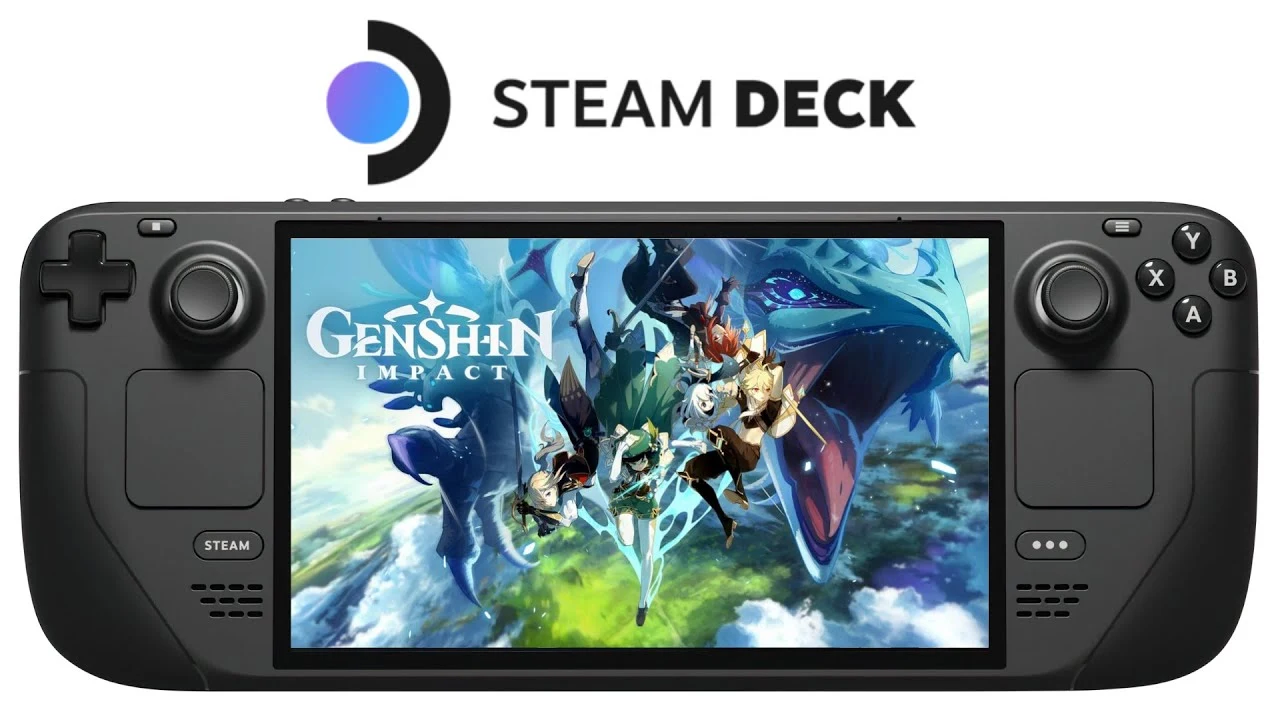
If you’re a devoted Genshin Impact player who revels in the intricate controls and stunning visuals of PC gaming, the Steam Deck is poised to become your ultimate gaming companion. With its portable design and integrated controller, the Steam Deck perfectly aligns with your gaming aspirations. However, a notable challenge arises: Genshin Impact isn’t officially accessible on Steam, nor is it validated for the Steam Deck. Curious to know if you can embark on your Genshin Impact adventure through this platform? Let’s delve into the comprehensive details you need.

Certainly, the allure of Genshin Impact can extend to your Steam Deck experience, but it entails a few additional steps. While Genshin Impact hasn’t made its way onto Steam’s offerings, the game’s availability isn’t out of reach. To equip your PC with this captivating title, the options typically encompass the Epic Games Store or the official launcher. However, for your Steam Deck endeavor, the latter choice emerges as the more promising path.

How to Play Genshin Impact on Steam Deck?

Navigating the installation of Genshin Impact onto your Steam Deck might appear more intricate than the familiar process of adding games from the Steam platform. Yet, fear not, for the endeavor isn’t overwhelmingly complex. As you set forth on this digital journey, consider having a mouse and keyboard on standby, as you’ll engage in tasks such as copying and pasting text. Anticipate the endeavor to consume roughly an hour, given the comprehensive steps involved. Here’s a comprehensive breakdown:

  • Enter Steam OS Desktop Mode and Launch Your Browser

Begin by transitioning into the Steam OS desktop mode and promptly launching your preferred web browser.

  • Access the Official Genshin Impact Website and Download the PC Client

Redirect your virtual footsteps toward the official Genshin Impact website, where you can secure the PC client via download.

  • Launch Steam and Navigate to Your Steam Library

Initiate Steam and gracefully navigate your way to the haven of gaming possibilities known as your Steam Library.

  • Incorporate Genshin Impact as a Non-Steam Game

In this stage, summon the magic of inclusion by selecting “Add Game” and gracefully opting for the “Add a Non-Steam Game” option.

  • Embrace the Genshin Impact PC Client into Your Collection

A symphony of clicks shall guide your hands to “Browse,” invoking a transformation of file types to “All files.” Within this realm, uncover the cocoon of the Genshin Impact PC client installer and grant it life by selecting “Open.”

  • Entwine Genshin Impact into Your Steam Library

Seize the moment by selecting “Add Selected Programs,” an act that harmoniously binds the .exe file within the tapestry of your Steam Library.

  • Harmonize Compatibility Parameters

Within the corridors of your Steam Library, embark on an encounter with the Genshin Impact installer. With a gentle touch upon the gear icon, seek the embrace of “Properties.” Under the tab of Compatibility, embrace the choice to “Force the use of a specific Steam Play compatibility tool,” elegantly selecting “Proton Experimental.”

  • Unveil the Enigma: Launch the Installer

In this step, you shall orchestrate the birth of the installation process through the ethereal act of clicking “Play.”

  • Completion of the Installation Ritual

Embark on a dance of installation, one that shall not only usher in Genshin Impact but also bestow upon you the gift of Visual C++.

  • Harmonize Space and Essence

As you navigate the cosmos of installation, consider adjusting the path to accommodate the unfolding of this digital masterpiece, especially if spatial limitations rear their heads.

This process, though requiring patience, shall ultimately pave the path to Genshin Impact’s presence on your Steam Deck. While initial verification might falter, a remedy exists, so there’s no need for concern. Gently close the curtain on this segment of your digital odyssey.

As you stand on the precipice of accomplishment, a pivotal task remains: infusing Genshin Impact’s essence into your Steam Library. Let’s traverse this final bridge:

  • Bid Adieu to the Installer

With the grace of a parting, right-click upon the installer. In the dialogue that ensues, find solace in the embrace of “Manage,” guiding you towards the choice of “Remove non-Steam game from your library.”

  • Embark on a Quest for the Genshin Impact Launcher

Venture into the realm of hidden files, your guide a humble file browser. Traverse the path of Home -> .steam -> steam -> steamapps -> compatdata, a sacred route that leads you to the dwelling place of the “Genshin Impact Game” folder.

  • Capture the Essence of the Path

With the skill of a cartographer, venture forth and capture the essence of the path, a jewel that resides within the address bar.

  • A New Addition to Your Library

Return to your Steam Library, poised for the culmination of this grand symphony. As you select “Add a Game” and then “Add a Non-Steam Game,” watch as your digital brush unveils the path you’ve captured, leading to the grand reveal of “launcher.exe.”

  • The Key to Compatibility

Embrace the process of compatibility, allowing the tune of “Proton Experimental” to resonate through the digital veins of “launcher.exe.”

  • Embark on Your Adventure

With a triumphant flourish, launch the game, finalizing its orchestration. Should unexpected ripples mar your journey, cast your gaze towards the realm of Installation Location, rectifying any disturbances.

  • Unveil the Tapestry of Genshin Impact

As your digital tapestry unfurls, a vista of login screen splendor greets you. With this vision secured, bid adieu to the realm of gaming for now, returning your Steam Deck to Game mode as you prepare to relaunch Genshin Impact.

Stay updated with the latest news in gaming and esports by signing up for early access to TalkEsport’s Mobile App. Follow us on Twitter and Google News to ensure you never miss the exciting updates.

FAQ

Is Genshin Impact available on Steam?

As of now, Genshin Impact is not officially accessible on the Steam platform.

Can I play Genshin Impact on the Steam Deck without extra steps?

No, you’ll need to follow a series of steps to install and play Genshin Impact on the Steam Deck.

Why choose the Steam Deck for Genshin Impact?

The Steam Deck offers a portable gaming experience with a built-in controller, making it an enticing platform for Genshin Impact enthusiasts.

What is the Proton Experimental compatibility tool?

Proton Experimental is a compatibility tool on Steam that enables running Windows games on Linux-based systems.


MLBB X Ducati Collaboration Event Brings Benedetta and Irithel Skins

0

Mobile Legends: Bang Bang (MLBB) fans are in for a treat as the game has partnered with legendary motorcycle brand Ducati for MLBB X Ducati Collaboration Event. This remarkable collaboration brings a skin series featuring the revered heroes Benedetta and Irithel, adorned in sleek racing outfits, as they navigate the battlefield on high-speed motorcycles. The unveiling of this innovative event has set the gaming community ablaze with anticipation.

MLBB X Ducati Collaboration Event: How to Get Benedetta and Irithel Skins

The heart of this collaboration lies in the skin series that casts a spotlight on two beloved MLBB heroes: the swift and agile Benedetta, and the deadly and precise Irithel. These iconic characters trade in their traditional avatars for adrenaline-pumping racing gear, complete with intricately designed racing suits and helmets. As they mount powerful Ducati motorcycles, players can expect an entirely new level of immersion as they blaze through the gaming arena.

The release date for the MLBB x Ducati collaboration skins is unknown, but the excitement is all time high. While the skins are currently exclusive to the advanced server, data miners have provided insights into the event’s mechanics and prize pool. The mechanics include a captivating bingo minigame, allowing players to accumulate more skins alongside the draw event.

Draw Event and a Bingo Minigame

Acquiring these coveted skins involves a combination of chance and strategy. The collaboration event introduces two methods – a Draw Event and a Bingo Minigame. Players can opt for a 1x Draw, priced at 225 Diamonds, or choose a 10x Draw for 1,125 Diamonds. The 10x Draw guarantees an Epic tier or higher skin, including the Ducati collaboration skins. Adding to the allure, the first draw of each day enjoys a 50% discount.

Notably, each 10x Draw earns players a valuable ticket for the Bingo minigame. Successfully completing a straight line on the bingo board unlocks one of the exclusive Ducati skins. For those who already possess both collaboration skins, the reward escalates to an Epic skin or higher tier. However, players will need to maintain their momentum by embarking on more 10x Draws to continue unlocking additional lines on the bingo board.

Furthermore, MLBB X Ducati event acknowledges the potential occurrence of duplicate skins. Fret not, for these duplicates hold value in the form of token fragments. These fragments can be traded for an array of skins, including the coveted Aspirants skin series, each carrying its own price in token fragments. Following is the trade for each class of skin:

  • Basic Skin: 7 Tokens Fragment
  • Elite Skin: 16 Tokens Fragment
  • Special Skin: 20 Tokens Fragment
  • Epic Skin: 24 Tokens Fragment
  • Exclusive Epic Skins: 53 Tokens Fragment
  • The Aspirants: 267 Token Fragment

As the curtain rises on MLBB X Ducati collaboration, the gaming community holds its breath for its release date. As players gear up to secure their Ducati-inspired skins, the anticipation is palpable.

Stay updated with the latest news in gaming and esports by signing up for early access to TalkEsport’s Mobile App. Follow us on Twitter and Google News to ensure you never miss the exciting updates.

BGMS Season 2: Device Changed From OnePlus Nord 3 to OnePlus 11R Amid Tech Issue

Battlegrounds Mobile India (BGMI) Masters Series (BGMS) Season 2 has witnessed its fair share of challenges and triumphs since its commencement. As the tournament progresses, the competitive spirit continues to soar, but it hasn’t been without its hurdles. Among the latest developments, a notable change in the devices used by players has taken center stage. This change, from the OnePlus Nord 3 to the OnePlus 11R, comes as a strategic move by the management to address device and performance issues earlier faced by the players. 

OnePlus 11R to Replace OnePlus Nord 3 From BGMS Season 2 Playoffs

OnePlus is one of the key sponsors for BGMS Season 2. As part of this collaboration, players were initially required to use the OnePlus Nord 3 throughout the tournament. However, as the tournament progressed, unforeseen device and internet issues emerged, casting a shadow over the smooth flow of the competition. The third day of BGMS Season 2 Super Weekend 2 faced multiple challenges, eventually leading the teams to forfeit the last match after multiple delays.

These issues not only disrupted the competitive experience but also raised concerns among players and spectators alike. The management swiftly recognized the gravity of the situation and sought a solution to ensure that the tournament’s integrity and competitiveness remained intact.

In response to the device and performance challenges faced by players, the BGMS Season 2 management has made the decision to transition from using the OnePlus Nord 3 to the OnePlus 11R. This decision will be implemented starting from the Playoffs stage, which is set to start on 22nd August. This change is aimed at offering participants a more stable and reliable gaming experience, allowing them to showcase their skills to the fullest without being hindered by technical glitches.

Comparing BGMS Season 2 Devices: OnePlus Nord 3 vs. OnePlus 11R

Let’s take a closer look at the two devices:

OnePlus Nord 3:

Price: ₹33,999

Platform (Chipset): Mediatek MT6983 Dimensity 9000 (4 nm)

AnTuTu Score: 844,865 (v9), 916,086 (v10)

GeekBench Score: 3,136 (v5.5), 3,296 (v6.0)

OnePlus 11R:

Price: ₹39,999

Platform (Chipset): Qualcomm SM8475 Snapdragon 8+ Gen 1 (4 nm)

AnTuTu Score: 953,897 (v9)

GeekBench Score: 3,608 (v5)

From the above-given specs and performance metrics, it is evident that OnePlus 11R is a more capable device than OnePlus Nord 3. This switch will provide BGMS Season 2 participants with a more capable and powerful gaming tool, which will help all players to perform at their best without any technical issues.

Stay updated with the latest news in gaming and esports by signing up for early access to TalkEsport’s Mobile App. Follow us on Twitter and Google News to ensure you never miss the exciting updates.

iFlicks Talks About Cheating Allegations Against Team Mayavi

0

The Battlegrounds Mobile India (BGMI) community has been recently witnessing a heated debate as SnehilOP, a content creator, accused Team Mayavi of cheating. Nishant “iFlicks” Murlidharan, the coach of Hyderabad Hydras, stepped into the fray to address these allegations. With measured words, iFlicks provided his perspective on the matter, shedding light on the complexities surrounding the cheating accusations.

iFlicks Shares His Views on Cheating Allegations Against Team Mayavi

SnehilOP’s reputation as a vigilant watchdog against cheating in the BGMI community is well-established. Following his successful exposé of Stalwart Esports’ cheating during the early stage of Battlegrounds Mobile India Series (BGIS) 2023: The Grind, his keen eye turned toward Team Mayavi. While SnehilOP’s intentions to maintain integrity in the gaming ecosystem are admirable, his allegations prompted a variety of responses, each echoing the broader questions of fairness, proof, and doubt. 

In a recent livestream, iFlicks added an alternate perspective to the ongoing discussion. He acknowledged the seriousness of the allegations against Team Mayavi. However, he emphasized the importance of evidence in such claims. He noted that without concrete proof, it is challenging to pass judgment on the team’s actions. “We don’t have any proof regarding this, so we can’t do anything about it,” iFlicks stated.

iFlick Shares His Analysis on Team Mayavi’s Recent Performance

iFlicks delved into the specifics of Team Mayavi’s recent gameplay, providing insights that could escape the casual observer’s eye. He emphasized that the team’s performance, particularly winning one match out of seven, reflects a certain level of competence. Furthermore, iFlicks acknowledged that achieving such a feat is no small accomplishment. He emphasized that this achievement showcases a certain level of proficiency and strategy that is not easily attainable in BGMI esports.

iFlicks further pointed out specific gameplay moments that caught his attention. He highlighted instances where Team Mayavi demonstrated quick reflexes, switching from FPP (First-Person Perspective) to shoot with precision and reacting swiftly to opponents’ actions. iFlicks argued that such details are hallmarks of a good player.

iFlicks Calls Out For Concrete Evidence

While acknowledging that some aspects of Team Mayavi’s gameplay might raise suspicion, iFlicks cautioned against jumping to conclusions. He highlighted the importance of giving the benefit of doubt and refraining from labeling players as “100% cheaters” without irrefutable evidence. iFlicks advocated for a balanced approach that takes into account the complexities of competitive gaming and the potential for misunderstanding or misinterpretation.

iFlicks’ measured response to the cheating allegations against Team Mayavi adds a valuable perspective to the ongoing discourse. As the BGMI community navigates allegations, suspicions, and counterarguments, his perspective reminds us of the importance of making decisions based on concrete evidence.  The coach’s call for evidence, his acknowledgment of skill, and his emphasis on avoiding baseless accusations all contribute to a more thoughtful and constructive conversation within the gaming community.

Stay updated with the latest news in gaming and esports by signing up for early access to TalkEsport’s Mobile App. Follow us on Twitter and Google News to ensure you never miss the exciting updates.

BGIS 2023 Main Event: All Qualified Teams From The Grind

0

After one month of intense action, Battlegrounds Mobile India Series (BGIS): The Grind has come to an end. With its conclusion, 64 top-tier teams have paved their way to enter the spotlight of the main event. As the anticipation grows, the battleground is set for intense competition and thrilling showdowns among some of the most skilled esports teams in the nation.

BGIS 2023 Main Event Seedings From The Grind

BGIS 2023 Main Event begins with Round 1, which is set to begin on 31st August. This stage sees 2048 teams that have qualified through in-game qualifiers vying for 480 slots in Round 2. However, the journey for teams qualified from BGIS 2023: The Grind only begins in Round 2 and Round 3. 

BGIS 2023 Main Event Round 2 Qualified Teams

Following the conclusion of Round 1, the spotlight then shifts to BGIS 2023 Main Event Round 2, which will take place between 7th and 10th September. The bottom 32 teams from BGIS 2023: The Grind Round 5 will play in the Round 2 alongside the 480 teams qualified from BGIS 2023 Main Event Round 1.  These 512 teams will be evenly distributed into 32 groups, each comprising 16 squads.  The top 7 teams from each group, totaling 224 teams, will progress to Round 3. Following are the 32 teams qualified for Round 2 from BGIS 2023: The Grind.

  1. Genesis Esports
  2. Revenant Esports
  3. 4 Aggressive Man
  4. Ruling Since 80’s
  5. TF5X7Hills Esports
  6. Liquid Esports
  7. Revenge Esports
  8. Team Mayhem
  9. OR Esports
  10. Team Godlike
  11. Mavericks
  12. Team Tamilas
  13. 7Habit
  14. War Mania Esports
  15. Reckoning Esports
  16. Velocity Gaming
  17. Team Psyche
  18. Spy Esports
  19. R4W Official
  20. Galactic Gamers
  21. Intrepid Esports
  22. GE Phoenix
  23. Spyder Esports
  24. RVNC Esports
  25. NoRulesXtreme
  26. Orangutan
  27. Skulltz Esports
  28. Team Tribal Esports
  29. Do or Die
  30. XNOR Esports
  31. Error Esports
  32. Team Rebel

BGIS 2023 Main Event Round 3 Qualified Teams

Round 3 will take the center stage from 14th to 17th September. This round will witness a clash between the top 32 teams from BGIS 2023: The Grind Round 5 and the 224 teams that qualified from BGIS 2023 Main Event Round 2. A total of 256 teams will be distributed in 16 groups, each consisting of 16 teams. Top four teams from each group, a total of 64 teams, will advance to the next stage of the tournament. Following are the 32 teams qualified for Round 3 from BGIS 2023: The Grind.

  1. Chemin Esports
  2. CS Esports
  3. Hyderabad Hydras
  4. Growing Strong
  5. Team Soul
  6. Acid Esports
  7. Aslaaa Esports
  8. Blind Esports
  9. LOC Esports
  10. Medal Esports
  11. The World of Battle
  12. Gujarat Tigers
  13. Autobotz Esports
  14. FS Esports
  15. Marcos Gaming
  16. Gladiators Esports
  17. Hindustan Gaming
  18. X7 Wolves
  19. Big Brother Esports
  20. Midwave Esports
  21. Redemption Crew
  22. Signify Esports
  23. Hub Esports
  24. Team Mayavi
  25. WSB Gaming
  26. Lucknow Giants
  27. Team VST
  28. Bloodrose Esports
  29. Team Silent Killers
  30. X7 Officials
  31. Gods Reign
  32. Dragon Esports

As the BGIS 2023 unfolds, it promises not only thrilling contests among the nation’s finest esports teams but also an unparalleled viewing experience for fans and enthusiasts. With the stage set for exceptional gameplay and the unique collaboration with JioCinema, the tournament is poised to redefine esports in India.

Stay updated with the latest news in gaming and esports by signing up for early access to TalkEsport’s Mobile App. Follow us on Twitter and Google News to ensure you never miss the exciting updates.

How to Get Wrathful Heart Title in Diablo 4?

0

Unlocking a world of personalization possibilities, players traversing the realm of Diablo 4 can now add a dash of distinction with the revered Wrathful Heart title. A unique feature that injects a touch of charm into character customization, this title sits proudly beneath the character’s name, showcasing their prowess. The journey to obtain and flaunt these titles is intriguing, replete with captivating challenges.

Let’s unravel the intricacies of claiming the coveted Wrathful Heart title in Diablo 4, along with the seamless process of adorning titles within the game.

How to Get Wrathful Heart Title in Diablo 4?

With the advent of Diablo 4 Season 1, a fascinating new mechanic, the Malignance, took center stage within the Season of the Malignant. Aspiring adventurers are tasked with embarking on their Paragon Journey during this enigmatic season, culminating in a series of ultimate Season Journey Challenges. Achieving the Wrathful Heart title within Diablo 4 holds a mirror to one’s skill and dedication, as it necessitates conquering each pivotal season chapter.

To lay claim to the prestigious Wrathful Heart title in Diablo 4 Season 1, triumph over all of the Season Journey challenges is imperative. It’s noteworthy that every chapter mandates the successful completion of its predecessor, underlining the journey’s progressive nature. This journey’s pinnacle, aptly titled “Destroyer,” beckons those with the dedication and resilience to ascend its heights.

In pursuit of this unique title, players must navigate to the Season Menu, conveniently perched above the blessings of the season. The Season Journey unfolds in parallel with the arrival of the Season of the Malignant. As a prospective adventurer, forging a new character is the crucial first step to joining this unfolding saga.

Within Chapter 7 of the Season Journey, a tapestry of objectives awaits:

  • Mephisto’s Bane – Purify 10,000 Seeds of Hatred amidst hostile realms.
  • Heads of the Snake – Vanquish 5 Helltide Commanders during these fateful events.
  • The Spoils of Hell – Uncover 3 Tortured Gifts of Mysteries amid the darkness of Helltide.
  • Shattered Fiends – Eradicate World Bosses 5 times each in World Tier IV.
  • Blessed Mother Departed – Confront the Echo of Lilith within the Archives of Issalia, nestled in World Tier IV.
  • Wrath’s Dying Breath – Triumph over the Tormented Echo of Varshan, marking the end of the seasonal narrative.
  • Anointed Immortal – Ascend to the pinnacle of Level 100.
  • Lord of Nightmares – Conquer a Tier 43 Nightmare Dungeon, proving grit and resilience.

Earning the seventh Journey Cache and, consequently, the illustrious Wrathful Heart title requires fulfilling six out of the eight objectives outlined above. Once this remarkable title graces your achievements, adorning it is a breeze. Navigating your inventory and subsequently to profile settings reveals the path. The “Edit” option allows you to wield the power to select your preferred title prefix and suffix from the array of unlocked titles.

Stay updated with the latest news in gaming and esports by signing up for early access to TalkEsport’s Mobile App. Follow us on Twitter and Google News to ensure you never miss the exciting updates.

FAQ

Can I obtain the Wrathful Heart title in any season apart from Season 1?

Currently, the Wrathful Heart title is obtainable exclusively within Diablo 4 Season 1.

Is it necessary to complete all objectives in Chapter 7 to earn the title?

To claim the title, you need to accomplish at least six out of the eight objectives within Chapter 7 of the Season Journey.

Can I change my selected title after equipping it?

Yes, you can modify your title selection by navigating to profile settings and using the “Edit” option.

Are the Season Journey Challenges the same for all players?

Yes, the Season Journey Challenges remain consistent across all players, providing an equal playing field.

Can I use the Wrathful Heart title on multiple characters?

Once unlocked, the Wrathful Heart title can be equipped on any character within your Diablo 4 account, adding a touch of distinction to each one.