

Wednesday, May 20, 2026
Home Blog Page 711

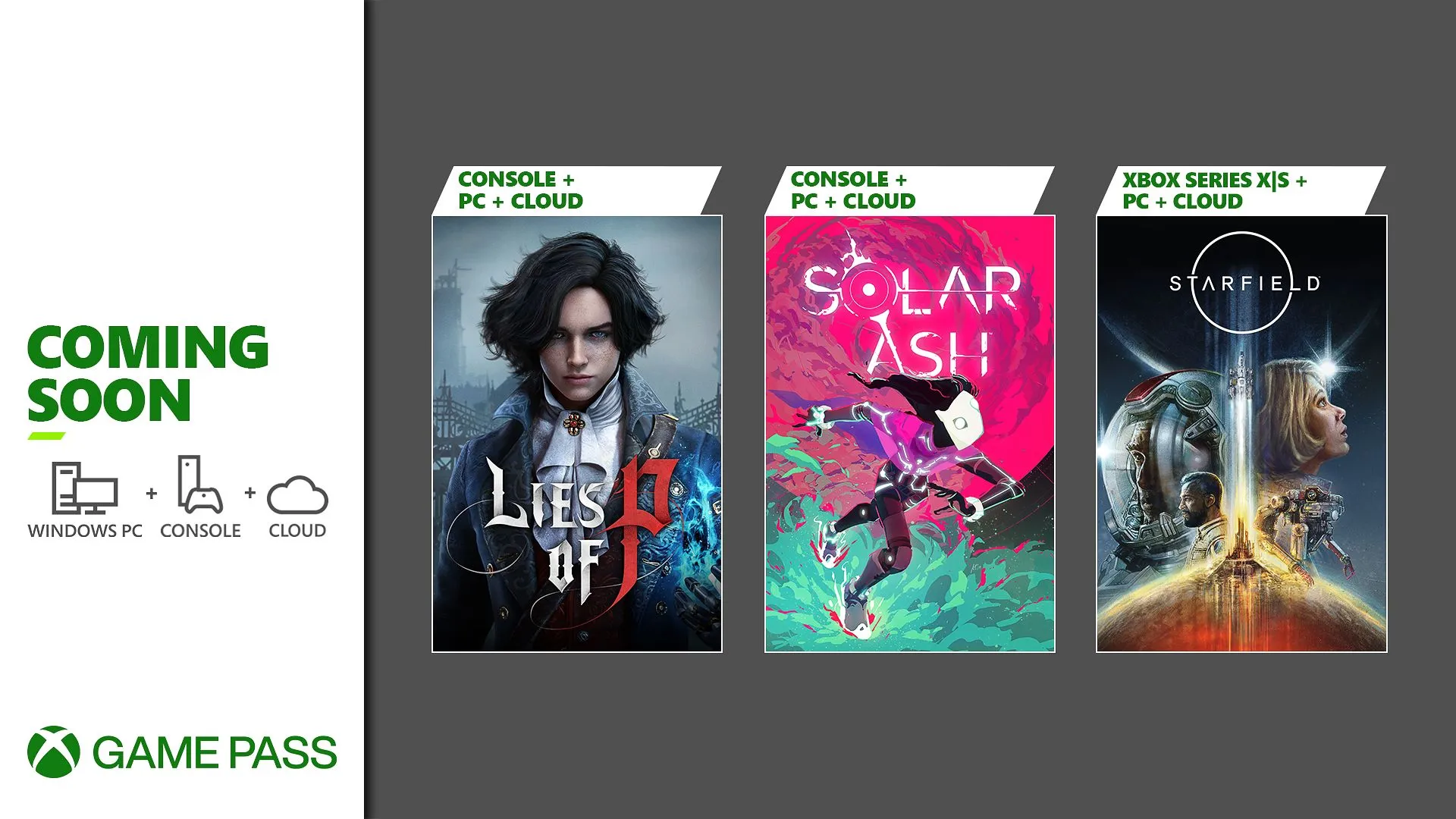
Xbox Game Pass September 2023 Games Revealed

0

The gaming community is buzzing with excitement as Xbox Game Pass unveils its latest additions for September 2023. With a mix of highly anticipated titles and surprise releases, there’s something for every gamer to enjoy.

Starfield’s Stellar Arrival

The gaming universe is expanding with the introduction of Starfield. Those who have embarked on this epic journey in early access are already raving about it. And for those waiting for the official release, the countdown has begun. Developed by Bethesda Game Studios, known for their masterpieces like The Elder Scrolls V: Skyrim and Fallout 4, Starfield promises an unparalleled space exploration experience. Dive deep into the mysteries of the universe, craft your unique character, and embark on a quest to uncover humanity’s greatest enigma.

Solar Ash: A Dreamlike Odyssey

From the brilliant minds behind Hyper Light Drifter comes another masterpiece – Solar Ash. Dive into a gravity-defying world filled with remnants of ancient civilizations. As Rei, a Voidrunner, your mission is to save your planet from the insatiable Ultravoid. With high-speed action and mesmerizing visuals, Solar Ash is set to be a hit.

Lies of P: A Dark Twist on a Classic Tale

Imagine the story of Pinocchio but set in the gloomy backdrop of the Belle Epoque era. That’s Lies of P for you. This thrilling soulslike game turns the classic tale upside down, offering players a rich narrative and challenging gameplay. Whether you choose to confront challenges with truth or deception, your journey to self-discovery promises to be unforgettable.

Apart from these major titles, Xbox Game Pass has also seen some surprise releases and updates. Age of Empires IV: Anniversary Edition brings a fresh perspective to strategy gaming, while No Man’s Sky: Echoes Update introduces players to a secret society of robotic aliens. And for the pirate enthusiasts, Sea of Thieves: The Legend of Monkey Island offers a new chapter filled with adventures.

The following games will be leaving the library:

  • Amazing Cultivation Simulator (PC)
  • Aragami 2 (Cloud, Console, and PC)
  • Danganronpa V3: Killing Harmony Anniversary Edition (Cloud, Console, and PC)
  • DC League of Super-Pets: The Adventure of Krypto and Ace (Cloud, Console, and PC)
  • Fuga: Melodies of Steel (Cloud, Console, and PC)
  • Metal Hellsinger (Cloud, Console, and PC)
  • Sid Meier’s Civilization 6 (Cloud, Console, and PC)
  • Tainted Grail: Conquest (Cloud, Console, and PC)
  • Train Sim World 3 (Cloud, Console, and PC)

Stay updated with the latest news in gaming and esports by signing up for early access to TalkEsport’s Mobile App. Follow us on Twitter and Google News to ensure you never miss the exciting updates.
Fortnite Download Size on Different Platforms (PC, Xbox, PlayStation & Mobile)

0

Fortnite has taken the gaming world by storm, but before you jump into the action, there’s one crucial detail you need to consider: the game’s download size. Whether you’re a casual gamer or a dedicated streamer, understanding the space requirements is essential for a seamless gaming experience.

The size of the game you’re about to download isn’t just a number; it’s a critical factor that impacts your gaming setup. A large download size can consume significant disk space, slowing down your system and other applications. Moreover, if you’re on a limited data plan, knowing the download size in advance can help you manage your usage more effectively.

Fortnite’s Download Size on PC, Xbox, PlayStation and Mobile

Fortnite’s download size varies depending on the platform you’re using. For instance, if you’re playing on a PC, you’ll need around 26GB of free space. Console gamers on Xbox or PlayStation should allocate approximately 23GB to 18GB. Mobile gamers have it a bit easier, with the game requiring only about 3GB on Android and iOS devices.

Fortnite is a game that’s continually evolving, thanks to frequent updates and patches. These updates can add new features, fix bugs, or introduce new skins and weapons. However, they also add to the game’s overall size. It’s essential to keep track of these updates and ensure you have enough space to accommodate them.

If you find that Fortnite’s size is too large for your current setup, there are ways to optimize your system. Consider moving other large files to an external hard drive or cloud storage. You can also uninstall applications you no longer use to free up space.

Stay updated with the latest news in gaming and esports by signing up for early access to TalkEsport’s Mobile App. Follow us on Twitter and Google News to ensure you never miss the exciting updates.

Goblin Talks About His Benching From Team SouL and Mediocre Performance in BGMS Season 2

0

Team SouL’s star Battlegrounds Mobile India (BGMI) player Harsh “Goblin” Paudwal recently revealed the reason for his benching from the team and the challenges faced in BGMI Masters Series (BGMS) Season 2. Goblin explained that frequent player rotations during BGMS Season 2 disrupted the team’s synergy, leading to his benching. He emphasized the need for a fixed lineup and vowed to return once in form. 

Goblin Reveals the Reason For Team SouL’s Subpar Performance in BGMS Season 2

In the recently concluded Battlegrounds Mobile India Masters Series (BGMS) Season 2, Team SouL found themselves facing an unexpected setback. Despite the immense anticipation from their loyal fanbase, the team failed to secure a spot in the grand finals by a mere 1 point. This unexpected outcome raised questions about the team’s performance and led to some crucial decisions, including the benching of one of their star players, Goblin. The decision to bench Goblin saw mixed reactions from fans and fellow players alike. Interestingly, Goblin’s benching continued into the ongoing BGIS 2023 matches.

In a recent livestream, one of Goblin’s viewers argued that benching Goblin from Team SouL was not a fair decision, especially after his exceptional performance for the team in the past. Responding to this, Goblin revealed what led to the decision to bench him. He stated that one of the primary reasons behind Team SouL’s underwhelming performance in BGMS Season 2 was the frequent player rotations. With the exception of their in-game leader (IGL), Omega, all four players were constantly switching on-and-off the team. This constant shuffle disrupted team synergy and hindered players from building confidence in their roles. As a result, during the tournament, the entire team made a tough decision – to bench Goblin due to his mediocre performance.

Goblin Explains the Necessity of Fixed Playing-Four

Following this, Goblin emphasized the importance of a fixed four-man lineup, regardless of his presence on the team. He acknowledged that while his benching was unexpected, it was a collective decision made for the betterment of the Team SouL. He expressed his willingness to return to the lineup once he regains his form, adding that his benching was not permanent.

Goblin highlighted the advantages of having a stable, unchanging lineup. He explained that with a set four-man roster, players could develop synergy, confidence, and the ability to play aggressively and seriously. This stability would eliminate the uncertainty that plagued the team during BGMS Season 2.

Goblin also admitted that his own confidence took a hit during the LAN event due to the constant changes within Team SouL. He recognized that the team’s focus wavered during the LAN event, leading to a subpar performance. He acknowledged the importance of regaining his focus and vowed to work on his game during future tournaments to avoid being labeled one-time wonder.


Stay updated with the latest news in gaming and esports by signing up for early access to TalkEsport’s Mobile App. Follow us on Twitter and Google News to ensure you never miss the exciting updates.
High Tier Loot Zones in COD Mobile: Where to Find the Best Loot

0

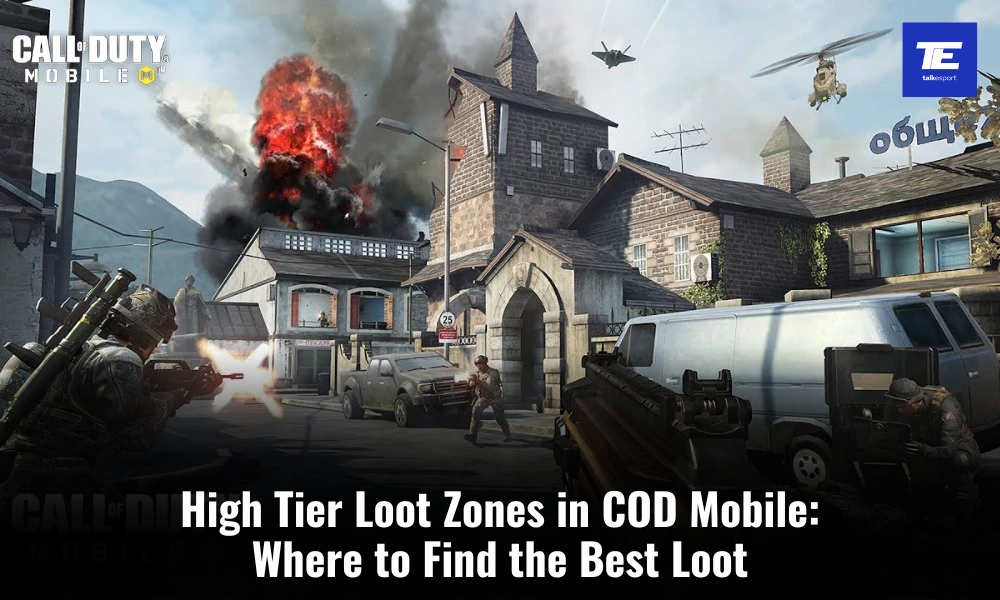
To gain the upper hand in Call of Duty: Mobile (CODM), one of the most crucial aspects of your strategy should be securing high tier loot. High tier loot zones can make or break your game, providing you with superior gear, weapons, and equipment that give you a significant advantage over your opponents. In this article, we’ll discuss the various high tier loot zones in CODM and provide some tips for finding them.

What are High Tier Loot Zones in COD Mobile?

High tier loot zones are specific areas on the map where you’re more likely to find top-tier weapons, armor, and accessories. These zones significantly boost your chances of success in the game, as they provide you with the firepower and protection needed to outgun and outlast your enemies. Following are few of the key high tier loot zones in CODM:

  • Isolated Map:
  1. Black Market: Located near the center of the map, the Black Market is a hotspot for high tier loot. Search the shipping containers, warehouses, and the central building for top-notch weapons and armor.
  2. Outpost: The Outpost is another high tier loot zone with a mix of buildings and outdoor areas. Explore the guard towers, barracks, and the central fort for superior gear.
  • Alcatraz Map:
  1. Cellhouse: The Cellhouse on Alcatraz Island is a goldmine for high tier loot. Check the cells, the central courtyard, and the elevated walkways for epic gear.
  2. Warden’s Office: Located near the center of the map, the Warden’s Office houses valuable loot. Explore the office building and the surrounding area for top-tier weapons and equipment.
  • Blackout Map:
  1. Asylum: In the Blackout map, Asylum is a known high tier loot location.Explore the asylum building and its underground tunnels for valuable gear.
  2. Construction Site: The Construction Site in Blackout holds high tier loot opportunities. Check the cranes, the construction buildings, and nearby supply drops for top-notch gear.

Landing Strategy

Choose your landing spot wisely. Aim for high tier loot zones at the beginning of the match, but ensure you have a clear path to escape in case things get heated.

Additionally, you should learn the map layout and the best loot spawn locations in each zone. This knowledge will give you an edge in quickly securing top-tier gear. Be cautious and aware of other players in high tier loot zones. Expect intense battles and be prepared to fight for the loot.


Stay updated with the latest news in gaming and esports by signing up for early access to TalkEsport’s Mobile App. Follow us on Twitter and Google News to ensure you never miss the exciting updates.
How to Fix Lag and Delay in Counter-Strike 2?

0

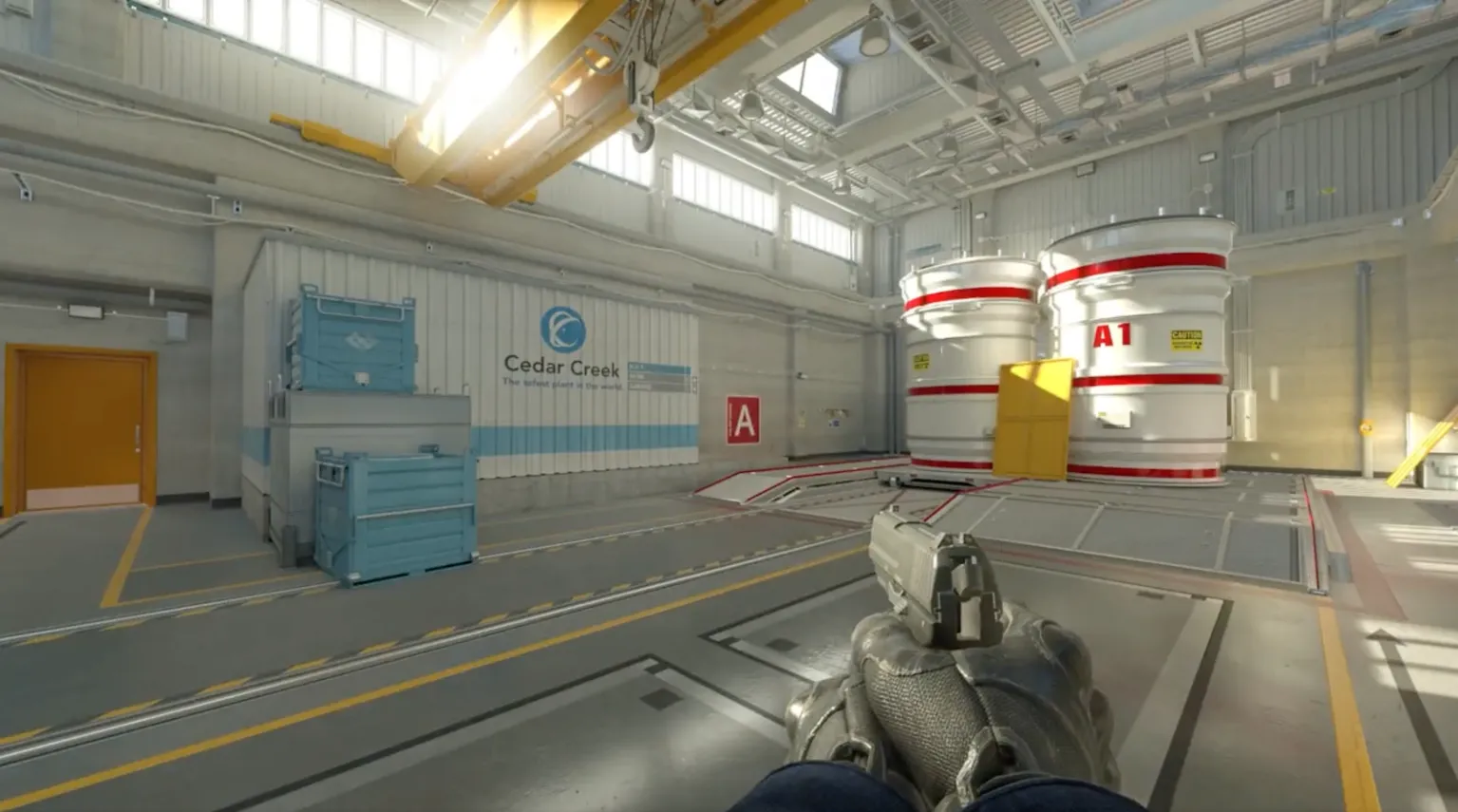
The world of Counter-Strike 2 (CS2) offers intense and thrilling experiences for its players. However, lag and delay can hinder the gaming experience. Fortunately, there are specific console commands that players can utilize to optimize their gameplay and reduce these issues. Here’s a guide to enhancing your CS2 experience.

Before diving into the solutions, it’s crucial to understand the implications of lag and delay in CS2. These issues can significantly affect a player’s performance, leading to missed shots, delayed reactions, and overall frustration. For competitive players, even a split-second delay can be the difference between victory and defeat.

How to Fix Lag and Delay in Counter-Strike 2?

Console commands are a powerful tool in the CS2 arsenal. By inputting specific commands, players can tweak the game settings to their preference, ensuring smoother gameplay.

  • Graphics Optimization: One of the primary reasons for lag is the game’s graphics settings. By adjusting these settings through console commands, players can achieve a balance between visual quality and performance. Commands like fps_max allow players to set a cap on the game’s frames per second, ensuring consistent performance.
  • Network Settings: Another significant factor contributing to lag is the player’s network connection. Commands such as rate, cl_cmdrate, and cl_updaterate can be adjusted to align with the player’s internet speed, reducing lag and ensuring smoother gameplay.

While these console commands can drastically improve gameplay, it’s essential to note that regular optimization is key. As CS2 receives updates and patches, new issues might arise, and previously effective commands might become obsolete. Players should stay updated with the latest console commands and adjust their settings accordingly.

Stay updated with the latest news in gaming and esports by signing up for early access to TalkEsport’s Mobile App. Follow us on Twitter and Google News to ensure you never miss the exciting updates.

Mavi Speaks Out on Politics in Indian Gaming Community

0

The Indian gaming community has seen rapid growth and holds immense potential. However, it’s not without its challenges. Mavi, a prominent figure in this community, recently shared his perspective on the politics within the gaming scene and his expectations for the upcoming BGIS 2023.

Mavi’s revelations highlight the often-overlooked aspect of politics within the gaming community. He points out that, as with any burgeoning industry, there are power struggles and competition. These dynamics often lead to internal politics.

Major gaming entities, with their vast influence, can sometimes overshadow the contributions of smaller creators, leading to a skewed representation of the community. However, Mavi emphasizes the importance of unity. He believes that the community must be aware of these political undercurrents and work towards creating a more inclusive environment.

Looking ahead, the BGIS 2023 stands as a beacon of hope for the Indian gaming community. Mavi views it as an event that promises inclusivity, offering a platform for both established players and newcomers. He believes that BGIS 2023 has the potential to set the standard for future tournaments, with an emphasis on fair play, transparency, and community engagement.

Moreover, a successful BGIS 2023 can further enhance India’s reputation in the global gaming arena, drawing international attention and potential investments.

Stay updated with the latest news in gaming and esports by signing up for early access to TalkEsport’s Mobile App. Follow us on Twitter and Google News to ensure you never miss the exciting updates.
How to Build Outposts in Starfield?

0

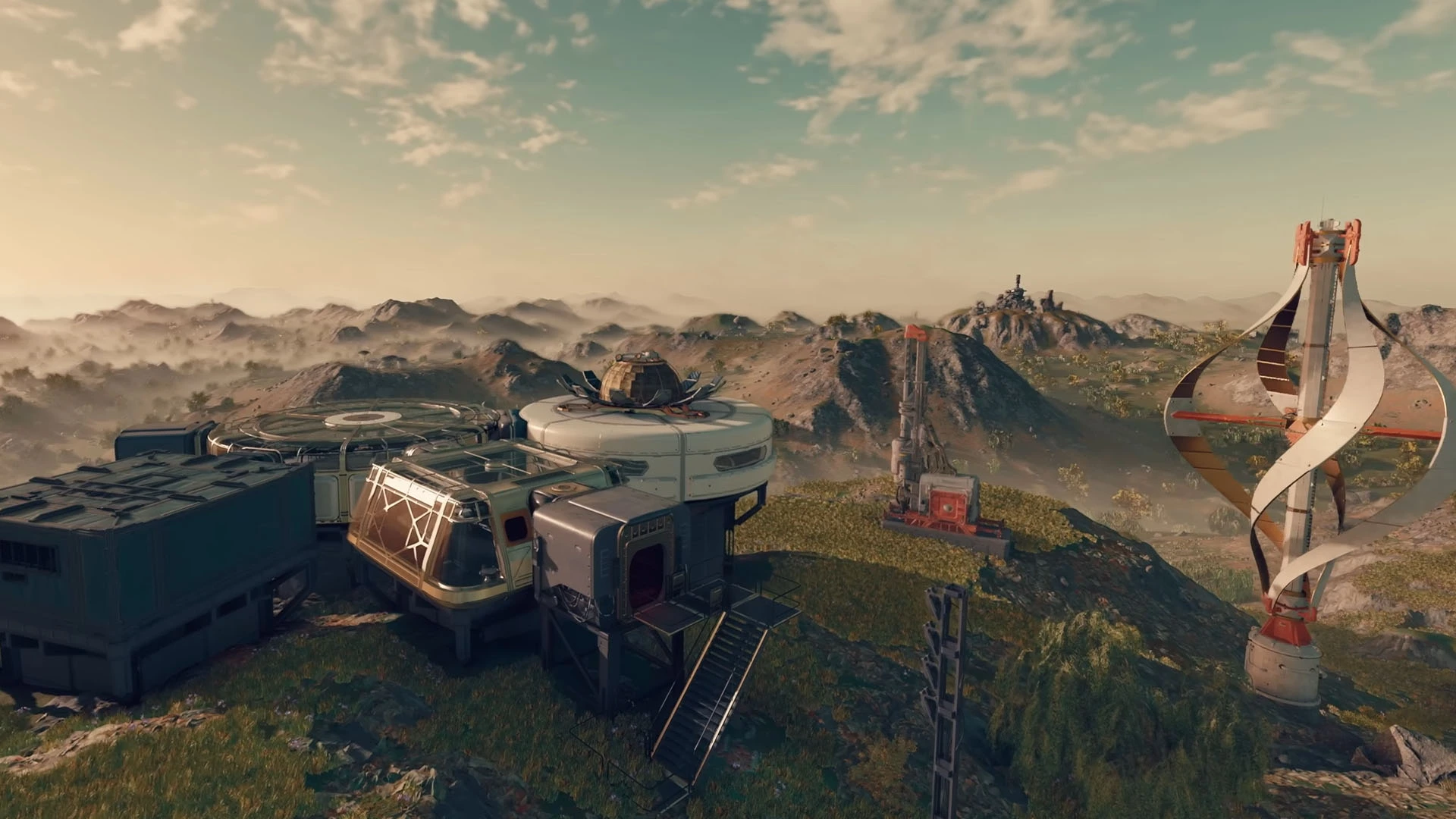
In the vast universe of Starfield, players are given the unique opportunity to construct their own outposts. These structures are not just a testament to one’s architectural prowess but also play a pivotal role in the game’s progression. If you’re looking to optimize your outpost-building endeavors, this guide will provide insights into selecting the best locations and maximizing storage.

How to Build Outposts in Starfield?

The location of your outpost in Starfield can make or break your gameplay experience. Here’s what you need to consider:

  • Resource Proximity: Ensure your chosen location is near essential resources. This will reduce the time spent gathering and increase efficiency.
  • Safety First: Avoid areas with high concentrations of hostile entities. An outpost should be a sanctuary, not a battleground.
  • Accessibility: Ensure the location is easily accessible from various parts of the map, facilitating quicker travel and trade.

Storage is a crucial aspect of outpost construction. Here’s how to get the most out of your space:

  • Optimized Design: Design your outpost with storage in mind. Consider multi-level structures and underground storage to maximize space.
  • Upgrade Regularly: As the game progresses, new storage solutions become available. Stay updated and incorporate the latest storage technologies.
  • Categorize and Organize: Create dedicated storage areas for different resources. This not only maximizes space but also ensures easy retrieval of items.

A strategically constructed outpost offers numerous benefits:

  • Safety: A well-placed outpost provides a safe haven from the game’s many dangers.
  • Resource Management: Efficient storage means less wastage and more resources for crafting and trading.
  • Strategic Advantage: Being in the right location can give players a strategic edge, allowing for better exploration and combat preparedness.

Stay updated with the latest news in gaming and esports by signing up for early access to TalkEsport’s Mobile App. Follow us on Twitter and Google News to ensure you never miss the exciting updates.
How to find Thrumbo for Mystic Carrion in Baldur’s Gate 3?

0

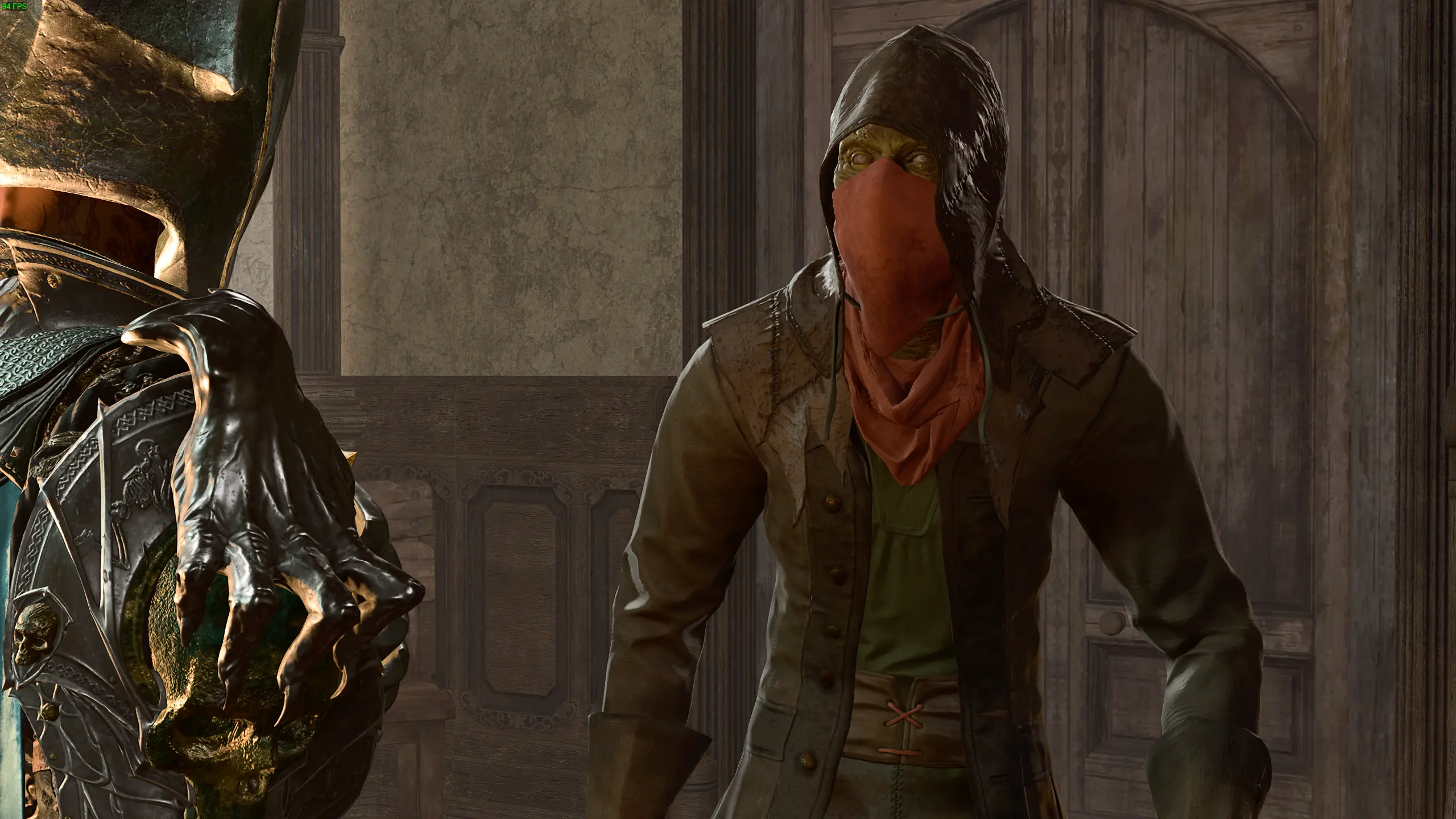
In the sprawling world of Baldur’s Gate 3, players are often faced with intricate quests and hidden treasures. One such quest involves the elusive Thrumbo, a creature that Mystic Carrion is keen to find. If you’re on the hunt for this mysterious being, you’re in the right place. Let’s delve into the steps to locate Thrumbo and assist Mystic Carrion in his quest.

How to find Thrumbo for Mystic Carrion in Baldur’s Gate 3?

The journey to find Thrumbo is not a straightforward one. It requires keen observation, a bit of luck, and the right strategy. Here’s a step-by-step guide:

  • Initiating the Quest: Begin by heading to the Underdark region. Here, you’ll encounter Mystic Carrion, who will share his desire to find Thrumbo.
  • The Clues to Follow: Mystic Carrion provides hints about Thrumbo’s whereabouts. Pay close attention to his words, as they will guide your search.
  • Exploring the Underdark: Navigate through the Underdark, keeping an eye out for any signs of Thrumbo. This creature is known to be elusive, so patience is key.
  • The Final Encounter: Once you’ve located Thrumbo, approach with caution. Engage in dialogue and make choices that align with your character’s morals and objectives.

Thrumbo isn’t just another creature in Baldur’s Gate 3. Its significance lies in the broader narrative and the rewards it brings. Assisting Mystic Carrion in his quest not only provides valuable experience points but also unravels a deeper story about the world of Baldur’s Gate and its inhabitants.

Moreover, the quest offers players a chance to engage in moral dilemmas, challenging them to make decisions that could impact their overall journey in the game.

Stay updated with the latest news in gaming and esports by signing up for early access to TalkEsport’s Mobile App. Follow us on Twitter and Google News to ensure you never miss the exciting updates.
How to Change Pronouns in Starfield?

0

One of the most talked-about features in Starfield is the ability to select and change pronouns. This feature, while celebrated by many, has also stirred controversy among certain groups.

Here’s a closer look at this feature and how to utilize it.

How to Change Pronouns in Starfield?

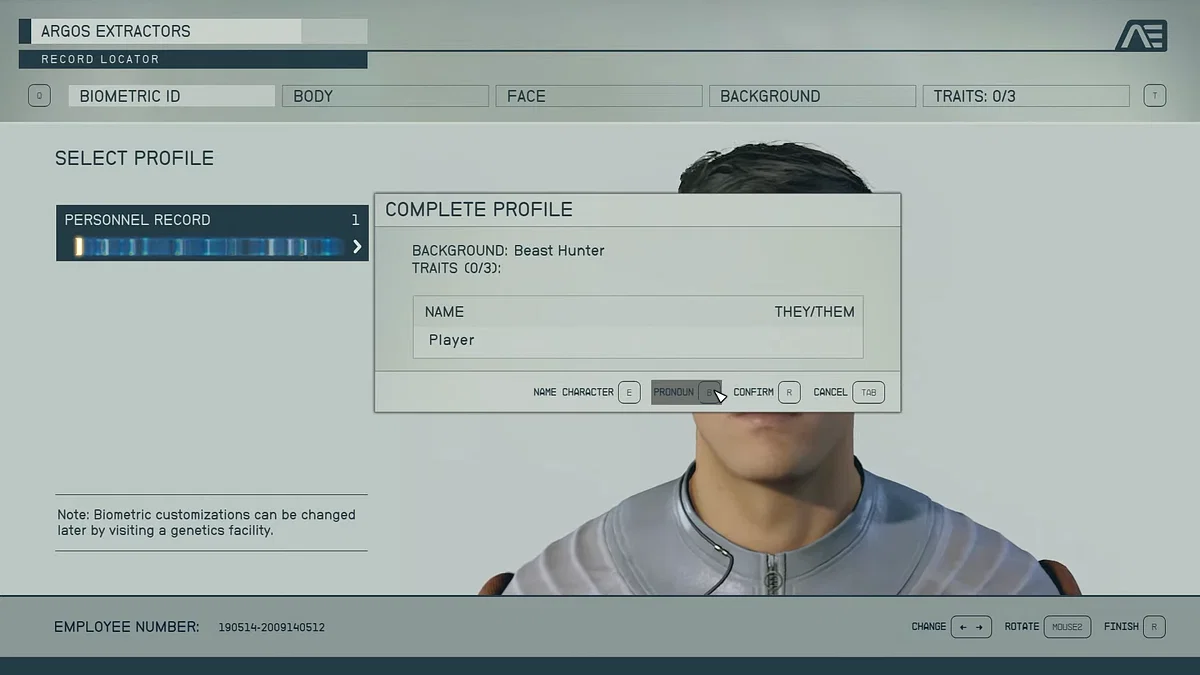
From the very start, Starfield offers players the choice to pick their pronouns. This initial selection is not set in stone, as the game provides an option to modify them later on. For those who wish to make a change after the initial selection, the process is straightforward:

  • Visit the Enhance! Clinic: The first of these clinics can be found in the Commercial District of New Atlantis, located on the Alpha Centauri planet Jemison.
  • Speak to Warner Connell: Once inside the clinic, players should approach Warner Connell, the clinic’s manager.
  • Opt for the Clinic’s Services: A fee of 500 in-game credits is required to access the character customization menu.
  • Customize Your Character: Within this menu, players can adjust various aspects of their character, including pronouns. The options available are She/her, He/him, and They/them.

The decision by Bethesda to include pronoun customization has been largely applauded, emphasizing the importance of representation and inclusivity in gaming. It allows players to immerse themselves fully, having their in-game character align more closely with their real-world identity.

However, not all reactions have been positive. Some players have even gone to the extent of uninstalling the game in protest. Despite this, the move is seen as a progressive step, especially for RPG enthusiasts who previously had to choose between binary pronouns.

Stay updated with the latest news in gaming and esports by signing up for early access to TalkEsport’s Mobile App. Follow us on Twitter and Google News to ensure you never miss the exciting updates.

Roblox CEO Teases Major Update Coming in November

0

Roblox, a renowned online gaming sensation, is gearing up for a significant revamp later this year. This revelation comes from a somewhat mysterious message by David Baszucki, the co-founder and CEO of Roblox Corporation. This teaser has ignited a flurry of discussions and speculations within the vast Roblox community, especially with the Roblox Developer’s Conference on the horizon.

Over the years, Roblox has carved a niche for itself, captivating millions of gamers and creators with its unparalleled blend of user-driven content, innovation, and camaraderie. Baszucki, often referred to as Builderman within the community, has consistently prioritized player insights, shaping the game’s evolution. Recent additions to the platform include mature experiences, an innovative camera-activated avatar voice chat, and the promise of more features to come.

In a community post on his YouTube channel, Baszucki dropped hints about a significant update, intriguingly named “The Update.” Slated for a November 2023 release, this announcement has left players buzzing with excitement and curiosity. While some doubted the authenticity of the message, it was later verified as genuine. The buzz around this reveal suggests that Roblox might be on the brink of a monumental transformation. However, the specifics remain under wraps, with the developer roadmap being the only source of potential clues.

With the Roblox Developer’s Conference just around the corner, players are on the edge of their seats, awaiting more information about “The Update.” While some players approach the news with caution, many are thrilled at the possibility of novel features and game enhancements.

Stay updated with the latest news in gaming and esports by signing up for early access to TalkEsport’s Mobile App. Follow us on Twitter and Google News to ensure you never miss the exciting updates.