


Wednesday, May 20, 2026
Home Blog Page 710

Thug Dismisses Rumors of Goblin Leaving Team SouL

0

S8UL Esports’ co-owner Animesh “Thug” Agarwal recently addressed the rumors surrounding Harsh “Goblin” Paudwal, Battlegrounds Mobile India (BGMI) star player of Team SouL,and his potential departure from the team. Thug unequivocally dismissed the rumors and confirmed that there were no plans to let go of the star player of the team. Furthermore, he also acknowledged Goblin’s crucial role in the team.

Thug Affirms that Goblin Will Remain a Part of Team SouL

Since Goblin’s benching in BGMI Masters Series (BGMS) Season 2 and the ongoing Battlegrounds Mobile India Series (2023) 2023, rumors have been circulating in the esports community regarding Goblin’s future with Team SouL. The team’s unexpected decision to sideline its star player had left fans and followers questioning whether this marked the end of Goblin’s journey with the team.

In a recent livestream, one of Thug’s viewers asked him whether the rumors about Goblin’s departure held any truth. Responding to this, Thug unequivocally dismissed the rumors and shed light on the situation. 

Following this, Thug then delved into the core issue faced by Team SouL – the challenge of selecting the ideal playing-four from a roster of five talented individuals. “See, there are five players on the team, and only four can play. It is about finding the right mix. We want Goblin to get his touch back. I won’t say Goblin lost his touch, it is more about getting his focus back,” he stated. “We are with him in this, and unless he tells us to remove him from the team we will never leave him,” he added.

Thug Acknowledeges Goblin’s Stature in the Team

Thug also acknowledged Goblin’s pivotal role in Team SouL. He stated, “Goblin has been the star of the team… he is the star of the team. There is no doubt about it.”

Thug concluded by shedding light on Team SouL’s strategic decisions to form a fixed team. He addressed the ineffectiveness of frequent player rotations witnessed during BGMS Season 2 and emphasized the need to experiment with a more consistent lineup. Leaving no room for doubt regarding Goblin’s skill and potential, Thug added, “Goblin is Goblin; who can underestimate him. There is a reason why he’s called Godlin.”


Stay updated with the latest news in gaming and esports by signing up for early access to TalkEsport’s Mobile App. Also, follow us on Twitter and Google News to ensure you never miss the exciting updates.
How to Quickly Increase Your Merit in BGMI: A Detailed Guide

0

Battlegrounds Mobile India (BGMI) isn’t just a battle royale game; it’s a game where fair gaming matters as much as your survival skills. Your merit points in BGMI are a badge of honor, which showcases your recent in-game behavior. Based on the Merit, players are either rewarded with in-game perks or penalized.

What is Merit in BGMI?

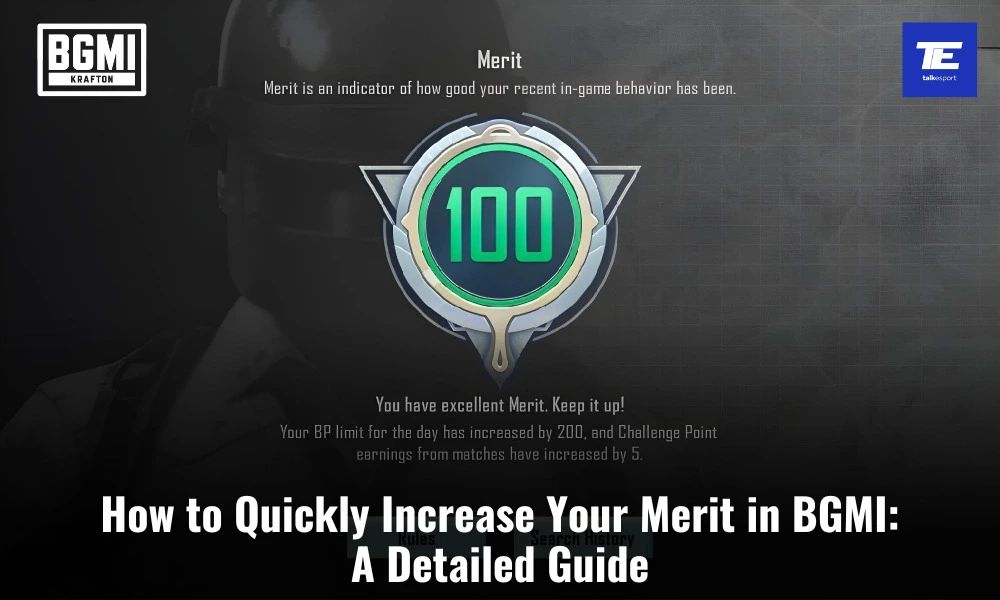
Merit points are the virtual currency of your reputation in BGMI. According to BGMI, Merit is “an indicator of how good your recent in-game behavior has been.” It is a measure of your sportsmanship, teamwork, and overall conduct in the game. Every player starts with a full 100 merit points, and these points can be seen in your profile.

Your merit score in BGMI has a significant impact on your gameplay experience. Players with high merit points (between 80-100) can play the game with their friends as a team. On the other hand, if your merit points fall below 60, you’ll be restricted to playing solo mode. Hence, maintaining your Merit is a crucial part of the game. Refer the below given table to understand the Merit Info associated with Merit:

ScoreMerit Info
100Excellent Merit. Your BP limit for the day has increases by 200, and Challenge Point earnings from matches increases by 5.
80-99Good Merit.
60-79Merit is lacking. You can’t play multiplayer matches (including Classic Mode, Arena, Arcade Mode, multiplayer Metro Royale, etc.), and your EXP and BP earnings reduce by 50%.
20-59Merit is quite bad. You can’t play ranked matches or multiplayer modes. Your EXP and BP earnings reduce by 70%.
0-19Merit is appalling. You can only play VS Al Mode and your EXP and BP earnings reduce by 90%.

Violations that Leads to Merit Deduction

BGMI has a stringent Merit System in place to penalize players for misconduct. This system helps maintain a fair and enjoyable gaming environment. Here’s how the merit system works:

ViolationViolation DescriptionPenalty Info
Language ViolationInsulting othersMerit deductions, muting (the penalty increases based on repeat offenses)
Spreading information on how to break the rulesSpreading ads or illegal informationMerit deductions, match bans, muting
Griefer TeammatesIntentional idling, leaving the team while on Spawn Island, or leaving a match in multiplayer Ranked Mode matchesMerit deductions (the penalty increases with your tier)
Harming TeammatesUse Grenades, Molotov Cocktails, the Carry feature, vehicles, etc., to harm teammatesMatch bans and Marit deductions (the penalty increases with your tier and number of repeat offenses)
Teaming up with cheatersPlaying and forming a team with cheatersMerit deduction, match bans, rank removal
Cheating and third-party toolsCheating or using third-party tools to cheatMerit deductions, match bans, rank removal
Unfair cooperationRefusing to cooperate or playing negativelyMerit deductions, match bans
Exploiting bugsExploiting bugsMerit deductions, match bans

How to Quickly Increase Your Merit in BGMI?

It’s clear that maintaining a high merit score is crucial to avoid severe penalties and enjoy a more sociable gaming experience. But how can you increase your merit points or recover them if you’ve been penalized?

  • Play Fair and Cooperatively: The most obvious way to boost your merit score is by playing fairly and being a good team player. Avoid team-killing, looting teammates’ items, or engaging in any unsportsmanlike behavior.
  • Communicate Effectively: Use in-game voice chat or text chat to coordinate with your teammates. Effective communication can lead to better teamwork and fewer misunderstandings.
  • Help Your Teammates: Revive knocked teammates, share loot, and provide cover fire when needed. These actions demonstrate your commitment to the team’s success.
  • Avoid Early Exits: Quitting a game early, especially when your teammates are still in action, can lead to merit point deductions. Stick around until the end, even if your chances of winning seem slim.
  • Report Misconduct: If you encounter players engaging in unfair practices, such as hacking or team-killing, report them. This not only helps maintain a fair gaming environment but can also earn you a merit point boost.

If you’ve suffered merit point losses below 60, don’t worry; there’s still hope for recovery. BGMI’s merit recovery is related to both the time spent playing the game and your in-game performance. So, try to play as many matches as you can, while adhering to good behavious. Avoid doing all of the Merit dedcution trigger points mentioned above. Furthermore, it is important to note that repeated violations can lead to slower merit recovery, so it’s essential to maintain a clean gaming record.


Stay updated with the latest news in gaming and esports by signing up for early access to TalkEsport’s Mobile App. Follow us on Twitter and Google News to ensure you never miss the exciting updates.
Krafton Disqualifies 155 Teams From BGIS 2023 For Breaching Rules

0

After a lot of complaints from the community, Krafton India Esports has taken stringent actions against multiple teams participating in Battlegrounds Mobile India Series 2023 (BGIS) ahead of Round 2. The organizer has disqualified a total of 155 teams from the tournament just one day before Round 2. The reason behind these disqualifications lies in the violation of the BGIS Rulebook, specifically Sections 6.2.4 and 4.1, along with the BGIS Code of Conduct.

Why Did Krafton Disqualify 155 Teams From BGIS 2023?

As mentioned above, the teams were disqualified for breaching the BGIS Rulebook sections 6.2.4 and 4.1.

BGIS Rulebook Section 6.2.4 explicitly prohibits “Ringing”. This term refers to the act of playing under another player’s account or Gamertag or inducing someone else to do so. Such actions not only compromise the integrity of the competition but also create an uneven playing field.

Furthermore, BGIS 2023 Rulebook Section 4.1 of the BGIS Rulebook deals with “Player Equipment”. It unequivocally states that players are allowed to participate in tournaments or official competitions only on mobile phones or approved handheld devices. Additionally, it strictly prohibits any usage of peripheral devices without explicit approval from Tournament Officials. This includes tablets, adapters, controllers, Bluetooth keyboards, and mice. It also prohibits players from using emulators to play on a PC or any other non-handheld device.

Imapct of Disqualification Wave

BGIS 2023 Round 2 was set to take place between a total of 512 teams. However, following the disqualification of these 155 teams, 357 teams will appear in this round. It’s worth mentioning that Krafton India Esports had previously disqualified Stalwart Esports for breaching Section 2.1.5 (Single Team Exclusivity) and Section 6.2.4 (Ringing) of the BGIS Rulebook during The Grind stage.

This disqualification serves as a reminder of the importance of adhering to the rules set forth by TOs. The rules governing fair play, equipment usage, and player conduct exist to create a level playing field and ensure the integrity of the competition.


Stay updated with the latest news in gaming and esports by signing up for early access to TalkEsport’s Mobile App. Follow us on Twitter and Google News to ensure you never miss the exciting updates.
How to Get Adhesives in Starfield?

0

In the vast universe of Starfield, resources are the key to survival and progress. Among these, adhesive stands out as a crucial component for various crafting endeavors. This article sheds light on the methods to obtain adhesive, ensuring players can continue their interstellar adventures without a hitch.

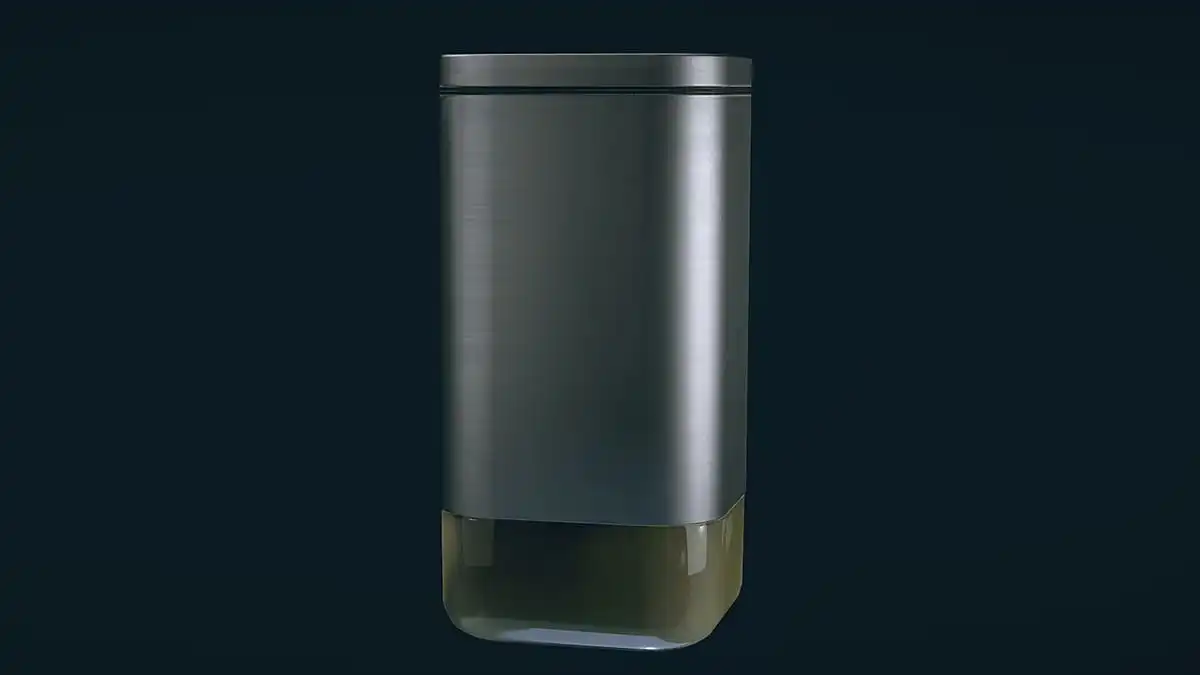
Adhesive is more than just a sticky substance in the world of Starfield. It’s an essential crafting material, vital for creating and repairing equipment. Whether you’re looking to upgrade your spaceship or mend your gear, adhesive is your go-to resource.

How to Get Adhesives in Starfield?

Starfield’s expansive universe is teeming with planets, each with its unique ecosystem. By exploring these celestial bodies, players can stumble upon natural sources of adhesive. From specific plants to alien creatures, the environment can often provide what you seek.

Not keen on scouring planets? The bustling space stations and trade hubs in Starfield offer another avenue. Many traders deal in crafting materials, including adhesives. By engaging in commerce, players can acquire the sticky substance without getting their hands dirty.

For those who prefer a hands-on approach, Starfield offers the option to craft adhesive. By gathering specific ingredients and using crafting stations, players can produce their adhesive, ensuring they’re never short of this valuable resource.

Once you’ve obtained adhesive, it’s crucial to store it effectively. Utilize your spaceship’s storage facilities or personal inventory to keep your adhesive safe and accessible. Proper management ensures you’re always ready for any crafting challenge that comes your way.

Stay updated with the latest news in gaming and esports by signing up for early access to TalkEsport’s Mobile App. Follow us on Twitter and Google News to ensure you never miss the exciting updates.

IOC Launches New Esports Commission to Explore Inclusion of Esports in Olympics

0

The International Olympic Committee (IOC) has always been a beacon of tradition in the world of sports. However, in a groundbreaking move, the IOC is now turning its attention to the rapidly growing domain of esports. This article delves into the formation of the IOC’s Esports Commission and what it signifies for the future of competitive gaming and traditional sports.

Esports, once a niche hobby, has transformed into a global phenomenon, with millions of fans and players worldwide. Recognizing its potential and the blurring lines between traditional sports and esports, the IOC has taken a monumental step by establishing the Esports Commission.

The Vision of the IOC’s Esports Commission

The primary objective of the Esports Commission is to bridge the gap between the Olympic movement and the esports community. By fostering dialogue and collaboration, the IOC aims to understand the intricacies of competitive gaming better and explore potential synergies with traditional sports.

While the formation of the Esports Commission is a significant step forward, it’s not without challenges. The world of esports is vast and varied, with different games, rules, and cultures. However, this diversity also presents a plethora of opportunities. By embracing esports, the IOC can tap into a younger demographic, ensuring the Olympic movement remains relevant and vibrant for future generations.

A Win-Win for All

The IOC’s Esports Commission is not just a win for the esports community but also for the broader Olympic movement. As the two worlds come together, there’s potential for mutual growth, knowledge exchange, and a shared vision for the future of sports and competition.

Stay updated with the latest news in gaming and esports by signing up for early access to TalkEsport’s Mobile App. Follow us on Twitter and Google News to ensure you never miss the exciting updates.
Is GTA 6 Really Going to Cost $150?

0

The gaming community is abuzz with anticipation for Rockstar’s next installment in the Grand Theft Auto series, GTA 6. As rumors and speculations swirl, one question remains at the forefront: How much will GTA 6 cost? This article delves into the potential pricing, budget considerations, and what players can expect from this highly awaited title.

The Grand Theft Auto series, known for its expansive open-world gameplay and intricate storylines, has always set the bar high. With each release, Rockstar has consistently delivered quality, leading to increased expectations and, in some cases, a higher price tag.

GTA 6 Cost

It’s no secret that game development costs have soared over the years. With the need for more detailed graphics, expansive worlds, and intricate mechanics, the budget for AAA titles like GTA has grown exponentially. Some industry insiders suggest that GTA 6 could be one of the most expensive games ever produced, given the series’ history and the expectations surrounding it.

Rumors have been circulating that GTA 6 could come with a price tag of $150. While this might seem steep, it’s essential to consider what’s being offered. If Rockstar follows its tradition of delivering vast, detailed worlds filled with hours of gameplay, some might argue the price is justified. However, it’s also crucial to remember that these are just speculations, and the actual cost could vary.

While the potential price of GTA 6 might raise eyebrows, it’s essential to weigh it against the value players will receive. If Rockstar delivers a game that offers hundreds of hours of gameplay, with a vast open world, intricate storylines, and high replay value, many gamers might see it as money well spent.

Stay updated with the latest news in gaming and esports by signing up for early access to TalkEsport’s Mobile App. Follow us on Twitter and Google News to ensure you never miss the exciting updates.
How to Follow Scanner Distortions in Starfield?

0

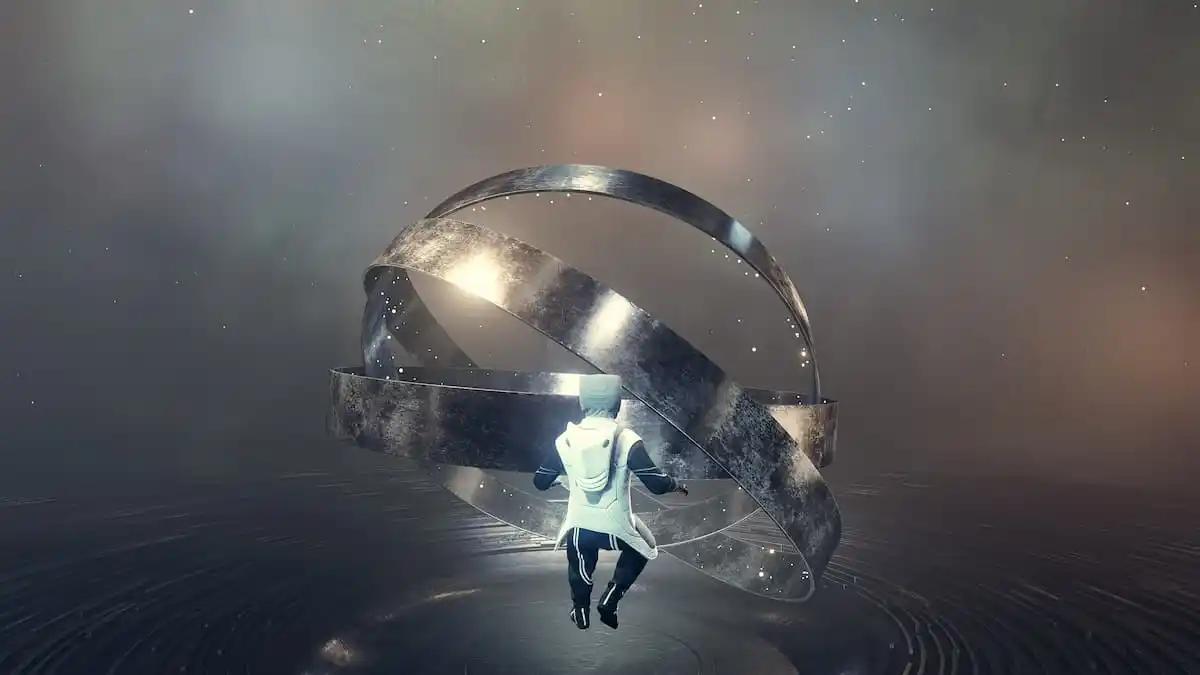
Starfield, Bethesda’s latest space-faring RPG, offers players a vast universe to explore, filled with mysteries and challenges. One such challenge is the art of tracking distortions using the game’s scanner. This guide will provide a deep dive into mastering this skill, ensuring players can navigate the cosmos with ease.

Understanding Distortions in Starfield

Before diving into the how-to, it’s essential to grasp what distortions are. In the vast expanse of space, distortions are anomalies or irregularities that players can detect using their in-game scanner. These can be anything from hidden treasures to potential threats, making them crucial for players to identify and track.

How to Utilize the Scanner?

The scanner in Starfield is a player’s best friend when it comes to detecting distortions. Here’s how to make the most of it:

  • Activation: Begin by activating your scanner. This tool is typically accessible via the game’s HUD or a specific button/key prompt.
  • Tuning In: Once activated, the scanner will start picking up potential distortions in the vicinity. Players should pay attention to visual cues or audio signals that indicate a nearby anomaly.
  • Pinpointing the Source: As you get closer to the distortion, the scanner’s feedback will become more pronounced. This helps players zero in on the exact location of the anomaly.
  • Investigation: Upon locating the distortion, players should approach with caution. Some distortions might lead to rewards, while others could be potential hazards.

Tips for Efficient Tracking

  • Upgrade Your Gear: As players progress in Starfield, they’ll have opportunities to upgrade their scanners. Enhanced scanners can detect distortions from greater distances and provide more detailed information.
  • Stay Alert: Space in Starfield is dynamic. New distortions can appear, and existing ones might change or move. Regularly using the scanner ensures you’re always in the know.

Stay updated with the latest news in gaming and esports by signing up for early access to TalkEsport’s Mobile App. Follow us on Twitter and Google News to ensure you never miss the exciting updates.
How to Farm Lead in Starfield?

0

Every resource counts in Starfield and Lead stands out as one of the most sought-after materials. This guide will delve into the efficient methods to farm Lead, ensuring players make the most of their interstellar adventures.

Lead holds a pivotal role in Starfield’s gameplay dynamics. Given the expansive nature of this RPG, crafted meticulously by Bethesda, players often find themselves in need of various items. The game’s space setting means resources are scattered across different planets, making the farming process a tad slower than other Bethesda classics. This makes it crucial for players to know the best spots and techniques to farm essential items, especially something as vital as Lead.

How to Farm Lead in Starfield?

Starfield offers multiple avenues for players to gather Lead:

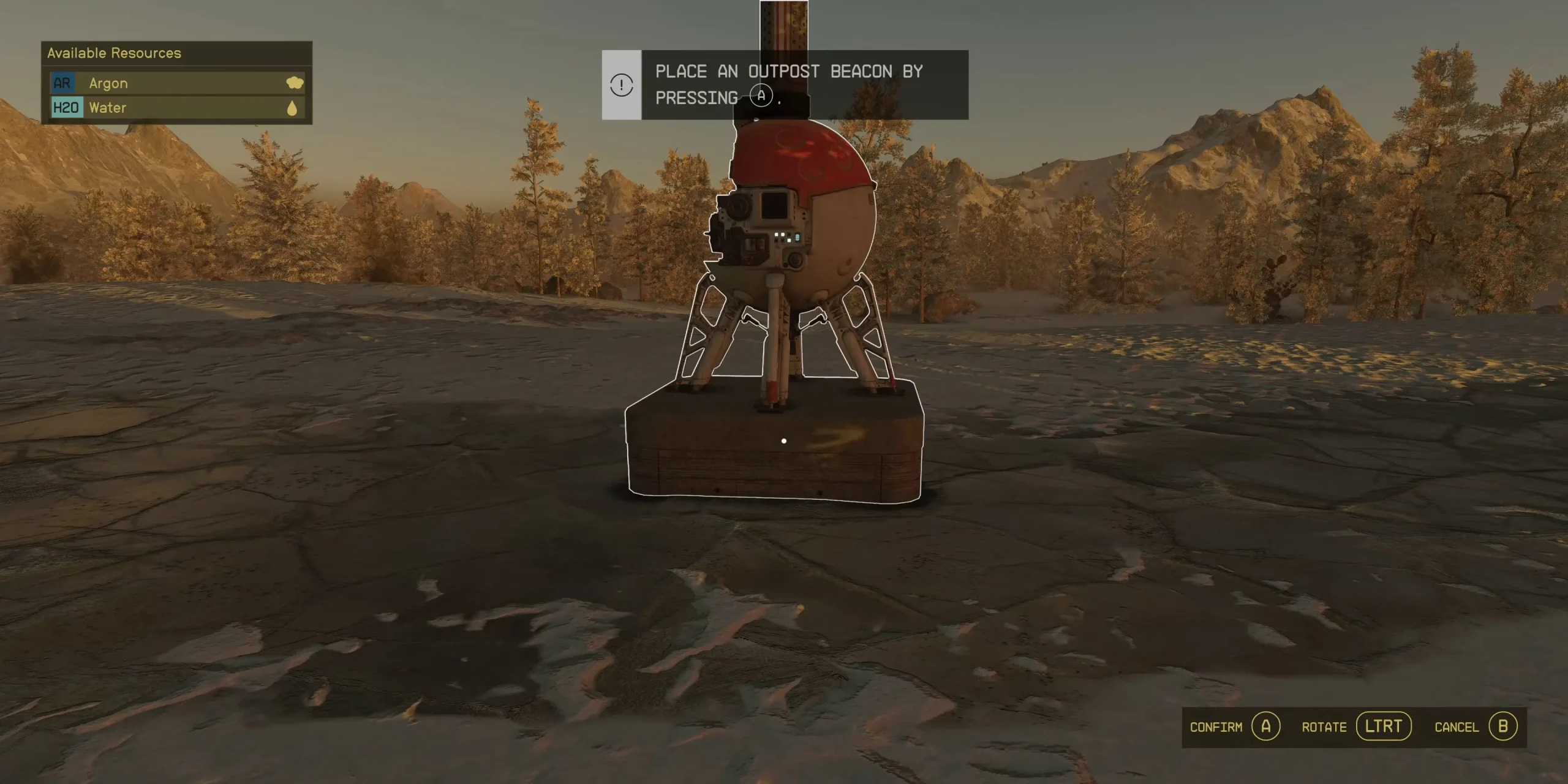
  • Outpost Extractions: Building an outpost and employing an extractor can be a lucrative method. However, it’s essential to ensure a power source for the extractor and adequate storage to prevent overflow.
  • Mining Ventures: While not the most efficient, stumbling upon mines can provide a decent Lead stash. Always be on the lookout and seize the opportunity when you come across these mines.
  • Local Vendors: Places like Jemison Mercantile in New Atlantis offer Lead for purchase. Given its affordability, buying Lead becomes a feasible option for many.

One noteworthy mention is the planet Jemison, known for its rich Lead deposits. If players opt for the extractor method here, they must ensure a power source for the device and ample storage.

Stay updated with the latest news in gaming and esports by signing up for early access to TalkEsport’s Mobile App. Follow us on Twitter and Google News to ensure you never miss the exciting updates.
How To Reduce Lag in Counter-Strike 2?

0

With the closed beta of Counter Strike 2 being accessible to more players than ever following the recent wave of invites sent out by the dev team, fans of the competitive shooter from throughout the globe have received the opportunity to test out their favorite game ahead of its official release. 

While CS2 is a significant improvement over its predecessor, many users are reporting encountering lag, stuttering, fps drops, and other performance issues when trying to play the game. If you’re finding yourself in a similar situation, we have you covered.

In this article, we’re going to take a look at a bunch of useful console commands that you can use to reduce lag and stuttering in CS2. These commands will enable you to make your game much smoother and reduce the excessive stuttering in the game.

Console Commands To Reduce Lag in CS2

Without further ado, let’s check out the commands:

  • cl_updaterate “128”
  • cl_interp_ratio “1”
  • cl_interp “0.015625”

These are some of the most useful console commands that you need to use to reduce lag in CS2. Once you’ve applied these console commands, feel free to check out our detailed guide to get the maximum FPS in CS2.

Stay updated with the latest news in gaming and esports by signing up for early access to TalkEsport’s Mobile App. Follow us on Twitter and Google News to ensure you never miss the exciting updates.
Google Play Store Launches New Video Series “The Play Report”

0

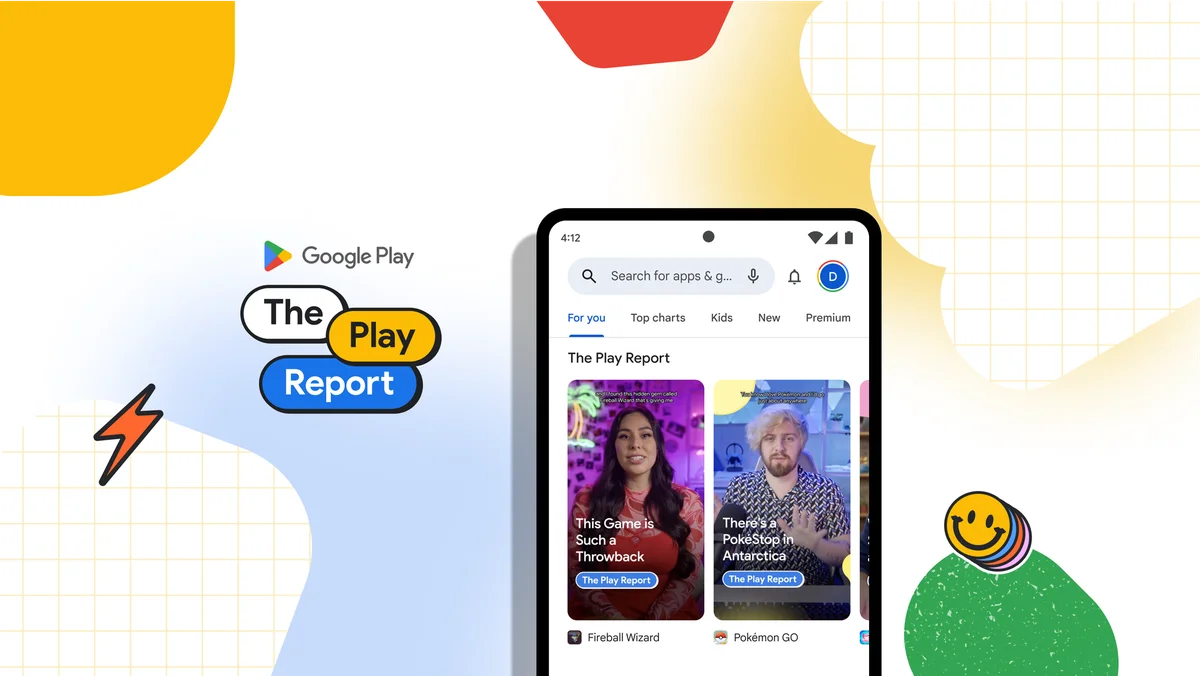
Google Play has always been a hub for millions of apps and games, offering users a plethora of choices. With features like “Our Monthly Picks” and “New on Play,” users have been guided through the vast ocean of content. Now, Google is taking a step further by introducing a new video series, The Play Report.

The Play Report

The Play Report isn’t just another series; it’s a curated experience hosted by gaming and lifestyle experts. These experts dive deep into the apps and games they adore, bringing them to the forefront for users. It’s not just about showcasing popular apps; it’s about highlighting the “hidden gems” that often go unnoticed.

What’s in Google Play Store for Users?

Each episode of The Play Report promises to be a treasure trove of information. From trending content to lesser-known masterpieces, the series aims to give users the “download on what to download.” And it’s not just the experts talking; the series will feature voices from various domains, including app creators and Google’s own team.

How to Catch The Play Report?

For those in the U.S., a select group of Play users will find this pilot series right at the top of their Play Store homepage. But if you’re not part of this select group, there’s no need for FOMO. Google has ensured that everyone can catch The Play Report on platforms like YouTube, Facebook, and Instagram. So, over the next few weeks, keep an eye out for new episodes that promise to redefine how you discover apps and games on Google Play.

Stay updated with the latest news in gaming and esports by signing up for early access to TalkEsport’s Mobile App. Follow us on Twitter and Google News to ensure you never miss the exciting updates.