Sunday, May 17, 2026
Home Blog Page 648

Pokimane faces backlash for calling her fans “broke”

0

Pokimane’s line of health snacks has been subjected to a plethora of controversies from day one, from accusations of rebranding the product to criticism of its absurd price tag. Just when we thought the drama was over, Pokimane went out and called her fans “broke” for complaining about the high price of cookies.

Pokimane wasn’t done explaining the uncanny resemblance between the cookies from Myna Snacks and the ones that were selling at Costco for nearly a year. The only thing that wasn’t similar between both cookies was the price Midnight Cookies cost three times as much which made the fans question.

https://twitter.com/pokimanelol/status/1726443006939766791

“When people are like ‘oh my god $28 for cookies’. It’s four bags, that’s $7 per bag. I know, I know math is hard when you’re an idiot. But, if you’re a broke boy just say so.” she said.

Suffice it to say that the community found her comments to be insensitive which subjected her to a plethora of backlash from fans. The backlash led her to issue a public apology and now she has committed herself to consider pricing the cookies at a more affordable rate but even if at half its original price, it would still be more expensive than the competition.

The updated pricing has not hit the market but it will be difficult to establish a place in the commercial market after all the backlash. Only time can tell if Myna can become more than a venture but until then they are in hot water with Pokimane’s insensitive comments.

Stay updated with the latest news in gaming and esports by signing up for early access to TalkEsport’s Mobile App. Follow us on Twitter and Google News to ensure you never miss the exciting updates.
Valorant Chromedek Bundle Leaked: All Skins, Price, Release Date, & More

0

It has only been a few days since the Sentinels of Light 2.0 skin bundle hit the Valorant store, and the next skin collection coming to the competitive shooter has already been leaked on the internet.

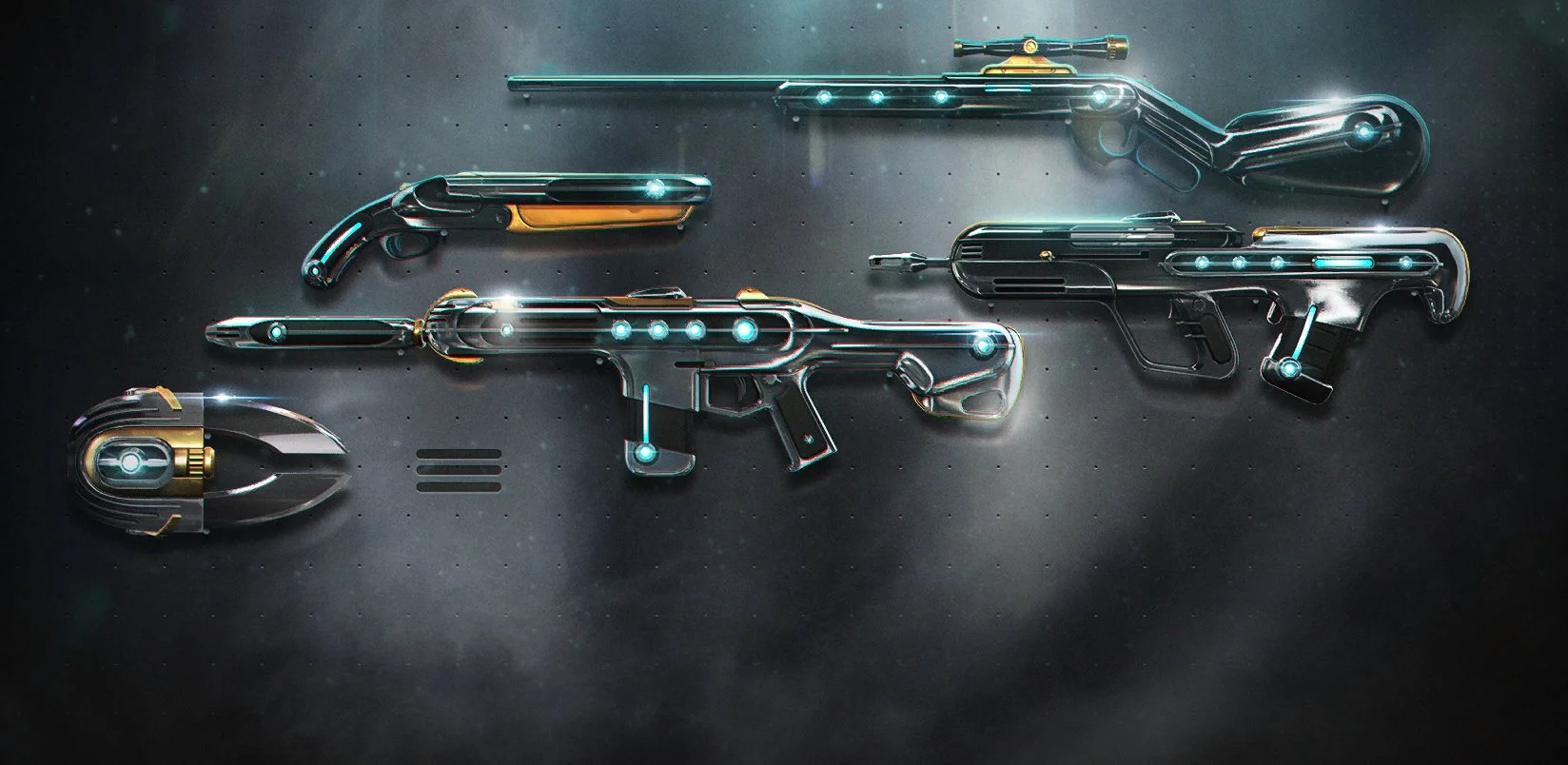
Codenamed ‘Chromedek’, the upcoming Valorant skin bundle seems to be inspired by the Magepunk collection as it gives off similar vibes at first glance.

Valorant Chromedek Bundle Contents: All Skins

Dataminers have already revealed on social media forums that the Chromedek bundle will consist of the following weapon skins:

  • Chromedek Phantom
  • Chromedek Bulldog
  • Chromedek Marshal
  • Chromedek Shorty
  • Chromedek Melee

Whether the bundle will include free items like player cards and gun buddies is still uncertain at the time of writing.

Valorant Chromedek Bundle Price

The Chromedek bundle in Valorant is expected to be a Deluxe Edition collection, which means that it is likely to be priced around 5,100 VP.

Here’s the speculated price for the individual skins in the Chromedek collection:

  • Phantom – 1,275 VP
  • Bulldog – 1,275 VP
  • Marshal – 1,275 VP
  • Shorty – 1,275 VP
  • Melee – 2,550 VP
  • Bundle – 5,100 VP

Valorant Chromedek Bundle Release Date

The exact release date of the Chromedek bundle in Valorant hasn’t been confirmed as of yet. However, fans can expect the Chromedek collection to replace the Sentinels of Light 2.0 skin bundle in the store once the ongoing sale concludes,

The expected release date of the Chromedek skin bundle in Valorant is around December 6, 2023.

London to Host League of Legends Worlds 2024 Finals at O2 Arena

Riot Games has confirmed that the 2024 League of Legends World Championship Finals will be hosted in the vibrant city of London. This event is slated to take place at the iconic O2 Arena, a venue celebrated for its grandeur and history.

Mark your calendars for November 2, 2024, when the world of esports converges on London for the grand finale of the League of Legends World Championship. This scheduling marks a notable shift from the previous year’s finals, bringing forward the date to earlier in November.

O2 Arena: A Stage for Legends

The O2 Arena, known for its massive seating capacity and stunning architecture, stands as the UK’s second-largest venue. With a seating capacity of 20,000, it promises to offer an electrifying atmosphere for fans. The arena, a marvel in itself, stretches 365 meters in diameter, making it one of the largest dome structures globally. It has been the stage for numerous legendary performances and significant sporting events, including Adele, Beyoncé, U2 concerts, NBA games, and ATP tennis finals.

This event marks the first time the League of Legends World Championship Finals will be held in the UK, a significant milestone for the region’s esports scene. London, with its blend of rich history and modernity, provides a fitting backdrop for this global esports celebration. The announcement follows the immense success and fan enthusiasm witnessed during the 2023 Mid-Season Invitational held in London.

Europe’s Fifth Time Hosting World Championship

Europe has been a favored destination for the League of Legends World Championship, with previous events held in 2015, 2019, and 2021. This 2024 event will be the fifth time Europe plays host, continuing a legacy that began with the inaugural championship.

The O2 Arena, with its vast scale and energetic crowd, is set to deliver an unforgettable experience. Fans can anticipate a world-class display of esports competition, as teams vie for the coveted title and a significant prize pool. This announcement has undoubtedly set the stage for what promises to be an epic showdown in the world of League of Legends.

T1 Secures Fourth LoL World Championship

T1’s victory at the 2023 League of Legends World Championship is a historic milestone in esports. The team, led by the legendary Lee ‘Faker’ Sang-hyeok, claimed its fourth World title, a feat unparalleled in the game’s history.

Faker, a name synonymous with League of Legends, has maintained his status as the greatest player of all time, despite a title drought since 2016. This victory has further cemented his legacy​​.

T1’s Path to Glory

T1’s journey to the 2023 LoL World Championship was fraught with challenges. The team, having consistently shown strength, often fell short of claiming the ultimate prize in recent years. Just last year, their hopes were dashed by DRX’s historic underdog run. Adding to the hurdles, Faker’s injury earlier this year led to the team’s performance decline.

However, the team made a dramatic comeback, with Faker returning to lead them to victory. Their resilience and determination turned their bleakest year into a triumphant one​​​​.

Key Players in the Historic Win

While Faker’s leadership and in-game prowess were crucial, other team members played significant roles in the victory. Zeus, for instance, was instrumental in outmatching opponents in the top lane, creating significant pressure throughout the series.

This marked a remarkable improvement from his performance at MSI 2023. Such collective efforts underscore the team’s depth and synergy​​.

T1’s future looks promising as Faker has already signed through 2025. Although there’s speculation about the team’s roster for the next year, this win has already etched the current lineup in the LoL esports history​​.

Team Liquid Bids Farewell to Patsi

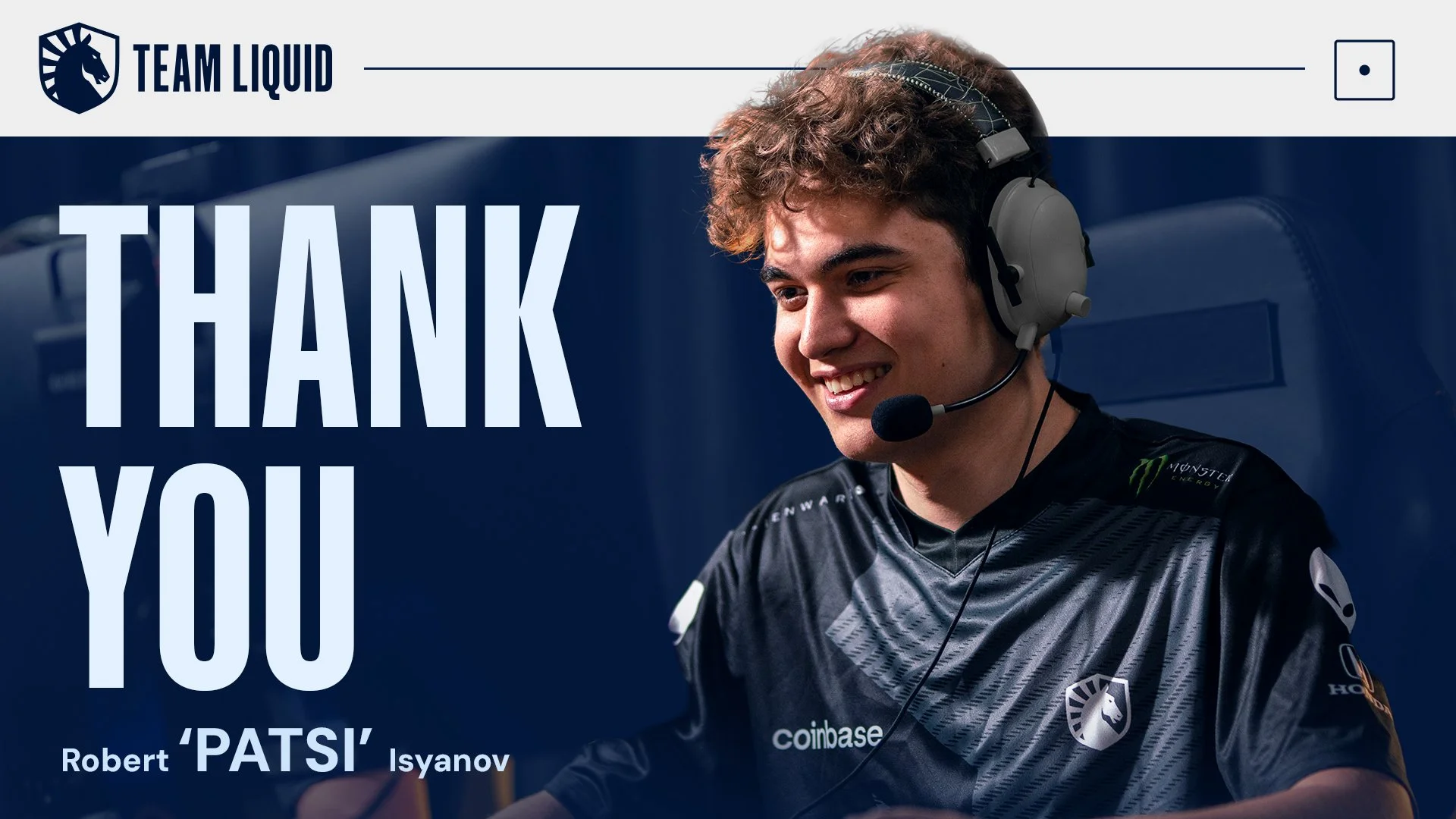
Team Liquid has announced the departure of Robert “Patsi” Isyanov from their CS2 roster. This decision marks the beginning of a significant overhaul aimed at revitalizing the team’s competitive edge in the esports arena. Patsi, known for his role as an entry fragger, joined Liquid from Team Spirit in June, bringing with him a reputation for aggressive gameplay.

Liquid’s rebuild is not just about subtraction but also about exciting additions. The team is reportedly on the verge of welcoming Russel “Twistzz” Van Dulken, Casper “cadiaN” Møller, and Felipe “skullz” Medeiros. This infusion of new talent, under the guidance of coach Wilton “zews” Prado, is poised to create a dynamic and formidable lineup.

Patsi’s Journey with Liquid

Patsi’s tenure with Liquid, though short-lived, was a period of intense gameplay and high expectations. Despite his efforts, he struggled to replicate the form that had previously earned him accolades, including a nomination for Rookie of the Year in 2022. His performance ratings, while respectable, did not reach the heights anticipated, leading to this strategic shift in the team’s composition.

Liquid’s Roster Outlook

With more changes anticipated, Liquid’s current CS2 lineup includes Mareks “YEKINDAR” Gaļinskis and Keith “NAF” Markovic, alongside other potential retainers. The team’s strategy seems to be centered around retaining core players while injecting new blood to revitalize their gameplay. The esports community eagerly awaits further announcements on the final roster and the impact these changes will bring.

Team Liquid now looks like this:

  • Latvia Mareks “⁠YEKINDAR⁠” Gaļinskis
  • Keith “⁠NAF⁠” Markovic
  • Bulgaria Aleks “⁠Rainwaker⁠” Petrov
  • United States Josh “⁠oSee⁠” Ohm
  • Canada Damian “⁠daps⁠” Steele (coach)

Team Liquid’s decision to part ways with Patsi and embark on a comprehensive rebuild reflects their commitment to excellence and adaptability in the ever-evolving world of esports.

Best CS2 Crosshairs Used by Pros

0

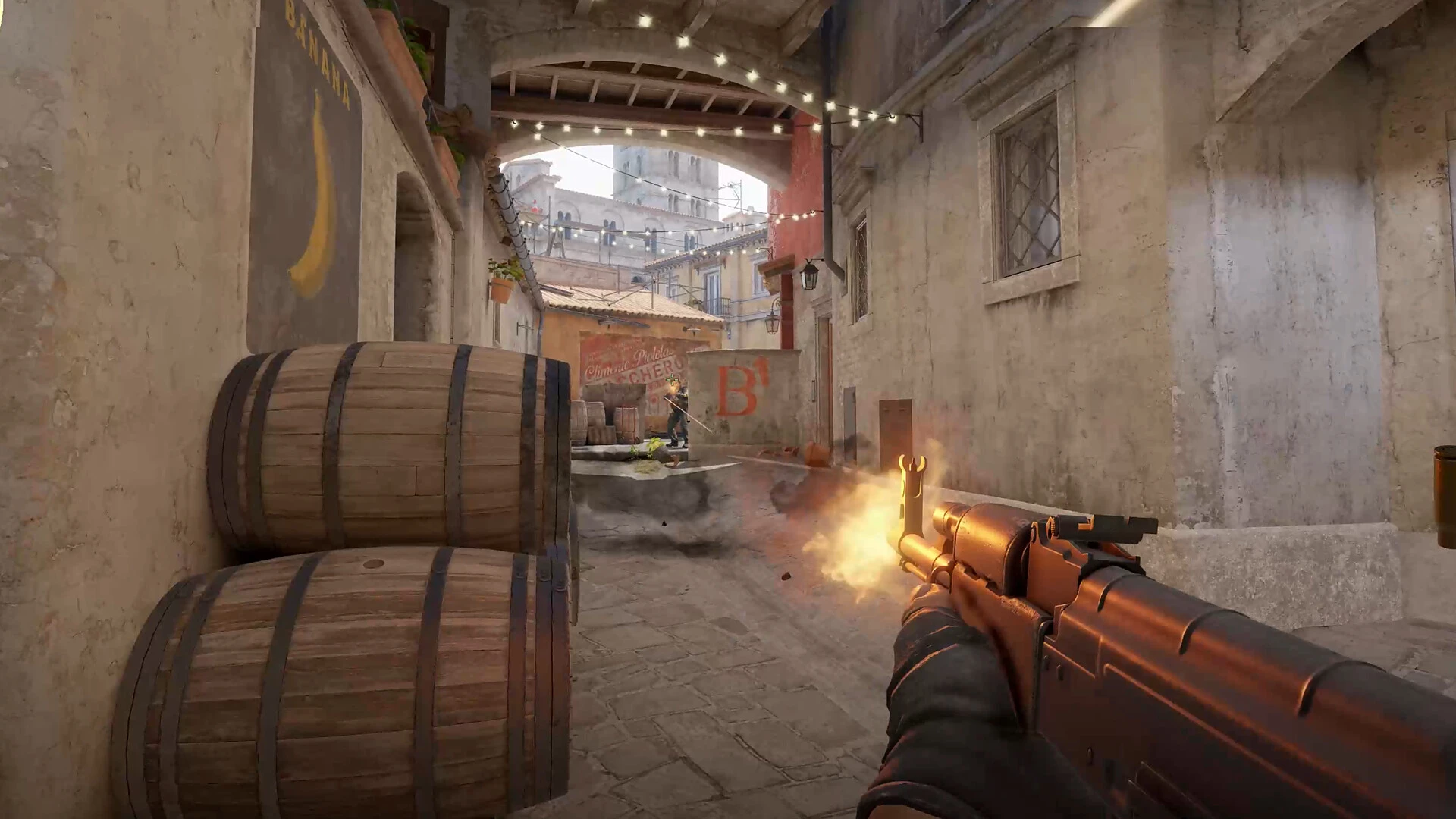
Counter-Strike 2 (CS2) players, it’s time to refine your gameplay with the best crosshair settings used by professional players. Customizing your crosshair is a pivotal aspect of enhancing your performance in CS2. Here’s a comprehensive guide on how to import these pro crosshair codes into your game and a selection of top codes to try out.

How to Import Crosshair Codes in CS2?

  • Accessing Crosshair Settings: Open the CS2 Settings menu, click on “Game” and then “Crosshair”.
  • Importing Codes: In the crosshair preview’s bottom-right corner, click “Share or Import”.
  • Applying a Code: Paste your chosen crosshair code into the box and click “Import”.
  • Sharing Your Own Crosshair Code: You can also share your unique crosshair code by copying it through the “Share or Import” button​​.

Top Pro CS2 Crosshair Codes

  • ZywOo: CSGO-H3Wb2-YV2FB-VPipW-dx2td-hej5P
  • s1mple: CSGO-h3Pz6-8BasU-DKBXU-e4KEt-YPD3J
  • NiKo: CSGO-LdXHk-hatWX-JjEa8-tuLDN-5tbJD
  • ropz: CSGO-HhqGJ-sDkmR-W9oNx-DvQOF-xpuCQ
  • m0NESY: CSGO-hzrMn-jXu8b-R7VH4-hQ9aa-OnMHA
  • b1t: CSGO-9OysP-sFw9b-dHiXx-VXUA2-hif4D
  • sh1ro: CSGO-oit62-q2AsV-L2SHE-3hoEJ-cMwLA
  • Twistzz: CSGO-9axTZ-n8pEc-uCqW3-SWTK7-3WOAK
  • XANTARES: CSGO-UOrzd-vO3VJ-d9GDb-f96Sj-K564E
  • apEX: CSGO-idk3k-MD5qw-6b9rH-tr7u7-KPh8E
  • Aleksib: CSGO-Jp4hk-AfzML-FcpUT-2pfxZ-kSLoD
  • arT: CSGO-KYFYs-tNLXD-WXmzG-raZEx-8Er7C
  • blameF: CSGO-LdXHk-hatWX-JjEa8-tuLDN-5tbJD
  • broky: CSGO-2uABj-Rr3dC-yhVt3-bXe8v-tDu8O
  • cadiaN: CSGO-OsK33-i3cCK-C3HFj-8NFp3-HpCxH
  • degster: CSGO-i6W7e-7dNbB-7u2hV-vwvQd-97DRE
  • dev1ce: CSGO-jvnbx-S3xFK-iEJXD-Y27Nd-AO6FP
  • deko: CSGO-9GVqi-ixpNa-JuGa8-ae6hd-H7xDK
  • Ax1Le: CSGO-nZtuj-eHzcb-8fyLe-Cxbwc-NHpEM
  • FalleN: CSGO-TpORA-p9Ley-TLQ3P-HzXJY-U9z6A
  • electroNic: CSGO-RF8AU-LQcx8-erXvR-V45TS-Rx6KQ
  • ELiGE: CSGO-BFTzN-avOyU-djZEM-FmwKd-v5TCP
  • FlameZ: CSGO-VxTDO-uUGK3-wsSfC-kO6Yz-iyXsO
  • headtr1ck: CSGO-CmPqs-mhQJt-YmNOa-XhqMq-HvDmQ
  • Hunter: CSGO-fefXh-O6xYZ-FdCHQ-OP9Kq-qKwLA
  • jabbi: CSGO-4PQMC-kA9Ho-muNQv-9u2BJ-tLXoN
  • jame: CSGO-kQLy3-knZHs-y5tkt-wF7Ca-c8ksF
  • HObbit: CSGO-tNKL3-nvYRR-MyrEa-Ds9kN-bkWjM
  • karrigan: CSGO-CP44i-z2D7K-dpJhE-TvPaj-MaMbM
  • k0nfig: CSGO-jPHWX-2Rv8b-oAAaP-eRHBs-pevvE
  • KSCERATO: CSGO-VraXK-7zmqf-LQjcY-7VSZz-PDNfN
  • JKS: CSGO-Un7wk-YEcd5-YUnK4-eoFqZ-LbRVP
  • Magisk: CSGO-Ch7e4-W6rmt-rj9Tw-2HmUn-RfK5O
  • NAF: CSGO-EETNw-LVXuB-spcMc-LmGSt-R5c7L
  • Patsi: CSGO-ty4wQ-Va3B2-rMK8r-ROvoR-yopJN
  • rain: CSGO-mbppN-WGdqq-XeBH8-bmdyV-fxwPB
  • smooya: CSGO-i2z3i-7o4Qx-u7R8Z-oMHCb-tOUnB
  • Spinx: CSGO-HsTKJ-UzdPk-qvWjm-Y2FDE-eJH8D
  • stavn: CSGO-mw7Mq-5QZfQ-Bj8m7-LHMTr-cVGOP
  • Suihy: CSGO-POePx-nrfn5-rRXKx-tZASS-fcEBM
  • SunPayus: CSGO-fBSrW-FdDK7-5PyDT-44XfM-2zpxA
  • w0nderful: CSGO-jhrTh-eXR6k-6LeUL-C5ukE-FkdVG
  • YEKINDAR: CSGO-7ANjy-XxRae-25YoE-7Bfnp-QQSFE
  • tabseN: CSGO-xjXqo-C9vj8-kzmGn-UKdLu-HRsuL
  • Nertz: CSGO-BKWBy-hHOaB-Hp9CR-hFWX4-T3SKF

This comprehensive list of codes offers a glimpse into the crosshair styles of some of the world’s best CS2 players, helping you elevate your game to new heights.

Recommended | How To High Jump in Counter Strike 2?

How to Fix ESP-Buimet-003 Error in Fortnite?

0

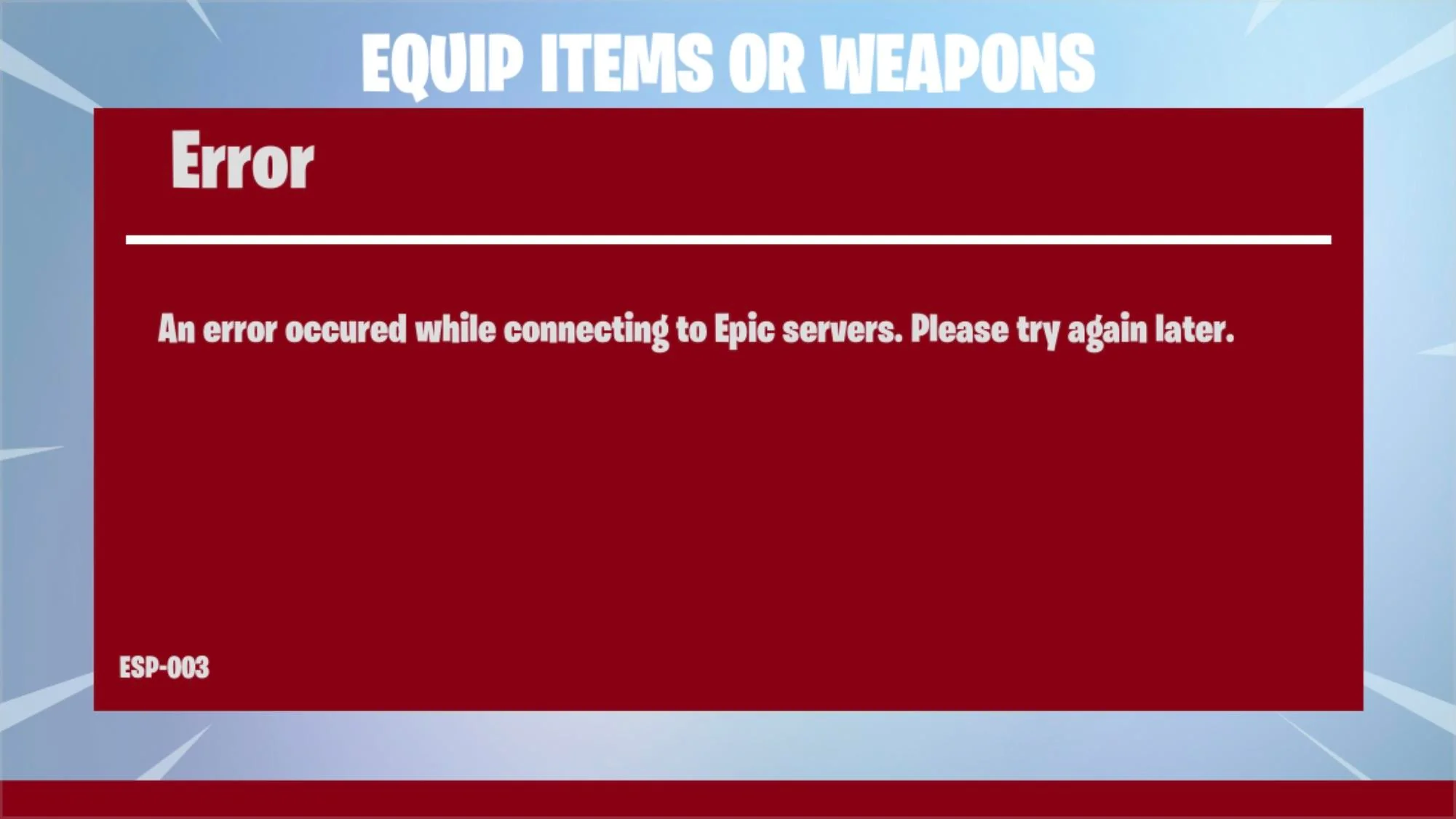
Fortnite players may encounter the ESP-BUIMET-003 error across platforms, including Xbox One, Xbox Series X|S, PlayStation 4, PlayStation 5, and PC. This guide offers several methods to resolve the issue, enhancing your gaming experience.

This error typically indicates server issues from Epic Games’ end. If you’re facing this error, it’s advised to first check the status of Fortnite servers. This can be done through the Epic Games Public Status page, Fortnite’s Twitter account, or checking platform-specific server statuses like PlayStation Network and Xbox Live​​​​​​.

How to Fix Esp-Buimet-003 Error in Fortnite?

1. Check Server Status

Begin by checking the Epic Games Server Status. If servers are down or under maintenance, you’ll need to wait until they’re operational again​​​​.

2. Restart Your Console or PC

A simple restart of your gaming device (Xbox, PlayStation, or PC) can refresh the system and potentially fix the error​​​​.

3. Power Cycle Your Console

For a more thorough reset, power cycle your Xbox or PlayStation. This involves turning off the console, unplugging it for a few minutes, and then restarting​​​​.

4. Sign Out and Back Into Your Account

Logging out and then back into your Xbox or PlayStation account has helped some players resolve the error​​​​.

5. Change DNS Settings

Altering your DNS to Google Public DNS is another effective method. The steps differ slightly depending on whether you’re on a PC, PlayStation, or Xbox:

For PC

  • Open Control Panel and navigate to Network and Internet > Network and Sharing Center > Connections.
  • Select Properties and double-click Internet Protocol Version 4 (TCP/IPv4).
  • Enable “Use the following DNS server addresses” and enter 8.8.8.8 (Preferred DNS server) and 8.8.4.4 (Alternate DNS server)​​.

For PlayStation

  • Go to Network settings, set up your internet connection, and choose manual DNS settings.
  • Use 8.8.8.8 as the primary DNS and 8.8.4.4 as the secondary DNS​​.

For Xbox

  • Access Network settings and choose manual under DNS settings.
  • Set 8.8.8.8 as the primary DNS and 8.8.4.4 as the secondary DNS​​.

6. Clear Local Save Game Files & Persistent Storage

Clearing local save game files and persistent storage on your console can also help. Ensure your console is connected to the internet to back up your files in the cloud before proceeding with this step​​.

7. Run a Soft Factory Reset

As a last resort, perform a soft factory reset on your console. This method should be used cautiously as it might delete profiles, saves, and other data from your system​​.

Resolving the ESP-BUIMET-003 error in Fortnite can involve a mix of checking server statuses, restarting devices, adjusting settings, or even a soft reset of your console. By following these steps, you can troubleshoot and potentially fix the error, allowing you to return to your gaming experience.

How to Upgrade Weapon Rarity in COD MW3 Zombies Mode?

0

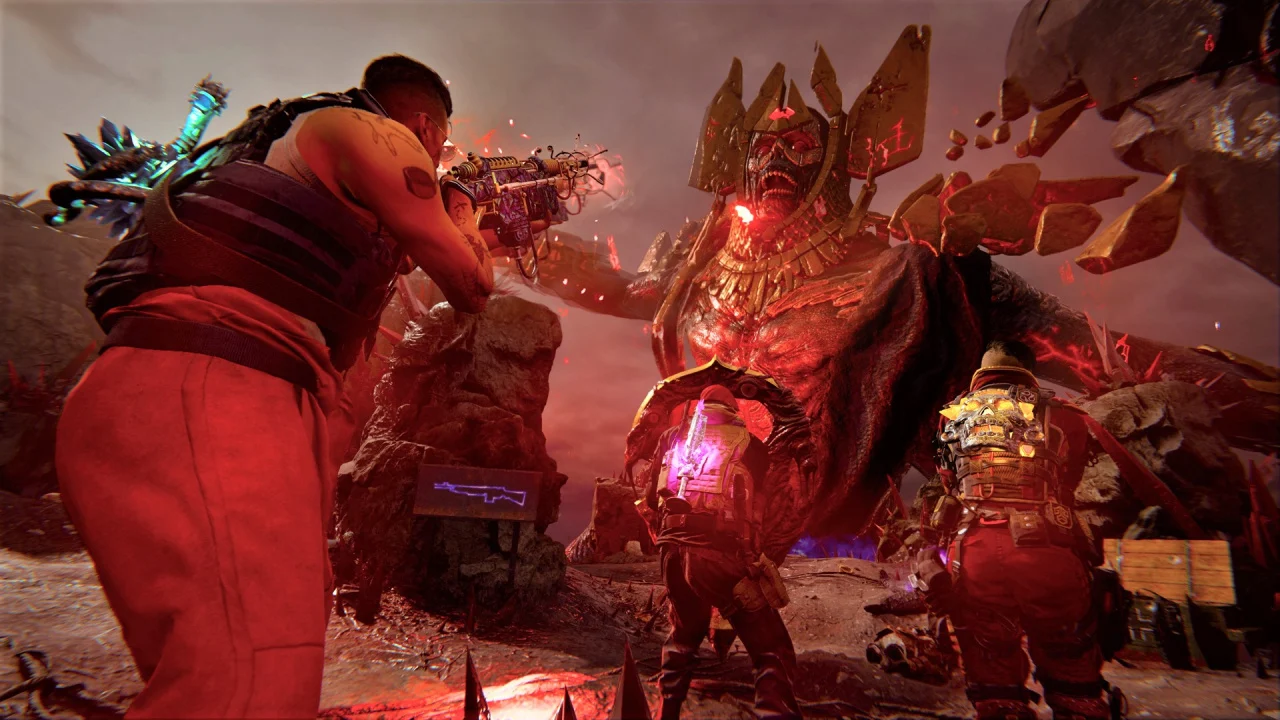
Call of Duty: Modern Warfare 3 (MW3) Zombies Mode offers a thrilling experience with its diverse weapon system. Understanding and upgrading weapon rarity is crucial for survival and success in the game.

Weapon Rarity Levels

  • Common: Gray banner, basic level without damage bonuses.
  • Uncommon: Green banner, offers a 50% damage boost.
  • Rare: Blue banner, provides a 100% damage boost.
  • Epic: Purple banner, gives a 200% damage boost.
  • Legendary: Orange banner, yields a 300% damage boost.
  • Ultra: Includes unique Wonder Weapons like Wunderwaffle DG-2, Scorcher, and Ray Gun, offering distinctive capabilities without specific damage bonuses​​.

Upgrading Weapon Rarity

The process involves using Aetherium Tools, which replace the Work Bench from earlier titles. These tools can be obtained by completing contracts across the map or shooting down purple orbs.

Aetherium Tools come in different rarity levels and can only upgrade weapons to their corresponding tier or below. Players can also find schematics to craft a Legendary Aether Tool, enabling instant weapon upgrades to purple rarity at the match’s start​​.

Field Upgrades in MW3 Zombies

In addition to weapon rarity upgrades, MW3 Zombies introduces Field Upgrades, enhancing gameplay:

  • Energy Mine: Deals massive damage to enemies.
  • Frenzied Guard: Repairs armor fully and forces enemies to target the player.
  • Healing Aura: Heals all players immediately.
  • Frost Blast: Damages and slows enemies.
  • Aether Shroud: Renders the player invisible to zombies.
  • Tesla Storm: Connects lightning to players, stunning and damaging enemies.

Players start with one Field Upgrade and unlock more as they progress through Player Ranks. The best way to unlock new upgrades is simply by playing the game​​.

Recommended | How to Get Royalty Tiger Camo in Modern Warfare 3?

How to Get Royalty Tiger Camo in Modern Warfare 3?

0

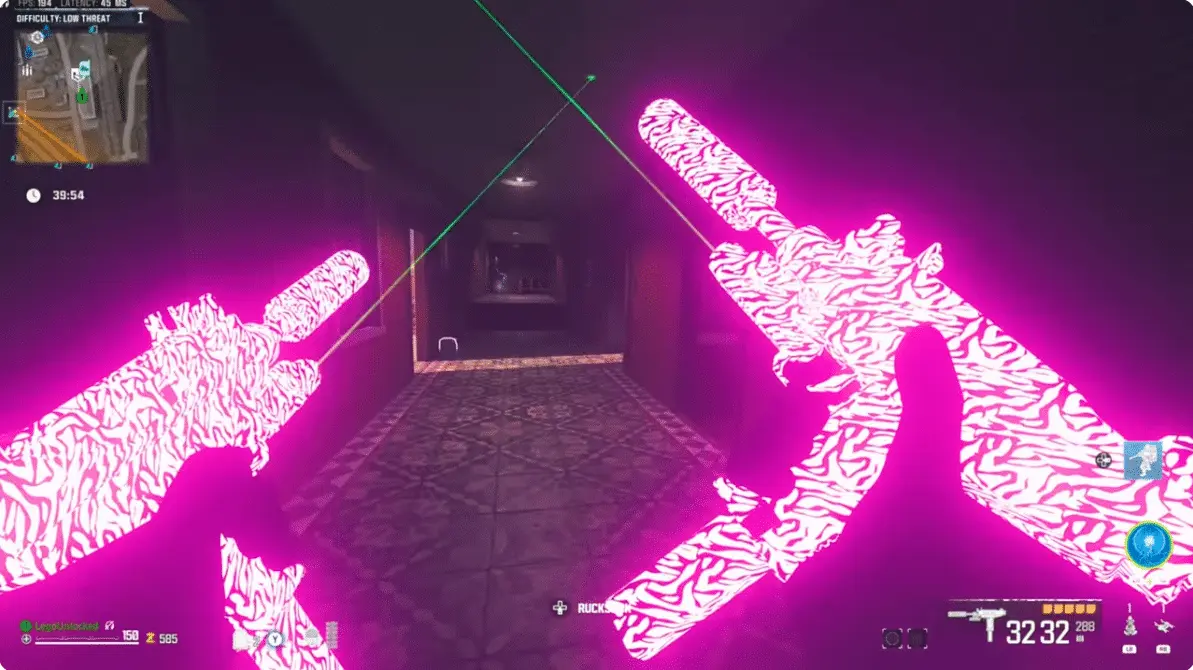
In the world of Call of Duty: Modern Warfare 3 (MW3), acquiring coveted skins adds a layer of excitement and personalization. The Royalty Tiger Camo, a much-discussed animated skin in MW3, is not just any regular skin but a special addition to a player’s collection. Unlike typical skins available directly in the game’s store, this one requires a unique approach to unlock​​​​​​.

To access the Royalty Tiger Camo, players must purchase the Call of Duty Task Force 141 Crossbody Sling Bag. This exclusive skin is not available for direct purchase in the game but comes as a bonus with the bag. The bag, priced at around $60 (excluding additional tax and handling charges), is the gateway to this unique camo. Once the bag is purchased, a code is emailed to the buyer, which can be redeemed for the skin​​​​​​.

How to Get Royalty Tiger Camo in Modern Warfare 3?

  • Go to the official Call of Duty Shop (shop.callofduty.com).
  • Log in or create a new COD account.
  • Search and purchase the Call of Duty Task Force 141 Crossbody Sling Bag.
  • After the purchase, you will receive an email containing the code for the Royalty Tiger Camo.
  • Visit Call of Duty’s promotions redeem code site (profile.callofduty.com), and enter the received code.
  • Upon successful entry, the Royalty Tiger Camo is added to your MW3 account​​​​.

How to Equip the Royalty Tiger Camo in MW3

Once you have successfully added the Royalty Tiger Camo to your MW3 account, follow these steps to equip it:

  • Launch MW3 and go to the weapon section.
  • Select the weapon of your choice.
  • Access the Gunsmith for customization options.
  • Choose the Customize tab and then the Camo option.
  • In the Special Camo section, find and select the Royalty Tiger Camo.
  • Equip it to your weapon for a visually striking appearance​​​​.

As of the latest information, the Task Force 141 Crossbody Sling Bag, essential for acquiring the Royalty Tiger Camo, is sold out. Players who missed the initial chance to purchase it will have to wait for a potential restock. This emphasizes the exclusive nature of the skin and its associated items, making it a sought-after commodity in the MW3 community​​.

The Royalty Tiger Camo in MW3 represents a blend of style and strategy, offering players a unique way to showcase their flair on the battlefield. Its unique acquisition method, coupled with its striking appearance, makes it a prized possession for players looking to stand out.

Xbox Starts Accepting UPI Payments in India

0

Microsoft has initiated a transformative update for Xbox users in India. In a significant development, Indian gamers can now make purchases on the Xbox store using UPI (Unified Payments Interface) payment methods. This innovative integration marks a pivotal shift from the previous system where purchases were limited to Microsoft balance top-ups or credit cards like Visa and Mastercard​​.

The implementation of UPI payments is being introduced gradually. Initially, only a subset of users will notice this option in their Xbox accounts. This strategic phased rollout aims to streamline the process and ensure a smooth transition for users. As Xbox commences this rollout, it is noteworthy that PlayStation has yet to adopt UPI as a payment method, positioning Xbox as a pioneer in this regard within the gaming storefront sphere in India​​.

Xbox Game Pass: Expansion through PhonePe

Apart from that, Xbox Game Pass subscriptions have become available on the PhonePe app, signaling Microsoft’s capability to natively integrate UPI payments across different platforms. As of now, Indian users can purchase various Xbox Game Pass subscriptions through PhonePe and Amazon India.

This move not only increases accessibility for gamers but also reflects Microsoft’s commitment to expanding its digital services footprint in India​​​​.

Subscription Options

Xbox Game Pass offers several subscription options via UPI on PhonePe:

  • Xbox Game Pass Ultimate (1 Month) at Rs. 549
  • Xbox Game Pass Ultimate (3 Months) at Rs. 1,649
  • Xbox Game Pass Console (3 Months) at Rs. 1,049
  • PC Game Pass (3 Months) at Rs. 1,049

Gamers are advised to exercise caution and remain vigilant against potential scams, particularly from sellers seeking private Xbox account information​​.

Despite these positive steps, there remains speculation about Microsoft’s broader intentions in the Indian gaming market, particularly regarding console gaming. Arjun Verma, Xbox Gaming’s GXI manager, hinted that markets like India might not be the primary focus for console space expansion, reflecting a cautious approach by Microsoft towards these regions.

The availability of Xbox Series X and S consoles in India through major online retailers like Amazon, Flipkart, and Games The Shop, along with the competitively priced Xbox Game Pass subscription starting at Rs. 349/month, demonstrates Microsoft’s ongoing efforts to cater to the diverse needs of Indian gamers​​.

Microsoft’s introduction of UPI payments and the expansion of Xbox Game Pass subscriptions in India are significant milestones in the gaming industry. These developments not only enhance the accessibility and convenience for Indian gamers but also signal Microsoft’s adaptability and responsiveness to market demands.