Monday, May 11, 2026
Home Blog Page 539

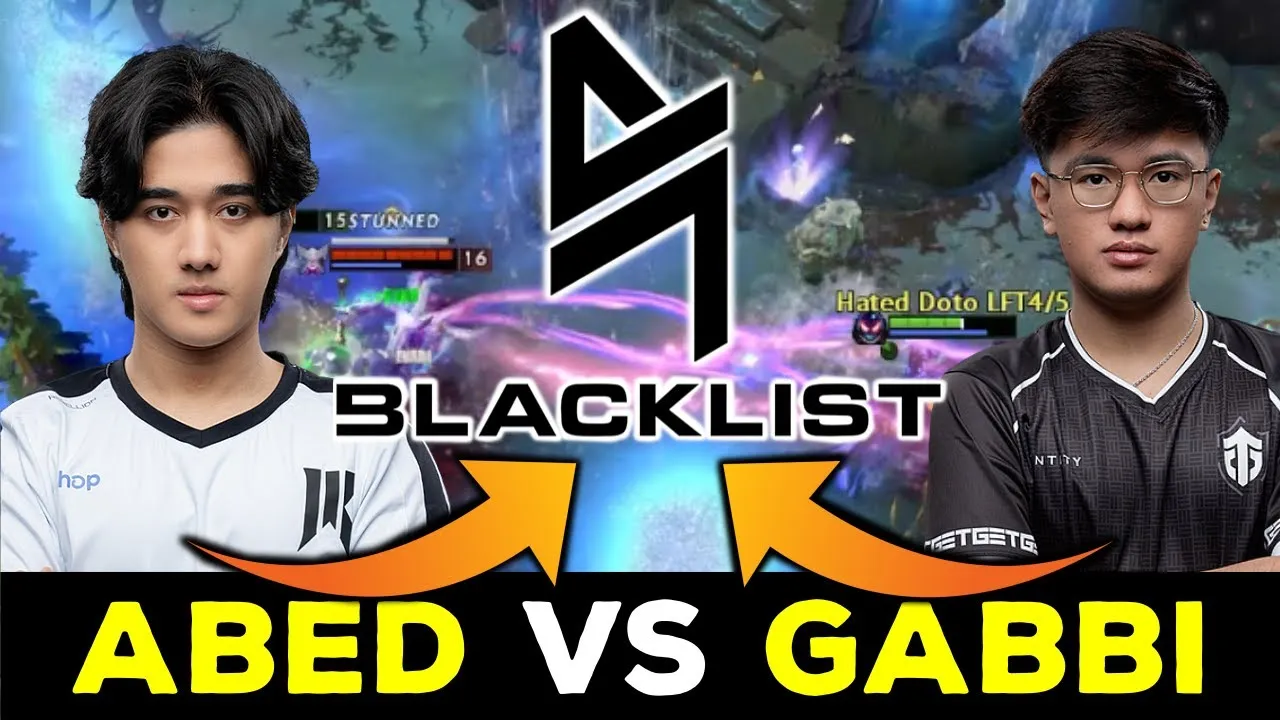
Gabbi-Abed Conflict Escalates, Leading to Gabbi’s Exit from Blacklist International

In a surprising turn of events, Kim ‘Gabbi’ Santos has announced his departure from the esports team Blacklist International. The announcement came during a livestream on his Kick channel, where Gabbi also revealed a shocking altercation that took place at the team’s bootcamp.

According to Gabbi, the conflict escalated to the point where he was physically assaulted by a teammate, with the stream title hinting at Abed as the other party involved.

The root of the conflict appears to stem from a recent public match where trashtalk between Gabbi and Abed occurred. This in-game banter is not uncommon in competitive gaming, but it seems to have led to real-world consequences in this instance.

Gabbi, known for his trolling tendencies, may have crossed a line that resulted in the altercation.
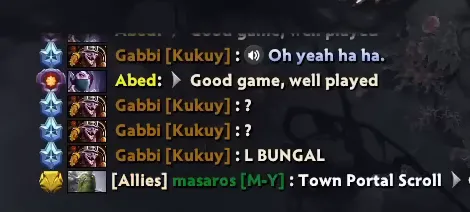
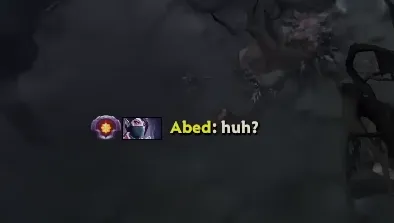
Following the incident, Gabbi has declared his ‘LFT’ status, signaling that he is actively seeking a new team to join. This move has undoubtedly stirred the Dota 2 community, with inactive Filipino player Armel ‘Armel’ Tabios even joining in to witness the unfolding drama.

In response to the situation, Blacklist International has released an official statement. While the details of this statement were not provided in the key points, it is likely addressing the altercation and Gabbi’s subsequent departure from the team

As the story develops, fans and followers of the Dota 2 esports scene are left to ponder the implications of such conflicts on team dynamics and player well-being. The incident serves as a reminder that while competitive banter is part of the gaming culture, it can sometimes have serious repercussions beyond the virtual battlegrounds.

For those interested in the competitive gaming scene, this incident highlights the importance of maintaining professionalism and respect among teammates, even in the heat of the moment. As the esports industry continues to grow, the behavior of its players remains under scrutiny, and maintaining a positive image is crucial for both individuals and teams alike.
Solo Leveling ARISE Codes for May 2024

0

In the realm of mobile and PC gaming, Solo Leveling: ARISE stands as a beacon for fans of the popular webtoon series. Offering an immersive experience into Sung Jinwoo’s world, this game brings to life iconic characters like Cha Hae-In, Choi Jong-In, and Baek Yoonho amidst a plethora of dungeons and captivating cutscenes. Now, let’s delve into the latest Solo Leveling: ARISE codes for May 2024 and how players can unlock their rewards.

  • Active Solo Leveling: ARISE Codes
    • World1stLevelUp
    • Thxslvarisethx
  • Expired Codes
    • ThxsLvArise
    • SoloLevelingSKR
    • Hunterpass1st
    • StaySharp

How to redeem the codes?

Solo Leveling ARISE

Redeeming these codes is a straightforward process. Players simply need to follow these steps:

  • Launch Solo Leveling: ARISE: Enter the captivating realm of Solo Leveling: ARISE.
  • Navigate to the “Quick Menu”: Accessible post-tutorial completion, this menu is your gateway to rewards.
  • Access the “Options” Tab: Delve into game settings to fine-tune your experience.
  • Click on “Account Settings”: Where the magic of code redemption begins.
  • Enter the Code: Input the code of choice and confirm.
  • Claim Your Reward: Head to your in-game mail to collect your well-deserved bounty.

With each code redemption, players not only unlock items but also deepen their immersion in Sung Jinwoo’s narrative. It’s a testament to the ever-evolving world of gaming, where codes serve as keys to unlock new dimensions of excitement.

In the dynamic realm of Solo Leveling: ARISE, the journey never ends. As players embark on quests and conquer dungeons, the allure of codes adds a layer of thrill, promising surprises and rewards that keep the adventure ever-engaging.

Blizzard Addresses Loser’s Queue in Overwatch 2 Patch Notes | Player Feedback

0

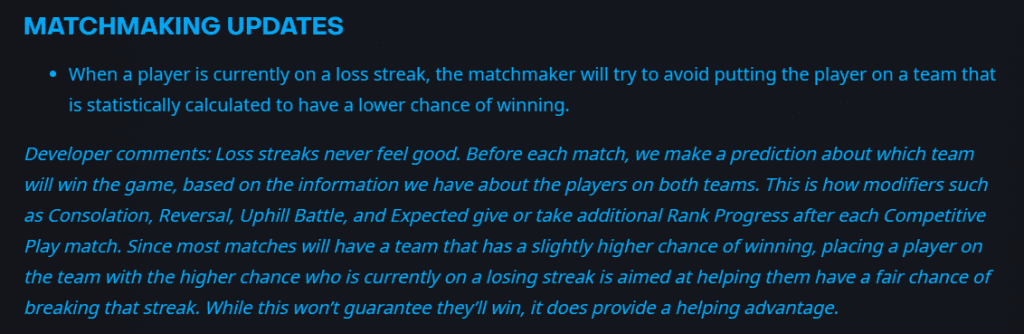
Blizzard Entertainment, the developer behind the popular multiplayer game Overwatch 2, has recently acknowledged the existence of what players have termed as the “loser’s queue.” This phenomenon, as described by players, occurs when individuals experience a series of losses in ranked matches, leading to subsequent matchups with teams statistically less likely to win.

Addressing Player Concerns

In response to widespread player feedback and observations, Blizzard has taken significant steps to address this issue in their latest update rolled out on May 14. The update, detailed in the Patch Notes for Overwatch 2, introduces matchmaking adjustments aimed at mitigating the impact of the alleged loser’s queue.

Matchmaking Optimization

The core of the update lies in the matchmaker’s enhanced capabilities to avoid placing players on teams deemed statistically disadvantaged. Blizzard clarified that these adjustments are intended to provide a fair chance for players on losing streaks to break out of them, thus enhancing overall gameplay experience and competitiveness.

Developer Insights

Blizzard’s decision to acknowledge and act upon the loser’s queue issue comes after previous statements asserting the absence of such queues in Overwatch 2. However, player feedback and data analysis prompted a reevaluation, leading to the implementation of targeted matchmaking improvements.

Community Reaction

The Overwatch 2 community has reacted with a mix of appreciation and skepticism towards Blizzard’s efforts. While some players commend the developer for addressing player concerns, others remain critical, citing past assurances of no loser’s queues in the game.

Blizzard has not directly referred to the term “loser’s queue” in their official communications regarding the update. Instead, they emphasize the ongoing evaluation of matchmaking systems to ensure fairness and balance for all players.

The acknowledgment and subsequent actions taken by Blizzard regarding the loser’s queue highlight the company’s responsiveness to player feedback and commitment to refining the Overwatch 2 gaming experience. As the community awaits further updates and refinements, the impact of these changes on overall gameplay dynamics will be closely monitored.

Top Smartphones for PUBG Mobile at 90 FPS | Android and iOS

0

In the fast-paced world of mobile gaming, having a device that can handle PUBG Mobile at 90 frames per second (FPS) is a game-changer. It not only enhances your gaming experience but also puts you ahead with smoother gameplay and better graphics. Let’s dive into the top smartphones that can run PUBG Mobile at this impressive FPS level.

Android Phones That Can RUn PUBG Mobile at 90 FPS

For Android users, the realm of 90 FPS gaming is vast and filled with capable devices. Brands like OnePlus, Samsung, Motorola, and Xiaomi lead the charge with their flagship and mid-range offerings.

  • OnePlus Nord 3
  • OnePlus 7 Pro
  • OnePlus 7T
  • OnePlus 7T Pro
  • OnePlus 8
  • OnePlus 8 Pro
  • OnePlus 9
  • OnePlus 9 Pro
  • OnePlus 10 Pro
  • OnePlus 10T
  • OnePlus 11
  • OnePlus 11R
  • Samsung Galaxy A54
  • Samsung Galaxy A55
  • Samsung Galaxy A74
  • Samsung Galaxy S20 series
  • Samsung Galaxy S21 series
  • Samsung Galaxy S22 series
  • Samsung Galaxy S23 series
  • Samsung Galaxy S24 series
  • Samsung Galaxy Note 20 series
  • Samsung Galaxy Z Fold 2 and later
  • Samsung Galaxy Z Flip 4 and later
  • iQOO 9
  • iQOO 9 Pro
  • iQOO 9 SE
  • Motorola Edge+
  • Motorola Edge S
  • Motorola Edge 20
  • Motorola Edge 20 Pro
  • Motorola Edge X30
  • Motorola Edge 30
  • Motorola Edge 30 Pro
  • Motorola Edge 40
  • Motorola Edge 40 Pro
  • Motorola Razr 5G
  • Motorola Razr 40
  • Motorola Razr 40 Ultra
  • Nothing Phone 1
  • Nothing Phone 2
  • Nothing Phone 2a
  • Mi Mix Fold 3
  • Mi 11 Ultra
  • Mi 11X Pro
  • Mi 11X
  • POCO F3
  • POCO F3 GT
  • POCO X3 Pro
  • Redmi Note 11 Pro+
  • Redmi Note 11 Pro
  • ROG Phone 6
  • ROG Phone 7
  • ROG Phone 7 Ultimate
  • ROG Phone 8
  • ROG Phone 8 Pro
  • ZenFone 7
  • ZenFone 8
  • ZenFone 8 Flip

iOSPhones That Can RUn PUBG Mobile at 90 FPS

Apple’s iOS devices are no strangers to gaming excellence. With the powerful Apple A11 Bionic chip and above, these devices ensure smooth gameplay at 90 FPS.

  • iPad Pro (M4)
  • iPhone 12 Pro
  • iPhone 13 Pro
  • iPhone 13 Pro Max
  • iPhone 14 Pro
  • iPhone 14 Pro Max
  • iPhone 15 Pro
  • iPhone 15 Pro Max

How to Unlock 90 FPS

Enabling 90 FPS in PUBG Mobile is a straightforward process:

  1. Launch PUBG Mobile and navigate to the game settings.
  2. Select “Graphics” and then choose “90 fps” under the Frame rate settings.
  3. Restart the game for the changes to take effect.

With an array of smartphones supporting 90 FPS gaming, players can immerse themselves in PUBG Mobile like never before. Whether you prefer Android’s versatility or iOS’s gaming prowess, there’s a device tailored to elevate your gaming experience to the next level.

How to Earn Free Overwatch Coins: A Comprehensive Guide

0

Overwatch Coins are the in-game currency for Overwatch 2, used to purchase skins, weapon skins, and other cosmetics. With the game’s transition to a free-to-play model, players are keen on finding ways to earn these coins without spending real money. Here’s how you can get your hands on free Overwatch Coins.

Redeeming Microsoft Rewards Points

One of the most reliable methods to get free Overwatch Coins is through Microsoft Rewards Points. Here’s how you can earn and redeem these points for Overwatch Coins:

  1. Visit the Microsoft Rewards Page: Start by going to the Microsoft rewards page.
  2. Earn Points: You can accumulate points by completing the tutorial, searching with Bing on PC or mobile, doing daily activities, completing quizzes, shopping with Microsoft, installing the Bing mobile app, and using the Microsoft Rewards browser extension-.
  3. Redeem Overwatch Coins: Once you have enough points, press the ‘Redeem’ tab, search for ‘Overwatch’, and click on the ‘Overwatch Coins Digital Code’ reward-. The conversion rates are as follows: 200 coins for 1,800 points, 500 coins for 5,000 points, and 1,000 coins for 10,000 points-.
  4. Enter the Code: After redeeming, go to the Battle.net ‘Account Overview’ page and enter the code into the ‘Redeem a Code’ section to add the coins to your Overwatch account-.

Battle Pass Progression

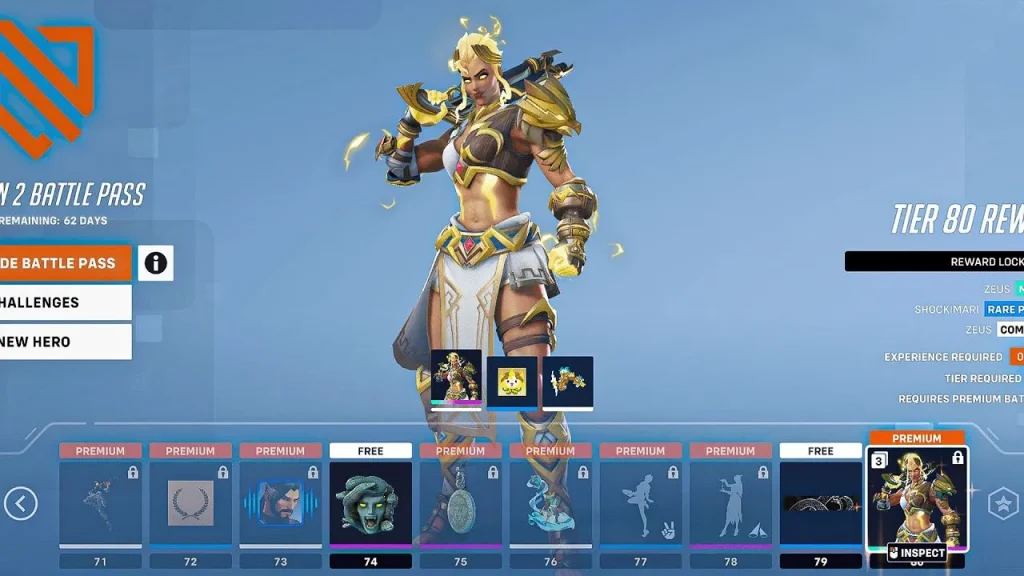
Starting from Season 10, Overwatch 2 has made it easier to earn coins through the Battle Pass system:

  • Free and Premium Tracks: As you progress through the Free and Premium tracks of the Battle Pass, you will earn coins consistently.
  • Seasonal Earnings: Players can earn 1500 Credits and 600 Coins for free every season, which are distributed in increments through normal play.

Watching Overwatch Streams

For those interested in the Overwatch League, you can earn OWL tokens by watching matches. These tokens can be used to purchase exclusive Overwatch League skins:

  • Earn by Watching: You can earn five free OWL tokens for every hour of OWL matches watched.
  • Purchasing Skins: To buy OWL skins with your tokens, select the Shop from the main menu, click the Overwatch League button, and choose the skin you want-.

Group Play and Weekly Challenges

Although as of Season 10, weekly challenges no longer provide Overwatch Coins, it’s worth noting that previously, grouping up with friends and completing weekly challenges was a way to earn coins,-. It’s possible that similar opportunities may arise in future updates or events.

Additional Tips

  • Competitive Points: Earn Competitive Points by playing in Competitive mode, which can be used to purchase Jade Weapons.
  • Mythic Prisms: A new currency called Mythic Prisms can be earned through the Battle Pass and used to purchase Mythic skins.
  • Credits Transfer: If you played the first Overwatch game, your credits were transferred to Overwatch 2 and can be used to buy cosmetics in the Hero Gallery.

Earning free Overwatch Coins is a matter of engaging with the game’s ecosystem and taking advantage of the Microsoft Rewards program. By following the steps outlined above, you can accumulate Overwatch Coins to spend on your favorite in-game items without opening your wallet. Remember to keep an eye on the game’s updates for any changes to the ways you can earn coins.

How Matchmaking in XDefiant Works: Casual and Ranked Modes

0

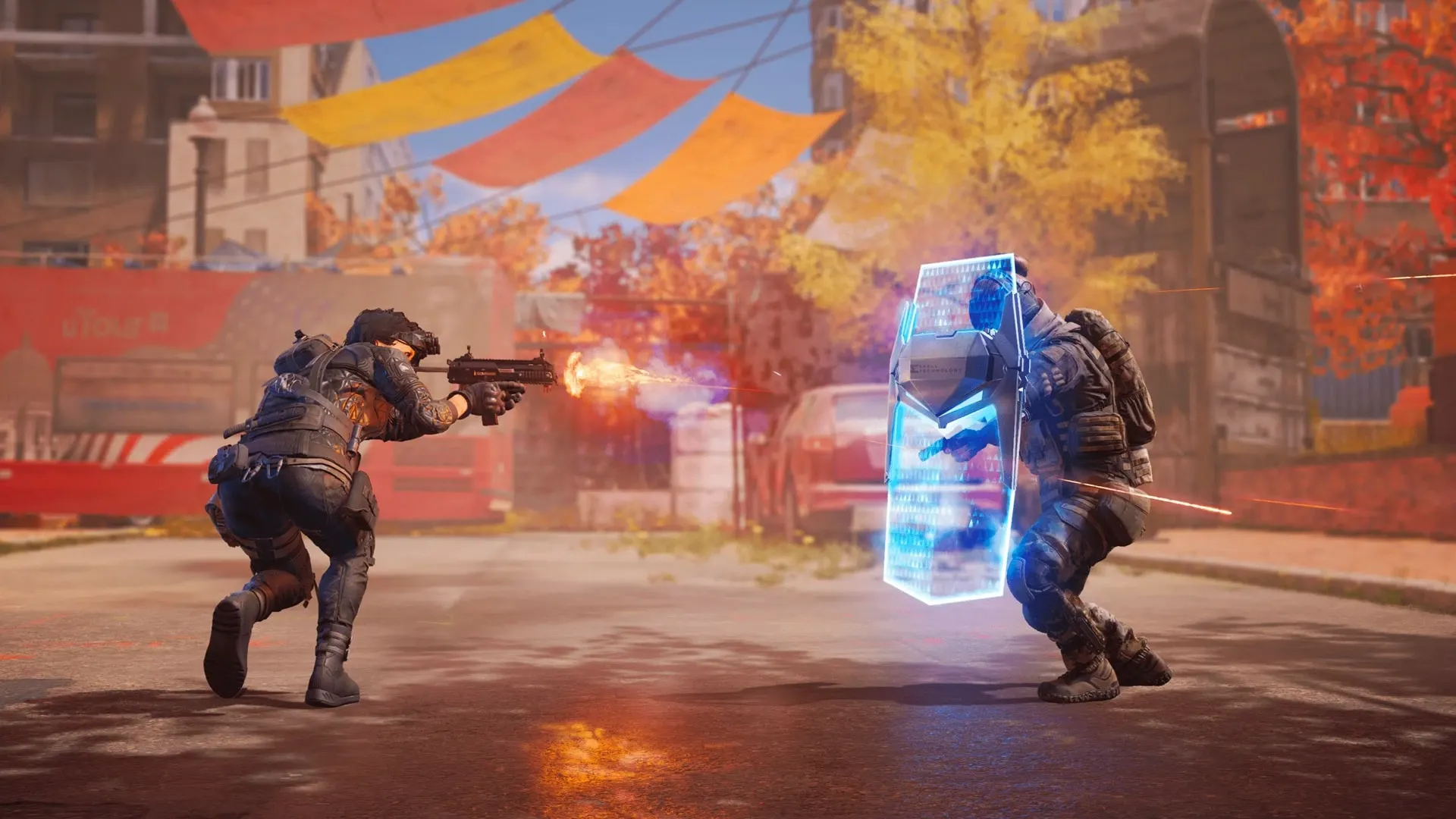
XDefiant, Ubisoft’s latest foray into the competitive shooter genre, offers players two distinct matchmaking experiences: Casual and Ranked. Understanding how each mode pairs players can enhance your gaming experience, whether you’re in it for a relaxed session or a competitive challenge.

Casual Matchmaking: Fast and Fun

The Casual playlist in XDefiant is designed with a focus on quick connections and enjoyable gameplay. Unlike Ranked, Casual matches do not use skill-based matchmaking (SBMM), ensuring that players of all skill levels can jump into the game without the pressure of intense competition.

Instead, the game prioritizes factors such as latency, ensuring players have a similar ping for a smoother experience. Other considerations include avoiding previously blocked players, matching similar party sizes, and connecting players from the same region and platform.

Additionally, Casual matches do not enforce an input device lock, allowing for a more diverse range of players to compete together.

Ranked Matchmaking: Skill and Strategy

For those seeking a more competitive edge, the Ranked playlist is where skill-based matchmaking comes into play. Here, players are matched based on their rank points, ensuring that opponents are within a similar skill range.

Ranked matches also enforce an input device lock, which means that players will compete against others using the same control method, be it a controller or mouse and keyboard.

It’s important to note that Ranked play will not be available immediately at XDefiant’s launch but is expected to be introduced within the first year of the game’s release. This delay allows players to familiarize themselves with the game mechanics and maps before diving into the competitive scene.

Balancing Teams and Lobbies

Once players are matched in a lobby, XDefiant takes additional steps to ensure balanced teams. In Casual playlists, lobbies are designed to persist between matches, creating a sense of community and continuity. However, team balancing will occur within these lobbies to ensure fair play.

XDefiant offers two distinct matchmaking experiences tailored to different player preferences. Casual mode is all about fast-paced fun without the pressure of SBMM, while Ranked mode provides a structured, competitive environment for those looking to test their skills. As you prepare to dive into the world of XDefiant, remember that whether you’re playing casually or ranking up, the most important thing is to enjoy the game.

Remember to write your gaming guide blog in your own words to avoid plagiarism. Draft your thoughts, use clear language, and check for errors before publishing. And while images enhance your blog, ensure you have the rights to use them or choose royalty-free options.

Happy gaming, and may your matches be ever in your favor!

ESL Unveils Exciting Dota 2 Tournaments Roadmap for 2025

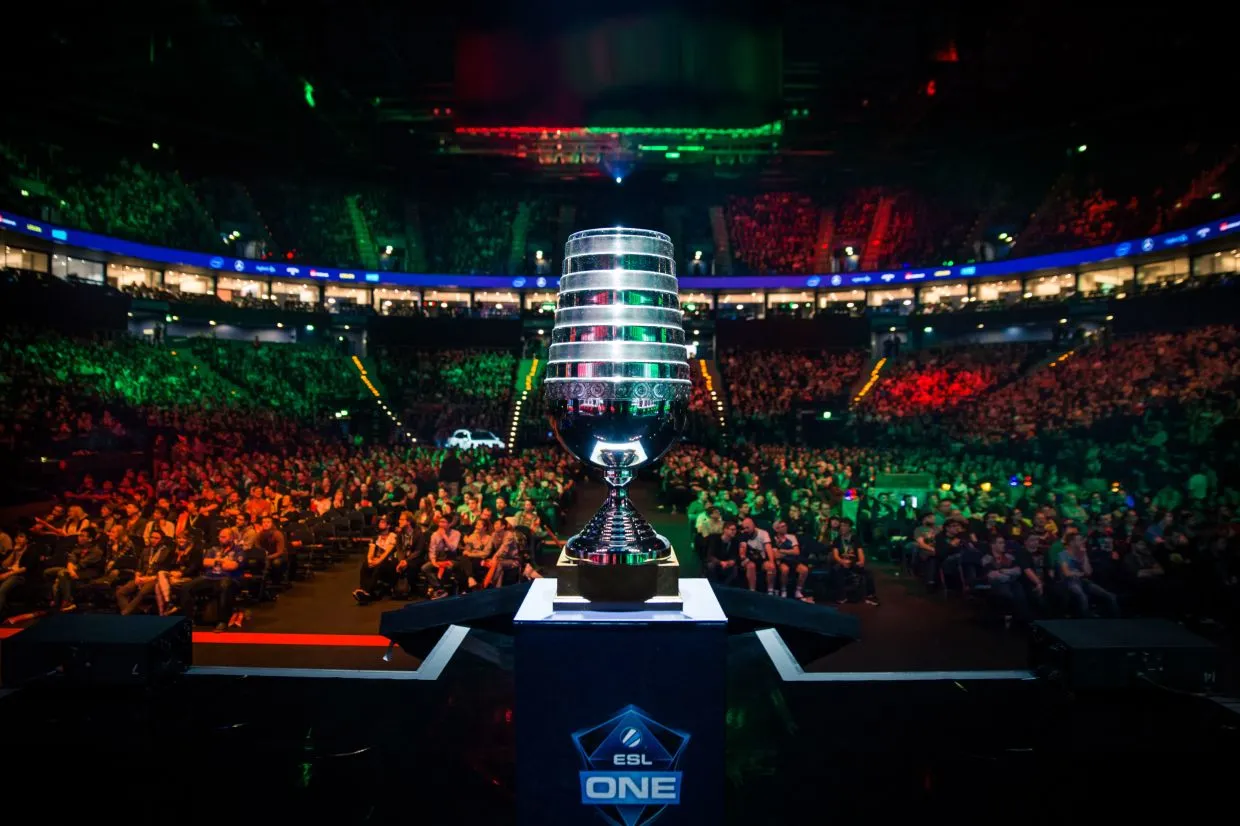
The esports landscape is constantly evolving, and ESL is at the forefront of shaping the future of competitive Dota 2. In a recent announcement that has the community buzzing, ESL has unveiled an ambitious plan for the year 2025, promising a year packed with high-stakes competition and thrilling matches for fans around the globe.

A Year Full of Dota 2 Action

ESL’s blueprint for 2025 is nothing short of impressive, with a calendar that includes five Dota 2 tournaments spread throughout the year. The action kicks off in February and will culminate in a grand finale in December, ensuring that fans have a full year of esports to look forward to.

The ESL Pro Tour Dota 2 calendar is as follows:

EventDate
DreamLeague S25Feb. 16 – Mar. 2
ESL One EuropeApril
DreamLeague S26May 12 – May 25
DreamLeague S27Nov. 3 – Nov. 9
ESL One AsiaDecember

A Mix of Online and LAN Events

In a move that caters to both the global online audience and those who crave the electric atmosphere of live events, ESL has decided to split the tournament formats. Two of the five tournaments will be held as LAN events, one in Europe and the other in Asia, providing a platform for players to showcase their skills in front of a live audience. The remaining three tournaments will be online under the DreamLeague banner, allowing for broader participation and viewership across the world.

ESL’s announcement came at the X today, signaling a strong commitment to the Dota 2 esports scene. This commitment is further bolstered by the plans of other major organizers like PGL, which has seven events in the pipeline, and BLAST, which is entering the Dota 2 arena with five events of its own. This competitive ecosystem ensures that the Dota 2 community will have a wealth of content and competition to enjoy in the coming years.

The year 2025 is shaping up to be a landmark year for Dota 2 esports, with ESL leading the charge. The blend of online and LAN events caters to a diverse audience and sets the stage for an inclusive and exciting competitive scene. With other major organizers also ramping up their efforts, it’s clear that Dota 2 fans have a lot to look forward to. The anticipation is palpable, and one thing is certain: the Dota 2 community is in for a treat over the next two years.

Stay tuned for more updates as we approach these eagerly awaited tournaments and witness the next chapter of Dota 2 esports history unfold.

How to Fix the VAN 128 Error in League of Legends

Encountering errors while trying to enjoy your favorite game can be frustrating. For League of Legends players, the VAN 128 error is a common hurdle that can disrupt your gaming experience. This guide will walk you through the steps to resolve this issue and get you back into the game.

What is VAN 128 Error in League of Legends

The VAN 128 error code indicates a connection error within League of Legends. This can be caused by various issues, from client problems to deeper system conflicts. It’s essential to address this promptly to ensure a smooth gaming experience.

Fixing VAN 128 Error In LoL

Restart Your System and Client

The first and simplest step to resolve the VAN 128 error is to restart your PC and the Riot Client. This can often clear up any temporary glitches that may be causing the error.

Adjust Permissions

Sometimes, the game folder’s permissions can be restrictive, preventing the game from running correctly. Find the League of Legends folder, right-click on properties, navigate to security, and allow all the permissions.

Use Riot Client Services

Try launching the game using Riot Client services to ensure that the game is being initiated correctly.

Reinstall Game and Vanguard

If the above steps don’t work, you may need to delete and reinstall both League of Legends and Riot Vanguard. This can help clear up any corrupt files that might be causing the error.

BIOS Settings

For more advanced users, turning on UEFI and TPM 2.0 settings in BIOS could be necessary. These settings can affect how the game interacts with your system’s security features.

Delete Boot Status File

Navigate to the Windows folder, locate the ‘vgk.sys’ boot status file, and delete it. Before doing this, create a backup file and reboot your PC. This step can help reset Vanguard’s startup process.

Command Prompt Fixes

Open the command prompt by typing CMD in the Windows search bar. Enter the following commands one by one: SC delete VGC and SC delete vgk, then restart your PC. This will remove services that may be causing the error.

By following these steps, you should be able to resolve the VAN 128 error in League of Legends. Remember to create backups before making system changes and to proceed with caution when adjusting BIOS settings or system files.

Remember, if you continue to experience issues after trying these solutions, reaching out to Riot Games support can provide additional assistance. Happy gaming!

How To Unlock Overwatch 2 Porsche Skins

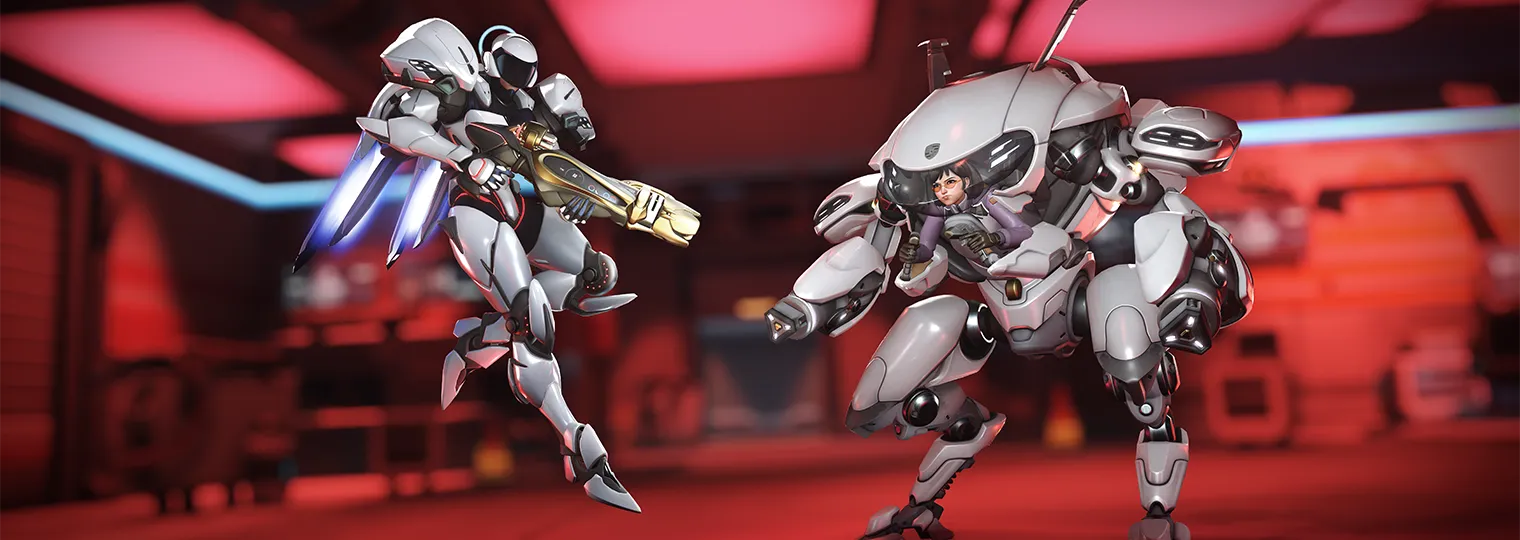
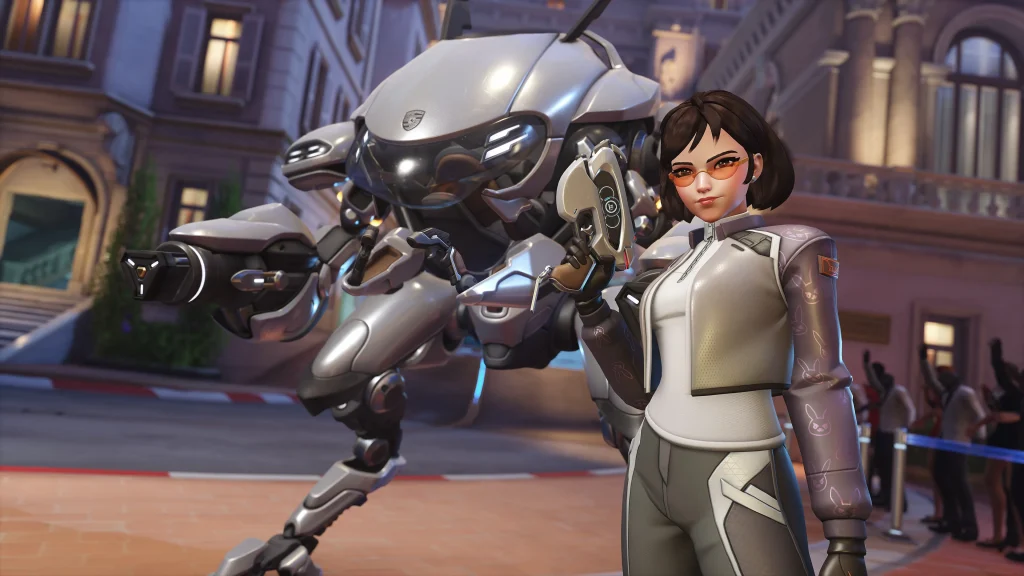
Overwatch 2 has teamed up with the iconic sports car brand Porsche to bring players an electrifying in-game event. This collaboration introduces two legendary skins inspired by the sleek design and high performance of Porsche cars, specifically for the characters D.Va and Pharah. Here’s your guide to unlocking these exclusive skins and reaping the rewards of this high-octane event.

Legendary Skins: D.Va and Pharah Go Full Throttle

The Overwatch 2 x Porsche event is your chance to get behind the wheel with D.Va and Pharah, as they don exclusive Porsche-inspired legendary skins. The D.Va Porsche skin and the Pharah Porsche skin are the stars of the show, offering a unique blend of gaming and automotive excellence.

How to Unlock the Skins

To add these legendary skins to your collection, you’ll need to head to the in-game shop. The Porsche D.Va Bundle includes the skin and additional items, but if you’re only interested in the skin itself, it’s available for 1,900 Overwatch Coins. Similarly, the Porsche Pharah skin can be yours by purchasing the Porsche Pharah Bundle for 2,300 Overwatch Coins. For fans who can’t choose between the two, there’s a discounted Porsche Mega Bundle that includes both skins and their themed cosmetic items.

Challenges and Rewards

In addition to the skins, players can engage in limited-time challenges from May 14th, 2024, to May 27th, 2024. By participating, you can earn up to 40,000 Battle Pass XP and exclusive rewards like the Porsche and Zero to Sixty name cards, and the Porsche Drift spray. These challenges not only offer a fun way to enhance your gameplay experience but also provide valuable in-game currency and unique collectibles.

Shop Bundles Availability

While the event challenges are only available for a short period, the Shop Bundles will remain up for grabs until June 3rd, 2024. This gives you a little extra time to decide whether to invest in these high-voltage cosmetics.

Earning Overwatch Coins

Overwatch Coins are the in-game currency you’ll need to unlock these exclusive items. You can obtain these coins through the seasonal Battle Pass, which rewards you for your in-game achievements and progress.

The Overwatch 2 x Porsche collaboration is a thrilling opportunity for players to combine their love for gaming and cars. With legendary skins, exciting challenges, and exclusive rewards, this event is not to be missed. Remember, the clock is ticking, so jump into the driver’s seat and start earning those rewards before they speed away!

Whether you’re a dedicated D.Va main, a Pharah flyer, or just a collector of unique in-game items, the Overwatch 2 x Porsche event is your chance to showcase your style and skills. So, gear up, get in the game, and let the good times roll!

VALORANT Holomoku Bundle: Skins, Price, and Release Date

0

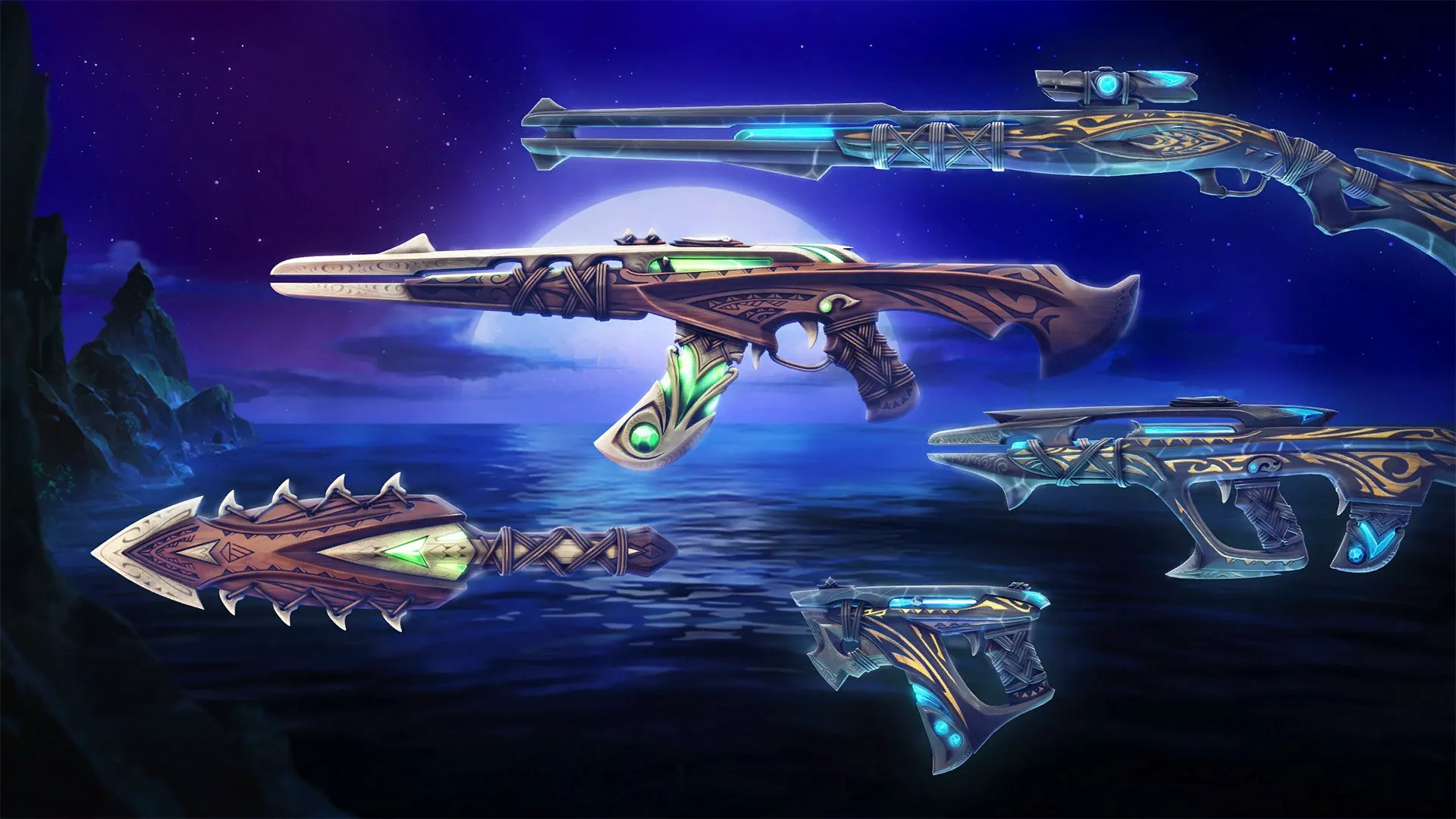
VALORANT players with a penchant for the high seas and outlaw aesthetics are in for a treat as the game’s latest skin bundle, Holomoku, is set to make waves in the in-game store. The Holomoku bundle, which has been eagerly anticipated by the community, is a treasure trove of items that draw inspiration from the ocean and islander culture, promising to bring a fresh and adventurous vibe to the tactical shooter.

The bundle’s name, Holomoku, evokes images of the vast ocean and the mysteries that lie beneath its waves. It’s a fitting title for a collection that celebrates the spirit of the sea, complete with a Sword, Frenzy, Phantom, Bulldog, and the much-awaited Outlaw skin. Each item in the bundle is meticulously crafted, featuring green and blue auras that mimic the ocean’s depths, along with jagged edges that resemble the raw beauty of island landscapes.

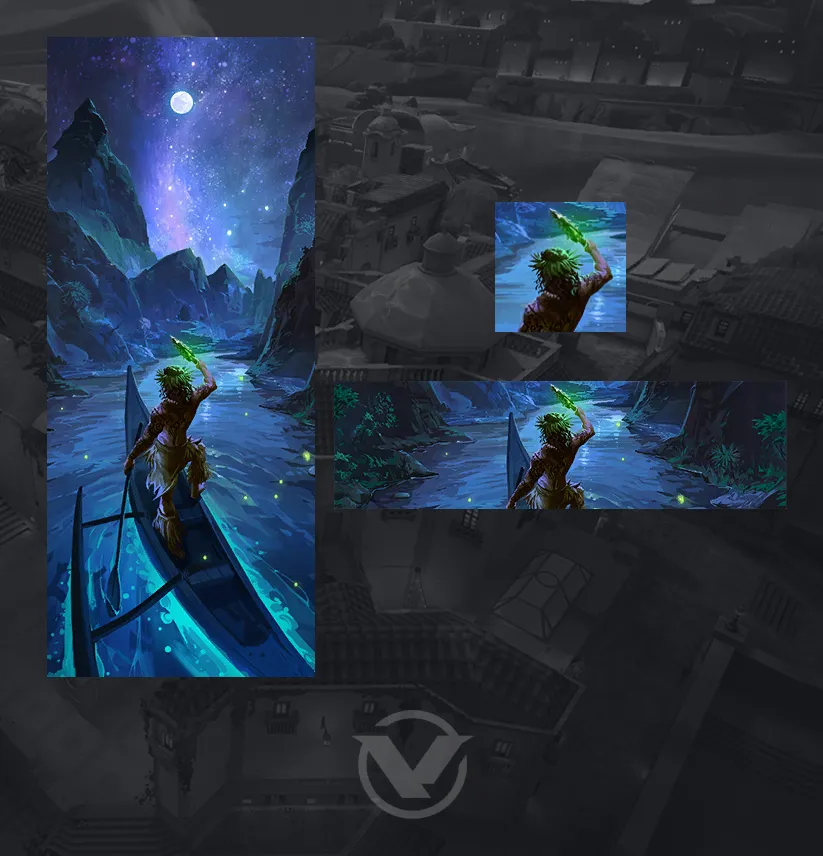
In addition to the weapon skins, the Holomoku bundle includes a player card that continues the nautical theme. The card showcases a starlit seafarer against a stunning backdrop, capturing the essence of a night-time voyage across the starry seas. This attention to detail ensures that players can fully immerse themselves in the outlaw seafarer fantasy, even when they’re strategizing their next move in the game lobby.

Valorant Holomoku bundle price and release date

While the excitement builds, the specifics regarding the Holomoku skin bundle’s price and release date remain shrouded in mystery. However, with the current Mystbloom bundle preparing to sail off into the sunset, players should keep a keen eye on the store for the imminent arrival of the Holomoku collection.

VALORANT continues to captivate its audience with these thematic releases, and the Holomoku bundle is no exception. It’s a call to all virtual outlaws and sea lovers to ready their weapons and set sail for victory. Keep your sights on the horizon, as the Holomoku skin bundle is poised to dock in the VALORANT store very soon, promising to be a prized catch for any player looking to make a splash in their next match.