Saturday, May 9, 2026
Home Blog Page 492

When Is Counter-Strike’s Birthday?

One of the longest-running first-person shooter franchises ever is Counter-Strike. The unique competitive nature of the game attracted millions of gamers from various generations and continues to do so.

CS2 being the latest iteration of the game has come miles ahead of what originally was a simple mod for Half-Life. Despite being a great game, Half-Life did not get the attention that the Counter-Strike mod got and we were gifted with what can be considered as the greatest FPS esports out there.

November 1st, 2000 is generally perceived as the CS’s birthday but the game goes way back. June 19th, 1999 being the release date for the first official beta, can be labeled as CS2’s birthday. Fast forward to 2024, we are closing in on the 25th anniversary of the game but does Valve plan to celebrate it?

While there is no word about what Valve has planned for the game, we can assume that something can be in the works. A grand celebration might be too far-fetched but hoping for the first CS2 Operation can be plausible.

That being said, Valve might not even acknowledge CS2’s 25th Anniversary and we might get nothing out of it but staying hopeful is the only thing we can do at this point.

Stay updated with the latest news in gaming and esports by signing up for early access to TalkEsport’s Mobile App. Follow us on Twitter and Google News to ensure you never miss the exciting updates.

How to Skip Cutscenes in GTA 5 Online?

0

Cutscenes in GTA 5 Online are designed to provide context and enhance the storyline. However, they can be lengthy and repetitive, especially if you have to watch them multiple times due to mission failures. Skipping these scenes can save time and reduce frustration, allowing you to focus on gameplay.

In this article, we will explain to you how to skip cutscenes in GTA 5 Online. Keep reading till the end to find out.

How to Skip Cutscenes in GTA 5 Online?

When you first jump into an online session, the game will require you to complete the Drug Wars mission, which kicks off with a pretty long cutscene. Thankfully, you can skip this and other cutscenes by following these simple steps:

On PC

  • Keyboard: Press the ESC key.

On Consoles

  • PlayStation: Press the X button.
  • Xbox: Press the A button.

These controls are straightforward and allow you to bypass the cutscenes quickly.

gta online

Limitations and Updates

You can only skip cutscenes for new missions and the old Heist Missions. This means that not all cutscenes in the game are skippable, but the most repetitive ones can be bypassed.

Players have managed to discover glitches to skip all cutscenes, but these are often patched with new updates. Therefore, relying on glitches is not a consistent method for skipping cutscenes.

Before the February 2023 update, players were forced to watch certain cutscenes repeatedly if they failed the mission, which was quite irritating. Thankfully, the update allowed players to skip these scenes.

However, you still have to watch the cutscene the first time and can skip it on subsequent tries to go directly to the objective.

Vanguard Has Banned Nearly 50,000 Cheaters From LoL, Riot Claims

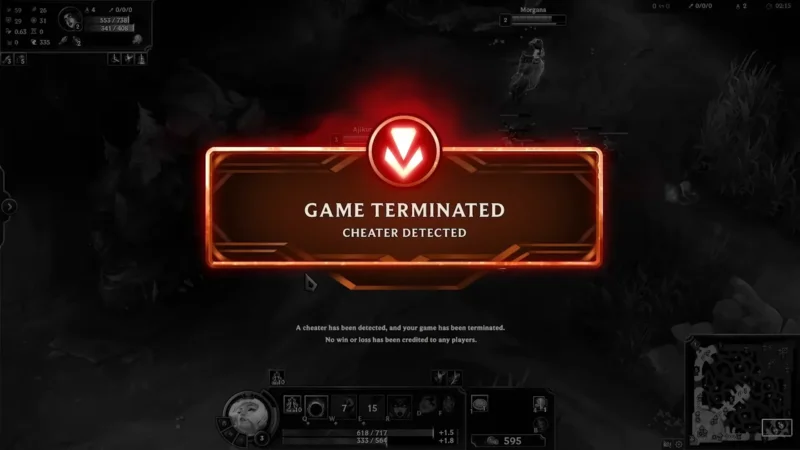
In a recent Dev Update video, Riot Games has claimed that nearly 50,000 accounts have been banned from League of Legends since the implementation of Vanguard.

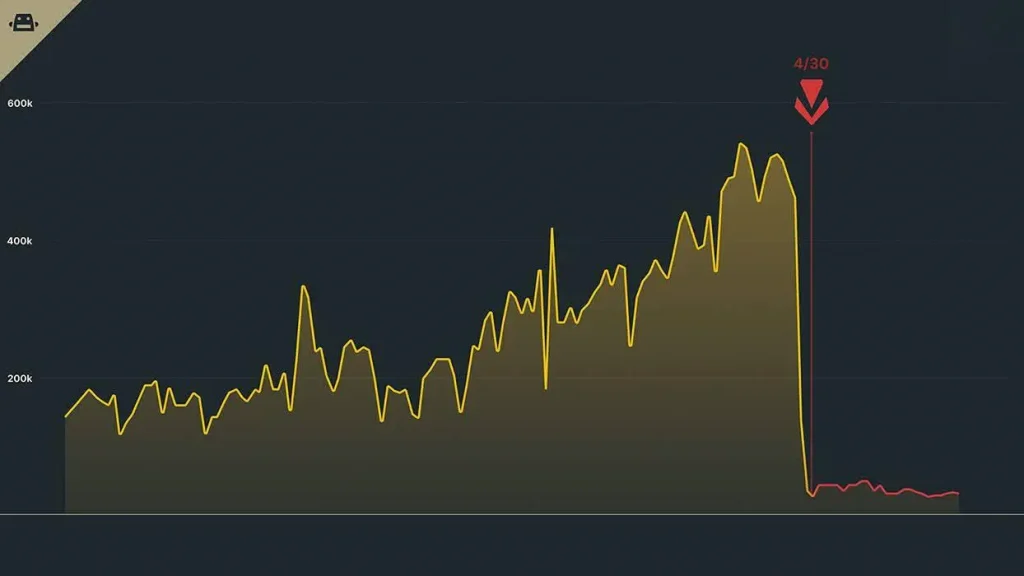
As per data revealed by Riot, Vanguard has banned 47,000 accounts associated with scripting in less than a month since its introduction to LoL in May 2024. Notably, over six percent of the bans targeted accounts in Diamond rank or higher.

The data also highlights a significant decline in bot activity since the deployment of Vanguard,  with bot hours dropping from over one million to fewer than 50,000 each day.

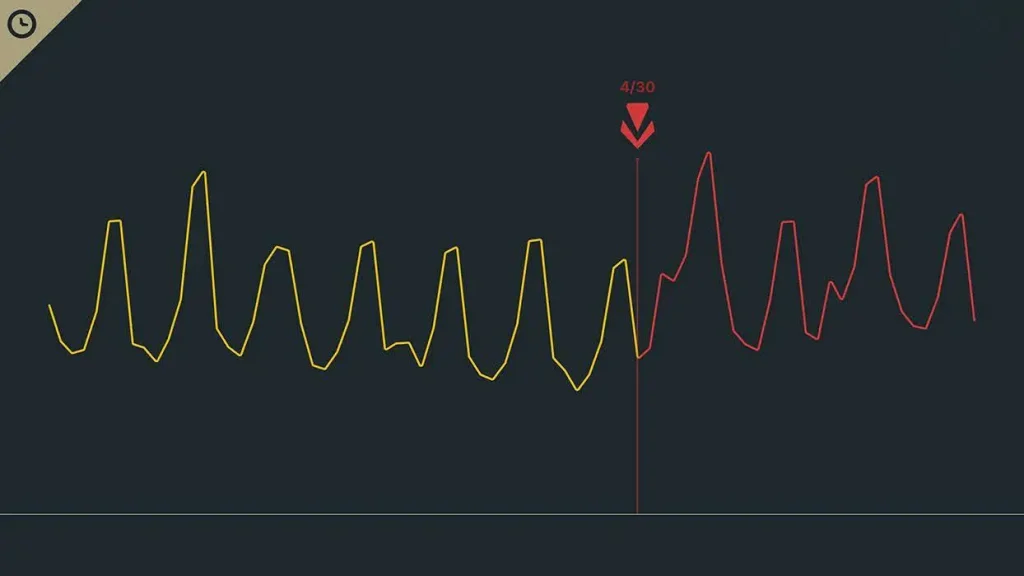
Riot Games further claims that despite the bans being issued in such a short period,  there has been no apparent shift in daily player counts. The devs emphasized an increase in active player engagement hours since Vanguard’s implementation.

The introduction of Vanguard to League of Legends has been a hot topic of discussion within the game’s community, with many players expressing concerns about its intrusive nature and potential security risks. However, a portion of the community has also highlighted Vanguard’s effectiveness in shutting down cheaters, and the recent data published by Riot serves as a testament to that.

Riot Introduces New LoL PvE Game Mode With ‘Vampire Survivors’ Elements

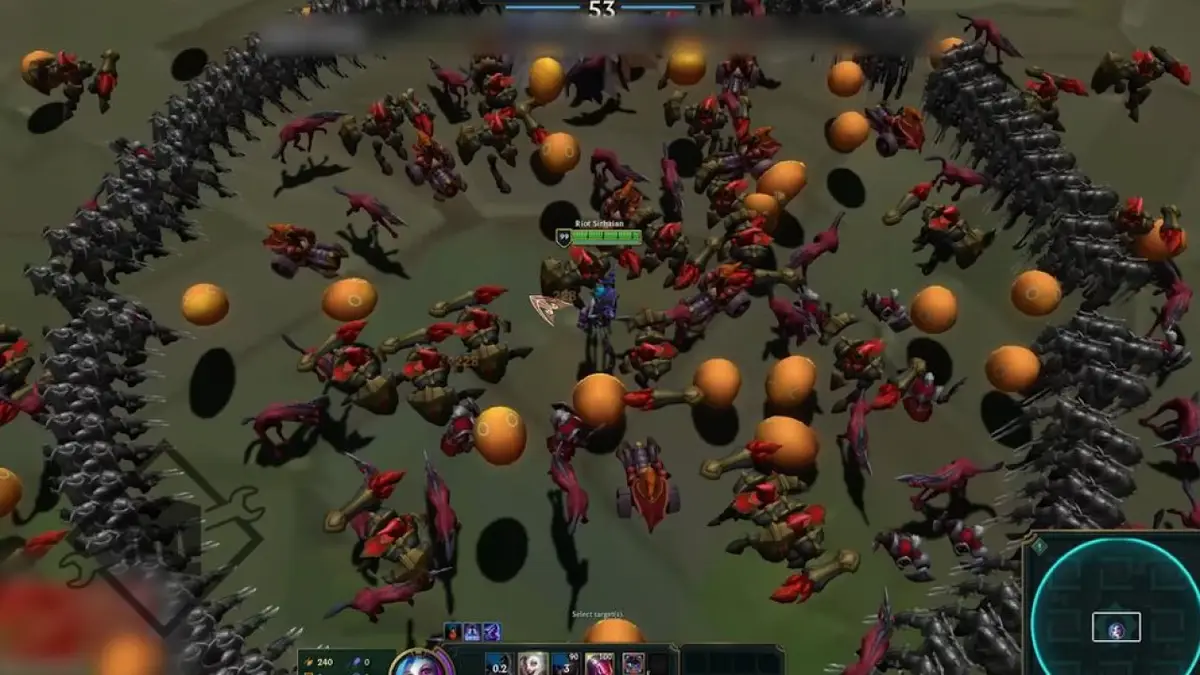
In the latest Dev Update video, Riot Games has shed light on ‘Swarm’ — a new PvE game mode for League of Legends that seems to be heavily inspired by the popular single-player title ‘Vampire Survivors’.

The new Swarm game mode, expected to hit the live servers for LoL around mid-July, will feature co-op PvE gameplay where players must team up to take down waves of approaching enemies.

While not much else is known about the Swarm game mode in LoL, we do know that the mode will be tied to the MOBA’s Summer Event, which means fans can only play it for a few months before it disappears.

However, if Swarm proves to be popular among players, there is a possibility that Riot Games could make it a permanent fixture in the game.

League of Legends Swarm Game Mode: Release Date

The exact release date of the Swarm game mode in League of Legends is still uncertain. However, fans can expect to play Swarm when it launches alongside the Summer Event in League of Legends. This release is anticipated to follow the conclusion of the ongoing Hall of Legends Faker celebration in July 2024.

Gen.G Levels Up Esports Infrastructure with New HQ in Seoul

0

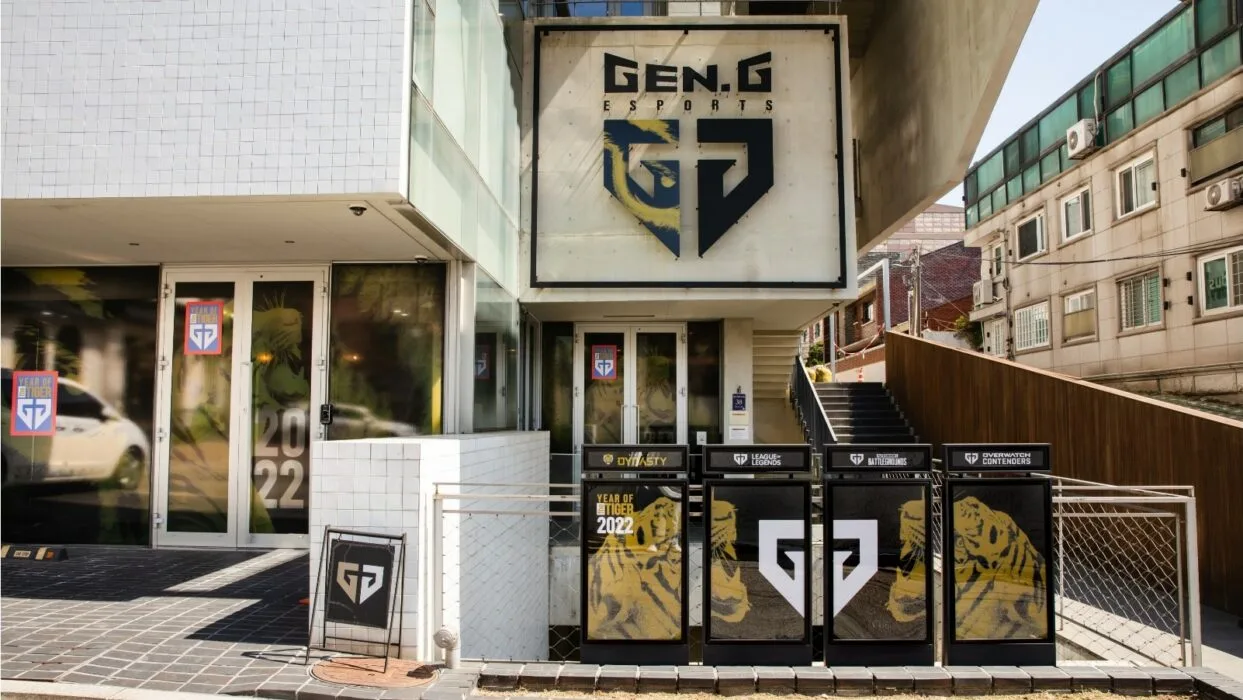
In a significant move to bolster its educational and training capabilities, Gen.G has announced the expansion of its academy infrastructure with a new state-of-the-art building in Seoul. This development underscores Gen.G’s commitment to nurturing the next generation of esports talent through comprehensive training and educational programs.

The newly established facility will primarily serve the Gen.G Global Academy (GGA), a testament to the organization’s dedication to esports education and player development.

The academy aims to provide a holistic environment where aspiring esports professionals can hone their skills and gain valuable industry knowledge.

The new building is equipped with a variety of specialized areas designed to cater to different aspects of esports training and education:

  • Lecture Rooms: These rooms will be used for theoretical lessons and workshops, providing students with essential knowledge about the esports industry.
  • Esports Training Centres: These centers are designed for intensive training sessions, allowing players to practice and improve their gameplay.
  • Streaming Rooms: Dedicated spaces for content creation and live streaming, enabling students to build their brands and engage with audiences.
  • Scrimmage Zones: These areas are equipped with high-performance gaming setups, ensuring that players have access to top-tier equipment for practice matches.
  • Rest Areas: Comfortable spaces for relaxation and recovery, recognizing the importance of mental and physical well-being in esports.

Gen.G has a strong track record of investing in education, with the Gen.G Global Academy already established in key locations such as Seoul, Los Angeles, and Shanghai.

The academy’s curriculum is designed to provide a comprehensive education that covers both the competitive and business aspects of esports. In addition to the new building, Gen.G has launched ‘The Next Gen Fellowship,’ a student program aimed at providing mentorship and career development opportunities for young esports enthusiasts.

This initiative reflects Gen.G’s broader mission to support the growth and professionalization of the esports industry.

Gen.G is home to competitive teams across various popular esports titles, including Rocket League, PUBG, PUBG Mobile, and NBA2K.

These teams benefit from the organization’s robust infrastructure and support systems, which are further enhanced by the new facility. Moreover, Gen.G has secured several strong commercial partnerships with renowned brands such as PUMA, Monster Energy, LG UltraGear, and Hyundai.

Project Mugetsu Codes for June 2024

0

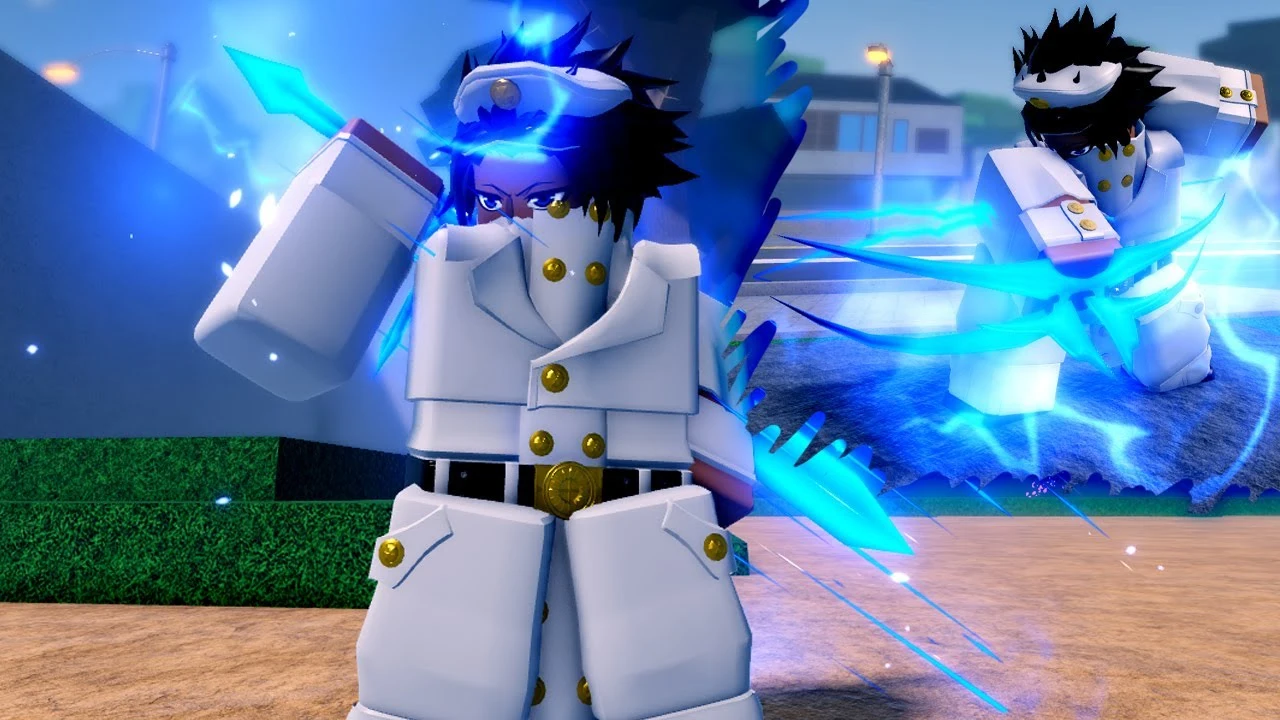
Are you looking for free spins and orbs in Project Mugetsu? Whether you’re a seasoned player or a newcomer, the redeem codes for June 2024 will help you gain an edge in the game by providing valuable resources like Rerolls and Orbs.

This guide will cover everything you need to know about the latest codes, how to redeem them, and where to find new ones.

Active Project Mugetsu Codes for June 2024

In June 2024, several active codes can help you farm more Rerolls, Orbs, and other valuable items in Project Mugetsu. These codes are essential for turning the tides against the hollows and enhancing your gameplay experience.

Here is a list of all the active Project Mugetsu Codes for June 2024:

  • TetriReanimatesForThe10thTime: Use for Spins and Orbs (New)
  • SinfulWasHere: Use for Spins and Orbs (New)
  • CommonKiotW: Use for Spins and Orbs (New)
  • NewTeamZaiZuko: Use for 400 Spins and 10 Rerolls (New)
  • Luppi1kSubs: Use for Spins and Orbs (New)
  • Luppi2kTwitter: Use for Spins and Orbs (New)
  • 70MillionVisits1: Use for Spins, RRA Pots, and Gold
  • 70MillionVisits2: Use for Spins, Orbs, and Gold
  • SorryForBrokenThingsz: Use for Spins
  • YhwachStuff: Use for Spins and Reroll Potions
  • YhwachShutdown :Use for Gold and Orbs
  • FahanRainbowAlly: Use for Spins and Orbs
  • LastDelaySorry: Use for Spins and Orbs
  • HappyBirthdayFahan: Use for Spins, Orbs, Rerolls, and Potions
  • 6ix9ine: Use for Spins, Orbs, Rerolls, and Potions
  • TY255KMembers: Use for Spins and Orbs
  • 165KLikes: Use for Spins and Orbs
  • 165KLikes2: Use for Spins and Orbs
  • ThankYouJOSupport: Use for Spins and Reroll Potions
  • SorryEventDelay2: Use for Spins and Orbs
  • SorryForEventIssues: Use for Spins and Orbs
  • ThanksForPanteraSupport: Use for Spins and Orbs
  • BigCode100: Use for Spins and Reroll Potions
  • FinalResetForSpecificItems: Use for Spins and Reroll Potions
  • TradingBack2: Use for Spins and Orbs
  • 250kMembers: Use for Spins and Orbs
  • TradingDisabledSorry: Use for Spins and Orbs
  • ShutdownWasNeededSrry: Use for Spins, Reroll Potions, Orbs, and Gold
  • SorryTradersAgain2: Use for Spins and Orbs
  • SorryShutdownCDRe: Use for Spins, Reroll Potions, and Gold
  • 65MVisits1: Use for Spins and Orbs
  • 65MVisits2: Use for Spins and Orbs
  • ExtraCode1: Use for Spins and Orbs
  • YhwachSwordFix: Use for 100 Spins and 5 Rerolls
  • HaddaShutdownCountdownReset: Use for 100 Spins and 5 Rerolls
  • SorryForShutdown5000: Use for 100K Gold and 10 EXP Potions
  • BossFixesPt2: Use for 400 Spins and 10 Rerolls
  • SorryShutdownNeededFixedProblems: Use for 400 Spins and 15 Rerolls
  • Ididntshutdown: Use for 400 Spins and 15 Rerolls
  • SorryTraders: Use for Orbs, Gold, Ability Reroll Potions, and Spins
  • AightLastShutdownFrFr: Use for Orbs, Gold, Ability Reroll Potions, and Spins
  • MultiBarrageFix: Use for Spins and Orbs
  • GoldMakeup: Use for 50k Gold
  • SorryForShutdownAgain8: Use for free Spins and Orbs
  • OkayOkayLastShutdownSorry1: Use for Spins, Orbs, and Ability Reroll Potions
  • ShutdownSorryNeededFixes: Use for an Ability Reroll Potions, and Free Spins
  • NewResAbility: Use for 12 Ability Rerolls
  • HeresSpinsPromised: Use for free Spins
  • Sorry4ShutdownAgain3: Use for 80 Spins and 10 Orbs
  • OkayLastShutdownAgainSorry: Use for 1 Ability Reroll and 30 Spins
  • SorryForShutdownAgainLastTime1: Use for 3 Legendary Orbs and 50 Spins
  • SorryForShutdown6: Use for 2 Legendary Orbs and 35 Spins
  • SorryForShutdown5: Use for 1 Legendary Orb and 50 Spins
  • 235kFavorites: Use for 10 Reroll Potions and 50 Spins
  • SynCodeMakeup: Use for 2 Legendary Orbs and 85 Spins
  • Syn3KFollowers: Use for 10 Legendary Orbs and 185 Spins
  • 160KLIKES2: Use for 10 Legendary Orbs and 5 Ability rerolls
  • 160KLIKES1: Use for 150 Spins and 85k gold
  • 235KMembers: Use for 3 Orbs, 2 Reroll Potions, and 100 Spins
  • 60MVisits1: Use for 10 Reroll Potions and 50 Spins
  • 60MVisits2: Use for 3 Legendary Orbs and 150 Spins
  • SorryForShutDownAgainForFixes3: Use for 3 Leg Orbs and 100 Spins
  • SorryForItemInconvience: Use for 5 Ability Rerolls and 2 Legendary Orbs
  • AfkWorldChanges: Use for 15 Spins and 50k Gold
  • MoreBalanceChanges2: Use for 50 Spins, 5 Reroll Pots
  • ClanStorageFix: Use for 75 Spins, 3 Orbs
  • HaschwalthClan: Use for 80 Spins
  • StarrkClan: Use for 80 Spins
  • TradingHubBack: Use for 5 Ability Rerolls, 3 Legendary Orbs
  • Luppi1KFollows: Use for 30 Spins, 12 Ability Rerolls, 50k Gold
  • QuincyBowFixFinal: Use for 50 Spins, 3 Orbs
  • SorryForGiftBugAgain: Use for 3 Orbs, 12 Ability Reroll Potions, and 100 Spins
  • SorryForInconvenience: Use for 5 Legendary Orbs, 50 Spins,3 Ability Rerolls, 80k Gold
  • CheaperSpins: Use for 50 Spins
  • NewRankedWeapons: Use for 3 Orbs, 50 Spins
  • GoodbyeExcalibur: Use for Reroll Potions, 25 Spins
  • SorryForCarelessPotionReset: Use for 10 Reroll Ability Points
  • SpinConfirmation: Use for 50 Spins
  • ChangesAgainSorryForShutdown: Use for 1 Legendary Orb, 1 Ability Potion and 20 Spins
  • USECODESINMAINMENU: Use for 200 Spins, 5 Orbs
  • CrispyReasonForBugs: Use for 200 Spins, 5 Orbs
  • TYALL: Use for 3 Race Resets, 1 Hour Boost on 2x on EXP
  • 150kLikes: Use for 100 Spins, 10 Orbs
  • MoreXboxFixes: Use for 100k Gold, 1 Ability Potion, 1 Hour Boost on 2x on EXP / Mastery
  • RaceResetPotionFixAgain: Use for 3 Race Resets
  • QuincyFixes: Use for 50 Spins, 1 Orb
  • AgainSorryForShutdown: Use for 25 spins, 2 Orbs
  • UPDATE2MoreRerolls: Use for 100 Spins, 5 Orbs
  • UPDATE2MoreRerolls2: Use for 100 Spins, 5 Orbs
  • UPDATE2MoreRaceReset: Use for 2 Race Resets
  • FirstBalanceChange: Use for 25 Spins, 3 Orbs
  • BlackButlerPublicSchoolArc: Use for 182 Spins, 3 Orbs
  • TestOrbCode: Use for 2 Orbs

How to Redeem Project Mugetsu Codes?

Redeeming codes in Project Mugetsu is a straightforward process. Follow these steps to ensure you get the most out of your codes:

  • Open the Game: Launch Project Mugetsu on your device.
  • Go to the Code Redemption Section: Usually found in the settings or main menu.
  • Enter the Code: Type in the active code exactly as it appears.
  • Confirm: Click on the redeem button to claim your rewards.

Valorant 8.11 Patch Notes Revealed: Agent Changes, New Map Pool, & Lots of New Features

0

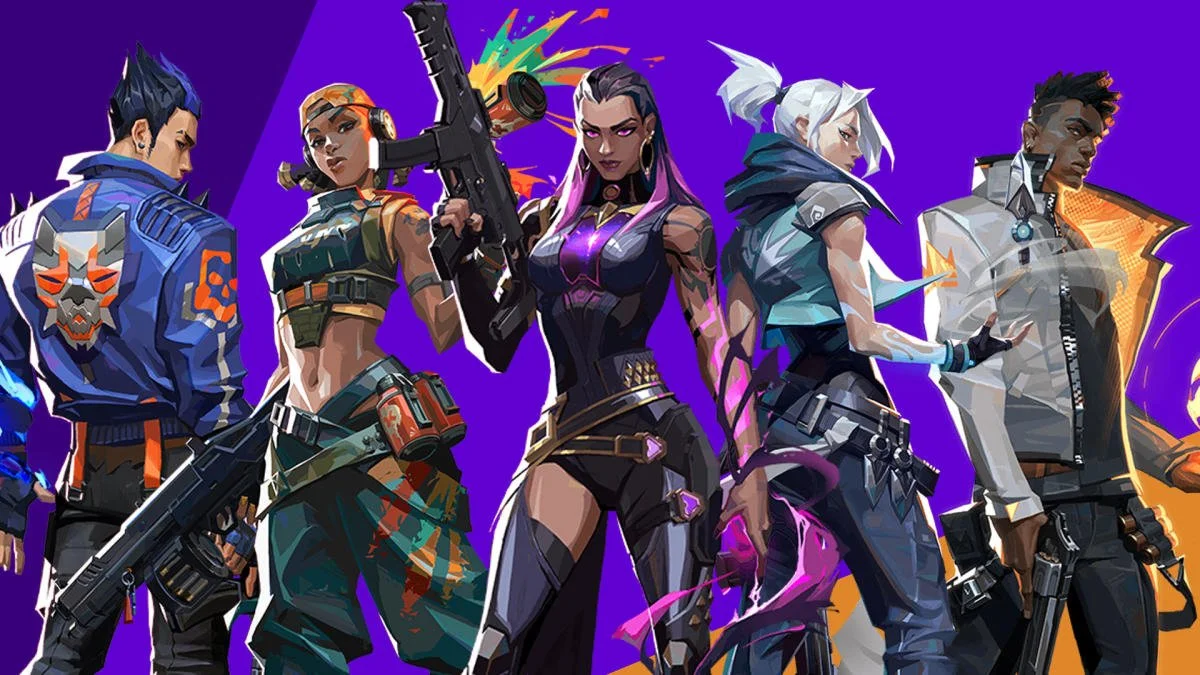
With only a few hours remaining till the new Valorant patch goes live, Riot Games has shed light on the detailed patch notes for the Valorant 8.11 update. Last month, the devs had already talked about the Agent changes and the new map pool that the update would bring to the shooter, but the patch notes for the Valorant 8.11 update reveal a bunch of new features that weren’t previously mentioned.

On June 11th, Riot Games announced the patch notes for the Valorant 8.11 update via their X (formerly Twitter) handle. The patch includes some significant nerfs to some of the prominent Agents in the current meta, while the weaker Agents like Iso and Neon have received some major buffs.

Other than the Agent changes, Valorant 8.11 re-introduces Haven into the competitive map pool of the game, while Split and Breeze will be taken out of the rotation. The new map, Abyss, will also be added to Valorant with this update, but players will have to wait until Episode 9 to be able to play Abyss in the competitive mode. Players looking to test out Abyss will be able to do so by queuing in the new game mode dedicated to the map, which will be live for a week.

Alongside the aforementioned changes, Valorant patch 8.11 brings a ton of new features to the game including Esports Hub improvements, Radio Command Wheel changes, and much more.

Without further ado, let’s take a dive into the detailed patch notes for Valorant 8.11, and check out everything that the devs have in store for the players.

Valorant 8.11 Patch Notes: All Changes

Here are the patch notes for the Valorant 8.11 update, as officially confirmed by Riot Games:

AGENT UPDATES

For some context, this update is aimed to allow other Duelists to compete with Agents like Jett and Raze that excel at taking space for their team through sheer speed and mobility. These changes provide more ability for Duelists to take space for their team, and to be the tip of the spear through their own unique play styles—whether it’s stronger pure dueling ability like Iso, a mixture of speed and evasion in combat like Neon, or Reyna’s blend of being able to recover and escape from combat.


ALL PLATFORMS

ISO

Iso is receiving strictly buffs this patch because he’s underperforming across all skill brackets. Leaning into increasing Iso’s signature ability output is intended to make Iso more reliable at challenging contested spaces and winning opening duels by granting his shield immediately after channeling the ability. Iso’s buff will also remain active and orbs will still spawn should he lose his shield and secure a kill during Double Tap’s uptime. Shooting the orbs will refresh the duration of the buff and the shield.

  • Double Tap (E)
    • Iso now grants himself a shield upon finishing a 1 second animation during which he can’t use his gun.
      • This plays a shield forming sound at the end of the channel when the shield is activated.
      • Charges 2 >>> 1
      • Kill reset added to Double Tap (Iso gets a charge back if he gets 2 kills).
      • Iso now receives a Wall Penetration tag instead of a standard Heavy Penetration tag when the shield is broken. This means he’s slowed less upon his shield breaking.
        • Additionally, Iso now gets a damage indicator towards the direction of the enemy that broke the shield
    • Iso can now recast Double Tap while it’s active to refresh the duration of the shield.
      • This is relevant if he gets a refreshed charge of his Double Tap from getting 2 kills.

NEON

We want to sharpen Neon as an Agent who excels at taking mobile fights directly to her opponents by buffing the unique value she brings to the table. We’ve made her slide more effective at sliding directly into opponents by making it more combat-ready, and by removing all weapon movement error when sliding as well as a few other changes. The updates to her Fast Lane (C) are intended to make fights around her wall dropping feel more intuitive for Neon’s allies while reducing the visual noise it creates in game.

Sharpening her Relay Bolt (Q) to be a more premium and reliable one-charge ability is intended to allow Neon to have more success when she does decide to commit to a fight with her slide, as well as make some room for the second slide charge.

  • Fast Lane (C)
    • Fast Lane (C) dissipates from behind to minimize visual noise in combat space while giving cover for Neon.
      • Fast Lane’s (C) audio has been updated to travel with the fade out of the wall.
    • Wall Duration 6s >>> 4s
    • Wall Dissolve Duration 1s >>> 2s
  • High Gear (E)
    • Sprint
      • Neon no longer has her strafe speed reduced while sprinting.
        • Max Sprint Speed while moving sideways 6.73 meters/second >>> 9.11 meters/second
      • Time until Full Fuel Regen 60s >>> 20s
    • Slide
      • Slide charges 1 >>> 2
      • Neon now removes all weapon movement error when sliding.
        • This effectively means she’s more accurate while sliding.
      • Second Slide Cost: 150
      • Equips out of slide: Fast >>> Instant
        • Slide equip buffer >>> .2s (after sliding, there is .2 seconds before her gun comes out)
  • Relay Bolt (Q)
    • Charges 2 >>> 1
    • Windup delay 1.1s >>> .8s
    • Concuss Duration 3.0s >>> 3.5s

REYNA

Reyna is receiving both buffs and nerfs this patch to reshape the power of her kit. The goal of the changes is to reduce the level of dominance she can achieve in Ranked, especially at low and mid ranks when outperforming her enemies, while pushing some of her value in coordinated settings:

  • Healing has proven very strong statistically in Ranked with higher impact at low and mid ranks. This change should reduce her ability to snowball round-over-round in these settings.
  • Removing the time restrictions on her Devour (Q) and Empress (X) should allow you more flexibility to play at your team’s pace and increase the baseline value of both in coordinated play where rounds play out slower.
  • Dismiss (E) has been re-tuned to provide a greater movement speed boost, but has a shorter duration. This should reward decisive and skillful Reyna players by unlocking faster and more powerful combat repositioning.

We’ll be tracking how these updates affect Reyna across all the different skill levels and settings of play.

  • Devour (Q)
    • Healing decreased 100 >>> 50
    • Full heal time reduced from 3s >>> 2s
    • Overheal of armor no longer decays after a timer.
  • Dismiss (E)
    • Top speed increased 9.1 meters/second >>> 12 meters/second
    • Total duration of Dismiss reduced from 2s >>> 1.5s
  • Empress (X)
    • Empress no longer has a timer and is permanent until Reyna is killed or the round ends.

RAZE

As we’ve seen you get better and better at Raze’s satchel mobility, we’ve found that her total speed and movement potential can undermine the tactical loop. These changes are intended to allow you to more reasonably counterplay Raze, whether through your own utility or gunplay. While we still want to maintain the sandbox movement fantasy of Raze’s satchels, she should not be as surprising when not supported by allied utility.

  • Blast Pack (Q)
    • Raze’s satchels no longer explode for damage/knockback upon opponent destruction.
    • Raze’s horizontal velocity when satcheling has been slowed.
    • Satchel explosion audio has been updated to be audible farther away to ensure enemies can hear the first satchel when a Raze double satchels.

CLOVE

While we’re excited with how Clove has been immediately relevant in Ranked and how much you’re enjoying playing them, their performance in ranked play is stronger than we’d like. We’re trimming some extraneous power from their selfish, Duelist-oriented outputs while preserving the Controller-leaning power in their kit.

  • Pick-Me-Up (C)
    • Cost 100 >>> 200
    • Duration 10s >>> 8s
    • Damaging Assist Time to activate 10s >>> 6s
  • Not Dead Yet (X)
    • Cost 7 >>> 8
    • Unequip Delay .7 >>> .8s
    • BUG FIX: Clove’s ultimate will no longer survive the fighting state if they get a smoke assist.
  • We’ve also added a new VO line for Omen and for Clove when starting a match on Abyss.

ESPORTS FEATURES

PC

  • Esports Hub Team Page Improvements
    • We’ve added roles to our roster information to help differentiate between players, substitutes, and coaches.
    • We’ve added blurbs highlighting the personality and accomplishments for teams in VCT Americas and VCT Pacific, with more on the way!

GAMEPLAY SYSTEMS UPDATES

ALL PLATFORMS

  • Radio Command Wheels
    • With player-to-player communications being so vital to the core game loop of VALORANT, we’ve taken the opportunity to improve our Radio Command Wheels to include more relevant call-outs, a higher variety of pings and Agent VO, and brand new Wheels to extend player communication across more phases of the round. We’ve also removed some less useful commands to make the wheels as quick and easy to use as possible while making sure the most important commands are easy to access.
    • These changes add specificity & clarity to the existing communication tools and add new ways for teammates to strategize and communicate:
      • New Strategy Wheels during the Buy Phase
      • Unique Strategy Wheels for Attackers and Defenders
      • New Commands Wheel on the Megamap
      • Updated options on existing Command Wheels
      • Updated VO on existing Commands Menu (PC only)
      • Streamlined Wheels to feature our most important command options

CONSOLE

  • New Player Tips
    • As you join our community and complete the tutorial and start sharpening your skills on the battlefield, we want to make sure you are armed with the right information to succeed and secure that clutch! So, we’ve implemented a “New Player Tip” system that will display useful in-game information based on the actions you take during the match. These tips will provide critical information for gameplay fundamentals, potential focuses for skill improvements, and suggestions for advanced strategies.
    • Our New Player Tips have been built from the ground up for Console Limited Beta to give you more opportunities to skill-up and learn VALORANT faster via:
      • Tips that ‘listen’ to your in-match actions and behaviors
      • Tips that level up with you as you learn the fundamentals of VALORANT gameplay, from beginner to advanced strategies
      • If you’re a returning player, New Player Tips won’t show up, since you already have a good grasp of the fundamentals. If they do pop up, and you’d like them to stop, you can always switch them off in Settings

MAP UPDATES

PC

  • NEW MAP: ABYSS
    • A 5v5 spike mode map that provides thrilling danger with its precarious pitfalls (watch your step) and vertical gameplay. ABYSS is the first VALORANT map that has no boundaries and takes place in the secret hidden fortress of the Scions of the Hourglass.
    • Abyss is our newest map and features three lanes and two sites.
  • MAP POOL UPDATES
    • Please note, there are significant map pool updates in the 8.11 patch. In addition to a brand new map entering the rotation, we have made the following changes.
      • Starting in patch 8.11, Competitive, Deathmatch, & Premier queues will contain ASCENT, BIND, ICEBOX, LOTUS, SUNSET, and HAVEN (returning).
        • ABYSS will enter the competitive pool in patch 9.0.
        • ABYSS will enter the premier pool in patch 9.02.
        • BREEZE and SPLIT have been removed from the above map pools.
      • Starting in patch 8.11, Unrated, Swift Play, Spike Rush, & Escalation will move to an OPEN map pool. All maps (including ABYSS) will be available in these queues.
    • Please continue to share feedback as we work through improving the map pool experience. And keep an eye out, because we’ll be sharing more about map pools in the future!

CONSOLE

  • CONSOLE MAP POOLS
    • New console players will have access to a limited number of maps for beta launch. We know there’s a lot to learn when you’re new to VALORANT, so we’re limiting the map pool to allow players who are queuing up for the first time have an easier time learning core mechanics and map layouts.
      • The initial map pool for console will include ABYSS, ASCENT, BIND, and HAVEN
      • A new map will be added on every patch starting with 9.0
      • There will also be a limited number of modes queues for console Beta (please see “mode updates” section)
    • All Team Deathmatch maps will be available for console beta
    • All 11 VALORANT spike mode maps will be available in custom game mode.
  • OPEN RANGE
    • The open range has been updated for console beta
      • Various visual updates to the environment
      • Visual updates to in-world UI panels (bot shooting range & practice target)
      • Practice target has moved to a new location
      • Portal & playable mini training modules have been removed from the environment

MODES UPDATES

PC

  • ABYSS QUEUE (PC ONLY)
    • Please note that the Abyss Only queue will only be live for one week.
    • Abyss Only games will use the Unrated mode format.

CONSOLE

  • CONSOLE MODE QUEUES
    • Console players will have access to a limited number of modes for the Limited Beta launch.
    • Console Limited Beta players will have access to:
      • Unrated
      • Swift Play
      • Deathmatch
      • Team Deathmatch
      • Custom Games
        • Competitive mode will go live for console players in patch 9.0
  • NEW BASIC TRAINING TUTORIAL (CONSOLE ONLY)
    • The in-game tutorial has been updated for console launch! All players queuing up on Console will auto-load into a new training experience that goes over the basics of VALORANT gameplay (shooting mechanics, agent abilities, match format, and more!)
  • NEW BOT TRAINING MATCH (CONSOLE ONLY)
    • There is an OPTIONAL bot match for new players who want to warm up with AI controlled bots and teammates. This special match is meant for new players that want to apply what they just learned in the basic training tutorial.
    • The bot training match is a full Swift Play match on Haven.
  • NEW PRACTICE OPTIONS (CONSOLE ONLY)
    • The practice menu has been updated for console launch
      • Open Range (will spawn player directly in front of the bot shooting range)
      • Replay Tutorial (ability to replay new tutorial experience)
      • Removed old training modules from practice menu
  • Note: All new training content will be coming to PC on a later patch.

PERFORMANCE UPDATES

PC

  • We’ve updated our threading behavior to improve performance on 2-core machines. This will result in better in-game performance for and shorter loading times.

PLAYER BEHAVIOR UPDATES

ALL PLATFORMS

  • In Patch 8.11, we will be implementing an intermediate change to mitigate an exploit around remakes. Previously, matches that ended in a remake weren’t being acted upon appropriately by our systems allowing players to attempt repeated remakes without seeing any enforcement. Now, we’ve increased the intervention severity for AFKs resulting in a remade match. This means players will immediately encounter an intervention in this scenario, which will increase through repeated occurrences. We’re still exploring this space, so please keep providing us with your feedback.

SOCIAL SYSTEMS UPDATES

PC

  • We’ve updated the friends list to display VALORANT console players. This means any of your Riot friends who are playing on console will appear under “other games” in your friends list.

CONSOLE

  • We’ve changed the default behavior of voice chat to prioritize team voice. Now when you connect to a team voice channel, you will automatically be speaking to your whole team, not just party members.

PREMIER UPDATES

PC

  • After playoffs on June 23, teams that performed well enough will get promotion notifications!
    • If you’re in Open – Elite Divisions, win your playoff bracket and you’ll see a notification when you return to the Premier hub.
    • If you’re in the Contender Division, finish in the top 32 teams and you’ll see a notification the first time you visit the Premier hub after the standings finalization time.
  • If you’re on a team that earned a promotion, your division icon on the Premier hub and Premier Team page will have a promotion indicator for the rest of Stage E8A3.
    • If you’re in Open – Elite Divisions, you’ll be placed at least one division higher at the start of Stage E9A1.
    • If you’re in the Contender Division, you’ll be placed into the new Invite Division, where you’ll compete for an opportunity to make it into a Challengers League.

STORE UPDATES

PC

  • The Store has had a visual update to increase clarity and quality of the buy phase experience.
    • Ally utility is now visible on team member slots for easier strategization.
    • Remaining armor is now visualized as a fill in the UI.
    • Holistically added animations to increase clarity around affordability, requesting and weapon purchases.
    • Item states have gone through a visual pass to improve readability.

BUG FIXES

  • Agent
    • ALL PLATFORMS
      • Fixed an exploit where players could stand on Killjoy’s Turret (E) when it was wedged into a corner. Players in this situation will now have inaccurate gunfire similar to if they were jumping.
      • Fixed issues where Clove could play the incorrect animation or slide along the ground during a skin finisher if they were the last player alive and had their ultimate available.
      • Fixed an issue where players inside Clove’s smoke forming location were at a disadvantage compared to players on the outside of the smoke.
      • Fixed an issue where Clove’s Pick-Me-Up (C) could not proc on training range bots
      • Fixed an issue where Clove’s Not Dead Yet (X) allowed smoke assists to allow them to survive
  • Gameplay Systems
    • Fixed an issue with Brimstone Incendiary (Q) VFX not appearing unless the player is observing the direction it is coming from
    • Fixed some issues with Combat Report Player Info not populating properly with information on death
    • Fixed bullet tracers still being visible after being turned off in settings when player fires at certain angles away from the map
    • Fixed issues where agent abilities that attach to walls can be shot through impenetrable surfaces
    • Fixed tooltips not updating after rebinding while an agent ability is equipped
    • Fixed Arabic language format errors when using Gekko Wingman (Q) or picking up a Weapon
    • Fixed longer crosshair profile names extending the Delete/Duplicate Profile popup in settings
  • Premier
    • PC ONLY
      • Fixed a bug where the green arrow indicator for the Choose Side selection in map pick and bans didn’t show up


Kick Is Introducing This Popular Twitch Feature

Kick has grown into a real competitor for Twitch and over time has implemented features that have helped it compete against the Amazon-owned streaming platform some of which have been directly borrowed from the purple side.

To compete against Twitch, Kick’s strategy has been to specifically take the issues that streamers are facing with Twitch and tailor it to favor them instead. As Kick has continued to grow, they have pulled the biggest names from Twitch who are now in exclusive contracts with Kick.

Building up to the Kick 2.0 launch, the developers have made several changes to the platform including the introduction of several features that will make the experience more engaging for the audience one of which being their version of Channel Points.

“I’ve been pushing very hard, like to a level of harassment, to get channel points done,” said co-founder Trainwrecks. “At this point, I don’t think we give a f**k if it’s ugly and half-assed if we can just get some variance of it, something just to have viewers track their watch time, how many points they have.”

Channel Points are acquired by watching a streamer for long hours. More hours engaged with a particular streamer would translate into more channel points which lets you access specific features in his/her stream. An indirect result of this would be to engage viewers for longer hours.

Stay updated with the latest news in gaming and esports by signing up for early access to TalkEsport’s Mobile App. Follow us on Twitter and Google News to ensure you never miss the exciting updates.

IEM Cologne Invites Confirmed

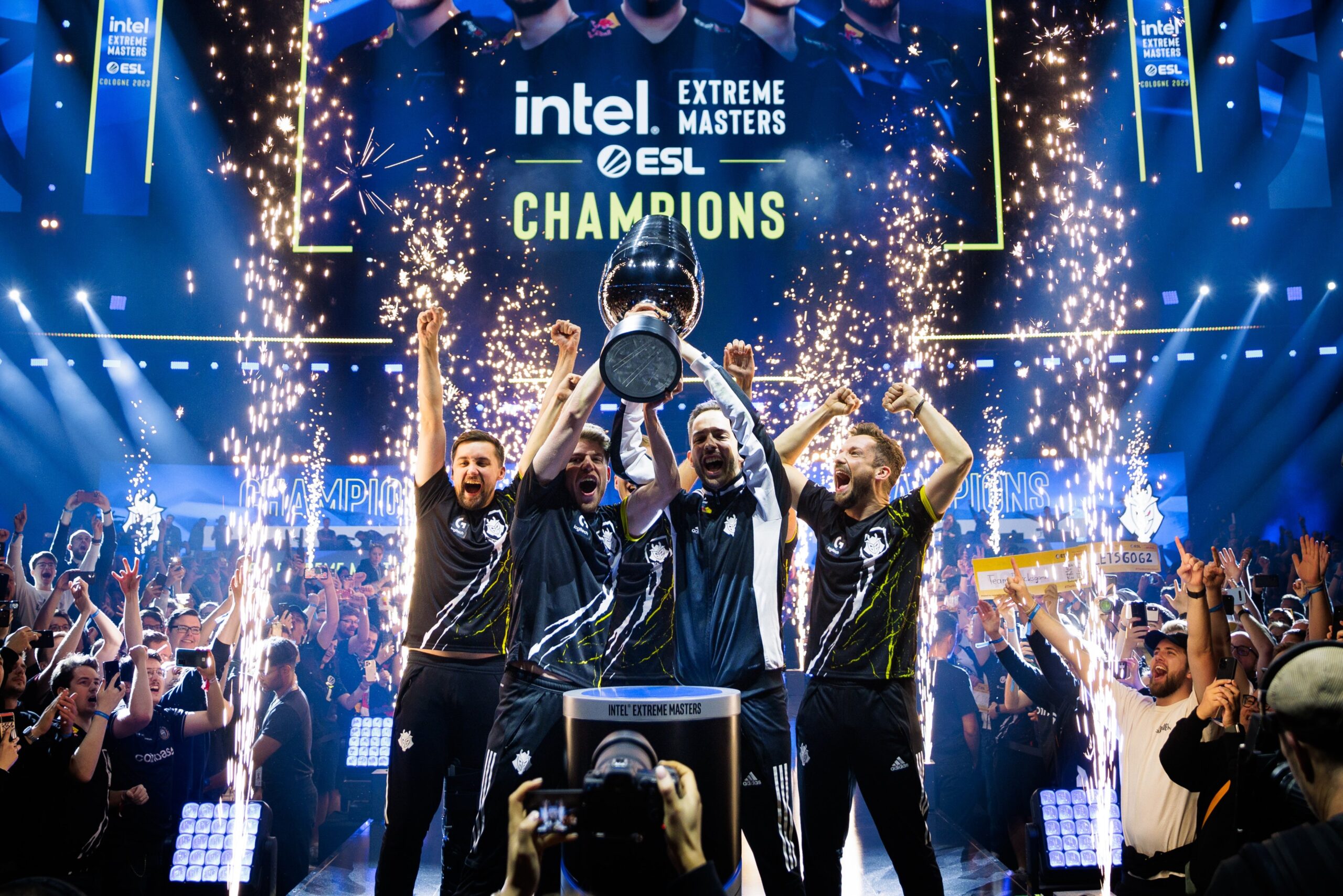
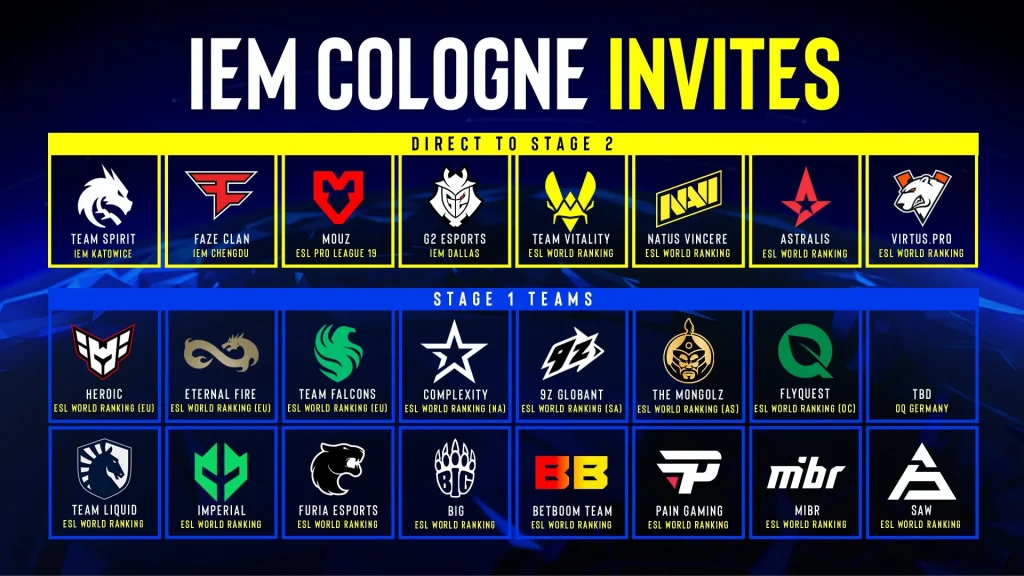
The second half of the CS season will include IEM Cologne, one of the most prestigious tournaments in the history of the game. Just like every year, the tournament will be divided into two categories where top teams will make it to the event through invites while a qualifier will have the lower-ranked teams fight for a place in playoffs.

Set to start in August, IEM Cologne boasts a prize pool of $1,000,000 and 24 of the best teams in the world that will bring a plethora of storylines for the fans to be thrilled about. Cologne is considered by many to be the best CS event of the year despite not having the major status and boasts one of the best crowds in the world.

We have put together a list of teams that are Cologne-bound:

Main event

  •  Spirit
  •  FaZe
  •  Vitality
  •  Astralis
  • MOUZ
  • G2
  • Natus Vincere
  • Virtus.pro
IEM Cologne Invites

Play-In

  •  HEROIC
  •  Falcons
  •  9z
  •  FlyQuest
  •  Imperial
  •  BIG
  •  paiN
  •  SAW
  •  Eternal Fire
  •  Complexity
  •  The MongolZ
  •  Liquid
  •  FURIA
  •  BetBoom
  •  MIBR
  •  German qualifier

Stay updated with the latest news in gaming and esports by signing up for early access to TalkEsport’s Mobile App. Follow us on Twitter and Google News to ensure you never miss the exciting updates.

Nova Esports Lists Paraboy for Auction at $965,000

0

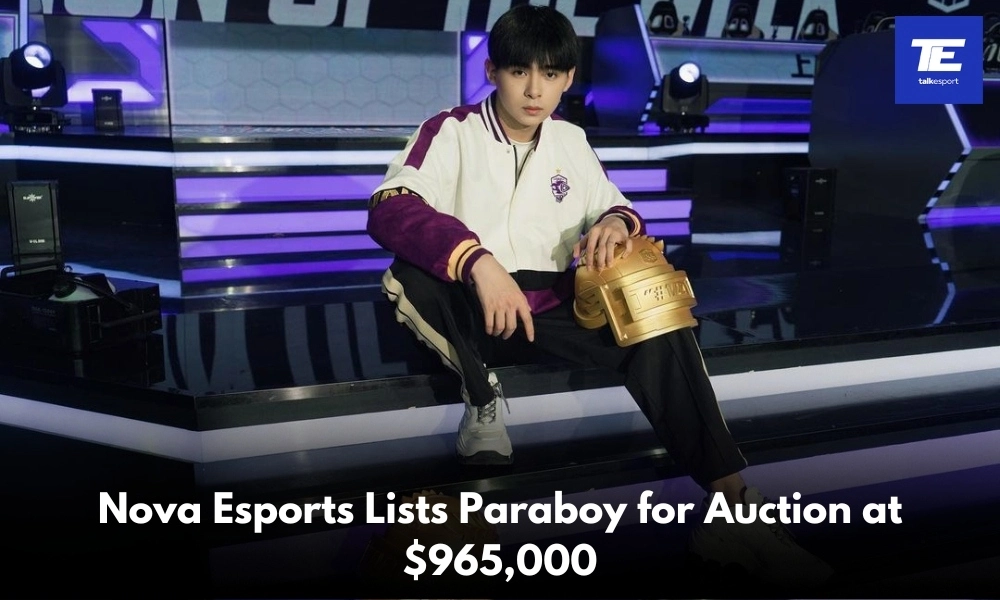
Prominent Chinese esports organization Nova Esports has reportedly listed the auction of their star player, Zhu “paraboy” Bochen, with a base price set at an astronomical $965,000 USD (over ₹8 Crore INR). Paraboy has been an integral part of the organization since he joined the organization in July 2020. During his tenure, he has not only made a name for himself but also helped the team win multiple tournaments.

Paraboy’s Achievements and Legacy at Nova Esports

Paraboy is widely recognized as one of the best PUBG Mobile players in the world, and has built an illustrious career adorned with numerous accolades. His skills and consistent top-tier performances etched his name as a legend in the PUBG Mobile Esports scene. Some of his most notable personal achievements include:

  • Man At His Best Award in Young Power of the Year by Esquire
  • Annual Popular Esports Newcomer Award by Sina Sports
  • Esports Mobile Player of the Year by Esports Awards 2021

Additionally, his career has been marked by remarkable performances, leading his teams to several S-Tier PUBG Mobile and Game for Peace championships. Among his major team victories are:

  • Peacekeeper Elite Championship 2019
  • Peacekeeper Elite Championship 2020
  • PUBG Mobile Global Championship 2020
  • PUBG Mobile Global Championship 2021: Grand Finals

In addition to team successes, he has also garnered numerous individual accolades in the PUBG Mobile esports arena, underscoring his dominance and unmatched prowess:

  • MVP of Peacekeeper Elite League 2020 Season 1
  • MVP of Peacekeeper Elite League 2020 Season 2
  • MVP of Peacekeeper Elite Championship 2020
  • MVP of the Year in Peacekeeper Elite Championship 2020

The decision by Nova Esports to auction Paraboy is likely to spark a fierce bidding war among top-tier esports organizations worldwide. His proven track record and ability to consistently deliver high-level performances make him an invaluable asset to any team. The base price of $965,000 not only reflects his current market value but also his potential to drive future successes.

Stay updated with the latest news in gaming and esports by signing up for early access to TalkEsport’s Mobile App. Also, follow us on Twitter and Google News to ensure you never miss the exciting updates.