Thursday, May 7, 2026
Home Blog Page 446

Valorant Champions 2024 Rewards: Twitch Drops, Pick’Ems, & How to Get Them

0

The highly anticipated Valorant Champions 2024 is just around the corner, and fans of the shooter from throughout the world are eagerly looking forward to seeing their favorite teams fight it out in front of a live audience for a shot at the championship trophy alongside a gigantic prize pool.

With just a few days left until the biggest annual Valorant tournament begins, Riot Games has announced a variety of in-game rewards available for fans through Twitch Drops and Valorant Champions 2024 Pick’Ems.

These rewards include Sprays, Gun Buddies, Player Cards, and Titles, all of which can be obtained for free by simply participating in the upcoming events.

Valorant Champions 2024 Twitch Drops

As with previous years, this year’s Champions event will feature Twitch Drops. To obtain these drops, you have to ensure that your Twitch and Valorant accounts are linked. Once you have linked your accounts, simply head over to the official Twitch or YouTube handle of Valorant esports and tune into the Champions 2024 streams.

Here are the rewards you can obtain for watching Valorant Champions 2024 streams:

  • Spray / Tacticpenguin: Watch a game between August 1 – August 24
  • Player Card / Jett Hanbok: Watch a game on August 25
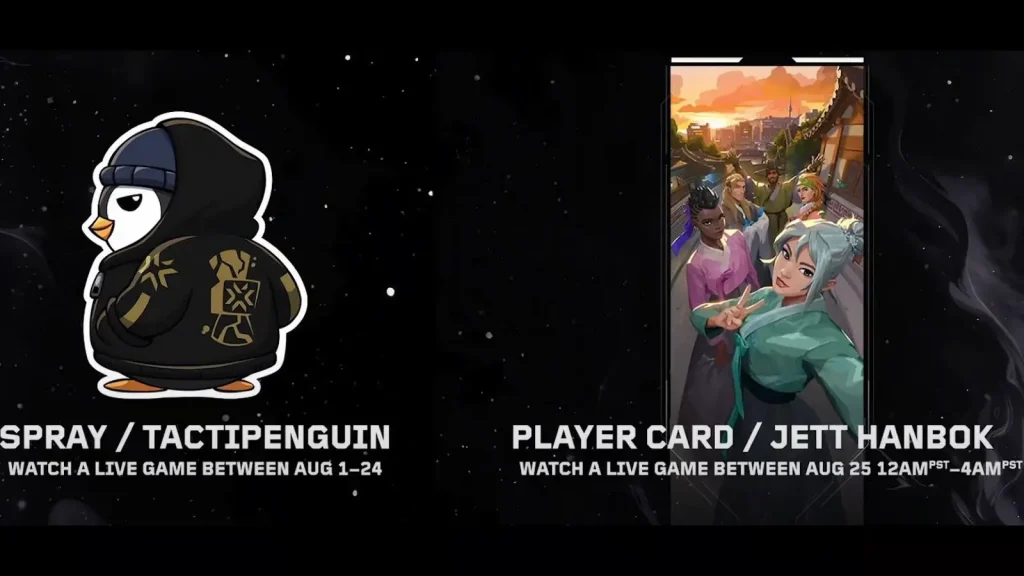
Valorant Champions 2024 Rewards

Valorant Champions 2024 Pick’Ems

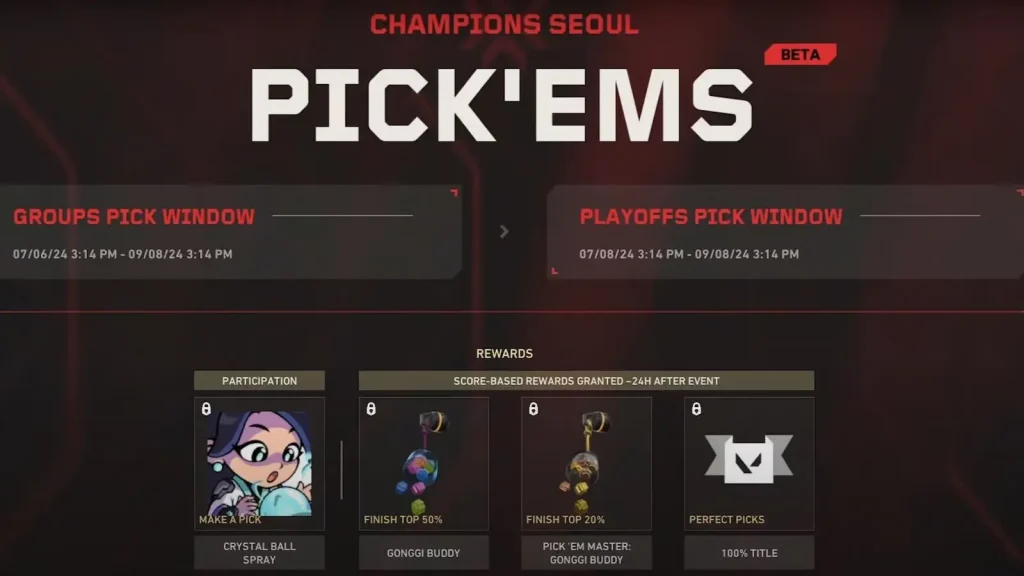
Valorant Champions 2024 marks the official introduction of Pick’Ems in Valorant. These Pick’Ems can be accessed via the game client and the official Valorant esports website, and players can earn various rewards based on how many correct predictions they make.

Below, we have listed the rewards that players can get by participating in the Valorant Champions 2024 Pick’Ems:

  • Crystal Ball Spray: Participating in Pick’Ems
  • Gonggi Buddy: Finish Top 50% in Pick’Ems
  • Pick’Em Master Gonggi Buddy: Finish Top 20% in Pick’Ems
  • 100% Title: Perfect Pick’Em Picks
Valorant Champions 2024 Rewards

How to BHOP in CS2?

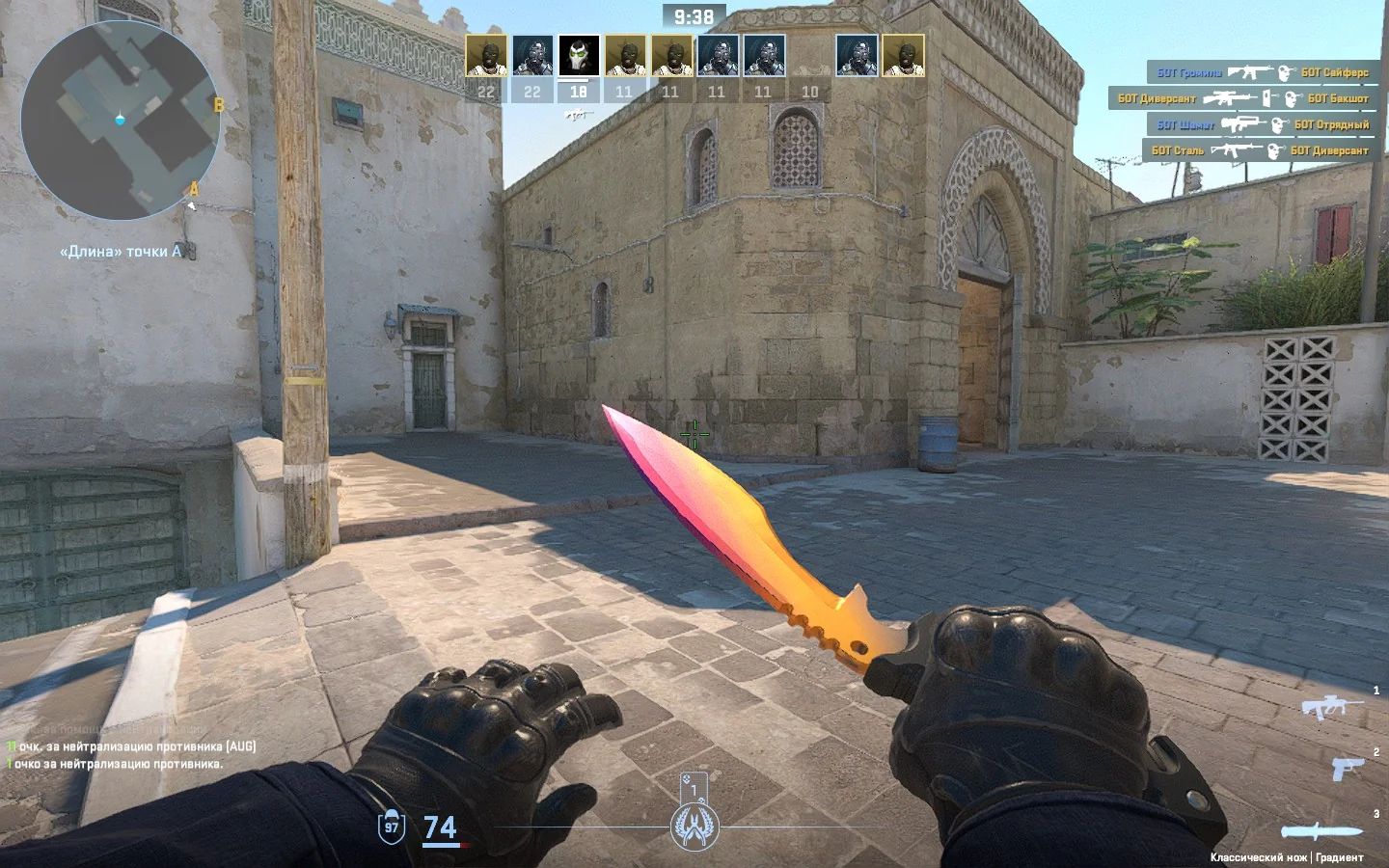
Bunnyhopping refers to the skill of continuously jumping in a criss-cross pattern which increases your speed with each hop because of the game mechanics.

CS2’s release introduced a plethora of changes within the game mechanics and the new “sub-tick” system implemented to get a smooth gameplay has made it next to impossible for players to Bhop. While you can still put together a few steps of Bhop it is too unreliable to use in a competitive match and you might get yourself killed before you can do anything productive with it.

Professional CS2 players using Bhop in professional matches are hard to find given the aforementioned problem but that doesn’t mean that Bhop has completely left the game. Yes, you cannot Bhop on official servers but you are a few commands away from Bhopping on offline or custom servers.

Fire up an offline game mode or a custom server and punch in the following commands.

  • sv_autobunnyhopping true
  • sv_enablebunnyhopping true
  • sv_staminamax 0
  • sv_staminajumpcost 0
  • sv_staminalandcost 0

Using these commands will grant you the ability to Bhop in your own private servers or in offline game modes. Unfortunately, Bhopping takes a lot of practice and patience to learn, and for players who have put in the effort to master it, Valve leveling the playing field by removing it from the competitive matches might not have been in everyone’s best interest.

Stay updated with the latest news in gaming and esports by signing up for early access to TalkEsport’s Mobile App. Follow us on Twitter and Google News to ensure you never miss the exciting updates.

How to Get the 2024 Pokémon World Championship Pikachu TCG Card

0

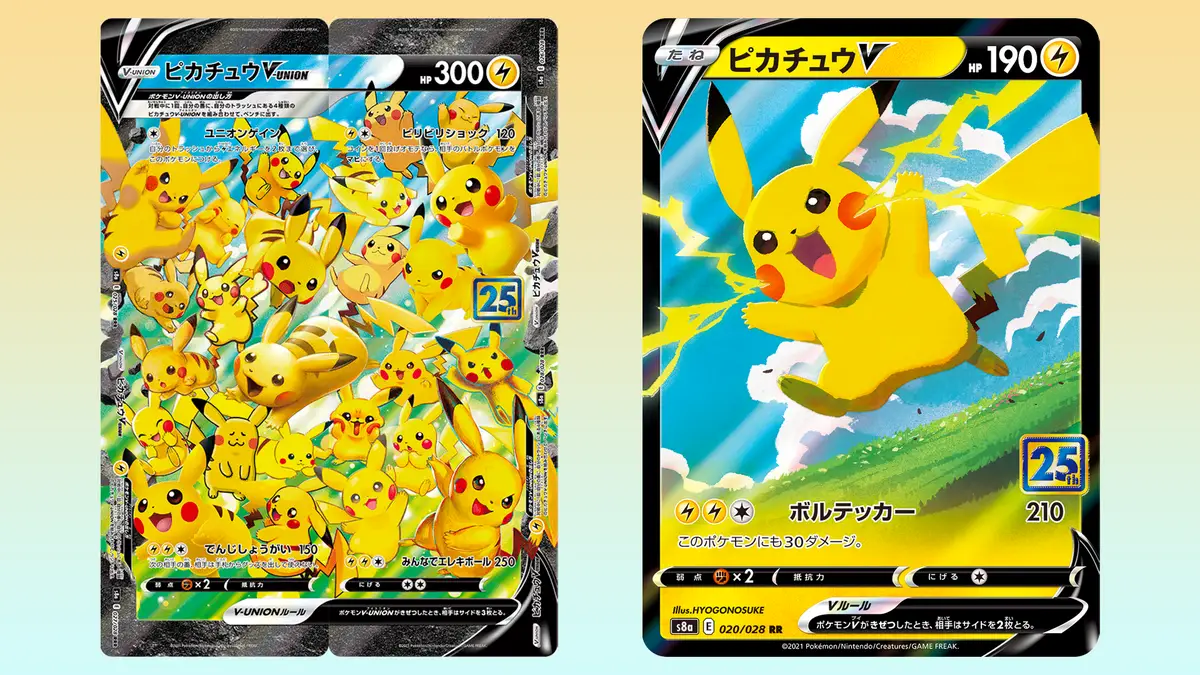
To commemorate the 2024 World Championships, The Pokémon Company is releasing a special Pikachu card that is available to everyone but in limited regions only.

Given the card will be released in limited quantity, time is of the essence and during the Pokémon World Championships between August 2 to August 18, players can purchase the Pikachu card. The cards are limited in quantity, so once they’re gone, they’re gone forever.

Unless you are looking to purchase it, the card can be obtained by attending the aforementioned event in person where a competition will be hosted and the top 100 players in the leaderboards will get the rare card.

For those who are looking to buy it purchasing it from the Pokémon Center Online, which is presently only accessible in a few countries, including the US, Canada, and the UK sounds like the best option.

Stay updated with the latest news in gaming and esports by signing up for early access to TalkEsport’s Mobile App. Follow us on Twitter and Google News to ensure you never miss the exciting updates.

How To Fix VAN 79 Error Code in Valorant

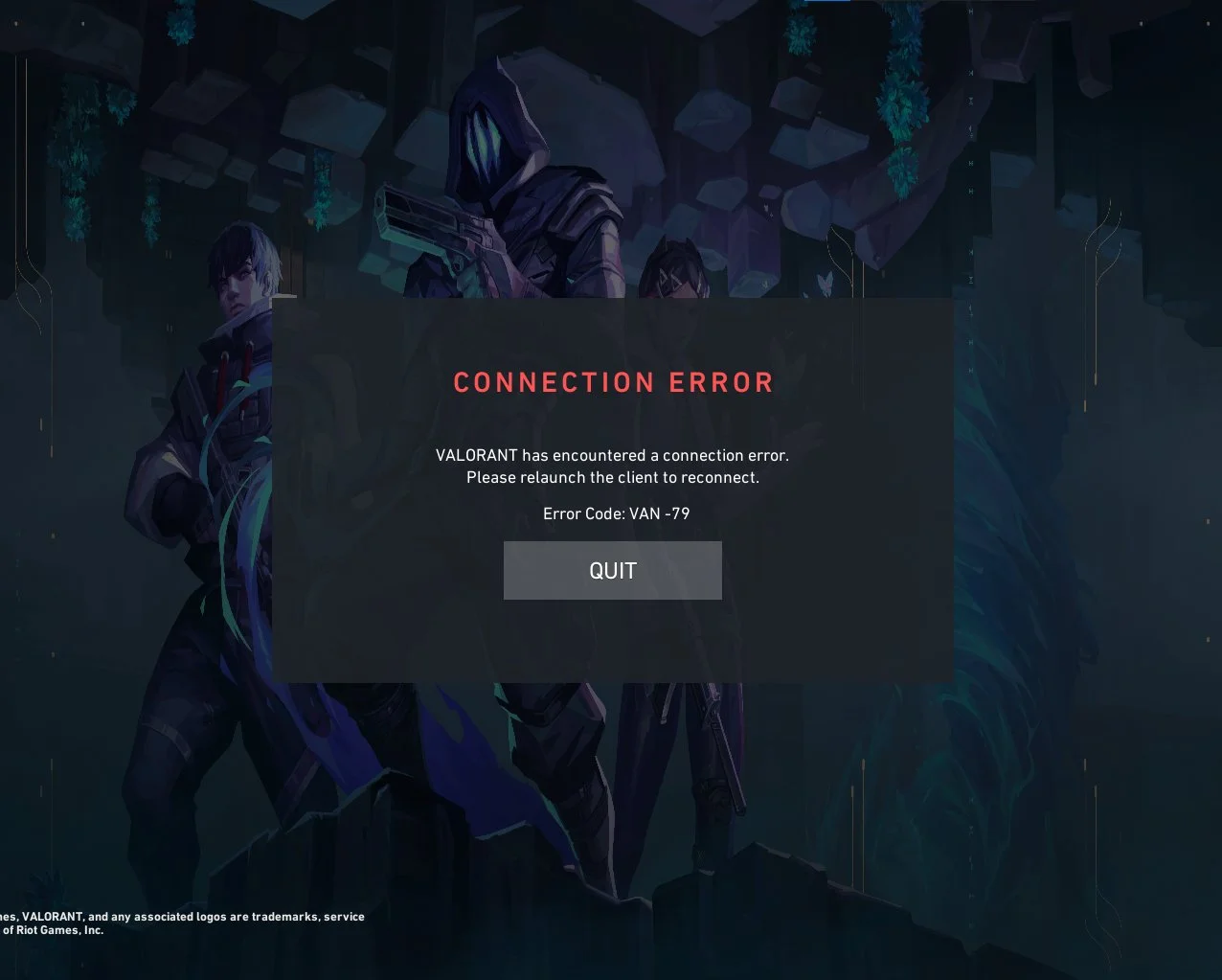
The VAN 79 error code in Valorant is one of the rarer, yet extremely frustrating problems that you can encounter when trying to play the shooter.

When you face the VAN 79 error code in Valorant, you’ll be greeted with the message “Connection error. Please relaunch the client to reconnect” when trying to play the shooter.

The VAN 79 error in Valorant can stem from various sources, making it challenging to identify the exact cause. Luckily, this issue can often be resolved by following a few straightforward steps.

Valorant VAN 79 Error Code Fix

The Valorant VAN 79 error code can be caused by your PC having an outdated version of Windows, problems with your network connection, or an issue with the ‘VGC’ service.

Below, we’ve included fixes to all of the aforementioned problems:

  • Update Windows: The first step you should take when trying to solve the VAN 79 error in Valorant is to make sure that you have an updated Windows version on your PC. You can verify if you have any pending updates by going to your system settings and clicking on the ‘Windows Updates’ tab.
  • VGC service: Hit ‘win + r’ on your keyboard, type in services.msc, and hit enter. From the list of services, scroll down till you find the service named ‘vgc’. Right-click on the service, go to ‘startup type’, and change it to ‘automatic’. Once done, hit ‘apply’ and ‘ok’ on the bottom of the window. If the service status says ‘stopped,’ be sure to click on the ‘start’ button.
  • Flush DNS: Go to your start menu, type in ‘CMD’. Right-click ‘Command Prompt’ and select ‘run as administrator’. Once done, type in the following lines to your command prompt:
    • netsh winsock reset
    • ipconfig /flushdns

After following these steps, you have to restart your PC before trying to launch Valorant. Now, you can tune into Valorant once again and your error code VAN 79 should likely have been fixed.

PUBG Dev Krafton Reportedly Working on New Gacha Game ‘Project C3’

Krafton, the developers behind the popular battle royale title PlayerUnknown’s Battlegrounds, are reportedly working on a new 2D Gacha game named ‘Project C3’.

The news was revealed through a job posting on their website, looking for candidates to work on a game named “Project C3,” suggesting that the company is working on a new title.

According to the job description, “Project C3” will introduce a distinctive strategic battle system and offer players the opportunity to collect a variety of characters.

A rough translation of the job posting reads, “Project C3 is a multi-platform 2D collectible RPG, a first for Krafton, designed with collaboration between Korea and Japan in mind. We are seeking team members to embark on this new challenge with Project C3, promising unprecedented fun through innovative gameplay and unique characters.”

These roles are located in Seoul and demand candidates with proficiency in Spine animation, along with a minimum of two years experience in 2D game animation.

The exact release date of Project C3 remains uncertain at the time of writing. However,  given that the project is still in its early stages, a release in the near future is unlikely.

PC Crashing on Exiting Valorant: How To Fix?

If you’ve been playing Valorant recently, then chances are you may have come across an extremely annoying error that crashes your PC when you exit the game.

The PC crashing on exiting Valorant error is rapidly becoming a cause of concern in the Valorant community as many players have reported facing this issue after the 9.01 patch dropped last week.

The error was first brought to light by Reddit user ‘trippingrainbow’ on the ’ValorantTechSupport’ subreddit. The user mentioned that their PC was crashing ‘75% of the time’ when they closed Valorant.

They further claimed that the issue persists even though they’ve reinstalled the game and Vanguard, Valorant’s official anti-cheat client.

Many other players echoed this sentiment in the comments section, with several reporting that they have encountered this issue repeatedly over the past week.

According to most users, the problem occurs regardless of whether you exit the game to the desktop directly or use Alt+F4 to exit.

How To Fix PC Crashing on Exiting Valorant Error

At the time of writing, there’s no known fix for the PC crashing on exiting Valorant error. For now, your only option is to restart your PC entirely if you encounter this problem.

Activision Sold AI-Generated Cosmetics for Modern Warfare 3

0

According to a freshly minted report, Activision has sold AI-generated cosmetics in one of their bundles in Modern Warfare 3.

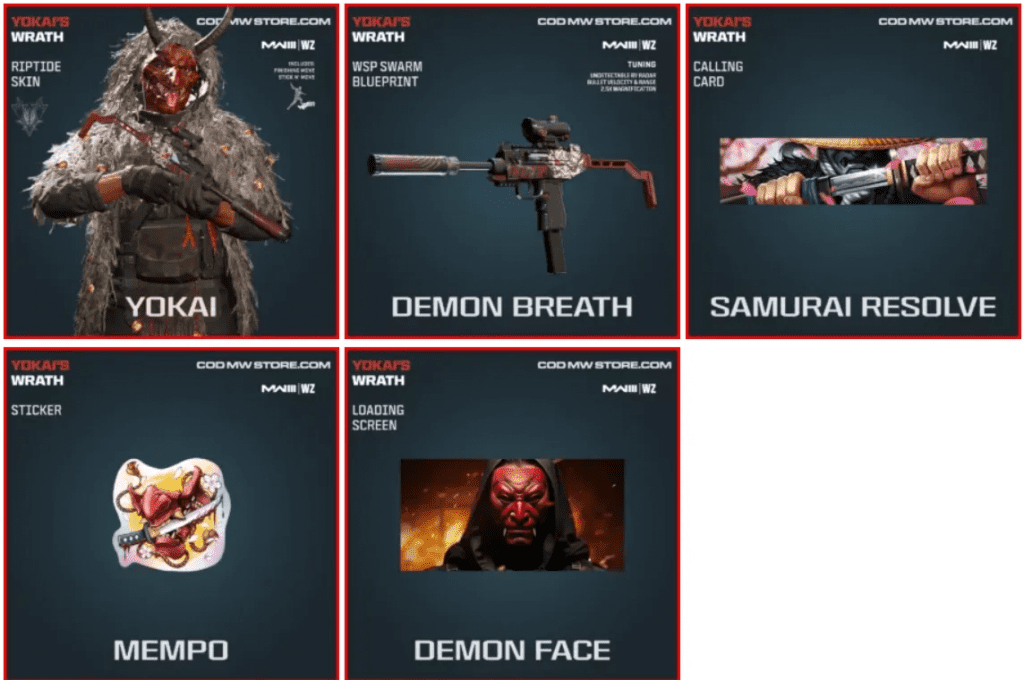
The article mentions the Yokai’s Wrath bundle that was released in December 2023 for Modern Warfare 3 which was released a month before the release of the bundle. Although we cannot point out which item in question is the work of a generative AI, sources indicate that they were used.

The use of generative AI has taken away tons of jobs from the gaming industry alone but using it for creating unique designs is something that can be debated over. However, one insider said the artists were forced to do this due to the lack of manpower.

Yokai’s Wrath bundle.

“A lot of 2D artists were laid off,” an anonymous Activision artist claimed. “Remaining concept artists were then forced to use AI to aid in their work.”

Said person further claims that Activison has promoted the use of AI throughout their business and has been cutting down manpower. Players and creators have criticized generative AI thus far for a variety of reasons, including legal concerns and Activision is yet to speak out on this.

Stay updated with the latest news in gaming and esports by signing up for early access to TalkEsport’s Mobile App. Follow us on Twitter and Google News to ensure you never miss the exciting updates.

Valorant Champions 2024 Bundle Leaked: Skins, Price, & Release Date

0

Only a week remains before the highly anticipated Valorant Champions 2024 kicks off, and fans of the shooter can’t wait to see their favorite Valorant teams battle it out in the big stages for a shot at the prestigious championship trophy.

To celebrate the start of Valorant Champions 2024, Riot Games is set to release a new skin bundle, with a portion of the proceeds going directly to support the teams participating in the event.

While the developers are yet to officially unveil the contents of the Valorant Champions 2024 bundle, we’ve seen plenty of leaks surface on the internet over the past few months to get a decent idea about what the new Valorant skin bundle will bring to the game.

Valorant Champions 2024 Bundle Skins

Recently, a number of prominent Valorant dataminers and leakers have posted the contents of the Valorant Champions 2024 bundle on various social media platforms.

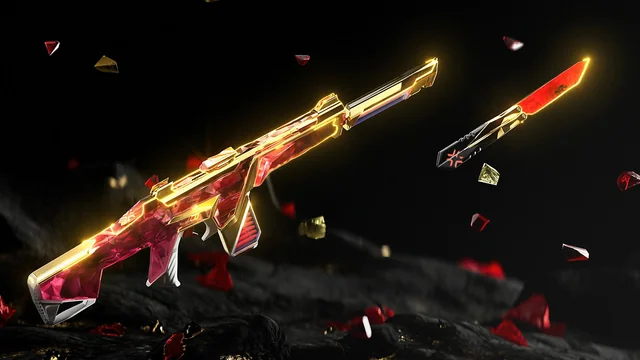
As per the leaks, the Valorant Champions 2024 bundle will include a Phantom skin alongside a Melee weapon. The Melee weapon will likely share a similar appearance to the Sovereign 2.0 melee, but fans can expect to see new animations in the Champions 2024 knife.

Valorant Champions 2024 Bundle Price & Contents

Other than the Champions 2024 Phantom and Sword, the bundle will also include a Gun Buddy, Player Card, and Spray like every other year.

The price for the Champions 2024 bundle is expected to remain the same as in previous years.

Here’s what the contents of the Valorant Champions 2024 bundle will cost you:

  • Champions 2024 Phantom: 2,675 VP
  • Champions 2024 Knife: 5,350 VP
  • Champions 2024 Spray: 325 VP
  • Champions 2024 Player Card: 375 VP
  • Champions 2024 Gun Buddy: 475 VP

Players who buy the entire bundle will have to spend around 6167 VP, which roughly equates to $60 USD.

Riot Games Reveals Valorant Champions 2024 Anthem Featuring KISS OF LIFE, Mark Tuan

0

On July 23rd, Riot Games officially unveiled the anthem for the upcoming Valorant Champions 2024 event, and it has garnered widespread appreciation from Valorant fans worldwide.

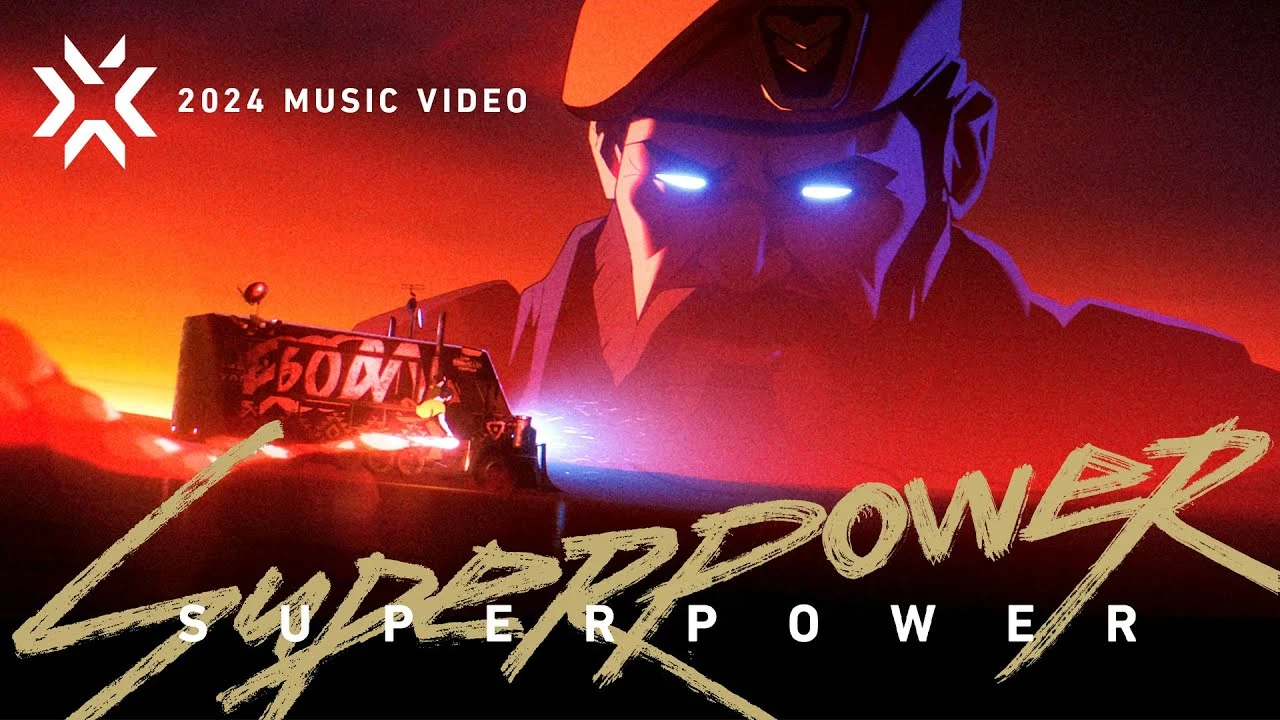
The Valorant Champions 2024 anthem, called SUPERPOWER, showcases the talents of popular K-pop artists KISS OF LIFE and Mark Tuan. The anthem sees KISS OF LIFE, a dynamic new group formed in 2023, join forces with Mark Tuan, the American-born rapper who’s a member of the acclaimed K-pop group Got7.

The “SUPERPOWER” music video features iconic highlights from the VCT blended with some stunning animations.

Fans can check out the official music video for “SUPERPOWER’ by heading to the Valorant YouTube channel. At the time of writing, the Valorant Champions 2024 song has managed to accumulate over 1.2 million views on the platform.

We’ve linked the Valorant Champions 2024 anthem below for your convenience.

For fans who are eager to catch the prestigious tournament, Valorant Champions 2024 is all set to kick off on August 1, 2024. We’ve already covered the detailed format and schedule for the event, so be sure to keep following TalkEsport to stay up-to-date with all the action that unfolds.